Analyze - AI Search Analytics Platform

12 Best Search Engines to Use Instead of Google

Written by

Ernest Bogore

Ernest Bogore

CEO

Reviewed by

Ibrahim Litinine

Ibrahim Litinine

Content Marketing Expert

12 Best Search Engines to Use Instead of Google

You feel it every time you open Google: the answer you want is buried under noise, and you waste more steps than you should to find something simple.

That friction doesn’t come from complexity — it comes from a search experience that no longer matches how you work today.

  • You scroll past ads, summaries, carousels, and “People Also Ask” boxes before you reach a real result.

  • You ask a clear question, but the page splits your attention across ten formats and three types of answers.

  • You switch engines anyway when you need privacy, better AI answers, or deeper control — but none of them cover everything.

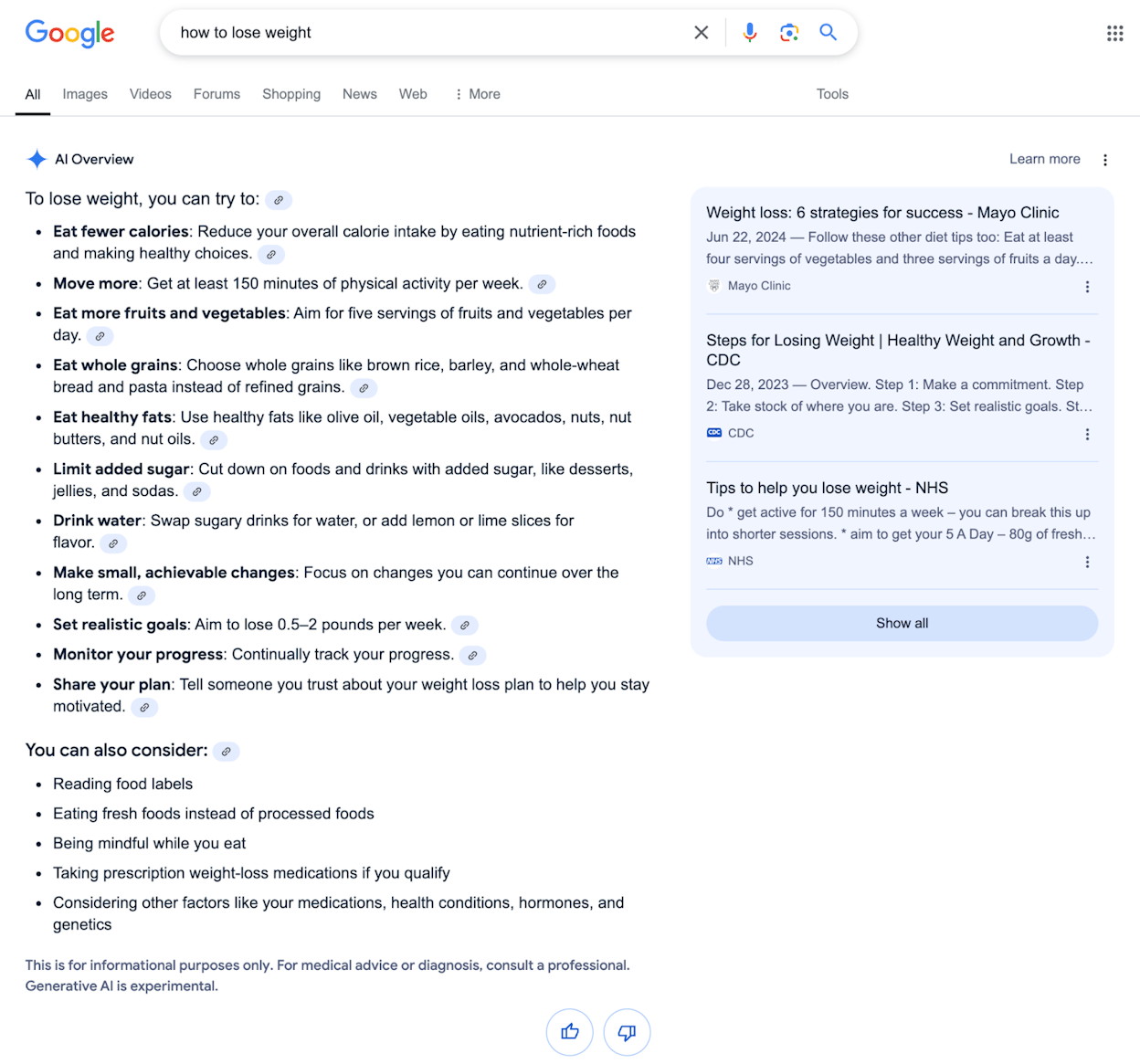
To cut through this, we reviewed the search engines that genuinely change how fast you find information. We filtered out tools that look shiny but don’t help you work faster, and focused on engines that fix real gaps: privacy, depth, AI answers, independence, and control.

Table of Contents

TL;DR

Search engine/ToolBest to use instead of Google when you want…Index / source modelAI / assistant stylePrivacy & business modelKey strengthsMain watch-outs
Microsoft Bing"Mainstream search with strong AI answers and visual search""Own Bing index""Copilot chat and inline summaries beside classic results""Ad-fundedbig-platform tracking similar to Google""Feels familiar for Google users; great image/video and visual search; tight Windows/Edge/365 integration; rewards program"
DuckDuckGo"Privateno-profile search that still feels simple""Results largely from Bing + other partners""Light AI; classic results + some answer boxes""No search history or profiling; ad-supported without behavioural targeting""Strong privacy story; built-in tracker blocking; clean SERPs"
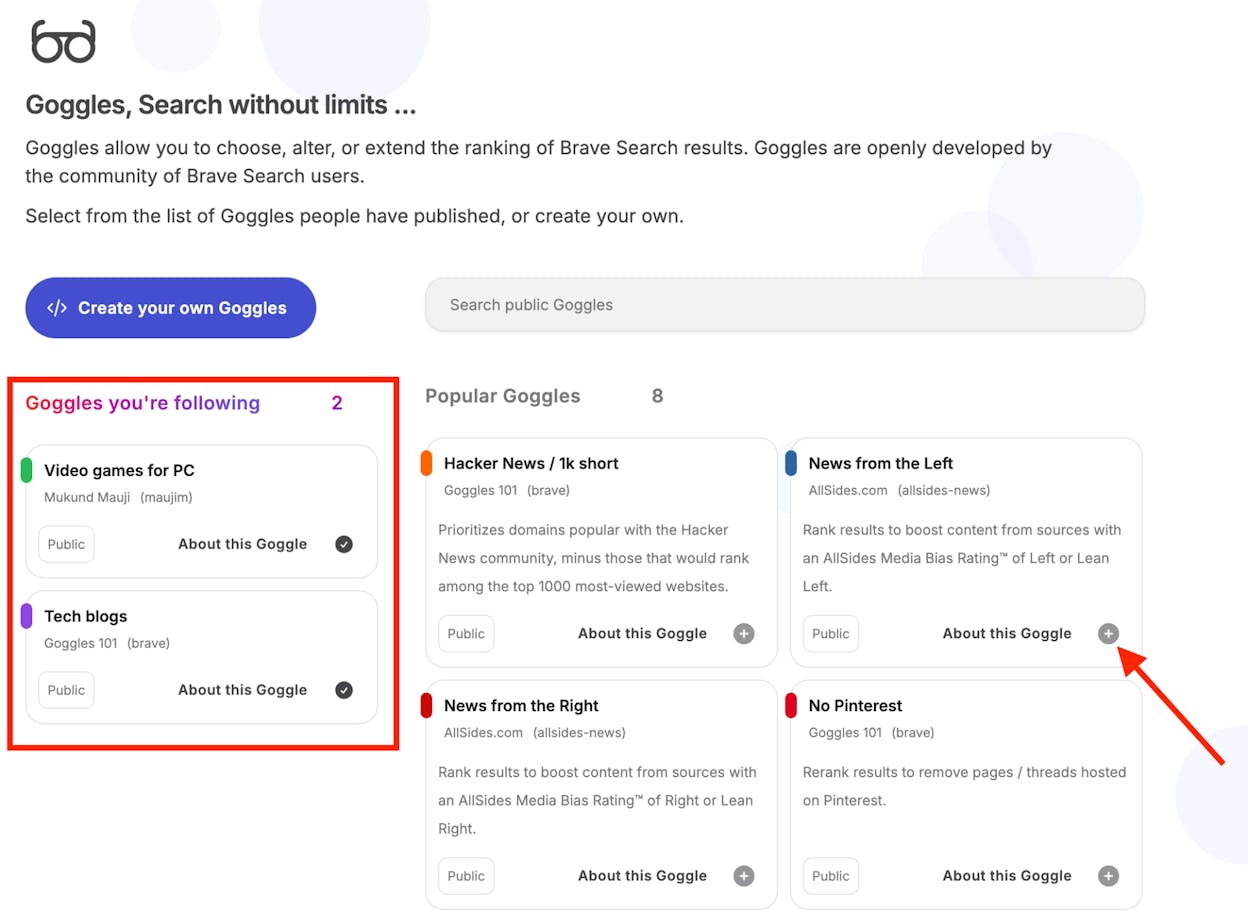
Brave Search"Independentprivate search with basic AI answers""Brave’s own index (with limited fallback mixing)""Answer with AI summaries""No profiling; minimal data collection""Independent index; strong privacy stance; good classic + AI balance"
Startpage"Google-level relevance with a hard privacy layer""Proxies Google (and some Bing) results""Classic SERPlimited AI""No logs; EU-based; privacy-guarded ads""Google-quality results without identity exposure; Anonymous View browsing"
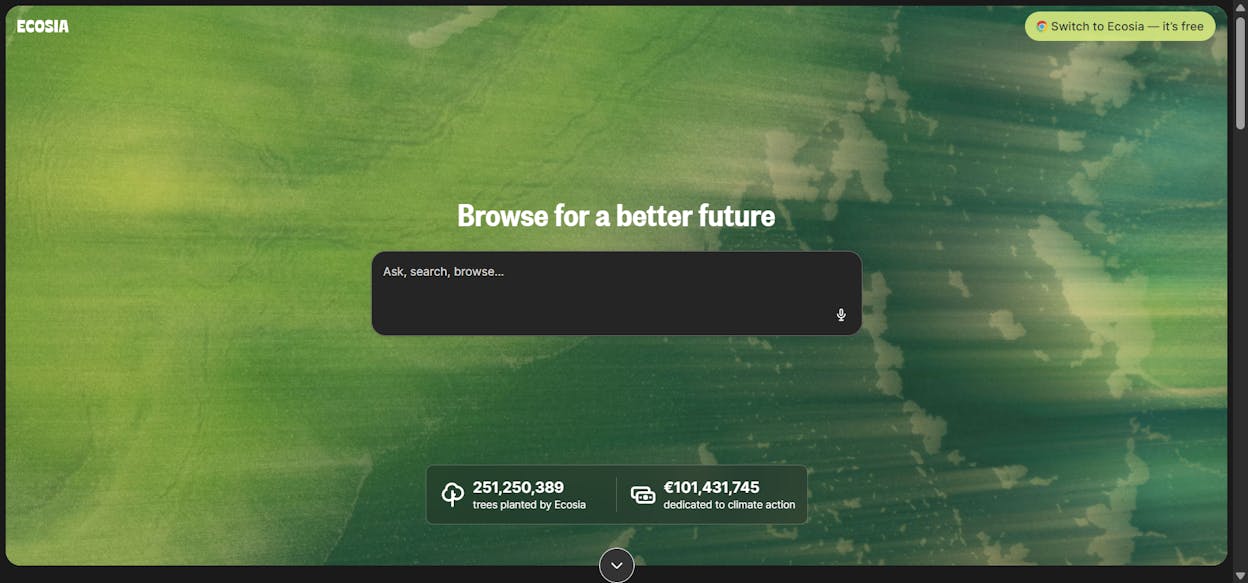
Ecosia"Good enough search that funds climate projects""Bing index + European partner index""Early AI/chat features in apps""Profits fund reforestation; not purely privacy-focused""Clear environmental mission; transparent impact; easy mainstream switch""Reliant on partner indices; fewer advanced features; not privacy-first"
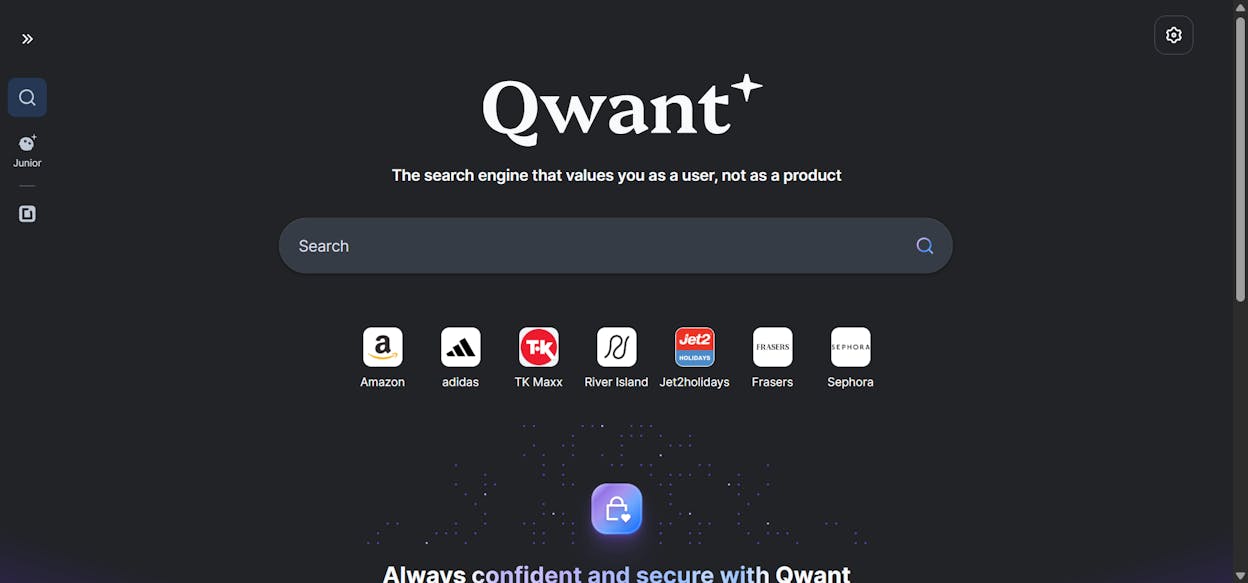
Qwant"European-hosted private search with sovereignty focus""Own EU index + Bing fallback""Light AI summaries incoming""No tracking; EU hosted""Strong EU privacy and localisation; partial index independence""Smaller index; weaker English/long-tail; fewer rich verticals"
Swisscows"Strict privacy plus family-safe filtering""Own semantic tech + Bing data""Classic results""No logs; Swiss hosting; family filtering""Privacy + family-safe by default; school-friendly""Filtering imperfect; partner dependency; limited depth"
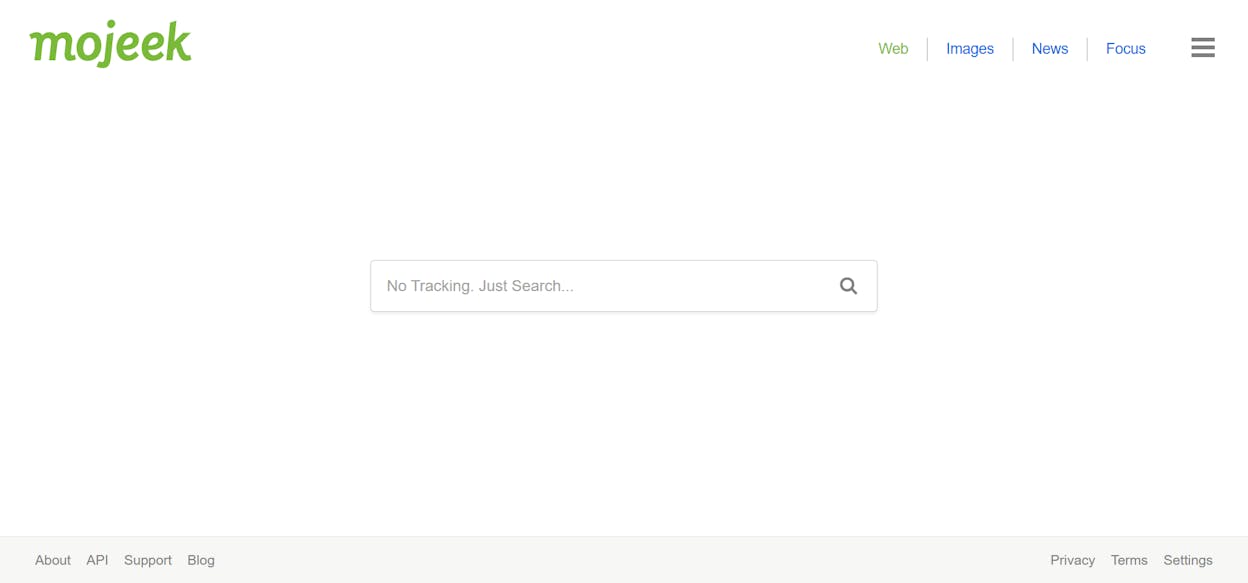
Mojeek"Fully independentprivacy-first crawling search""Own crawler + index""No major AI assistant""Zero tracking or profiling""True index independence; stable non-personalised results"
Kagi"Ad-freehigh-control search for power users""Blends multiple sources; control-first model""AI summaries + assistant workflows""Subscription-based; strong privacy""Super clean results; deep customization; great for research"
Yahoo Search"Portal-style mainstream experience""Bing-powered index""Traditional SERP""Ad-driven""Familiar UI; integrates Yahoo Mail/News/Finance""Heavy ads; no independent index; weak AI focus; not privacy-first"
You.com"AI-first customizable research assistant""Multiple web sources tuned for AI""YouChat conversational assistant""Mix of free/paid; privacy-aware but not no-logs""Great research feel; tile-based results; developer-friendly""Smaller index; patchy niche coverage; evolving model"
Perplexity"Fastcited AI answers for research""Real-time web + LLM""Conversational answer engine with citations + Deep Research""Not a traditional ad search engine""Very fast
Analyze"To see how AI engines talk about your brand + which drive conversions""Not a search engine — AI search visibility platform""Tracks model answerscitationssentiment & prompts""Analytics platform; not ad-funded"
Microsoft Bing : The AI and visual search alternative

Key Microsoft Bing standout features

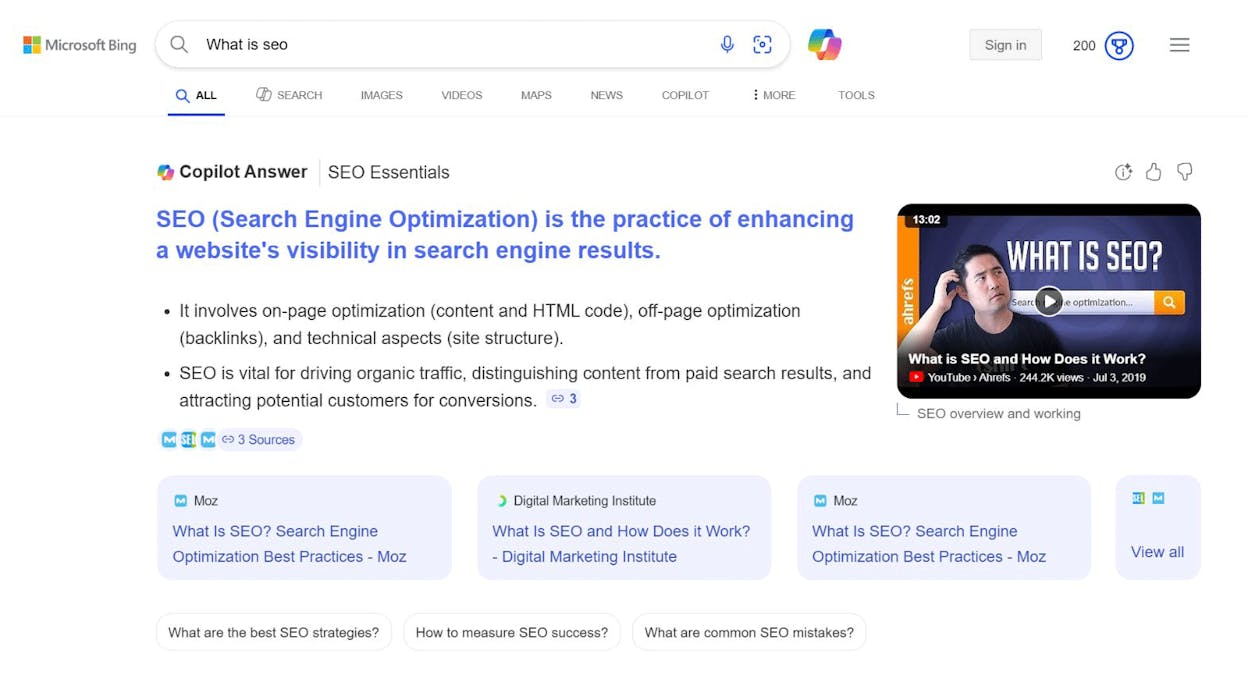
  • AI Copilot that gives answers, summaries, and follow-up questions beside normal results

  • Chat mode that lets you refine a search like a conversation

  • Visual search that lets you search with photos, screenshots, or camera snaps

  • Strong image and video results with rich filters and preview tools

  • Deep links with Windows, Edge, Microsoft 365, plus a rewards program for regular use

Bing feels close enough to Google that you do not need to relearn search, yet the Copilot layer changes how you work with results. Instead of opening ten tabs and skimming many pages, you can ask a follow-up question, narrow the topic, or ask for a clear list, while still seeing links and sources. This helps when you research a topic, plan a trip, compare products, or write a simple outline, because you can move between classic results and AI help without leaving the page.

best search engines

The visual side also stands out in daily use, especially when you do not know the right words for a search. You can point the camera at a plant, a product, a building, or some text and let Bing guess the right terms, then jump straight to shopping, guides, or translations. Tight links with Windows and Edge make this easier, because the search box sits in the taskbar, the browser, and even inside some Office apps, while the rewards program gives small points that you can trade for gift cards or charity support.

Bing also has some gaps that matter when you depend on search every day and want very deep coverage. Its index is large, but it still trails Google for tiny topics, obscure sites, and very niche local queries, so sometimes you will see fewer useful pages, or older pages, for that type of search. This can show up when you search for small blogs, local service providers in less covered areas, or rare technical issues, where Google still tends to surface more options.

private search engines

Another weak point comes from how Bing handles data, ads, and tracking, since it sits inside a big ad business like Google. Bing does not market itself as a strict privacy engine, and ad clicks can still carry tracking signals to partners, which will feel wrong if you want a no-logs, no-profile search experience. You will still see sponsored results at the top for many commercial queries, and while the layout often feels cleaner than some Google pages, people who care a lot about privacy may prefer tools like DuckDuckGo or Startpage and keep Bing mainly for AI answers or image search.

Quick comparison: Bing vs Google

FeatureGoogle SearchMicrosoft Bing
AI chat built into main view"Presentbut less tightly tied in many regions"
Visual search"Strongworks through Lens and Photos"
Integration with work tools"Deep links with Google Workspace and Chrome""Deep links with Windows
Rewards for searches"None for most users""Microsoft Rewards gives points for activity"
Privacy focus"Heavy data collection for ads and products""Similar ad platform

For many people, the best setup will not be “Google or Bing,” but a mix of engines where Bing handles AI answers, image and video work, and tasks tied to the Microsoft stack, while privacy-first tools cover sensitive searches.

privacy focused search

Key DuckDuckGo standout features

  • No search history saved and no personal data stored

  • Tracker and cookie blocking built into the browser, app, and extensions

  • App Tracking Protection for Android to stop hidden app trackers

  • HTTPS protection and masked IP signals to reduce linkable data

  • Filter that hides AI-generated images from search results

DuckDuckGo focuses on privacy in a way most mainstream engines do not match, because it removes profiling from the search flow and keeps every query detached from your identity. This gives you a quiet search experience that feels safer, since nothing you type becomes part of a personal history that follows you across devices or informs future ads. The built-in tracker blocking adds a second layer of control, because it stops many scripts, cookies, and ad beacons before they load, which helps you avoid the passive tracking that hides inside many normal websites.

alternative search platforms

DuckDuckGo also works well when you want a clean page with fewer distractions and fewer sponsored results, because the layout stays simple even for commercial searches. This can help you focus on the content rather than ads, and it can make everyday tasks easier when you want to get an answer without scanning through large blocks of promotions. The new filter for AI-generated images also helps you avoid low-quality visual noise when you research items, recipes, or any visual topic, which has become harder on many engines.

DuckDuckGo also comes with some limits that matter once you start to compare it with Google or Bing, because much of its index still comes from those larger engines. This means the freshness of some results can trail behind the biggest crawlers, and the depth of the index can feel thinner for narrow or long-tail queries. You may also see less detail on local searches, fewer results for niche technical terms, and slower updates for newly created pages.

non google search engines

Another limit appears when you expect a full ecosystem of tools, because DuckDuckGo does not offer a large maps suite, deep shopping layers, or hundreds of connected verticals. If you click on ads, some identifiers may still pass through the ad network, which reduces the sense of strict privacy. People who want zero-leak search often pair DuckDuckGo with a strict ad-blocker or a VPN to close the last tracking gaps, while keeping DuckDuckGo as the main search page for daily use.

Quick comparison: DuckDuckGo vs Google

FeatureGoogle SearchDuckDuckGo
Tracking and profiling"Heavy tracking used for ads and personalization""No profiling
Ads"Many sponsored slots across categories""Fewer ads
Index depth"Very deep and refreshed often""Pulled from partners
Ecosystem tools"Full mapsshopping
Built-in tracker blocking"Not included in core search""Strong blocking in browser

DuckDuckGo works best when you want privacy to guide your default search and you do not need the full weight of Google’s deep index for every task. Many people use it as their main engine for daily queries and keep a second engine for rare or highly specific searches.

Brave Search: best search engine to use instead of Google for independent, private search with built-in AI answers

secure search engines

Key Brave Search standout features

  • Independent index built by Brave, not a thin layer on Google or Bing

  • AI features like “Answer with AI” that give short summaries with source links

  • No profiling or stored search history tied to you

  • API access with a large index that now spans over 30 billion pages

  • Transparency tools such as the “Search Independence” metric that shows how often results come from Brave’s own index

Brave Search stands apart because it gives you results from its own index rather than borrowing from bigger engines that track and profile users. This makes Brave one of the few engines where the search pipeline stays under the control of a company that does not rely on ads based on your habits. You get a search page that stays clean, loads fast, and stays focused on the results instead of building a picture of who you are. The privacy layer sits at the core, not as an add-on, which helps when you want protection without extra tools or long setup.

anonymous search tools

Brave also adds AI features in a way that stays simple and helpful without turning the whole page into an AI wall. The “Answer with AI” tool pulls short summaries and lists when you ask broad questions, and you can move from AI answers to classic links if you want more depth. This mix helps you get quick answers while keeping your identity out of the search engine’s models. Developers and teams can use the API to build on a large independent index, which shows that Brave sees search as part of a longer plan rather than a small feature inside a browser.

Brave Search also brings trade-offs because independent indexing takes time to reach the size and detail of engines like Google. Long-tail topics, very niche terms, and certain local searches may not show the same depth you get on Google or Bing, especially when the page you want is new or sits on a small site. You may need to switch engines for rare cases where Brave has not crawled the right pages yet or where the index is still growing into those corners of the web.

best google replacement

The smaller ecosystem also shows up when you depend on deep tools such as maps, image layers, shopping engines, or travel search, because Brave does not offer a full suite of connected services. Brave may also mix in partner results when its index does not have enough material, which breaks the sense of full independence in some situations. These gaps matter when you want one engine that does everything, but they matter less when privacy and independence guide your daily search flow.

Quick comparison: Brave Search vs Google

FeatureGoogle SearchBrave Search
Index type"Massive Google-owned crawler and ranking system""Fully independent Brave index"
AI answers"Gemini / AI Overviews with strong integration""“Answer with AI” summaries with privacy protection"
Privacy stance"Heavy tracking for ads and personalisation""No profiling
Ecosystem strength"Deep mapsshopping
Long-tail/local depth"Very strong worldwide""Still growing

Brave Search works best when you want a private, fast, independent search engine that blends AI answers with classic links and does not rely on Google or Bing to serve results. Many people pair Brave with one backup engine for rare edge cases and use Brave as the daily default for the rest.

Startpage: best search engine to use instead of Google for private access to Google-level results

search engines list

Key Startpage standout features

  • Pulls results from Google (and sometimes Bing) while stripping IP address and tracking data

  • “Anonymous View” proxy that lets you open any result through Startpage so sites cannot see your device or location

  • No logs, no saved search history, and no personal profiles built

  • EU-based privacy protections that limit how data can be handled or shared

  • Clean, simple interface that mirrors the familiar Google layout

Startpage stands out because it gives you access to Google-level relevance without exposing your identity to Google’s tracking systems. The engine works as a privacy shield that sits between you and the page you want to visit, which means your search never reaches Google with your IP, device details, or history attached to it. This setup helps when you want accurate results for everyday searches but do not want those searches used to guess your interests or feed personalised ads. The Anonymous View tool also adds a second layer by hiding your information from the websites you visit, which stops many trackers that would normally load in the background.

search engine comparison

Startpage also works well for people who want privacy but do not want to learn a brand-new search interface. The page looks and feels like classic Google, so the switch takes almost no effort. This helps when you share devices, use less technical tools, or want a simple starting point each time you open a browser. The Dutch jurisdiction adds another layer of trust since EU privacy laws restrict data sharing and limit surveillance. For users who value privacy but still depend on the reach of Google’s index, Startpage offers a comfortable compromise.

Startpage also comes with some limits because it does not run its own deep index and instead depends on Google and Bing to supply core search results. This means Startpage cannot fully control how fresh or complete those results remain, and it faces risks if those companies change their APIs or tighten access. You still get strong coverage for common searches, but Startpage cannot match the independence or long-term control that engines with their own crawlers can provide.

duckduckgo alternative

Another concern comes from ownership and scope. Startpage is owned by System1, a company with an ad-tech background, which has made some privacy-focused users more cautious. The engine also lacks many advanced tools that Google bundles into search, such as full-featured maps, shopping layers, asset libraries, or detailed local data. If you rely on those verticals, you may still need a second engine to fill the gaps while keeping Startpage as your safe default for private searches.

Quick comparison: Startpage vs Google

FeatureGoogle SearchStartpage
Tracking and profiling"Heavy tracking for ads and personalisation""No logs
Index source"Google’s own crawler and ranking system""Google results fetched via proxy"
Privacy protections"US-based with broad data use across products""EU-based privacy laws with strict data limits"
Anonymous browsing"Not available in search""Anonymous View hides IP and device details"
Ecosystem depth"Full mapsshopping

Startpage works best when you want Google-grade results without letting Google, advertisers, or websites track your behaviour. Many people use it as their default search engine and keep Google only for the specific tasks where deep verticals or integrated tools matter.

Ecosia: best search engine to use instead of Google if you want your searches to fund climate action

bing vs google

Key Ecosia standout features

  • Uses 100% of its profits to support climate projects like reforestation and biodiversity work

  • Runs on renewable solar energy and claims to generate enough power to cover its searches twice over

  • Offers its own browser and mobile apps with green features like energy indicators and AI chat mode

  • Uses Bing’s search infrastructure (and the shared European Staan/Qwant index in some regions) for core relevance

  • Tracks and reports impact through public transparency reports that show money spent and trees planted

Ecosia stands out because it links everyday search behaviour with direct environmental impact, which feels simple and meaningful for users who want an easy way to help climate work. Instead of building a new index from scratch, Ecosia acts as a sustainable layer on top of Bing’s results, which means you get a familiar search experience while supporting a mission-driven model. The company publishes clear financial reports every month, showing how many trees they funded, where the projects sit, and how your searches turn into climate action. This level of transparency makes the model feel more real and makes it easier for socially conscious users to trust where the money goes.

ecosia search engine

Ecosia also keeps the switching experience very smooth, because the results follow the structure of Bing’s index and the design stays simple for anyone used to Google-style search. The browser and mobile apps add green prompts, quick indicators, and AI chat tools, which help you stay aware of your impact while you browse. Many people choose Ecosia as their default engine for quick daily searches because it blends an easy UI with a clear feel-good effect that you can see in the company’s public reporting.

Ecosia comes with limits that matter once you compare it with engines that have deep search ecosystems. Because it depends on Bing’s index and partner APIs to deliver results, Ecosia cannot fully control the speed, freshness, or depth of the search layers. If Bing changes its access rules, pricing, or ranking support, Ecosia will feel the effect right away, which makes it less independent than engines with their own crawlers. This can also lead to gaps in very niche searches or slow updates in long-tail topics.

startpage search

Another weak point appears when users expect top-tier features like advanced maps, rich shopping layers, or integrated vertical tools that Google and Bing deliver at scale. Ecosia’s focus remains on impact rather than feature depth, so the tools around local search, AI answers, and specialised data will not match the more advanced engines. It also does not position itself as a privacy-first engine, which means users who want strict data protection will need to combine Ecosia with privacy tools or pick a privacy engine for sensitive queries.

Quick comparison: Ecosia vs Google

FeatureGoogle SearchEcosia
Mission"Built around ads and product ecosystem""100% of profits fund climate projects"
Search index"Google’s own crawler and global ranking system""Bing’s index and shared European index via Qwant"
Energy usage"Standard data-center operations""Solar-powered operations with surplus energy"
Advanced tools"Deep mapsshopping
Privacy stance"Heavy data collection for personalization""Not a privacy-first engine

Ecosia works best when you want a “good enough” search engine that turns ad revenue into climate action without changing how you search. Many people use it as a default for everyday tasks and keep other engines for privacy-heavy or deep search needs.

Qwant: best search engine to use instead of Google if you want European privacy and digital sovereignty

swisscows search

Key Qwant standout features

  • Does not store search history or sell personal data, and keeps all processing hosted in Europe

  • Uses a mix of its own European web index plus supplemental results from Bing when needed

  • Includes “Qwant Junior,” a family-friendly mode built for kids and schools

  • Part of the European Search Perspective (EUSP) project with Ecosia to build a shared independent index (“Staan/EUSP”)

  • Clean interface that keeps distractions low and makes switching straightforward

Qwant begins with a clear commitment to user privacy and European hosting, which gives it a different foundation than engines that depend on U.S. data chains. This choice matters because it ensures every query stays under EU privacy law, which prevents long-term tracking and limits cross-border data sharing. That baseline creates a sense of security for users who want search to stay local and private rather than flow into global ad networks.

qwant search engine

Building on that foundation, the engine blends its own index with structured fallback results so users still see broad coverage without losing the privacy focus. This approach helps people who want independence from Google but are not ready to give up relevance, because the hybrid system keeps result quality high enough for daily use. The addition of Qwant Junior also gives families a safe environment with fewer risks, which broadens the engine’s usefulness beyond privacy alone. As Qwant invests in the shared European Staan/EUSP index, it signals a long-term strategy to strengthen Europe’s search infrastructure and reduce dependence on external providers.

Because that expansion is gradual, coverage will sometimes feel thinner than Google’s, especially for long-tail or English-language queries that rely heavily on massive crawling power. This gap can lead to moments where a second engine becomes necessary for deep research or hyper-specific topics. The reliance on Bing for part of the result set also brings external pressure, since any change in access or licensing can affect Qwant’s stability, which explains why some antitrust concerns have surfaced.

brave search

These limits become more noticeable when users expect a wide ecosystem of tools like advanced maps, shopping engines, or dense AI layers, because Qwant keeps its focus tight rather than building a sprawling suite. As a result, it excels when the priority is privacy and European control but falls behind when the task requires rich vertical data or very frequent updates. Many people solve this by keeping Qwant as the private default and pairing it with a second engine when depth or specialized features matter.

Quick comparison: Qwant vs Google

FeatureGoogle SearchQwant
Data handling"Extensive tracking and profiling""No tracking
Hosting"Global U.S.-based servers""Fully hosted in Europe under EU law"
Index"Massive Google-owned crawler""Mixed index: Qwant’s own + Bing fallback"
Feature depth"Deep mapsshopping
Family mode"Limited parental tools built into search""Qwant Junior provides safe search for kids"

Qwant works best when privacy, European infrastructure, and data independence guide your search needs, and it becomes even more useful when combined with a second engine that covers the few areas where depth matters more than privacy.

Swisscows: best search engine to use instead of Google if you want strict privacy and built-in family safety

yahoo search alternative

Key Swisscows standout features

  • Does not collect personal data, store queries, or build user profiles

  • Blocks cookies and trackers by design and keeps all servers inside Switzerland

  • Includes default family-friendly filtering that screens out adult or violent content

  • Uses its own semantic technology to interpret search intent while supplementing results through Bing

  • Provides a simple, safe environment suited for parents, schools, and organisations that need stronger content controls

Swisscows starts with a clear claim of full anonymity, which sets it apart from engines that mix privacy promises with data-driven features. This commitment is backed by Switzerland’s strict data laws and by the engine’s own decision to avoid cookies, logs, and tracking scripts entirely. Because every query stays detached from identity, the search experience feels safer for people who want their online activity to remain private without extra tools. The focus on family-friendly defaults builds on this foundation and keeps inappropriate content out by design rather than through optional filters.

best private browsers

From that base, the engine uses semantic technology to interpret meaning in your queries, which helps surface results even when you do not phrase things perfectly. This approach gives users a more guided experience while still keeping privacy intact. The platform supplements its own intent engine with syndicated results, which helps fill the gaps and keeps search usable for general tasks. The combined setup makes Swisscows feel stable and predictable, especially in places where strict filtering or privacy rules guide everyday use. It also keeps the learning curve low for non-technical users who want search to stay simple.

Because the engine filters so aggressively, the system sometimes struggles with coverage, especially in image search where users have reported cases of unwanted results slipping through. This gap can feel more noticeable for parents or schools that depend on the filter to work across all types of media. Coverage limits also appear when you search for niche or long-tail topics, because much of the index still depends on syndicated results, which slows updates and reduces independence.

online privacy tools

Those structural limits become clearer when you compare Swisscows with engines that run huge crawlers. Fewer vertical features, lighter tools, and reduced result depth can make certain searches feel less complete, especially if you need maps, shopping layers, or detailed local information. Many users work around this by relying on Swisscows for privacy-sensitive or family-oriented tasks while keeping a second engine for cases that require more detail or broader coverage.

Quick comparison: Swisscows vs Google

FeatureGoogle SearchSwisscows
Data handling"Tracks behaviour to personalise results""No logs
Hosting"Global infrastructure""All servers in Switzerland"
Filtered search"Optional SafeSearch""Default family-friendly filtering"
Index"Massive proprietary crawler""Semantic engine + syndicated results"
Ecosystem depth"Full mapsshopping

Swisscows works best when privacy and safe content matter more than feature depth, making it a strong default for families, schools, and anyone who wants a simple search engine that protects identity and screens out harmful content without extra setup.


Mojeek: best search engine to use instead of Google if you want full independence and zero tracking

secure browsing tools

Key Mojeek standout features

  • Builds its own search index with its own crawler, MojeekBot, instead of borrowing results from Google or Bing

  • Enforces a strict no-tracking policy with no profiles, no behavioural logging and no stored search history

  • Includes advanced tools such as “Focus” search sets and experimental emotional-search filters

  • Runs on UK-based infrastructure inside an independent, environmentally conscious data centre

  • Keeps the search experience consistent by avoiding personalised ranking or user-based adjustments

Mojeek begins with a clear stance on independence, because it runs its own crawler and index rather than leaning on commercial APIs or syndicated feeds. This gives the engine full control over how pages are discovered, ranked and displayed, which appeals to people who want a search experience untouched by the data-driven engines that dominate the market. Since no profiles or histories are stored, the engine avoids the tracking systems that usually shape results behind the scenes and keeps each query disconnected from your identity. That foundation offers a kind of neutrality that users who dislike algorithmic personalisation often look for.

data privacy search

Layered onto that foundation are tools designed for people who want more control over how they search. Features like Focus sets let you build narrower search environments for specific websites or topics, which can help when you research a field or track a niche subject. Emotional-search filters add an unusual dimension that lets you explore content through mood categories, which gives Mojeek a character that stands out among privacy-first engines. Because these tools do not depend on personal data, they keep the privacy model intact while offering a bit more flexibility than a simple web search box.

However, the same independence that makes Mojeek appealing also creates limits, because a self-built index cannot match the scale of Google or Bing. This smaller scope means long-tail subjects, non-English queries and obscure topics sometimes appear incomplete or out of date. Users who rely on deep coverage or constant index refreshes may notice gaps, especially when searching for newer pages or specialised content. The difference becomes more visible in areas where large-scale crawling matters most.

internet search engines

Those gaps extend to the overall ecosystem. Mojeek keeps its UI minimal and does not invest in large verticals like maps, shopping, news or rich media layers. This lean approach works for users who want simplicity and privacy, but it can feel restrictive for people who depend on integrated tools. Many users solve this by pairing Mojeek with a second engine so they can keep Mojeek as their private default while still having access to a broader feature set when needed.

Quick comparison: Mojeek vs Google

FeatureGoogle SearchMojeek
Index"Massive proprietary crawler""Fully independent crawler and index"
Tracking and profiling"Heavy data collection and personalisation""No tracking
Feature ecosystem"Deep mapsshopping
Result personalisation"Highly personalised based on behaviour""Same results for everyone"
Use case"Broad coverage and integrated tools""Privacy-first search with independent results"

Mojeek works best when complete independence, transparency and privacy matter more than large-scale features, making it a strong option for power users and privacy-focused searchers who want a crawler that stands fully outside the big-tech ecosystem.

Kagi: best search engine to use instead of Google if you want ad-free search, deep control, and strong privacy

top search engines

Key Kagi standout features

  • Fully ad-free search results funded only through user subscriptions

  • Privacy Pass and strict no-tracking policy to prevent identity–query linkage

  • Advanced customization tools such as Lenses, domain boosting/downranking, and custom CSS

  • AI-powered summaries, assistant mode, and productivity-oriented workflows

  • Transparent pricing tiers that match usage patterns, with clear limits and an optional “fair-usage credit” system

Kagi opens with a simple shift in incentives: the user becomes the customer rather than the unit being monetised. This model removes ads, sponsored slots, and behavioural profiling from the search experience, which instantly changes how the results page feels. Clean layouts replace clutter, and relevance becomes the primary goal instead of click-through rate. Because the engine does not rely on advertising, it does not need to infer who you are or shape your results around predicted behaviour, which gives people a sense of calm and control as soon as they start using it.

niche search engines

From that foundation, the engine layers in tools that appeal to heavy searchers and technical users who want to fine-tune their workflows. Lenses let you narrow results to forums, academic sites or specific content types, and domain boosting or downranking lets you promote sources you trust or suppress those you want to avoid. These tools create a more intentional version of search where you can shape the page to match how you think, which sets Kagi apart from engines that treat every user the same. The AI summarisation tools and assistant mode extend this experience further by reducing repetitive tasks and making research flows more efficient.

With this flexibility also comes a natural trade-off, because paying for search is unfamiliar for many users who are used to free engines. Lower-tier plans cap the number of monthly searches, which may feel restrictive for casual users or for people who bounce between devices all day. Users who work in fields like SEO or market research may also find that Kagi’s deeply personalised SERPs do not reflect what the broader web audience sees, which complicates competitive analysis. These differences signal that Kagi is a tool built for productivity rather than market benchmarking, and this distinction matters depending on your goals.

Another limitation shows up in scale. Even though Kagi blends multiple sources and tuneable ranking, it does not yet match the massive vertical ecosystems offered by Google or Bing. Deep integrations such as maps, shopping layers, visual search or structured local data are not as extensive, which means you may still switch engines for tasks that require rich domain-specific tools. Many users solve this by relying on Kagi for focused, high-signal search and keeping a second engine for broad vertical needs.

Quick comparison: Kagi vs Google

FeatureGoogle SearchKagi
Business model"Ad-fundedbehaviour-driven"
Tracking"Extensive tracking for personalisation""No tracking
SERP noise"Sponsored slotsads
Customisation"Limited""Deep control: Lenses
Use case"General mainstream search""High-control search for power-users and researchers"

Kagi works best when search quality, privacy and control matter more than having every vertical tool in one place. It is especially helpful for researchers, developers, founders and heavy searchers who want fast, uncluttered results and a level of customisation that typical search engines never offer.

Yahoo Search: best search engine to use instead of Google if you want a simple, portal-style experience powered by Bing

search without tracking

Key Yahoo Search standout features

  • Web, image, and video results primarily sourced from Bing’s ranking and index

  • Deep integration with Yahoo’s own content ecosystem (News, Finance, Sports, Entertainment, Mail)

  • Built-in filtering options for categories, regions, and time ranges

  • A homepage-centric design that blends search with news, market data, email and other Yahoo services

  • Familiar UI for long-time users who prefer a traditional web-portal layout

Yahoo’s search experience begins with the foundation of Bing’s index, which supplies the relevance and coverage that the engine no longer maintains itself. This setup allows Yahoo to offer reliable mainstream results without running a massive crawler or competing directly with the giants on index depth. Instead of focusing on building its own infrastructure, Yahoo centers the experience around its long-standing portal layout, which ties search into the broader universe of Yahoo News, Yahoo Finance, Sports, and other verticals. That design makes search feel like part of a larger information hub rather than an isolated tool.

ad free search engines

Because the engine sits inside this portal environment, it naturally appeals to people who use Yahoo as their homepage or rely on its content services. The integration makes it easy to jump from a search query to related news, market updates, or trending stories without opening new tools or switching interfaces. This flow works especially well for users who treat search as one piece of a broader daily browsing routine. The familiar look also reduces friction for people who have been using Yahoo for years and simply want predictable, comfortable results.

However, the reliance on Bing means Yahoo has limited control over crawling, freshness, or innovation in search features. This dependence restricts the engine’s ability to differentiate itself from its upstream provider, especially when it comes to advanced experiences like AI-generated answers, richer summarisation tools, or deep domain-specific verticals. Users looking for cutting-edge features may notice that Yahoo’s search offering has not evolved as quickly as Google, Bing, or newer AI-driven engines.

open source search engines

The business model also leans heavily on ads, which removes the privacy advantages that some alternative search engines promote. Tracking and personalisation remain part of how Yahoo monetises attention, and the interface includes sponsored results and promotional content. Combined with a lighter feature set and fewer modern search enhancements, these constraints make Yahoo better suited for users who want a stable, familiar search page rather than a forward-leaning search platform.

Quick comparison: Yahoo Search vs Google

FeatureGoogle SearchYahoo Search
Index"Proprietary Google index""Bing-powered index"
Privacy stance"Tracks behaviour for ads and personalisation""Ad-driven
Ecosystem"Deep suite of tools (MapsShopping
SERP experience"AI layersadvanced features
Ideal use case"High-feature search across many verticals""Users who rely on Yahoo portals and want a simple SERP"

Yahoo Search works best for people already anchored in the Yahoo ecosystem who want a straightforward search bar attached to familiar news, finance, and sports content, rather than a privacy-first or AI-driven alternative.

You.com: best search engine to use instead of Google if you want AI-first search with deep customization

privacy friendly browsing

Key You.com standout features

  • YouChat, a conversational AI assistant that blends live web data, citations, and follow-up prompts

  • App-style “tiles” that surface code blocks, charts, videos, Reddit threads or StackOverflow answers directly in the results

  • Advanced source controls, custom agents, team agents and an enterprise-ready API

  • AI features tuned for accuracy and latency to support research and knowledge-work flows

  • A hybrid model that mixes classic search with productivity tools designed for developers and teams

You.com starts by rethinking search as an AI-driven workspace rather than a list of links, which shifts the experience toward something closer to a research assistant. Instead of moving between tabs and scanning multiple pages, YouChat brings answers, citations and context into a single conversational flow. That approach helps people who want explanation, synthesis and next-step guidance instead of raw blue links. The platform’s emphasis on AI capabilities also makes it feel more interactive, especially when you need to iterate quickly through complex topics.

big tech alternatives

Layered into that conversational interface are the “tiles,” which let the engine surface the type of content you need without extra switching. Developers can see code or StackOverflow threads inline, students can view charts or videos, and researchers can mix different sources inside one view. These modular pieces make search feel more like a set of mini-apps that activate when needed. Because the platform also supports custom and team agents along with API integration, it becomes usable not only as a personal tool but as a component of broader workflows inside teams or apps.

As with other AI-centric engines, coverage still presents challenges. The index is smaller and younger than Google or Bing, so niche queries or long-tail questions may not return the same breadth or freshness. That gap becomes more visible when you step outside mainstream topics or search in less common languages. The evolving business model—and the mix of free, paid and enterprise-tier features—also means access to some capabilities may change over time, which can add uncertainty for long-term use.

google substitute search

These constraints highlight the distinction between You.com and traditional engines. It performs best when you want structure, synthesis and interactivity rather than broad web coverage. For users who live in research tools, coding environments, or knowledge-work workflows, the design creates a faster path from question to insight. For everyday, general-purpose queries, larger engines may feel more complete, but You.com offers a compelling alternative for people who want search to work more like an intelligent partner.

Quick comparison: You.com vs Google

FeatureGoogle SearchYou.com
Core modelLink-first search with AI overlaysAI-first search with conversational interface
SERP structureTraditional list with AI summariesTile-based apps and YouChat assistant
Developer / team toolsLimitedCustom agents; team agents; API
Index scaleExtremely large; globalSmaller index; stronger on AI workflows
Ideal use caseBroad general search across many verticalsResearch; coding; knowledge work; AI-assisted tasks

You.com works best when you treat search as part of a research or production workflow rather than a simple navigation task. It offers speed, structure and customisation, making it a strong choice for developers, students, analysts and teams who want a smarter, more interactive alternative to Google.

Perplexity: best search engine to use instead of Google if you want fast, cited AI answers

user privacy online

Key Perplexity standout features

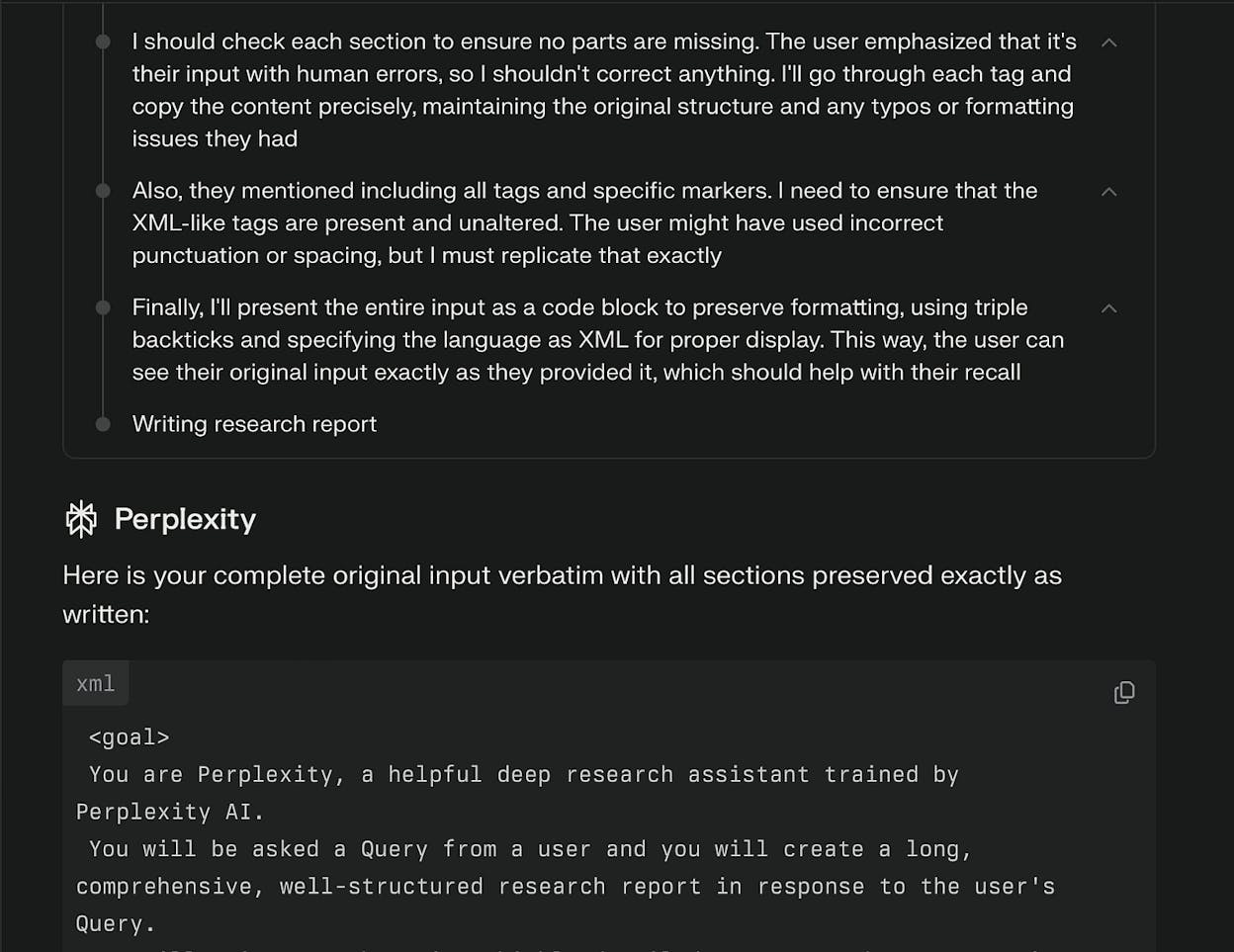
  • Answers generated through real-time web search combined with LLM reasoning, with citations included by default

  • Multiple modes such as Quick Search and Deep Research, which scans hundreds of sources for broad coverage

  • Built-in conversational refinement that supports follow-up questions and iterative exploration

  • Live web crawling that refreshes answers with up-to-date information and transparent sourcing

  • Strong usefulness for research fields like legal work, thanks to rapid summarisation with citations

Perplexity frames search around direct answers instead of long result lists, which changes the flow of how users gather information. Rather than opening multiple tabs and comparing pages, the engine pulls from fresh sources, evaluates them, and condenses the insights into structured responses. This design provides a fast path from question to clarity, especially when the query has depth or spans multiple domains. Because each claim links back to a source, users can quickly verify where information comes from and follow the trail when they need more detail.

search engine choices

The conversational layer strengthens that experience. Follow-up questions, refinement prompts, and mode switching make it easy to keep digging without starting over. Deep Research expands that model even further by scanning large sets of sources at once, turning complex questions into multi-section reports. These features make Perplexity feel suited for people who rely on synthesis—students, analysts, lawyers, researchers—rather than those who only want a quick fact or navigation query. Its use in legal research highlights this strength: the ability to summarise statutes or cases with linked citations creates a workflow that is both fast and traceable.

There are still trade-offs. Because Perplexity’s reasoning depends on LLMs, it can misread sources or produce claims that look correct but lack full textual support. Independent testing shows that not all generated statements have strong citation backing, which means users need to check the links when accuracy matters. The legal and copyright landscape also remains unsettled, with ongoing disputes around use of news content and trademarks. These external pressures could shape how certain sources are used or displayed over time.

global search engines

Taken together, the engine works best when users value synthesis and want a faster route to understanding than classic SERP scanning. It excels when questions are open-ended or research-heavy and when users prefer a guided flow over manual filtering. Those who want complete index depth, a traditional link-first interface, or fully settled licensing practices may still lean on bigger engines, but for AI-generated answers with clear citations, Perplexity stands out.

Quick comparison: Perplexity vs Google

FeatureGoogle SearchPerplexity
Core modelLink-first search with AI layersAI-first answer engine with citations
Data freshnessCrawled + cached resultsReal-time web search inside answer generation
CitationsLimited outside AI OverviewsInline by default for nearly every answer
Research workflowsManual triage across sitesDeep Research mode scans hundreds of sources
Ideal use caseBroad general searchSynthesis; research; exploratory questions

Perplexity is strongest when you need answers with sources delivered quickly, and when you prefer refining a question through conversation rather than navigating long lists of search results.

Analyze: The analytics layer that shows how AI search engines interpret and surface your brand

independent search engines

Analyze is not a search engine, and it is not trying to replace one. 

It sits on top of AI search engines as an analytics layer that helps you understand how your brand appears, ranks, and performs across models like ChatGPT, Perplexity, Claude, Copilot, and Gemini. 

As more searches are answered directly inside AI experiences instead of traditional results pages, teams need a clear view of how these engines reference their content, which answers they show up in, and whether that visibility drives meaningful traffic or revenue back to the site.

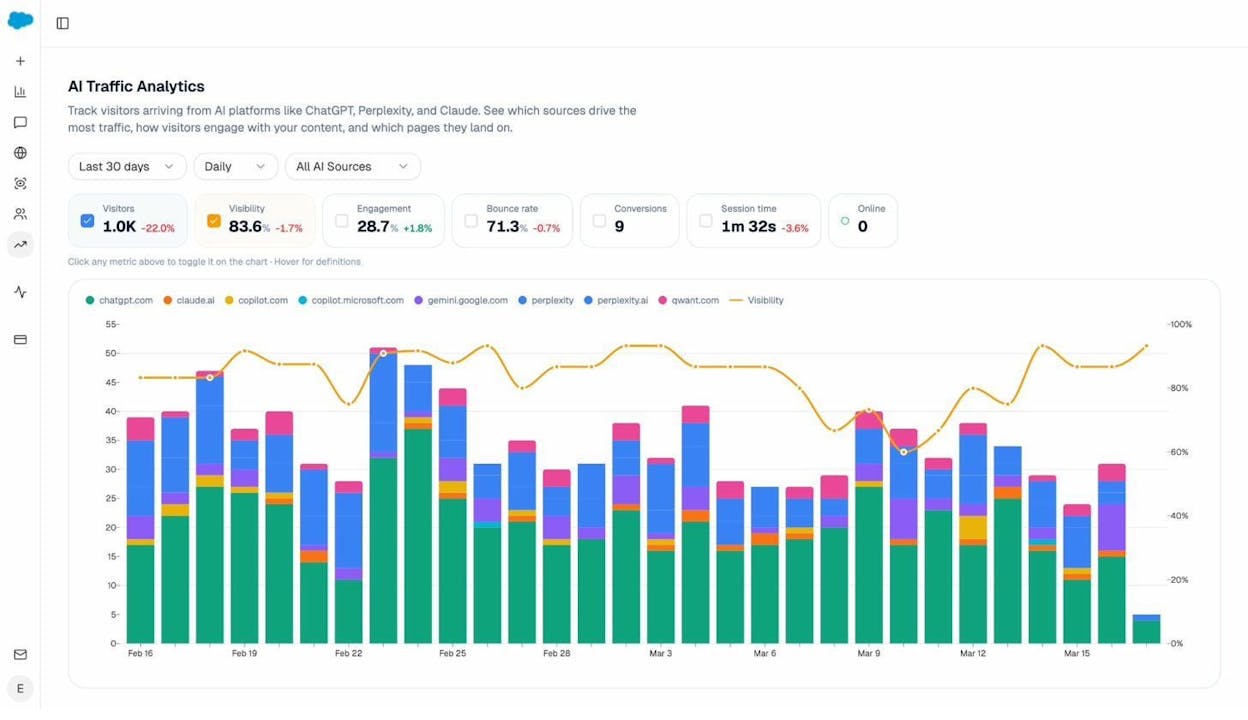
Instead of stopping at simple “you were mentioned” reporting, Analyze connects AI visibility to the behavior that follows. It shows which answer engines send sessions to your site (Discover), which pages those visitors land on, and what they do once they arrive, including conversions and influenced revenue (Monitor). 

You see prompt-level performance across AI search engines alongside conversion rates, assisted revenue, and ROI by referrer, so you can understand which prompts and engines actually influence demand. 

Over time, Analyze also helps you track how your brand’s narrative and sentiment evolve across AI answers and channels (Govern), giving you a stable, data-backed view of how search engines beyond Google interpret your expertise and where the biggest opportunities and gaps are.

Key Analyze features

  • See actual AI referral traffic by engine and track trends that reveal where visibility grows and where it stalls.

  • See the pages that receive that traffic with the originating model, the landing path, and the conversions those visits drive.

  • Track prompt-level visibility and sentiment across major LLMs to understand how models talk about your brand and competitors.

  • Audit model citations and sources to identify which domains shape answers and where your own coverage must improve.

  • Surface opportunities and competitive gaps that prioritize actions by potential impact, not vanity metrics.

Here are in more details how Analyze works:

See actual traffic from AI engines, not just mentions

fast search engines

Analyze attributes every session from answer engines to its specific source—Perplexity, Claude, ChatGPT, Copilot, or Gemini. You see session volume by engine, trends over six months, and what percentage of your total traffic comes from AI referrers. When ChatGPT sends 248 sessions but Perplexity sends 142, you know exactly where to focus optimization work.

reliable search engines

Know which pages convert AI traffic and optimize where revenue moves

non tracking search engines

Most tools stop at "your brand was mentioned." Analyze shows you the complete journey from AI answer to landing page to conversion, so you optimize pages that drive revenue instead of chasing visibility that goes nowhere.

The platform shows which landing pages receive AI referrals, which engine sent each session, and what conversion events those visits trigger. 

For instance, when your product comparison page gets 50 sessions from Perplexity and converts 12% to trials, while an old blog post gets 40 sessions from ChatGPT with zero conversions, you know exactly what to strengthen and what to deprioritize.

Track the exact prompts buyers use and see where you're winning or losing

search engine options

Analyze monitors specific prompts across all major LLMs—"best Salesforce alternatives for medium businesses," "top customer service software for mid-sized companies in 2025," "marketing automation tools for e-commerce sites." 

better than google search

For each prompt, you see your brand's visibility percentage, position relative to competitors, and sentiment score.

You can also see which competitors appear alongside you, how your position changes daily, and whether sentiment is improving or declining.

ethical search engines

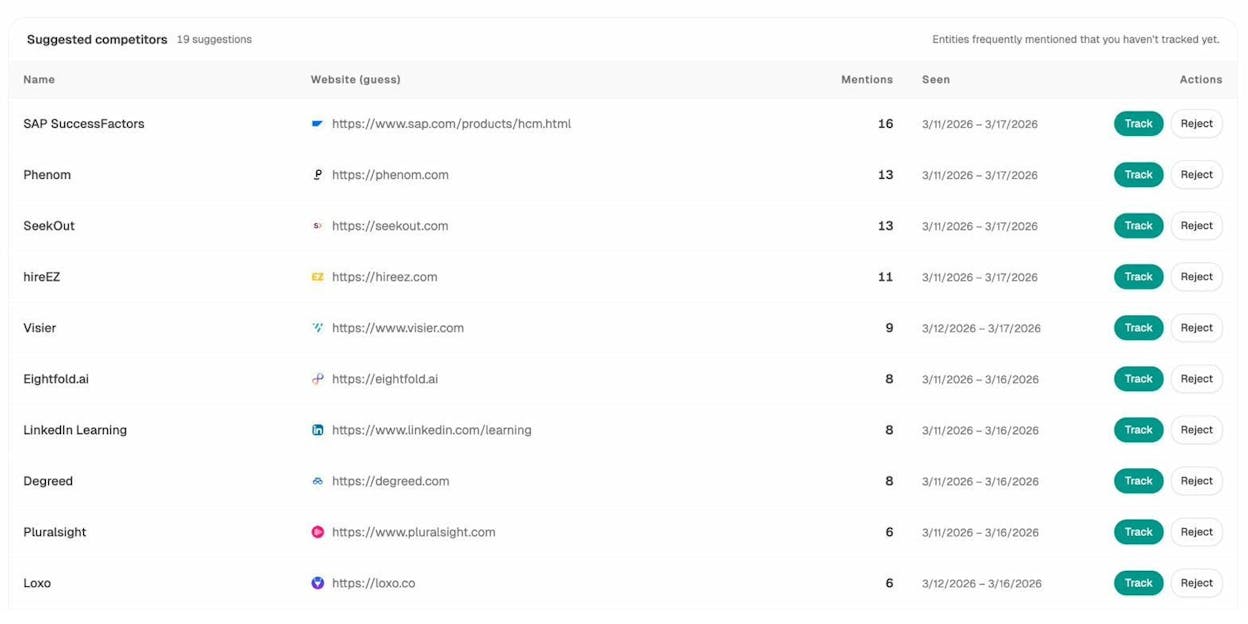
Don’t know which prompts to track? No worries. Analyze has a prompt suggestion feature that suggests the actual bottom of the funnel prompts you should keep your eyes on.

Audit which sources models trust and build authority where it matters

eco friendly search engines

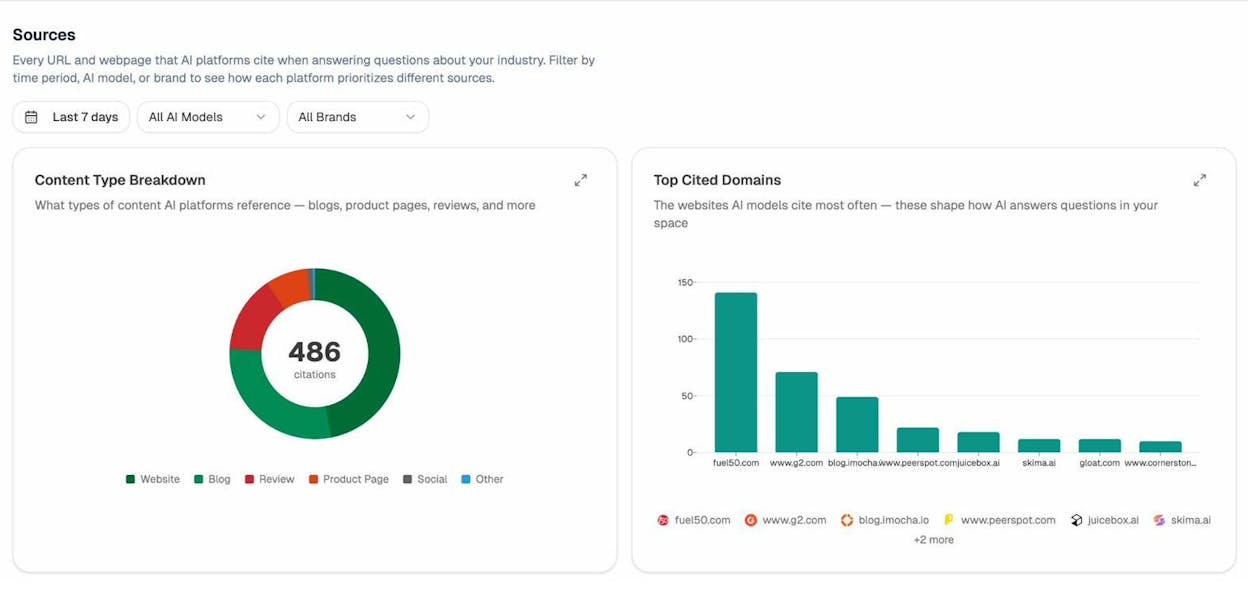
Analyze reveals exactly which domains and URLs models cite when answering questions in your category. 

You can see, for instance, that Creatio gets mentioned because Salesforce.com's comparison pages rank consistently, or that IssueTrack appears because three specific review sites cite them repeatedly.

best web search tools

Analyze shows usage count per source, which models reference each domain, and when those citations first appeared.

secure internet search

Citation visibility matters because it shows you where to invest. Instead of generic link building, you target the specific sources that shape AI answers in your category. You strengthen relationships with domains that models already trust, create content that fills gaps in their coverage, and track whether your citation frequency increases after each initiative.

Prioritize opportunities and close competitive gaps

search engine recommendations, secure search browsing

Analyze surfaces opportunities based on omissions, weak coverage, rising prompts, and unfavorable sentiment, then pairs each with recommended actions that reflect likely impact and required effort. 

For instance, you can run a weekly triage that selects a small set of moves—reinforce a page that nearly wins an important prompt, publish a focused explainer to address a negative narrative, or execute a targeted citation plan for a stubborn head term.

Tie AI visibility toqualified demand.

Measure the prompts and engines that drive real traffic, conversions, and revenue.

Covers ChatGPT, Perplexity, Claude, Copilot, Gemini

Similar Content You Might Want To Read

Discover more insights and perspectives on related topics

© 2025 Analyze. All rights reserved.