



Summarize this blog post with:


Workato is a strong enterprise integration platform. It connects apps, moves data, and orchestrates processes across departments. But if you run a marketing team, a content operation, or an agency, you already know the problem. Workato was built for IT and ops. Not for the team that needs to publish 20 articles a month, track brand visibility across AI search engines, refresh stale content at scale, or generate client reports every Monday morning.
The result is a familiar pattern. Your team pays $30,000 to $80,000 per year for a platform that still requires engineering support to build anything useful for marketing. And when you need a new workflow, you join a queue.
This article breaks down eight alternatives that solve that problem. Some are general-purpose automation tools with lower price tags. One is purpose-built for SEO, AEO, content, and GTM operations. All of them let marketing teams move without waiting for IT.
Table of Contents
What to Look for in a Workato Alternative
Before you compare pricing pages, get clear on what your marketing team actually needs. Here are the criteria that matter most.
Can it connect to your data sources? Your CRM, Google Analytics, Search Console, CMS, email platform, and project management tool all need to talk to each other. If the platform only connects to generic SaaS apps and has no native marketing data integrations, you will spend months building what should already exist.
Does it have a visual workflow builder? Marketing teams are not engineering teams. You need a drag-and-drop interface where a content strategist or an SEO lead can build and modify workflows without writing code.
Can it run on a schedule or trigger from events? One-click automations are useful. But the real value comes from workflows that run themselves. A Monday morning report. A content refresh that fires when a page starts losing traffic. A lead enrichment workflow that triggers the moment a form is submitted.
Does it include AI and content capabilities? Most automation platforms connect apps. Few of them understand content. If you need to generate articles, optimize existing pages, research keywords, or produce images, look for a platform that handles those tasks natively instead of forcing you to chain together five different tools.
Is the pricing transparent and reasonable? Workato’s pricing starts in the five figures and requires a sales call. For marketing teams, the budget conversation is different. You need a platform that lets you start small and scale without surprise bills.
Will your team actually use it? The best automation tool is the one your team adopts. If it takes three months to learn and requires a dedicated admin, most marketing teams will abandon it within a quarter.
8 Best Workato Alternatives for Marketing Teams
Here are the eight platforms worth evaluating.
1. Analyze AI
Best for: Marketing teams, agencies, and content operations that need SEO, AEO, content production, and GTM automation in one platform
Pricing: Growth plan at $99/month, Pro at $250/month, Custom for enterprise. Free trial available.
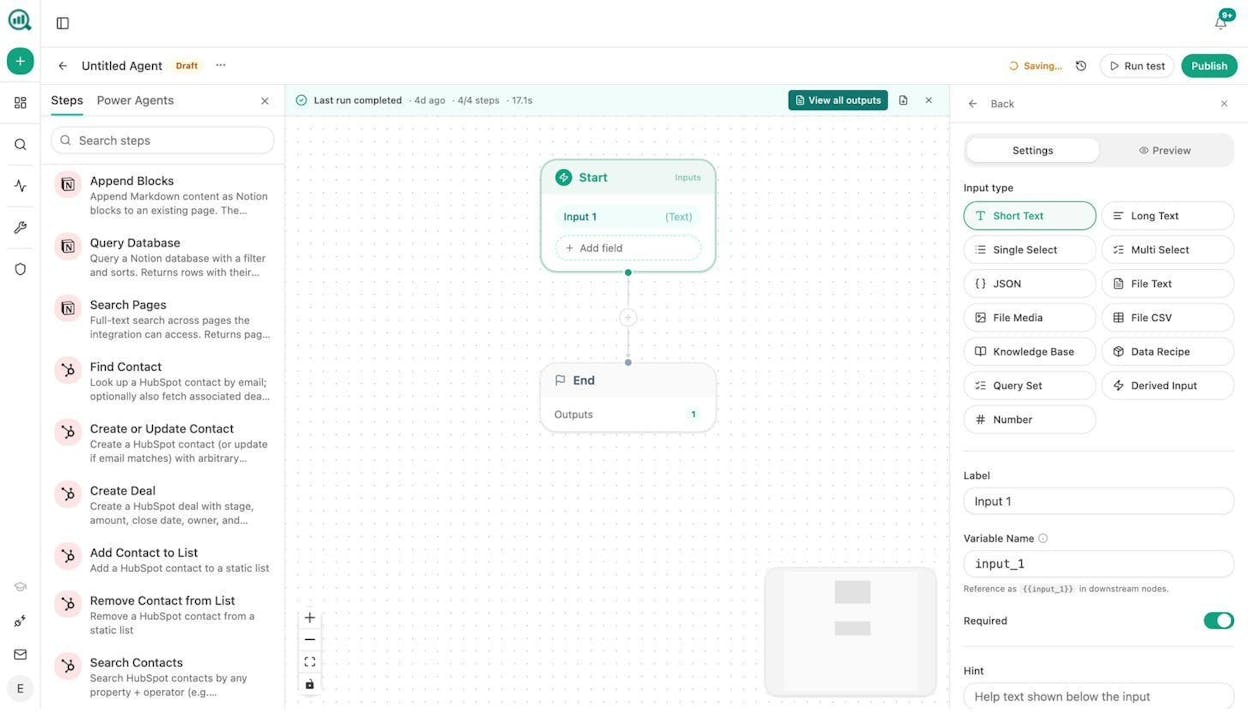
Standout feature: An Agent Builder with 180+ nodes, 34 pre-built data recipes, and integrations spanning GA4, Google Search Console, DataForSEO, HubSpot, WordPress, Notion, Contentful, Mailchimp, and every major LLM.
Analyze AI is the agentic platform for SEO, AEO, content, and GTM ops. Where Workato connects generic business applications, Analyze AI connects the specific data sources marketing teams live in and gives them the tools to act on that data without switching platforms.
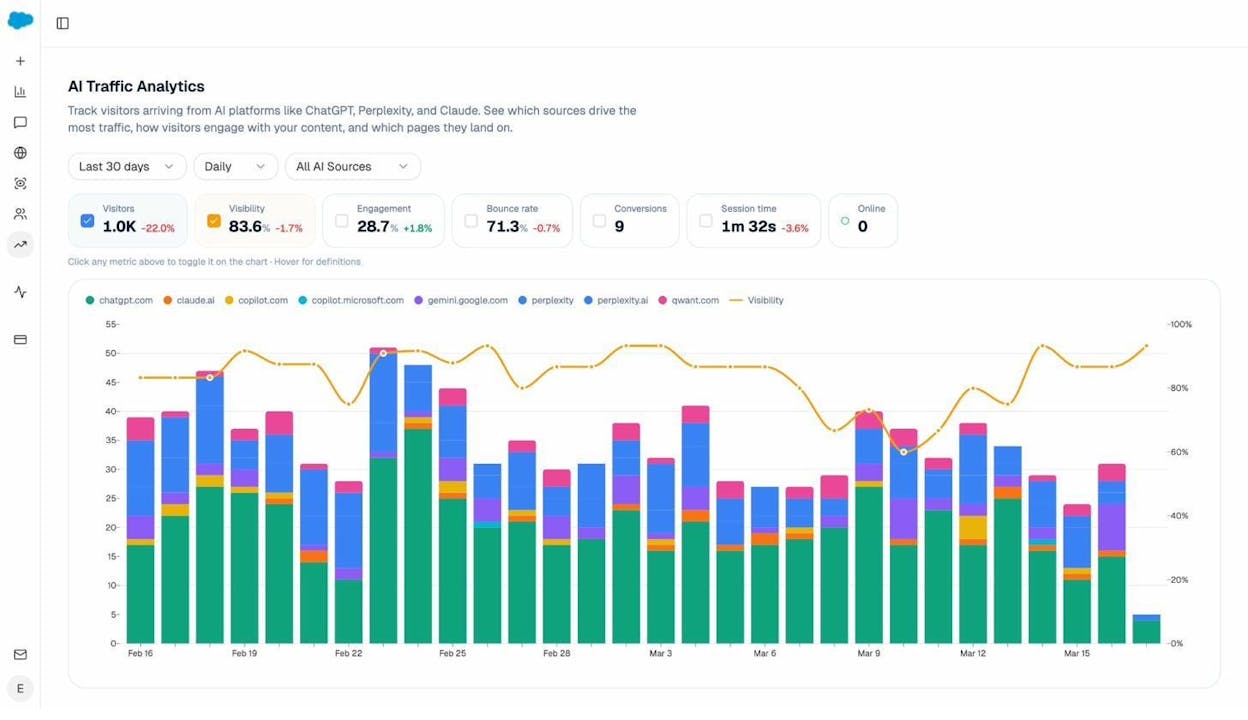
The platform has four pillars. Discover shows where your brand appears and where it does not across AI answer engines like ChatGPT, Perplexity, Gemini, and Copilot. Monitor tracks visibility share, rankings, sentiment, and AI traffic analytics with full GA4 attribution.
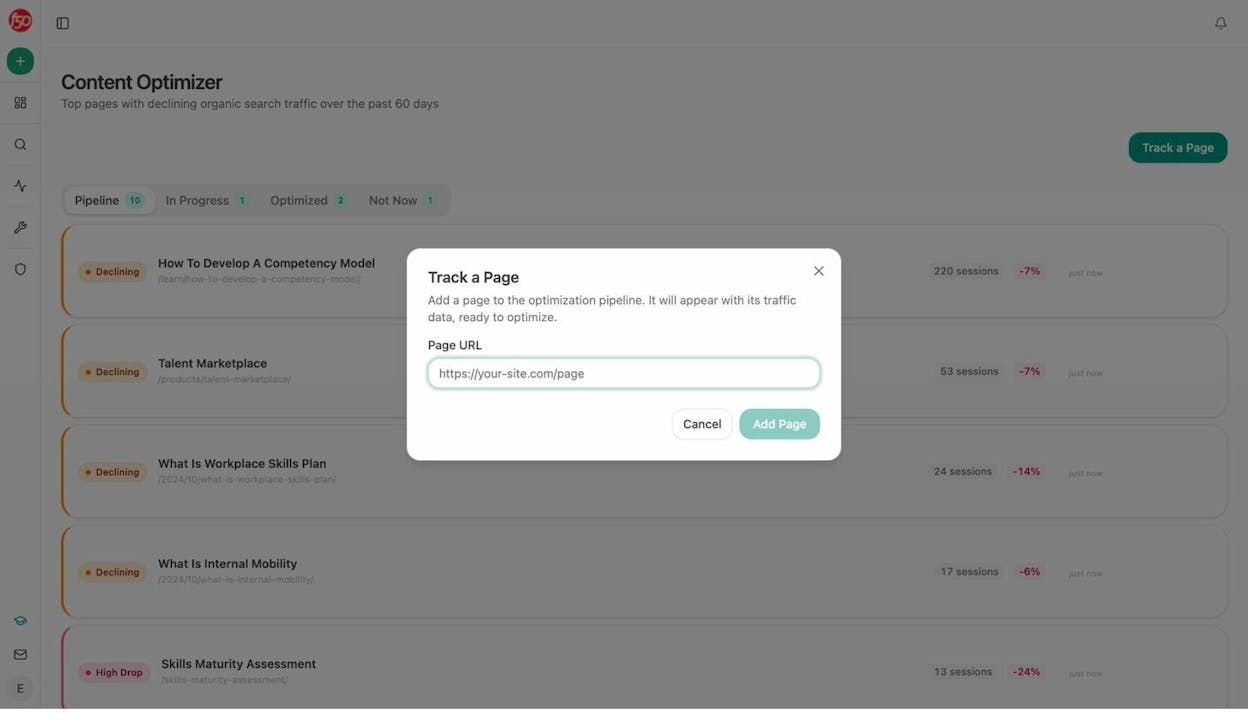
Improve includes a Content Writer and Content Optimizer that take a piece from idea to research to outline to published draft.
Govern monitors brand sentiment, surfaces risk terms, and delivers weekly email digests with prioritized actions.
But the real differentiator is the Agent Builder.
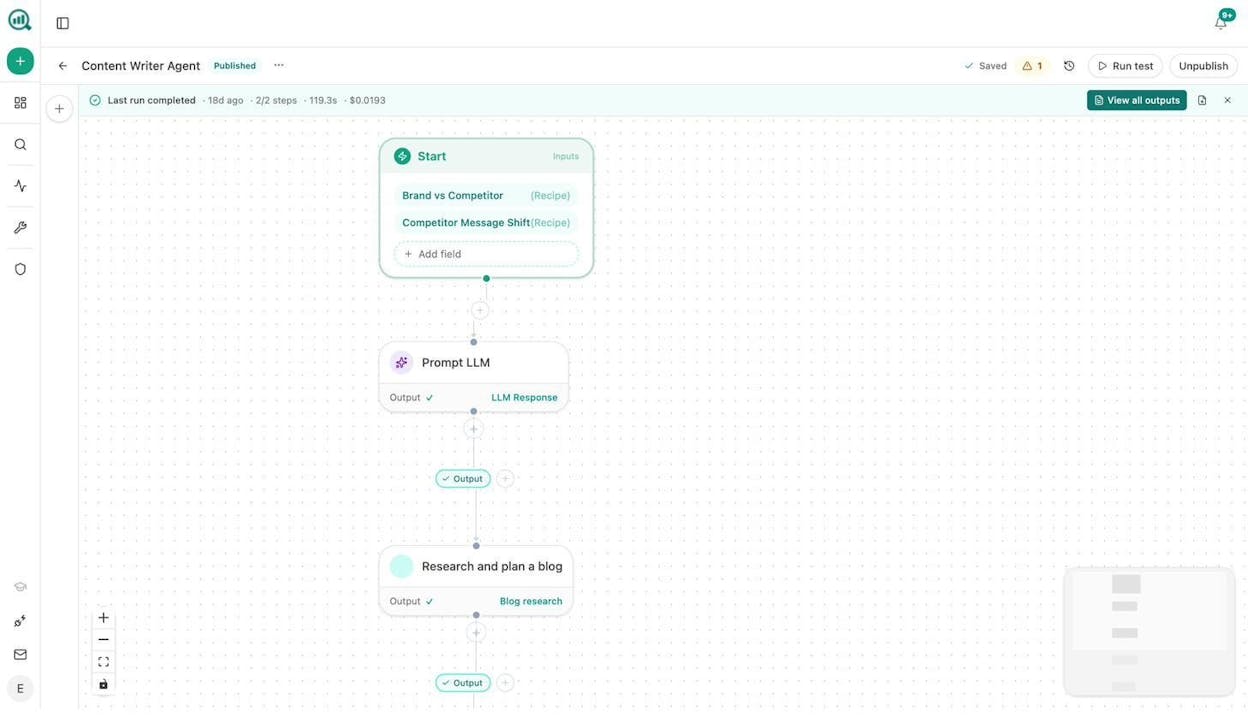
This is not a simple automation layer. The Agent Builder includes nodes for web scraping, parallel deep research, SEO analysis via DataForSEO and Semrush, full HubSpot CRM read/write (26 operations), WordPress publishing with media upload, image generation (blog featured images, infographics, social media images), email sending, Notion and Contentful CRUD, conditional logic, loops, and custom JavaScript execution. You can prompt any major LLM (Claude, GPT-4o, GPT-5, Gemini, Perplexity Sonar) with configurable system messages, temperature, and output format.
Agents run three ways. Manual for on-demand tasks. Scheduled for recurring workflows like Monday board prep or weekly content refreshes. Webhook-triggered for event-driven automation, like enriching a lead the moment a form is submitted or drafting a case study when a HubSpot deal closes.
Here is what that looks like in practice for a marketing team:
Content at scale. Build an agent that pulls your keyword opportunities, generates research, creates an outline with editorial comments, drafts the article in your brand voice using the Brand Vault, scores it for AI engine optimization, and publishes to WordPress. Schedule it weekly. Your content calendar runs itself.
Content refresh at scale. An agent finds declining pages using GA4 and Search Console data, scrapes each page, rewrites for freshness and AI visibility, diffs the result, and updates the WordPress post if the changes are substantive. This runs in the background every week.
Internal linking at scale. Loop through your sitemap, pull the top keywords for each page from GSC, use an LLM to suggest three internal links per page, and push the tasks to Notion. A workflow that would take a human 40 hours finishes in minutes.
Image design at scale. The Agent Builder includes nodes for Blog Featured Image, Infographic Generator, Illustrate Any Text, and Social Media Image. All of them are brand-kit-aware. You can wire image generation into any content pipeline so every published piece ships with custom visuals.
Client reporting for agencies. Schedule a Monday morning agent that loops through your client list, pulls each client’s AI visibility data, GA4 performance, GSC rankings, and competitor movements, assembles a branded report, and emails it to the account team. Reporting day disappears.
Link outreach. Research target publications, find author emails using the Tomba and Hunter.io nodes, personalize a pitch using your brand context, and send the email. Log everything to HubSpot automatically.
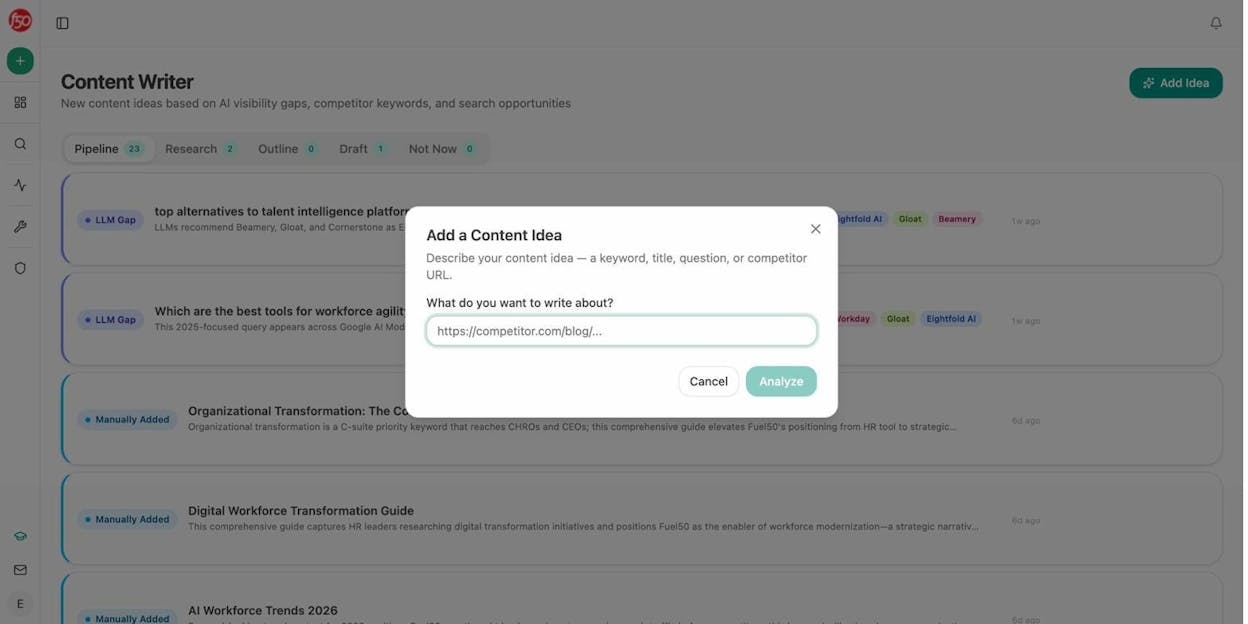
The Content Writer deserves its own mention. It does not just generate text. It runs a multi-step pipeline that starts with idea analysis using AI visibility gaps and competitor keyword data baked in, deep research with editorial comments, structured outline, and full draft with brand voice injection. The Content Optimizer does the same for existing pages, pulling the live content, auditing it for AEO readiness, and producing a rewrite with specific suggestions.
On top of the Agent Builder, Analyze AI offers Sheets for running bulk operations across spreadsheets of URLs, keywords, or prompts. And a suite of free marketing tools including a Keyword Generator, Keyword Difficulty Checker, SERP Checker, Website Authority Checker, Broken Link Checker, and platform-specific keyword tools for YouTube, Bing, and Amazon.
Analyze AI pros:
-
Agent Builder with 180+ nodes covers the full marketing stack without needing external tools
-
Content Writer and Content Optimizer produce higher-quality outputs because of their multi-step research, outline, and editorial-comment pipeline
-
Native AI visibility tracking across ChatGPT, Perplexity, Gemini, Copilot, Claude, and more
-
GA4 attribution connects AI search traffic to sessions, landing pages, and conversions
-
Transparent pricing starting at $99/month with a free trial
Analyze AI cons:
-
The platform is deep, so you need a clear idea of what you want to automate to get started quickly
-
Some CMS and email integrations (Gmail, Google Sheets native) are still shipping
When to pick Analyze AI over Workato: You should consider Analyze AI if your team’s workflows are content, SEO, AEO, or GTM-driven. Where Workato requires engineering to build marketing workflows, Analyze AI ships with the data recipes, content tools, and pre-wired marketing integrations that let you start producing within the first hour. And at $99/month, you can run it for an entire year for less than one month of most Workato contracts.
Start a free trial or book a walkthrough.
2. Zapier
Best for: Teams that need simple, trigger-action automations across thousands of apps
Pricing: Free plan available. Paid plans start at $29.99/month.
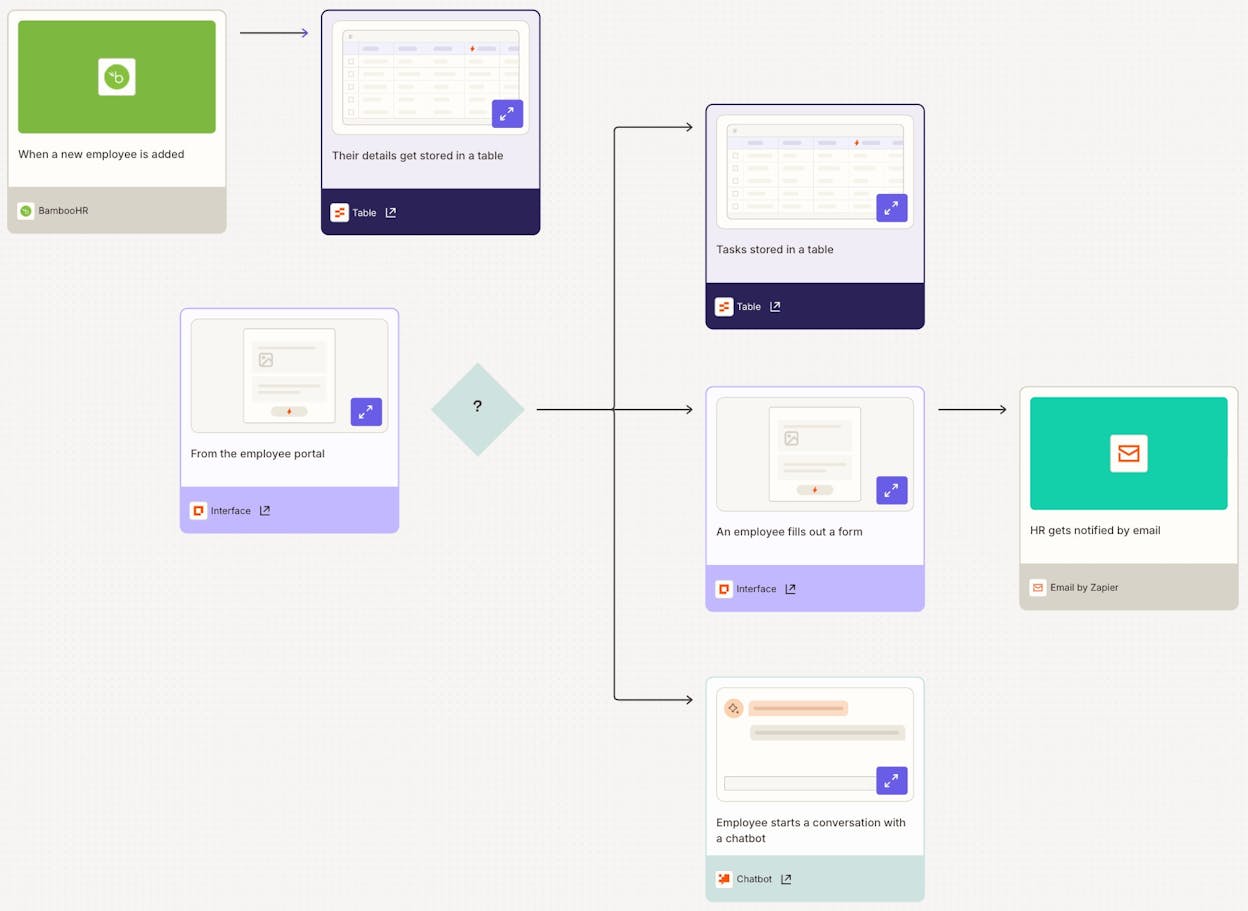
Zapier is the most established name in no-code automation. It connects over 10,000 apps and lets you build multi-step workflows (called Zaps) without code. The platform recently added AI agent capabilities, which shows where the market is heading.
For marketing teams, Zapier handles the basics well. Connect your form tool to your CRM, sync new blog posts to social media, or notify Slack when a deal closes. The integration library is unmatched in breadth.
The limitation is depth. Zapier workflows are linear by design. Complex branching, loops over datasets, and multi-step content production are harder to build. And pricing can climb fast once you move beyond simple two-step Zaps.
When to pick Zapier over Workato: You need a self-serve platform with the largest integration library available. Your workflows are mostly trigger-action pairs (new lead arrives, send to CRM). You want transparent pricing without a sales call.
3. Make
Best for: Small teams and freelancers who need visual automation on a budget
Pricing: Free plan available. Paid plans start at $10.59/month.
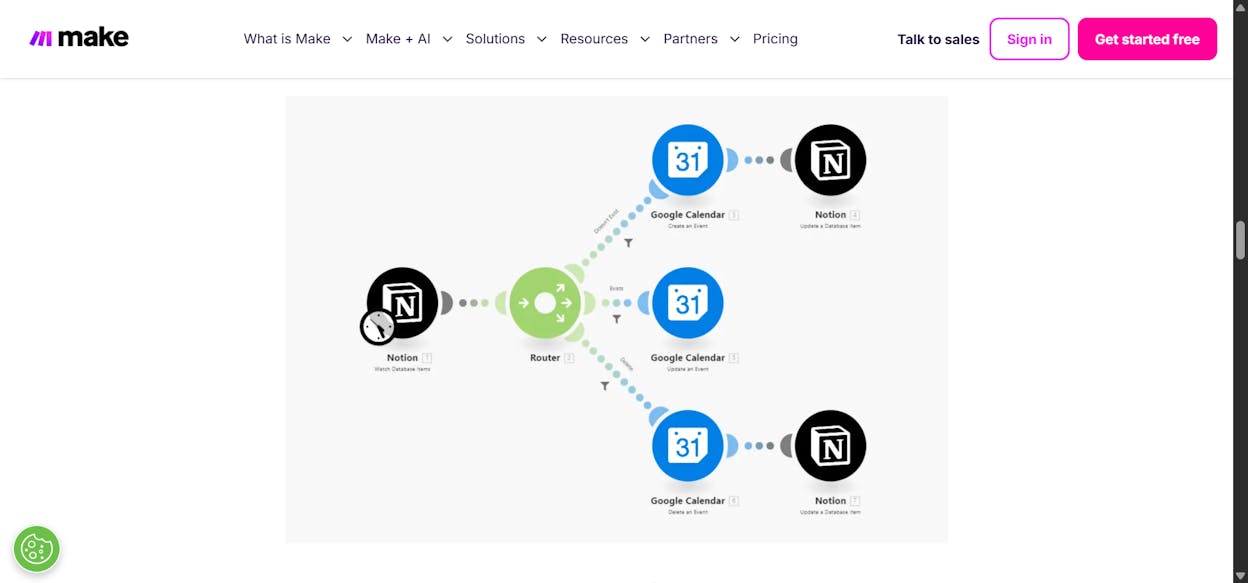
Make (formerly Integromat) is a visual workflow automation platform with strong error-handling and a large template library. It connects to 2,000+ apps and uses a canvas-style interface that makes complex workflows easier to visualize than Zapier’s linear approach.
For marketing teams on a tight budget, Make is a smart starting point. You can build multi-branch workflows with routers and filters, handle errors gracefully, and keep costs low.
The interface can feel outdated compared to newer tools. And complex workflows with many branches can become difficult to manage on the canvas.
When to pick Make over Workato: You are a small team or freelancer. You need budget-friendly automation with transparent pricing that starts at $10.59/month. You want good error handling without paying enterprise prices.
4. n8n
Best for: Technical teams who want full control and self-hosting options
Pricing: Cloud plans start at $24/month. Free self-hosted option available.
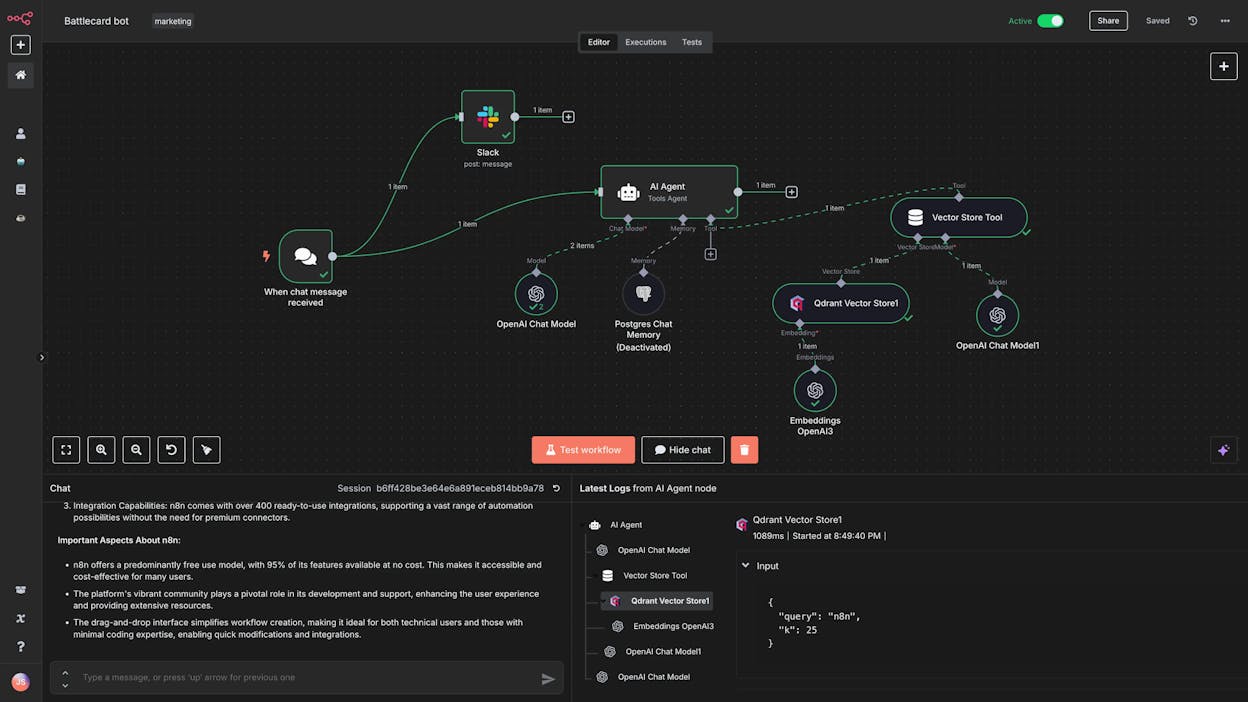
n8n is a low-code automation platform built for technical teams. It has 500+ built-in integrations, over 6,900 community-built workflow templates, and the option to self-host for complete data ownership.
The platform is popular with IT, security, and dev teams. If you have engineers who want to prototype quickly and need the flexibility to write custom code within workflows, n8n delivers.
The trade-off is accessibility. Non-technical team members will struggle with the interface. Building custom integrations requires development experience. And the UI feels less polished than newer alternatives.
When to pick n8n over Workato: You want self-hosting for data ownership. You have a technical team comfortable with low-code tools. You prefer transparent, usage-based pricing starting at $24/month.
5. Microsoft Power Automate
Best for: Teams already using Microsoft 365 who need robotic process automation
Pricing: 30-day free trial. Paid plans start at $15/user per month.
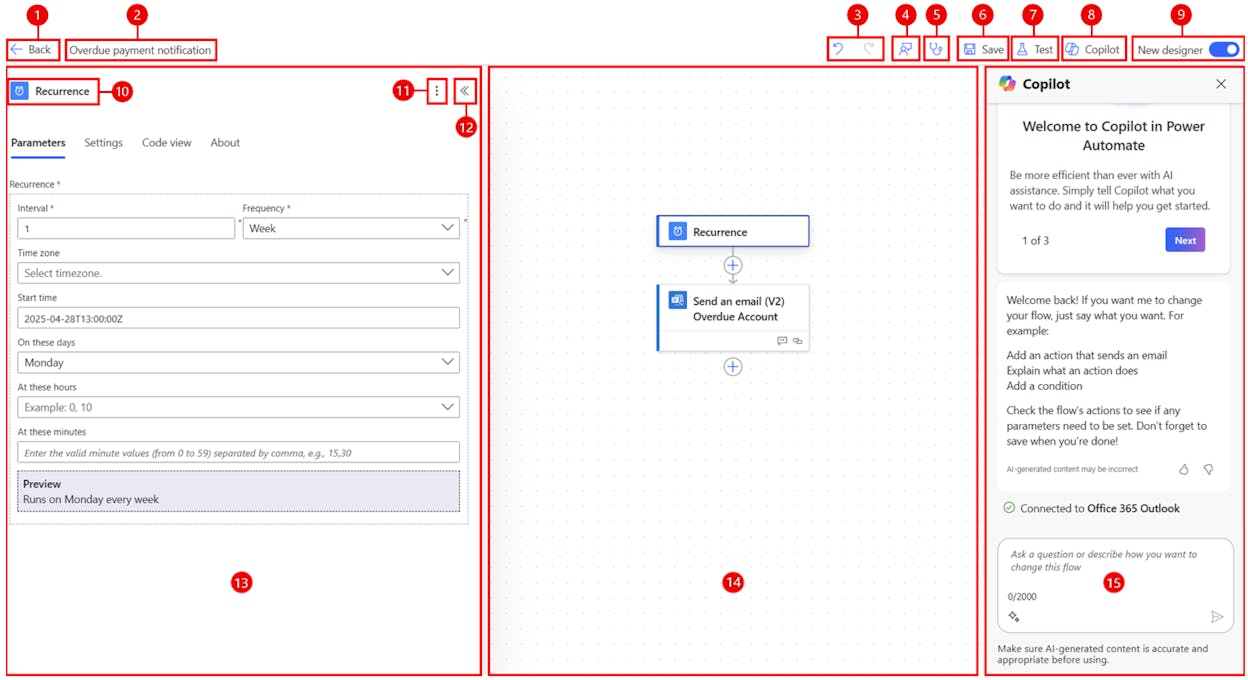
Microsoft Power Automate is an RPA platform designed to extend the Microsoft ecosystem. If your organization runs on Microsoft 365, SharePoint, Dynamics, and Copilot Studio, Power Automate is the natural choice for automating processes within that stack.
The platform handles attended and unattended desktop flows, cloud-based workflows, and process mining. It integrates with SAP, Oracle, and other enterprise systems. And it benefits from Microsoft’s security infrastructure.
For marketing teams, the relevance depends entirely on how deep your team is in the Microsoft ecosystem. If you work primarily in Google Workspace, HubSpot, or other non-Microsoft tools, Power Automate creates more friction than it removes.
When to pick Power Automate over Workato: Your team lives in Microsoft 365. You need desktop-based RPA alongside cloud automation. You want enterprise security backed by Microsoft.
6. Tray.ai
Best for: Enterprise B2B SaaS teams needing mission-critical automation with AI agents
Pricing: Custom pricing for Pro, Team, and Enterprise plans.
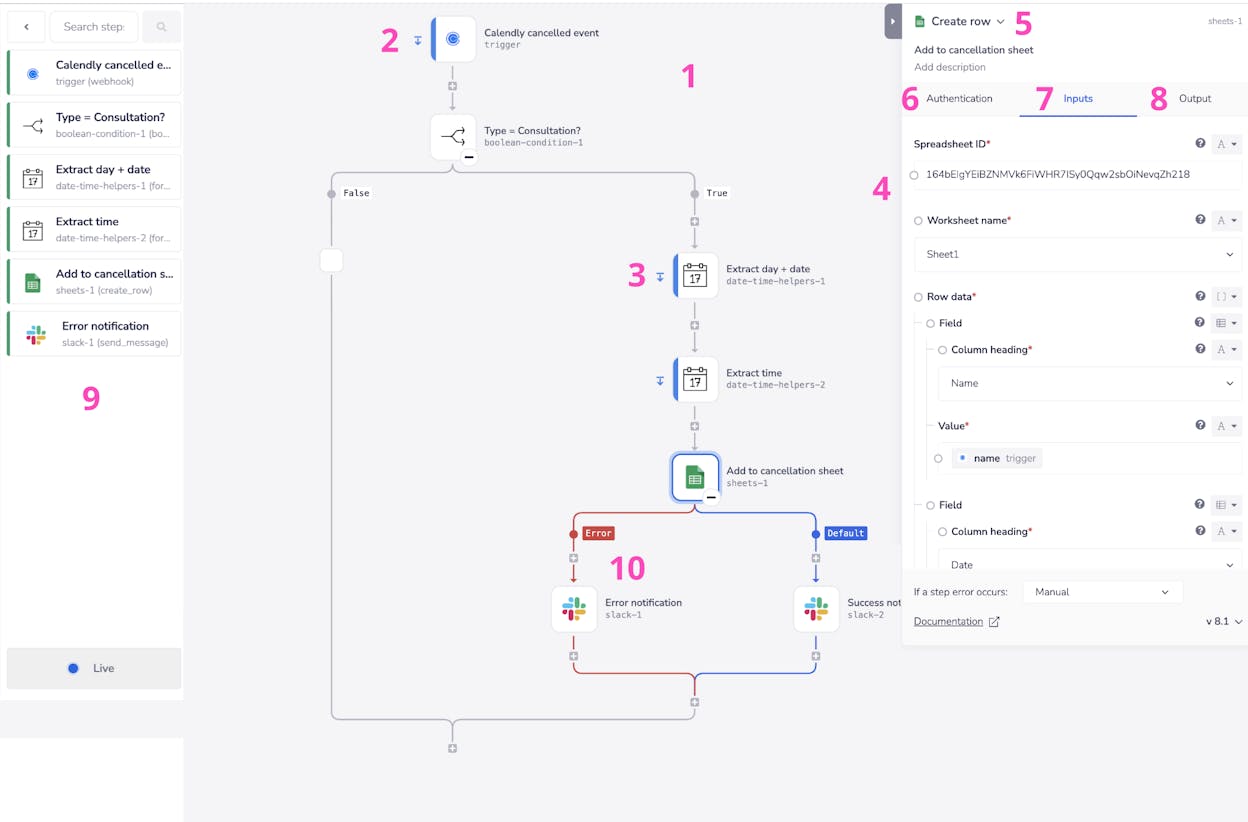
Tray.ai is an enterprise iPaaS that has added AI agent capabilities through its Merlin Agent Builder. The platform is closest to Workato in scope and target market. It is used by companies like Mixpanel, IBM, and Outreach.
The strengths are in reliability and debugging. You can retrigger failed workflows easily, which matters when automations are business-critical. The interface is cleaner than Workato’s, and the AI agent layer adds modern capabilities.
The pricing is enterprise-level. Tray.ai is not a self-serve platform, and getting started requires a sales conversation.
When to pick Tray.ai over Workato: You need an enterprise-grade iPaaS with a cleaner interface and better debugging. You want AI agents that take actions across your tech stack. You are willing to pay enterprise prices for enterprise reliability.
7. StackAI
Best for: Enterprise teams in regulated industries who need AI workers with compliance built in
Pricing: Free plan with 500 runs/month. Enterprise pricing is custom.
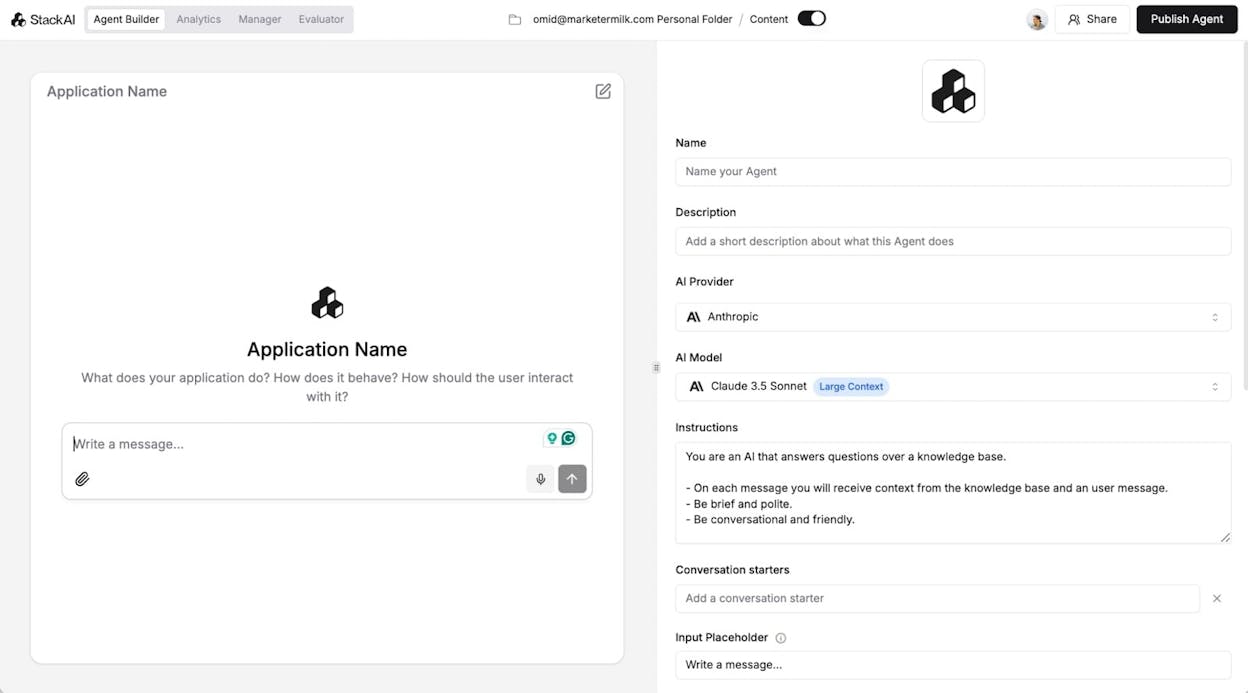
StackAI is an AI integration platform built for regulated industries like finance, government, healthcare, and insurance. It offers SOC 2, HIPAA, and GDPR compliance out of the box, which makes it a fit for organizations where data governance is non-negotiable.
The self-serve free plan lets you test before committing, which is unusual for an enterprise-focused tool. The interface is clean and the template library helps with onboarding.
The integration library is still growing. And the platform is not designed for smaller businesses or teams with simpler automation needs.
When to pick StackAI over Workato: You operate in a regulated industry and need compliance certifications out of the box. You want a self-serve option to test before talking to sales. You need a modern UI compared to Workato’s interface.
8. Fin AI
Best for: Customer service teams automating support with AI
Pricing: Starts at $0.99 per resolution (50 resolution/month minimum).
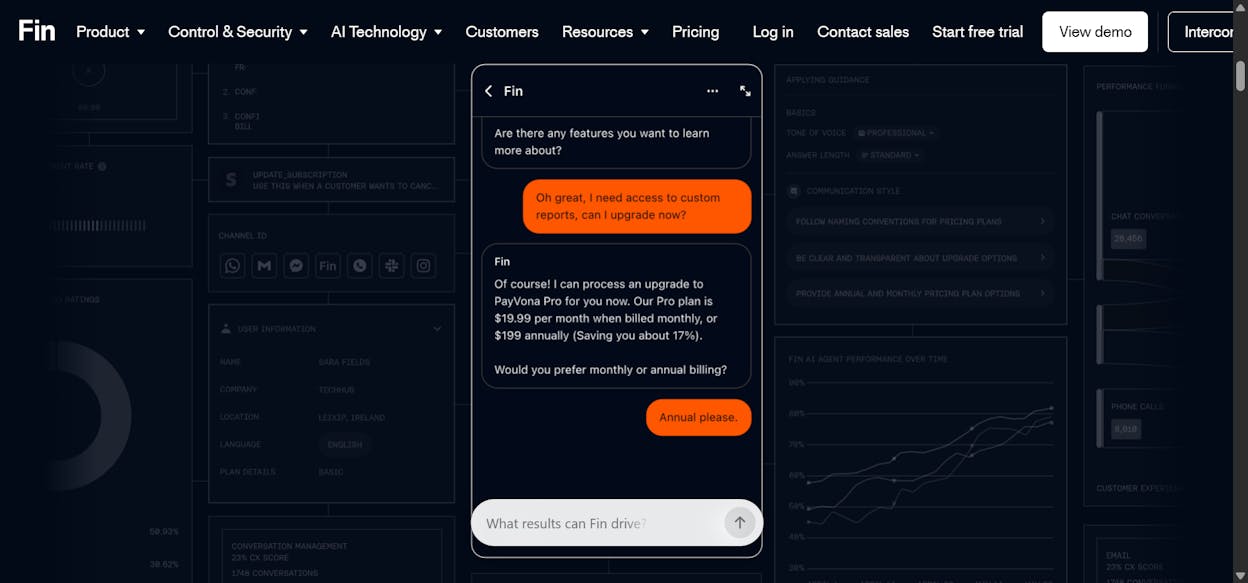
Fin AI, built by the Intercom team, is an AI agent specifically for customer service. It handles tickets, emails, live chat, WhatsApp, and SMS with AI-powered resolution. For marketing teams, the relevance is in the customer lifecycle. Your campaigns drive leads. Those leads become support tickets. Fin AI closes the loop.
The platform integrates with most helpdesks. The AI Copilot helps agents resolve tickets faster. And the usage-based pricing scales with volume rather than seats.
The AI responses can feel generic without significant training. And costs can spike during high-volume periods.
When to pick Fin AI over Workato: Your primary automation need is customer service and support. You want usage-based pricing instead of seat-based or task-based billing. You already use Intercom or a compatible helpdesk.
How to Choose the Right Alternative
The right Workato alternative depends on your team’s core workflows. Here is a quick framework.
If your team’s primary workflows are content production, SEO, AEO, and GTM operations, Analyze AI is the most direct replacement. It is the only platform on this list with native AI visibility tracking, a content production pipeline, and a 180+ node agent builder pre-wired to the marketing data stack.
If your workflows are simple app-to-app connections and you need the widest integration library, Zapier or Make are solid picks depending on your budget.
If your team is technical and wants self-hosting, n8n gives you full control at a fair price.
If you are deep in the Microsoft ecosystem, Power Automate is the natural choice.
If you need enterprise-grade compliance in a regulated industry, StackAI or Tray.ai handle that well.
The marketing teams that get the most from their automation platform are the ones that pick a tool built for how they actually work. Workato was built for IT. These eight alternatives give marketing teams a platform that speaks their language.
For content marketing, brand marketing, digital PR, or revenue ops teams that want to see why 180+ nodes and 34 data recipes change the math, start a free trial of Analyze AI.

Ernest

Ibrahim


