



Summarize this blog post with:


Relevance AI is a solid AI agent builder. It lets you create custom agents, connect tools through APIs, and automate tasks across departments. But if you run marketing or content operations, you may have noticed a gap. The platform is built for general-purpose agent orchestration, not for teams that need marketing-specific data baked into their workflows.
That means you end up wiring together external data sources, writing custom prompts for every task, and building pipelines that lack the context a marketer needs. Some of the platforms below solve that directly. Others offer a different approach that may fit your use case.
In this article, you’ll learn which Relevance AI alternatives work for marketing operations, what features matter when evaluating each platform, and how to pick the right one for your SEO, content, and GTM workflows.
Table of Contents
What to look for in a Relevance AI alternative
Before jumping to the list, here are the criteria that matter for marketing teams.
Agent orchestration, not just automation. You want agents that chain research, writing, optimization, and distribution. Look for visual workflow builders with branching logic, loops, and the ability to nest workflows.
Built-in marketing data. The best platforms connect natively to GA4, Google Search Console, SEO APIs, and CRM systems. If you build every data connection from scratch, you are paying for flexibility but getting friction.
Multi-LLM support. Different models work better for different tasks. You want Claude for long-form content, GPT for structured extraction, and Perplexity for web research within the same workflow.
Content creation and optimization. If you produce content at scale, the platform should include writing and optimization pipelines, not just a generic “prompt LLM” node.
AI search visibility. Buyers now get recommendations from ChatGPT, Perplexity, and Gemini before they touch Google. A platform that tracks where your brand appears across AI engines gives you an advantage most agent builders miss.
Pricing transparency. Some tools hide costs behind “actions” and “credits” that are hard to predict. Look for plans where you understand what you get before you commit.
8 best Relevance AI alternatives to try in 2026
-
Analyze AI
-
n8n
-
Sintra AI
-
Zapier
-
Lindy AI
-
Workato
-
StackAI
-
Chatbase
1. Analyze AI
-
Best for: Marketing, SEO, and content teams that need agent orchestration combined with built-in AI search visibility data
-
Pricing: Free trial available. Growth starts at $99/month, Pro at $250/month
-
Key strength: 180+ workflow nodes with native GA4, GSC, Semrush, DataForSEO, and HubSpot integrations, plus a full content writer and optimizer pipeline
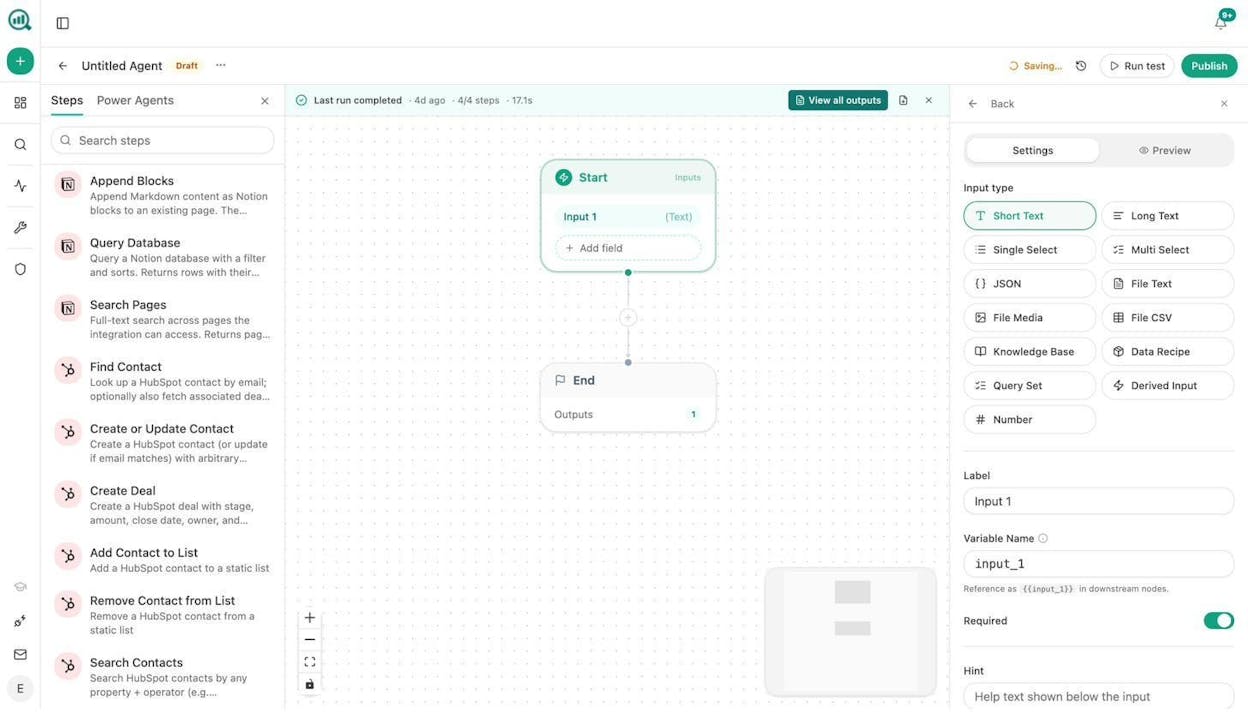
Analyze AI is the agentic platform for SEO, AEO, content, and GTM ops. Unlike general-purpose agent builders, every workflow you create has direct access to your AI visibility data, search console metrics, competitor intelligence, and brand context.
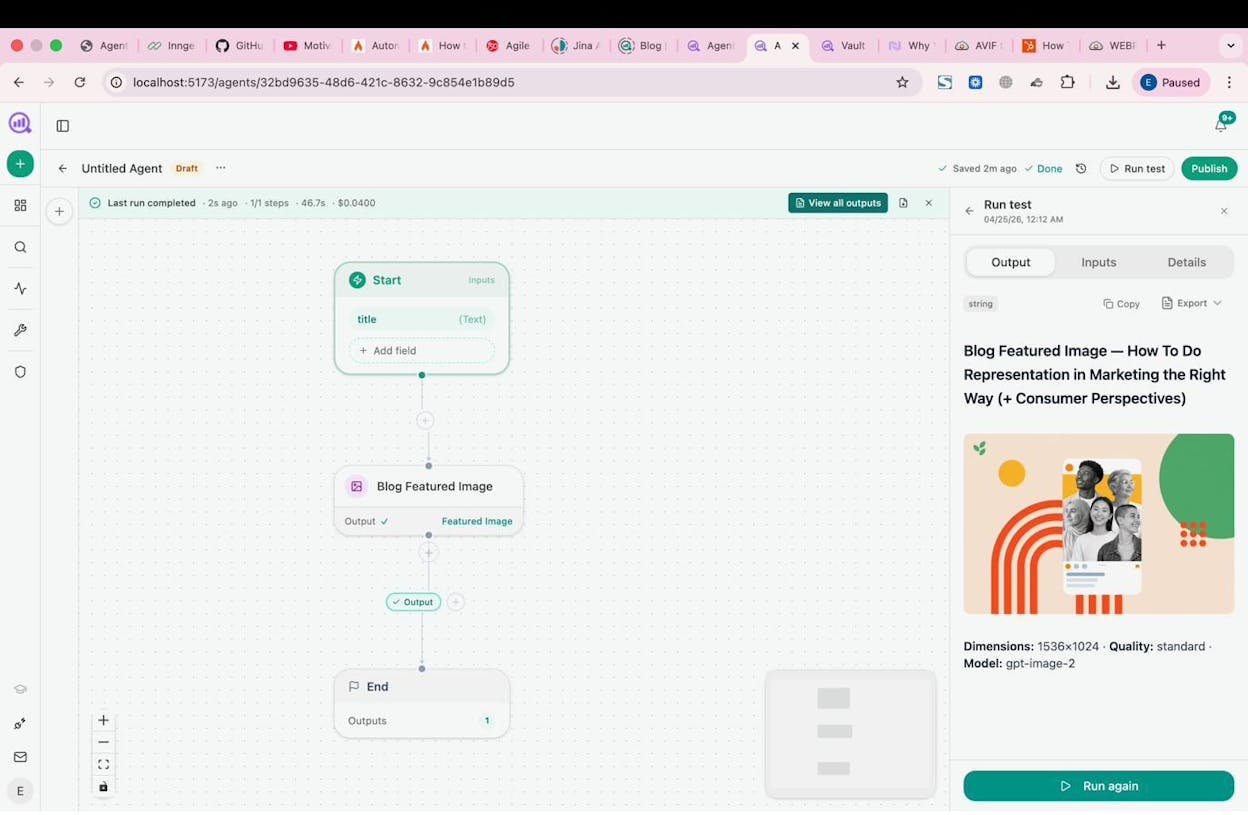
The Agent Builder is the core of the platform. It provides 180+ nodes across 16 categories, 34 pre-built data recipes, and 13 input types. You can connect to GA4, Google Search Console, Semrush, DataForSEO, HubSpot, Notion, WordPress, Contentful, Sanity, Mailchimp, and every major LLM (Claude, GPT, Gemini, Perplexity). Agents can run manually, on a schedule, or via webhook, so they work as on-demand specialists, always-on monitors, or event-driven responders.
Here is what that looks like in practice. A content team can build an agent that runs every Monday morning, pulls declining pages from GA4, cross-references them with AI visibility data, drafts refreshed content using your brand voice from the Knowledge Base, scores the output against an AEO Content Scorecard, and publishes to WordPress if the score passes your threshold. If it does not pass, the agent sends the gaps to Slack for a human review. One workflow. Zero manual steps.
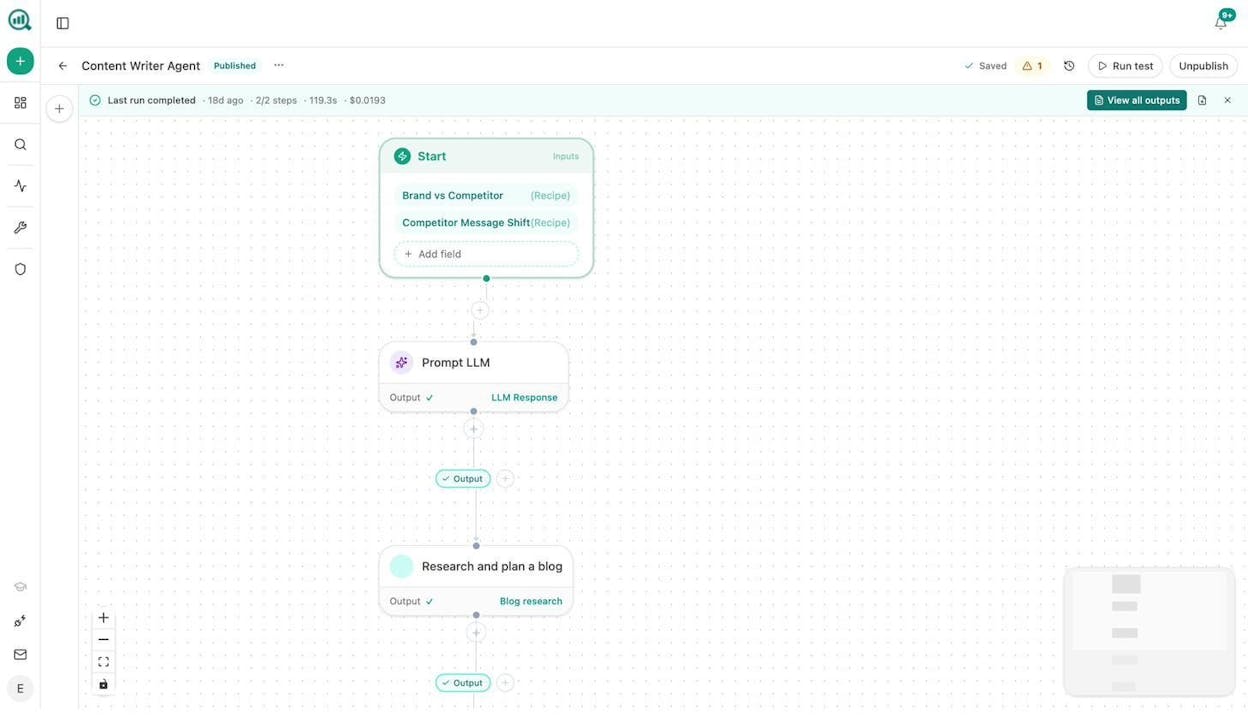
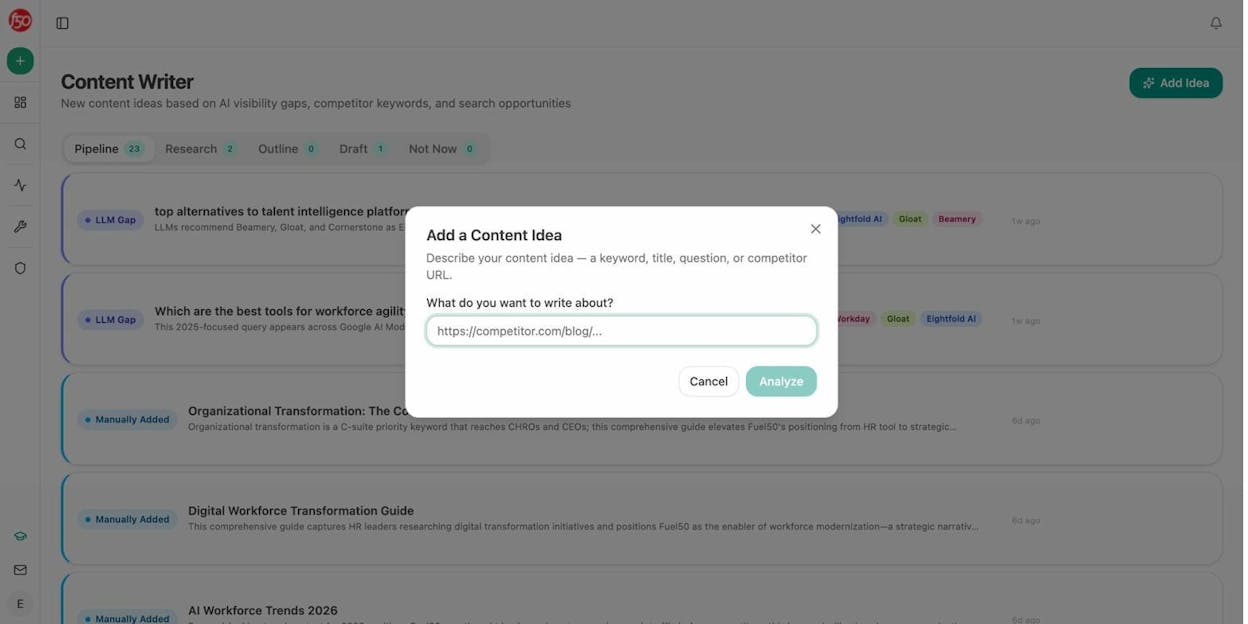
Beyond agents, Analyze AI includes a dedicated Content Writer that moves from idea to research to outline to draft with AI visibility gaps and editorial comments at every stage. The Content Optimizer audits existing pages for both SEO and AI engine readiness, scoring argument flow, claim density, and source mapping.
Then there is the AI search visibility layer. You can track how ChatGPT, Perplexity, Gemini, Copilot, and other engines mention your brand, see which competitors outrank you on specific prompts, analyze citation sources, monitor sentiment, and tie all of it back to GA4 sessions and conversions.
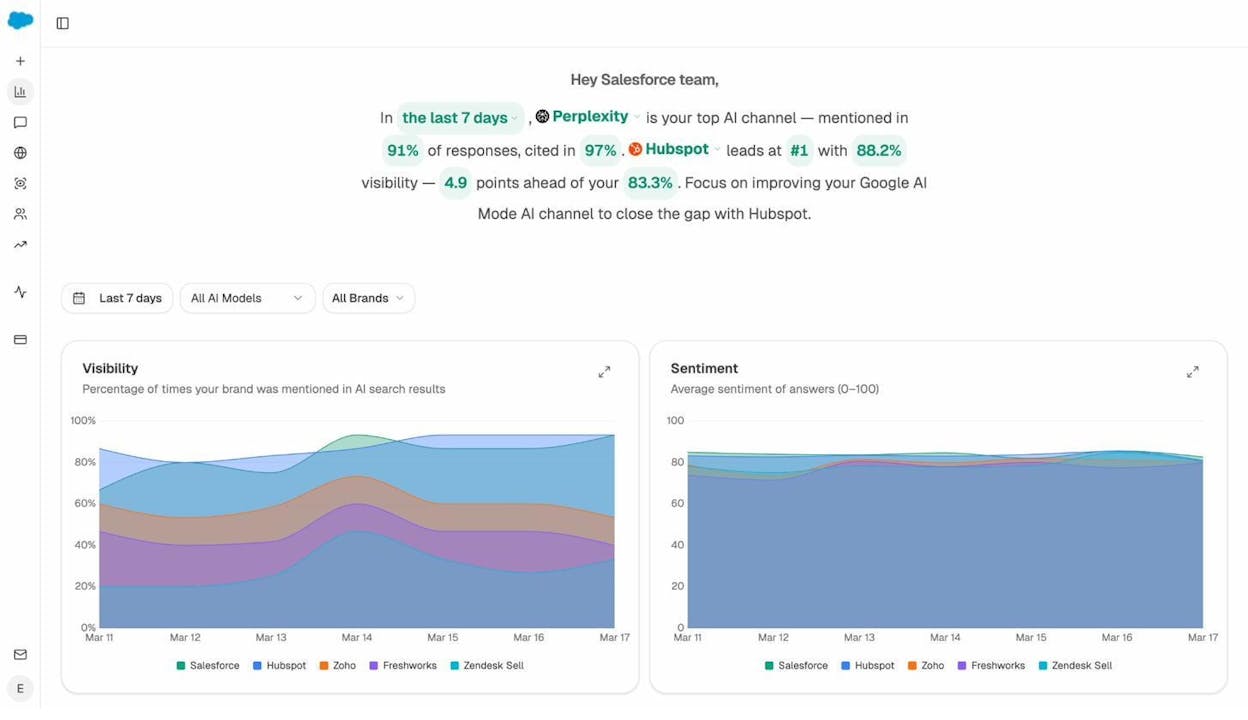
The AI Traffic Analytics dashboard shows exactly how many visitors come from each AI engine, which pages they land on, and how those sessions convert. This is the kind of data that turns AI search from a buzzword into a reportable channel.
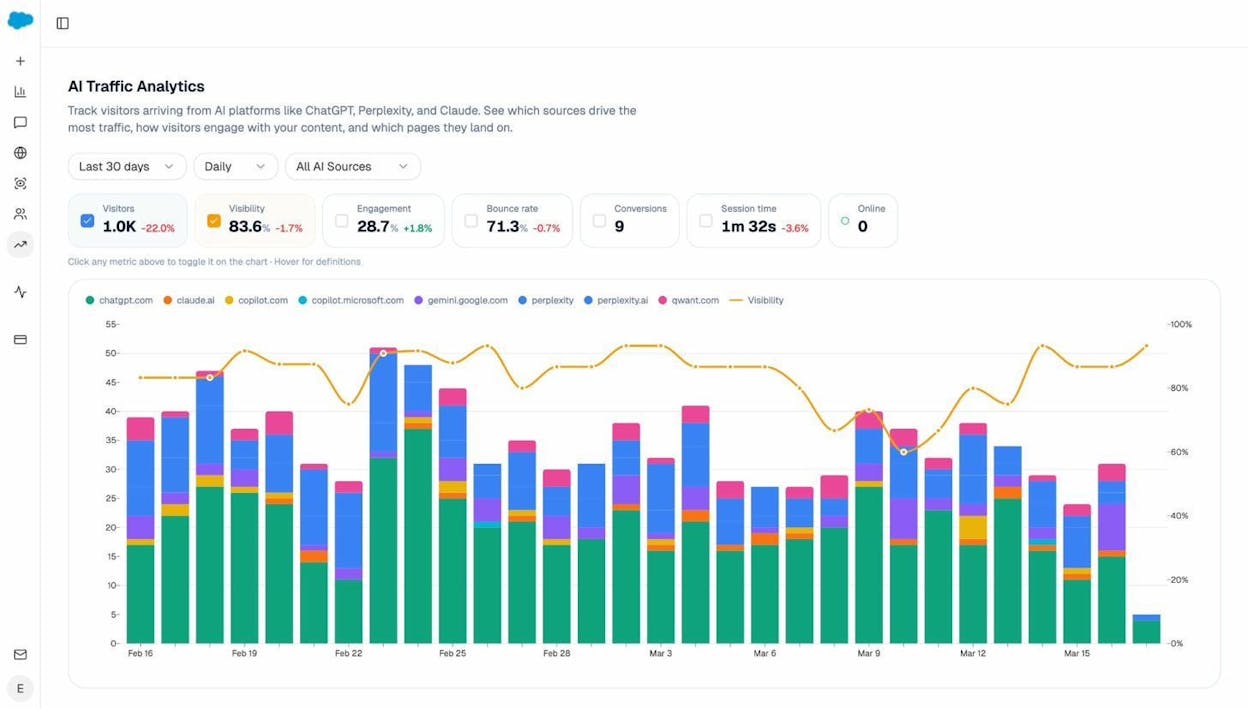
Analyze AI also offers free marketing tools including a Keyword Generator, SERP Checker, Website Authority Checker, and Broken Link Checker.
What marketing teams build with Analyze AI agents:
-
Content at scale: Agents that pull keyword opportunities from DataForSEO, generate research briefs, draft full articles using your brand voice, and publish to WordPress. Zero manual steps.
-
Content refresh: A weekly agent identifies stale pages via GA4 and GSC, rewrites them for freshness and AI visibility, and pushes updates to your CMS.
-
Keyword research: Feed a seed list into an agent that pulls volumes, difficulty, and SERP competitors from DataForSEO and Semrush, then clusters topics into Notion.
-
Internal linking: A scheduled agent crawls your sitemap, pulls GSC keywords per page, suggests internal links via LLM, and creates tasks in Notion.
-
Link outreach: Discover articles, find author emails via Tomba or Hunter, draft personalized outreach, send emails, and log to HubSpot.
-
Visual content: Blog Featured Image, Infographic Generator, and Social Media Image nodes create on-brand visuals inside any pipeline.
Pros of Analyze AI:
-
180+ nodes with native marketing integrations (GA4, GSC, Semrush, DataForSEO, HubSpot, and more)
-
Dedicated Content Writer and Content Optimizer with structured editorial pipelines
-
AI search visibility tracking across ChatGPT, Perplexity, Gemini, Copilot, and more
-
AI Traffic Analytics connecting visibility to sessions and conversions
-
Competitor intelligence, perception mapping, citation analytics, AI battlecards, and weekly digests
-
Sheets for running operations at scale
-
Free trial, unlimited seats on all plans
Where it can improve:
-
The platform is focused on marketing, SEO, and content operations. If you need agents for IT support or HR workflows, a general-purpose builder may be a better fit.
-
Newer platform, so the community and template library are still growing.
Analyze AI pricing:
|
Plan |
Price |
AI Engines |
Daily Prompts |
Content Writer |
Content Optimizer |
|---|---|---|---|---|---|
|
Growth |
$99/mo |
3 |
25 |
1 workflow |
1 workflow |
|
Pro |
$250/mo |
4 |
35 |
10 workflows |
5 workflows |
|
Custom |
Custom |
All |
Custom |
Unlimited |
Unlimited |
All plans include unlimited seats, unlimited competitor tracking, AI traffic analytics with GA4, and priority support. See the full pricing breakdown.
2. n8n
-
Best for: Technical teams that want full control over their automations with self-hosting options
-
Pricing: Free self-hosted option. Cloud plans start at $24/month
-
Key strength: Open-source with self-hosting capabilities and complete data ownership
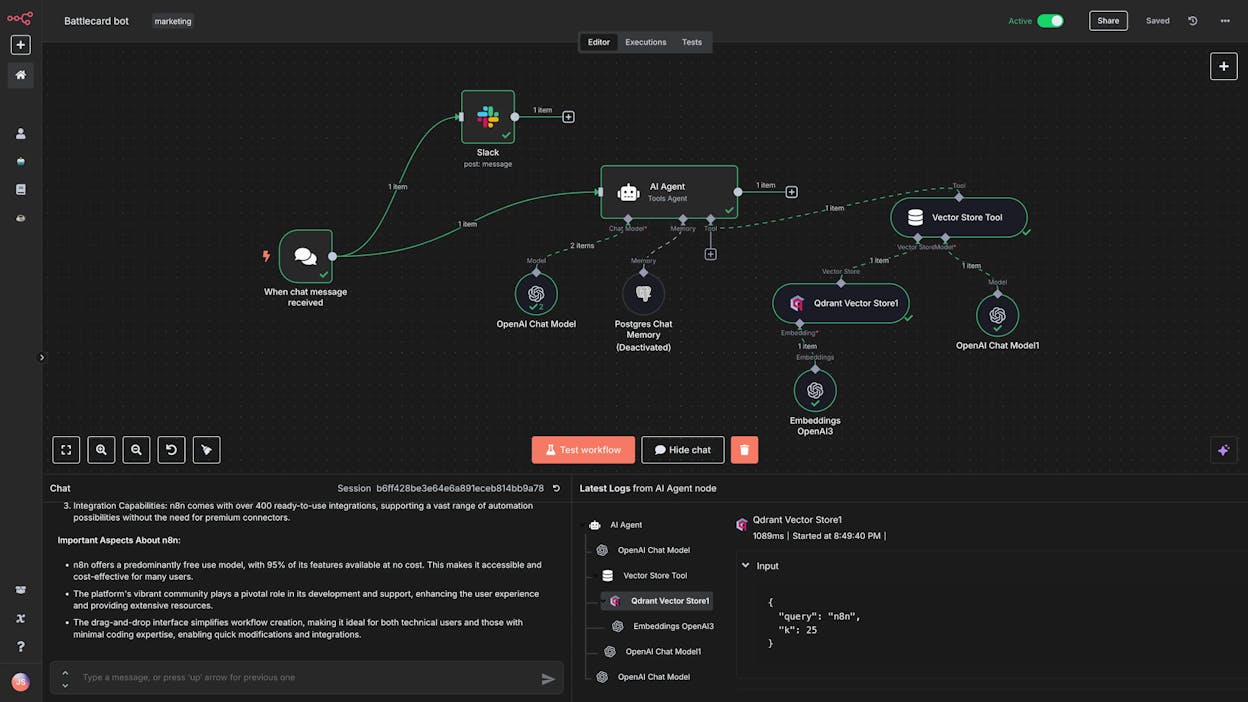
n8n is a workflow automation platform popular with developers and technical teams. It offers a visual drag-and-drop builder, custom code nodes, and the ability to self-host for full data control.
The platform supports complex logic flows, JavaScript and Python code, and connects to almost any tool through APIs. The community has built thousands of workflow templates you can start from.
Where n8n falls short for marketing teams is that it requires your own LLM API keys, has no built-in SEO research or content optimization, and lacks any AI visibility tracking. You can build these things, but you are building from scratch every time. For tracking brand visibility in AI search, you would need custom API integrations for each engine, your own data storage, and manual tracking logic. Analyze AI handles this natively with prompt tracking and citation analytics.
Pros: Self-hosting options, large community with templates, handles complex custom code, transparent pricing.
Cons: Steep learning curve, requires your own LLM API keys, no built-in marketing data, not great for non-technical users.
n8n pricing: Starter at $24/month (2.5k executions), Pro at $60/month (10k executions), Business at $800/month (self-hosted + SSO), Enterprise at custom pricing.
3. Sintra AI
-
Best for: Teams that want pre-built AI employee characters for different business roles
-
Pricing: $97/month for access to all 12+ AI helpers
-
Key strength: Character-based AI employees that are simple to deploy without building workflows
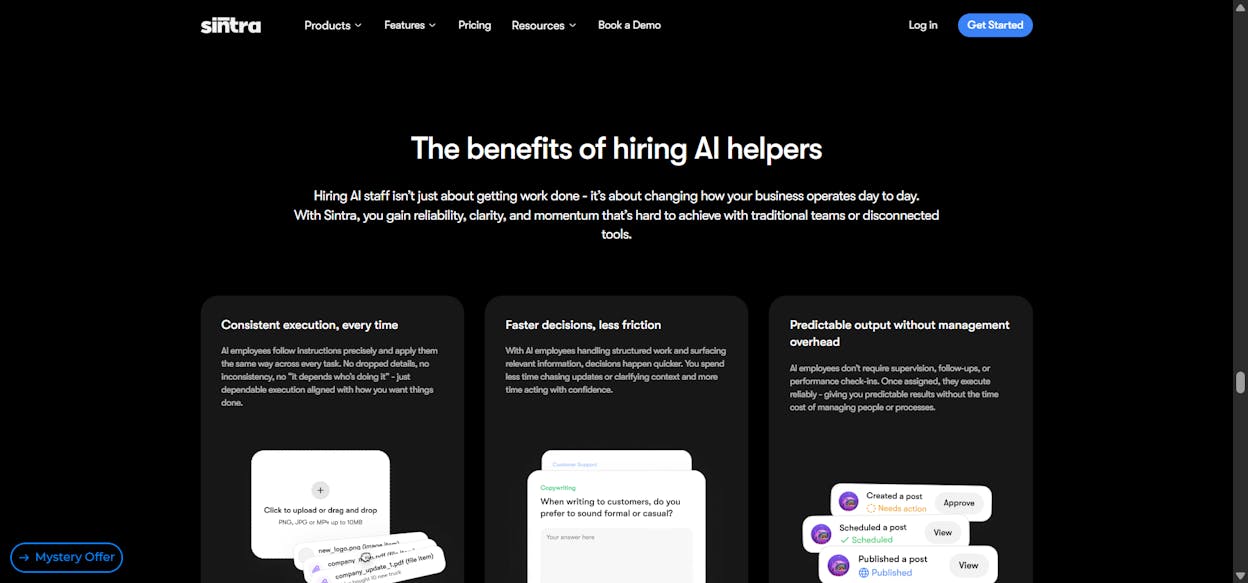
Sintra AI takes a different approach to AI agents. Instead of a blank canvas workflow builder, it gives you pre-built AI “employees” as characters. Penn handles copywriting. Cassie handles customer support. Buddy does business development.
This approach works well if you want to start using AI agents without building anything. You pick a character, give it a task, and it executes. The platform supports multiple LLMs and works across sales, marketing, customer service, and operations.
The trade-off is flexibility. Because the agents are pre-built, you cannot customize the underlying workflow the way you can with a visual builder. If your marketing operations have specific data requirements, like pulling GA4 metrics into a content brief or cross-referencing AI visibility data with search console performance, Sintra AI will not support that level of customization.
Pros: Easy to start, works across departments, affordable flat rate, no technical skills required.
Cons: Only one pricing tier ($97/month), limited customization, no visual workflow builder, no AI search visibility tracking.
Sintra AI pricing: $97/month for access to all AI helpers, 100+ languages, and 24/7 support. 14-day money-back guarantee.
4. Zapier
-
Best for: Simple two-way automations between apps with a massive integration library
-
Pricing: Free plan available. Pro starts at $50/month for AI agents
-
Key strength: Integrations with over 7,000 apps
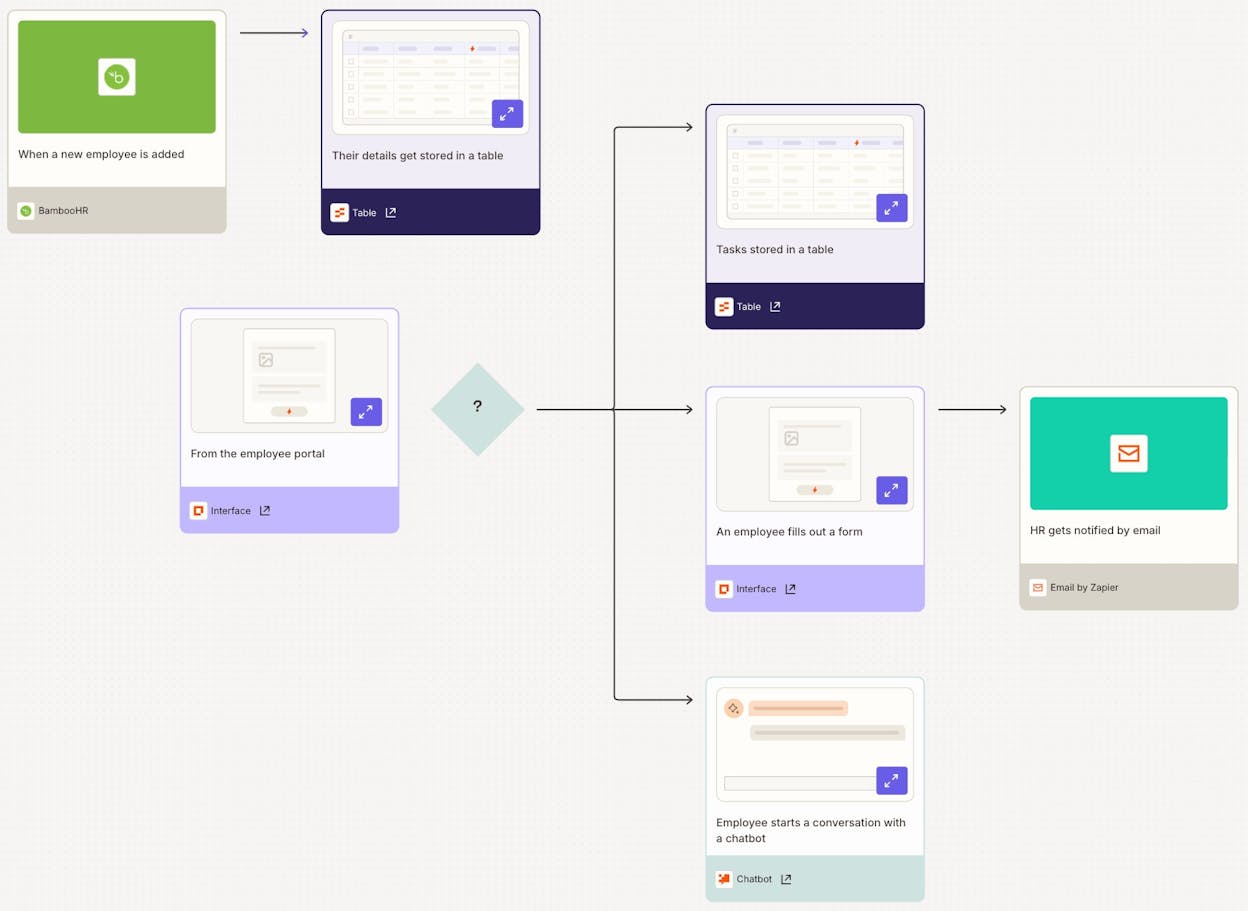
Zapier is the most established automation platform on this list. It works through a trigger-and-action model and integrates with over 7,000 apps.
The platform recently added AI agent features, but they feel added on rather than built in. For basic automations like syncing your CRM with your email tool or sending Slack notifications, Zapier is hard to beat.
Where it struggles is with LLM reasoning, multi-step content creation, or marketing data enrichment. You cannot track your brand’s AI search visibility or build agents that respond to changes in how AI engines reference your brand. Pricing also scales fast once you run hundreds of tasks.
Pros: Trusted platform with massive resources, 7,000+ integrations, solid for simple automations.
Cons: AI features feel like an afterthought, gets expensive at scale, limited LLM workflow capabilities, no marketing data integrations.
Zapier pricing (AI agents): Free at $0/month (400 activities), Pro at $50/month (1,500 activities), Advanced at custom pricing.
5. Lindy AI
-
Best for: Customer support and sales team automations
-
Pricing: Free plan available. Pro starts at $49.99/month
-
Key strength: SOC 2 and GDPR compliance for enterprise-grade security
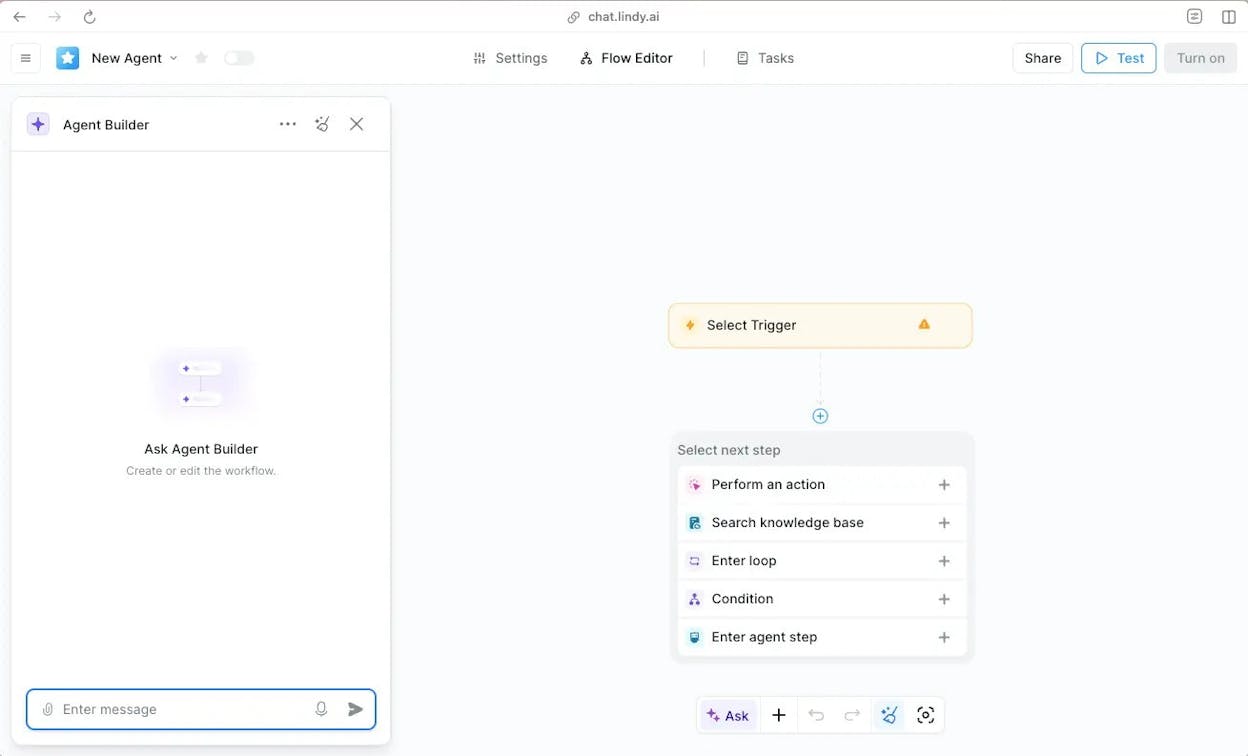
Lindy AI is an agent builder focused on AI “coworkers” for customer support and sales. It has a chatbot-style interface that makes it easy for non-technical users to create workflows. The platform is used by companies like LabelBox, AppLovin, and Ripple.
For marketing use cases, Lindy AI is limited. It lacks built-in SEO research, content optimization, or AI search visibility features. If you need agents that track competitors across AI engines, create content at scale, or connect marketing data to workflows, you will need another platform.
Pros: SOC 2 and GDPR compliant, good integrations for support and sales, chatbot interface is easy to use.
Cons: Limited marketing capabilities, paid plans are on the higher end, mostly focused on customer service and CRM.
Lindy AI pricing: Free at $0/month (400 credits), Pro at $49.99/month (5k credits), Business at $199.99/month (20k credits), Enterprise at custom pricing.
6. Workato
-
Best for: Enterprise companies automating workflows at scale across departments
-
Pricing: Custom pricing (requires a demo)
-
Key strength: Built for enterprise-grade internal automation with strong governance features
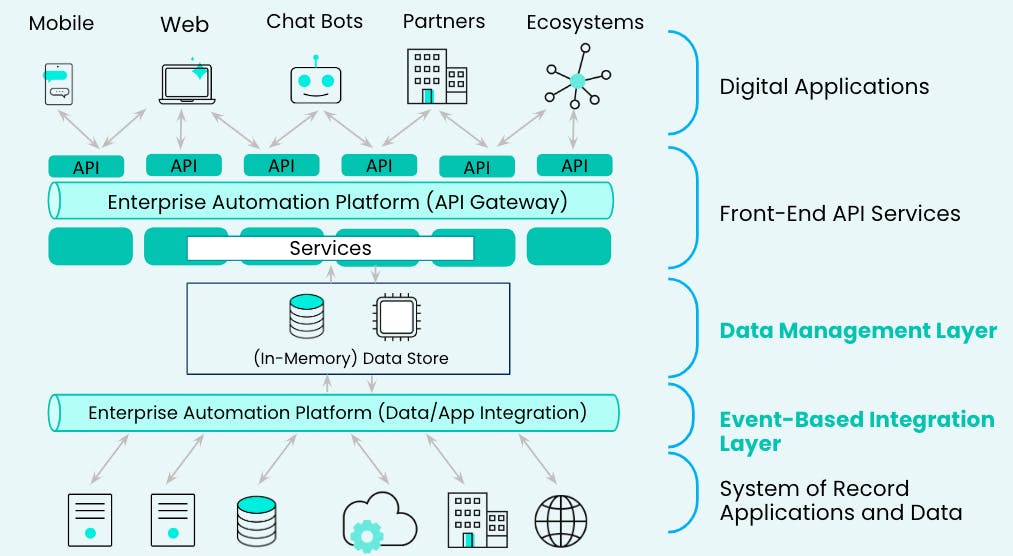
Workato is an enterprise automation platform for large organizations. It offers agent capabilities across departments, emphasizes security and governance, and integrates with hundreds of enterprise tools.
If your IT team needs to approve the platform, Workato checks the compliance boxes. The trade-off is that it is not built for marketing speed and flexibility. Implementation takes longer than most tools here, pricing requires a sales call, and there are no marketing-specific features like content writing, SEO analysis, or AI visibility tracking.
Pros: Enterprise-grade security and governance, strong integrations, reliable customer support, scalable.
Cons: Expensive and opaque pricing, long implementation cycles, no marketing-specific features, requires a demo to get started.
Workato pricing: Custom pricing based on workspace setup and recipe volume. Every plan includes security, governance, and unlimited team collaborators.
7. StackAI
-
Best for: Enterprise companies building internal AI workers with strong compliance requirements
-
Pricing: Free plan available. Enterprise pricing is custom
-
Key strength: Clean interface with SOC 2, HIPAA, and GDPR compliance
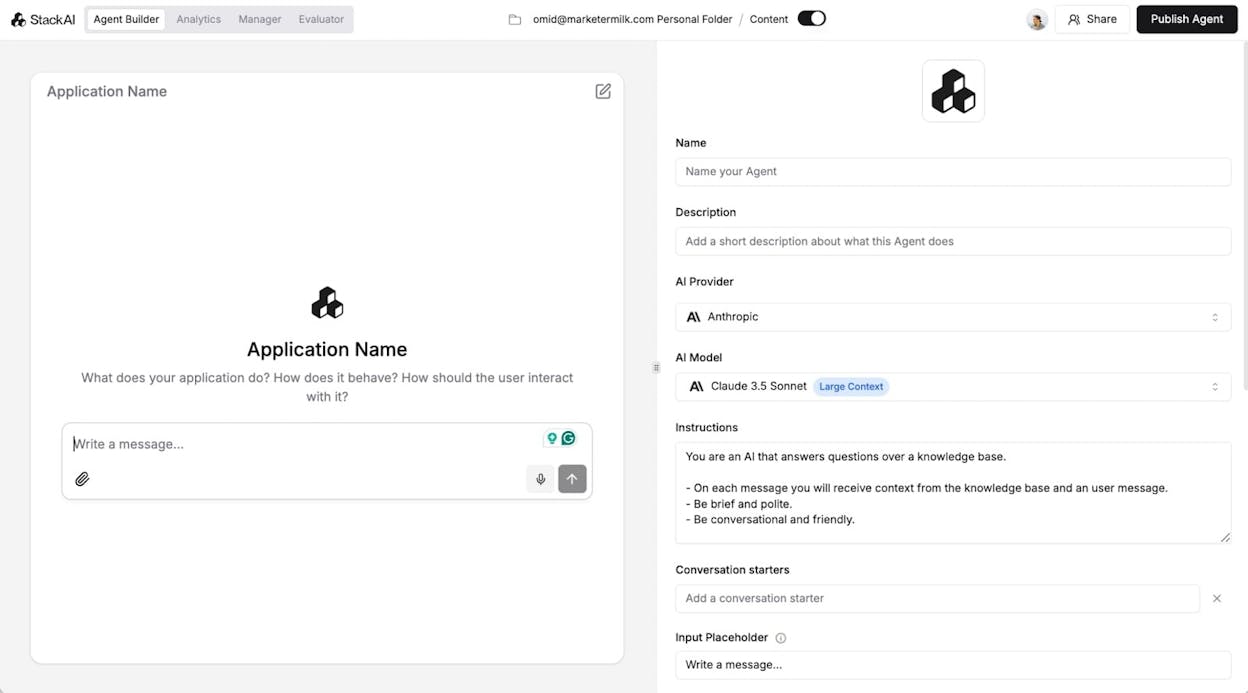
StackAI is an enterprise AI agent builder with a polished interface and compliance focus. It supports SOC 2, HIPAA, and GDPR, which makes it strong for finance, insurance, education, and government.
The visual workflow builder feels modern and connects to multiple LLMs. You can build agents for support, IT, CRM enrichment, and operations.
For marketing teams, StackAI has the same limitation as most general-purpose builders. No built-in SEO data, no content optimization pipeline, no AI search visibility tracking. You can build marketing workflows, but without any marketing-specific context baked in.
Pros: Clean interface, strong compliance (SOC 2, HIPAA, GDPR), scalable enterprise infrastructure.
Cons: Not built for marketing teams, enterprise pricing is opaque, longer implementation for complex setups, limited free plan.
StackAI pricing: Free at $0/month (500 runs, 2 projects), Enterprise at custom pricing with dedicated infrastructure and compliance certifications.
8. Chatbase
-
Best for: Building AI customer support agents that take real actions in your systems
-
Pricing: Free plan available. Paid plans start at $40/month
-
Key strength: AI agents that can update subscriptions, pull order details, and take actions in your CX tools
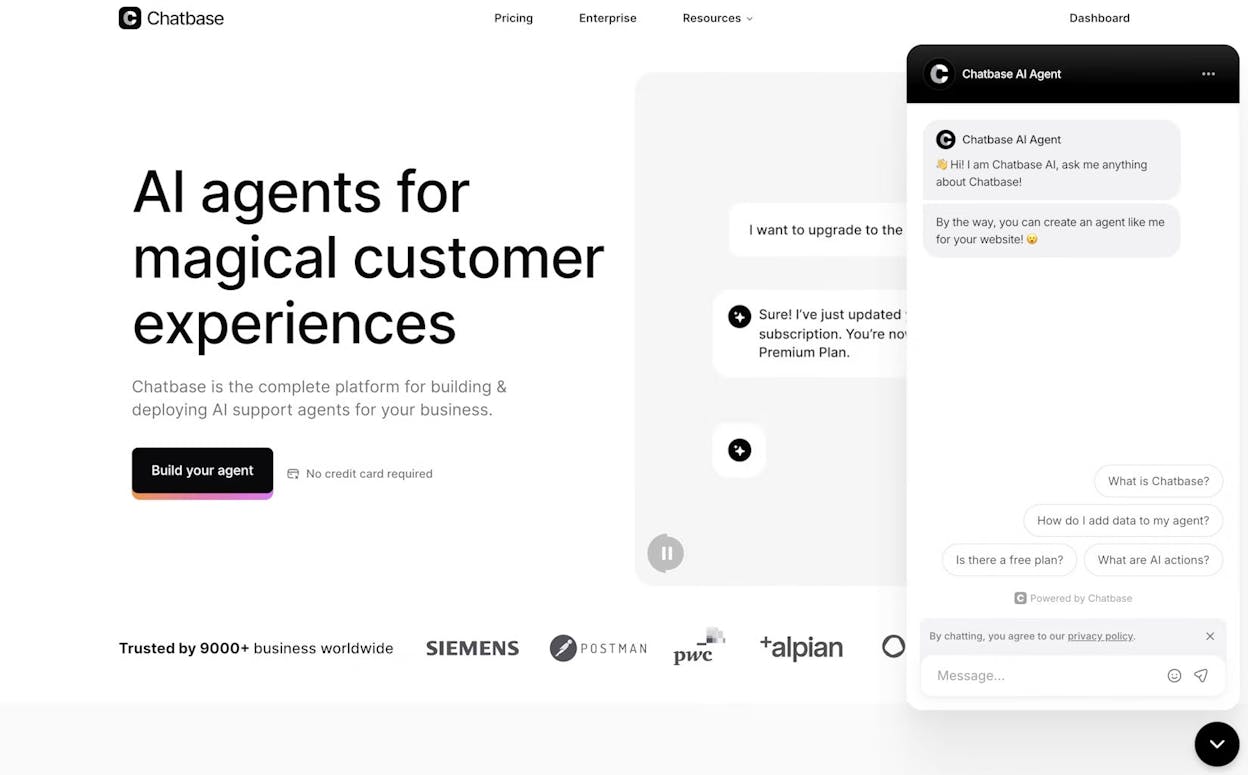
Chatbase focuses specifically on customer support agents. Its agents can handle tickets, sync with real-time data, take actions within your systems (update subscriptions, pull order details, change addresses), and escalate to humans when needed.
Chatbase is a single-purpose tool. It only builds customer support agents. You cannot use it for content marketing, SEO operations, or competitive intelligence. But if your primary need is customer service automation, it does that well.
Pros: AI agents can take real actions in your systems, purpose-built for support, guardrails prevent off-topic responses.
Cons: Only for customer support, no marketing capabilities, pricing gets steep at higher tiers, limited integrations.
Chatbase pricing: Free at $0/month (100 messages), Hobby at $40/month (2k messages), Standard at $150/month (12k messages), Pro at $500/month (40k messages), Enterprise at custom pricing.
Why AI search visibility matters when choosing a platform
Most Relevance AI alternatives focus on general-purpose agent building. You get a canvas, some nodes, and the ability to connect APIs. That works for IT and operations workflows.
But marketing teams face a different problem. Buyers now get recommendations from ChatGPT, Perplexity, Gemini, and Copilot before they search Google. If your brand does not appear in those AI-generated answers, you are missing pipeline.
This is not about replacing SEO. SEO is not dead. AI search is an additional organic channel that compounds alongside traditional search. The teams that track it properly are the ones building durable visibility.
A general-purpose agent builder can automate your existing workflows. A platform with built-in AI visibility data can automate your workflows and show you where to invest next based on what is actually happening across AI engines.
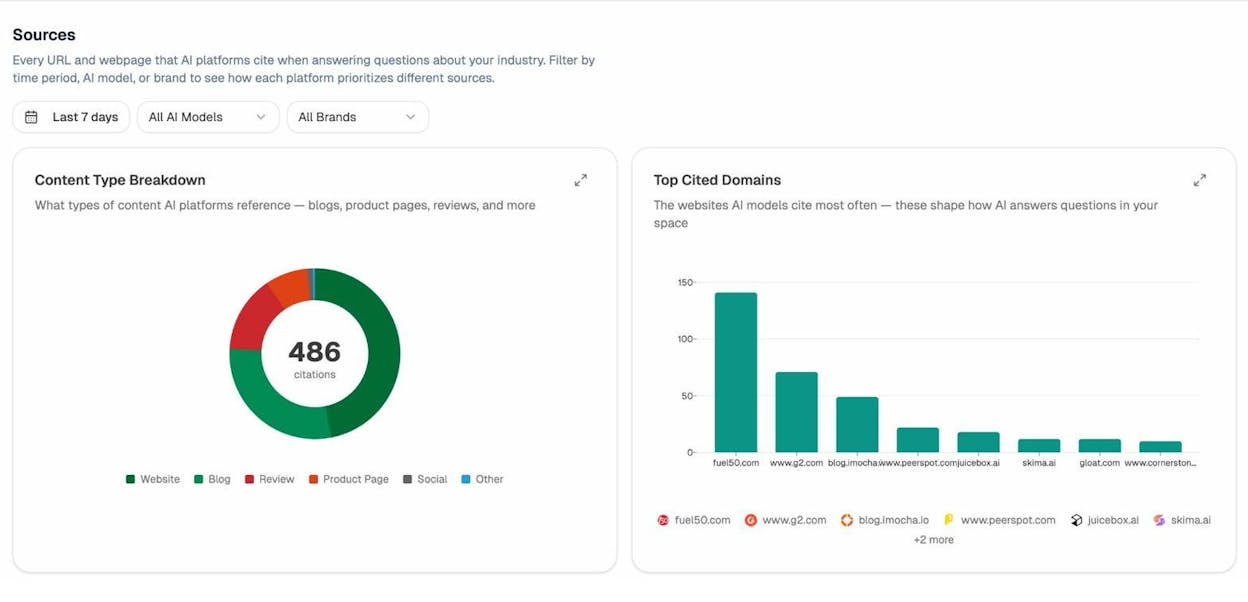
If you want to explore how this works in practice, the AI Visibility Guide breaks down the full framework. You can also run a quick check using the AI Search Explorer.
How to pick the right alternative for your team
If you need marketing-specific agents with built-in SEO, content, and AI search data: Analyze AI is the only platform on this list that combines a full agent builder (180+ nodes, GA4, GSC, Semrush, DataForSEO, HubSpot integrations) with AI visibility tracking, content creation, and optimization. Start a free trial here.
If you are a developer who wants self-hosting: n8n gives you the most flexibility, but expect to build everything from scratch.
If you want pre-built AI employees without setup: Sintra AI is the simplest option, with a trade-off in customization.
If you need basic app-to-app automation: Zapier has the most integrations, but it is not an AI-first platform.
If customer support is your primary use case: Chatbase and Lindy AI both handle support workflows well.
If you need enterprise governance: Workato and StackAI are built for large organizations with strict compliance requirements.
The right tool depends on your workflows and your data needs. If you run marketing, content, or GTM operations, start with Analyze AI and see whether the built-in marketing data and agent builder fit your stack.

Ernest

Ibrahim


