



Summarize this blog post with:


Microsoft Power Automate connects apps and moves data between them. It works well inside a Microsoft-heavy stack. But marketing teams hit friction fast. Building a content pipeline, connecting your CRM to your CMS, running competitive research, or tracking how AI search engines represent your brand requires more than simple trigger-action logic. It requires a platform that understands marketing data natively.
That is why most marketing teams outgrow Power Automate within a quarter. The tool was built for IT and business process automation, not for the kind of work that drives pipeline. If you are in that position now, this guide is for you.
In this article, you’ll learn what to look for in a Power Automate replacement when your priority is marketing workflows, which ten platforms handle those workflows well, what each one costs, and where Analyze AI fits when you also need content, SEO, AI search visibility, and pipeline attribution in the same platform.
Table of Contents
What to Look for in a Power Automate Alternative
Before picking a tool, know what actually matters for marketing workflows. Most comparison articles list features without explaining how to evaluate them for your stack and your stage. Here is what to weigh.
AI capabilities that go beyond a single model. Some platforms only support ChatGPT. Others let you connect Claude, Gemini, Llama, DeepSeek, and more. The ability to pick the right model for the right job (research vs. writing vs. classification) matters more than just having “AI” on the feature list.
Native marketing data access. The best automation tools for marketing teams are the ones that already understand your GA4, Google Search Console, CRM, and CMS data. If you need three Zaps and a middleware tool just to pull keyword data into a workflow, you are paying twice for glue that should not exist.
Content and SEO workflow support. Marketing automation is not just lead routing and email triggers. It includes content briefs, editorial calendars, content refreshes, internal linking, and now AI search optimization. Your tool should be able to handle these without bolting on five more subscriptions.
Debugging and reliability. Building workflows without ever hitting an error is rare. Pick a platform that tells you exactly what broke and how to fix it. This saves hours of guesswork.
Scalability without surprise bills. Once a workflow runs well, you want it running forever without worrying about per-task pricing eating your budget at scale. Check how pricing scales before you commit.
Now here are the ten alternatives worth evaluating.
10 Best Power Automate Alternatives for Marketing Teams
-
Analyze AI
-
n8n
-
Zapier
-
StackAI
-
Lindy AI
-
UiPath
-
IFTTT
-
Make
-
Workato
-
Tray.ai
1. Analyze AI
Best for: Marketing teams that need content production, SEO, AI search visibility, and workflow automation in one platform
Pricing: Free trial available, simple tier-based pricing at tryanalyze.ai/pricing
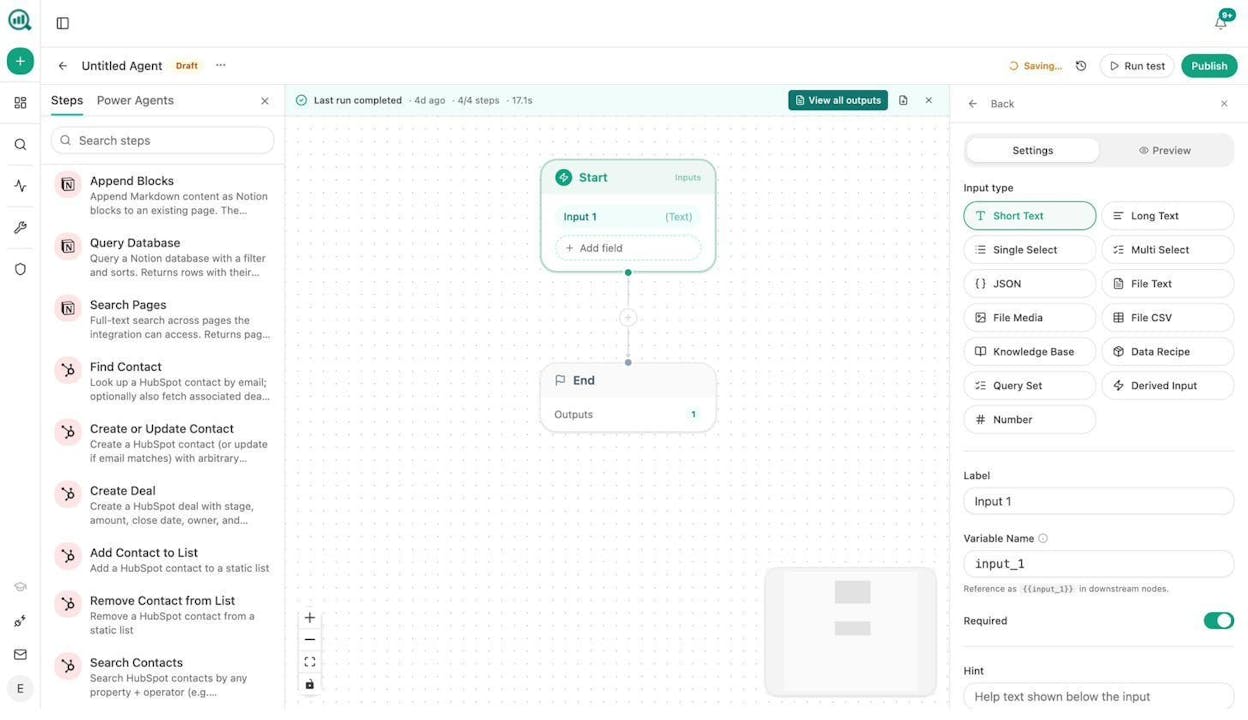
Analyze AI is the agentic platform for SEO, AEO, content, and GTM operations. It started as an AI search visibility tool and grew into a full programmable substrate with 180+ nodes, 34 pre-built data recipes, and integrations spanning GA4, Google Search Console, Semrush, DataForSEO, HubSpot, WordPress, Notion, Slack, Mailchimp, and every major LLM.
That last part matters. Most automation tools require you to connect your marketing data through third-party connectors. Analyze AI’s Agent Builder already has nodes for keyword research (DataForSEO, Semrush), competitor analysis, content scoring, brand mentions, on-page SEO audits, and AI visibility tracking built in. You do not need a separate SEO tool, a separate AI visibility tool, and a separate automation tool. It is all in one workspace.
Top Marketing Use Cases
Content production at scale. Build an agent that runs every week. It pulls keyword opportunities from DataForSEO, checks AI visibility gaps, generates a research brief, creates an outline, drafts the article with your brand voice injected from the Brand Vault, scores it against your AEO Content Scorecard, and publishes to WordPress. If the score is below your threshold, it routes to your editor on Slack instead. The entire pipeline runs without a human touching it until the quality gate.
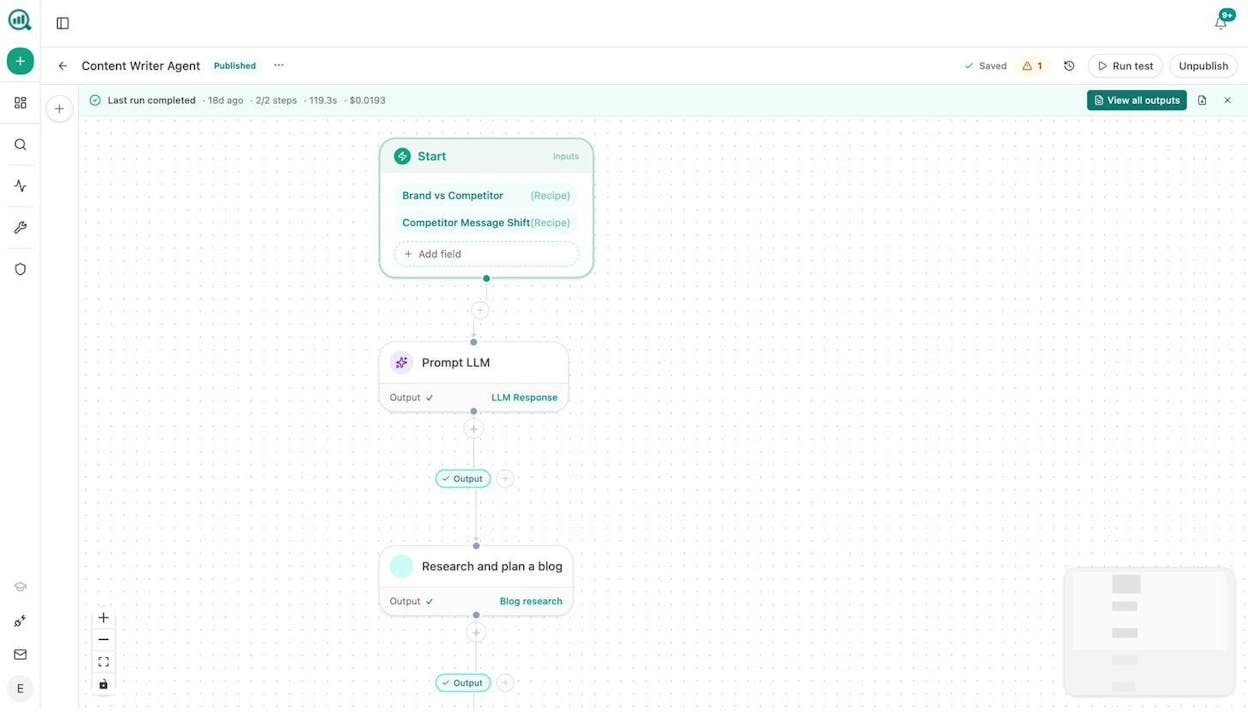
Content refresh at scale. Schedule a weekly agent that pulls declining pages from GA4, checks their AI visibility scores, scrapes the current page, rewrites it for freshness and AEO alignment, and pushes the update to your CMS. Pages that were quietly losing rankings fix themselves.
Keyword research at scale. Use the Sheets feature to run bulk keyword research across hundreds of seed terms. The DataForSEO and Semrush nodes pull search volumes, difficulty scores, and SERP competitor data. You can also use Analyze AI’s free Keyword Generator and Keyword Difficulty Checker for quick checks.
Internal linking at scale. Build an agent that loops through your sitemap weekly, runs on-page SEO analysis on each page, pulls GSC top keywords per page, and uses an LLM to suggest three internal links per page. Results go to Notion as tasks or auto-apply via the WordPress update node.
Social media content and image creation. The Agent Builder includes nodes for Blog Featured Image, Social Media Image (per platform), Infographic Generator, and Illustrate Any Text. All are brand-kit-aware. Build a workflow that takes your blog post, extracts key points, generates social posts for each platform, creates matching visuals, and queues them for distribution.
Link outreach automation. Combine DataForSEO Brand Mentions, Tomba Author Finder, and the Prompt LLM node to build personalized outreach workflows. The agent finds journalists and bloggers who cover your topic, verifies their email, drafts a personalized pitch using your brand voice, and logs everything to HubSpot.
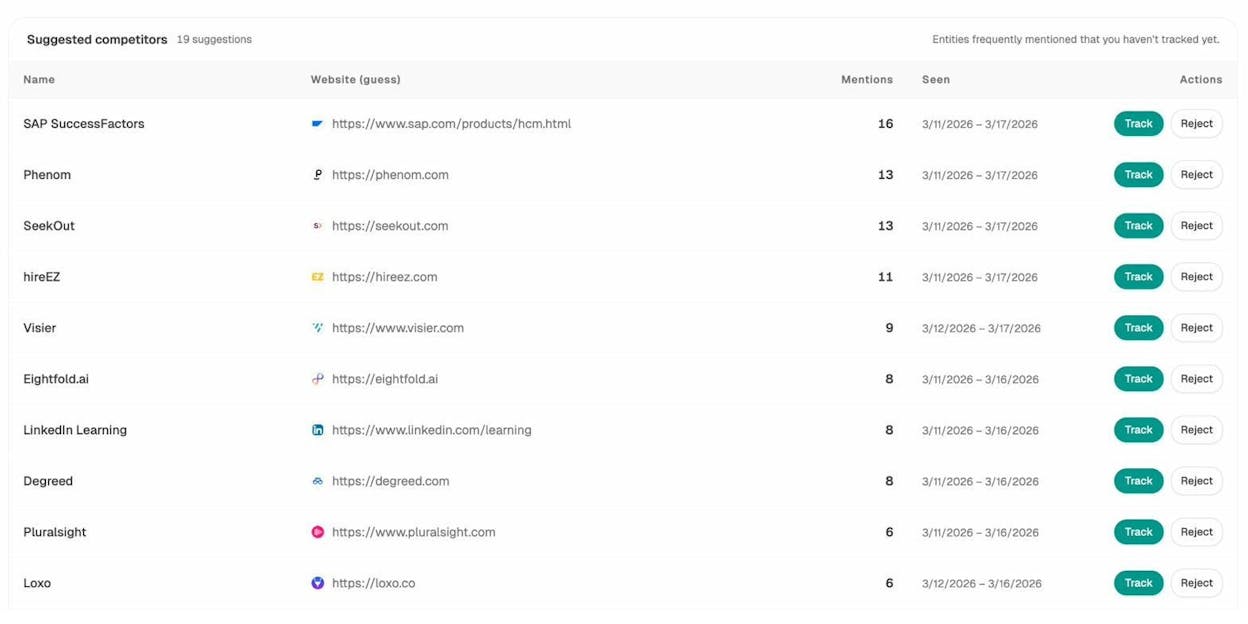
AI search visibility monitoring. This is where Analyze AI differs from every other tool on this list. It tracks how ChatGPT, Perplexity, Gemini, Copilot, Claude, and other AI engines represent your brand. It ties that visibility to GA4 sessions, conversions, and revenue. And you can build agents that react to visibility changes automatically. A daily agent that alerts your team when a competitor overtakes you on a prompt cluster, with a draft counter-content brief attached, is a three-node workflow.
Pros and Cons
Analyze AI is the only platform on this list that combines marketing automation, SEO research, AI search visibility, content production, and CRM integration into one workspace. The Agent Builder supports manual, scheduled (cron), and webhook triggers, which means your workflows can run on-demand, on a cadence, or in response to events like a HubSpot deal closing or a form submission. The 180+ nodes across 16 categories, including 27 DataForSEO nodes, 7 Semrush nodes, 8 GSC nodes, 26 HubSpot nodes, and full CMS coverage (WordPress, Notion, Sanity, Contentful), give you billions of possible workflow configurations.
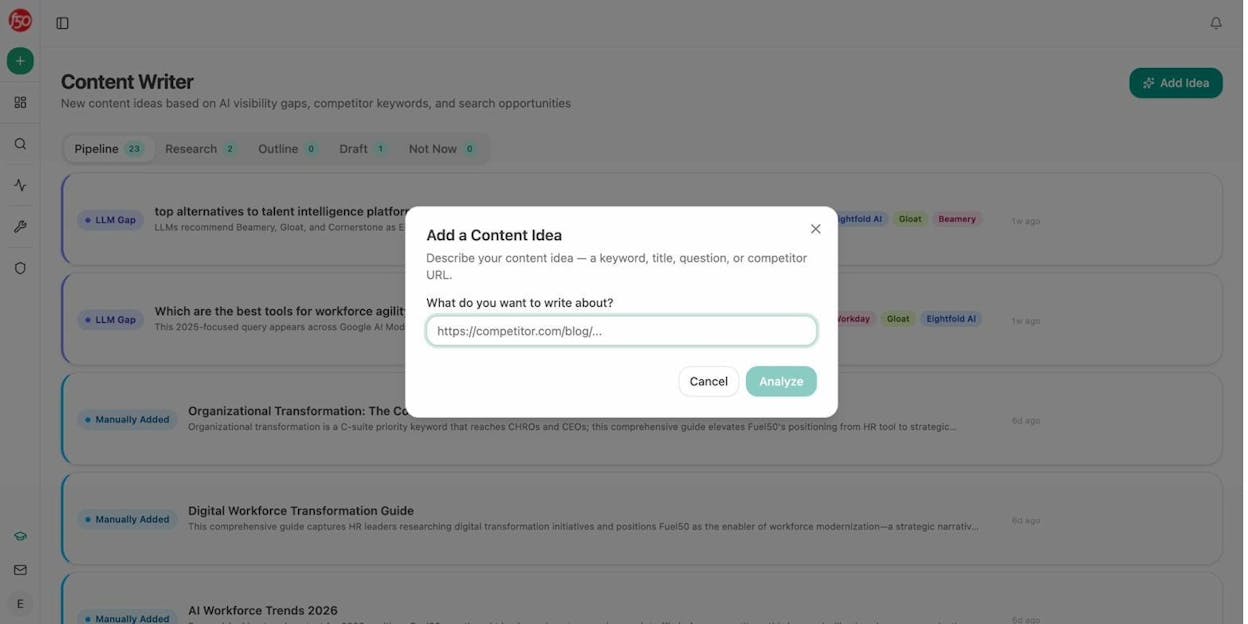
The Content Writer and Content Optimizer produce noticeably better output than standalone AI writing tools because they follow a structured multi-step pipeline. Research, outline, draft, score, and QA happen in sequence. Each step builds on the previous one with editorial comments and AI visibility gaps baked in.
On the downside, the platform is newer than Zapier or Make, so you will find fewer third-party tutorials online. And if your workflows are purely IT-focused (syncing employee directories, managing Azure resources), this is not the right tool. It is built for marketing, content, and revenue teams.
2. n8n
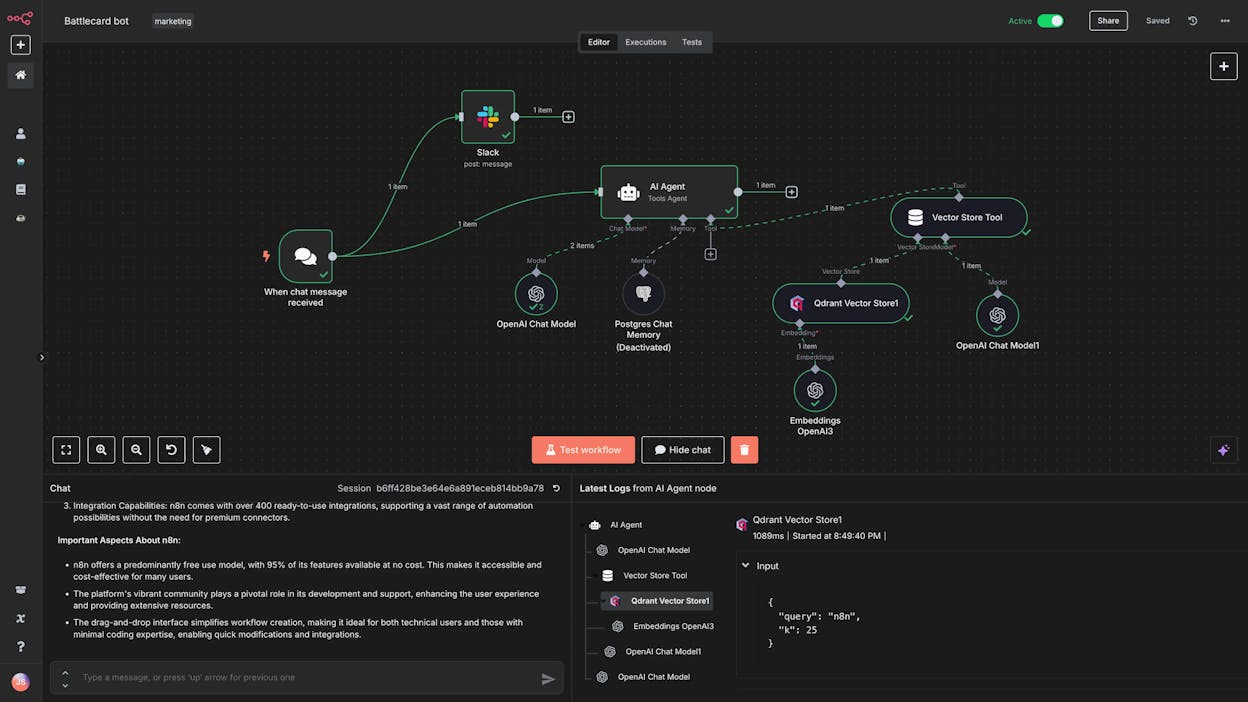
Best for: Technical marketing teams building complex workflows with code-level control
Pricing: Free plan available, paid plans start at $24/month
n8n is an open-source workflow automation platform popular with developers. It offers a drag-and-drop interface, but you will need some technical background to use it well. The platform has over 6,000 pre-built templates and a large community sharing resources.
For marketing, n8n works when your team includes someone comfortable writing JavaScript expressions and debugging API calls. You can build blog publishing workflows, SEO monitoring pipelines, and lead enrichment processes. The self-hosting option also appeals to teams with strict data privacy requirements.
The main limitation for marketing teams is that n8n has no native SEO, content, or AI search data. You need to bring your own API keys for every service and wire up the data pipelines yourself. Paid plans start at $24/month for 2,500 workflow executions.
3. Zapier
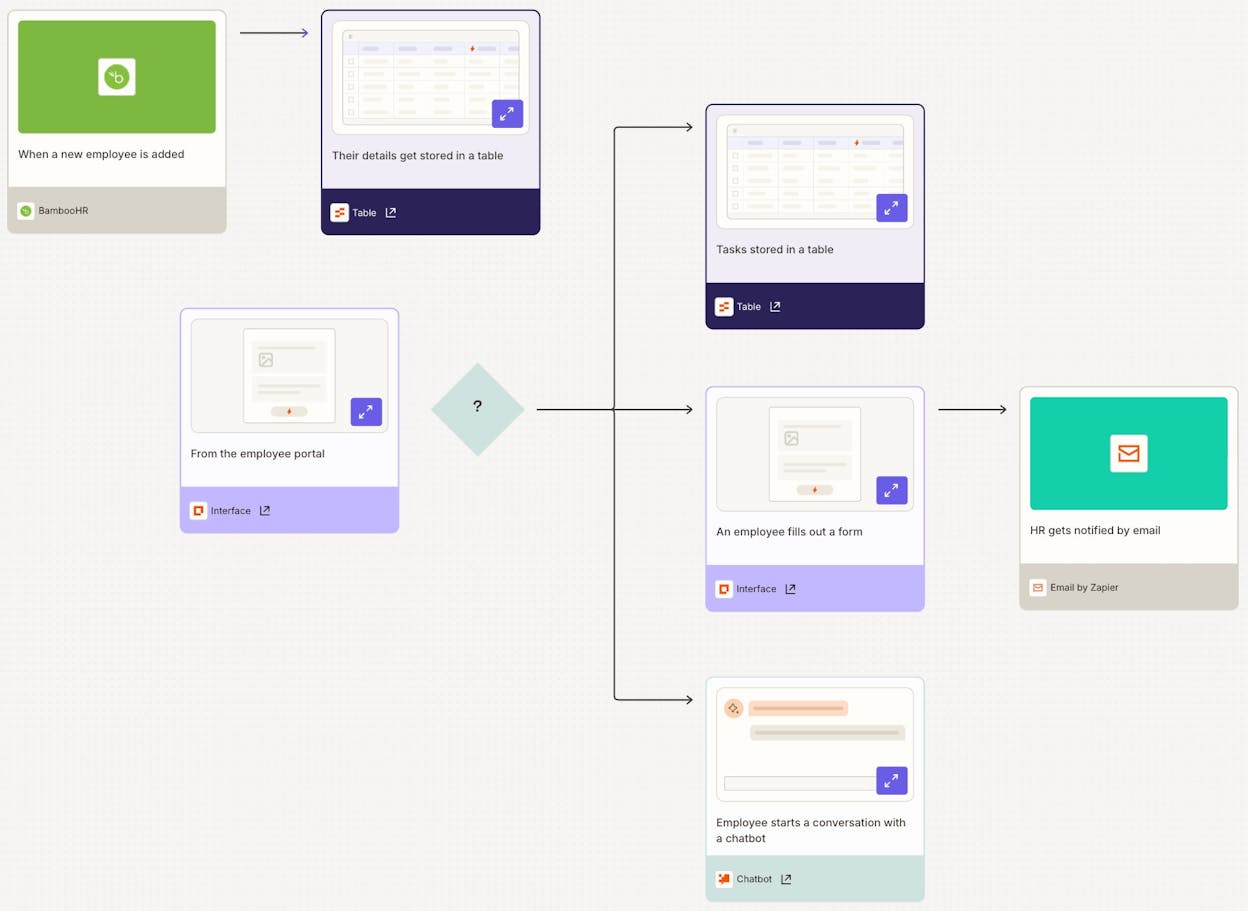
Best for: Non-technical teams connecting apps with simple conditional logic
Pricing: Free plan available, paid plans start at $19.99/month (billed annually)
Zapier is the automation platform that most teams try first, and the default Power Automate alternative for many organizations. It connects over 7,000 apps and makes simple trigger-action workflows easy to build. If you need to send a Slack message when a form is submitted, or add a CRM contact when someone downloads a PDF, Zapier handles it in minutes.
For marketing teams, Zapier covers lead routing, email triggers, social media posting, and basic CRM workflows well. The platform also added AI features including Copilot, which builds Zap scaffolds from natural language descriptions.
The downside is pricing at scale. Zapier charges per task, and a task is counted each time a Zap action executes. Multi-step Zaps count one task per action step. A team running 10,000 tasks per month can easily spend $300 to $600/month. It also lacks native SEO or content workflow support, so you will need separate tools for anything content-related.
4. StackAI
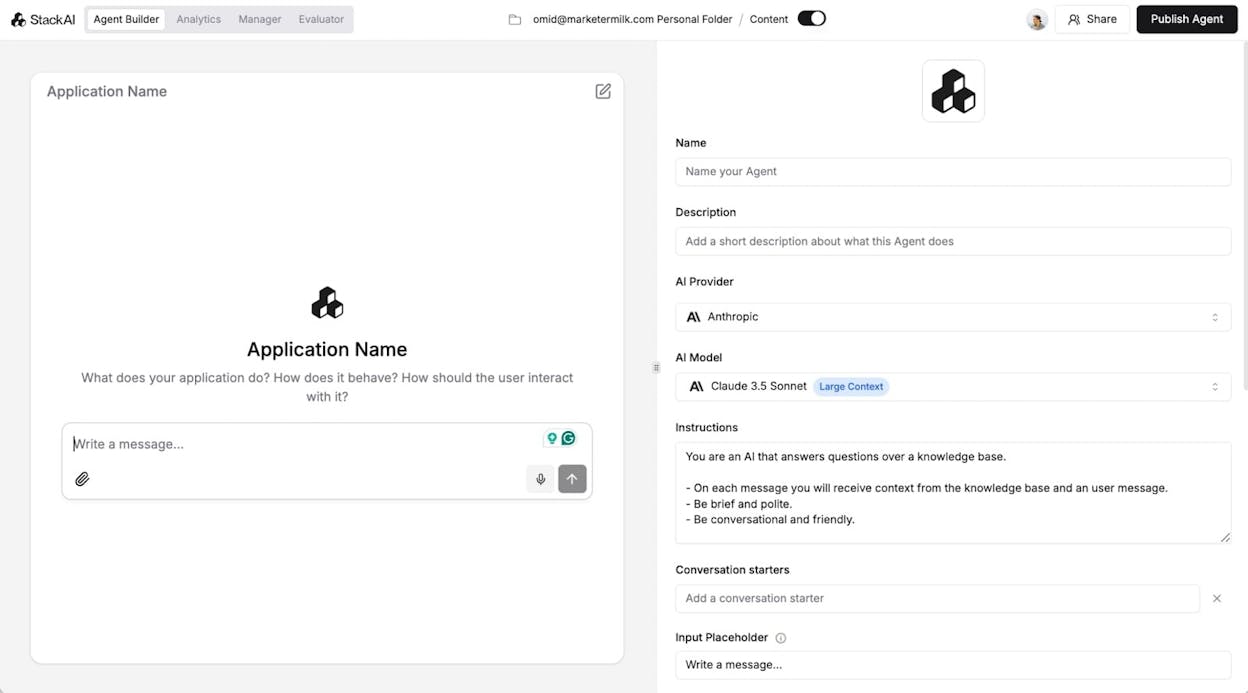
Best for: Enterprise companies building AI agents with strict compliance requirements
Pricing: Free plan available, enterprise pricing is custom
StackAI is an AI agent builder built for enterprise compliance. It handles data extraction, knowledge retrieval, and document generation well, with SOC 2, HIPAA, and GDPR compliance built in. The interface is clean and purpose-built for AI-first workflows.
For marketing, StackAI can help with automated reporting and document generation. But it is designed primarily for finance, insurance, and education verticals. If your main workflows involve content production, SEO, or AI search optimization, you will need a more marketing-focused tool. Pricing is not transparent and requires a sales conversation.
5. Lindy AI
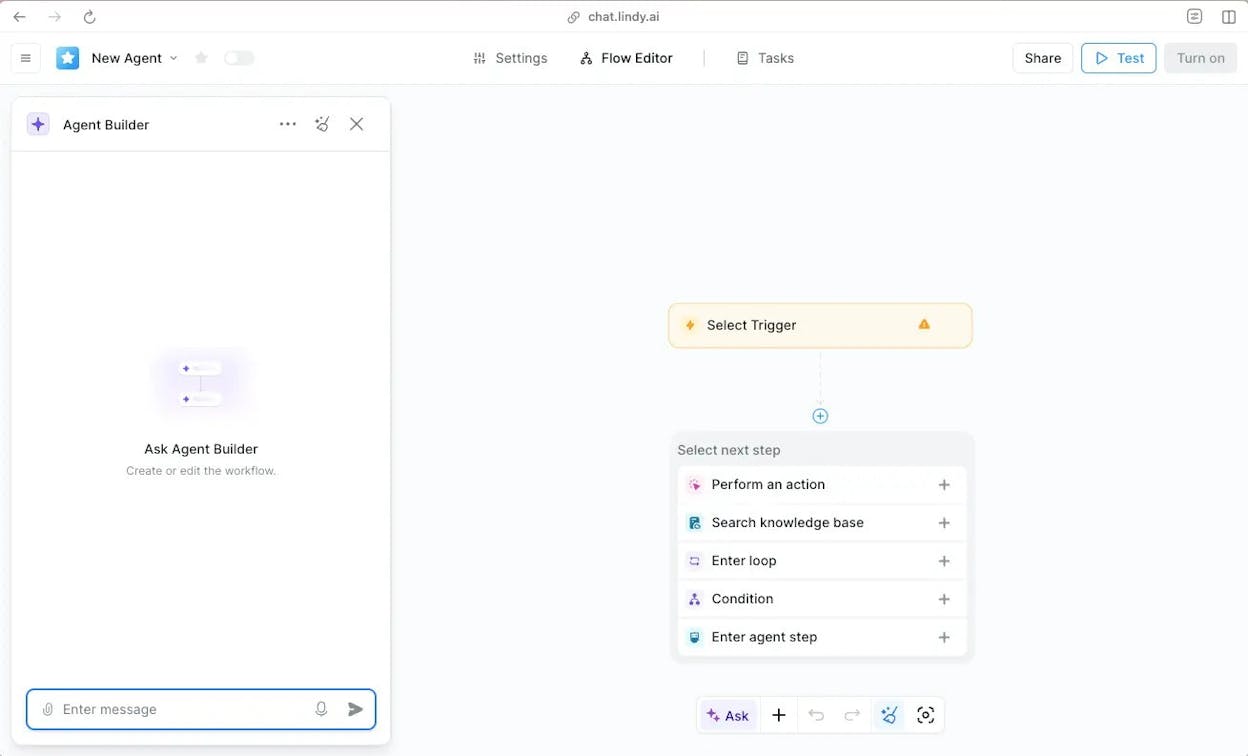
Best for: Sales and customer support teams automating outreach and ticketing
Pricing: Free plan available, paid plans start at $49.99/month
Lindy AI builds AI agents that act as virtual employees. The chat interface makes it easy to create agents for customer support (auto-reply, ticket categorization) and sales (lead qualification, outreach). It also has a voice agent product for phone-based interactions.
For marketing, Lindy AI is limited. It does not have SEO, content, or analytics capabilities. Pricing starts at $49.99/month for 5,000 credits, which can get expensive quickly if you run high-volume workflows.
6. UiPath

Best for: Enterprise robotic process automation in regulated industries
Pricing: Starts at $25/month for basic, enterprise pricing requires a sales conversation
UiPath is an enterprise RPA tool for healthcare, banking, and public sector operations. It handles claims processing, KYC workflows, and compliance automation. It is not a marketing tool. If your use case involves loan origination or patient referral processing, UiPath is strong. If your use case involves content calendars or keyword research, look elsewhere.
7. IFTTT
Best for: Personal automations and simple social media scheduling
Pricing: Free plan available, paid plans start at $3.99/month
IFTTT is the original “if this, then that” automation tool. It is by far the cheapest option on this list and works well for simple tasks like posting to Instagram on a schedule or syncing Google Calendar events.
For any marketing workflow that requires more than two steps, IFTTT falls short. It has no AI capabilities, limited integrations with modern marketing tools, and cannot handle the complexity of content production or CRM workflows. Use it for personal tasks or very basic social media automation.
8. Make
Best for: Small teams and solo marketers building automations on a budget
Pricing: Free plan available, paid plans start at $10.59/month
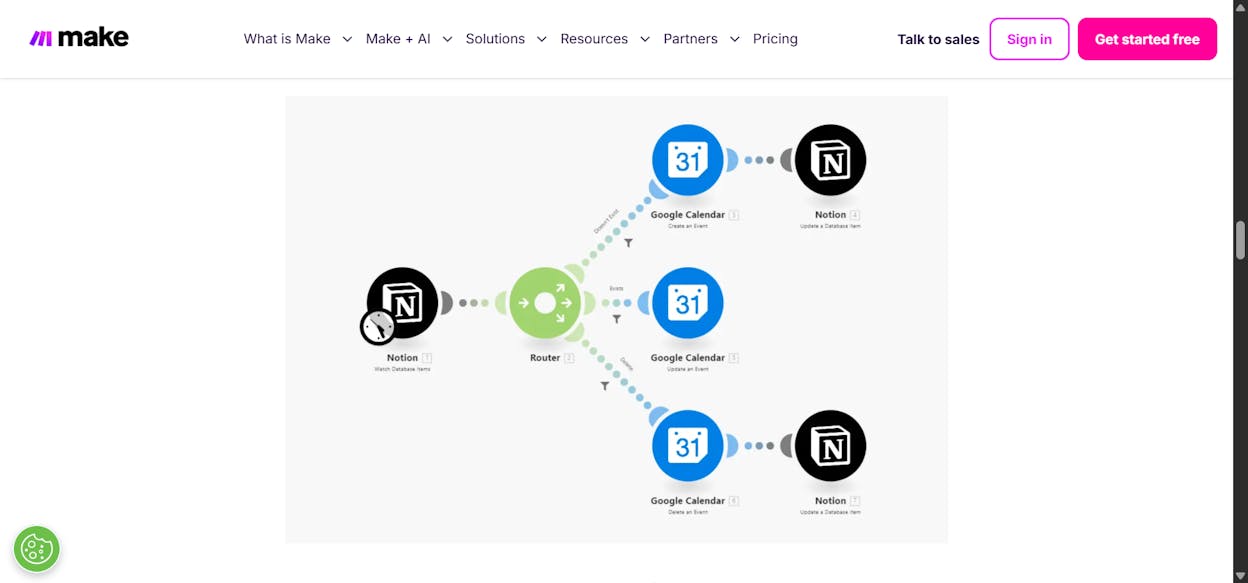
Make (formerly Integromat) is a visual workflow builder with over 2,500 app integrations. It costs significantly less than Zapier for the same volume of operations. A team spending $299/month on Zapier could often run the same workflows on Make for $59/month.
For marketing, Make handles email marketing integrations, HubSpot workflows, Facebook Ads connections, and Notion-based project management. The platform also supports MCP servers for connecting to AI platforms. The interface can feel dated compared to newer tools, and stability is occasionally an issue with complex workflows.
9. Workato
Best for: Enterprise companies with hundreds of employees automating at scale
Pricing: Custom enterprise pricing (contact sales)
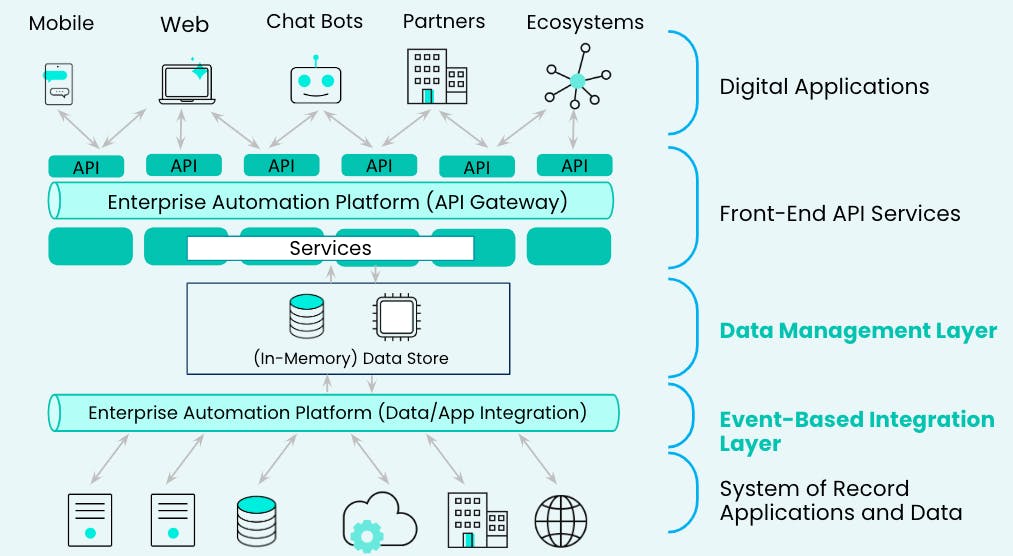
Workato is an enterprise iPaaS built for large organizations. It connects your CRM, ERP, HR, and marketing tools and lets you build automated workflows across all of them. Companies like Atlassian and Adobe use it.
For marketing teams at large organizations, Workato handles cross-department orchestration well. But it requires a sales process to even see pricing, has longer implementation times, and feels like traditional enterprise software. If you are a startup or mid-market team, this is likely overkill.
10. Tray.ai
Best for: Enterprise teams building agents across HR, IT, and RevOps
Pricing: Custom pricing for all plans (contact sales)
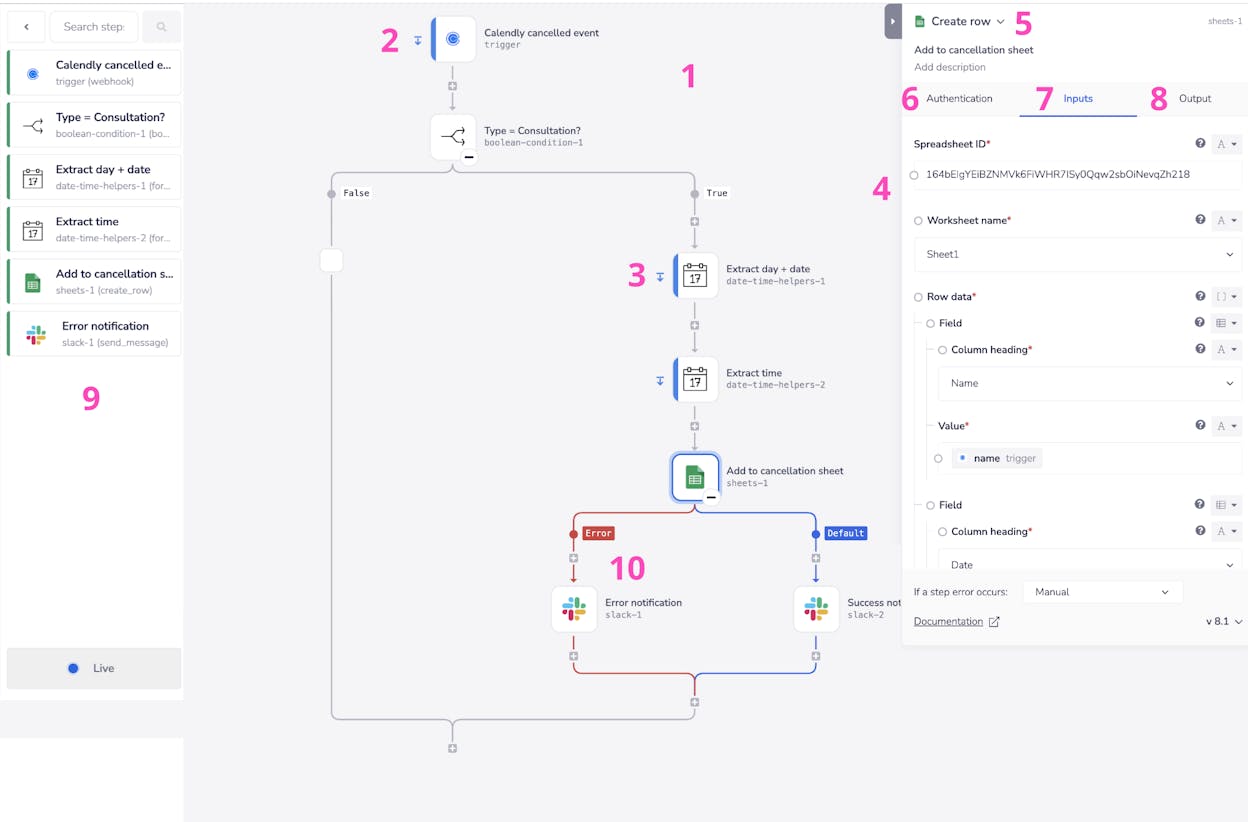
Tray.ai is an iPaaS platform that connects your apps, data warehouse, and LLMs in one place. It integrates with Salesforce, Workday, Greenhouse, Snowflake, and more.
For marketing teams, Tray.ai can handle RevOps workflows and lead-to-cash processes. But the pricing is opaque, onboarding times are long (a common complaint on G2), and it is designed more for IT operations than content-driven marketing.
Why AI Search Should Be Part of Your Marketing Automation Stack
Every tool on this list handles traditional automation. They connect apps, move data, and trigger actions. But marketing in 2026 includes a channel that most automation tools ignore: AI search.
People now get answers directly from ChatGPT, Perplexity, and Gemini instead of clicking through a list of Google results. The brands that show up in those AI answers are the ones getting a growing share of organic traffic. This is not replacing SEO. It is adding another organic channel on top of it.
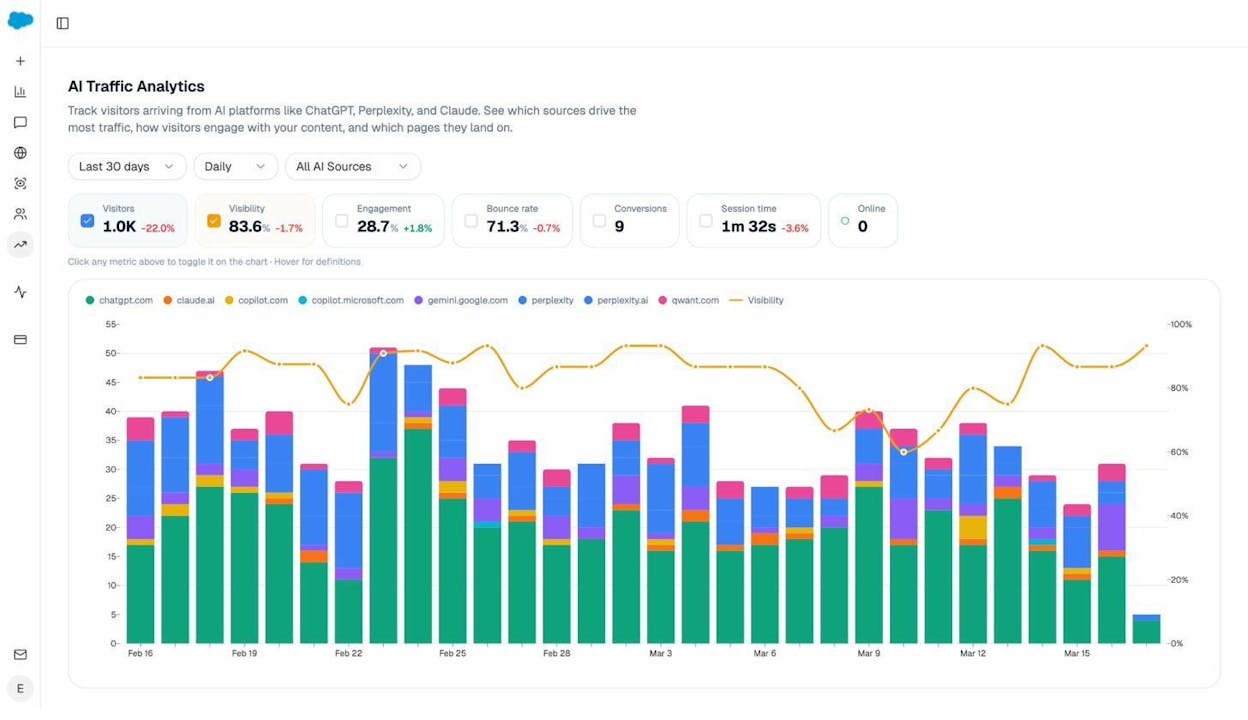
Most automation tools have no way to track, measure, or act on AI search visibility. They cannot tell you which AI engines mention your brand, which prompts your competitors win, or which of your pages actually convert AI traffic. This is the gap that Analyze AI fills alongside its automation capabilities.
If you are evaluating Power Automate alternatives for your marketing team, consider whether the tool you pick can also help you compete in AI search. The teams that track this channel now will compound their advantage over the next two years. The ones that wait will be playing catch-up.
Choosing the Right Alternative
There is no single best Power Automate alternative. The right choice depends on your team, your budget, and the kind of workflows you run.
If you need marketing automation with SEO, AI search visibility, and content production in one platform, start with Analyze AI. The Agent Builder covers everything from keyword research to content publishing to competitor monitoring, with 180+ nodes and integrations that span the entire marketing stack.
If you need a general-purpose automation tool with the widest app coverage and your workflows are simple, Zapier is the safest bet.
If you have a technical team and want full control with self-hosting options, n8n gives you that flexibility at a lower price.
If you need enterprise-grade compliance for regulated industries, StackAI or UiPath are built for that.
And if you are on a tight budget running basic workflows, Make or IFTTT will get you started for under $15/month.
Most of these tools offer free plans or trials. Test two or three, run a real workflow through each one, and pick the platform that makes you faster at the work that actually drives pipeline.

Ernest

Ibrahim


