



Summarize this blog post with:


In this article, you’ll learn what an AI sales enablement agent actually does, which platforms are worth your time in 2026, and how to pick the right one for your sales workflow. You’ll also see how AI search is quietly reshaping the way buyers discover products before they ever talk to a rep, and what that means for your pipeline.
Table of Contents
What Is an AI Sales Enablement Agent?
An AI sales enablement agent is software that handles the repeatable parts of your sales process. Lead research, contact enrichment, CRM updates, follow-up drafts, pipeline reporting, and competitive research are the usual starting points.
The “enablement” part matters. These tools do not replace your sales team. They remove the manual work that keeps reps from selling. A good agent takes the 30-minute task (pull data, paste into a prompt, format the output, update the CRM) and compresses it to one click or zero clicks with scheduled triggers.
Three components make every AI sales agent work:
-
An AI model that does the reasoning. This is typically an LLM like GPT, Claude, or Gemini. The model you choose affects quality, speed, and cost per task.
-
Data access that gives the model context. Your CRM, prospect databases, company websites, LinkedIn profiles, and internal documents all count. Better inputs produce better outputs.
-
Instructions that define what the agent should do. The more specific you are about the workflow, the more useful the output. One agent that does everything is worse than five agents that each do one thing well.
The platforms below combine these three components in different ways. Some give you full control over the workflow. Others handle everything and just ask you to define your ideal customer profile. The right choice depends on how much customization your team needs.
4 Best AI Sales Enablement Agent Platforms for 2026
Here is a quick comparison before we break down each one.
|
Platform |
Best For |
Starting Price |
Key Strength |
|---|---|---|---|
|
Content-driven sales enablement, competitive intel, and multi-channel GTM ops |
Free trial available |
180+ node Agent Builder with native SEO, AEO, CRM, and content data |
|
|
Outbound lead enrichment at scale |
$185/mo (Launch plan) |
Waterfall enrichment across 100+ data providers |
|
|
All-in-one sales platform for small teams |
$59/mo per user |
275M+ contact database with built-in dialer |
|
|
Fully autonomous outbound SDR |
Contact sales |
Hands-off prospecting with 300M+ contacts |
1. Analyze AI
-
Best for: Teams that need competitive intelligence, content-driven sales enablement, and the flexibility to build any GTM workflow from scratch
-
Pricing: Free trial available. Plans scale based on usage, with all features included from the start.
-
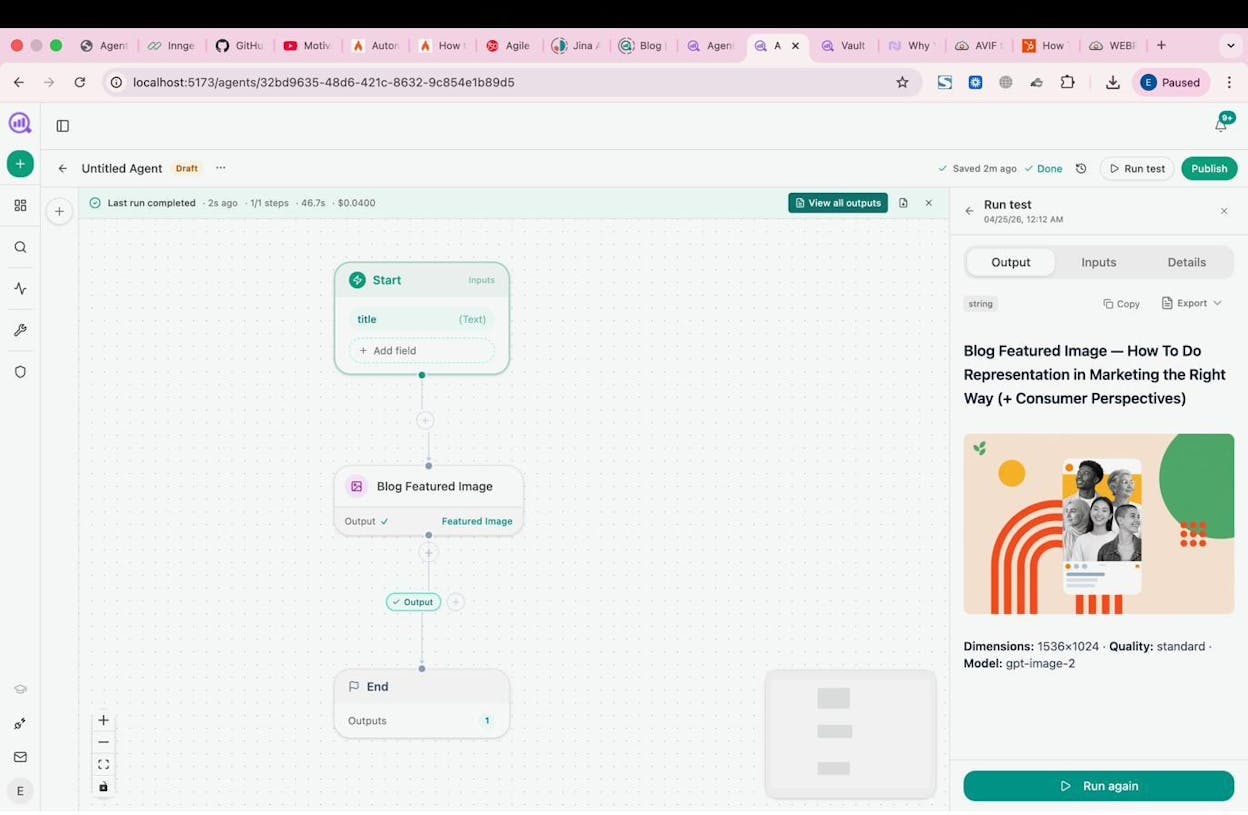
What stood out: The Agent Builder is not just an automation layer. It is a programmable substrate with 180+ nodes, 34 pre-built data recipes, and native integrations with GA4, Google Search Console, HubSpot, Semrush, DataForSEO, WordPress, Notion, Mailchimp, and every major LLM.
Most tools on this list solve one slice of the sales workflow. Analyze AI covers the full loop. You can build agents that enrich inbound leads, research accounts, draft outreach, generate competitive battlecards, produce content at scale, and push everything into your CRM, all from the same canvas.
Here is where it gets specific. The platform includes 26 HubSpot nodes alone (find contacts, create deals, upsert records, add notes, enroll in workflows, trigger custom events). Pair those with the Hunter.io and Tomba enrichment nodes, DataForSEO research nodes, and the Prompt LLM node (which supports Claude, GPT, Gemini, and Perplexity), and you have a system that can run end-to-end sales operations.
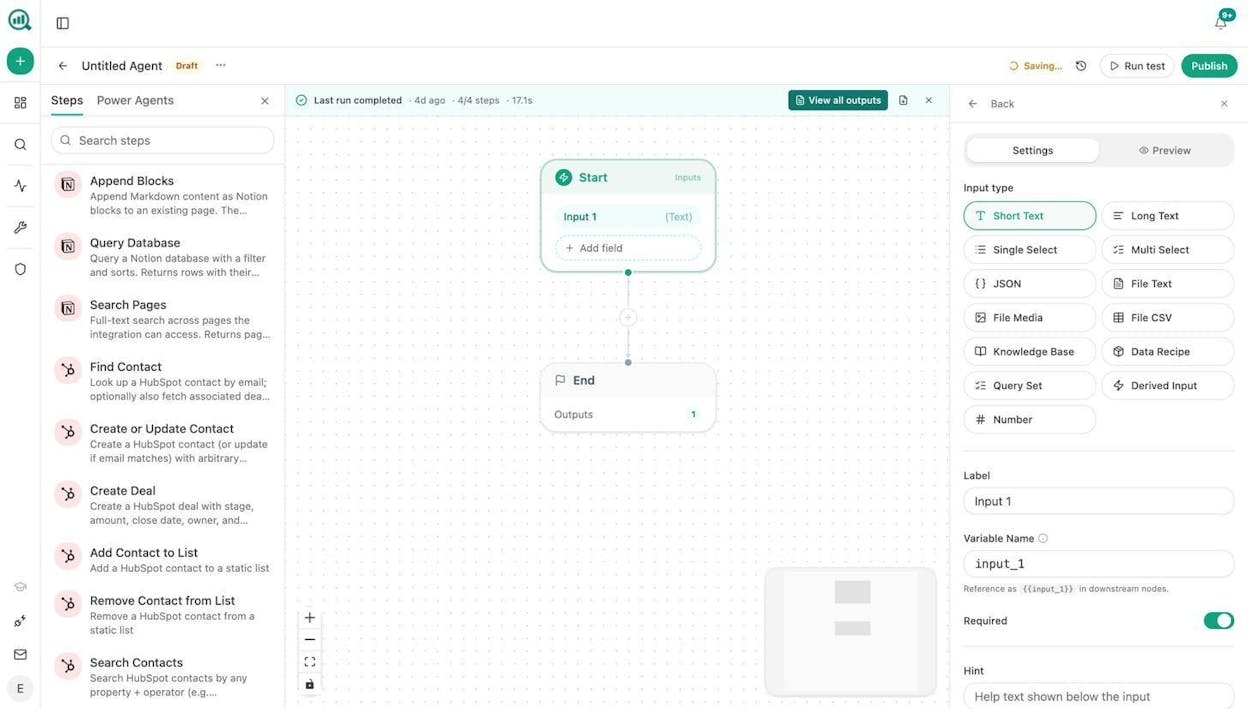
How it works for sales enablement:
The Agent Builder uses a visual canvas where you drag nodes, connect them, and define your workflow. Three trigger modes give you flexibility:
-
Manual for on-demand tasks like account research or one-off briefs.
-
Scheduled for recurring workflows that run on autopilot, like weekly pipeline reports, Monday competitor briefings, or daily lead enrichment.
-
Webhook for event-driven automation. A HubSpot deal closes and the agent instantly drafts a case study. A form gets filled and the lead is enriched, scored, and routed to the right AE before they finish their coffee.
Here is a practical example. You can build an inbound lead enrichment agent that fires on a webhook from Typeform, verifies the email with Hunter, pulls company data from DataForSEO and Lighthouse, creates a HubSpot contact with a research note, and pings the AE on Slack. That entire process, which used to take 20 minutes per lead, now takes seconds.
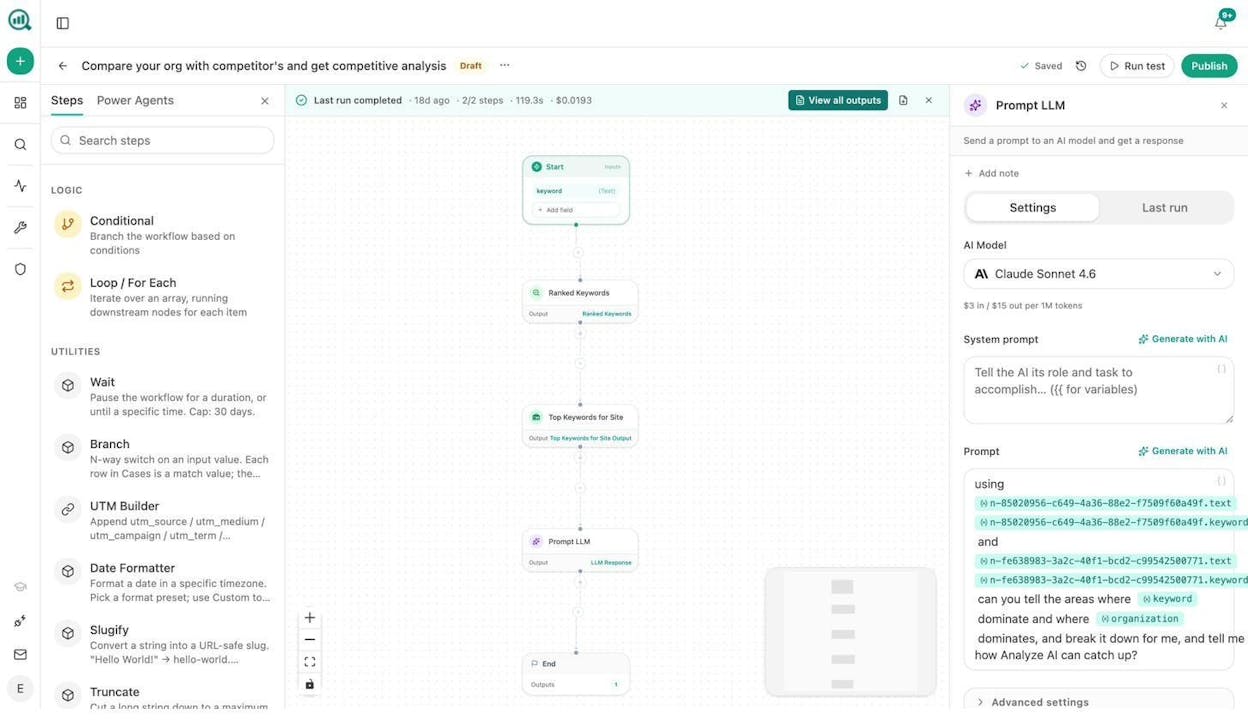
Beyond the agent layer, Analyze AI includes a full Content Writer and Content Optimizer that produce publication-ready drafts with brand voice consistency, backed by research and AEO scoring. For sales teams, this means you can generate case studies, competitive one-pagers, and account-specific content without waiting on the marketing team.
You also get Sheets, which lets you run batch operations (keyword research at scale, content optimization at scale, internal linking at scale, link outreach, and image design) across hundreds of inputs at once.
The practical math: 180+ nodes, 3 trigger modes, 34 data recipes. The number of possible workflow combinations runs into the billions. You are not picking from a template library. You are composing from primitives.
When to choose Analyze AI: If your sales enablement strategy depends on content, competitive intelligence, and multi-channel GTM operations, and you want one platform that covers prospecting, research, content, CRM, and AI search visibility.
Pros:
-
Agent Builder with 180+ nodes covers SEO, AEO, CRM, content, enrichment, research, and distribution
-
Native HubSpot, GA4, GSC, Semrush, DataForSEO, and WordPress integrations
-
Content Writer and Optimizer produce brand-consistent content with AEO scoring
-
Scheduled and webhook triggers turn agents into always-on operators
-
Competitive intelligence dashboards show where competitors outperform you in both traditional search and AI search
Cons:
-
The full power of the Agent Builder takes time to learn. The flexibility means you need to know what you want to automate.
-
Best suited for teams that combine content and sales workflows. If you only need a CRM dialer, a simpler tool might be enough.
2. Clay
-
Best for: Outbound teams that need deep lead enrichment before reps reach out
-
Pricing: Free plan with 100 credits/month. Launch plan starts at $185/month. Growth plan at $495/month.
-
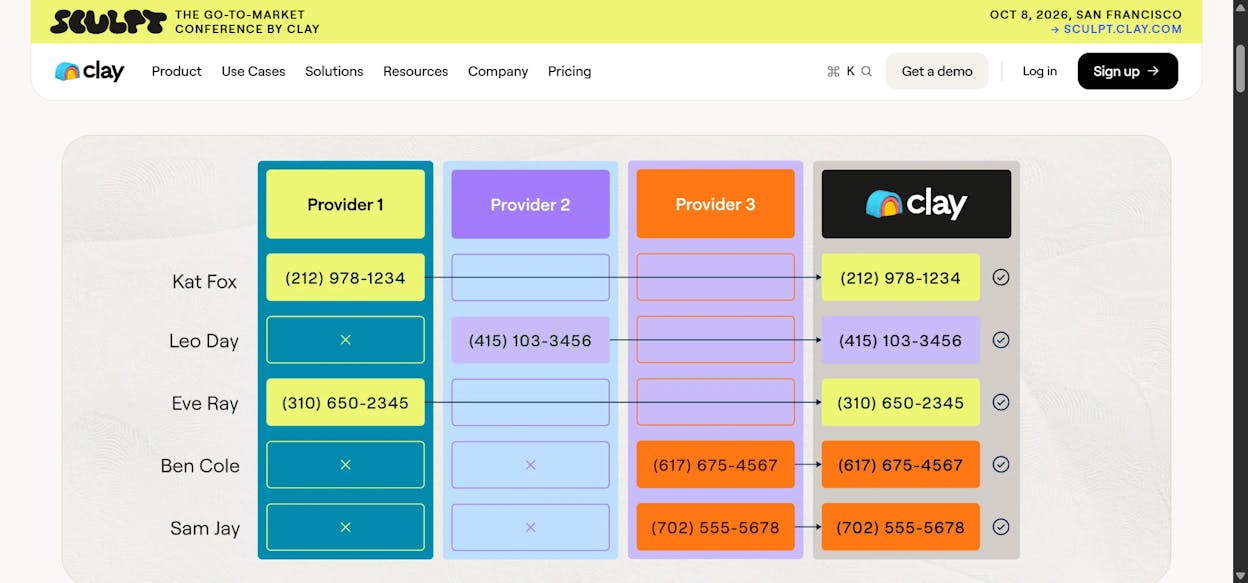
What stood out: Waterfall enrichment that queries multiple data providers in sequence until it finds the information you need.
Clay is built for one job. It gets the right data on the right prospect before you contact them. It pulls from 100+ data sources, enriches contacts with email, phone, firmographics, and technographics, then feeds everything into your outbound sequences.
How it works: You build a table (similar to a spreadsheet), define your ICP filters, and run enrichment columns. Clay queries multiple providers in a “waterfall” pattern. If the first source does not have the email, it tries the next. You can layer in AI prompts to personalize messaging based on the enriched data.
After the March 2026 pricing overhaul, Clay now splits usage into Data Credits and Actions. Be aware that Clay charges credits for enrichment attempts even when no data is returned. On high-volume lists with mixed data quality, this adds up.
When to choose Clay: If your primary need is outbound lead enrichment and you already have a CRM and sequencing tool in place.
Pros: - Purpose-built for outbound enrichment with deep data coverage - Waterfall model improves hit rates across providers - Unlimited seats on all plans
Cons: - Gets expensive fast at volume. The Launch plan’s top-up credits cost 50% above the standard rate. - No CRM integration below the Growth tier - Steep learning curve for non-technical users
3. Apollo
-
Best for: Startups and small sales teams that want one platform for prospecting, calling, and pipeline tracking
-
Pricing: Free plan with 75 credits. Paid plans start at $59/month per user.
-
What stood out: A 275M+ contact database with a built-in dialer, call recordings, AI summaries, and multi-step sequences in one product.
Apollo tries to be everything. Prospecting, enrichment, outbound sequences, calling, analytics, and pipeline management all live in one platform. For a small team that does not want to stitch together five tools, this simplicity has real value.
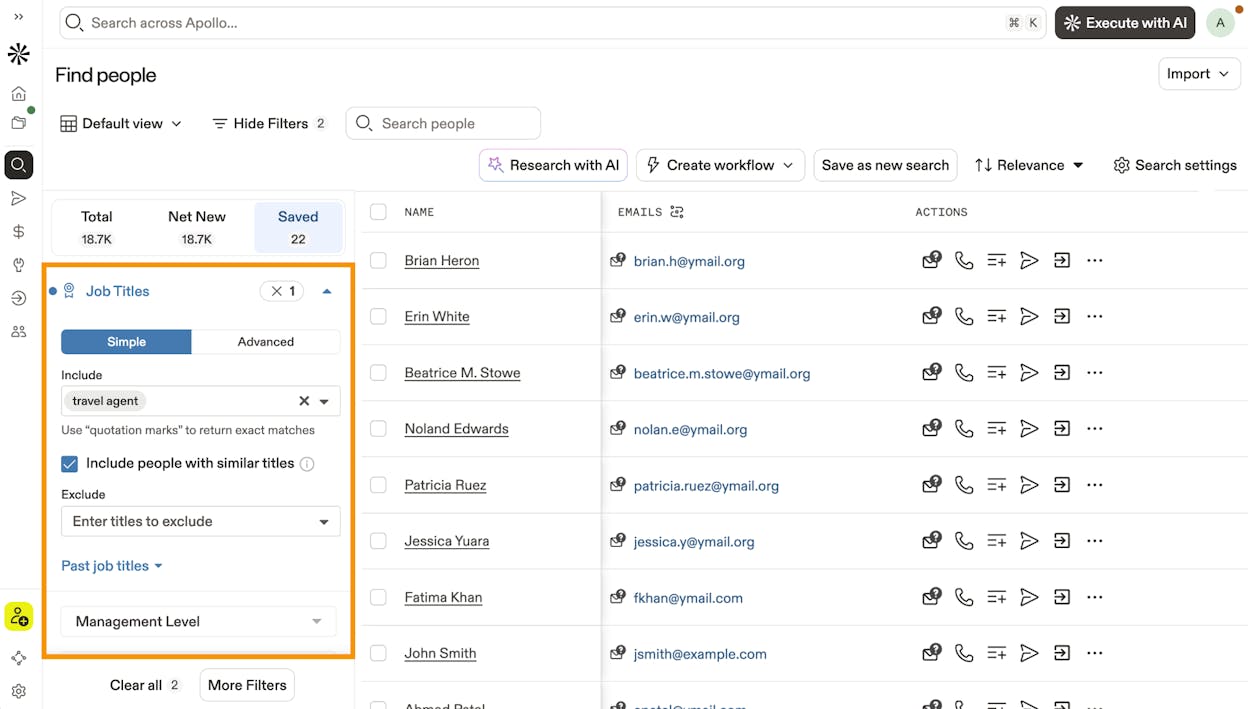
How it works: You search Apollo’s database using filters like company size, tech stack, revenue, and job title. Build a prospect list, create a multi-step sequence with email and LinkedIn touchpoints, execute calls with the built-in dialer, and track engagement metrics across the pipeline.
When to choose Apollo: If you are a startup or small team and want one platform that covers prospecting through pipeline tracking without managing integrations.
Pros: - Aggressive pricing for the feature set - Built-in dialer with AI call summaries - Covers the full sales workflow in one tool
Cons: - Data quality can be inconsistent, especially for smaller companies - The all-in-one approach means no single feature is best-in-class - Can feel overwhelming on first setup
4. Artisan (Ava)

-
Best for: Teams that want a hands-off AI SDR that runs outbound campaigns autonomously
-
Pricing: Contact sales for a quote. No public pricing.
-
What stood out: Ava aims to automate the entire outbound SDR function. Define your ICP, set messaging guidelines, and let it find leads, research them, and send personalized outreach.
Artisan takes the opposite approach from tools like Clay and Gumloop. Instead of giving you a canvas to build workflows, it gives you an AI employee. Ava handles prospecting from a 300M+ contact database, researches each prospect using web and LinkedIn data, personalizes messaging, and runs multi-channel campaigns.
How it works: You define your ICP and messaging tone. Ava searches for prospects, enriches them, crafts personalized outreach, sends campaigns, and provides sentiment analysis on responses.
When to choose Artisan: If you want minimum involvement in the outbound process and prefer a fully autonomous SDR over building workflows manually.
Pros: - Designed for zero-management outbound - Strong personalization through automated research - Accessible for non-technical users
Cons: - No public pricing. You need a sales call. - Limited integration depth with complex CRMs and revenue ops - Newer tool with a smaller track record than competitors
How AI Search Is Changing Sales Enablement
Every tool above focuses on the outbound side. Find leads, enrich them, and send messages. But there is a parallel shift happening that most sales enablement teams are ignoring.
Buyers are researching your product in ChatGPT, Perplexity, and Gemini before they ever visit your website. When a prospect asks an AI engine for the best CRM, the best sales enablement tool, or the best solution for their problem, your brand either shows up in that answer or it does not.
This is not replacing traditional SEO. It is an additional organic channel. The brands that show up in AI answers are the ones with clear, original, and useful content. The difference now is that your content has to work for AI models too, not just Google.
For sales teams, this matters in three ways:
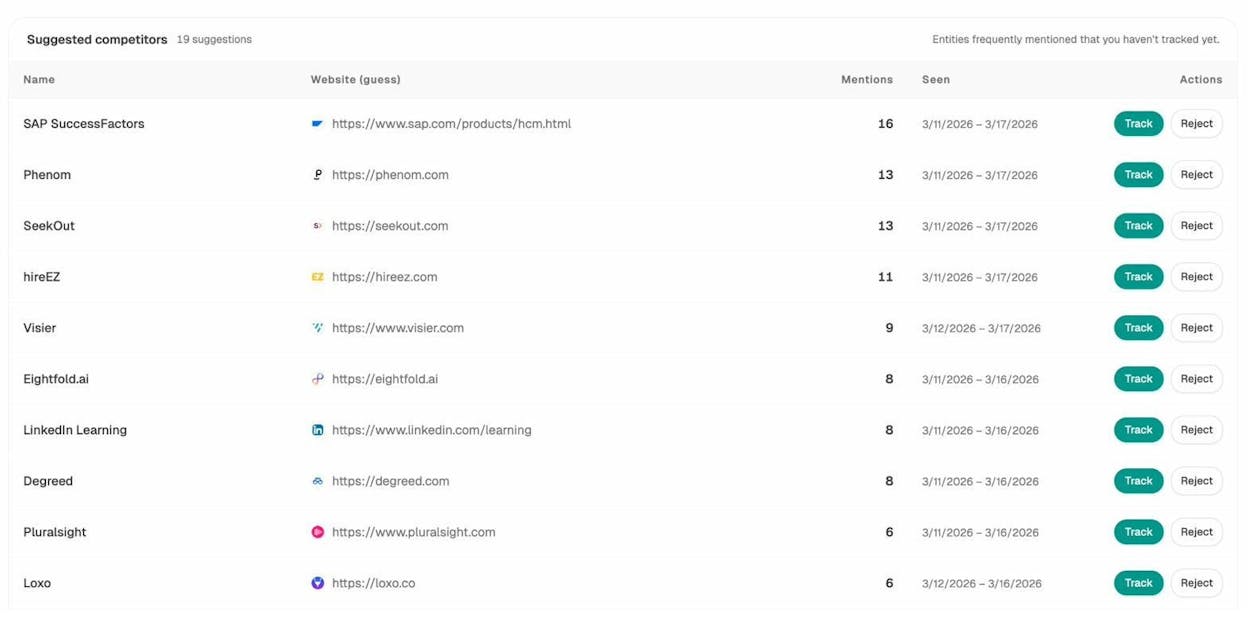
1. Competitive intelligence in AI search. You can now see which competitors are getting recommended by AI engines for the prompts your buyers use. Analyze AI’s Competitors dashboard shows exactly where competitors win and where your brand does not appear, across ChatGPT, Gemini, Perplexity, Copilot, and other engines.
2. Content that fuels both sales and AI visibility. The case studies, comparison pages, and thought leadership pieces your team produces for sales enablement also influence whether AI engines cite your brand. Building content with an AI content optimization lens means you compound the value of every piece.
3. Pipeline attribution from AI traffic. With AI Traffic Analytics, you can track which AI engines send visitors to your site, which landing pages they hit, and what conversion events those visits trigger. This closes the loop between “we showed up in a ChatGPT answer” and “that drove pipeline.”
You can track all of this on Analyze AI’s AI visibility tools and build agents that surface competitive gaps, draft counter-content, and send weekly intelligence reports to your sales team automatically. You can even check your current AI visibility for free with our rank checking tool.
How to Pick the Right Platform
Skip the feature comparison spreadsheet. Start with these three questions:
What is your primary workflow? If you need outbound enrichment, Clay is purpose-built for it. If you need an all-in-one sales stack, Apollo covers the basics. If you need to build custom workflows that span content, CRM, research, and distribution, Analyze AI’s Agent Builder gives you the most flexibility.
How technical is your team? Gumloop and Analyze AI offer the deepest customization but require you to know what you want to build. Apollo and Artisan are more plug-and-play. Clay sits in the middle.
Do you need content and intelligence, or just outreach? Most tools on this list stop at the outbound email. If your sales enablement strategy includes competitive research, content production, brand monitoring, and AI search visibility, you need a platform that covers those workflows too.
The broader trend is clear. AI sales enablement is moving beyond “send more emails faster.” The teams that win are the ones using agents for the full cycle, from research and content to outreach, intelligence, and attribution. Pick the platform that matches where your team is headed, not just where it is today.

Ernest

Ibrahim


