16 Best Website Monitoring Tools in 2026 (Free & Paid)
Written by
Ernest Bogore
CEO
Reviewed by
Ibrahim Litinine
Content Marketing Expert

We reviewed and tested 8 website monitoring tools. We looked for fast detection, clear diagnostics, and visibility across uptime, performance, and critical user flows. The goal: find tools that help you act before customers feel the pain.
This rundown gives you a crisp view of what each monitoring platform does best, where it falls short, and when it’s the right fit. By the end, you’ll know exactly which tool protects your site, your team, and your revenue — whether you need a simple free monitor or full-stack observability.
|
Tool |
Best for |
Standout strengths |
Key limitations |
Ideal teams / use cases |
|
Analyze AI |
AI search visibility & revenue attribution |
Connects AI visibility to sessions, conversions, and revenue; prompt-level tracking; citation/source audits; competitive insights across ChatGPT, Perplexity, Claude, Copilot, Gemini. |
Not a technical uptime/infra monitor; focused on strategy, content, and growth decisions rather than server health. |
SaaS and digital brands treating AI answer engines as a channel and needing prompt-to-pipeline attribution and competitive insight. |
|
UptimeRobot |
Simple, budget-friendly uptime checks |
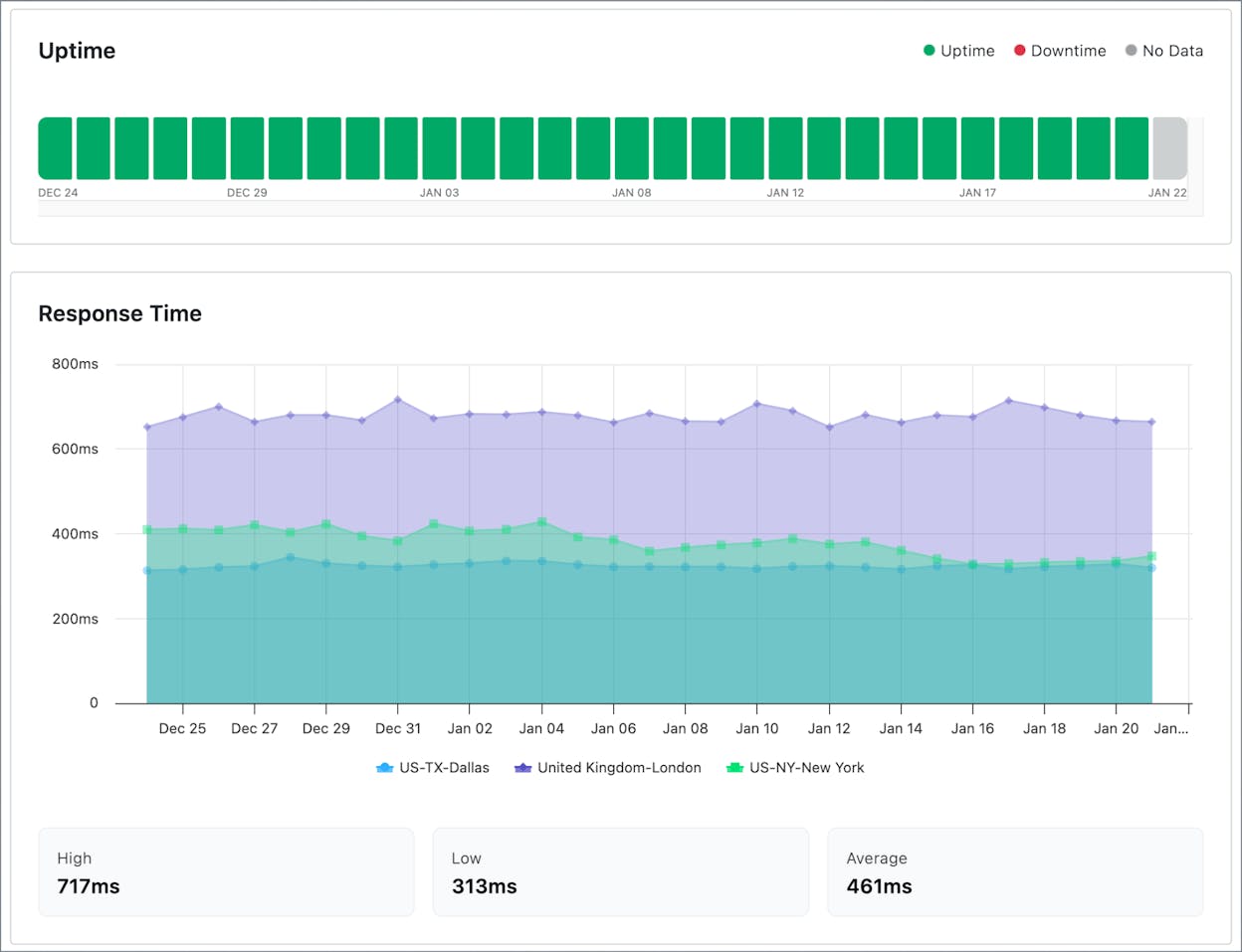
Generous free tier; many check types (HTTP, ping, port, keyword, SSL, DNS, heartbeat); very fast and simple to set up; 1-minute checks on paid plans. |
No RUM, transactions, or deep performance insight; 5-minute checks on free plan can miss short outages. |
Small businesses, agencies, side projects, and landing pages that mainly need “is it up?” alerts. |
|
Pingdom |
Performance + real-user insight + key flows |
Combines uptime, page-speed tests, RUM, and transaction monitoring; strong for tracking checkouts, logins, and other critical flows. |
Usage-based pricing gets expensive at high traffic or with many checks; no deep infra/APM coverage. |
E-commerce, SaaS, and content sites where speed, UX, and conversion paths are revenue-critical. |
|
StatusCake |
All-in-one basic website & server checks |
Monitors uptime, speed, SSL, domain, DNS, and server health in one dashboard; flexible check intervals; solid free and entry-level plans. |
No RUM or detailed user-journey tracking; free plan is limited for multi-site or higher-risk use. |
Small businesses, blogs, and agencies managing many small sites that need broad but lightweight monitoring. |
|
Uptrends |
Full-stack web & API synthetic monitoring |
Deep synthetic checks for uptime, performance, transactions, and APIs; 200+ checkpoints; optional RUM; modular plans so you only pay for what you use. |
UI and configuration can feel complex; costs rise as you add modules (synthetics, API, RUM, browser). |
SaaS, APIs, and e-commerce sites with critical user flows and global traffic needing strong synthetic + API coverage. |
|
Site24x7 |
Full-stack web, infra & app monitoring |
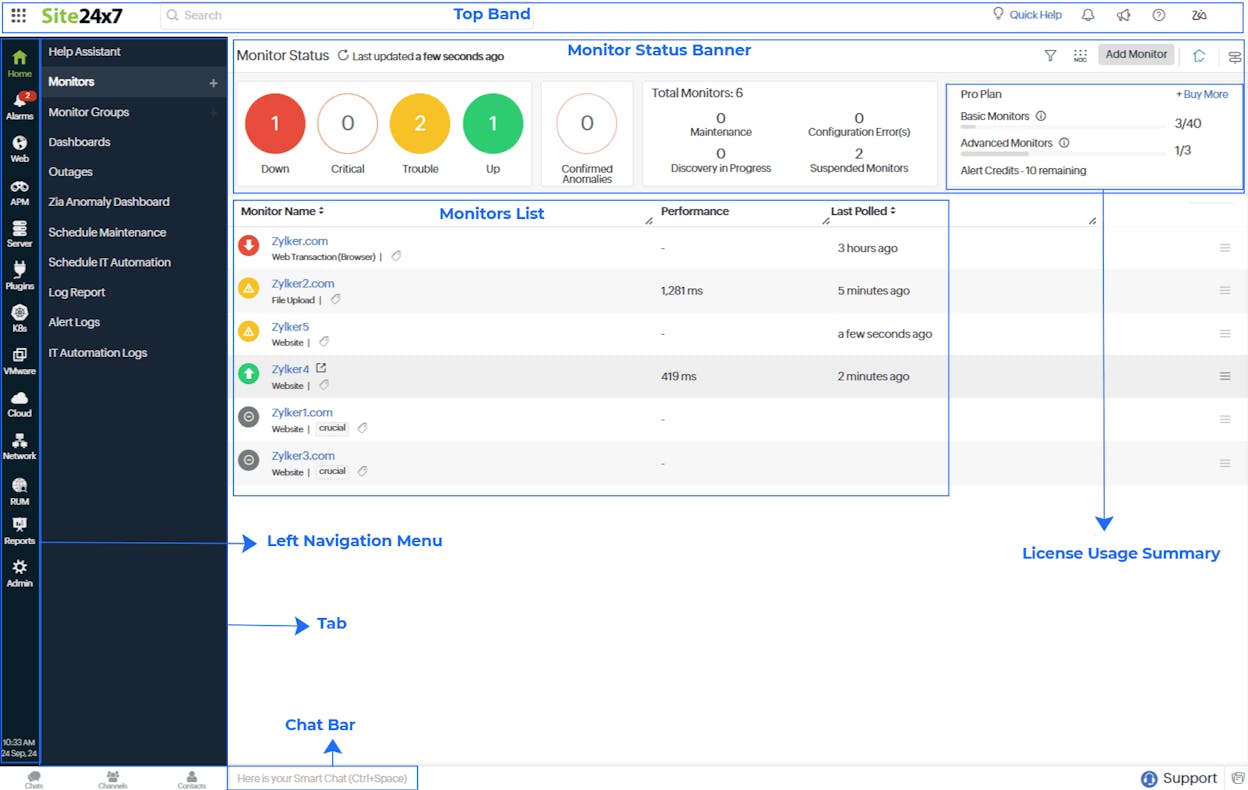
Covers websites, servers, networks, cloud, containers, databases, and APM; mixes synthetics, RUM, and infra in one tool. |
Interface can feel dense; reporting less polished than some premium tools; costs increase as you add modules. |
Teams who want “one platform” for web uptime, infra, cloud, and app performance without juggling many tools. |
|
Uptime.com |
Uptime, transactions, APIs & RUM |
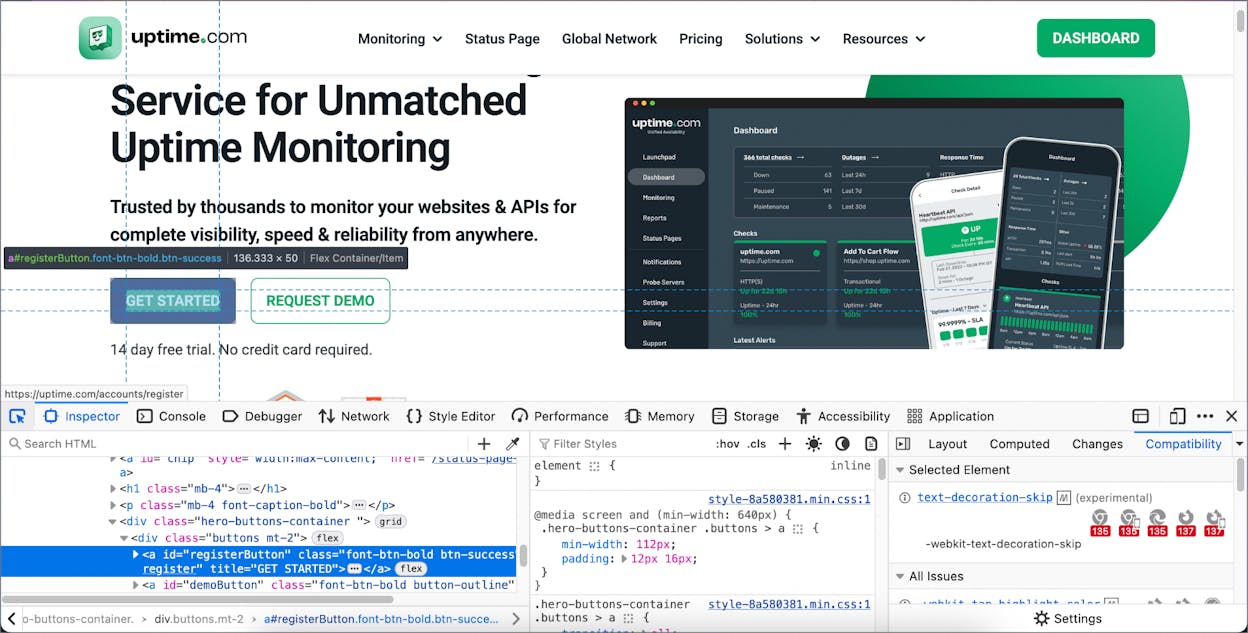
30+ monitoring types; strong browser-based transactions and API monitoring; RUM and status pages in one place; supports public and private (internal) checks. |
Advanced API and flow setups need technical skill; pricing can climb with many monitors and modules. |
SaaS and web apps relying on stable APIs and flows (login, checkout, forms) and wanting one dashboard for all. |
|
HetrixTools |
Lightweight uptime & blacklist monitoring |
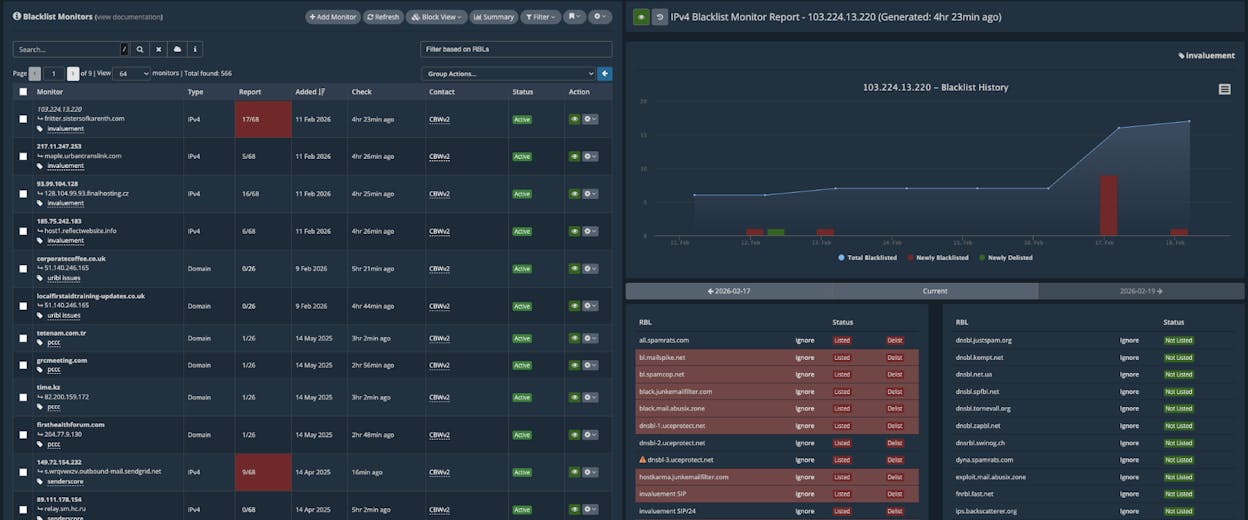
1-minute checks on free tier; built-in IP/domain blacklist monitoring; optional server monitoring; very cost-effective. |
No RUM, APM, or transaction flows; UI and reports feel more sysadmin-oriented than business-friendly. |
Hosting companies, email services, and small ops teams needing fast uptime + blacklist protection for many domains. |
|
Oh Dear! |
Site health, security & status pages |
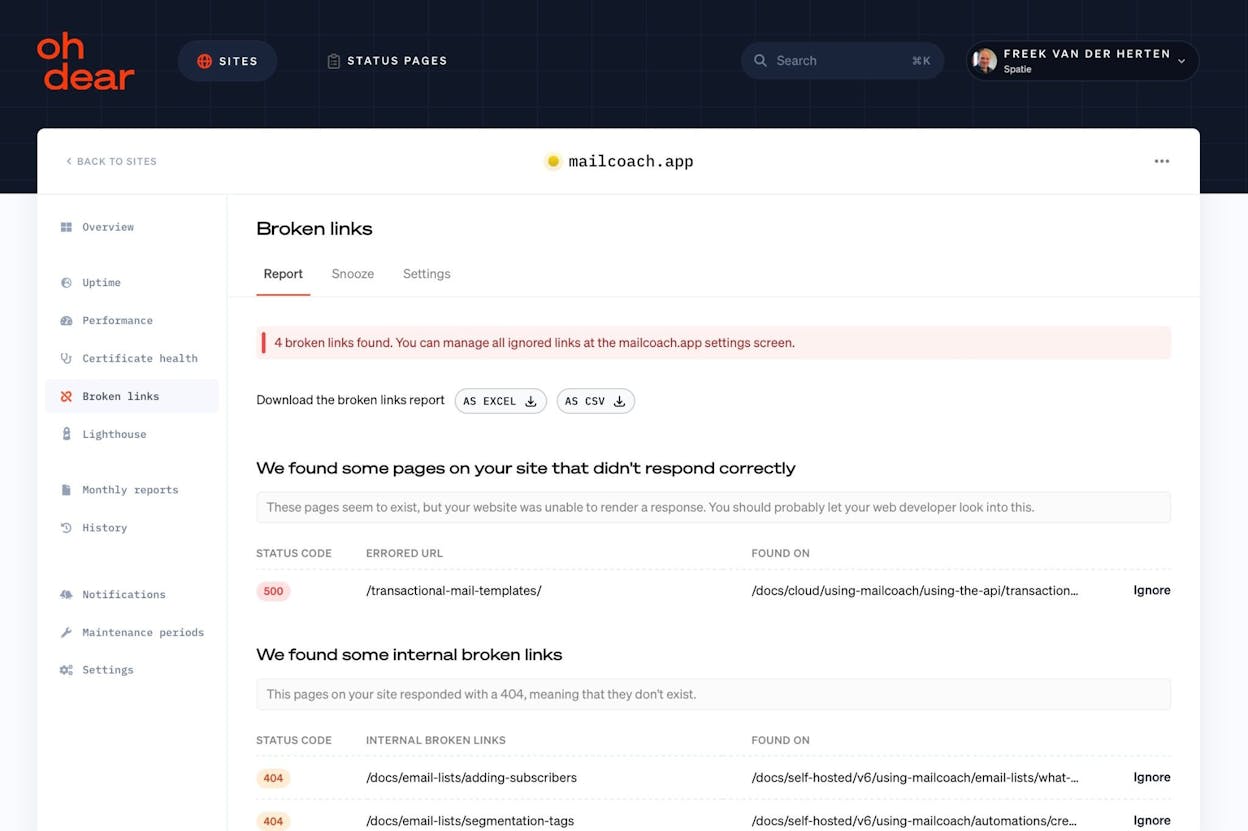
Uptime + SSL expiry + broken-link/mixed-content scans + cron monitoring; clean status pages; simple, dev-friendly UX. |
No deep infra/APM or complex synthetic flows; focused on website/app layer only. |
Content-heavy sites, agencies, and product sites that care about uptime, SEO, SSL, and cron jobs more than infra metrics. |
|
Sematext Synthetics |
Flexible synthetic + API checks on a budget |
HTTP and browser monitors; API uptime and performance; can monitor internal endpoints; pay-as-you-go pricing; integrates with Sematext logs/infra/APM. |
Costs add up with many monitors; fewer community integrations and presets than big APM vendors. |
Startups, APIs, and microservices needing targeted synthetic monitoring and wanting an option to grow into full Sematext stack. |
|
Datadog |
Full-stack visibility with RUM + synthetics |
RUM, synthetics, APM, logs, infra, network, and security in one platform; strong integrations; great for deep root-cause analysis. |
Very expensive at scale; complex to set up and tune; overkill for simple sites. |
Cloud-native, microservice-heavy apps and larger teams needing deep observability across all layers. |
|
New Relic |
Full-stack digital experience with DEM + synthetics |
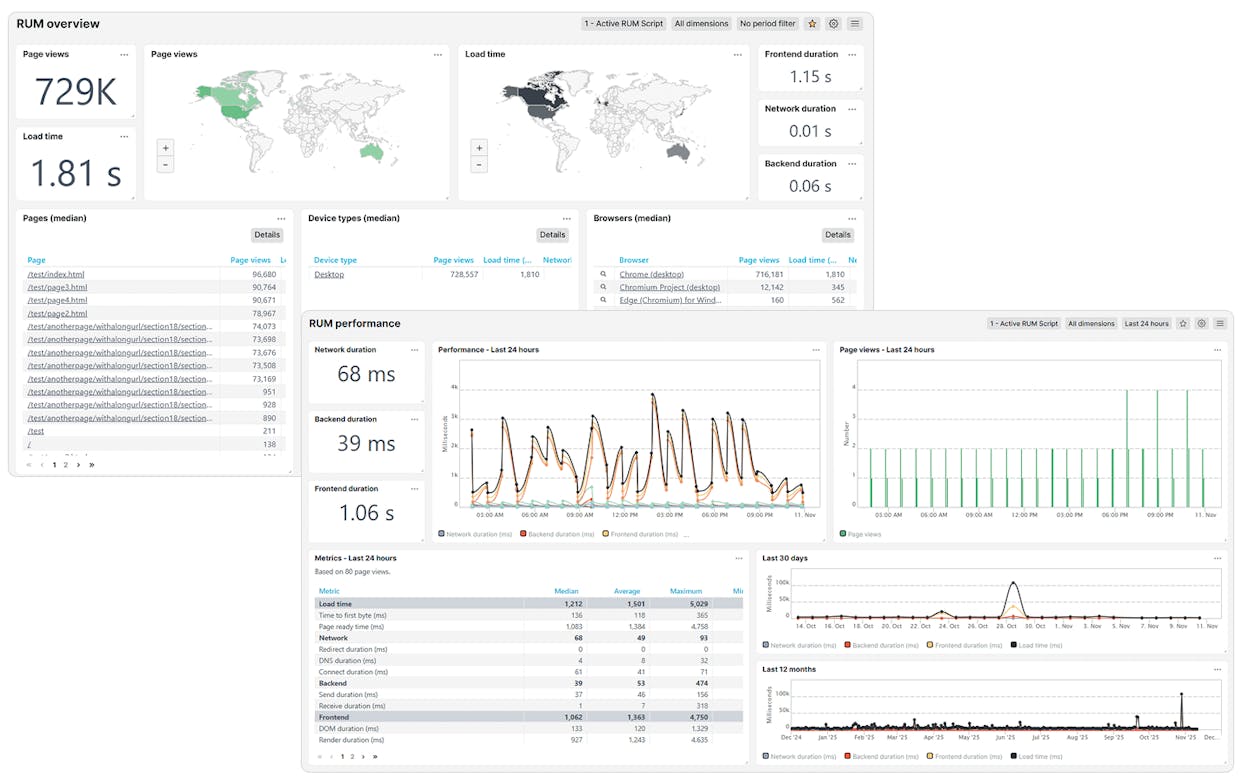
DEM (RUM + mobile) plus synthetics, APM, logs, infra, and more; strong frontend↔backend correlation; rich dashboards for many roles. |
Data- and user-based pricing can get costly; requires observability knowledge to use well. |
High-traffic or global apps where UX and backend performance both matter and teams want one observability platform. |
|
Dynatrace |
AI-driven full-stack observability with RUM + synthetics |
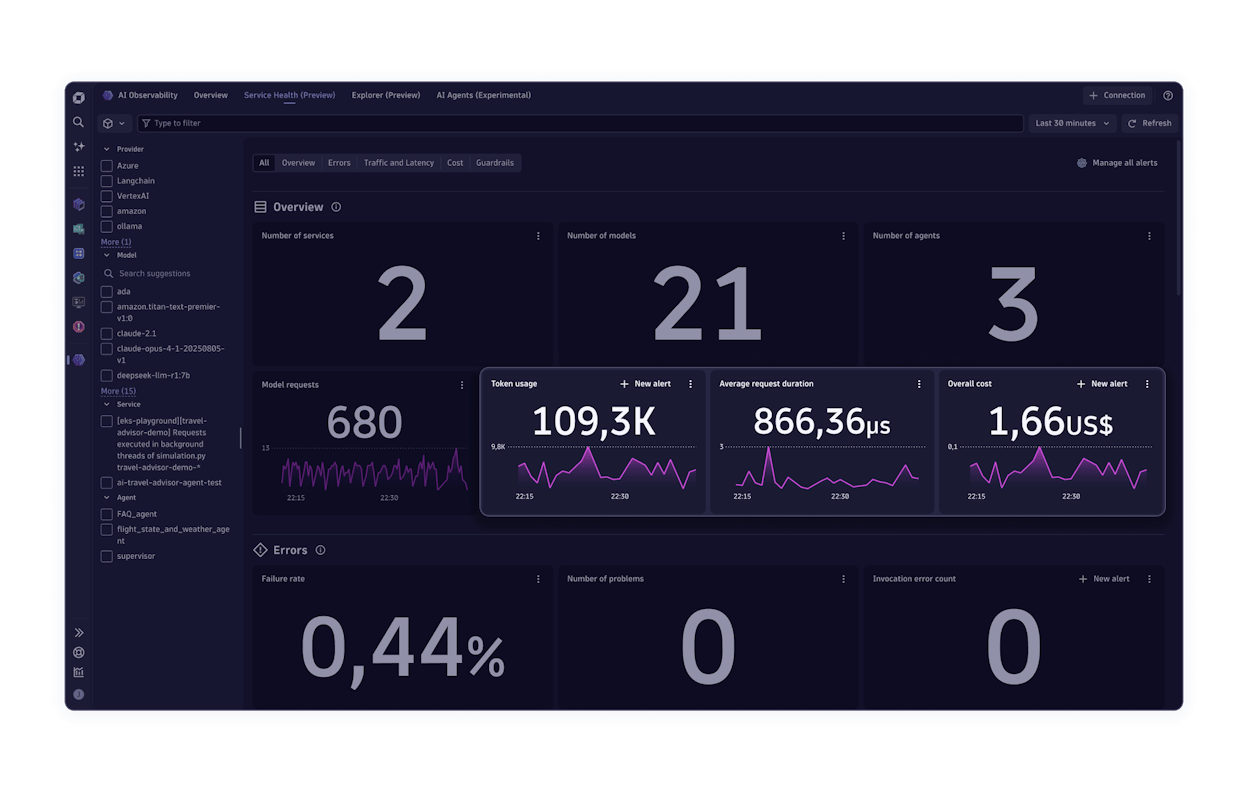
Davis AI engine for anomaly detection and root cause; RUM + synthetics + infra + APM + logs; strong session replay. |
Sophisticated and pricey; steep learning curve; best for larger, complex environments. |
Enterprises and complex distributed systems needing automated RCA and deep end-to-end visibility. |
|
LogicMonitor |
Enterprise-level synthetic & infrastructure observability |
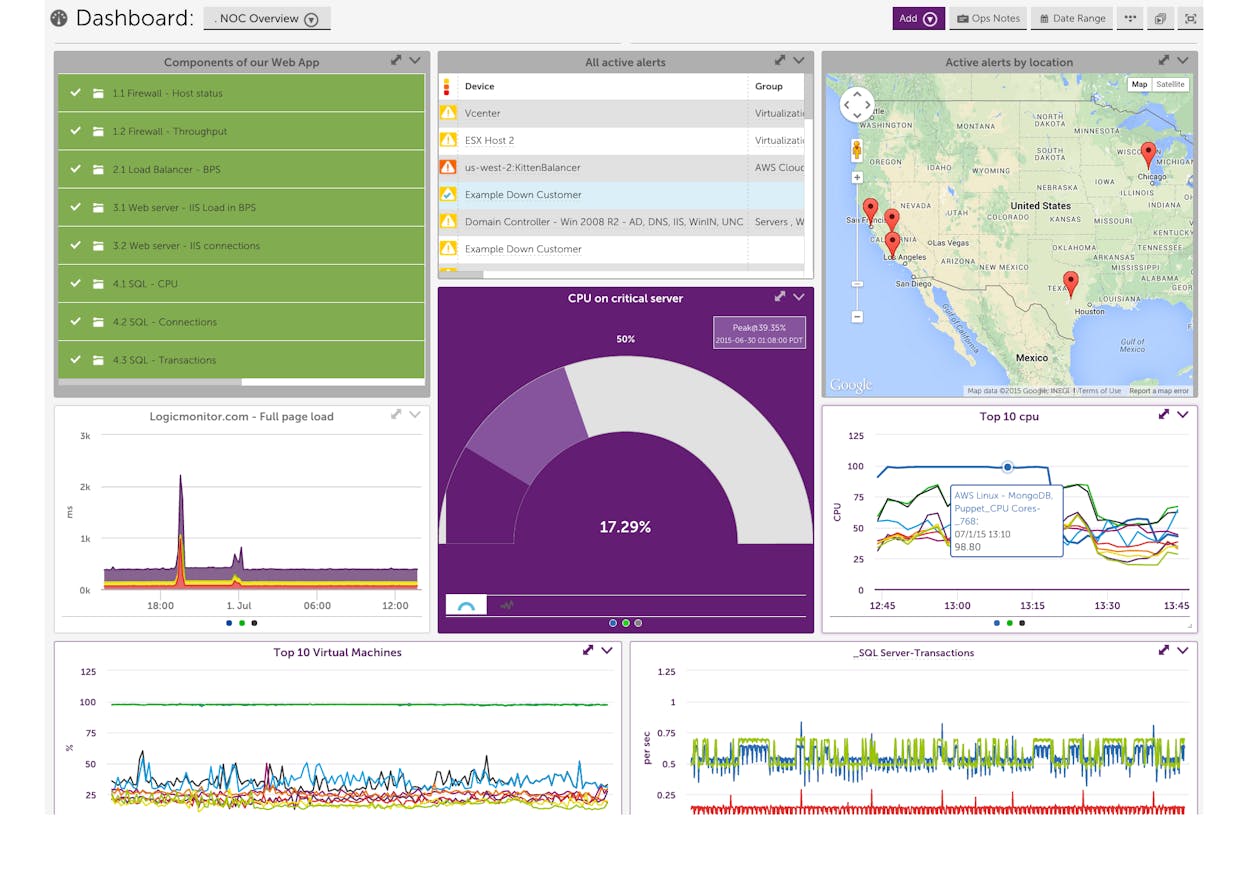
Website checks + LM Synthetics + deep infra/network/cloud monitoring; 3,000+ integrations; AI-assisted correlation and alert noise reduction. |
Enterprise-oriented pricing; heavy configuration; more power than small sites need. |
Large enterprises, MSPs, and hybrid/multi-cloud environments wanting to consolidate infra + network + website monitoring. |
|
Better Uptime |
Incident response, on-call & uptime-as-a-workflow |
Uptime + heartbeats + screenshots on failure; on-call schedules; escalation policies; status pages all in one place. |
Pricing per responder; no deep APM, RUM, or infra metrics. |
Teams that want uptime + on-call + incident management in one platform, especially SLA-driven SaaS. |
|
Freshping |
Free or ultra-budget uptime alerts |
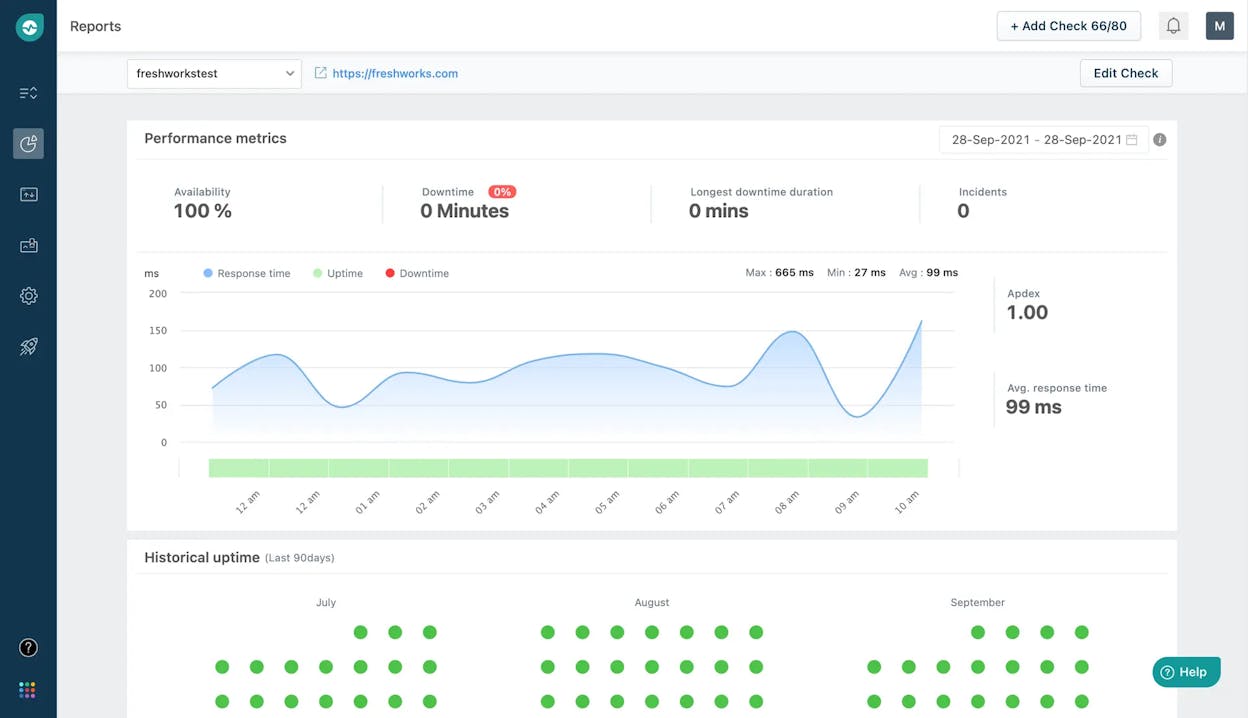
Free plan with 50 monitors at 1-minute checks; simple setup; status pages; integrates with Freshdesk/Freshservice. |
No RUM, transactions, API or infra monitoring; product in revamp with new signups paused. |
Small sites, blogs, portfolios, and agencies needing basic uptime monitoring across many URLs at near-zero cost. |
Table of Contents
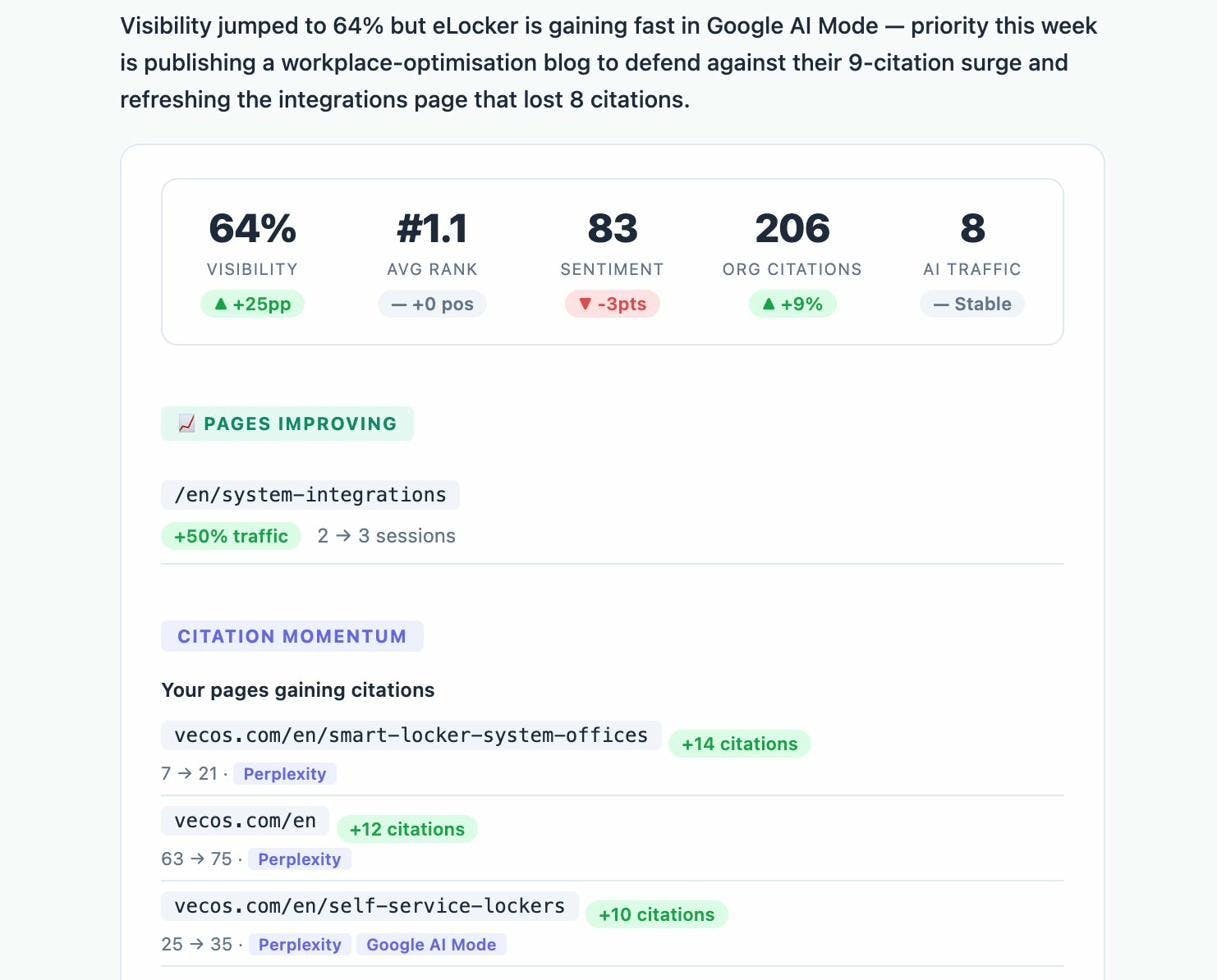
Analyze AI: best website monitoring tool for AI search visibility, traffic attribution & competitive insight

Key Analyze AI features

-
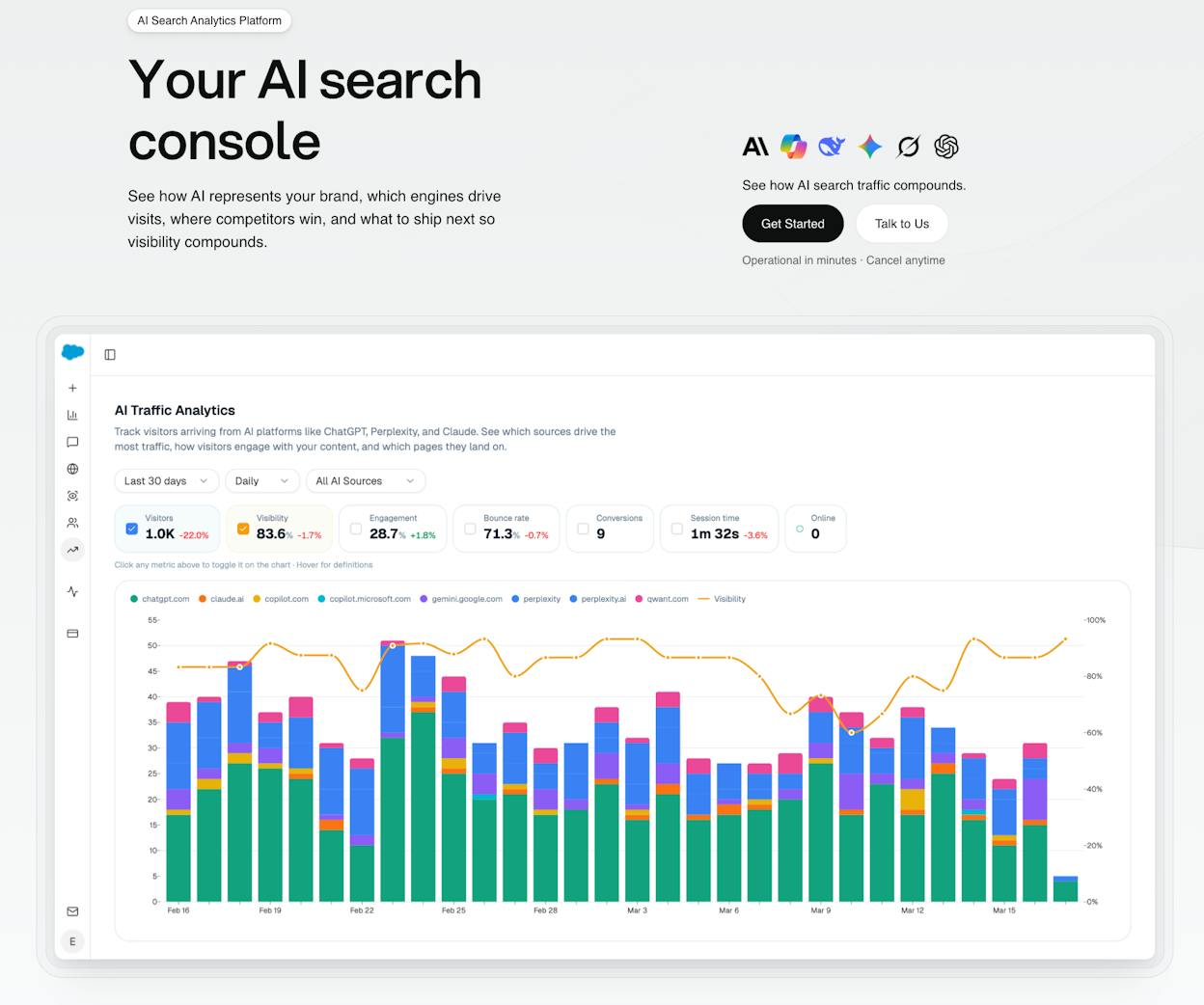
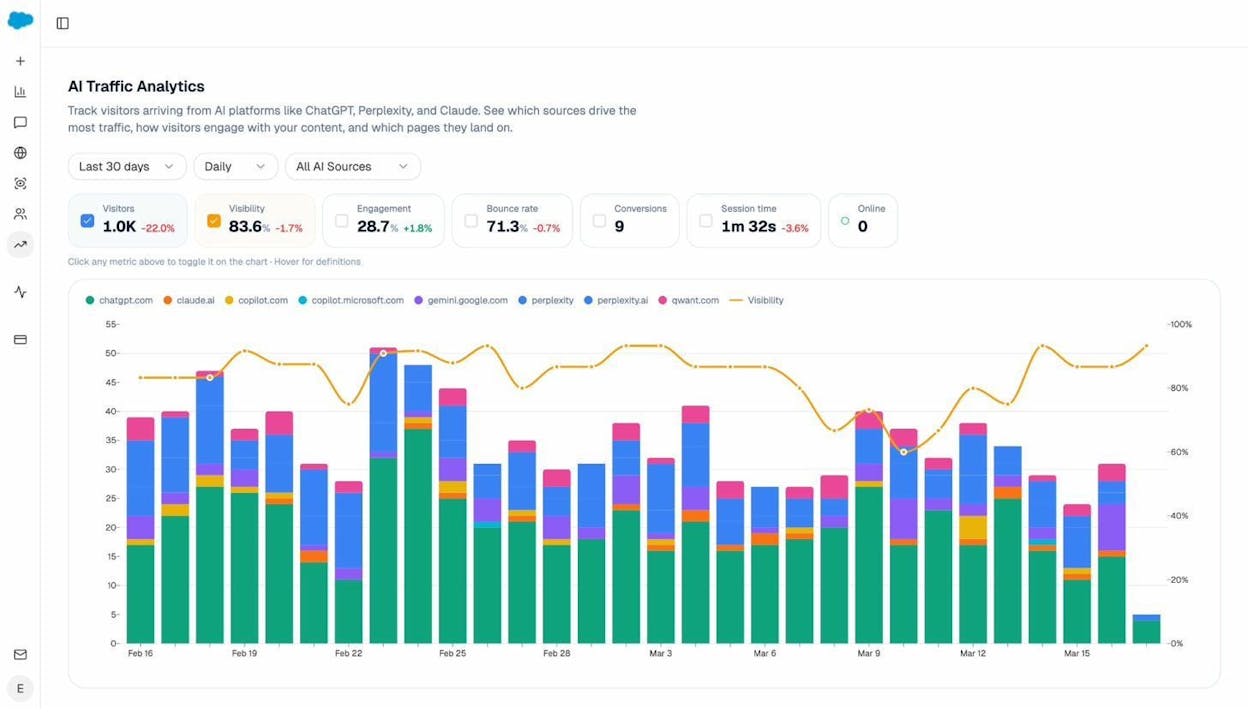
See actual AI referral traffic by engine and track trends that reveal where visibility grows and where it stalls.
-
See the pages that receive that traffic with the originating model, the landing path, and the conversions those visits drive.
-
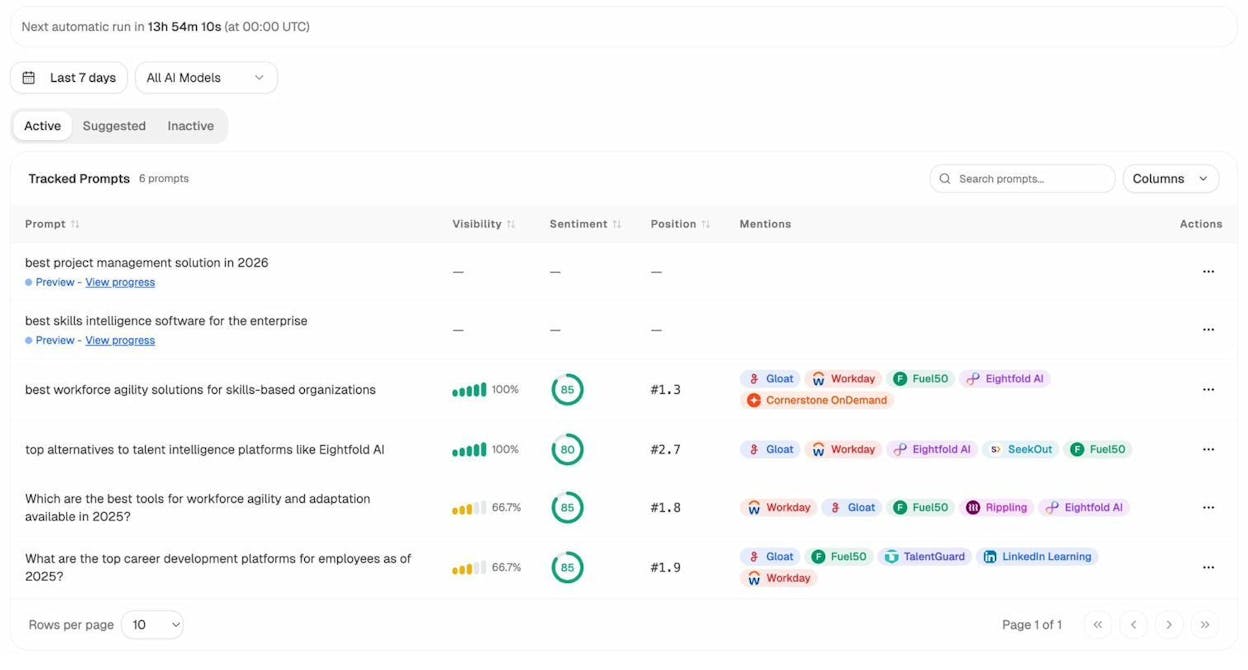
Track prompt-level visibility and sentiment across major LLMs to understand how models talk about your brand and competitors.
-
Audit model citations and sources to identify which domains shape answers and where your own coverage must improve.
-
Surface opportunities and competitive gaps that prioritize actions by potential impact, not vanity metrics.
Here are in more details how Analyze AI works:
See actual traffic from AI engines, not just mentions

Analyze AI attributes every session from answer engines to its specific source—Perplexity, Claude, ChatGPT, Copilot, or Gemini. You see session volume by engine, trends over six months, and what percentage of your total traffic comes from AI referrers. When ChatGPT sends 248 sessions but Perplexity sends 142, you know exactly where to focus optimization work.

Know which pages convert AI traffic and optimize where revenue moves

Most tools stop at "your brand was mentioned." Analyze AI shows you the complete journey from AI answer to landing page to conversion, so you optimize pages that drive revenue instead of chasing visibility that goes nowhere.
The platform shows which landing pages receive AI referrals, which engine sent each session, and what conversion events those visits trigger.
For instance, when your product comparison page gets 50 sessions from Perplexity and converts 12% to trials, while an old blog post gets 40 sessions from ChatGPT with zero conversions, you know exactly what to strengthen and what to deprioritize.
Track the exact prompts buyers use and see where you're winning or losing

Analyze AI monitors specific prompts across all major LLMs—"best Salesforce alternatives for medium businesses," "top customer service software for mid-sized companies in 2026," "marketing automation tools for e-commerce sites."

For each prompt, you see your brand's visibility percentage, position relative to competitors, and sentiment score.
You can also see which competitors appear alongside you, how your position changes daily, and whether sentiment is improving or declining.

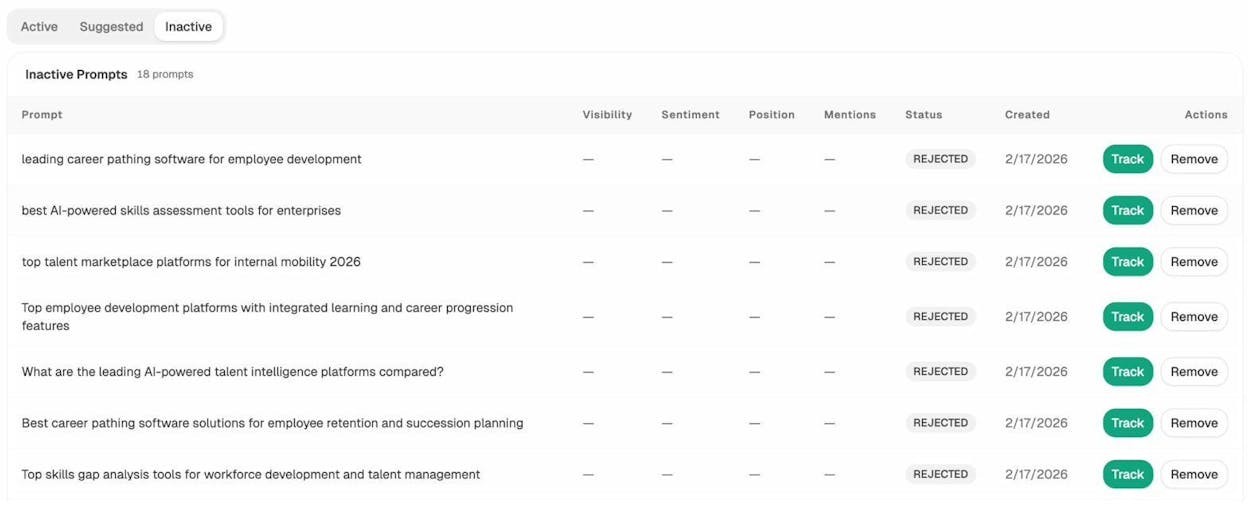
Don’t know which prompts to track? No worries. Analyze AI has a prompt suggestion feature that suggests the actual bottom of the funnel prompts you should keep your eyes on.
Audit which sources models trust and build authority where it matters

Analyze AI reveals exactly which domains and URLs models cite when answering questions in your category.
You can see, for instance, that Creatio gets mentioned because Salesforce.com's comparison pages rank consistently, or that IssueTrack appears because three specific review sites cite them repeatedly.

Analyze AI shows usage count per source, which models reference each domain, and when those citations first appeared.
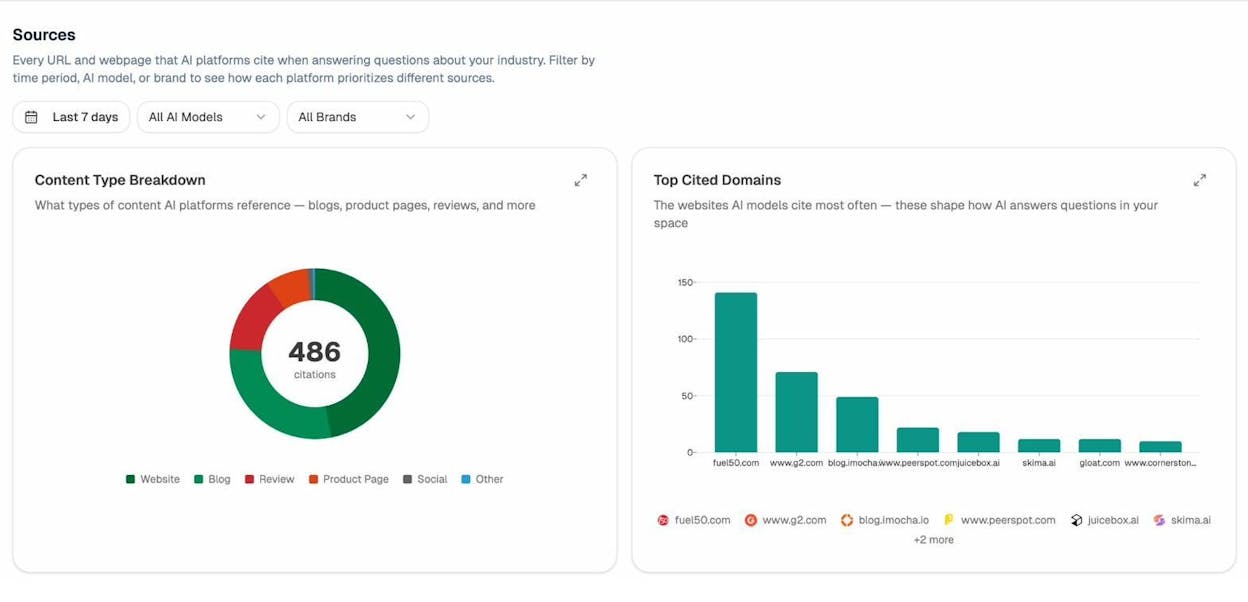
Citation visibility matters because it shows you where to invest. Instead of generic link building, you target the specific sources that shape AI answers in your category. You strengthen relationships with domains that models already trust, create content that fills gaps in their coverage, and track whether your citation frequency increases after each initiative.
Prioritize opportunities and close competitive gaps

Analyze AI surfaces opportunities based on omissions, weak coverage, rising prompts, and unfavorable sentiment, then pairs each with recommended actions that reflect likely impact and required effort.
For instance, you can run a weekly triage that selects a small set of moves—reinforce a page that nearly wins an important prompt, publish a focused explainer to address a negative narrative, or execute a targeted citation plan for a stubborn head term.
Analyze AI at a glance
|
Aspect |
What Analyze AI offers |
Why it matters for AI visibility & performance monitoring |
|
AI traffic attribution |
Tracks sessions from ChatGPT, Perplexity, Claude, Copilot, Gemini |
Shows which engines actually drive traffic and revenue |
|
Landing-page performance |
Identifies pages receiving AI traffic + their conversions |
Helps optimize pages that impact revenue, not just visibility |
|
Visibility %, sentiment, competitor positioning across all major models |
Shows where you win or lose in AI answers |
|
|
Citation & source analysis |
Reveals domains/URLs models cite and how often they appear |
Helps target the sources that influence AI engines |
|
Competitive gap detection |
Highlights omissions, weak spots, rising prompts, negative narratives |
Guides teams toward actions with real business impact |
|
Tradeoffs |
Built for strategy & revenue insights, not technical uptime monitoring |
Best for marketing, SEO, and growth teams driving AI search ROI |
Best-fit use cases for Analyze AI
-
SaaS and digital brands that want to measure the real impact of AI answer engines on traffic and revenue
-
Teams wanting exact prompt-level visibility across ChatGPT, Perplexity, Claude, Copilot, and Gemini
-
Companies needing to understand which citations drive AI visibility and where to strengthen authority
-
Teams investing in AI search as a channel and needing roadmap-ready competitive insights
Analyze AI connects AI visibility to sessions, conversions, and revenue — giving teams a complete picture from prompt to pipeline. It helps you focus on the engines, pages, and prompts that actually drive results, while revealing the sources and narratives that shape your category inside AI models.
UptimeRobot: best website monitoring tool for simple, budget-friendly uptime checks

Key UptimeRobot standout features
-
Free plan with up to fifty monitors and five-minute checks
-
Many check types like HTTP, ping, port, keyword, DNS, SSL, and heartbeats
-
Faster one-minute checks on paid plans for quicker alerts
-
Alerts sent through email, SMS, voice calls, Slack, Teams, Telegram, Discord, and webhooks
-
Built-in public or private status pages with uptime history
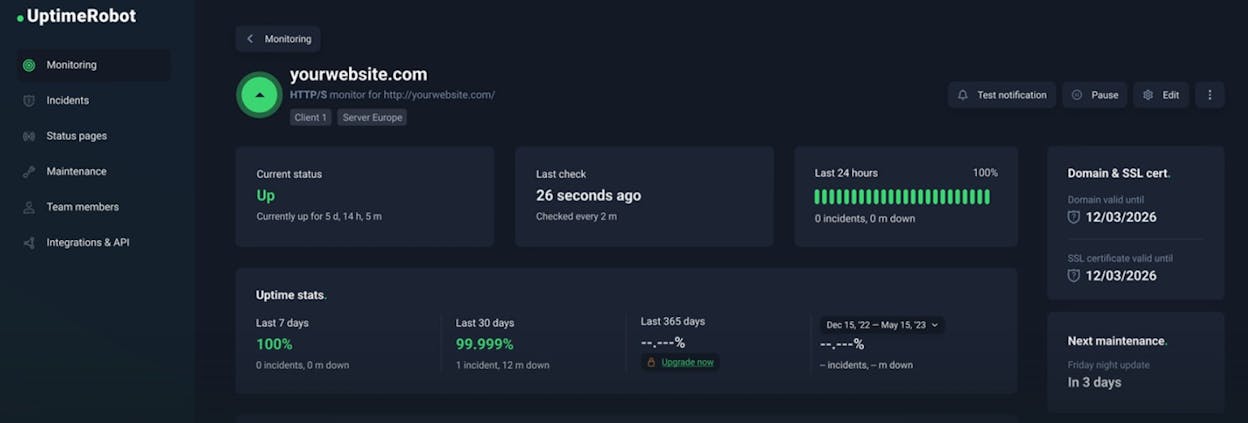
UptimeRobot works well when you want clear uptime checks without a complex setup. The platform watches your sites and services from the outside and alerts you when something stops responding. This simple model makes it a strong fit for small teams, solo founders, and early-stage projects where you need quick feedback but do not want a heavy monitoring stack. The free plan helps you start fast because you can monitor many URLs before spending anything.
The tool stands out because it covers many types of checks in one place. You can watch websites, ports, APIs, or cron jobs with a similar workflow, and this makes the tool useful for teams that own both marketing sites and technical endpoints. Paid plans build on this by adding shorter intervals and more alert controls, so you can raise your detection speed without changing tools. This gives teams a smooth path from basic monitoring to faster, more reliable checks.

UptimeRobot has clear strengths, yet it also has limits. Checks every five minutes can miss short outages on the free plan, so groups running paid campaigns or strict uptime promises often need a paid tier. The tool also focuses on synthetic checks only, which means that it does not show full user experience data or detailed browser behavior. If your product needs deep insight into frontend performance, API chains, or user flows, you may pair UptimeRobot with a more advanced monitoring tool.
Reporting and history also stay simple. Status pages work for basic uptime sharing but may feel light for complex services with many components. Lower tiers may not keep long logs, which matters if you need detailed reviews or strict SLA audits. These limits do not stop the tool from being effective, but they guide how you use it and when you might add other parts to your monitoring stack.
UptimeRobot at a glance
|
Aspect |
What UptimeRobot offers |
Why it matters for website monitoring |
|
Pricing and plans |
Generous free tier with fifty monitors; paid plans add speed and more capacity |
Lets small teams start fast and scale checks as traffic and revenue grow |
|
Monitoring coverage |
HTTP, ping, port, keyword, DNS, SSL, and heartbeat checks |
Covers basic sites, APIs, servers, and cron jobs in one place |
|
Check frequency |
Five-minute checks on free plan; one-minute checks on paid plans |
Faster checks help catch issues before users report them |
|
Alerts and integrations |
Email, SMS, voice, Slack, Teams, Telegram, Discord, webhooks |
Fits into your existing workflow so alerts reach the right people |
|
Status and reporting |
Simple status pages with uptime charts and response data |
Gives customers and teams clear visibility during outages |
|
Setup and learning curve |
Clean UI and quick setup for any monitor type |
Saves time and reduces the need for technical knowledge |
Best-fit use cases
-
Small businesses and agencies that want simple uptime alerts
-
Startups and side projects that need low-cost website monitoring
-
Teams running paid ads that require fast alerts when landing pages break
-
Technical teams that want external uptime checks alongside other tools
UptimeRobot gives you a fast, simple way to catch downtime without extra setup or cost. It fits best when you need quick alerts and broad coverage, not deep user-experience data.
Pingdom: best website monitoring tool for performance and real-user insight

Key Pingdom standout features
-
Synthetic monitoring with uptime checks, page-speed tests, and transaction monitoring
-
Real User Monitoring (RUM) that shows performance by device, browser, and location
-
Page-speed analysis with clear load-time reports for every page
-
Transaction monitoring that tests key flows like login, checkout, and signup
-
Alerts, status pages, and root-cause clues when performance or availability drops
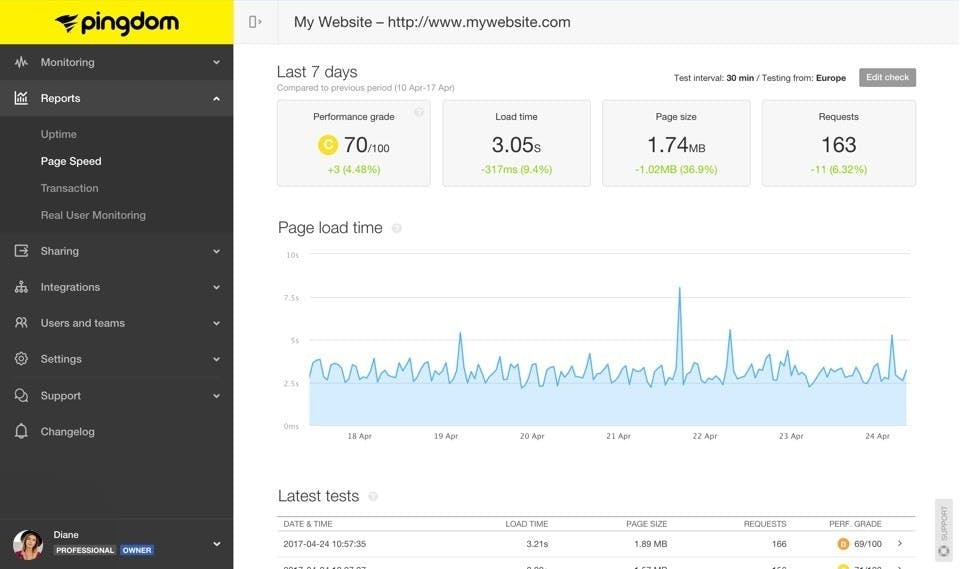
Pingdom helps teams see more than simple uptime because it watches how pages load, how flows behave, and how real people experience the site. Synthetic checks catch outages and slow responses, while RUM shows what visitors feel on different devices and networks. This mix gives you a fuller view of health, so you notice trouble early and understand which parts of your site cause pain. It also helps teams fix issues faster because they get signals from both machines and humans.
The tool works well for sites that depend on speed and smooth flows. Many teams use Pingdom when traffic or revenue depends on key actions like checkout, signup, or form fills. Because the platform includes uptime checks, page-speed tests, and transaction scripts in one place, you do not need to stitch three different tools together. This makes it easier for e-commerce stores, SaaS companies, and agencies to protect user experience with one clear dashboard.

Pingdom also has limits that matter when you plan your stack. Its pricing grows with traffic, checks, and pageviews, so heavy sites can see costs rise quickly. Teams that run many flows or receive large volumes of real-user data may need to watch usage closely. It also focuses only on web and app experience, so it does not track servers, databases, or backend performance. If you need deep infrastructure insight, you may pair Pingdom with an APM or logging tool.
Synthetic checks and RUM can also leave small gaps. Synthetic tests follow a script and cannot reflect every real-world scenario; RUM depends on real traffic, so low-traffic pages or staging environments may show limited data. These limits do not lessen the tool’s core value, but they highlight when you may want to combine Pingdom with stronger backend or browser-level monitoring.
Pingdom at a glance
|
Aspect |
What Pingdom offers |
Why it matters for website monitoring |
|
Monitoring types |
Uptime, page-speed tests, transaction checks, real-user data |
Helps teams track both availability and user experience in one platform |
|
Global test coverage |
Checks from 100+ worldwide locations |
Shows how performance changes across regions |
|
Alerting & status pages |
Email, SMS, and status pages |
Helps teams respond faster and share clear updates during issues |
|
Transaction & speed testing |
Regular testing of key flows and page load performance |
Catches broken or slow paths before customers hit them |
|
Flexible pricing |
Usage-based model tied to checks and pageviews |
Scales with your needs but may rise for large, high-traffic sites |
Best-fit use cases for Pingdom
-
E-commerce sites that depend on a smooth checkout or cart flow
-
SaaS and web apps that need both uptime and real-user performance insight
-
Agencies managing many client sites that need one view for all monitoring
-
Websites with global traffic that need checks from many regions
Pingdom gives strong visibility into uptime, speed, and real-user experience in one tool. It fits teams that value performance and flow health, but its usage-based model can become costly for high-traffic sites.
StatusCake: best website monitoring tool for all-in-one checks

Key StatusCake standout features
-
Uptime, page speed, server health, SSL, domain, DNS, and more in one dashboard
-
Global test locations with configurable intervals down to thirty seconds on higher plans
-
Free plan with ten monitors at five-minute intervals plus basic speed, SSL, and domain checks
-
Alerts and integrations through email, Slack, Teams, Discord, webhooks, and SMS
-
Server-level monitoring for CPU, RAM, disk usage, and custom thresholds
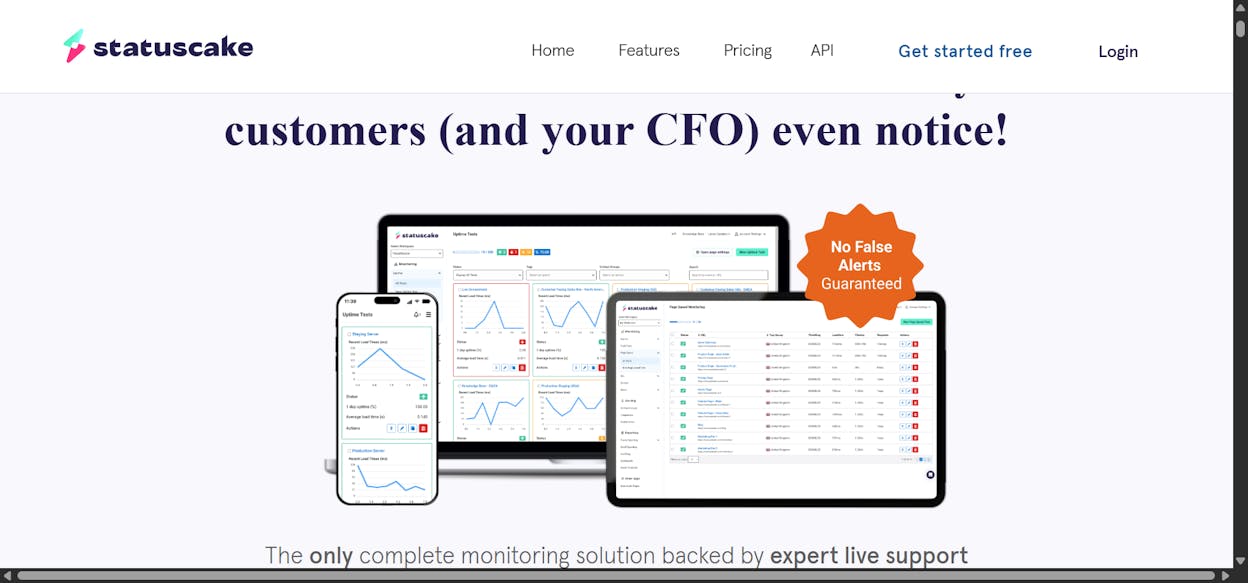
StatusCake helps teams watch every core part of a website’s health without using several different tools. It checks uptime, page load speed, SSL status, domain expiry, and even server resources, which means you get one view of both frontend and backend basics. This setup works well for small businesses or agencies that need broad coverage but do not want heavy installs or technical setup. It keeps things simple because most key checks run from one clean interface.
The tool also gives you control over how often checks run and where they come from. This flexibility helps match different risk levels: business-critical sites can use faster checks from many locations, while smaller sites can stay on slower intervals. The free plan is enough for personal sites or light projects, and paid plans add faster checks and more monitors as your needs grow. This structure makes StatusCake easy to scale across side projects, client sites, or full portfolios.

StatusCake, however, stays focused on surface-level and server-level checks, so it does not offer real-user monitoring or detailed transaction testing. Teams running apps that depend on user flows or frontend scripts may need to pair it with other tools. It also does not show deep error paths or user behavior, which limits how much insight you get when performance issues come from the browser side. For more advanced tracking needs, the platform becomes part of a stack rather than the whole stack.
The free plan is helpful but limited, especially for teams running multiple sites or sub-domains. Ten monitors and five-minute checks can feel tight once traffic grows or when uptime promises get stricter. Many teams move to paid tiers early for faster intervals, more monitors, and broader checks. These limits do not take away its value, but they do shape how long StatusCake can serve as your primary tool before you need more depth or more capacity.
StatusCake at a glance
|
Aspect |
What StatusCake offers |
Why it matters for website monitoring |
|
Monitoring scope |
Uptime, page speed, server health, SSL, domain, DNS |
Covers most essential website needs in one platform |
|
Check intervals & locations |
Five-minute checks (free) to thirty-second checks (paid) from 30+ regions |
Helps you match your audience and risk level with the right speed |
|
Free tier availability |
Ten monitors plus basic SSL, speed, and domain checks |
Good entry point for small sites or early projects |
|
Alerts & integrations |
Email, SMS, Slack, Teams, Discord, webhooks |
Fits directly into existing tools and workflows |
|
Server & backend checks |
CPU, RAM, disk usage, and custom thresholds |
Spots backend issues before they cause downtime |
|
Limits |
No RUM or user-journey tracking; free plan is limited |
May require pairing with deeper monitoring or APM tools |
Best-fit use cases for StatusCake
-
Small businesses or blogs that want a simple and low-cost uptime and speed tool
-
Agencies or freelancers managing many small client sites
-
Teams who want one tool to cover uptime, SSL, domain, and basic server health
-
Projects where uptime and basic performance matter but advanced APM is not required
StatusCake gives broad, practical monitoring in one place, covering uptime, speed, SSL, domain status, and server basics. It is ideal for small to mid-size sites or multi-site setups, though teams with heavy traffic or deeper monitoring needs may need extra tools.
Uptrends: best website monitoring tool for full-stack web and API monitoring

Key Uptrends standout features
-
Synthetic uptime and performance checks from more than two hundred global checkpoints
-
Multi-step transaction monitoring for logins, checkouts, forms, and other user flows
-
API monitoring with response checks, latency tracking, and multi-step workflows
-
Real User Monitoring that shows performance by device, browser, and location
-
Modular pricing that lets you pay only for the features you need
Uptrends gives teams a wide view of how their websites, apps, and APIs behave in real conditions. It checks uptime from many regions, so you can see whether parts of your site slow down or fail in specific locations. This global reach helps catch problems with CDNs, DNS, or network routes that smaller tools often miss. By simulating real actions across your site, Uptrends helps you discover issues before customers run into them.
The platform also tracks user flows through step-by-step tests. These tests follow real sequences like login, add-to-cart, and checkout, which helps you protect revenue paths and critical functions. Alongside these tests, Uptrends watches your APIs for speed and correct responses, which is important for SaaS apps or any service that depends on backend calls. Because you can pick only the modules you need, the tool fits a wide range of teams without forcing extra features or cost.

Uptrends’ broad scope means the product can feel complex for new users. The interface has many settings for synthetics, API checks, browser tests, and RUM, which can overwhelm non-technical teams at the start. Some users report a learning curve before they feel confident shaping tests or building reports. This is normal for a tool with so many parts, but it may slow down early setup.
Cost also rises as you add more modules. Teams that use synthetics, RUM, API checks, and browser tests together will see prices climb compared with simpler uptime tools. For large SaaS platforms, this investment makes sense, but small projects may find the platform heavier than they need. Understanding how each module fits your workflow helps keep costs balanced.
Uptrends at a glance
|
Aspect |
What Uptrends offers |
Why it matters for website / API monitoring |
|
Monitoring scope |
Uptime, performance, transactions, API checks, RUM |
Covers frontend, backend, and user flows in one tool |
|
Global coverage |
Over 233 checkpoints worldwide |
Detects issues across regions and CDN or DNS paths |
|
Transaction & API tests |
Multi-step user flows and API validation |
Catches failures before real users experience them |
|
RUM & synthetic combo |
Real-user data plus synthetic baseline tests |
Gives both human and simulated performance views |
|
Modular pricing |
Choose only the modules you want |
Fits small teams and enterprise needs without forcing extras |
|
Complexity & learning curve |
Broad feature set with many options |
Requires time and some technical skill to set up |
Best-fit use cases for Uptrends
-
SaaS or web apps that rely on stable APIs and user journeys
-
E-commerce sites needing to protect checkout, payments, and other revenue paths
-
Global services needing availability and speed checks from many locations
-
Teams wanting one tool for uptime, performance, API checks, and user monitoring
Uptrends delivers deep, flexible monitoring for teams that need strong visibility across uptime, APIs, transactions, and user experience. It is ideal for complex apps or global sites that want a single platform to watch all key layers.
Site24x7: best website monitoring tool for full-stack web, infra & app monitoring

Key Site24x7 standout features
-
Website monitoring from more than one hundred thirty global locations with uptime, synthetic checks, and performance metrics
-
Real User Monitoring, synthetic tests, public status pages, and optional digital-risk or security checks
-
Infrastructure monitoring for servers, networks, cloud platforms, containers, and databases in one system
-
Application Performance Monitoring with deep tracing for .NET, Java, PHP, Node.js, and other languages
-
Modular pricing that lets teams start small and scale as they add more features
Site24x7 brings many layers of monitoring into one unified dashboard, which helps teams avoid the mess of managing separate tools for websites, servers, networks, and cloud resources. It checks uptime from many regions and gives performance metrics that show how your site behaves for users around the world. This wide coverage helps spot issues faster because you see both what the system detects and what real users feel. For small teams or growing companies, the ability to monitor so many layers without juggling multiple products makes daily work easier.
The platform becomes even more helpful when your stack includes cloud services, containers, or hybrid deployments. Site24x7 watches server CPU, memory, disk, database health, network devices, container workloads, and application errors, which lets you connect web issues to backend problems. Its mix of synthetic and real-user monitoring gives you two views at once: one from automated tests and one from real visitors. This balance helps teams understand if a slow area is caused by server load, regional latency, scripting issues, or user-specific behavior.

Because Site24x7 covers so many areas, the interface can feel full and sometimes overwhelming. Teams without devops or IT experience may need extra time to get comfortable with all dashboards and options. Some users also note that reports and visualizations feel more functional than polished, especially when comparing Site24x7 to high-end observability tools. These points do not reduce the platform’s usefulness, but they shape the setup experience.
Cost can also rise when you add many modules, such as APM, cloud monitoring, network monitoring, and synthetic plus RUM. The base pricing is friendly for small teams, yet large environments or high-traffic sites may see higher costs when they enable deeper or broader monitoring features. Teams that need extensive logs or very detailed dashboards may choose to pair Site24x7 with a more advanced observability tool for depth.
Site24x7 at a glance
|
Aspect |
What Site24x7 offers |
Why it matters for website/infra/app monitoring |
|
Monitoring scope |
Websites, servers, networks, cloud, containers, databases, applications |
Covers all major layers of your digital stack in one place |
|
Global website monitoring |
Uptime, synthetic, and performance checks from 130+ global locations |
Spots latency and availability issues across different regions |
|
Real-user & synthetic combo |
RUM, synthetic tests, status pages, and synthetic transactions |
Shows both real-user impact and technical failures |
|
Infrastructure & APM |
Server health, cloud services, network devices, logs, and app tracing |
Helps link frontend issues to backend root causes |
|
Modular pricing |
Pay only for the modules you need; scalable from SMB to enterprise |
Easy to start small, yet grows with your stack |
|
Limits & complexity |
Broad feature set with a learning curve and rising cost as modules grow |
May need dedicated setup time or complementary tools |
Best-fit use cases for Site24x7
-
Small and mid-size teams wanting full-stack visibility without managing many tools
-
SaaS or web apps that depend on cloud infrastructure, backend APIs, and real-time uptime monitoring
-
Companies serving users across many regions and needing global performance insight
-
DevOps and IT teams who want server, network, cloud, and app metrics in one dashboard
Site24x7 gives teams wide and practical visibility across websites, infrastructure, cloud platforms, and applications. It is strong for groups that want “one tool for everything,” though larger or more complex setups may want extra tools for deeper observability.
Uptime.com: best website monitoring tool for uptime, transactions, APIs & real-user insight

Key Uptime.com standout features
-
More than thirty monitoring types including HTTP(S), uptime, API checks, page-speed tests, multi-step transactions, and Real User Monitoring
-
Synthetic transaction monitoring that simulates full user journeys with real browser behavior
-
API monitoring with response validation, latency tracking, and global endpoint testing
-
Real-time alerts, dashboards, custom status pages, and SLA / performance reports
-
Ability to monitor public sites and private internal services using private probes
Uptime.com brings many parts of web and API monitoring into one platform, which helps teams avoid blind spots across their stack. It checks sites from many locations, runs browser-driven synthetic flows, validates APIs, and measures real-user experience. This mix helps teams understand how their frontend and backend behave in real conditions. For sites that rely on speed and reliability, the ability to test different layers through one dashboard saves time and reduces the need for separate tools.
The platform is especially strong for products that depend on user actions and API calls. Multi-step transaction tests follow real flows like login, checkout, and form submissions, which helps teams protect revenue paths and key functions. Uptime.com also tracks API uptime and correctness, making it helpful for SaaS platforms and services with external integrations. Its real user monitoring adds another view by showing how actual visitors experience the site, helping uncover slow pages, network delays, or performance drops that synthetic tests might miss.

Because Uptime.com supports both basic and advanced monitoring types, it grows with your needs. Teams can start with simple uptime checks and later add API tracking, page-speed tests, RUM, or detailed transaction monitoring. This flexibility makes the platform useful for small teams, agencies, and large services alike. It also supports private locations for internal monitoring, which helps companies track internal tools or APIs behind firewalls.
However, this range of features also brings extra complexity. Advanced transaction scripts and API checks can be harder for non-technical users to configure, and some teams report that setup takes time to get right. The more modules you use, the more attention you need for tuning thresholds and validation rules. Costs can also increase when you enable many checks or add large numbers of monitors, which may feel heavy compared to simpler uptime tools. Planning the right mix of modules helps keep the platform efficient and in budget.
Uptime.com at a glance
|
Aspect |
What Uptime.com offers |
Why it matters for website / API monitoring |
|
Monitoring scope |
HTTP(S), uptime, API, page-speed, synthetic tests, RUM, transaction flows |
Covers both frontend and backend in one place |
|
Transaction & API checks |
Browser-based flows, API validation, global endpoint testing |
Catches broken flows and API issues before users see them |
|
Public and private checks |
Supports external monitoring and private probes for internal apps |
Useful for SaaS backends, intranets, or internal tools |
|
Alerts & status pages |
Instant alerts, dashboards, SLA and performance reporting |
Helps teams act quickly and communicate clearly |
|
Flexible scaling |
Start with basic checks and add modules as you grow |
Adapts to small teams, agencies, and enterprise use |
|
Complexity & cost |
Advanced setups and many monitors can add complexity and expense |
Needs technical skill and planning to manage at scale |
Best-fit use cases for Uptime.com
-
SaaS or web apps that depend on stable APIs and need deep API and transaction monitoring
-
E-commerce sites where checkout, login, and payment flows must stay reliable
-
Agencies or multi-site teams wanting one dashboard for many websites and APIs
-
Services that need to monitor both public-facing and internal backend systems
Uptime.com gives strong coverage across uptime, APIs, transactions, and real-user experience, making it ideal for teams that want full visibility across their web stack. It shines in complex environments, though advanced setups may require more technical skill and careful cost planning.
HetrixTools: best website monitoring tool for lightweight uptime & blacklist monitoring

Key HetrixTools standout features
-
Free plan with fifteen uptime monitors at one-minute intervals plus thirty-two blacklist monitors
-
Global uptime checks from multiple locations to confirm outages and reduce false alerts
-
Built-in blacklist monitoring that tracks whether IPs or domains appear on major blocklists
-
Optional server and service monitoring for CPU, RAM, disk, and service-status checks
-
Public status pages and uptime reports for simple client transparency
HetrixTools focuses on giving teams a fast, lightweight way to watch uptime and reputation without adding extra complexity. It checks sites every minute and verifies problems from more than one location, which helps reduce false alarms and highlights real downtime quickly. The built-in blacklist monitoring sets it apart because many mainstream tools skip this feature. For hosting providers, email services, or anyone managing multiple domains, these blacklist checks help catch reputation issues before they affect deliverability or SEO.
The platform stays simple by design, which makes it easy to start using without a long setup process. Uptime checks, blacklist scans, and basic server monitoring all run from a clean, straightforward dashboard. This makes the tool appealing for small businesses, solo admins, or teams that need clear alerts without investing in a bigger monitoring stack. For infrastructure-heavy environments, the optional agent adds deeper visibility into server load and service health, filling a key gap for sysadmins.

HetrixTools does come with limits. It does not include advanced features like real-user monitoring, synthetic transaction flows, or detailed APM tracing. That means it cannot show user-experience problems, frontend errors, or multi-step failures in an app flow. For SaaS platforms or complex web apps, this lack of depth may leave blind spots. These teams usually need another tool for performance or user-journey monitoring.
The interface and reporting are also built with sysadmins in mind, not marketers or business teams. Status pages work, but feel basic; reports focus on function rather than design. Some users note that configuration beyond the defaults can feel technical. For teams used to modern SaaS dashboards with polished visuals, HetrixTools may feel more utilitarian than refined.
HetrixTools at a glance
|
Aspect |
What HetrixTools offers |
Why it matters for uptime & reputation monitoring |
|
Monitoring types |
Uptime checks, server/service status, IP & domain blacklist scans |
Tracks both availability and domain/IP reputation in one tool |
|
Check frequency & reach |
One-minute checks from multiple global locations |
Speeds up detection and avoids false positives |
|
Blacklist monitoring |
Built-in scans across many major blocklists |
Helpful for mail servers, shared hosting, and SEO-sensitive domains |
|
Server & service monitoring |
CPU, RAM, disk, and service checks via optional agent |
Gives insight into backend issues that cause downtime |
|
Alerts & status pages |
Uptime alerts, public status pages, uptime history reports |
Helps teams respond quickly and communicate issues clearly |
|
Simplicity & cost |
Free plan plus affordable upgrades |
Great for small environments and budget-focused teams |
|
Limits |
No RUM, APM, or synthetic transactions; simple UI |
Not suited for complex apps needing performance or user-flow visibility |
Best-fit use cases for HetrixTools
-
Hosting companies or email services needing uptime plus blacklist monitoring
-
Small websites or blogs wanting reliable checks without paying for advanced tools
-
Teams managing many servers or domains and needing reputation alerts
-
Site operators who want fast checks, simple setup, and easy status-page sharing
HetrixTools offers strong value with fast uptime checks and built-in blacklist monitoring in a lightweight package. It’s ideal for teams that prioritize simplicity, speed, and reputation health — but it’s not designed for deep performance or user-experience monitoring.
Oh Dear!: best website monitoring tool for site health, security & status pages

Key Oh Dear! standout features
-
Uptime and performance monitoring across global locations
-
SSL/TLS certificate-expiry checks to prevent security warnings before they appear
-
Broken-link detection, mixed-content scanning, and full-site crawling
-
Cron and scheduled-task monitoring plus basic backend-health checks
-
Built-in status pages with real-time alerts through email, Slack, Discord, SMS, and webhooks
Oh Dear! gives teams a simple but powerful way to monitor the core pieces that keep a website healthy. It checks uptime, SSL status, link integrity, and backend tasks, which helps you catch issues that many basic uptime tools ignore. Because it scans for broken content and expired certificates alongside performance checks, the tool protects both user experience and site credibility. This broad coverage makes it helpful for websites where small errors can damage trust or SEO.
The platform’s built-in status pages and notification system help teams respond quickly when something breaks. Alerts reach the right people fast, and public status pages allow teams to keep users informed without extra work. The interface is also easy to use, which means both developers and non-technical staff can manage monitoring without learning a complex system. This clarity makes Oh Dear! a strong fit for companies that want reliability without building a heavy observability stack.

Oh Dear! is focused on website-level and light backend checks, so it does not cover deeper infrastructure or application monitoring. There are no APM traces, network-level metrics, or synthetic multistep transactions. Teams running large SaaS apps or complex backend services will likely need separate tools for deeper insight. Oh Dear! works best as a clean, website-centric monitor rather than an all-in-one observability platform.
The flat-pricing model is simple and predictable, though it may feel high for very small projects with only one site. Free uptime tools may be enough for personal or low-traffic sites. But for teams running multiple websites, handling SSL renewals, or managing scheduled tasks, the value grows quickly because Oh Dear! replaces several separate tools at once.
Oh Dear! at a glance
|
Aspect |
What Oh Dear! offers |
Why it matters for site & web monitoring |
|
Monitoring scope |
Uptime, SSL, broken links, mixed-content, performance, cron & app health |
Covers frontend, backend basics, and content integrity in one place |
|
Alerts & status pages |
Real-time alerts + public or private status pages |
Helps teams respond fast and keep users informed |
|
Content & security checks |
Broken-link scans, mixed-content checks, SSL monitoring |
Protects SEO, avoids security warnings, and keeps user trust high |
|
Backend & tasks |
Cron-job monitoring and backend health checks |
Makes sure scheduled tasks and background processes run correctly |
|
Fit for all teams |
Simple UI, quick setup, no heavy dev-ops requirements |
Works well for both technical and non-technical users |
|
Limits |
No APM, no deep infra monitoring, no synthetic journeys |
Best for website health, not complex application tracing |
Best-fit use cases for Oh Dear!
-
Websites with many pages that need uptime, SSL, and broken-link protection
-
Small and mid-size teams wanting an all-in-one website-health tool without complexity
-
Teams running cron jobs or scheduled tasks that must be monitored closely
-
Projects where SEO, content quality, and uptime matter as much as backend stability
Oh Dear! delivers a clean, practical mix of uptime checks, SSL monitoring, content scanning, and task monitoring in one tool. It is ideal for website-driven teams that want strong coverage without adopting a heavy infrastructure or APM system.
Sematext Synthetics: best website monitoring tool for flexible synthetic + API checks

Key Sematext Synthetics standout features
-
Uptime and API monitoring using synthetic checks from global checkpoints
-
Browser and HTTP monitors to simulate user journeys or simple endpoint calls
-
Support for private/internal monitoring using private location agents or custom headers
-
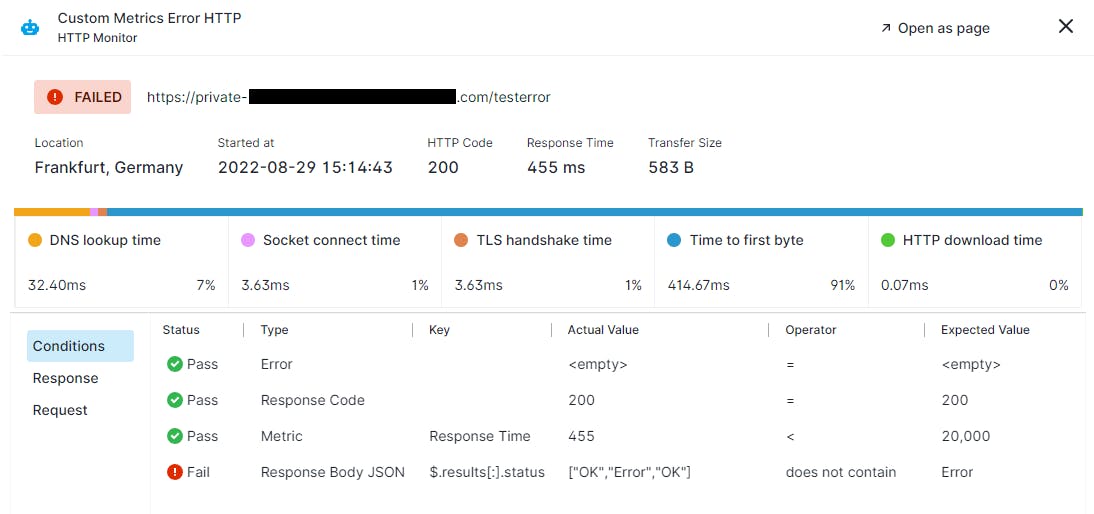
Pay-as-you-go pricing starting at about $2 per monitor per month
-
Native integration with Sematext Cloud’s logs, infrastructure monitoring, and APM modules
Sematext Synthetics gives teams a flexible way to monitor websites and APIs without committing to a large or expensive observability platform. It lets you choose how deep your checks should go — from simple uptime pings to full browser-based journeys — which helps you match the tool to your project’s size and needs. This flexibility is especially useful for startups, small teams, and budget-sensitive projects that still want reliable insight into performance and availability.
The strongest part of Sematext Synthetics is how it connects with the rest of Sematext Cloud. When something goes wrong, you can look at logs, infrastructure metrics, and synthetic test results all in one place. This helps you understand issues faster because you’re not switching between tools or guessing where the problem started. If an API slows down or a service misbehaves, you see the evidence from both the frontend check and the backend metrics together.

There are trade-offs to consider. As you add more monitors, browser checks, and endpoints, the pay-as-you-go model can become harder to track. Costs grow with every additional monitor or feature, so teams with many endpoints or microservices need to watch their usage closely. Managing many monitors may also introduce more configuration work, especially when browser-based tests require fine-tuning.
Sematext also has less brand awareness than bigger observability platforms. This means fewer built-in integrations, fewer pre-made dashboard templates, and a smaller community of shared best practices. For smaller teams, this may not be a problem, but for larger organizations with complex stacks, this can influence adoption.
Sematext Synthetics at a glance
|
Aspect |
What Sematext Synthetics offers |
Why it matters for website/API monitoring |
|
Monitoring types |
HTTP checks, browser journeys, API uptime & performance |
Supports simple and advanced monitoring needs |
|
Coverage scope |
Public sites + internal endpoints via private agents |
Works for both external and internal services |
|
Pricing model |
Pay-as-you-go ($2/monitor) or bundled plans |
Cost-efficient for small-scale or targeted monitoring |
|
Integration with full stack |
Logs, infrastructure metrics, APM, and synthetics in one platform |
Helps teams diagnose issues end-to-end |
|
Flexibility & scalability |
Add or remove monitors as needs change |
Fits startups, agencies, and growing engineering teams |
|
Limits & complexity |
Costs increase with scale; fewer integrations than top observability brands |
Needs oversight for budgeting and setup |
Best-fit use cases for Sematext Synthetics
-
Websites or APIs that need global uptime and performance monitoring
-
SaaS products or microservices that depend on fast, reliable API responses
-
Teams wanting logs, infra monitoring, and synthetic checks in a single stack
-
Projects with changing or seasonal needs that benefit from pay-as-you-go pricing
Sematext Synthetics offers a flexible, affordable way to monitor websites and APIs with both simple and advanced tests. It’s a strong fit for teams that want practical monitoring without heavy enterprise overhead, while still keeping the option to grow into a full observability stack.
Datadog: best website monitoring tool for full-stack visibility with RUM + synthetics

Key Datadog standout features
-
Real User Monitoring (RUM) for web and mobile apps, capturing real interactions, page performance, and Core Web Vitals
-
Synthetic browser and API tests from global locations to simulate user journeys and uptime conditions
-
Deep integrations across infrastructure, logs, APM, security, and network monitoring — a unified observability stack
-
Ability to turn real user sessions into synthetic browser tests via session-replay conversion
-
Broad synthetic test coverage: HTTP, SSL, DNS, WebSocket, TCP/UDP, gRPC, and full browser-rendered workflows
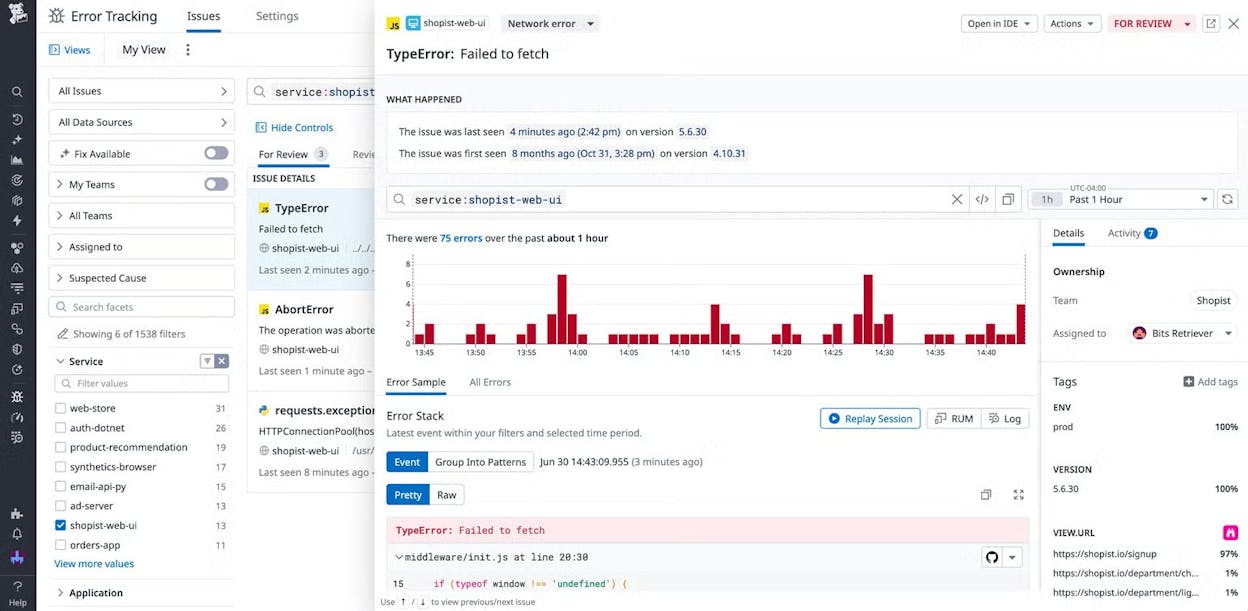
Datadog brings website monitoring, API testing, RUM, logs, and infrastructure metrics into one place, giving teams end-to-end visibility across the entire stack. With RUM, you can see how real users experience your pages — including load times, errors, and interaction delays — while synthetic tests let you simulate critical flows from many global regions. This mix helps you catch issues before they affect users and understand user pain when it does occur.
Because Datadog connects frontend monitoring with backend metrics, logs, and traces, you get clear context during incidents. When a synthetic test flags a slowdown, you can check API traces, database metrics, or server logs without switching tools. This makes debugging faster and helps teams find the exact layer causing performance issues. For modern architectures — like microservices and distributed apps — this combined view is especially valuable.

However, Datadog’s strength comes with cost. Its usage-based pricing can grow quickly when traffic scales or when multiple modules are enabled. For example, RUM charges per session, synthetics charge per test run, logs charge per gigabyte ingested, and APM charges per host. For teams with large audiences or many services, these costs add up fast. This makes Datadog powerful but expensive compared with simpler website-only monitors.
The platform also has a learning curve. With so many features, dashboards, integrations, and setup options, smaller teams may find it overwhelming. Without a dedicated ops or SRE function, configuration might take time, and the depth of the tool may go unused. Datadog is built for deep observability rather than light website uptime checks, so its complexity can feel like more than needed for small sites.
Datadog at a glance
|
Aspect |
What Datadog offers |
Why it matters for website / full-stack monitoring |
|
Monitoring types |
RUM, synthetic browser & API tests, APM, logs, infra, network, security |
Covers every layer — frontend, backend, infrastructure |
|
User & synthetic tests |
Real-user sessions + synthetic user journeys and API tests |
Catch real issues and proactively test critical flows from global regions |
|
Integration depth |
Logs, metrics, traces, security, databases, cloud platforms |
Full context for root-cause analysis across entire stack |
|
Flexibility & scalability |
Modular usage-based pricing with many configuration options |
Grows with apps from startup to enterprise |
|
Test & monitoring coverage |
HTTP, SSL, DNS, WebSocket, TCP/UDP, gRPC, browser flows, session replay |
Detects availability, performance, and UX problems early |
|
Tradeoffs |
High cost at scale and complexity in setup |
Best for mature engineering teams and complex environments |
Best-fit use cases for Datadog
-
Cloud-native SaaS or microservice-based apps needing full-stack observability
-
Applications with global audiences where uptime, latency, and UX matter everywhere
-
Teams wanting one platform for frontend performance, backend metrics, logs, traces, and security
-
Projects requiring fast, detailed root-cause analysis and broad visibility across systems
Datadog delivers powerful, unified observability by combining RUM, synthetics, APM, logs, and infrastructure monitoring. It’s ideal for complex, high-scale applications that need deep insight — but may feel expensive and heavy for simple websites or small teams.
New Relic: best website monitoring tool for full-stack digital experience with RUM + synthetics

Key New Relic standout features
-
Digital Experience Monitoring (DEM) with Real-User Monitoring (RUM) for web and mobile apps — captures page performance, JS errors, Core Web Vitals, user interactions, and full session replays
-
Synthetic monitoring for browser-based journeys and API checks from global test locations
-
Unified observability platform combining frontend monitoring, APM, logs, infrastructure, security, network data, and more than 50+ capabilities
-
Session replay and deep frontend–backend correlation that link user experience directly to backend, infra, and trace data
-
Flexible usage-based pricing (data + users) that scales as your traffic or monitoring needs grow
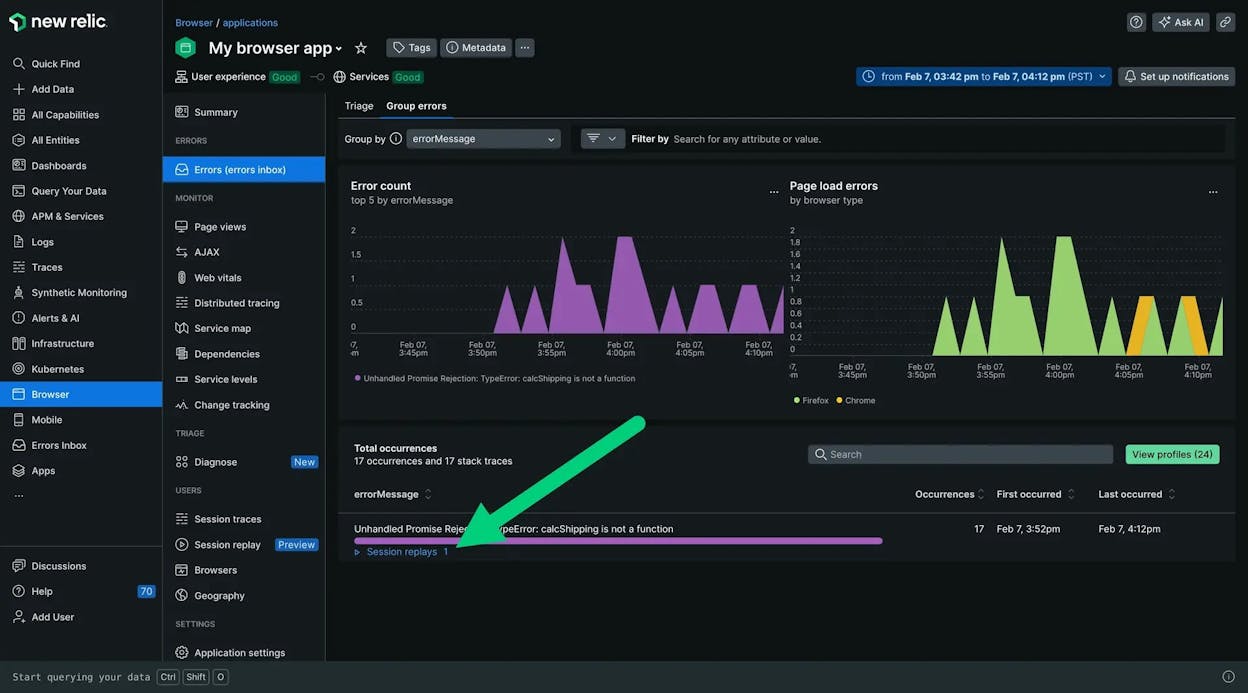
New Relic brings website monitoring into a broader, unified observability platform that gives teams visibility across the entire stack. With RUM, you get a real picture of how visitors experience your site — from load times to script failures — while synthetic tests let you check uptime, APIs, and user journeys before issues reach users. This mix supports both proactive monitoring and real-world performance analysis, which is key for modern web applications.
The strength of New Relic lies in correlation. It links frontend behavior to backend metrics, traces, logs, and infrastructure data in one interface. If a user hits a slow page, you can drill into the exact API calls, database queries, or server metrics involved. This end-to-end visibility helps teams diagnose issues fast and understand how frontend problems map to backend failures. For cloud-native and distributed systems, this tight integration removes guesswork and helps teams break down silos.

Still, this depth comes with trade-offs. Because New Relic charges per user and per volume of data ingested, costs rise as you enable more modules or handle more traffic. RUM sessions, synthetic tests, logs, traces, and database metrics all contribute to usage. Teams at scale need careful budget planning to avoid surprise expenses. Smaller sites may also find the platform too heavy or complex compared with simpler uptime tools.
Another challenge is ease of use. With so many capabilities, setup and ongoing management require time and familiarity with observability concepts. For teams without dedicated SRE or DevOps roles, the platform can feel overwhelming. New Relic shines when used deeply — but lighter-footprint teams might not take advantage of its full power.
New Relic at a glance
|
Aspect |
What New Relic offers |
Why it matters for website / full-stack monitoring |
|
Monitoring types |
RUM, synthetic browser & API tests, APM, infra, logs, security |
Covers every layer from user experience to backend systems |
|
Real-user & synthetic tests |
Tracks actual user sessions + simulates key flows globally |
Detects real issues and prevents failures before users see them |
|
Full-stack integration |
Frontend, backend, infra, logs all in one platform |
Enables accurate root-cause analysis with shared context across teams |
|
Session replay & tracing |
Records real sessions and connects them to traces and backend metrics |
Helps teams understand exactly what went wrong and where |
|
Scalability & flexibility |
Usage-based pricing with modular enablement |
Scales to large traffic volumes and complex architectures |
|
Tradeoffs |
Higher costs at scale; complex setup and management |
Best suited for advanced teams and distributed systems |
Best-fit use cases for New Relic
-
Cloud-native SaaS, microservice-based apps, or mobile apps needing full-stack observability
-
Applications with global or high-volume traffic where UX and latency directly impact revenue
-
Teams wanting one platform for APM, logs, infrastructure, RUM, synthetics, and traces
-
Organizations that need session replay and cross-layer debugging to understand user-impacting issues
New Relic gives deep, unified observability by pairing RUM, synthetics, backend metrics, APM, and infrastructure monitoring in a single platform. It’s the right choice for teams managing complex or high-traffic systems that need full visibility into performance and user experience.
Dynatrace: best website monitoring tool for AI-driven full-stack observability with RUM + synthetics

Key Dynatrace standout features
-
RUM for web and mobile apps, tracking detailed session-level behavior, load times, errors, and frontend interactions
-
Synthetic browser and HTTP monitoring from global checkpoints for uptime, performance, and API health
-
AI-powered anomaly detection and automated root-cause analysis through the Davis AI engine
-
Full-stack observability: infrastructure, APM, logs, network, security, and user-experience metrics unified in one platform
-
Session replay with end-to-end traceability linking real user sessions to backend, infrastructure, and trace data
Dynatrace offers full visibility from the user’s browser to the infrastructure layer, making it one of the strongest platforms for teams that need depth across complex systems. Its RUM provides clear insight into how real users experience your site — interaction times, performance bottlenecks, and errors — while synthetic monitoring lets you simulate user flows, API calls, and availability from various global locations. This dual coverage gives both real-world clarity and proactive assurance.
The platform’s biggest strength is its AI-driven intelligence. When something goes wrong, Dynatrace doesn’t just alert you. Its Davis engine correlates frontend problems with backend behavior, infrastructure metrics, logs, and traces to identify likely root causes. That reduces manual investigation and helps teams discover not only what broke, but why. This ability is especially valuable for distributed architectures, microservices, and systems with many interdependent components.

Because Dynatrace is built as a full-stack, all-in-one observability platform, teams don’t need to assemble many separate monitoring tools. Infrastructure health, application traces, logs, network signals, security data, and user-experience metrics all share the same data model. That unification helps dev, ops, and security teams work from the same view and troubleshoot without losing context.
Dynatrace does come with trade-offs. Its pricing structure — based on hosts, data volume, RUM sessions, and synthetic requests — can escalate quickly for large infrastructures or high-traffic sites. Understanding and optimizing consumption often requires careful planning. The platform also has a steep learning curve. It is designed for mature engineering and operations teams, and setup or tuning often requires dedicated time or expertise. For smaller sites or simpler teams, Dynatrace can feel more heavyweight than necessary.
Dynatrace at a glance
|
Aspect |
What Dynatrace offers |
Why it matters for website / full-stack monitoring |
|
Monitoring types |
RUM, synthetic browser/API tests, infra, APM, logs, security |
Covers every layer from user experience to backend operations |
|
User & synthetic tests |
Real-user sessions + global synthetic checks |
Helps catch live user issues and proactively detect failures worldwide |
|
AI-driven analytics & tracing |
Automated anomaly detection, dependency mapping, root-cause analysis |
Speeds up debugging and reduces manual investigation |
|
Full-stack integration |
Infra, network, logs, APM, security, UX — unified in one platform |
Reduces tool sprawl and improves cross-team collaboration |
|
Session replay & trace linking |
Replay real user sessions and trace them across the stack |
Provides end-to-end insight into how issues impact the user |
|
Tradeoffs |
Higher cost at scale; steep learning curve; resource-heavy deployment |
Best for mature teams with complex systems, not simple sites |
Best-fit use cases for Dynatrace
-
Cloud-native SaaS, microservices, or complex distributed apps needing deep, full-stack observability
-
Enterprises with strict SLAs and global audiences that require tight monitoring across user and infrastructure layers
-
Teams wanting unified visibility for dev, ops, and security without juggling multiple tools
-
Systems where understanding frontend-to-backend interactions in real time is critical for reliability
Dynatrace brings AI-driven intelligence, real-user insight, synthetic testing, and full-stack observability into one powerful platform. It’s built for large, complex systems that demand precise visibility — though its depth, cost, and complexity may exceed what smaller or simpler sites need.
LogicMonitor: best website monitoring tool for enterprise-level synthetic & infrastructure observability

Key LogicMonitor standout features
-
Built-in website monitoring with continuous uptime and response-time checks, plus dashboards and alerting through the LM Envision platform
-
Synthetic transaction monitoring (LM Synthetics) that simulates user flows on websites or SaaS apps for proactive detection of failures
-
Deep infrastructure and network monitoring with 3,000+ integrations across on-prem, cloud, hybrid, container, and multi-cloud environments
-
AI-powered analytics via the “Edwin AI” AIOps engine — anomaly detection, event correlation, noise reduction, and automated root-cause insights
-
Unified observability across logs, metrics, network, cloud, applications, synthetic checks, and uptime in a single integrated platform
LogicMonitor gives teams a unified view of both application performance and the infrastructure behind it. Its website and synthetic monitoring make sure core pages and user flows are functioning, while its infrastructure monitoring covers servers, databases, network devices, cloud services, and containers. This helps teams see how front-end issues connect to backend resource constraints, network latency, or infrastructure degradation.
A major advantage is LogicMonitor’s AI-driven intelligence. Its AIOps engine correlates metrics, logs, events, traces, and synthetic test failures to cut down alert noise and highlight the true root cause. This is especially helpful for enterprises running hybrid or multi-cloud environments, where many moving parts make manual troubleshooting slow and difficult. LogicMonitor’s breadth of integrations also allows organizations to consolidate multiple monitoring tools into a single platform, simplifying operations and breaking down visibility silos.

Still, the platform’s depth comes with trade-offs. LogicMonitor’s pricing model is enterprise-oriented and based on monitored resources, making it costly for smaller teams or simple web projects. Setting up full-stack visibility, advanced dashboards, or synthetic transactions also requires time and expertise. For small websites or lightweight apps, the platform can feel heavy, complex, and more powerful than needed.
LogicMonitor at a glance
|
Aspect |
What LogicMonitor offers |
Why it matters for enterprise monitoring |
|
Monitoring types |
Website uptime, synthetic checks, full infrastructure, network, cloud monitoring |
Connects frontend behavior to backend and infrastructure health |
|
Synthetic & transaction tests |
Browser-based and HTTP synthetic flows for critical user journeys |
Detects problems before users experience failures |
|
Integration breadth |
3,000+ integrations across cloud, containers, network, on-prem systems |
Supports complex hybrid and multi-cloud environments |
|
AI-powered analytics |
Anomaly detection, event correlation, dynamic thresholds, noise reduction |
Reduces alert fatigue and speeds up root-cause discovery |
|
Unified observability |
Logs, metrics, traces, infra, network, cloud, synthetics all in one platform |
Minimizes tool sprawl and provides a single source of truth |
|
Tradeoffs |
High cost, steep learning curve, heavy configuration |
Best for large enterprises, not ideal for small or simple monitoring needs |
Best-fit use cases for LogicMonitor
-
Enterprises with hybrid or multi-cloud environments needing broad, unified observability
-
SaaS platforms, MSPs, or services with strict SLAs and complex backend dependencies
-
Teams looking to consolidate several monitoring tools (infra, network, logs, uptime, synthetics)
-
Large systems where root-cause analysis requires correlating signals across many layers
LogicMonitor delivers deep, enterprise-grade observability across websites, infrastructure, networks, and synthetic flows. It shines in complex environments where teams need full-stack visibility and AI-driven insights — but its pricing and complexity make it better suited for large organizations than for simple websites.
Better Uptime: best website monitoring tool for incident response, on-call, and uptime-as-a-workflow

Key Better Uptime standout features
-
Uptime monitoring with checks as fast as 30 seconds on paid tiers and 3-minute checks on the free plan
-
Heartbeat monitoring for cron jobs, background workers, and scheduled tasks
-
Screenshots on failure, incident timelines, escalations, and full on-call scheduling
-
Built-in public & private status pages, phone/SMS alerts, and integrations with Slack, Teams, email, PagerDuty, and webhooks
-
Incident-response tooling in one place: on-call rotations, escalation policies, and alert-routing workflows
Better Uptime combines uptime monitoring with incident response, which gives teams more than simple alerts — it gives them a complete workflow around outages. Its uptime and heartbeat checks ensure core services and cron jobs run as expected, while screenshots on failure and incident timelines help teams understand what broke the moment an outage occurred. Because alerts can be routed based on on-call schedules and escalation policies, teams avoid missed incidents and reduce response time without adopting several separate tools.
A major strength is the platform’s incident-management layer. Teams can design on-call rotations, assign responders, and manage both internal and customer-facing communication from the same interface. Paired with status pages and detailed incident timelines, Better Uptime ensures outages are not just detected but handled systematically. This makes it especially valuable for teams where uptime ties directly to SLAs, customer experience, or revenue.

Still, Better Uptime’s structure comes with trade-offs. Pricing is based on per-responder billing, which means costs can grow quickly for larger teams or organizations with multiple on-call groups. And while the platform excels at incident workflows, it does not aim to replace full observability tools — there is no APM layer, no infrastructure monitoring, and no deep synthetic transaction engine. For teams needing broad performance insight or detailed backend traces, it becomes one part of a larger monitoring stack.
Better Uptime at a glance
|
Aspect |
What Better Uptime offers |
Why it matters for incident-centric monitoring |
|
Monitoring types |
Uptime checks, heartbeat monitoring, screenshots on failure |
Detects outages and failed jobs with instant visual context |
|
Incident workflows |
On-call schedules, escalation chains, incident timelines |
Creates predictable, accountable response processes |
|
Status pages |
Public & private status pages included |
Simplifies customer communication during downtime |
|
Alerting & integrations |
Phone, SMS, Slack, Teams, email, webhooks |
Ensures critical alerts reach the right people instantly |
|
Operational coverage |
Outage management + monitoring in one place |
Reduces tool sprawl for teams running incident workflows |
|
Tradeoffs |
Per-responder pricing, no deep APM or RUM |
Best as an incident platform, not full observability |
Best-fit use cases for Better Uptime
-
Teams that want uptime + on-call + incident management in one platform
-
Companies with SLA commitments that need structured incident response
-
Agencies or SaaS teams needing screenshots, timelines, and rapid alerts
-
Groups looking to replace several tools (alerting, on-call, status pages) with one
Better Uptime gives teams a modern, integrated way to monitor uptime and handle incidents, pairing fast checks with on-call automation, escalation workflows, and clear timelines. It excels when you want strong incident response and uptime monitoring in a single tool — though teams needing deep APM, RUM, or full-stack observability will still pair it with other platforms.
Freshping: best website monitoring tool for free or budget-friendly uptime alerts

Key Freshping standout features
-
Free plan with 50 monitors and 1-minute checks from global locations
-
Uptime + response-time checks with alerts via email, Slack, SMS (Twilio), webhooks, and Freshdesk/Freshservice
-
Public status pages to communicate outages or maintenance
-
Basic performance insights: global latency, outage history, weekly reports
-
Integrates with Freshworks tools (Freshdesk, Freshservice) and supports multi-user teams
Freshping delivers a straightforward, easy-to-use uptime monitoring service that can start working within minutes — no credit card required. You simply add URLs to monitor, and Freshping checks them regularly from different global nodes. Those checks alert you when the site is down or slow, helping small teams or solo site owners detect outages before users notice. The free tier is generous, making Freshping attractive for startups, blogs, portfolios, small agencies, or anyone managing multiple small web properties on a limited budget.
Because it supports up to 50 monitors at 1-minute intervals, Freshping gives surprisingly strong baseline coverage without requiring payment. This makes it easy to watch multiple domains, landing pages, or API endpoints simultaneously — something that usually requires paid tiers in other tools. The public status pages and multi-channel alerting also make communication easier, helping teams or client-facing agencies stay transparent during incidents.

However, Freshping is not meant to be a full performance or observability solution. It focuses on essentials: uptime checks, basic response-time metrics, and simple alerts. There’s no real-user monitoring (RUM), no synthetic multi-step transaction tests, no API monitoring, and no backend or infrastructure visibility. For SaaS platforms, complex web apps, or services that depend on deep performance insight, Freshping will feel limited. And because the product is currently undergoing a revamp (with sign-ups temporarily paused), availability may be a concern for new users evaluating it today.
Freshping at a glance
|
Aspect |
What Freshping offers |
Why it matters for simple uptime monitoring |
|
Monitoring types |
HTTP/HTTPS uptime & response-time checks |
Covers essential availability and latency |
|
Check frequency & quota |
1-minute intervals, up to 50 URLs (free) |
Lets you monitor many sites without paying |
|
Alerts & notifications |
Email, Slack, SMS (Twilio), webhooks, Freshdesk/Freshservice |
Ensures fast routing to the right people |
|
Status pages & reports |
Public status pages, outage history, weekly summaries |
Useful for transparency and client communication |
|
Ease & cost |
Free forever tier, quick setup, no credit card |
Ideal for small teams or low-budget projects |
|
Limitations |
No RUM, no transactions, no API or infra monitoring |
Not suited for full-stack or complex apps |
Best-fit use cases for Freshping
-
Small businesses, blogs, portfolios, and side-projects needing simple uptime & latency checks
-
Startups or agencies managing multiple small client sites with minimal budget
-
Teams wanting lightweight uptime alerts without configuring a complex monitoring stack
-
Users who want built-in status pages and alert routing tied to Freshdesk/Freshservice
Freshping is a solid, no-frills, budget-friendly uptime monitor with a generous free tier.
It’s perfect for small sites and early-stage projects that don’t need RUM, API monitoring, or synthetic transactions — just fast, reliable uptime alerts and easy status-page management.
Tie AI visibility toqualified demand.
Measure the prompts and engines that drive real traffic, conversions, and revenue.
Similar Content You Might Want To Read
Discover more insights and perspectives on related topics

Top 8 AI Search Monitoring Tools That We’d Recommend Using in 2026

Check Website Accessibility: Manual Checks and Tools to Use in 2026

Goodie AI Alternatives in 2026: Top AI Visibility Tools Comparison

9 Top Marketing Trends to Watch in 2026

Profound vs PEEC vs AthenaHQ: Which is a Better GEO Tool