



Summarize this blog post with:


We tested the same brief in every tool. An 1,800-word competitive comparison for a B2B SaaS audience, three required proof points, a defined brand voice, two competitor names, and a primary keyword. We graded each first draft on how much rewriting it needed, how on-brand the tone landed, whether the structure made sense, and how well the piece could perform in search and AI answers. A great draft nobody reads is still a loss.
In this article, you’ll see what seven of the most-recommended AI content generator tools actually produce on real work, not a demo task. You’ll see what each costs once you read the plan limits instead of the homepage, where each earns its seat in your stack, and where it quietly stops being useful. By the end you’ll know which tool fits your situation and have a framework to decide if you should keep stacking writing tools or close the loop between the content you create and how it performs in Google and AI search.
Table of Contents
TL;DR Comparison Table
|
Tool |
Best for |
Entry price (2026) |
Where it earns its keep |
Where it falls short |
|---|---|---|---|---|
|
ChatGPT |
Flexible drafting |
Free, Plus $20/mo, Pro $200/mo |
Outlines, rewrites, structure, ideation |
Generic tone, no native SEO or analytics |
|
Writesonic |
Multi-format, pivoted to GEO |
Lite $39/mo, Pro adds GEO |
Fast templated drafts in many languages |
First drafts feel templated |
|
Jasper AI |
Brand-aligned content at team scale |
Creator $39/mo, Pro $59/seat |
Brand Voice, campaign workflows |
Premium pricing, needs Surfer for SEO |
|
Copy.ai |
Short-form copy and GTM automation |
Starter $49/mo, Advanced $249/mo |
Ad and email variation, sales workflows |
Long-form needs heavy editing |
|
Anyword |
Conversion-focused performance copy |
Starter $49/mo, Data-Driven $99/mo |
Predictive scoring on ads and CTAs |
Not built for long, research-heavy articles |
|
GravityWrite |
Quick blogs for solo creators |
Free, Plus $19/mo, Pro $79/mo |
One-click drafts, big template library |
Less depth on long-form |
|
Analyze AI |
Writing that gets cited by AI engines, then wiring the whole content op together |
Pricing on request |
Content Writer grounded in live AI search data, Content Optimizer, Agent Builder |
Not for teams that only want a blank-canvas chat tool |
1. ChatGPT: The Generalist You Already Have Open in Another Tab

ChatGPT is the floor. Every other tool here is implicitly compared to it, because most marketers already pay for it. Plus runs $20 a month, Pro is $200 a month, Business is $25 per seat. On the same brief, ChatGPT produced the most flexible draft. The structure was clean, the explanations were the strongest, and it adjusted in one or two turns when we pushed back.
The catch is that nothing about the output is opinionated. ChatGPT does not know your brand voice unless you paste it in every session, does not know your audience unless you describe them, and does not know your live keyword data unless you upload it. The draft we got was technically correct and almost interchangeable with any other competent SaaS comparison piece on the internet. That sameness is the real cost.
ChatGPT earns its place early in writing, building outlines, exploring angles, rewriting paragraphs that already have a point of view, or simplifying technical sections. For a junior writer producing finished pieces, it generates plausible-sounding sentences an editor still has to tear apart. Read our SEO writing guide for the prompting templates we use to keep ChatGPT drafts on brand.
2. Writesonic: The Multi-Format Writer That Quietly Became an AI Search Tool
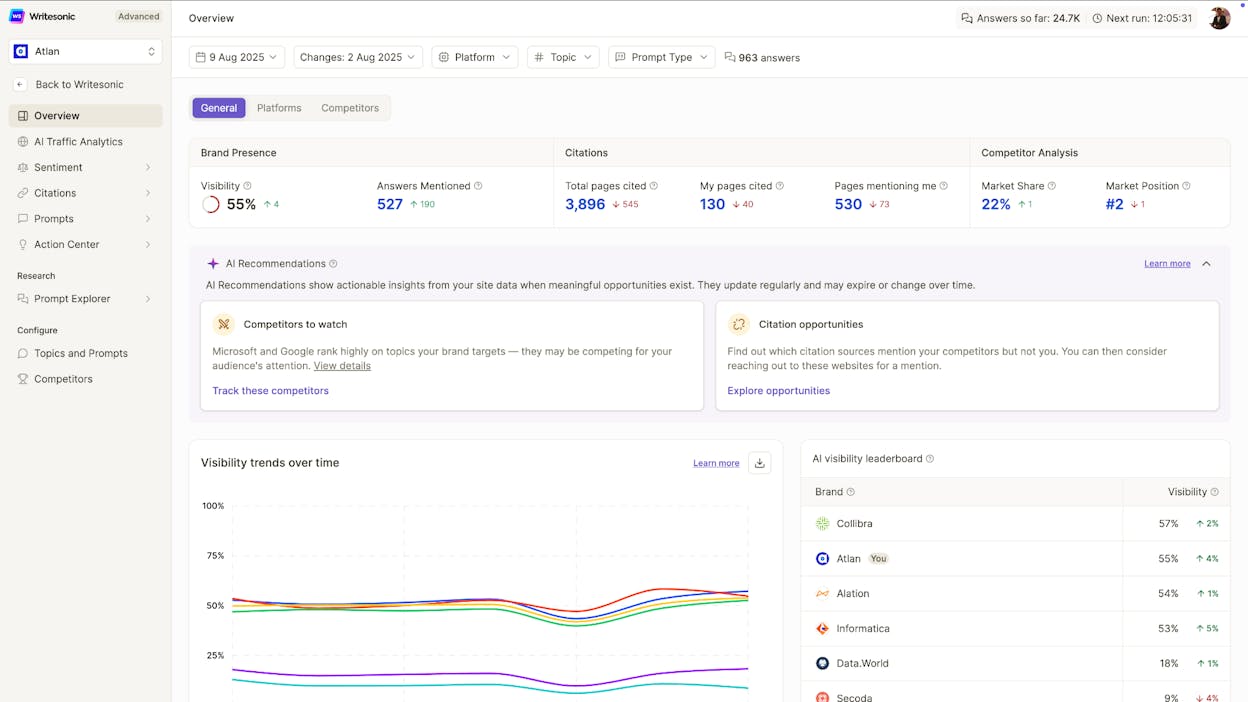
Writesonic started as a general AI content generator. In 2026 it sits in an awkward spot. The pricing page now positions it as an AI search visibility platform, with GEO tracking baked into Professional and Advanced tiers. The writing features still exist, and Lite starts at $39 a month. The company has clearly moved its center of gravity toward AI search tracking.
For the same brief, Writesonic produced a structurally fine draft in under two minutes. The template flow felt faster than ChatGPT for boilerplate sections. Where it slipped was in the middle. Long sections leaned on the generic phrasing every templated AI writer falls into when you don’t push it. Brand voice felt present but not consistent.
Where Writesonic stands out is breadth. Twenty-five-plus languages, multi-model selection that affects what you pay, and one-click WordPress publishing. For teams running multilingual campaigns, the time saved adds up. Read our Writesonic GEO review and the side-by-side comparison.
3. Jasper AI: The Enterprise Writer With a Brand Voice Memory
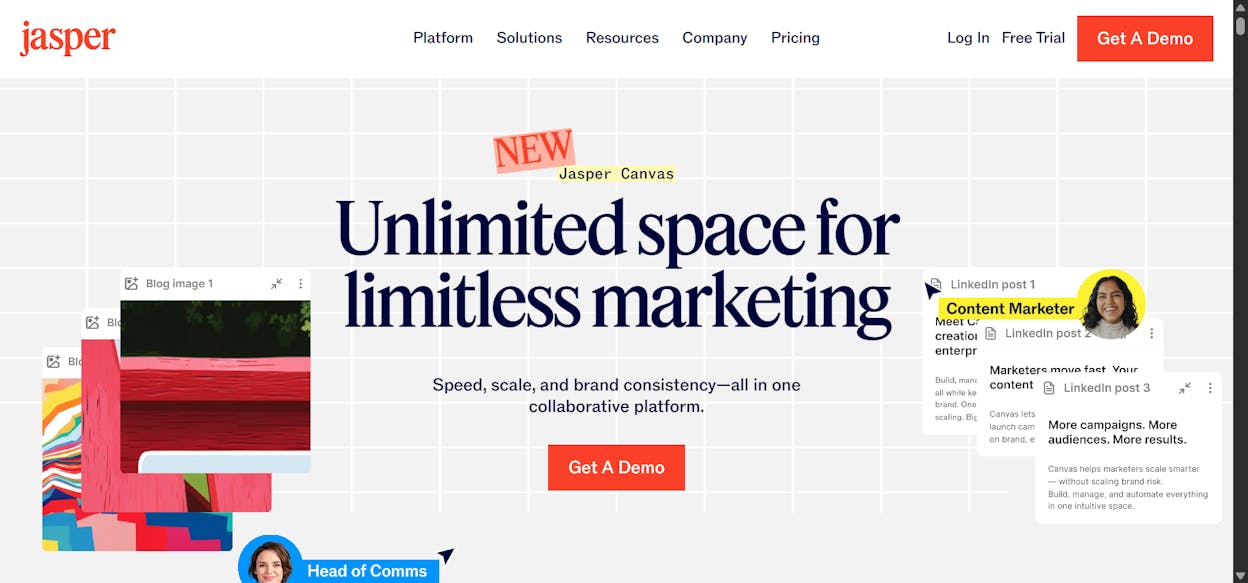
Jasper has the strongest brand voice tooling in this list. You upload past content or a style guide, Jasper studies it, and every piece you generate in that workspace writes in that voice. For a marketing team with a clear voice that writes a lot, this feature justifies the price. Creator starts at $39 a month per seat (annual). Pro is $59 per seat per month (annual) for up to five seats. Business is custom and reportedly starts around $250 a month.
On our brief, Jasper produced the most on-brand draft of the seven by a clear margin. The tone matched our reference samples. The structure was solid. Two blockers. The draft still felt formulaic where the brief did not give Jasper a strong opinion to anchor on, because Jasper does not invent opinions, it inherits them. And the cost adds up. At $59 per seat per month, a five-person team pays around $3,540 a year before adding Surfer SEO at $89 a month and up.
Jasper earns its place when you run a content team, have a documented brand voice, produce two or three pieces a week, and need them to sound like the same brand. Skip it if you are a solo creator.
4. Copy.ai: The Tool That Stopped Being About Copy
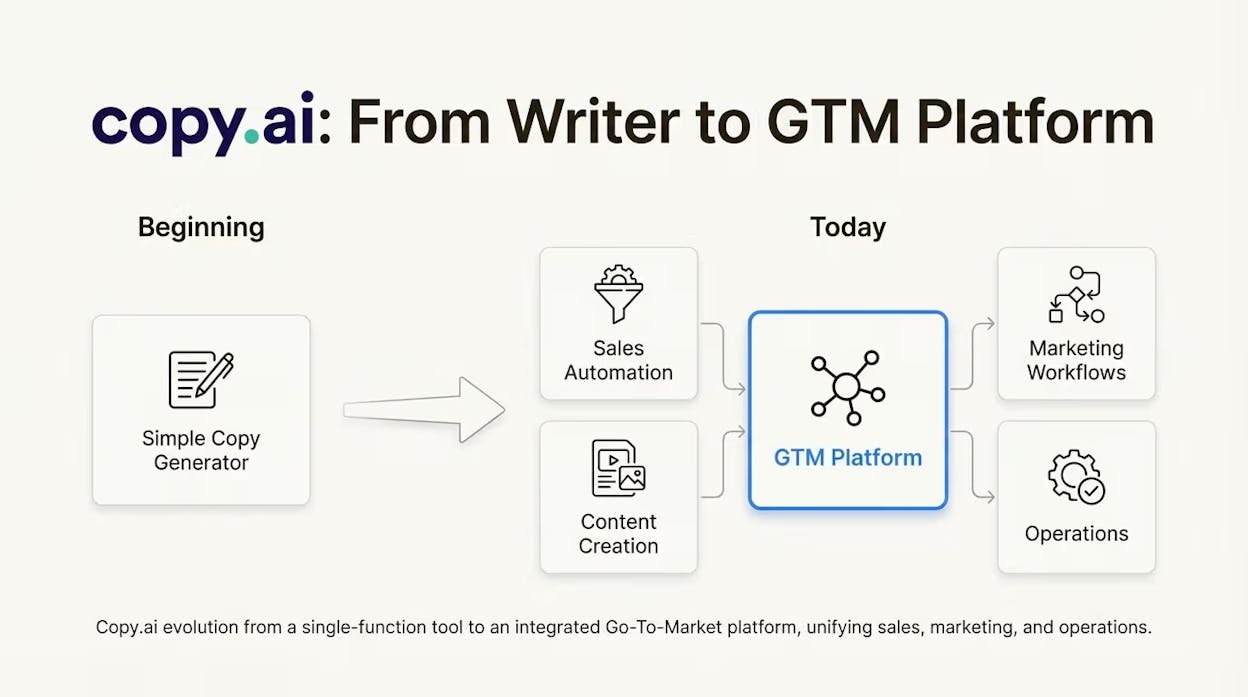
Copy.ai’s homepage no longer leads with copywriting. It leads with “GTM AI Platform.” The pivot is real. Starter at $49 a month is essentially Chat plus templates. Advanced at $249 a month is where workflow automation lives, with 2,000 workflow credits and multi-step sales and marketing workflows.
On the writing test, Copy.ai produced the weakest long-form draft of the six commercial writers. The short-form copy (ad lines, email subject variations, product blurbs) was good and easy to spin into many versions. The 1,800-word article was generic and required 40 to 60 percent rewriting.
That gap reflects where Copy.ai now competes. They moved the product toward workflow automation, lead enrichment, and account-based personalization. If you want a pipeline that scrapes a lead, enriches them with HubSpot data, generates a personalized email, and logs it back to the CRM, the $249 Advanced plan makes sense. If you came in looking for a blog post writer, long-form is not where this tool spends its energy in 2026.
5. Anyword: The Writer That Tries to Predict Whether the Copy Will Work
Anyword’s differentiator is the Predictive Performance Score, a 0 to 100 number that estimates how a piece of copy will perform with a defined audience. The model is trained on a large marketing data corpus, and the score is useful when generating ten variations of an ad headline and you need to pick one to test first.
Pricing in 2026 is Starter at $49 a month and Data-Driven at $99 a month. Business and Enterprise are custom for teams uploading their own performance data (up to 5,000 rows on Business). The Data-Driven tier is where predictive scoring becomes useful at scale.
On our test, Anyword produced solid ad and CTA variations. The long-form article was the weakest part of the output. Anyword does not pretend to be a long-form writer. The bet is that when copy has to convert (subject lines, hero headers, calls to action, paid search), the predictive score helps you ship the right version first. Earn its place if you run paid acquisition and your copy is measured in click-through rate.
6. GravityWrite: The Friendly One-Click Writer
GravityWrite is the tool the other five do not really compete with directly. It targets beginners, solo creators, and freelancers with a Free plan (1,000 words a month), Plus at $19 a month ($8 annual), and Pro at $79 a month ($49 annual). You get one-click blog drafts, 200-plus templates, multi-language support, and a workflow built around speed.
On the test brief, the output landed where you’d expect. A clean, mid-length draft usable for a short blog post with light editing. The structure was simple, the voice neutral, the depth limited. None of that is a criticism. It would be unfair to expect a $19 tool to compete with Jasper on polish or Anyword on predictive scoring.
GravityWrite earns its place if you are a solo creator, small business owner, or freelancer producing your own marketing content. You need fast, structurally sound drafts you can polish in twenty minutes and publish. The tool is honest about being exactly that.
7. Analyze AI: The Agentic Content Platform That Connects Writing to AI Search Performance
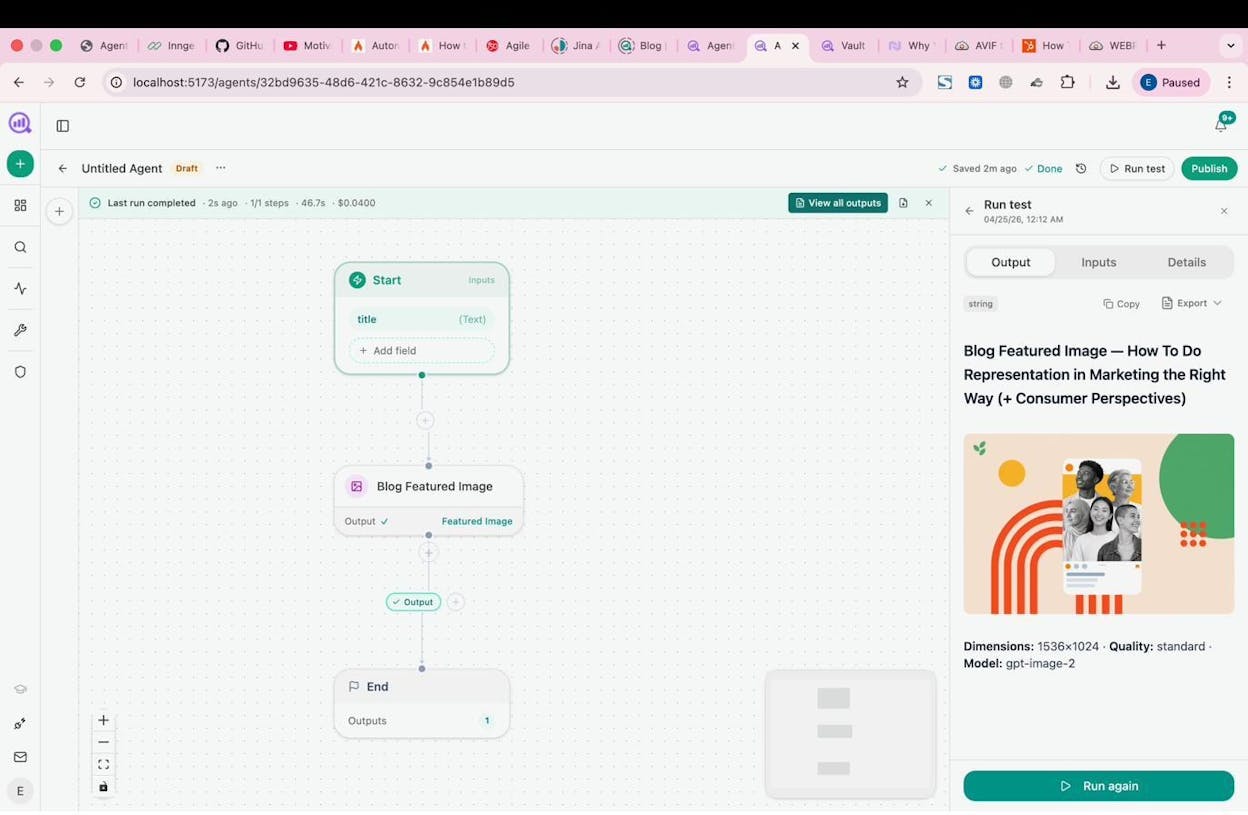
The other six tools share a blind spot. They will help you write content. None of them will tell you whether the content you wrote last quarter is showing up in ChatGPT, Perplexity, Gemini, Claude, or Copilot answers. None will tell you which pages on your site are cited by AI engines, which competitors are quietly stealing your category narrative inside model responses, or which topics deserve the next piece because the prompts are already showing brand-shaped gaps.
That is the gap Analyze AI was built to close. Analyze AI is not a chat tool. It is the agentic platform for SEO, AEO, content, and GTM operations, built on a programmable substrate with 180+ nodes, 34 pre-built data recipes, and direct integrations with GA4, Google Search Console, DataForSEO, Semrush, HubSpot, your CMS, and every major LLM. The Content Writer and Content Optimizer sit on top of that substrate, so every piece you generate is grounded in your live SEO and AI search data, not a blank prompt window.
We agree with the Analyze AI manifesto on this. SEO is not dead. AI search is a new organic channel running alongside it. The teams that win compound what works across both.
Content Writer that knows what your AI search data is telling you
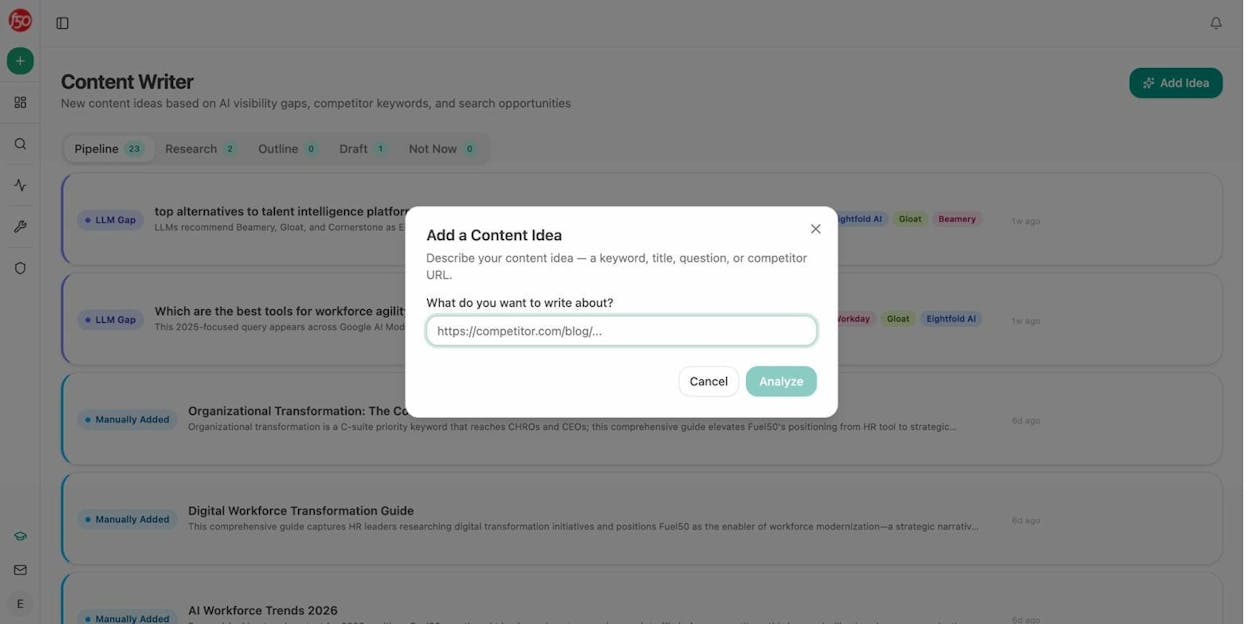
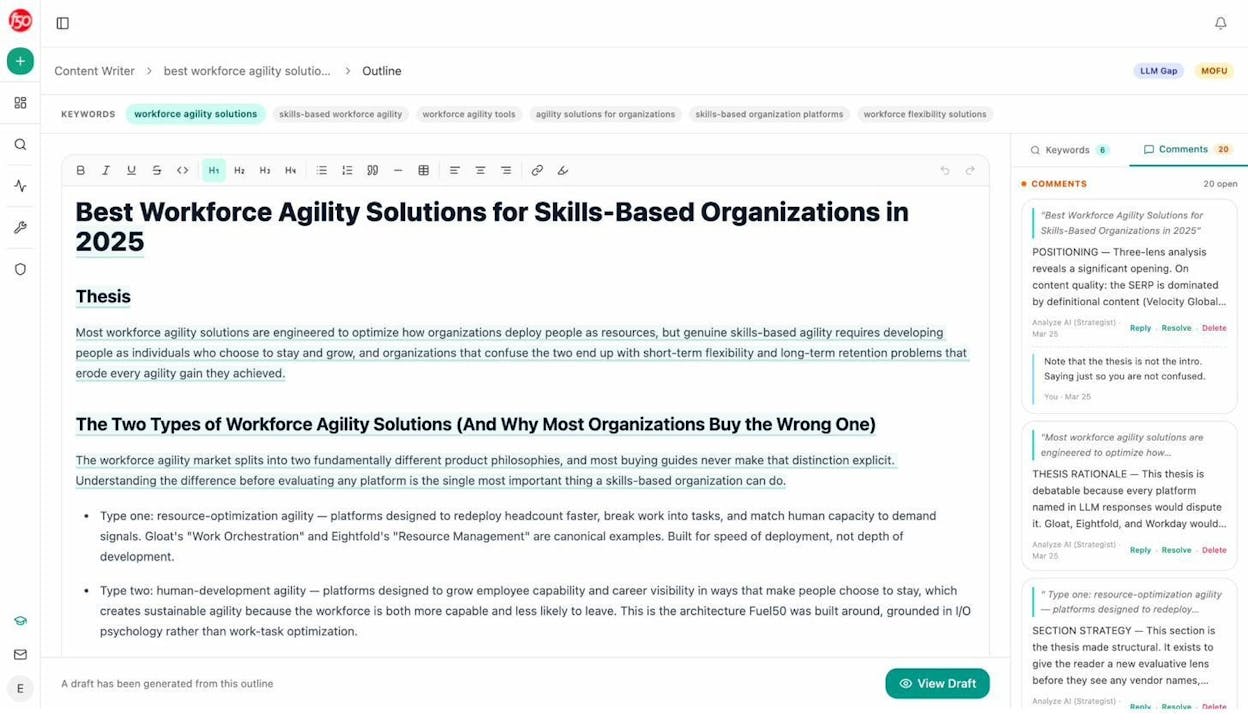
The Content Writer starts with a pipeline of ideas, not a blank canvas. Paste a competitor URL, a target keyword, an LLM gap (a prompt where competitors get mentioned and you do not), or a topic. Analyze AI surfaces the why behind each idea, including the AI insight, the strategic move, the angle, the proof you need, and the points to include.
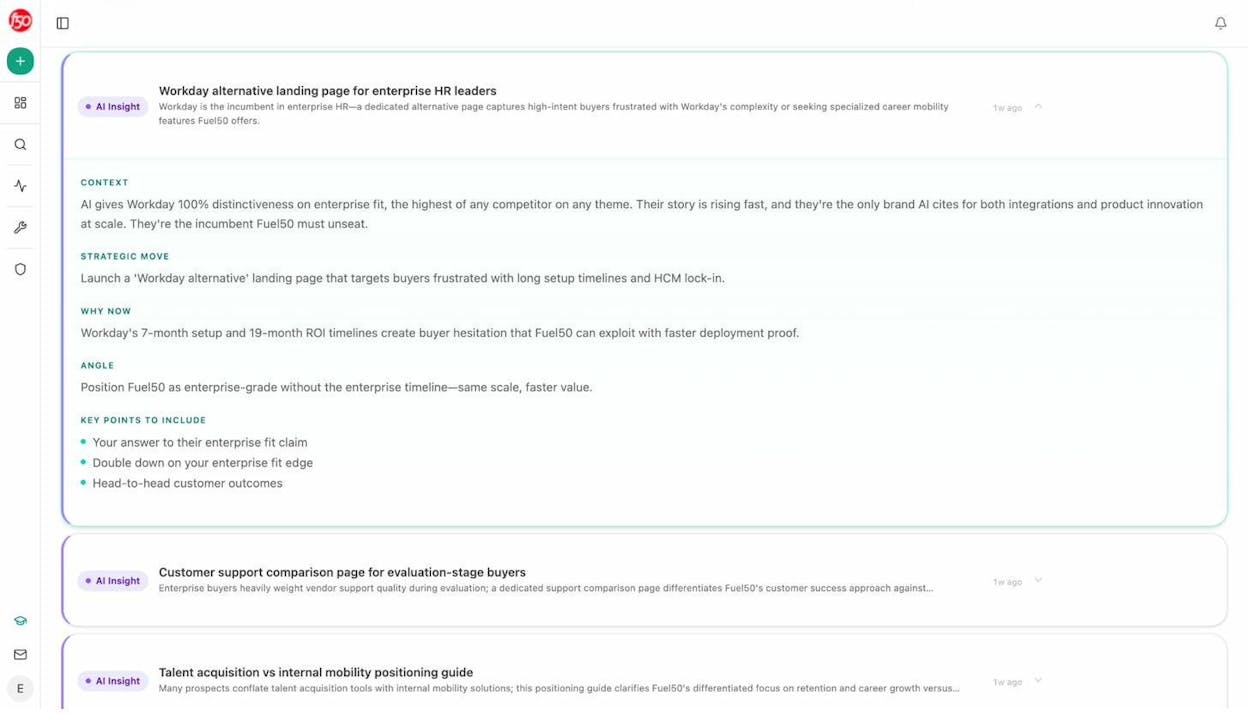
That brief gets pushed into a four-stage Research, Outline, and Draft pipeline, where each stage feeds the next. Research pulls live data. The outline is editable. The draft inherits the brand voice rules from your vault. The output is not generic, because the brief was not generic. It was grounded in the prompts where you are losing visibility, the competitors winning the answers, and the proof your team has on file.
Content Optimizer that rewrites the pages quietly declining
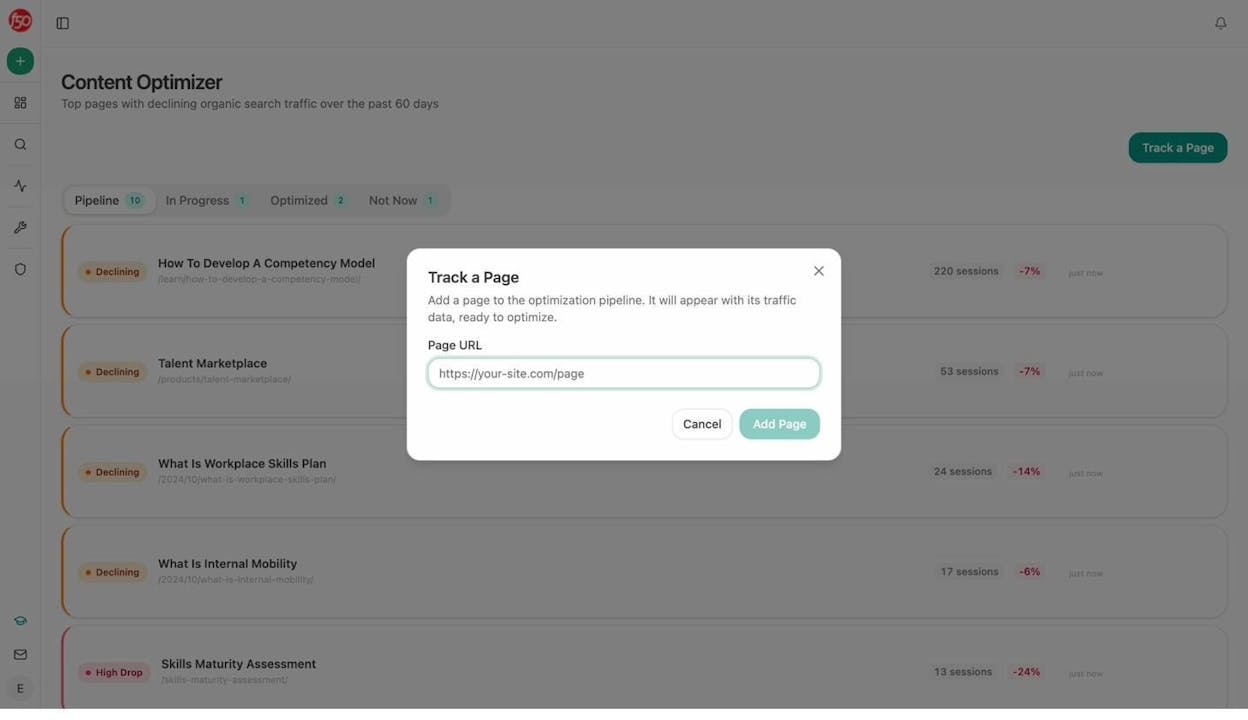
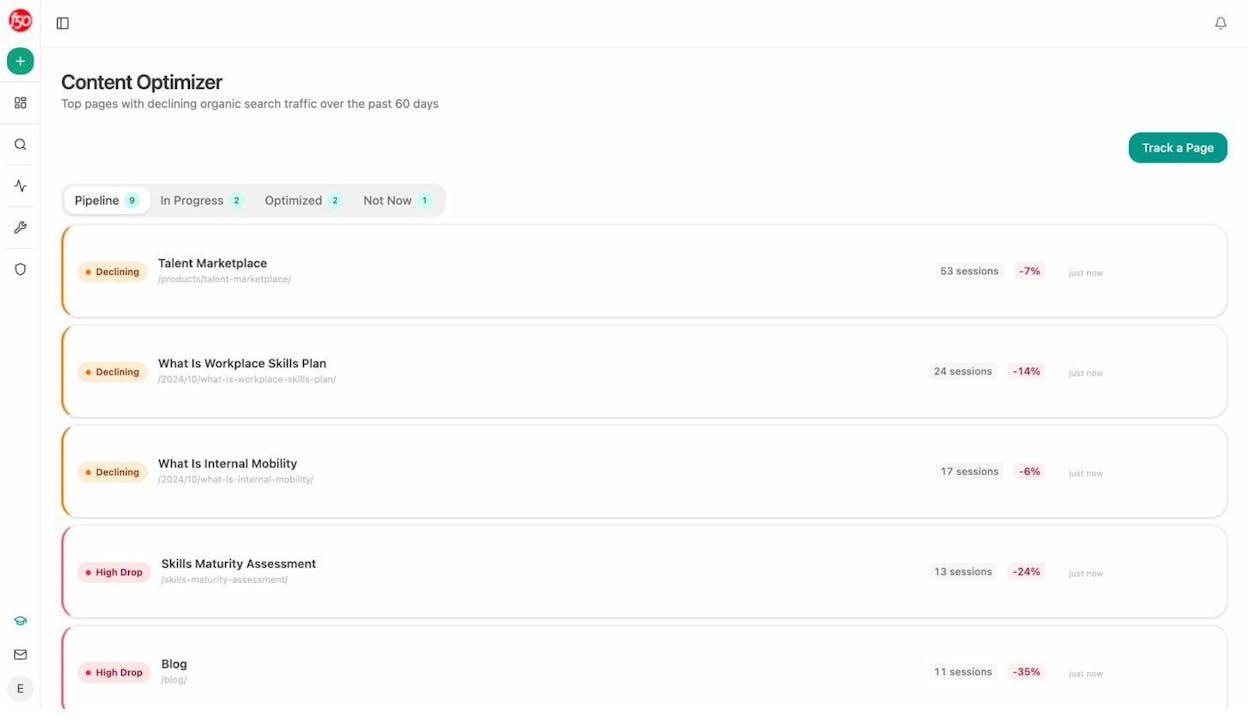
Most teams have ten to fifty pages on their site quietly losing traffic. The Content Optimizer surfaces those pages by tracking declining organic sessions over the past sixty days, ranks them by severity, and lets you push any page into a structured optimization pipeline. The optimizer fetches the live page, compares it to current top performers, surfaces the gaps (missing sections, weak proof, stale claims, intent mismatch, low citation density), and produces a rewrite that closes them. Analyze AI flags exactly what changed and why.
Agent Builder, the part the other tools do not have
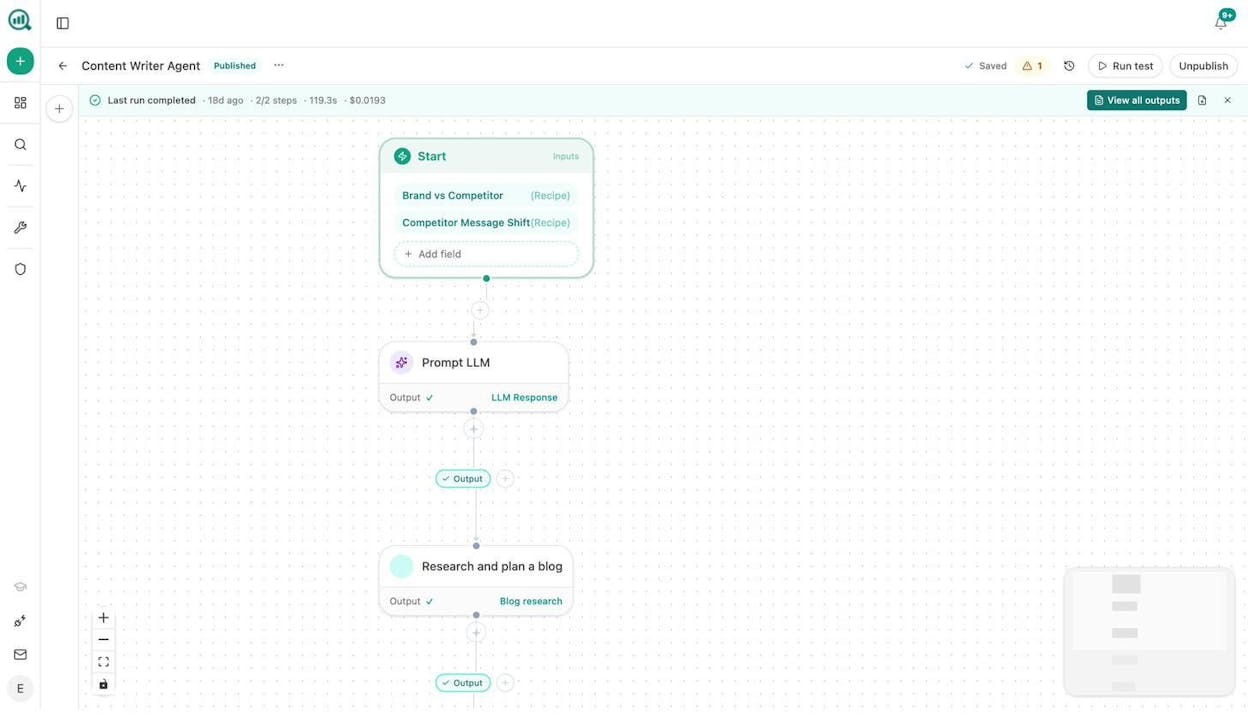
Jasper has templates. Copy.ai has GTM workflows. Writesonic has light SEO helpers. Analyze AI has a programmable substrate that wires all of it together.
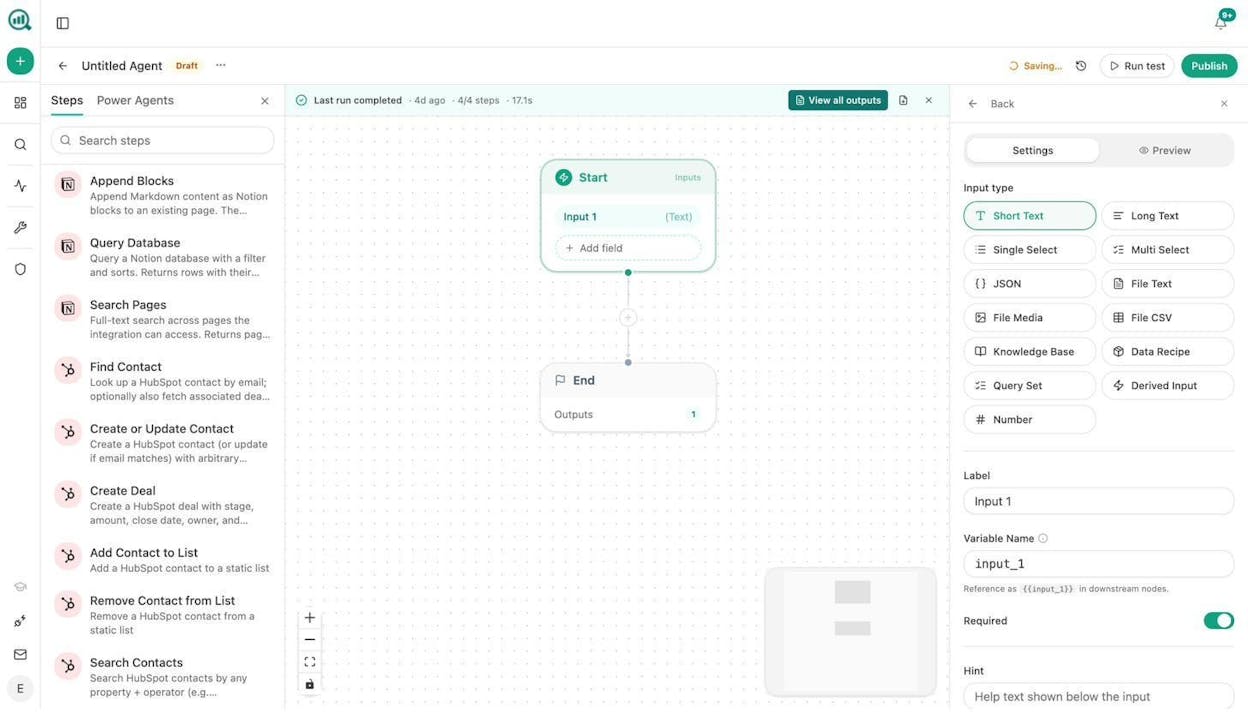
You can schedule an agent that runs every Monday at 7am, pulls the prompts where your visibility dropped over the weekend, drafts a counter-content brief, runs it through the Content Writer pipeline, scores the output for AI engine optimization, and pushes the finished draft to Notion if it passes a quality gate. You can wire a webhook so that the moment a competitor article gains citations, an agent fetches the article, scrapes its structure, and drafts a response brief for your team before lunch.
The Agent Builder ships with 34 pre-built recipes that abstract away the data plumbing. visibility-losers pulls prompts where your visibility dropped. competitor-gaps returns prompts where competitors outrank you. top-performers returns your best pages by sessions and citations. citation-decay-alert returns pages losing citations faster than traffic. Drop a recipe into a node, hand the output to an LLM with your brand voice injected, and pipe the result into WordPress, Notion, HubSpot, or Slack.
See what AI engines actually do with what you publish
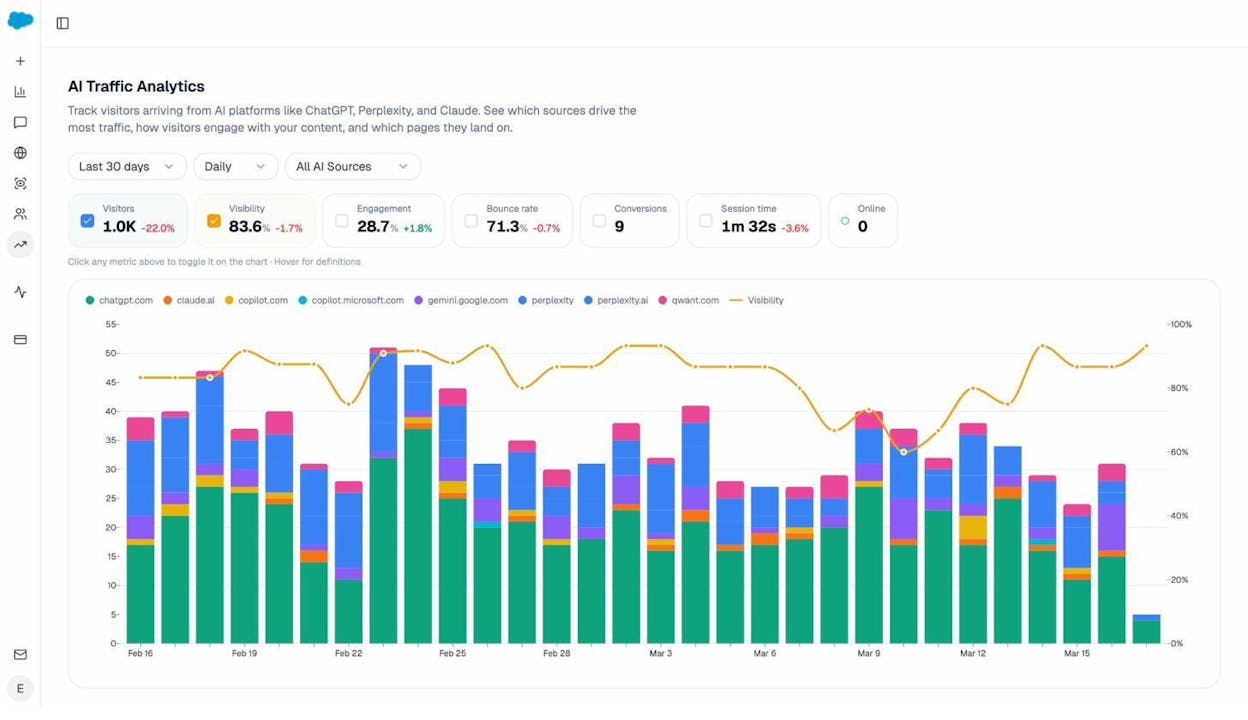
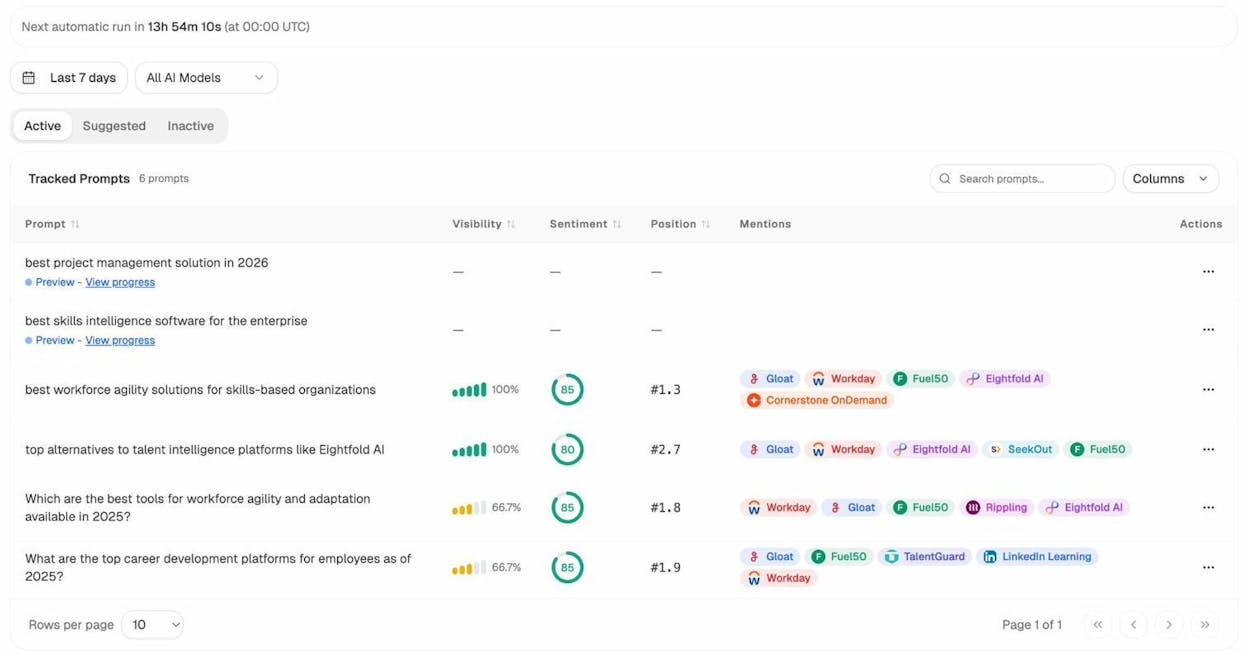
Once content is live, Analyze AI shows which AI engines (ChatGPT, Perplexity, Claude, Copilot, Gemini) send real sessions, which pages they land on, and what conversions those visits trigger. The Sources view shows which domains and URLs are cited by AI models in your category. The Prompts dashboard tracks specific buyer prompts across all major LLMs, with your visibility percentage, competitive position, and sentiment for each. If you do not know which prompts to track, Prompt Discovery suggests bottom-of-funnel prompts.
How Analyze AI compares on the dimensions that matter
|
Capability |
ChatGPT |
Writesonic |
Jasper |
Copy.ai |
Anyword |
GravityWrite |
Analyze AI |
|---|---|---|---|---|---|---|---|
|
Generates drafts |
✓ |
✓ |
✓ |
✓ |
✓ (short-form) |
✓ |
✓ |
|
Brand voice memory |
Manual |
Light |
Strong |
Yes |
Yes |
Light |
Yes, 12-block Brand Vault |
|
SEO research grounding |
No |
Light |
Via Surfer add-on |
No |
No |
Light |
Native (GSC, DataForSEO, Semrush) |
|
AI search visibility data |
No |
Yes (GEO tracking) |
No |
No |
No |
No |
Native, with citation graph |
|
AI traffic attribution |
No |
Limited |
No |
No |
No |
No |
Yes, per engine |
|
Optimization pipeline for existing pages |
No |
Light |
No |
No |
No |
No |
Yes (Content Optimizer) |
|
Workflow automation |
No |
No |
No |
Yes (GTM) |
No |
No |
Yes, 180+ nodes, 34 recipes |
|
Scheduled and webhook agents |
No |
No |
No |
Limited |
No |
No |
Yes |
How to Choose the Right Tool for Your Team
Three honest filters, in order.
The first is what the team does all day. Write ads, paid search, and email subject lines, Anyword. Long-form blog content with a strict brand voice and five-plus people, Jasper. Sales-and-marketing automation around short-form copy, Copy.ai Advanced. Solo creator or freelancer, GravityWrite or ChatGPT Plus. Serious SEO and AI search work, the Content Writer, Content Optimizer, and Agent Builder in Analyze AI are where the leverage lives.
The second is what the tool does not do that you will need to buy anyway. Jasper buyers usually pay for Surfer separately. Copy.ai buyers usually pay for a long-form tool separately. ChatGPT buyers pay for almost everything separately. Total cost is the line you live on, not the line on the homepage.
The third is whether the tool knows whether the content worked. Most do not. Connect the writing tool to traffic, citations, and revenue, or you will spend the next year producing content that may or may not be doing anything.
Closing the Loop Between Creation and Performance
The most common pattern in CMO conversations is a team running two or three writing tools at once, publishing consistently, and unable to answer a basic question. Of the last forty pieces published, which are showing up in ChatGPT answers, which are sending real sessions, which are converting, and which should be refreshed first.
Every tool on this list except Analyze AI will help you produce the next piece. None of the other six will help you answer that question.
The way to read this comparison is not “Analyze AI replaces ChatGPT or Jasper.” Many of the teams we work with keep ChatGPT, keep Jasper, and use Analyze AI as the layer that decides what to write next, grounds the writing in live data, optimizes pages that are decaying, and proves which engines and prompts are driving real pipeline. Look at the SEO content strategy guide and the AI search SEO checklist for the operating model.
If you want to see what Analyze AI surfaces against your own site, start a trial or book a walkthrough. Within an hour you’ll see which AI engines send you traffic, which prompts you are losing, and which piece of content you should write or refresh next.

Ernest

Ibrahim


