



Summarize this blog post with:


In this article, you’ll get an honest breakdown of four popular AI copywriting tools, learn what each one does well and where it falls short on real marketing work, and discover why the biggest unsolved problem with AI copy isn’t quality. It’s knowing whether your content shows up when buyers ask ChatGPT, Perplexity, or Gemini for recommendations.
You’ll also learn how Analyze AI handles the full loop, from writing and optimizing content to tracking how AI engines cite and recommend it, inside a single platform.
Table of Contents
TL;DR: How the Four Tools Stack Up
|
Tool |
Starting price |
Best for |
Biggest limitation |
|---|---|---|---|
|
Jasper |
$49/mo (Creator), $69/mo (Pro) |
Multi-channel marketing teams that need one workspace for blogs, ads, emails, and landing pages |
Drafts lean generic on complex topics. Heavy editing still required for anything high-stakes. |
|
Copy.ai |
Free (2,000 words/mo), $49/mo (Pro) |
Short-form marketing copy at speed, such as social posts, ad variants, and product blurbs |
Struggles with long-form and research-heavy content. Template dependence can make output feel formulaic. |
|
Writesonic |
Free (limited), $16/mo (Lite), $39/mo (Standard) |
Flexible mix of short-form and SEO-focused long-form content |
Quality varies by topic complexity. Tier structure changes frequently, making budgeting unpredictable. |
|
Copysmith |
$19/mo (Starter), $59/mo (Professional) |
Bulk e-commerce product descriptions and short ad copy |
Not suited for long-form, narrative, or thought leadership content. Output feels thin without detailed prompts. |
Every tool on this list generates words faster than you can type them. But none of them tell you whether those words show up when a buyer asks an AI engine “what’s the best [your category]?” That’s the gap, and it’s growing wider as more purchase research moves to AI search.
What to Look for Before You Pick a Tool
Most AI copywriting comparisons rank tools by feature count. That’s backwards. The right tool depends on three things specific to how your team works.
First, what formats do you actually produce? If 80% of your output is social captions and ad variants, you don’t need a long-form content engine. If you publish weekly blog posts and resource pages, you need a tool that handles research, structure, and SEO, not just sentence generation.
Second, how much editing can your team absorb? Every AI writing tool produces drafts, not finished work. The question is how much distance sits between the draft and something you’d actually publish. If you have a single content person handling everything, you need the tightest possible first draft. If you have a dedicated editor, you can tolerate rougher output.
Third, does the tool connect to what happens after publishing? This is where most tools stop. They help you write. They don’t tell you whether that content gets cited by AI engines, drives AI referral traffic, or shapes how ChatGPT or Perplexity describes your brand. That feedback loop is now essential for any team serious about content strategy.
With those criteria in mind, here’s what each tool actually delivers.
Jasper: Strong First Drafts, Weak on Depth
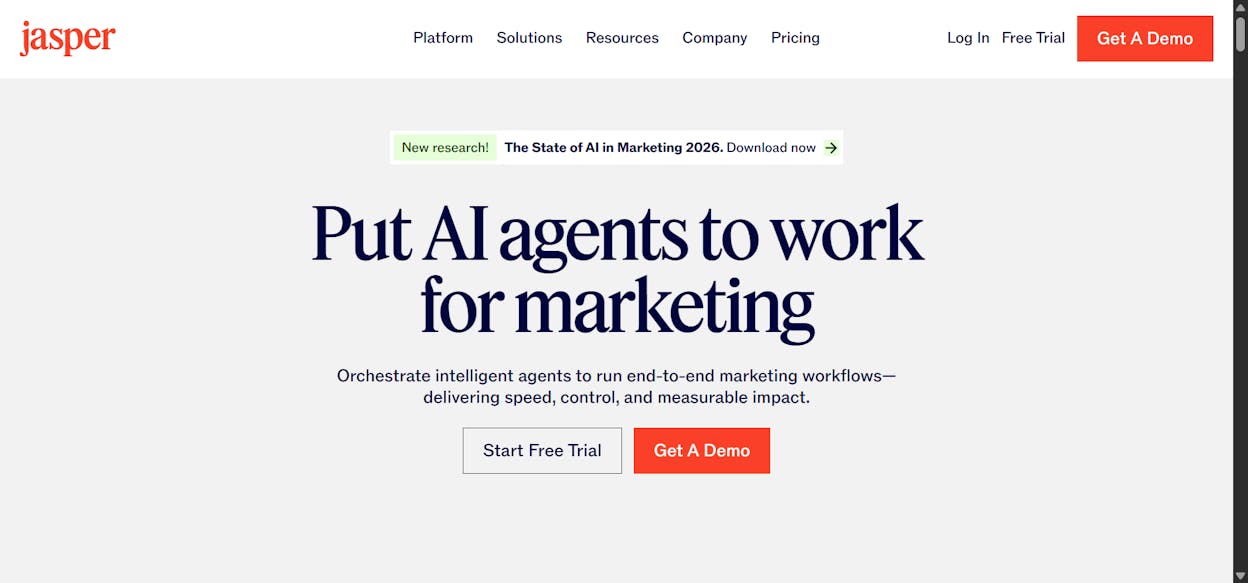
Jasper positions itself as the all-in-one AI marketing platform. It covers a wide range of formats (blogs, ads, emails, landing pages, social posts) inside a single workspace. The template library is large and well-organized, and the brand voice feature lets you set tone rules that carry across everything you produce.
Where Jasper earns its price: Jasper reduces time-to-first-draft for repeatable marketing pieces. If you run a campaign that needs a landing page, three email variants, and a set of social posts, you can generate starting material for all of them without leaving the workspace. The brand voice consistency is genuinely useful for teams where multiple people create content across channels.
Where Jasper falls short: The same template-driven approach that makes Jasper fast also makes its output predictable. Drafts on complex topics tend to sound broad and safe. You’ll notice recurring patterns in phrasing, especially if you use the same templates often. For thought leadership, product education, or any page that carries brand risk, expect to rewrite significant portions.
At $69/month for Pro (or $59/month on annual billing), Jasper is priced at the higher end. And the cost adds up quickly when you add seats. If your team of five needs access, you’re paying $345/month before you’ve even opened the editor.
Bottom line: Jasper works best as a first-draft engine for teams producing high volumes of standard marketing content. Treat it as a starting point, not a finishing tool.
Copy.ai: Fast for Short Pieces, Limited Beyond That
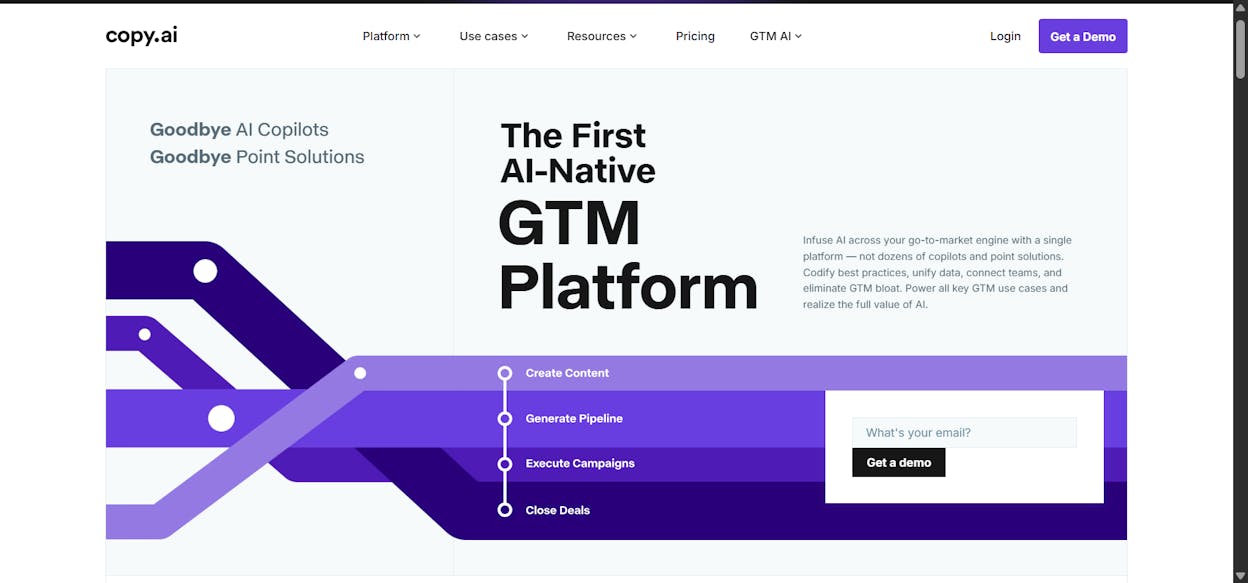
Copy.ai is built for speed on short-form tasks. The interface is clean, the template library covers social posts, ads, emails, product descriptions, and meta copy, and the Content Agents feature lets you build repeatable workflows for tasks that come back every week.
Where Copy.ai earns its price: If you ship dozens of social posts, email subject lines, and ad variants each week, Copy.ai removes the friction of starting each one from scratch. The automation workflows are a genuine time-saver for e-commerce brands and social-heavy teams. The free tier (2,000 words/month) is also useful for testing before you commit.
Where Copy.ai falls short: Push Copy.ai beyond short-form and you’ll feel the limits. Long-form content comes out broad and shallow. The tool relies heavily on templates, which means output can feel safe and generic when your prompt lacks strong direction. Several user reviews point out that achieving a distinctive voice requires careful prompt engineering and consistent editing.
At $49/month for Pro, Copy.ai sits in the middle of the pricing range. But enterprise tiers jump quickly, with Team plans starting around $249/month.
Bottom line: Copy.ai is a strong choice for teams that need volume on short marketing pieces. Don’t expect it to handle your blog program or resource content without significant human work.
Writesonic: Flexible but Inconsistent
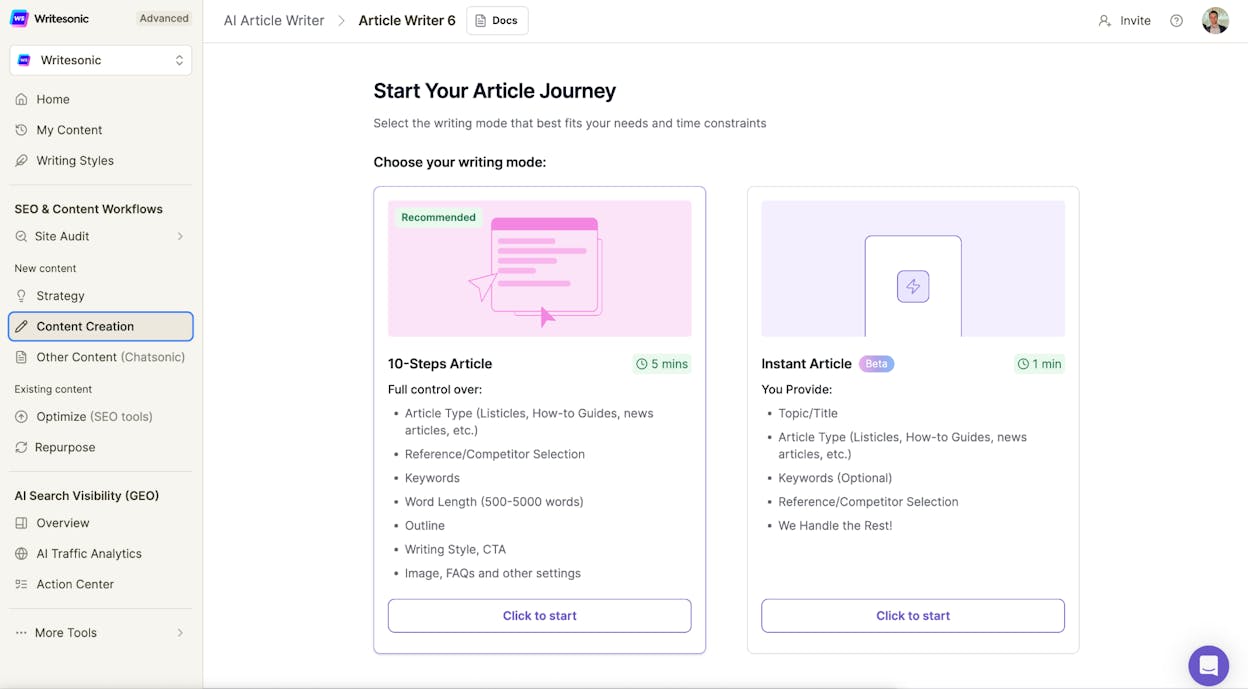
Writesonic covers both short-form and long-form content. It offers multiple AI model options, built-in SEO checks, and brand voice profiles. More recently, it added GEO (Generative Engine Optimization) tracking to its higher-tier plans.
Where Writesonic earns its price: The built-in SEO tools are helpful for teams publishing content that needs to rank. Writesonic checks your draft for missing keywords, weak structure, and optimization gaps as you write. The model flexibility (GPT-4, Claude) means you can match the AI to the complexity of the task.
Where Writesonic falls short: Quality varies significantly by topic. On straightforward marketing copy, it performs well. On technical, nuanced, or research-heavy content, drafts often come out broad and require heavy structural editing. Writesonic also changes its tier names and pricing frequently, which makes long-term budgeting difficult. Plans range from $16/month (Lite) to $75/month (Professional), with GEO features locked behind higher tiers.
Bottom line: Writesonic is a reasonable all-in-one choice if you want writing and basic SEO in one place. But the inconsistency means you’ll spend more time editing than you might expect, especially on longer content.
Copysmith: Built for Bulk, Not for Depth
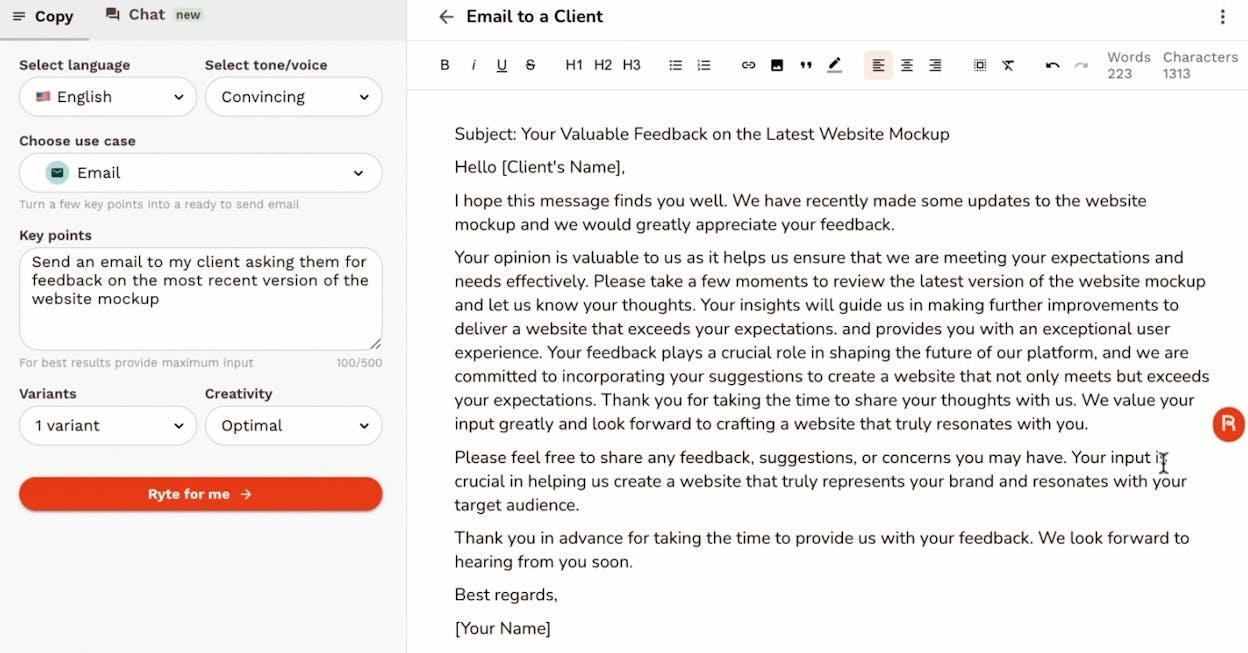
Copysmith focuses on e-commerce and high-volume short copy. It handles product descriptions, ad variants, meta tags, and social posts, with batch workflows that let you generate hundreds of pieces at once.
Where Copysmith earns its price: If you manage a catalog with hundreds of SKUs, Copysmith’s bulk generation is genuinely useful. You can run an entire product line through the same template and get consistent descriptions in minutes rather than days. At $19/month for the Starter plan, it’s the most affordable option on this list.
Where Copysmith falls short: Copysmith is not a content engine. Long-form articles, guides, and thought leadership pieces come out thin and require near-complete rewrites. The copy can also drift toward generic phrasing when prompts are short, which weakens brand voice across channels.
Bottom line: Copysmith is a catalog tool, not a content marketing platform. Use it for product copy at scale. Don’t ask it to build your blog or resource library.
The Problem All Four Tools Share
Every tool above helps you write faster. None of them help you understand what happens after you publish.
That gap matters more now than it did two years ago. Today, a growing share of buyer research happens inside AI engines. When someone asks ChatGPT “best project management tools for startups” or Perplexity “top CRM alternatives,” the AI pulls from your content (or your competitor’s) to build its answer.
If your copy never gets cited in those answers, you’re invisible in an entire channel. And none of the tools above tell you whether you are or aren’t.
This is not about replacing SEO. SEO is not dead. AI search is an additional organic channel. The brands that treat it that way are building compounding visibility across both.
How Analyze AI Handles Writing, Optimization, and AI Visibility in One Platform
Analyze AI is not just a monitoring dashboard. It’s an agentic platform for SEO, AEO, content, and GTM ops. It includes an AI Content Writer, an AI Content Optimizer, and an Agent Builder with 180+ nodes that connects directly to GA4, Google Search Console, Semrush, DataForSEO, HubSpot, WordPress, Slack, and major LLMs.
Write Content That Gets Cited, Not Just Published
The Analyze AI Content Writer doesn’t just generate words. It builds content through a research-first pipeline.
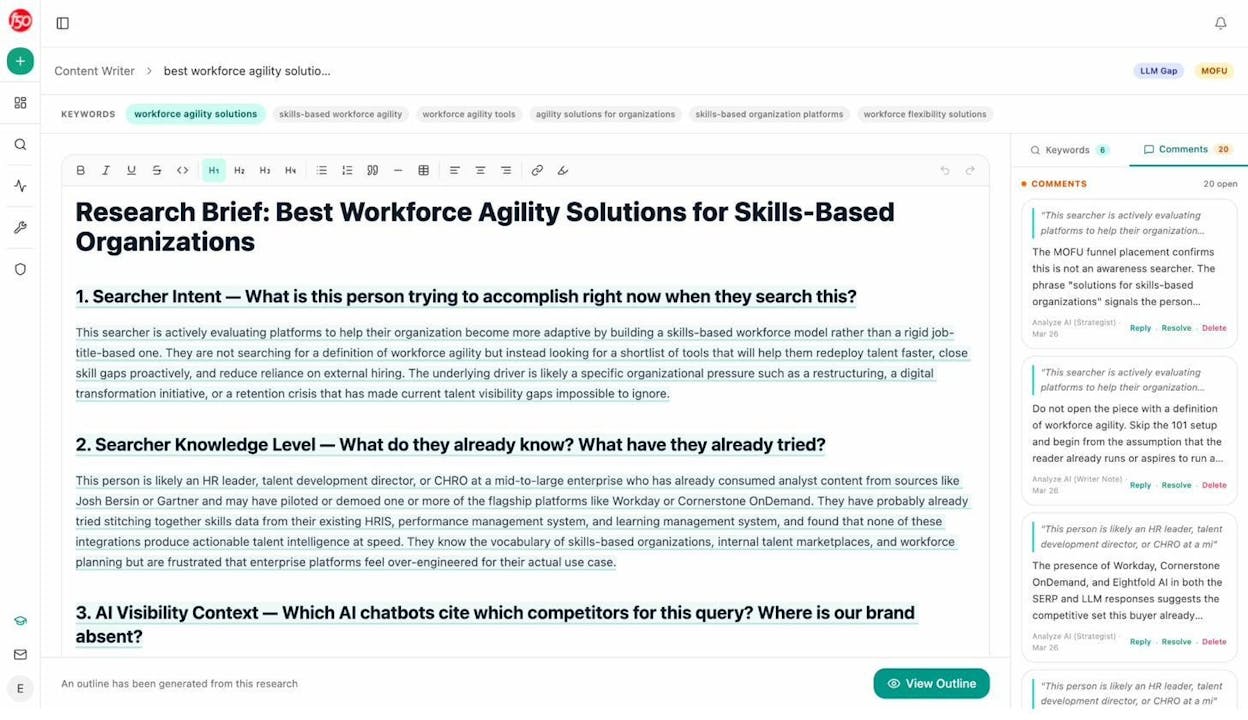
You start with a topic or keyword. The Writer researches the competitive landscape, identifies what AI engines currently cite for that topic, and produces a research brief with editorial comments that flag gaps, opportunities, and competitive angles.
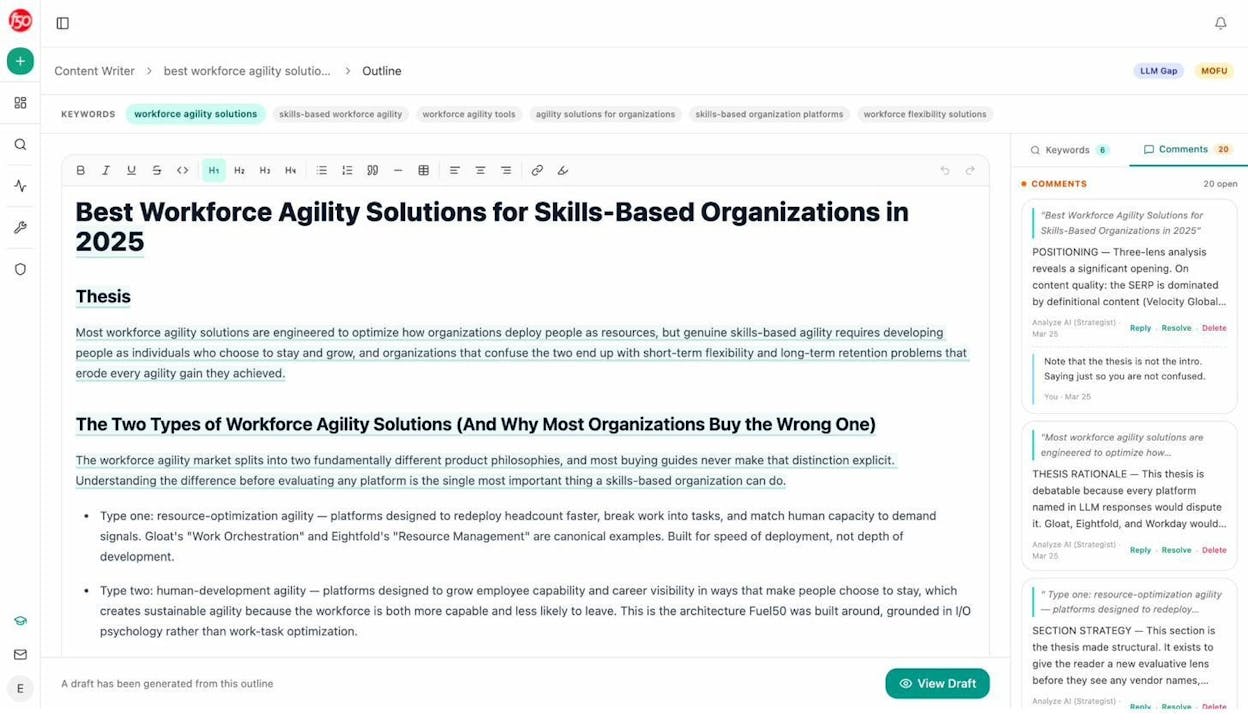
From there, it generates an outline grounded in that research, not from a generic template. Every section exists because the data shows it matters for both search visibility and AI citation.
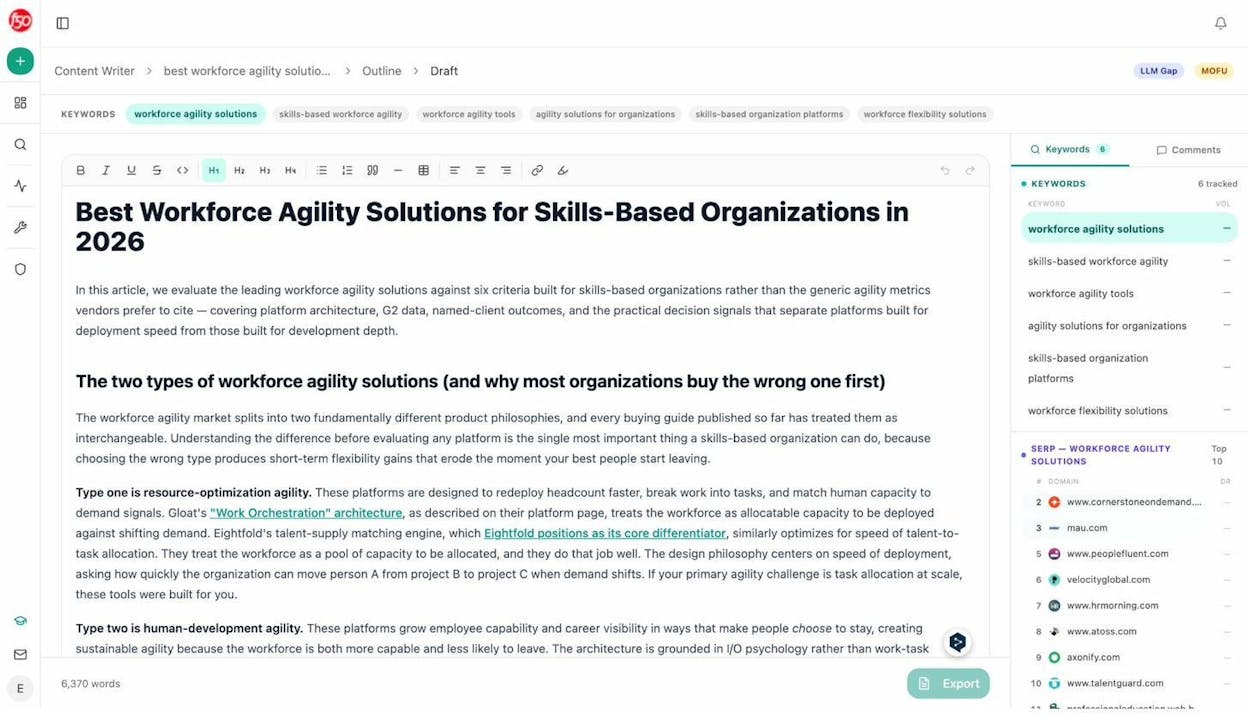
The final draft comes with the brand voice baked in through a Knowledge Base that stores your tone rules, differentiators, proof points, and messaging guidelines. That means the output sounds like your company, not like every other brand using the same AI model.
This is a different approach from Jasper or Copy.ai, where you pick a template and hope the output lands close enough. With Analyze AI, every piece is informed by what’s actually working in search and AI engines right now.
Optimize Existing Content for Both Search and AI Engines
Already have content that underperforms? The AI Content Optimizer audits any URL and identifies what’s missing.
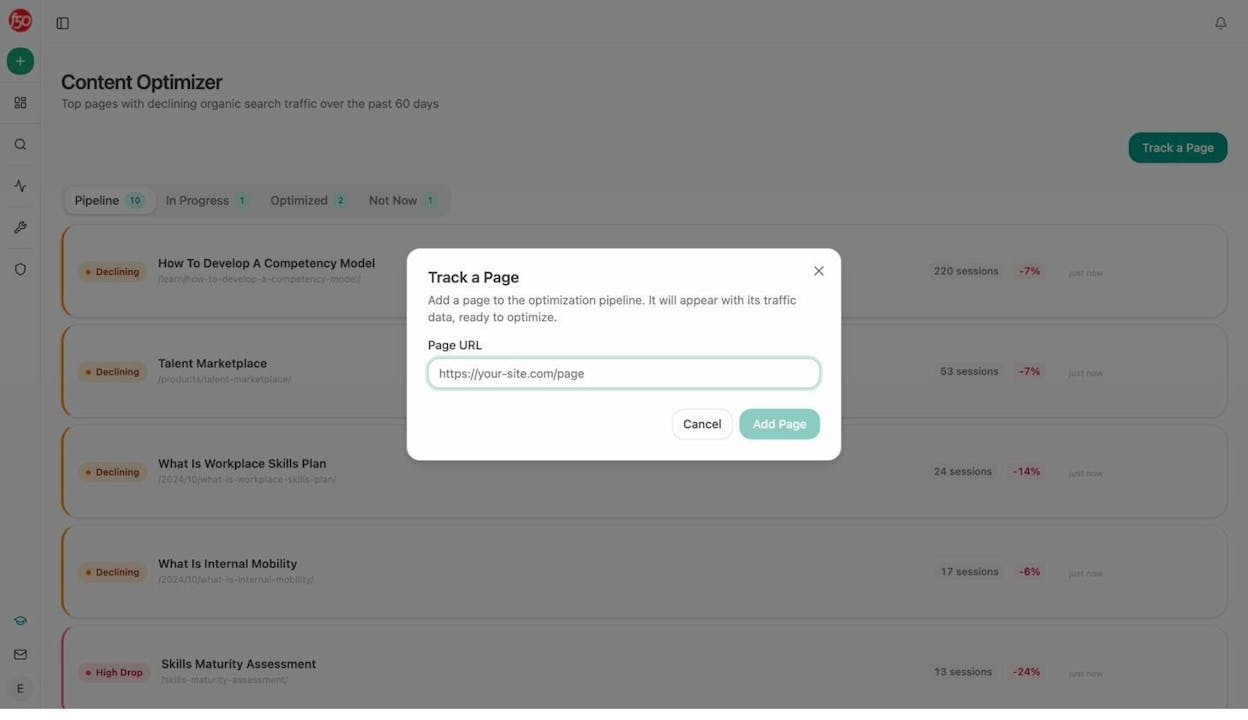
It shows you exactly where your content falls short on structure, entity coverage, proof density, and AI citation readiness. Then it generates specific optimization ideas based on those gaps.
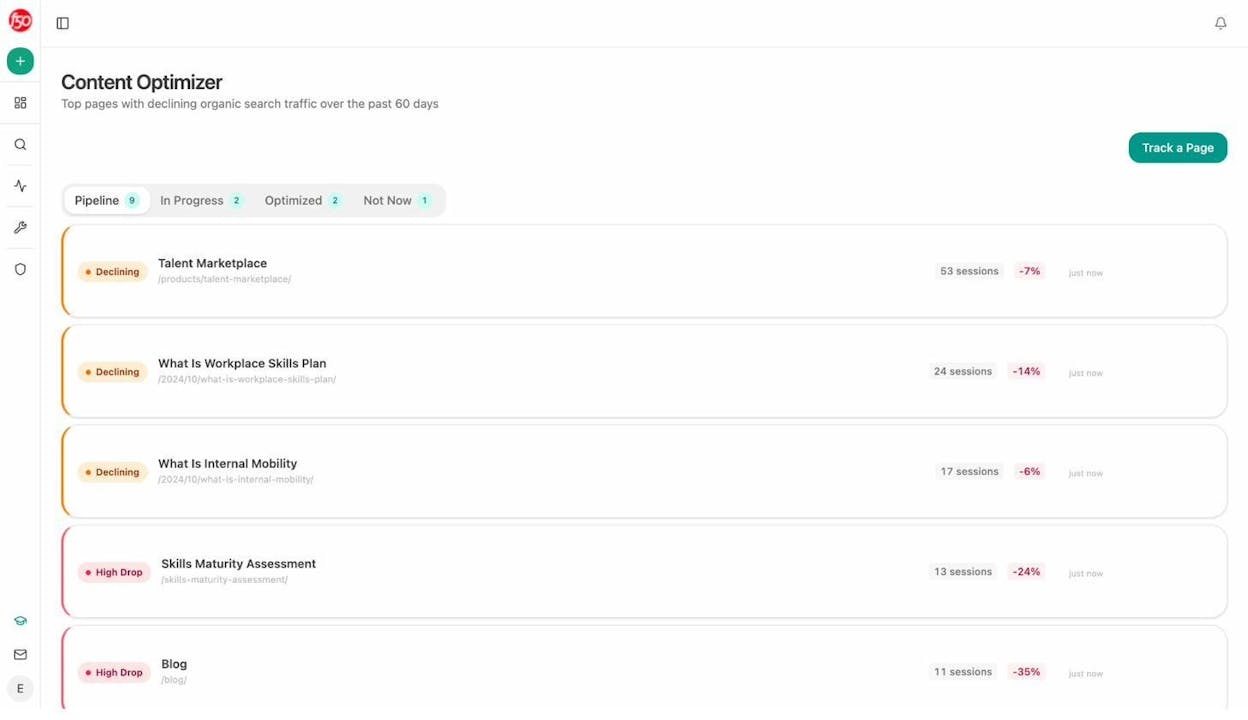
The Optimizer also produces a rewritten version of your content that addresses every identified gap, so your team can compare the original against the improved version side by side.
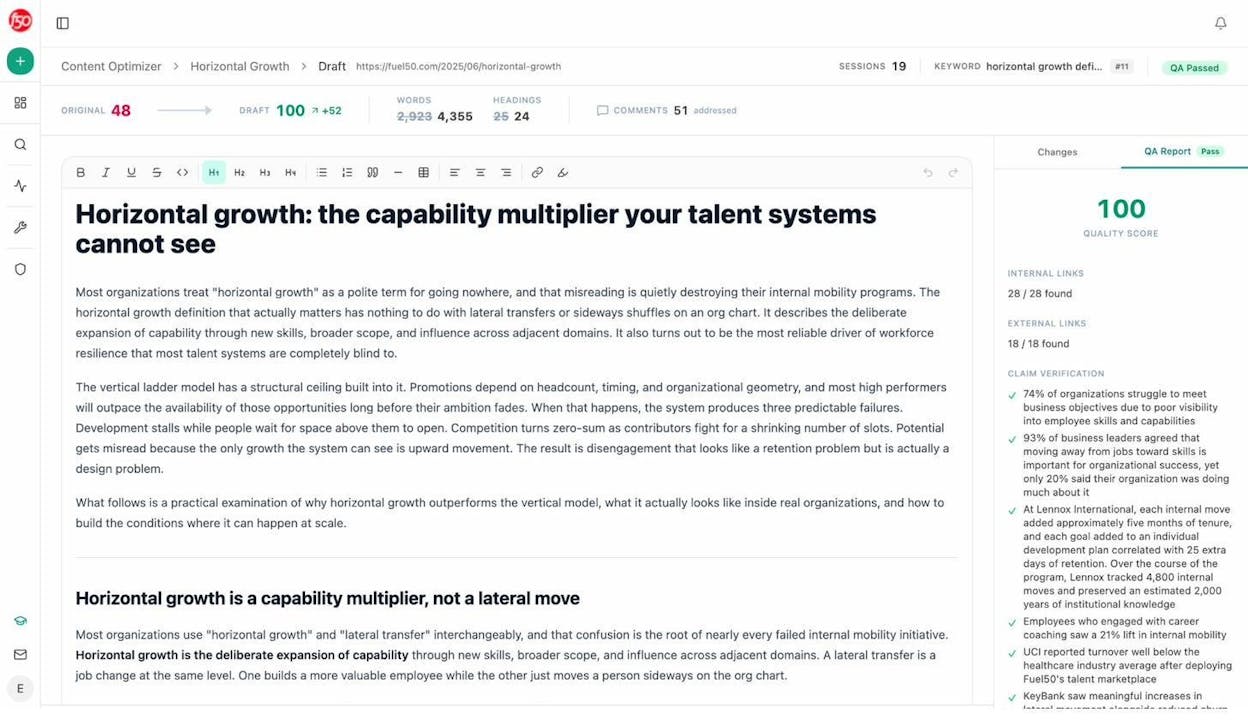
This matters because most AI copywriting tools focus on creation. They don’t help you fix what you’ve already published. And if you have hundreds of pages that need updating, doing it manually is not realistic.
Automate the Entire Content Pipeline with Agent Builder
Here’s where Analyze AI pulls ahead of every tool on this list.
The Agent Builder gives you 180+ production-ready nodes, 34 pre-built data recipes, and three trigger modes (manual, scheduled, and webhook). It connects to GA4, Google Search Console, Semrush, DataForSEO, HubSpot, Notion, WordPress, Mailchimp, and every major LLM.
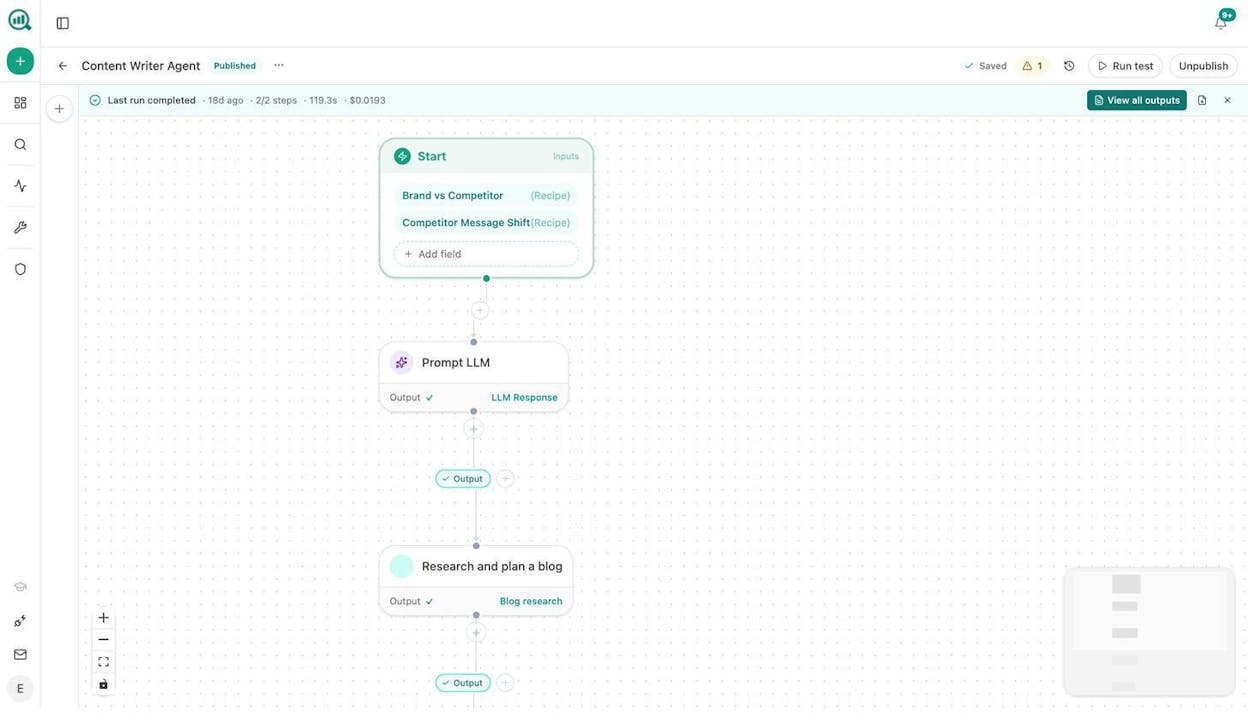
This is not a simple automation layer. It’s a programmable operations substrate that can run your entire content program. Here’s what teams actually build with it:
Content teams set up a brief-to-publish pipeline. A webhook fires when a content brief moves to “approved” in Notion. The agent runs research, generates an outline, produces a full draft with brand voice injected, scores the draft against an AEO content scorecard, and if it passes, publishes directly to WordPress. If it fails the quality gate, it messages the writer in Slack with the specific gaps to fix. No piece publishes without passing the gate.
Agencies build a single agent that generates Monday client briefing packs. It pulls the executive one-pager from Analyze AI, combines it with GSC top pages, AI visibility deltas, new backlinks, and competitor SERP movement, then formats it as a branded DOCX and emails it to each client’s account team. Every client, every Monday, zero manual work.
Marketing ops teams run a daily AI traffic surge alarm. Every 30 minutes, the agent checks real-time AI users. If the count spikes above a threshold, it messages Slack with the likely prompt that drove the traffic. That’s actionable intelligence you can act on within minutes.
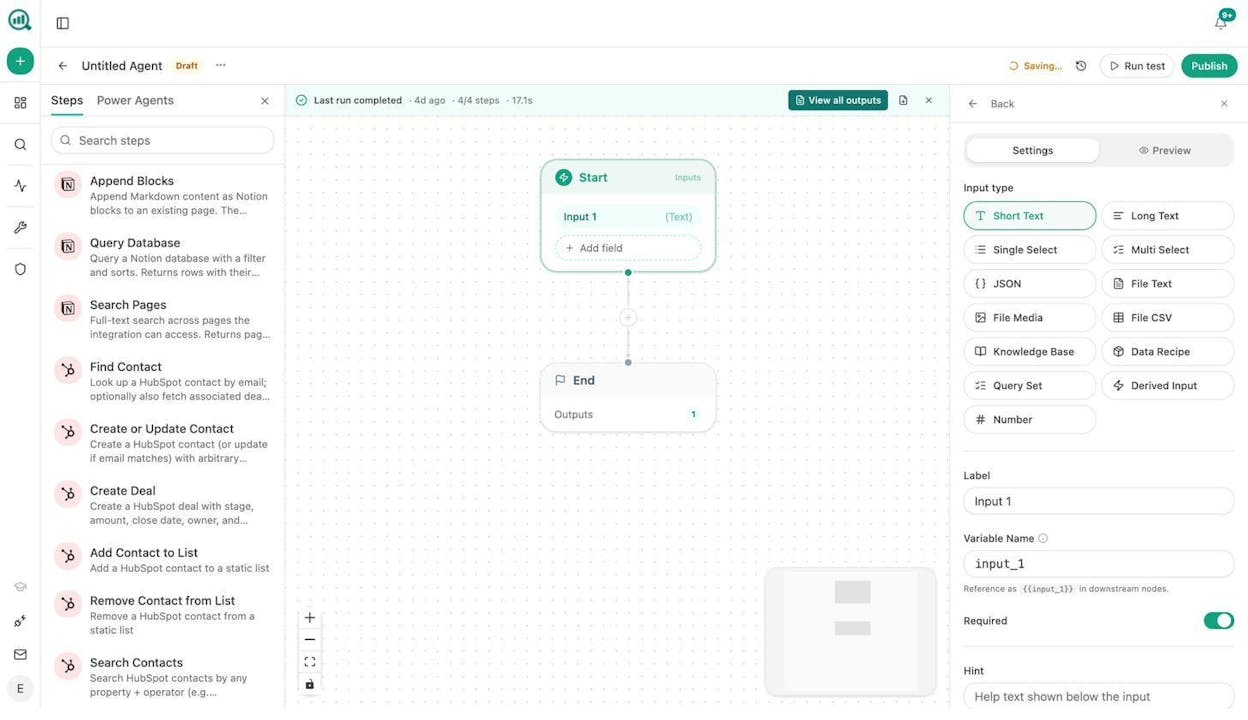
The key difference is that these agents don’t just move data around. They sit on top of your actual SEO, AI visibility, CRM, and content data. You don’t need a separate integration pass because the data is already in the room.
Track Whether Your Copy Shows Up in AI Search
After you write and optimize, Analyze AI closes the feedback loop that every other tool leaves open.
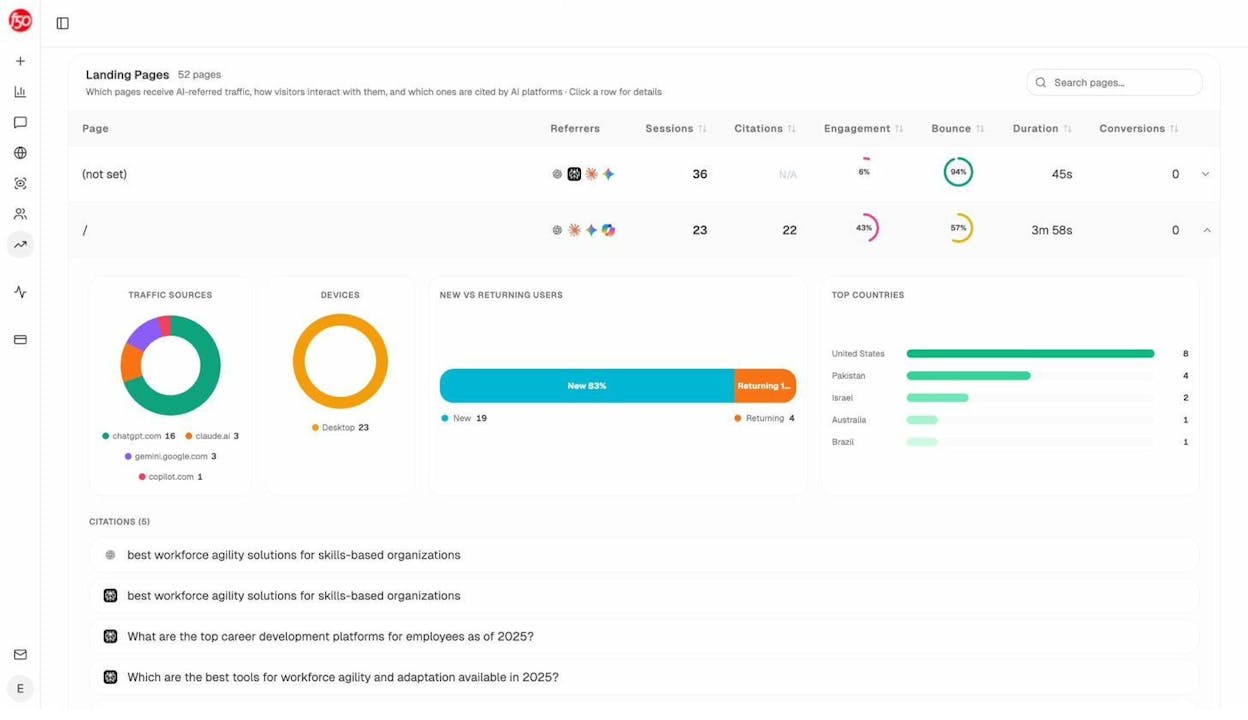
AI Traffic Analytics shows you exactly how many sessions come from ChatGPT, Perplexity, Gemini, Copilot, and Claude, and which pages those visitors land on.
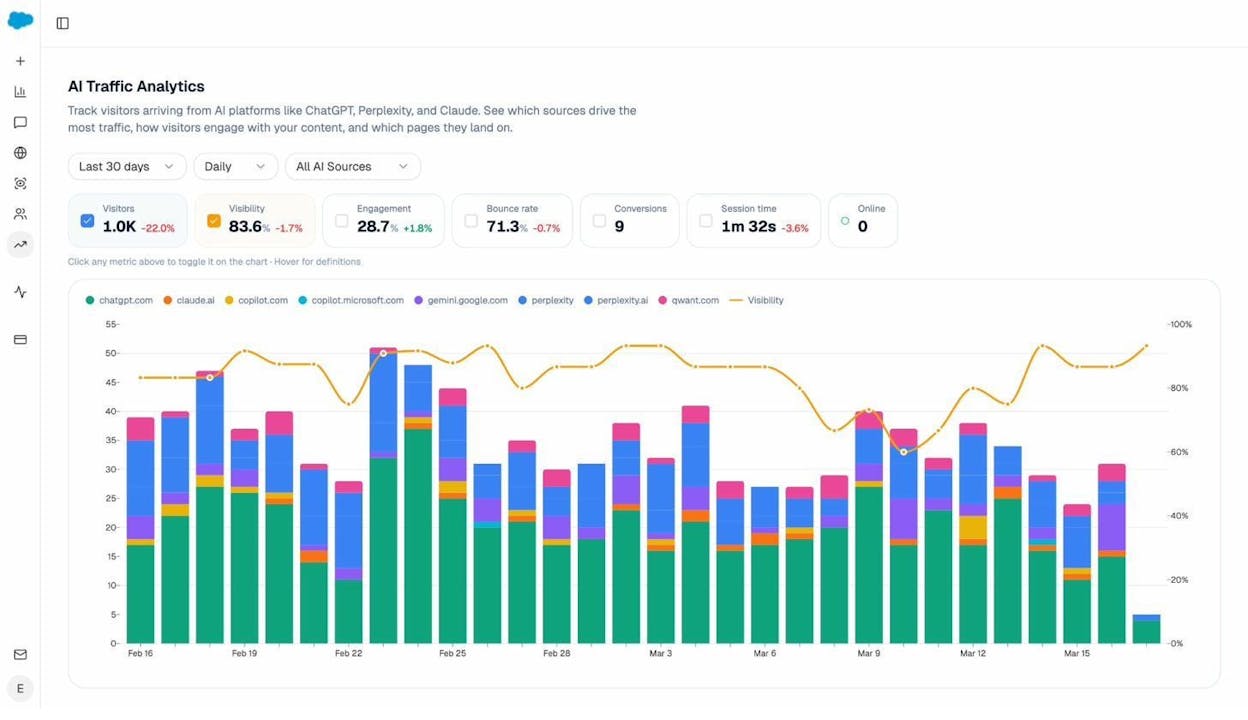
You can see which landing pages convert AI traffic and which don’t. When your product comparison page gets 50 sessions from Perplexity and converts at 12%, while an old blog post gets 40 sessions from ChatGPT with zero conversions, you know exactly where to invest.
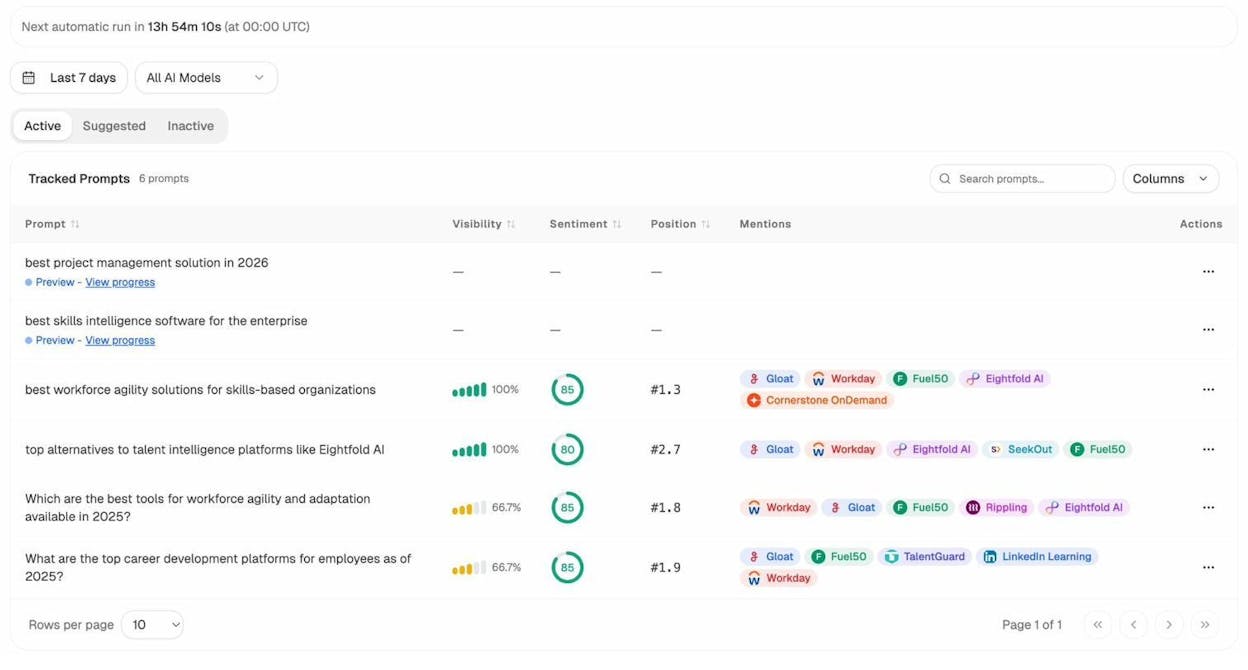
Prompt Tracking monitors the specific prompts buyers use across all major LLMs and shows your brand’s visibility, position, and sentiment for each one.
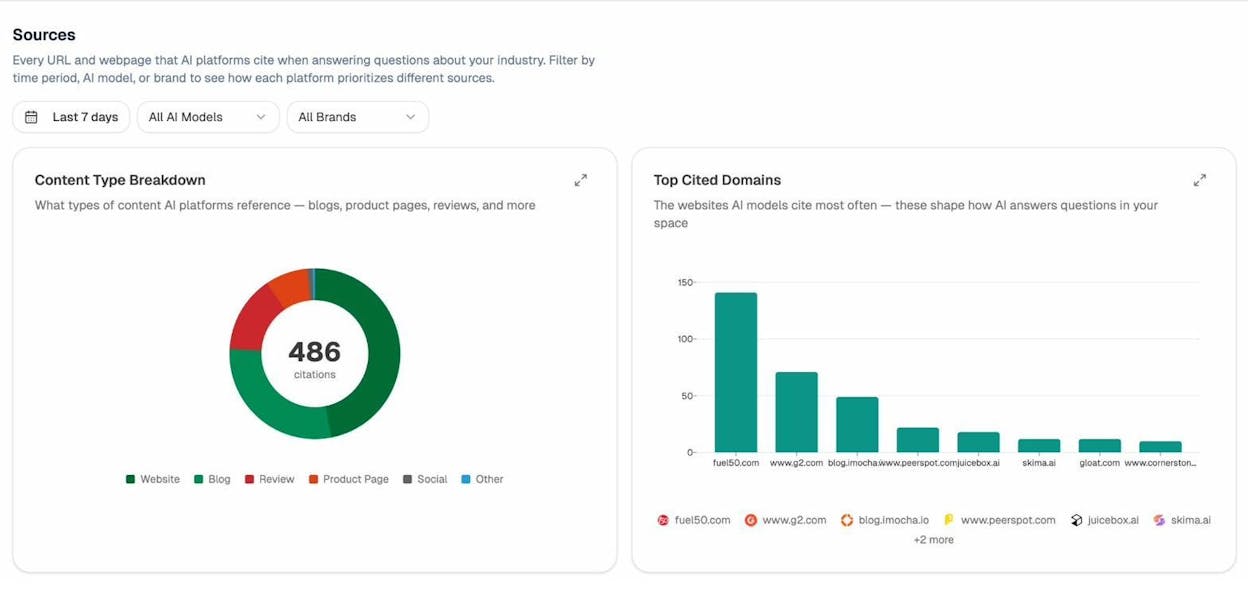
Citation Analytics reveals which domains and URLs AI models cite when answering questions in your category. Instead of generic link building, you target the specific sources that shape AI answers.
And Competitor Intelligence shows you exactly where competitors outrank you in AI responses, so you can prioritize the gaps that matter most.
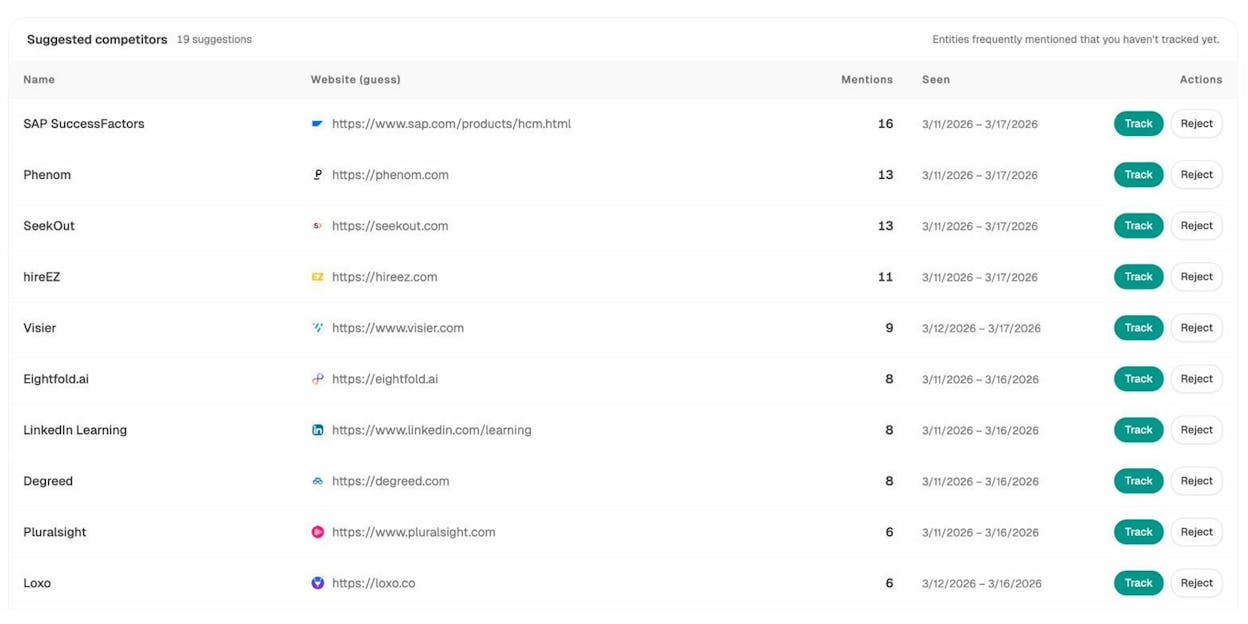
This is the complete loop. Write content that’s built to get cited. Optimize what’s underperforming. Automate the production pipeline. Then track whether any of it actually works in AI search. No other AI copywriting tool on this list does that.
How to Make Your AI Copy Work in Both Search and AI Engines
If you’re using any AI copywriting tool, here are three things you can do right now to make your content work harder.
Check which of your pages AI engines already cite. Most teams don’t know which of their content gets picked up by ChatGPT or Perplexity. Use Analyze AI’s AI Visibility Checker to run a free audit and see where you stand.
Write for the question, not just the keyword. AI engines pull content that directly answers user prompts. If your blog post targets “best CRM tools” but never directly answers “what is the best CRM for small businesses,” you’re leaving AI visibility on the table. Structure your content around the actual prompts buyers use. Analyze AI’s Prompt Discovery feature shows you exactly what those prompts are.
Track AI traffic separately from organic search. AI referral traffic behaves differently from Google traffic. The pages that convert AI visitors are often not the same pages that rank in traditional search. Set up AI Traffic Analytics so you can see the difference and optimize accordingly.
Which Tool Should You Actually Use?
If you need a quick first-draft engine for marketing copy across channels, Jasper or Copy.ai will save you time. If you need e-commerce product descriptions at scale, Copysmith is the most affordable option. If you want basic SEO checks built into your writing tool, Writesonic covers that.
But if you want a platform that writes content built to get cited, optimizes what’s underperforming, automates your entire content pipeline, and tracks whether any of it shows up in AI search, Analyze AI is the only tool on this list that handles the complete loop.
The brands winning in 2026 aren’t just writing faster. They’re writing content that compounds across every channel where buyers search, from Google to ChatGPT to Perplexity. That’s what an agentic SEO and content platform is built to do.
Start tracking your AI visibility for free or talk to the team to see how it works for your brand.

Ernest

Ibrahim


![50 GEO Statistics From Tracking 83,670 AI Citations [2026 Data]](/_next/image?url=https%3A%2F%2Fwww.datocms-assets.com%2F164164%2F1779314907-blobid0.png&w=3840&q=75)


