



Summarize this blog post with:


In this article, you’ll learn how to build a content plan that produces every piece with a clear purpose, a clear audience, and a clear path to ranking in Google and getting cited in AI assistants like ChatGPT, Perplexity, and Gemini. The plan covers six steps, and you can run it on a spreadsheet today.
Table of Contents
What is content planning?
Content planning is the process of deciding what you’ll publish, when, and why. A good plan keeps the team aligned and forces every piece of content to earn its slot.
The job has expanded a little in 2026. A piece of content used to need to rank in Google to be considered a win. Now it also has to get cited in AI assistants. Those are two different distribution channels with overlapping but not identical mechanics, and a modern content plan accounts for both. The good news is that the same content asset can do both jobs if you brief it correctly.
If you’ve heard people say AI search killed SEO and you don’t need a plan anymore, ignore that. Roughly 95% of Americans still use traditional search engines each month, and the brands showing up in AI answers are usually the same brands ranking on page one of Google. AI search is not a replacement for organic search. It’s an additional organic channel, and a content plan is how you get into both.
How to create a content plan
The process below is what we use at Analyze AI and what we recommend to teams running into the wall of “we publish a lot but nothing moves.” Six steps, in order.
Step 1. Document your content strategy in one page
Don’t start picking topics until you can answer four questions on one page:
|
Question |
Example answer (Analyze AI) |
|---|---|
|
Why are we creating content? |
To help marketing and SEO teams add AI search as an organic channel without abandoning what already works in Google. |
|
Who is it for? |
In-house marketers, SEOs, and founders running content programs at B2B SaaS and ecommerce companies. |
|
Where will we publish? |
The Analyze AI blog, because our buyers search for SEO and AI search topics in Google and ask the same questions to ChatGPT and Perplexity. |
|
What format? |
Long-form blog posts, plus a small set of free tools and data studies. |
Keep it boring. Keep it on one page. The point of writing it down is that every topic you consider later passes through this filter, and the filter only works if it’s specific.
If you don’t have one, start with our 10-step SEO content strategy guide and copy the framework.
Step 2. Find topic ideas from two sources
Most teams find topic ideas one of two ways. The first is “what’s getting attention right now,” which usually means scrolling LinkedIn, X, or YouTube. The second is keyword research. Spend 80% of your time on keyword research and the equivalent for AI search, which we’ll call prompt research.
Find SEO topic ideas from competitor top pages
The fastest way to find topics is to look at what’s already working for similar publishers. Pick three to five blogs that target your audience, and pull their top pages.
Here’s the workflow in a keyword tool:
-
Open a tool like Ahrefs, Semrush, or one of the free options in our keyword research tools list
-
Enter the competitor domain
-
Open the Top pages report and sort by estimated organic traffic
-
Export the top 50 pages
![[Screenshot of a competitor blog’s Top pages report sorted by traffic, with URL, top keyword, traffic, and KD columns visible]](https://www.datocms-assets.com/164164/1778177642-blobid1.png?auto=format,compress&w=1248&fit=max)
You now have 50 proven topics. Cross out anything off-strategy and keep the rest. Then take the keywords driving the most traffic and use them as seeds in a keyword tool’s matching terms or related terms report. This is where you go from 50 ideas to a few hundred.
![[Screenshot of a Matching terms report in a keyword research tool, with seed keyword highlighted and a list of related keywords with volume and KD]](https://www.datocms-assets.com/164164/1778177651-blobid2.png?auto=format,compress&w=1248&fit=max)
For a free starting point, our Keyword Generator tool gives you ideas for any seed keyword, and the SERP Checker lets you see what’s already ranking. For platform-specific seeds, we also have a YouTube keyword tool, Bing keyword tool, and Amazon keyword tool.
Find AI search topic ideas from prompts your competitors win
This is the part most content planning guides skip, and it’s where you get unfair leverage. Buyers don’t only type keywords into Google anymore. They also ask ChatGPT, Perplexity, Gemini, and Copilot full-sentence questions like “What are the best CRM platforms for B2B teams?” If a competitor is recommended in the answer and you aren’t, that prompt is a topic idea. If you publish content that earns a citation, you show up in the conversation buyers are already having.
To find these prompts in Analyze AI, open the Competitors dashboard. The Opportunities section lists prompts where named competitors are cited and your brand is not.
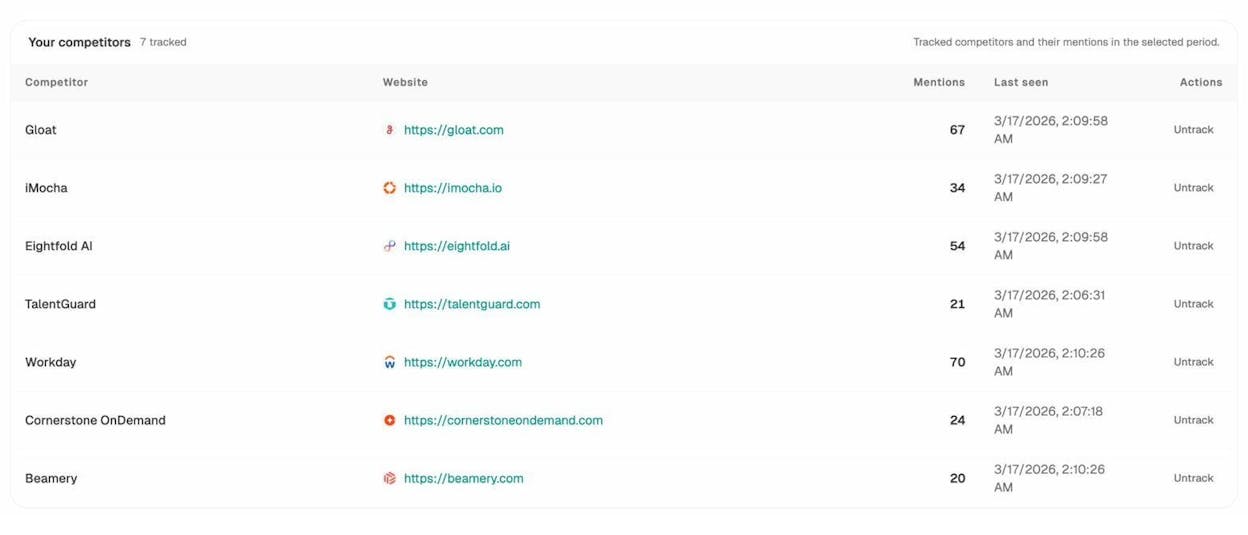
Each row is a prompt with content potential. You can also see exactly which pages AI assistants are pulling from when they answer these prompts. The Sources dashboard shows every URL cited across ChatGPT, Perplexity, Gemini, and Copilot for prompts in your space.
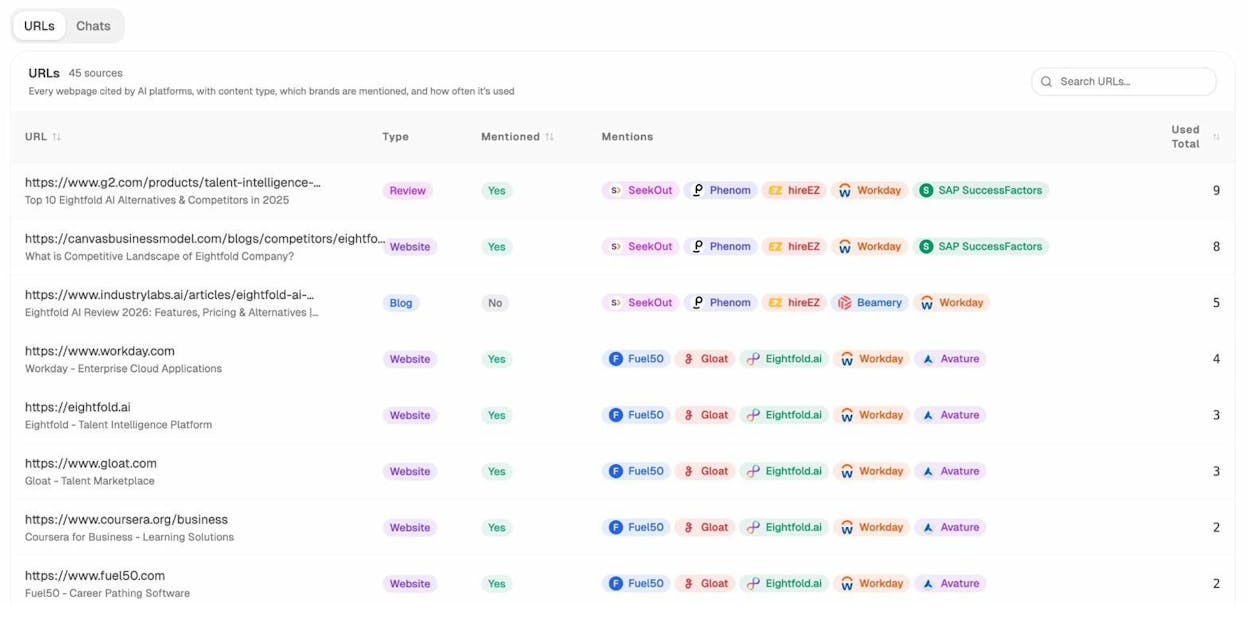
Treat this list like a competitor’s Top pages report. The URLs that get cited the most are the URLs winning AI search in your category, and the underlying topics belong in your idea pool. For one-off research, the AI Search Explorer lets you run any prompt across the major AI engines and see who gets cited.
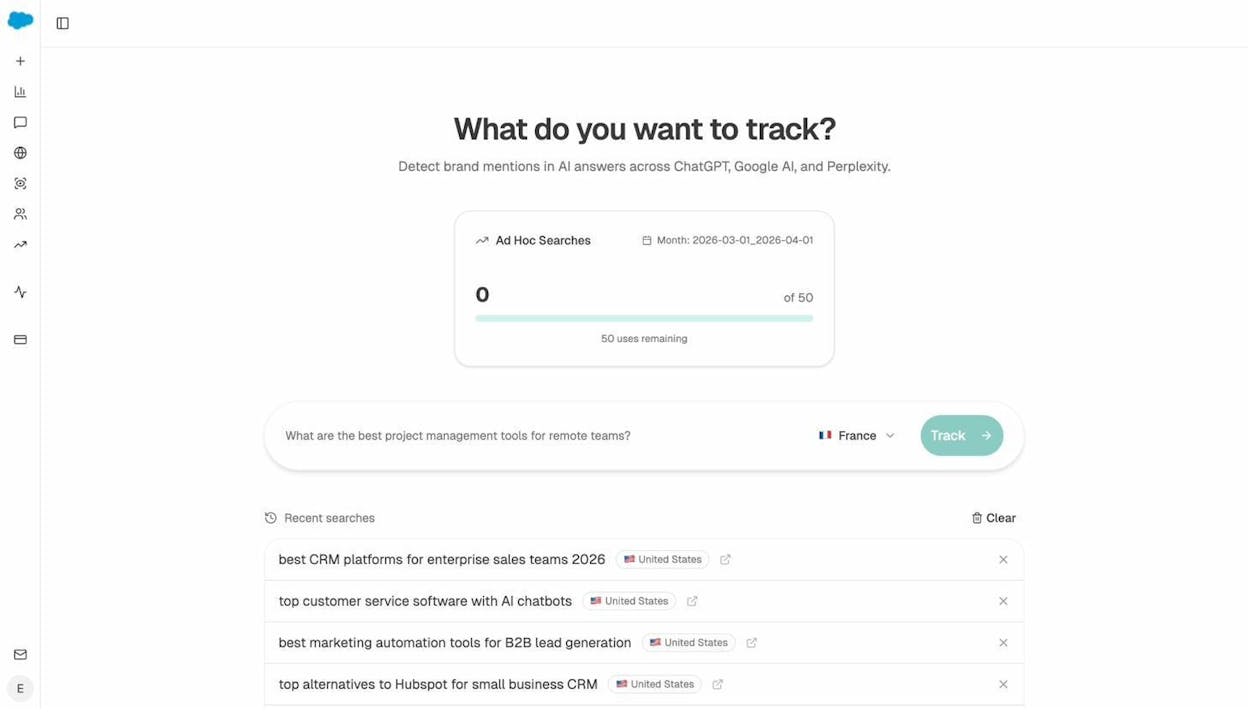
You should leave Step 2 with a list of 100 to 300 raw topic ideas. Most won’t make the cut. That’s the point of the next step.
Step 3. Score each topic on five dimensions
Not every topic deserves a slot. Score each one on five dimensions before you decide.
|
Dimension |
What it measures |
Where to find it |
|---|---|---|
|
Traffic potential |
Estimated monthly organic traffic if you rank #1 |
Top page traffic in any keyword tool |
|
Search intent |
What kind of content already ranks for the query |
Manually check the SERP, or our SERP Checker |
|
Business potential |
How easy it is to mention your product in the content |
Score 0 to 3 (your judgement) |
|
Keyword difficulty |
How hard it is to rank in Google |
KD score in any keyword tool, or our free Keyword Difficulty Checker |
|
AI citation potential |
How likely the topic is to surface in AI answers, and whether competitors already own it |
Analyze AI Competitors and Sources dashboards |
The first four are the standard SEO scorecard. Let’s focus on what they actually mean and add the fifth.
Traffic potential
Traffic potential is how much organic traffic the top-ranking page already gets. It’s a more honest signal than search volume because search volume tells you how many people search a keyword, not how many actually click. A keyword with 50,000 monthly searches and an AI Overview at the top might send 2,000 clicks to the #1 result. Look at the top page’s actual traffic.
Search intent
The fastest way to confirm intent is to look at the first page of Google. If the top results are listicles, your post should be a listicle. If they’re product pages, your blog post probably won’t rank no matter how good it is. The SERP is the verdict.
![[Screenshot of a Google SERP showing 8 of the top 10 results are list-style blog posts, indicating informational intent]](https://www.datocms-assets.com/164164/1778177663-blobid6.png?auto=format,compress&w=1248&fit=max)
Business potential
Business potential is the score that separates content that gets traffic from content that drives revenue. We use a 0 to 3 scale, the same one popularized by Tim Soulo at Ahrefs:
|
Score |
Meaning |
|---|---|
|
3 |
Your product is the central solution to the topic |
|
2 |
Your product is one of several solutions |
|
1 |
Your product is tangentially relevant |
|
0 |
Your product cannot be naturally mentioned |
For us, “best AI visibility tools” is a 3. “How to write a blog intro” is a 1. We still write 1s sometimes for distribution, but most of the calendar should be 2s and 3s. Otherwise the blog generates traffic that doesn’t move the business.
Keyword difficulty
Keyword difficulty estimates how many backlinks you’d realistically need to crack the first page. Most tools use a 0 to 100 score. New sites should hunt for KD under 20. Established sites can take on 30 to 50. Anything above 60 is a multi-quarter project, and you should know that going in.
AI citation potential
This is the dimension most planning guides ignore. A topic can have low search volume and still drive pipeline if it’s a query buyers ask AI assistants. It can also have high search volume but be cannibalized by AI Overviews, in which case the click-through rate is poor.
Score AI citation potential by checking two things. First, run the topic through the AI Search Explorer to see if AI engines return a useful answer. If they do, the topic is being asked. Second, check whether your competitors are already cited for it in your Competitors dashboard. If they are and you aren’t, the gap is your opportunity. The more competitors win it without you, the higher the priority.
Step 4. Prioritize with a color-coded sheet
Once every topic has scores, dump them in a spreadsheet and color-code the columns. Greener cells mean better scores. The greenest rows go to the top of the calendar.
![[Screenshot of a content prioritization spreadsheet with columns for Topic, TP, KD, BP, AI Citation Potential, all color-coded, sorted by composite score]](https://www.datocms-assets.com/164164/1778177665-blobid7.png?auto=format,compress&w=1248&fit=max)
We don’t use a weighted formula because the right weight depends on your goal. The point of the sheet is that you can eyeball it and see which topics are obviously good and which are obviously bad.
Adjust based on what you’re trying to do this quarter:
-
If the goal is brand awareness, weight traffic potential and AI citation potential
-
If the goal is pipeline, weight business potential and AI citation potential
-
If the goal is to rank fast, weight low KD and high traffic potential
-
If the goal is to defend market share in AI search, weight AI citation potential above everything else
Cluster while you’re at it. If three topics are basically the same query phrased differently, group them and write one comprehensive piece. The most-cited pages in AI search tend to be the ones that comprehensively cover an entity, not the ones with the highest keyword density. Read our guide on the four pillars of an SEO strategy for AI search for more on why entity-level coverage wins.
Step 5. Schedule on a calendar (and protect time for refreshes)
A content calendar is just a list of topics with publish dates and owners. It can live in Notion, Asana, ClickUp, Airtable, or a plain Google Sheet. The tool doesn’t matter. What matters is that every Monday you can answer two questions about what’s publishing this week and what’s publishing next week.
![[Screenshot of a content calendar in a project management tool, with topics, due dates, status columns, and assigned writers]](https://www.datocms-assets.com/164164/1778177671-blobid8.png?auto=format,compress&w=1248&fit=max)
Two scheduling rules that are usually missing from content plans:
Rule 1. Don’t fill the calendar more than four to six weeks out. Topic priorities shift. A competitor publishes something. An AI engine starts citing a different page. A product launch changes business potential scores. If you’ve already assigned 12 weeks of topics, every shift means rework.
Rule 2. Block 20% of the calendar for refreshes. A page that ranked #3 in March can drift to #8 by August because three competitors updated their versions and you didn’t. The same is true for AI citations.
In Analyze AI, the Content Optimizer surfaces pages with declining traffic so you know which ones to refresh first.
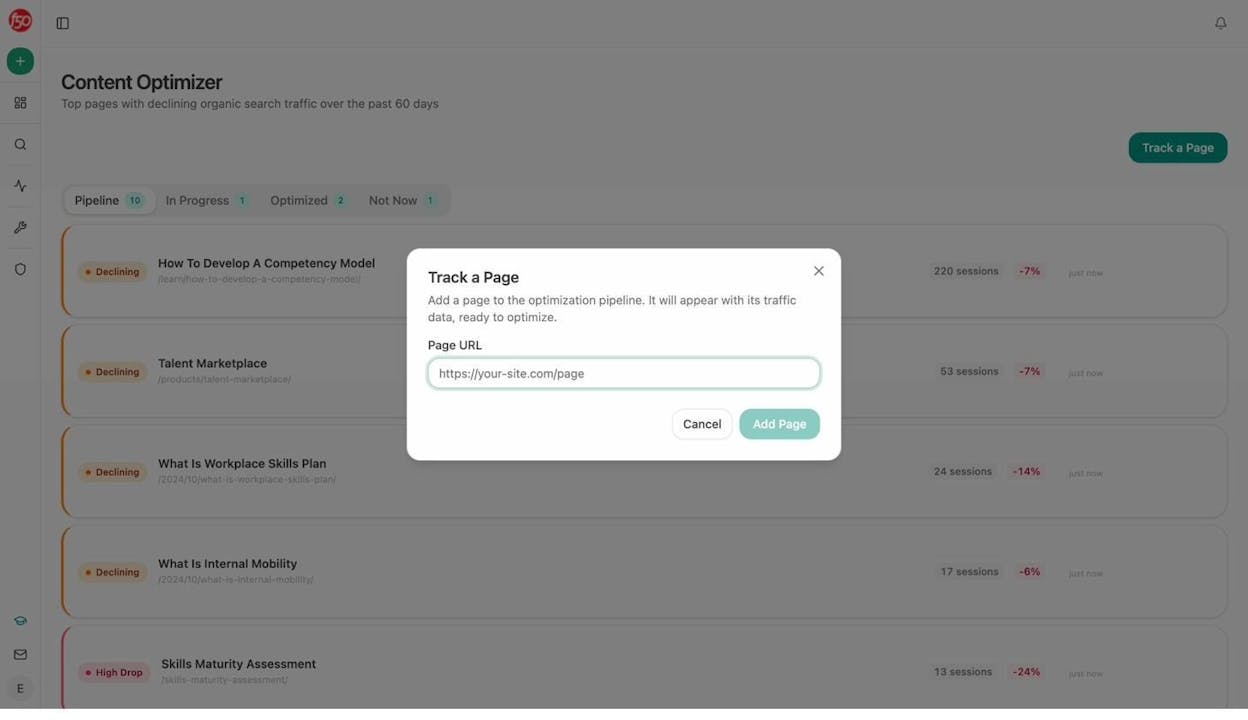
Once you pick a page to refresh, the optimizer pulls the existing content and the strategist agent leaves comments showing exactly which gaps to fix and which AI search angles to add.
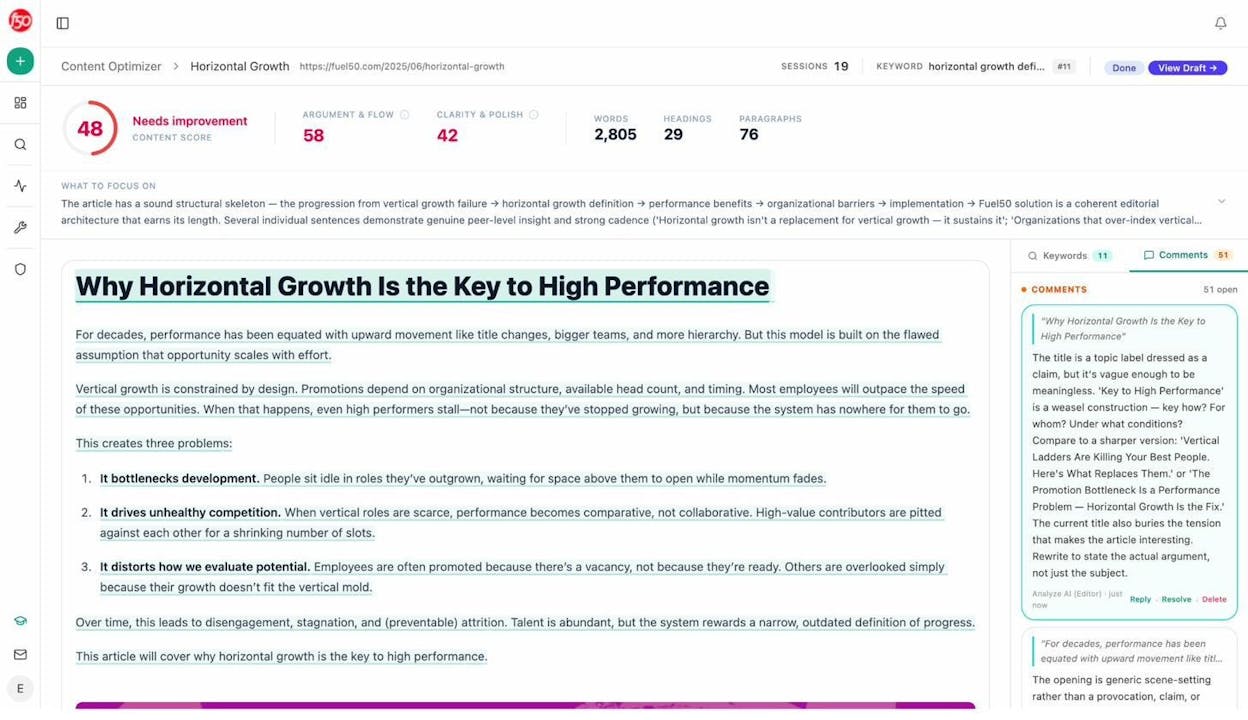
Refreshes generally cost less than new pieces and produce faster lifts. Animalz’ research on content refreshing covers the broader case for why this works. The same logic applies to staying cited in AI engines. Refreshed pages signal recency, and recency is a meaningful AI ranking factor for time-sensitive queries.
Step 6. Brief and assign each topic
Most content plans fall apart at this step because the topic gets handed to a writer with a one-line title and a vague link to the keyword. The writer Googles the topic, reads three competitor articles, and produces a fourth competitor article. Nothing original gets added.
The fix is the brief. Every topic should ship with:
-
The exact target query (search keyword and AI prompt variants)
-
The reader’s job-to-be-done in one sentence
-
The thesis the article should argue
-
Three competitor articles already ranking, with notes on what’s missing in each
-
Specific data, quotes, or product details only your team has access to
-
Internal link targets and suggested external sources
-
A clear call-to-action that maps to business potential
If you can’t write that brief in 30 minutes, you don’t understand the topic well enough to assign it yet. Push it back to research.
In Analyze AI, the Content Writer agent runs that research for you. Add the topic, and the agent pulls competitor articles, identifies AI search gaps, and produces a research document with comments showing the strategic angle for each section.
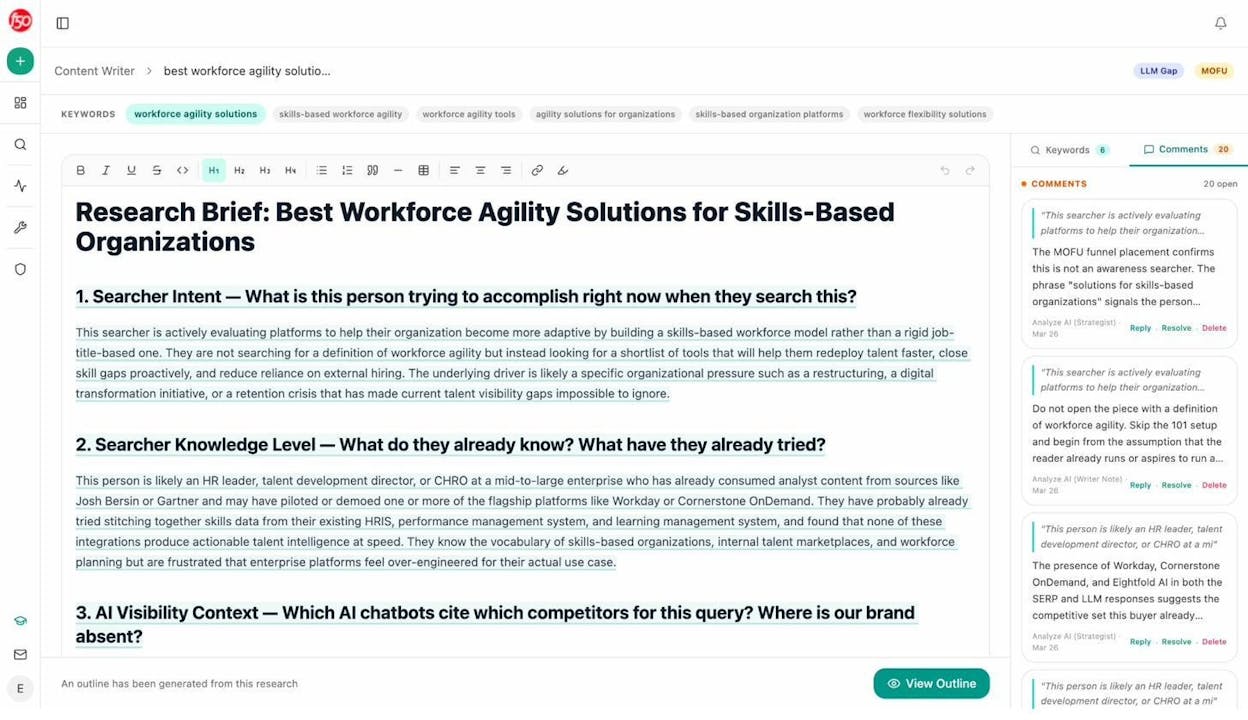
It then turns the research into an outline you (or your editor) approve before drafting begins.
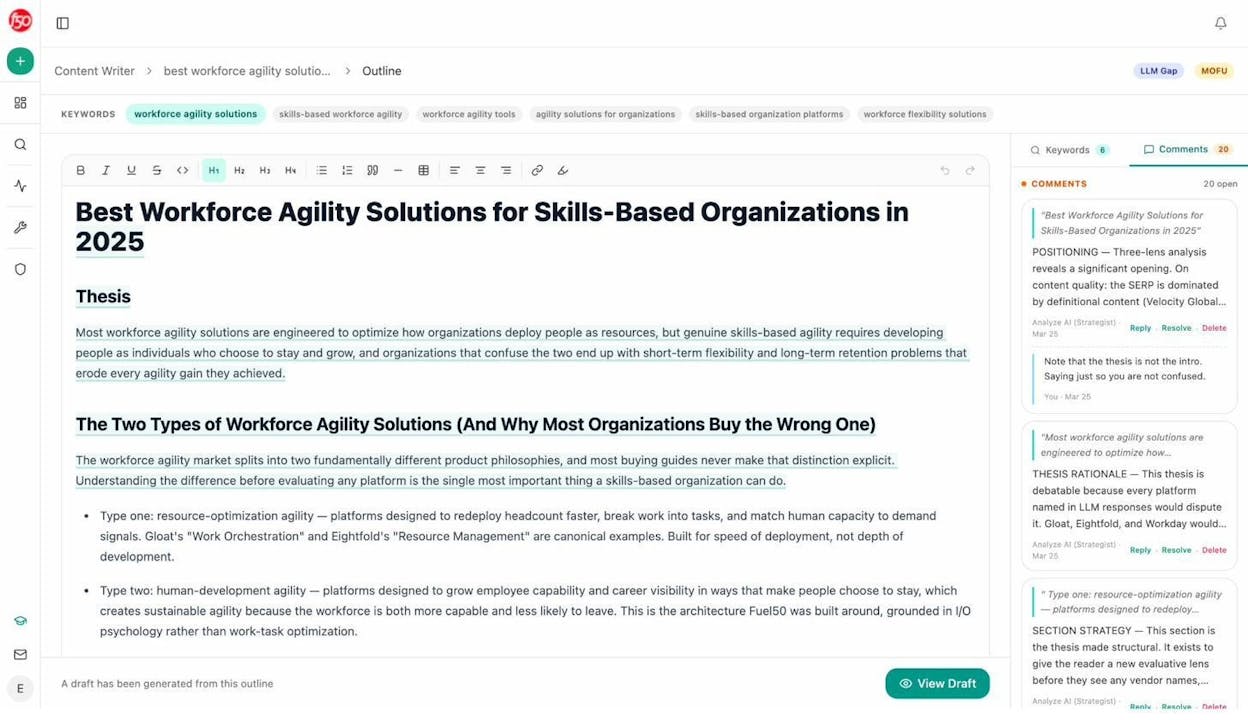
Whether you use an agent or a junior strategist, the principle is the same. Writers get briefs, not titles. Once the brief is ready, assign with a due date and make sure the writer knows who handles editing, image production, and publishing, and the SLA for each. Without that workflow, articles ship late or not at all.
A bonus step. Track what gets cited and double down
Most plans stop at “publish.” That’s a mistake. Two weeks after a piece goes live, you should know whether it earned the SEO ranking and the AI citations you targeted, and whether to invest more in similar topics.
The AI Traffic Analytics view shows every page receiving AI-referred traffic, the AI engines sending it, and the prompts that triggered the citation.
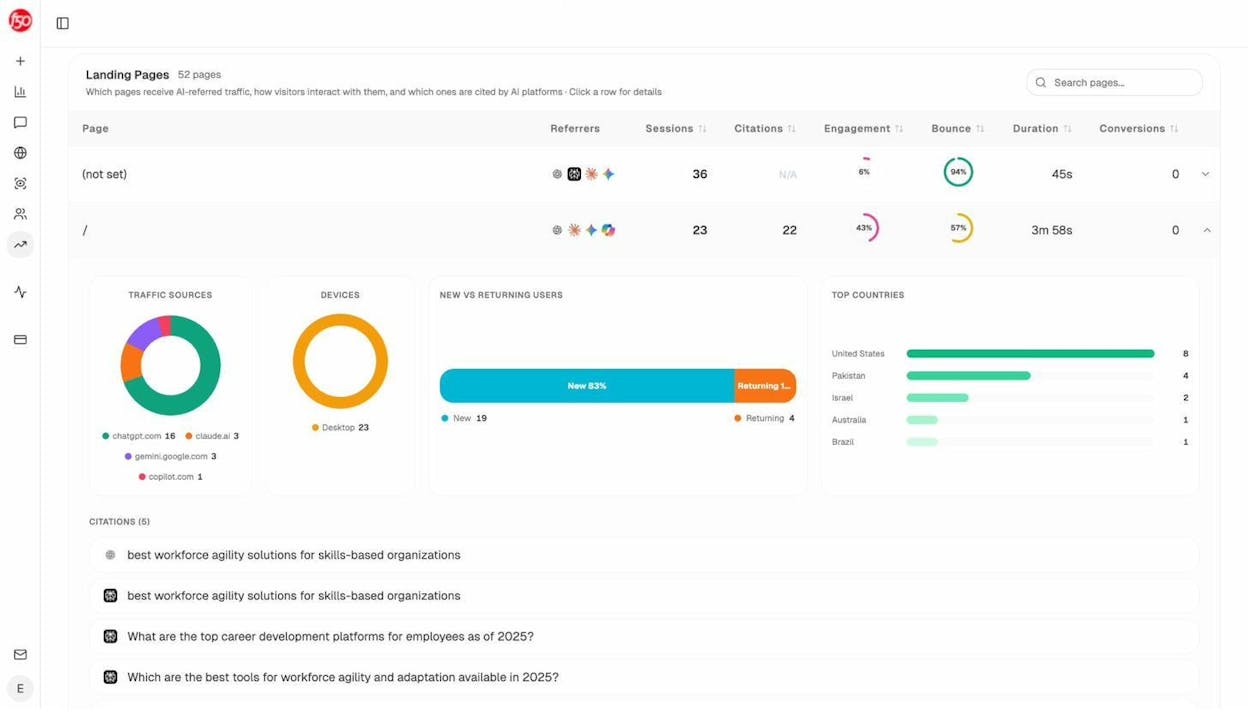
The pattern that emerges over a few months is a useful input for your next planning cycle. Pages that earn citations from multiple prompts indicate topic clusters worth expanding. Pages that get traffic but no citations indicate AI search gaps worth fixing in a refresh. The Weekly Email Digest surfaces these changes automatically and makes a good input to your weekly content meeting.
A simple content plan template
If you want a starting point, copy this structure into a Google Sheet:
|
Tab |
Purpose |
|---|---|
|
Strategy |
Why, who, where, what (one page) |
|
Topic backlog |
All topic ideas with the five scores |
|
Calendar |
Topics scheduled with dates, owners, status |
|
Refresh queue |
Existing pages flagged for updates |
|
Performance |
Rankings, traffic, AI citations per piece |
Update the backlog every two weeks, the calendar every Monday, and the refresh queue and performance tabs monthly. That rhythm keeps the plan alive instead of becoming a document nobody opens.
What to do this week
Pick one. Don’t try to do all six steps in a day.
-
If you don’t have a strategy yet: spend 30 minutes filling out the four-question table in Step 1 and share it with your team.
-
If you have a strategy but no topic list: run Steps 2 and 3 on five competitor domains and produce a backlog of 100 ideas with scores.
-
If your backlog is full but execution is broken: move to Steps 5 and 6, protect 20% of your calendar for refreshes, and write a brief for every assignment.
The plan compounds the longer you stick with it. By month three, the topics you score highest on AI citation potential start showing up in ChatGPT and Perplexity answers, and the calendar runs without weekly rebuilds. Pair this planning workflow with our 10-step SEO content strategy guide for the writing-side process.

Ernest

Ibrahim


