



Summarize this blog post with:


In this article, you’ll learn how to write meta descriptions that earn clicks from both Google and AI search engines, how to find and fix weak ones across your site, and how to know when they’re actually doing their job.
Table of Contents
What a meta description is (and what it isn’t)
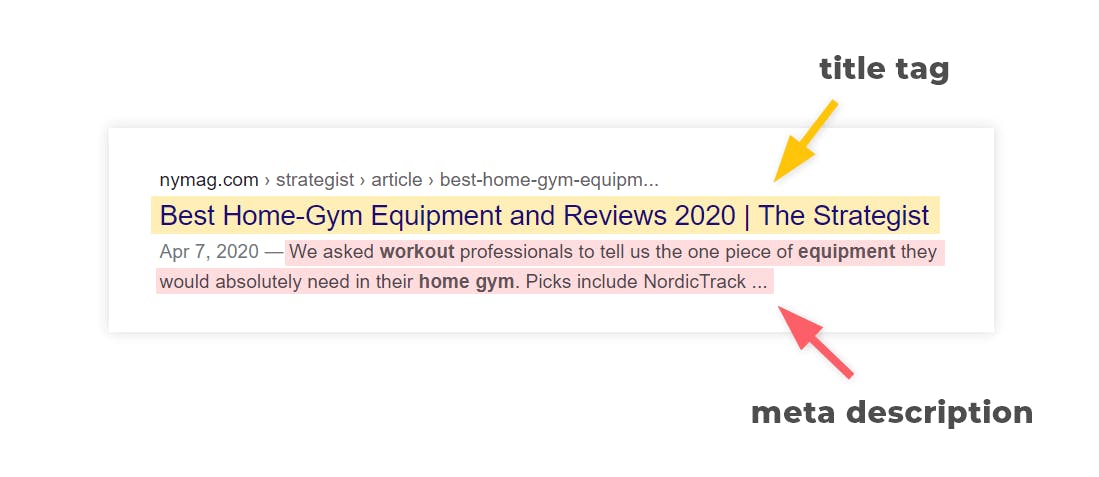
A meta description is an HTML attribute that summarizes what a page is about. Search engines may use it as the snippet that appears under the page title in the results.
Here’s what the code looks like:
<meta name="description" content="Track how AI search engines portray your brand, which prompts you appear on, and where competitors win, so visibility compounds across ChatGPT, Perplexity, and Gemini.">
A meta description is not a ranking factor. Google has confirmed this directly and has done so for years. It will not move you up the rankings, and stuffing it with keywords will not help.
What it does affect is whether the people who already see your listing decide to click on it. That is a different problem, and a more interesting one.
It’s also worth distinguishing the meta description from the meta keywords tag, which has been deprecated for SEO purposes for over a decade and should be ignored.
Why meta descriptions still matter
There are three reasons to keep caring about meta descriptions, even when Google rewrites most of them.
They influence click-through rate when they do show up. Ahrefs found that Google displays the hardcoded meta description about 37% of the time on desktop. If a page gets 50,000 impressions in a month, your written description is shown for around 18,500 of them. Lifting click-through rate from 4% to 4.5% on those impressions adds about 90 extra clicks. Across a large site, that math gets serious quickly.
They double as the social media preview. When someone shares your page on LinkedIn, X, Facebook, or in Slack, the platform pulls the description from your Open Graph tags. If you haven’t set an og:description, it falls back to the meta description. So if you only have time to write one, write the meta description.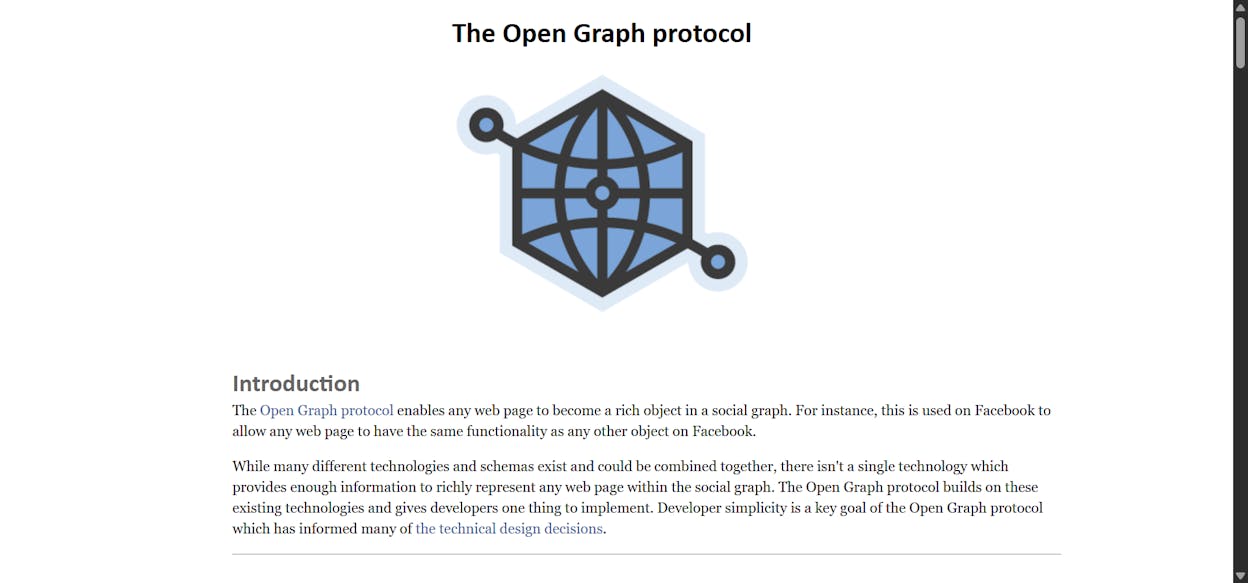
They show up in AI search results too. When ChatGPT, Perplexity, or Gemini cite a page, the citation often includes a short snippet that the engine pulls from the page itself. Sometimes that snippet is the meta description, sometimes it’s the first paragraph, and sometimes it’s a sentence the model picked from the body. A clean, accurate meta description gives the engine an easier surface to summarize from, which makes it more likely to show your page in a way you’d actually want to be shown.
AI engines do not click on results the way humans do. They read pages, weigh sources, and synthesize. But they still rely on the same on-page signals search engines use to understand what a page is about, and the meta description is one of those signals. If your description is a vague string of keywords, you’ve made the model’s job harder. If it states what the page covers in plain language, you’ve made it easier. Our guide on answer engine optimization covers this in more depth.
How to write a meta description
The process below works for blog posts, product pages, category pages, and homepages alike. Six steps.
-
Start with search intent
-
Lead with a verb, not a noun
-
Promise a specific outcome
-
Stay within the visible length
-
Add one piece of proof or specificity
-
Deploy it correctly
1. Start with search intent
Search intent is the reason behind a query. Before you write a single word, you need to know what the searcher actually wants.
Look at the current top results for your target keyword. Read the snippets. The patterns are usually obvious.
For a query like “what is a meta description,” nearly every top result opens with a definition. So lead your description with a definition.
For a query like “how to tie a tie,” the snippets talk about specific knots and step-by-step instructions. So your description should signal that you cover both.
For a mixed-intent query like “standing desk,” the SERP shows a blend of product pages and review articles. Pick the angle that matches your page type, not the one that looks most popular overall.
The fastest way to do this audit is to drop the keyword into a SERP checker and read the descriptions of the top ten results.
![[Description of the screenshot to use: Google SERP for the target keyword, showing the snippets of the top 5 results with a highlight box around the descriptions]](https://www.datocms-assets.com/164164/1777925349-blobid3.png?auto=format,compress&w=1248&fit=max)
2. Lead with a verb, not a noun
Active voice reads faster, and the first word does most of the work. Starting with a verb that puts the searcher in the action makes the description feel like a promise of what they’re about to get.
Compare these two for an article on broken link checkers:
Run a free check on any website to find broken internal and external links in seconds. No signup required.
Broken link checking is a process that helps website owners identify links that no longer work on their pages.
The first one earns the click. The second one tries to define a category and forgets there’s a person on the other side.
Definition-style descriptions are the one exception. For a query that wants a definition, leading with the noun is fine because that’s what the searcher is scanning for.
3. Promise a specific outcome
Generic benefits are forgettable. Specific outcomes are not.
“Improve your conversion rate” is a generic benefit. “Add 30 seconds of testimonial video to your checkout page to lift conversions by 12%” is a specific outcome. Even if your description has to be shorter, the principle holds. Give the reader something concrete to hold onto.
The cleanest way to do this is to fill in three blanks before you start writing:
-
What is the reader trying to do?
-
What will they walk away with after reading the page?
-
What proof, number, or angle makes your version better than the other nine results?
Once you have those three answers, the description writes itself.
4. Stay within the visible length
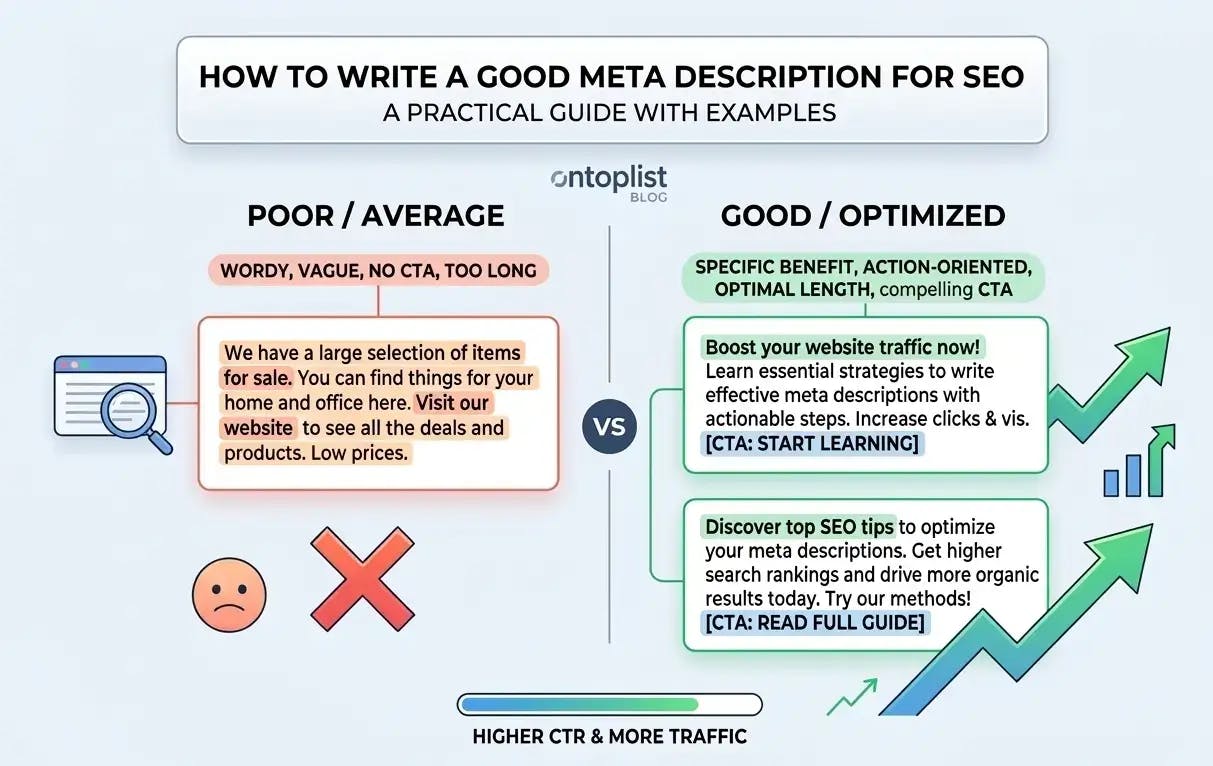
Google truncates descriptions that go past a certain pixel width, not a strict character count. The practical limits are about 155 to 160 characters on desktop and around 120 characters on mobile.
|
Display surface |
Approximate visible length |
|---|---|
|
Google desktop |
920px, ~155-160 characters |
|
Google mobile |
680px, ~120 characters |
|
Open Graph (social) |
200 characters before truncation on most platforms |
|
AI search citation snippet |
Variable, often 100-180 characters |
The safest play is to load the most important information into the first 120 characters, then let the rest add color for desktop users. If a mobile user only sees the first sentence, they should still get the point.
Most CMS platforms have a length indicator built in. If yours doesn’t, the Free AI Meta Description Generator will draft and constrain the length for you.
5. Add one piece of proof or specificity
This is the step most people skip, and it’s the one that separates a forgettable description from one that wins the click.
Pick one of these and work it into the description:
-
A number (“12 free templates,” “5 steps,” “tested on 65,000 prompts”)
-
A timeframe (“in under 10 minutes,” “by next Monday”)
-
A name people recognize (“used by HubSpot, Notion, and Asana”)
-
A negative (“no signup, no credit card”)
-
A USP (“the only tool that tracks Perplexity citations alongside GA4 traffic”)
You only need one. Pick the one that’s most relevant to the searcher and the page.
6. Deploy it correctly
If you use a CMS, this is a one-field job. WordPress with Yoast or RankMath, Webflow, Shopify, Wix, Squarespace, and Framer all have a dedicated meta description field in the page settings.
If you’re editing the HTML directly, paste the tag into the <head>:
<meta name="description" content="Your description here.">
One thing to watch for. If the description itself contains a quotation mark, it will break the tag. Use the HTML entity " instead:
<meta name="description" content="The "build in public" movement is reshaping how startups market themselves.">
CMS platforms usually handle this escaping for you. Direct HTML edits do not.
Common meta description mistakes (and how to fix them)
Most weak meta descriptions fail in one of a small number of ways. Here’s a table you can run your existing pages against.
|
The mistake |
What to do instead |
|---|---|
|
Repeating the page title verbatim |
Treat the description as an expansion, not a restatement. The title is the topic. The description is the angle, the proof, and the reason to click. |
|
Stuffing the target keyword two or three times |
Use the keyword once, naturally. Search engines do not reward repetition, and human readers find it grating. |
|
Promising something the page doesn’t deliver |
Write the description after the page is finished, not before. The description should reflect the actual content, not the content you wished you’d written. |
|
Writing in passive voice (“is used by,” “was created to”) |
Lead with an active verb that addresses the searcher. |
|
Going long for desktop and ignoring mobile |
Get to the point in the first 120 characters. Treat anything past that as a bonus. |
|
Leaving the description blank on a page that gets traffic |
Even a rough description beats nothing. Google is more likely to use what you wrote than to invent something flattering. |
|
Generic CTAs (“learn more,” “click here”) |
Replace with what they’ll actually get on the page. “See the 12 templates” beats “learn more.” |
If you’ve shipped meta descriptions for a few years, you’ll find at least three of these on your own site. That’s normal. The next section is about finding them.
How to find and fix weak meta descriptions across your site
You should not audit every page on your site. Most pages do not get enough traffic for the meta description to matter. The fastest path is to find the pages that already get search visibility and audit those first.
There are two angles to prioritize from. Pages that get organic search traffic, and pages that get cited or visited from AI search. Both deserve a strong meta description, for slightly different reasons.
Find the pages that already earn search traffic
Start with the highest-traffic pages on your site. These are the ones where a small click-through rate lift compounds into real volume.
If you use Google Search Console, sort the Performance report by impressions, then look at the pages with high impressions and a CTR below the SERP average for their position. Those are the pages where the meta description is most likely losing you clicks.
If you don’t have Search Console set up, the Website Traffic Checker gives you a quick view of estimated organic traffic by page.
For a structured audit, use a site crawler that exposes meta description and meta description length as columns. Sort by traffic, scan the descriptions, and flag the ones that are missing, truncated, duplicated across multiple pages, or just weak.
![[Description of the screenshot to use: Google Search Console performance report sorted by impressions, with a column for CTR highlighted, showing pages with high impressions and below-average CTR]](https://www.datocms-assets.com/164164/1777925355-blobid5.png?auto=format,compress&w=1248&fit=max)
Find the pages that already earn AI search visibility
This is the part most meta description guides skip, because it’s new.
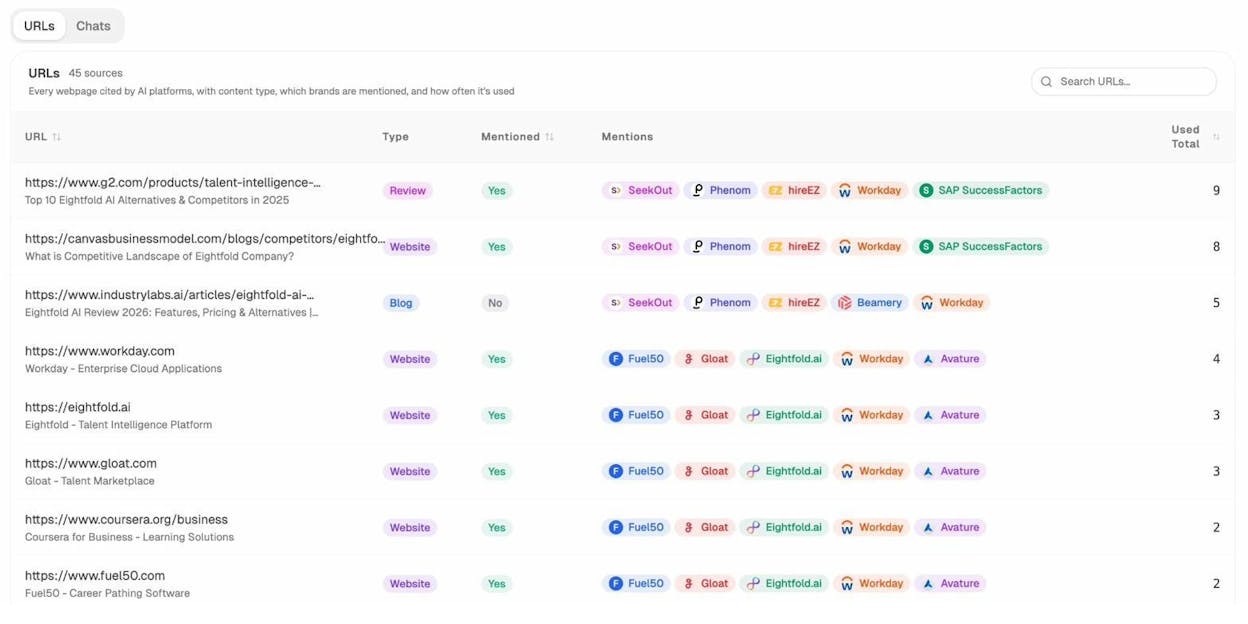
Pages that get cited by ChatGPT, Perplexity, or Gemini are doing the same job a strong organic ranking does. They put your brand in front of buyers who are actively researching. The meta description on those pages still matters, because the engine often pulls a snippet from the page when it presents the citation.
Analyze AI’s Citation Analytics shows every URL on your site that AI engines have cited, which engines cited it, and how often. The same pages keep showing up across queries. Those are the ones to audit first.
The same logic applies to pages that already pull AI traffic. The Landing Pages report inside AI Traffic Analytics lists every page receiving visits from ChatGPT, Claude, Perplexity, and the other major engines, with sessions, citations, engagement, and bounce rate.
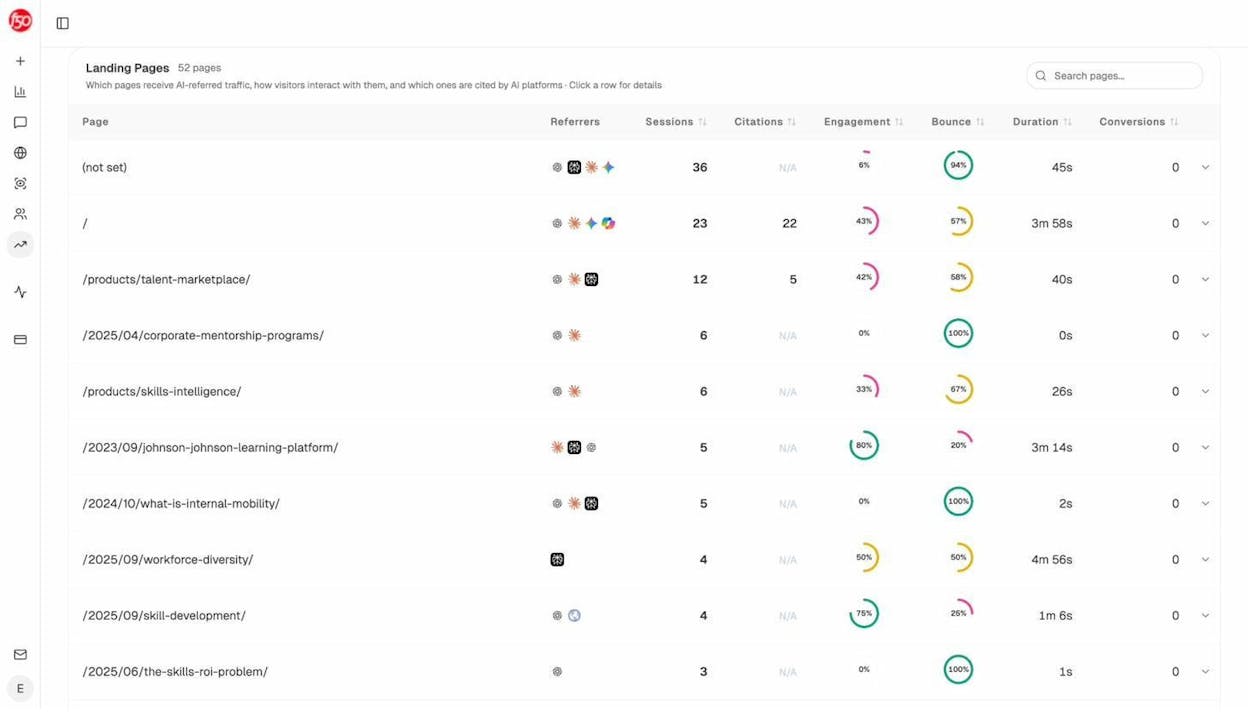
Pages on this list that have a vague or missing description are the highest-leverage rewrite candidates. They’re already getting attention from AI engines. A clearer description gives those engines a cleaner summary to surface, and gives the human visitor a reason to read past the first paragraph.
Refresh the descriptions in batches
Once you have a list of pages, batch the rewrites. Doing them one at a time is slow and produces inconsistent voice.
If you want a faster starting point, the AI Content Optimizer inside Analyze AI surfaces the pages on your site with declining traffic, scores them, and suggests rewrites that include the meta description.
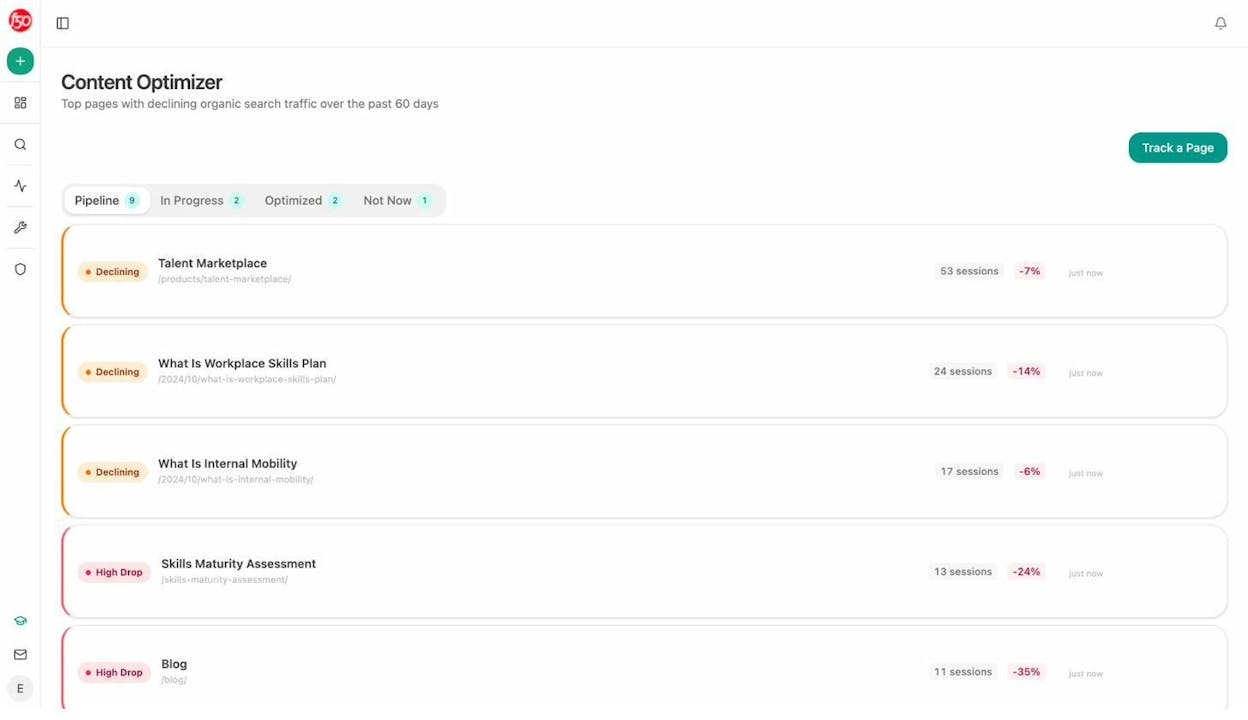
Whichever route you take, treat the rewrite as a small project, not a one-off. Plan a hundred at a time, draft them in a sheet, get a second pair of eyes on them, and ship them in a single push.
How to know if your meta descriptions are working
There are three signals worth tracking, and you don’t need a complicated dashboard to track them.
Click-through rate in Google Search Console. Look at the page-level CTR before and after a rewrite. Compare it to the SERP-position-adjusted average. If you’ve moved the description from generic to specific, you should see a small but measurable lift within four to six weeks. Position drift will muddy the data, so make the comparison position-by-position where you can.
Social referral traffic. If the meta description is also serving as your Open Graph fallback, a sharper rewrite can lift clicks from LinkedIn, X, and Slack shares. The lift is usually small but real, and it compounds across every share.
AI search visibility and traffic. Track which of your pages are being cited by AI engines and how that changes after a rewrite. The number you care about is not just total citations, it’s whether the snippet that gets shown alongside the citation reads well. Analyze AI’s Prompt Tracking and AI Traffic Analytics together show the prompt, the citing engine, the snippet shown, and the resulting page traffic.
You won’t see every meta description rewrite drive a giant jump. Most will not. But the cumulative effect across a hundred pages is significant, especially as Google rewrites less and AI search drives more.
Four examples worth stealing from
The best way to internalize the principles above is to read good descriptions and notice what they’re doing.
Healthline (informational query)
Glycine is an amino acid that plays a role in your body’s production of protein. Find out how it could improve your sleep, mental health, and more.
It opens with a definition because the searcher wants one. It promises three specific benefits. It’s exactly long enough.
Patagonia (ecommerce query)
Shop the Patagonia sale on outdoor gear and clothing. We donate 1% of sales to environmental nonprofits, so every purchase supports the planet.
The first sentence confirms what the searcher came for. The second sentence is a USP that almost no other apparel brand can claim.
Shopify (homepage / brand query)
Start your business with Shopify. Build, manage, and scale your store with the platform millions of merchants trust. Free trial, no credit card required.
Three verbs in a row, a credibility marker, and a friction-removing CTA. Everything you’d want from a homepage description.
Stripe (technical query)
Stripe is a suite of APIs powering online payment processing for internet businesses of all sizes. Accept payments and scale faster.
Definition-led because the audience is searching for one, then a benefit aimed at developers and founders. Restrained, accurate, and useful.
The pattern is the same across all four. They lead with a verb or definition that matches intent, they promise something specific, and they include one piece of proof or distinction. Nothing fancy. Just disciplined writing.
Final thoughts
Meta descriptions are one of the smaller levers in an SEO content strategy, but they remain one of the few you fully control. Google can rewrite them, AI engines can paraphrase them, but the version you ship is still the version everyone starts from.
Write each one with the searcher in mind. Audit the ones you’ve already shipped. Keep an eye on whether they’re earning clicks in Google and clean snippets in AI search. The rest takes care of itself.
If you’d like a faster way to draft them, our Free AI Meta Description Generator handles the length and tone constraints automatically. And if you want to see which of your pages are already showing up in AI search and could benefit from a rewrite, that’s exactly what AI Traffic Analytics was built for.

Ernest

Ibrahim


