



Summarize this blog post with:


In this article, you’ll learn which no-code marketing automation tools are worth your budget, what each one does well (and where it falls short), and how to pick the right one for your team’s actual workflows. You’ll also see where AI search optimization fits into the picture, because the tools that connect automation to real visibility data are pulling ahead of the ones that just chain apps together.
Table of Contents
What is a no-code marketing automation tool?
A no-code marketing automation tool is a platform that lets you build marketing workflows without writing code. Instead of hiring a developer to connect your CMS, email platform, analytics, and content pipeline, you use a visual interface to wire those systems together. The platform handles the code. You handle the strategy.
These tools range from simple trigger-and-action platforms (like connecting a form submission to a Slack notification) to full agentic platforms where LLMs reason through multi-step processes. Think scheduled content audits that run every Monday, keyword research that feeds directly into briefs, or competitive reports that land in your inbox before your morning standup.
The no-code space has evolved fast. It started with “connect App A to App B.” Now the best platforms let you build agents that research, write, optimize, and distribute content on a schedule, all without engineering involvement.
What to look for in a no-code marketing automation tool
Not every tool on this list solves the same problem. Before you commit, evaluate these five things.
Built-in AI capabilities. Some tools have LLMs embedded in the core product, where AI can reason through steps, generate content, or analyze data inside your workflow. Others give you an HTTP node and expect you to bring your own API key. If AI-driven marketing matters to you, that difference is significant.
Integrations with your marketing stack. You need connections to your CMS, analytics, CRM, email platform, and data providers. Check whether those integrations are native or require custom setup.
Depth of marketing-specific features. General automation platforms can move data between apps, but they lack SEO research nodes, content scoring, AI visibility tracking, or brand voice enforcement. Dedicated marketing platforms build those into the substrate.
Pricing at scale. Some tools are cheap at low volume but punish you for growing. Look at per-task pricing, credit models, and what happens when your team runs 50 workflows a month instead of 5.
AI search readiness. The tools that also help you understand how ChatGPT, Perplexity, and Gemini represent your brand are the ones building for where marketing is headed, not just where it was. More on this when we cover Analyze AI.
8 best no-code marketing automation tools in 2026
Here are the top no-code marketing automation tools:
-
Analyze AI
-
Zapier
-
Make
-
n8n
-
Relay.app
-
Apify
-
Clay
-
Google AI Studio
1. Analyze AI
Best for: Marketing teams, agencies, and content operations that need automation wired directly to SEO, content, and AI search data.
Pricing: Free trial available. Growth at $99/month, Pro at $250/month, Custom for enterprise.
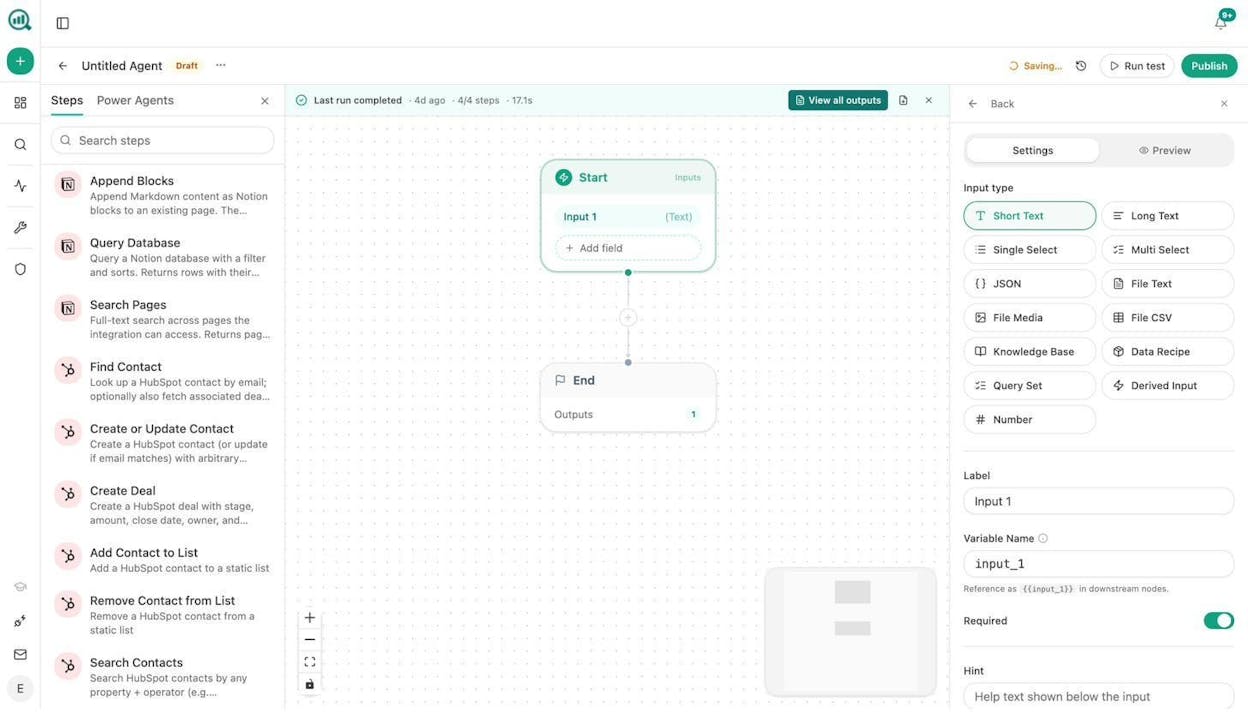
Analyze AI is the agentic platform for SEO, AEO, content, and GTM operations. Where most no-code tools stop at connecting App A to App B, Analyze AI gives you a programmable substrate with 180+ nodes, 34 pre-built data recipes, and native integrations spanning GA4, Google Search Console, Semrush, DataForSEO, HubSpot, WordPress, Notion, Mailchimp, and every major LLM.
The Agent Builder is the core. You build multi-step workflows on a visual canvas where each node does something specific. Pull ranked keywords from DataForSEO, scrape a competitor page, prompt Claude or GPT with your brand voice injected, generate a blog featured image, and publish to WordPress. All in one flow. No glue code. No separate subscriptions.
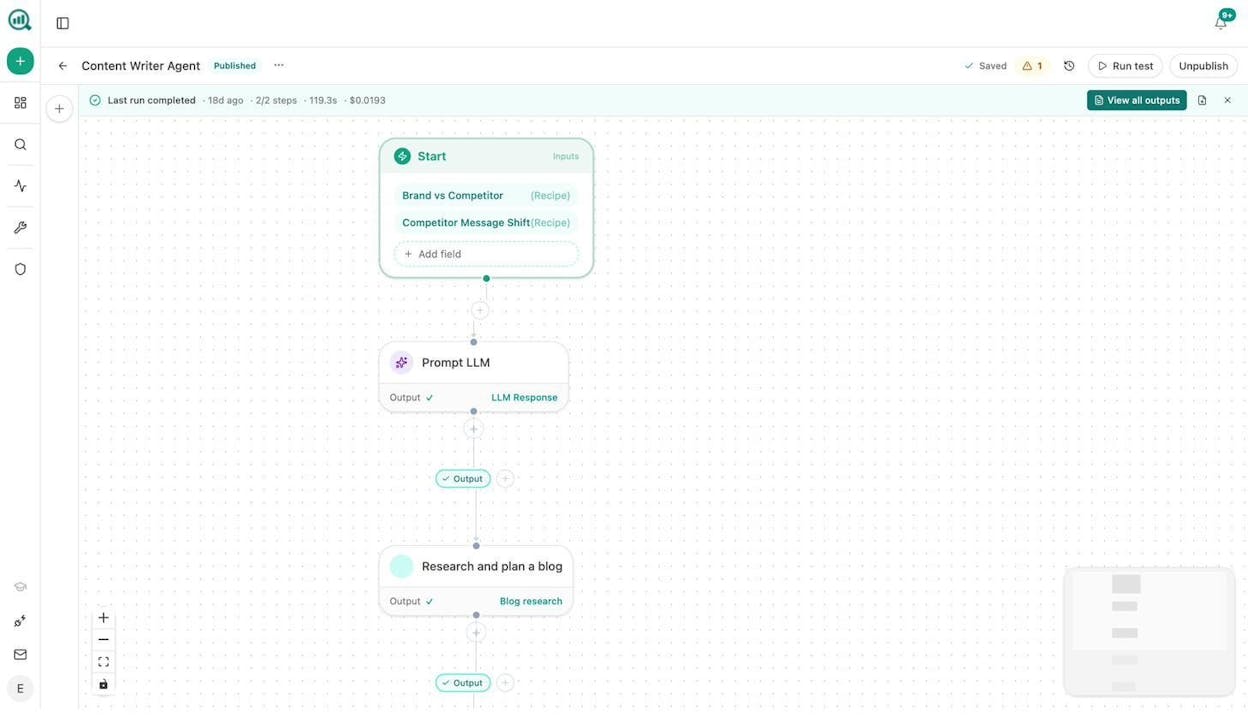
What sets this apart from general automation tools is that the data is already in the room. Your AI visibility scores, your GSC keyword rankings, your competitor citation gaps, your brand vault with tone and messaging rules. Every agent you build can pull from this data without a single integration step.
Here are real workflows marketing teams build with the Agent Builder:
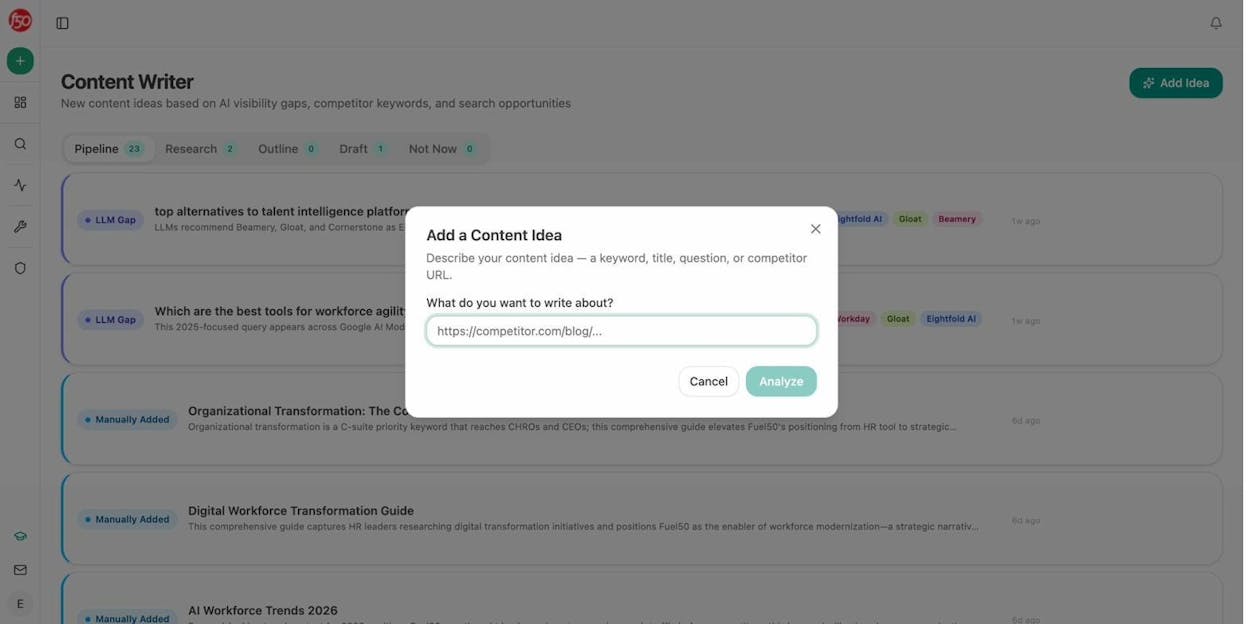
Content writing at scale. Wire Start → Brand vs Competitor (data recipe) → Prompt LLM → Generate Research → Generate Outline → Generate Full Draft → WordPress Create Post. Schedule it weekly and your editorial calendar runs on autopilot. The built-in Content Writer also walks through a multi-step pipeline from idea to research to outline to draft, with AI visibility gaps and editorial comments baked into each stage.
Content refresh at scale. Schedule a weekly agent that pulls your stale-content recipe → loops through declining pages → scrapes each one → prompts LLM to rewrite for freshness and brand voice → WordPress Update Post. The pages that were quietly losing rankings get fixed without anyone remembering to check.
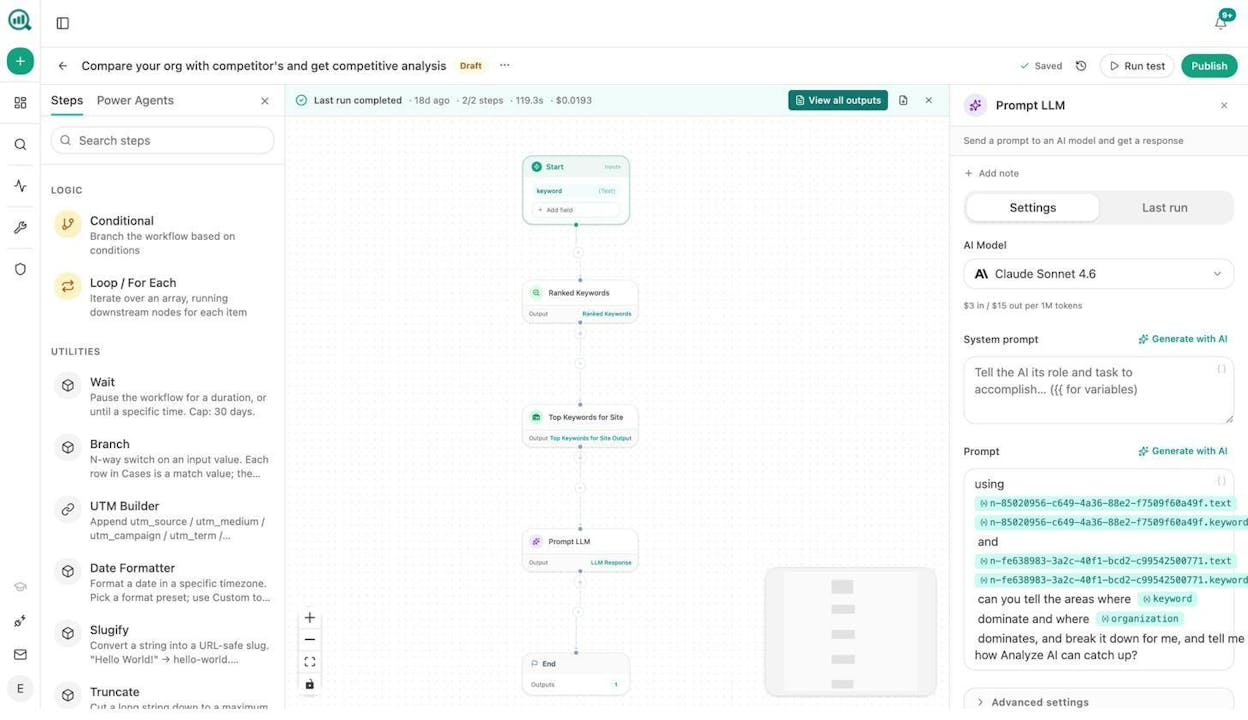
Keyword research at scale. Start → Ranked Keywords + Top Keywords for Site → Prompt LLM to find gaps and opportunities → export to Notion or CSV. Run this across 10 competitor domains in a loop and you have a competitive keyword map in minutes, not days.
Internal linking at scale. Schedule a weekly agent that loops your sitemap → pulls On-Page SEO data + GSC Top Keywords per page → prompts LLM to suggest 3 internal links per page → pushes tasks to Notion. This is the kind of internal linking work that teams never get to because it is tedious. The agent handles it.
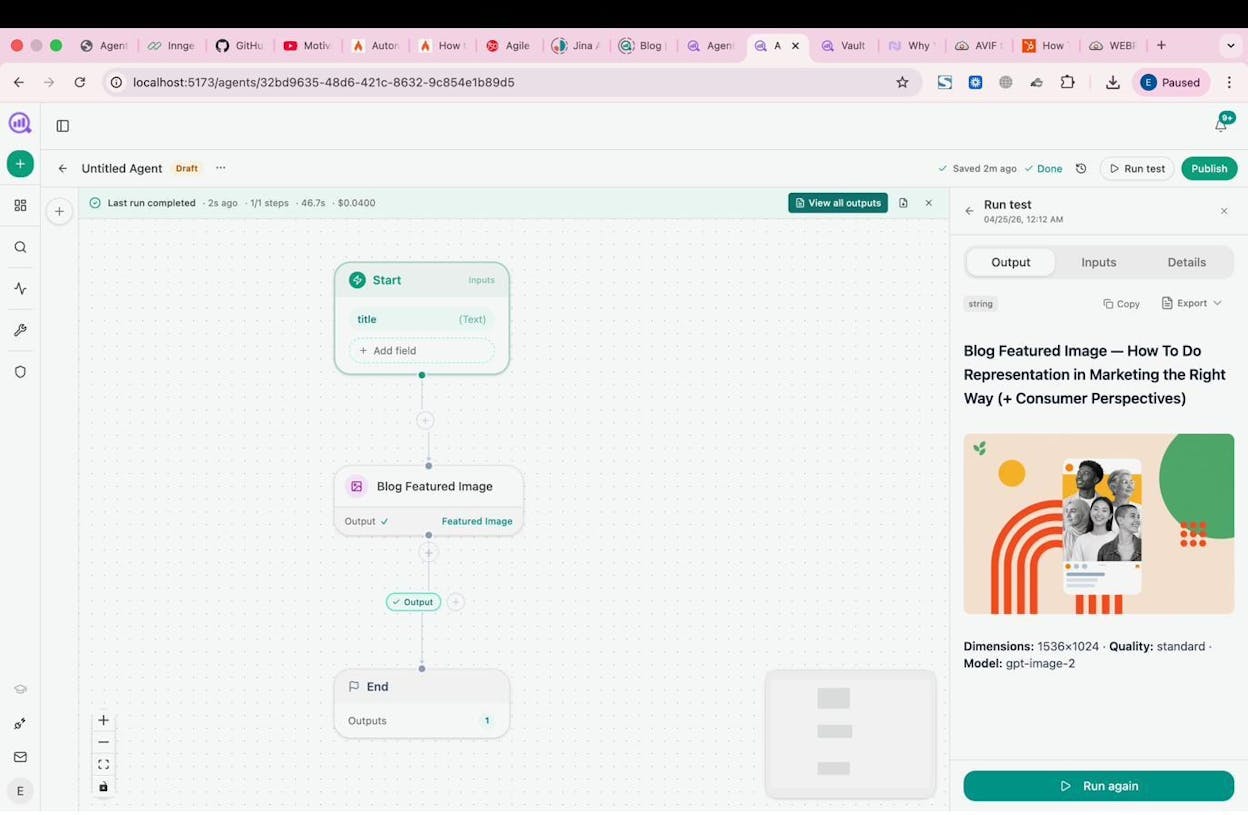
Image and social media content creation. The Agent Builder includes Blog Featured Image, Infographic Generator, Social Media Image, and Illustrate Any Text nodes. All brand-kit-aware. Wire a “title” input into the Blog Featured Image node and get a publish-ready graphic in under a minute.
Link outreach. Start with a target topic → DataForSEO News Research → Tomba Author Finder (to get the email behind a blog post) → Prompt LLM to write a personalized pitch with your brand context injected → Send Email. Log the interaction to HubSpot automatically.
On top of the Agent Builder, Analyze AI includes an AI Content Optimizer that audits a URL for argument gaps, entity coverage, and AI citation potential, then generates a rewrite with tracked changes and a quality score. And the platform tracks your AI search visibility across ChatGPT, Perplexity, Gemini, Copilot, and Claude, ties that visibility to GA4 traffic and conversions, and surfaces the citation gaps your content team should prioritize next.
The pricing is simple. $99/month for Growth. $250/month for Pro with more engines, more tracked prompts, AI Traffic Analytics, and expanded content workflows. A free trial is available so you can test it before committing.
Where it can improve: The platform is growing fast, which means the product surface is expanding with each release. Teams that only need basic Zap-style automations may find the depth of nodes and data recipes more than they need at first.
2. Zapier
Best for: Simple app-to-app automations with a massive integration library.
Pricing: Free plan with 100 tasks/month. Professional starts at $29.99/month.
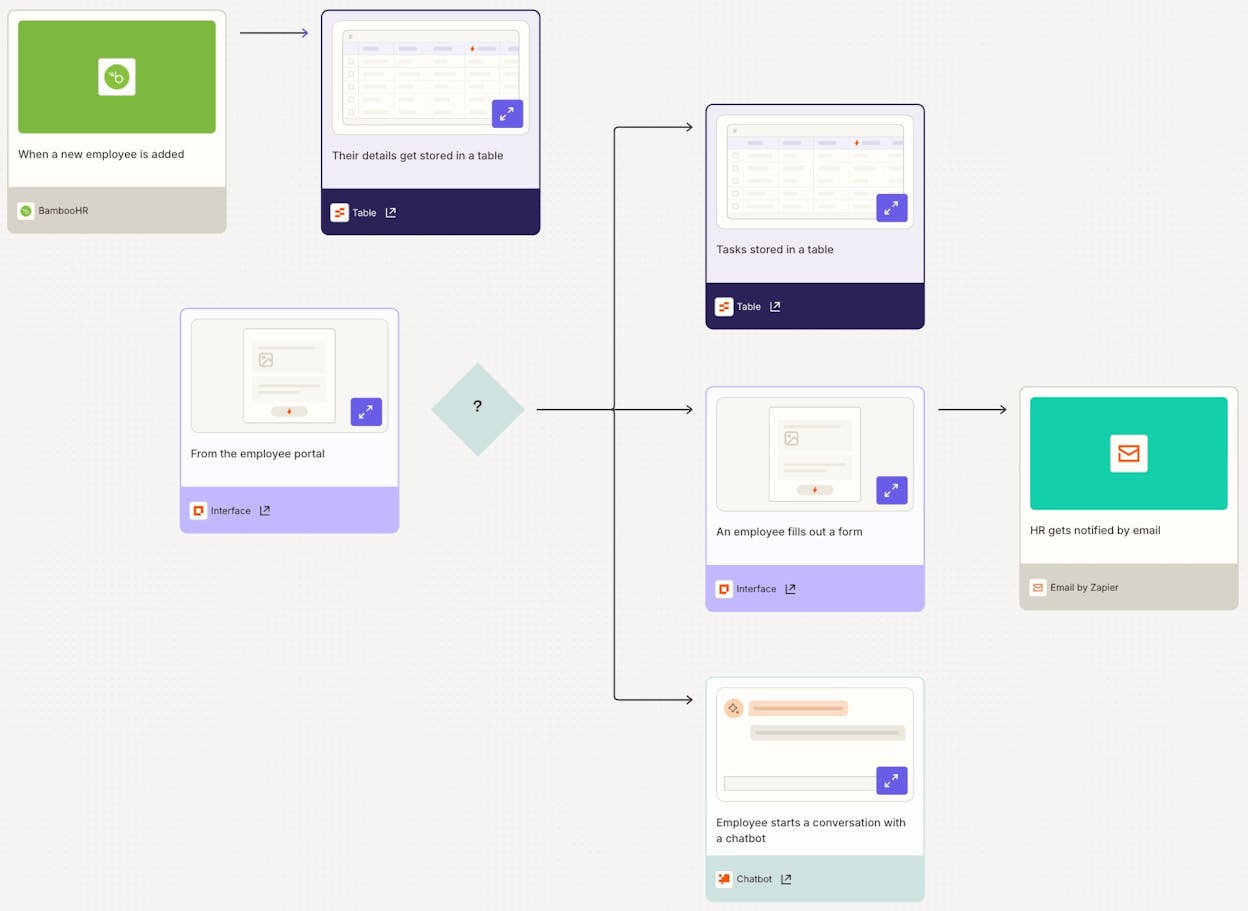
Zapier is the most established name in no-code automation. You build “Zaps” by setting a trigger in one app and an action in another. A form submission creates a CRM contact. A new blog post sends a Slack notification. A calendar event adds a row to Google Sheets.
The platform connects to over 7,000 apps, which means that whatever niche tool your team uses, Zapier probably has a prebuilt integration for it. The template library is massive, the community is active, and the learning curve is close to zero.
That said, Zapier is still fundamentally a trigger-and-action tool. AI features exist but feel bolted on rather than core to the product. The platform works well for straightforward workflows, but if you need LLMs reasoning through steps or SEO data feeding directly into content pipelines, you will outgrow it.
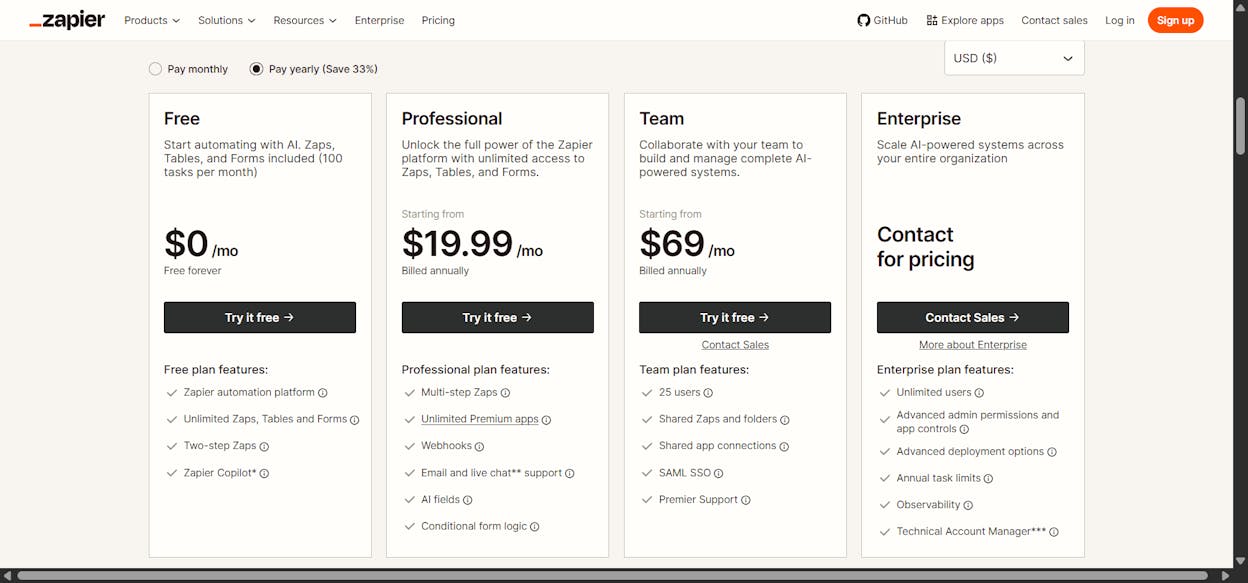
Pricing scales fast. The free tier gives you 100 tasks per month with single-step Zaps only. Multi-step Zaps require the Professional plan at $29.99/month for 750 tasks. The Team plan jumps to $103.50/month. For marketing teams running high-volume workflows, those costs add up quickly compared to platforms with simpler pricing models.
3. Make
Best for: Freelancers and small teams who need affordable, high-volume automations.
Pricing: Free plan with 1,000 credits/month. Core starts at $10.59/month.
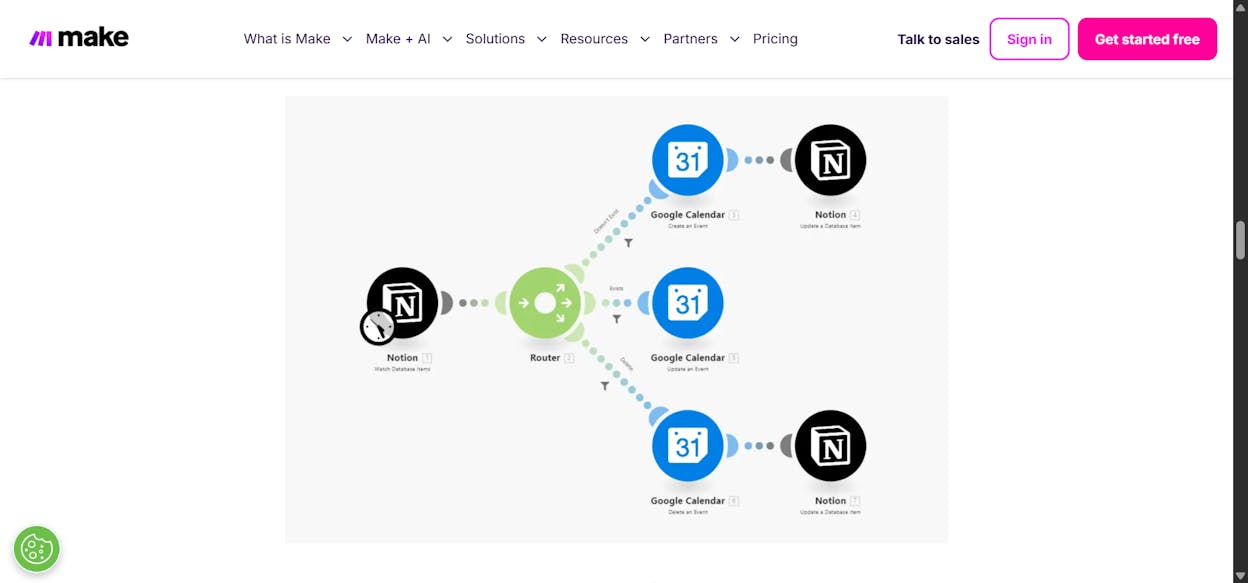
Make (formerly Integromat) uses a visual scenario builder where you connect modules on a left-to-right canvas. Each module represents an app or an action, and the flow reads like a flowchart. This makes it easy to see exactly how your automation works, which helps when debugging.
Make has a wide range of integrations, including niche connectors that other platforms might not cover. The free tier is generous (1,000 credits per month), and paid plans start at just $10.59/month, making it the cheapest option on this list.
The tradeoff is that Make is purely rules-based. There is no LLM reasoning, no AI copilot building workflows for you, and no marketing-specific data nodes. If you need a budget-friendly way to move data between tools with predictable logic, Make is a strong choice. If you need AI doing the thinking inside your workflows, look at the other tools on this list.
Watch the per-operation pricing. Credits can get expensive once you run lots of steps or trigger checks frequently. At lower tiers, costs can creep up faster than expected.
4. n8n
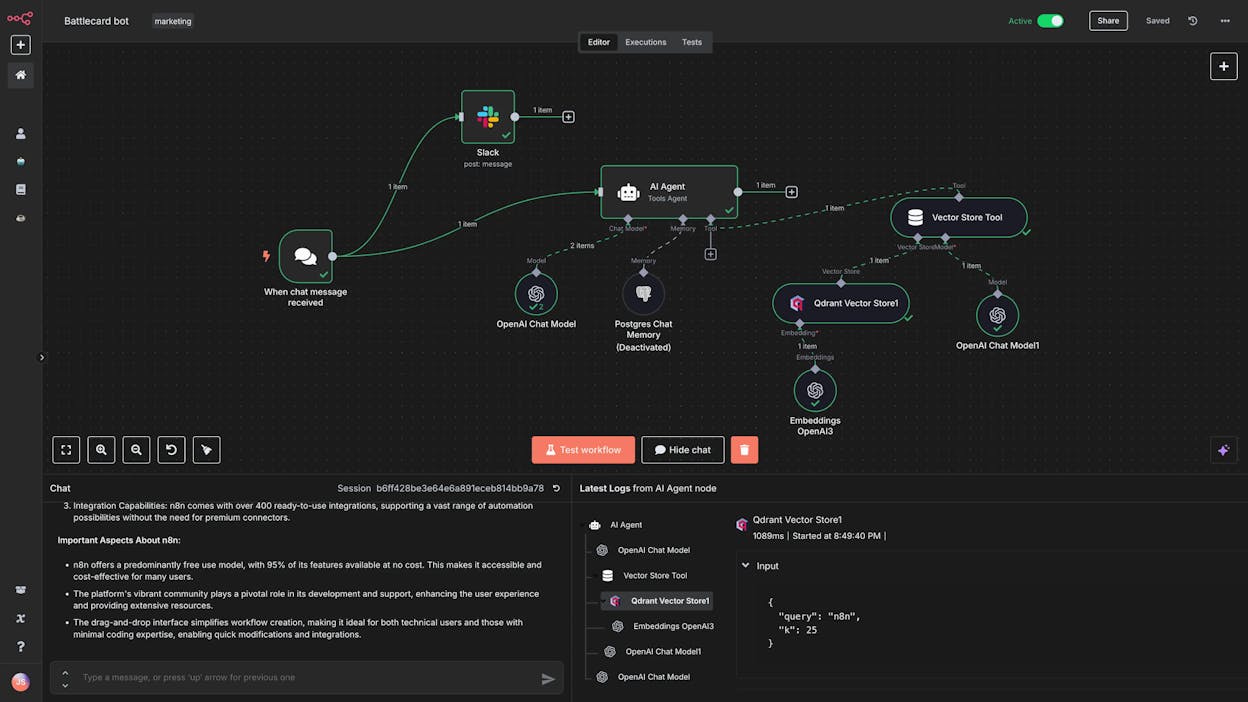
Best for: Technical and semi-technical users who want flexibility and a self-hosting option.
Pricing: Starts at $24/month (no free plan).
n8n is a low-code workflow automation platform with one of the largest communities in the space right now. It has become the go-to tool for people who want more control than Zapier offers but do not want to code everything from scratch.
The platform is flexible enough to build almost any automation or agent you can think of. The self-hosting option gives you full control over your data and infrastructure, which matters for teams in regulated industries. The community is huge, with thousands of YouTube tutorials, templates, and forum threads, so you will rarely run into a problem without an existing solution.
However, n8n has no free plan, so you commit to at least $24/month before building anything. You also need to bring your own API keys for AI models, which adds setup cost. And the interface, while functional, has a steeper learning curve than newer tools on this list.
Where n8n shines for marketing: technical marketers who want to build custom data pipelines, scrape competitor content, or integrate with tools that lack prebuilt connectors. Where it falls short is marketing-specific nodes. There is no built-in keyword research, content scoring, or brand voice enforcement.
5. Relay.app
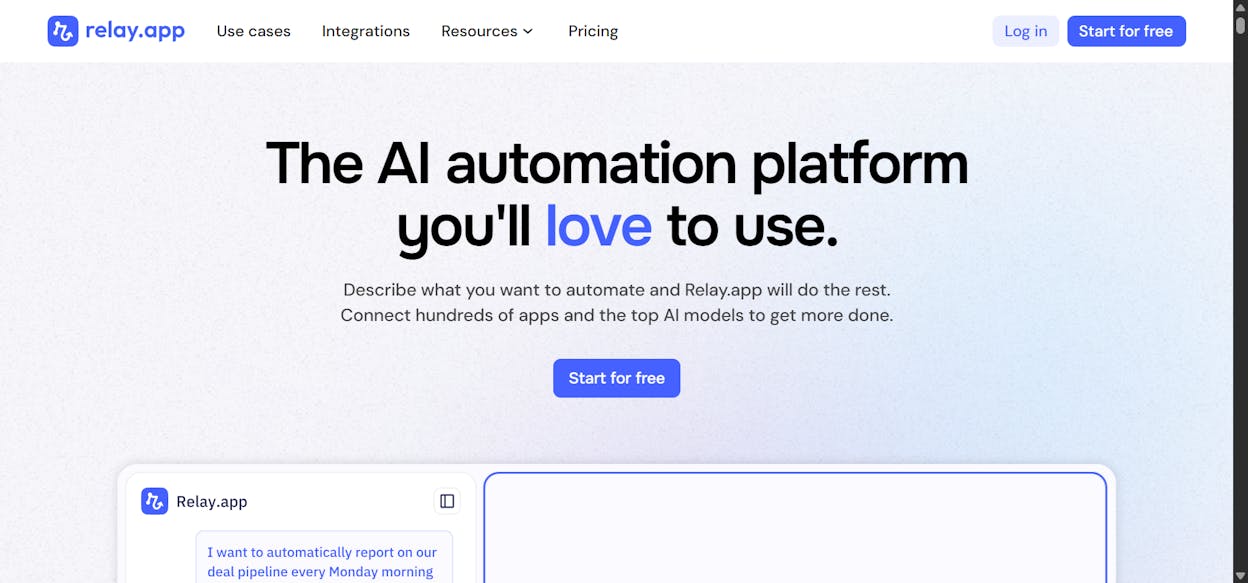
Best for: Beginners who want simple AI-powered automations, especially around Google Workspace.
Pricing: Free plan available. Professional starts at $38/month.
Relay.app combines the simplicity of Zapier’s interface with built-in AI capabilities. Every plan includes credits for GPT, Claude, and Gemini, so you can use AI inside your workflows without setting up separate API keys.
The platform’s strongest use case is around Google Workspace. If your marketing team lives in Gmail, Sheets, Calendar, and Forms, Relay.app makes it easy to automate those tools with AI processing in between. A good starter workflow is triggering a personalized Gmail follow-up whenever a new row lands in a Google Sheet.
Relay.app also supports human-in-the-loop steps, where AI handles most of the work but pauses for your approval before taking certain actions. That is a nice safety net for teams not ready to let AI run things end-to-end.
The limitations. The integration library is smaller than Zapier or Make. AI credits are metered and can feel limiting on lower tiers. And if you need serious multi-step reasoning or marketing-specific data pipelines, you will hit the ceiling fairly quickly.
6. Apify
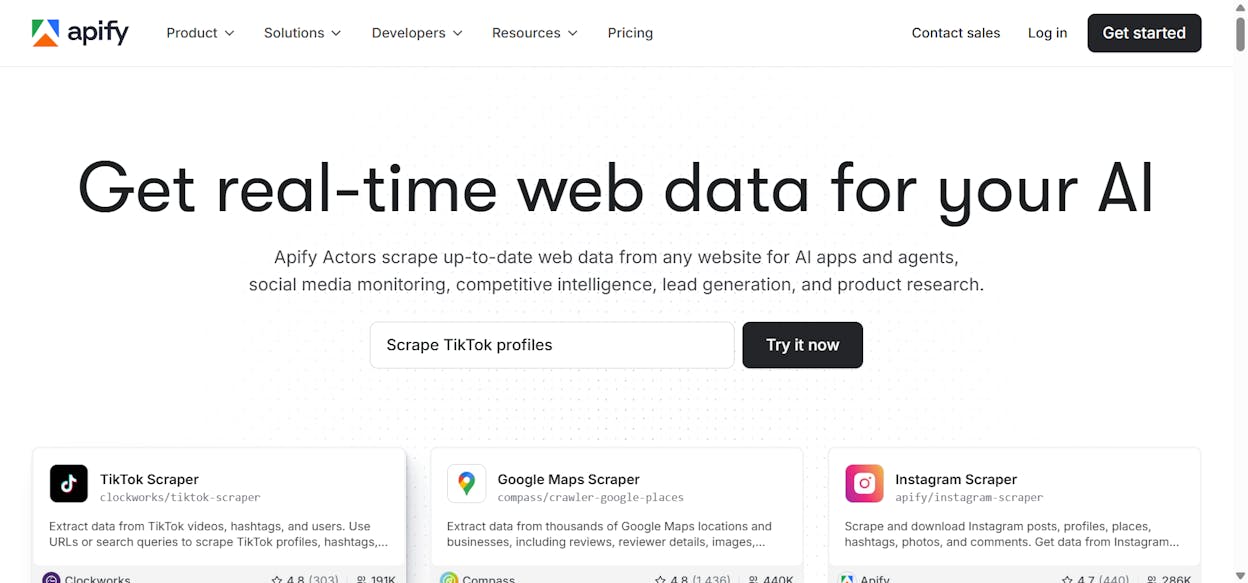
Best for: Web scraping and data extraction workflows at moderate volumes.
Pricing: Free plan with $5 in credits. Starter at $29/month plus compute costs.
Apify is a web scraping and data extraction platform with over 21,000 prebuilt scraping apps called Actors. Each Actor handles a specific scraping task, from pulling Google Maps listings and collecting product reviews to extracting social media data or monitoring competitor prices.
For marketing teams, Apify is useful for competitive intelligence, review collection, and building data pipelines that feed into other no-code tools. You can configure a Reviews Scraper Actor to run daily, structure the output, and push it via webhook to your CRM or a tool like Make.
However, Apify is not a general-purpose automation tool. It is built specifically for scraping and data extraction. If your automation needs go beyond that, you will need to pair it with one of the other platforms on this list. Costs also escalate for high-volume workloads, especially on heavily defended sites that require residential proxies.
7. Clay
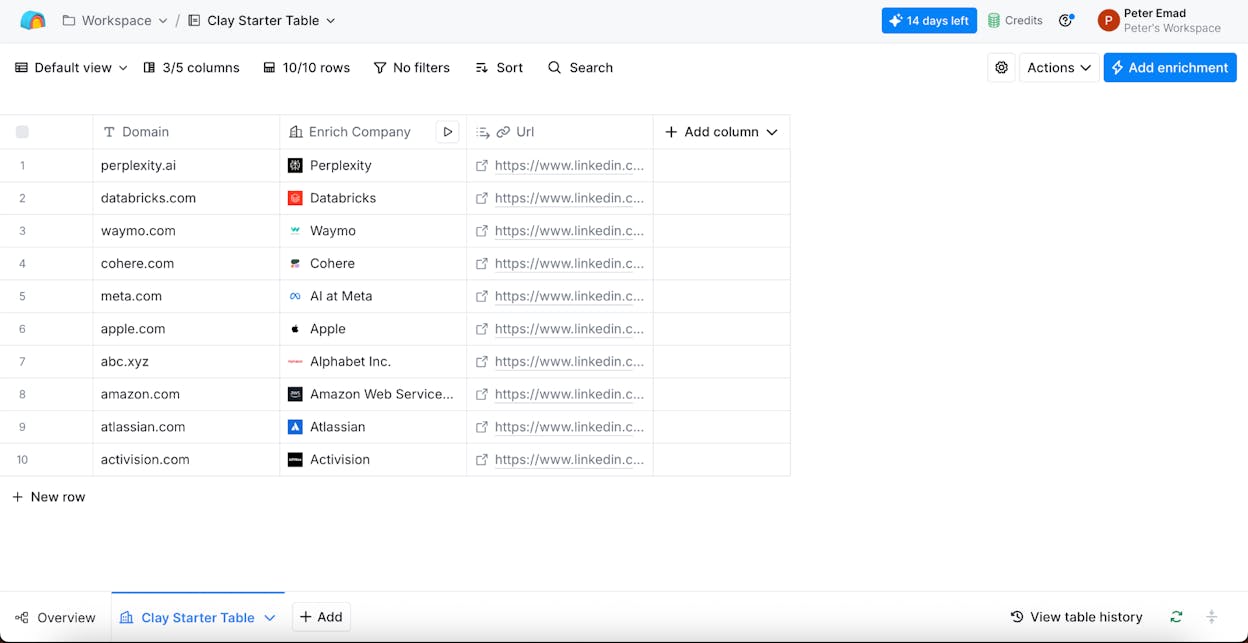
Best for: GTM and sales teams running sophisticated outbound campaigns.
Pricing: Free plan with 500 actions/month. Launch starts at $185/month.
Clay is a GTM data enrichment and prospecting platform that uses a spreadsheet interface to chain enrichment steps, AI prompts, and conditional logic together. It connects to over 100 data providers, including Apollo, Clearbit, and Hunter, and lets you build outbound workflows without writing code.
The standout feature is Claygent, an AI research agent that scours company websites, LinkedIn pages, and press releases for buying signals that static databases miss. If your marketing operation includes outbound or ABM, Clay surfaces the kind of dynamic intelligence that makes cold outreach actually work.
The pricing reality. Clay is expensive. The Launch plan starts at $185/month, and enriching 1,000 rows with a multi-step flow can burn through credits fast. Agencies running high-volume prospecting routinely see monthly bills of $2,000 to $5,000. If your team only needs emails and basic firmographics, simpler tools exist for a fraction of the cost.
8. Google AI Studio
Best for: Teams in Google’s ecosystem who want to prototype AI workflows at near-zero cost.
Pricing: Generous free tier. Pay-as-you-go based on Gemini API usage.
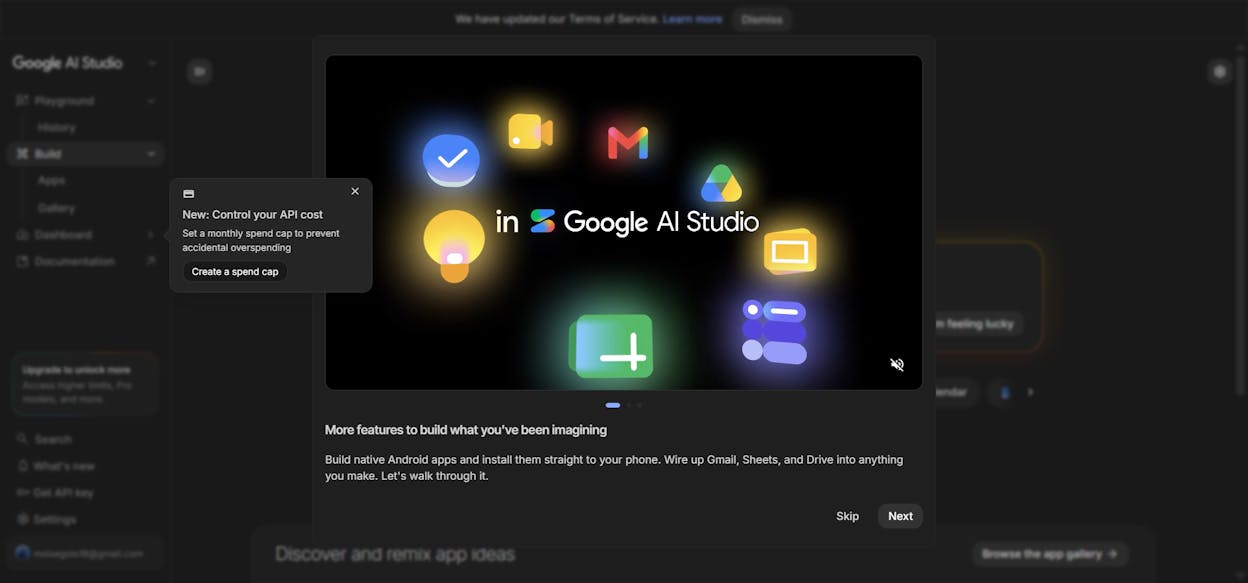
Google AI Studio has evolved from a prompt playground into a no-code AI agent builder. You can chain prompts into multi-step reasoning flows, add function calling for integrations, and A/B test model performance, all without code.
For marketing teams already invested in Google Workspace, AI Studio integrates tightly with Sheets, Docs, and other Google tools. The free tier is genuinely generous, making it a solid place to prototype content generation pipelines or data analysis agents before committing to a paid platform.
The catch is that Google AI Studio is not a full automation platform. There are no prebuilt connectors to CRMs, email tools, or project management apps. The function calling setup can get technical. And if you are a non-technical marketer, the interface feels more like a developer tool than a marketing one.
Which no-code marketing automation tool should you use?
It depends on what your team needs to accomplish and how deep you want to go.
If you want automation built directly on top of your SEO, content, and AI search data, with 180+ nodes spanning GA4, GSC, Semrush, DataForSEO, HubSpot, WordPress, and every major LLM, Analyze AI is the clear pick. The Agent Builder replaces manual campaign work with scheduled and event-driven agents. The Content Writer and Content Optimizer produce better outputs because of their multi-step research-to-draft pipelines. And the platform ties all of that back to AI search visibility and real traffic attribution, so you know what is actually working.
If you have never automated anything before and just want to connect two tools, start with Zapier. Make is the budget-friendly alternative if you want similar functionality at a lower price. n8n is the pick for technical teams who want self-hosting and maximum flexibility.
For specific use cases, Apify is unmatched for web scraping, Clay is purpose-built for GTM outbound, and Google AI Studio is a free playground for prototyping AI workflows.
Most teams end up using more than one tool. Pick the one that solves your most important problem first, and expand from there. If you want to see what Analyze AI can do for your marketing workflows, start a free trial and build your first agent in minutes.

Ernest

Ibrahim


