



Summarize this blog post with:


In this article, you’ll get a shortlist of the 15 AI apps that have actually earned a permanent spot in my weekly workflow after testing over 70 tools across SEO, content, marketing, and productivity. For each one, you’ll see what it does, what it costs, where it falls short, and exactly how I use it so you can decide whether it belongs in your stack too.
Table of Contents
How I evaluated these AI apps
Most “best AI apps” lists rank tools by feature count or recency. That is not useful when you are trying to figure out what is worth your time and money.
Here is what I looked for instead:
-
Retention. Did I still use it after the first week?
-
Output quality. Does it produce something I would actually ship, or does every output need heavy editing?
-
Time saved. Does it replace a task that used to take 30+ minutes?
-
Integration. Does it fit into my existing tools, or does it create a new silo?
-
Pricing. Is it priced fairly for what it delivers?
I also weighed each tool against one simple test. Could I do this just as well with ChatGPT or Claude alone? If yes, the tool did not make the list.
15 best AI apps in 2026 (free + paid)
-
Analyze AI
-
Claude
-
Cursor
-
Google Labs
-
Perplexity
-
ElevenLabs
-
Higgsfield
-
v0
-
Lovable
-
Clearscope
-
Descript
-
Gamma
-
Originality AI
-
Paradigm AI
-
Weavy
1. Analyze AI
-
Best for: Running SEO, AI search visibility, content operations, and GTM workflows from a single platform
-
Pricing: Free trial available. Plans start at $29/month.
-
Website: tryanalyze.ai
Most AI apps on this list do one thing. Analyze AI does the work of five or six tools combined, and it does it through agents you can build yourself without writing code.
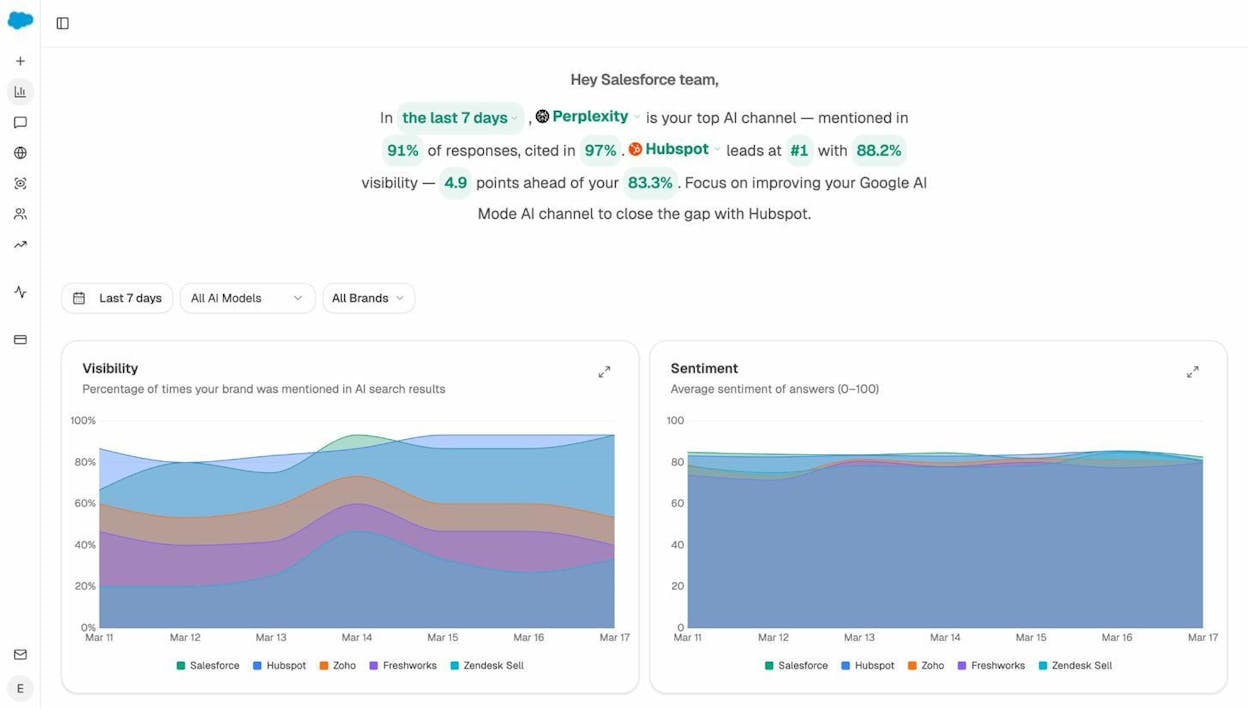
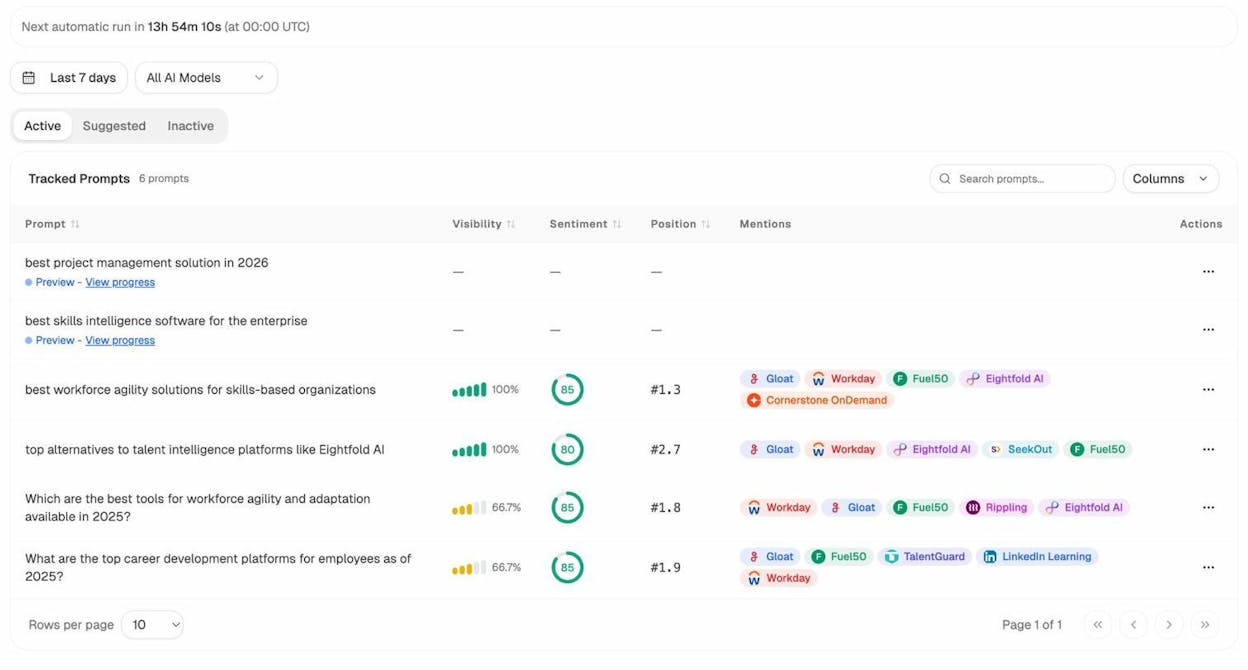
On the surface, Analyze AI is where you track how your brand shows up in AI search engines like ChatGPT, Perplexity, and Gemini. You can monitor which prompts mention your brand, track your visibility over time, see which competitors outrank you, and identify exactly which pages get cited by AI models.
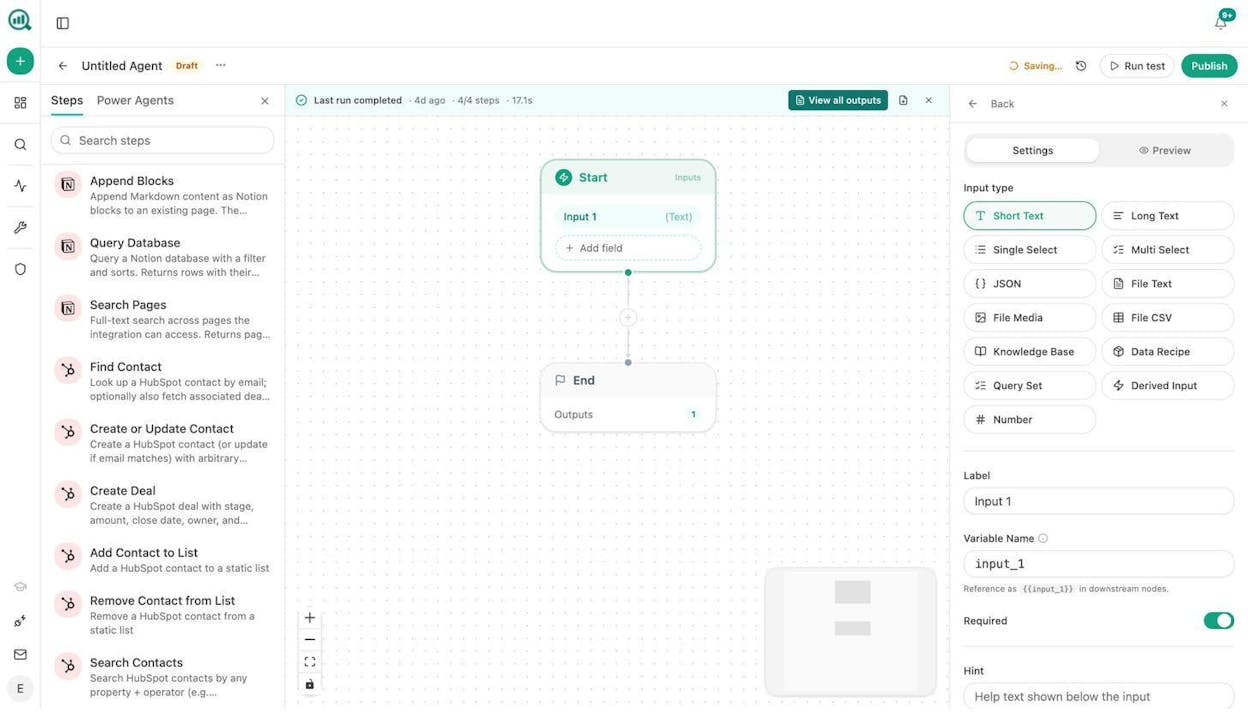
But calling it a “visibility tracker” undersells the platform. Underneath sits an Agent Builder with 180+ nodes, 34 pre-built data recipes, and integrations with GA4, Google Search Console, HubSpot, Semrush, DataForSEO, WordPress, Notion, Slack, and every major LLM. You can build workflows that would normally require Zapier, Make, a content brief tool, an SEO audit tool, and a writing assistant, all inside one drag-and-drop canvas.
Here is what I actually build with it:
Content refresh at scale. I set up a scheduled agent that pulls my declining pages from GA4, cross-references them with citation data from AI engines, scrapes each page, rewrites sections that have gone stale, and pushes the updated content back to WordPress. It runs every Monday morning. I do not think about it.
Keyword research to published draft. A single workflow that takes a seed keyword, runs it through DataForSEO for search volumes and difficulty, checks Semrush for competitor gaps, generates a research brief, builds an outline, and produces a full draft that passes an AEO content scorecard. The Brand Vault injects my tone and messaging rules automatically so every draft sounds like my team wrote it.
Competitor monitoring on autopilot. A daily agent pulls share-of-voice data across ChatGPT, Claude, and Perplexity. If a competitor’s visibility spikes or mine drops, it sends a Slack alert with the specific prompts that shifted and drafts a counter-content brief. I have caught ranking drops within 24 hours that would have taken weeks to notice manually.
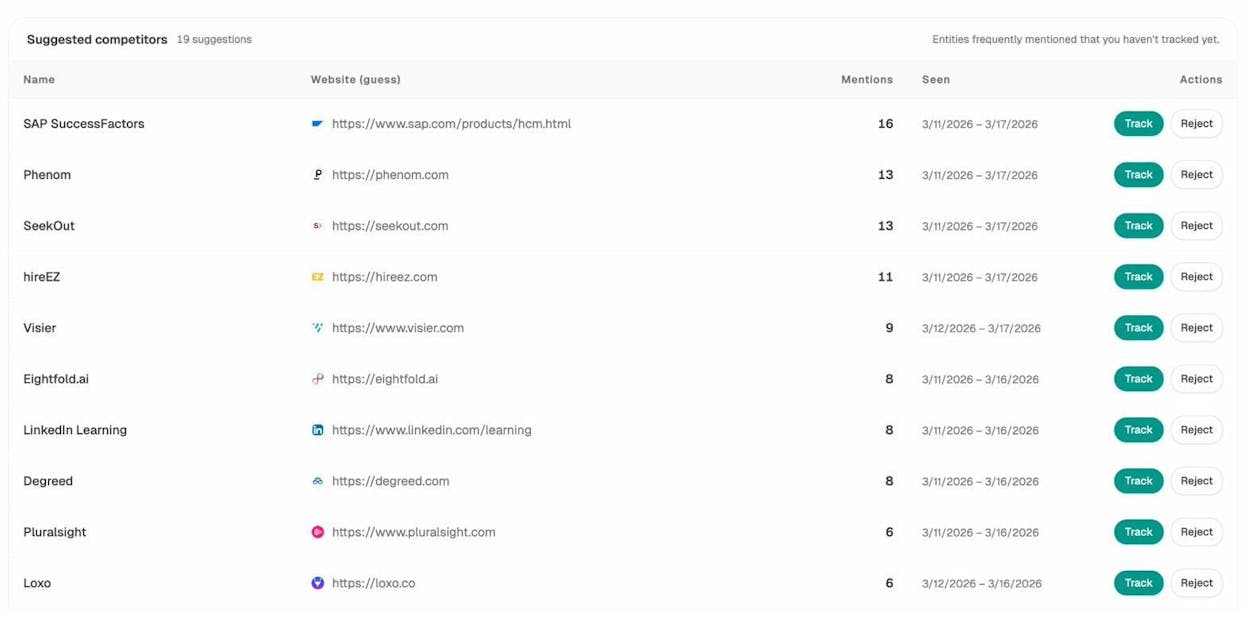
This is the part most people miss. The Agent Builder is not an automation layer bolted onto a monitoring tool. It is the actual product. AI search visibility is one of dozens of things you can do with it. You can run internal linking audits at scale. You can build journalist outreach pipelines with email verification. You can generate weekly client reports for an entire agency roster, each personalized with their own data and branding. The platform has nodes for scraping, LLM prompting, image generation, email sending, CRM updates, and spreadsheet operations. The combinations are practically limitless.
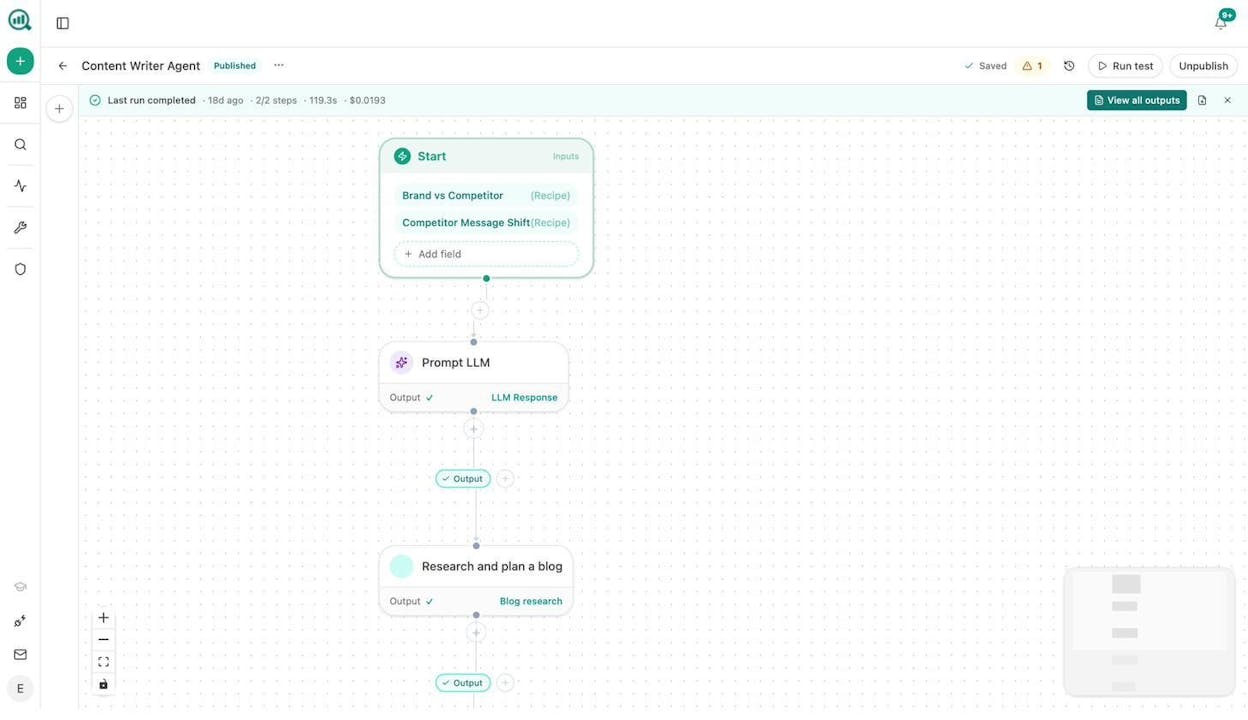
The Content Writer is also worth calling out on its own. It does not just generate a blog post from a prompt. It runs a multi-step pipeline that moves from research to outline with strategic comments to a full draft grounded in SERP analysis and AI visibility data. Every step gets annotated so you can see exactly why the tool made each editorial decision.
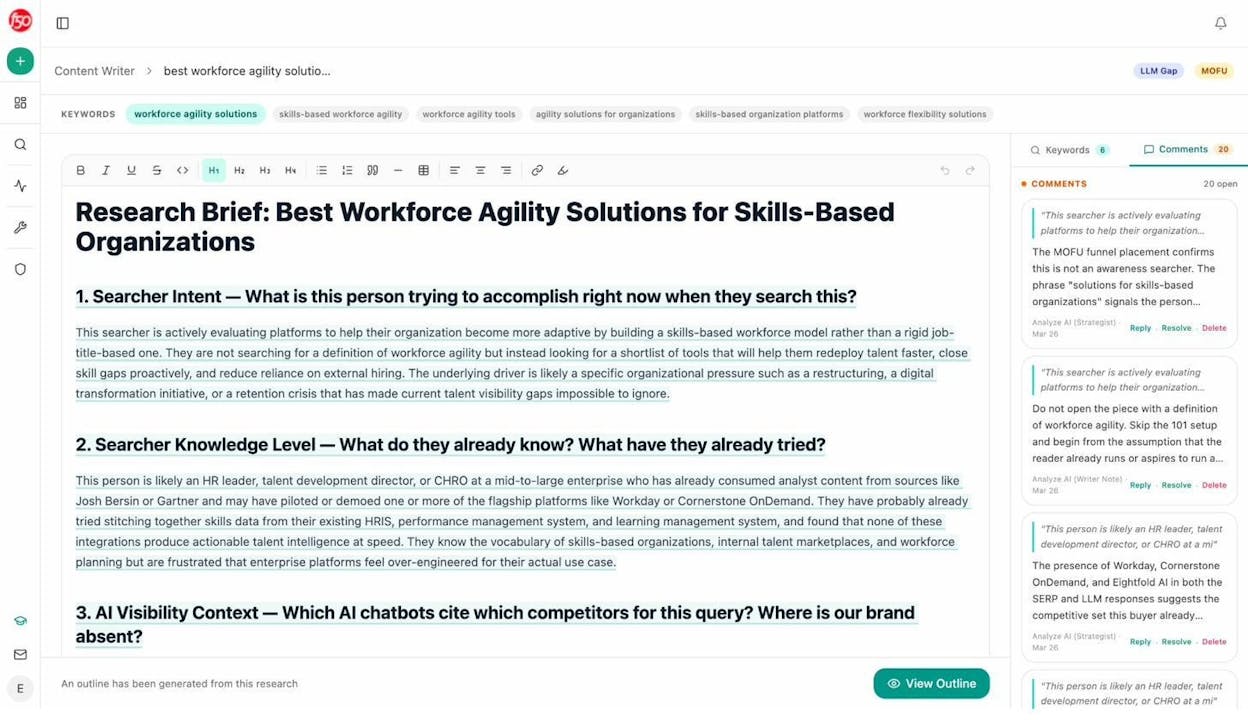
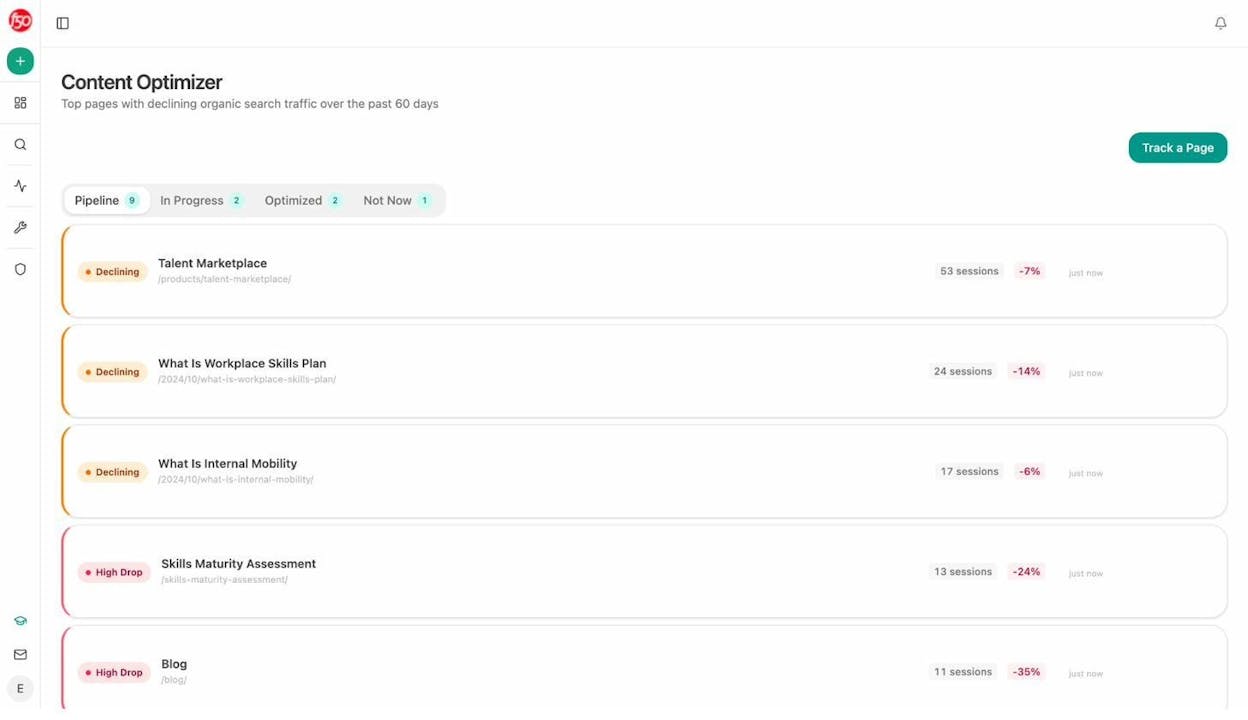
And the Content Optimizer takes existing pages and scores them against both traditional SEO factors and AI engine optimization signals. It identifies specific gaps and rewrites sections to fill them.
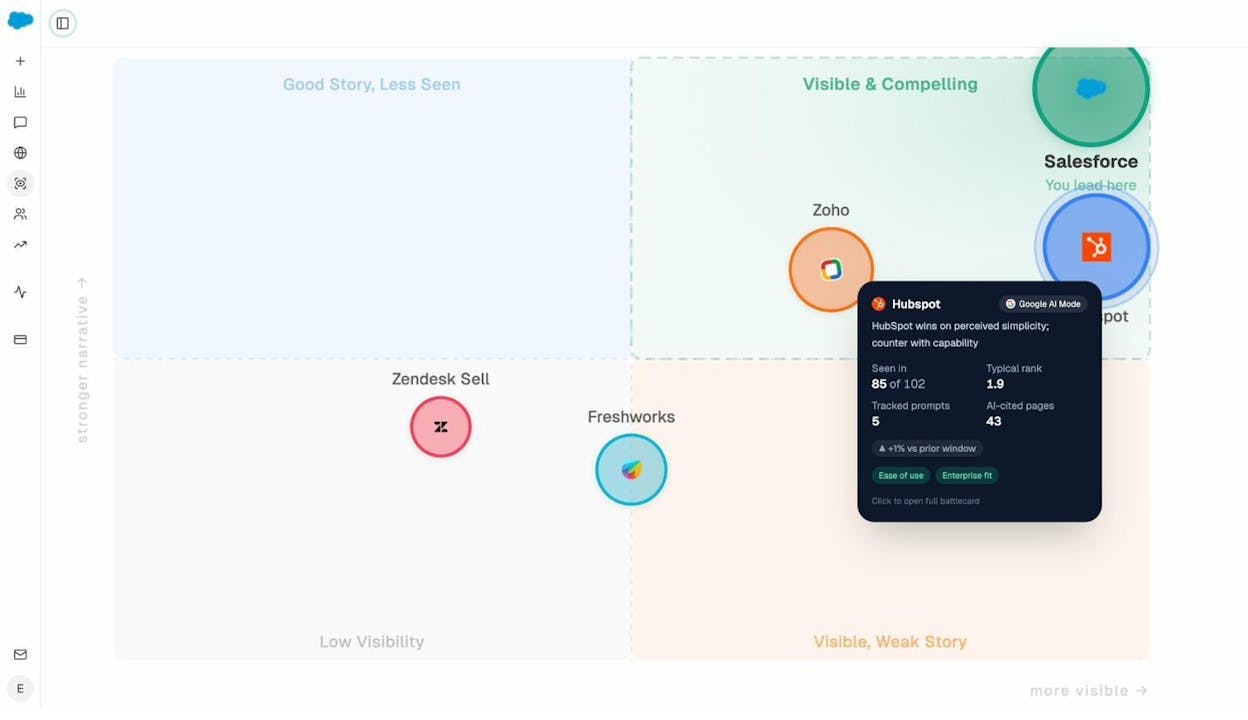
One more thing. If you are tracking how your brand gets perceived in AI search, the Perception Map plots your brand against competitors on a quadrant based on visibility, sentiment, and citation strength. It is the fastest way to see where you stand and where the narrative is shifting.
Pros:
-
Agent Builder with 180+ nodes replaces multiple standalone tools
-
Tracks AI visibility across ChatGPT, Claude, Perplexity, and Gemini
-
Content Writer and Optimizer use multi-step research pipelines, not single-shot prompts
-
Scheduled and webhook agents run operations without human intervention
-
Integrates with GA4, GSC, HubSpot, Semrush, DataForSEO, WordPress, Notion, Slack
-
Weekly email digests for stakeholder reporting
-
Free trial to test the full platform
Cons:
-
Learning curve if you want to build complex multi-step agents
-
Newer platform, so the community is still growing
-
Advanced agent workflows take some iteration to get right
2. Claude
-
Best for: General-purpose AI assistant for writing, coding, research, and analysis
-
Pricing: Free plan available. Pro starts at $20/month.
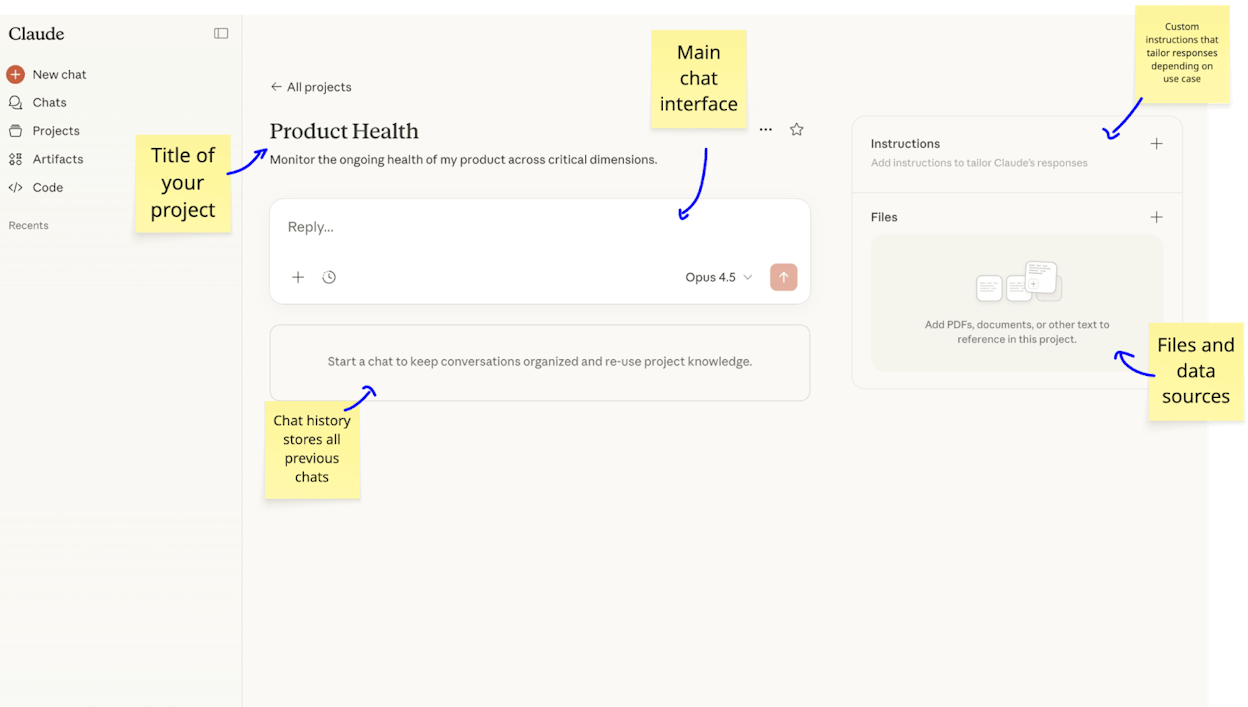
Claude is the AI assistant I reach for first every morning. The desktop app, the Projects feature (where you save custom instructions and reference files per campaign), and Claude Code for building internal tools make it the most versatile chatbot on the market right now.
I use it for everything from proofreading blog posts to building internal scripts. The free plan includes web search, memory, and MCP integrations, which makes it usable without paying a cent.
Pros: Projects with custom instructions per campaign. Claude Code is strong for internal tools. Free plan is genuinely useful.
Cons: Usage limits can be frustrating even on Pro. Does not generate images natively. Big price jump to Max ($100/month).
Pricing: Free, Pro at $20/month, Max from $100/month.
3. Cursor
-
Best for: AI-powered coding with any LLM model
-
Pricing: Free plan available. Pro starts at $20/month.
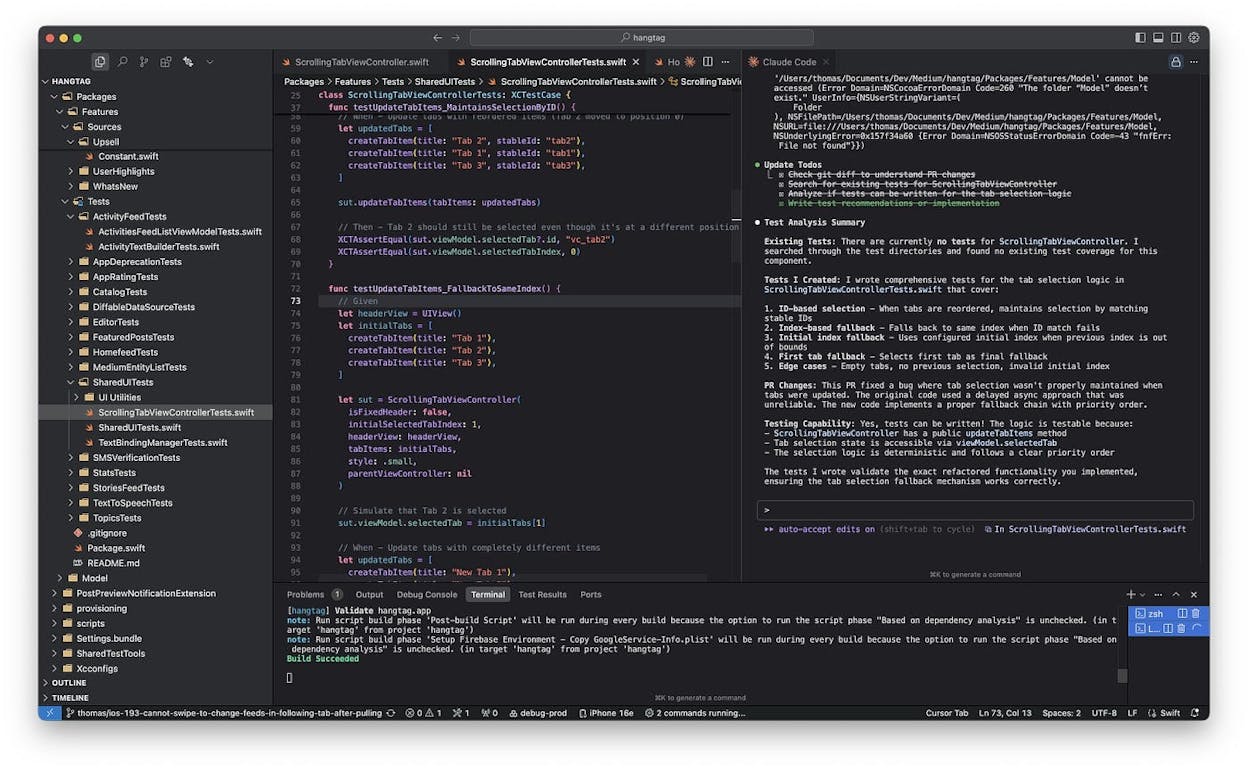
Cursor is built on VS Code but adds AI agents that can write, test, and iterate on code using Claude, GPT, or Gemini. It is the best IDE for developers who want to choose their own model rather than being locked into one vendor.
I use Claude Code inside Cursor for backend work and Cursor’s own Composer model for frontend UI tasks. It is significantly faster than switching between a chatbot and a code editor.
Pros: LLM agnostic. Composer model is fast for frontend. GitHub integration works well.
Cons: Gets expensive at higher tiers. Not beginner-friendly. Learning curve for non-VS Code users.
Pricing: Free (limited), Pro at $20/month, Ultra at $200/month.
4. Google Labs
-
Best for: Free AI experiments across image generation, design, and coding
-
Pricing: Free
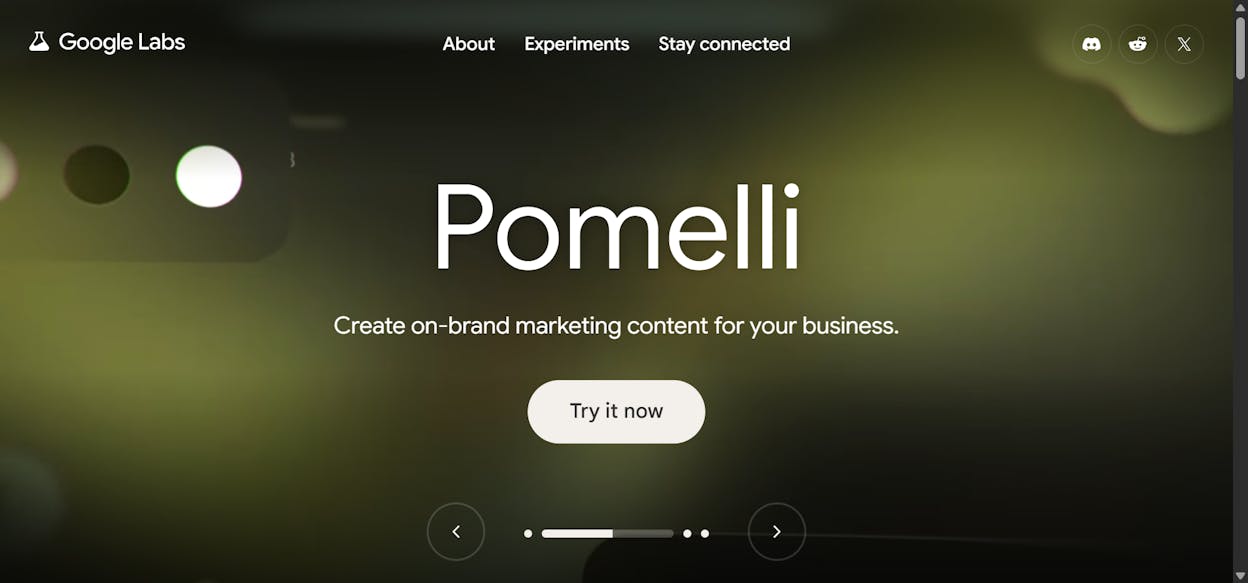
Google Labs is a collection of experimental AI tools that are all free to use. The standout for marketers is Pomelli, which pulls your website’s design system and lets you generate on-brand social media ads and visuals from your own product images. Google AI Studio lets you prototype with Gemini models for free.
Pros: Completely free. Pomelli is excellent for on-brand ad content.
Cons: Experiments can disappear. Some tools feel unfinished.
5. Perplexity
-
Best for: Research and conversational web search with sourced answers
-
Pricing: Free plan available. Pro starts at $17/month (billed annually).
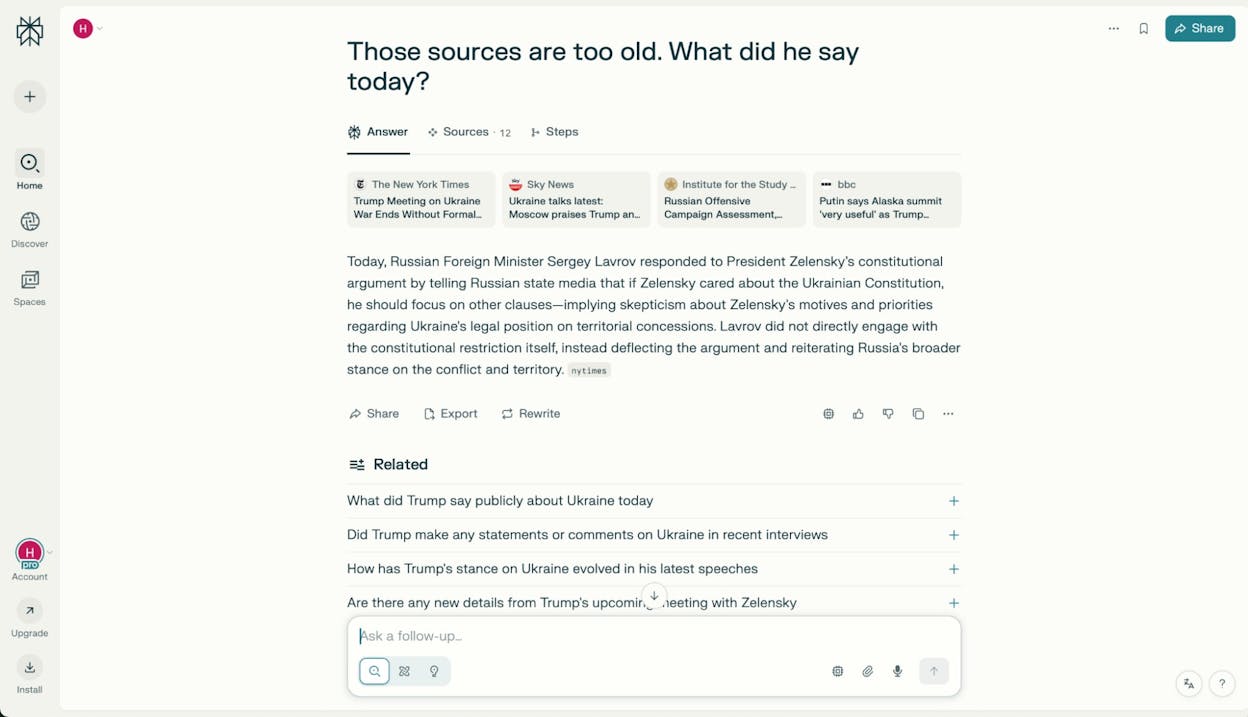
Perplexity is the AI search engine I use whenever I need sourced, cited answers rather than a list of links. It is particularly useful for finding statistics, tracking industry trends, and pulling insights from forums and user-generated content that Google’s traditional search buries.
If you are doing content research or competitive analysis and want to understand what people are actually saying about a topic, Perplexity’s social search feature is hard to beat.
Pros: Sourced citations instead of hallucinated answers. Social search pulls from forums and UGC. Choose between GPT, Gemini, or Grok models.
Cons: Sources are not always authoritative. Can present outdated info with confidence. Ultra plan is expensive at $167/month.
Pricing: Free, Pro at $17/month (annual), Ultra at $167/month.
6. ElevenLabs
-
Best for: AI voice generation, voiceovers, and conversational agents
-
Pricing: Free plan available. Starter at $5/month.
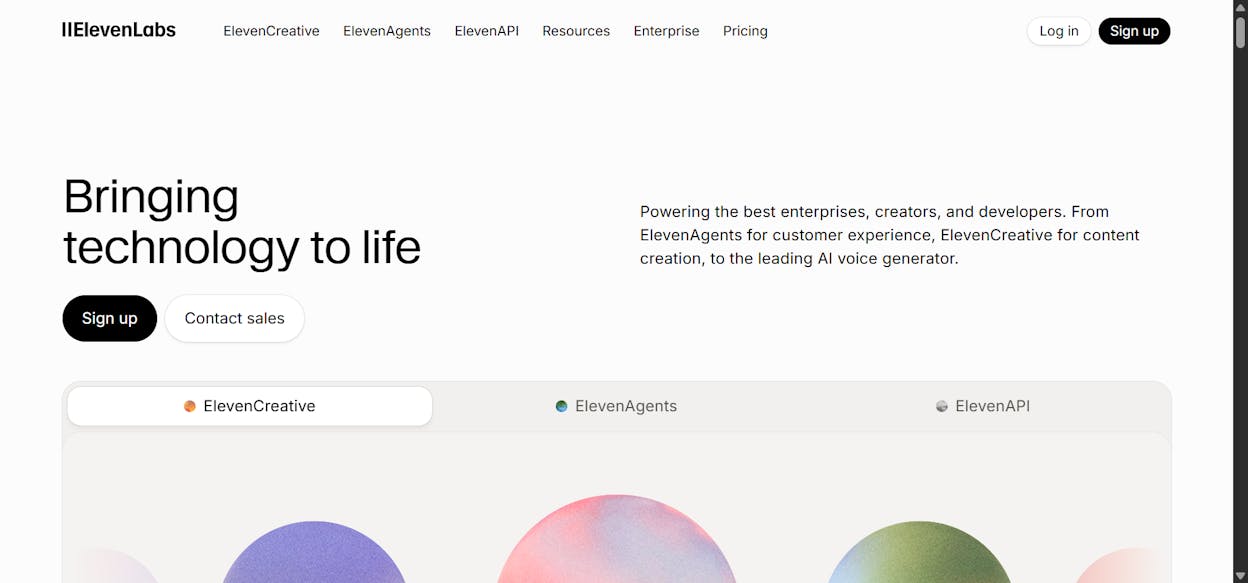
ElevenLabs produces the most realistic AI voiceovers on the market. If you create video content, podcasts, or need voice agents for products, this is the tool. It supports 70+ languages and now has ElevenLabs Agents for deploying conversational AI.
Pros: Best voice quality available. 70+ languages.
Cons: Gets pricey with heavy use. Agent plans billed separately.
Pricing: Free (10k credits), Starter at $5/month, Pro at $99/month.
7. Higgsfield
-
Best for: All-in-one AI video creation with multiple models
-
Pricing: Starts at $9/month.
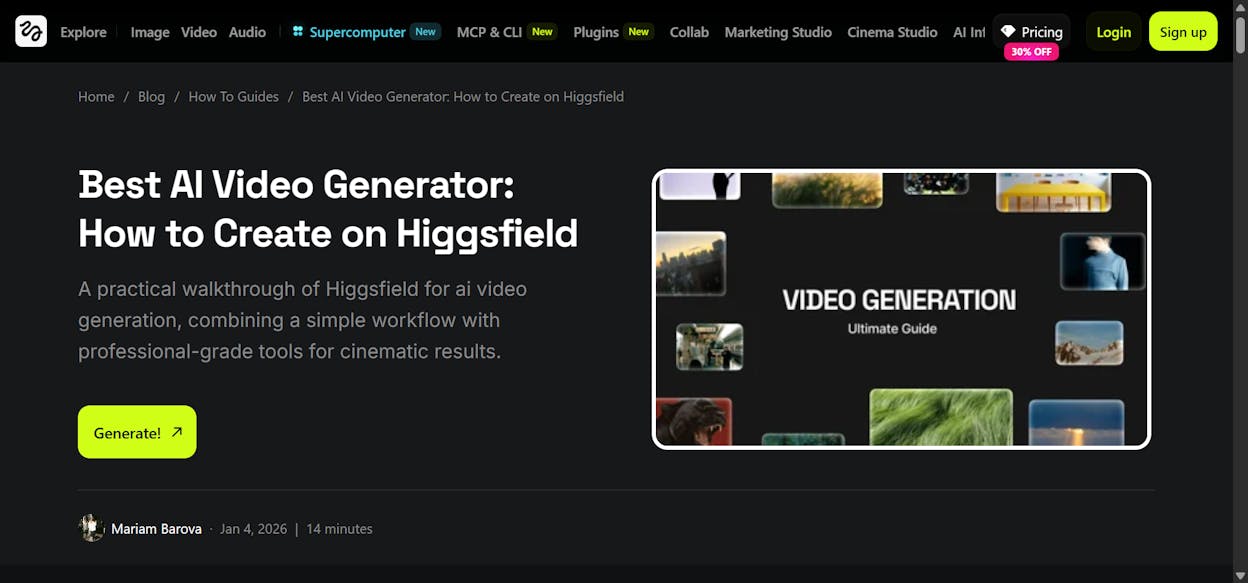
Higgsfield brings multiple AI video models, voice cloning, and video editing into one platform. Instead of jumping between separate tools for generating, voicing, and editing video, you handle everything from a single dashboard.
Pros: Connects multiple AI video models. Built-in voice cloning. Affordable entry at $9/month.
Cons: No free plan. Credit-based pricing can add up.
Pricing: Basic at $9/month, Pro at $29/month, Creator at $250/month.
8. v0
-
Best for: Prototyping web apps with great design
-
Pricing: Free plan available. Premium at $20/month.
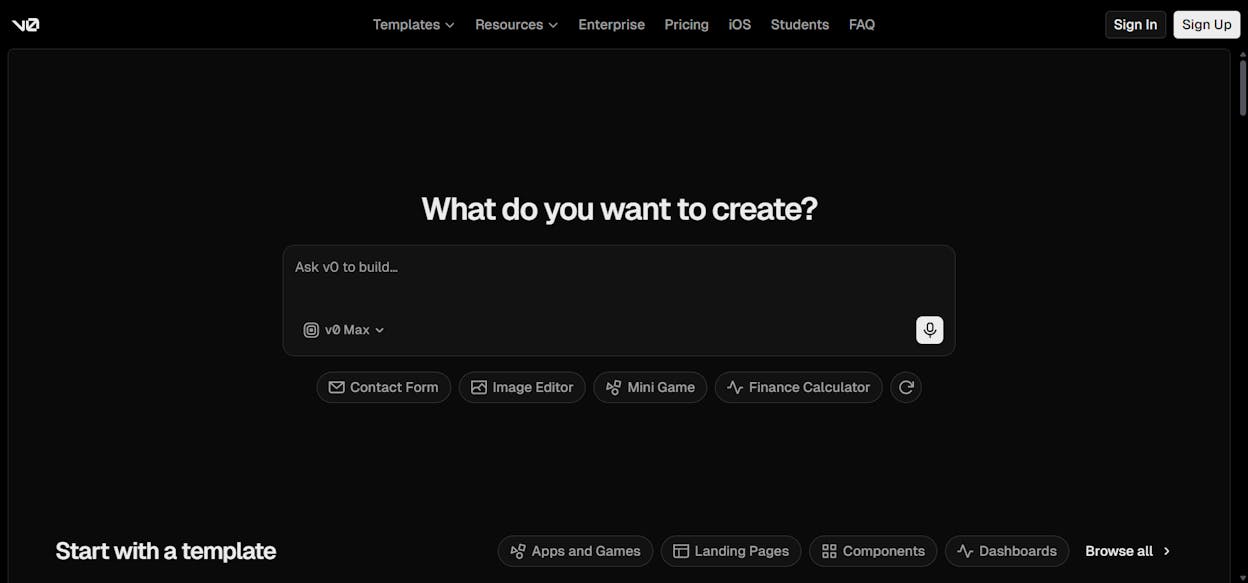
v0 is built by the Vercel team and produces the best-designed prototypes of any vibe coding tool. I use it to mock up app designs and website layouts, then export the code into Cursor for production.
Pros: Best design quality of any AI coding tool. Deploy directly to Vercel.
Cons: Free plan limited to 7 messages/day. Credits run out fast on complex projects.
Pricing: Free, Premium at $20/month, Team at $30/user/month.
9. Lovable
-
Best for: Building full-stack web apps without code
-
Pricing: Free plan available. Pro at $25/month.
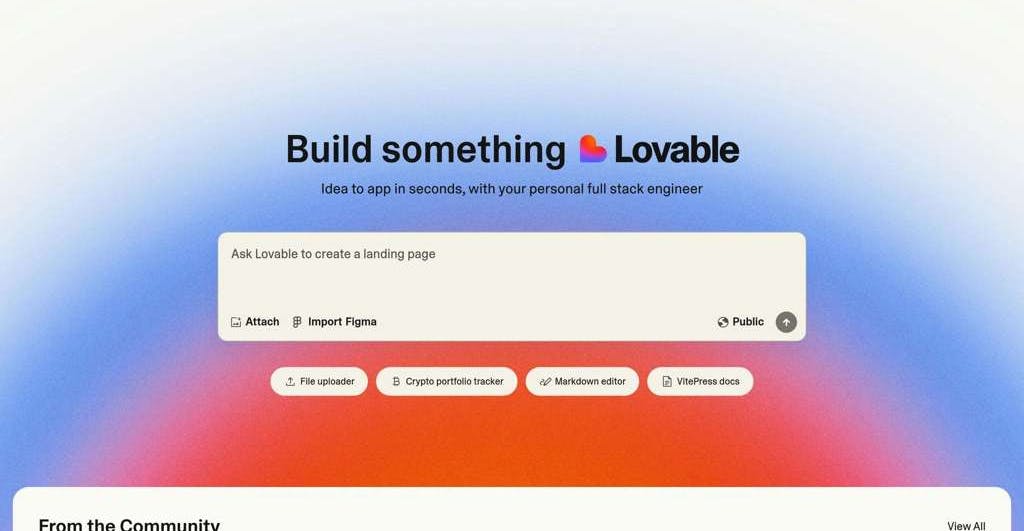
Where v0 is design-first prototyping, Lovable is about getting a working product fast. Describe what you want in plain language, it builds a functional app, and you deploy with one click.
Pros: Full working apps from prompts. One-click deploy.
Cons: Free plan limited to 5 daily credits. Designs can feel generic.
Pricing: Free (5 daily credits), Pro at $25/month, Business at $50/month.
10. Clearscope
-
Best for: SEO content optimization and keyword targeting
-
Pricing: Starts at $129/month.
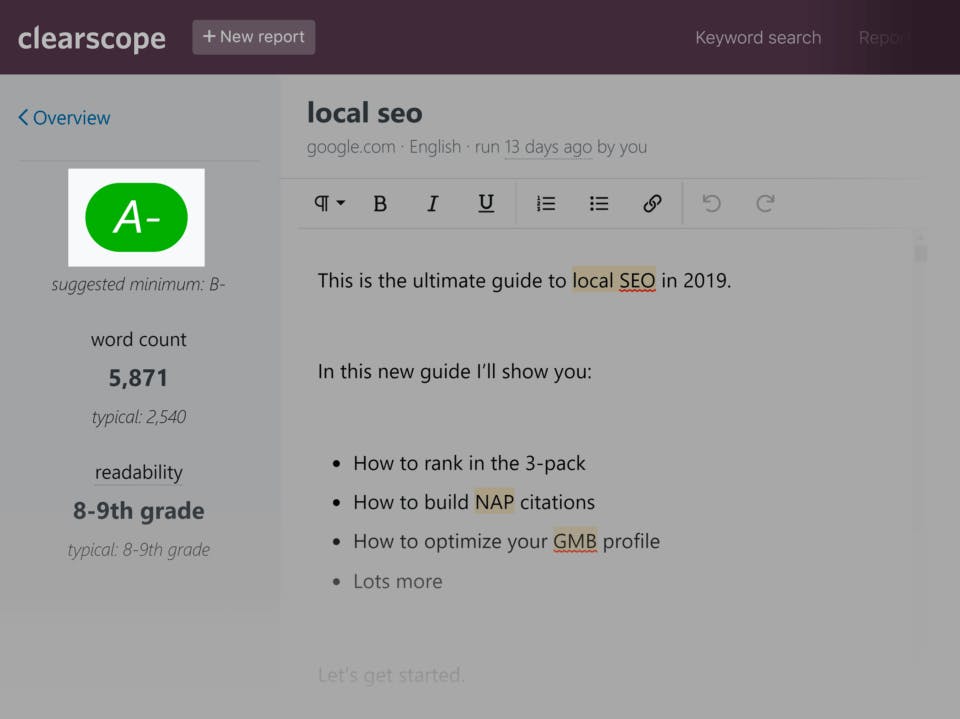
Clearscope has been around since before the AI boom. It analyzes top-ranking pages for your target keyword and gives you a content grade based on the semantically related terms you need to include. Mature and reliable.
That said, $129/month for content optimization alone is steep when platforms like Analyze AI bundle optimization with content writing, AI visibility tracking, and agent workflows at a lower price.
Pros: Clear content grading system. Mature product.
Cons: Expensive at $129/month. Limited to content optimization only.
Pricing: Essentials at $129/month, Business at $399/month.
11. Descript
![Descript editing interface showing text-based video editing with the transcript panel]](https://www.datocms-assets.com/164164/1780400301-blobid18.png?auto=format,compress&w=1248&fit=max)
-
Best for: AI-powered video and podcast editing
-
Pricing: Free plan available. Hobbyist at $16/month.
Descript lets you edit video by editing text, which is one of the most genuinely useful AI innovations in the content space. Filler word removal, studio sound cleanup, and script generation save hours of manual editing per project.
Pros: Text-based video editing changes the workflow entirely. AI filler word removal. Script generation.
Cons: Free plan is very limited. Slow with large files. Credits run out fast.
Pricing: Free, Hobbyist at $16/month, Creator at $24/month.
12. Gamma
-
Best for: AI-powered presentations and documents
-
Pricing: Free plan available. Plus at $12/month.
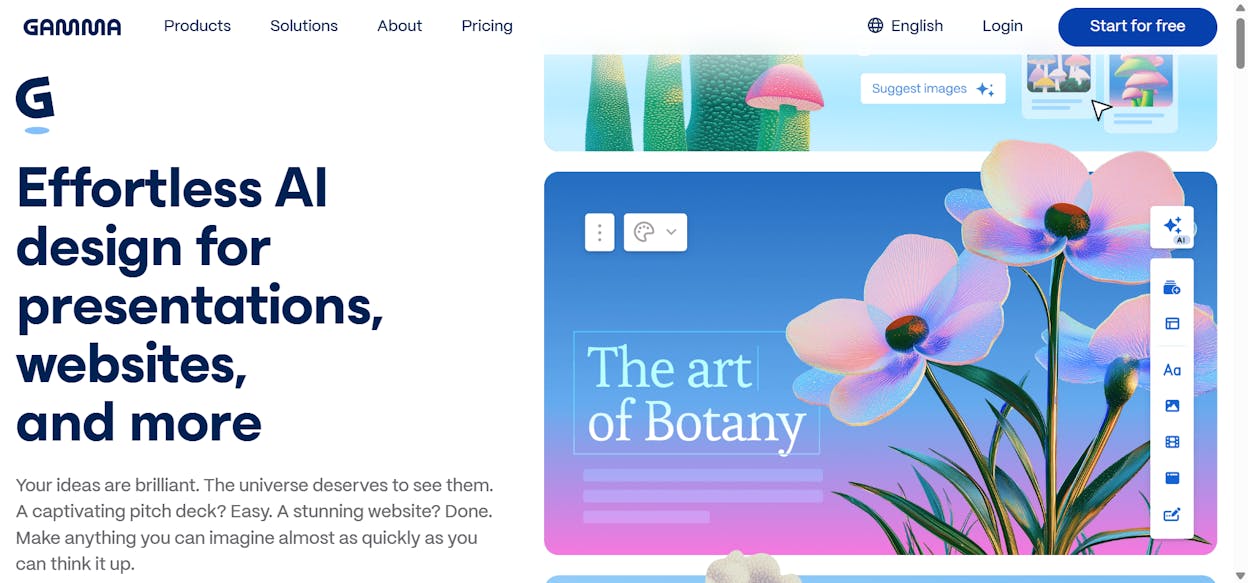
Gamma generates full presentations from a text prompt. It handles pitch decks, proposals, and documents, making it the AI alternative to Canva for slide-heavy work.
Pros: Fast presentation generation. PDF/PPTX import and export.
Cons: Free plan gives only 400 credits with no refresh. Limited design customization.
Pricing: Free (400 credits), Plus at $12/seat/month, Pro at $25/seat/month.
13. Originality AI
-
Best for: AI content detection and plagiarism checking
-
Pricing: Pay-as-you-go for $30, or Pro at $14.95/month.
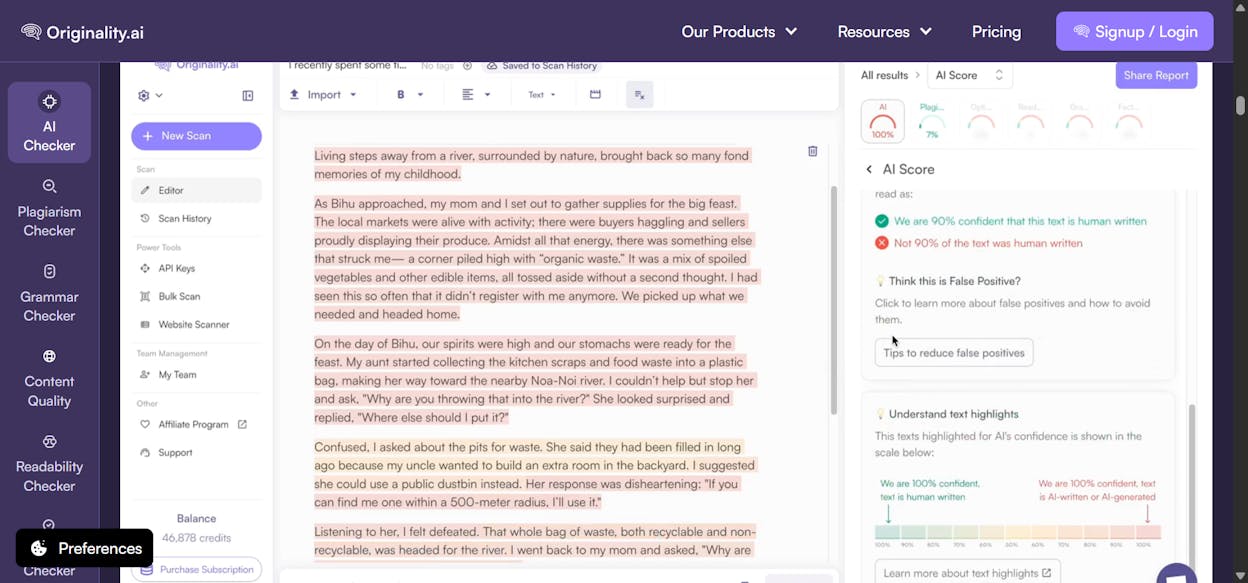
Originality AI is the most accurate AI content detector I have tested. It bundles plagiarism checking, readability scoring, and fact-checking in one tool. One important caveat though. No AI detector is 100% accurate. I have seen fully human-written content flagged as AI-generated. Use it as a guide, not as a verdict.
Pros: Most accurate AI detection I have tested. Pay-as-you-go option. Chrome extension.
Cons: No free plan. No detector is fully reliable. Interface is functional but basic.
Pricing: Pay-as-you-go at $30, Pro at $14.95/month, Enterprise at $179/month.
14. Paradigm AI
-
Best for: Enriching spreadsheet data with AI agents
-
Pricing: Free plan available. Pro at $20/month.
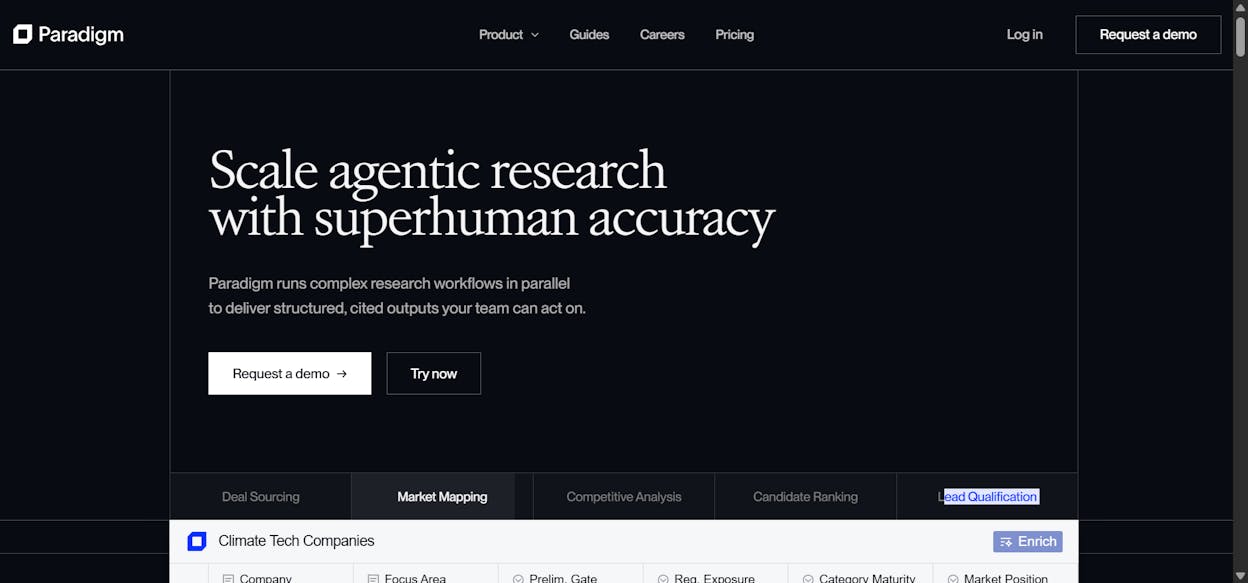
Paradigm AI treats every cell as an AI agent. Give it a list of keywords in one column, add a prompt for another, and it fires individual agents to enrich each row. I use it for bulk keyword intent classification.
For SEO and content workflows specifically, Analyze AI’s Sheets feature handles similar spreadsheet-style operations natively alongside its full agent and visibility platform.
Pros: Cell-level AI agents. Good for bulk data enrichment.
Cons: Huge jump from Pro ($20) to Business ($500). Premium models locked to higher tiers.
Pricing: Free (capped), Pro at $20/month, Business at $500/month.
15. Weavy
-
Best for: AI image generation workflows
-
Pricing: Free plan available. Starter at $24/month.
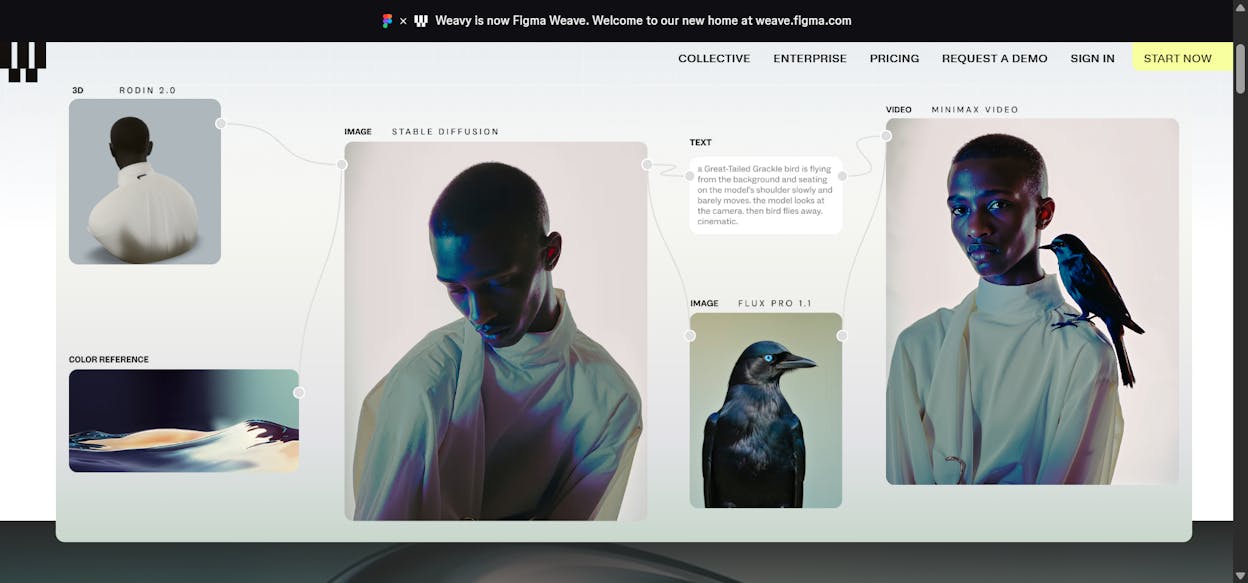
Weavy (now part of Figma) lets you build image generation workflows. Set up templates with your brand assets, then batch-generate on-brand visuals. I use it for blog thumbnails and social images.
If you already use Analyze AI’s Agent Builder, its image generation nodes (Blog Featured Image, Infographic Generator, Social Media Image) are brand-kit aware, so you can generate visuals as part of larger content workflows without a separate tool.
Pros: Workflow-based batch image creation. Commercial license included.
Cons: Free plan limited to 150 credits. Video burns credits fast.
Pricing: Free (150 credits), Starter at $24/month, Professional at $45/month.
What AI apps should you use for AI search visibility?
Most “best AI apps” lists ignore this entirely, but AI search engines like ChatGPT, Perplexity, Claude, and Gemini are sending real traffic to websites right now. Research shows that 63% of websites already get measurable AI traffic.
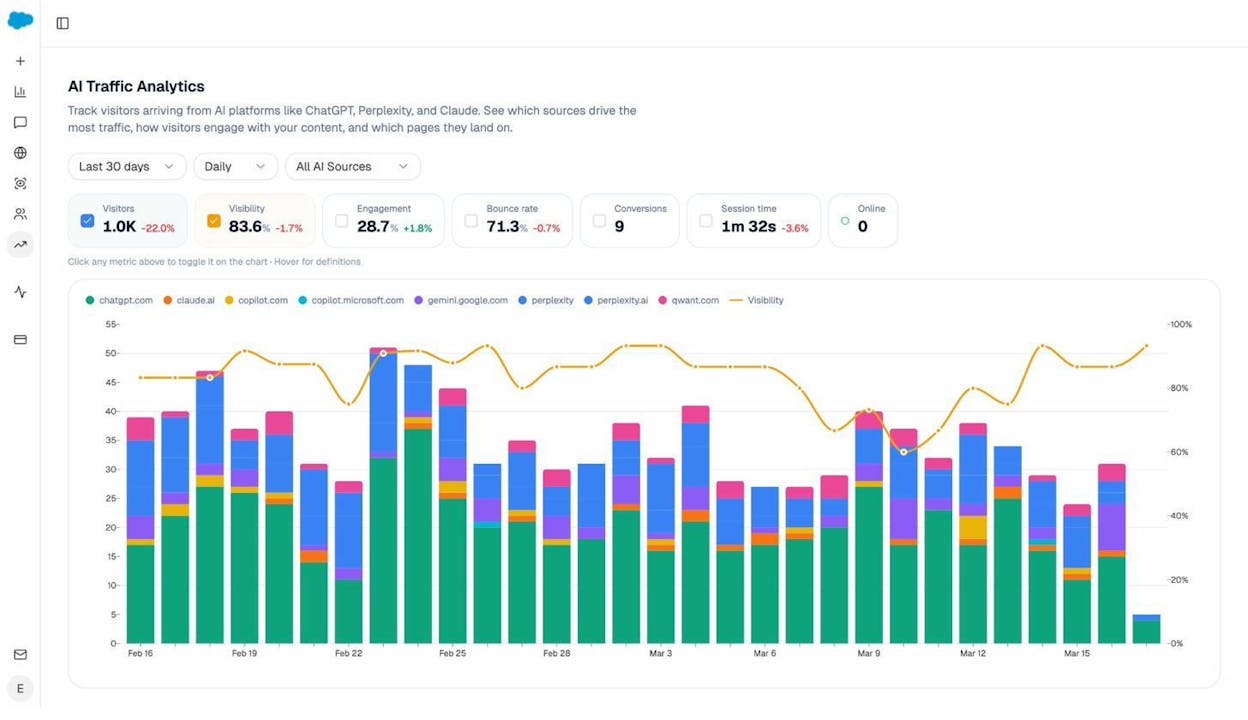
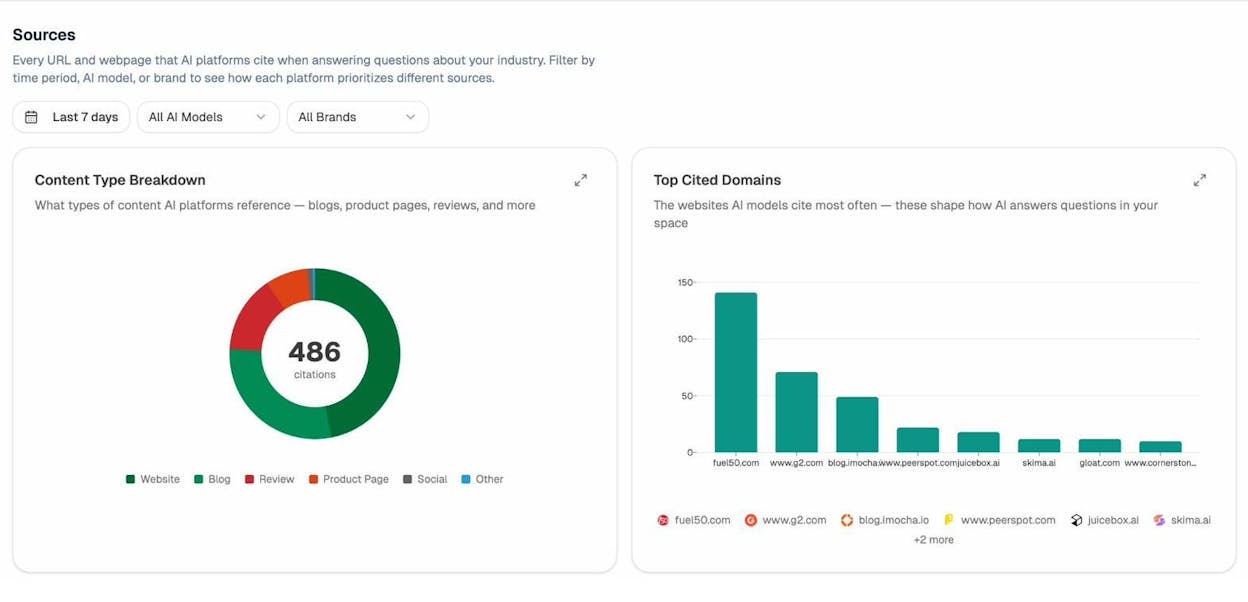
Traditional SEO is not dead. But AI search is an additional organic channel that runs on different rules. If you are building an SEO strategy and ignoring AI search, you are leaving an entire discovery channel unmonitored. Analyze AI is purpose-built for this, with Prompt Tracking, Citation Analytics, AI Traffic Analytics, and the Agent Builder to operationalize everything you learn.
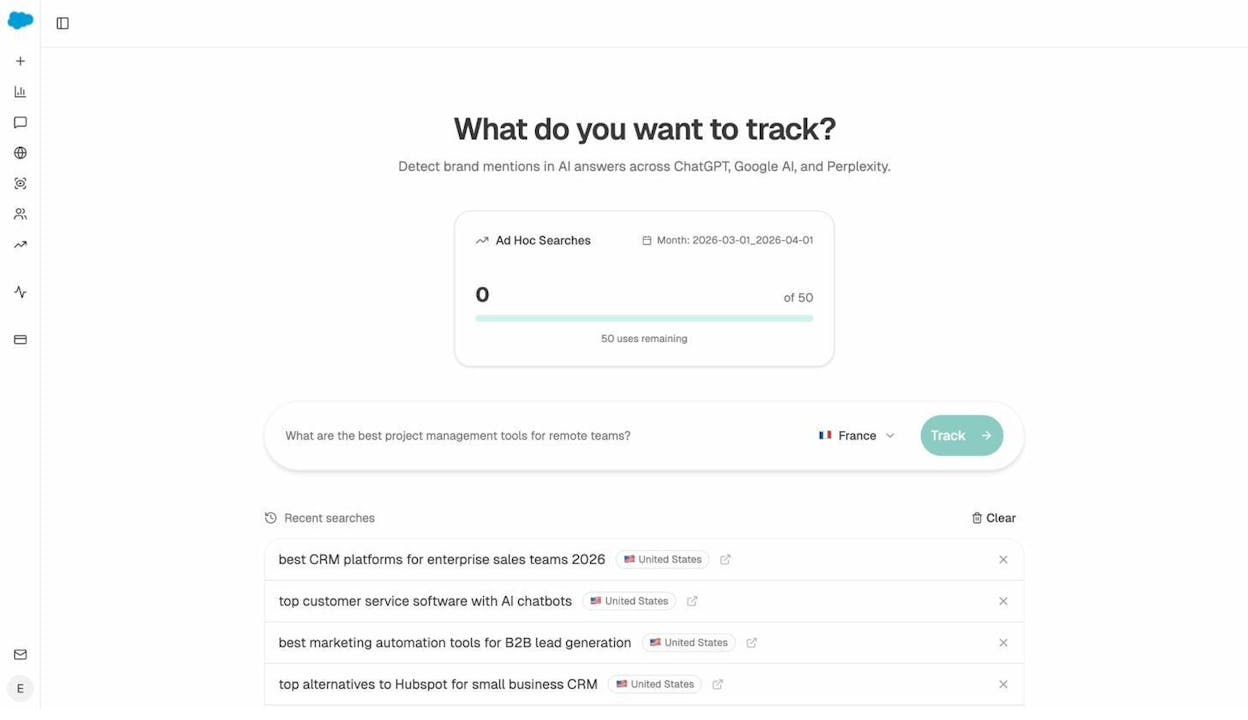
You can also use the Ad Hoc Prompt Search to run any prompt across multiple AI engines and see which brands and pages get surfaced.
How to choose the right AI apps for your workflow
The right stack depends on what you do every day.
If you are a content marketer or SEO, start with Analyze AI for content operations, AI visibility, and agent-driven workflows. Add Claude for day-to-day writing and Perplexity for research.
If you are a developer, start with Cursor, add v0 or Lovable for prototyping, and Claude Code for internal tools.
If you run an agency, Analyze AI is the biggest leverage point. Build agents that generate client reports, run competitive analyses, and produce content at scale. You can white-label output and eliminate reporting day entirely.
The tools that matter most are the ones you actually keep using after the first week. Test these with a real project and you will know within a few days which ones earn their spot.

Ernest

Ibrahim


