



Summarize this blog post with:


In this article, you’ll learn what AI agent orchestration actually means, how it differs from simple automation, and how to build orchestrated agent workflows for content, SEO, and marketing operations. You’ll also see seven real workflow examples that content and marketing teams can set up today, each with step-by-step breakdowns you can follow.
Table of Contents
What is AI agent orchestration?
AI agent orchestration is the process of coordinating multiple specialized AI agents inside a single workflow, where each agent handles one specific task and passes its output to the next.
Think of it like a content production team. You have a researcher, a writer, an editor, and a publisher. Each person does one job well. The orchestration layer is the project manager who decides the order of operations, what information gets passed between roles, and when the final output ships.
This is different from asking one AI model to do everything. When you give a single agent a complex, multi-step task (research a keyword, outline an article, write the draft, and optimize it for AI search), the quality drops at every step. The agent loses context, hallucinates, and produces generic output. Orchestration fixes this by breaking the work into focused stages.
Workflows vs. agents vs. orchestration
These three terms get used interchangeably, but they describe different things. Understanding the differences will save you from building the wrong system for your problem.
|
Automated workflow |
AI agent |
Agent orchestration |
|
|---|---|---|---|
|
Structure |
Linear, step-by-step |
Autonomous, reasoning-based |
Agents inside a structured workflow |
|
Predictability |
High. Same input produces same output. |
Variable. The agent decides its own path. |
High structure with flexible reasoning at each step. |
|
Error handling |
If step 3 fails, the whole workflow stops. |
The agent reasons through errors and finds alternatives. |
Each agent can self-correct without breaking the pipeline. |
|
Cost |
Lower. No reasoning tokens required. |
Higher. Reasoning burns more tokens. |
Balanced. You only use reasoning where it matters. |
|
Best for |
Repetitive tasks with consistent inputs. |
Complex, open-ended tasks. |
Multi-step processes with specialized subtasks. |
|
Example |
Push a Google Sheet row to HubSpot when a form is submitted. |
“Research this company and write a personalized pitch.” |
Keyword research agent feeds an outline agent, which feeds a writer agent, which feeds a publishing step. |
Automated workflows are the linear automations you already know from traditional integration platforms. They are predictable and cheap to run. But they break when any step fails, and they cannot reason through edge cases.
AI agents can reason, self-correct, and handle ambiguity. But giving a single agent a ten-step task produces inconsistent results.
Agent orchestration combines both. You get the structure of a workflow with the reasoning power of agents at each step. Each agent is a specialist. Together, they complete a job that would take a human team hours.
When you actually need agent orchestration
Not every task needs orchestration. If you are sending a Slack notification when a HubSpot deal closes, a simple workflow handles that.
You need orchestration when the process has multiple distinct steps that each require different types of thinking. Content production is the textbook example. Research, outlining, writing, and optimization each require different reasoning. No single agent handles all four well.
The clearest signals that you need orchestration are when your process has three or more specialized steps, you need to scale across hundreds of records, you want the system to run on a schedule or trigger, and single-agent output quality is not consistent enough for production.
How to orchestrate AI agents in 5 steps
1. Define what each agent needs to do
Start by listing every step in the process you want to automate. Then ask yourself which steps require reasoning and which are just data moves.
For a content production pipeline, the breakdown might look like this:
-
Keyword research agent. Pulls search volumes, analyzes competitor rankings, and identifies the best keyword to target. This step needs access to SEO data (Google Search Console, Semrush, or DataForSEO) and reasoning to evaluate trade-offs between difficulty, volume, and intent.
-
Research and outline agent. Scrapes top-ranking pages, identifies content gaps, and generates a structured outline. This step needs web scraping and the ability to synthesize information from multiple sources.
-
Writer agent. Takes the outline and produces a full draft in your brand voice. This step needs access to your brand guidelines, tone rules, and proof points.
-
Optimization agent. Scores the draft for SEO and AI search readiness, checks for content gaps, and suggests improvements.
The key principle is that each agent should do one thing well. If you find yourself giving an agent instructions that cover two different types of tasks, split it into two agents.
2. Map out the orchestration flow
Once you know what each agent does, map how data flows between them. For each handoff, ask two questions. What does the next agent need to receive? And what format should that data be in?
For the content pipeline above, the keyword research agent outputs a keyword, search volume, difficulty score, top competitor URLs, and searcher intent. The research agent receives that and outputs a structured outline. The writer agent receives the outline plus your brand voice rules and outputs a full draft. The optimization agent receives the draft and outputs a score with improvement suggestions.
Keep outputs clean and structured. If one agent outputs a wall of unformatted text, the next agent will struggle to parse it. Define the output format (JSON, markdown, structured text) for each step before you build.
3. Choose the right platform
Your platform needs to support three things. First, building individual agents with custom instructions and tool access. Second, connecting those agents in a workflow. Third, running workflows on schedules, triggers, or webhooks.
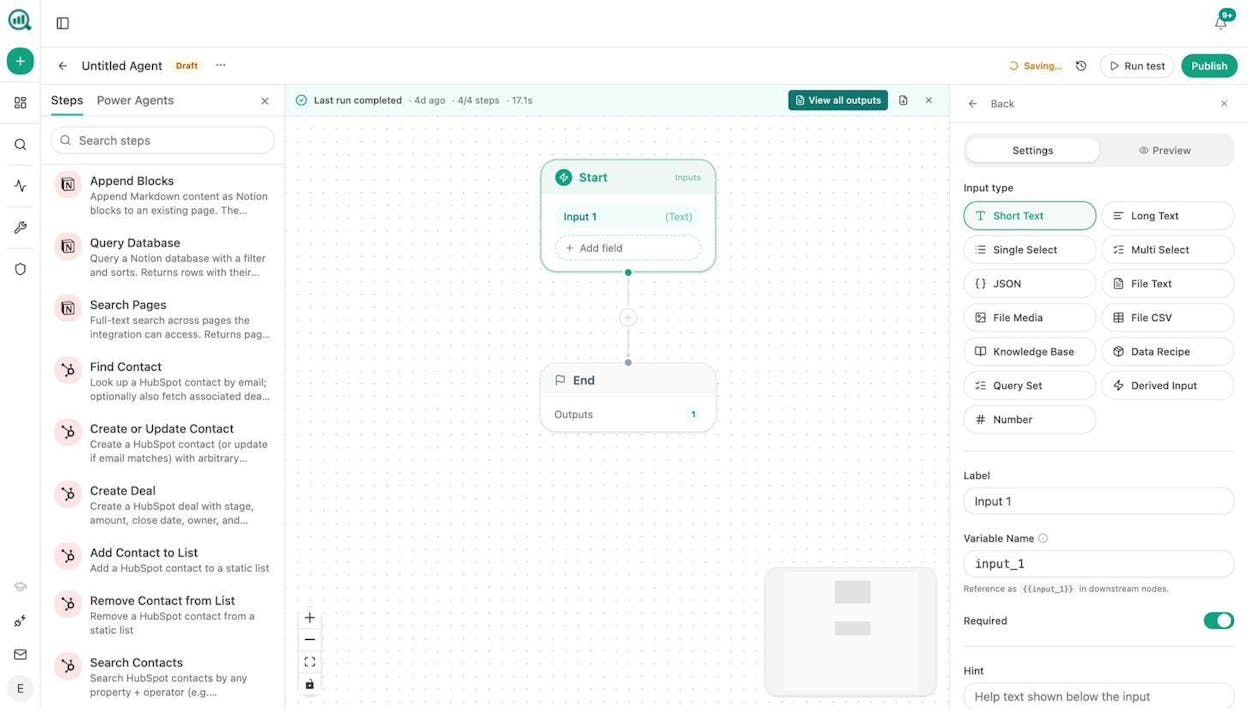
Analyze AI gives you all three in a single platform. The Agent Builder includes 180+ nodes across 16 categories, 34 pre-built data recipes, and integrations with GA4, Google Search Console, Semrush, DataForSEO, HubSpot, WordPress, Notion, Mailchimp, and every major LLM (Claude, GPT, Gemini, Perplexity). You can build agents that pull live SEO data, write content in your brand voice, optimize for AI search, generate images, enrich leads, and publish to your CMS, all inside one workflow.
What makes this different from general-purpose automation tools is that the data is already in the room. Your AI visibility scores, your GSC rankings, your competitor intelligence, your brand vault with tone and messaging rules. You do not need a separate “integration pass” to bring that data into your agents. It is native to the platform.
Each agent can run on a different LLM model. Use Claude for writing-heavy tasks. Use GPT for planning and analysis. Use Perplexity with web search grounding for research. You pick the best model for each job instead of being locked into one provider.
4. Build your orchestrated workflow
Here is where it gets concrete. Let’s walk through building a content writer agent workflow in Analyze AI.
You start by creating individual agents. In Analyze AI, you open the Agent Builder, set your Start node with the inputs the agent needs (a keyword, a brand voice recipe, a competitor data recipe), and then chain your processing steps.
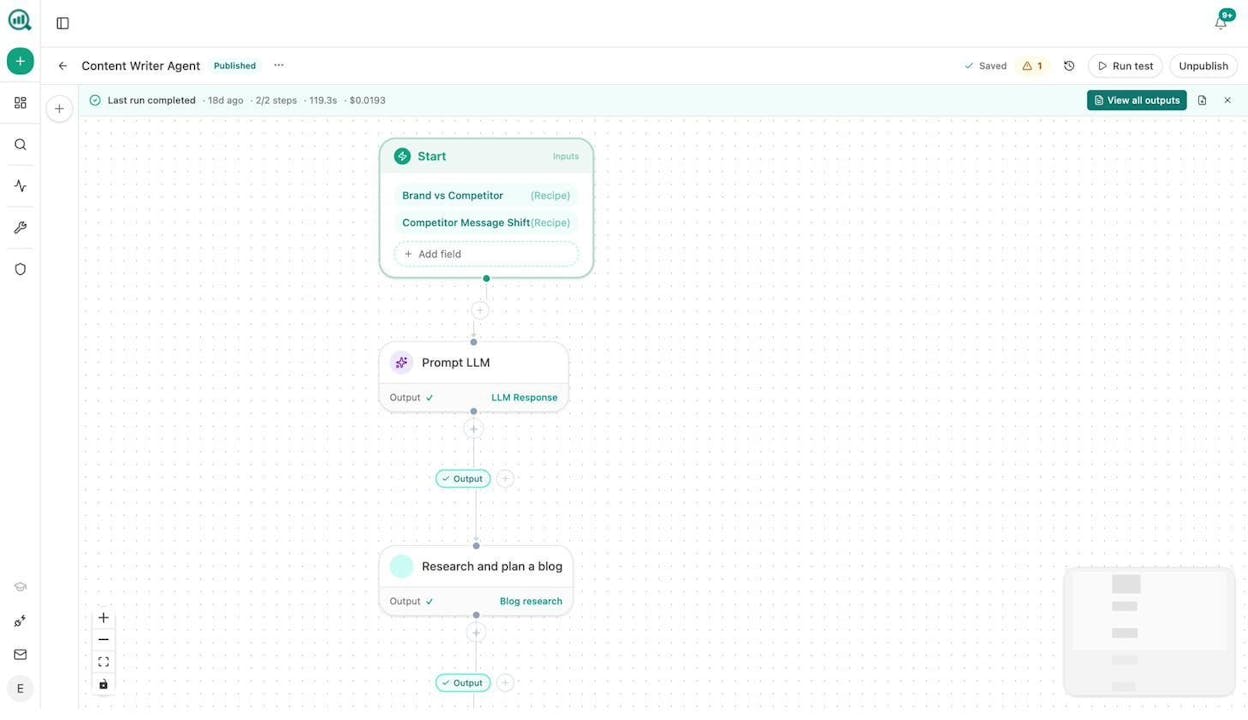
Here is how a content writer agent flow works in practice. The Start node takes a “Brand vs Competitor” data recipe and a “Competitor Message Shift” data recipe as inputs. These recipes auto-resolve at runtime, pulling your latest competitive intelligence without any manual data gathering. The output feeds into a Prompt LLM node (set to your chosen model, like Claude Sonnet), which generates a content strategy. That output passes to a “Research and plan a blog” step, which produces a research brief ready to open in the Content Writer.
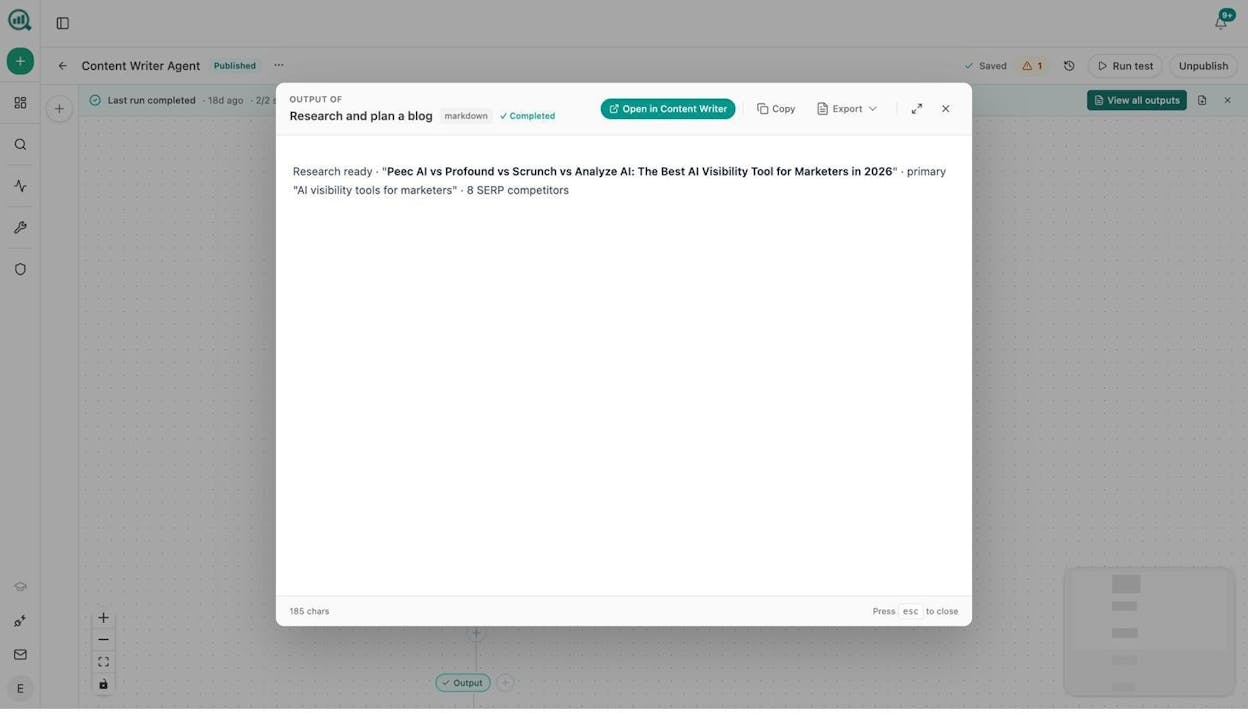
The output is a research-ready content brief that opens directly in Analyze AI’s Content Writer, where you can continue to a full outline and draft.
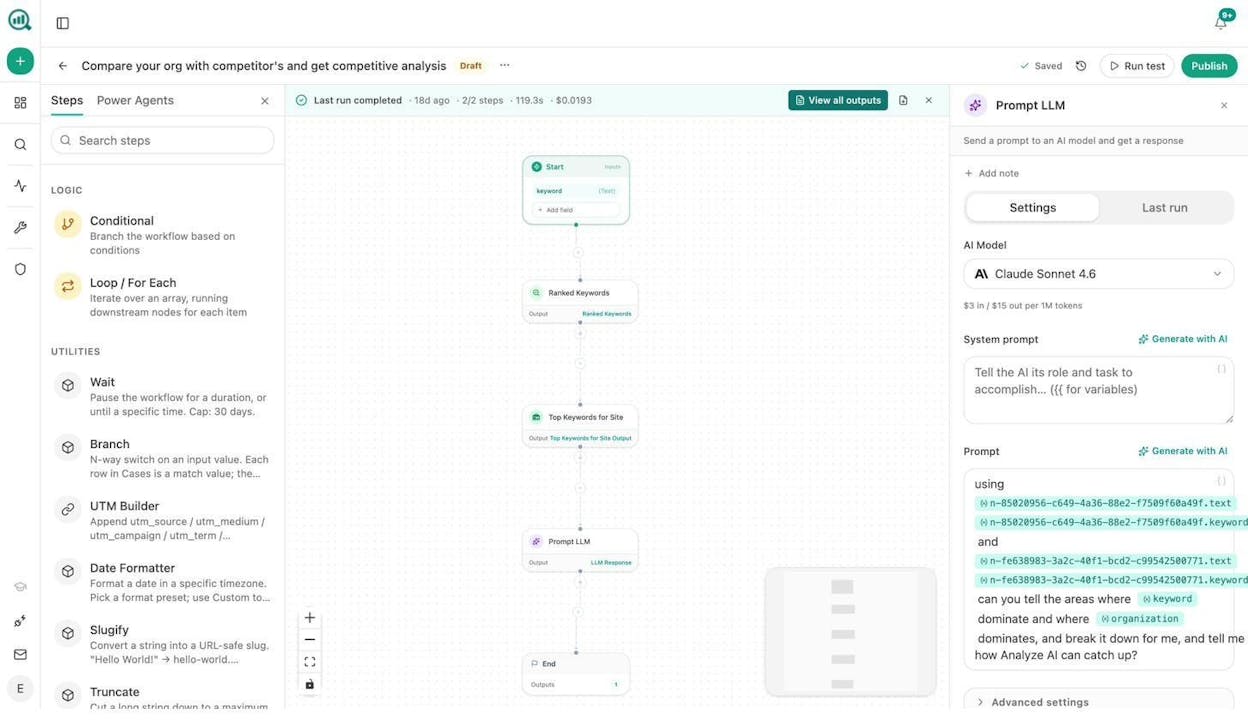
You can build similar agents for competitive analysis. This example takes a keyword input, runs it through a Ranked Keywords node and a Top Keywords for Site node (pulling live GSC data), then feeds both into a Prompt LLM node that compares your rankings against competitors and identifies gaps.
The real power is in chaining these agents. Your keyword research agent feeds the content writer agent, which feeds an optimization agent, which feeds a WordPress publish step. One trigger runs the entire pipeline.
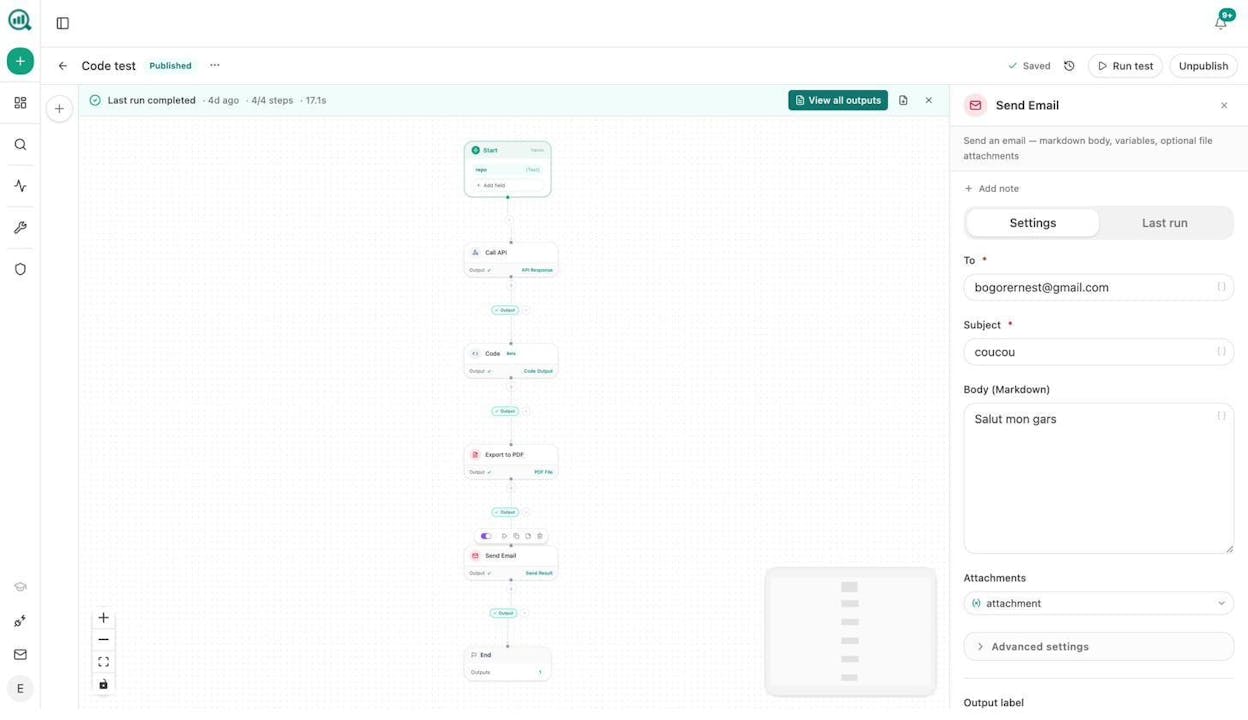
You can also build agents that go beyond content. Here is a workflow that takes a repo URL as input, calls an external API, processes the response with a Code node, exports the result to PDF, and sends it via email with the PDF attached. All in one pipeline.
5. Test, monitor, and iterate
No agent produces perfect output on the first run. Start by running each agent individually with test inputs. Check the output quality before connecting agents into a full pipeline.
The most common adjustments you will make are to the system prompts. How you instruct the agent has the biggest impact on output quality. After prompts, experiment with different LLM models for each step. Claude tends to produce better long-form writing. GPT tends to produce better structured analysis.
In Analyze AI, every agent run logs its cost, duration, and token usage. The agent self-inspection recipes (workflow-memory, failed-steps-log, run-cost-report) let agents read their own history. You can add a Conditional node that says “if last week’s optimization score was below 80, add an extra research step this week.”
7 marketing workflows you can build with agent orchestration
Here is where orchestration gets practical. These are real workflows that content and marketing teams build and run on a recurring basis.
1. Content writing at scale
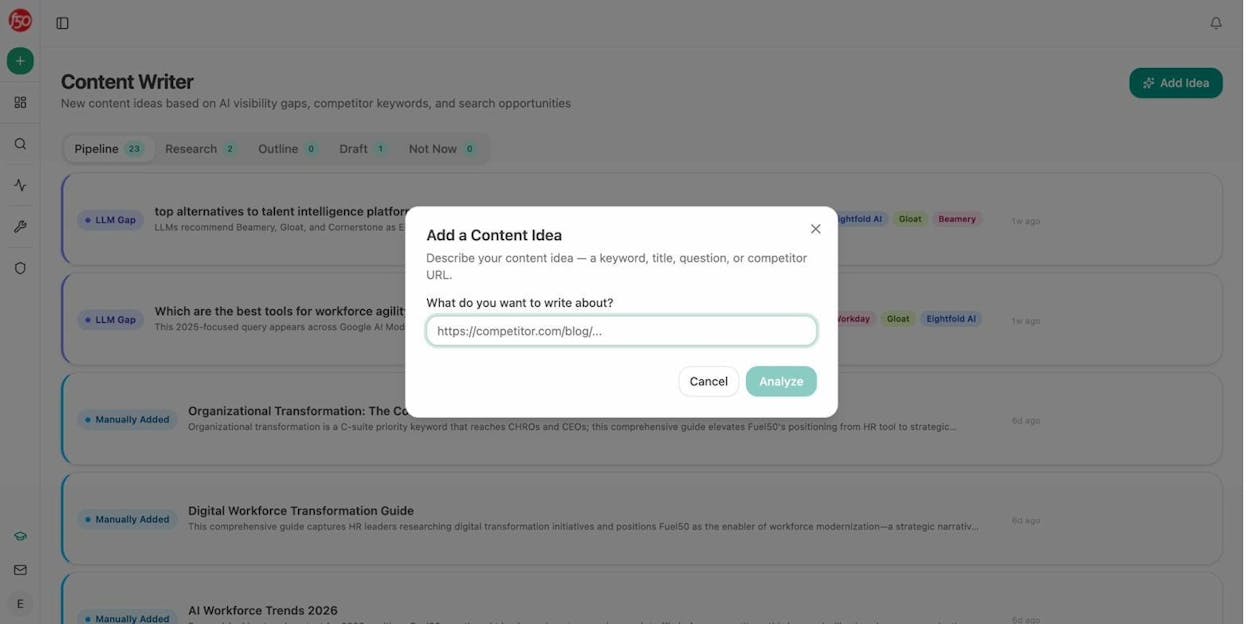
Set up a scheduled agent that runs every Sunday night. It pulls your keyword-opportunities and prompt-cluster-brief data recipes to identify what to write. A research agent scrapes the top-ranking pages for each keyword. An outline agent structures the article. A writer agent drafts it with your brand voice injected from the Brand Vault. An optimization step scores the draft with the AEO Content Scorecard. If the score clears your threshold, the article publishes to WordPress automatically. If not, it goes to Slack for human review.
2. Content refresh at scale
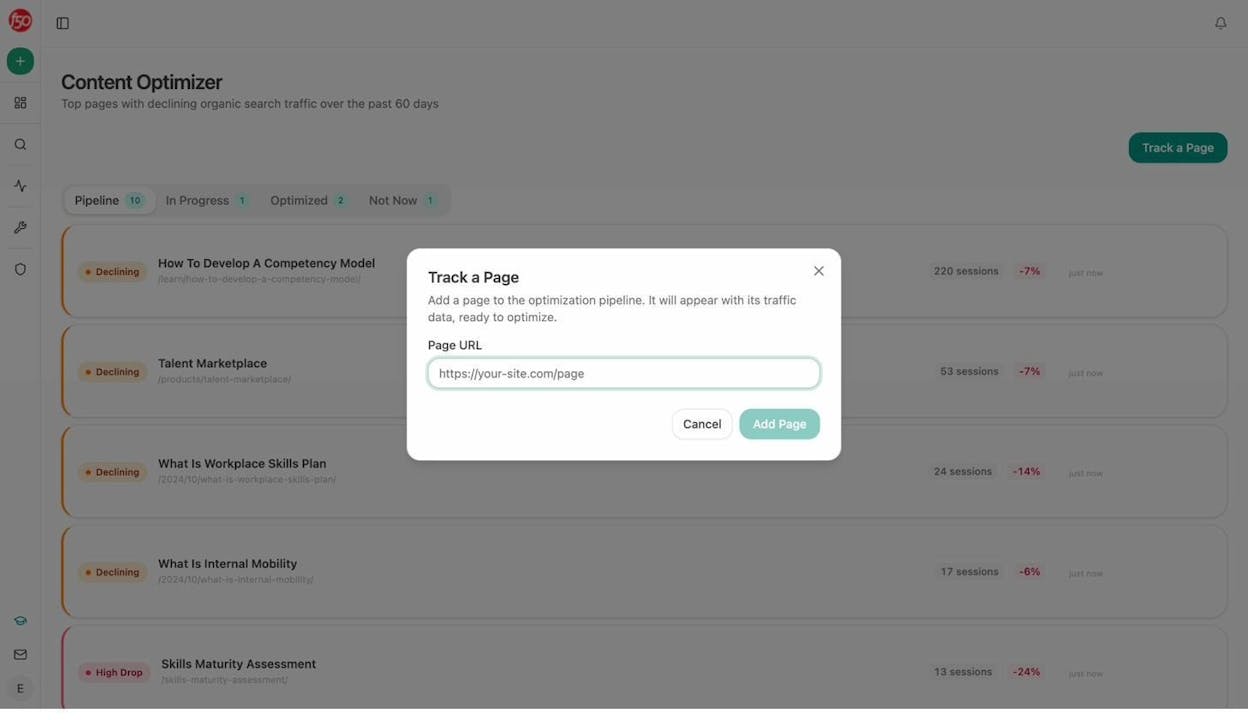
A weekly scheduled agent pulls your stale-content and declining-pages data recipes. It loops through each declining page, scrapes the current content, runs it through a Prompt LLM node with instructions to rewrite for freshness and AI readability, diffs the result, and if the changes are substantial, pushes the update to WordPress. Your content pruning and refresh workflow runs itself.
3. Keyword research with AI search gap analysis
Most keyword research workflows stop at search volume and difficulty. This one goes further. A keyword research agent pulls DataForSEO volumes and Semrush competitive data. A second agent pulls your AI visibility data from Analyze AI, checking which keywords your brand appears for in AI answers and where competitors win instead. The output is a keyword list with both traditional SEO metrics and AI search visibility scores, so you can spot keywords where you rank on Google but are invisible in ChatGPT or Perplexity.
4. Internal linking at scale
A weekly scheduled agent loops through your sitemap. For each page, it runs an On-Page SEO analysis and pulls GSC Top Keywords for that page. A Prompt LLM node suggests three internal links based on topical relevance and existing anchor text. The suggestions go to a Notion task list or, if you want full automation, directly update your pages via the WordPress integration. This is especially valuable if you manage sites with hundreds or thousands of pages where manual internal linking would take weeks.
5. Link outreach and digital PR
A scheduled agent runs DataForSEO Brand Mentions to find new mentions of your brand or competitors. A Tomba Author Finder node identifies the email address of each article’s author. A Prompt LLM node drafts a personalized outreach email using your brand context and the specific article as a reference. The draft goes to your outreach team via Slack, or sends automatically if you configure the Send Email node. Your digital PR pipeline stays active without manual prospecting.
6. Social media content creation
A webhook agent triggers whenever a new blog post publishes to your CMS. It scrapes the published post, runs it through a Prompt LLM node with platform-specific instructions (LinkedIn post, Twitter thread, Instagram caption), and generates a Social Media Image for each platform using the brand-kit-aware image generation node. One blog post turns into five platform-ready assets without anyone touching a document.
7. ABM account research and battlecards
A webhook agent fires when a HubSpot deal moves to a new stage. It researches the company using DataForSEO Domain Overview, Semrush Backlinks, and News Research. It checks your AI Battlecards and Perception Map data to see how AI models position your brand against that prospect’s current vendors. A Prompt LLM node compiles everything into a one-page account brief. The brief attaches to the HubSpot deal automatically. Your sales team walks into every call already briefed.
Orchestration patterns and mistakes to avoid
Sequential orchestration
This is what the examples above use. Agents run one after another in a chain. The output of each agent feeds the input of the next. Start here. It is the easiest to debug and covers most content and marketing workflows.
Hierarchical orchestration
One “manager” agent coordinates other agents and decides what to delegate based on conditions. For example, a manager agent receives a content brief and routes it to different writer agents based on the target format. More powerful but harder to set up. Use it only when you need dynamic routing.
Mistakes that will cost you time
Vague agent instructions. “Research this topic and give me good results” will produce inconsistent output. Specify the format, the depth, the sources to check, and the structure you want back.
Using agents for steps that do not need reasoning. Logging data to a Google Sheet, sending a Slack notification, or pushing a row to HubSpot are not agent tasks. Those are simple node-to-node integrations. Save agents for steps that require actual thinking.
Ignoring output structure. If one agent outputs a wall of text, the next agent in the chain will struggle. Define the output format (JSON, markdown, bullet points) for each agent so handoffs stay clean.
Skipping the feedback loop. Add a quality gate before final output. In Analyze AI, you can use a Conditional node to check if a content score meets your threshold before publishing. Without this, early errors compound through every downstream step.
Bringing AI search into your agent workflows
Traditional SEO automation focuses on Google rankings. But buyers are now finding brands through ChatGPT, Perplexity, and Gemini. Your orchestrated workflows should account for both.
In Analyze AI, every agent has native access to AI visibility data. You can add a step that checks whether your brand appears in AI answers for your target keywords, which AI models cite your competitors but not you, and what prompts are driving traffic to your site. Data recipes like competitor-gaps, unmentioned-prompts, and citation-decay-alert drop directly into any agent as an input.
This is not about replacing SEO. It is about adding AI search as another organic channel, the way Analyze AI’s manifesto describes it. The brands that treat AI search as complementary to SEO will compound their visibility across both channels.
Start building
Agent orchestration is the most practical way to scale content and marketing operations without scaling headcount. Define what each agent does, map the flow between them, build the workflow, and iterate.
Analyze AI gives you the entire substrate for this: 180+ nodes, 34 data recipes, integrations with the tools you already use, and native AI search intelligence built into every workflow. Start with a free trial and build your first orchestrated workflow using the Agent Builder and Sheets to run agents across hundreds of records in parallel.
Pick one workflow from the seven above. Build it. Test it. Iterate. That first working agent pipeline will change how you think about every repeatable process on your team.

Ernest

Ibrahim


