



Summarize this blog post with:


In this article, you’ll learn what a single-page website actually is, where it earns its place, where it falls apart for SEO, and how to make one URL compete in both Google and AI search engines like ChatGPT, Perplexity, Claude, and Gemini.
Table of Contents
What Is a Single-Page Website?
A single-page website puts every section of content under one URL. There is no /about, no /pricing, no /blog. Visitors scroll, or they click anchor links that jump them to a section of the same page.
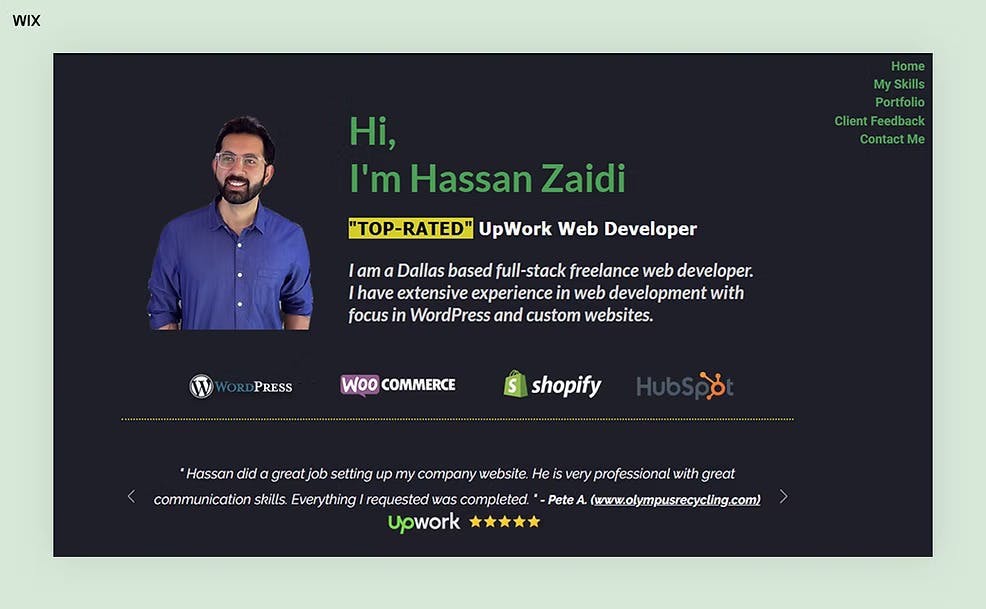
Think of a freelance designer’s portfolio. The page opens with a hero, scrolls into an “About” block, then a “Work” gallery, then a contact form. One URL, one page, one continuous scroll.
A single-page website is not the same as a single-page application (SPA). A SPA loads one HTML document and uses JavaScript to render new “pages” as the user clicks. A SPA can serve thousands of distinct URLs. A single-page website cannot. If a teammate says “we run a single-page website,” confirm what they mean before you advise them. The optimization plan changes completely.
Single-Page vs. Multi-Page: What Each Setup Gives You
Here is how the two setups compare on the factors that drive rankings and AI citations.
|
Factor |
Single-Page Website |
Multi-Page Website |
|---|---|---|
|
Number of indexable URLs |
One |
Many |
|
Navigation |
Scroll and anchor links |
Header menu, breadcrumbs, internal links |
|
Keyword targeting |
One small cluster |
A dedicated page per keyword group |
|
Content depth |
Condensed |
Room for full topical coverage |
|
Backlink profile |
Every link points to one URL |
Links spread across the domain |
|
Build cost |
Low |
Higher (CMS, multiple templates) |
|
Best fit |
Portfolios, MVPs, events, launches |
Businesses that depend on organic traffic |
|
AI search citations |
One URL for AI to reference |
Multiple URLs, each a citation candidate |
Multi-page setups have structural advantages. But “more pages” is not always the right call. The rest of this guide shows you when one URL is enough, and how to make it perform when it is.
The Real SEO Trade-Offs of a Single-Page Website
Single-page websites are not banned from Google. Plenty rank for branded terms and low-competition queries. The trade-offs are structural, not punitive.### You Can Only Target a Small Keyword Cluster
A multi-page site can build a dedicated page for every keyword group. One page targets “keyword research.” Another targets “keyword clustering.” Each page sends Google a clean signal about what it is about.
A single-page site has to compress all of that into one URL. Try to target five separate clusters from five sections of the same page, and you dilute the page’s relevance for all of them. Google cannot serve your “pricing” section to one searcher and your “features” section to another. It ranks the URL or it does not.
This process of mapping keywords to dedicated URLs is called keyword mapping. It needs multiple pages to work. With one page, you are limited to your brand name and one or two closely related terms.
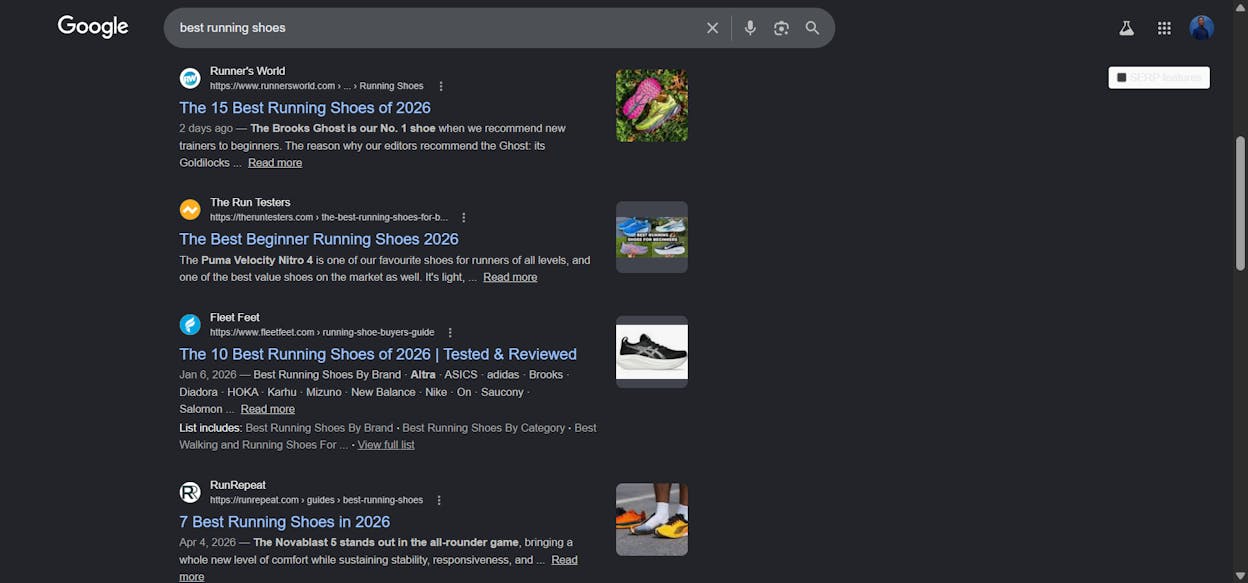
A quick check before you commit: search your target keyword in Google. If other one-page sites rank in the top five, there is a path. If every result is a comprehensive multi-page site with a dedicated URL for that term, you are starting at a structural disadvantage. Confirm the SERP shape using our free SERP Checker.
You Cannot Build Topical Authority
Google rewards depth on a topic. When a domain publishes many useful pieces inside one cluster, Google starts to treat the domain as an authority. This is topical authority, and it compounds.
Take two stores selling running shoes. Site A has one page with a product list and a contact form. Site B has the product list plus posts on injury prevention, training plans, shoe care, and pronation guides. Site B looks like a running expert. Site A looks like a store.
The same logic applies in AI search. ChatGPT, Perplexity, Claude, and Gemini learn which domains to trust by reading the breadth and depth of content under each one. Our analysis of 83,670 AI citations shows AI engines lean heavily on domains that publish often and publish widely. A single page on running shoes is far less likely to be cited than a domain with thirty useful pages on the topic.
Backlinks Are Harder to Earn
The most reliable way to earn backlinks is to publish content other sites want to reference. Original research, useful guides, free tools, fresh data. Single-page websites are usually transactional, so other sites have no reason to link unless you go out and ask. The exception is when the page itself is the asset, like a free calculator or interactive tool. We cover what works in our guide on how to get backlinks.
User Experience Breaks at Scale
A single page works when the content is tight. A six-project portfolio, a schedule with a registration form, a countdown to a launch. Load it with enough content to fight on SEO and the page gets long, sections blur, people scroll past what they need, and load times grow with every image and script. Multi-page sites solve this with structure. Menus, breadcrumbs, and internal links let people land on what they want, and each page only ships the assets it needs.
When a Single-Page Website Actually Works
There are real reasons to ship one page instead of many. The trick is being clear that you are choosing focus over organic growth.
As a Pre-Launch Placeholder
If your full site is still in build, a placeholder gets you indexed today. You can rank for your brand name, collect backlinks, and show up when journalists or future customers search for you. When the full site goes live, the domain authority you built carries over. Use the time on purpose. Put your brand name in the H1, add Organization schema, and start outreach.
As an MVP or Proof of Concept
Founders use single-page sites to validate ideas. The page describes the offer, captures emails, and sometimes takes pre-orders. SEO is a secondary concern here. The point is to learn fast and build a multi-page setup once the idea has legs.
When PageRank Concentration Helps You
On a multi-page site, link equity passes through internal links and decays with each hop. On a single-page site, every backlink lands on the same URL with no dilution. The advantage is real but narrow. A multi-page site usually earns far more total backlinks, which more than compensates.
When Mobile Is Your Main Audience
Single-page sites map cleanly to mobile behavior. Scrolling beats tapping on small screens, and anchor links beat complex menus. Google indexes the mobile-only version of your site, and a fast, scrollable one-pager plays to that scoring. ## How to Optimize a Single-Page Website for SEO
If a single-page site is the right call, here is how to get the most from one URL. Each step is something you can ship today.
1. Set Up a Logical Heading Hierarchy
Headings are the only architecture a single-page site has. They replace the menu, the breadcrumbs, and the page hierarchy that multi-page sites lean on.
-
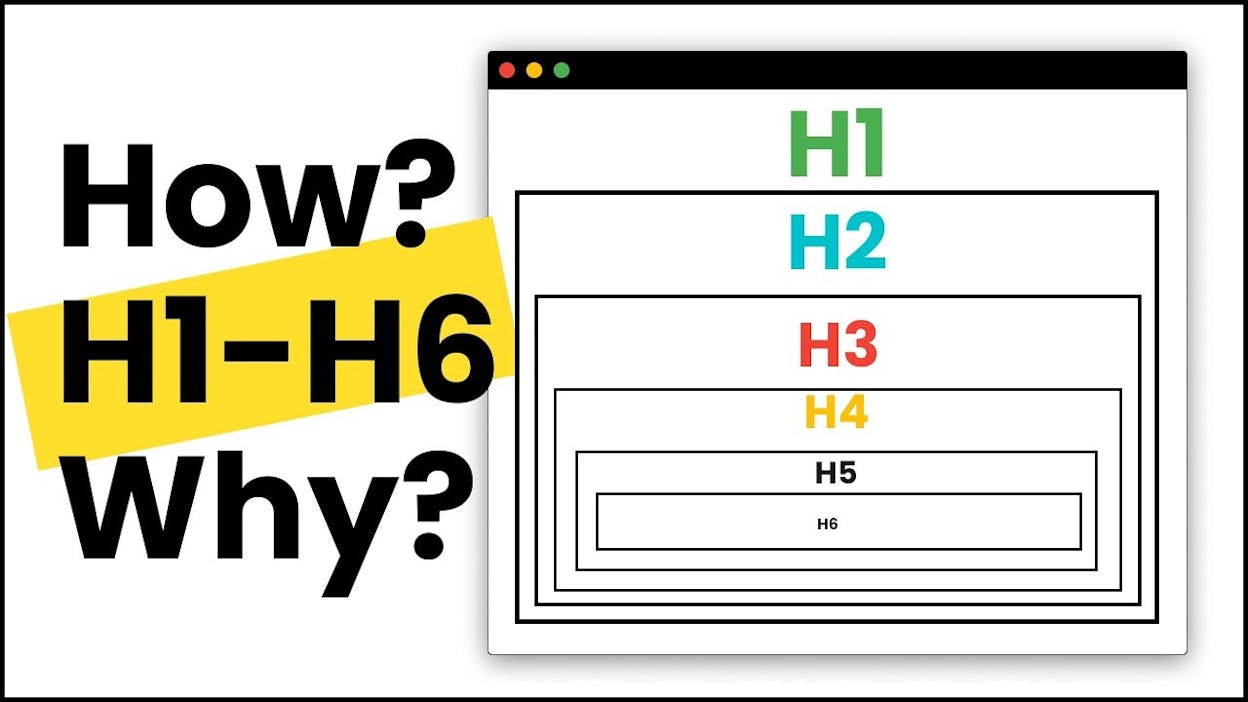
Step 1. Use one H1 for the page’s main topic. Include your primary keyword in it.
-
Step 2. Use H2s for each major section. Each H2 functions like a separate page on a multi-page site.
-
Step 3. Use H3s for subsections inside each H2. Never skip from H2 to H4.
-
Step 4. Add anchor links at the top that jump to each H2. This becomes your navigation menu and gives Google a clear map of the page.
2. Pick One Keyword Cluster and Commit
You cannot rank for many groups on one page, so choose carefully.
-
Step 1. Run keyword research and group the results by search intent. Our free Keyword Generator Tool and Keyword Difficulty Checker surface candidates and tell you which are realistic to rank for.
-
Step 2. Pick the cluster where the search intent matches your single page. If your page is a freelance portfolio, “freelance UX designer Berlin” maps. “How to hire a UX designer” does not.
-
Step 3. Use your primary keyword in the H1, the meta title, and the first 100 words. Use related variations in your H2s and body copy.
-
Step 4. Confirm the SERP shape supports a one-page result. If every result is a multi-page guide with a dedicated URL, reconsider.
3. Optimize Every Image on the Page
Single-page sites are image-heavy by nature. Portfolios, product launches, and event pages all live and die by visuals. Image optimization affects both image search and your overall page speed.
-
Add descriptive alt text to every image. Not “image1.jpg,” but “UX wireframe for a mobile banking dashboard.”
-
Rename files before uploading. Search engines read filenames as a ranking signal.
-
Compress with TinyPNG, Squoosh, or ImageOptim. Most images can shed 60 to 80 percent of their weight without visible loss.
-
Use modern formats. WebP and AVIF compress harder than JPEG and PNG.
-
Lazy-load anything below the fold.
4. Treat Page Speed Like a Ranking Factor
With every section on one URL, load time compounds quickly. Slow pages hurt rankings and conversions at the same time.
-
Test the page in Google’s PageSpeed Insights. Aim for above 90 on mobile.
-
Implement lazy loading on all below-the-fold assets, not just images.
-
Minify CSS and JavaScript. Remove the code you do not use.
-
Serve static assets through a CDN.
-
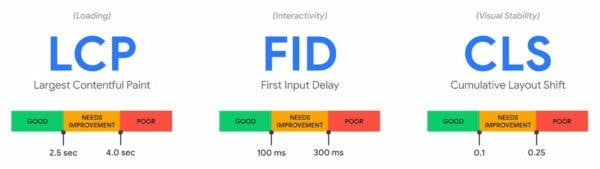
Watch Core Web Vitals: LCP, INP, and CLS.
5. Implement Schema Markup
Schema markup tells search engines what the page is about in a structured way. For a single-page site, the most useful types are Organization or Person schema as a baseline, LocalBusiness if you serve a geographic area, Product if you sell something, and FAQ if your page answers common questions.
6. Write a Meta Title and Description That Earn the Click
You only have one URL in the SERP, so the title and description carry extra weight. Treat them as ad copy. Put your primary keyword near the start of the title and stay under 60 characters. For the meta description, summarize the page’s value in 155 characters or fewer and give a clear reason to click.
7. Build Backlinks Manually
Your single page will not pull links by accident. You have to go after them.
-
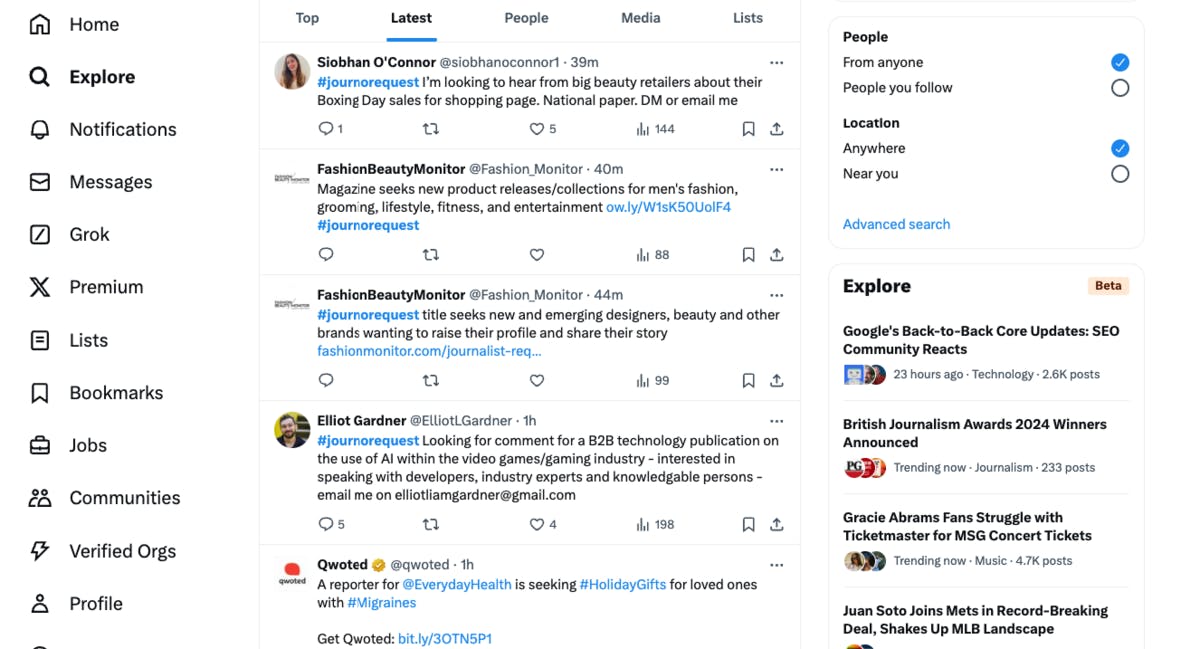
Expert commentary. Sign up for HARO, Quoted, or Terkel and pitch yourself as a source for journalists in your space. We cover the workflow in detail in our HARO link building guide.
-
Unlinked brand mentions. Search for places where your brand is mentioned without a link, then ask for one. Use our free Website Authority Checker to prioritize the high-authority mentions first.
-
Guest posts. Write for sites in your niche. Each post earns an author bio link.
-
Broken link building. Find dead links on relevant pages and pitch your single-page URL as the replacement. Our free Broken Link Checker makes the discovery part fast.
For more options, see our full breakdown of link building strategies.
How to Optimize a Single-Page Website for AI Search
This is the section most guides skip. They cover Google and stop. But AI search engines now send real referral traffic, and they pull citations differently from how Google ranks pages. AI engines stitch answers from sources they trust, so a single-page site has one URL doing all the work.
We do not believe SEO is dead. AI search is an additional organic channel that sits alongside it, and the team that wins both treats them as one program. Here is how to run that program when one URL is all you have.
1. Track Whether AI Engines Mention Your Brand at All
Open Analyze AI and add your brand. The platform monitors responses across ChatGPT, Perplexity, Claude, Copilot, Gemini, and other engines, then surfaces every prompt that returns your brand and every prompt that does not.
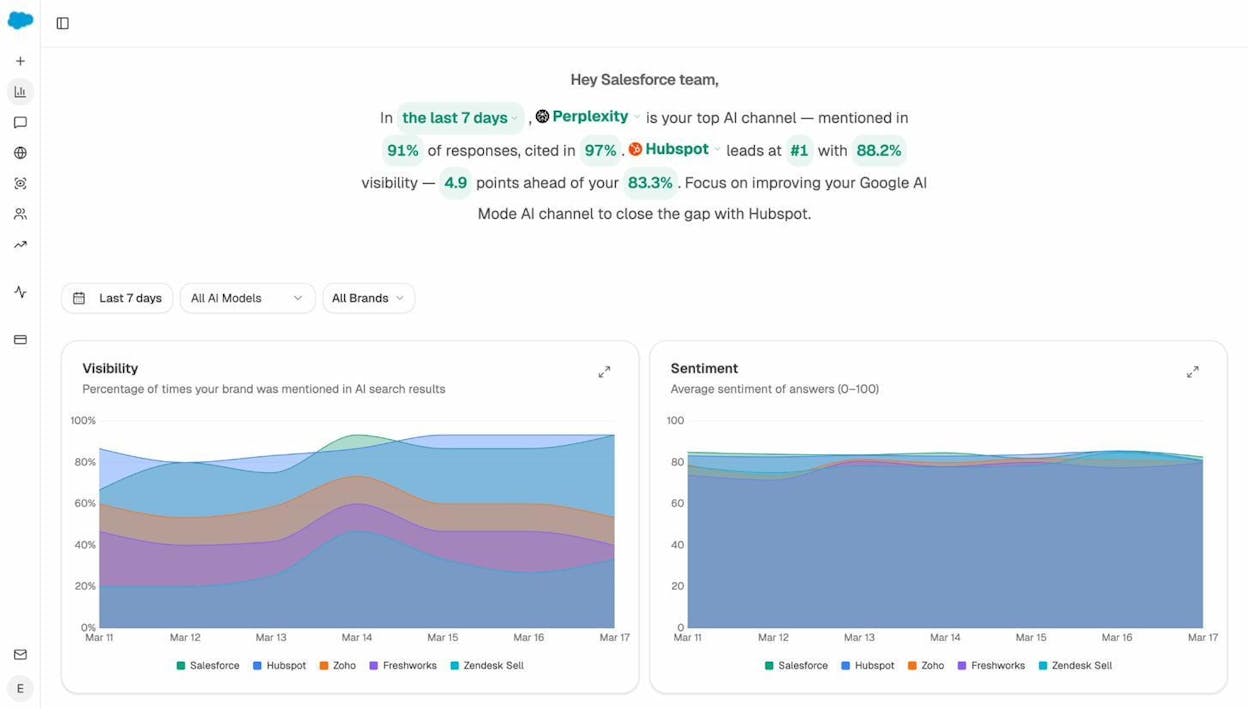
The Overview shows your visibility percentage, your sentiment, and how you stack against the competitors you have chosen to track. For a single-page site, this is the equivalent of an AI rank tracker. You see whether your one URL is showing up in the answers your buyers are asking.
2. Find the Prompts Where Competitors Win and You Do Not
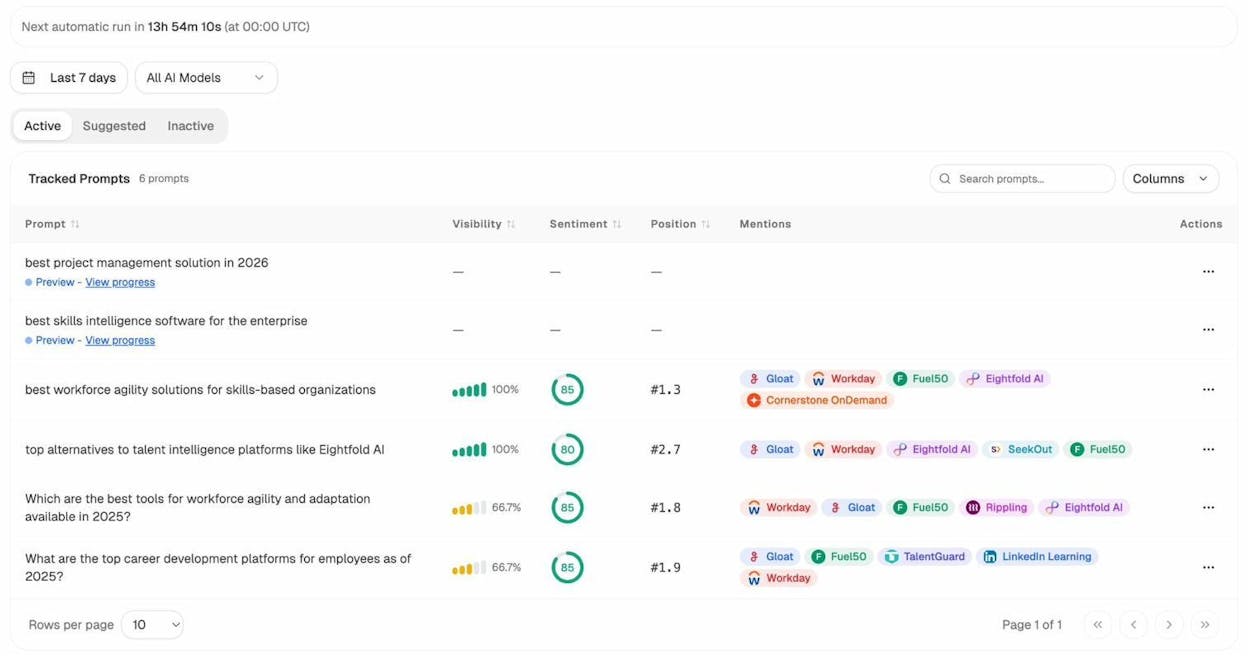
The fastest way to grow a one-page site’s footprint in AI search is to find the prompts where competitors are getting cited and you are missing. The Competitor Intelligence view shows exactly that.
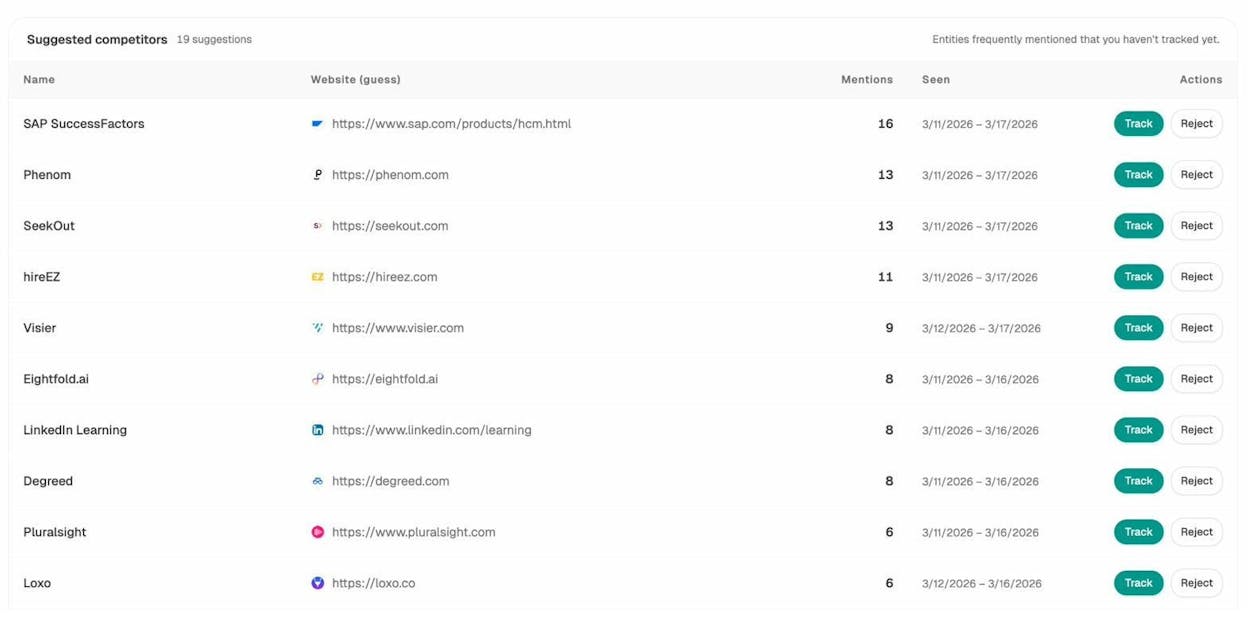
Analyze AI suggests competitors based on the entities frequently mentioned alongside your brand. Once they are tracked, the Prompts view shows the exact questions that surface each competitor. Every prompt where competitors win and you do not is a content gap your one URL needs to address.
3. See Which Sources AI Engines Cite, and Mirror What Works
The Sources view reveals which URLs and domains AI engines cite most often in your category. This is the closest thing to a backlink profile for AI search.
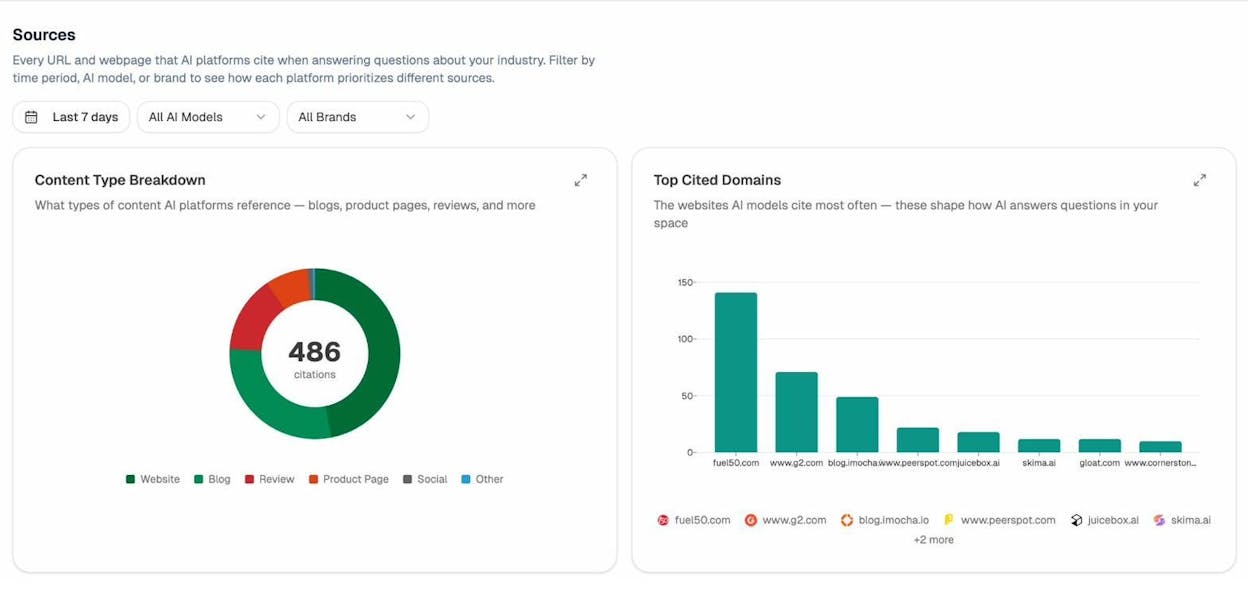
If the most-cited sources are blog posts and educational content, your single page needs more depth and less pitch. If they are listicles or comparison pages, structure your page so it can be parsed and pulled into one. The pattern in your category tells you what to write.
4. Watch AI Referral Traffic to Your One URL
Connect Google Analytics to Analyze AI and the AI Traffic Analytics view shows how many visitors arrive from each AI engine, what they do once they land, and which prompts drove them.
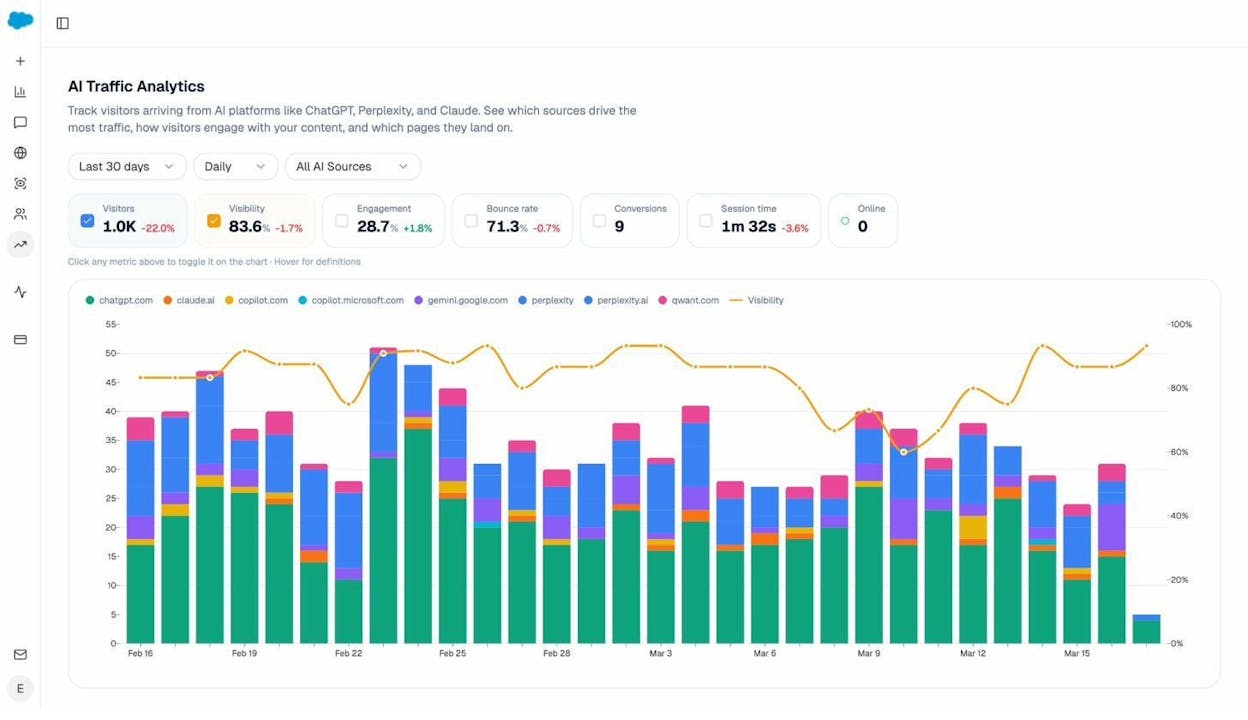
For a single-page site, this view is unusually clean. Every AI-referred visitor lands on the same URL, so you can connect prompt to session to conversion in one chain with no attribution mess.
5. Use Prompt Discovery to Expand Your Coverage
The Prompt Discovery feature surfaces new, relevant prompts based on patterns in your category. For a single-page site, this is how you find the questions buyers are actually asking AI engines about your offer.
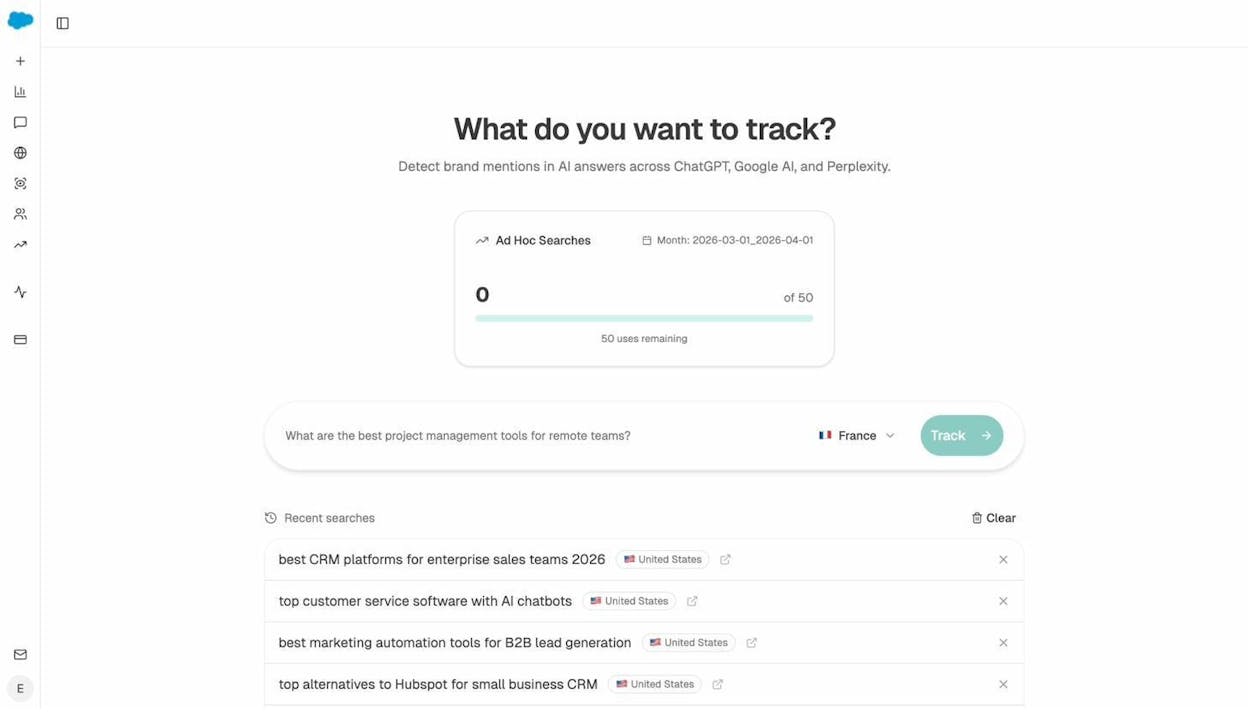
Track the prompts that match your buyer’s intent, then make sure your page answers them in a clear, parsable section. This is the AI search equivalent of keyword mapping for one URL.
6. Put the Whole Loop on Autopilot With Agent Builder
Optimization on a single-page site is never one-and-done. The prompts that drive your traffic shift, competitors publish new content, and AI engines update their citation patterns. Teams that stay ahead do not check by hand. They run agents.
Analyze AI Agent Builder is a programmable layer with 180+ nodes, 34 pre-built data recipes, and three trigger modes (manual, scheduled, webhook). Every recipe is wired into your AI visibility data, your GSC data, your CMS, and your competitors out of the box.
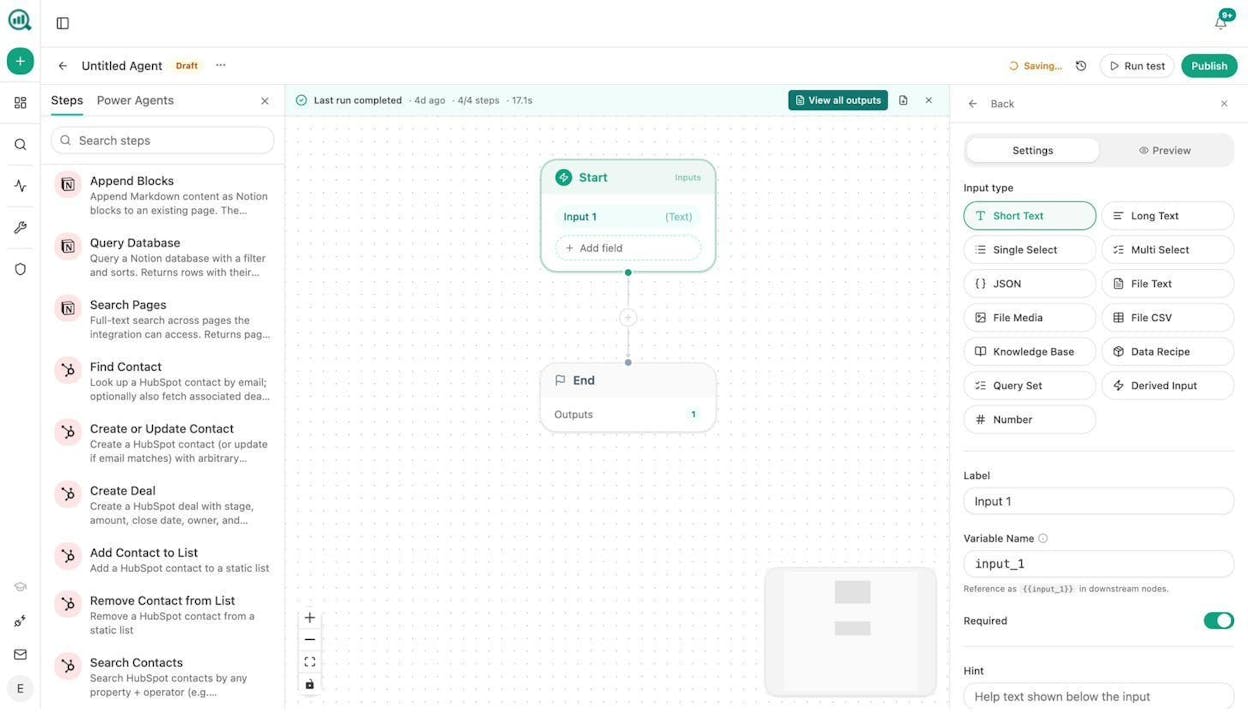
For a single-page site, three agents do most of the heavy lifting:
-
A daily visibility regression alert. Schedule the visibility-losers recipe to run every morning. If your page drops on any tracked prompt, the agent drafts a counter-content suggestion and pings the team in Slack.
-
A weekly competitor gap report. Schedule the competitor-gaps recipe to run every Monday. The agent surfaces every prompt where competitors won the citation and you did not, then drafts a section-level update for your single page.
-
A content refresh trigger. Use the citation-decay-alert recipe with a webhook. The moment AI engines start citing your URL less, the agent generates an updated version of the relevant section and drops it in your CMS as a draft for review.
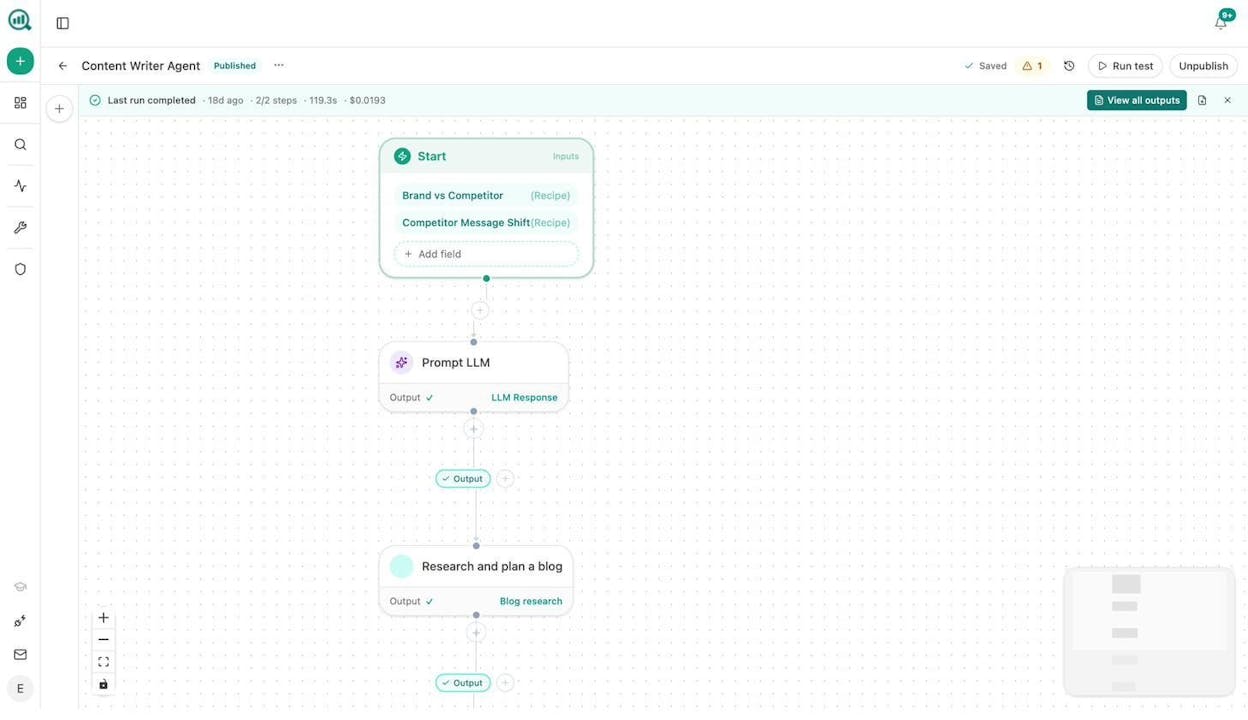
For a single-page site, where every percentage point of visibility matters more than on a multi-page domain, this always-on layer is the unfair advantage.
When to Move From a Single Page to a Multi-Page Site
This is the most important call you will make.
Move to a multi-page site when:
-
Organic traffic (Google or AI) needs to be a meaningful growth channel.
-
You are ready to invest in regular content production.
-
Your single page is trying to serve too many audiences.
-
Your competitors all have multi-page sites and they are eating your branded share of voice.
Stay with a single page when:
-
You are pre-launch and the page is a placeholder.
-
Your page serves a narrow purpose and organic is not your main channel.
-
You have an MVP and validation matters more than rankings.
The structural advantages of multiple pages compound. Watch your AI visibility and your branded traffic. When either one plateaus, that is your signal to switch.

Moïse

Ernest


