



Summarize this blog post with:


In this article, you’ll see seven Sintra AI alternatives built for marketing teams that need more than pre-built AI helpers. You’ll get pricing, pros, cons, and a clear breakdown of when each tool fits, so you can pick the right platform for your content, SEO, and marketing operations without overpaying for features you’ll never use.
Table of Contents
What to Look for in a Sintra AI Alternative
Sintra AI gives you twelve pre-built AI assistants that handle tasks like email writing, social media posts, and customer support. That works well for solopreneurs who need a little help across the board.
But marketing teams hit a ceiling fast. You cannot build multi-step content workflows, connect to your CMS, pull live SEO data, or run reports that tie content output to pipeline. If your job is to scale content production, track brand visibility across AI search engines, or automate the repetitive ops work that eats your week, Sintra AI was not built for that.
Here is what matters when you are evaluating an alternative.
Custom workflow building. You need a platform that lets you chain tasks together. Research a topic, draft an outline, write the piece, check it against your brand voice, and publish to WordPress. One workflow, not twelve separate chats.
Real marketing integrations. Your CMS (WordPress, Contentful, Sanity), your CRM (HubSpot), your analytics (GA4, Google Search Console), your SEO tools (DataForSEO, Semrush). If the platform cannot plug into these, you are still doing manual copy-paste work.
AI search visibility. Buyers now discover brands through ChatGPT, Perplexity, Gemini, and Copilot. The platform you pick should help you track and improve how your brand shows up in these AI engines, not just in Google.
Transparent pricing. Some tools on this list charge per task, per credit, per seat, and per integration. Others keep it simple. Know what you are paying before you commit.
7 Best Sintra AI Alternatives
-
Analyze AI
-
n8n
-
Zapier
-
Lindy AI
-
Relevance AI
-
Relay.app
-
Make
1. Analyze AI
-
Best for: Marketing teams that need content production, AI search visibility, and automated ops in one platform
-
Pricing: Growth at $99/month, Pro at $250/month, Custom for enterprise. Free trial available.
-
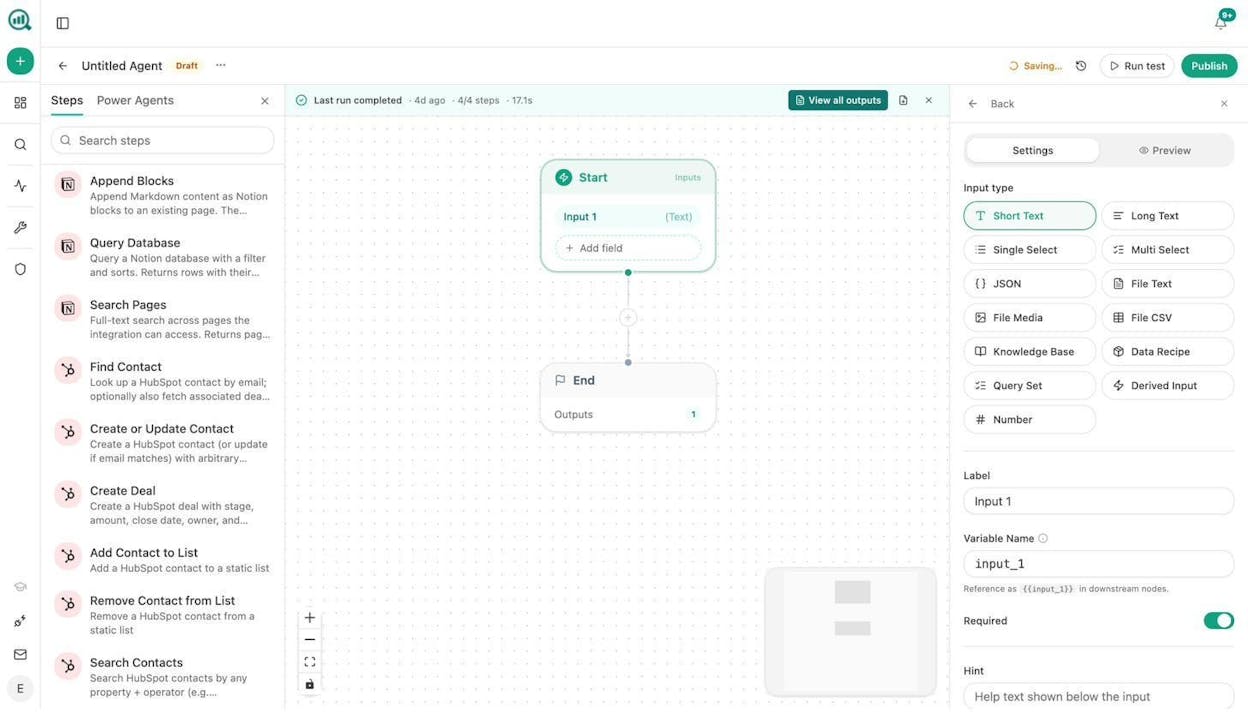
Standout feature: A visual Agent Builder with 180+ nodes, 34 data recipes, and integrations with GA4, GSC, Semrush, DataForSEO, HubSpot, WordPress, Notion, Contentful, Mailchimp, and every major LLM
Analyze AI is the agentic platform for SEO, AEO, content, and GTM ops. Where Sintra AI gives you a chatbot that writes social posts one at a time, Analyze AI gives you a programmable substrate where you build full marketing workflows that run on a schedule, fire from a webhook, or execute on demand.
The Agent Builder is the core of the platform. You get 180+ production-ready nodes across 16 categories. That means you can build a workflow that pulls keyword data from DataForSEO, cross-references it with your GA4 traffic, drafts a content brief using any LLM (Claude, GPT, Gemini, Perplexity Sonar), and publishes the finished piece to WordPress, complete with a brand-voice check and featured image. One agent, no manual steps.
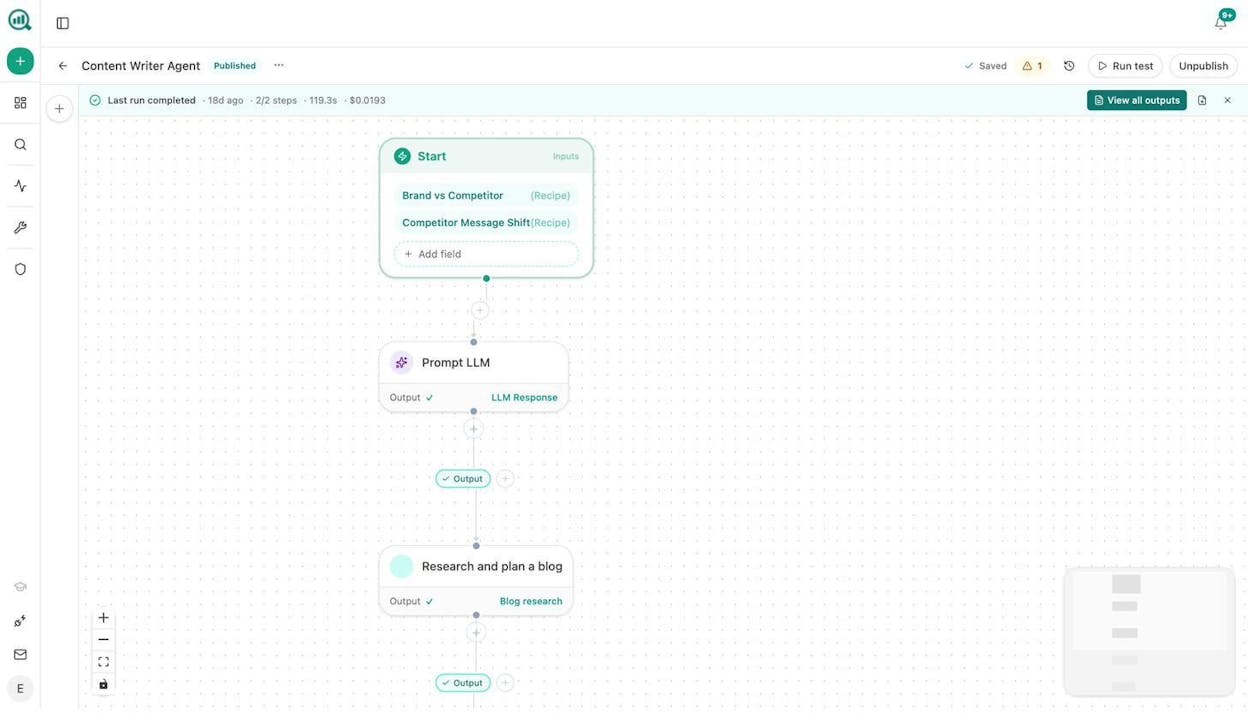
This is not a drag-and-drop toy with 10 nodes. The integrations include 26 HubSpot nodes (contacts, deals, tasks, tickets, lists, workflows), 8 Google Search Console nodes, 27 DataForSEO research nodes, 7 Semrush nodes, 6 WordPress nodes, 6 Notion nodes, 5 Mailchimp nodes, and full CMS coverage for Sanity and Contentful. Add in image generation (blog featured images, infographics, social media graphics), CSV/Excel/PDF exports, conditional logic, loops, and a custom code node, and you are looking at billions of possible workflow configurations.
Here are a few examples of what marketing teams actually build with it.
Content creation at scale. Schedule an agent to run every Sunday night. It pulls uncovered prompts from AI visibility data, finds keyword opportunities from DataForSEO, assembles an editorial calendar in Notion, and generates a brief for each piece. Your content team walks in Monday with the week planned.
Content refresh at scale. A weekly agent that finds declining pages (via GA4) and pages losing AI citations, scrapes each one, rewrites for freshness using your brand voice from the Knowledge Base, and pushes the updated version to WordPress. Pages that were quietly losing traffic get fixed without anyone remembering to check.
Internal linking at scale. Loop through your sitemap, pull GSC top keywords for each page, and use an LLM to suggest three internal links per page. Output a Notion task list for your editor or push changes directly through an API call.
Keyword research at scale. Feed a seed list into DataForSEO Keyword Ideas, filter by difficulty and volume, cross-reference with competitor domains, and export a prioritized spreadsheet.
Link outreach. Research articles in your space, find the author’s email using Tomba Author Finder, draft a personalized pitch using your brand context, and send the email. Logged to HubSpot automatically.
Image design. Generate blog featured images, social media graphics, and infographics using the built-in image creation nodes. All brand-kit-aware, all automated.
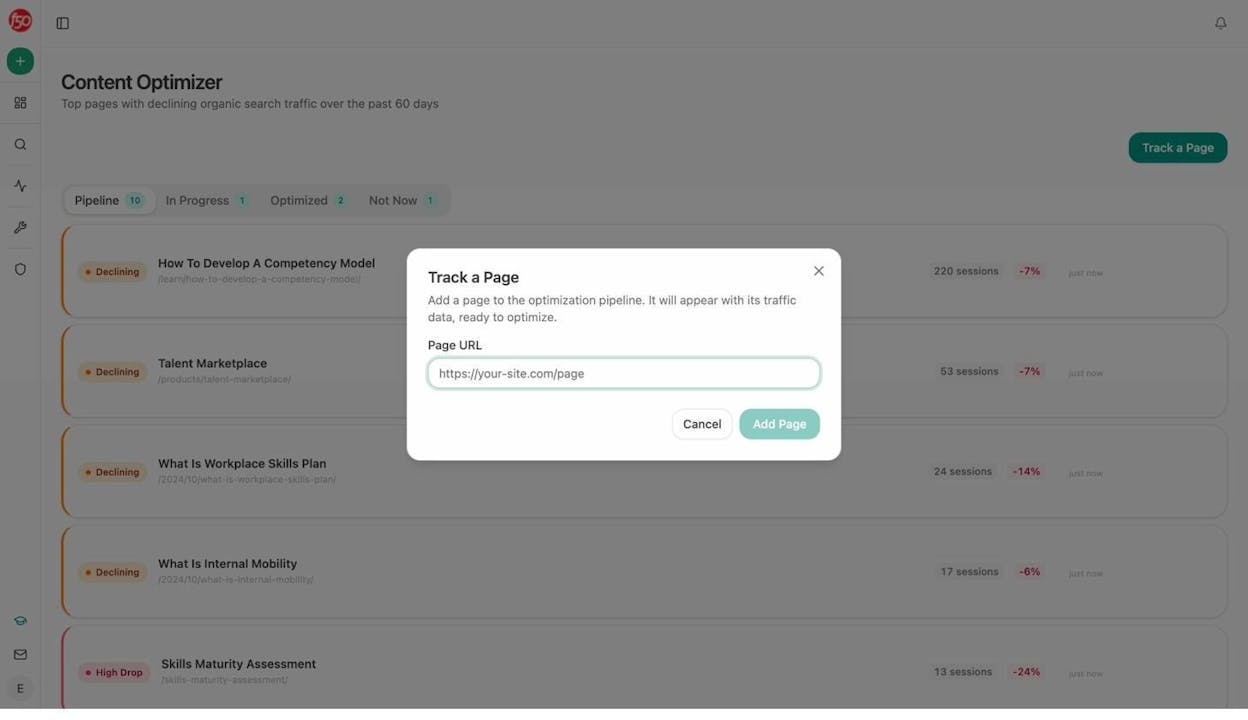
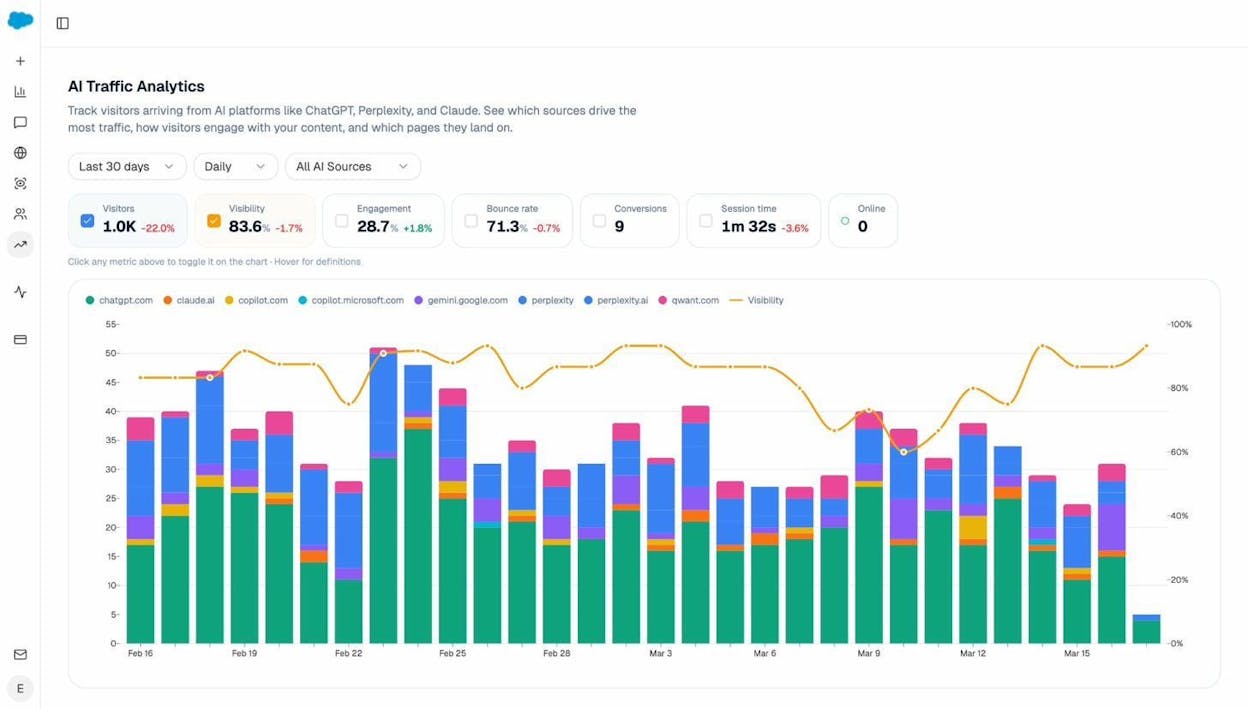
Beyond agents, the platform includes a full Content Writer pipeline (idea to research to outline to draft), a Content Optimizer that audits any URL for AI and search performance, AI Traffic Analytics that connects to GA4 and shows you actual sessions from ChatGPT, Perplexity, and Gemini, and Competitor Intelligence that tells you exactly which prompts your competitors win and you do not.
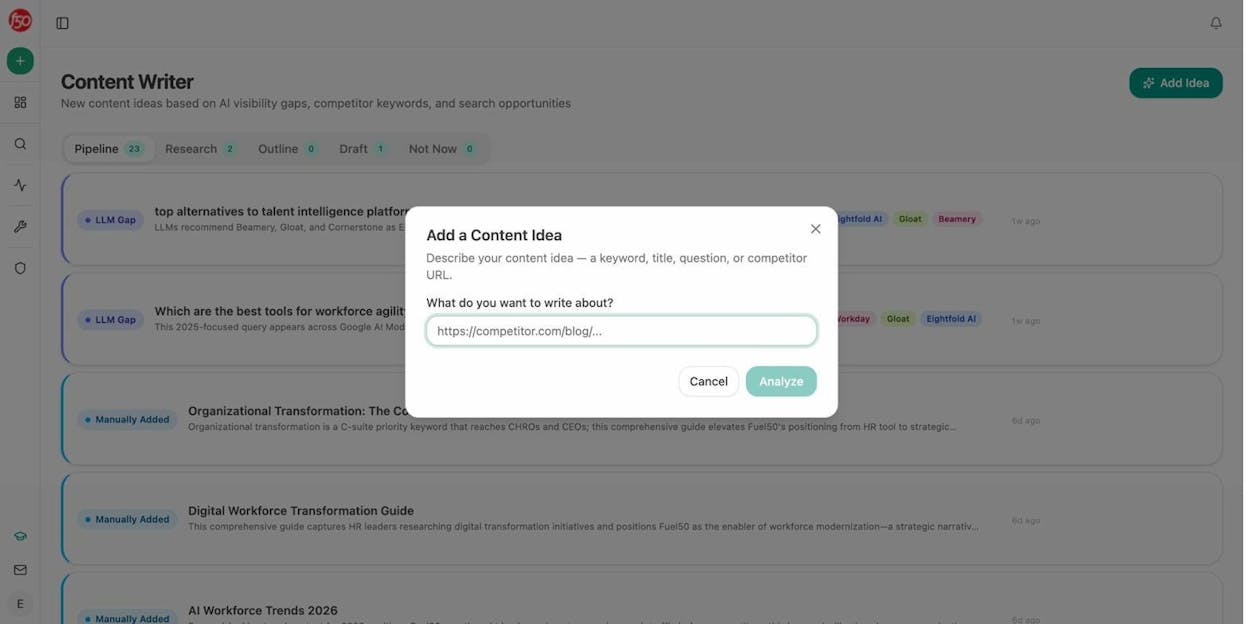
The Content Writer does not just generate text. It runs a multi-step process that starts with researching the topic against AI visibility gaps and competitor coverage, builds an outline with editorial comments, and produces a draft with entity coverage, proof points, and citation-ready structure. The Content Optimizer does the same for existing pages. Paste a URL, get a content score, argument gaps, and line-by-line suggestions.
The AI Traffic Analytics dashboard closes the attribution loop. You see which AI engines send traffic, which landing pages receive it, and how those sessions convert. When your CMO asks “is AI search driving pipeline,” you have the answer.
Analyze AI pricing:
|
Plan |
Price |
AI Engines |
Tracked Prompts/Day |
Content Writer |
Content Optimizer |
|---|---|---|---|---|---|
|
Growth |
$99/mo |
3 |
25 |
1 workflow |
1 workflow |
|
Pro |
$250/mo |
4 |
35 |
10 workflows |
5 workflows |
|
Custom |
Custom |
All |
Custom |
Unlimited |
Unlimited |
All plans include the Agent Builder, Sheets, unlimited seats, unlimited competitor tracking, and a free trial to start.
When to pick Analyze AI over Sintra AI: You are a marketing team, agency, or content operation that needs to build real workflows connecting SEO research, content production, AI search visibility, CRM operations, and CMS publishing in one platform. You do not want to stitch together five different tools. You want one substrate that does it all and scales with you.
For more on how Analyze AI compares to other platforms, see the comparison pages for Analyze AI vs. AirOps and Analyze AI vs. Slate.
2. n8n
-
Best for: Technical marketing teams that want self-hosting and full control
-
Pricing: Free (self-hosted), cloud plans start at $24/month
-
Standout feature: Open-source with 500+ integrations and self-hosting for complete data control
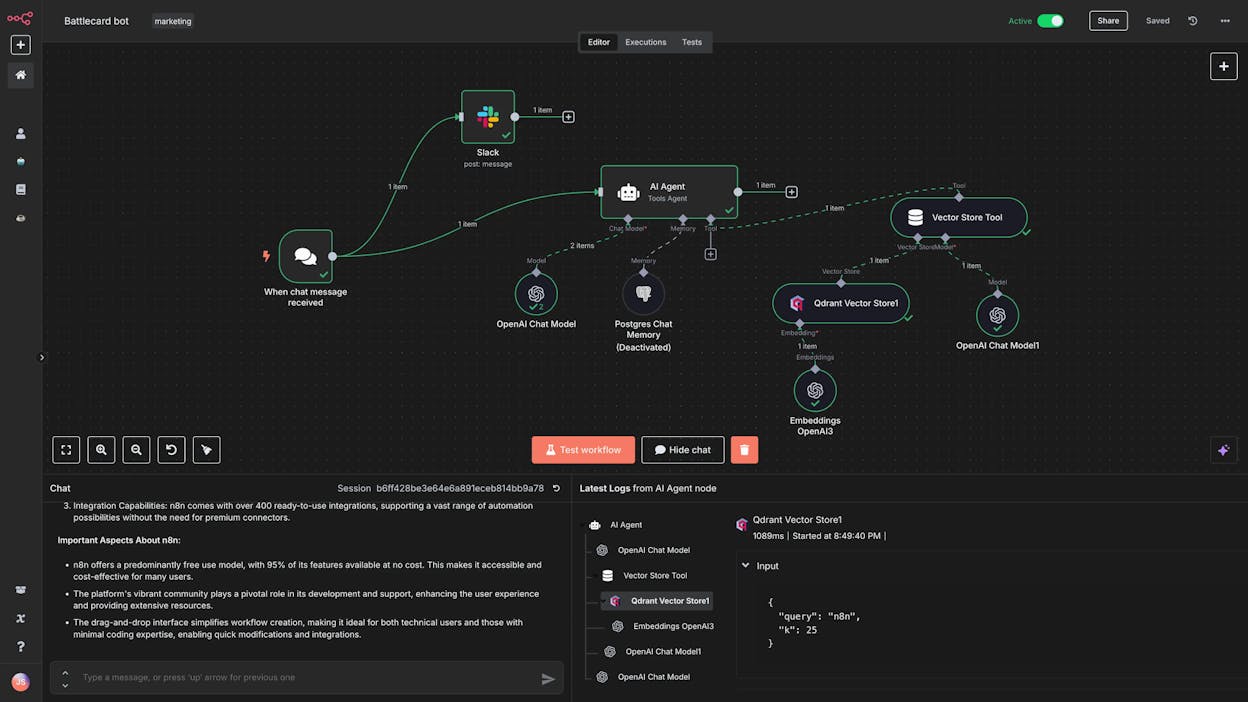
n8n is an open-source workflow automation platform. It gives you a visual builder where you connect different apps and AI models to create automations for almost anything.
For marketing teams with a developer on staff, n8n is powerful. You can build content pipelines, CRM automations, and reporting workflows. The 500+ integrations cover most marketing tools, and the open-source community provides a growing library of workflow templates.
The tradeoff is complexity. n8n leans technical. There is no built-in content writer, content optimizer, or AI search visibility layer. You are building everything from scratch using API calls and LLM prompts. If your team has engineering support, that is fine. If your content team needs to run these workflows independently, the learning curve will slow adoption.
Pricing: Starter at $24/month (2.5k executions), Pro at $60/month (10k executions), Business at $960/month (self-hosted with SSO). Free self-hosted option available.
When to pick n8n over Sintra AI: Your team has technical skills, you need self-hosting for data privacy, and you want full control over your automation infrastructure. You are comfortable building marketing workflows from primitives rather than using pre-built tools.
3. Zapier
-
Best for: Teams that need the widest integration library
-
Pricing: Free plan available, paid plans start at $29.99/month
-
Standout feature: 7,000+ app integrations and a mature, battle-tested platform
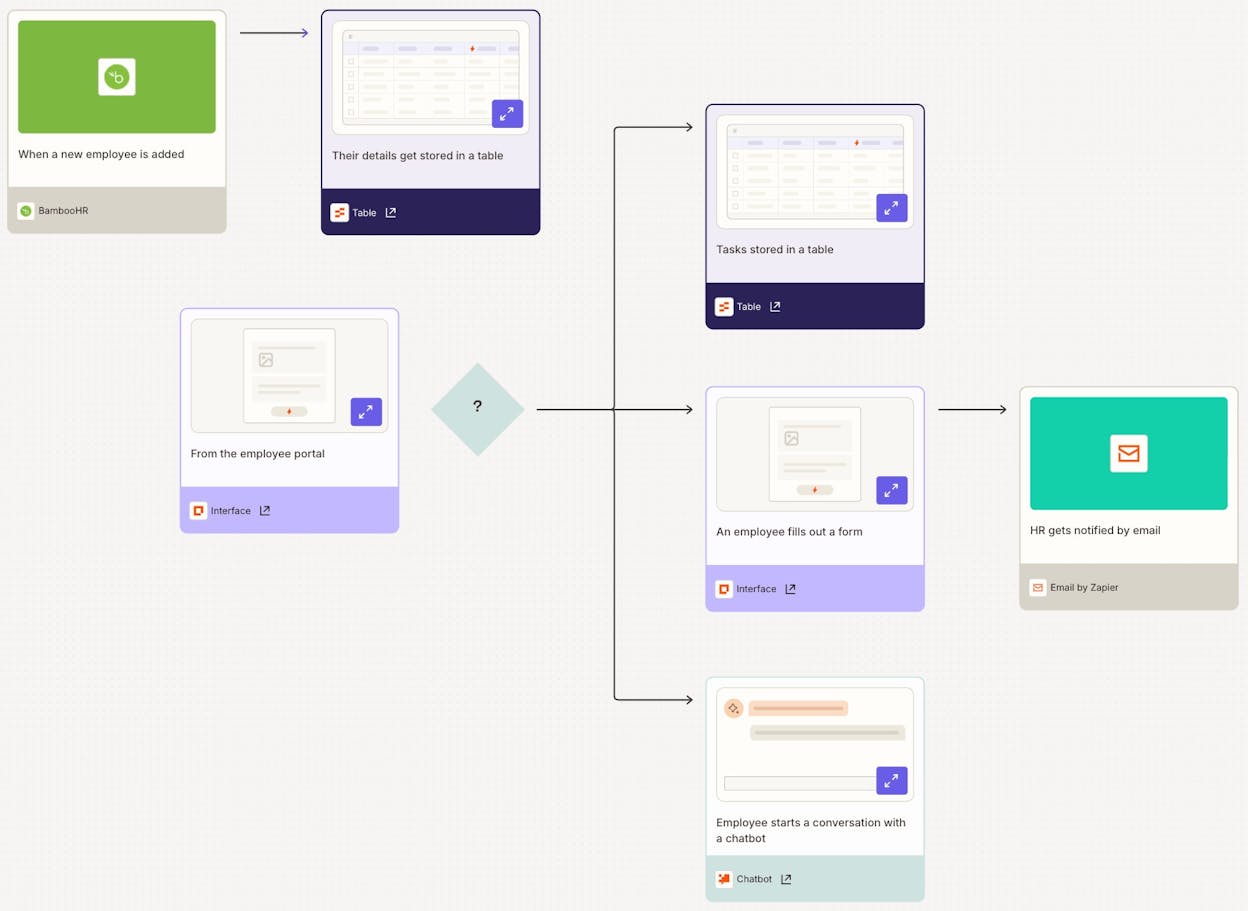
Zapier is the most well-known automation platform on the market. If you need to connect two marketing tools that nobody else supports, Zapier probably has the integration.
For marketing teams, Zapier handles the glue work well. Connect your form tool to your CRM, push new blog posts to social media, sync your email marketing platform with your analytics. The recently added AI agent builder lets you create chatbot-style assistants, though it is a separate product with its own pricing.
The main limitation for marketing teams is that Zapier was built for point-to-point automations, not complex multi-step content operations. You can trigger a Zap when a form is submitted, but building a full content pipeline with research, drafting, brand-voice checking, and CMS publishing requires chaining many Zaps together. And the pricing adds up quickly once you pass the basic tier.
Pricing: Free (100 tasks/month), Professional from $29.99/month, Team from $103.50/month, Enterprise custom.
When to pick Zapier over Sintra AI: You need to connect a large number of niche apps and want a mature platform with extensive documentation. Your automations are mostly simple triggers and actions rather than complex marketing workflows.
4. Lindy AI
-
Best for: Teams focused on customer support and sales automation with AI voice agents
-
Pricing: Free plan available, paid plans start at $49.99/month
-
Standout feature: AI voice agents that handle inbound phone calls
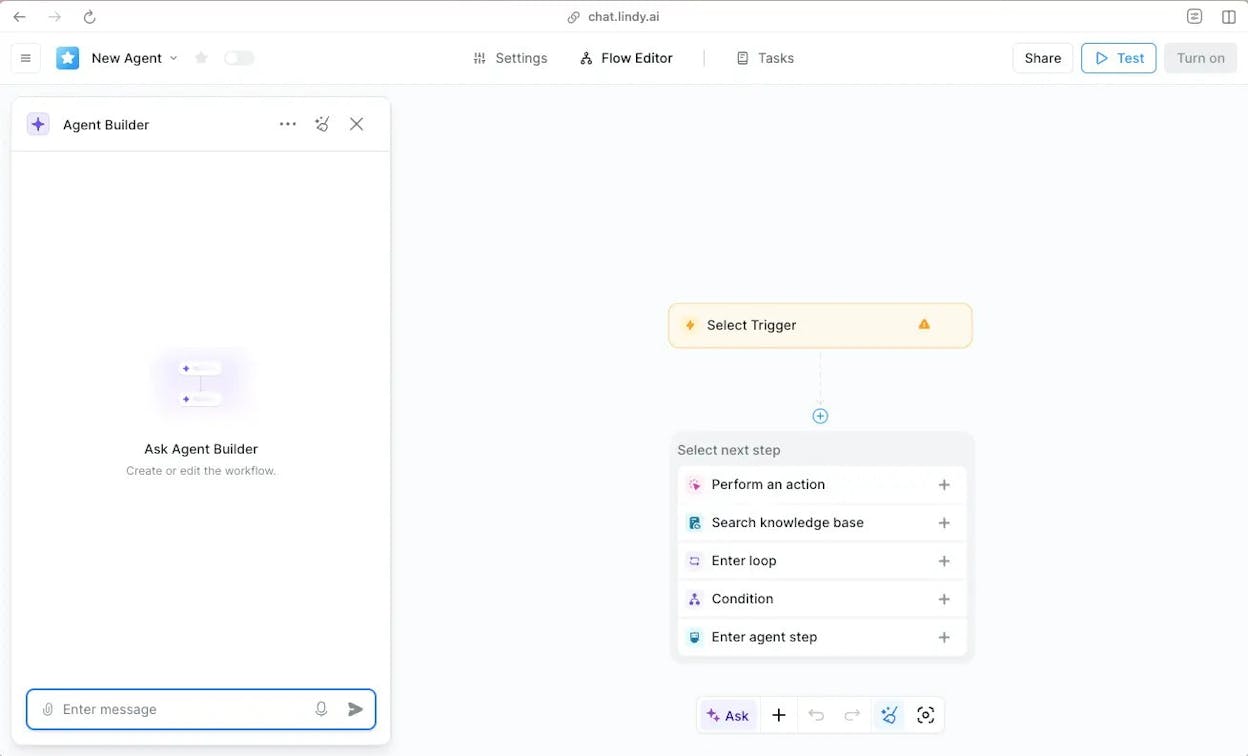
Lindy AI markets itself as an AI employee platform, similar to Sintra AI. The difference is that Lindy focuses heavily on customer support and sales use cases. Its AI voice agent can answer support phone calls, which is a genuine differentiator if that is your primary need.
For marketing teams specifically, Lindy AI has limitations. The platform works best for support agents and sales qualification bots, not for content production, SEO research, or AI search optimization. If you need to build content workflows, track AI visibility, or automate marketing reporting, you will need additional tools alongside Lindy.
Pricing: Free (400 credits/month), Pro at $49.99/month (5,000 credits), Business at $199.99/month (20,000 credits), Enterprise custom.
When to pick Lindy AI over Sintra AI: Your primary need is AI-powered customer support or sales agents, and you want voice agent capabilities. Marketing workflow automation is a secondary concern.
5. Relevance AI
-
Best for: Building a team of specialized AI agents with distinct roles
-
Pricing: Free plan available, paid plans start at $29/month
-
Standout feature: Multi-agent orchestration with the ability to switch between LLMs (OpenAI, Llama, Anthropic)
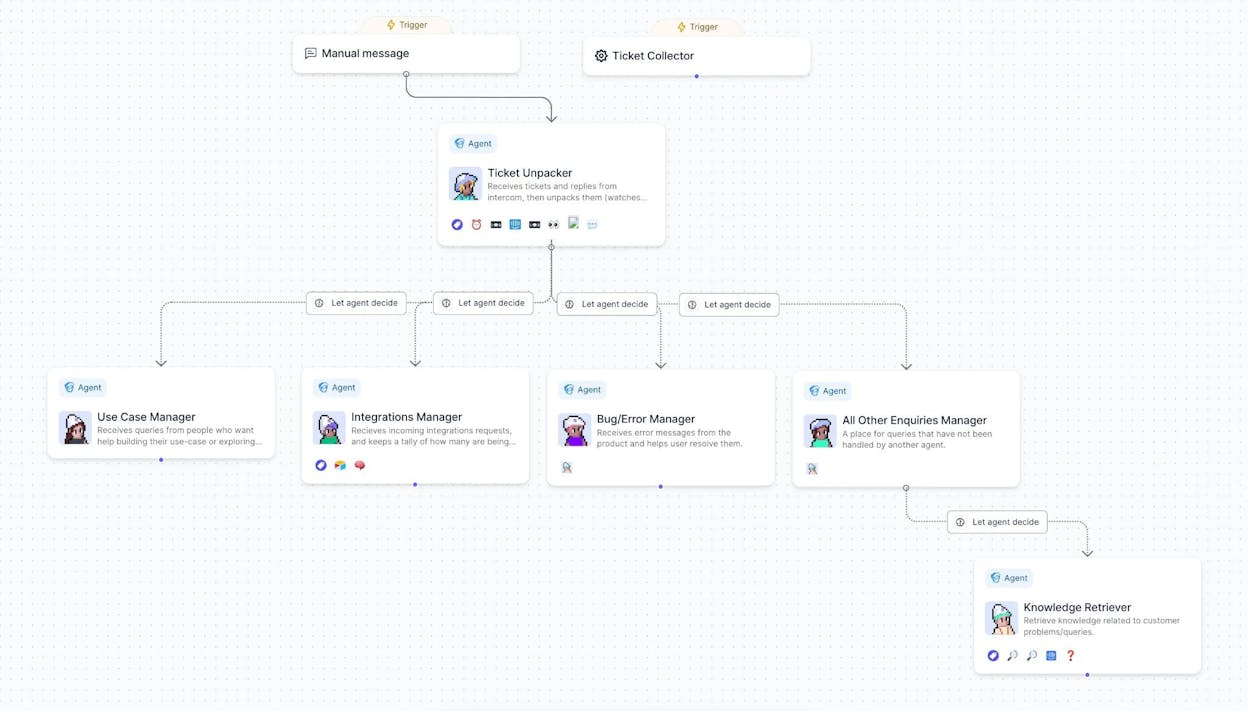
Relevance AI is an AI workforce platform used by companies like Canva and Autodesk. You create AI agents with distinct personalities and functions, similar to Sintra AI’s character-based approach but with more flexibility.
For marketing teams, Relevance AI works well for building BDR agents that handle outbound campaigns, research agents that prep for sales calls, and content agents that draft marketing copy. The platform lets you switch between AI models depending on your use case.
The limitation is on the data side. Relevance AI does not natively connect to SEO tools like DataForSEO or Semrush, does not track AI search visibility, and does not have a built-in content optimization pipeline. For teams that need both agent building and marketing-specific data, you will be bolting on external integrations.
Pricing: Free (200 actions/month), Pro at $29/month (2,500 actions), Team at $349/month (7,000 actions), Enterprise custom.
When to pick Relevance AI over Sintra AI: You need a team of specialized AI agents for sales and research workflows, and you want flexibility to switch between LLM providers. Deep marketing data integrations are not your primary requirement.
6. Relay.app
-
Best for: Simple, everyday marketing automations without complexity
-
Pricing: Free plan available, paid plans start at $38/month
-
Standout feature: Clean UI with an agent marketplace and built-in AI credits for GPT, Claude, and Gemini
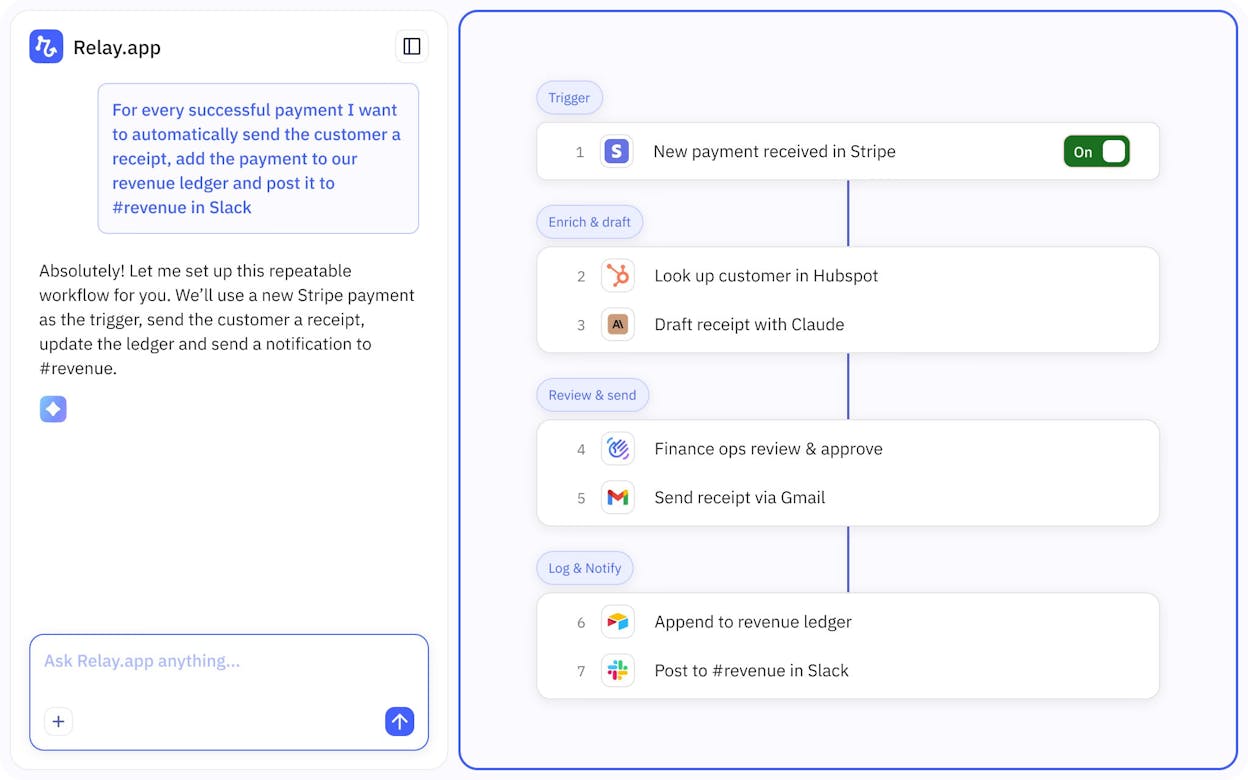
Relay.app is a simpler automation platform. Think of it as a lighter version of Zapier with built-in AI credits. You get access to GPT, Claude, and Gemini without needing separate API keys.
For marketing teams, Relay.app handles basic automations well. Schedule social media posts, create meeting follow-ups, sync data between tools. The agent marketplace lets you see what other users are building, which helps with inspiration.
The tradeoff is depth. Relay.app is built for simple automations. Complex content pipelines, SEO research workflows, or multi-step marketing operations will push the platform past its sweet spot. There is no content writing or optimization pipeline, no AI search tracking, and no deep marketing data integrations.
Pricing: Free (500 AI credits/month), Professional at $38/month (5,000 credits), Team at $138/month (10 users), Enterprise custom.
When to pick Relay.app over Sintra AI: You need straightforward automations for internal ops and want built-in AI model access without managing API keys. You do not need complex marketing workflows.
7. Make
-
Best for: Budget-conscious teams that need flexible automation
-
Pricing: Free plan available, paid plans start at $10.59/month
-
Standout feature: 3,000+ integrations with the most affordable entry-level pricing on this list
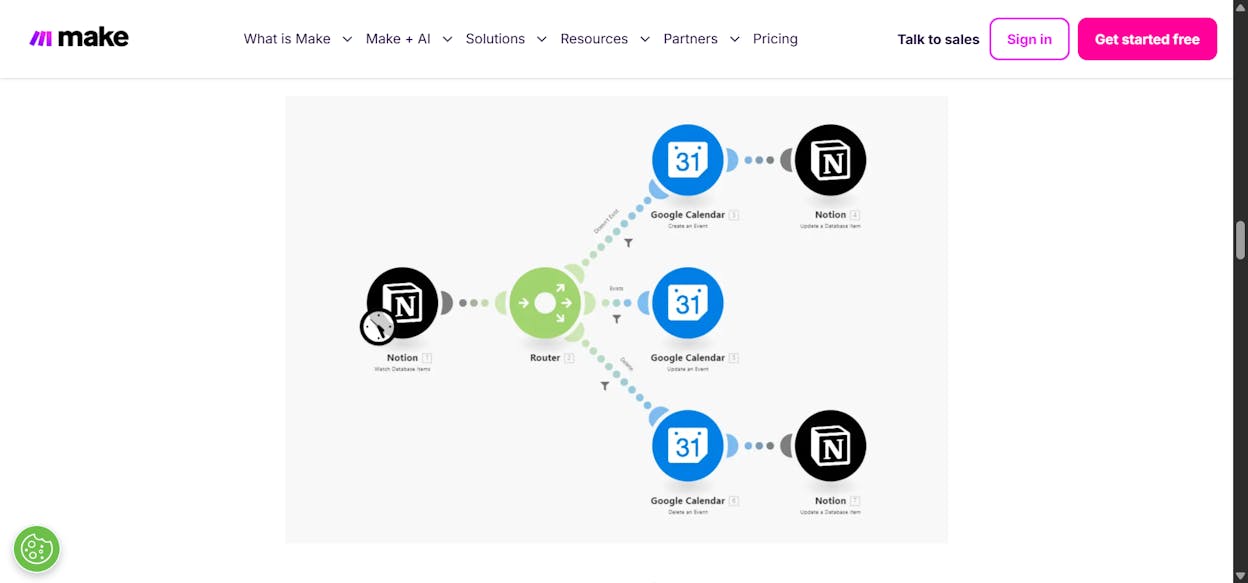
Make (formerly Integromat) is a popular automation platform known for its budget-friendly pricing and strong community. YouTubers and content creators have built a large ecosystem of tutorials around Make, so getting started is easier than with most tools on this list.
For marketing teams, Make handles automation basics well. Connect your CMS, email platform, analytics tools, and social media accounts. Create workflows for lead routing, content distribution, and reporting. The visual builder uses a circular node layout that some teams find more intuitive than linear builders.
The main limitation is that AI capabilities feel like an add-on rather than a core feature. Make was built as an API automation platform first. If you need native AI content creation, AI search visibility tracking, or marketing-specific data recipes, you will need to build those capabilities yourself using LLM API calls. For teams that want marketing automation with AI built into the DNA, Make will require more setup work.
Pricing: Free (1,000 credits/month), Core from $10.59/month, Pro from $18.82/month, Teams from $34.12/month, Enterprise custom.
When to pick Make over Sintra AI: You are on a tight budget and need flexible automation with a massive community of templates and tutorials. You are comfortable building AI-powered marketing workflows from scratch using API integrations.
Which Tool Should You Pick?
The right answer depends on what your marketing team actually needs to get done every week.
If your team writes content, tracks performance, and cares about visibility across both Google and AI search engines, Analyze AI covers the full loop. You get the Agent Builder for custom workflows, the Content Writer and Optimizer for production, AI Traffic Analytics for attribution, and Competitor Intelligence for strategic gaps. It is a single platform where you build, measure, and improve without stitching tools together.
If you have a technical team and need self-hosting, n8n gives you full control. If you need the widest integration library, Zapier has 7,000+ apps. If customer support AI is the priority, Lindy AI does that well. If you want agent orchestration for sales workflows, Relevance AI is worth testing. If you need simple automations, Relay.app keeps things clean. And if budget is the top concern, Make starts at under $11/month.
For further reading on AI visibility tools, SEO automation, and content creation tools, check out our in-depth comparisons on the Analyze AI blog.
Pick one. Start the free trial or free plan. The best way to know if it fits is to build your first workflow and see the output.

Ernest

Ibrahim


