



Summarize this blog post with:


We tested free and small business SEO tools that genuinely help small teams move faster — the ones that reveal real opportunities, remove friction, and give you enough data to act without feeling overwhelmed.
In this breakdown, you’ll see which tools fit which jobs, how to use them without wasting time, and which limitations matter when you’re growing with a small team. And at the very end, we added a small bonus that gives you insight even these free tools can’t provide.
Table of Contents
TL;DR
|
Tool |
Best For |
What It Helps You Do |
Biggest Strengths |
Key Limitations |
Ideal When You… |
|
AnswerThePublic |
Finding real customer questions |
Turns one seed keyword into dozens of real search questions and long-tail ideas |
Extremely beginner-friendly; clusters questions clearly; great for FAQs & ideation |
No search volume or difficulty data; strict free limits |
You need fast content ideas rooted in actual user language |
|
Ubersuggest |
Keyword research + site audits |
Check keyword volume/difficulty, audit pages, view competitor content |
All-in-one starter tool; simple interface; gives basic SEO insights in one place |
3 free searches/day; data less deep than top-tier tools |
You want a basic keyword + audit tool without paying for Ahrefs/Semrush |
|
MozBar |
Quick competitive snapshots |
See DA/PA, link metrics, and page metadata instantly while browsing |
Fast SERP overlays; easy to compare competitors; great for link/context scanning |
Limited by Moz’s free data; DA/PA are estimates |
You want to gauge ranking difficulty before targeting a keyword |
|
Google Analytics (GA4) |
Measuring real results |
Track traffic sources, user behavior, and conversions |
Free, powerful, detailed; shows what content truly performs |
Steeper learning curve; needs proper setup; no SEO diagnostics |
You need to understand which pages bring real outcomes, not just clicks |
|
AlsoAsked |
Topic clusters & FAQs |
Maps People Also Ask questions into visual branching diagrams |
Perfect for content clusters; shows real question paths; intuitive design |
No volume/difficulty data; free plan limits searches |
You want to design content around real search intent patterns |
|
Keyword Surfer |
Fast keyword checks inside Google |
Adds volume estimates, related keywords, and word-count cues into SERPs |
100% free; instant insights in Google; super easy for beginners |
Volume is approximate; minimal competitive context |
You want quick inspiration and rough demand signals as you browse |
|
Rank Math |
On-page + technical SEO for WordPress |
Optimize meta-tags, schema, sitemaps, redirects, and content during writing |
Real-time guidance; replaces multiple plugins; very beginner-friendly |
WordPress-only; still needs external tools for research/analytics |
You run a WP site and want SEO best practices built into your editor |
|
Analyze |
AI-search visibility & conversions |
Understand how ChatGPT, Perplexity, Claude, Gemini send traffic & revenue |
Tracks real AI-referral sessions, conversions, prompts, citations; deep competitive insights |
Not a free tool; built for advanced visibility strategies |
You want to connect AI visibility to actual revenue and outmaneuver competitors |
AnswerThePublic: free and beginner-friendly small business SEO tool for finding real customer questions
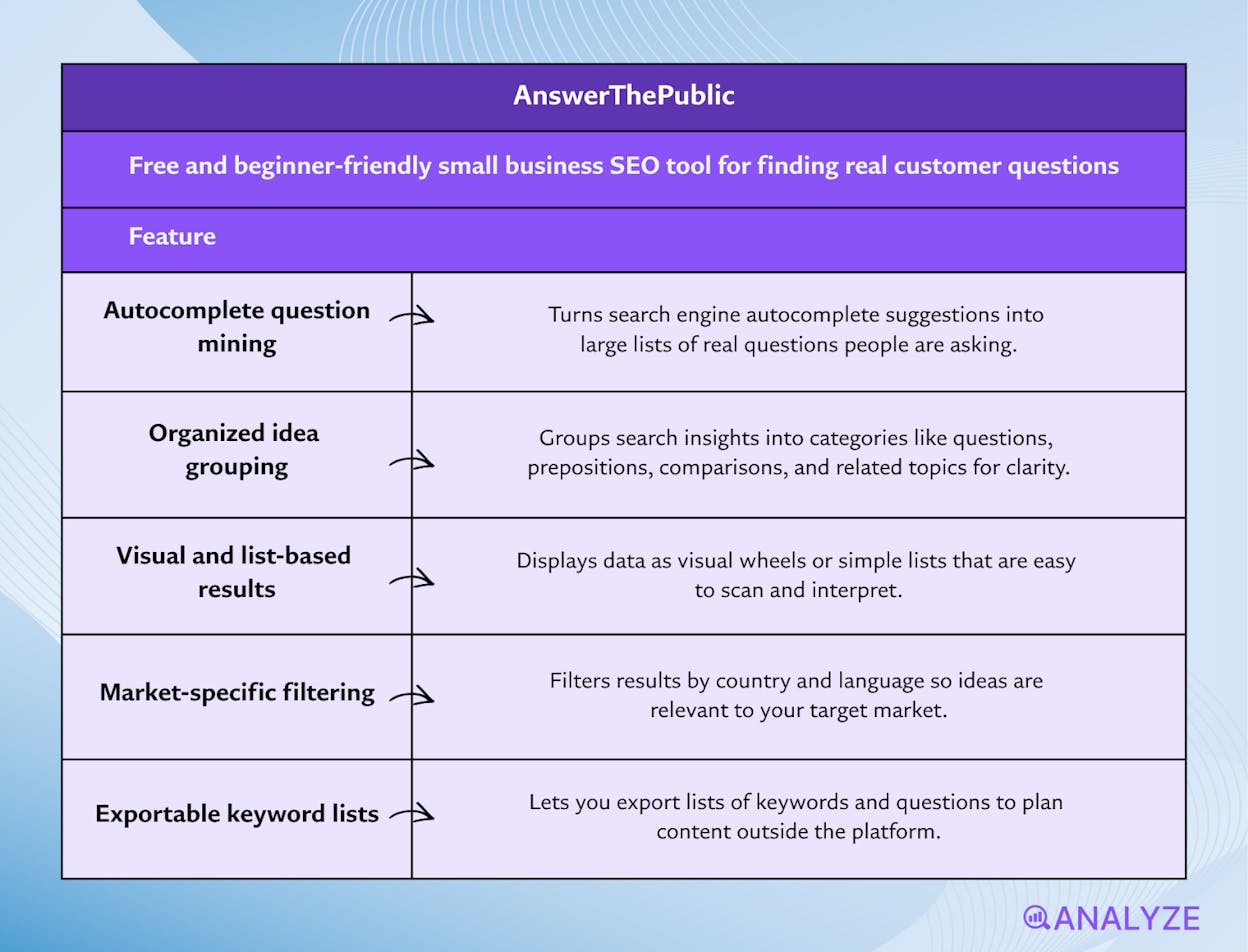
Key AnswerThePublic standout features
-
Turns search autocomplete into large lists of real questions people ask
-
Groups ideas into clear sets like questions, prepositions, comparisons, and related topics
-
Shows results as visual wheels and simple lists that are easy to scan
-
Lets you filter by country and language so ideas match your market
-
Exports keyword lists so you can plan content outside the tool
AnswerThePublic works like a listening ear that sits beside the search bar and watches what people type when they look for help. Instead of giving you one or two broad keywords, it gives long lists of real phrases that show how people think about a topic and how they frame their problems. This matters for small businesses because you often do not need more traffic in general; you need visitors who arrive with a clear problem that your product or service can solve.
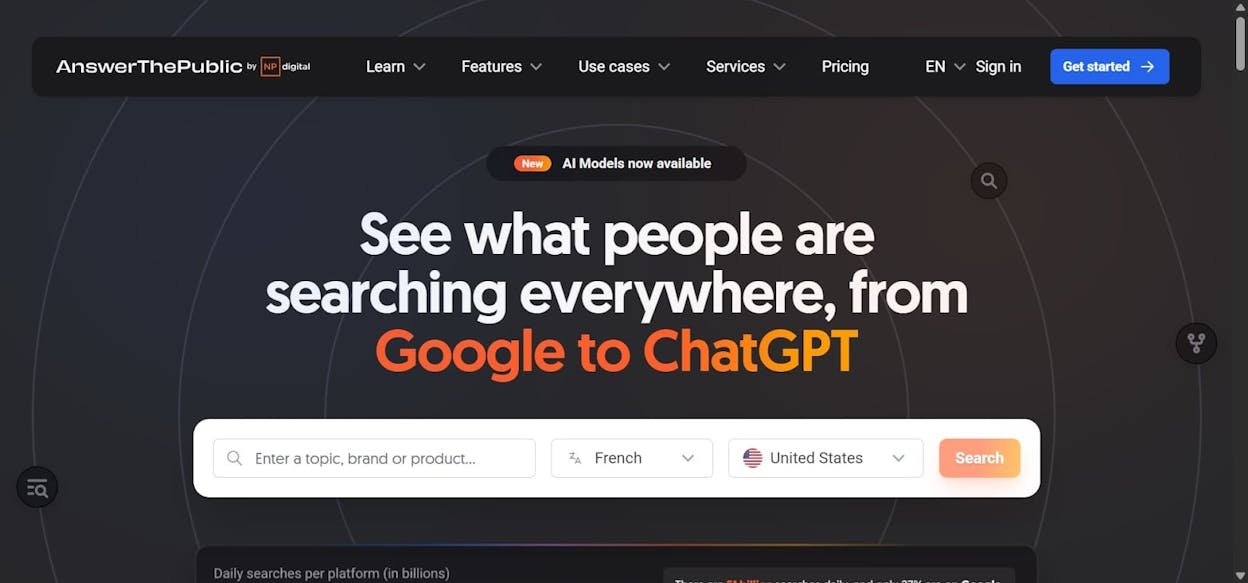
The visual wheels and grouped lists help beginners see patterns that would be hard to spot in a plain spreadsheet. You can see at a glance which questions start with “how,” which start with “why,” and which phrases include words like “for” or “near,” and that view often sparks ten content ideas from one seed keyword. When you plan blog posts, FAQ pages, or product copy, you can lift whole question sets and build sections that answer them directly, which makes your content feel simple, useful, and close to the way customers talk.
That strength makes AnswerThePublic a great idea engine, yet it also hides limits that matter once you move from ideas to detailed planning. The tool does not try to replace full SEO suites, and you notice that as soon as you ask about search volume or keyword difficulty for the phrases you see. Because the data comes from autocomplete rather than full search logs, some ideas look clever yet may only get a few searches each month, and you will not see those numbers inside the free plan.
The free version also comes with a strict daily cap on how often you can run a search, which can feel tight when you try to plan content for several products or services in the same week. If you handle SEO for more than one brand, you can hit that limit after only a few seed terms, and then you need to wait or switch to another keyword tool. For that reason, many teams treat AnswerThePublic as an early step in their workflow and then move to another tool when they want to sort, score, and rank ideas by demand or by difficulty.
Pricing plans
AnswerThePublic offers a free plan that gives a small number of searches per day, enough for one person to explore a few topics and build basic ideas, while paid plans unlock more daily searches, extra users, and advanced options, so small businesses can start on the free tier and only think about upgrades when they need to research many topics or share the tool across a wider team.
|
Aspect |
Why it matters for small businesses |
|
Main job |
Turns one seed keyword into many real questions and phrases you can turn into content ideas |
|
Type of data |
Uses live autocomplete suggestions that reflect how people actually search online |
|
View of results |
Visual wheels and grouped lists that help non-experts see patterns in how customers ask for help |
|
What you do get |
Rich question lists, long-tail ideas, phrase variations, and topic angles around one core keyword |
|
What you do not get |
Hard numbers for search volume, keyword difficulty, or click data on each idea |
|
Learning curve |
Simple enough for owners or marketers who have never used an SEO tool before |
|
Best role in your stack |
Early-stage idea generator that feeds a more data-heavy keyword or analytics tool |
|
Best content types supported |
Blog posts, FAQ pages, support articles, guide content, and product pages built around questions |
Best use cases
-
Planning FAQ sections that answer the exact questions customers type into search
-
Mapping out a cluster of blog posts around one main topic or product line
-
Briefing writers with a clear list of real questions to answer in each article
-
Finding long-tail angles for product or service pages in a crowded niche
AnswerThePublic gives small businesses a simple way to see real search questions and turn them into content ideas, but you should pair it with another keyword tool when you need hard numbers or when you plan content at larger scale.
Ubersuggest: free and beginner-friendly small business SEO tool for keyword research and site audits
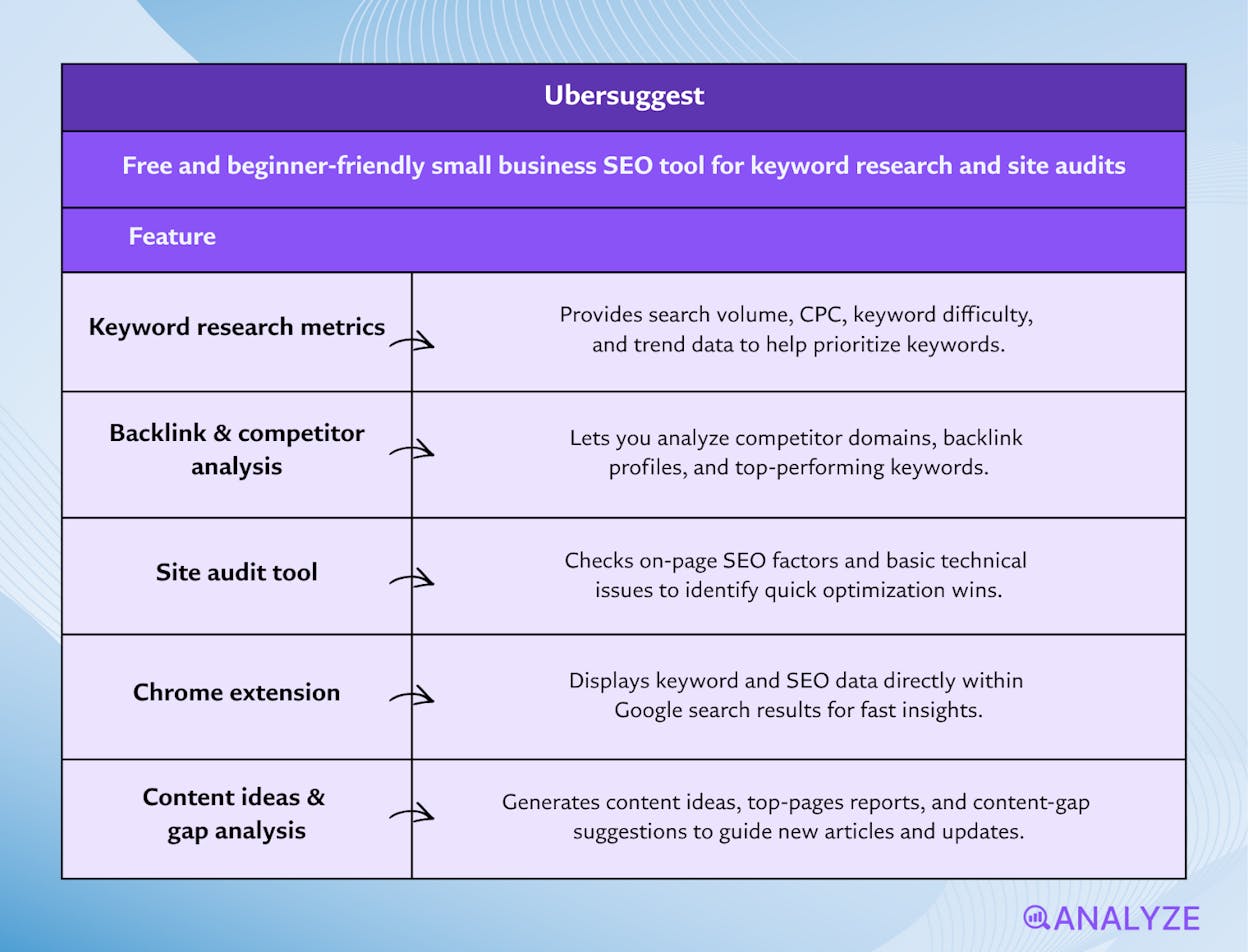
Key Ubersuggest standout features
-
Lets you do keyword research with metrics like search volume, CPC, and keyword difficulty
-
Allows backlink and competitor analysis so you can see what other sites are doing
-
Includes a site-audit tool that checks on-page SEO and basic technical issues
-
Offers a Chrome extension that shows keyword data directly inside Google search results
-
Generates content ideas, top-pages reports, and content-gap suggestions to guide new articles and updates
Ubersuggest brings several core SEO tasks into one simple place, which helps beginners avoid switching between multiple tools. The keyword research feature lets you see demand, difficulty, and cost-per-click information, so you can judge whether a topic is worth your time before you write anything. The competitor tools help you understand which pages work best for sites in your space, and you can use that insight to model your own page ideas or content structure.
The site-audit tool offers a clear snapshot of your website’s health and shows issues that may hold back rankings, such as broken links, missing meta tags, or slow pages. This helps small businesses stay ahead of small problems that grow into bigger ones. The interface keeps things simple, which builds confidence for people who are not used to SEO dashboards.
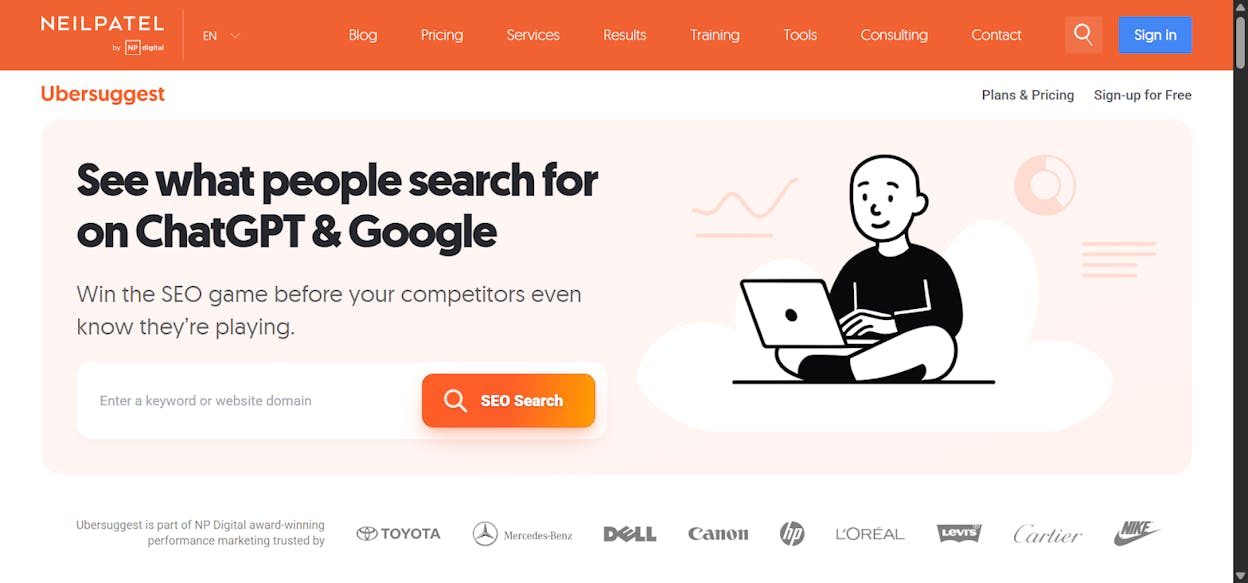
Despite its strengths, Ubersuggest is limited by the small daily search allowance on its free plan. This makes it hard to research many topics in one sitting, so small teams may feel blocked when planning a larger content effort. Data depth is also thinner than what you get from tools like Ahrefs or Semrush, especially for backlink indexes and keyword difficulty scoring.
These gaps become clear once you start doing more serious SEO work, such as building keyword clusters, tracking many pages, or comparing yourself to several competitors. The tool can feel shallow in these cases, because you need stronger data or more precise reporting to guide decisions. When this happens, you may need to combine Ubersuggest with another tool or upgrade to a more advanced platform.
Pricing plans
Ubersuggest’s free plan allows three searches or reports each day, which is enough for simple research or a few weekly checks. Paid plans offer more daily searches, more tracked keywords, deeper audits, and a lifetime purchase option that many small businesses find affordable compared with bigger SEO platforms.
|
Aspect |
Why it matters for small businesses |
|
Main job |
Does keyword research, site audits, and competitor insights in one tool |
|
Type of data |
Gives volume, CPC, and difficulty so beginners can judge keyword potential |
|
View of results |
Clean interface and simple charts that help non-experts understand SEO signals |
|
What you do get |
Keyword ideas, top content pages, content-gap suggestions, backlink snapshots |
|
What you do not get |
Deep backlink data, large keyword databases, or advanced competitor breakdowns |
|
Learning curve |
Very easy for beginners, thanks to simple menus and step-by-step guidance |
|
Best role in your stack |
Starter toolkit for early SEO work across keywords, audits, and content planning |
|
Best content types supported |
Blog posts, service pages, product pages, and keyword-driven articles |
Best use cases
-
Getting keyword ideas fast and checking simple metrics before writing content
-
Running basic site audits to catch issues that slow down rankings
-
Checking which pages drive traffic for your competitors
-
Planning content for a small website or blog with a limited SEO budget
Ubersuggest gives small businesses an easy way to research keywords, check competitors, and review site health, but you will run into limits once you need deeper data or want to research at larger scale.
MozBar: free and beginner-friendly small business SEO tool for competitive snapshots and page checks
Key MozBar standout features
-
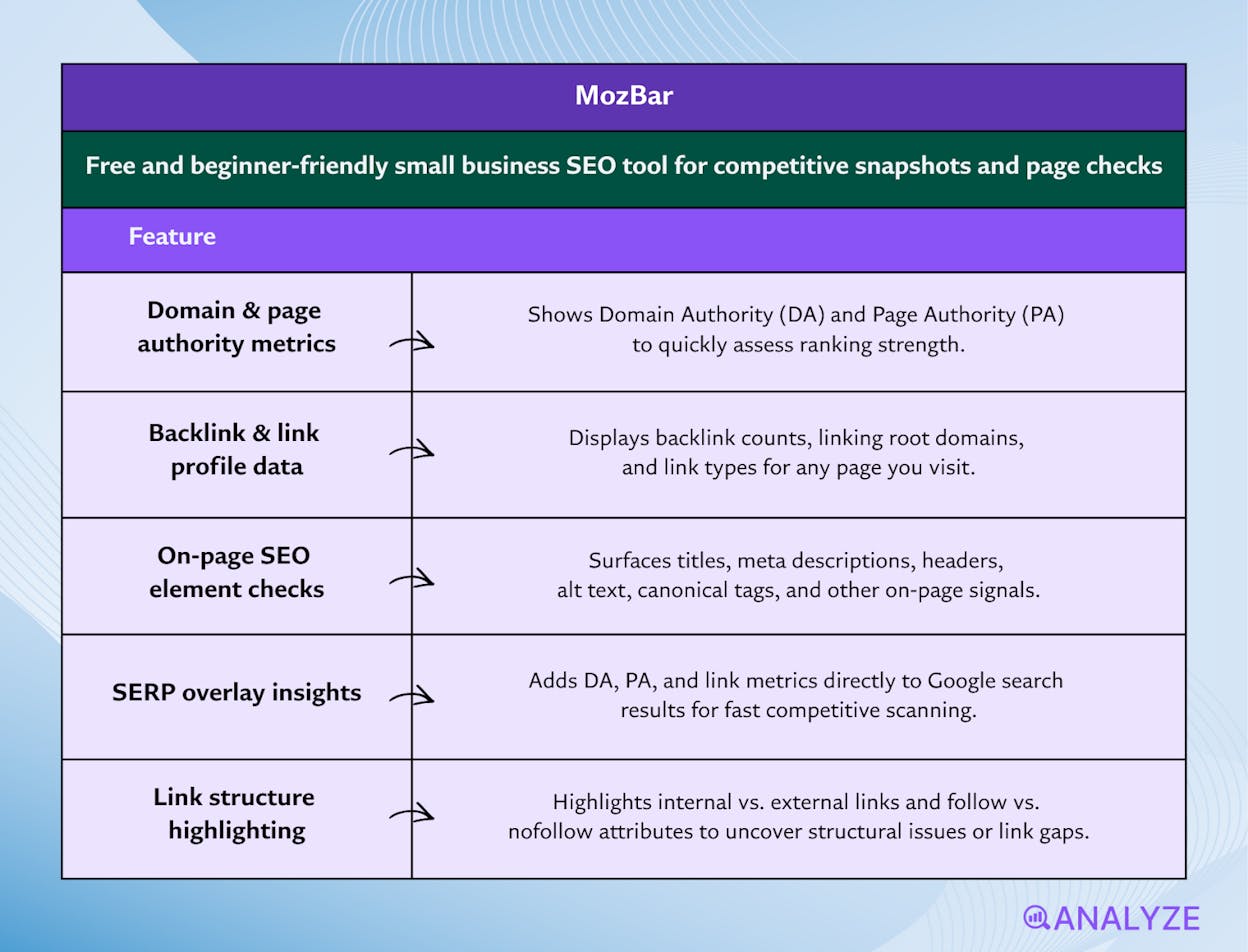
Shows domain and page authority scores (DA and PA) so you can judge ranking strength
-
Displays backlink counts, linking root domains, and link types for any page you view
-
Surfaces on-page SEO elements like titles, meta descriptions, headers, alt text, and canonical tags
-
Adds DA/PA and link data on Google search results for fast competitive scanning
-
Highlights internal/external, follow/no-follow links to spot structure issues or link gaps
MozBar acts like an SEO lens that sits on top of your browser and reveals signals that most small business sites never check. When you land on a page, MozBar shows DA and PA values that help you estimate how hard it may be to outrank that page. These quick signals matter when you are deciding which topics are worth pursuing and which competitors dominate your niche. Because the metrics appear instantly, you can judge the landscape without running long reports or opening multiple tabs.
The toolbar also exposes on-page details that have a real impact on SEO performance. Missing meta descriptions, poorly structured headings, or bad canonical tags often hide beneath the surface, yet they cause ranking drops over time. MozBar makes these issues visible in two clicks, which helps small businesses fix problems that often go unnoticed. The link inspection tools add another layer by showing you where a page gets its strength and how its internal links are built, which guides better content planning and link-building decisions.
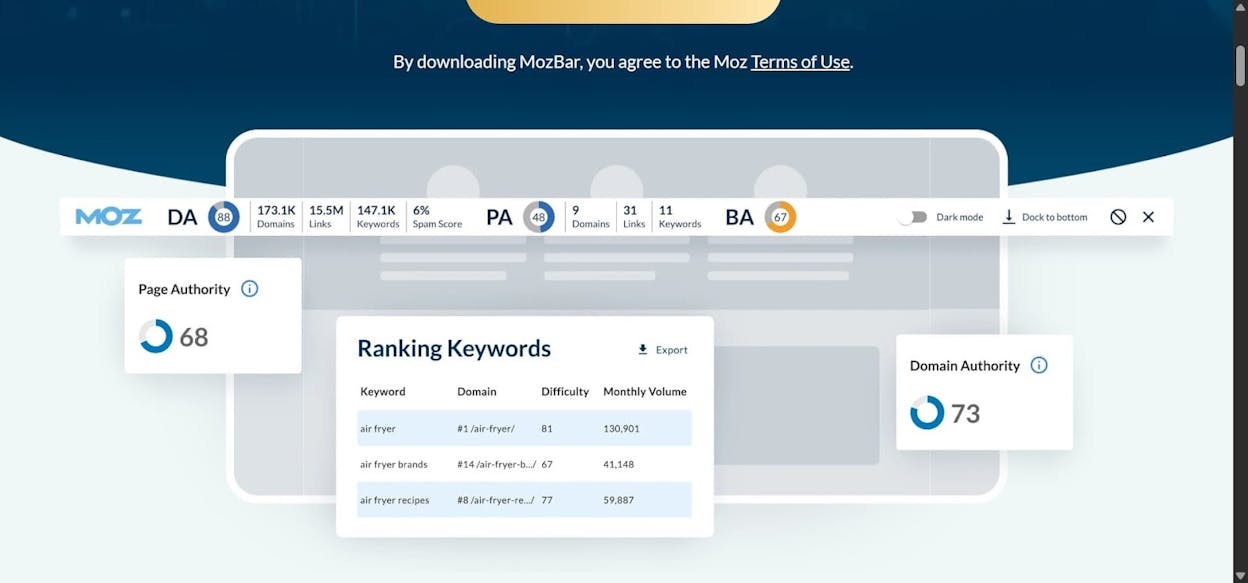
Even with these advantages, MozBar’s free version has clear limits. Many deeper metrics, such as the full backlink profile, keyword rankings, and domain-wide reports, require a Moz Pro subscription. This means the toolbar can only give you surface-level data without the depth that advanced SEO work needs. You can still use DA and PA, but the richer link and keyword datasets live behind the paid plans.
MozBar also uses authority metrics that are predictive rather than absolute. DA and PA scores depend on Moz’s own link index, which can be smaller or older than the indexes used by large enterprise tools. This means some pages might appear weaker or stronger than they actually are, especially in niche industries or smaller regions. Because MozBar relies on this index for its signals, fresh backlinks or new pages may not show up right away, so you need to treat these numbers as helpful hints rather than perfect truths.
Pricing plans
MozBar is free to install and use for basic authority signals, link previews, and on-page checks. More advanced features, like full link data, keyword research, and domain-wide metrics, come only with a Moz Pro subscription, which adds deeper SEO analysis and richer reporting features.
|
Aspect |
Why it matters for small businesses |
|
Main job |
Offers quick SEO snapshots while you browse |
|
Type of data |
Authority scores, link metrics, on-page details |
|
View of results |
Results appear directly on pages and SERPs without extra tools |
|
What you do get |
DA/PA, basic link counts, metadata insights, SERP overlays |
|
What you do not get |
Full backlink index, keyword rankings, or advanced competitor reports |
|
Learning curve |
Very easy thanks to simple buttons and visual indicators |
|
Best role in your stack |
First-look checker to guide topic choices and quick audits |
|
Best content types supported |
Blog posts, service pages, product pages, and any page you want to compare against competitors |
Best use cases
-
Scanning SERPs to decide if a keyword is too competitive
-
Checking your own pages for missing or weak metadata before publishing
-
Reviewing a competitor’s link strength before writing a new article
-
Qualifying sites for outreach, partnerships, or guest posting
MozBar makes SEO signals easy to see and simple to understand, giving small businesses fast insight into authority, links, and on-page structure. It won’t replace a full SEO platform, but it is a powerful companion tool for everyday checks and competitive research.
Google Analytics: free and beginner-friendly small business SEO tool for understanding traffic, engagement, and conversions
Key Google Analytics standout features
-
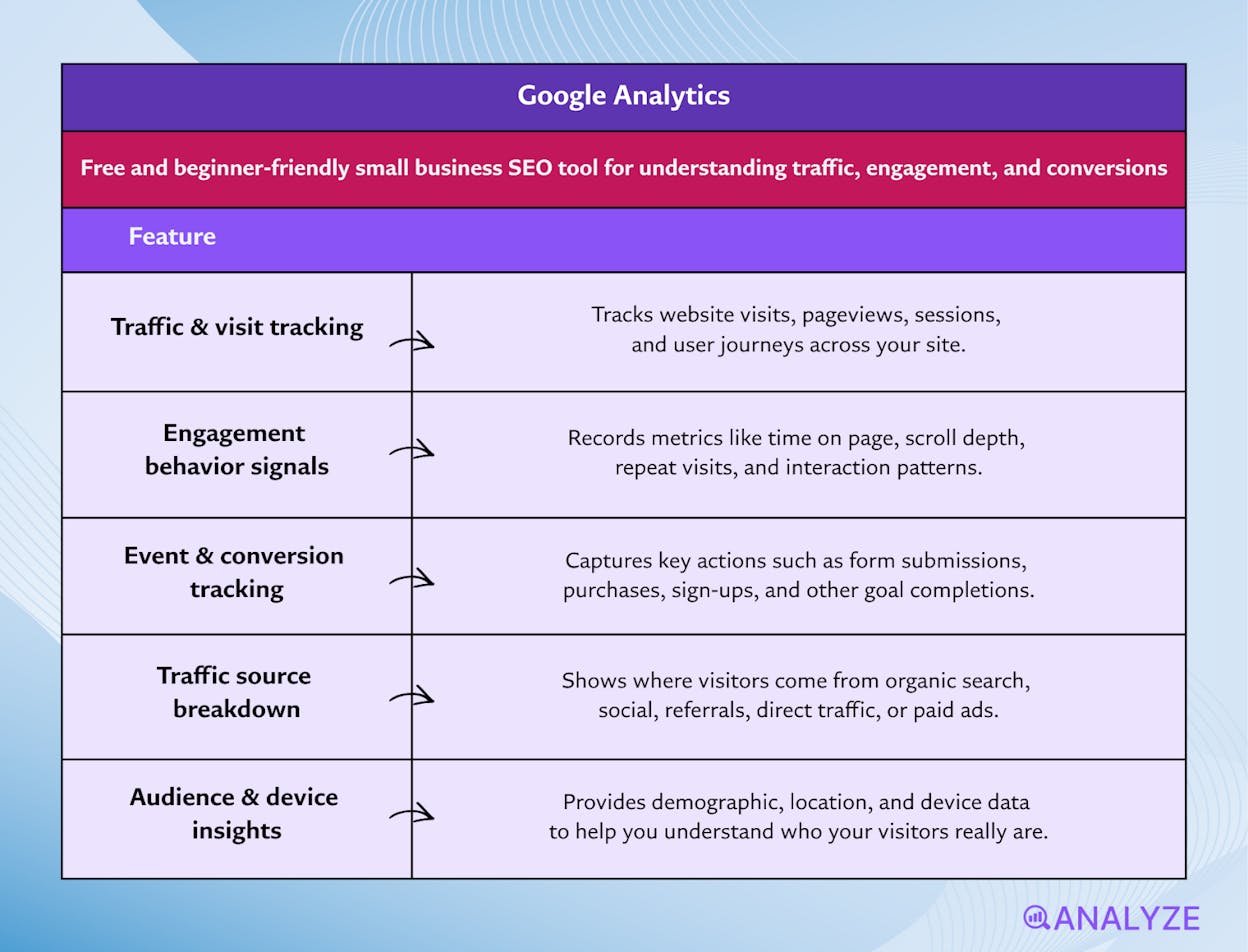
Tracks website visits, pageviews, traffic sources, and user journeys
-
Records behavior signals like time on page, scroll depth, and repeat visits
-
Captures events and conversions such as form submissions, purchases, and sign-ups
-
Shows where visitors come from: search, social, referral, direct, or ads
-
Offers demographic and device insights to help you understand your real audience
Google Analytics acts like a live report of what happens on your website every day. It shows how many people visit, where they came from, which pages they prefer, and how long they stay. This gives small businesses a much clearer view of how well their content works, because you can see real numbers tied to every page. Instead of guessing which posts or pages matter, you see which ones bring return visitors, lead to conversions, or cause people to leave.
The tool also tracks events and conversions, which makes it easier to connect SEO or marketing work to real results. When someone fills out a form, downloads a file, or completes a checkout, GA records it. Over time, these patterns reveal which channels bring valuable visitors and which pages help move people toward action. For a small business that cannot waste time or budget, this level of insight helps prioritize what to improve next.

Even with these strengths, Google Analytics comes with challenges that small teams should understand early. The tool must be configured properly to track events, goals, and funnels, and beginners often miss steps that cause incomplete or misleading data. The interface itself can feel complex because it offers many charts and reports that require interpretation rather than simple answers. This makes the learning curve steeper for first-time users.
Analytics also shows only what users do, not why they do it. A high bounce rate or a drop in conversions does not automatically tell you the reason behind it. Google Analytics cannot detect SEO issues like slow indexing, missing metadata, or poor internal linking, so you still need other tools to understand why rankings move or why content underperforms. Data privacy rules can limit tracking as well, especially when users decline cookies or certain permissions.
Pricing plans
Google Analytics is completely free for small and medium sites, and the free version includes full access to traffic reports, behavior data, conversion tracking, and custom events. There is an enterprise version called Google Analytics 360, but most small businesses never need it because the standard GA4 experience provides more than enough functionality.
|
Aspect |
Why it matters for small businesses |
|
Main job |
Shows how people find, navigate, and act on your website |
|
Type of data |
Traffic, behavior, conversions, audience demographics, device types |
|
View of results |
Dashboard with charts, funnels, user paths, and engagement reports |
|
What you do get |
Full visibility into performance, engagement, and which pages bring real results |
|
What you do not get |
SEO diagnostics such as metadata issues, technical errors, or ranking insights |
|
Learning curve |
Moderate to high because setup and interpretation require attention |
|
Best role in your stack |
Measurement and decision-support tool that proves what content works |
|
Best content types supported |
Blog posts, landing pages, product pages, and any page tied to a conversion |
Best use cases
-
Measuring which content brings the most engaged visitors
-
Tracking conversions from SEO, ads, social, or referrals
-
Checking which pages cause visitors to drop off
-
Understanding your audience’s device, location, and behavior patterns
Google Analytics helps small businesses move from guesses to real insights about traffic, engagement, and conversions. It takes setup and interpretation, but once configured, it becomes an essential guide for making smarter content and SEO decisions.
AlsoAsked: free and beginner-friendly small business SEO tool for mapping real question clusters
Key AlsoAsked standout features
-
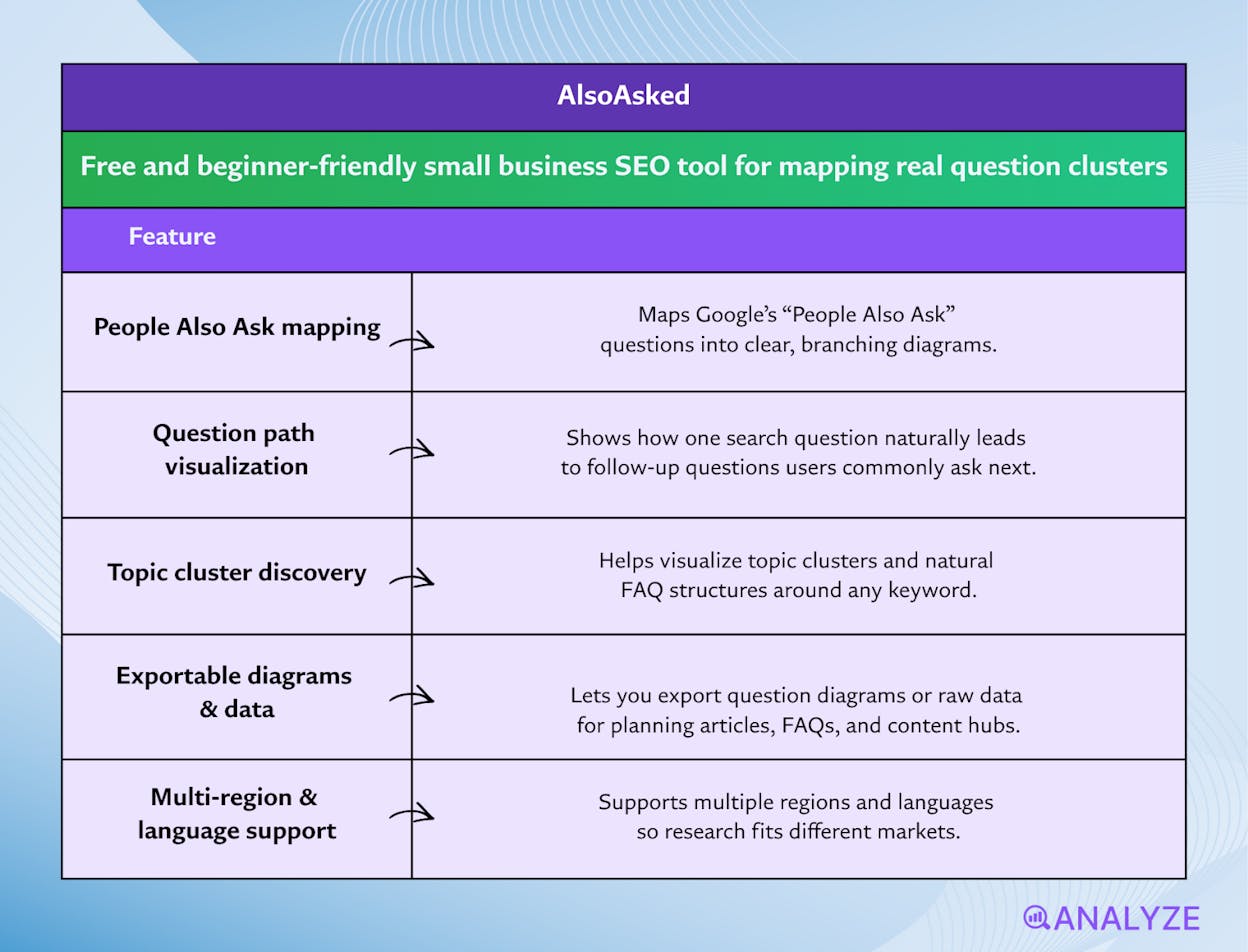
Maps “People Also Ask” questions into clear branching diagrams
-
Shows how one search question leads to follow-up questions users often ask next
-
Helps you visualize topic clusters and natural FAQ structures for any keyword
-
Lets you export diagrams or data for planning articles, FAQs, or content hubs
-
Supports multiple regions and languages, making research usable for different markets
AlsoAsked works like a question-mapping engine that reveals how people think as they search. Instead of giving you one list of keywords, it presents trees of connected questions that show the natural flow of user curiosity. This structure helps small businesses see the deeper layers behind a topic, so you can write content that answers not only the main query but all the follow-up questions users are likely to ask. The visual maps make this intuitive, even if you’re new to SEO research.
Because AlsoAsked organizes questions in branches, it becomes easier to plan blog series, build FAQ pages, or structure long posts with clear sections. Each branch can guide a paragraph or page, and this reduces guesswork when planning content for search. The tool focuses on real “People Also Ask” data, which means you’re building around actual search intent instead of imagined needs. This helps small sites create content that feels more helpful, more relevant, and more aligned with what users want to learn next.
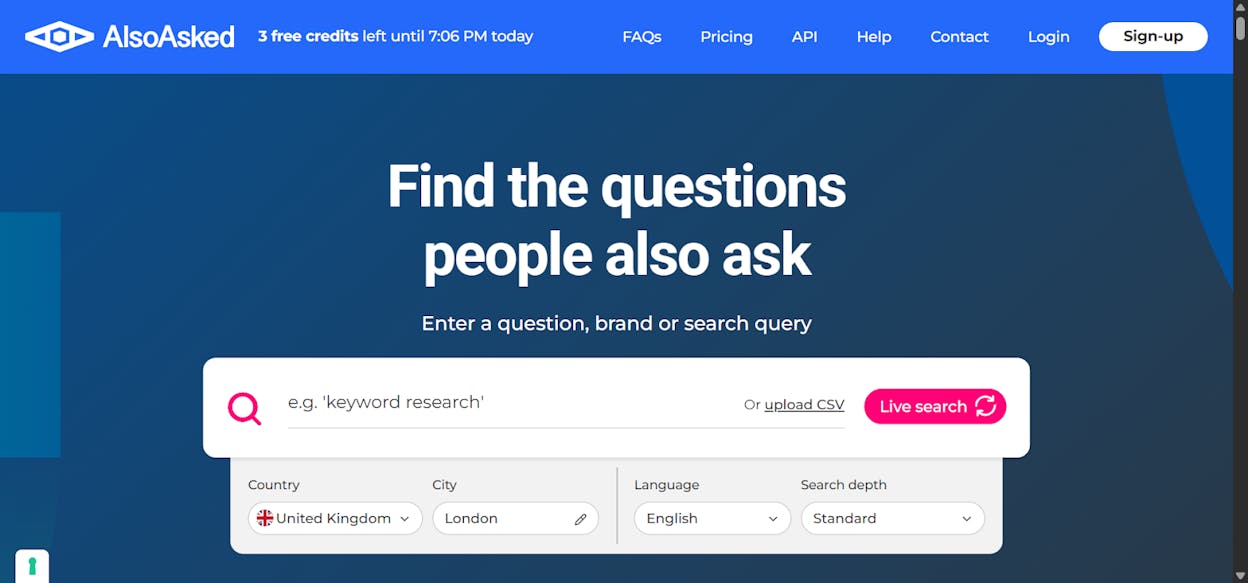
Even with these advantages, the tool does come with limits that matter when you work across many topics. The free experience restricts how many searches you can run at once, which can slow research if you need to explore several themes in a single session. Larger diagrams also cost more credits, so deeper exploration requires a paid plan. These caps make it less convenient for teams that handle many products, services, or content ideas at once.
AlsoAsked focuses purely on question discovery, which means it does not show search volume, keyword difficulty, or traffic potential. You can learn what people ask, but not how common those questions are or how competitive they might be. To prioritize topics, you must pair it with a keyword-data tool; otherwise, you may invest effort into useful questions that attract little search demand. The tool is best used at the beginning of the research process, not as a complete SEO solution.
Pricing plans
AlsoAsked offers three paid plans: the Basic plan at $12/month with 100 credits and 24-hour search history, the Lite plan at $23/month with 300 credits, deep search, CSV export, and one-month history, and the Pro plan at $47/month with 1,000 credits, bulk searches, API access, unlimited pay-as-you-go credits, and one-year search history. All plans include unlimited users, all regions and languages, and PNG exports.
|
Aspect |
Why it matters for small businesses |
|
Main job |
Reveals question clusters that show real search intent |
|
Type of data |
Actual People Also Ask patterns from Google |
|
View of results |
Visual trees that show how questions branch and build |
|
What you do get |
Question maps, topic structures, export options |
|
What you do not get |
Search volume, competition data, or direct traffic estimates |
|
Learning curve |
Very easy thanks to clear visuals and simple navigation |
|
Best role in your stack |
First-step ideation tool for planning content clusters and FAQs |
|
Best content types supported |
FAQ pages, blog posts, guides, content hubs, long-tail topics |
Best use cases
-
Building FAQ pages aligned with real user questions
-
Designing topic clusters for a blog or content hub
-
Outlining articles based on natural question sequences
-
Exploring long-tail topics with clear user intent
AlsoAsked gives small businesses a simple way to see the full set of questions people ask around a topic. It is ideal for planning content clusters and FAQs, but you’ll need another tool to judge search volume and pick the most valuable questions to target.
Keyword Surfer: free and beginner-friendly small business SEO tool for fast keyword checks inside Google search
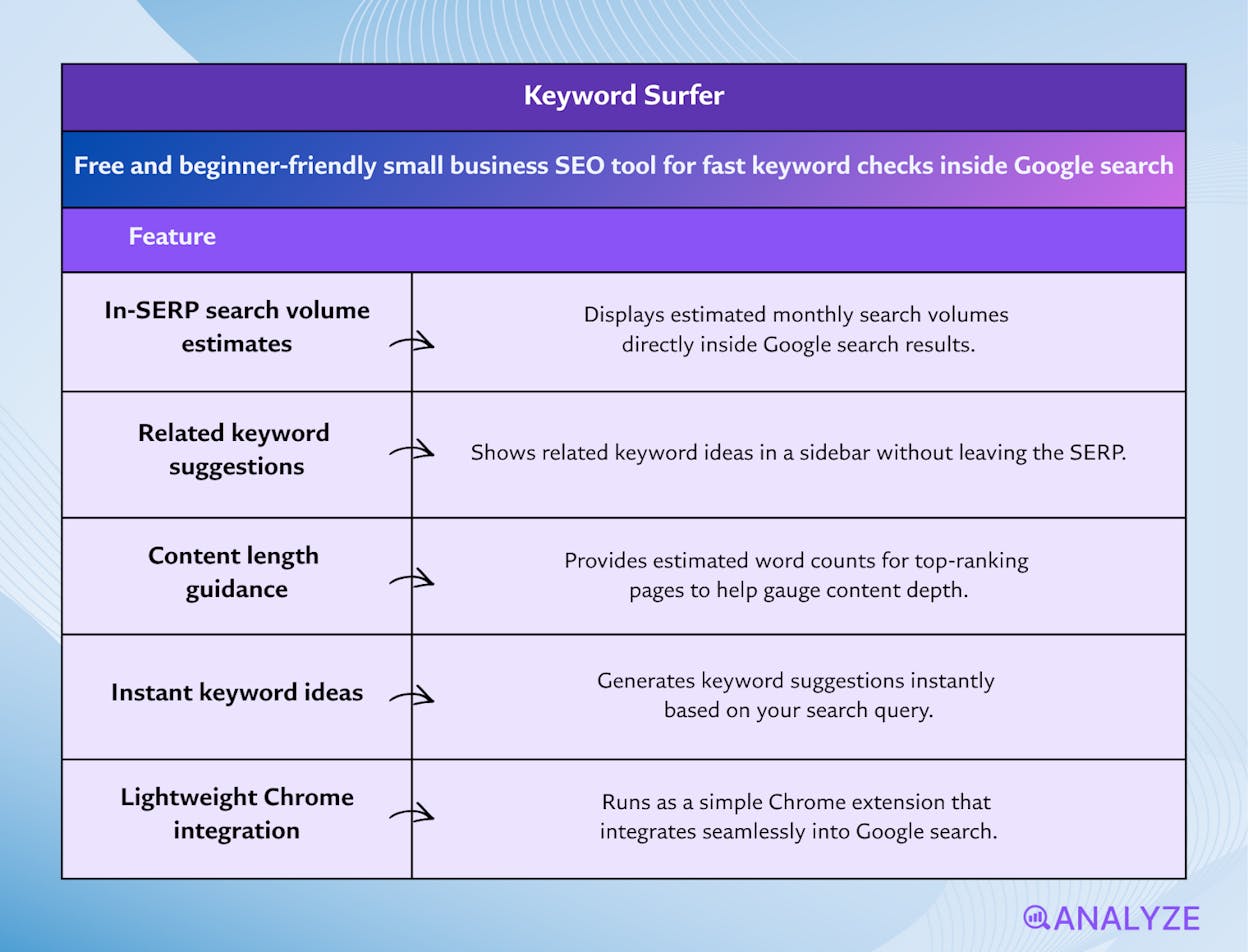
Key Keyword Surfer standout features
-
Shows estimated search volumes directly inside Google SERPs
-
Displays related keyword ideas in a sidebar without leaving the search page
-
Provides estimated word counts for ranking pages to gauge content depth
-
Offers instant keyword suggestions based on your query
-
Integrates seamlessly into Google Chrome as a lightweight extension
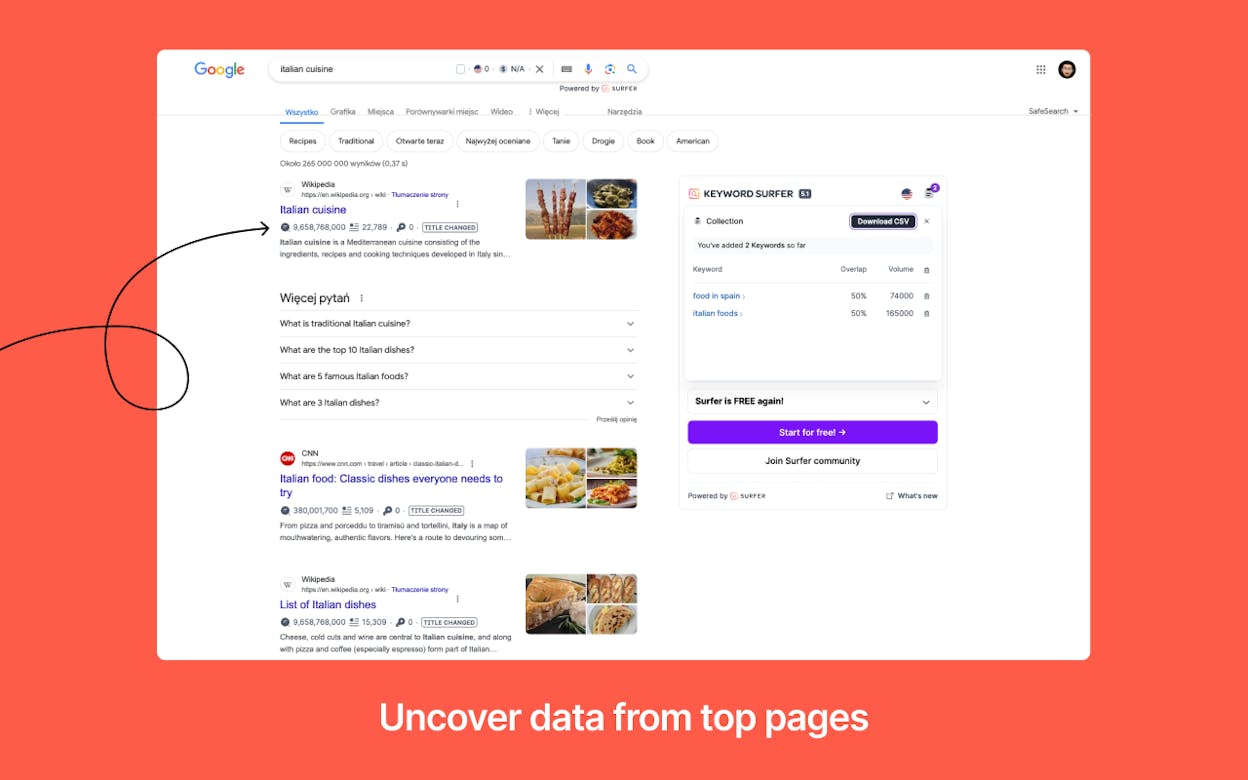
Keyword Surfer works like an instant keyword assistant inside your browser. Instead of opening a separate SEO tool, you type a query into Google and the extension overlays search-volume estimates, related keyword suggestions, and word-count signals directly into the results. This makes keyword research feel like a natural part of browsing rather than a separate task. For small businesses or beginners with limited time, Keyword Surfer helps you make quick decisions about which topics may be worth pursuing without navigating dashboards or reports.
The sidebar expands your initial idea by showing related keywords and their volume estimates, helping you build a topic list or outline in seconds. The estimated word counts for top-ranking pages give a useful signal about how much content tends to perform well for a given search, which helps you plan article depth without guesswork. Since all of this happens within Google’s results page, the learning curve stays low — you simply search as you normally do, and the insights appear automatically.
The tool’s simplicity, however, brings some limitations that matter once your research grows more serious. The search-volume numbers are approximate, meaning they are best used as directional cues rather than precise metrics. For competitive keyword decisions, you may need more robust data from larger SEO platforms. Keyword Surfer also provides minimal competitive or backlink insight, so it cannot help you understand why certain pages rank or how difficult a topic truly is.
Because its scope is intentionally narrow, Keyword Surfer can lead to misleading conclusions if used as your only SEO research source. Without understanding domain strength, backlink profiles, or search-intent nuances, you might misjudge whether a keyword is a realistic target. It works well for early ideation, but not for full keyword strategy or competitive evaluation.
Pricing plans
Keyword Surfer is completely free to use, offering search-volume estimates, related keywords, and on-page signals directly in Google results without requiring an account or subscription.
|
Aspect |
Why it matters for small businesses |
|
Main job |
Gives quick keyword insights inside Google SERPs |
|
Type of data |
Estimated search volume, related keywords, content-length cues |
|
View of results |
Overlays and sidebar inside Google search results |
|
What you do get |
Fast keyword ideas, rough demand estimates, content-depth hints |
|
What you do not get |
Accurate volume metrics, backlink data, domain strength, competitive difficulty |
|
Learning curve |
Very easy — works inside Google with no extra dashboards |
|
Best role in your stack |
Early-stage ideation tool for topic discovery |
|
Best content types supported |
Blog posts, content hubs, long-tail topics, early keyword exploration |
Best use cases
-
Brainstorming new keyword or content ideas quickly
-
Getting a rough sense of demand without logging into a full SEO tool
-
Checking how long top-ranking pages are before writing your own
-
Expanding a seed keyword into related topics directly inside Google
Keyword Surfer gives small businesses a fast, frictionless way to explore keyword ideas directly in Google. It’s ideal for quick inspiration and early research, but you’ll need deeper tools when precision or competitive analysis becomes important.
Rank Math: free and beginner-friendly small business SEO tool for on-page and technical optimization inside WordPress
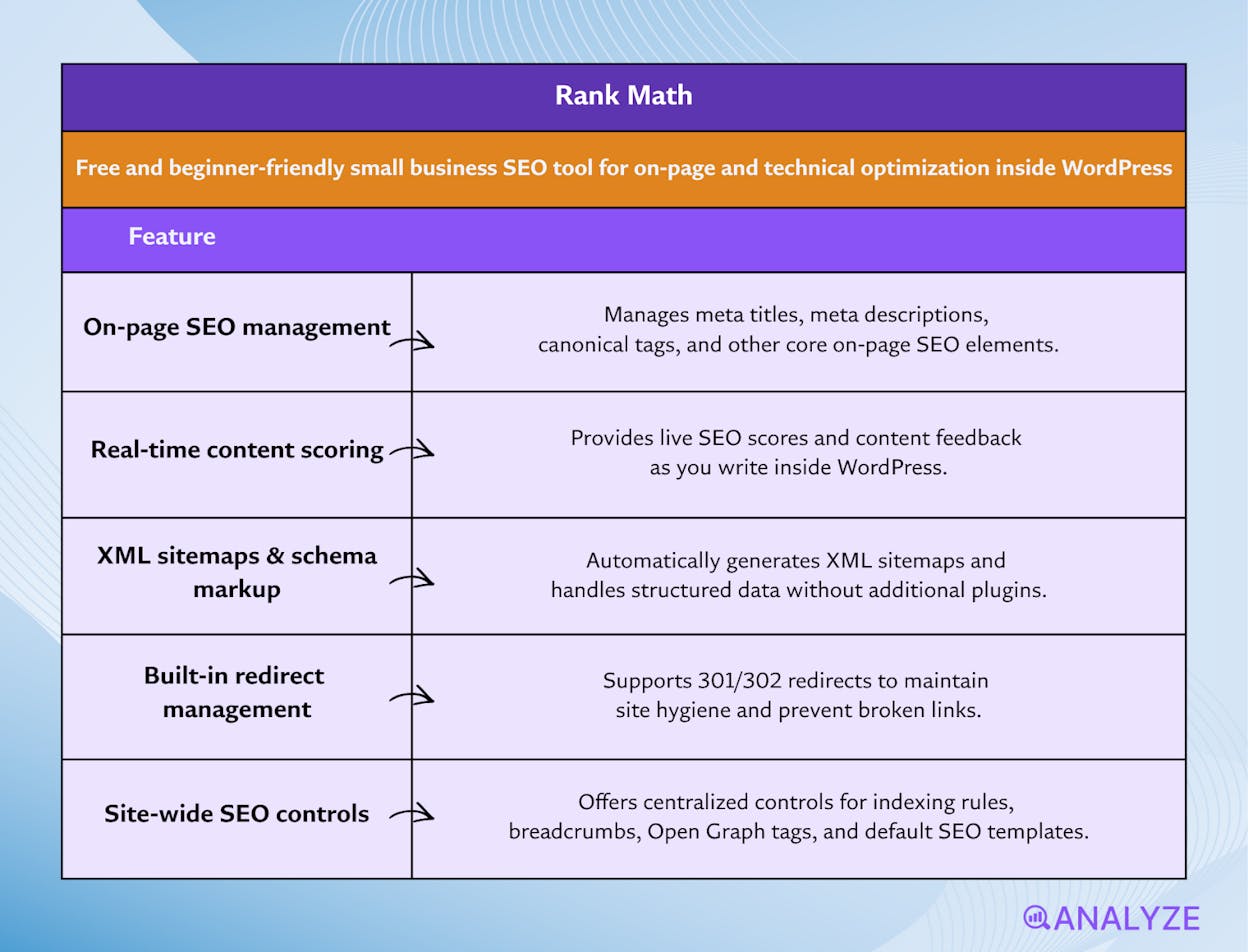
Key Rank Math standout features
-
Manages core on-page SEO elements like meta titles, descriptions, and canonical tags
-
Provides real-time SEO scoring and content feedback while you write in WordPress
-
Generates XML sitemaps and handles schema markup without extra plugins
-
Includes built-in redirect management for 301/302 redirects and site-cleanliness
-
Offers site-wide controls for indexing, breadcrumbs, open graph tags, and default SEO templates
Rank Math acts like an SEO control center baked directly into WordPress. Instead of switching between several plugins to manage metadata, schema, sitemaps, and redirects, Rank Math consolidates everything into one interface. The plugin evaluates your post or page as you write, giving gentle, step-by-step feedback that helps beginners avoid common mistakes such as missing meta descriptions, weak keyword placement, or untagged images. This real-time scoring helps small websites keep their content aligned with SEO best practices without having to learn every rule from scratch.
Beyond content guidance, Rank Math also handles important technical SEO tasks automatically. It creates XML sitemaps, manages canonical URLs, controls indexing settings, and supports schema markup — all from a single setup wizard. For a small business running on WordPress, this reduces complexity and prevents the “plugin overload” common to many sites. With Rank Math, you get a stable SEO foundation even if you have limited technical experience or no developer support.
The plugin does, however, come with boundaries that matter when your website grows or when your SEO needs become more advanced. Rank Math works only with WordPress, so sites on Shopify, Wix, Webflow, custom CMS setups, or headless environments cannot use it. This makes it a strong WordPress tool but irrelevant outside that ecosystem. The free version, while generous, does not include the full range of schema types, automation features, or analytics depth that larger SEO platforms offer.
Because Rank Math focuses on on-page and technical SEO, it doesn’t replace tools for keyword research, competitor analysis, backlink monitoring, or performance auditing. As your site expands and your content strategy becomes more sophisticated, you will still need other tools to understand rankings, diagnose traffic drops, or plan keyword targets. Rank Math ensures your content and site structure follow good SEO practices — but it does not cover the entire SEO workflow.
Pricing plans
Rank Math offers a powerful free version that includes meta management, schema basics, sitemaps, redirects, content scoring, and on-page guidance. Paid plans unlock advanced schema, automation features, enhanced analytics integrations, and tools for larger sites or agencies, but most small WordPress sites can operate comfortably on the free tier.
|
Aspect |
Why it matters for small businesses |
|
Main job |
Helps optimize on-page content and technical SEO inside WordPress |
|
Type of data |
SEO scoring, meta-tag inputs, schema markup, sitemaps, redirects |
|
View of results |
Real-time scores and suggestions inside the WordPress editor |
|
What you do get |
On-page guidance, technical SEO controls, sitemaps, redirects |
|
What you do not get |
Keyword research, competitive insights, backlink data, performance analytics |
|
Learning curve |
Very low thanks to guided setup and real-time writing feedback |
|
Best role in your stack |
Core on-page and technical SEO plugin for WordPress |
|
Best content types supported |
Blog posts, service pages, product pages, and any content published in the WP editor |
Best use cases
-
Writing or editing content and needing immediate SEO feedback
-
Managing meta tags, schema, and sitemaps without juggling multiple plugins
-
Keeping technical SEO settings consistent across the entire site
-
Running a small WordPress business site or blog with no dedicated SEO developer
Rank Math gives small WordPress websites a simple, all-in-one way to handle on-page and technical SEO. It covers the essentials extremely well, but you’ll still need other tools for keyword research, competitive analysis, and broader SEO strategy.
Analyze AI: The best AI search analytics tool for measuring what SEO tools can’t
The tools in this list help you do SEO work. They help you find keywords, audit pages, fix technical issues, and improve on-page structure so Google can understand and rank your site. Analyze AI is not an SEO tool, and it should not be evaluated as one.
Analyze AI belongs here as a complement to SEO because it shows how your site performs in AI-driven discovery, where traditional SEO tools and free browser extensions stop. When someone asks a question in ChatGPT, Perplexity, Claude, Gemini, or Copilot, visibility alone is not the outcome you need. The outcome is whether that visibility sends qualified sessions to your site and whether those visits convert.
Most GEO tools tell you whether your brand appeared in an AI response, then stop at a score. They treat a mention in Perplexity the same as a citation in Claude, even though one might drive meaningful traffic while the other sends nothing.
Analyze AI connects AI discovery to business outcomes. It tracks which answer engines send sessions to your site (Discover), which pages those visitors land on, what actions they take, and how much revenue those sessions influence (Monitor). You still get prompt-level visibility across major engines, yet you also see conversion rates, assisted revenue, and ROI by referrer, which makes it possible to prioritize the pages and topics that are worth updating next.
That is how small teams stop guessing whether AI visibility matters and start proving which engines deserve investment, which prompts create intent, and which content upgrades actually move pipeline. When it is time to turn insights into action, Analyze AI helps you translate patterns into clear optimization priorities (Improve) while monitoring sentiment and narrative shifts that can change demand over time (Govern).
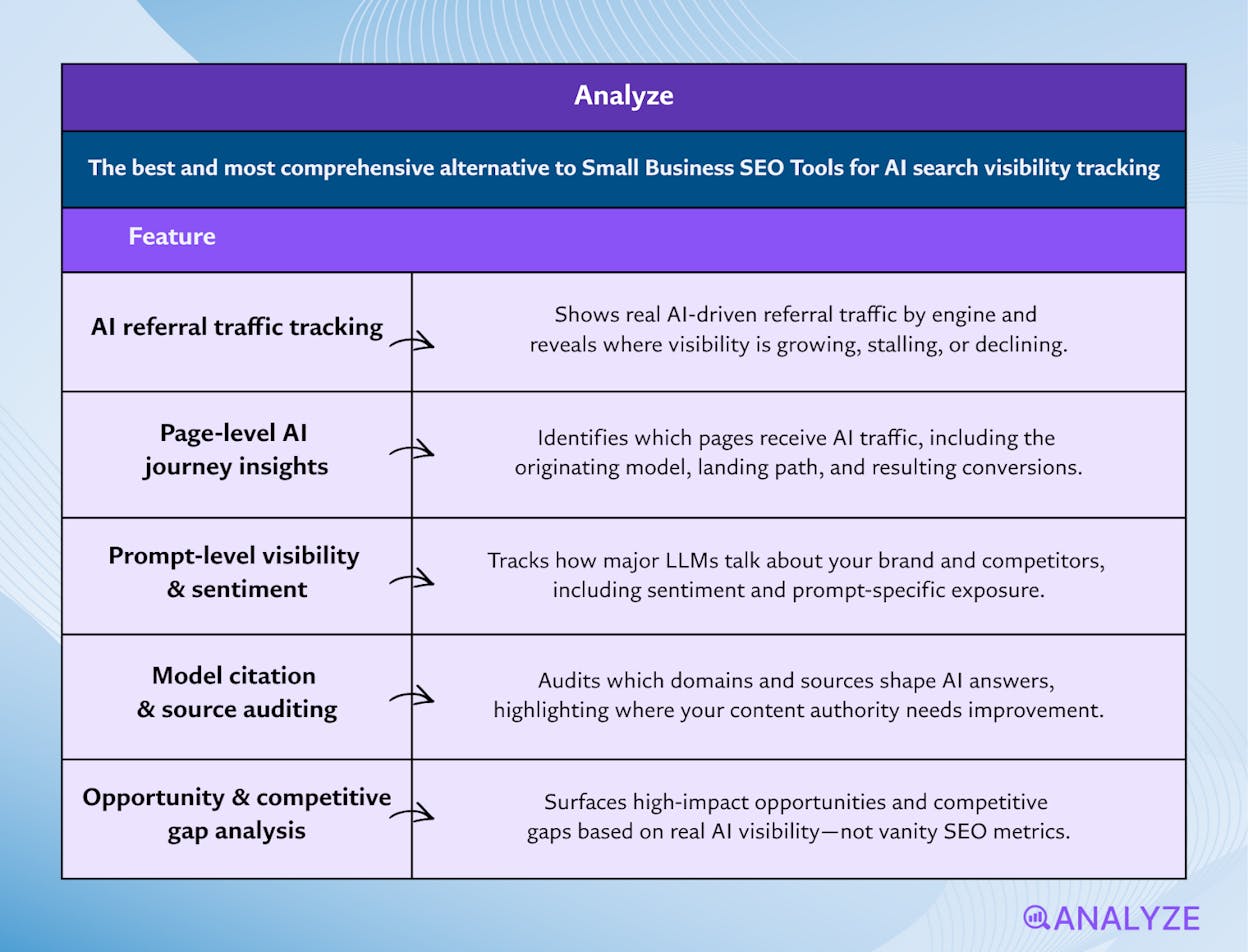
Key Analyze AI features
-
See actual AI referral traffic by engine and track trends that reveal where visibility grows and where it stalls.
-
See the pages that receive that traffic with the originating model, the landing path, and the conversions those visits drive.
-
Track prompt-level visibility and sentiment across major LLMs to understand how models talk about your brand and competitors.
-
Audit model citations and sources to identify which domains shape answers and where your own coverage must improve.
-
Surface opportunities and competitive gaps that prioritize actions by potential impact, not vanity metrics.
Here are in more details how Analyze AI works:
See actual traffic from AI engines, not just mentions
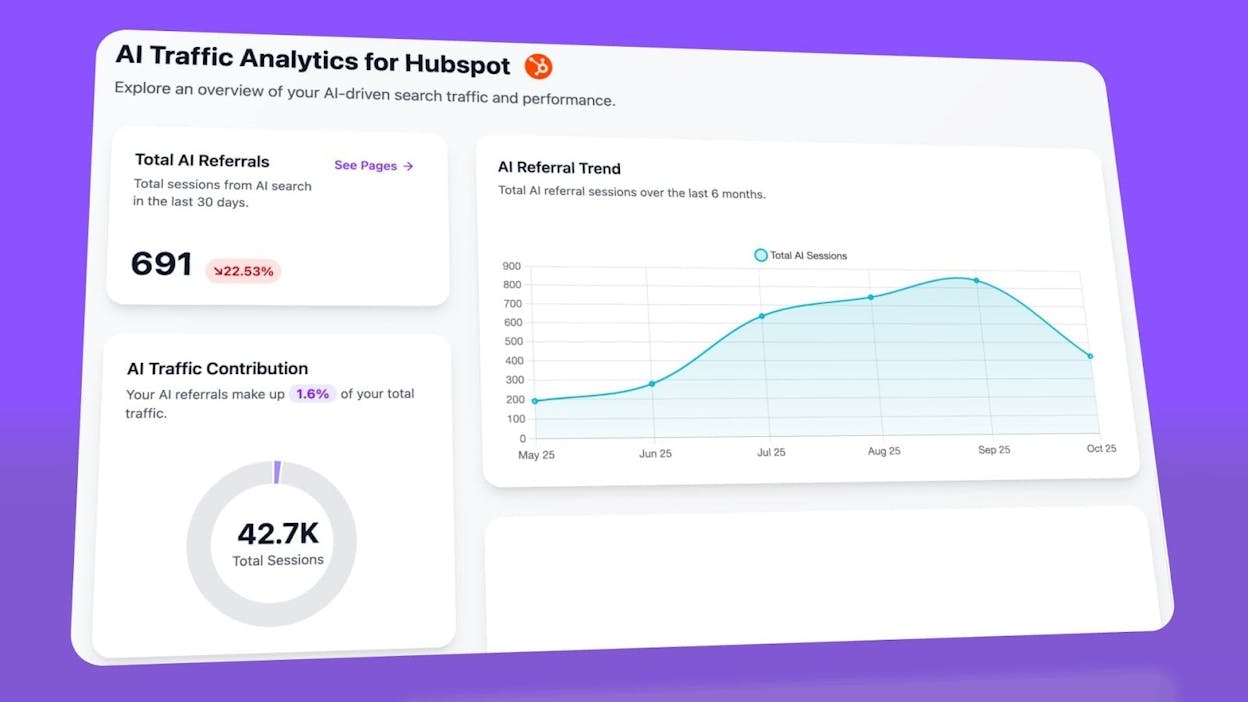
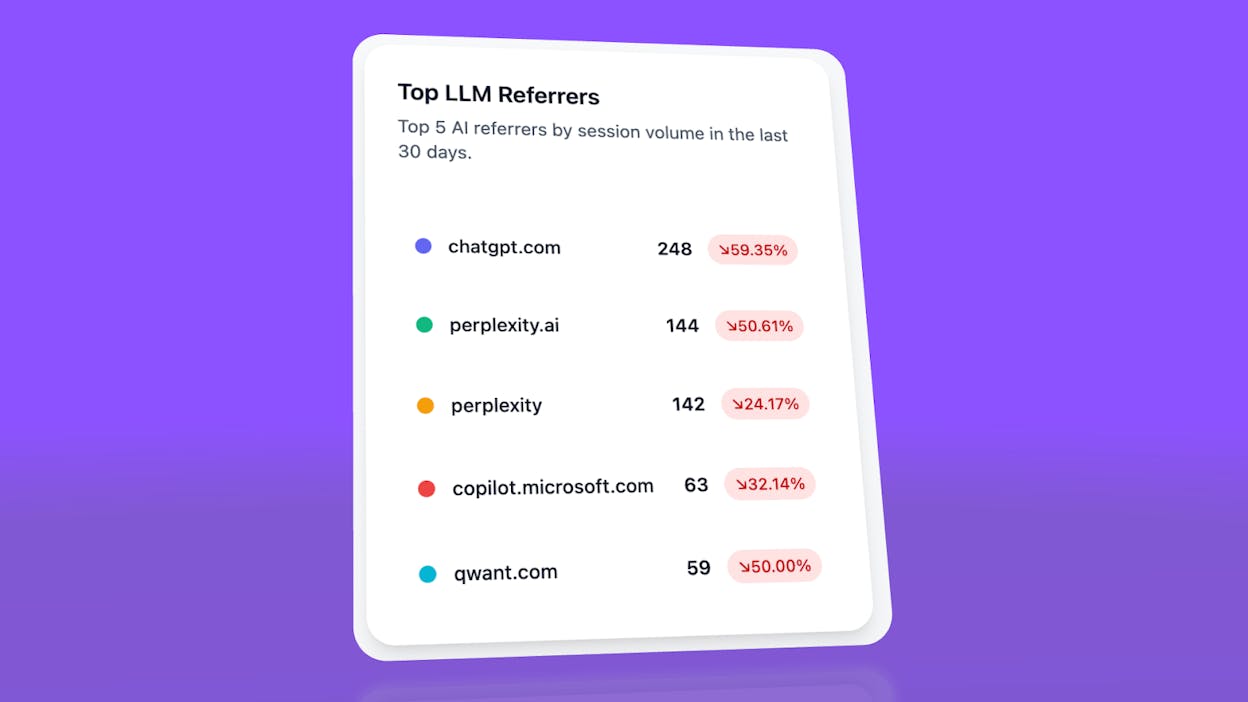
Analyze AI attributes every session from answer engines to its specific source—Perplexity, Claude, ChatGPT, Copilot, or Gemini. You see session volume by engine, trends over six months, and what percentage of your total traffic comes from AI referrers. When ChatGPT sends 248 sessions but Perplexity sends 142, you know exactly where to focus optimization work.
Know which pages convert AI traffic and optimize where revenue moves
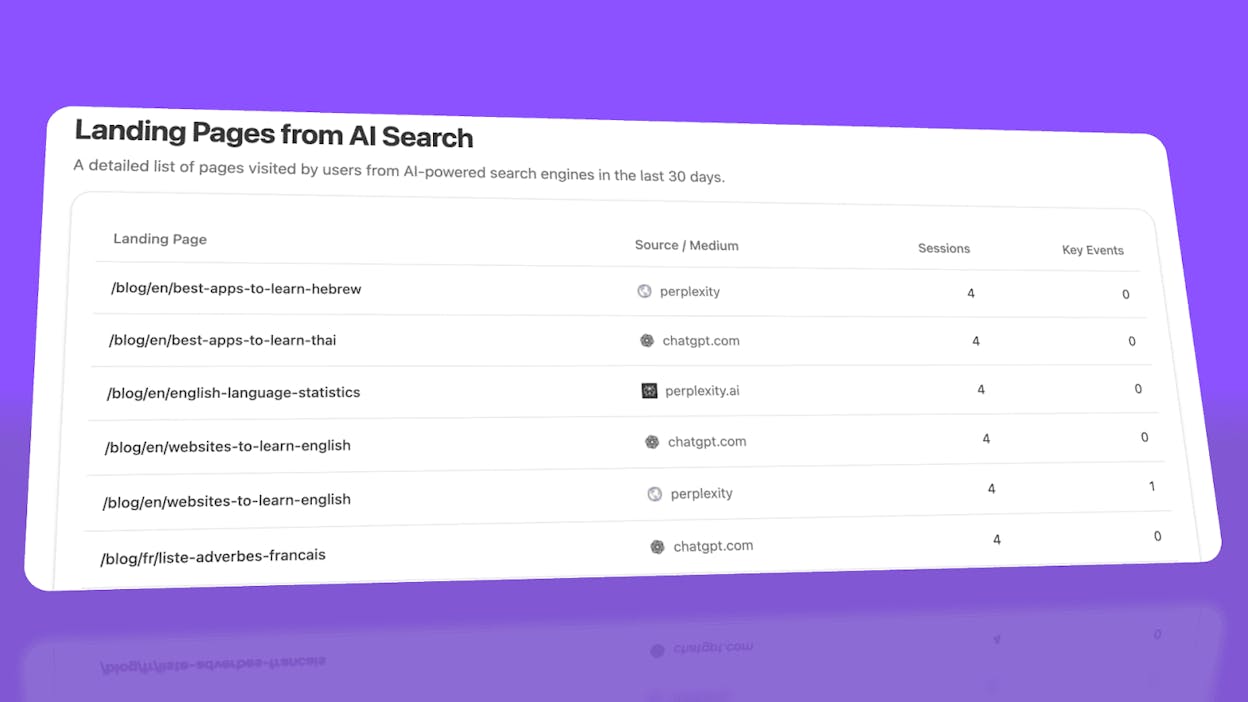
Most tools stop at "your brand was mentioned." Analyze AI shows you the complete journey from AI answer to landing page to conversion, so you optimize pages that drive revenue instead of chasing visibility that goes nowhere.
The platform shows which landing pages receive AI referrals, which engine sent each session, and what conversion events those visits trigger.
For instance, when your product comparison page gets 50 sessions from Perplexity and converts 12% to trials, while an old blog post gets 40 sessions from ChatGPT with zero conversions, you know exactly what to strengthen and what to deprioritize.
Track the exact prompts buyers use and see where you're winning or losing
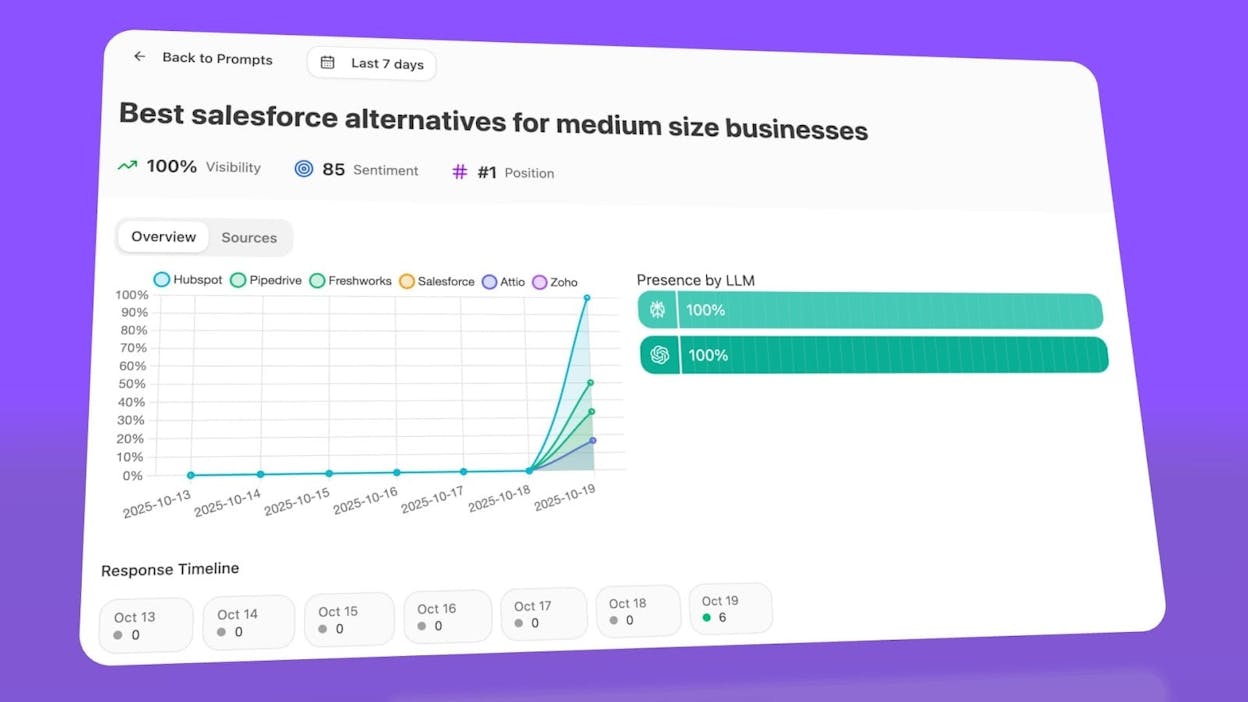
Analyze AI monitors specific prompts across all major LLMs—"best Salesforce alternatives for medium businesses," "top customer service software for mid-sized companies in 2026," "marketing automation tools for e-commerce sites."
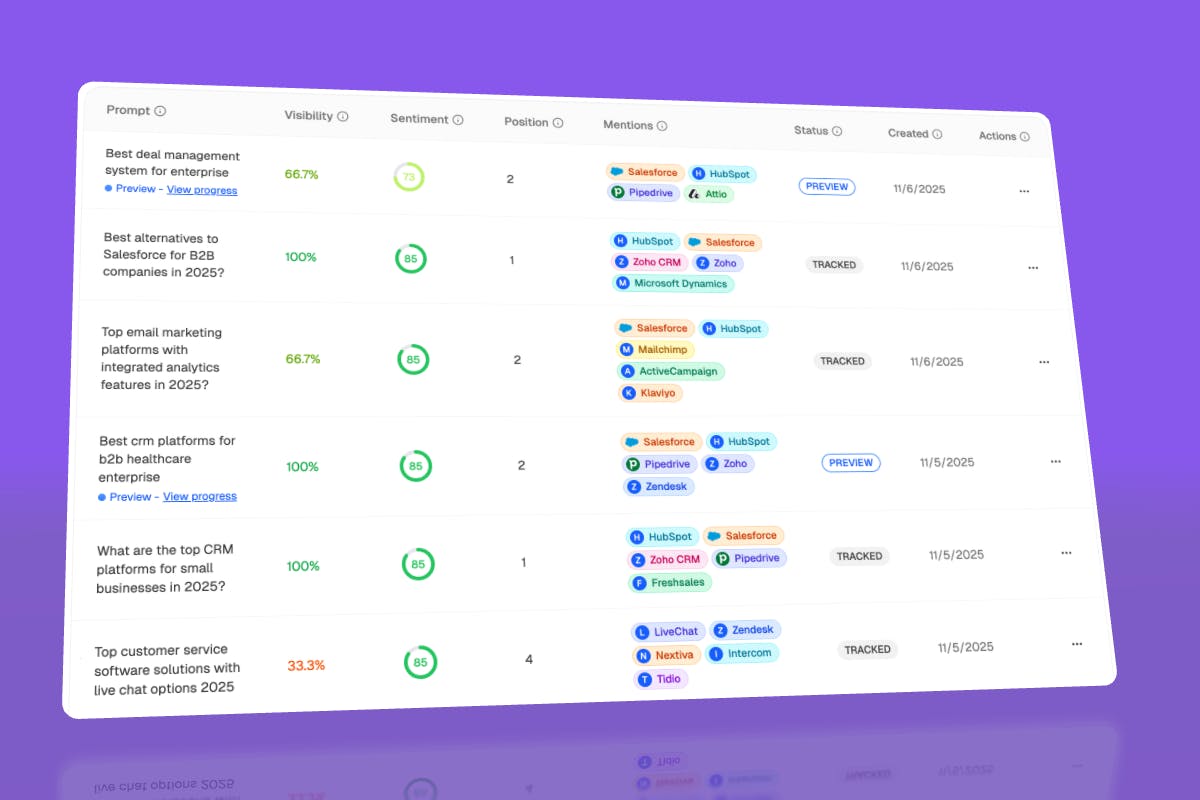
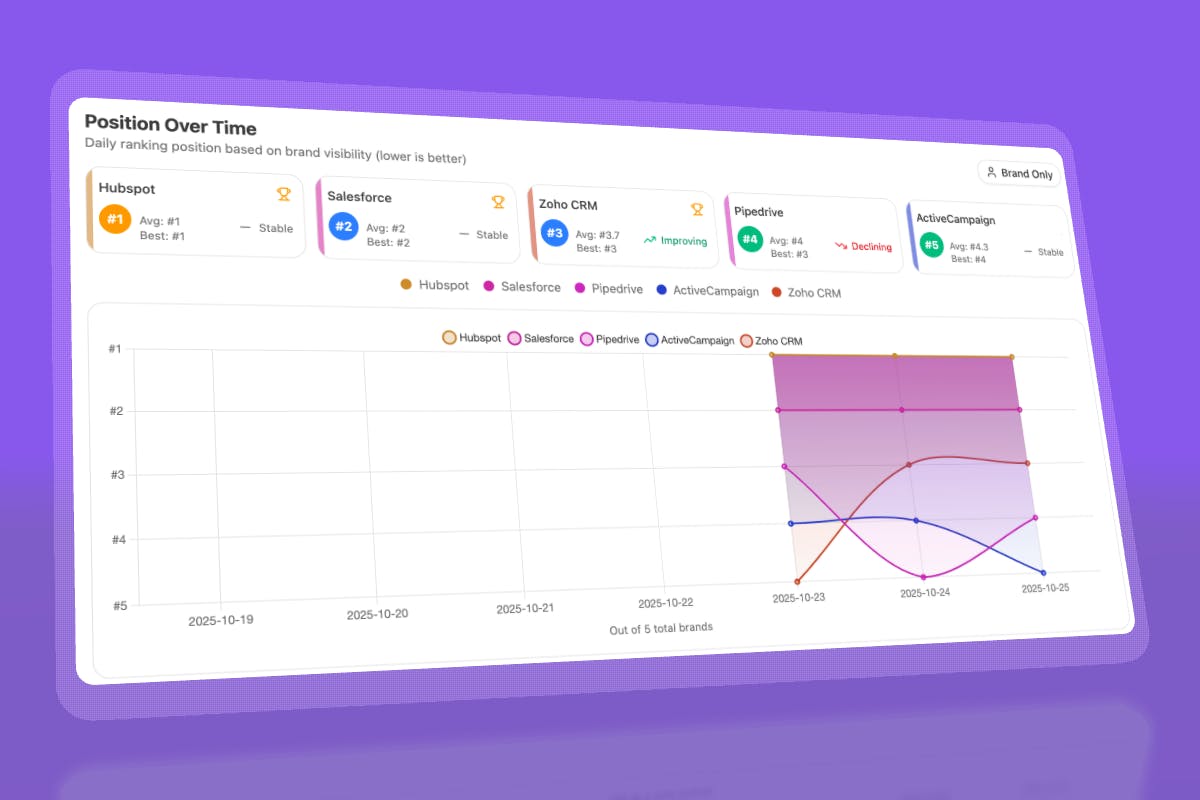
For each prompt, you see your brand's visibility percentage, position relative to competitors, and sentiment score.
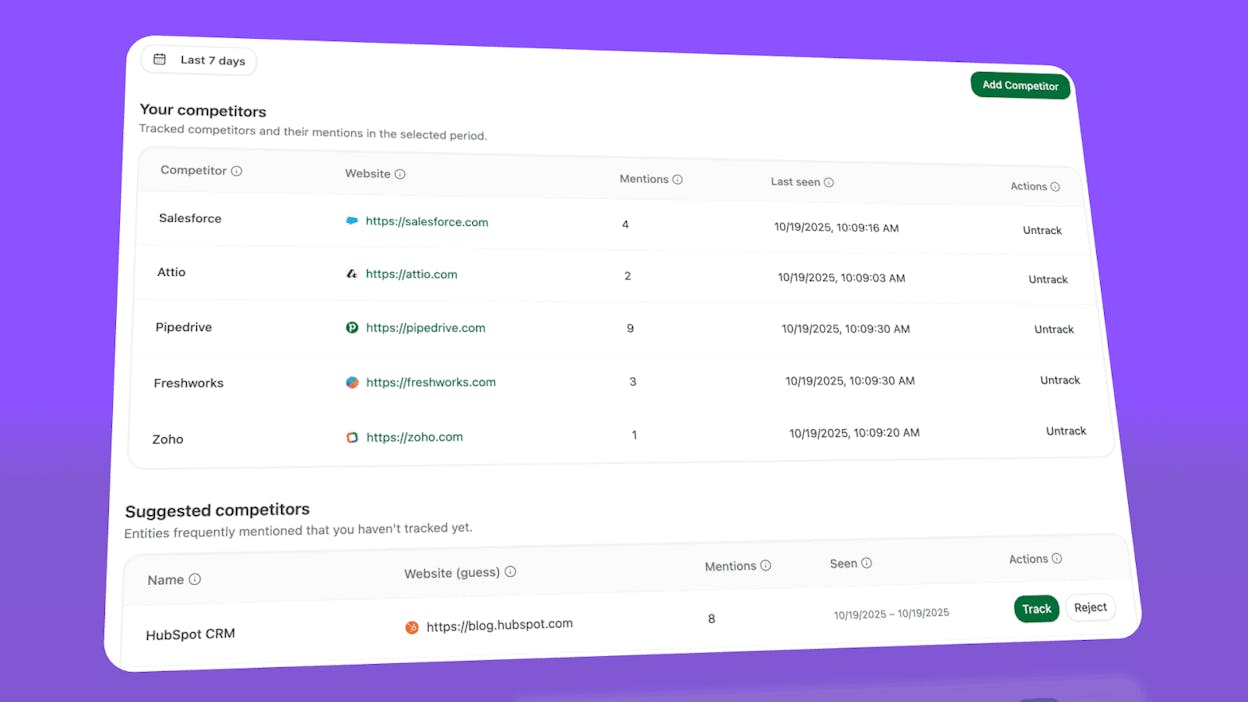
You can also see which competitors appear alongside you, how your position changes daily, and whether sentiment is improving or declining.
Don’t know which prompts to track? No worries. Analyze AI has a prompt suggestion feature that suggests the actual bottom of the funnel prompts you should keep your eyes on.
Audit which sources models trust and build authority where it matters
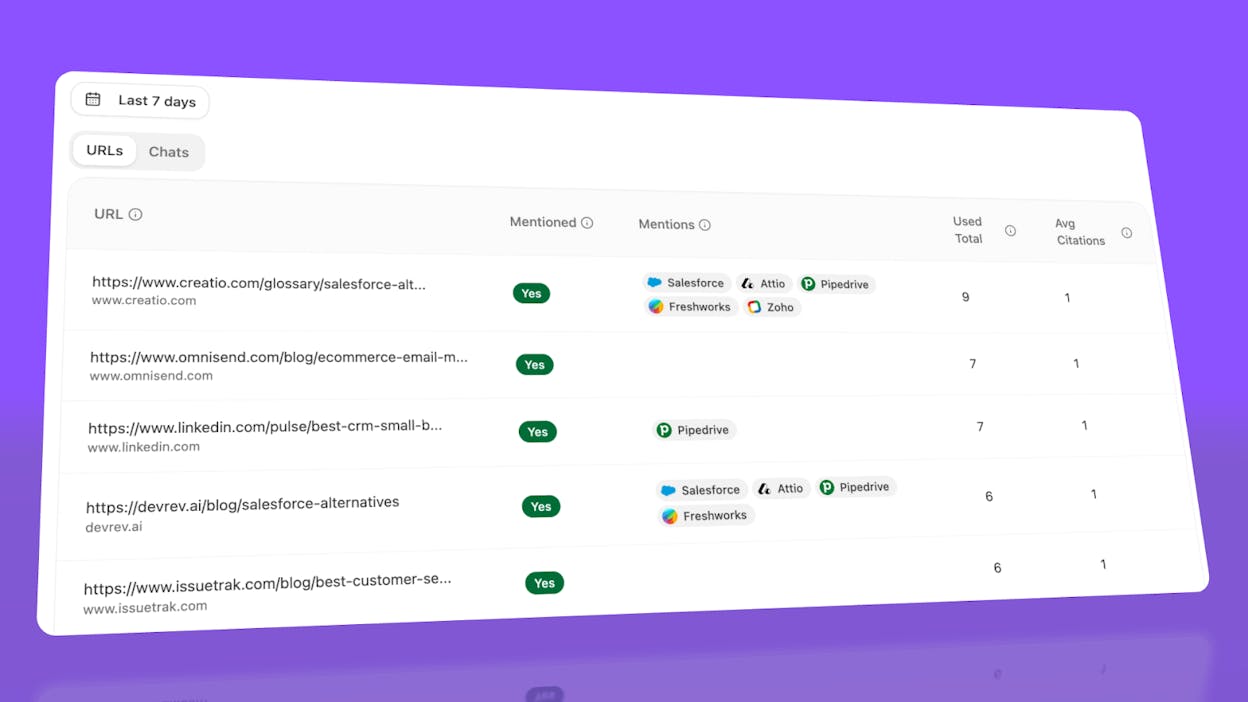
Analyze AI reveals exactly which domains and URLs models cite when answering questions in your category.
You can see, for instance, that Creatio gets mentioned because Salesforce.com's comparison pages rank consistently, or that IssueTrack appears because three specific review sites cite them repeatedly.
Analyze AI shows usage count per source, which models reference each domain, and when those citations first appeared.
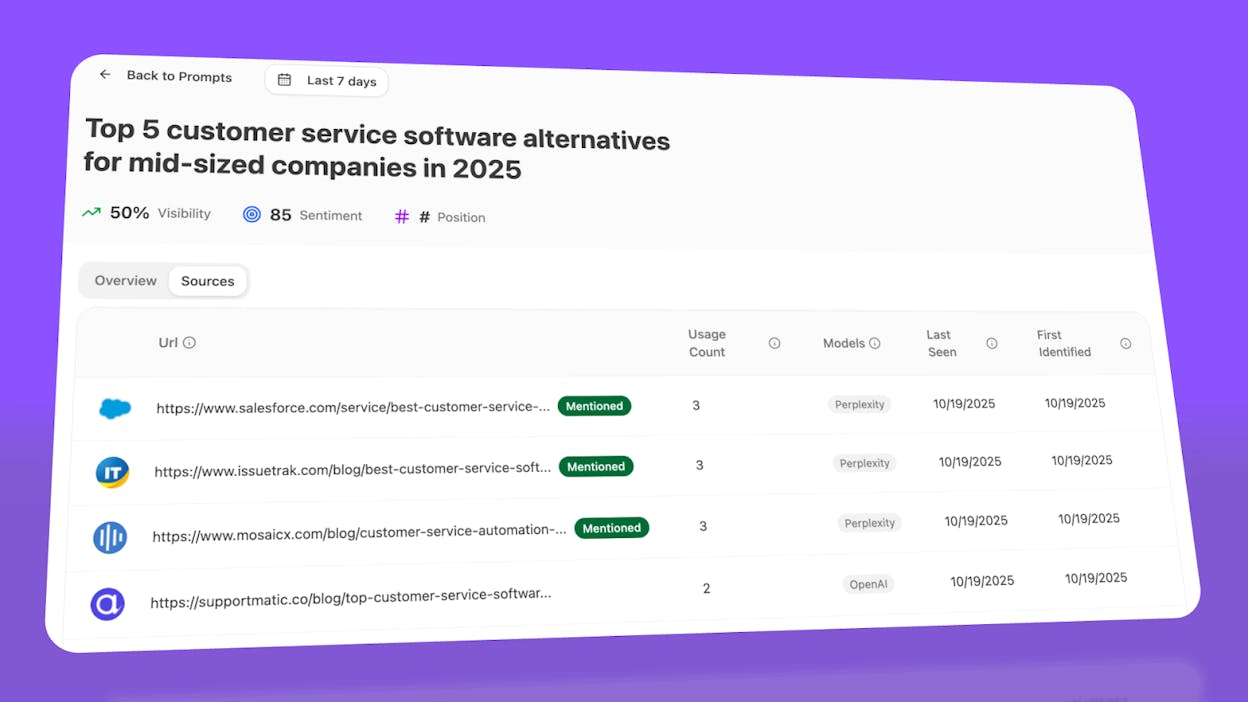
Citation visibility matters because it shows you where to invest. Instead of generic link building, you target the specific sources that shape AI answers in your category. You strengthen relationships with domains that models already trust, create content that fills gaps in their coverage, and track whether your citation frequency increases after each initiative.
Prioritize opportunities and close competitive gaps
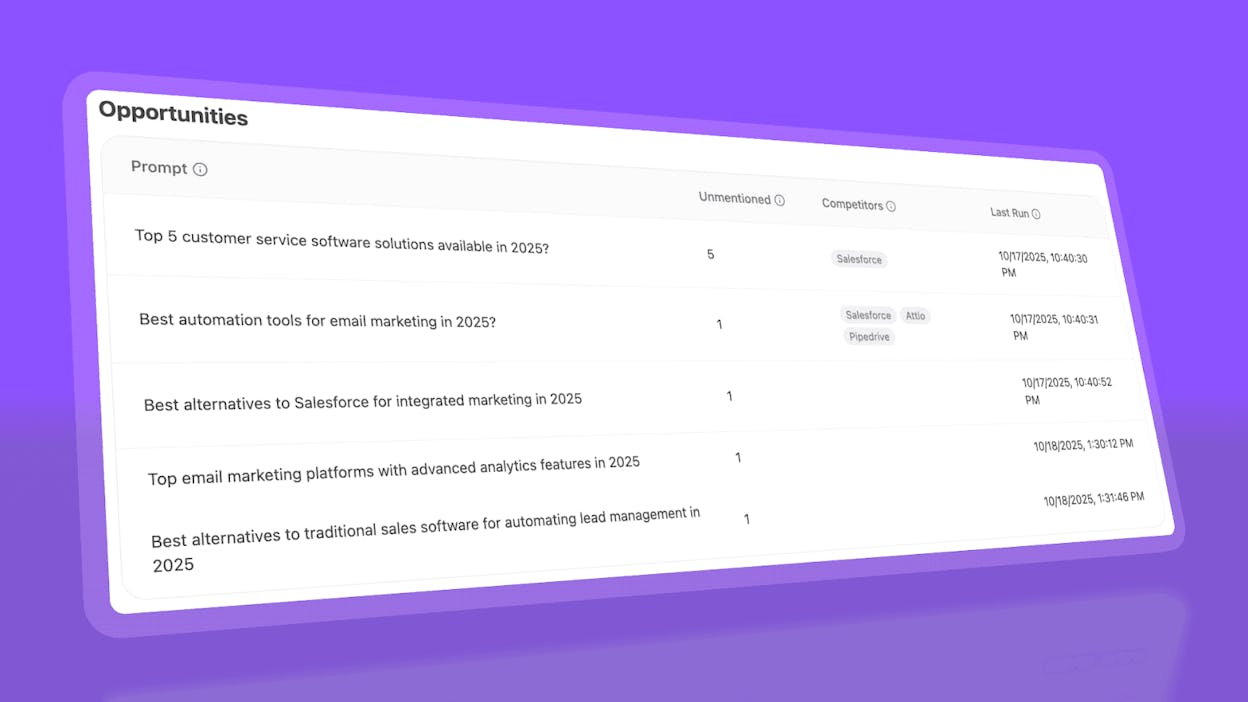
Analyze AI surfaces opportunities based on omissions, weak coverage, rising prompts, and unfavorable sentiment, then pairs each with recommended actions that reflect likely impact and required effort.
For instance, you can run a weekly triage that selects a small set of moves—reinforce a page that nearly wins an important prompt, publish a focused explainer to address a negative narrative, or execute a targeted citation plan for a stubborn head term.

Ernest

Ibrahim


