15 AI Content Creation Tools to Add to Your Tech Stack
Written by
Ernest Bogore
CEO
Reviewed by
Ibrahim Litinine
Content Marketing Expert

We evaluated AI content creation tools that speed up drafting, automate repetitive tasks, transform raw footage into ready assets, handle SEO research, and help teams publish more without adding headcount. This piece will show you the 15 AI content creation tools worth adding to your tech stack — what each one does best, where they fit, and how they lift the parts of your workflow that slow you down.
Table of Contents
TL;DR
| Tool | Best For | Core Strength | Key Limitation | Where It Fits in Stack |
|---|---|---|---|---|
| ChatGPT | Fast drafting; ideas; rewriting | All-purpose engine for writing; editing; research | Can hallucinate or sound generic without guidance | Main hub for writing + brainstorming |
| Jasper AI | Marketing teams producing at volume | Templates + brand voice + workflows | Not ideal for deep niche/technical topics | Structured long-form + marketing workflows |
| Copy.ai | Fast short-form marketing copy | Speed + templates + workflows for GTM | Shallow on long-form or expert content | Short-form engine (ads; emails; social) |
| Writesonic | SEO + long-form + SERP-ready content | End-to-end SEO workflow (ideas → draft → optimize) | Interface can feel dense; requires editing | SEO + long-form engine |
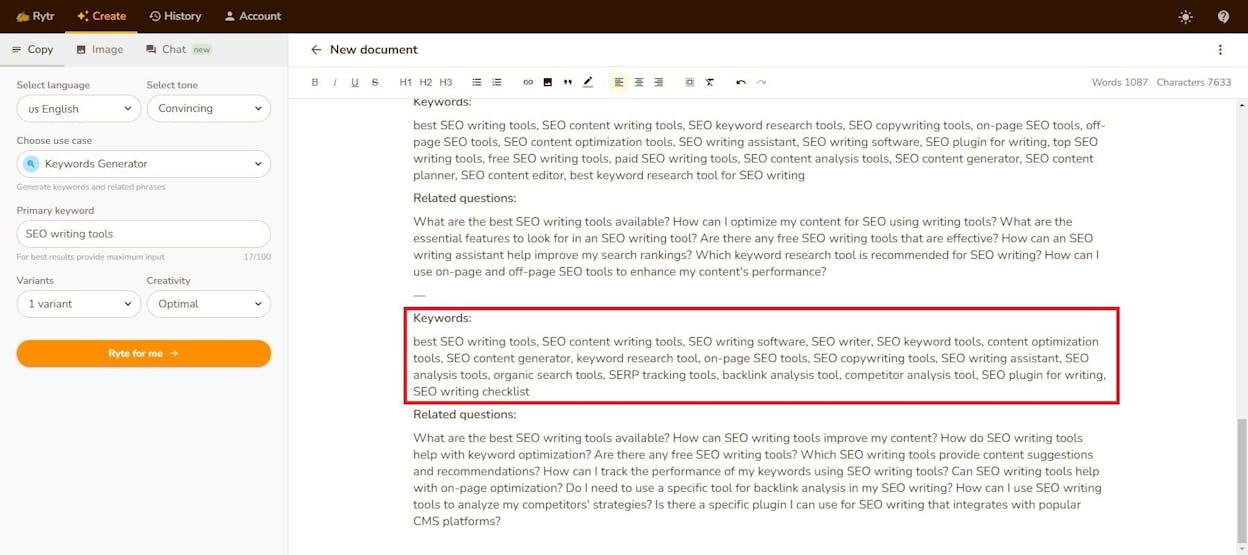
| Rytr | Budget-friendly quick content for small teams | Very fast; simple; and cheap | Weak depth; generic long-form | Lightweight “quick draft” tool |
| Sudowrite | Novelists & creative writers | Scene expansion; continuity; sensory detail | Can overwrite; needs strong human editing | Creative co-writer for stories/fiction |
| Grammarly + GrammarlyGO | Editing; polishing; clarity improvement | Real-time grammar; tone; and clarity fixes | Not built for deep drafting or strategy | Clarity & polish layer across all tools |
| Anyword | Performance-driven marketing copy | Predictive scoring for conversions | Short-form focused; can feel formulaic | Conversion-copy engine |
| Frase | SEO content research & optimization | SERP + semantic analysis → optimized briefs/drafts | Can feel formulaic without human perspective | SEO research + optimization layer |
| Notion AI | Internal docs; notes; and team collaboration | Summaries; action items; and internal drafting in-place | Not suited for deep SEO or external editorial content | Internal writing + knowledge assistant |
| Canva (Magic Studio) | Design + visuals + quick copy & media | Design + copy + image/video generation in one tool | Outputs can look templated if not customized | All-in-one asset producer (visuals + copy) |
| Descript | Podcasts; YouTube; webinars; screen recordings | Text-based editing + AI cleanup + captions | Not a full NLE for advanced cinematic/VFX work | Media editing & repurposing engine |
| Synthesia | Avatar videos for training; explainers; internal comms | Fast script-to-video in many languages | Avatars lack emotional nuance and realism | Video generation for training & explainers |
| Runway Gen-4 | Cinematic text-to-video & VFX-style short clips | High-end AI visuals; motion; and VFX tools | Short clips only; credit-based costs add up | AI visual/video engine |
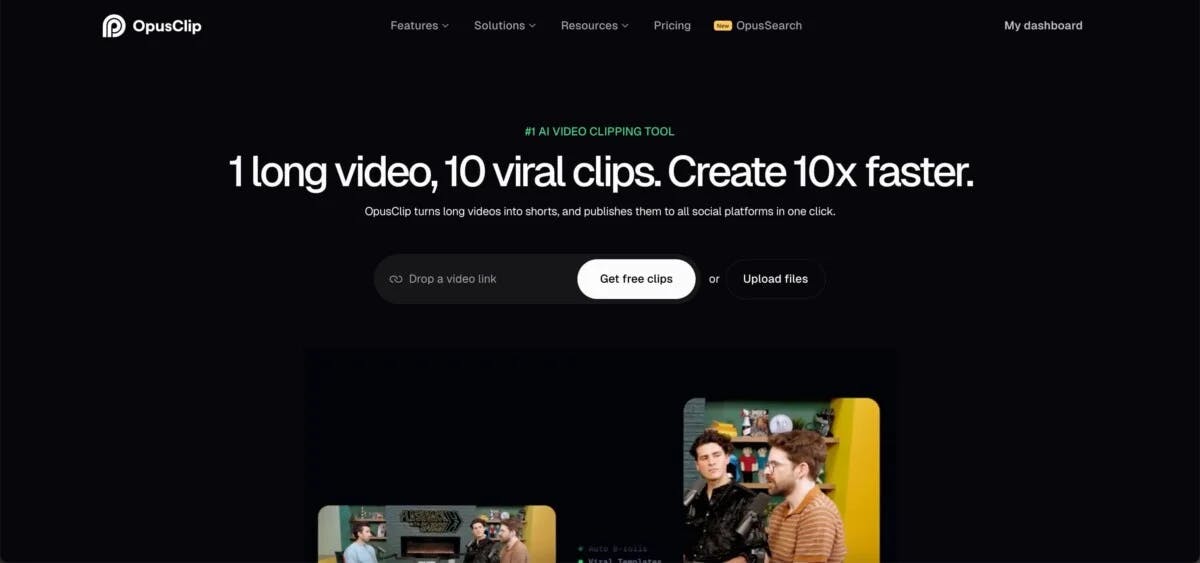
| OpusClip | Repurposing long videos into short social clips | Automatic clipping; reframing; captions; virality score | Basic editor; highlight choices sometimes need tweaking | Short-form repurposing engine |
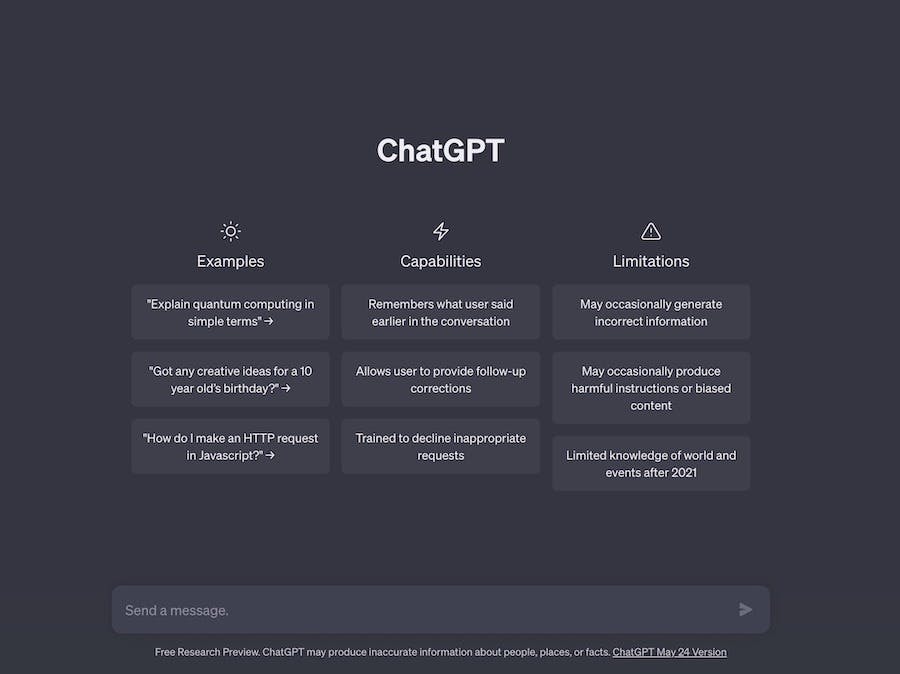
ChatGPT: best AI content creation tool for fast drafts and ideas

Key ChatGPT standout features
General AI assistant that helps with writing, editing, research, ideation, and even code in one place.
Handles text and images in the same chat, letting you ask questions about screenshots, documents, or mockups.
Keeps long conversations with big context windows so you can work on ongoing projects without losing track.
Connects with outside tools through plugins and integrations, helping teams move work forward without switching apps.
Offers team and enterprise plans with stronger privacy, better speed, and shared workspaces for bigger groups.
ChatGPT stands out because it removes the hardest part of content creation: the slow and messy beginning. It lets you turn loose ideas into clean outlines or first drafts in minutes, which saves writers from the blank-page freeze that slows teams every week. You can explore angles, test hooks, try new tones, or ask for rewrites in the same chat, which makes the creative flow feel more natural than writing inside a static document.
The tool also shines when you need many versions of one idea, because it can produce hooks, subject lines, ads, social posts, summaries, or new angles without starting from zero each time. When you give ChatGPT samples of your tone or past work, it can mirror that voice across formats. This helps teams stay consistent without losing speed, and it also makes it easier for non-writers to produce content that sounds close to brand standards.
The same power that makes ChatGPT helpful can also create real risks if you do not guide it carefully. The model can sound very sure while still giving wrong or outdated facts, especially with numbers, niche topics, or fast news. This means you cannot treat its answers as final truth, because a piece that goes straight from the chat to publishing may carry hidden errors that hurt your brand.

ChatGPT can also fall into generic, average-sounding language when the prompt is weak or the brand voice is unclear. If you rely on it for every draft without checking the details, the final content may look like every other AI article on the web. To avoid this, you still need a human editor who checks facts, adds examples, fixes tone, and makes sure each piece feels honest and helpful.
Pricing plans
ChatGPT offers a free plan, paid plans for heavy users, and team or enterprise plans for companies. Higher tiers add faster models, longer memory, team spaces, and stronger data controls, while the free plan is enough to test the main writing and idea features before you upgrade.
| Category | Insight |
|---|---|
| Content creation value | It helps you move from idea to draft fast; so you can create more content without wasting time on the first steps. |
| Why this tool matters for AI content creation | It turns slow writing work into a quick chat; which helps teams keep a steady flow of new content. |
| Main job in a content workflow | It supports each step: brainstorm → outline → draft → edit → repurpose; all in one place. |
| Biggest problem it solves | It removes the blank page and cuts the long thinking time that slows writers before they start typing. |
| Where it gives the most leverage | When you need many versions: hooks; ads; intros; emails; product angles; or social posts. |
| Who gets the most value | Writers; marketers; founders; and small teams who need speed and want one tool for ideas and drafts. |
| Where it fits in your AI tech stack | It works as your “main hub” that powers other tools and helps you build content at scale. |
| What still needs human work | You must check facts; fix tone; add your brand voice; and make sure the final piece feels correct and real. |
How to use it
Use ChatGPT as your first stop when you start any piece of content. Ask it for angles, outlines, or rough drafts, then keep the same chat open as you refine the work, because the tool performs best when it builds on past messages. If you want consistent tone, paste old content you like and tell ChatGPT to use that voice.
You can also feed it long documents, screenshots, or research notes, and ask it to summarize, explain, or restructure the information. This helps when you want to turn one big asset into many smaller pieces. The more clear and specific your instructions are, the better your results will be.
Best use cases
Fast first drafts for articles, emails, landing pages, and social posts.
Turning long videos, podcasts, or reports into short posts, summaries, or scripts.
Brainstorming hooks, angles, new ideas, and campaign directions.
Creating outlines, briefs, and internal notes that guide your content process.
Bottom line
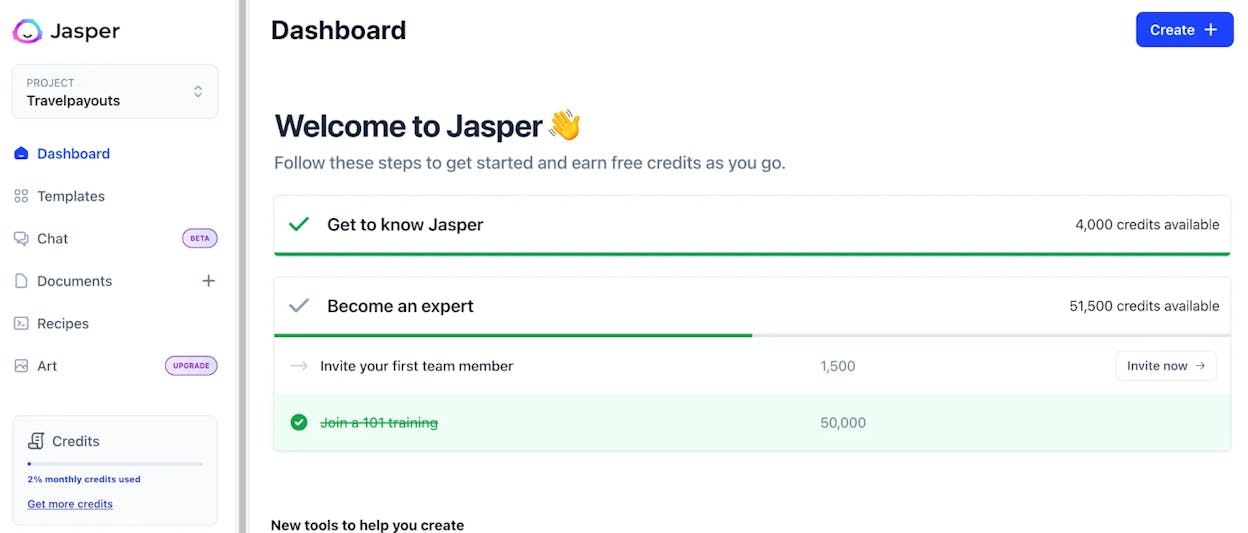
Jasper AI: best AI content creation tool for marketing teams and scaling content at volume

Key Jasper AI standout features
Robust template library and workflows covering blogs, ads, emails, landing pages, product pages, and more.
Brand-voice and style control with the option to upload your tone, style guide, or samples so every output matches your voice.
Multi-model AI engine that chooses the best model for each task, from long-form articles to SEO optimization to short-form marketing copy.
SEO and integration support that works with popular SEO tools and editors so content comes out closer to “rank-ready” instead of raw drafts.
Strong language and format versatility, supporting many languages and content types for teams working across markets.
Jasper AI stands out because it gives content teams structure. When you choose a template and add clear direction, the tool can produce a full draft that fits a specific format almost instantly. This cuts the time from idea to draft in a deep way, especially for busy marketing teams that juggle blogs, email campaigns, social ads, and product pages at the same time. Instead of starting from scratch each time, Jasper gives you a repeatable system that turns inputs into shaped content fast.
The tool becomes even more useful when you activate brand voice. Once you upload your tone, examples, and style guide, Jasper applies that voice across everything it writes, which keeps your content consistent even when different people create it. This helps teams protect their brand standards without slowing down output. It also helps non-writers produce strong drafts because the AI carries the heavy lifting on tone and structure.
At scale, this mix of templates, brand voice, and a multi-model AI engine turns content production into a smooth assembly line. You can build workflows for blogs, ads, landing pages, and product descriptions that operate the same way each time. Instead of rewriting from zero, you simply refine what Jasper generates. For marketing teams under pressure to ship more content with fewer manual steps, this kind of system creates real leverage.

Still, Jasper has clear trade-offs that teams must manage. The tool can struggle when the topic is highly technical or very niche, and in those cases the draft may repeat itself or stay too shallow without thoughtful prompts. You must guide the tool with strong context if you want depth or accuracy. It is also not a cheap option for small teams or solo creators, because the more advanced plans unlock the features that make Jasper valuable, like brand voice, workflows, and team access.
Jasper also needs human review for any serious content. Like all AI writing tools, it can introduce errors or generic phrasing that weakens trust if not edited. The drafts are fast and structured, but writers still need to fact-check, add detail, refine messaging, and make sure each piece feels true to your product and market. Jasper gives you speed and consistency, but quality still depends on human oversight.
Pricing plans
Jasper’s pricing starts with the Pro plan at $59/month per seat, which includes one seat, the Canvas platform for on-brand content creation, essential marketing apps, and smart customization features like 2 Brand Voices, 5 Knowledge Assets, and 3 Audiences. For larger teams, the Business plan offers custom pricing and adds advanced apps, a no-code AI App Builder, Jasper’s marketing Agents, unlimited brand customization, API access, enterprise governance controls, and dedicated support. The Pro plan fits solo creators or small teams, while Business is built for companies producing content at scale.
| Category | Insight |
|---|---|
| Content creation value | Jasper helps teams go from idea to draft fast by giving structure and ready-to-use templates. |
| Why this tool matters for AI content creation | It turns scattered content tasks into a single workflow that supports blogs; ads; emails; and product pages. |
| Main job in a content workflow | It works as a drafting engine that shapes content formats before humans refine tone and details. |
| Biggest problem it solves | It removes slow; repetitive work and gives teams a system for producing content at scale. |
| Where it gives the most leverage | High-volume work: blogs; ecommerce descriptions; landing pages; email sequences; and ad campaigns. |
| Who gets the most value | Marketing teams; agencies; and fast-growing companies that need consistent output across channels. |
| Where it fits in your AI tech stack | It works as the “structured content factory” that sits next to your SEO; research; and editing tools. |
| What still needs human work | Fact-checks; deep insights; unique examples; and polishing tone to match real brand nuance. |
How to use it
Start by choosing a content type that matches your goal: blog post, ad, email, product page, or social caption. Give Jasper a clear brief, including target audience, key points, tone, and any examples that show your style. Use the long-form editor to shape the piece, letting Jasper draft sections that you expand or refine as you go. For repeatable work, save your brand voice, upload style rules, and build workflows so each new content piece starts with the same strong foundation.
Best use cases
Creating long-form marketing content at scale across blogs, guides, and resource hubs.
Producing large sets of product descriptions or ecommerce pages with consistent brand tone.
Building multi-channel campaigns across email, ads, and landing pages from one source of truth.
Helping teams with mixed writing skills produce strong, consistent drafts quickly.
Bottom line
Copy.ai: best AI content creation tool for fast marketing copy and repeatable GTM workflows

Key Copy.ai standout features
Large template library covering blogs, social posts, product descriptions, emails, ads, headlines, and more, built for fast content creation across formats.
Simple interface with ready-made generators that help users produce ideas, drafts, and short-form content with very little setup.
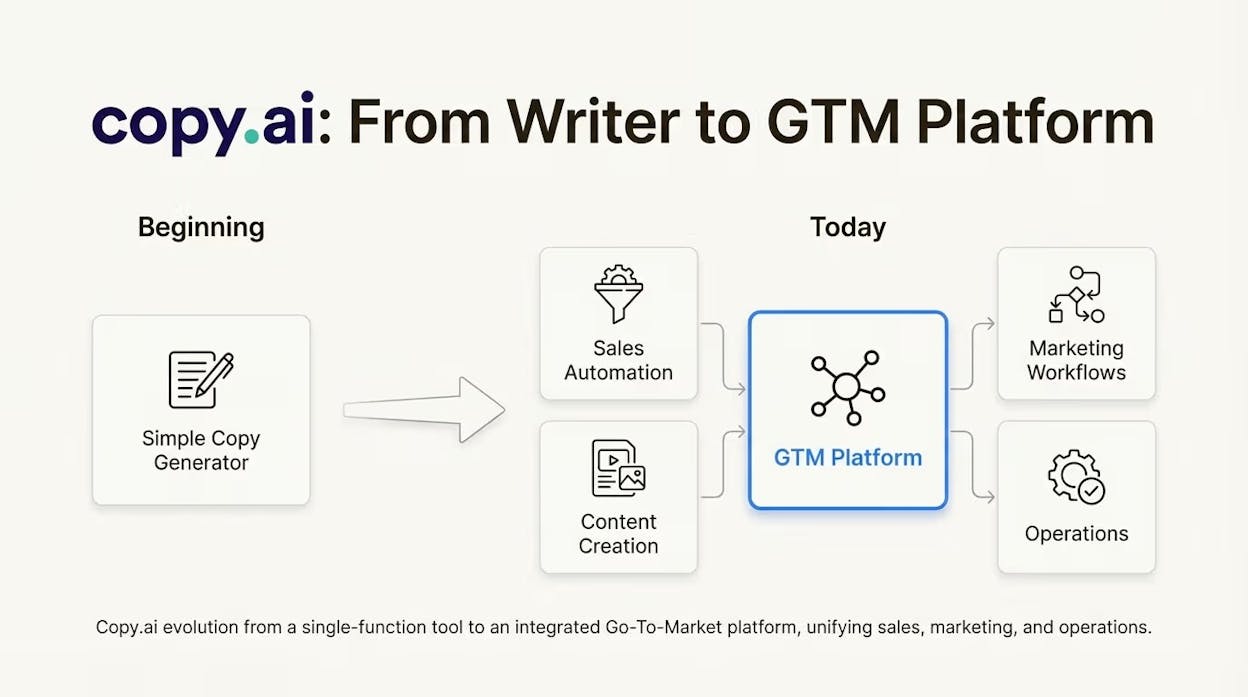
“Workflow + agentic platform” approach that goes beyond simple copywriting and supports automated GTM tasks across sales and marketing teams.
Strong multilingual support that helps teams create content for different markets without switching tools.
Free tools and an accessible entry tier that make it easy for small teams, freelancers, and budget-conscious creators to test AI content generation.
Copy.ai stands out because of how quickly it turns simple inputs into usable marketing copy. You can choose a template, type a short prompt, and get a draft for an email, a product description, an ad, or a social caption in seconds. This makes it especially helpful for teams that deal with repetitive tasks and need fast turnaround times. The platform focuses on speed, simplicity, and plug-and-play workflows rather than deep technical setup, which lowers the barrier for anyone to create content on demand.
It also helps teams maintain consistency without overthinking structure, because its templates handle much of the formatting work for you. Instead of deciding how to shape a landing page, a social caption, or an outreach message, the tool guides the format and lets you focus on refining the message. This is useful for small teams or agencies that need a steady flow of content but lack specialized writing resources. And with multilingual support, Copy.ai makes it possible to produce variations for different countries or regions without switching tools.
Copy.ai becomes even more valuable when you look at its workflow and agent features. These features help teams automate recurring tasks, such as turning product specs into descriptions or turning a long document into multiple social posts. Because the tool can link content creation with GTM workflows, it can support sales, lead gen, content marketing, and ecommerce operations all in one space. This is a major advantage when you want to scale output without hiring more writers.

But these benefits come with trade-offs. Copy.ai performs best with short-form content, and it tends to struggle with deep, niche, or long-form writing. When you attempt complex articles, thought leadership, or technical pieces, the drafts may feel shallow or repetitive. The tool simply is not built for editorial depth. You still need human expertise to add real insights, fix accuracy, and make the writing feel credible, especially for B2B or technical markets.
Another limitation is that Copy.ai can produce generic or “salesy” outputs if your prompt is weak, which means some drafts may need heavy editing before publication. The platform is optimized for speed, not nuance, so teams must apply extra care when creating content for audiences that expect expert-level clarity. And like most AI tools, it requires human review to check facts, refine tone, and ensure the final piece feels real and trustworthy.
Pricing plans
Copy.ai offers two main plans: the Chat plan at $29/month, which includes 5 seats, unlimited words, unlimited chat projects, and access to OpenAI, Anthropic, and Gemini models, making it ideal for small teams getting started with AI content. For larger teams, the Agents plan at $249/month adds up to 10 seats, 10,000 workflow credits per month, and the Content Agent Studio to train custom agents aligned with your brand, making it a better fit for teams that want automation and scalable content production.
| Category | Insight |
|---|---|
| Content creation value | It helps teams produce fast ready-to-use marketing copy without needing writing expertise. |
| Why this tool matters for AI content creation | It turns repetitive content tasks into quick template-driven workflows that save hours every week. |
| Main job in a content workflow | It works as a short-form and mid-form copy engine for ads emails product pages and social content. |
| Biggest problem it solves | It removes the manual load of writing the same formats repeatedly giving teams more time for strategy. |
| Where it gives the most leverage | Ecommerce agencies social media teams and GTM teams producing large volumes of small content pieces. |
| Who gets the most value | Non-technical marketers freelancers small businesses and teams needing fast turnaround at low cost. |
| Where it fits in your AI tech stack | It acts as the fast copy generator that pairs well with tools for SEO long-form writing or research. |
| What still needs human work | Deep research expert tone technical clarity and editing for accuracy or brand nuance. |
How to use it
Start by selecting a template that matches your target output — such as email copy, ad text, product descriptions, or social posts. Write a short but clear prompt that explains your goal, target audience, and key points. Let Copy.ai generate variations and pick the one closest to what you need. Then edit for tone, accuracy, and depth. For high-volume tasks, build Workflows or use the agent features to automate repeat content patterns and save more time.
Best use cases
Generating short-form marketing content like ads, social captions, emails, and landing page snippets.
Producing product descriptions or ecommerce content at scale with consistent tone.
Turning raw inputs (notes, specs, outlines) into usable marketing copy for GTM teams.
Helping non-writers or busy marketers generate quick drafts without getting stuck on structure.
Bottom line
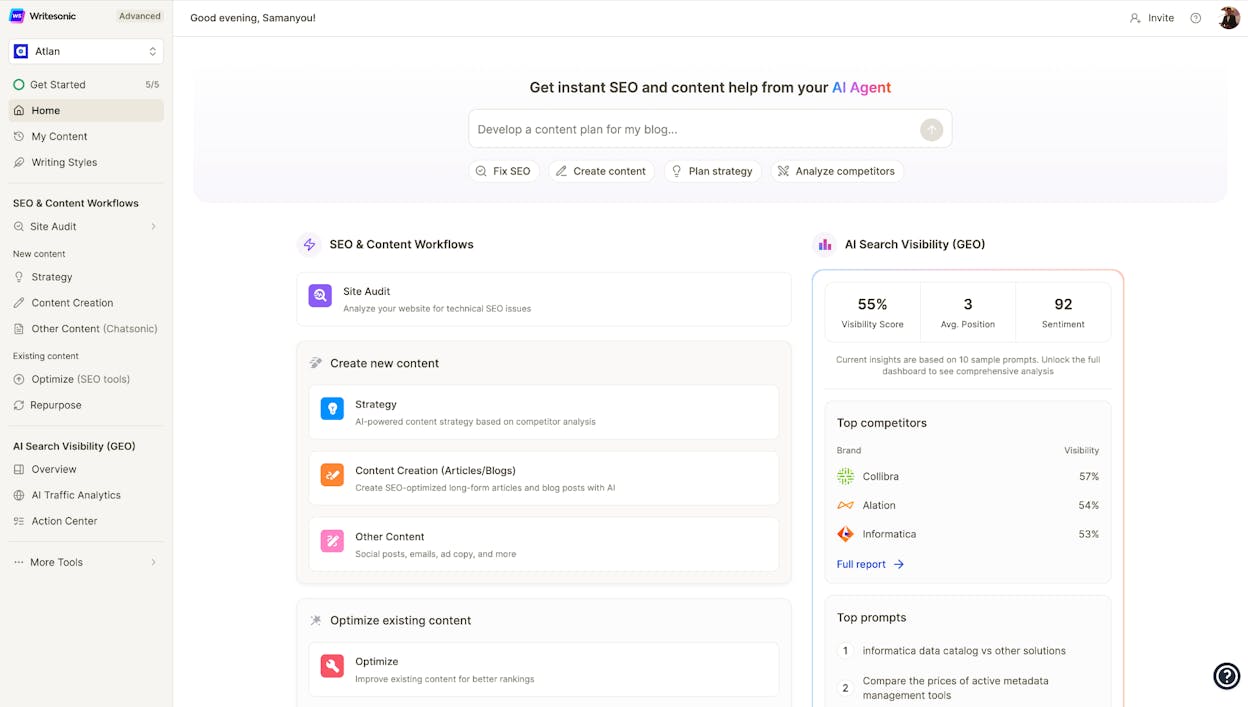
Writesonic: best AI content creation tool for full content lifecycle — from ideas to SEO-ready drafts

Key Writesonic standout features
Full-funnel content support: idea generation, long-form writing, short-form copy, landing pages, emails, and social posts — all inside one platform.
AI Article Writer 6.0, a powerful long-form generator that produces structured, SEO-optimized articles up to ~5,000 words.
Built-in SEO tools, including keyword research, SEO scoring, SERP-aware suggestions, and an on-page optimizer to improve ranking potential.
Multi-language and multi-format support for blogs, ads, product pages, and social content across many international markets.
Flexible templates and modular tools — long-form editors, chat-style writing, SEO modules, and content automation — that create a true “one-stop shop” for content and SEO teams.
Writesonic stands out because it covers the entire content chain from the moment you think of an idea to the moment you optimize your article for search. This reduces the friction of jumping between tools and helps teams work faster. You can brainstorm, outline, draft, refine, and optimize an article all in the same workspace, which is a real benefit for teams juggling many pieces at the same time. Instead of managing five different tools, Writesonic gives you one environment built for speed and structure.
The platform is especially strong for teams that want consistent SEO-ready content without heavy manual setup. Its long-form writer guides you through every step — topic selection, references, keywords, outline, and final article — which helps teams keep output predictable and aligned with SEO standards. It also handles short-form content, so marketers can produce blogs, landing pages, ads, and social posts without switching systems. This versatility makes Writesonic a good fit for agencies, ecommerce teams, global brands, and SaaS companies.

But Writesonic has some trade-offs that new users should expect. Because it includes many modules — from SEO tools to workflow automation — the interface can feel dense at first. The number of choices may slow you down until you get used to the platform’s structure. Some reviewers also note that while the long-form drafts are strong, you still need to fact-check details, refine tone, and adjust voice to match your brand, which requires a bit of editing experience. Writesonic gives you speed and structure, but human oversight remains essential.
Pricing plans
Writesonic offers several plans depending on team size and SEO needs. The Lite plan ($39/mo billed annually) suits freelancers who want strong SEO and writing features at a lower cost. The Standard plan ($79/mo billed annually) fits small marketing teams growing their content output. The Professional plan ($199/mo billed annually) adds more SEO and AI visibility features for growing brands. The Advanced plan ($399/mo billed annually) is made for scaling teams that want deeper AI search visibility tools. Enterprise plans come with custom pricing and are designed for large brands that need tailored solutions.
| Category | Insight |
|---|---|
| Content creation value | It turns ideas into full SEO-ready drafts quickly while giving teams tools for writing editing and optimization in one place. |
| Why this tool matters for AI content creation | It unifies the whole workflow — ideation → draft → SEO optimization — so you don’t waste time switching tools. |
| Main job in a content workflow | It helps generate long-form articles landing pages ads and social content then optimizes them for search. |
| Biggest problem it solves | It speeds up content production and reduces the chaos of juggling multiple apps for writing and SEO. |
| Where it gives the most leverage | SEO content blogs ecommerce pages multi-market content plans and high-volume editorial calendars. |
| Who gets the most value | Agencies SaaS companies ecommerce brands and teams managing heavy publishing schedules. |
| Where it fits in your AI tech stack | As the SEO and long-form engine that produces optimized drafts you can finalize in your CMS or editor. |
| What still needs human work | Fact-checking tone adjustments brand-voice refinements and deeper editorial insight. |
How to use it
Start with the AI Article Writer when creating long-form content. Add your topic, references, and keywords, then let the tool build an outline and full draft you can refine. For quick tasks, use the chat-style writer or short-form generators to create ads, emails, or social posts. If you need SEO improvements, run the draft through the optimizer and adjust based on its suggestions. For multilingual content, switch languages and generate variations for each market.
Best use cases
Producing SEO-optimized blog posts and articles at scale.
Creating landing pages, product pages, and web copy fast.
Supporting global content teams that publish in many languages.
Managing large editorial calendars without juggling multiple tools.
Bottom line
Rytr: best budget-friendly AI Content Creation Tool for quick content & small teams

Key Rytr standout features
Easy-to-use writing assistant that supports many formats: blog posts, emails, ads, product descriptions, social posts, and short stories.
Support for 30+ languages and dozens of tones, making it useful for multilingual teams and international audiences.
Built-in tools such as grammar/tone fixes, outline generation, text expansion, paraphrasing, and quick rewrite shortcuts for simple editing.
Basic SEO helpers — including a keyword/SEO analyzer, outline templates, and plagiarism checks — suitable for lightweight blog or website content.
A free or very low-cost pricing model, giving freelancers and small businesses an affordable entry point into AI writing.
Rytr works well when you need something simple, fast, and inexpensive. If you’re producing quick emails, social captions, ad copy, or short blog posts, Rytr makes the process easy. The interface is clean and beginner-friendly: you choose a content type, pick a tone, write a short prompt, and Rytr generates a usable draft in seconds. This accessibility makes it a good fit for people who don’t want to learn complex AI workflows or advanced writing tools.
Because Rytr supports many tones and languages, it’s also helpful for teams or creators who publish in different markets. You can create variants in multiple languages without switching platforms, and the built-in editor makes it easy to refine drafts before exporting. For freelancers, solo bloggers, and small teams, Rytr provides a quick way to build content without heavy investment in more complex AI writing platforms.
However, Rytr isn’t designed for deep editorial work. Its outputs for complex or niche long-form content may feel generic or thin without significant human editing. Many reviews note that the tool is best for short-form or mid-form content, and that longer articles usually require rewriting, fact-checking, and tone adjustments. Rytr focuses on speed and simplicity — but not on advanced SEO strategy or high-level research.

Because of its lightweight structure, Rytr also lacks some of the enterprise-grade features found in more advanced tools: full SEO optimization, complex workflows, knowledge-base training, or large-scale brand voice controls. For teams producing high-stakes content or technical pieces, Rytr can be a helpful starting point — but not a complete solution.
Pricing plans
Rytr offers a Free plan with 10K characters per month, which is ideal for testing the tool. The Unlimited plan ($7.50/month) gives unlimited generations, doubled input limits, 1 tone match, plagiarism checks, and access to all core features. The Premium plan ($24.16/month) is designed for freelancers managing multiple brands and includes multi-tone match, 35+ languages, tripled input limits, plagiarism checks, Chrome extension access, custom use cases, and priority support — still far more affordable than most AI writers.
| Category | Insight |
|---|---|
| Content creation value | Rytr helps small teams and solo creators produce quick drafts cheaply and with minimal learning curve. |
| Why this tool matters for AI content creation | It provides fast low-cost drafting capabilities for teams that need volume without complexity. |
| Main job in a content workflow | Generating short- and mid-form drafts: emails ads product descriptions social posts and blog snippets. |
| Biggest problem it solves | It removes writer’s block and speeds up repetitive content tasks that don’t require heavy research. |
| Where it gives the most leverage | Freelancers ecommerce shops small businesses and creators needing simple content fast. |
| Who gets the most value | Budget-conscious marketers multilingual bloggers and solo creators producing many small content pieces. |
| Where it fits in your AI tech stack | It functions as the lightweight quick draft tool alongside deeper SEO or long-form writing platforms. |
| What still needs human work | Fact-checking tone refinement structure and deeper editorial quality for long-form content. |
How to use it
Choose your content type, select a tone, specify the language, and enter a short prompt. Let Rytr produce a few versions, then review the drafts and pick the best one. Use the built-in expand, rewrite, or tone-adjust tools to refine your copy. For multilingual or multi-brand workflows, create variations and edit as needed. Rytr is ideal for quick wins: landing page snippets, short blogs, emails, ads, and social content.
Best use cases
Fast social posts, ad copy, or email templates.
Generating simple blog posts or outlines quickly.
Multilingual content creation for small teams or independent creators.
Budget-friendly drafting when you need many versions or variations.
Bottom line
Sudowrite: best AI Content Creation Tool for creative writing, novels, and storytelling

Key Sudowrite standout features
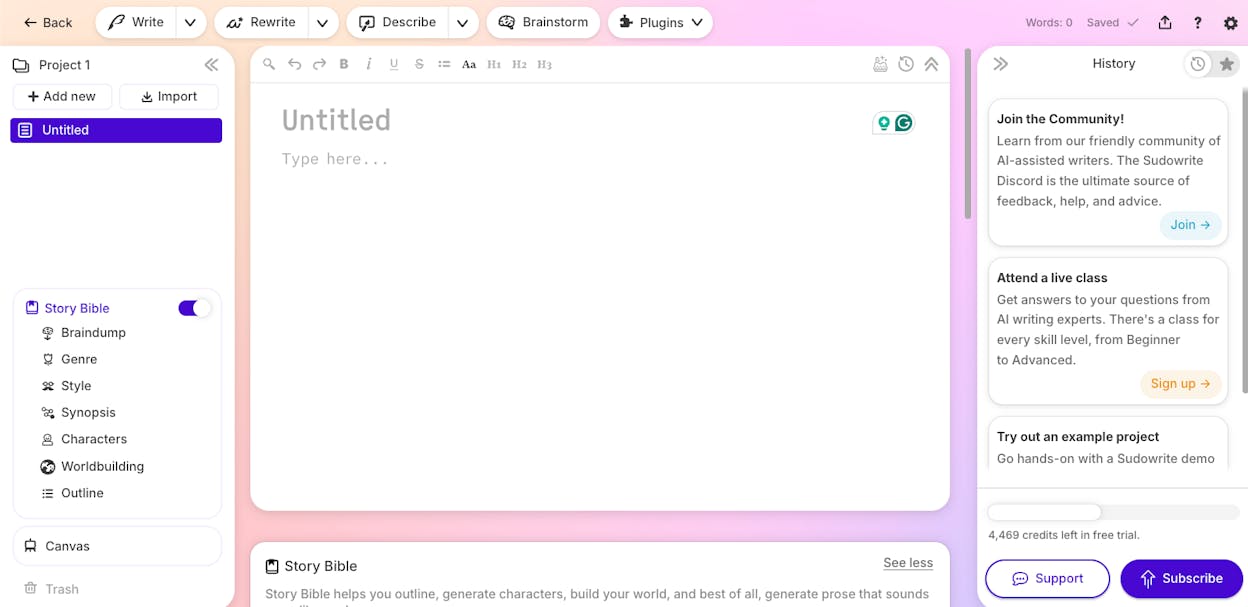
Built-in Story Bible and outlining tools that store characters, worldbuilding details, plot notes, and themes so the AI can maintain continuity as you write.
“Write,” “Expand,” and “Describe” modes that help you draft scenes, add sensory detail, deepen emotions, or rewrite paragraphs in your chosen voice.
Brainstorming and world-building tools that generate plot twists, character ideas, settings, and prompts — helpful for writer’s block or early creative exploration.
Editing and rewriting helpers that adjust tone, rewrite dialogue, smooth pacing, or polish prose for better flow and readability.
A workflow built specifically for long-form creative writing, with scene-by-scene drafting, continuity tracking, and tools designed to support full novels or serial fiction.
Sudowrite shines when your goal is storytelling. Because it lets you build a Story Bible that grows with your book — characters, relationships, settings, and plot threads — the AI can reference past details as you work. This reduces continuity mistakes and helps keep your world consistent across chapters. For writers managing large casts, long arcs, or complex universes, that feature saves a lot of mental load.
The tool is also strong when you need help expanding your scenes. You can start with a rough idea, a paragraph, or a slice of dialogue and ask Sudowrite to turn it into a vivid scene with more imagery, emotion, or internal thought. For authors battling creative fatigue or blank-page stress, this ability to jumpstart momentum makes drafting feel lighter and more achievable. It provides inspiration without taking full control of your voice.
However, Sudowrite comes with trade-offs you need to manage. Because it is optimized for sensory detail and narrative flow, it sometimes over-writes: adding dramatic phrasing, extra description, or stylistic flourishes that don’t match your tone. Without careful editing, the writing can drift into melodrama or lose the sharpness you want. You still need to keep a firm hand on style, pacing, and thematic clarity to keep your story grounded.

The tool also struggles when narratives become very complex. Plots can wander, motivations can drift, and emotional beats may feel off without active human direction. Sudowrite can support your creativity, but it cannot fully replace authorial judgment — especially for structure, plotting, character arcs, and theme. Writers still need to shape the story, direct the pace, and ensure every scene serves the whole book.
Pricing plans
Sudowrite offers several affordable plans depending on how much you write. The Hobby & Student plan ($10/month) includes 225,000 credits per month, ideal for people writing for fun or school. The Professional plan ($22/month) increases to 450,000–1,000,000 credits monthly and suits authors working on full novels or screenplays. The Max plan ($44/month) offers 2,000,000 credits with rollover, built for writers who publish multiple times a year — still accessible compared to many AI platforms.
| Category | Insight |
|---|---|
| Content creation value | Sudowrite helps turn rough ideas into vivid scenes quickly reducing creative friction for long-form writers. |
| Why this tool matters | It supports worldbuilding character memory and narrative flow — things generic AI writers don’t handle well. |
| Main job in the workflow | Drafting expanding rewriting and polishing creative prose with continuity support. |
| Biggest problem it solves | It breaks writer’s block by helping writers generate scenes descriptions and plot ideas on demand. |
| Where it gives the most leverage | Novels serial fiction screenplays and long-form storytelling with recurring characters and arcs. |
| Who gets the most value | Fiction authors fantasy/sci-fi writers creative storytellers and students exploring narrative writing. |
| Where it fits in your stack | As the creative co-writer that helps with scenes and ideas while you control structure and plot direction. |
| What still needs human work | Plot logic character arcs thematic clarity and final editing to maintain your authentic voice. |
How to use it
Start by creating your Story Bible with characters, settings, and plot notes. When drafting, use “Write” to produce scenes, then refine with “Expand” or “Describe” to add imagery or emotion. Use rewriting tools to adjust tone, dialogue, or pacing. Keep your Story Bible open as you write so the AI stays aligned with your world and characters. Always revise manually to ensure the writing matches your genre, tone, and voice.
Best use cases
Drafting novels, novellas, or serial fiction with complex worlds or many characters.
Expanding rough outlines into scenes with emotion and sensory detail.
Supporting writers dealing with blocks, fatigue, or early-stage creative exploration.
Polishing dialogue, rewriting scenes, or adjusting tone for clarity and flow.
Bottom line
Grammarly + GrammarlyGO: best AI Content Creation Tool for rewriting, clarity improvement, and error-free content

Key Grammarly (and GrammarlyGO) standout features
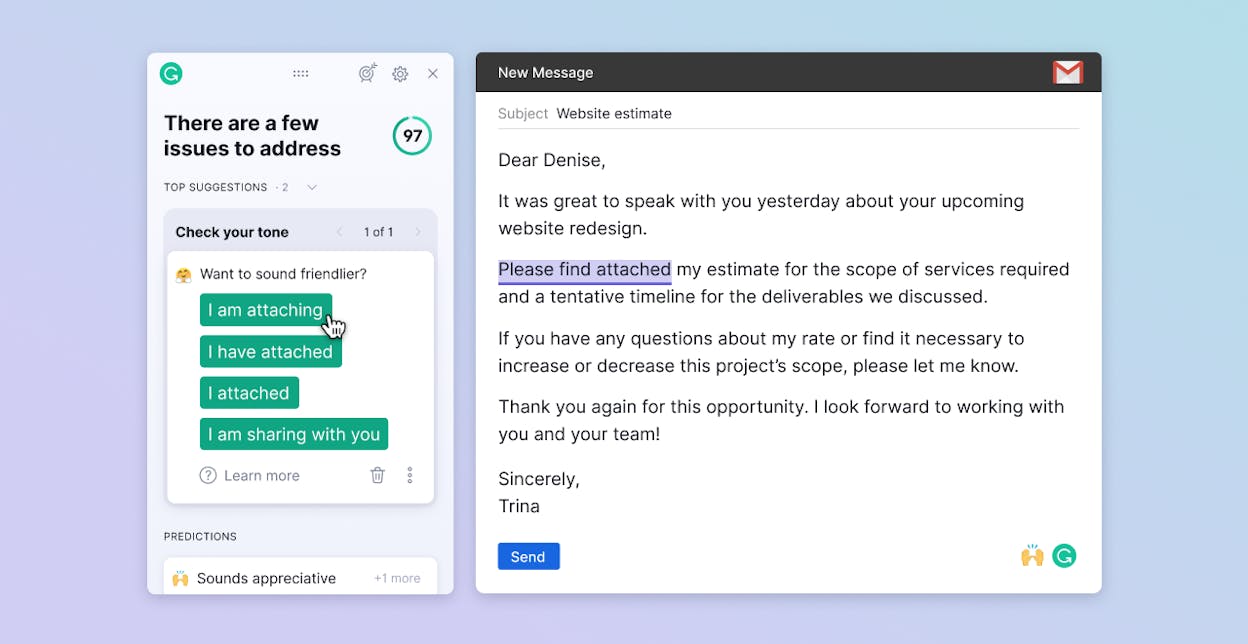
Real-time grammar, spelling, punctuation, tone, and clarity checks that catch errors and polish text as you write.
Generative-AI assistance through GrammarlyGO: on-demand drafting, rewriting, paraphrasing, and context-aware suggestions directly within the apps you use (email, docs, browser, CMS).
Tools for style adjustment and tone control — tone-aware recommendations that help match your writing to different audiences or formats.
Integrated workflow that works across browsers, document editors, email clients, and most writing environments — no switching tools required.
Useful for many content types: emails, marketing copy, social posts, blog drafts, internal docs — anything where clarity and correctness matter.
Grammarly (with GrammarlyGO) stands out because it combines its industry-leading editing engine with modern generative AI features. For everyday writing — emails, blog drafts, marketing messages, internal updates — it helps you move from rough text to polished output quickly. The suggestions are context-aware and help you fix clarity, tone, and correctness with very little effort, making daily communication more effective.
Because Grammarly integrates directly into the places you already write, it becomes frictionless to use. You don’t need to open a new interface or copy content into another app; the tool follows you everywhere. This makes it especially valuable for teams with mixed writing skill levels — the whole organization benefits from cleaner, clearer communication without adopting new systems.
That said, Grammarly has important limitations. Its generative features are improving, but they are still less capable than full-scale drafting tools like Jasper, Writesonic, or ChatGPT. Grammarly is best for editing, clarity, rewrite suggestions, and short-form drafting — not long-form strategy, research-heavy articles, or deeply creative content. For major content production, you’ll still rely on stronger generative tools.

It also focuses more on how something is written than what to write. It won’t build arguments, design content structures, or generate deep insights. For high-level thinking, concept development, or narrative direction, you’ll still need human reasoning or another AI tool optimized for creation rather than polish.
Pricing plans
Grammarly offers a Free plan with essential grammar checks, tone detection, and 100 AI prompts each month — ideal for individuals who need clean, mistake-free writing at no cost. The Pro plan starts at $12 per member per month (billed annually) or $30 monthly, unlocking full-sentence rewrites, fluent English adjustments, plagiarism detection, AI-generated text checks, unlimited personalized suggestions, and 2,000 AI prompts. For larger organizations, Enterprise plans add unlimited AI prompts, dedicated support, encryption options, custom roles, permissions, data loss prevention, and deeper governance controls, making Grammarly suitable for secure, large-scale writing needs across an entire company.
| Category | Insight |
|---|---|
| Content creation value | Ensures every draft — from emails to blog posts — is clear correct and polished before publishing. |
| Why this tool matters | It closes the quality gap by catching mistakes and tone issues that generic AI writers often miss. |
| Main job in the workflow | Editing rewriting tone control clarity improvement and quick AI-assisted drafting. |
| Biggest problem it solves | Removes grammar errors awkward phrasing and unclear writing across all apps you use. |
| Where it gives the most leverage | Daily writing: emails internal docs blog drafts outreach messages and marketing copy. |
| Who gets the most value | Professionals marketers students and teams that need consistent communication quality. |
| Where it fits in your AI stack | As the polishing and clarity layer that improves everything produced by humans or other AI tools. |
| What still needs human work | Strategy research narrative depth long-form structure and high-level ideation. |
How to use it
Write normally inside your browser, email client, or document editor and let Grammarly highlight mistakes, tone issues, and unclear phrasing. Use GrammarlyGO to rewrite sentences, generate quick replies, or create short drafts when you need momentum. After drafting, run the full clarity and correctness suggestions to polish tone, flow, and grammar. Use tone controls to maintain consistency across all communication.
Best use cases
Polishing emails, proposals, outreach messages, and customer communications
Editing blog drafts, pages, and marketing copy for clarity and tone
Rewriting sentences to improve flow, remove awkward phrasing, or match audience tone
Supporting teams that need consistent writing quality across many apps
Bottom line
Anyword: best AI Content Creation Tool for performance-driven marketing copy

Key Anyword standout features
Data-driven copywriting engine built for ad copy, emails, landing pages, product descriptions, social posts, and other short-form marketing content.
Predictive Performance Score that evaluates each copy variation (0–100) and estimates how well it will convert before you publish.
Audience-specific variants and brand-voice customization so teams can tailor messaging by demographic, tone, or channel.
Multi-channel templates and structured workflows optimized for performance copy rather than long-form editorial content.
Real-time content intelligence: analyzes past campaign data, highlights what worked, and recommends copy improvements to boost conversion.
Anyword stands out because it treats copywriting as a measurable, testable process — not guesswork. Instead of hoping a headline will perform, you generate multiple versions, get predicted conversions, and choose the one most likely to win. This “copy → score → select” loop turns content creation into a predictable, ROI-focused workflow. For teams running ads, landing pages, or email campaigns, this is a major advantage over generic AI writing tools.
Because Anyword can quickly produce high-performing variants, it’s ideal for marketers who need messaging that drives clicks, sign-ups, or purchases. Paid media teams, growth marketers, ecommerce operators, and performance-driven teams get immediate value because decisions become data-backed. You can tailor copy for audiences, compare versions instantly, and avoid wasting budget on weak messaging.
However, Anyword’s specialization comes with limits. It’s built for performance copy — not deep long-form content, SEO strategy, or high-editorial storytelling. When pushed into long articles, nuance can fade, and content may feel thin or mechanical. Human editing becomes necessary if you want quality beyond performance-optimized snippets. It’s best used as a copy engine for conversion-focused work, not your main tool for full blog production or thought leadership.

Another trade-off is that teams can become overly dependent on performance scores. If you rely only on predictive scoring, copy can start feeling repetitive or formulaic — “optimized but same-y.” Data helps, but creativity still matters. Anyword provides the science, but people must bring the imagination to keep the brand’s voice strong and distinct.
Pricing plans
Anyword offers multiple tiers depending on your content volume and performance needs. The Starter plan ($49/month) includes unlimited copy generation, 1 brand voice, a plagiarism checker, a Blog Wizard, 100+ templates, the Chrome extension, and a limited set of performance predictions and data rows — ideal for solo marketers or freelancers. The Data-Driven plan ($99/month) adds more predictions, three seats, improved performance insights, and real-time scoring for manual edits. Larger teams can opt for the Business tier (custom pricing), which includes custom AI models trained on past top-performing campaigns, thousands of performance data rows, advanced content intelligence, website messaging A/B testing, priority support, and role-based governance.
| Category | Insight |
|---|---|
| Content creation value | Anyword turns marketing copy into a measurable asset optimized for conversions before publishing. |
| Why this tool matters for AI content creation | It scores and compares copy variants helping teams choose the version most likely to win. |
| Main job in a content workflow | Generating and evaluating ads emails landing pages product copy and short-form marketing content. |
| Biggest problem it solves | Eliminates guesswork by predicting performance before you spend time or budget testing live. |
| Where it gives the most leverage | Paid media ecommerce email marketing and social ads where CTR and CVR truly impact revenue. |
| Who gets the most value | Marketers agencies SMB teams and growth teams focused on ROI instead of raw content volume. |
| Where it fits in your AI tech stack | As the performance-copy engine that complements long-form writing and SEO optimization tools. |
| What still needs human work | Creative differentiation deep editorial thinking brand nuance and fact-checking. |
How to use it
Start by choosing the content type (ad, email, landing page, product copy, social). Add a short brief with audience, tone, value prop, and goal. Generate multiple versions and compare their Predictive Performance Scores. Choose the best one — or blend elements from several — then refine with brand-voice adjustments and human edits. Use A/B tests to validate your top variations and feed results back into your Anyword workspace for better predictions over time.
Best use cases
Creating high-performing ad copy for Google, Meta, TikTok, or YouTube
Writing landing pages and emails designed to convert
Testing different messaging angles before launching campaigns
Helping small teams produce data-backed copy fast
Bottom line
Frase: best AI Content Creation Tool for SEO-driven content research and optimization

Key Frase standout features
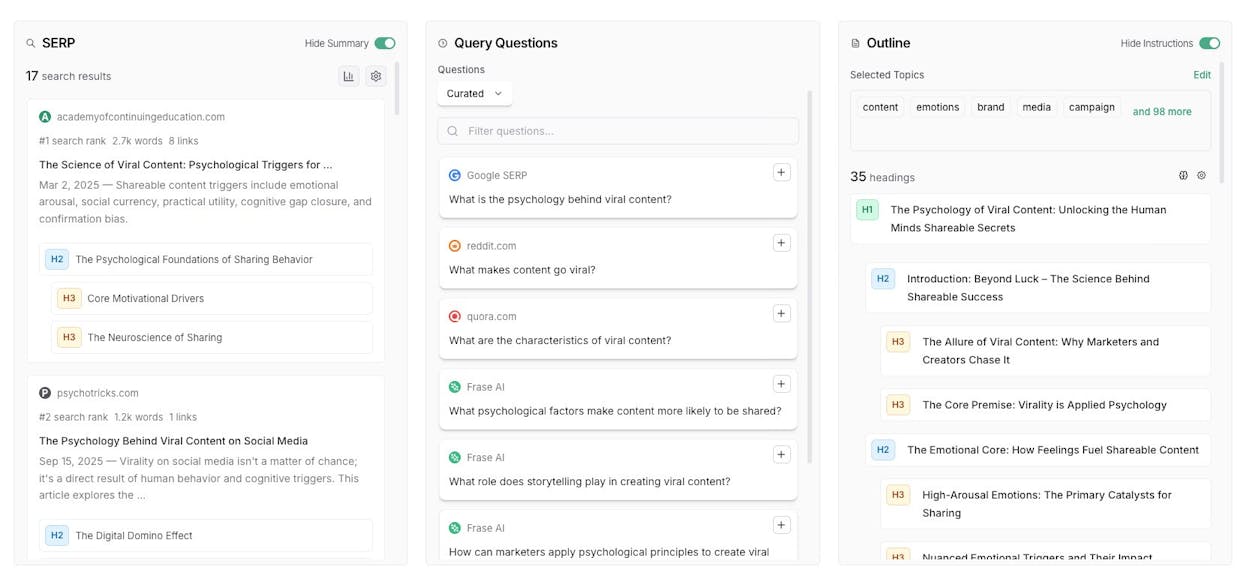
AI-powered SERP and competitor analysis that creates content briefs, identifies topic gaps, and extracts what top-ranking pages actually cover.
Unified research → writing → optimization workspace that removes the need to switch between SEO tools and writing tools.
GEO (Generative Engine Optimization) support that helps your content appear not only in Google SERPs but also in AI answers from ChatGPT, Perplexity, Gemini, Claude, and similar platforms.
Real-time optimization assistance with semantic keyword suggestions, subtopic recommendations, question-based structuring, and content-gap alerts as you write.
Performance tracking through Search Console integrations that help you monitor rankings, detect content decay, and continuously improve published content.
Frase stands out because it eliminates the most time-consuming parts of SEO content creation: manual SERP research, topic clustering, competitor outline analysis, and keyword mapping. Instead of bouncing between ten tabs and spreadsheets, Frase builds a full research brief automatically — structured headings, questions, semantic gaps, competitor comparisons, and content scoring. This turns a process that usually takes hours into one that takes minutes, giving writers a clear, data-backed plan before they type a single word.
Because Frase combines research, writing, and optimization inside one interface, it gives SEO teams and content marketers a more organized workflow. You can draft inside Frase, optimize as you go, and check GEO readiness for AI search visibility. This makes the tool especially powerful for writers producing search-focused content at scale — blogs, guides, resource hubs, multilingual content, and evergreen SEO pages. The all-in-one environment reduces friction and helps ensure every piece is aligned with what search engines and AI engines expect.
However, Frase has limits that are important to consider. Its greatest strength — structured, search-driven writing — can also make content feel formulaic if you rely on the tool too heavily. Creative writing, storytelling, and narrative work don’t shine inside this data-first workflow. Writers aiming for high originality or strong personal voice may find the structure constraining unless they deliberately layer in perspective and insights.

Frase also has a learning curve for non-SEOs. Concepts like topic scoring, semantic clustering, GEO optimization, or SERP pattern analysis may feel overwhelming at first. Teams unfamiliar with SEO principles will need time to fully understand Frase’s recommendations and how to apply them correctly. Used well, it becomes a powerful engine; used passively, it can make articles feel generic.
Pricing plans
Frase offers multiple tiers based on team size and SEO needs. The Professional plan ($97/mo or ~$58/mo with annual discount) includes 3 seats, 75 content projects per month, 10 rank-ready documents, advanced SEO + GEO research, brand voice profiles, and proactive content-opportunity monitoring. The Scale plan ($165/mo or ~$99/mo annually) adds AI search tracking for 250 prompts, share-of-voice analysis, and multi-brand tracking. The Advanced plan ($250/mo or ~$150/mo annually) expands to 350 tracked AI prompts, 10 brand profiles, extended historical data, 5 user seats, and advanced competitive analysis — ideal for agencies and large teams.
| Category | Insight |
|---|---|
| Content creation value | Frase turns SEO research and optimization into one fast unified workflow — from first idea to optimized draft. |
| Why this tool matters for AI content creation | It condenses SERP research topic mapping and optimization into a single process speeding up high-quality content production. |
| Main job in a content workflow | SERP analysis → content brief → AI-assisted drafting → GEO/SEO optimization → performance tracking. |
| Biggest problem it solves | Removes guesswork around what to cover ensuring content aligns with both search algorithms and user expectations. |
| Where it gives the most leverage | SEO hubs evergreen posts multilingual content high-volume publishing and GEO-ready content strategies. |
| Who gets the most value | Content marketers SEO teams agencies and freelancers producing consistent SEO content. |
| Where it fits in your AI tech stack | As the SEO-first engine that sits before or alongside drafting tools CMS workflows and analytics platforms. |
| What still needs human work | Perspective originality depth storytelling examples and final editorial refinement. |
How to use it
Start by entering a target keyword or topic. Let Frase pull SERP insights and automatically build your content brief with competitor headings, semantic clusters, and questions to answer. Use the brief to outline your article, then draft directly inside Frase’s editor. As you write, follow the optimization panel to fill topic gaps, improve semantic coverage, and ensure both SEO and GEO alignment. After publishing, connect Search Console to track performance, monitor decay, and plan refresh cycles.
Best use cases
Creating SEO-optimized blog posts, guides, and long-form evergreen content
Scaling SEO production across teams and markets
Writing content that needs to rank on Google and appear in AI answer engines
High-volume publishing where fast, accurate research is essential
Bottom line
Notion AI: best AI Content Creation Tool for workspace writing, note-taking, and team collaboration

Key Notion AI standout features
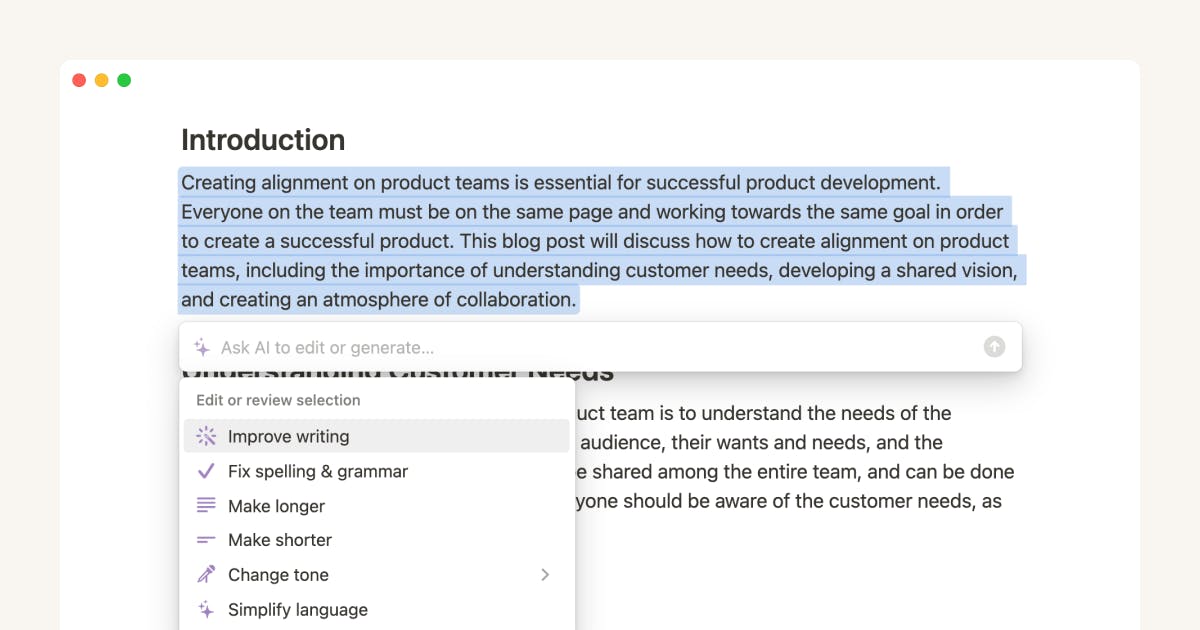
Built-in AI assistant inside Notion: draft content, rewrite text, translate, summarize long pages, extract action items, and answer questions without leaving your workspace.
Smart document analysis & summarization: turns long meeting notes or project docs into short summaries, highlights key points, and automatically surfaces tasks or decisions.
Flexible writing assistant for many content types: supports internal docs, emails, outlines, memos, wikis, SOPs, and even light content drafts using templates, tone-shifting, and auto-generation.
Integrated knowledge-base search & Q&A: lets you ask questions in natural language across all your Notion pages (and connected tools), giving you instant answers from your own workspace.
Database automation & AI-powered helpers: auto-fill fields, generate structured pages, create organized databases, and help teams maintain wikis, SOPs, and project hubs.
Notion AI stands out because it brings AI to the exact place where teams already capture ideas, create documentation, and coordinate work. Instead of switching tools for writing, summarizing, or drafting, the AI lives directly inside Notion — meaning every note, page, and project becomes easier to process and understand. This drastically reduces context switching and helps people stay focused while turning messy inputs into structured, usable information.
Because Notion AI combines knowledge management, writing assistance, and automation in one environment, it becomes a powerful tool for fast-moving teams. It can handle meeting notes, summarize project updates, convert brainstorming sessions into clean documentation, and help you generate or rewrite internal content instantly. For remote teams, agencies, startups, and operations-heavy organizations, this creates a smoother workflow and helps keep everyone aligned with a single source of truth.

However, Notion AI isn’t designed for deep, specialized content like SEO articles, long-form editorial writing, or marketing copy intended for external audiences. While it can help with outlines and lightweight drafts, it lacks the advanced optimization, SERP analysis, and creative controls found in dedicated writing platforms. For external publishing, you’ll still need stronger AI tools or human editors to ensure originality, structure, and depth.
Notion AI also depends on workspace hygiene. If your Notion setup is cluttered, inconsistent, or disorganized, the AI may give noisy, inaccurate, or context-missing answers. Its intelligence is only as strong as the structure you maintain. Clean databases, clear page names, and consistent formats make the assistant far more useful than a chaotic workspace does.
Pricing plans
Notion offers a Free plan for individuals, which includes basic Notion features, Notion Calendar, and a trial of Notion AI. The Plus plan ($10/member/month) adds unlimited collaborative blocks, custom forms, charts, custom sites, and expanded integrations for small teams. The Business plan ($20/member/month) includes Notion AI Agent, enterprise search (beta), AI meeting notes, advanced permissioning, SAML SSO, private teamspaces, domain verification, and premium integrations — ideal for growing organizations. For large companies, the Enterprise plan (custom pricing) adds advanced security, SCIM provisioning, zero data retention with LLM providers, audit logs, compliance integrations, domain management, and a dedicated success manager.
| Category | Insight |
|---|---|
| Content creation value | Turns internal docs meeting notes and project pages into clean summaries tasks or drafts without leaving Notion. |
| Why this tool matters for AI content creation | Embeds AI exactly where teams plan write and collaborate removing friction and speeding up internal documentation. |
| Main job in a content workflow | Notes → draft → summarize → extract tasks → organize → document into wikis or SOPs. |
| Biggest problem it solves | Reduces clutter and transforms long documents into clear structured insights instantly. |
| Where it gives the most leverage | Internal communications SOP creation meeting notes research organization team documentation. |
| Who gets the most value | Remote teams agencies operations teams project managers and anyone managing internal knowledge. |
| Where it fits in your AI tech stack | As the internal writing + knowledge assistant that complements external content and SEO tools. |
| What still needs human work | Deep editorial work SEO strategy external marketing content and workspace organization. |
How to use it
Invoke the AI inside any Notion page using the “Ask AI” button or “/AI” commands. Use it to summarize notes, clean up messy text, rewrite content with a new tone, or generate outlines, tasks, and action points. For structured work, use database autofill to create summaries or tags automatically. For teams, convert meeting notes into tasks instantly, refine documentation, and maintain clear wikis or SOPs using AI to eliminate manual busywork.
Best use cases
Summarizing meeting notes and producing action items
Maintaining internal wikis, SOPs, and project documentation
Drafting emails, briefs, or outlines inside Notion without switching tools
Organizing research, generating structured databases, translating content
Keeping distributed teams aligned with AI-supported knowledge hubs
Bottom line
Canva (Magic Studio): best AI Content Creation Tool for design, visuals, and quick copy + media

Key Canva Magic Studio standout features
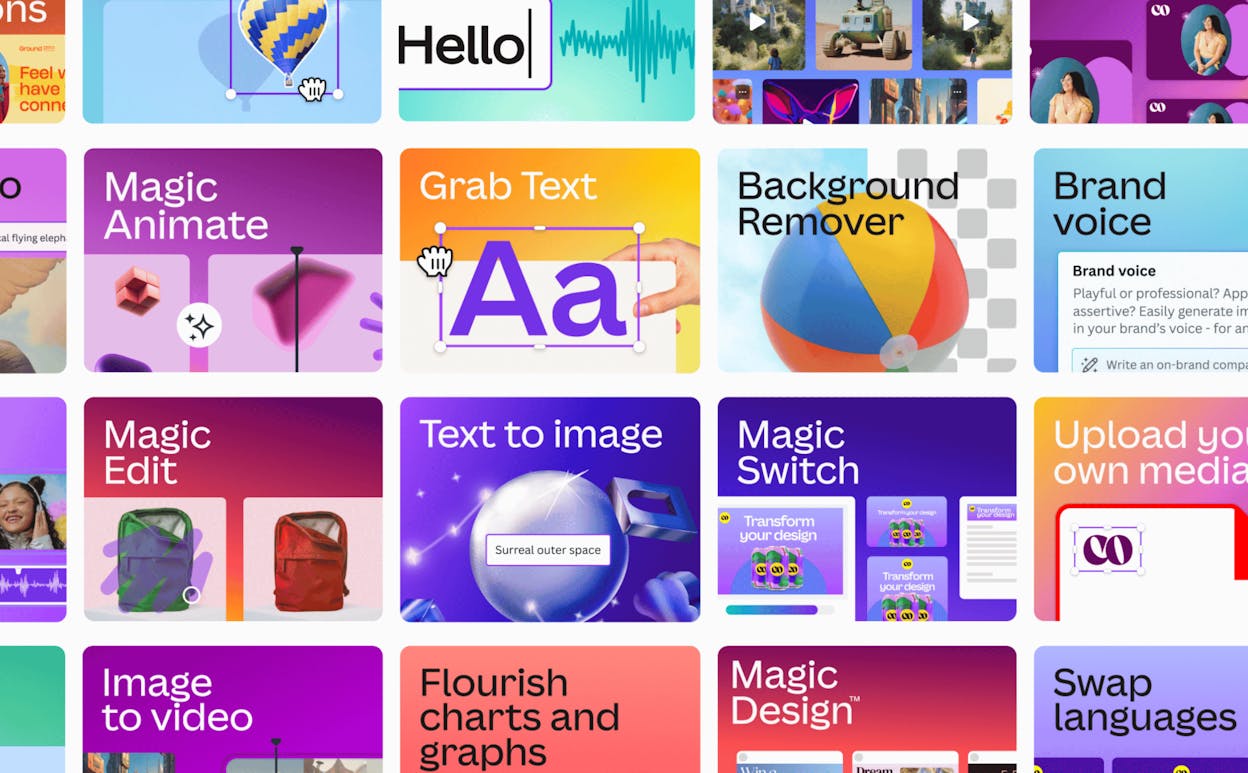
Magic Write — generate copy fast: captions, product text, headlines, rewrites.
Magic Design — auto-build layouts for posts, slides, posters, and ads from a simple prompt.
Magic Media — create AI images or short videos from text prompts.
All-in-one workspace — write copy, design assets, and generate media in the same tool.
Beginner-friendly + multilingual — easy for non-designers, with expanding language and locale support
Canva Magic Studio stands out because it blends design and copy generation in one place. Instead of writing copy in one tool, generating visuals in another, and designing in a third, you describe what you want and the AI produces both text and visuals. This workflow helps small teams and non-designers ship complete assets quickly: social posts, ads, presentations, thumbnails, product banners, video snippets, and more.
Because Canva supports many content formats — from pitch decks to TikTok videos — its AI becomes especially valuable for freelancers, content creators, and marketing teams who need to produce high-volume content without hiring a full design team. It shortens the path from idea → draft → design → ready-to-publish asset, which is why it works well as an everyday content-creation companion.

Still, it is not a replacement for high-end design software. AI-generated layouts and visuals can look templated or generic if you don’t customize them. For brand identity work, advanced illustration, complex video editing, or custom creative direction, professional tools outperform Canva.
Business Insider
And because Magic Studio prioritizes speed, its auto-generated visuals sometimes require manual refinement: adjusting spacing, tweaking layouts, choosing fonts, replacing assets. If you rely purely on AI outputs, your content may lack the originality that stands out in competitive markets.
Pricing plans
Canva offers a Free plan with basic design tools and limited Magic Studio usage, which is enough for simple content or occasional design needs. For deeper AI features — such as unlimited Magic Write, Magic Design, Magic Media, brand kits, premium templates, and expanded asset libraries — you’ll need Canva Pro, priced at around $12.99/month (or approximately $119.99/year) for individuals. Teams needing collaboration tools, shared libraries, and brand-management features can upgrade to Canva for Teams, which scales pricing based on seat count. Larger organizations with advanced security, permissions, integrations, and high-volume content workflows can opt for Canva Enterprise with custom pricing.
| Category | Insight |
|---|---|
| Content creation value | Turns ideas into polished visuals + copy fast — design + text + media in one place. |
| Why this tool matters for AI content creation | It merges copywriting graphic design and media generation — ideal for marketers who need complete content assets quickly. |
| Main job in a content workflow | Draft copy → auto-design visuals/layouts → generate images/videos → edit & export. |
| Biggest problem it solves | Removes complexity and friction for non-designers needing social media posts ads presentations or quick graphics. |
| Where it gives the most leverage | Social media content marketing campaigns small-business branding presentations ads ecommerce visuals. |
| Who gets the most value | Freelancers small teams marketers entrepreneurs educators content creators without design resources. |
| Where it fits in your AI tech stack | As the “all-in-one content asset creator” alongside copywriting/SEO tools and publishing platforms. |
| What still needs human work | Custom branding advanced design polish fine-tuned layout adjustments unique creative direction. |
How to use it
Open Canva and access Magic Studio. For text: use Magic Write to generate captions, ads, product copy, or blog snippets. For visuals: use Magic Media to generate images or videos, then pair them with Magic Design to build social posts, slides, or promotional assets. Combine AI-generated text and visuals in templates, customize colors and layout, refine manually for brand consistency, and export your asset directly.
Best use cases
Designing social posts or ads with matching copy and bespoke visuals.
Creating presentations or pitch decks quickly from a short prompt.
Producing marketing banners, thumbnails, and video snippets without needing design skills.
Supporting startups, creators, or small teams needing high-volume visuals fast.
Bottom line
Descript: best AI Content Creation Tool for podcast & video editing (easy, fast, text-based)

Key Descript standout features
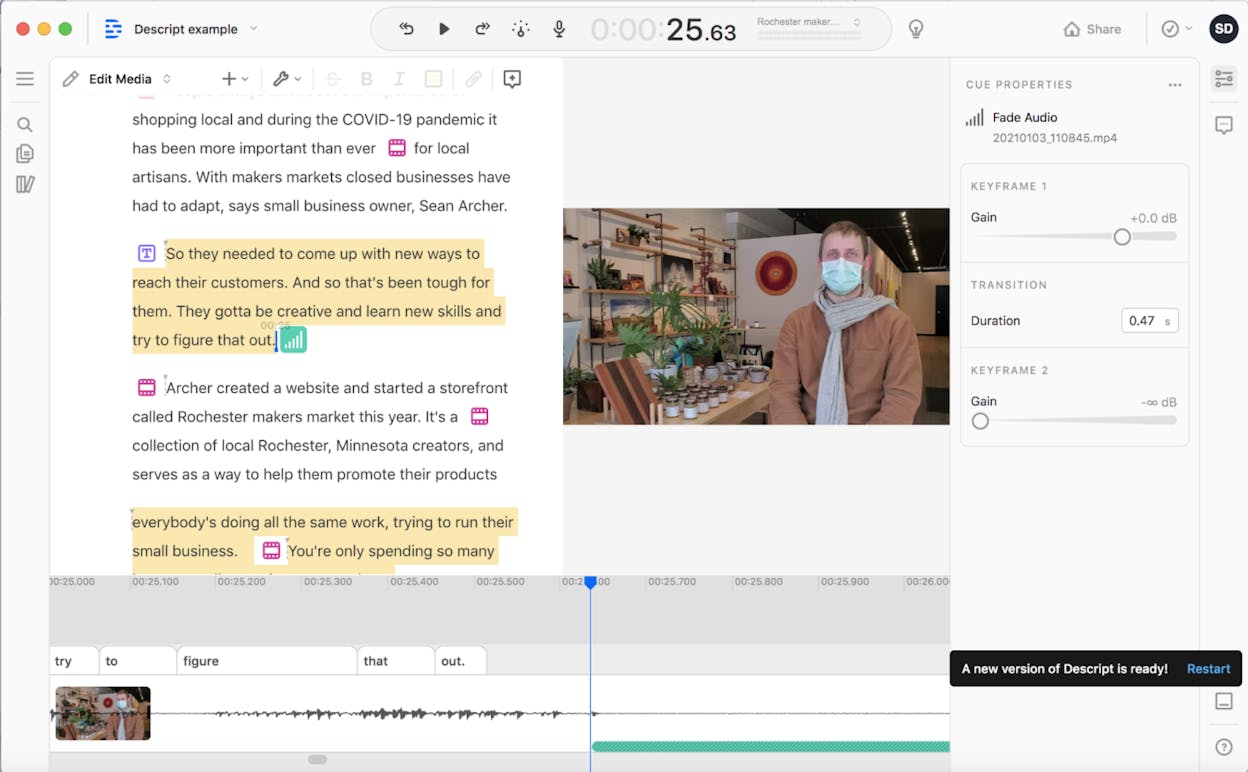
Text-based editing — edit video/audio by editing the transcript; media updates automatically.
Instant transcription + captions — convert audio/video to text and generate subtitles fast.
Overdub voice cloning — fix mistakes or add new lines by typing; Descript speaks them in your voice.
Studio Sound — one-click AI noise reduction and voice enhancement.
All-in-one creation suite — recording, screen capture, remote interviews, multitrack editing, exporting.
Descript stands out because it removes the complexity of traditional video and audio editing. Instead of learning timelines, keyframes, and manual cuts, you edit your transcript like a Google Doc. The media updates in real time, which makes the entire workflow dramatically faster and much easier for non-technical creators. For podcasts, webinars, tutorials, and talking-head videos, this “edit the text, fix the media” model cuts hours of editing down to minutes.
Because Descript bundles transcription, noise cleanup, voice cloning, multitrack editing, screen recording, and exporting in one place, it becomes an ideal hub for creators producing ongoing audio/video content. You’re no longer juggling three or four separate tools — everything happens inside one editor. That efficiency helps creators ship polished podcasts, YouTube videos, course content, and social clips quickly and consistently.

Still, Descript has limits. It isn’t designed to replace full professional editing suites when you need advanced color correction, complex transitions, layered graphics, or VFX. For cinematic-quality work, traditional editors like Premiere Pro or Final Cut remain necessary. And even though Overdub is powerful, voice cloning requires ethical care and tends to sound less natural if you generate long passages purely through AI.
Pricing plans
Descript offers a Free plan with basic text-based editing, light transcription, and simple exports — enough to try the workflow or edit occasional videos. Paid plans start around $24–30/month, unlocking more media hours, full Studio Sound cleanup, Overdub voice cloning, multi-track editing, high-resolution export, and advanced AI features. Higher tiers add more media hours, AI credits, collaboration tools, brand controls, and enterprise-grade compliance for larger teams.
| Category | Insight |
|---|---|
| Content creation value | Makes editing video/audio as easy as editing text — drastically reduces technical barriers. |
| Why this tool matters for AI content creation | Combines transcription |
| Main job in a content workflow | Transcribe → edit the transcript → enhance audio → export. |
| Biggest problem it solves | Removes the time and complexity of traditional timeline-based editing. |
| Where it gives the most leverage | Podcasts |
| Who gets the most value | Podcasters |
| Where it fits in your AI stack | As the “media editing & repurposing engine” next to writing and design tools. |
| What still needs human work | Creative scene decisions |
How to use it
Record or import your video/audio into Descript and let the tool auto-transcribe it. Edit the transcript to cut mistakes, remove filler words, or reorder content — the media updates automatically. Use Studio Sound to clean audio instantly, and Overdub to fix or add lines without re-recording. For tutorials, screen record directly inside Descript, then edit as usual. When you’re done, export your final video/audio at full quality or publish clips for social media.
Best use cases
Editing podcasts or interviews quickly
Turning webinars or recordings into short social clips
Creating tutorials, screen-recordings, and educational content
Producing YouTube videos with minimal editing overhead
Bottom line
Synthesia: best AI Content Creation Tool for quick avatar videos and global-ready video content

Key Synthesia standout features
Text-to-video with AI avatars — paste a script, choose an avatar, generate a full video.
Synthesia230+ avatars & 140+ languages — localize videos quickly for different markets.
SynthesiaWeb-based editor with templates & branding controls — no filming or advanced editing skills needed.
SynthesiaFast localization workflow — duplicate a video, switch the language, regenerate instantly.
SynthesiaScalable production — ideal for training, onboarding, explainers, and internal comms.
Contrary Research
Synthesia stands out because it turns video production into a simple, script-driven workflow. You don’t need cameras, lighting, sets, actors, or editing software — the platform transforms plain text into a talking-head video with consistent visuals, audio, and branding. This makes video creation possible for teams that never had the resources or time to produce video internally. For content creators who need speed, repeatability, and multilingual reach, Synthesia becomes a high-leverage tool.
Because it supports many languages and avatars, Synthesia is especially valuable for global businesses or teams producing training, onboarding, or product-education content. Instead of reshooting videos for each market, you create once and localize endlessly. This workflow works well for e-learning modules, HR training, internal updates, product demos, support content, and explainer videos — scenarios where message clarity matters more than cinematic polish.
On the downside, Synthesia’s AI avatars still have limited emotional expression, facial nuance, and natural delivery. This can make videos feel slightly artificial or restrained compared to real presenters — especially for storytelling or emotionally rich content.

And while the editor is fast and simple, it’s also constrained. You don’t get advanced cinematic controls, deep customization, or the creative flexibility of traditional video-editing tools, which may leave more ambitious productions feeling templated or generic.
eWeek
Pricing plans
Synthesia offers a Basic free plan with 1 editor, 9 AI avatars, and enough monthly credits to generate up to 3 minutes of video — ideal for experimenting with the workflow. The Starter plan begins at $29/month (or $18/mo when billed yearly) and adds video downloads, AI dubbing, brand-free exports, and access to 125+ avatars for up to 120 minutes of video per year. The Creator plan, the most popular tier, starts at $89/month (or $64/mo yearly) and unlocks personal avatars, API access, interactive videos, multiple avatars per scene, and up to 360 minutes of video annually. Larger teams can choose the Enterprise plan, which includes unlimited video minutes, 1-click translations into 80+ languages, 230+ stock avatars, unlimited personal avatars, SCORM export, SSO, live collaboration, and dedicated onboarding — all available through custom pricing.
| Category | Insight |
|---|---|
| Content creation value | Turns text scripts into complete talking-head videos — no filming required. |
| Why this tool matters | Makes video accessible |
| Main job in the workflow | "Script → choose avatar → generate → brand → export." |
| Biggest problem it solves | Eliminates cameras |
| Where it gives leverage | "Training |
| Who gets the most value | "Startups |
| Where it fits in the stack | Acts as the “video generation engine” alongside writing |
| What still needs human work | Creative direction |
How to use it
Create a new video, paste your script, choose an avatar, pick a language, and adjust background or branding. Click Generate to produce your video. Duplicate the project to localize it in additional languages. For training or product education, combine slides, screen captures, or annotations with the avatar to produce clear, structured instructional content. Export as MP4 or share directly.
Best use cases
Explainer videos, product demos, and onboarding content
Multilingual training and internal communications
Social-media promos and announcement videos
Fast video production for startups or small teams
Bottom line
Runway Gen-4: best AI Content Creation Tool for cinematic text-to-video & VFX-style clips

Key Runway Gen-4 standout features
Text-to-video and image-to-video generation for fast, cinematic clips.
Character, object, and style consistency using reference images.
Camera motion, physics-aware animation, and stylized VFX effects.
Built-in editing suite for masking, background removal, color grading, and compositing.
Cloud-based processing so you don’t need high-end hardware.
Runway Gen-4 stands out because it brings cinematic-style video creation to teams without cameras, studios, or complicated editing software. With just a text prompt — and optionally a reference image — you can produce short, stylistic clips that feel closer to VFX concept shots than typical AI outputs. This makes it perfect for creators who need polished visuals for promos, product demos, teasers, or pitch decks without traditional production overhead.
What makes Runway even more useful is its hybrid approach: generation plus editing. You can create a clip, then refine it using masking tools, motion effects, color grading, or compositing — all inside the same interface. This “end-to-end visual engine” eliminates the need to move between multiple apps, letting you iterate quickly until the clip fits your creative direction.

The limitations mostly come from the technology’s early stage. Clips remain short (5–10 seconds), and complex scenes can still show occasional glitches or physics inconsistencies. Credit usage also adds cost pressure — multiple iterations can become expensive for creators working on tight budgets. For high-end cinematic production or long-form video, traditional tools still outperform. But for fast concept visuals, social hooks, VFX experiments, or promotional snippets, Runway Gen-4 offers unmatched speed and creative flexibility.
Pricing plans
Runway uses a credit-based model. The Free plan includes enough credits to test video generation, while paid plans start around $12/user/month for more credits, watermark-free exports, and full access to all video models. Higher tiers (around $28–$76/user/month) increase monthly credits and add advanced features like custom voices, expanded storage, and unlimited generations in “Explore Mode.” Enterprise plans provide custom credits, security controls, and organizational scalability.
| Category | Insight |
|---|---|
| Content creation value | Creates cinematic video clips from text or images — no filming needed. |
| Why this tool matters | Delivers VFX-level visuals with built-in editing |
| Main job in workflow | "Prompt → generate → refine/edit → export." |
| Biggest problem it solves | Removes the need for studios |
| Where it gives leverage | "Promos |
| Who gets the most value | "Indie creators |
| Where it fits in the stack | Acts as your “visual engine” alongside writing and design tools. |
| What still needs human work | "Storyboarding |
How to use it
Open Runway, choose Gen-4 or Gen-4 Turbo, enter your prompt, and optionally upload a reference image for style or character consistency. Set duration, aspect ratio, and visual style. Generate your clip, then refine it in Runway’s editor — mask objects, adjust colors, composite elements, or mix it with real footage. Use Turbo for cheap drafts and full Gen-4 for the final render.
Best use cases
5–10 second cinematic promos or teasers
Concept visuals for products, storytelling, or pitch decks
Social-media hooks or looping animations
VFX experiments or stylized creative tests
Rapid prototyping without cameras or editing software
Bottom line
OpusClip: best AI Content Creation Tool for repurposing long videos into social clips

Key OpusClip standout features
Automatic long-to-short conversion — upload a long video (podcast, webinar, interview, vlog) and get multiple short clips optimized for social media.
AI captions & styled subtitles — auto-adds platform-appropriate captions for TikTok, Reels, Shorts, and more.
Auto-reframing (9:16, 1:1, 16:9) — converts horizontal videos into social-ready vertical or square formats.
AI highlight detection + “Virality Score” — ranks clips by potential performance.
Beginner-friendly editor — made for creators and social teams rather than pro video editors.
OpusClip shines because it eliminates the slow, manual labor of digging through raw video footage to find good clip moments. Instead of spending hours clipping, captioning, reformatting, and exporting, OpusClip automates most of that work and returns several polished, social-ready clips in minutes. For creators who publish daily or weekly on TikTok, YouTube Shorts, or Instagram Reels, this speed is a massive advantage.
Because it handles captions, clipping, aspect ratios, and highlight scoring in one system, OpusClip is perfect for repurposing podcasts, webinars, livestreams, and interviews. It allows small teams or solo creators to scale content output dramatically without hiring editors or learning complex editing tools.

However, OpusClip is intentionally simple — which means its editing capabilities have limits. Sometimes it cuts at awkward moments, mis-frames subjects in vertical format, or chooses highlight moments that lack context. And because the processing system uses credits, the free plan becomes restrictive quickly for high-volume creators who publish daily. For polished or storytelling-heavy video editing, a traditional editor is still required.
Pricing plans
OpusClip offers a Starter plan at $15/month, giving individual creators 150 monthly credits, watermark removal, AI captions, filler-word cleanup, auto-posting, and one brand template. The Pro plan, aimed at professional creators and teams, starts at $29/month (or $10.15/month when billed annually) and unlocks 3,600 yearly credits, team workspaces, AI B-roll, multi-aspect-ratio exports, scheduler tools, custom fonts, and advanced integrations. Larger organizations can choose the Business tier with custom pricing, priority processing, expanded credits, custom brand assets, API access, and enterprise-grade security.
| Category | Insight |
|---|---|
| Content creation value | Converts long videos into multiple ready-to-publish clips almost instantly. |
| Why this tool matters | Enables high-volume short-form content without editing expertise. |
| Main job in the workflow | "Upload → AI clipping → auto-captions → reframe → export." |
| Biggest problem it solves | Saves hours of editing time and removes bottlenecks in social content production. |
| Where it gives most leverage | "Podcasts |
| Who gets the most value | "Creators |
| Where it fits in the AI stack | Acts as the “short-form repurposing engine.” |
| What still needs human work | "Final polish |
How to use it
Upload your video (or paste a YouTube link), let OpusClip detect highlights and generate multiple clips, then review and refine the ones you like. Customize captions, crop positions, brand styles, and aspect ratios as needed. Export directly to TikTok, Reels, or Shorts, or schedule posts through connected social accounts.
Best use cases
Turning podcast episodes into multiple short social clips
Repurposing webinars and livestreams into bite-sized content
Creating quick promotional reels for events or products
Scaling daily video content without editors
Bottom line
Analyze: The best AI content analytics tool for proving what your content drives in AI search

Most AI content creation tools help you produce drafts faster. The SEO-focused ones help you improve semantic depth by adding entities, questions, and sections that make a page more complete. That is the right workflow for writing stronger content, yet it still leaves a gap once you publish: you rarely know whether the content you just created is being discovered through AI answer engines, and whether that discovery is producing anything meaningful.
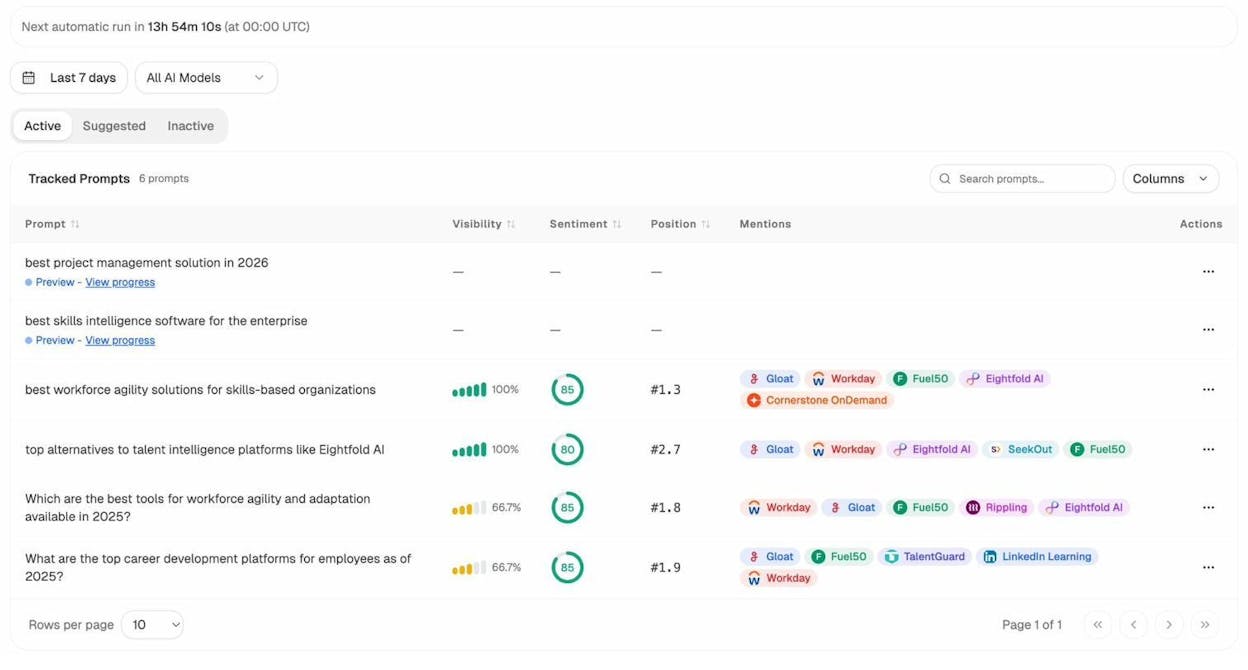
Analyze deserves a place in this list because it is the analytics layer that closes that loop. It is not an AI writing tool, and it does not optimize your semantic coverage inside the editor. It shows whether your existing content is earning visibility in AI search and, more importantly, whether that visibility translates into sessions, conversions, and revenue. If you treat content creation as a system instead of a one-time output, you need a way to measure which pages to refresh next and which topics are worth expanding.
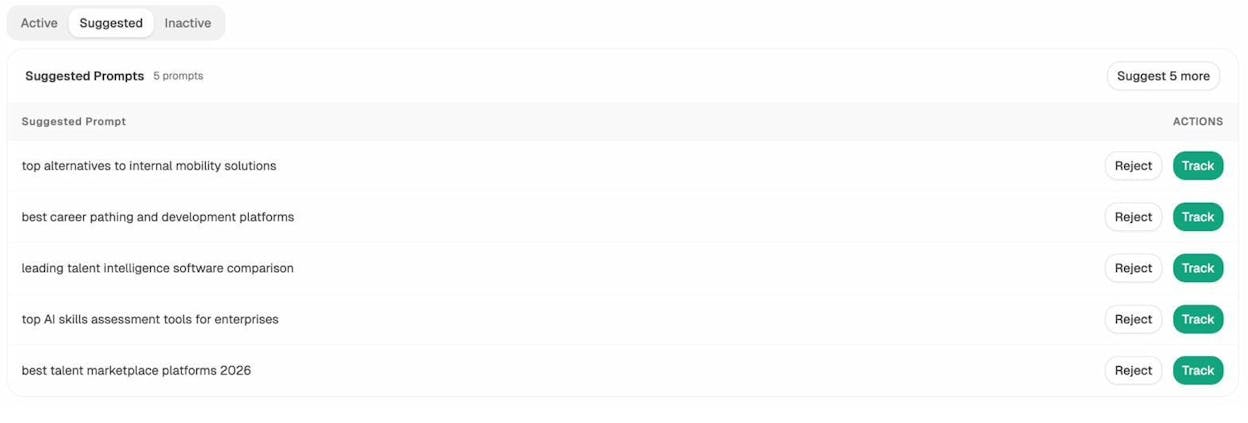
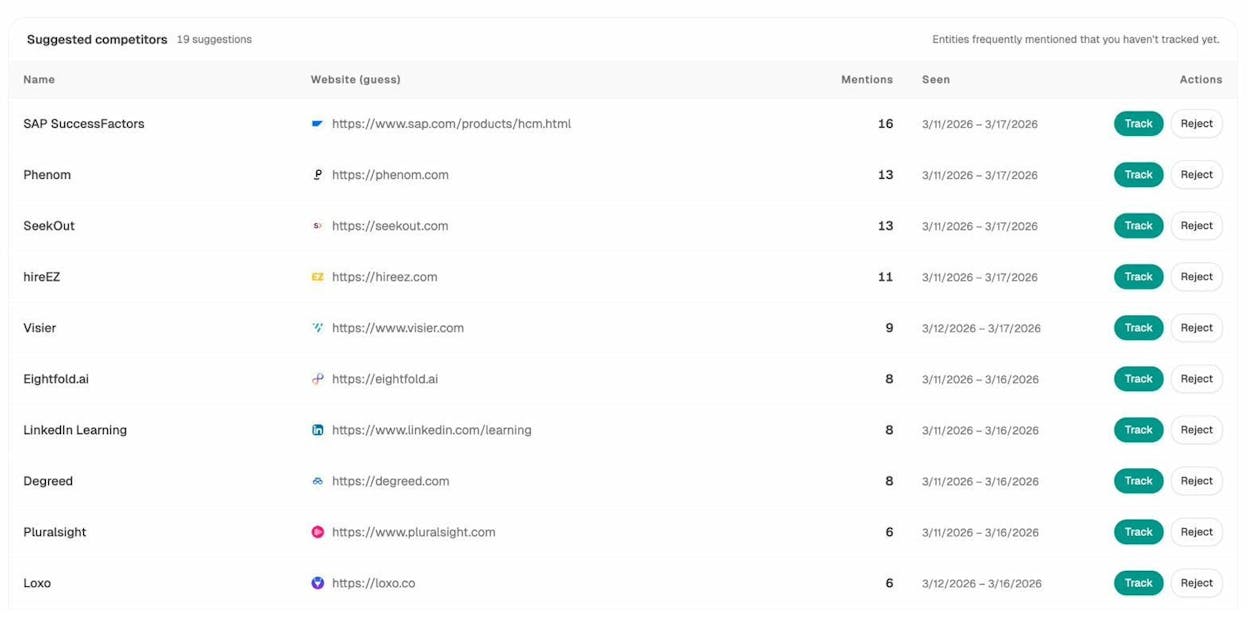
The platform is built around four connected modules: Discover shows where and how your brand appears across AI engines, Monitor ties that visibility to on-site behavior and outcomes, Improve turns those insights into clear optimization priorities, and Govern helps you keep track of narrative and sentiment shifts over time. You can also dig into engine-specific behavior to understand how different assistants behave in practice, such as Perplexity versus Claude, and use that context to decide which channels and prompts deserve investment.
For small teams, this matters because it turns content from “published and forgotten” into an iterative asset. Instead of guessing what to write next or refreshing pages on instinct, you can prioritize the updates that consistently drive qualified traffic and measurable outcomes from AI discovery.
Key Analyze features
See actual AI referral traffic by engine and track trends that reveal where visibility grows and where it stalls.
See the pages that receive that traffic with the originating model, the landing path, and the conversions those visits drive.
Track prompt-level visibility and sentiment across major LLMs to understand how models talk about your brand and competitors.
Audit model citations and sources to identify which domains shape answers and where your own coverage must improve.
Surface opportunities and competitive gaps that prioritize actions by potential impact, not vanity metrics.
Here are in more details how Analyze works:
See actual traffic from AI engines, not just mentions

Analyze attributes every session from answer engines to its specific source—Perplexity, Claude, ChatGPT, Copilot, or Gemini. You see session volume by engine, trends over six months, and what percentage of your total traffic comes from AI referrers. When ChatGPT sends 248 sessions but Perplexity sends 142, you know exactly where to focus optimization work.

Know which pages convert AI traffic and optimize where revenue moves

Most tools stop at "your brand was mentioned." Analyze shows you the complete journey from AI answer to landing page to conversion, so you optimize pages that drive revenue instead of chasing visibility that goes nowhere.
The platform shows which landing pages receive AI referrals, which engine sent each session, and what conversion events those visits trigger.
For instance, when your product comparison page gets 50 sessions from Perplexity and converts 12% to trials, while an old blog post gets 40 sessions from ChatGPT with zero conversions, you know exactly what to strengthen and what to deprioritize.
Track the exact prompts buyers use and see where you're winning or losing

Analyze monitors specific prompts across all major LLMs—"best Salesforce alternatives for medium businesses," "top customer service software for mid-sized companies in 2025," "marketing automation tools for e-commerce sites."

For each prompt, you see your brand's visibility percentage, position relative to competitors, and sentiment score.
You can also see which competitors appear alongside you, how your position changes daily, and whether sentiment is improving or declining.

Don’t know which prompts to track? No worries. Analyze has a prompt suggestion feature that suggests the actual bottom of the funnel prompts you should keep your eyes on.
Audit which sources models trust and build authority where it matters

Analyze reveals exactly which domains and URLs models cite when answering questions in your category.
You can see, for instance, that Creatio gets mentioned because Salesforce.com's comparison pages rank consistently, or that IssueTrack appears because three specific review sites cite them repeatedly.

Analyze shows usage count per source, which models reference each domain, and when those citations first appeared.

Citation visibility matters because it shows you where to invest. Instead of generic link building, you target the specific sources that shape AI answers in your category. You strengthen relationships with domains that models already trust, create content that fills gaps in their coverage, and track whether your citation frequency increases after each initiative.
Prioritize opportunities and close competitive gaps

Analyze surfaces opportunities based on omissions, weak coverage, rising prompts, and unfavorable sentiment, then pairs each with recommended actions that reflect likely impact and required effort.
For instance, you can run a weekly triage that selects a small set of moves—reinforce a page that nearly wins an important prompt, publish a focused explainer to address a negative narrative, or execute a targeted citation plan for a stubborn head term.
Tie AI visibility toqualified demand.
Measure the prompts and engines that drive real traffic, conversions, and revenue.
Similar Content You Might Want To Read
Discover more insights and perspectives on related topics

Best 7 Generative Engine Optimization Tools Compared

I Tried the 7 Best AI Search Engines in 2025: Here’s What Works

11 AI Tools Every Small Businesses Should Use to Grow

I Tried the 5 Best Affordable Profound AI Alternatives

Ahrefs vs Semrush: Which Has the Best AI Visibility Features?