



Summarize this blog post with:


Most content teams in 2026 do not have a writing-speed problem. You can draft a 2,000-word piece in 20 minutes if you want to. What you have is a quality verification problem. You hit “A” or 95 on whatever optimizer you use, and the rankings still do not move. Then you discover that ChatGPT and Perplexity are pulling answers from three other sites in your category, none of which are yours.
That is the real job an AI content optimization tool needs to do now. Score the draft, push you toward the gaps that change rankings, and tie back to whether real visibility moves after you publish. The five tools below each solve a slice of that. We tested them against our own content optimization workflow and compared what they do to what we now do natively in Analyze AI.
In this article, you’ll see five AI content optimization tools we’ve tested in our own publishing pipeline at Analyze AI, what each one is genuinely good at, where each one falls short, and how to layer in AI search optimization without buying a second stack.
Table of Contents
What “AI content optimization” actually covers in 2026
The phrase now covers four jobs that used to live in different tools. Semantic coverage means making sure your draft includes the entities, subtopics, and questions top results cover. On-page completeness means headings, internal links, schema, and intent match. Brand and voice consistency matters more now because most drafts start in a model and need a guardrail. AI search readiness means making your content cite-worthy for ChatGPT, Perplexity, Gemini, Copilot, and Claude. A tool that ignores the fourth is a 2023 tool with a 2026 sticker on it. A tool that ignores the first three is not actually optimizing anything.
The five tools at a glance
|
Tool |
Best for |
Pricing |
Core role |
Watch out for |
|---|---|---|---|---|
|
Analyze AI |
Teams that want SEO content optimization, AI search visibility, and agentic automation in one platform |
Custom (free tools available) |
Agentic platform for SEO, AEO, content, and GTM ops with Content Writer, Content Optimizer, Agent Builder, and AI visibility analytics |
Built for teams with a publishing cadence; lighter fit for one-off grading |
|
NeuronWriter |
Budget-conscious semantic SEO for solo creators and small agencies |
$19 to $97/mo (annual) |
Semantic SEO editor with real-time scoring and AI drafting |
No technical SEO, backlinks, or AI search tracking |
|
Frase |
SEO and basic AI search optimization in one editor |
$15 to $115/mo, with AI Search Tracking add-on |
SEO and GEO optimization layer with AI drafting and brand voice |
Busy interface; AI search features are still early |
|
Clearscope |
Editorial teams who want a strict grade on every draft |
$129 to $399/mo |
Page-level content grader with Google Docs and WordPress add-ons |
Premium price for one job; no AI search or strategy layer |
|
Scalenut |
Agencies pushing high content volume |
$39 to $149/mo |
All-in-one AI SEO suite from keyword to publish |
Optimizer lighter than specialists; AI drafts need editing |
|
MarketMuse |
Larger teams building topical authority |
Free tier; $99 to $499/mo |
Topic-model planning, site inventory, and content strategy |
Heavier setup; overkill for blogs under 10 pieces a month |
1. Analyze AI: an agentic platform for SEO, AEO, and content ops
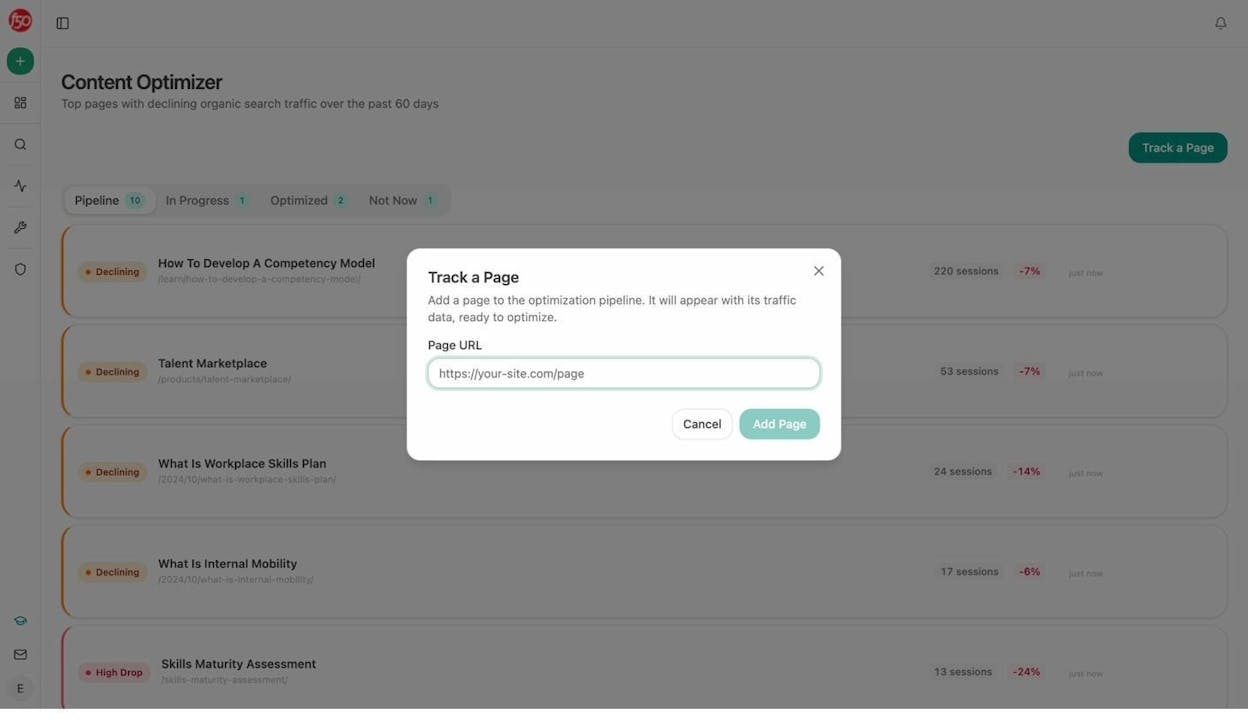
Most tools in this list pick one stage of the workflow and own it. Analyze AI covers the whole pipeline, from idea to draft to optimization to AI search performance, on a single agentic substrate.
You get a Content Writer that builds research, outlines, and drafts grounded in your brand. You get a Content Optimizer that audits a live URL and produces a rewrite with claim verification. And you get an Agent Builder with 180+ nodes, 34 pre-built data recipes, and 13 input primitives that can run any of this on a schedule, on a webhook, or on demand.
Content Writer: from topic to publish-ready draft
The Content Writer starts with an idea, a keyword, or a competitor URL. You can add it manually or pull from a pipeline that surfaces gaps where competitors get cited in AI answers and you do not.
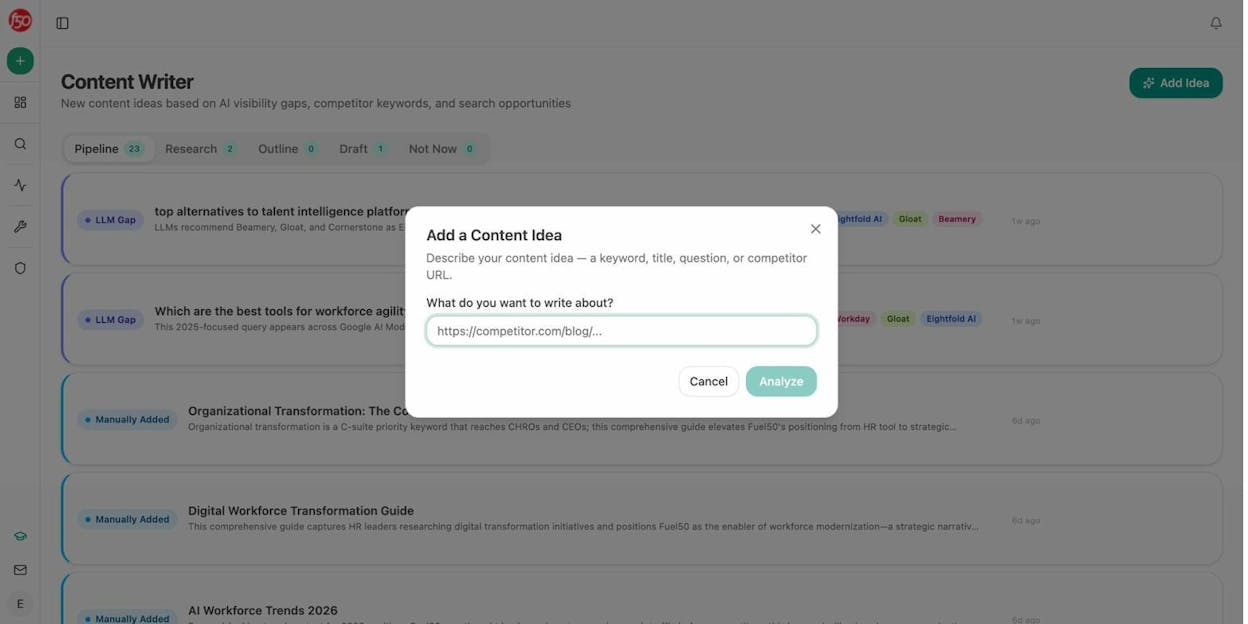
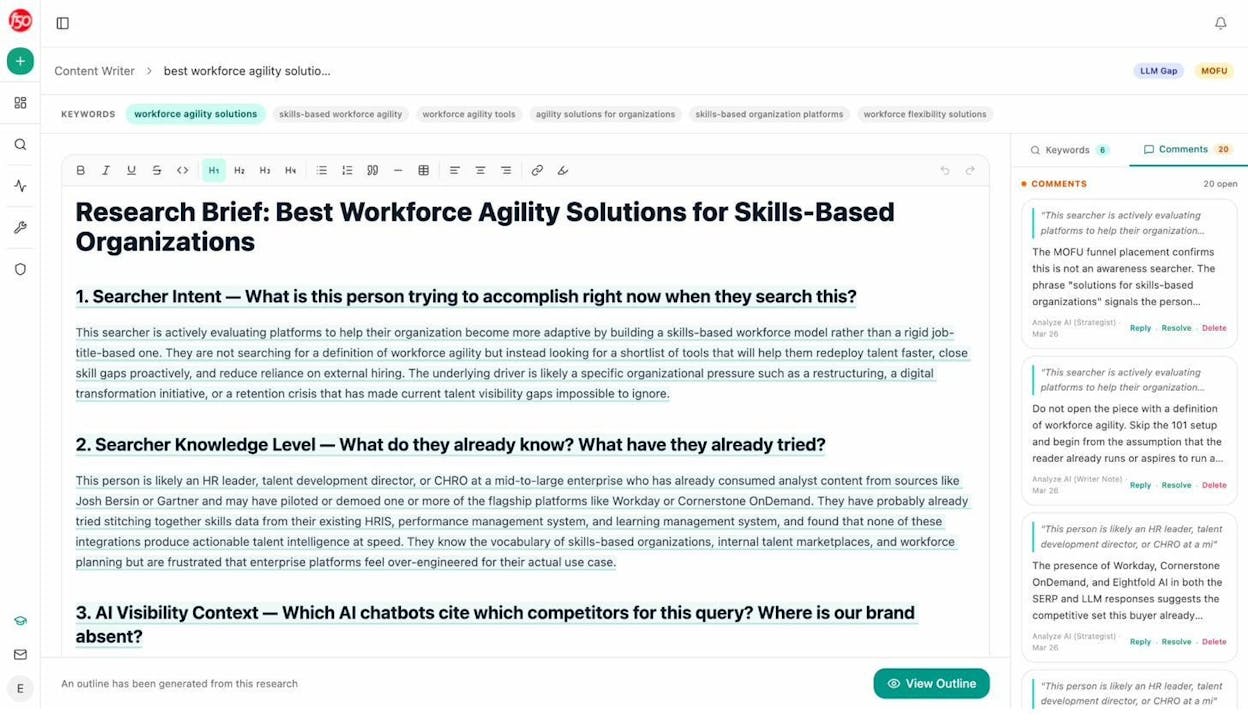
The agent runs research against the SERP, your brand vault, and citation data, then assembles an outline with the entities, questions, and proof points needed to outrank the current top result. You can edit each step before moving forward.
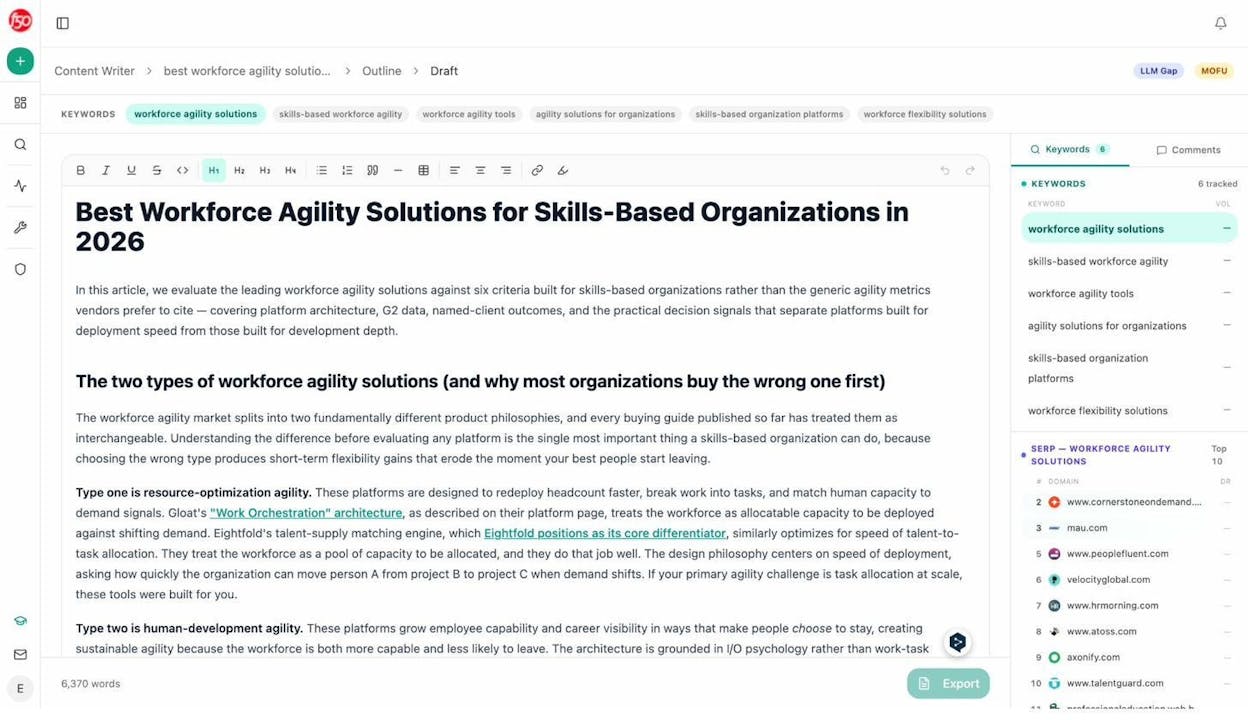
The draft step generates the full piece in your brand voice with claims tied to verified sources. Because the pipeline has access to your knowledge base and your competitive data, drafts tend to land at 80% to 90% of publish-ready, instead of the 50% you get from a generic AI writer.
Content Optimizer: fix pages that should rank but don’t
You give it a URL. The optimizer fetches the live content, scores it against the current top results, and produces a list of gaps grouped by impact.
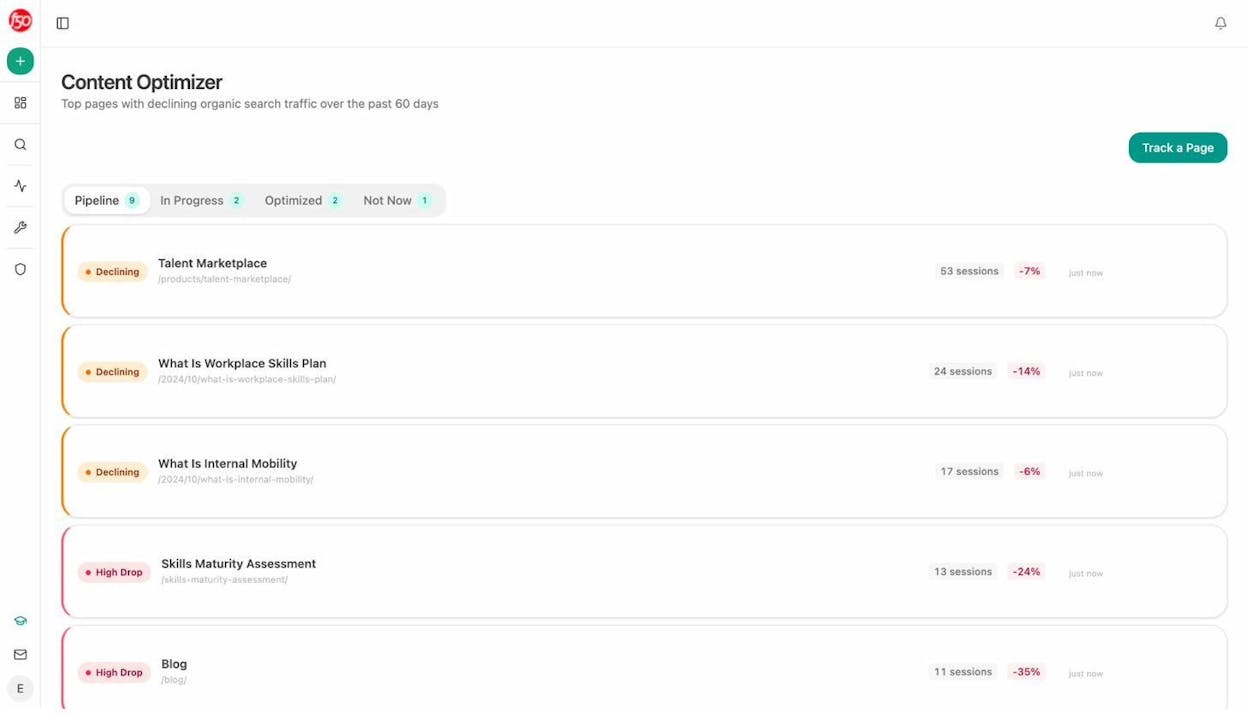
You see which entities are missing, which questions go unanswered, where structure is weaker than competitors, and which claims need proof. The editor surfaces inline comments on the original draft so you do not have to guess where each fix lands.
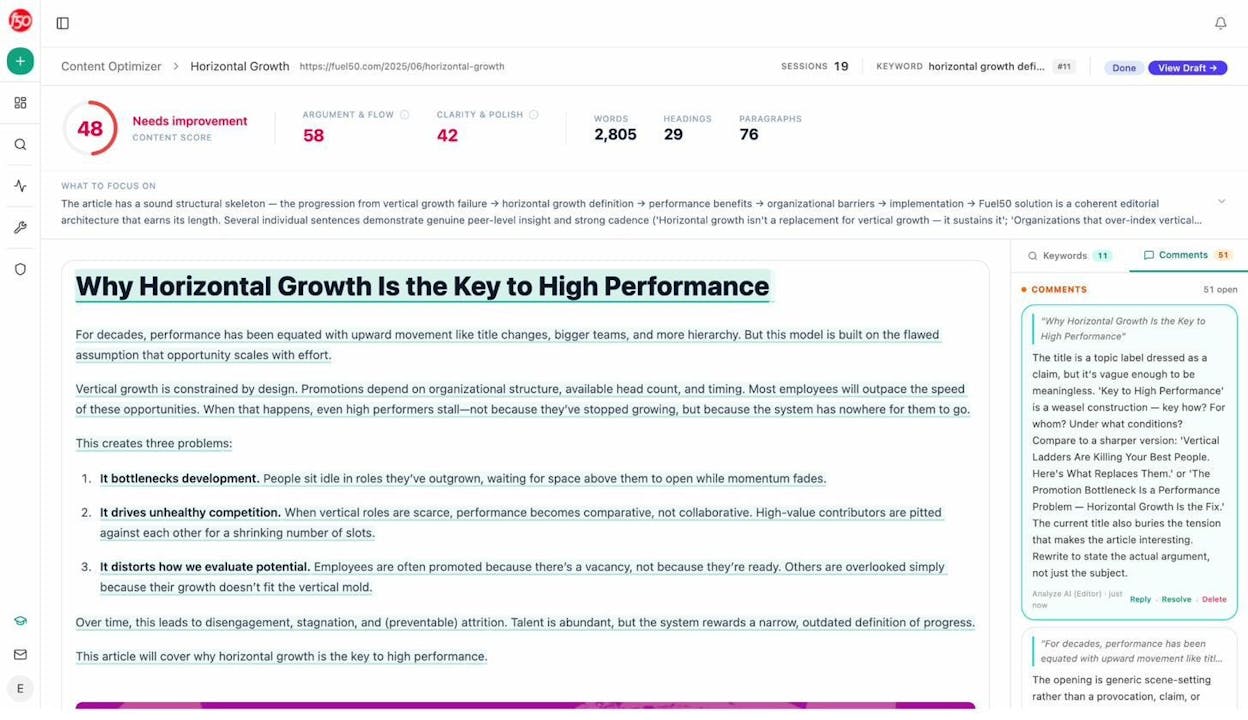
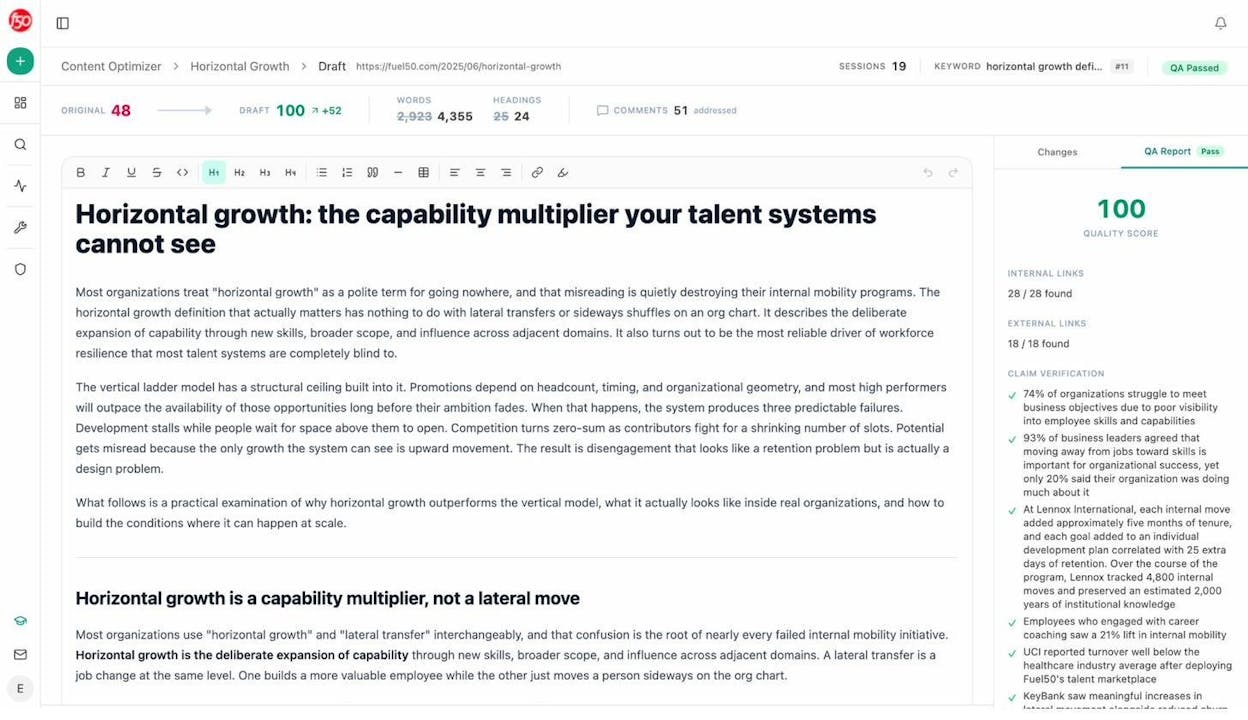
From those comments you can edit yourself or let the agent produce a full optimized version that respects your voice rules, then push it back to your CMS. Most tools give you a list of missing keywords. Analyze AI tells you which claim is unsupported, which heading does not match intent, and which paragraph needs a proof point, in plain English.
Agent Builder: run the whole pipeline on autopilot
This is the part most teams discover late. Underneath the Content Writer and the Content Optimizer is an agent builder you can use to compose your own workflows. Schedule a weekly refresh fleet that rewrites declining pages on Sunday night. Wire a webhook that triggers a full brief-to-draft pipeline the moment a Notion card hits “approved.” Build a competitor monitoring agent that pings Slack the second a rival publishes in your category.
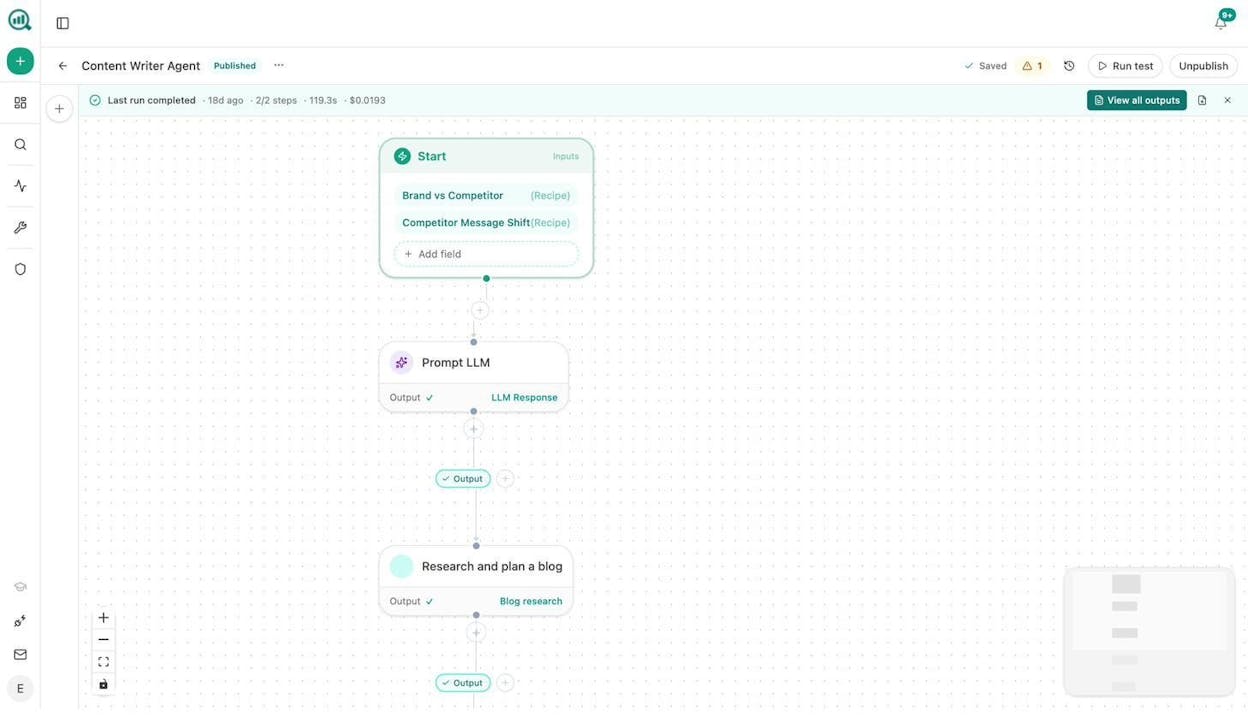
The substrate ships with nodes for GA4, Google Search Console, DataForSEO, Semrush, HubSpot, Notion, WordPress, Slack, and major LLMs. Pre-built recipes cover competitor gaps, citation magnets, declining pages, stale content, prompt cluster briefs, and 29 others. You are not picking from templates. You are composing from primitives.
Standout features
-
Content Writer that drafts based on your brand vault and live citation data, not generic SERP scrapes
-
Content Optimizer that audits a live URL, comments inline, and produces an optimized rewrite
-
Agent Builder with 180+ nodes, 34 data recipes, and 3 trigger modes wired to GA4, GSC, DataForSEO, Semrush, HubSpot, Notion, WordPress, Slack, and major LLMs
-
AI visibility tracking across ChatGPT, Perplexity, Gemini, Copilot, and Claude with prompt tracking, citation analytics, and AI traffic analytics
-
A free tools suite covering keyword research, keyword difficulty, SERP checker, website authority, broken links, and an llms.txt generator
Best for. Teams publishing four to ten pieces a month who want SEO and AI search performance in one place, instead of stitching together a grader, an editor, an AEO tracker, and an automation layer.
Skip if. You are a solo blogger publishing one piece a quarter. A simple grader covers that workload.
2. NeuronWriter: best for budget-conscious semantic SEO
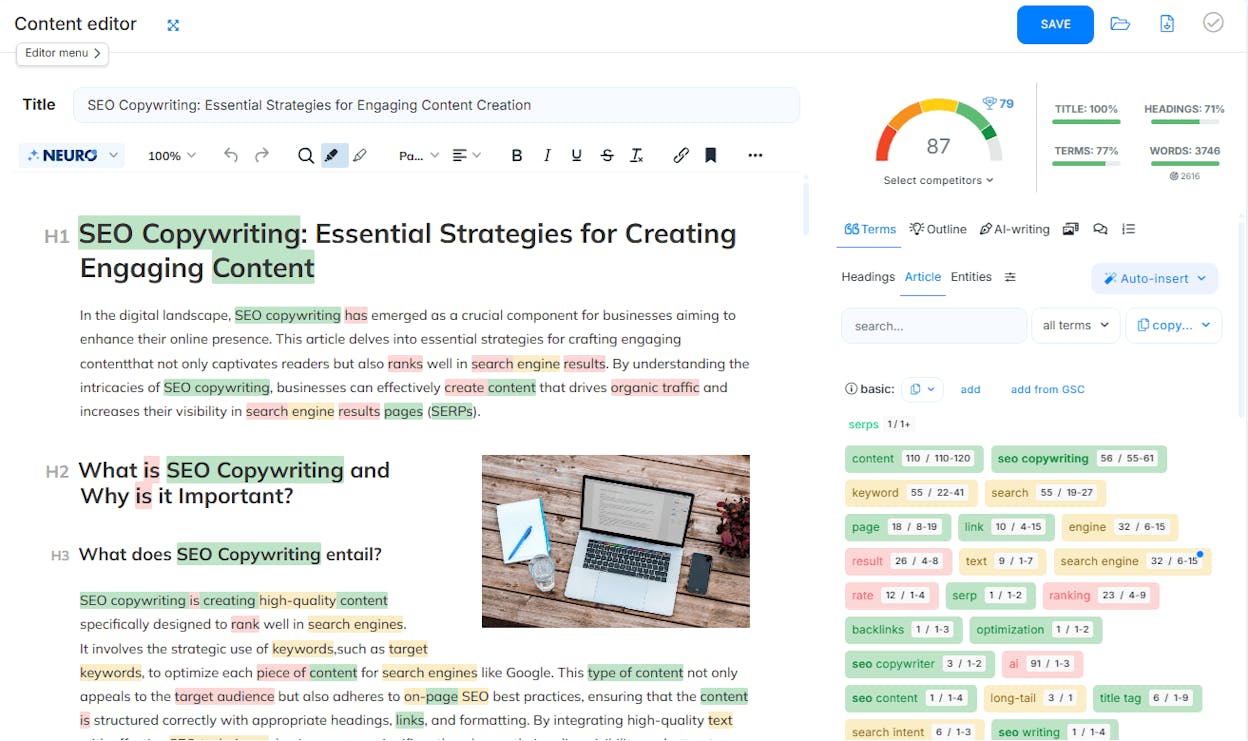
NeuronWriter brings semantic SEO and AI drafting into one editor for a fraction of what most competitors charge. The real-time score updates as you write, entity suggestions come from a live SERP analysis, and the AI assistant builds outlines and full paragraphs from the SERP context.
What it gets right. The editor highlights the terms and entities that real top-ranking pages use, so writers stop guessing. The score is grounded in NLP and competitor coverage, which keeps suggestions practical. Internal linking suggestions, plagiarism checks, and integrations with WordPress, Google Search Console, and Shopify cover the publishing handoff.
Where it falls short. NeuronWriter is a page-level optimizer. No technical SEO, no backlink data, no topical authority view, and no AI search tracking. It also assumes your starting draft has a clear angle. A weak topic does not improve with semantic optimization.
Pricing. Five annual tiers: Bronze at $19/mo (2 projects, 25 analyses), Silver at $37/mo (5 projects), Gold at $57/mo (10 projects plus WordPress and GSC integrations), Platinum at $77/mo (25 projects), and Diamond at $97/mo (50 projects, 150 analyses, API access). Monthly billing adds roughly 20%.
Best for. Freelancers and small content teams who need solid semantic coverage at the lowest plausible price.
Skip if. You also need AI search tracking, strategy, or workflow automation.
3. Frase: best for SEO and AI search optimization in one editor
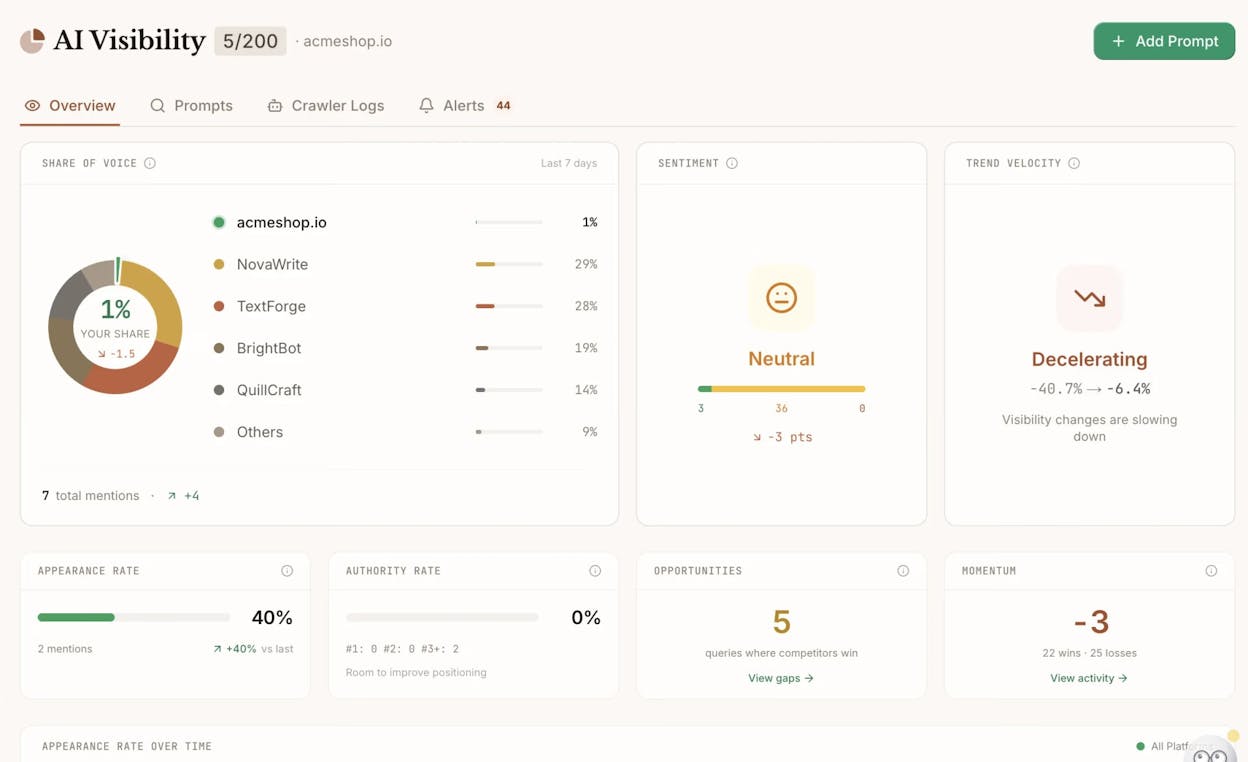
Frase was one of the first optimizers to ship an answer engine optimization feature, and it remains a reasonable single-tool choice for teams who want SEO and basic AI search optimization in the same editor.
What it gets right. The brief generator scrapes the top 20 results and pulls headings, questions, and average word count into a writer-ready outline in under a minute. The optimizer scores drafts in real time against competitors. Brand voice profiles keep AI-written content on tone. Chrome and CMS add-ons let writers stay in Google Docs or WordPress.
Where it falls short. The interface tries to cover research, drafting, optimization, and AI visibility, and it shows. New writers often need a guided run before the workflow clicks. The AI Search Tracking module is newer than the SEO engine and is an add-on on lower tiers, which means the “all in one” framing depends on which plan you buy.
Pricing. Legacy tiers were Solo at $15/mo, Basic at $45/mo, and Team at $115/mo with an AI Search Tracking add-on. The current Frase site shows plans starting from $39/mo with the Frase Agent included, and higher tiers add more articles, audit pages, seats, and prompt tracking. Verify which plan includes AI Search Tracking before you sign.
Best for. Teams that want SEO optimization and a starter view into AI search visibility without buying a second platform.
Skip if. You need an AI search analytics layer with prompt-level conversion attribution. Frase gets you started. It does not get you to revenue.
4. Clearscope: best for clean, focused on-page grading
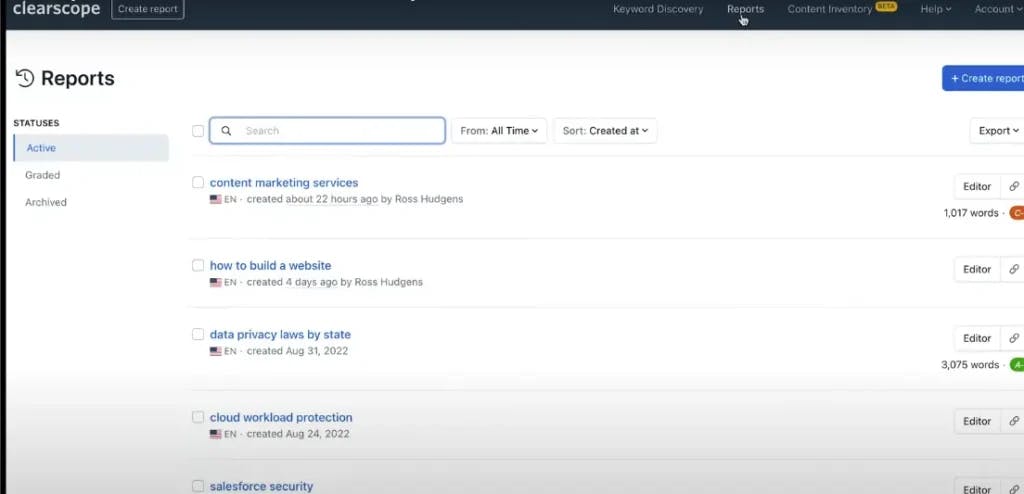
Clearscope earned its reputation by doing one job well: turning a draft into a strict, repeatable content grade. Writers know when a piece is done. Editors know when to publish. Agencies use it as the quality bar across distributed teams.
What it gets right. The grading scale from F to A++ is simple enough that a junior writer and a senior editor agree on what “ready” looks like. Term and topic guidance come from real top-ranking pages. Google Docs and WordPress add-ons keep writers in their normal tools. A content inventory feature flags pages that need refreshing.
Where it falls short. Clearscope is a grader. It does not handle technical SEO, backlinks, big keyword discovery, or AI search visibility. It also assumes the topic is already chosen with care. If the angle is wrong or the intent does not match, no grade will fix it. Pricing puts it in the premium bucket for the scope of what it actually does.
Pricing. Essentials at $129/mo covers about 20 AI drafts and 20 topic explorations with unlimited users and projects. Business at $399/mo adds higher limits and a dedicated account manager. Enterprise is custom with SSO, crawler whitelisting, and procurement-friendly terms.
Best for. Editorial teams and agencies who want one strict grading standard across every draft.
Skip if. You need strategy, AI search visibility, or automation. Clearscope explicitly does not do these.
5. Scalenut: best for all-in-one AI SEO production
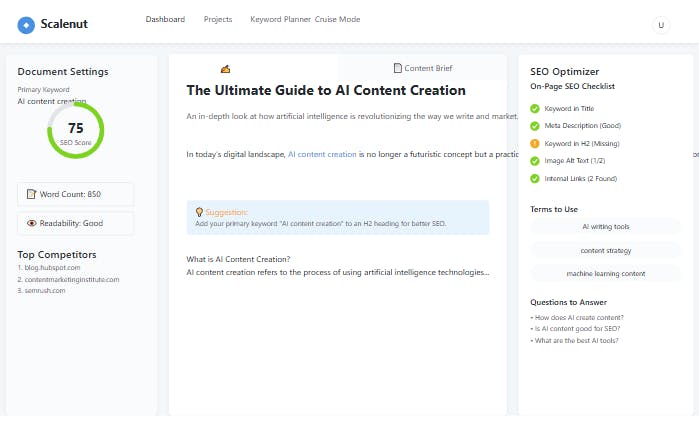
Scalenut compresses the early stages of content production into a single workflow. Keyword in, outline out, draft attached. For teams shipping volume, that compression is the point.
What it gets right. Cruise Mode takes a keyword and produces a structured outline plus a long-form draft in one pass. The real-time optimizer scores the draft against the SERP and suggests fixes. The keyword planner and topic-cluster tools push you toward topical authority rather than isolated keyword wins. Templates cover blogs, product descriptions, and short-form content.
Where it falls short. Scalenut is broad rather than deep. The optimizer is helpful but lighter than a specialist like Clearscope. Cruise Mode drafts are fast, but they need real editing to escape the AI writing tells. The interface has many modules and works best when one person on the team owns the workflow.
Pricing. The three main tiers run Essential at around $39/mo, Growth at $79/mo, and Pro at $149/mo, all with annual discounts. Higher tiers add GEO Watchtower visibility tracking, deeper audits, more domains, and more seats.
Best for. Agencies and brands shipping high content volume that want a unified writing and optimization stack.
Skip if. Your optimizer requirements are strict and you would rather have one tool that grades brilliantly than one tool that does five things adequately.
6. MarketMuse: best for topic-model planning and strategy
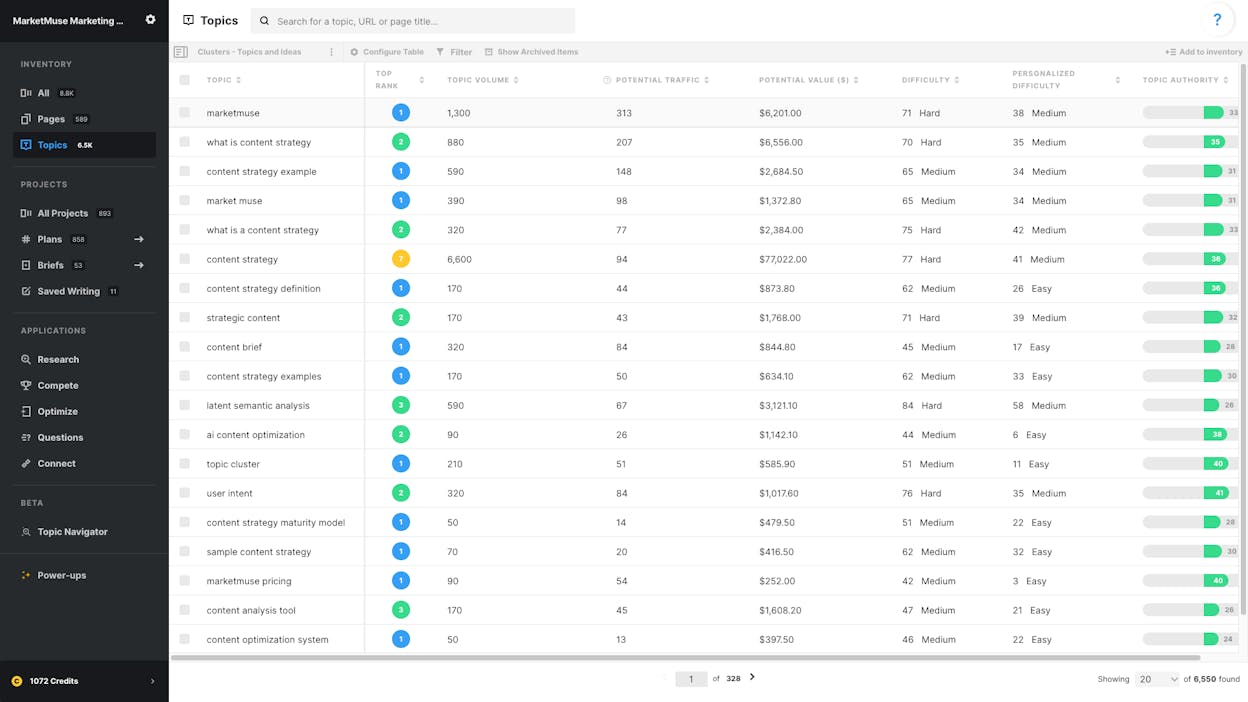
MarketMuse is the only tool on this list that opens with “what should you publish?” instead of “how do we improve this draft?” It scans your whole content library, compares it to the topic landscape in your niche, and tells you where you have authority, where you have gaps, and where the next post should go.
What it gets right. The patented topic modeling produces a personalized difficulty score for every topic, based on your site’s actual strength rather than a generic keyword volume number. The content plan documents turn a vague “we should write more” into a prioritized list. The Optimize editor scores drafts against the topic model, which is useful for long-form, high-intent content.
Where it falls short. MarketMuse is heavier to adopt than any other tool on this list. Inventory audits, cluster mapping, and difficulty modeling take time to configure. Pricing pushes the tool toward larger teams. For a solo blog publishing a few articles per month, this is more firepower than the workload justifies. MarketMuse also does not include backlink data, technical SEO, or AI search analytics.
Pricing. A free tier with 10 queries per month. Optimize at $99/mo or $999/yr for 1 user, 100 tracked topics, and 5 content briefs. Research at $249/mo or $2,499/yr for 3 users, 1,000 topics, and 10 briefs. Strategy at $499/mo or $5,499/yr for 5 users, 10,000 topics, and 20 briefs.
Best for. Mid-market and enterprise content teams that need a topic-driven plan before they touch a draft.
Skip if. You are smaller than that or you want strategy and AI search visibility in the same tool.
How to layer AI search optimization onto your content workflow
Every tool above optimizes for Google. Most either ignore AI search or treat it as an add-on. We do not believe AI search is replacing SEO, and we do not believe SEO is dead. The two channels feed each other, and the smartest content teams in 2026 will optimize for both in the same workflow. Our manifesto covers our view in full.
Here is what AI search optimization actually means at the page level, and how to do it inside your existing content stack.
Research the prompts that drive your buyers, not just the keywords. A buyer searches “best AI content optimization tools” on Google and types “best AI content optimization tool for a small SaaS team with three writers” into Claude. You need both. Analyze AI’s Prompt Discovery suggests the actual bottom-of-funnel prompts buyers use in your category, so you stop guessing.
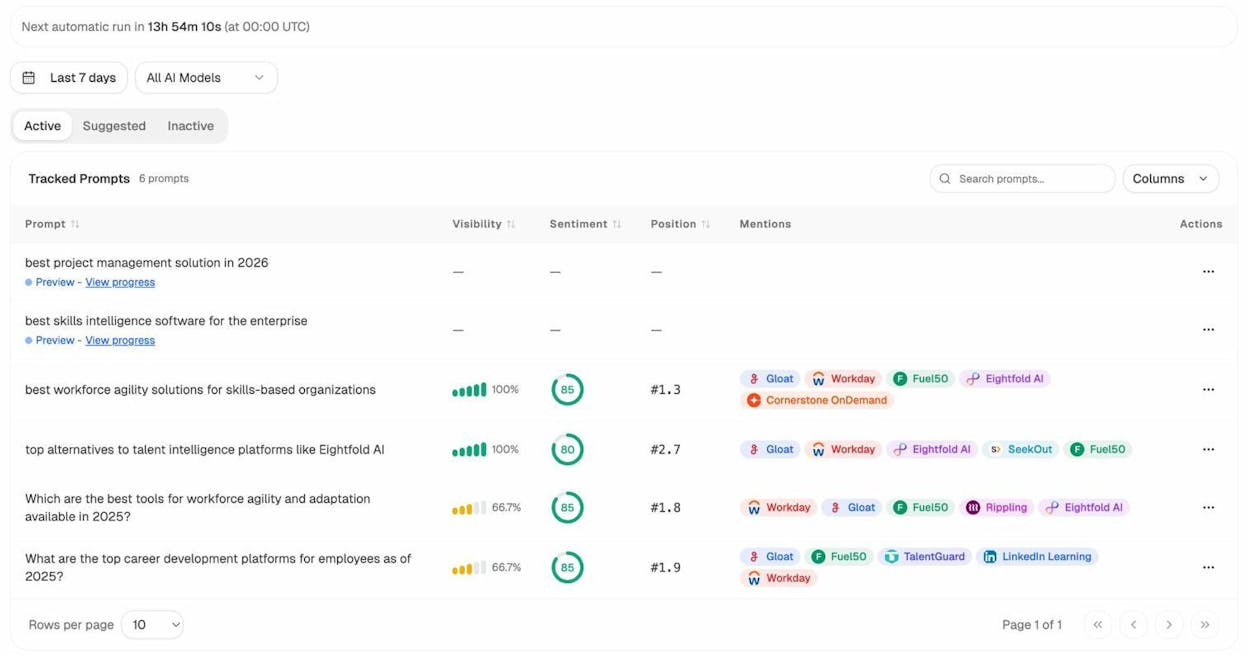
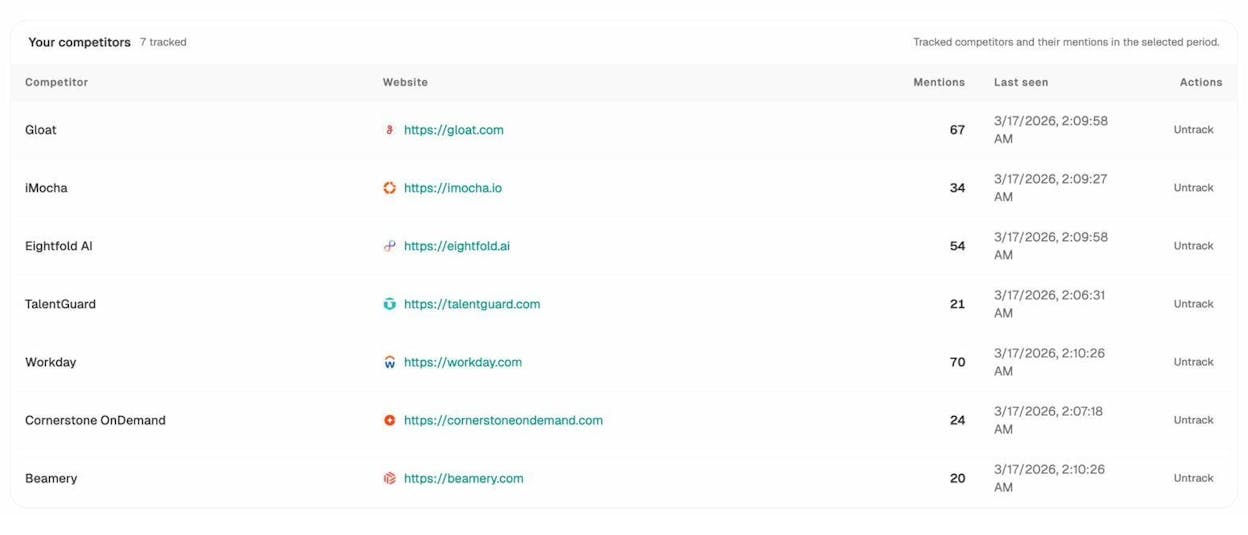
Find the prompts where competitors win and you don’t. This is the AI search version of a content gap audit. The Competitor Intelligence view surfaces the exact prompts where a rival gets cited and your brand does not. Those gaps become a prioritized list of pages to write or refresh.
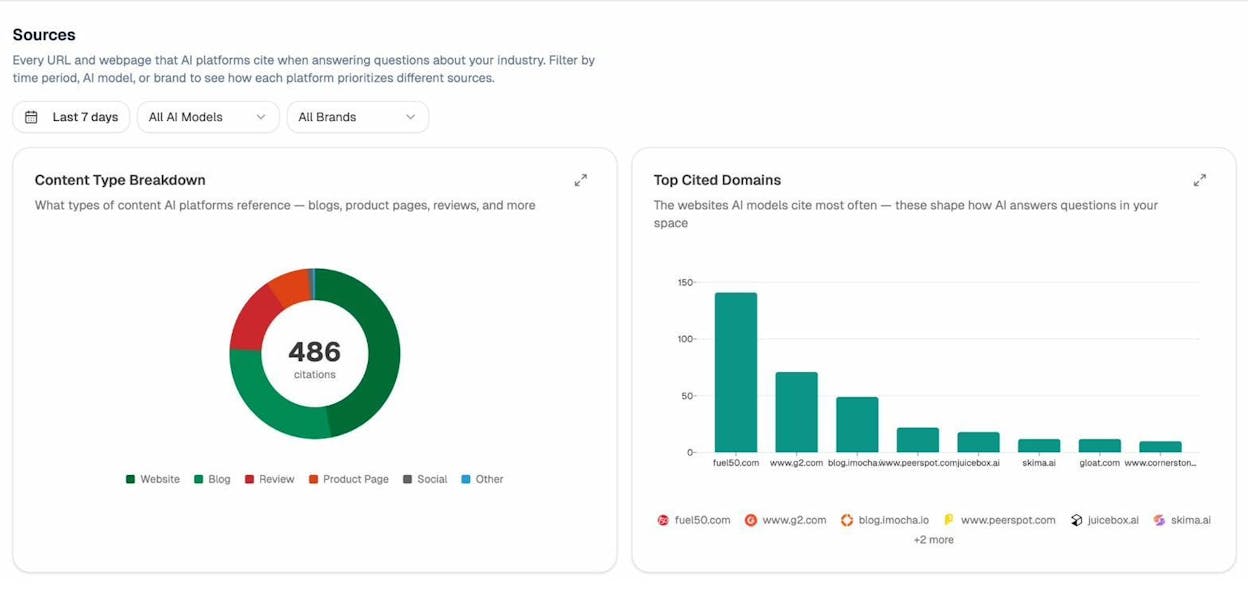
Audit which sources LLMs cite, then build coverage there. Generic link building stops working once you measure at the citation level. The pages that move you in AI answers are the ones cited by domains the models already trust. The Citation Analytics view shows which domains the major LLMs cite when answering questions in your category, how often, and from which model.
Track which pages on your site actually convert AI traffic. The most useful signal in AI search is not “we got mentioned.” It is “the mention sent 50 sessions and 6 of them converted.” AI Traffic Analytics attributes every session from ChatGPT, Perplexity, Claude, Copilot, and Gemini to its source, lands them on a specific URL, and ties the visit to a conversion event.
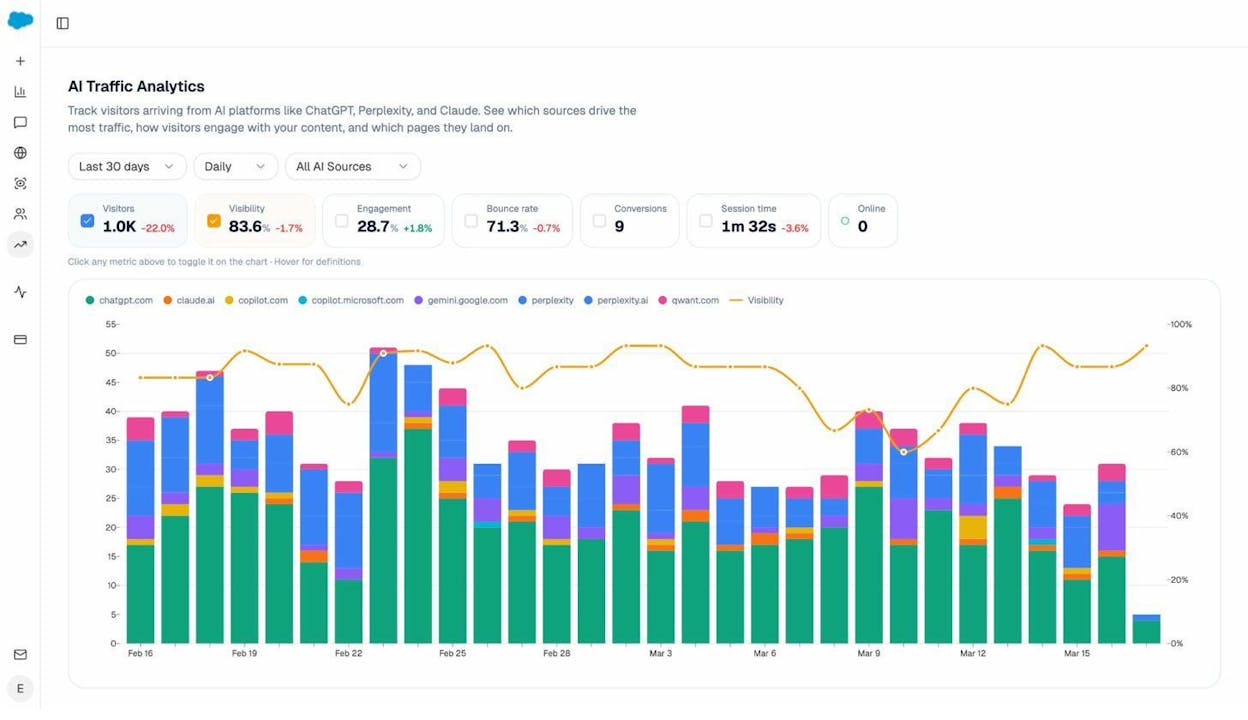
Wire the loop on autopilot. With Agent Builder, you can schedule a weekly run that pulls the opportunities from the steps above, generates briefs and drafts in your brand voice, scores them against the target SERP, and pushes the publish-ready version to your CMS. The loop runs itself. For the broader strategy, our piece on LLM optimization walks through the rest.
How to actually choose
Match the tool to the work you do most. If your job is to grade and finalize drafts, Clearscope is the cleanest fit. If you need semantic depth for under $100 a month, NeuronWriter wins on price. If you want SEO and basic AI search optimization in one editor, Frase is the closest single-tool answer. If you ship at high volume across many formats, Scalenut compresses the workflow. If you need a topic-model strategy before you write a word, MarketMuse is built for it.
If you want all of the above in one platform, plus AI search analytics, citation auditing, prompt tracking, and the automation substrate to run the whole content operation on a schedule, Analyze AI is built for that. The case is not “everything in one place.” It is fewer integrations to maintain, one set of data to trust, and a writer who can finish a draft, optimize it, ship it, and watch it land in AI answers without leaving the platform.
The fastest way to see whether that case applies is to run your own brand through the platform and watch which prompts you appear in, which competitors beat you, and which pages move qualified traffic. You’ll know within an hour whether the leverage is real.

Ernest

Ibrahim


