



Summarize this blog post with:


In this article, you’ll learn what schema markup is, why it matters for both traditional search and AI-powered search engines, the most common types of schema you should add to your site, how to implement it step by step (even without coding experience), how to validate your markup, and how structured data connects to the way AI models like ChatGPT and Perplexity choose which sources to cite.
Table of Contents
What Is Schema Markup?
Schema markup is code you add to your web pages that helps search engines understand what your content is about. Instead of guessing from the words on the page, search engines can read your schema and know exactly what you mean — this is a product, this is an event, this is a recipe with a 45-minute cook time.
The code follows a standardized vocabulary maintained by Schema.org, a collaborative project founded by Google, Bing, Yahoo, and Yandex. Because the format is standardized, there is no room for misinterpretation. A price is a price. A rating is a rating.
Here is a basic example of what schema markup looks like for a movie:
<script type="application/ld+json">
{
"@context": "http://schema.org/",
"@type": "Movie",
"name": "Barbie",
"dateCreated": "2023-07-21",
"director": {
"@type": "Person",
"name": "Greta Gerwig",
"birthDate": "1983-08-04"
}
}
</script>
This structured format tells Google (and other search engines) exactly what this page is about, who directed the movie, and when it was released. No ambiguity. No guessing.
Google uses schema markup to power rich results (also called rich snippets) — the enhanced search listings that show star ratings, prices, FAQ dropdowns, recipe details, and other visual elements directly on the search results page.
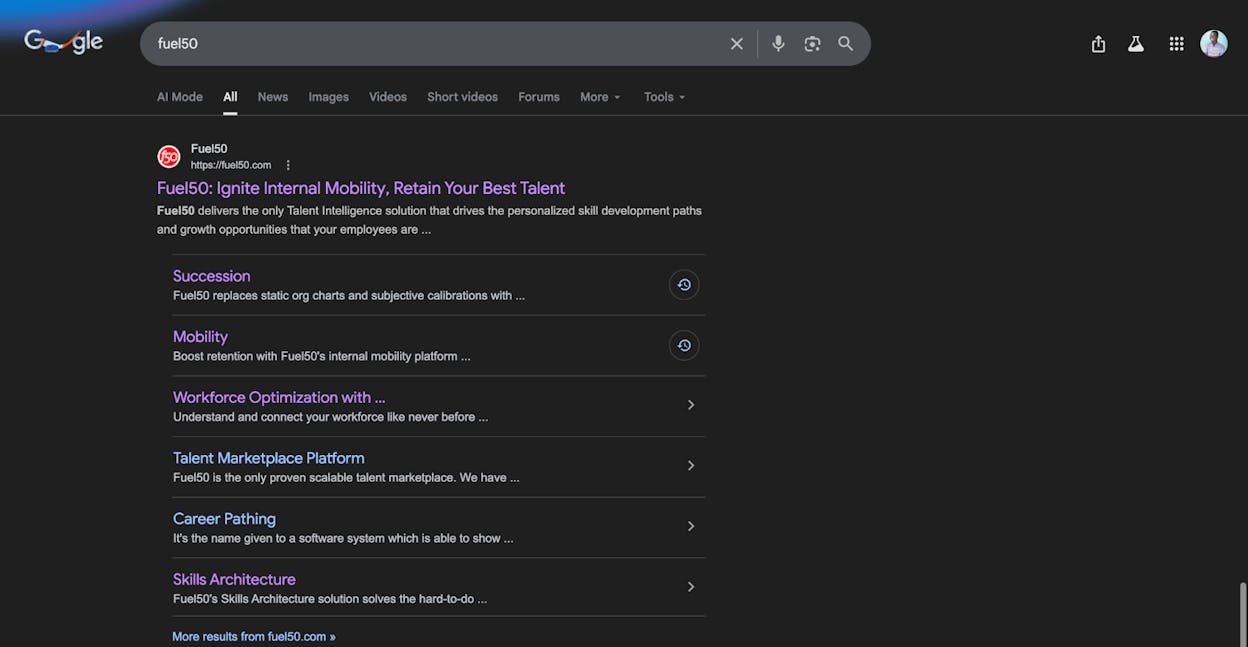
Pages with rich results tend to stand out more and earn more clicks than standard blue links. That alone makes schema worth implementing. But the benefits extend further than click-through rates, especially as search evolves.
Why Schema Markup Matters (Beyond Rich Results)
Most guides on schema markup stop at rich results. That is a mistake. Structured data plays a larger role in your overall search visibility than a few star ratings on Google.
It helps search engines understand your content more accurately. Google has said that Article schema tells it “more explicitly what your content is about.” The implication is clear — by marking up your content, it may appear for more relevant queries. This is not a ranking factor in the traditional sense, but it removes friction in how search engines interpret your pages.
It strengthens your E-E-A-T signals. When you add Organization schema to your homepage with your company name, founding date, social profiles, and contact details, you are providing machine-readable proof that your business is real and legitimate. Person schema on author pages signals expertise. Review schema shows social proof. These are the kinds of trust signals that Google’s quality raters look for, and schema makes them unambiguous. (For a deeper look, read our guide on what is generative engine optimization.)
It establishes entity connections. Schema does not just describe a page. It connects your brand, your people, your products, and your content into a web of relationships that search engines can map. This is what the knowledge graph is built on. When Google shows a knowledge panel for your brand, structured data is usually part of the reason.
It is becoming relevant to AI search. Large language models like ChatGPT, Perplexity, and Gemini do not “read” schema the same way Google does. But they consume the web pages that contain schema, and structured data makes those pages easier to parse, extract facts from, and cite. Pages with clear, well-structured content — and schema is part of what makes content structurally clear — tend to surface more often in AI-generated answers.
This matters because AI search is not replacing traditional SEO. It is expanding the surface area of organic discovery. Your pages can now appear in Google’s traditional results, in AI Overviews, and in answers generated by ChatGPT, Perplexity, Claude, Copilot, and Gemini. Schema helps your content perform across all of these surfaces because it makes your information unambiguous regardless of which system is reading it.
If you want to understand how AI models decide which sources to cite, our research on how LLMs cite sources found that content clarity, structured data, and topical authority all play a role. Schema markup directly addresses the first two.
Types of Schema Markup Google Supports
There are over 800 types of schema listed on Schema.org. Google only supports a fraction of these for rich results, according to its structured data documentation. But the ones Google does support cover the most common content types on the web.
Here are the types Google currently supports:
|
Schema Type |
Best For |
Rich Result |
|---|---|---|
|
Article |
Blogs, news sites, sports articles |
Enhanced title, images, date |
|
Product |
E-commerce product pages |
Price, availability, reviews |
|
Local Business |
Physical businesses |
Hours, location, departments |
|
Sitelinks Search Box |
Brand homepages |
Search box in branded results |
|
Event |
Conferences, concerts, webinars |
Date, location, ticket info |
|
FAQ |
FAQ pages and sections |
Expandable Q&A dropdowns |
|
HowTo |
Tutorials and step-by-step guides |
Step-by-step rich snippets |
|
Recipe |
Food and cooking content |
Cook time, calories, ratings |
|
Review |
Product and service reviews |
Star ratings |
|
Video |
Video content |
Thumbnails, duration |
|
Breadcrumb |
Any page with navigation |
URL path display |
|
Course |
Educational content |
Provider, description |
|
Job Posting |
Job listings |
Salary, location, employer |
|
Logo |
Organization homepages |
Logo in knowledge panel |
|
Fact Check |
News and journalism |
Claim review display |
Note: Google significantly reduced visibility for HowTo and FAQ rich results in August 2023. FAQ rich results now only appear for well-known, authoritative government and health websites. HowTo rich results only appear for desktop users. This does not mean you should skip FAQ or HowTo schema entirely — the markup still helps search engines understand your content — but do not count on them generating visible rich results.
Let’s look at the most common types in more detail.
Article Schema
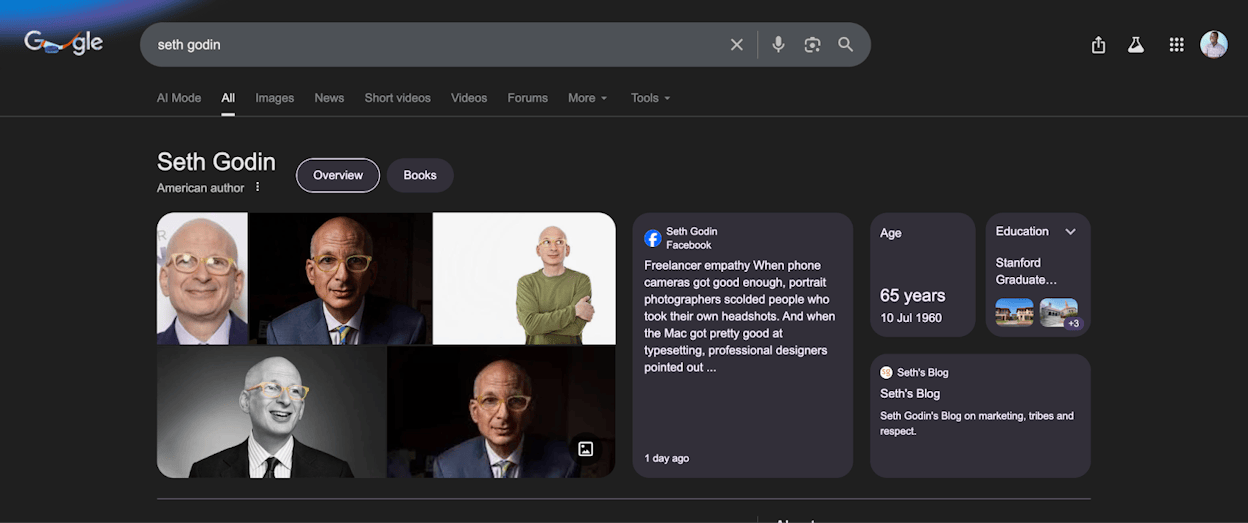
Article schema tells Google that your page contains a news article, blog post, or sports article. According to Google’s documentation, it helps in two ways: Google can show better title text, images, and date information for your page, and it understands “more explicitly what your content is about.”
That second point is the important one. By adding Article schema, your content may appear for more relevant queries because Google is not guessing about the content type.
Here is what Article schema looks like:
<script type="application/ld+json">
{
"@context": "https://schema.org",
"@type": "Article",
"headline": "Schema Markup: What It Is & How to Implement It",
"author": {
"@type": "Person",
"name": "Ernest"
},
"datePublished": "2026-02-20",
"dateModified": "2026-02-20",
"publisher": {
"@type": "Organization",
"name": "Analyze AI",
"logo": {
"@type": "ImageObject",
"url": "https://www.tryanalyze.ai/logo-tryanalyze.png"
}
},
"description": "Learn what schema markup is and how to add it to your website for better search visibility.",
"image": "https://www.tryanalyze.ai/blog/schema-markup/featured.jpg"
}
</script>
If you run a blog or news site, Article schema should be on every post. Most CMS platforms and SEO plugins add this automatically.
Product Schema
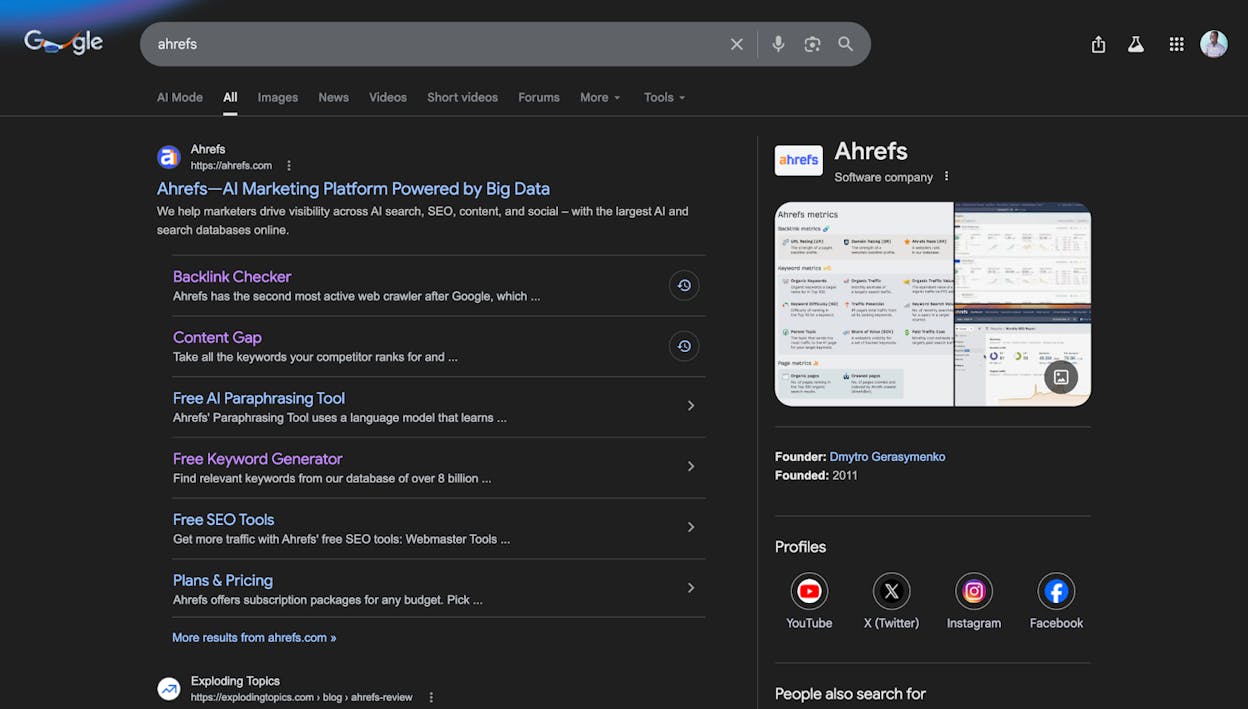
Product schema lets users see the price, availability, review ratings, and shipping details directly in the search results, before they even click through to your site. For e-commerce stores, this is table stakes.
Here is an example for a product page:
<script type="application/ld+json">
{
"@context": "https://schema.org/",
"@type": "Product",
"name": "AirPods Pro",
"image": "https://example.com/airpods-pro.jpg",
"brand": {
"@type": "Brand",
"name": "Apple"
},
"offers": {
"@type": "Offer",
"url": "https://example.com/airpods-pro",
"priceCurrency": "USD",
"price": "249",
"availability": "https://schema.org/InStock",
"itemCondition": "https://schema.org/NewCondition"
},
"aggregateRating": {
"@type": "AggregateRating",
"ratingValue": "4.9",
"reviewCount": "2847"
}
}
</script>
This tells Google the product name, brand, price, stock status, and review rating. Shoppers can compare all of this without clicking, which means the ones who do click are more qualified. If you run an online store, read our ecommerce SEO guide for the full picture.
Local Business Schema
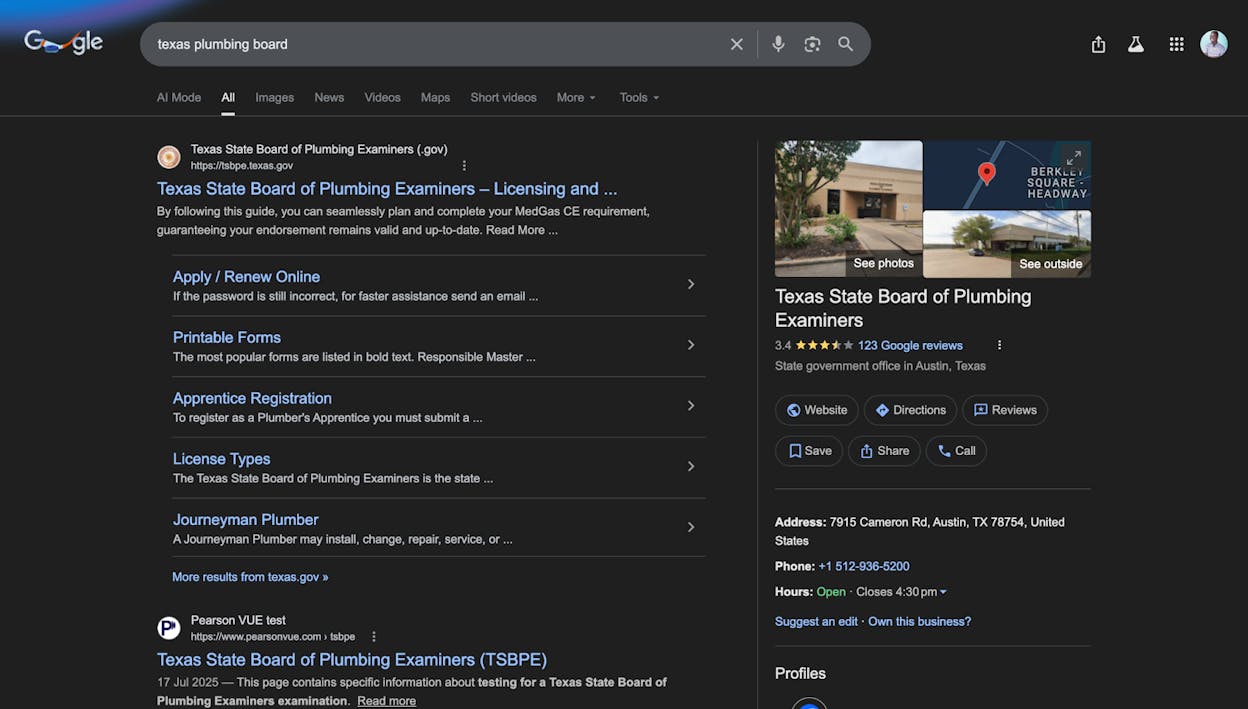
If you have a physical business, Local Business schema helps Google display your hours, address, phone number, and department information in search results and Google Maps.
<script type="application/ld+json">
{
"@context": "https://schema.org",
"@type": "LocalBusiness",
"name": "Joe's Coffee Roasters",
"image": "https://example.com/joes-coffee.jpg",
"address": {
"@type": "PostalAddress",
"streetAddress": "123 Main Street",
"addressLocality": "Austin",
"addressRegion": "TX",
"postalCode": "78701"
},
"telephone": "+1-512-555-0199",
"openingHoursSpecification": [
{
"@type": "OpeningHoursSpecification",
"dayOfWeek": ["Monday", "Tuesday", "Wednesday", "Thursday", "Friday"],
"opens": "07:00",
"closes": "18:00"
},
{
"@type": "OpeningHoursSpecification",
"dayOfWeek": ["Saturday", "Sunday"],
"opens": "08:00",
"closes": "16:00"
}
]
}
</script>
Local Business schema is especially powerful because it connects directly to the Google Business Profile and Maps results, which are often the first thing users see for local queries.
Sitelinks Search Box Schema
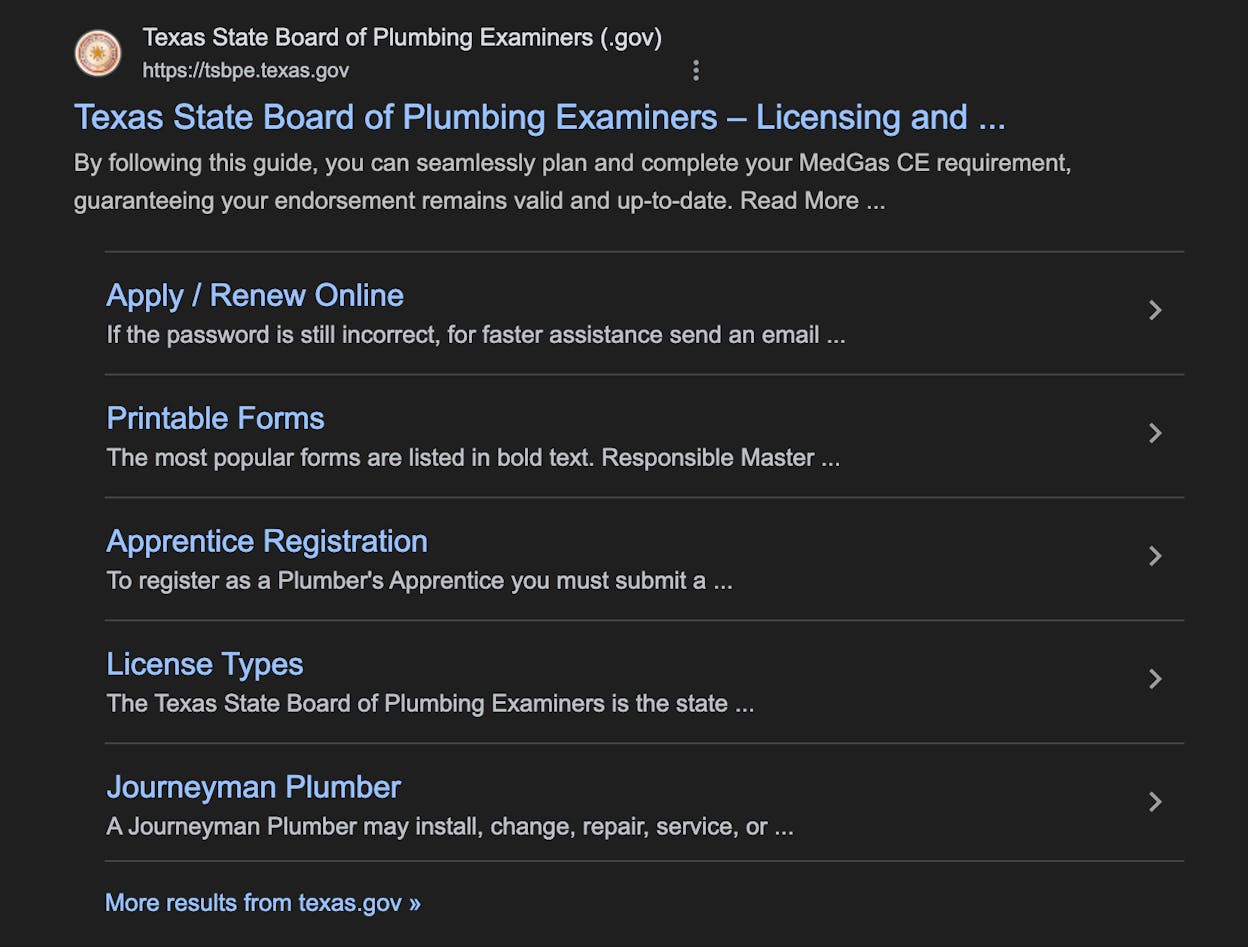
When someone searches for your brand name on Google, sitelinks show related pages from your site beneath the main result. Adding Sitelinks Search Box schema gives users the option to search within your site directly from Google.
<script type="application/ld+json">
{
"@context": "https://schema.org",
"@type": "WebSite",
"url": "https://www.tryanalyze.ai/",
"potentialAction": {
"@type": "SearchAction",
"target": {
"@type": "EntryPoint",
"urlTemplate": "https://www.tryanalyze.ai/search?q={search_term_string}"
},
"query-input": "required name=search_term_string"
}
}
</script>
Google may display sitelinks whether or not you add this schema. But adding it gives you some control over how the search box behaves and where it points.
Event Schema
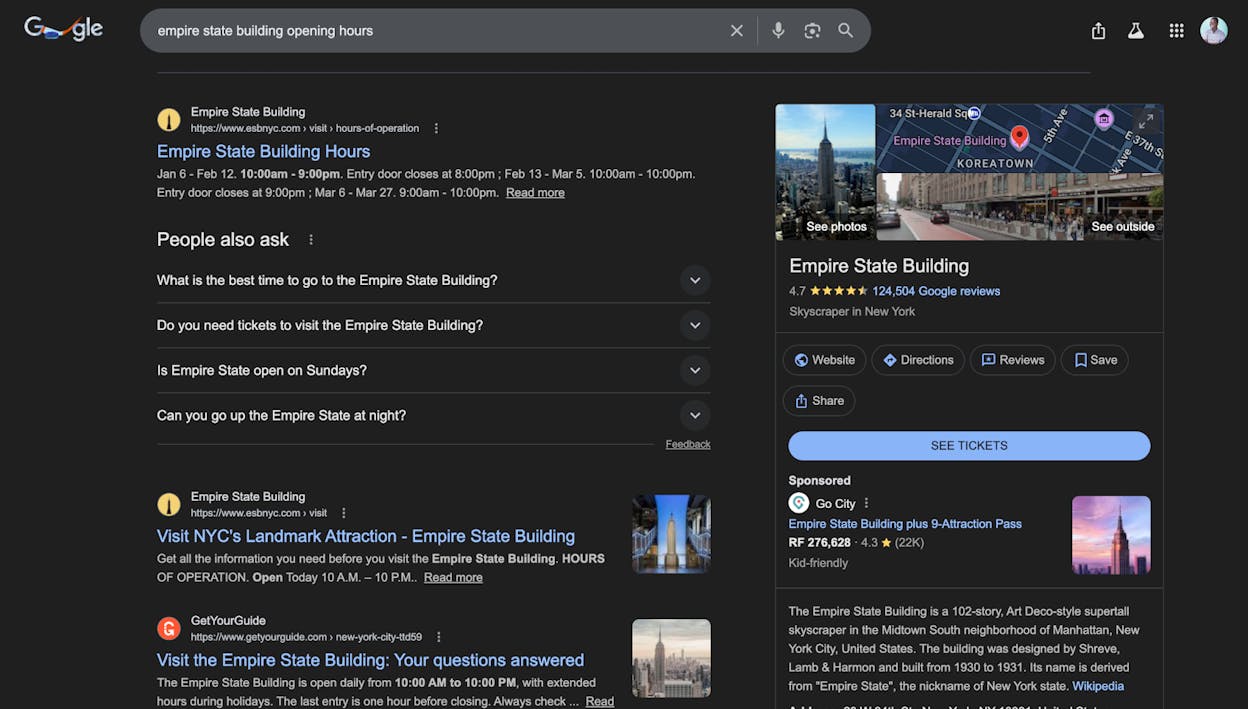
Event schema makes your events (conferences, concerts, webinars, workshops) stand out in Google search with dates, locations, and ticket information prominently displayed.
<script type="application/ld+json">
{
"@context": "https://schema.org",
"@type": "Event",
"name": "AI Search Summit 2026",
"startDate": "2026-06-15T09:00",
"endDate": "2026-06-16T17:00",
"location": {
"@type": "Place",
"name": "Austin Convention Center",
"address": {
"@type": "PostalAddress",
"addressLocality": "Austin",
"addressRegion": "TX"
}
},
"offers": {
"@type": "Offer",
"url": "https://example.com/tickets",
"price": "299",
"priceCurrency": "USD",
"availability": "https://schema.org/InStock"
},
"organizer": {
"@type": "Organization",
"name": "Analyze AI",
"url": "https://www.tryanalyze.ai"
}
}
</script>
Events are one of the richest schema types in terms of SERP real estate. They can appear in dedicated event carousels, which means you are not just getting a listing enhancement — you are getting a new placement entirely.
FAQ Schema
Even though Google reduced FAQ rich result visibility in 2023, FAQ schema still helps search engines understand the question-and-answer structure of your page. If you are an authoritative government or health site, you can still get the expandable FAQ dropdowns on the SERP.
For everyone else, the schema still provides a structural benefit: it makes your Q&A content machine-readable. That means Google (and AI systems) can pull specific answers directly from your page.
<script type="application/ld+json">
{
"@context": "https://schema.org",
"@type": "FAQPage",
"mainEntity": [
{
"@type": "Question",
"name": "What is schema markup?",
"acceptedAnswer": {
"@type": "Answer",
"text": "Schema markup is structured data code that helps search engines understand the information on a page and can power rich results in search."
}
},
{
"@type": "Question",
"name": "Does schema markup affect rankings?",
"acceptedAnswer": {
"@type": "Answer",
"text": "Schema markup is not a direct ranking factor, but it can improve click-through rates through rich results and help search engines better understand your content."
}
}
]
}
</script>
Pro tip: FAQ answers accept HTML. This means you can include internal links within your FAQ answers. Use this to link to conversion-focused pages or key content from your FAQ sections.
Which Schema Should You Add First?
You do not need every schema type on your site. The right markup depends on your content.
Here is a simple prioritization framework:
Every website should add:
-
Organization or Person schema on the homepage (this establishes your entity)
-
Breadcrumb schema across the site (helps Google understand your site structure)
-
Article schema on every blog post or news article
E-commerce sites should also add:
-
Product schema on product pages
-
Review/AggregateRating schema where you have reviews
-
FAQ schema on product pages with common questions
Local businesses should also add:
-
Local Business schema on the homepage or location pages
-
Event schema for any regular events or promotions
Content publishers should also add:
-
Video schema for video content
-
HowTo schema for tutorial content (still valuable for desktop)
-
Course schema for educational content
SaaS companies should also add:
-
SoftwareApplication schema on product pages
-
FAQ schema on pricing and feature pages
-
Organization schema with detailed company information
The principle is straightforward: add schema for the content types that exist on your site. If you do not have events, skip Event schema. If you do not sell products, skip Product schema. But Organization and Article schema belong on nearly every site.
How to Add Schema Markup to Your Website
There are three ways to add schema to your site: through your CMS, through a plugin, or manually. The right approach depends on your technical comfort level and how much control you need.
Method 1: Use Your CMS (Easiest)
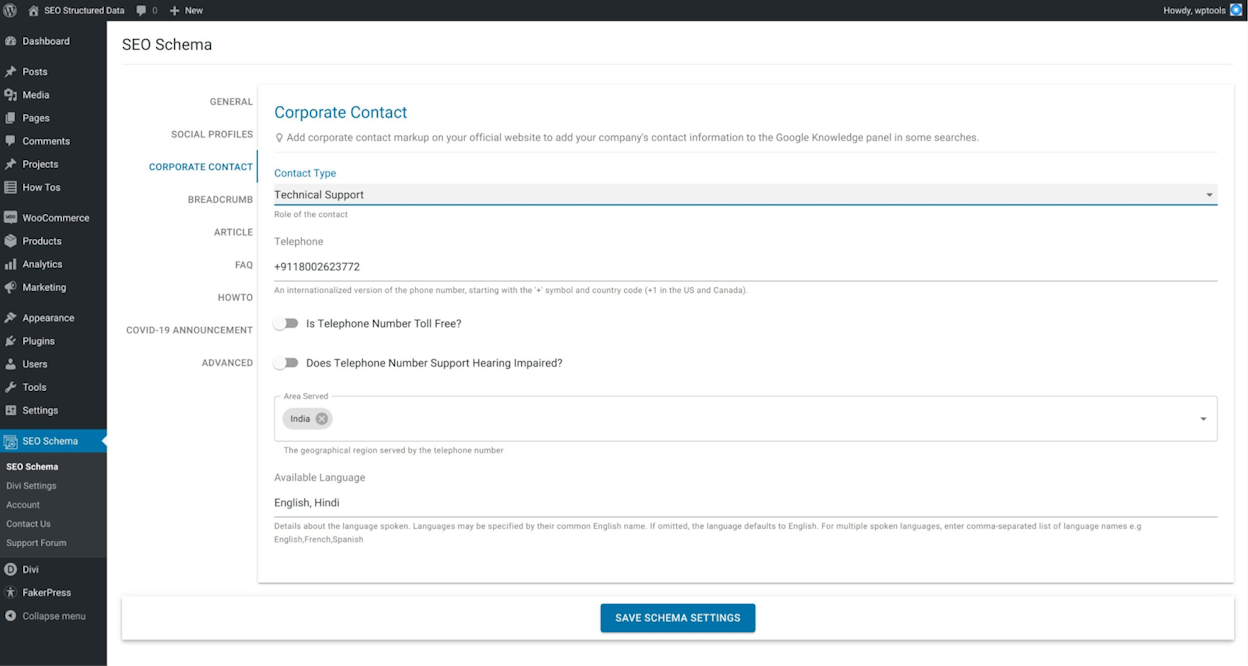
Most modern content management systems handle basic schema automatically. If you use Wix, Webflow, Squarespace, or Shopify, your platform likely adds Article and Organization schema out of the box.
Check your platform’s settings panel to confirm schema is enabled and configured correctly. For platform-specific instructions:
-
Wix: Go to your SEO settings and customize the structured data markup for each page type (Wix guide)
-
Webflow: Use CMS-powered schema through the custom code settings (Webflow guide)
-
Shopify: Product schema is added automatically. Use apps for additional types.
Method 2: Use a WordPress Plugin (Recommended for WordPress)
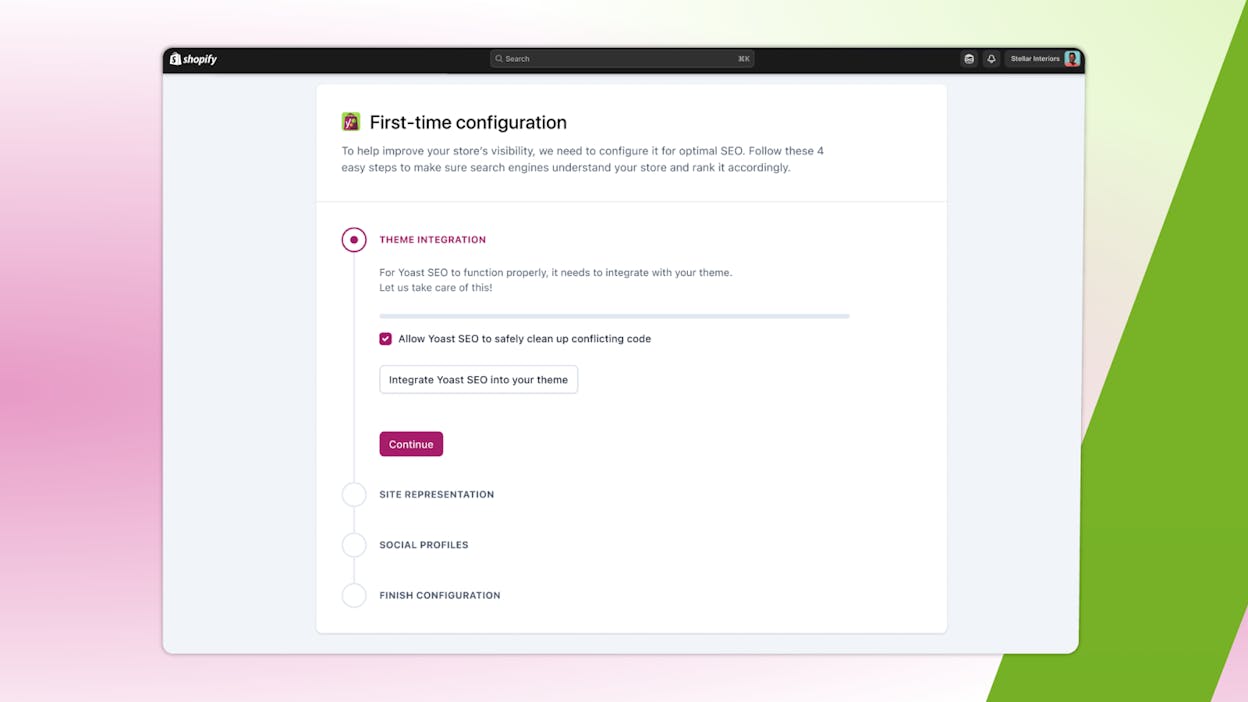
If you run WordPress, the easiest way to handle schema is with an SEO plugin. Yoast SEO and RankMath are the two most popular options.
With Yoast SEO:
-
During the onboarding wizard, select whether your site represents an Organization or a Person.
-
Fill in your organization name, logo, and social profile links.
-
Yoast automatically adds Organization and Article schema to every relevant page.
-
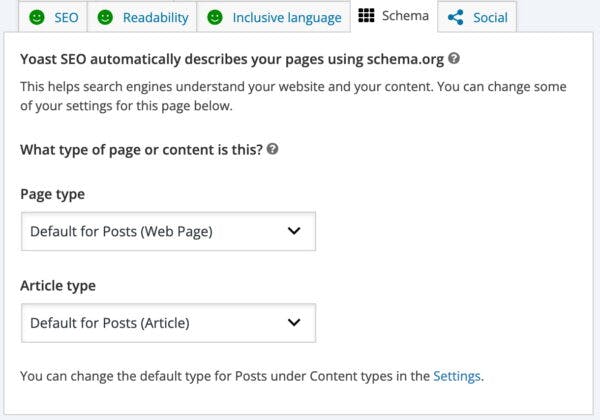
For individual posts, click the “Schema” tab in the Yoast sidebar to adjust the page type (Web Page, About Page, FAQ Page, etc.) and article type.
With RankMath:
RankMath has a more extensive schema library. Beyond the basics, you can add Product, Recipe, Event, Course, and other schema types directly from the post editor without writing any code.
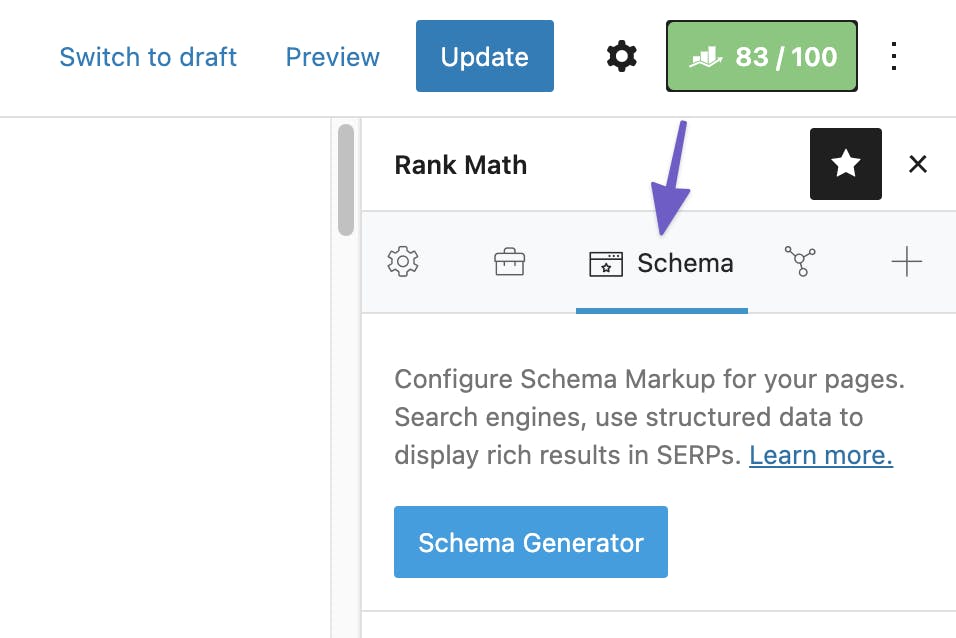
Both plugins handle the JSON-LD code generation and injection for you. You fill in fields, and the plugin outputs the correct structured data in the page source.
Method 3: Manual JSON-LD (Full Control)
If you need schema types your plugin does not support, or you want full control over the markup, you can write and add JSON-LD code manually.
Google recommends JSON-LD (JavaScript Object Notation for Linked Data) over microdata and RDFa because it is “less prone to user errors.” The code sits in a <script> tag and does not affect the visual layout of your page.
Google’s John Mueller has also confirmed JSON-LD is their preferred format.
Step 1: Generate the code.
You do not have to write JSON-LD from scratch. Use one of these tools:
|
Tool |
Best For |
Notes |
|---|---|---|
|
Most schema types |
Clean output, easy to use |
|
|
Tagging existing pages |
Point-and-click interface |
|
|
ChatGPT / Claude |
Custom or complex schemas |
Describe what you need in plain language |
|
Advanced nested schemas |
Visual builder |
Let’s walk through Merkle’s generator as an example.
Head to the Schema Markup Generator and select the type of schema you want. For this example, we will generate Event schema.
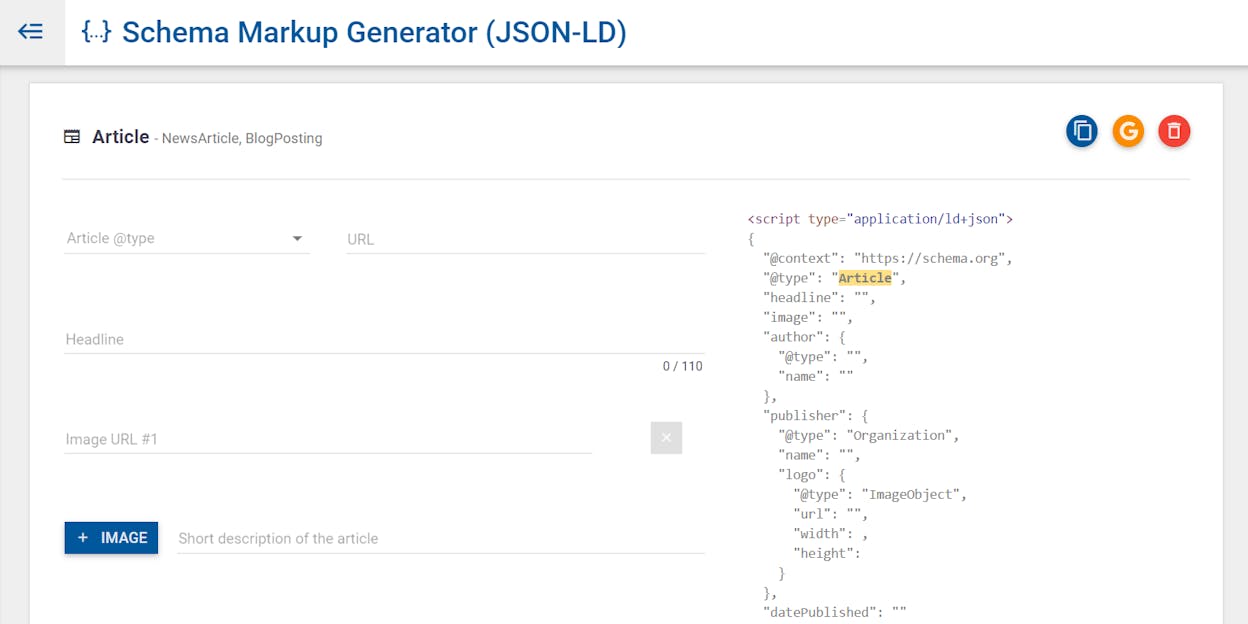
Fill in the required fields: event name, start date, location, ticket URL, and price.
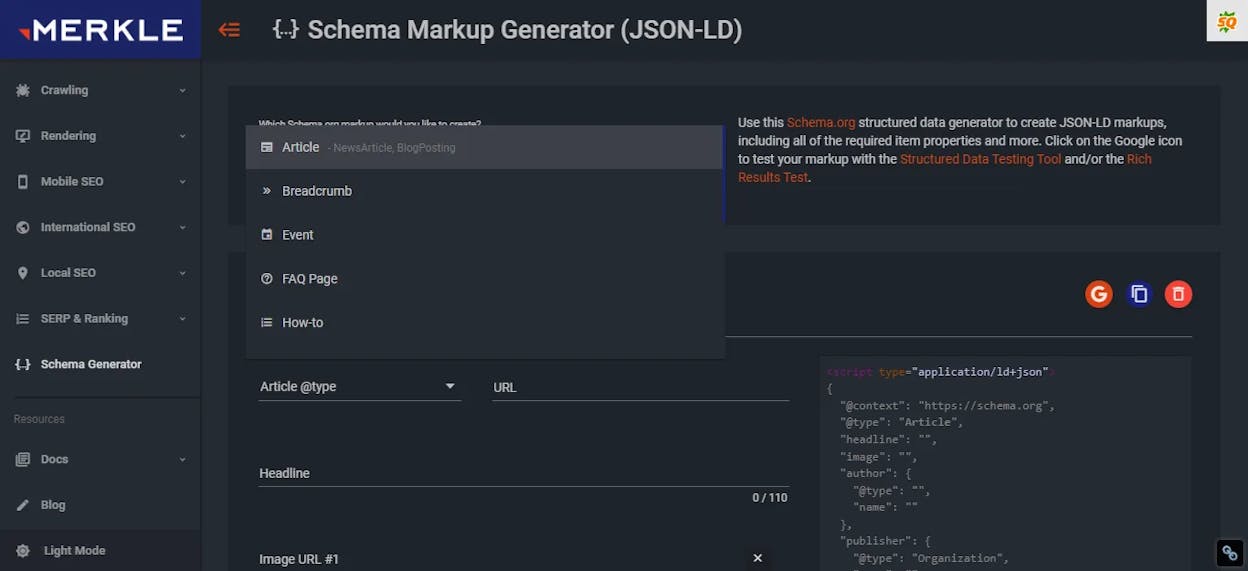
The tool generates the JSON-LD code on the right side of the screen. Copy it.
Step 2: Add the code to your page.
Paste the JSON-LD code into either the <head> or the <body> section of the page you want it on. Google has confirmed either location works.
If you are not comfortable editing HTML directly, you have a few options:
-
Use a WordPress plugin like Insert Headers and Footers to inject the code.
-
Use Google Tag Manager to inject the JSON-LD via JavaScript. This is particularly useful if you want to deploy schema across multiple pages based on rules.
-
Ask your developer to add it to your page template.
Step 3: Test the code before publishing.
Before you move on, paste the code into Google’s Rich Results Test to check for errors. More on validation in the next section.
How to Validate Your Schema Markup
Adding schema markup is only half the battle. You need to confirm it is valid, error-free, and actually eligible for rich results. Invalid markup will be ignored by Google entirely.
There are three levels of validation, from checking a single page to auditing your entire site.
Single-Page Validation
For quick spot-checks, use one of these two tools:
Google’s Rich Results Test (search.google.com/test/rich-results)
This is the tool to use when you want to know if a page is eligible for rich results. Paste a URL or raw code, and Google will tell you which rich result types are detected, whether they are valid, and what errors exist.
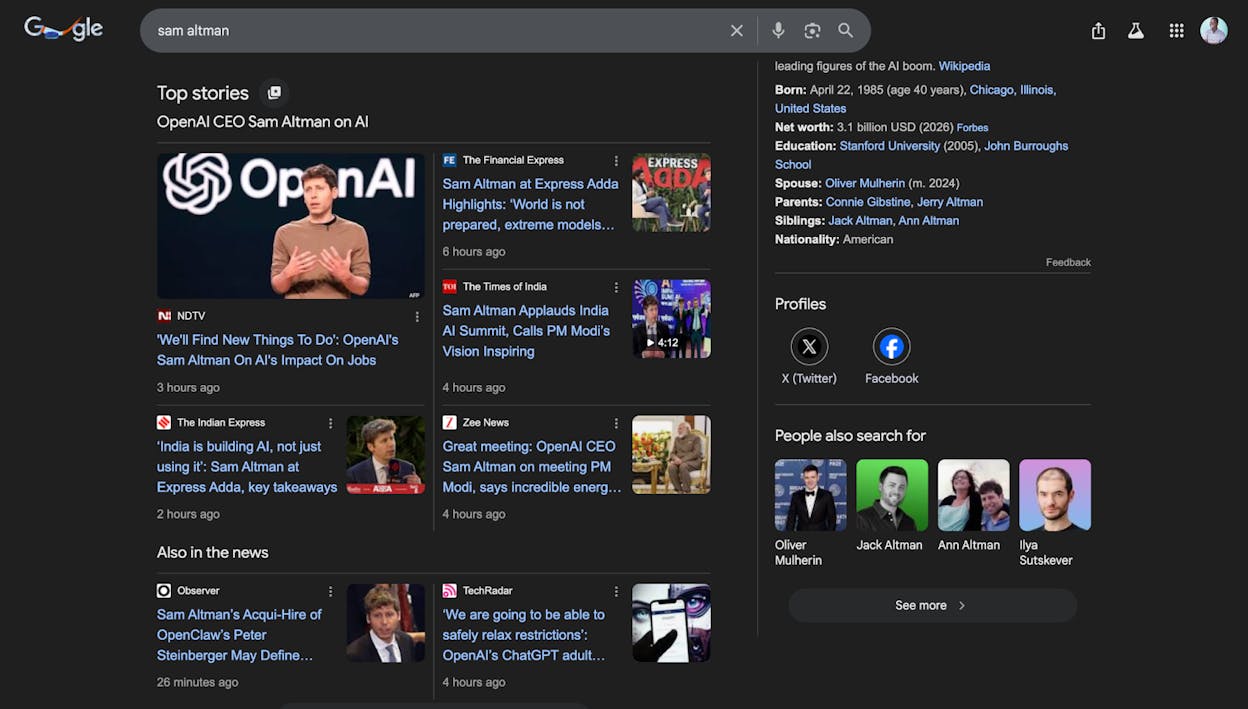
If you see errors, click on the result type for specifics. Common issues include missing required properties (like image for Article schema) or incorrect data types (like passing a string where a number is expected).
Schema.org Markup Validator (validator.schema.org)
This tool checks all schema on a page, not just the types Google uses for rich results. Use it when you want to validate your full structured data implementation, including Organization, Person, and other types that do not produce visible rich results but still help search engines understand your site.
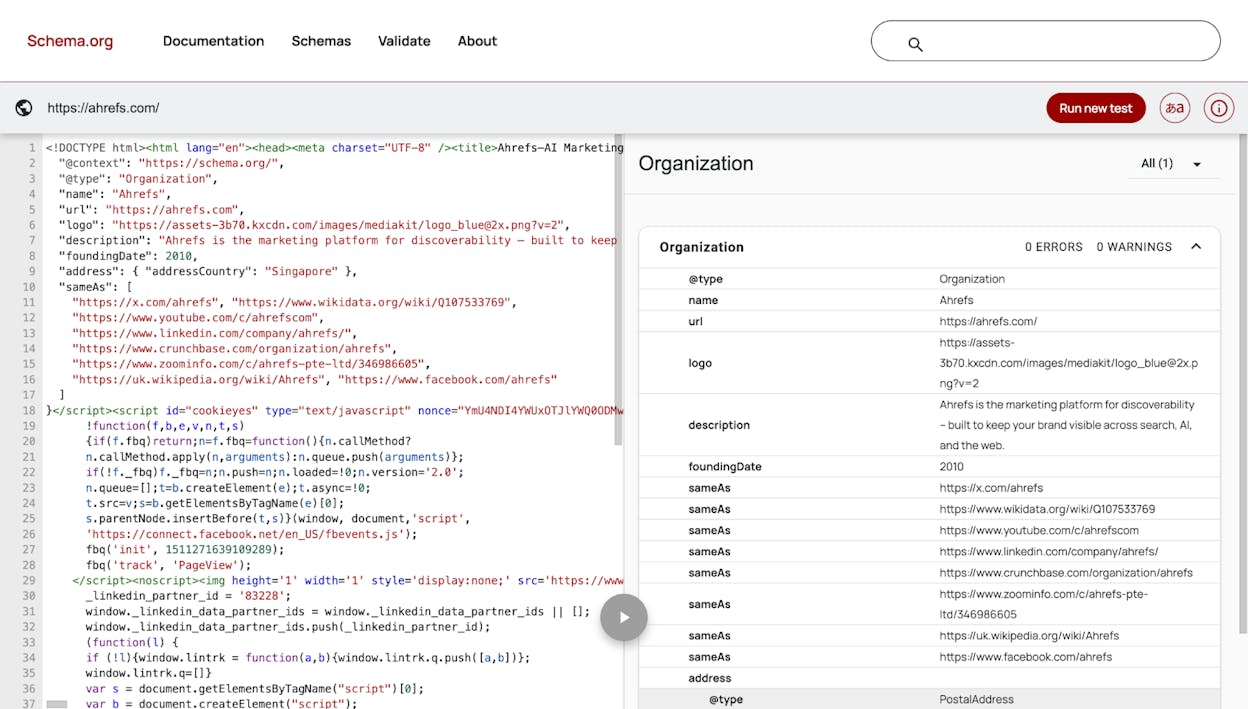
The key difference: Google’s tool only validates schema that produces rich results. The Schema.org validator checks everything. Use both.
Site-Wide Validation with Google Search Console
For an overview of how Google is reading your structured data across your entire site, check Google Search Console.
Go to the Enhancements section in the left sidebar. Google Search Console groups your schema by type and shows valid items, items with warnings, and items with errors.
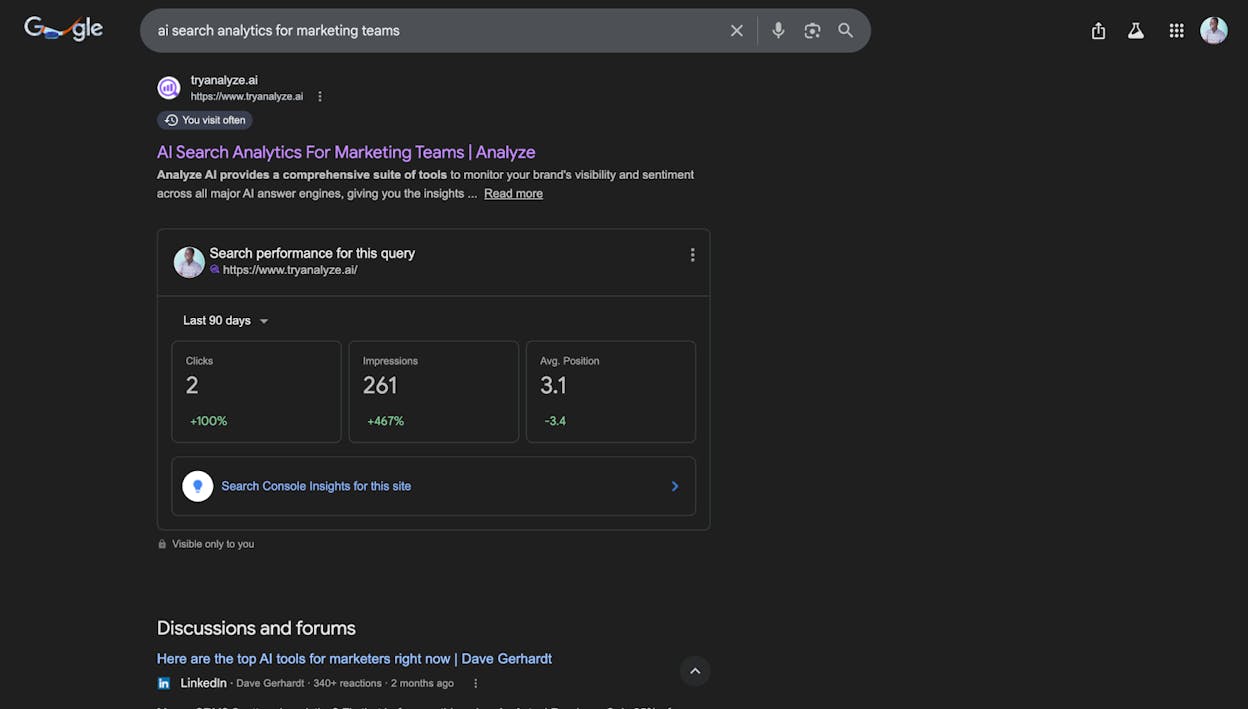
This is useful for catching issues at scale. If you have 500 product pages and 47 of them have invalid Product schema, you will see that here. You can click into each issue to see the affected URLs.
The limitation of Google Search Console is that it only shows you what Google has already crawled and processed. If you just added schema to a page, it may take days before GSC reflects the changes.
Site-Wide Validation with a Crawler
For a more proactive approach, use a site audit tool that crawls your site and checks structured data before Google does.
Tools like Screaming Frog, Sitebulb, or Ahrefs Site Audit can crawl your entire site and flag structured data errors. This lets you find and fix problems before they show up in Google Search Console.
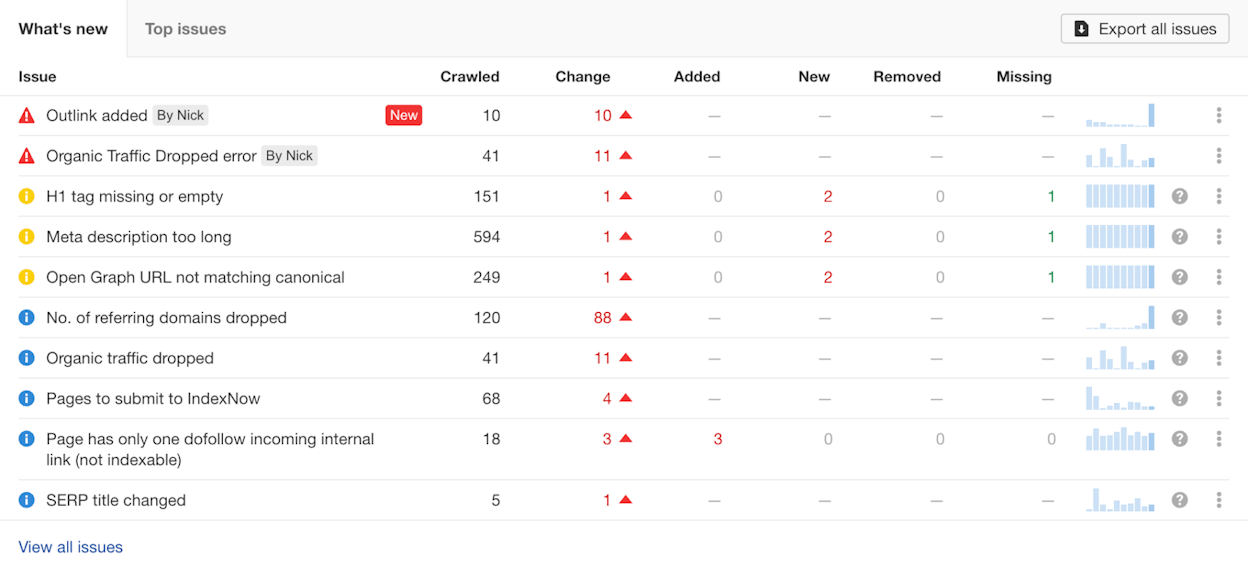
The advantage here is speed. You can schedule regular crawls (daily, weekly, monthly) and catch invalid schema the moment it appears — whether from a template change, a plugin update, or a developer accidentally breaking something.
Priority tip: When fixing schema errors at scale, sort the affected pages by organic traffic (highest first). Fix the pages that get the most traffic first, since those are the pages where broken schema costs you the most in missed rich results.
Common Schema Markup Mistakes (and How to Avoid Them)
Schema markup is straightforward to add, but there are common mistakes that can make your markup invalid or even get your site flagged.
Marking up content that is not visible on the page. Google’s guidelines are clear: schema must reflect the content users can see. If your Product schema lists a price that does not appear on the page, or your FAQ schema contains questions that are not displayed to visitors, Google will consider it deceptive. This can result in a manual action.
Using incorrect or outdated schema types. Schema.org evolves. Properties get deprecated. Required fields change. Always cross-reference your markup with Google’s current documentation rather than relying on tutorials that may be outdated.
Forgetting required properties. Each schema type has required and recommended properties. Missing a required property means your markup will not be eligible for rich results. For example, Article schema requires headline, image, and datePublished. Skip any one of these, and the markup is invalid.
Not updating schema after page changes. If you change a product price, update an event date, or remove a FAQ section, the schema needs to match. Stale schema that contradicts the visible page content is a policy violation.
Adding schema only to the homepage. Many sites add Organization schema to the homepage and stop there. But your biggest opportunity is on the pages that actually rank: blog posts (Article schema), product pages (Product schema), and service pages (FAQ schema). Spread your schema across the site wherever it applies.
Over-marking up pages. Adding every possible schema type to a single page is not a strategy. Only add schema that accurately describes the content on that specific page. A blog post should not have Product schema unless it genuinely contains a product listing.
Schema Markup and AI Search: The Evolving Connection
Schema markup was designed for traditional search engines. But as search evolves to include AI-generated answers from models like ChatGPT, Perplexity, Claude, and Gemini, structured data takes on a new dimension.
AI models do not read schema markup the same way Google does — they do not render rich results. But they do consume the web pages your schema is on, and well-structured pages with clear, machine-readable data are easier for these models to parse, extract facts from, and cite in their answers.
Here is why this matters for your visibility strategy:
Structured content gets cited more. Our research analyzing 83,670 AI citations found that content with clear structure — headings, organized data, factual claims that are easy to extract — gets referenced more frequently by AI models. Schema markup is part of what makes content structurally clear. When your page has proper Article, Organization, and FAQ schema, the information is already organized in a way that models can work with.
AI models pull from pages that Google trusts. There is significant overlap between the pages Google ranks highly and the pages AI models cite. If your schema markup helps you earn rich results and rank better in Google, those same pages are more likely to appear in AI-generated answers. The two channels reinforce each other.
Entity clarity matters. When your Organization schema clearly defines your brand name, what you do, and who your people are, AI models are less likely to confuse you with similarly named entities. This is especially important for companies with common names or brands that could be mistaken for something else.
How to Track Your Visibility in AI Search
Implementing schema markup is one part of the equation. Tracking whether your pages actually appear in AI-generated answers is the other.
Analyze AI lets you monitor where your brand shows up across ChatGPT, Perplexity, Claude, Copilot, and Gemini — and tie that visibility back to real traffic.
With the Citation Analytics dashboard, you can see which of your URLs are being cited by AI models, how often, and in which engines. This tells you which pages your schema and content strategy are working for.
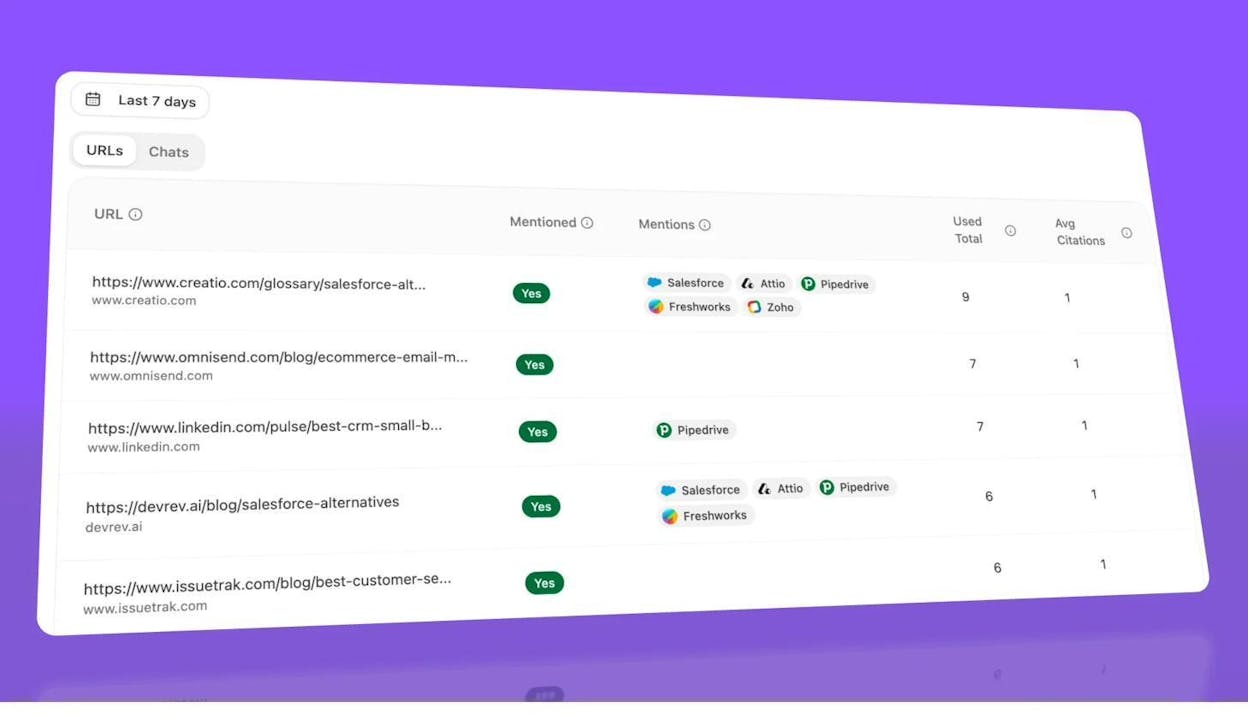
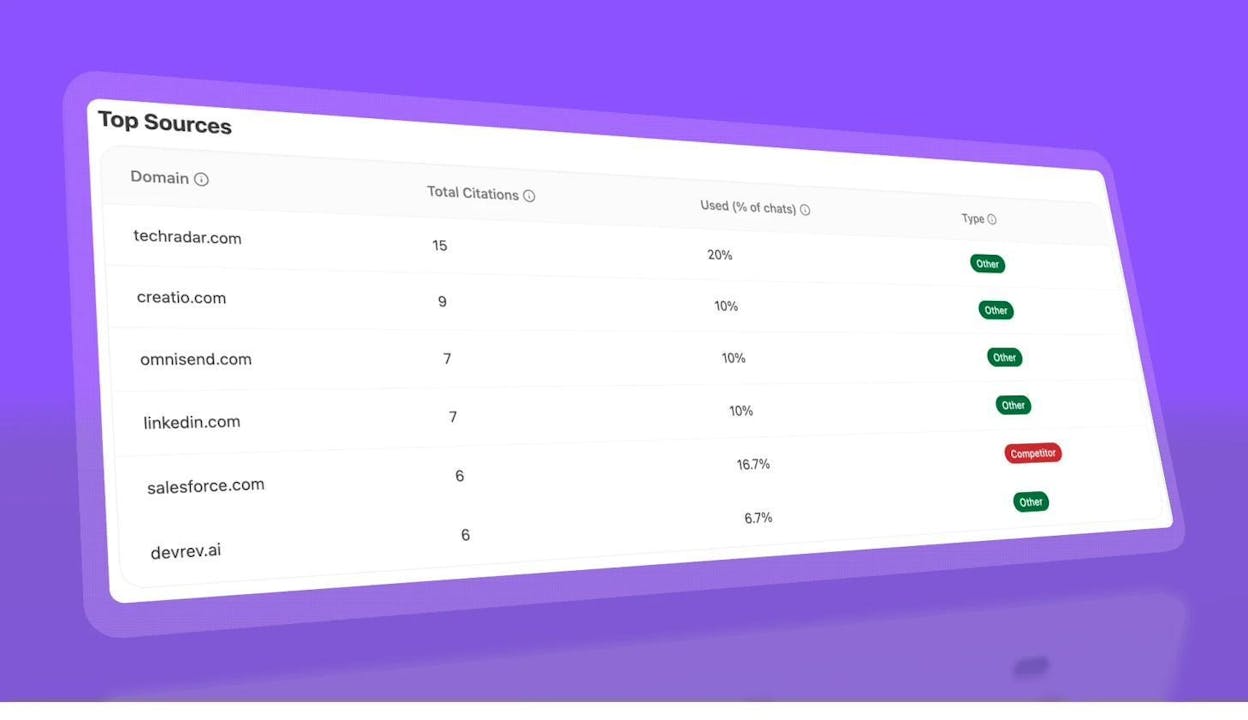
The Top Sources view reveals which domains AI models cite most in your category. If a competitor’s pages are getting cited more often, you can study their content and structured data to find what they are doing differently.
And the AI Traffic by Page report connects AI visibility to actual sessions. You can see which pages AI engines send traffic to, which model referred the visit, and how many sessions each page receives. This lets you identify which pages and content formats AI models prefer — and double down on what works.
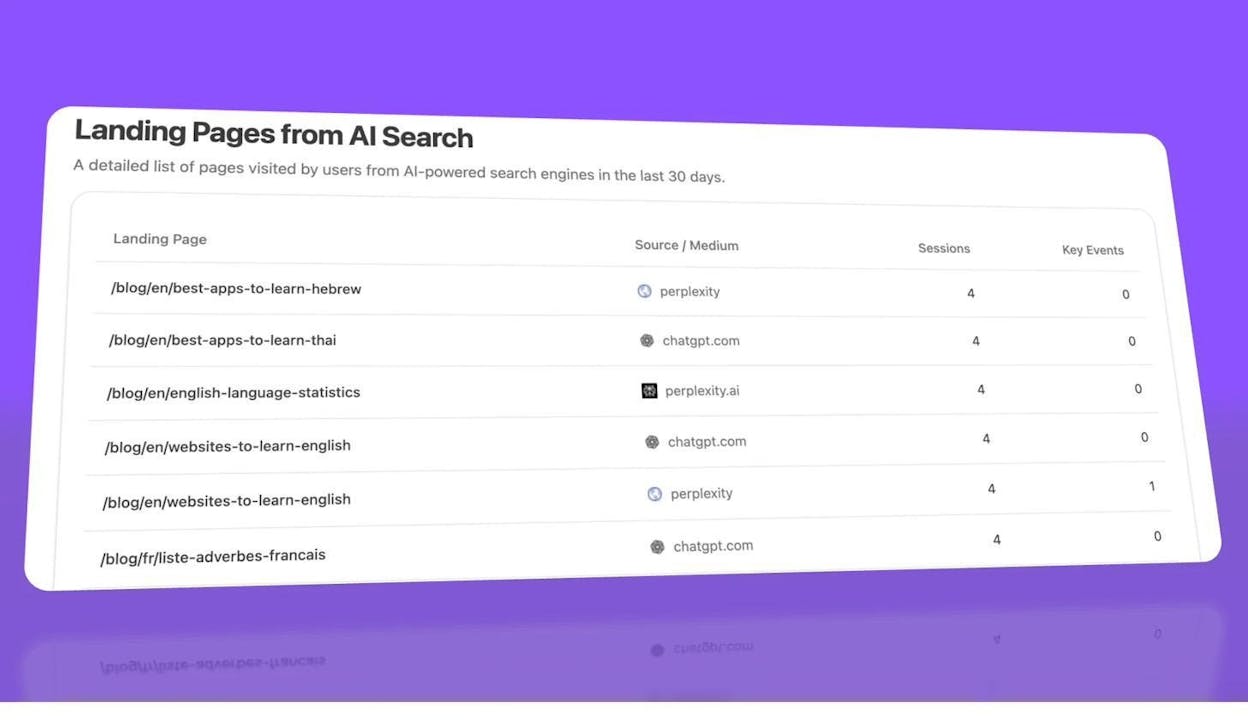
This kind of attribution is critical because it turns schema markup and content optimization from a faith-based exercise into something measurable. You implement structured data, publish well-organized content, and then verify whether AI models are actually citing and sending traffic to those pages.
Using Analyze AI to Find AI Search Opportunities
Beyond tracking current citations, Analyze AI can help you find prompts and topics where competitors are getting cited but you are not. The Opportunities dashboard shows exactly this — prompts where your brand is absent but competitors appear.
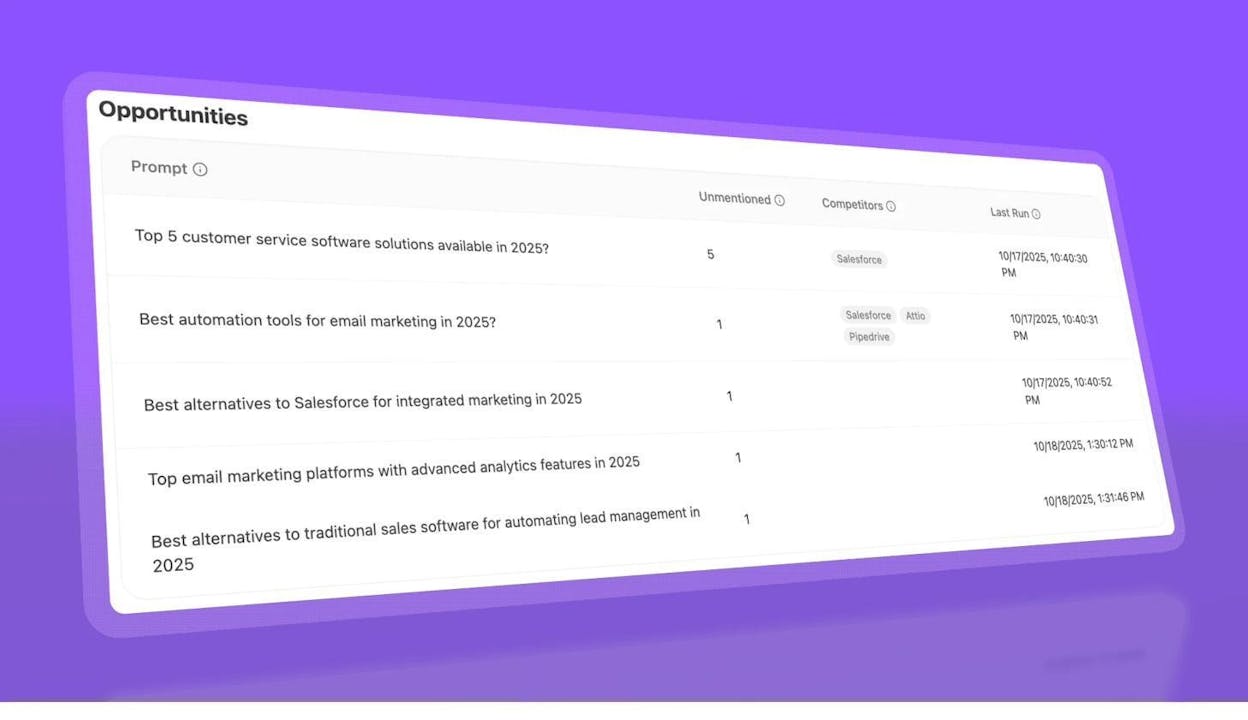
If you see competitors showing up for prompts like “best tools for [your category]” and your brand is missing, that is a signal to improve your content and structured data for those topics. Schema alone will not get you cited, but combined with comprehensive, well-structured content, it gives AI models the clarity they need to include your brand.
You can also use the Competitor Overview to benchmark your AI visibility against specific competitors across prompt clusters.
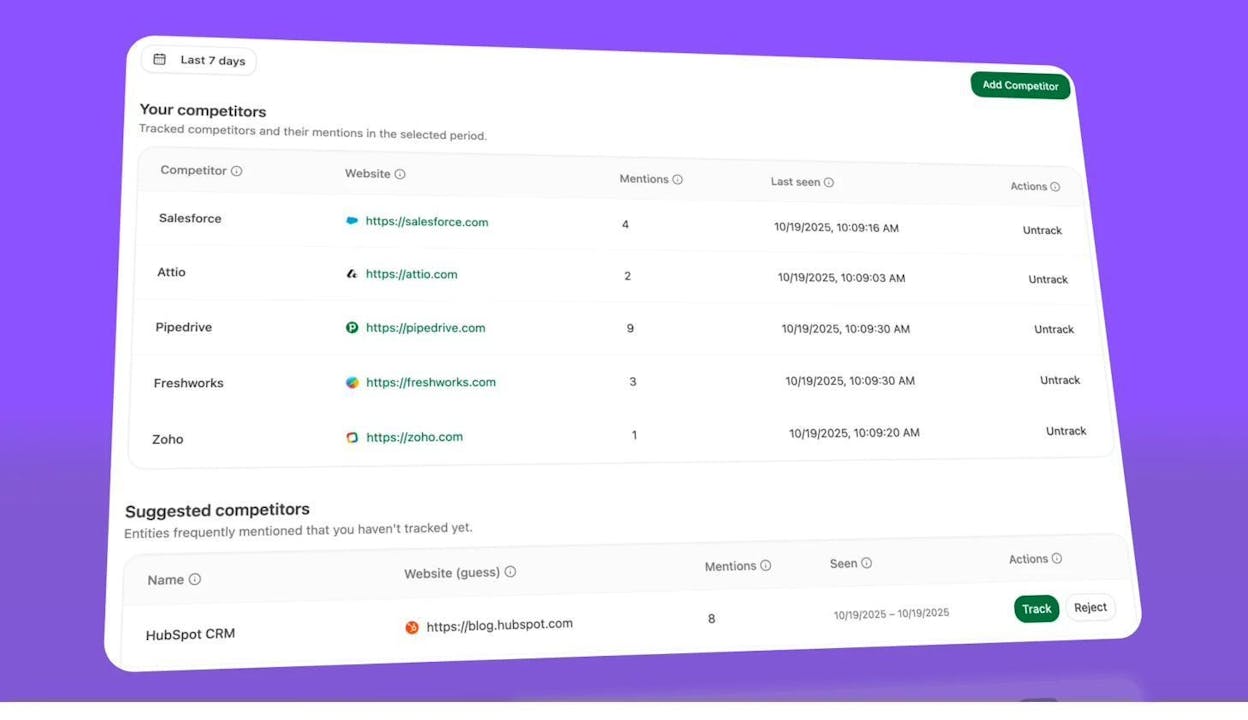
The connection between schema markup and AI search comes down to this: structured data makes your content machine-readable. Search engines use that for rich results. AI models use it (indirectly) to better understand and cite your pages. Both are organic channels, and both reward the same fundamental practice — making your information as clear and structured as possible.
For a broader look at how to approach AI search as a channel, see our guides on how to rank on ChatGPT and how to rank on Perplexity.
Schema Markup Tools Compared
Here is a quick comparison of the most popular schema markup tools:
|
Tool |
Free? |
Best For |
Schema Types |
Code Format |
|---|---|---|---|---|
|
Yes |
Generating JSON-LD from scratch |
12+ types |
JSON-LD |
|
|
Yes |
Tagging existing web pages |
Limited |
JSON-LD / Microdata |
|
|
Freemium |
WordPress sites |
Article, Organization, FAQ, HowTo, more |
JSON-LD |
|
|
Freemium |
WordPress sites (more schema types) |
20+ types |
JSON-LD |
|
|
Yes |
Advanced nested schemas |
Comprehensive |
JSON-LD |
|
|
Paid |
Automated schema at scale |
Multiple |
JSON-LD |
|
|
Yes |
Validating a single page |
All supported |
— |
|
|
Yes |
Validating all schema (not just rich results) |
All |
— |
|
|
ChatGPT / Claude |
Free / Paid |
Custom or complex schema generation |
Any |
JSON-LD |
For most sites, a combination of Yoast or RankMath (for automatic schema) plus Merkle (for custom schema types) covers everything you need.
If you want to check how your pages perform from a technical SEO perspective beyond schema, including broken links, crawl issues, and authority metrics, Analyze AI offers free tools like our broken link checker and website authority checker.
Troubleshooting: Why Your Rich Results Are Not Showing
You have added schema. You have validated it. But Google is not showing rich results for your page. This is frustrating, but it is normal. Rich results are never guaranteed, even with perfectly valid markup.
Here are the most common reasons:
Google has not recrawled the page yet. After adding or changing schema, Google needs to recrawl and reprocess the page. This can take a few days. You can speed things up by submitting the URL for reindexing through Google Search Console (go to URL Inspection, enter the URL, and click “Request Indexing”).
Google thinks a plain text result is better. Google makes its own decision about whether to show rich results for a given query. If it determines that a standard blue link is more useful for that particular search, it will not show the rich result — regardless of how perfect your markup is.
Your markup does not match the visible content. If the data in your schema contradicts what users see on the page, Google will ignore it. Double-check that prices, ratings, dates, and other structured data accurately reflect the page content.
Your site has a quality issue. Sites that violate Google’s structured data guidelines or general webmaster guidelines may lose rich result eligibility entirely. Common violations include marking up content that is not visible to users, using schema to deceive, or adding schema to low-quality pages.
The schema type no longer qualifies. As mentioned earlier, FAQ and HowTo rich results were significantly limited in 2023. If you are waiting for FAQ rich results and your site is not a major government or health authority, they will not appear.
The best approach is patience plus monitoring. Add the schema, validate it, submit for reindexing, and check Google Search Console over the following weeks to see if valid items appear in the Enhancements report.
How to Measure the Impact of Schema Markup
Adding schema without measuring its impact means you are optimizing blind. Here is how to track whether your schema implementation is working.
Track rich result impressions and clicks in Google Search Console. The Performance report lets you filter by search appearance. Select rich result types (like “Review snippets” or “FAQ rich results”) to see how many impressions and clicks those enhanced listings generate. Compare these numbers before and after you implemented schema to measure the lift.
Monitor CTR changes. Rich results typically improve click-through rates. Track the CTR of pages where you added schema compared to similar pages without schema. A meaningful CTR increase is a strong signal that your schema is working.
Track AI referral traffic. If you want to see whether your structured, well-marked-up pages are earning traffic from AI search engines, Analyze AI’s AI Referral Traffic dashboard shows total sessions from AI search, trended over time, with a breakdown by engine.
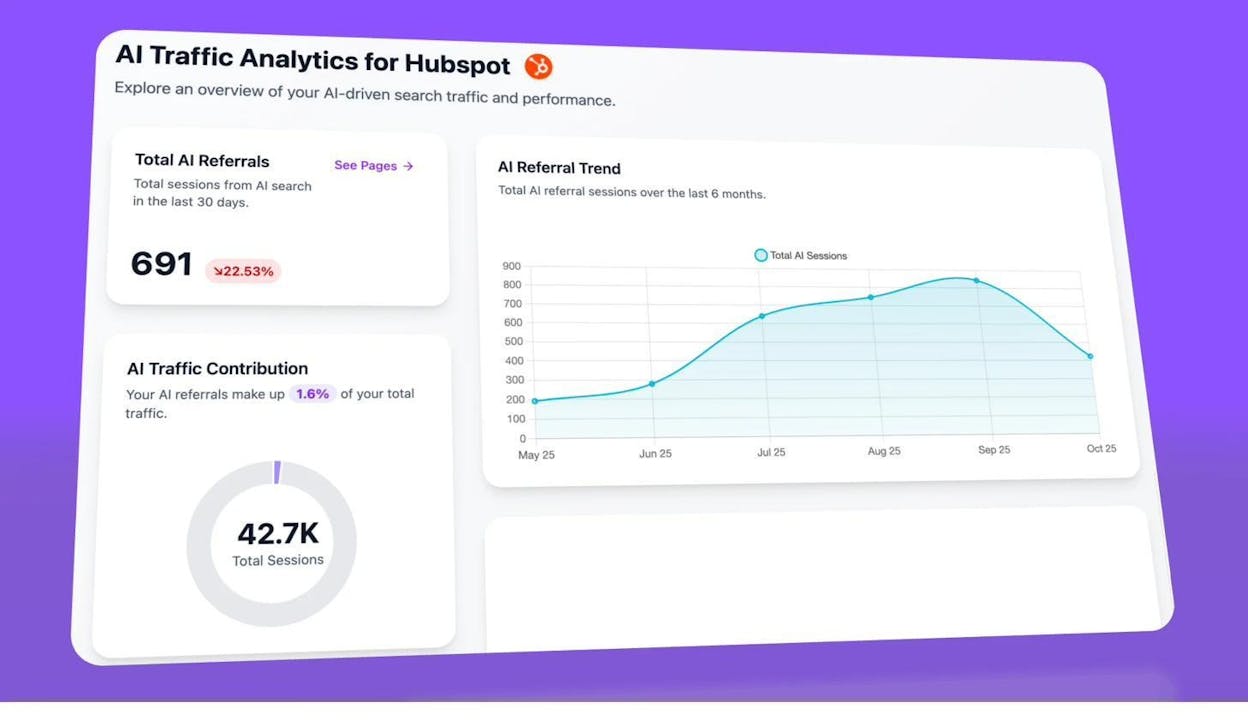
You can go deeper with the Analytics by Engine view to compare contributions from ChatGPT, Perplexity, Claude, Copilot, and Gemini month by month.
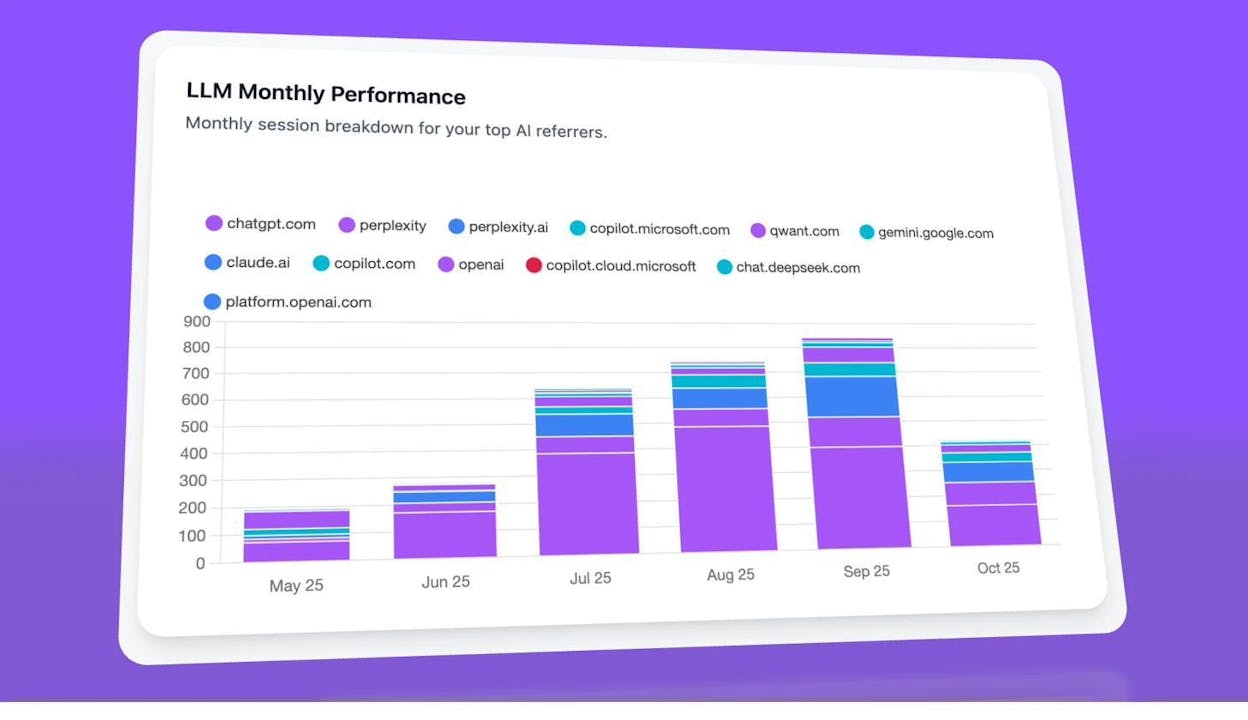
This lets you connect your technical SEO work (like implementing schema) to actual traffic from both traditional and AI search channels — which is ultimately what matters.
Quick-Start Checklist
Here is a simple checklist to get schema markup right:
-
Audit what you have. Check your current pages with Google’s Rich Results Test or the Schema.org Validator to see if you already have schema and whether it is valid.
-
Add Organization schema to your homepage. Use your CMS, plugin, or manual JSON-LD. Include your name, logo, URL, and social profiles.
-
Add Article schema to every blog post. Most SEO plugins handle this automatically. Verify it is enabled.
-
Add Breadcrumb schema site-wide. This helps Google understand your site structure and can improve how your URLs appear in search.
-
Add content-specific schema where it applies. Product pages get Product schema. Event pages get Event schema. FAQ sections get FAQ schema.
-
Validate everything. Run your pages through the Rich Results Test and the Schema.org Validator.
-
Submit for reindexing. Use Google Search Console to request indexing for your most important pages.
-
Monitor in Google Search Console. Check the Enhancements section weekly for the first month to catch errors early.
-
Track AI search visibility. Use Analyze AI to monitor whether your well-structured pages are being cited in AI-generated answers and earning AI referral traffic.
-
Review quarterly. Schema requirements change. Google adds and removes supported types. Check Google’s structured data documentation quarterly to stay current.
Final Thoughts
Schema markup is not glamorous. It does not go viral. But it is one of the most reliable ways to improve how your pages appear in search and how machines understand your content.
The implementation is simpler than most people think — for WordPress sites, it is literally a plugin setting. For everyone else, it is a few minutes with a code generator and a copy-paste into your page template.
What makes it worth doing in 2026 specifically is the AI search dimension. Structured data does not just earn you rich results in Google. It makes your content clearer and easier to parse for every system that reads it — including ChatGPT, Perplexity, and the other AI engines that are driving an increasing share of referral traffic.
SEO is not dying. It is evolving. And structured data is one of the fundamentals that bridges traditional search and AI search. Get it right, and you benefit from both.

Ernest

Ibrahim


