



Summarize this blog post with:


In this article, you’ll get the exact stack of tools we recommend for SEO and GEO agencies running real client work in 2026. You’ll see what each tool does, how agencies use it day to day, and where it fits alongside the rest of the stack. You’ll also see how every classic SEO workflow now has a parallel motion for AI search.
Table of Contents
The agency stack tradeoff
Most agencies cannot buy every tool on this list. The retainer caps what you can spend, and the stack has to leave room for salaries, content, and links. The real question is which tools earn their seat on a stack that has to stretch across ten or thirty client accounts.
Three things tend to determine the answer. The first is whether a tool supports multi-client work natively, with separate workspaces and consolidated billing. The second is how much data you can reuse across clients. The third is whether the tool gives you something to charge for, like a dashboard, a report, or a recommendation that becomes part of the deliverable.
Here are the tools that consistently pass that test.
The full stack at a glance
|
Tool |
Best for |
Type |
|---|---|---|
|
Google Search Console |
Monitoring indexation and Google performance |
Free |
|
Google Analytics 4 |
Total website performance and AI referral traffic |
Free |
|
Ahrefs |
All-in-one SEO platform |
Paid |
|
Analyze AI |
AI search visibility, prompts, citations, and traffic |
Paid |
|
Screaming Frog |
Site crawling and technical audits |
Free / Paid |
|
Surfer SEO |
On-page content optimization |
Paid |
|
Buzzstream |
Outreach CRM for link building |
Paid |
|
Google Trends |
Identifying seasonal search trends |
Free |
|
Google Colab |
Running Python scripts for SEO automation |
Free |
|
Google PageSpeed Insights |
Page performance and Core Web Vitals |
Free |
|
Google Looker Studio |
Multi-source SEO reporting dashboards |
Free |
|
ChatGPT, Claude, Perplexity |
Automating research, drafting, and analysis |
Free / Paid |
|
Yext |
Local SEO at scale |
Paid |
|
Botify |
Enterprise technical SEO and log file analysis |
Paid |
|
SEO Monitor |
SEO forecasting and business cases |
Paid |
|
Chrome DevTools |
Inspecting code, render, and network behavior |
Free |
1. Google Search Console
GSC is the first thing any agency asks for when a new client signs the contract. It is free, comes from the source, and is the only place you can see how Google actually treats the site.
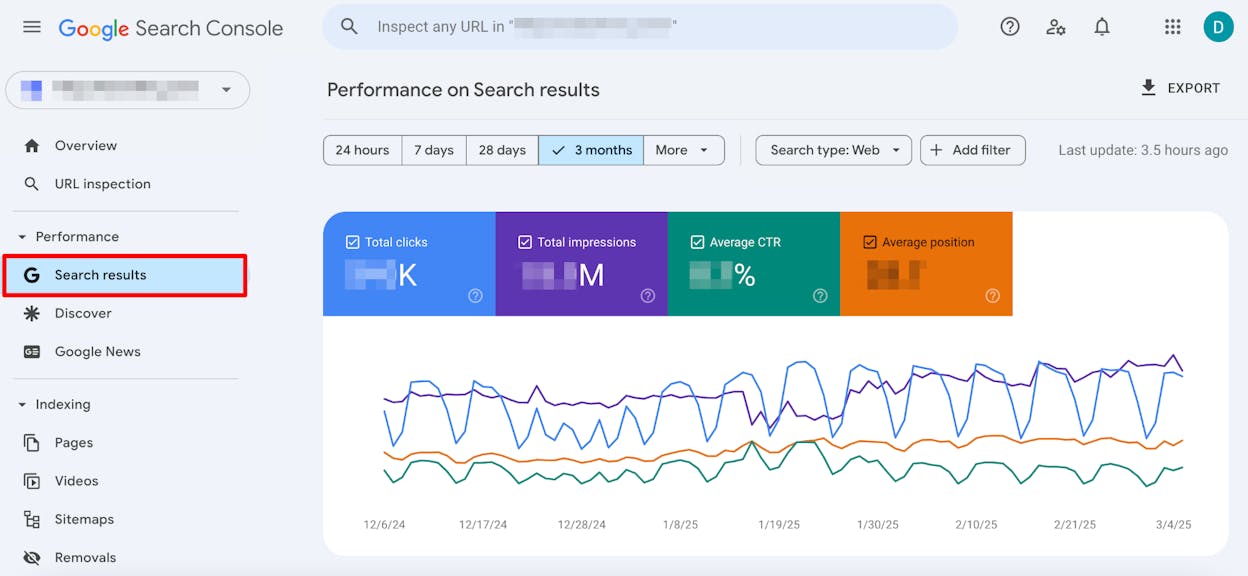
In an agency setting, GSC earns its keep across a few jobs. You use the Performance report to find queries the site already ranks for on page two, the kind of low hanging fruit that often turns into a quick win. You watch the Pages report for indexation issues that quietly tank traffic. You request reindexing after publishing or fixing pages. You pull data through the API into your reporting stack so you are not opening twenty browser tabs every Monday.
For agencies juggling many clients, the API is the unlock. Pulling GSC data into Looker Studio or BigQuery gives every account manager a single place to track winners, losers, and CTR drops without manual exports.
The AI search counterpart. GSC does not show you which prompts in ChatGPT or Perplexity returned your client’s pages, and it likely never will. That visibility lives in a tool like Analyze AI, which we cover below.
2. Google Analytics 4
The other request you make on day one. GA4 gives you the conversion side of the picture, which is what every CMO actually wants to see in the monthly report.
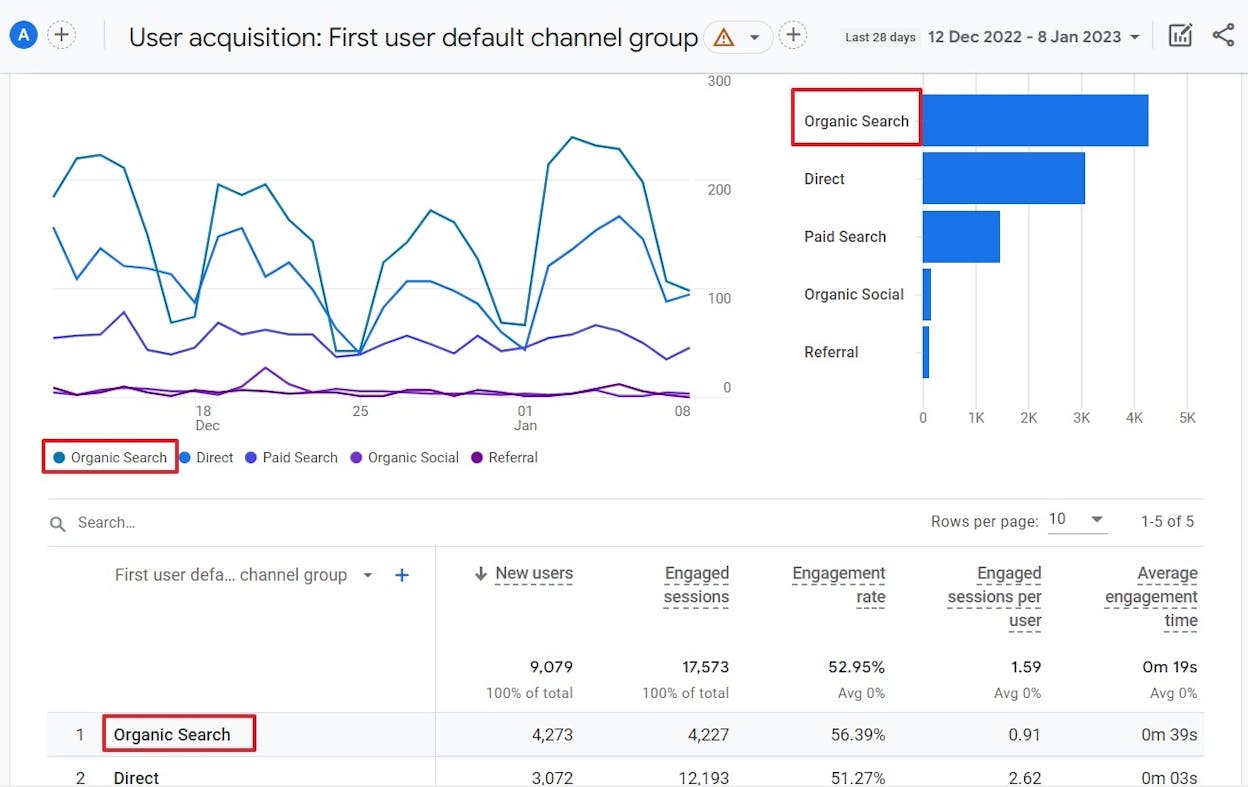
Agencies use GA4 for three things. The first is attribution, tying organic sessions to leads, sign ups, and revenue. The second is benchmarking the SEO channel against paid, social, and direct. The third, and this is newer, is tracking AI referral traffic from chatgpt.com, perplexity.ai, gemini.google.com, and copilot.com. These referrers now show up in GA4 and they will quietly grow into a meaningful slice of organic over the next year.
A clean GA4 setup with proper conversion events is the difference between an SEO report nobody reads and one that gets you the budget increase.
Alternatives. Adobe Analytics or GA 360 for enterprise. Plausible and Fathom for privacy first agencies.
3. Ahrefs
Ahrefs is the all-in-one SEO platform most agencies center their stack around. Site Explorer is the strongest competitor analysis tool on the market, Keywords Explorer covers every research workflow, Site Audit handles technical crawls, and Rank Tracker gives you keyword tracking across all your client accounts in one workspace.
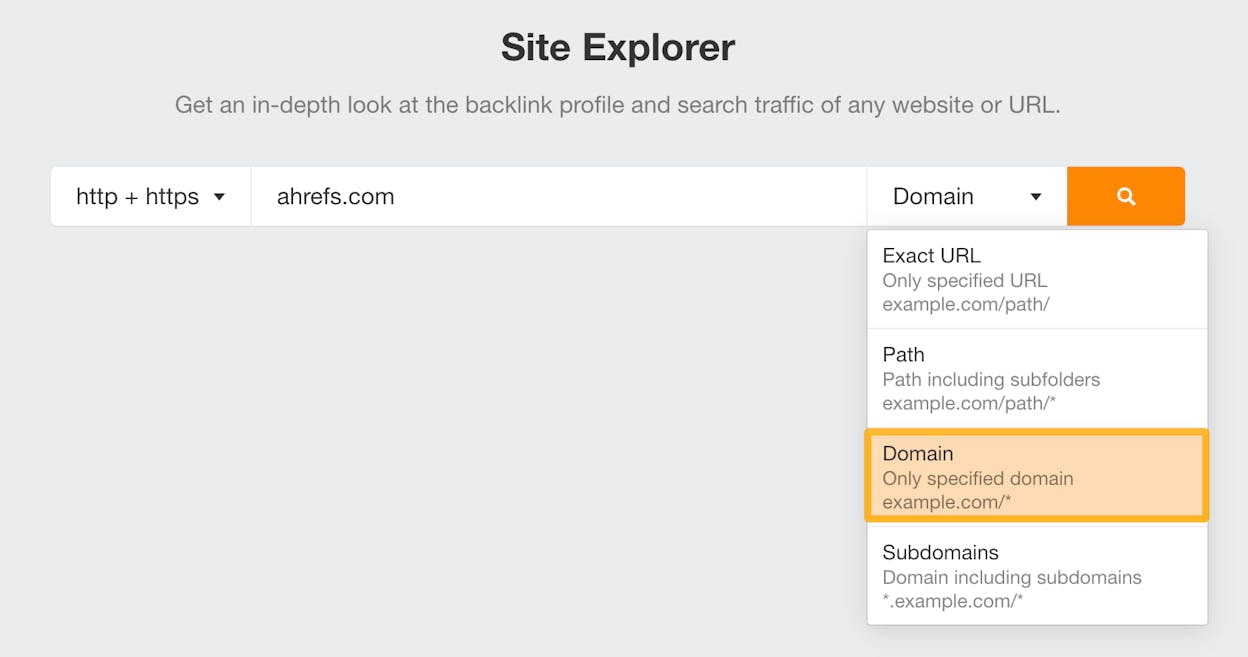
The reason agencies pick Ahrefs over alternatives usually comes down to data. The crawl is large enough that competitor backlink profiles, keyword overlaps, and content gap analyses actually return useful results, even for niche industries.
If you want a full rundown of how it stacks up to the rest of the market, our Ahrefs review goes deeper. For agencies specifically evaluating their stack, our breakdown of the best SEO tools for agencies compares the main contenders across pricing, multi-client features, and reporting depth.
Alternatives. Semrush is the closest like for like. SE Ranking and Mangools are cheaper if you mostly need rank tracking and keyword research. For free checks, you can use our website authority checker, keyword rank checker, keyword difficulty checker, and SERP checker.
4. Analyze AI
If Ahrefs is the platform agencies use to track Google performance, Analyze AI is the equivalent for ChatGPT, Perplexity, Gemini, Claude, and Copilot. We built it because the agencies we work with kept asking the same question. They could prove SEO impact in a Looker Studio dashboard, but they had no way to show clients whether their brand showed up when someone asked an AI engine for a recommendation.
The platform covers the four jobs an agency needs to run an AI search account. You discover where your client appears across answer engines and which sources the models cite. You monitor visibility, sentiment, share of voice, and prompt rankings over time. You improve content with line by line gap analysis. You govern the narrative, watching for negative framings and competitor wins.
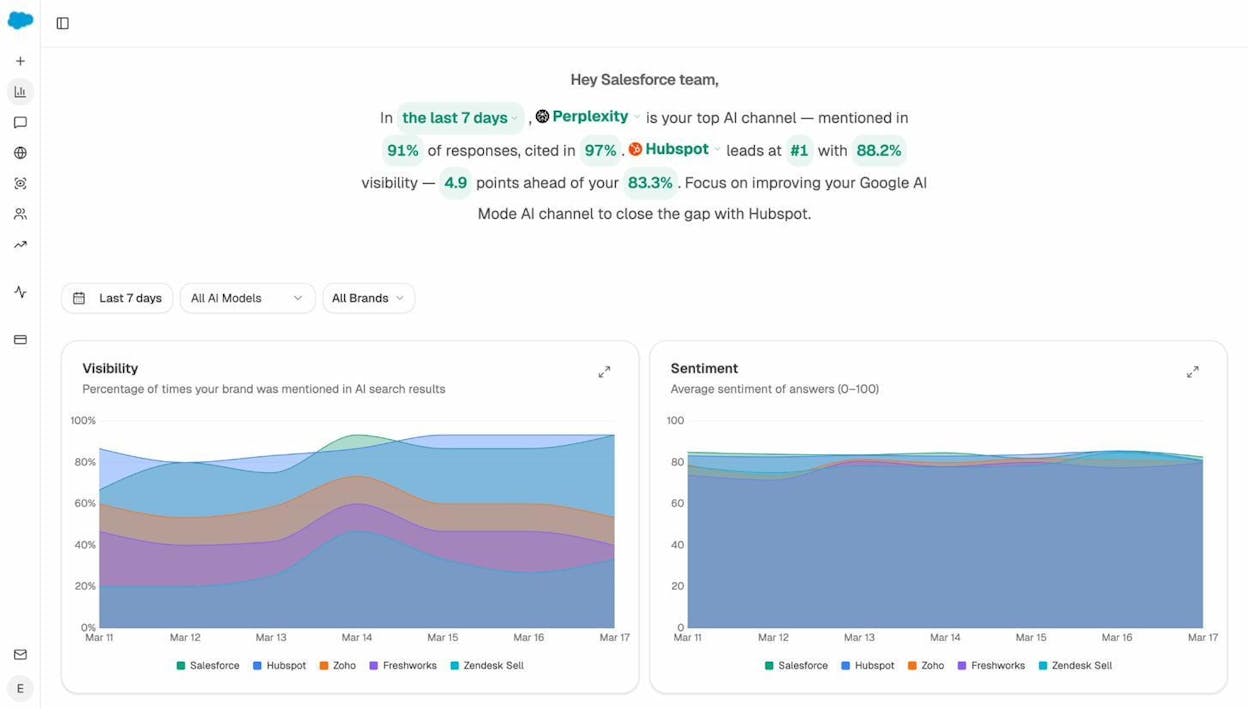
Tracked prompts are the core unit. You define the prompts your clients want to win (think “best CRM for enterprise” or “alternatives to HubSpot”) and Analyze AI runs them daily across every major engine, returning visibility, sentiment, position, and the brands cited alongside.
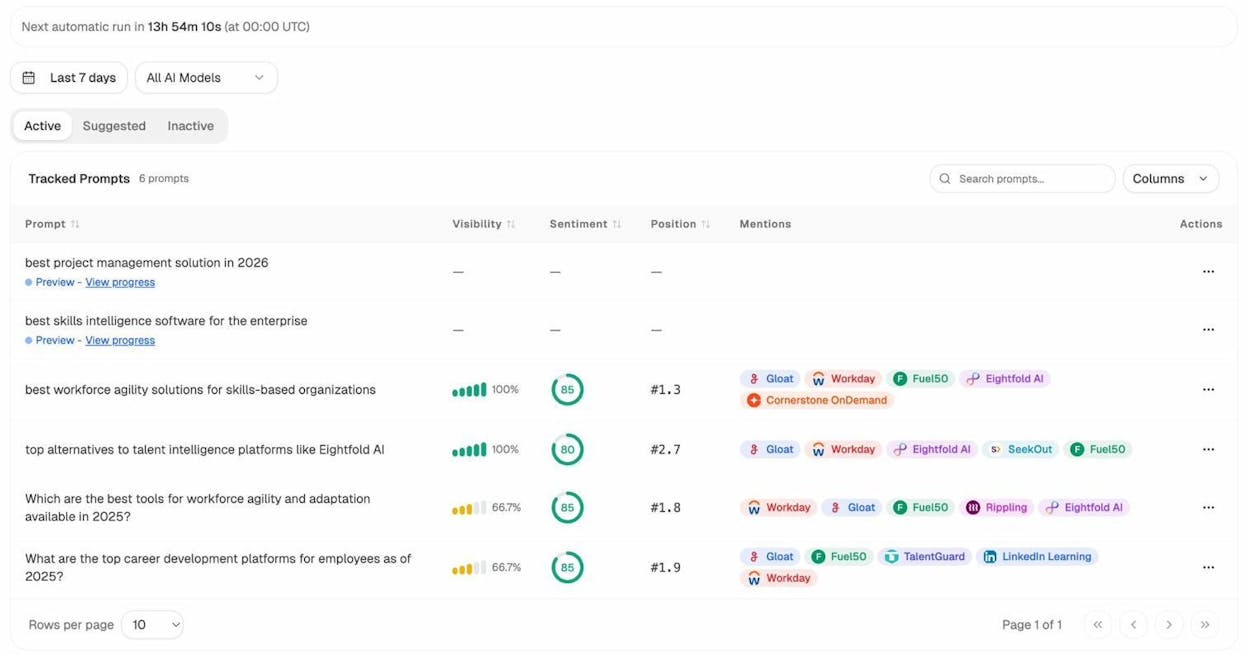
Two things matter for agencies specifically. The first is multi-org switching. You can hold every client in a separate workspace and switch between them with a click, the same way you switch between Ahrefs projects. Each workspace has its own prompts, competitors, sources, and reports.
The second is the agent layer launching soon. Analyze AI ships with more than 200 nodes that let agencies build custom AI search workflows without writing code. You can wire up a node that auto detects new prompts a client should track, another that drafts a brief based on cited competitor pages, another that emails the account manager when share of voice drops more than five points. This is the part that lets a small agency operate against many accounts without burning a strategist on every alert.
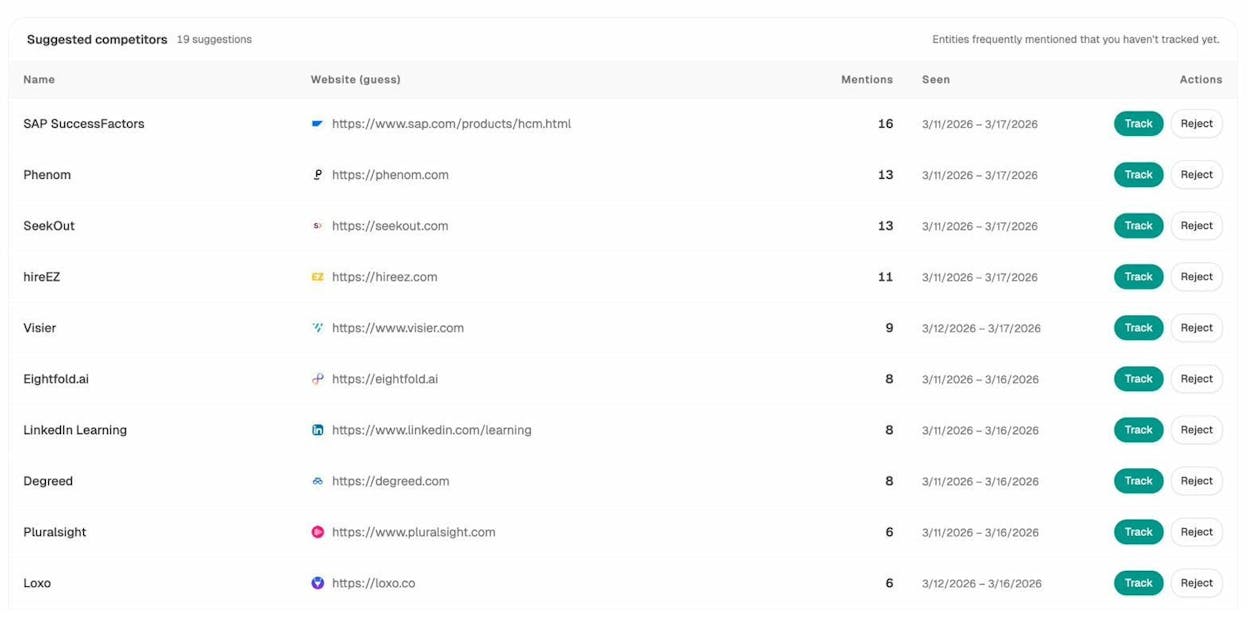
For revenue conversations, AI Traffic Analytics ties referral sessions from each engine to landing pages and conversions, so you can show a CMO exactly how much pipeline came from ChatGPT last month.
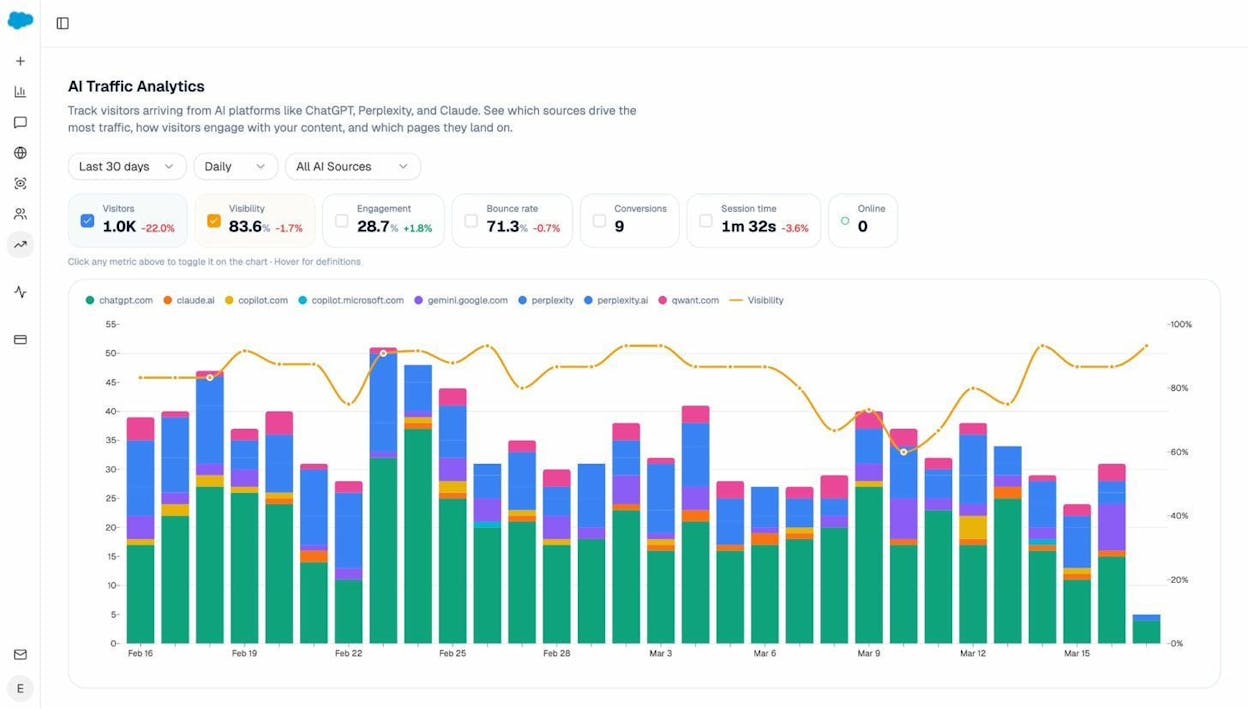
The Sources dashboard tells you which domains models cite most in your client’s category. That answers the most useful question in GEO, which is where you need to earn placements to show up in AI answers.
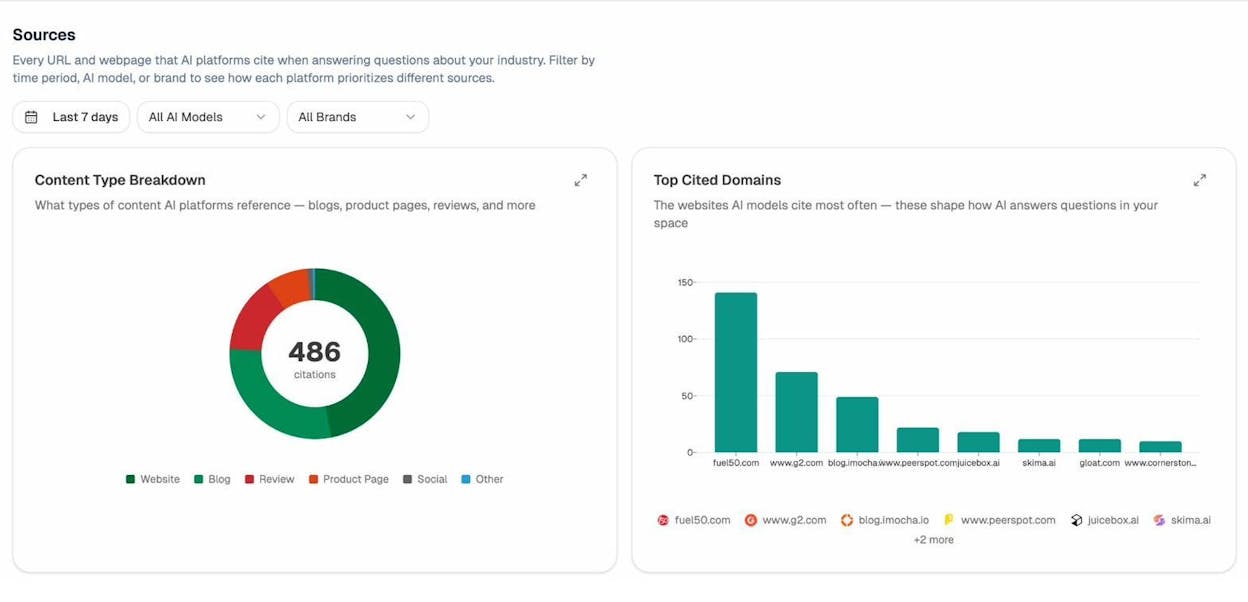
The Weekly Email Digest is what most account managers actually open on Monday. It is a one screen summary of visibility shifts, competitor moves, and the citations you gained or lost over the week.
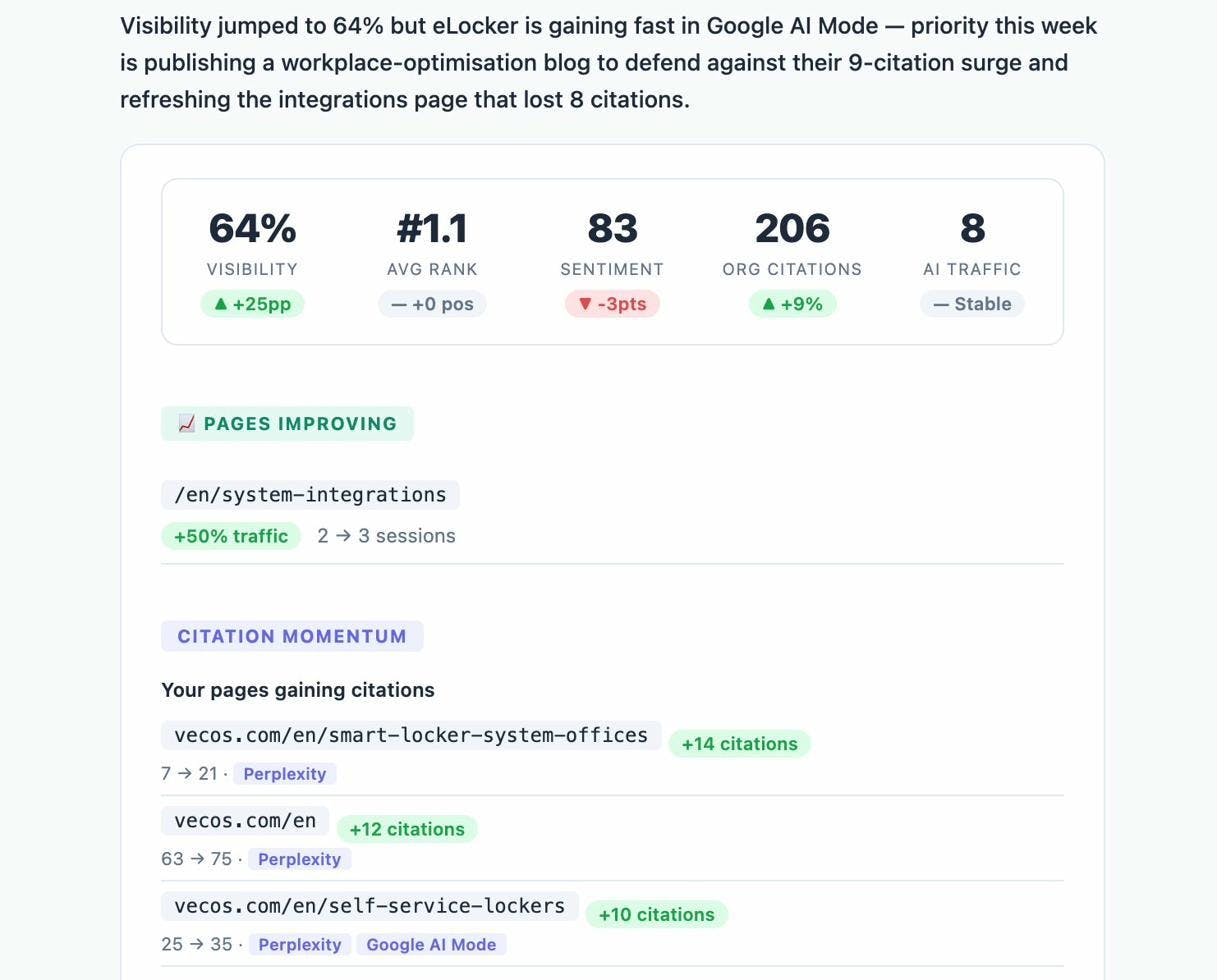
If you want to see how the platform compares to the rest of the AI search analytics market, our piece on the best tools for tracking brand visibility in AI search covers the full landscape.
Alternatives. Profound, AthenaHQ, Peec AI, and Otterly are the others to evaluate. The honest comparisons are in our reviews of Profound vs Peec vs AthenaHQ and our list of AI visibility platforms for PR and SEO agencies.
5. Screaming Frog
Screaming Frog is the website crawler most agency SEOs cut their teeth on. It runs locally, crawls fast, and gives you every URL, status code, title tag, and meta description on the site in a single file.
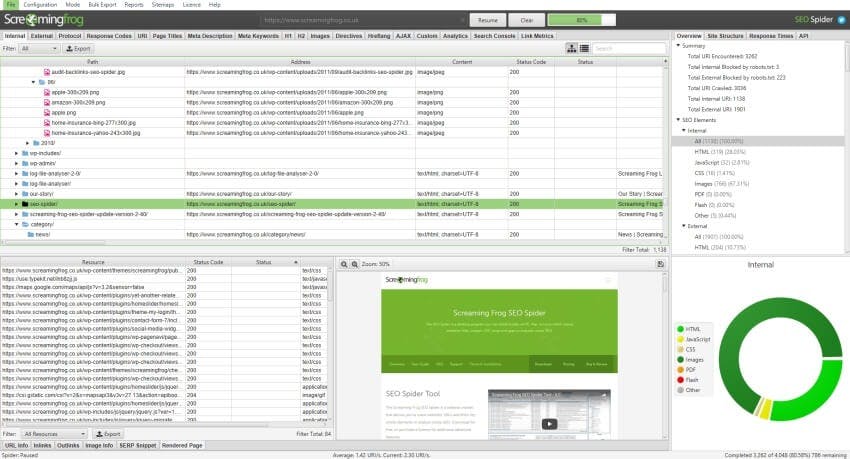
Agencies use it for ad hoc audits, custom extraction (pulling product prices, schema, or specific HTML patterns), and comparing one crawl against another to see what changed. The free version covers 500 URLs. The paid license unlocks unlimited URLs, scheduling, and JavaScript rendering, which is what you need for anything bigger.
A common workflow is to schedule weekly crawls in the cloud and feed the deltas into your reporting dashboard, so you can spot a missing canonical or a noindex slipped into a template before traffic actually drops.
Alternatives. Sitebulb is the closest competitor and many agencies prefer its visualizations. For broken link discovery you can also use our free broken link checker.
6. Surfer SEO
Surfer is the on page optimization tool agencies use when a client asks why their page isn’t ranking and the answer is keyword coverage, structure, or word count. It scrapes the top ranking pages for a query, builds a content brief from what they have in common, and gives the writer a real time score as they edit.
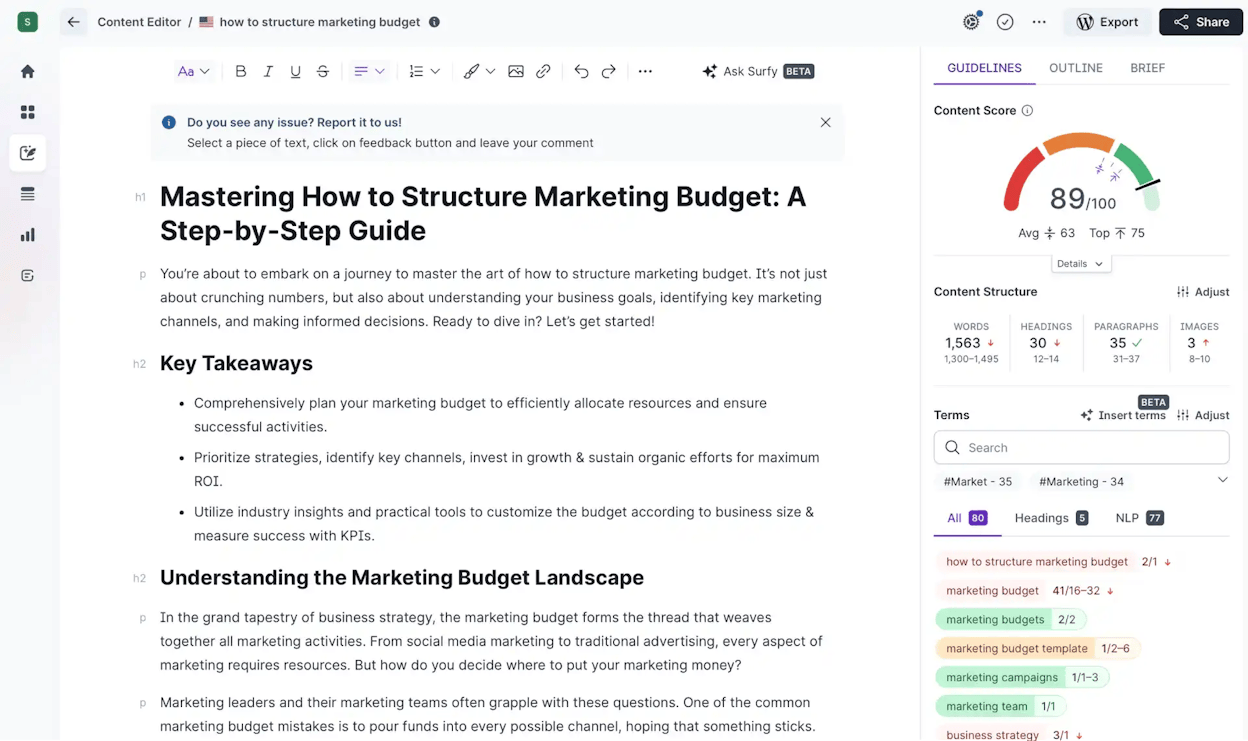
Agencies use Surfer in two modes. The first is brief generation for new content. The second is optimization of pages that already rank on page two, where you can usually move them up by closing structural and coverage gaps. The honest assessment is in our Surfer SEO review.
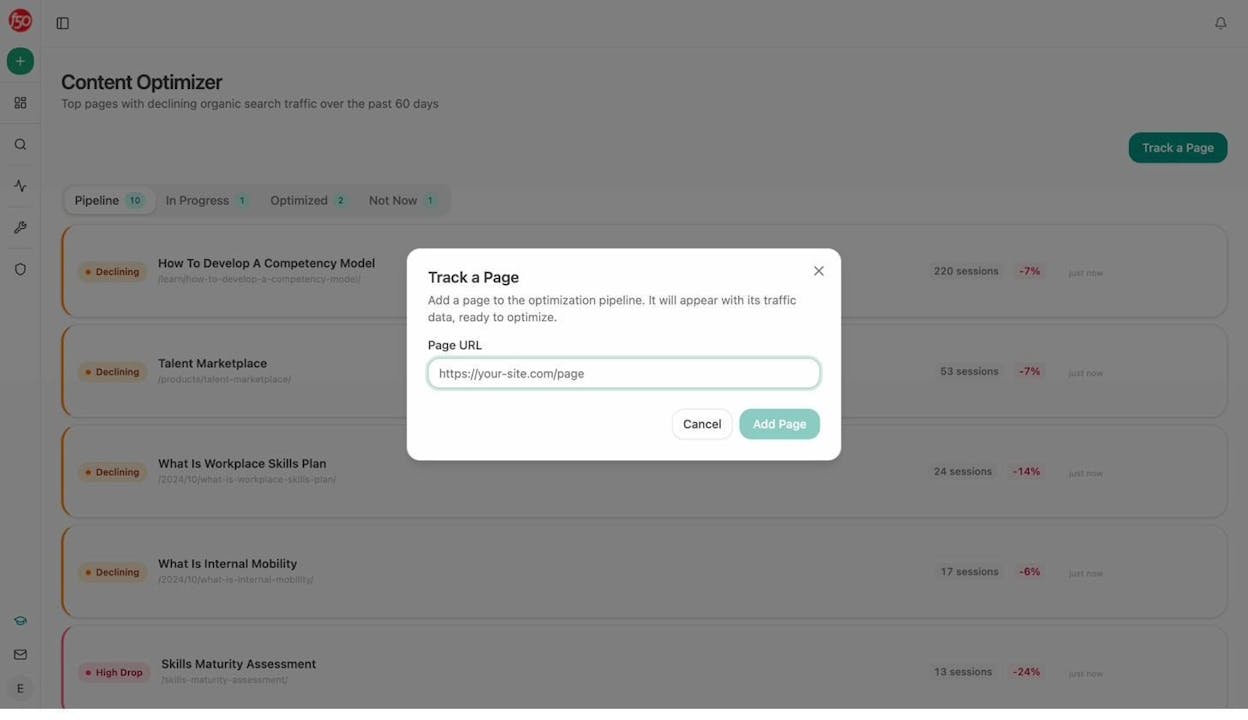
The AI search counterpart. A page that ranks on Google is not automatically cited by AI engines. Engines look for entity coverage, source credibility, and structural cues that Surfer was not built to score. Analyze AI’s Content Optimizer audits any URL for AI visibility specifically, returning citation likelihood, entity gaps, and section-by-section suggestions.
Alternatives. Frase and Clearscope cover similar ground. Our list of Surfer AI tracker alternatives covers options for the AI side.
7. Buzzstream
Buzzstream is the outreach CRM most link building teams default to. It handles prospect discovery, email templates with merge fields, contact organization, and the back and forth thread tracking that makes outreach manageable when you are working a hundred prospects per campaign.
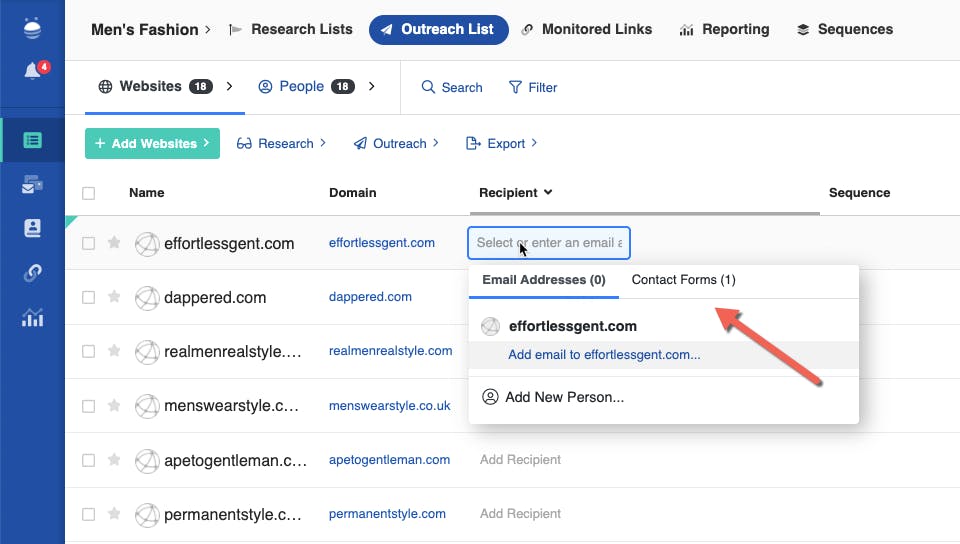
Link building is a numbers game. You need to send a lot of personalized emails, follow up on the right cadence, and not double pitch the same contact across two clients. Buzzstream’s CRM structure is built for that.
Alternatives. Pitchbox is the other serious option. Our roundup of the best backlink building tools covers the full landscape.
8. Google Trends
Google Trends is free, fast, and the only place to see seasonality on a query before you commit to the content calendar. Agencies use it to time evergreen pages around traffic peaks, to spot rising terms before competitors do, and to compare two queries when keyword research is ambiguous.
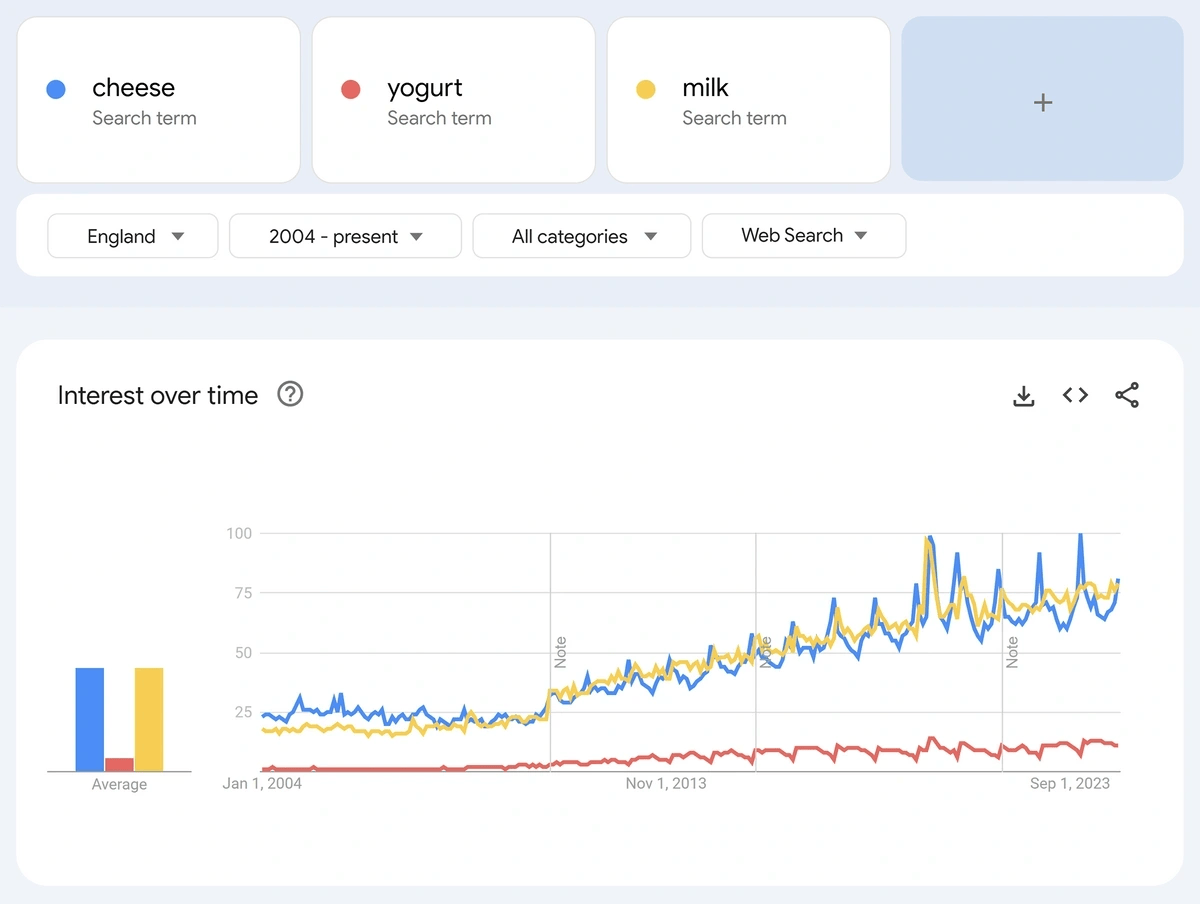
The trick most agencies miss is using the geographic and related queries panels. Geographic tells you which markets a term is hot in. Related queries surface long tail your keyword tool will not.
The AI search counterpart. Trends does not show you what people ask AI engines, because those queries are private. Analyze AI’s prompt discovery suggests prompts your tracked competitors win on, which is the closest equivalent.
9. Google Colab
If you want to run Python for SEO and your agency security policy does not allow local execution, Colab is the workaround. It runs notebooks in the cloud, integrates with Drive, and handles the libraries you need (Pandas, requests, BeautifulSoup, the OpenAI SDK) out of the box.
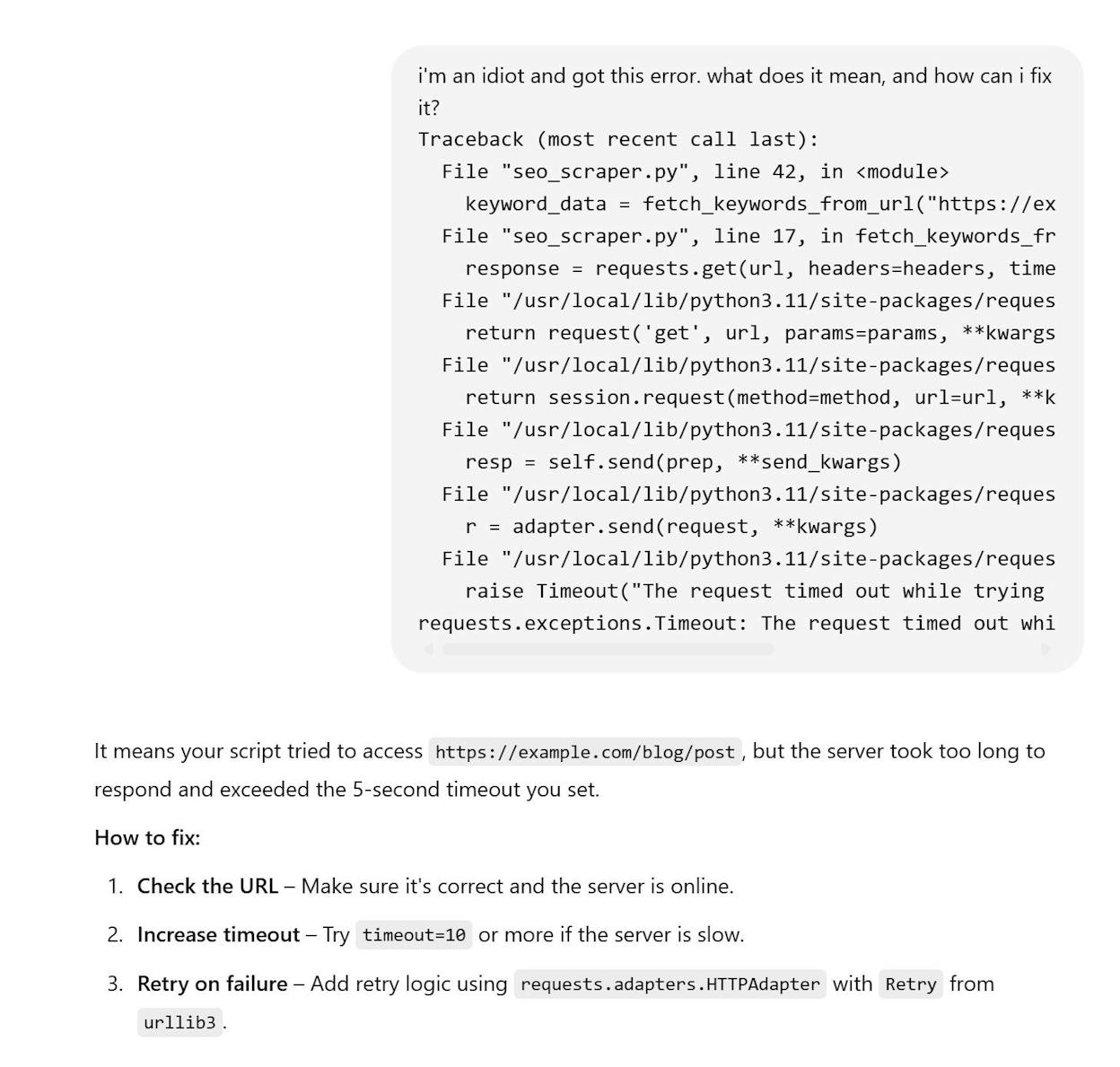
Most agencies use Colab for repetitive jobs that do not justify a full engineering build. Bulk redirect mapping during a migration. Internal link suggestions across thousands of URLs. Title tag rewrites at scale. Pulling search volume from APIs and joining it against GSC data. Once you have a few notebooks that work, you reuse them across every client.
For inspiration, the public SEO Python repos from JC Chouinard and Lee Foot are worth bookmarking.
Alternatives. Jupyter Notebook for local execution. Replit for hosted execution.
10. Google PageSpeed Insights
PSI grades any URL on Core Web Vitals and gives you a 0 to 100 performance score plus a list of optimizations. Site speed influences rankings and conversions, and PSI is the official Google view of where you stand.
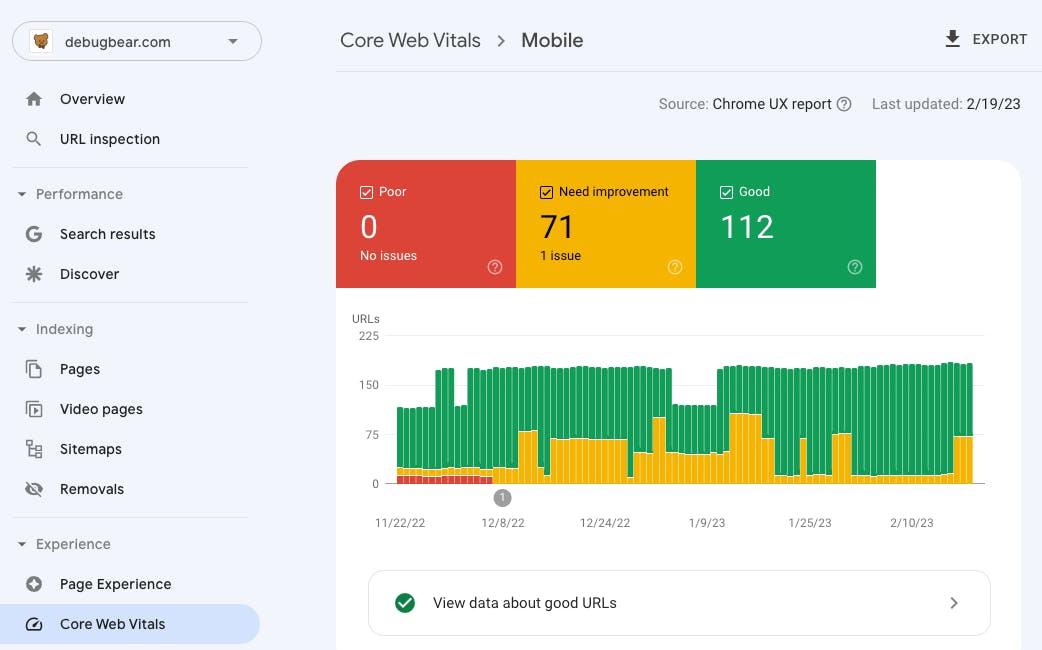
The trick for agencies is bulk analysis. Running PSI on one URL is easy. Running it across a 5,000 page ecommerce site requires the API plus a script. For client reporting, you usually want to track the metrics on a few critical templates rather than every URL.
Alternatives. WebPageTest for waterfall analysis. GTmetrix for client facing reports.
11. Google Looker Studio
Looker Studio is what most agencies build their client dashboards in. It connects to GA4, GSC, BigQuery, and most SEO platforms through community connectors, and gives the client a live URL they can check anytime instead of waiting for the monthly slide.
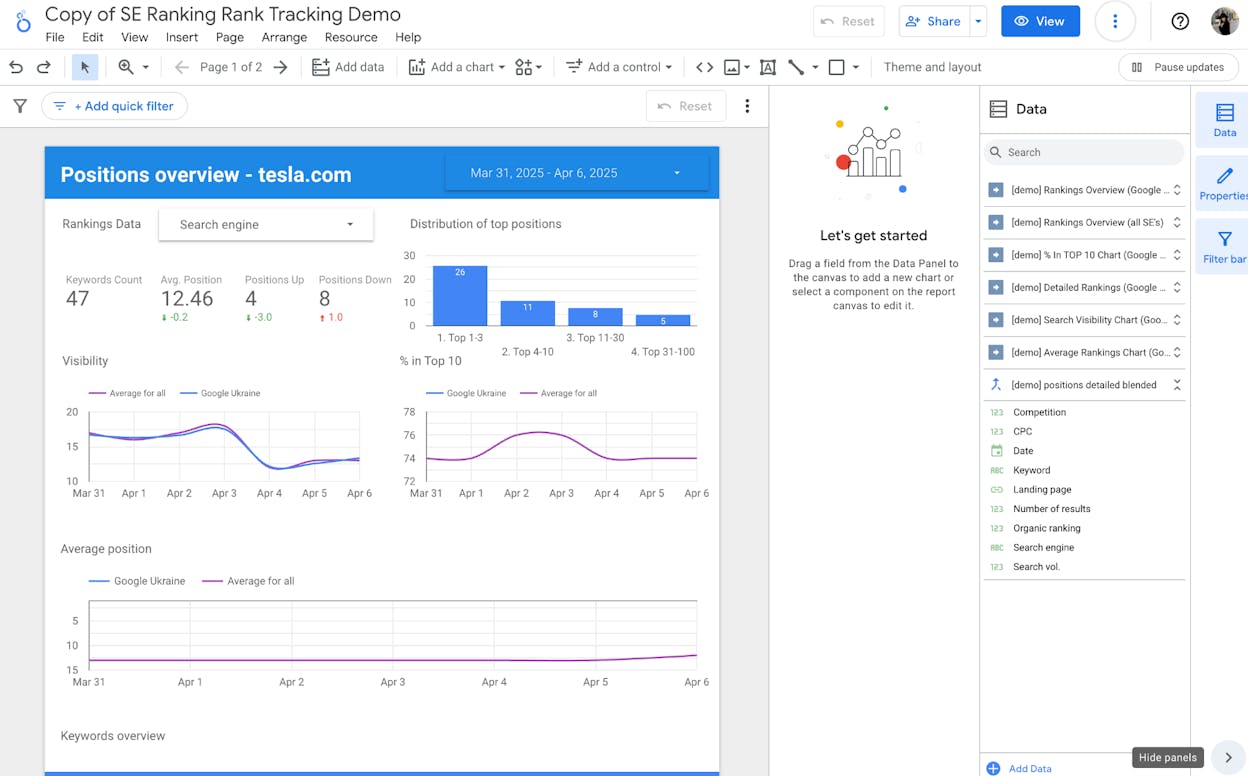
The two things to get right are the data model and the conversation the dashboard supports. A dashboard with twenty charts and no commentary teaches the client nothing. A dashboard with five charts, a clear “what changed this week” section, and an action list is what gets contracts renewed.
For multi client agencies, the move is to template once and clone per account. Build a master dashboard with parameterized data sources, then duplicate it for each client and swap the connections.
Alternatives. Power BI and Tableau for enterprise. For a comparison against the AI search reporting layer, see our Analyze AI vs Looker Studio breakdown.
12. ChatGPT, Claude, and Perplexity
The general purpose AI tools have moved from novelty to core stack. They handle the work that used to eat junior time, like first draft outlines, meta description rewrites in bulk, schema generation, regex patterns, log file summaries, and ad hoc data wrangling.
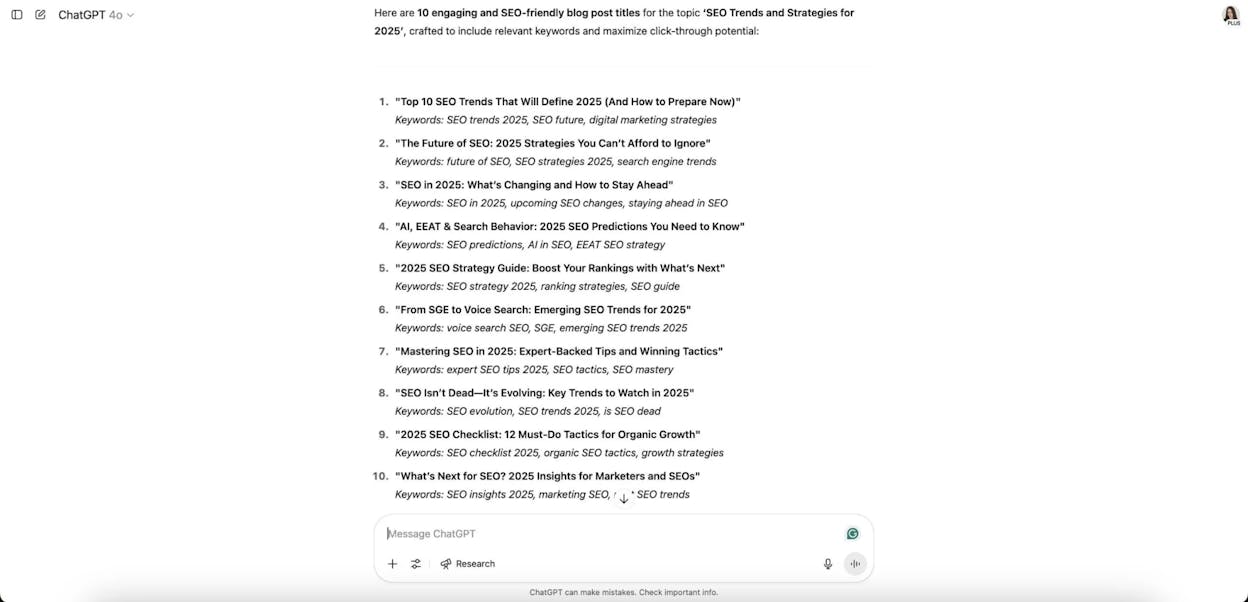
The honest agency workflow uses them as a research and drafting assistant, not as a publishing tool. The drafts go through a strategist and an editor before they hit a CMS. That is the line between agencies that scale with AI and agencies that get penalized for thin content.
If you want a single AI search engine to test prompts in, Perplexity is the most useful because it shows the citations alongside the answer. The same logic applies in reverse. If AI engines are starting to drive traffic to your clients, you need to be ranking inside them, which closes the loop back to Analyze AI.
13. Yext
If your agency works with multi location brands, hotels, healthcare networks, retail chains, restaurant groups, you need a listings management tool. Yext pushes business data (hours, addresses, descriptions, photos) to a hundred plus directories from one console, and monitors discrepancies that tank local rankings.
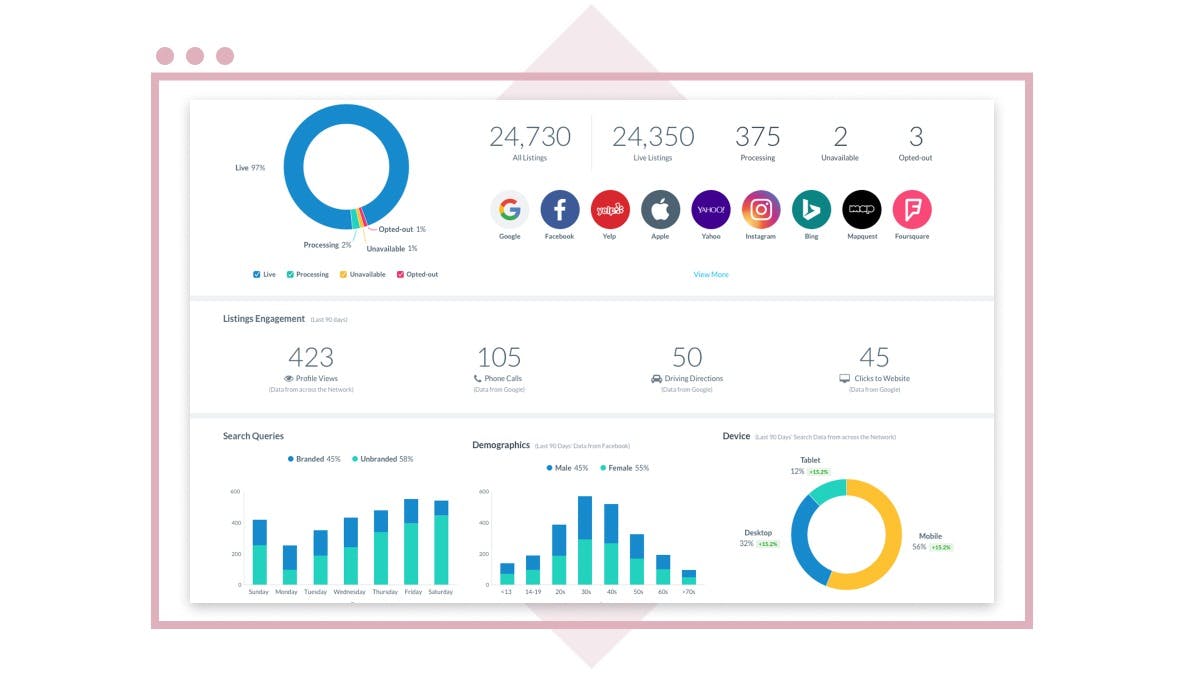
The agencies that get the most out of Yext run a documented monthly review where they audit listing accuracy, respond to reviews flagged by sentiment, and report local pack rankings.
Alternatives. BrightLocal is generally cheaper. Whitespark is excellent for citation building.
14. Botify
Botify is the enterprise technical SEO platform for sites with millions of URLs. It crawls at scale, ingests log files, and shows you exactly which URLs Googlebot is and is not visiting, which is the foundation of any crawl budget conversation.
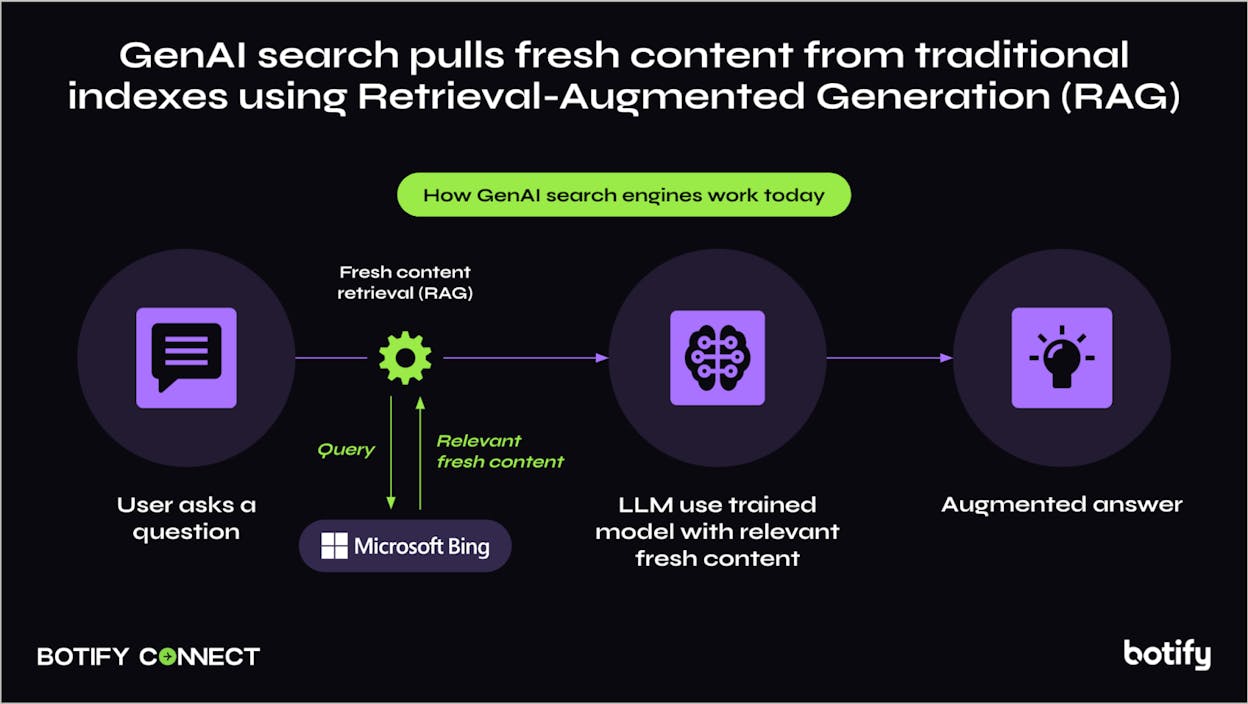
If you work with ecommerce, publishers, or marketplaces, Botify surfaces the issues a desktop crawler cannot. Faceted navigation eating budget. Important categories Google has not crawled in three months. Soft 404s in the millions. The diagnostics turn into prioritized engineering tickets.
Alternatives. OnCrawl covers similar ground at a lower entry price. Lumar (formerly Deepcrawl) is the third option.
15. SEO Monitor
The hardest sell in SEO is the business case. Clients want to know how much traffic and revenue an investment will produce before they sign off. SEO Monitor is built specifically for that, generating defensible forecasts based on keyword level CTR curves, search volume, and current rankings.
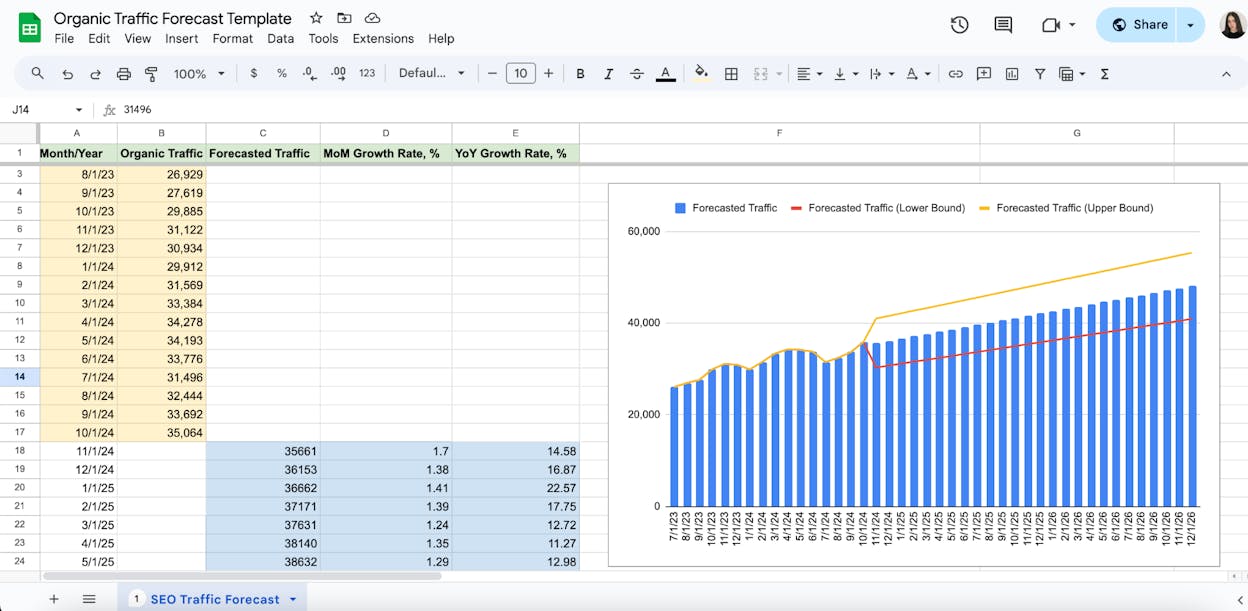
For agencies pitching enterprise contracts or asking for budget increases, the forecasting module pays for itself the first time it lands a renewal.
16. Chrome DevTools
For the technical SEOs in the agency, DevTools is the first place you check when something is broken or behaving strangely. The Network panel shows what loaded, in what order, and how big it was. The Elements panel shows the rendered DOM versus the source HTML, which is how you debug JavaScript SEO. Lighthouse runs PSI locally with more detail.
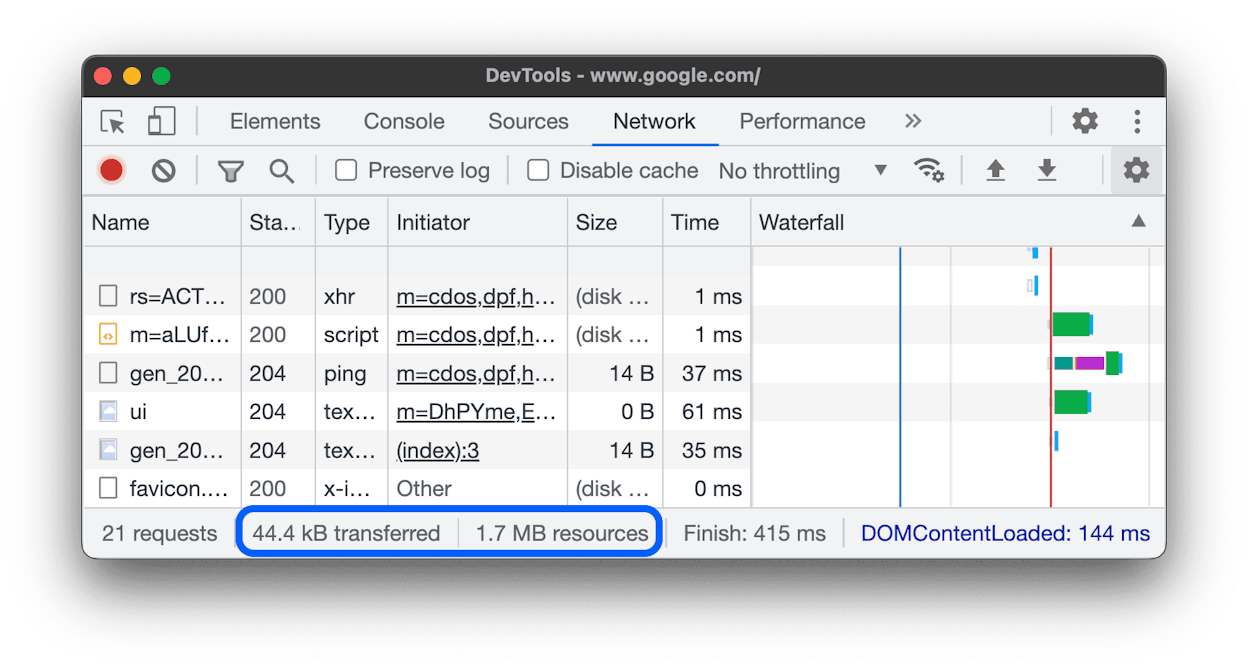
The investment is in muscle memory. Once you know how to throttle the network, simulate Googlebot’s user agent, and read the rendered HTML, most “why isn’t this page indexed” tickets become 10 minute investigations.
The browser extensions that complement it are Wappalyzer, Robots Exclusion Checker, Hreflang Tag Checker, Detailed SEO Extension, and Linkclump.
How agencies actually combine these tools
A working stack does not use every tool every day. Here is the rhythm we see at agencies running 10 to 30 client accounts.
Daily. Looker Studio dashboards refresh, the Weekly Email Digest from Analyze AI lands on Monday, GSC and GA4 are checked when a strategist preps for a client call.
Weekly. A scheduled Screaming Frog or Botify crawl runs against each client. Surfer or Analyze AI’s Content Optimizer is used on whichever piece is being shipped that week. Buzzstream campaigns get follow ups sent.
Monthly. Ahrefs is used for the deep competitor reviews and content gap work. SEO Monitor produces the forecast slide. The client report gets assembled from the dashboard plus a written commentary.
Quarterly. The team revisits prompt coverage in Analyze AI, swaps out underperforming prompts, adjusts the competitor set, and ships a strategic update on AI search visibility alongside the standard SEO review.
The agencies winning right now are the ones that closed the loop between SEO and AI search. The same content fuels both. The same audit catches problems that hurt both. And one weekly read tells you whether your client is gaining or losing ground in either channel.
Final thought
The right agency stack is the smallest stack that lets you deliver against your retainer without burning out the team. Add a tool only when the work it unlocks is something you would otherwise have to bill for or skip. Cut a tool when you cannot remember the last time it produced an action.
If you want to see how Analyze AI fits into your agency stack, you can start a project on the homepage.

Ernest

Ibrahim


