



Summarize this blog post with:


In this article, you’ll get a breakdown of the 10 strongest Zapier alternatives for marketing teams in 2026, with honest takes on pricing, capabilities, and the types of workflows each tool handles well (and where each one falls short). You’ll also learn what to look for when switching and how newer platforms compare to Zapier on the things that matter to content, SEO, and growth teams.
Table of Contents
What Marketing Teams Actually Need from an Automation Tool
Zapier is reliable. It connects apps, passes data, and runs “if this then that” logic. For basic triggers and simple handoffs, it works.
But marketing workflows are not basic. You need tools that can pull SEO data, run it through an LLM, generate a draft, check it against your brand voice, and publish to your CMS. All in one workflow. Zapier was not built for that level of depth.
Here is what to evaluate when choosing an alternative.
Does it connect to your marketing stack? Not just Slack and Google Sheets. You need native integrations with GA4, Google Search Console, HubSpot, WordPress, Semrush, and the data sources your team actually uses every day.
Can it handle multi-step AI workflows? A Zapier “zap” moves data from A to B. Modern marketing ops need chained logic, where an agent pulls research, reasons through it with an LLM, drafts content, scores it, and routes it based on quality. If the tool only does linear triggers, it will cap out fast.
Is it built for content and SEO? Generic automation tools treat keyword research, content creation, and internal linking as afterthoughts. The best alternatives have these capabilities baked into the product, not bolted on through third-party workarounds.
Does it support scheduled and event-driven runs? You do not want to click “run” every Monday morning. The tool should let you schedule agents (daily, weekly, monthly) and trigger them based on events like a HubSpot deal closing or a CMS publish.
Is the pricing transparent? Some platforms look cheap at first glance but charge per task, per seat, and per LLM call separately. Make sure you understand the full cost before committing.
With those criteria in mind, here are the 10 alternatives worth evaluating.
10 Zapier Alternatives for Marketing Teams in 2026
-
Analyze AI
-
Make
-
n8n
-
Relay.app
-
IFTTT
-
Lindy AI
-
OttoKit
-
Relevance AI
-
Integrately
-
Workato
1. Analyze AI
-
Best for: Marketing, SEO, and content teams that need agentic workflows with real data integrations
-
Pricing: Starts at $99/month (free trial available)
-
Standout feature: An Agent Builder with 180+ nodes spanning GA4, Google Search Console, Semrush, DataForSEO, HubSpot, WordPress, Notion, and every major LLM
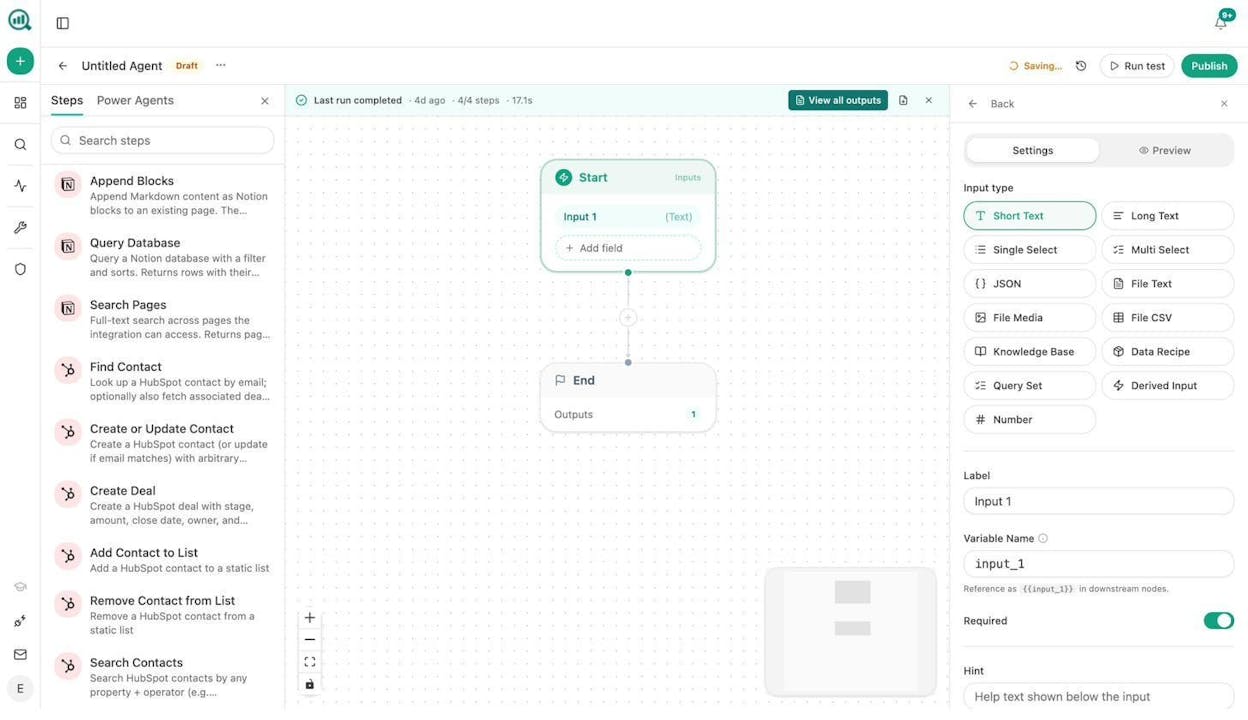
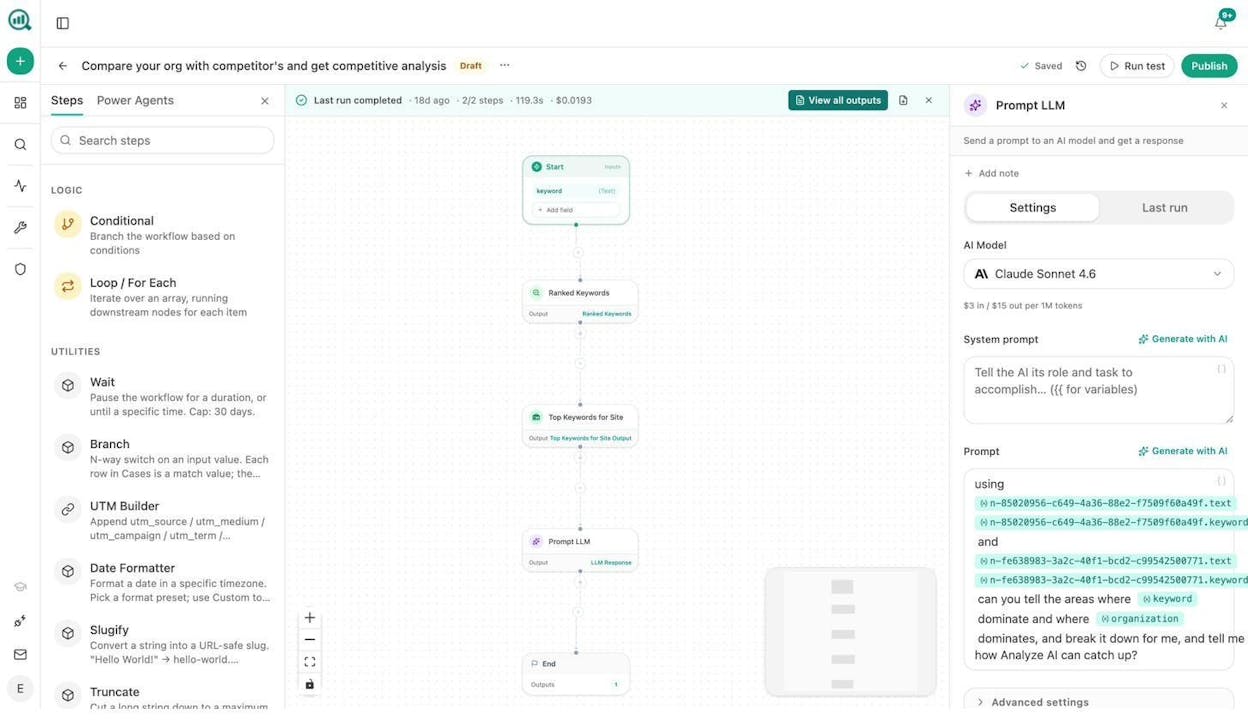
Analyze AI is the agentic platform for SEO, AEO, content, and GTM ops. Where Zapier connects apps to move data between them, Analyze AI gives you a programmable substrate where 180+ nodes, 34 pre-built data recipes, and integrations spanning GA4, GSC, Semrush, DataForSEO, HubSpot, WordPress, Notion, Mailchimp, and all major LLMs (Claude, GPT, Gemini, Perplexity) combine into workflows that do real marketing work.
That distinction matters. A Zapier zap might send a Slack message when a form is submitted. An Analyze AI agent can pull your declining pages from GA4, cross-reference them with AI visibility data, generate refreshed drafts in your brand voice, score each one against an AEO content scorecard, and publish the winners to WordPress. On a schedule. Without anyone clicking “run.”
Here is what a content writing agent looks like inside the builder.
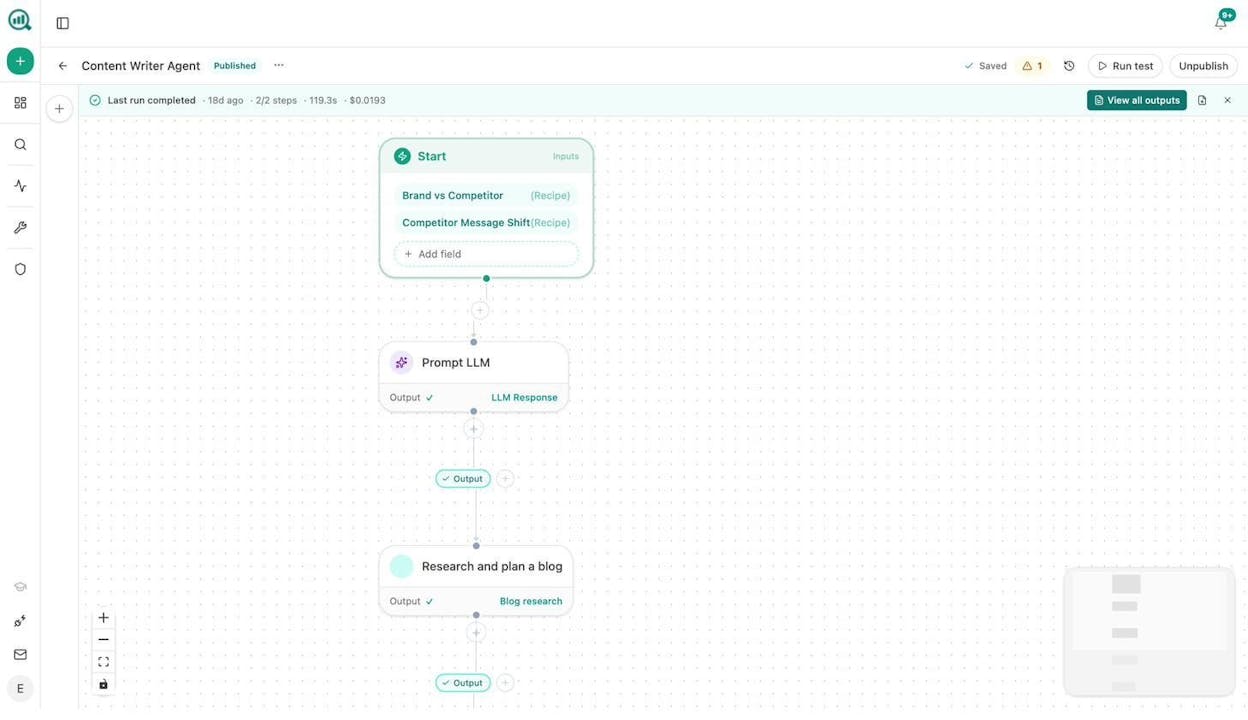
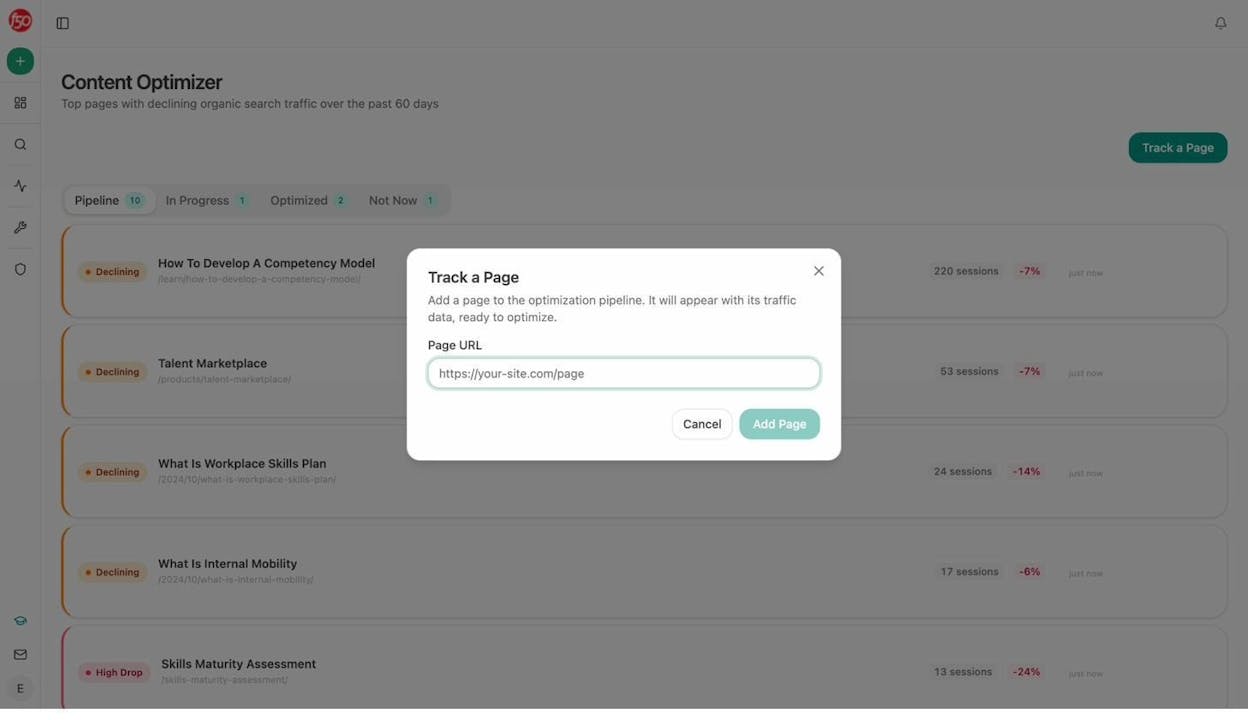
The platform also includes a standalone Content Writer that moves content from idea to research to outline to draft, with AI visibility gaps and competitor analysis baked into every step. And a Content Optimizer that audits any page for both search and AI engine performance, surfaces argument gaps, and provides line-by-line suggestions.
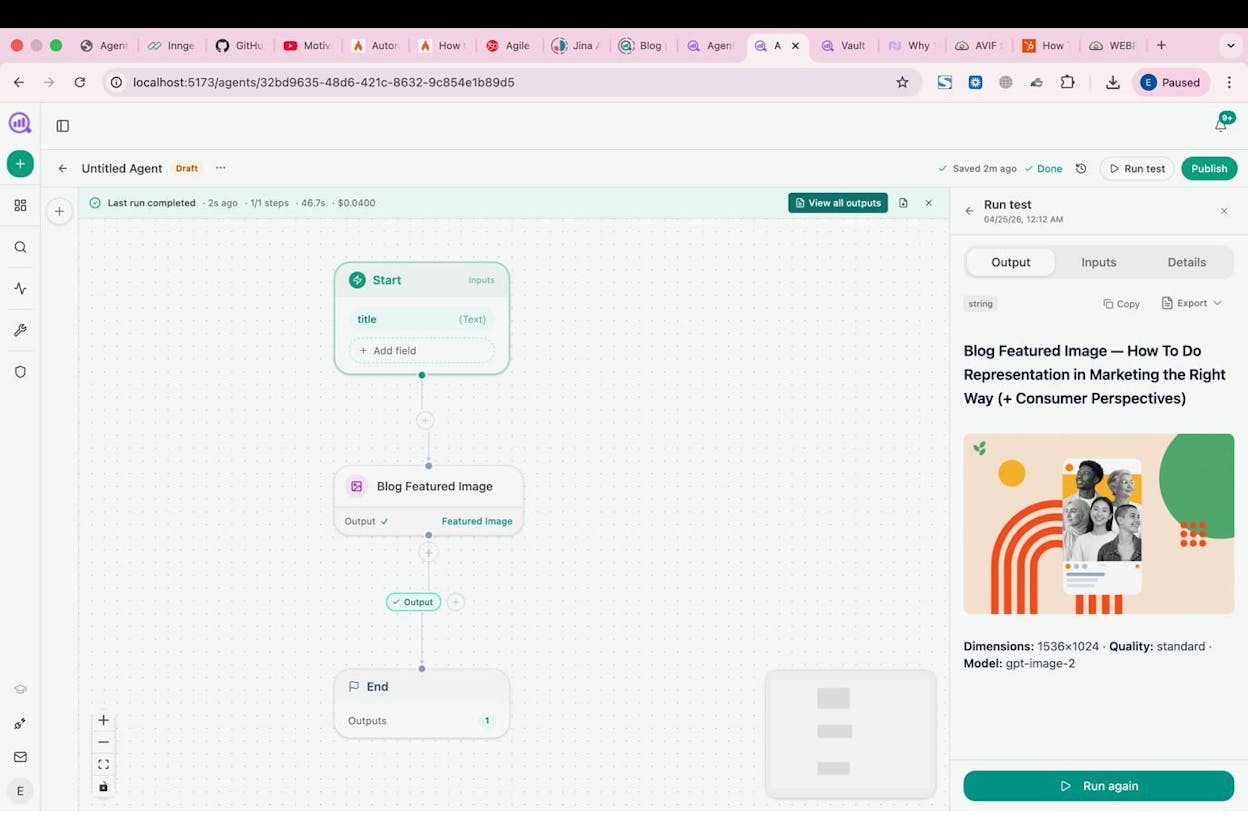
On top of that, the Agent Builder has dedicated nodes for image creation (blog featured images, infographics, social media images) that are brand-kit-aware. You can build an agent that creates a blog post and generates its featured image in one run.
What makes it different from Zapier:
-
Three trigger modes (manual, scheduled, webhook) so agents can run on demand, on a cron, or fire when an event happens in your CRM or CMS
-
34 data recipes that pre-fetch your AI visibility, GSC, GA4, and competitive intelligence data without extra configuration
-
A Brand Vault with 12 blocks (tone, style, proof points, disallowed phrases) that inject automatically into any agent, so every output stays on-brand
-
Sheets for bulk operations across hundreds of keywords or pages
-
Built-in content creation and optimization pipeline, not just data-passing
-
Nodes for B2B enrichment (Hunter.io, Tomba) for link outreach and email outreach workflows
What could be better:
-
The platform is newer, so third-party educational content (YouTube tutorials, community forums) is still growing
-
If you only need simple app-to-app triggers, the depth of the Agent Builder may be more than you need
Marketing workflows you can build:
-
Content refresh at scale. Schedule a weekly agent that pulls declining pages, rewrites them for freshness and AI visibility, and publishes updates to WordPress.
-
Keyword research at scale. Use DataForSEO and Semrush nodes to pull keyword opportunities, cluster them with an LLM, and push editorial briefs to Notion.
-
Internal linking at scale. Loop your sitemap, pull GSC keywords for each page, and generate link suggestions per page.
-
Competitive analysis. Use the Competitor Intelligence data recipes to generate weekly reports on who is gaining visibility and where.
-
Image and social content creation. Chain the Prompt LLM node with Social Media Image and Infographic Generator nodes to produce platform-ready visuals from any text input.
Analyze AI pricing:
|
Plan |
Price |
AI Engines |
Tracked Prompts/Day |
Content Workflows |
|---|---|---|---|---|
|
Growth |
$99/mo |
3 |
25 |
1 Writer, 1 Optimizer |
|
Pro |
$250/mo |
4 |
35 |
10 Writer, 5 Optimizer |
|
Custom |
Contact sales |
All |
Custom |
Unlimited |
All plans include the Agent Builder, AI Traffic Analytics (with GA4), and a free trial. See the full pricing comparison.
Also worth noting, Analyze AI offers free SEO tools including a Keyword Generator, Keyword Difficulty Checker, SERP Checker, Website Authority Checker, and a Broken Link Checker.
2. Make
-
Best for: Budget-friendly visual workflow automation with broad app integrations
-
Pricing: Free, then starts at $10.59/month
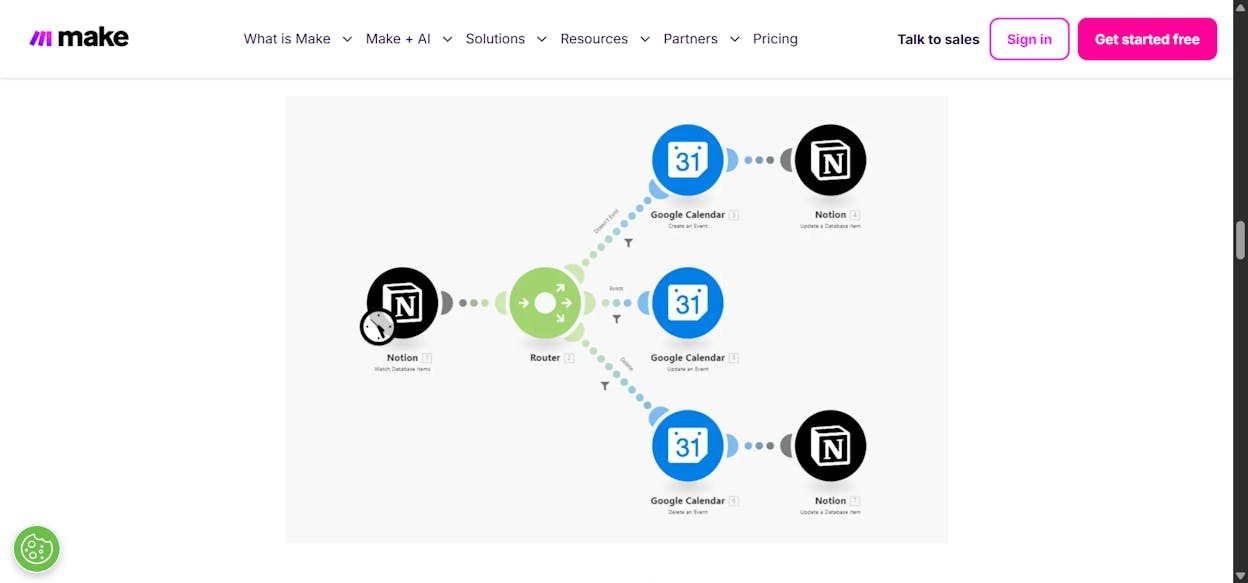
Make (formerly Integromat) is one of the most popular Zapier alternatives. It uses a visual canvas where you drag app modules and connect them with conditional logic. The platform supports over 2,500 pre-built apps and has MCP server support for connecting to additional tools.
For marketing teams, Make works well for straightforward handoffs like pushing subscribers into Mailchimp, syncing CRM records, or routing form submissions to Slack. It also supports LLM connections for AI reasoning in workflows.
The main limitation is that Make does not have built-in SEO or content tools. You will need to wire everything up manually through API calls, and there are no data recipes or brand voice controls.
What is good: Very affordable entry point, large library of integrations, solid visual builder. Plenty of tutorials on YouTube.
What could be better: The UI can feel cluttered compared to newer tools. It does not include built-in content or SEO workflows, so complex marketing automation requires significant manual setup.
Make pricing: Free plan with 1,000 credits/month. Paid plans start at $10.59/month (Core), $18.82/month (Pro), and $34.12/month (Teams). Enterprise pricing is custom. See Make’s pricing page for details.
Reviews: G2 rating of 4.7/5 (252+ reviews). Capterra rating of 4.8/5 (406+ reviews).
3. n8n
-
Best for: Self-hosted workflow automation for technical marketing and DevOps teams
-
Pricing: Starts at $24/month (hosted)
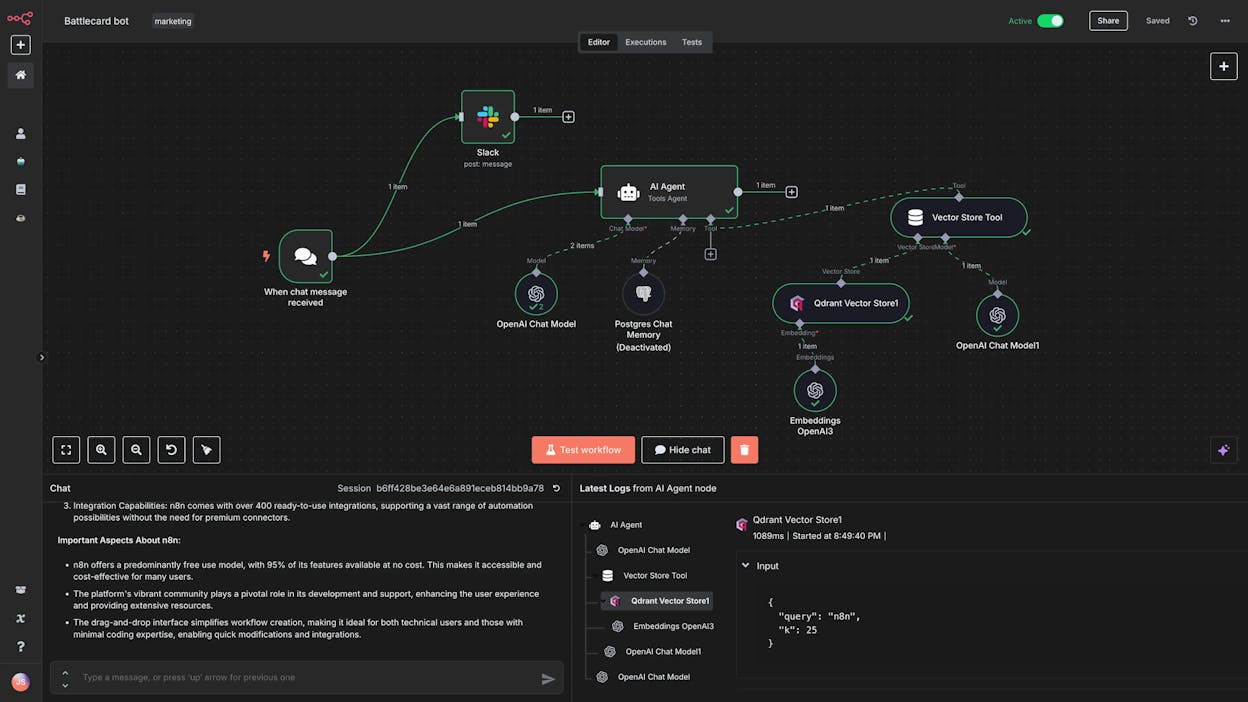
n8n is a workflow automation platform that has become popular among developers and technical marketers. Its main differentiator is self-hosting, which means you can run it on your own infrastructure for full data control. This makes it a popular choice for companies with strict compliance requirements.
n8n has a growing template library built by its community, and it supports connections to LLMs for AI-powered workflows. Companies like Microsoft and Vodafone use it internally.
The trade-off is complexity. n8n leans toward low-code rather than no-code, so non-technical team members will face a steep learning curve. You also need your own API keys for any LLM you want to use, which means separate subscriptions for each model.
What is good: Self-hosting option, strong community templates, used by large enterprises. Open-source at its core.
What could be better: Requires technical knowledge to set up and maintain. The interface feels less polished than newer tools. No built-in marketing or SEO data integrations.
n8n pricing: Hosted plans start at $24/month (Starter) and go to $60/month (Pro). Self-hosted Business is $800/month. Enterprise is custom. See n8n’s pricing page.
Reviews: G2 rating of 4.8/5 (135+ reviews). Capterra rating of 4.6/5 (39+ reviews).
4. Relay.app
-
Best for: Simple, clean AI workflow automation for small marketing teams
-
Pricing: Free, then starts at $27/month
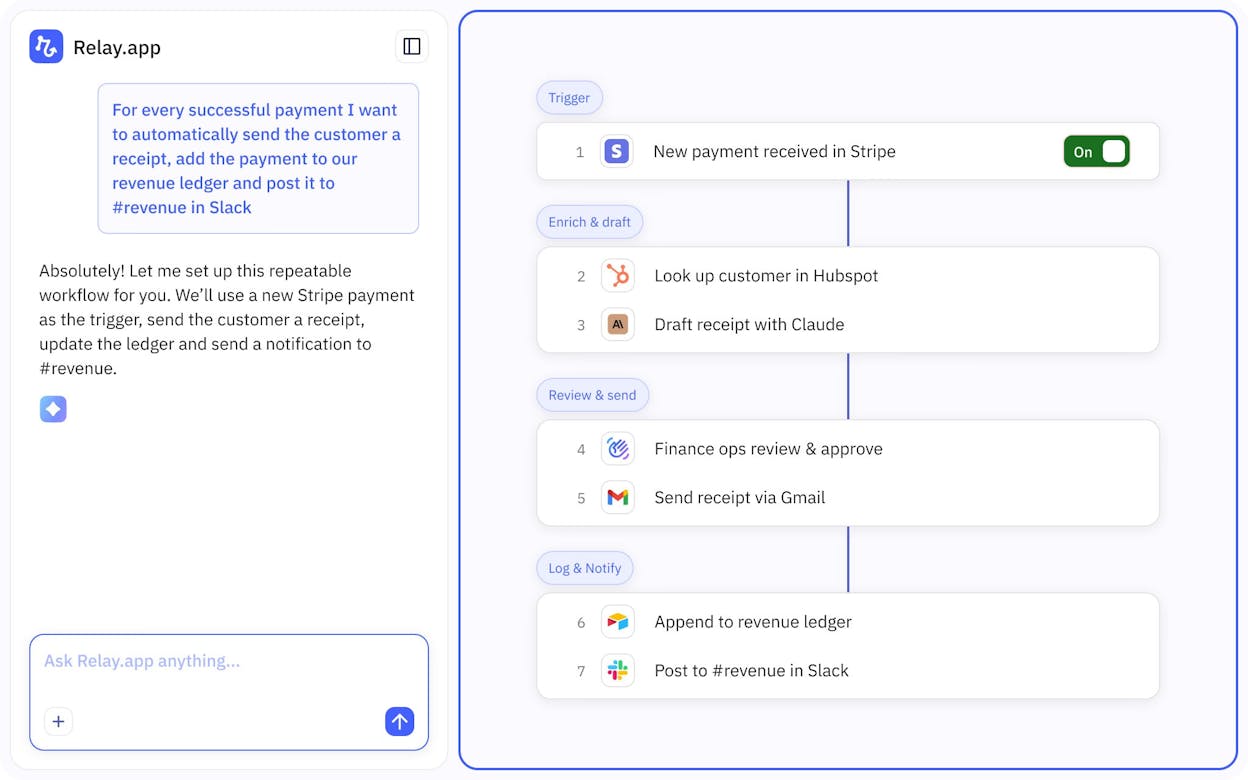
Relay.app focuses on simplicity. If you like the way Zapier works but want a cleaner interface and lower price, Relay.app delivers that. It works well for straightforward marketing automations like social media posting and meeting follow-ups.
The limitation is depth. For complex content pipelines or data-heavy SEO workflows, Relay.app will max out. It was designed for simple automations and it does that well.
What is good: Clean UI, affordable, good templates for getting started.
What could be better: Not built for multi-step workflows. Limited integrations compared to Make or n8n.
Relay.app pricing: Free plan with 500 AI credits/month. Professional at $27/month, Team at $98/month. Enterprise is custom. See Relay.app’s pricing page for details.
Reviews: G2 rating of 4.9/5 (70+ reviews).
5. IFTTT
-
Best for: Personal automations and very basic marketing triggers
-
Pricing: Free, then starts at $3.99/month
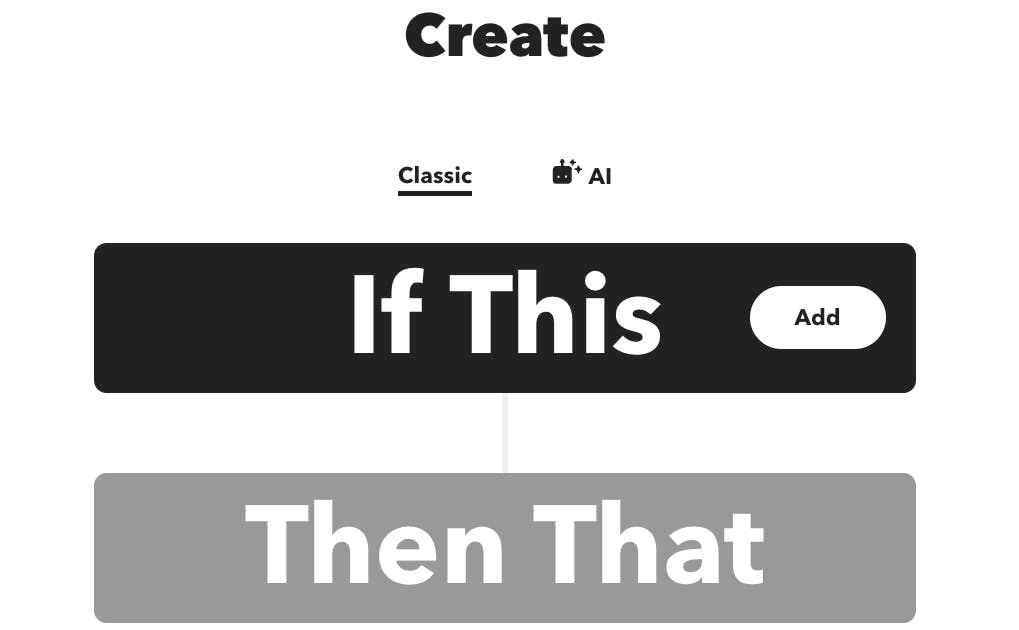
IFTTT (“if this then that”) is one of the original automation tools. It is the simplest and cheapest option on this list. It works for personal productivity automations like posting to social media on a schedule or syncing Google Calendar events.
For marketing teams, IFTTT is limited. It cannot handle multi-step workflows, does not integrate with most B2B marketing tools, and has no AI capabilities on its base plans.
What is good: Extremely affordable. Simple to use. iOS and Android apps.
What could be better: Not suitable for business-level marketing automation. No AI workflow capabilities on lower plans.
IFTTT pricing: Free plan with 2 applets. Pro at $3.99/month (20 applets). Pro+ at $11.99/month (unlimited applets, AI services). See IFTTT’s pricing page for details.
Reviews: G2 rating of 4.5/5 (114+ reviews). Capterra rating of 4.6/5 (221+ reviews).
6. Lindy AI
-
Best for: AI agent creation focused on sales operations and customer service
-
Pricing: Free, then starts at $49/month
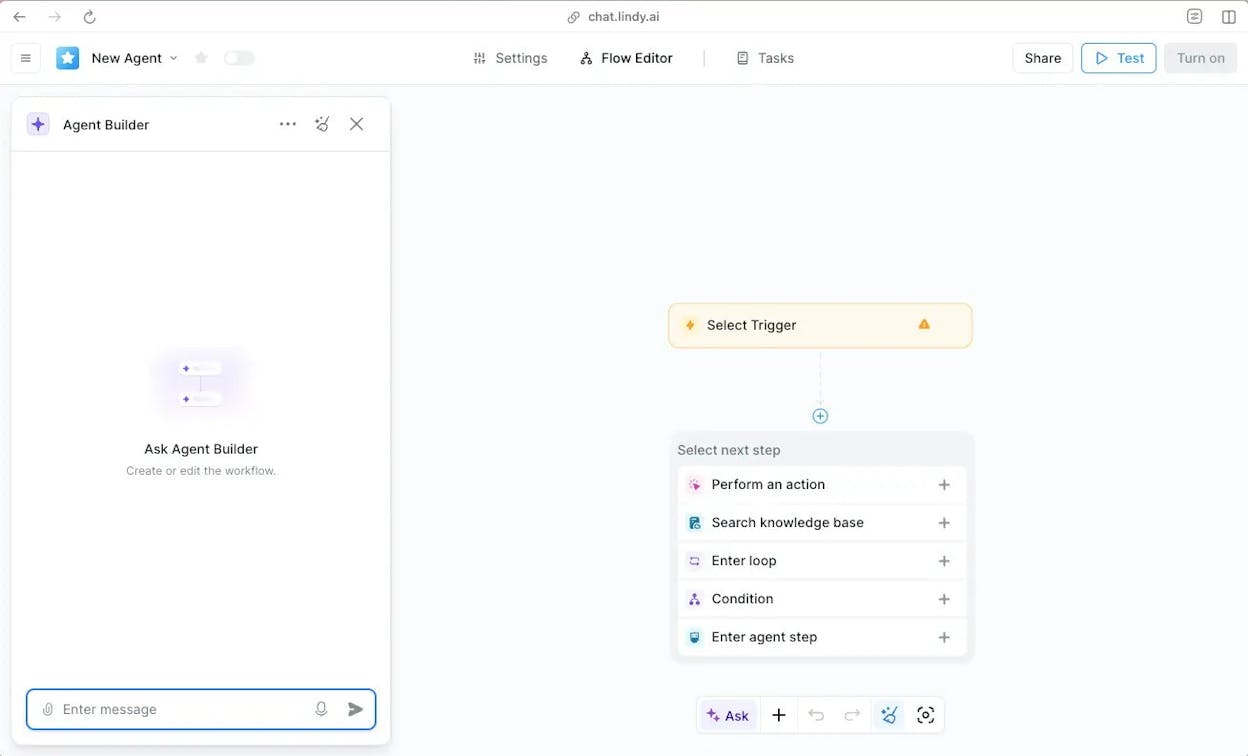
Lindy AI brands itself as an AI employee creator. You describe the agent you want in natural language and Lindy helps you build it. The tool focuses heavily on sales use cases like outbound calls, lead generation, and LinkedIn outreach.
For marketing teams, Lindy is less compelling. It lacks the marketing-specific data integrations (GA4, GSC, keyword research APIs) that content marketing teams need.
What is good: Strong sales automation. Natural language agent creation.
What could be better: The $49/month entry point is higher than Make or Relay. Not the right tool for content or SEO operations.
Lindy AI pricing: Free plan with 400 credits/month. Pro at $49/month, Business at $199/month. Enterprise is custom. See Lindy’s pricing page for details.
Reviews: G2 rating of 4.9/5 (111+ reviews).
7. OttoKit
-
Best for: WordPress-specific workflow automation
-
Pricing: Free, then starts at $108/year
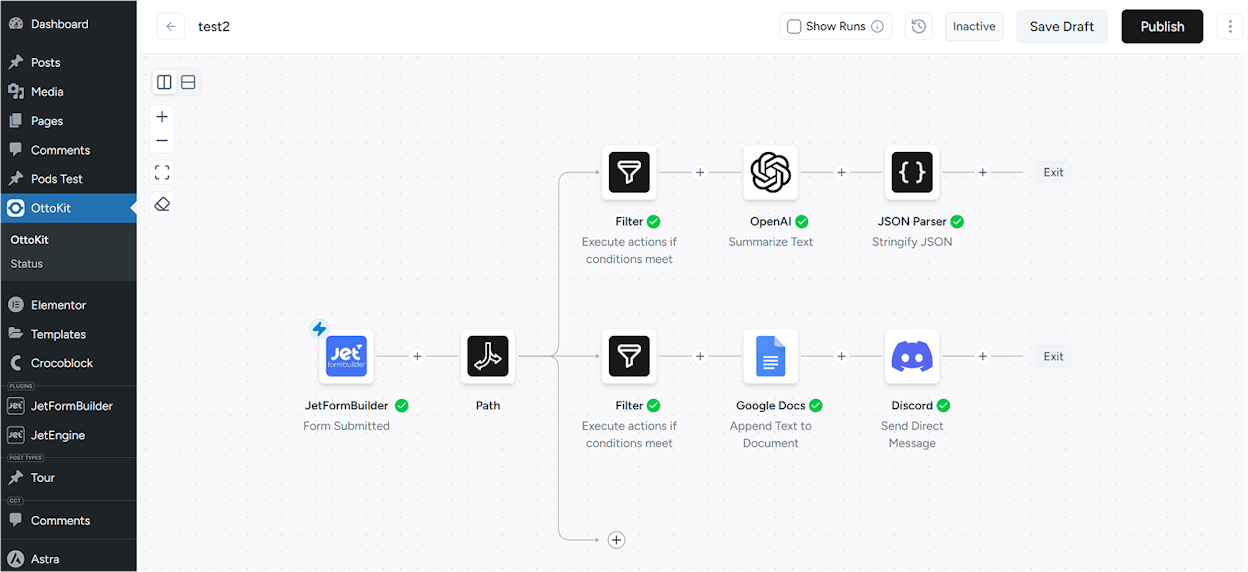
OttoKit (formerly SureTriggers) is built specifically for WordPress sites. It runs as a plugin inside your WordPress dashboard and connects to forms, email platforms, post scheduling tools, and analytics.
If your marketing operation runs entirely on WordPress, OttoKit is a practical choice. The limitation is scope. If your stack includes tools outside WordPress (which most do), you will need a second automation platform.
What is good: Deep WordPress integration. Easy to use. Predictable annual pricing.
What could be better: Limited to WordPress. Slow customer support reported by some users.
OttoKit pricing: Free plan with 250 tasks/month. Pro at $108/year (5 WordPress sites). Business at $228/year (unlimited sites). See G2 for pricing details.
Reviews: G2 rating of 4.8/5. WordPress rating of 4.9/5 (96+ reviews).
8. Relevance AI
-
Best for: AI agent creation for mid-market SaaS companies
-
Pricing: Free, then starts at $29/month
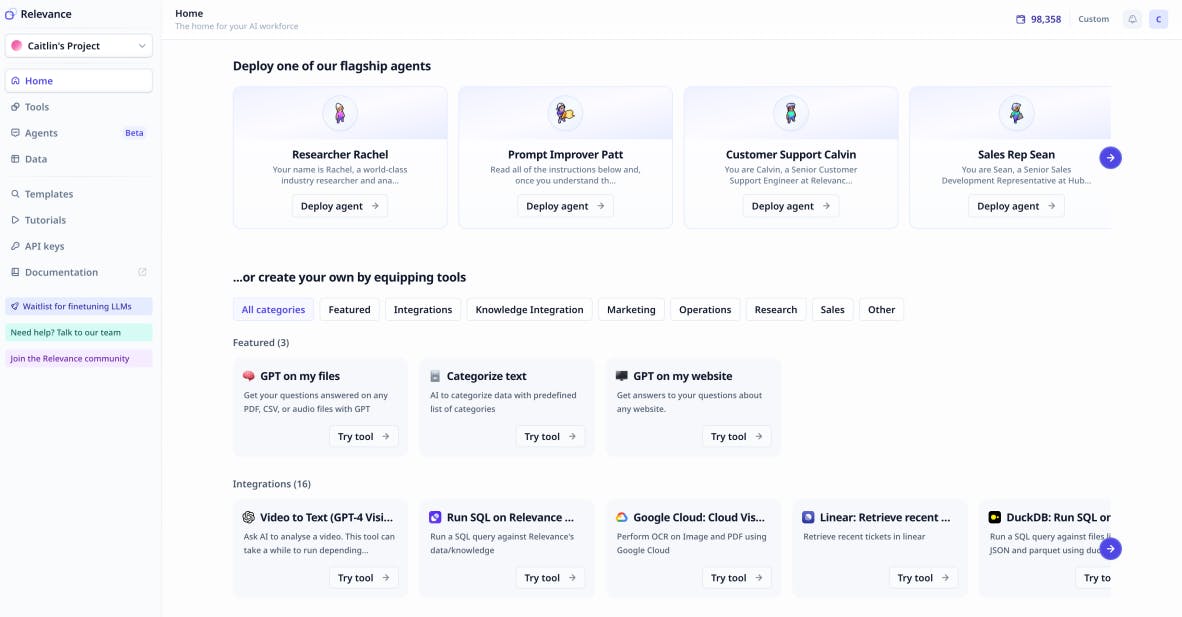
Relevance AI is an AI workforce builder for creating no-code agents. It integrates with Google Workspace, Slack, Salesforce, and Airtable, and lets you switch between different LLM models. Companies like Canva and Freshworks use it.
For marketing teams, it provides a decent foundation for building agents, but the advanced features are gated behind higher-tier plans ($349+/month for Teams).
What is good: LLM model switching. Used by recognizable brands. Good template library.
What could be better: Free plan is limited (200 actions/month). Most AI task features require higher-tier plans.
Relevance AI pricing: Free with 200 actions/month. Pro at $29/month (2,500 actions). Team at $349/month. Enterprise is custom. See Relevance AI’s pricing page for details.
Reviews: G2 rating of 4.5/5 (17+ reviews).
9. Integrately
-
Best for: Ecommerce businesses using legacy marketing tools
-
Pricing: Free, then starts at $29.99/month
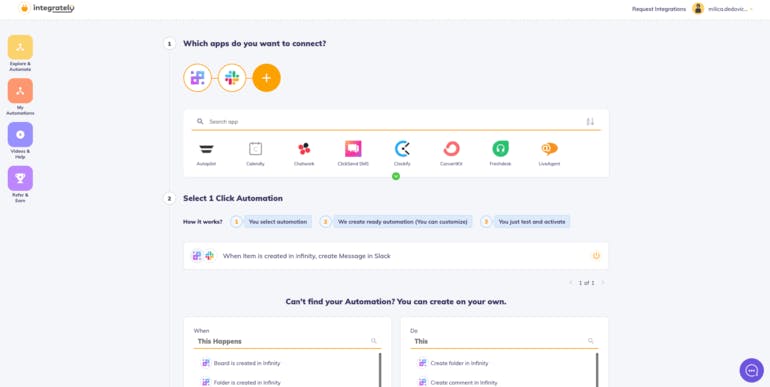
Integrately has over 20 million ready-made automations and connections to 1,400+ apps. It is particularly strong for ecommerce businesses using tools like Freshdesk, Mailchimp, and BigCommerce.
For marketing teams running ecommerce operations, Integrately provides broad coverage. It falls short on AI capabilities and modern visual design.
What is good: Massive library of pre-made automations. Broad app coverage. Competitive pricing.
What could be better: Interface is not polished. Weak AI capabilities. Better suited for ecommerce than general marketing ops.
Integrately pricing: Free with 100 tasks. Starter at $29.99/month (2,000 tasks). Professional at $49/month. Growth at $124/month. Business at $299/month. See Integrately’s pricing page for details.
Reviews: G2 rating of 4.7/5 (693+ reviews). TrustPilot rating of 3.7/5 (60+ reviews).
10. Workato
-
Best for: Enterprise-level automation for large companies with complex compliance needs
-
Pricing: Custom (contact sales)
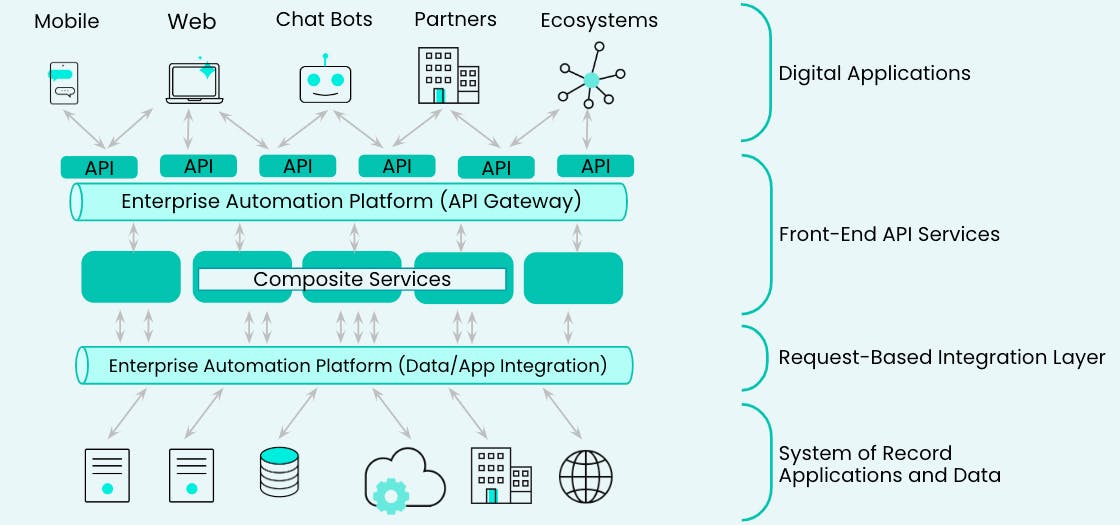
Workato is an enterprise-grade automation platform used by companies like Adobe, Zendesk, and Cisco. It offers advanced security, governance, and role-based access controls that large organizations require.
For enterprise marketing teams with dedicated ops staff, Workato handles complex cross-departmental workflows. The downside is accessibility. There is no self-serve option, no free trial, and pricing is entirely custom.
What is good: Enterprise security and scalability. MCP server connectivity. Used by large brands.
What could be better: No transparent pricing. No self-serve option. Feels outdated compared to modern tools.
Workato pricing: Custom pricing only. All editions include unlimited connections, workflows, and collaborators. Contact sales for a quote.
Reviews: G2 rating of 4.7/5 (630+ reviews). Capterra rating of 4.6/5 (84+ reviews).
Quick Comparison
|
Tool |
Starting Price |
AI Native |
Marketing Integrations |
Self-Hosted |
Content/SEO Tools |
|---|---|---|---|---|---|
|
Analyze AI |
$99/mo |
Yes |
GA4, GSC, Semrush, DataForSEO, HubSpot |
No |
Built-in Writer, Optimizer, Agent Builder |
|
Make |
$10.59/mo |
Partial |
Via API calls |
No |
None |
|
n8n |
$24/mo |
Partial |
Via API calls |
Yes |
None |
|
Relay.app |
$27/mo |
Yes |
Limited |
No |
None |
|
IFTTT |
$3.99/mo |
Minimal |
Limited |
No |
None |
|
Lindy AI |
$49/mo |
Yes |
Sales-focused |
No |
None |
|
OttoKit |
$108/yr |
No |
WordPress only |
No |
None |
|
Relevance AI |
$29/mo |
Yes |
Via integrations |
No |
None |
|
Integrately |
$29.99/mo |
Minimal |
Ecommerce-focused |
No |
None |
|
Workato |
Custom |
Yes |
Enterprise |
No |
None |
Which Tool Should You Pick?
If you need simple, affordable app-to-app triggers, Make gives you the most integrations for the lowest price. If you need self-hosting and developer control, n8n is the clear choice. If you need basic personal automations, IFTTT is hard to beat at $3.99/month.
But if you are a marketing team, content team, or agency that needs workflows doing real marketing work, Analyze AI is built for that. The Agent Builder’s 180+ nodes cover the full marketing stack, from keyword research and content creation to competitive intelligence and brand marketing. The platform also layers in AI search visibility tracking, which no other tool on this list offers.
SEO is not dead. But it is evolving. The teams that add AI search as another organic channel alongside traditional SEO are the ones compounding their advantage. Every other tool on this list automates tasks. Analyze AI automates marketing operations.
Start a free trial or book a demo to see it in action.

Ernest

Ibrahim


