Top 17 Competitor Analysis Tools
Written by
Ernest Bogore
CEO
Reviewed by
Ibrahim Litinine
Content Marketing Expert

You’re looking for competitor analysis tools because gaps keep showing up in places you didn’t expect. A competitor outranks you on pages you thought were strong, their campaigns gain traction faster than yours, or AI answers mention them more often than you. You can see the symptoms, but the cause is buried in data you don’t have or can’t pull together.
To figure out which tools actually fix those blind spots, we evaluated the leading options using five practical criteria that matter in real work:
Depth of data (not surface-level metrics)
How much they automate
Value relative to cost, especially for smaller teams
In this guide, you’ll see what each tool does well, where it falls short, and which type of team it suits. The goal: give you a clear path to choosing a tool that makes competitor analysis easier, not heavier.
Table of Contents
TL;DR
| Tool | Best for | Why pick it |
|---|---|---|
| Analyze | AI-search visibility and revenue attribution | Links ChatGPT/Perplexity/Claude traffic to sessions; conversions and revenue so you know which prompts and engines drive pipeline not just mentions. |
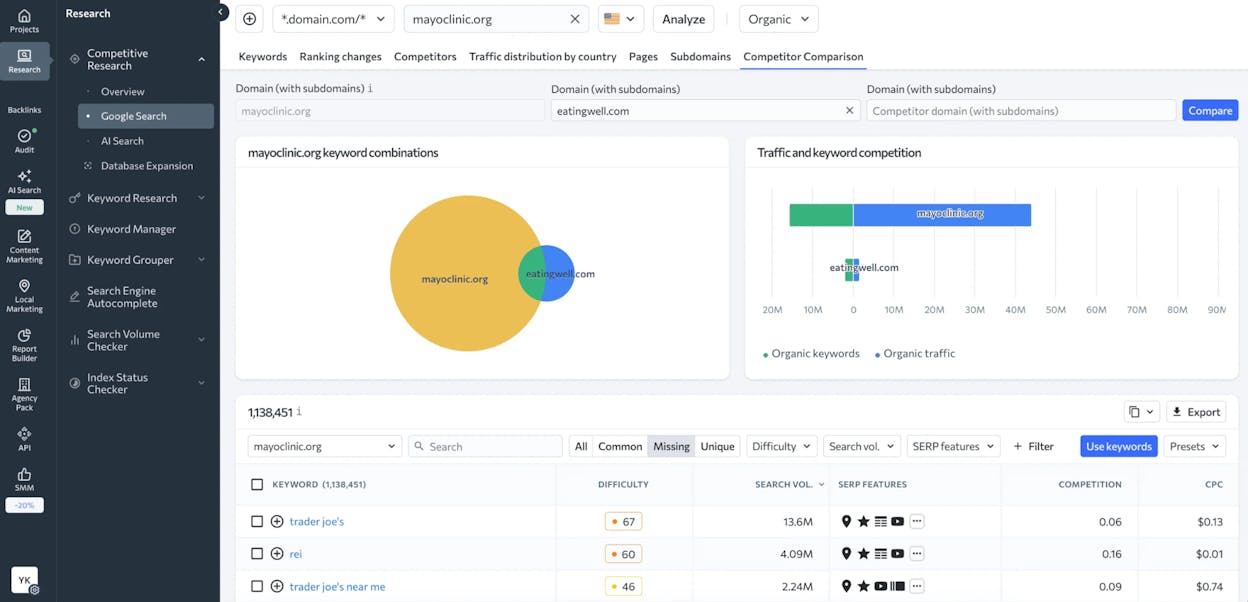
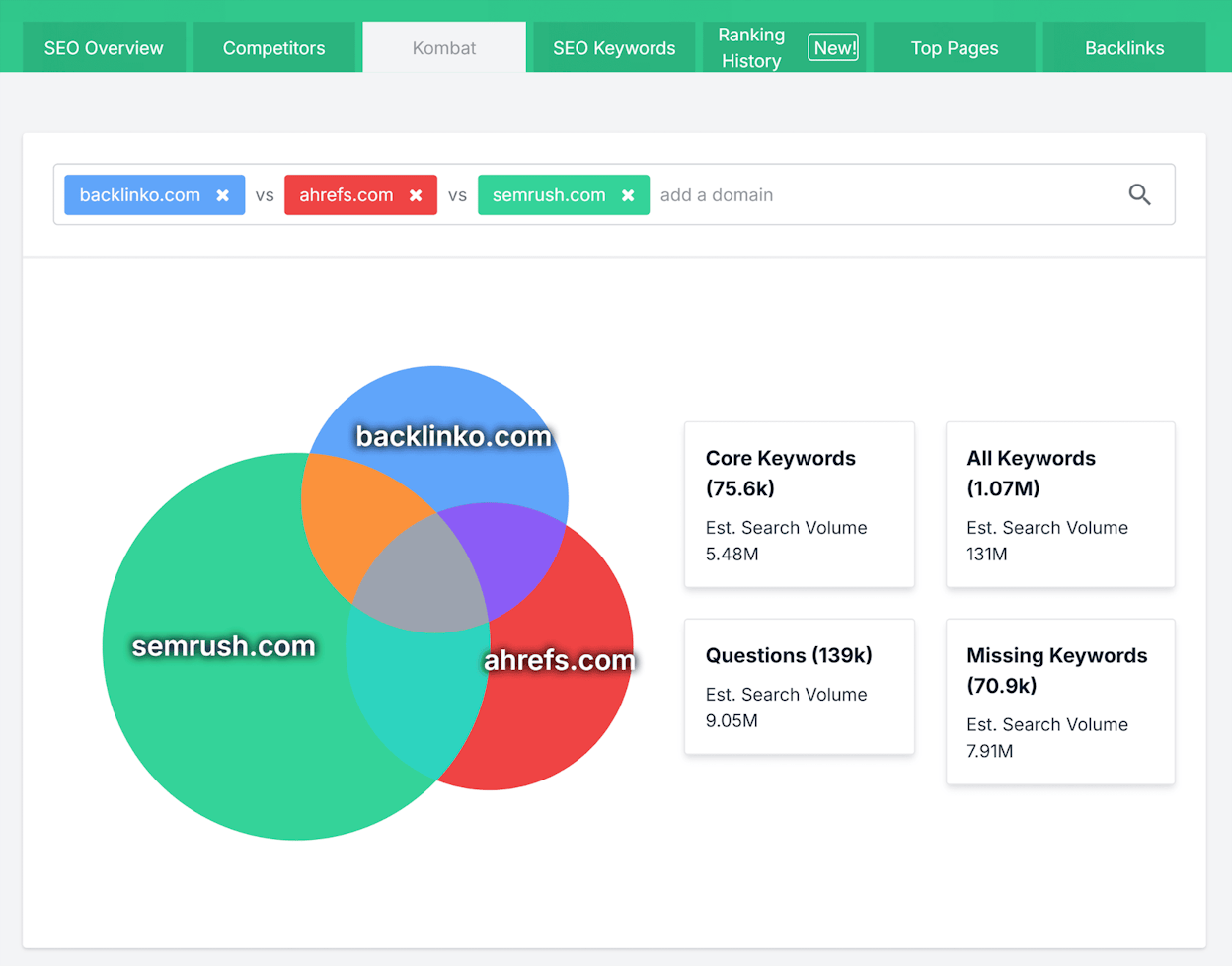
| Semrush | All-in-one SEO and PPC competitor research | Combines keywords; backlinks; traffic estimates and ads in one place making it easier to see how rivals win across search and paid. |
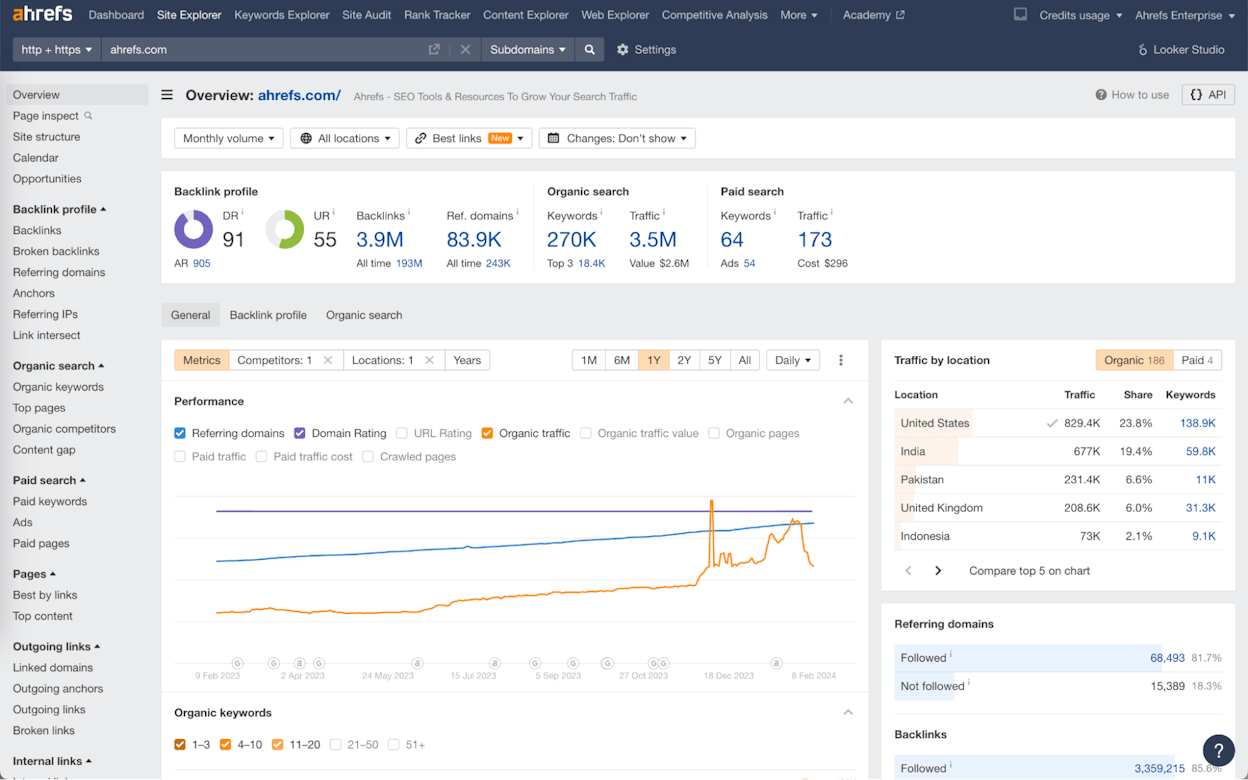
| Ahrefs | Backlink-first SEO visibility | Offers one of the deepest backlink indexes plus strong keyword and SERP analysis; ideal for teams that compete through organic search strength. |
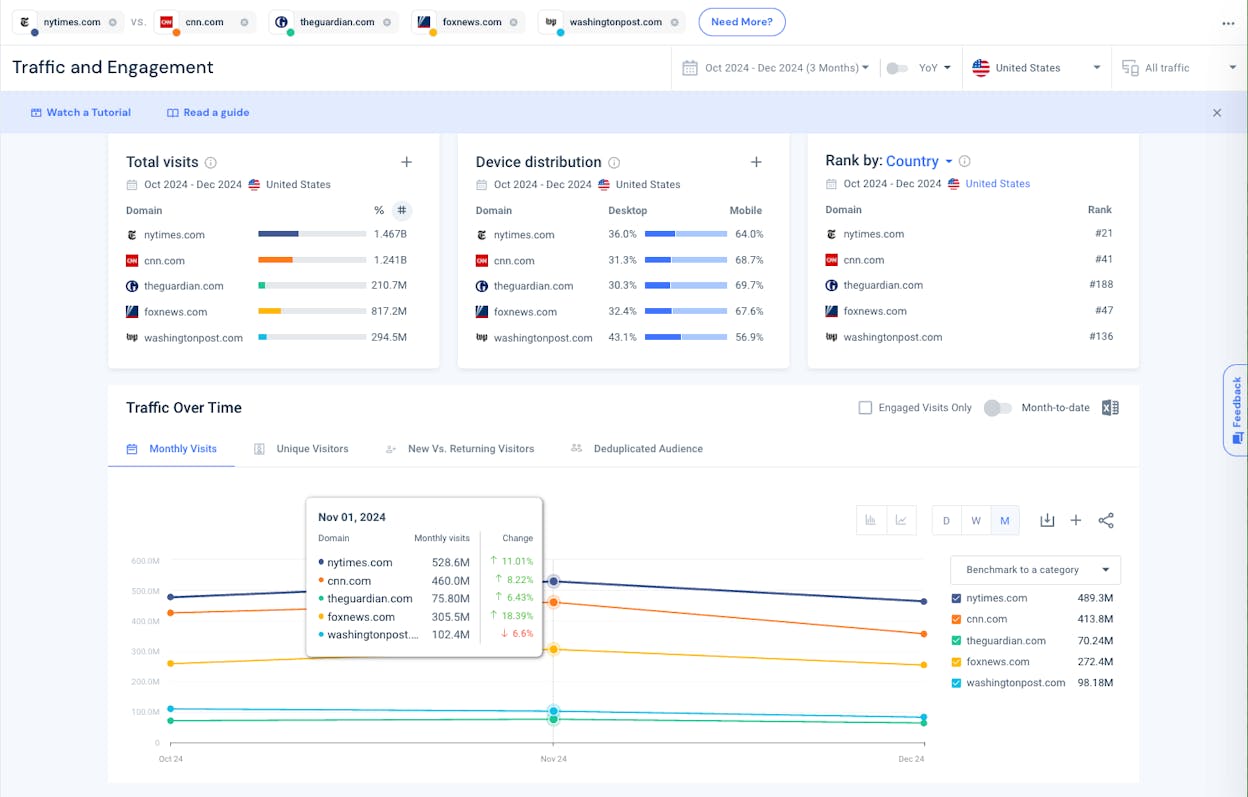
| Similarweb | Digital traffic and market share clarity | Shows how competitors get traffic across channels and markets; helping you understand channel mix; market share and audience behavior. |
| SE Ranking | Affordable all-in-one SEO tracking | Delivers rankings; keyword gaps and backlink insights in a simpler; cheaper package that works well for small teams and agencies. |
| SpyFu | PPC and keyword buying intelligence | Reveals every keyword competitors buy on Google Ads; plus historic ad tests and wasted spend; giving PPC teams clear tactical direction. |
| Moz Pro | True SERP-competitor discovery and everyday SEO work | Identifies the domains you actually compete with in search and makes keyword and link-gap analysis easier for teams growing into SEO. |
| BuzzSumo | Content and social performance insights | Shows which competitor content gets the most engagement and who amplifies it; helping content and social teams plan topics and formats that actually resonate. |
| Sprout Social | Social listening and brand benchmarking | Combines share of voice; engagement and sentiment into clear reports so social and brand teams can see how they stack up against competitors. |
| Brandwatch | Enterprise social and consumer intelligence | Tracks conversations about brands and topics across social; news; forums and reviews; giving large teams deep insights into sentiment and trends. |
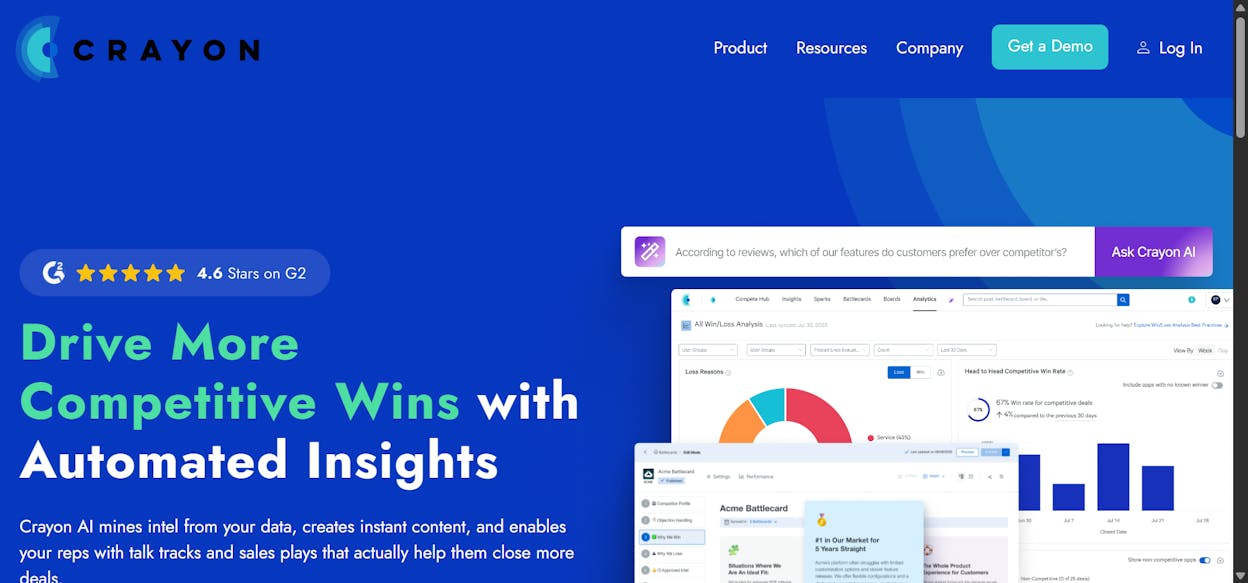
| Crayon | Full-funnel competitive intelligence for PMM and sales | Monitors competitor moves across sites and channels; then turns them into battlecards; alerts and win/loss insights for product marketing and sales. |
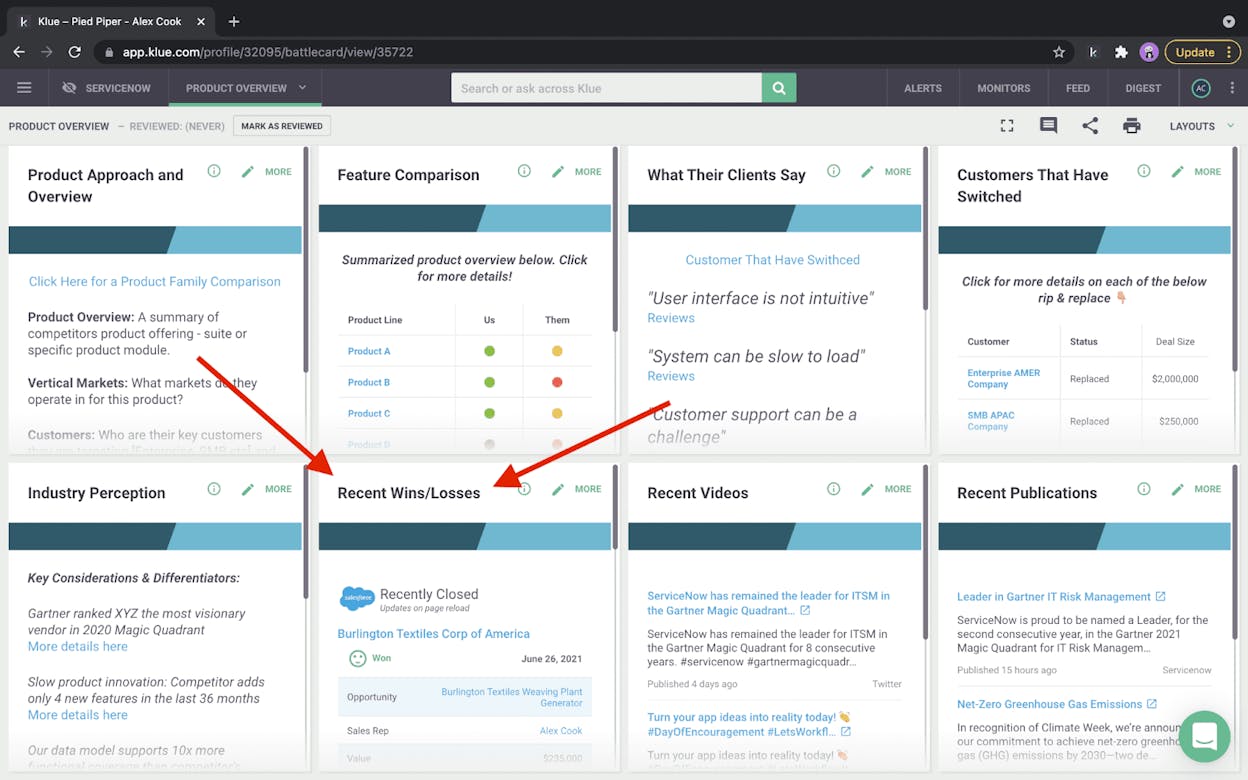
| Klue | Competitive enablement and battlecards | Aggregates reviews; content and win/loss learnings into structured battlecards and portals; keeping sales and product aligned on competitor talk tracks. |
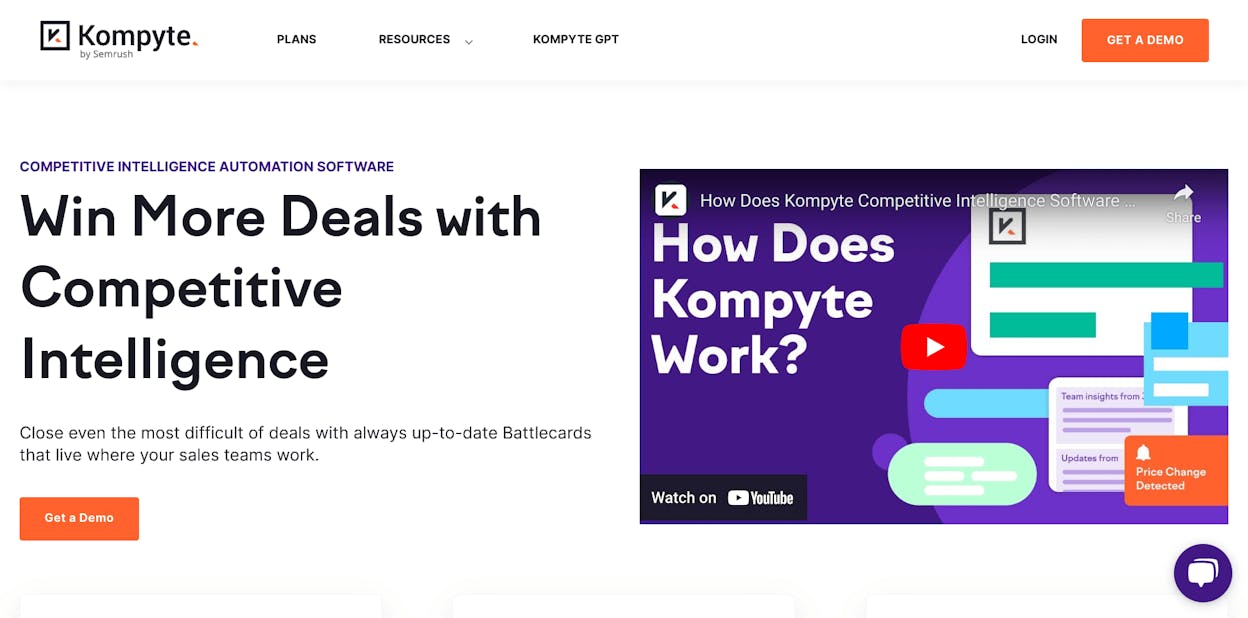
| Kompyte | Automated competitive intelligence with AI filtering | Continuously tracks competitor updates and uses AI to surface the few changes that matter; giving SaaS GTM teams quick; noise-free insights. |
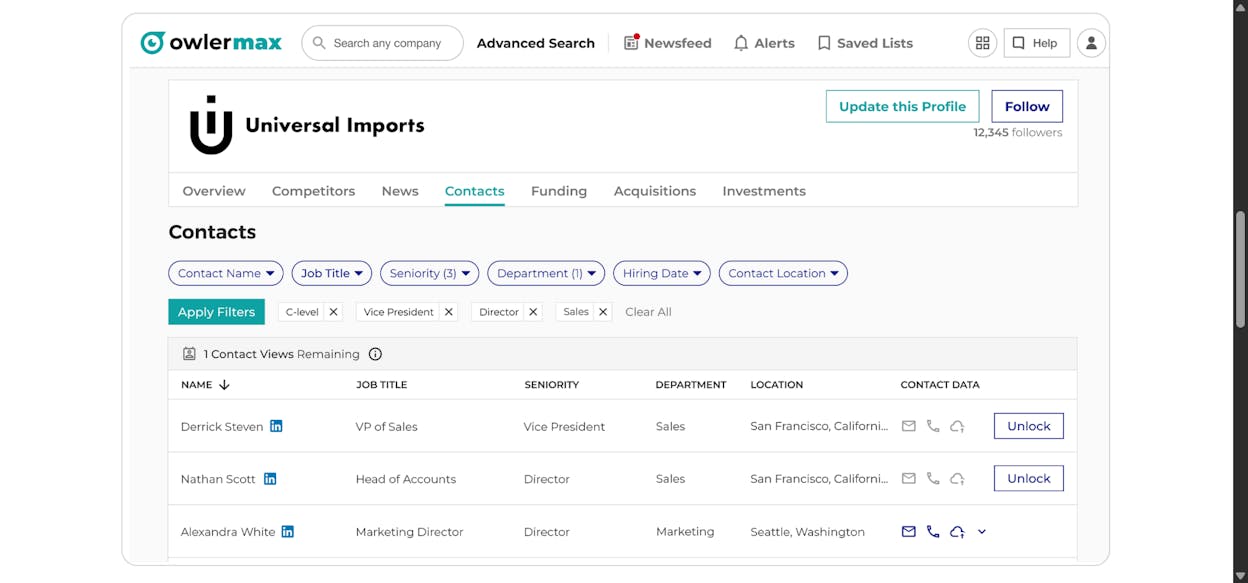
| Owler | Company-level competitor and market monitoring | Sends alerts on funding; leadership changes; M&A and news across many companies; helping sales and BD teams keep tabs on key accounts and rivals. |
| Owletter | Competitor email campaign tracking | Automatically captures and archives competitor emails so marketers can analyze offer patterns; cadence and design without clogging their inbox. |
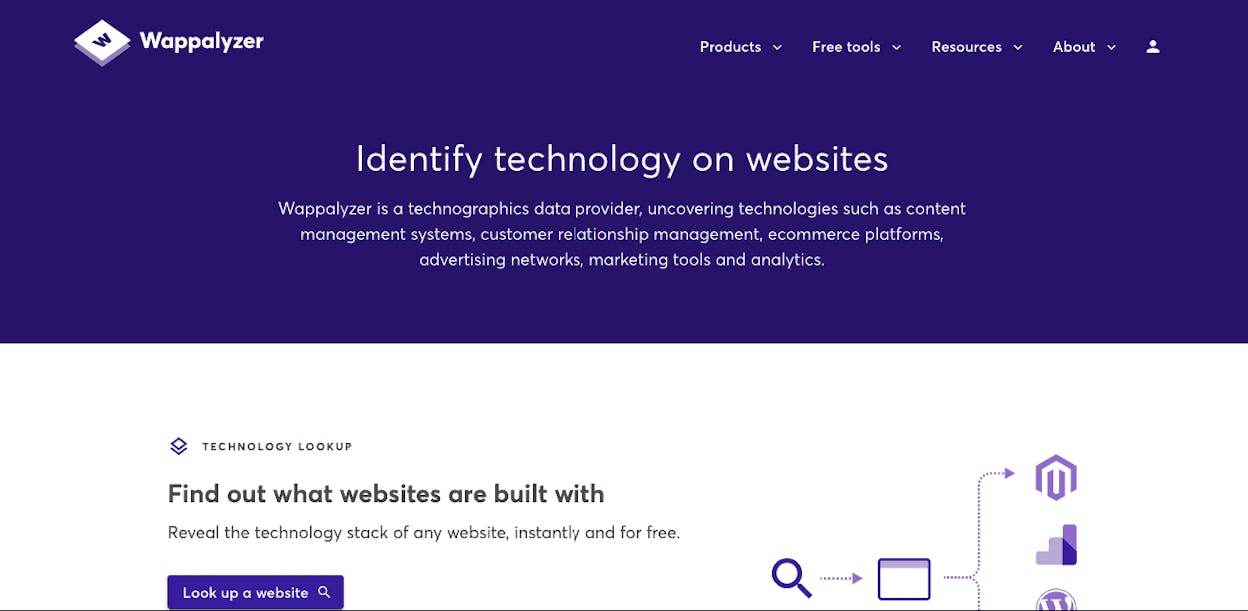
| Wappalyzer | Tech-stack and tooling intelligence | Detects which CMS; ecommerce; analytics and other tools competitors use; helping product and GTM teams understand stack choices and market adoption. |
| AlphaSense | Market and financial competitive intelligence | Searches filings; transcripts; research and news with AI so strategy and corporate development teams can get analyst-grade insight in minutes. |
Analyze: best competitor analysis tool for AI-search visibility and real business outcomes

Key Analyze standout features
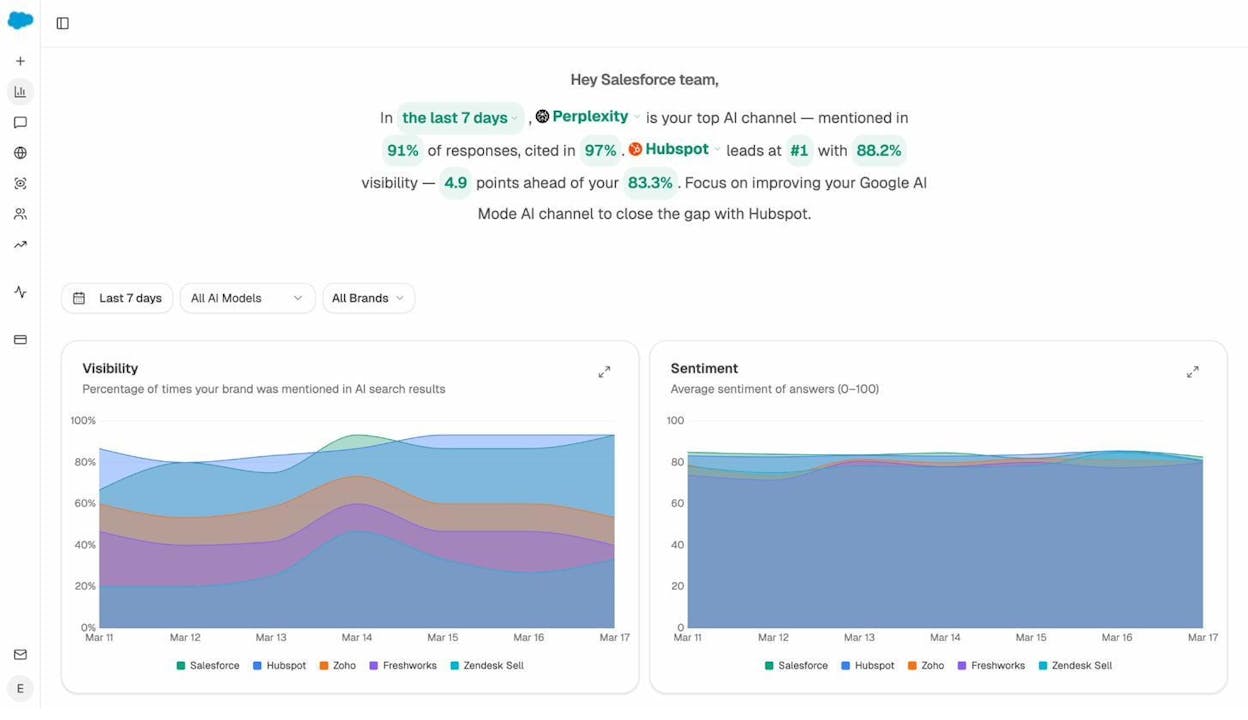
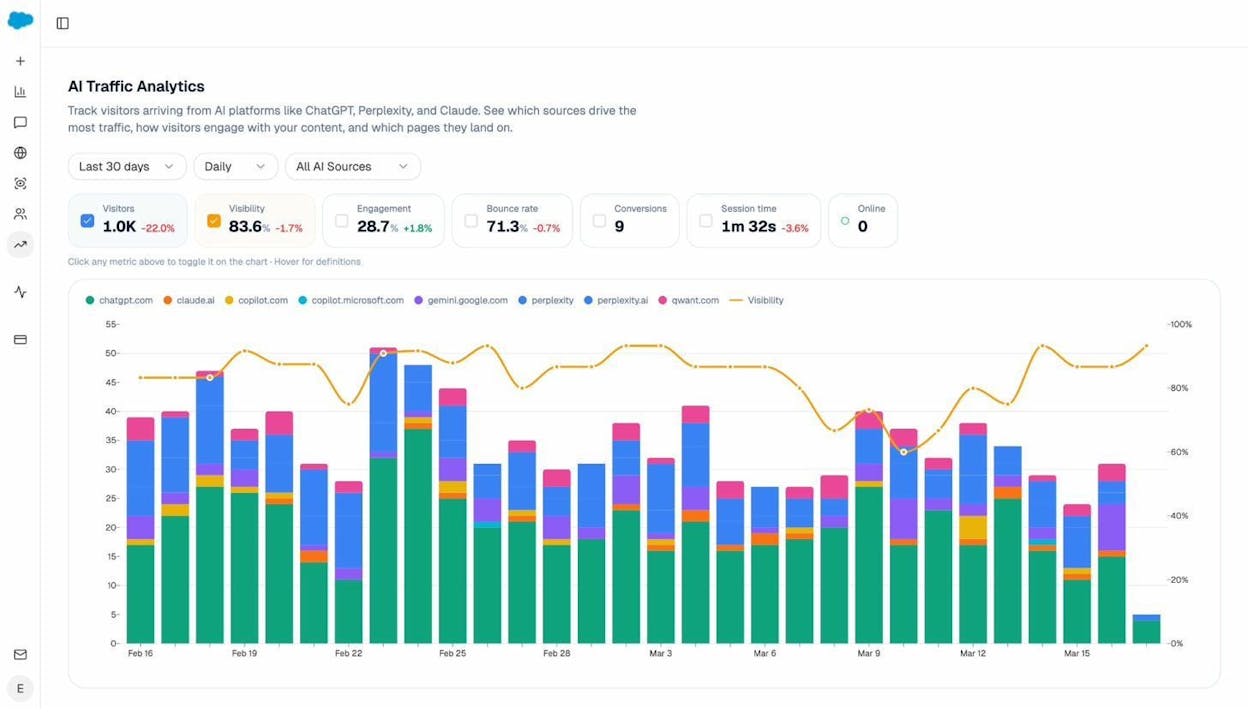
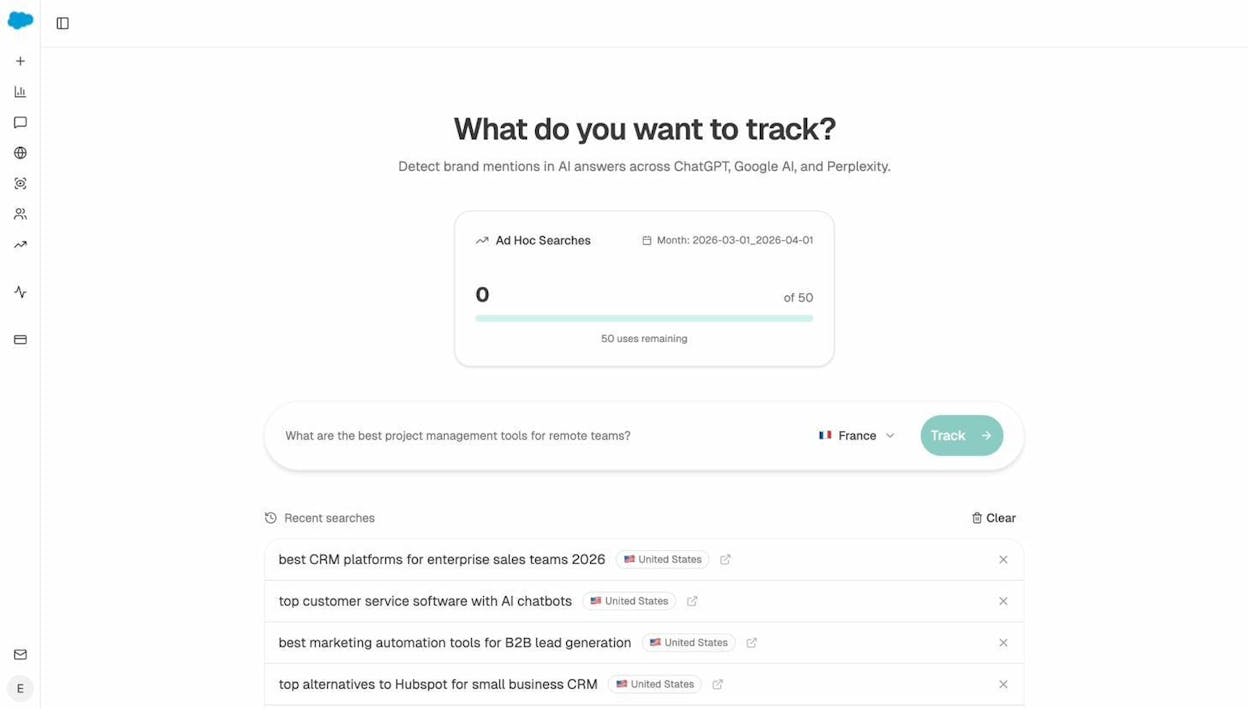
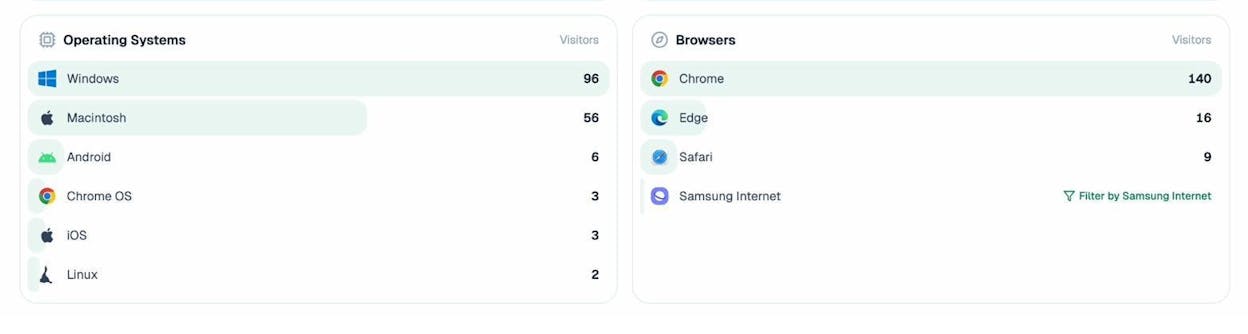
Tracks which AI engines (ChatGPT, Perplexity, Claude, Copilot, Gemini) send sessions to your site and attributes conversions to each source
Surfaces the specific landing pages that receive AI-driven visits and shows the conversion events triggered by each engine
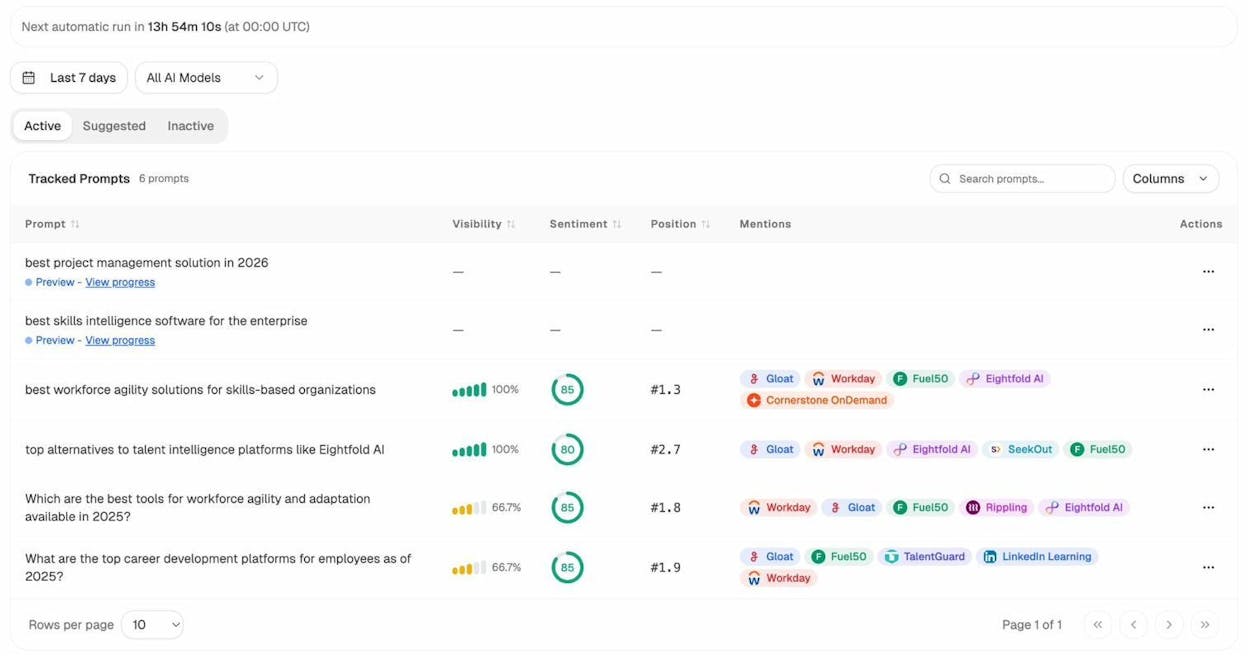
Monitors prompt-level visibility and sentiment so you can see where you win, where you lose, and which competitors appear beside you
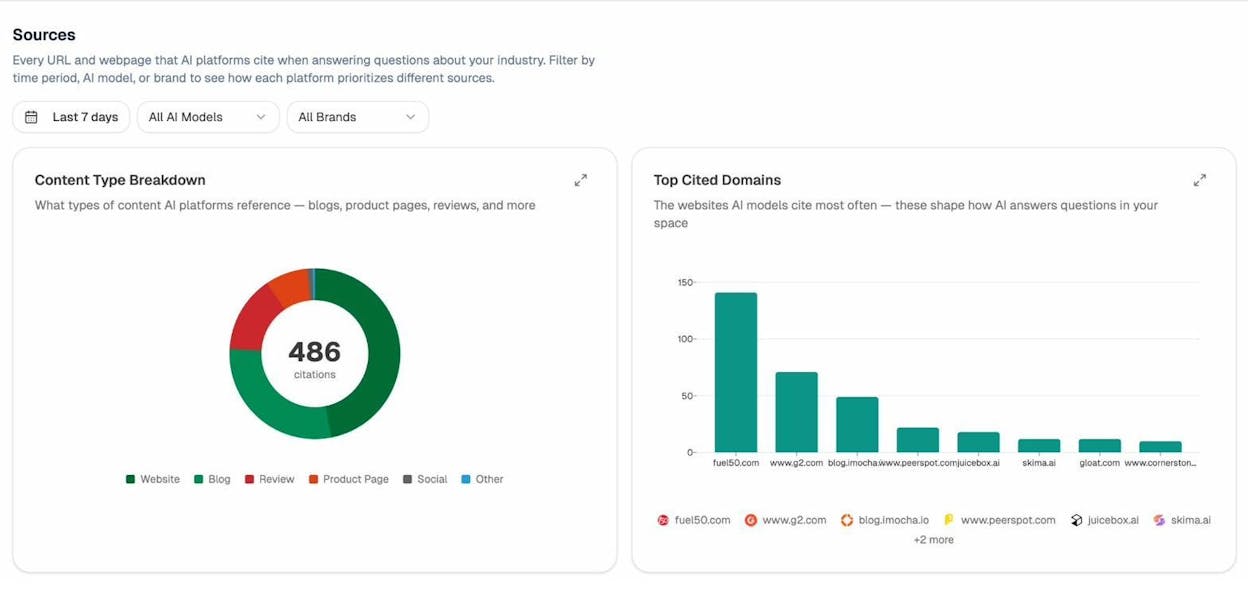
Audits the citations and domains LLMs rely on, helping you understand which sources shape category answers and where you need to strengthen authority
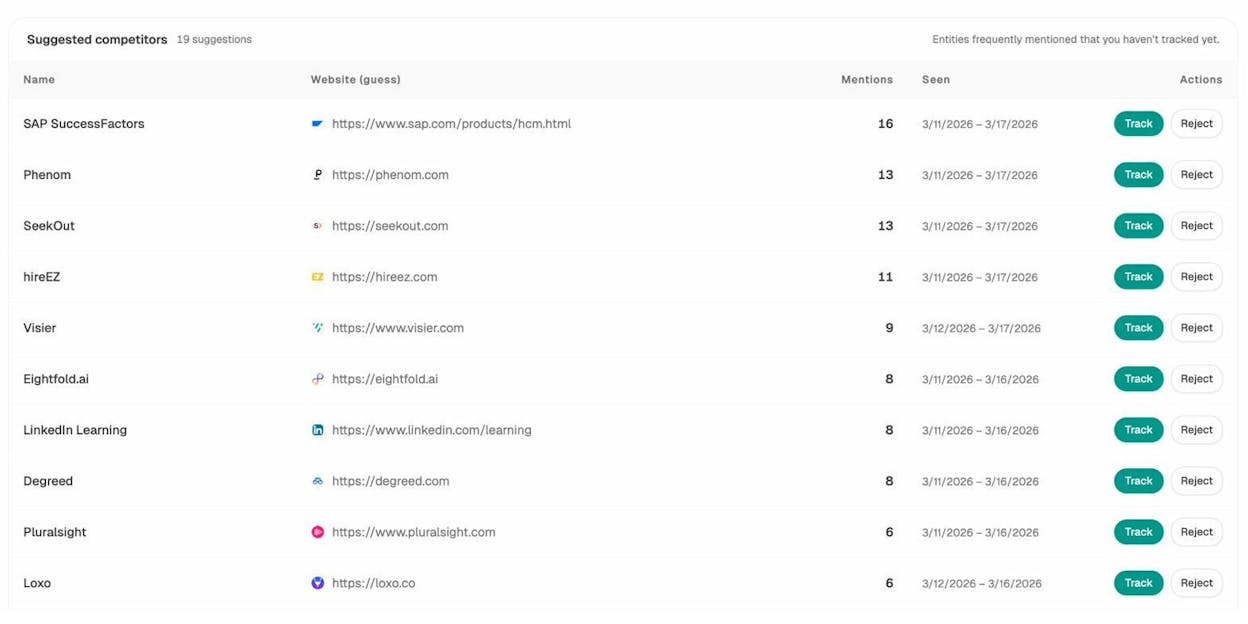
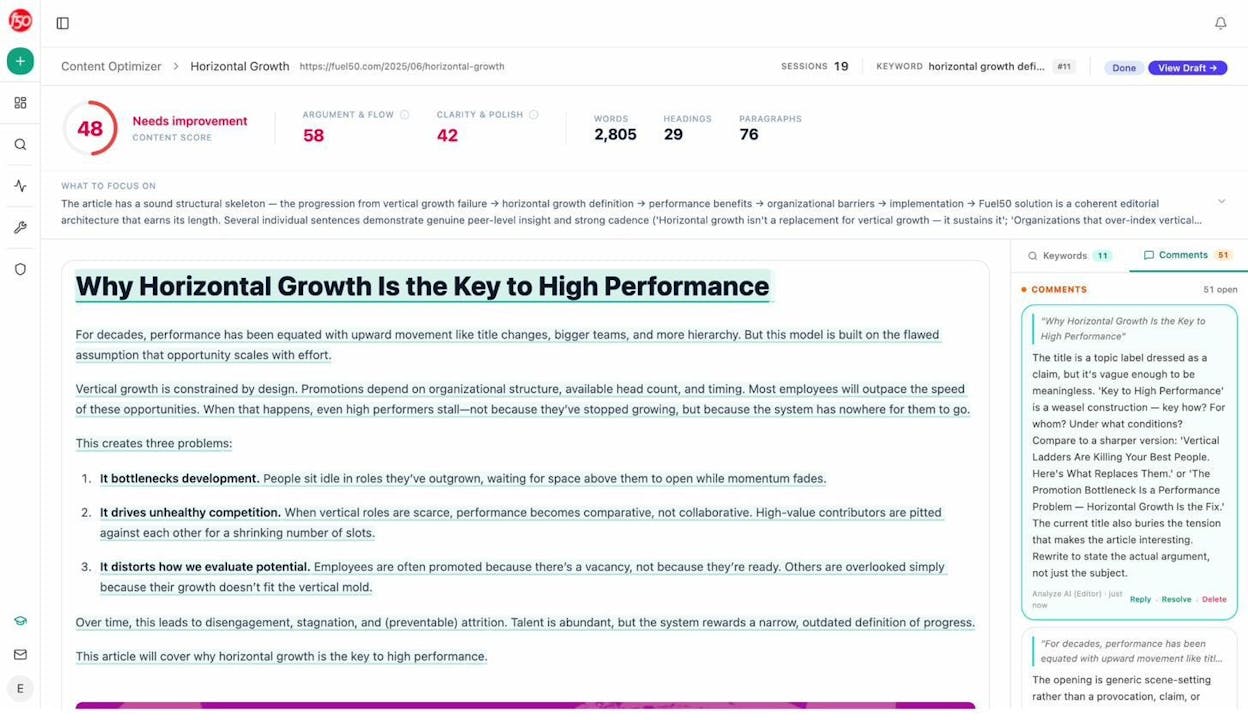
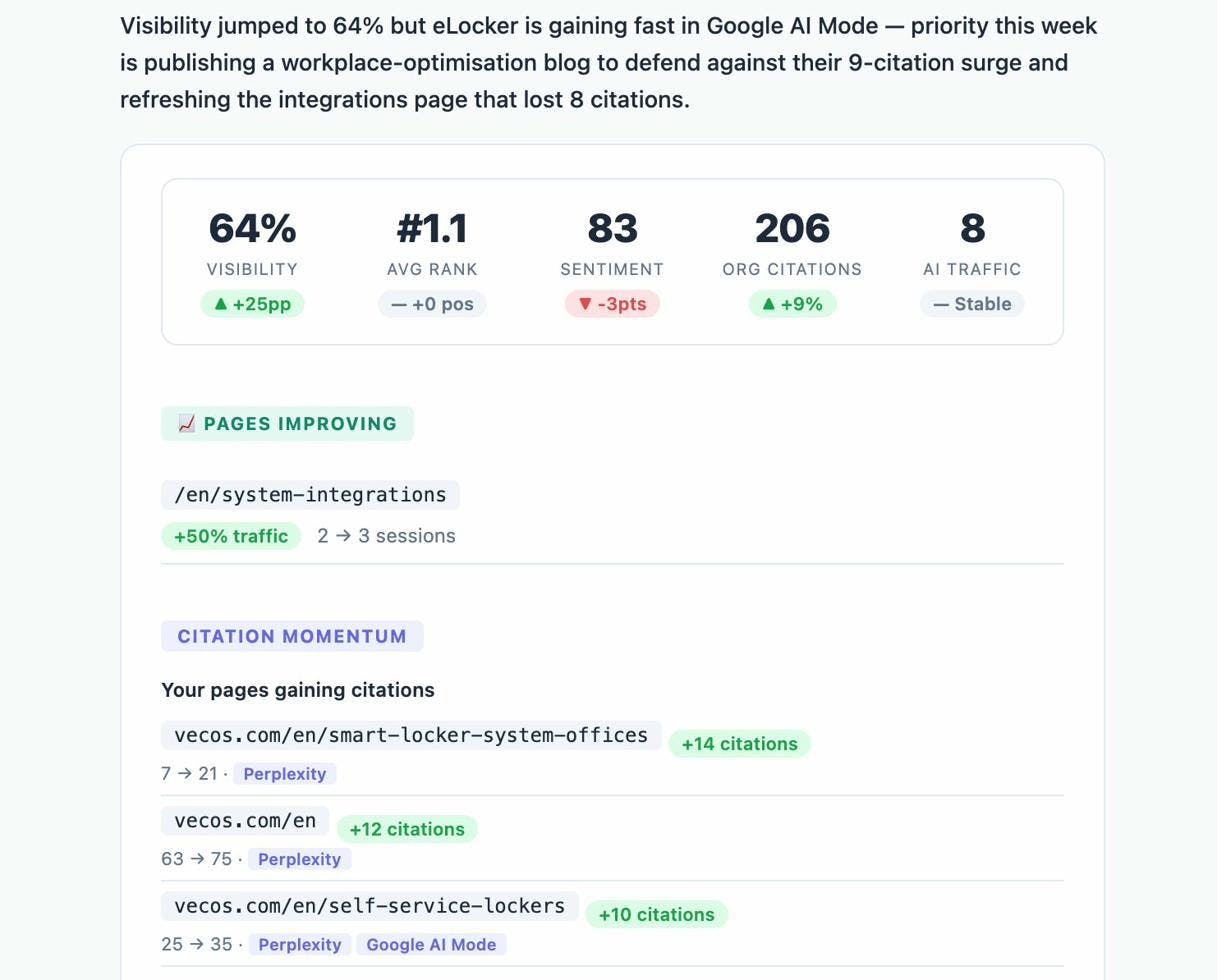
Prioritizes competitive opportunities based on missing coverage, sentiment issues or rising prompts — ranking actions by impact rather than vanity metrics
| Core metric | How Analyze performs |
|---|---|
| Data coverage depth | Broad across major AI engines and prompts; focused intentionally on generative-search |
| Data freshness and update frequency | Daily prompt checks; real-time engine attribution and ongoing trend visibility |
| Competitive comparison capabilities | Strong prompt-level benchmarking and engine-by-engine performance comparison |
| Automation and AI intelligence | High automation with AI prompt discovery and citation-pattern auditing |
| Pricing versus dataset value | Strong value for SMBs focused on pipeline-driven AI visibility; supplements not replaces full SEO suites |

Analyze works well when your team needs to understand how AI visibility translates into real user actions, because it tracks full-funnel behavior from AI-generated answers to landing pages to conversions. Instead of giving you a vague “brand visibility score,” the platform reveals which engines actually send engaged visitors, how those visitors behave and which pages turn that traffic into pipeline. For SMBs, this clarity removes guesswork and helps teams focus limited resources on engines and prompts that deliver tangible results.
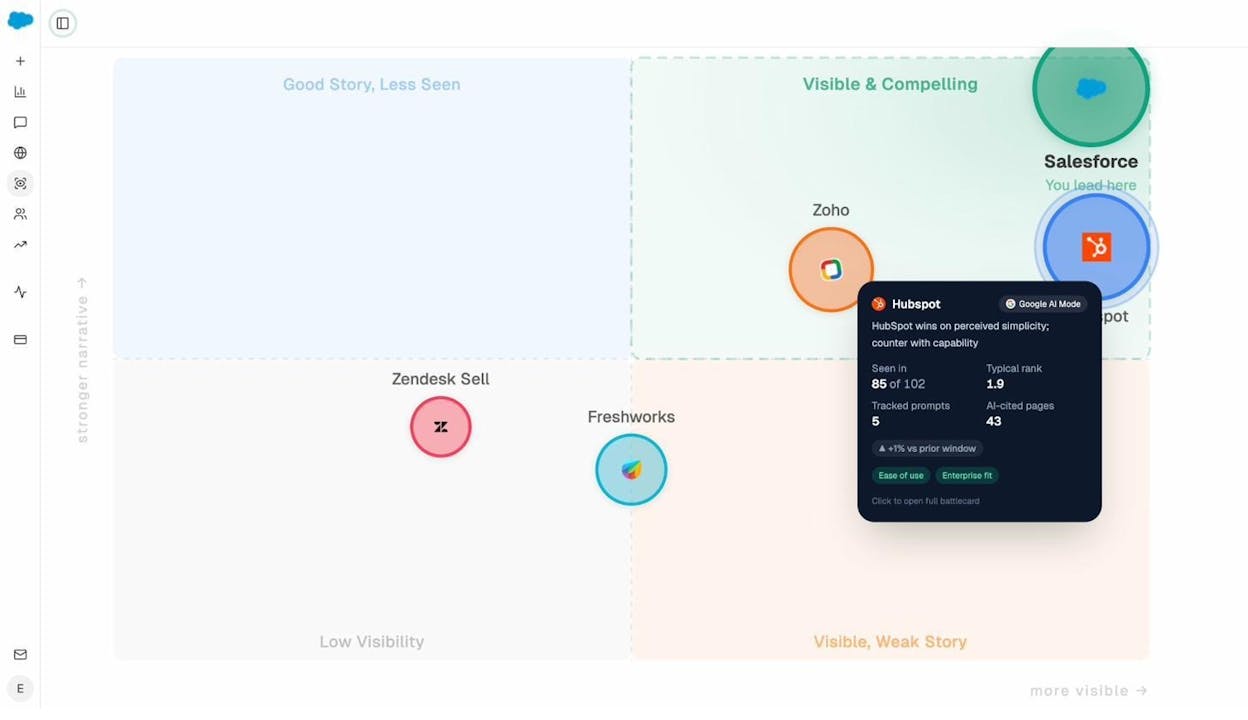
The platform also strengthens your competitive positioning because it shows which prompts matter most at the bottom of the funnel and how models talk about your brand compared to alternatives. You can see sentiment shifts, competitor placements and which domains influence AI answers, giving you a strategic map of where to improve content, strengthen citations and push for coverage that drives revenue. This targeted view is especially helpful for smaller teams that need to act quickly without getting lost in noisy or incomplete visibility-only dashboards.

Analyze has some trade-offs to keep in mind. It is focused on AI search visibility rather than traditional SEO metrics, so teams needing backlinks, SERP tracking or broad keyword research will still need complementary tools. And while the setup is straightforward, SMBs new to AI-search workflows may require early guidance to define the prompts and conversion events that matter most. These are not blockers — they reflect the platform’s specialization — but they are worth noting when you're building your stack.

Some engine integrations may require configuration or higher-tier access depending on your team size or data needs, so smaller companies should consider their growth plans and how deeply they want to operationalize AI-search tracking across GTM teams.
How Analyze fits the five core evaluation metrics

Best-fit use cases for Analyze
SMBs wanting to understand which AI engines actually drive traffic, conversions and revenue
SEO and content teams optimizing bottom-funnel prompts across ChatGPT, Claude, Perplexity and Gemini
GTM teams linking AI-driven sessions to trials, demos or sign-ups
Companies needing to track how models talk about their brand, competitors and category trends
Takeaway
Semrush: best competitor analysis tool for all-in-one SEO and PPC

Key Semrush standout features
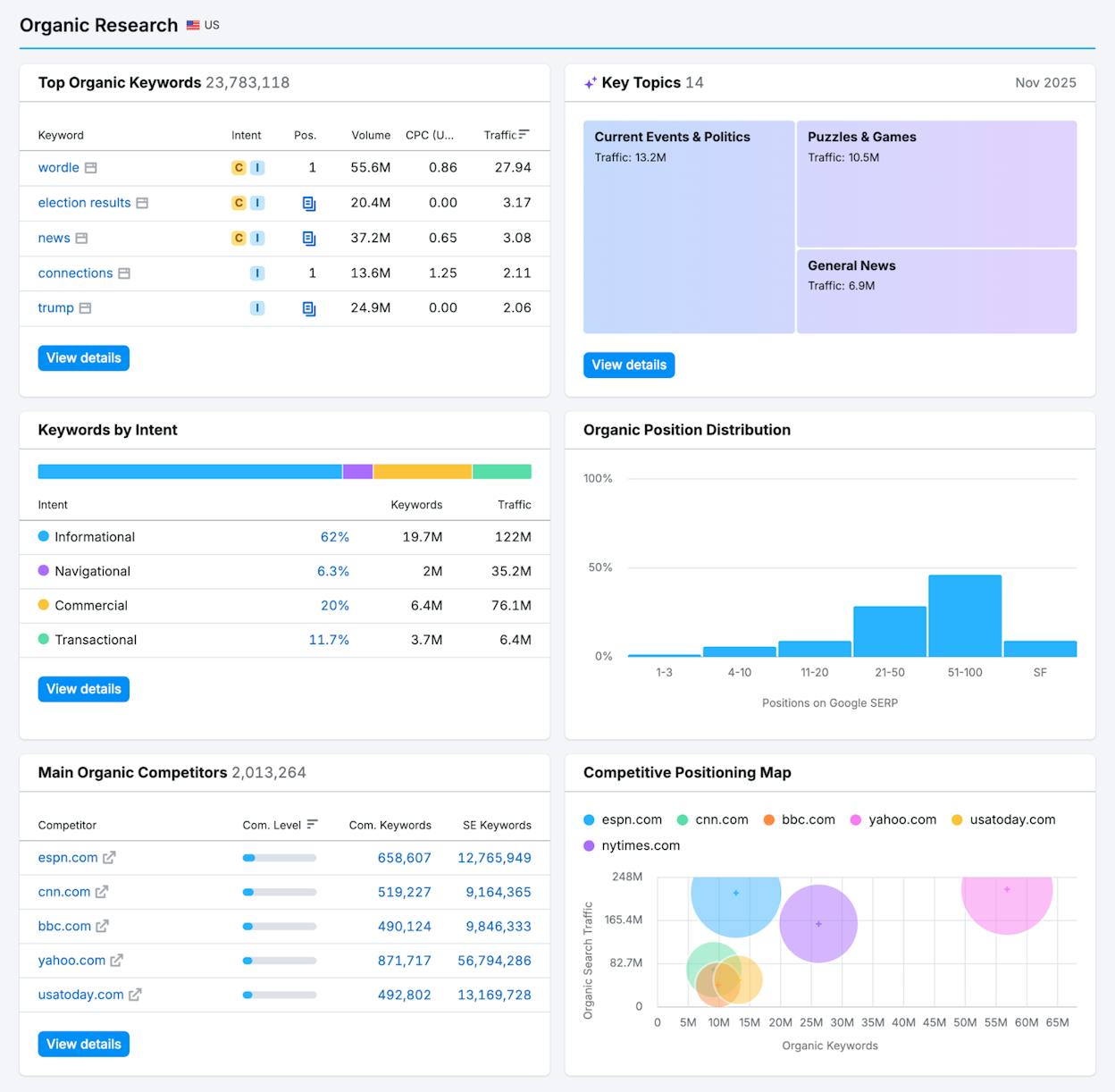
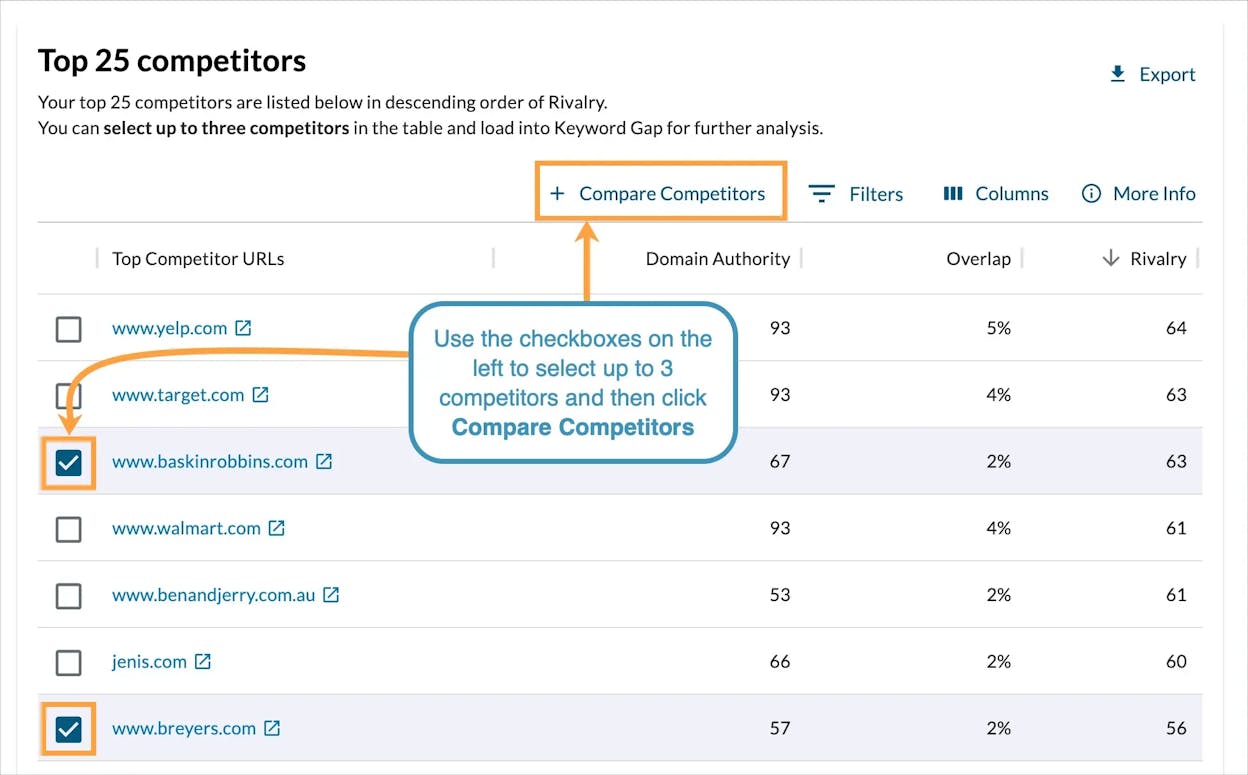
Domain versus domain reports that compare organic and paid keywords
Traffic Analytics that shows rival traffic sources and country-level patterns
Backlink Analytics with link gaps, toxicity scores, and link-building tools
Advertising Research for search ads, display ads, and product listing ads
Topic and content tools that surface gaps in areas your rivals cover well
Semrush works well when you want one place for most SEO and paid search questions, because it brings keyword data, traffic models, backlink profiles, and ad activity together in one connected flow that turns scattered signals into clear insight. You can start with a rival domain, understand which keywords and pages drive their growth, then trace the links and ads that support those wins, which gives you a practical view of what they do right and how durable their strategy looks.

This connected workflow helps teams move fast because the research steps sit close together, so users do not waste time switching tools or exporting large spreadsheets just to answer simple follow-up questions. Content, SEO, and paid teams can share the same dashboards, which keeps planning simple and helps everyone rely on one shared source of truth rather than separate tools that never line up.
The depth of Semrush brings challenges you should expect before you adopt it. Prices rise quickly as you add more projects, keywords, or seats, which pushes smaller teams toward higher plans earlier than they might want. New users can also feel lost during the first months, since many reports hold layers of filters and options that take time to understand.

Some data, especially traffic estimates for small sites, will never match first-party analytics because the numbers rely on modeled patterns rather than direct measurement. Teams that expect exact precision can misread these values, so leaders must treat these numbers as directional signals that guide decisions rather than absolute truth.
How Semrush fits the five core evaluation metrics
| Core metric | How Semrush performs |
|---|---|
| Data coverage depth | Broad and deep datasets across keywords; backlinks; traffic; ads; and content |
| Data freshness and update frequency | Frequent ranking; ad; and backlink updates for tracked projects |
| Competitive comparison capabilities | Strong domain versus domain; keyword gap; backlink gap; and traffic share tools |
| Automation and AI intelligence | Useful alerts with growing AI support; though some workflows still need manual steps |
| Pricing versus dataset value | High data value with pricing that can challenge small or early teams |
Best-fit use cases for Semrush
Teams that want one platform for SEO, PPC, and content research
Marketers who need clear gap analysis across keywords, links, and ads
Agencies that manage many domains and need consistent reporting
Growth teams that want fast competitive insight without switching tools
Takeaway
Ahrefs: best competitor analysis tool for backlink-first SEO visibility

Key Ahrefs standout features
Massive backlink index with link quality, link velocity, and anchor-text insights
Site Explorer for competitor pages, organic keywords, traffic estimates, and backlinks
Content Gap reports that show keywords your rivals rank for and you don’t
Keywords Explorer with strong difficulty metrics and SERP analysis
Brand monitoring and early AI-visibility tracking for emerging search formats
Ahrefs works well when your competitive strategy depends on deep backlink clarity, because the platform gives you a detailed map of how rivals earn authority and how fast they gain or lose links. You can start with a competitor’s domain, load their strongest pages, and then study which sites link to them, how those links stack by authority, and which patterns explain their ranking power, which gives your team a clearer view of what moves the needle in each niche.

The tool also helps content teams move with confidence because the keyword and content gap reports reveal exactly where your pages fall short. Site Explorer makes it easy to see which queries send traffic to rival pages, how those pages earn clicks, and what gaps exist in your own coverage. This flow saves time for marketers who want direct answers instead of scattered hints, and it allows strategy decisions to rest on visible data rather than guesswork.
The depth of Ahrefs brings some drawbacks that you should consider if your team has tight budgets or limited experience with SEO tools. The plans are priced on the higher end, and the free tier is almost nonexistent, which makes it harder for small teams to justify the investment. Extra usage often requires upgrades or add-ons, which adds more cost for teams that track many sites or keywords.

New users may also need time to understand the data flow, because the sheer amount of keyword and backlink information can overwhelm anyone who has not worked with SEO tools before. Some of the newer features, especially around AI and brand visibility, are still growing, which means teams that need cutting-edge AI-SERP monitoring might still rely on other tools while Ahrefs expands these capabilities.
How Ahrefs fits the five core evaluation metrics
| Core metric | How Ahrefs performs |
|---|---|
| Data coverage depth | Very deep datasets for backlinks and keywords with strong SERP and content insights |
| Data freshness and update frequency | Frequent updates across backlink and keyword indexes |
| Competitive comparison capabilities | Strong backlink gaps; keyword gaps; and top-page visibility |
| Automation and AI intelligence | Solid filtering and insights with early AI-tracking features still developing |
| Pricing versus dataset value | High data value with pricing that may stretch small teams |
Best-fit use cases for Ahrefs
Link-building teams that need real backlink quality and velocity data
SEO teams focused on keyword competitiveness and page-level visibility
Content teams who rely on content gap reports to guide priorities
Agencies that manage multiple domains and need detailed competitor insights
Takeaway
Similarweb: best competitor analysis tool for digital traffic and market share clarity

Key Similarweb standout features
Traffic estimates that show visit volume, channel mix, and engagement across competitor sites
SEO, PPC, and display insights that compare up to twenty-five rival domains in one view
Market share dashboards with audience interests, referral paths, and “also visited” patterns
Web and app performance tracking across regions and categories
Advertiser intelligence that reveals paid placements and partner networks rivals rely on
Similarweb works well when you need a clear and wide view of how competitors gain traffic across many channels, because it turns scattered signals into a single picture of where each site wins or loses attention. You can load a competitor domain, study their traffic mix, and see how much of their growth comes from search, paid ads, referrals, or direct demand, which helps teams understand which levers shape a category and which tactics are worth copying.

The platform also supports higher-level decisions because it shows market share shifts, audience overlaps, and app performance, which gives GTM and strategy teams a way to explain how entire markets move rather than how a single channel behaves. These insights are helpful in planning cycles where leaders need clean snapshots for investor decks, partnership evaluations, or category expansion discussions, since Similarweb gives them the numbers without forcing them to dig through complex data sources.
There are tradeoffs you should expect with any tool that relies on modeled data. Some numbers will differ from first-party analytics, especially for smaller sites, which means teams must treat the values as directional signals rather than exact measurements. This gap can confuse users who expect analytical precision, so you may need to set internal expectations before using the tool for reporting.

The more advanced modules can be expensive, and many of the strongest features sit behind enterprise plans, which can make the tool harder to justify for small teams. Teams that need only SEO-level insights might find more affordable options elsewhere, since Similarweb’s strength comes from wide market views rather than narrow channel depth.
How Similarweb fits the five core evaluation metrics
| Core metric | How Similarweb performs |
|---|---|
| Data coverage depth | Broad datasets across web traffic; channels; apps; and market segments |
| Data freshness and update frequency | Regular updates though based on modeled and sampled data |
| Competitive comparison capabilities | Strong cross-domain traffic; channel; and market-share comparisons |
| Automation and AI intelligence | Good dashboards with some automation; though less AI-heavy than SEO-first platforms |
| Pricing versus dataset value | High value for strategy teams; but costly for small or single-channel teams |
Best-fit use cases for Similarweb
GTM and strategy teams that need a wide view of market share and category shifts
Marketers who compare traffic and channel mix across many competitors
Partnerships and BD teams evaluating audience overlap and referral patterns
Leaders preparing investor decks or competitive overviews
Takeaway
SE Ranking: best competitor analysis tool for affordable all-in-one SEO tracking

Key SE Ranking standout features
Organic competitor discovery with ranking, visibility, keyword, and page-level insights
Backlink monitoring and gap analysis that shows new, lost, and toxic links across domains
Competitive SERP tracking with local SEO coverage across multiple locations
Competitor Research module for traffic, paid search data, and keyword strategies
Rank tracking tools that compare daily performance across your full competitor set
SE Ranking works well when you need core SEO competitor tracking without the cost or complexity that comes with heavier enterprise tools, because it brings keyword data, ranking trends, and backlink patterns into one clean interface that teams can move through with little friction. You can load a competitor domain, review their top keywords and pages, and then check which backlinks support their rankings, which gives you the clarity you need to understand why they win in your niche and which steps matter most for closing the gap.

The platform also helps teams that manage clients or multiple projects because rank tracking, auditing, keyword research, and competitor research are placed close together, which reduces time spent switching tools during planning. The simplified UI makes technical SEO less intimidating for junior marketers and freelancers, which helps smaller teams adopt a consistent process without needing deep expertise or long onboarding cycles.
There are limitations you should keep in mind before depending on SE Ranking for all competitive intelligence. Some users mention occasional glitches or slower support responses during heavier workloads, which can slow teams that want to move fast across many sites. These moments can cause friction during deadline-driven campaigns, especially when working inside large accounts.

The tool also lacks the depth Semrush or Ahrefs offer for advanced competitor workflows because its keyword, backlink, and traffic datasets are narrower, which means enterprise teams may still need deeper tools for big campaigns. SE Ranking gives strong coverage for most use cases but may fall short when you need very large datasets or highly technical filtering.
How SE Ranking fits the five core evaluation metrics
| Core metric | How SE Ranking performs |
|---|---|
| Data coverage depth | Solid coverage for keywords; rankings; backlinks; and SERP insights |
| Data freshness and update frequency | Frequent ranking and backlink updates with consistent visibility tracking |
| Competitive comparison capabilities | Good keyword gaps; ranking comparisons; and backlink gap analysis |
| Automation and AI intelligence | Basic automation with some alerts; lighter AI features compared to top-tier tools |
| Pricing versus dataset value | Strong value for small teams and agencies with flexible; affordable plans |
Best-fit use cases for SE Ranking
Agencies and freelancers needing broad SEO tools at a manageable cost
Small teams that want keyword, ranking, and backlink insights in one place
Marketers tracking local SEO performance across many locations
Teams that need simple competitor views without enterprise-level complexity
Takeaway
SpyFu: best competitor analysis tool for PPC and keyword intelligence

Key SpyFu standout features
Full visibility into every keyword a competitor has bought in Google Ads, including historic bidding and ad-test patterns
Organic ranking insights that show estimated clicks, top pages, and SEO-to-PPC overlap opportunities
Negative keyword detection and wasted-spend insights for smarter ad targeting
Competitor ad-history timelines that reveal long-term test results and strategic shifts
Keyword research tools tailored for PPC teams that need fast, tactical answers
SpyFu works well when your competitive edge depends on paid search clarity, because it gives you a detailed picture of how rivals spend money across Google Ads and why certain keywords matter to them. You can look at a competitor’s full paid search footprint, see the keywords they bid on, check which ad tests they ran, and identify the winning patterns they rely on, which helps teams understand how much intent they chase and where they protect their strongest positions.

The organic data adds value because it shows the overlap between SEO and PPC, which helps marketers avoid cannibalizing traffic or missing cross-channel opportunities. Teams can compare organic rankings, paid activity, and estimated clicks in one place, which reduces guesswork and gives growth teams a clearer sense of which keywords deserve budget and which ones need content support instead of spend.
SpyFu does carry some drawbacks that matter as you scale beyond PPC. The backlink tools are limited compared with broader SEO suites, and the technical SEO features do not reach the depth that Semrush or Ahrefs offer. Teams that need full SEO and content analysis may feel the gaps during audits or large strategy projects.

The interface can also feel cluttered because the platform surfaces so much tactical PPC information at once, which can overwhelm users who prefer cleaner layouts. Many teams use SpyFu as a secondary tool beside a larger SEO suite, which adds one more login but ensures broader coverage.
How SpyFu fits the five core evaluation metrics
| Core metric | How SpyFu performs |
|---|---|
| Data coverage depth | Strong for PPC and keyword intelligence; lighter for backlinks and technical SEO |
| Data freshness and update frequency | Regular updates across ads; keyword data; and competitive histories |
| Competitive comparison capabilities | Excellent for PPC keyword gaps and ad-strategy comparisons |
| Automation and AI intelligence | Basic automation with limited AI features; focused more on tactical data |
| Pricing versus dataset value | High value for PPC teams with affordable plans and unlimited searches |
Best-fit use cases for SpyFu
PPC teams needing clear insight into competitor bids, tests, and wasted spend
Agencies building paid strategies across many client accounts
Marketers aligning SEO and PPC efforts through overlap analysis
Teams that want fast, tactical competitive data without paying enterprise pricing
Takeaway
Moz Pro: best competitor analysis tool for true-competitor discovery

Key Moz Pro standout features
True Competitor tool that discovers the sites you genuinely compete with in the SERPs
Keyword and link-based comparisons that highlight ranking gaps and top competitor pages
Automated competitive reports that track your rivals’ movement over time
Link-profile tools that surface key backlinks, authority signals and link losses
Campaign tracking that monitors keyword visibility and competitor overlap
Moz Pro works well when you need a clear view of who your real competitors are, because it identifies domains that overlap with your rankings instead of assuming competitors based only on industry or assumptions. You can load your site, see which domains show up beside you across many keyword groups, and then explore their top pages, keywords and link profiles, which gives teams a grounded way to choose the right rivals to measure against.

The platform also supports everyday SEO tasks with a simple flow that helps users investigate keyword gaps, check link authority and run ongoing campaigns without needing heavy setup. This balance makes Moz Pro easy for teams that are learning SEO or building their first structured workflow, because the interface holds fewer distractions and focuses on clarity rather than complexity.
There are tradeoffs you should consider before depending on Moz Pro for deep research. The keyword database is smaller than what the largest suites provide, which limits long-tail research and weakens coverage for niche industries. Teams that target broad national markets or very large keyword sets may feel this gap during planning.

The pace of updates can also feel slower for users who need flexible, enterprise-level workflows, since some parts of the platform take more time to evolve. This becomes noticeable when you manage large sites with fast-moving competitors, because you may need supplemental tools for deeper SERP or link analysis.
How Moz Pro fits the five core evaluation metrics
| Core metric | How Moz Pro performs |
|---|---|
| Data coverage depth | Solid keyword; link and competitor data with smaller long-tail coverage |
| Data freshness and update frequency | Reliable updates but slower expansion of datasets |
| Competitive comparison capabilities | Strong true-competitor discovery and clear keyword/link gap tools |
| Automation and AI intelligence | Good automated reporting with lighter AI presence |
| Pricing versus dataset value | Good value for teams growing into SEO; less ideal for enterprise depth |
Best-fit use cases for Moz Pro
Teams moving from beginner to intermediate SEO workflows
Marketers who want to know their true search competitors
Users who need simple keyword and link-gap tracking
Companies that value strong education and clear UI over complex features
Takeaway
BuzzSumo: best competitor analysis tool for content and social performance

Key BuzzSumo standout features
Top-performing competitor content analysis based on shares, links, and engagement
Social listening tools that track brand and competitor mentions across major platforms
Influencer identification tools for mapping who drives visibility in each niche
Real-time alerts for new competitor content, trending topics, and brand mentions
Content discovery filters that surface high-engagement formats and themes
BuzzSumo works well when you need to understand what content drives attention in your market, because it shows you which topics and formats work best for your competitors across social and the broader web. You can look at a rival’s top posts, see which networks amplify them, and understand the engagement patterns that shape their visibility, which helps your team build content that aligns with real audience interest instead of assumptions.

The platform also supports broader content strategy because it reveals the influencers, publications, and social accounts that push topics forward. This clarity helps marketers design campaigns that match the tone and style of high-performing content while avoiding ideas that fail to resonate. The simple UI makes it easy to move from topic discovery to influencer mapping to competitor alerts, which is helpful for teams that want quick answers during planning without digging through complex dashboards.
There are limits that you should expect with a tool built mainly for content and social insight. BuzzSumo does not offer deep SEO or market-share analysis, which means teams focused on organic search, PPC, or traffic modeling will need additional tools. This focus can make BuzzSumo feel narrow for companies with broader competitive-intelligence needs.

Pricing can also be a challenge for small teams, because advanced features and additional seats increase costs. Users who manage multiple markets or cross-functional workflows may need more permissions or deeper access, which raises the overall spend.
How BuzzSumo fits the five core evaluation metrics
| Core metric | How BuzzSumo performs |
|---|---|
| Data coverage depth | Strong content and social data; limited SEO or traffic modeling |
| Data freshness and update frequency | Frequent social and content updates with real-time alerts |
| Competitive comparison capabilities | Strong for engagement; content performance; and influencer comparison |
| Automation and AI intelligence | Good alerting and discovery tools; lighter on AI-driven insights |
| Pricing versus dataset value | High value for content teams; but can be costly for multi-seat setups |
Best-fit use cases for BuzzSumo
Content teams studying what formats and topics drive engagement
Social teams tracking brand mentions, influencers, and viral patterns
Marketers building campaigns informed by competitor content performance
Teams that need fast insight into trending topics and competitor posts
Takeaway
Sprout Social: best competitor analysis tool for social listening and brand benchmarking

Key Sprout Social standout features
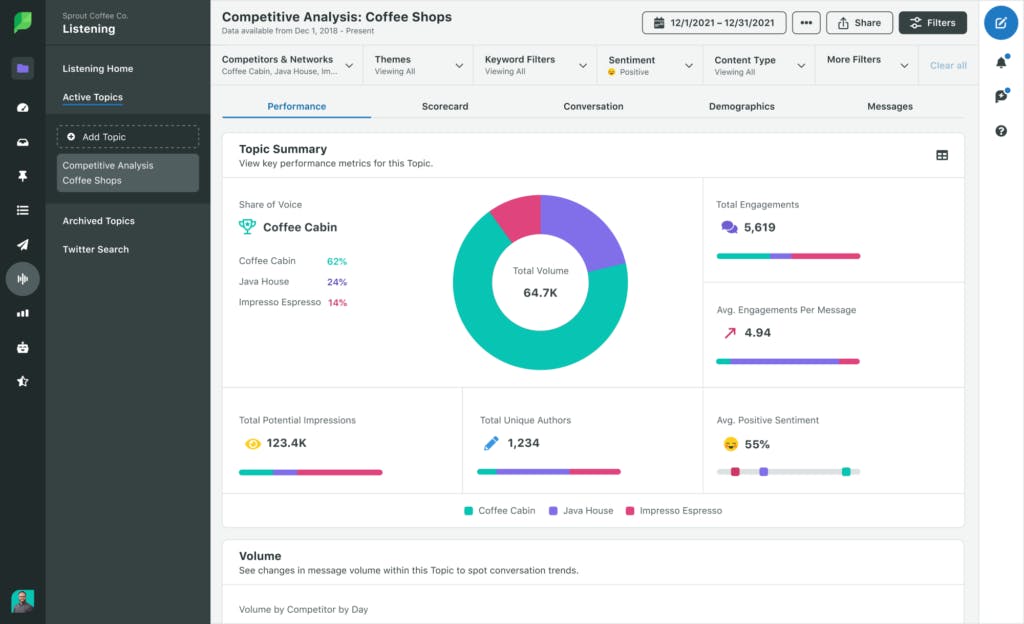
Competitive Analysis Listening with side-by-side comparisons across share of voice, engagement, impressions and sentiment
Real-time social listening streams that track competitor mentions, hashtags and campaign activity
Dashboards and alerts that reveal emerging trends and changes in brand sentiment
Cross-network reporting for Instagram, Facebook, X, LinkedIn and TikTok
Audience-insight tools that show how conversations form and shift around brands
Sprout Social works well when your competitive view depends on understanding how audiences react to brands across major social networks, because it brings engagement, sentiment and share-of-voice data into one clear report. You can review how your presence compares against rivals, see which posts or campaigns drive attention for them and understand the tone of conversations around each brand, which helps teams focus messaging, campaign timing and content decisions on real community signals.

The platform also helps marketing leaders explain social performance to stakeholders because its charts and comparisons are visual and simple to understand. Teams can show how a competitor’s sentiment shifts over time or how hashtag usage spikes during campaigns, which improves decision-making during planning cycles. This clarity is especially useful for companies that need a reliable social-only benchmark without building custom dashboards in multiple tools.
Sprout Social has limits that matter if you want a complete digital competitor view. The platform focuses only on social metrics and does not include SEO, traffic or paid search insights, which means teams that need multi-channel intelligence will still need additional tools. Social data gives valuable signals, but it does not replace broader digital analysis.

Pricing can also rise quickly when you add more profiles, seats or advanced listening modules, which makes the platform harder to adopt for small companies or teams with lean budgets. Larger teams may find the cost justified, but smaller teams can struggle as their monitoring expands.
How Sprout Social fits the five core evaluation metrics
| Core metric | How Sprout Social performs |
|---|---|
| Data coverage depth | Strong social data across networks; limited outside social |
| Data freshness and update frequency | Real-time listening and frequent metric updates |
| Competitive comparison capabilities | Clear social benchmarks with sentiment; SOV and engagement comparisons |
| Automation and AI intelligence | Robust dashboards and alerts; lighter on deeper AI analytics |
| Pricing versus dataset value | High value for social teams but can become expensive with added profiles or seats |
Best-fit use cases for Sprout Social
Social teams benchmarking engagement and sentiment against competitors
Brand teams tracking conversation shifts, mentions and campaign reactions
Companies that prioritize visual reporting for stakeholders
Teams needing real-time listening to guide content and community decisions
Takeaway
Brandwatch: best competitor analysis tool for large-scale social and consumer intelligence

Key Brandwatch standout features
High-volume tracking of brand and competitor mentions across social, news, forums and reviews
Monitoring of themes, sentiment and audience conversations from more than one hundred million sources
Benchmarking dashboards that compare share of voice, campaign impact and trend shifts
AI-driven insights that surface hidden patterns competitors may exploit
Flexible segmentation by topic, region, audience group and sentiment
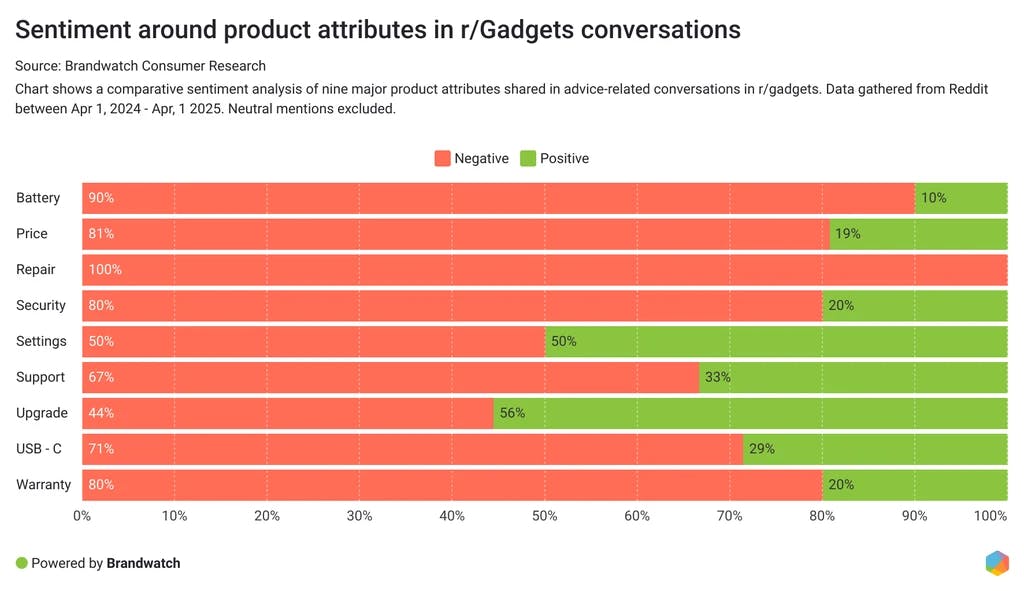
Brandwatch works well when your competitive visibility depends on understanding vast streams of online conversations, because it gathers social, news, forum and review data into one system that shows how audiences respond to brands at scale. You can track how often competitors appear in conversations, see whether sentiment moves up or down and watch which topics grow around their campaigns, which helps teams understand how public perception forms and shifts across many channels.

The platform also supports advanced intelligence work because you can slice the data by geography, segment or theme and study how conversation clusters evolve over time. This depth gives marketing, PR and research teams a clear sense of where competitors gain momentum or lose trust, and it helps leaders validate decisions with real audience signals rather than assumptions. Brandwatch’s dashboards make these insights easier to present, which matters when teams need to brief executives or guide crisis-response planning.
Brandwatch’s power comes with clear tradeoffs that smaller or less technical teams should consider. The pricing is designed for enterprise use, and the platform can feel like too much when you only need light social listening or simple benchmarking. Its scale and flexibility become advantages only when teams can commit to a sustained competitive-intelligence program.

The learning curve is also steeper because the platform requires thoughtful query building and dashboard setup, which can slow teams during the early ramp-up period. Users who prefer quick or pre-built insights may find the setup heavier than expected, even though the long-term value becomes clear once the system is configured well.
How Brandwatch fits the five core evaluation metrics
| Core metric | How Brandwatch performs |
|---|---|
| Data coverage depth | Extremely deep datasets across social; news; forums and reviews |
| Data freshness and update frequency | High-frequency updates with real-time social listening |
| Competitive comparison capabilities | Strong share-of-voice; sentiment and trend benchmarking |
| Automation and AI intelligence | Advanced AI insights that surface hidden patterns and emerging themes |
| Pricing versus dataset value | Excellent for enterprises; costly and complex for smaller teams |
Best-fit use cases for Brandwatch
Large brands that need deep social and consumer intelligence across many markets
Teams monitoring sentiment, crisis signals and competitor narrative shifts
PR and research teams needing multi-source data with flexible segmentation
Companies running detailed campaign and brand-perception benchmarking
Takeaway
Crayon: best competitor analysis tool for full-funnel competitive intelligence

Key Crayon standout features
Automated monitoring of competitor websites, news, content changes and pricing updates
Win/loss analysis tools with direct integrations into CRM and sales-enablement platforms
AI-assisted insights that highlight important shifts in competitor strategy
Real-time alerts that surface new moves across digital channels
Battlecards and enablement outputs built for sales and product-marketing teams
Crayon works well when your competitive landscape changes fast and you need a constant stream of reliable intelligence pushed to the teams that act on it. The platform watches competitor websites, announcements, product pages and messaging updates, then gathers these signals into one place so your team can understand what changed and why it matters. This gives product-marketing and sales leaders a clear view of shifts in positioning, pricing or feature launches, which helps them prepare faster responses.

The tool also supports frontline teams through prepared battlecards, CRM integrations and win/loss tracking, which turn competitive signals into guidance that sales reps can use during deals. These workflows help organizations tighten their competitive narrative and ensure field teams stay aligned on what rivals are doing, where they are winning and how your product compares.
Crayon’s strength in enterprise-level intelligence comes with clear considerations for smaller teams. Pricing and positioning skew toward mid-market and enterprise organizations, so smaller companies may find the platform heavier and more expensive than they need. The depth becomes valuable only when teams can invest the time and structure required to use it consistently.

Setup and curation can also create a steeper learning curve, because the platform works best when teams assign ownership and build internal processes to maintain feeds, battlecards and competitive programs. Organizations without dedicated product-marketing or enablement resources may struggle to get full value until they establish that structure.
How Crayon fits the five core evaluation metrics
| Core metric | How Crayon performs |
|---|---|
| Data coverage depth | Broad monitoring across web; news; content; pricing and product changes |
| Data freshness and update frequency | Real-time updates and alerts across many digital channels |
| Competitive comparison capabilities | Strong battlecards; win/loss insights and strategic positioning comparisons |
| Automation and AI intelligence | Advanced AI-assisted insights and automated monitoring |
| Pricing versus dataset value | Excellent for enterprise programs; costly and heavy for smaller teams |
Best-fit use cases for Crayon
Product-marketing teams managing competitive positioning and messaging
Sales teams needing real-time battlecards and ongoing competitive alerts
Companies monitoring frequent changes in competitor products or pricing
Mid-market and enterprise organizations building formal competitive-intelligence programs
Takeaway
Klue: best competitor analysis tool for competitive enablement and battlecards

Key Klue standout features
Automated aggregation of competitor reviews, content and signals into structured battlecards
AI-generated Strengths and Weaknesses drawn from thousands of customer reviews
Sales-facing portal with usage analytics and CRM or workflow integrations
Win/loss capture and insights that enhance positioning and messaging
Centralized competitive-intel hub designed to streamline enablement
Klue works well when you want competitive intelligence to flow directly into sales and product workflows, because it gathers scattered competitor signals and turns them into structured assets that revenue teams can use immediately. The platform automates data collection from reviews, public content and market signals, then organizes that information into battlecards and competitor profiles, which helps teams avoid manual research and focus on the decisions that move deals forward.

The tool also supports larger go-to-market teams by embedding intelligence into the systems they already use. With a sales-facing portal, usage analytics and tight integrations, Klue ensures that insights reach the right people at the right time instead of sitting unused inside dashboards. This approach strengthens alignment across sales, product and marketing and helps organizations maintain consistent messaging during competitive deals.
Klue’s focus on structured competitive enablement creates some limitations that matter for smaller or less mature CI teams. The platform assumes you already have a competitive-intelligence process and clear ownership in place, so teams without that structure may need time to build the foundation before seeing full value. This can slow adoption for organizations that are early in their CI journey.

Users also report a learning curve and some friction in collaboration or content-flexibility, especially when many contributors update battlecards or share insights. These issues tend to appear in fast-moving teams that need frequent adjustments to messaging or positioning.
How Klue fits the five core evaluation metrics
| Core metric | How Klue performs |
|---|---|
| Data coverage depth | Aggregates broad review and content data but focused on enablement-specific inputs |
| Data freshness and update frequency | Automated updates and signals delivered into sales workflows |
| Competitive comparison capabilities | Strong for structured comparisons via battlecards and strengths/weaknesses |
| Automation and AI intelligence | Advanced AI summaries and automated intel aggregation |
| Pricing versus dataset value | High value for mature CI and enablement teams; heavier for small or early-stage teams |
Best-fit use cases for Klue
Sales teams needing ready-to-use battlecards and competitive messaging
Product marketing teams managing win/loss feedback and positioning
Organizations with established CI programs looking to scale enablement
Revenue teams needing real-time intel in CRM or deal workflows
| Takeaway |
|---|
| Klue turns raw competitive data into usable sales and product guidance |
Kompyte: best competitor analysis tool for automated CI with AI filtering

Key Kompyte standout features
Automated tracking of competitor websites, announcements, content changes and product updates
AI-driven insight filters that surface high-value changes while removing noise
Integrations with sales-enablement tools and GTM systems to deliver battlecards where teams work
Multi-source monitoring across reviews, ads, job posts and social updates
Ready-to-use competitive summaries that reduce manual research time
Kompyte works well when your team needs constant visibility into competitor moves but lacks the bandwidth for heavy manual research, because the platform automates most of the data collection and uses AI to filter out low-value noise. It watches websites, pricing pages, product updates, content drops and public signals, then distills these changes into clear insights that teams can read and act on quickly. This flow helps product-marketing and revenue teams stay ahead without spending hours inside dashboards.

The platform also supports go-to-market execution because it connects competitive insights to sales and product workflows through battlecards, CRM integrations and enablement outputs. These connections help frontline teams adjust messaging, anticipate competitive objections and align around the most important changes happening in the market. For SaaS companies and revenue teams that need timely intelligence, Kompyte’s automation becomes a major advantage.
There are tradeoffs that teams should expect before adopting Kompyte. Like other competitive-intelligence platforms, it works best when you have clear ownership for setup, curation and refinement; without that, the system may generate insights but not deliver value. Teams that lack a structured CI process may need time to build it before Kompyte reaches its full potential.

Pricing transparency is also limited because many plan details sit behind sales calls, which makes early evaluation harder for small teams. Companies with lean budgets may find this challenging, especially if they need to compare multiple CI tools before committing.
How Kompyte fits the five core evaluation metrics
| Core metric | How Kompyte performs |
|---|---|
| Data coverage depth | Broad tracking across sites; content; product updates; reviews; ads and job posts |
| Data freshness and update frequency | Real-time monitoring with AI-filtered insights |
| Competitive comparison capabilities | Strong battlecards and update summaries focused on actionable changes |
| Automation and AI intelligence | High automation and advanced AI filtering across competitive signals |
| Pricing versus dataset value | Strong value for SaaS GTM teams; pricing clarity varies and often requires sales calls |
Best-fit use cases for Kompyte
SaaS product-marketing teams wanting automated competitive updates
Sales teams needing AI-filtered battlecards tied into CRM workflows
Revenue teams that want fast insight instead of manual research
Companies with established CI processes looking to scale through automation
| Takeaway |
|---|
| Kompyte delivers continuous |
Owler: best competitor analysis tool for company-level market and account monitoring

Key Owler standout features
Real-time alerts for funding rounds, leadership changes, acquisitions and major company news
“Owler Max” discovery tools that help identify competitor sets using revenue, geography and industry filters
Company profiles with revenue estimates, funding history, employee counts and competitive relationships
Monitoring streams that track updates across prospects, partners and direct competitors
Market-level tracking that surfaces shifts in company activity and strategic moves
Owler works well when your team needs a fast way to follow many companies at once, because it brings funding updates, leadership changes and company news into a single feed that sales, BD and founders can scan quickly. You can track competitors, prospects and partners together, which helps teams understand when new opportunities or risks appear in their space. This structure makes it easier for users to react to major company events without relying on manual research or scattered news sources.

The platform also supports broader market awareness because Owler Max can surface relevant competitor sets automatically, which is helpful for teams operating in crowded or shifting categories. These profiles give users a sense of where companies stand in terms of funding, estimated revenue and employee growth, helping teams refine prospecting lists or competitive watchlists. For founders, BD leaders or revenue teams working across many accounts, this high-level visibility becomes especially valuable.
Owler has limitations you should consider before using it as a primary competitor tool. The platform focuses on company-level intelligence, not keyword, traffic or content data, so teams needing SEO, PPC or web performance insights will need additional tools. Owler’s strength is corporate monitoring, not digital marketing analysis, which makes it better suited for strategic or outbound use cases rather than technical SEO work.

Pricing transparency can also feel limited, especially around the advanced tiers, as some details sit behind sales conversations. This may create friction during early evaluation for smaller companies comparing several monitoring tools at once.
How Owler fits the five core evaluation metrics
| Core metric | How Owler performs |
|---|---|
| Data coverage depth | Strong for company-level data; limited for search/traffic/content |
| Data freshness and update frequency | Frequent news; funding and leadership updates with real-time alerts |
| Competitive comparison capabilities | Good for company-to-company benchmarking via profiles and Owler Max discovery |
| Automation and AI intelligence | Automated alerts and monitoring; lighter AI across competitive datasets |
| Pricing versus dataset value | Good value for sales and BD teams; less clear for advanced tiers requiring sales contact |
Best-fit use cases for Owler
Sales teams tracking prospects, competitors and account movements
Founders and BD teams monitoring company news and market shifts
Teams building watchlists for funding events, leadership changes or M&A
Companies that need quick, high-level intel rather than deep SEO or traffic data
Takeaway
Owletter: best competitor analysis tool for email campaign monitoring

Key Owletter standout features
Automatic capture of all emails sent from a competitor’s mailing list
Screenshots of email designs, subject lines, send times and promotional patterns
Alerts triggered by keywords that appear inside competitor campaigns
Long-term archives that reveal cadence, seasonal trends and offer cycles
Clean dashboards that help teams compare design styles and content themes across rivals
Owletter works well when your team needs clear visibility into how competitors use email without subscribing to dozens of newsletters or clogging up inboxes. The platform captures every email sent from a domain and stores it automatically, which gives marketers a reliable way to study timing, design choices, promotional themes and message structures. This view helps teams see what drives their competitors’ seasonal pushes and which tactics repeat across different periods.

The system also simplifies research because it provides screenshots, subject lines and metadata without requiring manual sorting or filtering. Teams can scan historical archives, check how often a competitor emails during key moments and review the offers or CTAs that appear most often. For marketers who rely on email benchmarks for planning, Owletter removes friction and gives them a clean, long-range picture of competitor patterns.
Owletter’s narrow focus can be a limitation if your team needs coverage across SMS, lifecycle flows or multi-channel campaigns. It captures email well, but does not track other messaging channels, so teams aiming for full-funnel competitive intelligence will need additional tools. This narrower scope makes Owletter best suited for email-specific benchmarking rather than holistic lifecycle analysis.

Some users may also find the feature depth lighter compared with newer omni-channel intelligence platforms that combine email with SMS or app alerts. If your strategy requires side-by-side comparisons across many channels, Owletter can feel limited until paired with broader tools.
How Owletter fits the five core evaluation metrics
| Core metric | How Owletter performs |
|---|---|
| Data coverage depth | Strong for email campaigns; limited for SMS or broader lifecycle data |
| Data freshness and update frequency | Automatic capture of all competitor emails with continuous archiving |
| Competitive comparison capabilities | Good for timing; frequency; design and offer analysis |
| Automation and AI intelligence | High automation; light AI beyond keyword alerts |
| Pricing versus dataset value | Strong value for email-specific intelligence; depth depends on your scope |
Best-fit use cases for Owletter
Email marketers benchmarking competitor promotions and timing
Teams analyzing design patterns, seasonal pushes and offer cycles
Companies wanting inbox-free visibility into competitor campaigns
Marketers planning seasonal or promotional calendars based on industry patterns
Takeaway
Wappalyzer: best competitor analysis tool for tech-stack intelligence

Key Wappalyzer standout features
Identification of CMS, ecommerce platforms, analytics tools, payment processors and marketing technologies
Bulk lookups and API access for large-scale technology adoption research
Alerts that notify you when a competitor adds, removes or switches a technology
Custom tech-stack reports for market-share and trend analysis
A lightweight browser extension for fast, on-page technology checks
Wappalyzer works well when your team needs a clear view of what competitors are built with, because it scans websites and detects the technologies running behind the scenes. This includes CMS platforms, ecommerce engines, analytics tools, email systems, payment services and other core components. These insights help product and GTM teams understand how their competitors operate, which technologies dominate a category and where certain tools are gaining adoption.

The platform also supports broader market analysis because it enables bulk lookups and API-driven research across thousands of domains. This is useful when you want to quantify market share for a technology, map adoption trends or build datasets for TAM analysis. With a free browser extension and quick detection tools, teams can perform fast checks during competitor research or early sales qualification.
Wappalyzer does have limitations that matter for deeper strategic analysis. The tool tells you what a site uses but not how well those technologies perform or why the company selected them. This means you get a picture of the stack, not the strategy behind it. Teams that need insight into performance, speed or marketing outcomes will need additional tools.

Detection accuracy can also vary, especially on heavily customized sites or platforms that mask their technologies. Some tools may be missed or misidentified, which can reduce clarity for markets that rely on custom builds. For most standard stacks the detection is strong, but teams handling technical categories should keep this nuance in mind.
How Wappalyzer fits the five core evaluation metrics
| Core metric | How Wappalyzer performs |
|---|---|
| Data coverage depth | Strong for technology identification; limited for performance or strategic insights |
| Data freshness and update frequency | Frequent scans with monitoring for technology changes |
| Competitive comparison capabilities | Good for tech-stack comparisons and trend-based market-share insights |
| Automation and AI intelligence | Automation via alerts and API; limited AI beyond detection |
| Pricing versus dataset value | Strong value thanks to free tools and scalable API plans |
Best-fit use cases for Wappalyzer
Product teams studying competitor tech stacks and market adoption
GTM teams validating technology fit during prospecting
Analysts conducting TAM or market-share research by technology
Founders mapping competitive categories and tooling patterns
| Takeaway |
|---|
| Wappalyzer gives fast |
AlphaSense: best competitor analysis tool for market & financial intelligence

Key AlphaSense standout features
Access to an enormous library of filings, earnings call transcripts, research notes and expert interviews
AI-powered search and summarization that compress hours of reading into quick, usable insights
Watchlists and real-time alerts that track competitor movements, market themes and regulatory shifts
Dashboards for comparing companies, sectors and trends across hundreds of millions of documents
Smart Synonyms and Generative Search tools that surface hidden insights traditional search would miss
AlphaSense works well when your team needs deep, analyst-level intelligence because it centralizes filings, broker research, expert transcripts and market news into one search layer. The platform eliminates the need to manually scan PDFs or sift through long documents by providing fast, accurate summaries. Strategy and corporate development teams benefit from the ability to monitor entire markets, set alerts for specific companies and discover insights that guide major decisions.

The platform also improves research speed because its AI tools cut through large volumes of complex material. Users highlight how quickly AlphaSense pulls out relevant data points from dense regulatory filings or long earnings transcripts, which reduces blind spots and helps teams prepare for competitive risks earlier. These capabilities make AlphaSense effective for organizations where research quality shapes business outcomes.
AlphaSense does come with trade-offs that matter when choosing a competitor-intelligence stack. The platform is priced and designed for enterprise-level teams, making it heavy for small businesses or those who do not rely on detailed financial and market data. Teams looking for simple SEO or surface-level competitor metrics may find AlphaSense too specialized for their needs.

Another limitation is that the platform excels in document-heavy workflows, meaning teams that do not analyze transcripts, research notes or filings may not fully benefit. It is built for high-stakes competitive analysis, not lightweight checks.
How AlphaSense fits the five core evaluation metrics
| Core metric | How AlphaSense performs |
|---|---|
| Data coverage depth | Extremely deep across filings; research; transcripts; news and expert insights |
| Data freshness and update frequency | Continuous updates with real-time monitoring and alerts |
| Competitive comparison capabilities | Strong for market; sector and company benchmarking; aimed at enterprise analysis |
| Automation and AI intelligence | Leading AI summarization and search capabilities |
| Pricing versus dataset value | High value for enterprise research teams; steep for smaller or low-frequency users |
Best-fit use cases for AlphaSense
Corporate strategy teams conducting deep competitive and market analysis
Investment, consulting or research organizations working with large document sets
M&A or corporate development teams tracking filings, regulatory changes and competitor moves
Companies with structured research operations that rely on high-quality market insight
Takeaway
Tie AI visibility toqualified demand.
Measure the prompts and engines that drive real traffic, conversions, and revenue.
Similar Content You Might Want To Read
Discover more insights and perspectives on related topics

7 Best Enterprise SEO Tools (In Depth Comparison)

How Kylian AI Used Analyze to Drive 1k+/m Visits From AI SEO

The 35 Best AI Marketing Tools in 2026

How To Outrank Competitors In AI Search? (Based on Real Citation Data)

11 AI Tools Every Small Businesses Should Use to Grow