



Summarize this blog post with:


In this article, you’ll learn what a content marketing AI agent actually does, how to build one without writing code, and five ready-to-use workflows that handle content writing, optimization, keyword research, internal linking, and image creation at scale. You’ll also see how to extend your agents with AI search visibility data so your content performs in both Google and AI engines like ChatGPT and Perplexity.
Table of Contents
What a content marketing AI agent actually does
Most content marketing workflows look the same. You research a keyword. You write a brief. You draft, edit, optimize, add images, publish, and then do it all again. Every step involves a different tool, a different tab, and a different person waiting on someone else.
A content marketing AI agent handles that sequence for you. It connects to your data sources, follows the workflow you define, and produces outputs without you manually moving between tools.
This is different from a simple automation. An automation follows a fixed script. An agent makes decisions along the way. If you tell an agent to write a blog post based on competitor gaps, it pulls the data, identifies what competitors cover that you don’t, generates a research brief, and produces a draft that reflects your brand voice. You review the output. The agent does the production work.
Here is a practical example. Say you want to publish three blog posts a week. Without an agent, your team spends time on keyword research, SERP analysis, outlining, writing, editing, image sourcing, and CMS formatting. That is 10 to 15 hours per post for a thorough piece.
With a content marketing AI agent, you set up a workflow once. The agent runs on a schedule or fires when a trigger hits. It pulls keyword data from DataForSEO or Semrush, generates research using web scraping and LLM analysis, builds an outline, drafts the article with your brand voice injected, creates a featured image, and pushes the draft to WordPress. Your editor reviews and approves. The agent handles the production. Your team handles the judgment.
The difference between tools that do this well and tools that just chain a prompt to a CMS is the substrate underneath. The best content marketing agent builders give you access to real data nodes (GA4, Google Search Console, Semrush, DataForSEO), real CMS integrations (WordPress, Notion, Contentful, Sanity), and real logic (conditionals, loops, branching) so your agent can handle complexity, not just simple prompt-to-publish tasks.
How to build your first content marketing AI agent (4 steps)
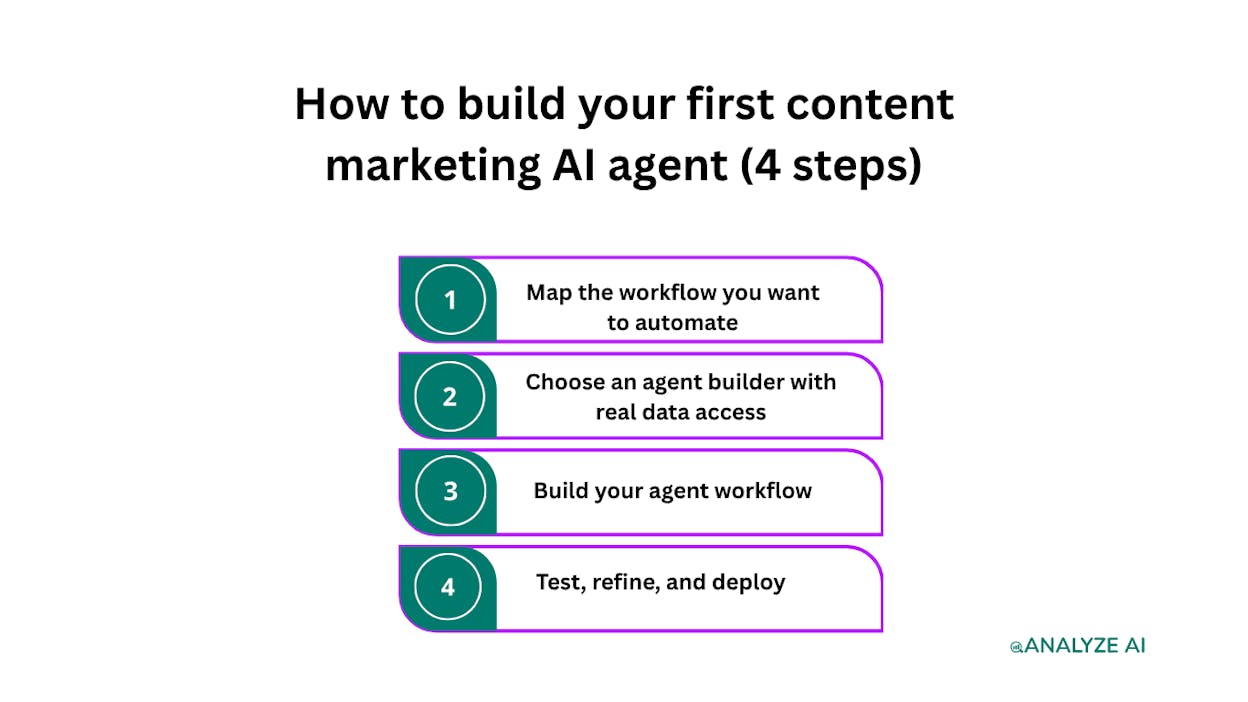
Step 1. Map the workflow you want to automate
Before you open any tool, write down the exact steps a human takes to complete the task. Every content marketing workflow follows a pattern, and you need to define that pattern before an agent can follow it.
For a content writing workflow, the steps might look like this.
-
Pick a topic based on a keyword gap or competitor insight.
-
Research the SERP and top-ranking pages.
-
Generate an outline.
-
Write a first draft using brand voice guidelines.
-
Score the draft for readability, keyword usage, and AI engine optimization.
-
Generate a featured image.
-
Publish to the CMS as a draft for review.
Be specific about inputs and outputs at each step. The more precisely you define what data goes in and what should come out, the better your agent performs. This is no different from training a new hire. Vague instructions produce vague results.
Step 2. Choose an agent builder with real data access
Not every AI tool is an agent builder. Many are prompt chains dressed up with a visual interface. When you evaluate platforms, look for three things.
Data integrations that go beyond generic APIs. You need native connections to GA4, Google Search Console, Semrush, DataForSEO, HubSpot, and your CMS. If the platform requires you to set up a custom API call for every data source, you will spend more time on plumbing than on building agents.
Logic and control flow. Conditionals, loops, branching, and wait steps are what separate a real agent from a linear automation. You need the ability to say “if the AEO score is below 80, send to a human for review instead of publishing.”
Brand context injection. The agent needs access to your brand voice, messaging rules, proof points, and competitor positioning. Otherwise, every output sounds generic.
Analyze AI’s Agent Builder is built for this. It ships with 180+ nodes across 16 categories, 34 pre-built data recipes, 13 input primitives, and 3 trigger modes (manual, scheduled, and webhook). The node library includes direct integrations with GA4, GSC, Semrush, DataForSEO, HubSpot, WordPress, Notion, Contentful, Sanity, Mailchimp, and every major LLM (Claude, GPT, Gemini, Perplexity Sonar).
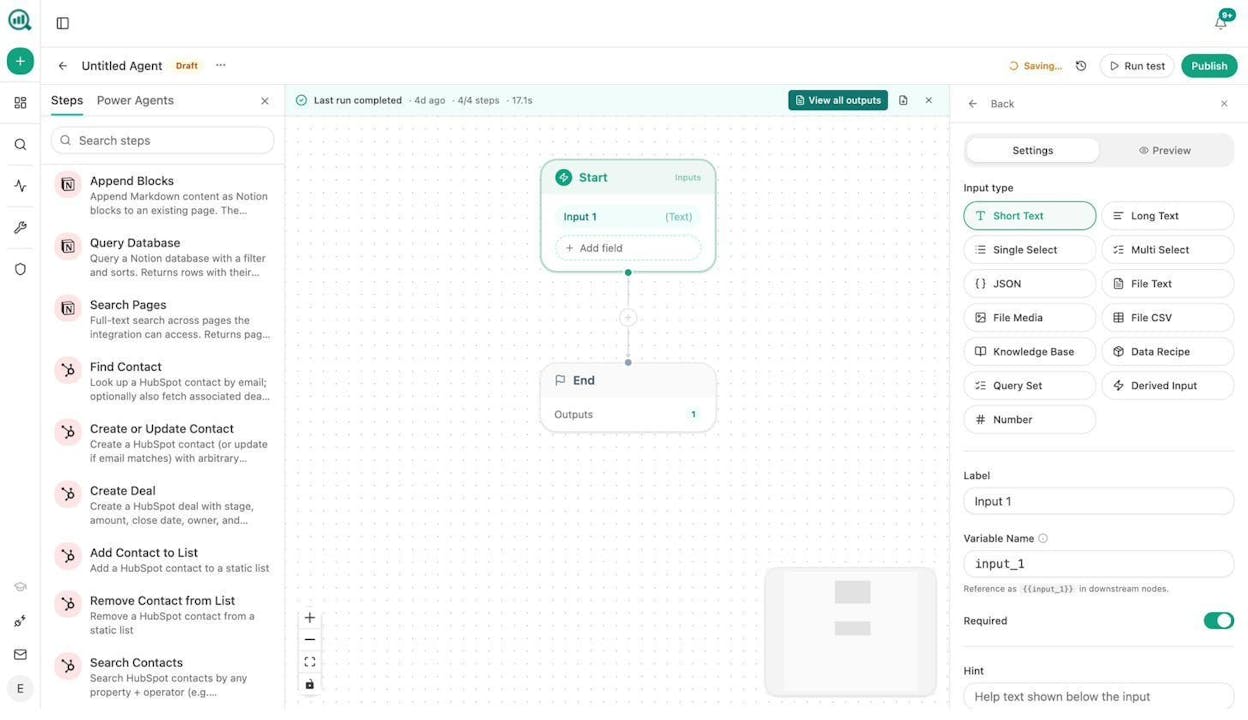
It also includes a Brand Vault with 12 injectable blocks covering everything from tone and style rules to competitor contrast and proof points. Any agent you build can pull from this vault automatically, so your content sounds like your brand wrote it, not a generic LLM.
Step 3. Build your agent workflow
Open the agent builder and create a new agent. You will see a canvas with a Start node and an End node. Everything you build goes between them.
Here is how to build a content writing agent step by step.
Set up your Start node inputs. Add the fields your agent needs to begin. For a content writer agent, this might be a text input for the topic or keyword, plus a data recipe input that auto-injects competitor intelligence.
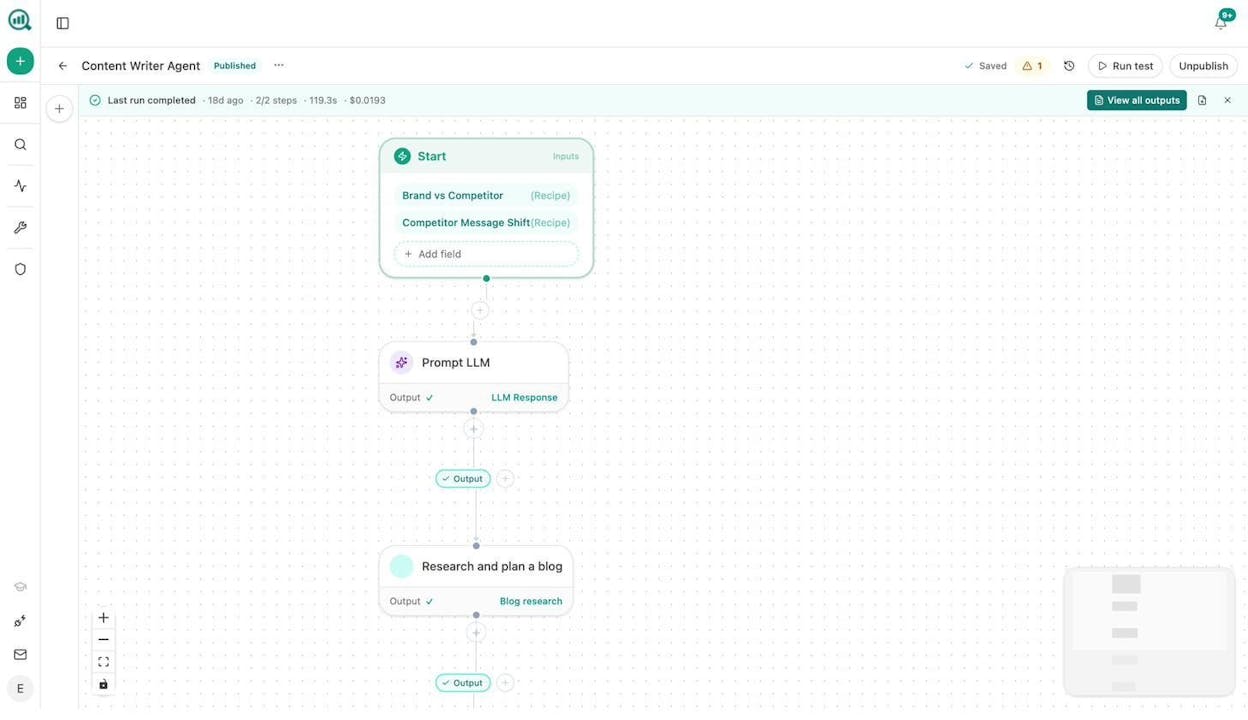
Add your research and writing nodes. Wire a Prompt LLM node to process the competitor data, then connect a “Research and plan a blog” node that generates SERP research and outlines. The output feeds into a content generation step that produces a full draft.
Add quality gates. This is where agents outperform simple automations. Connect an AEO Content Scorecard node that audits the draft for structure, claim density, proof integration, and AI-friendliness. Use a Conditional node after the scorecard. If the score is above 80, route to WordPress Create Post. If below 80, route to a notification (Slack, email, or in-app) so your editor can review and fix.
Add image generation. Connect a Blog Featured Image node that creates a brand-aware featured image based on the article title. You can also add an Infographic Generator or Social Media Image node for distribution assets.
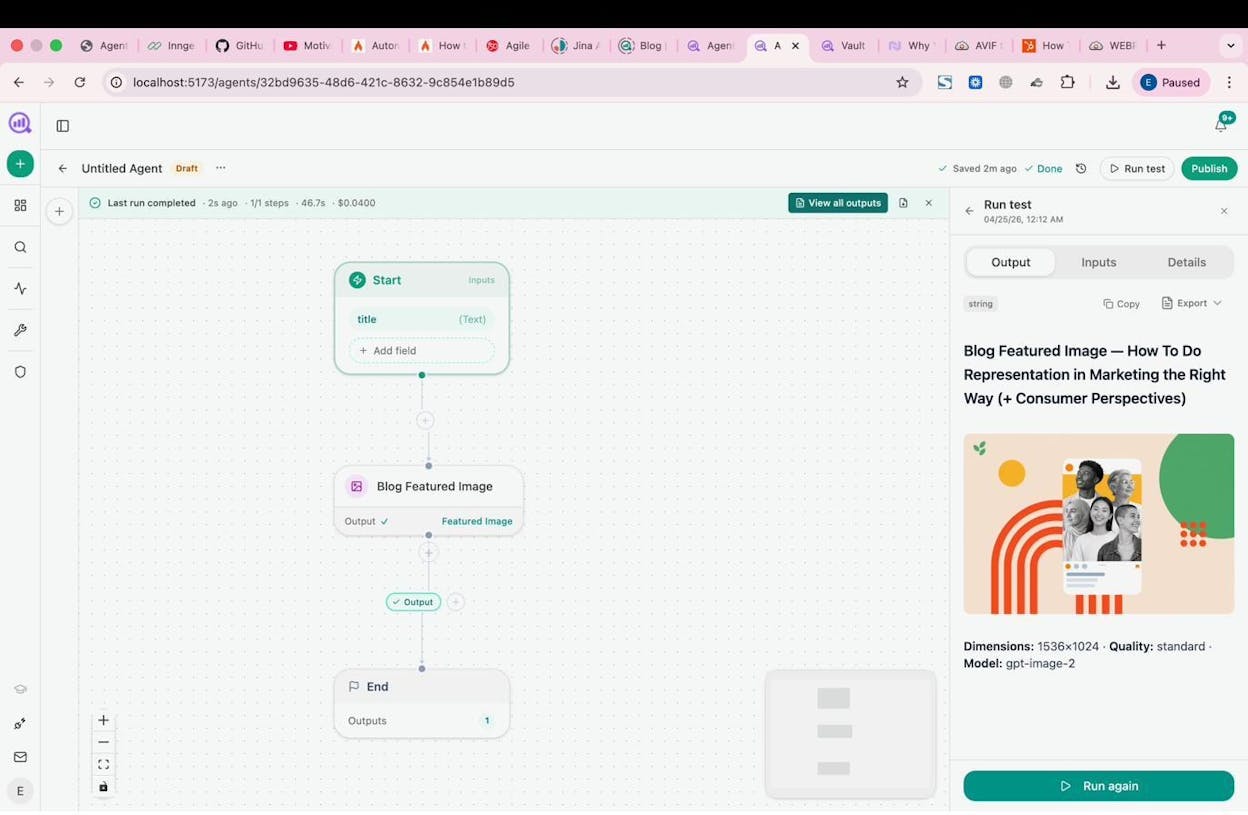
Set your trigger. For a content pipeline, a scheduled trigger (daily or weekly) paired with a data recipe that surfaces new keyword opportunities makes the agent fully autonomous. You can also use a webhook trigger that fires when a brief moves to “approved” in Notion or another project tool.
Step 4. Test, refine, and deploy
Run the agent with a test input and review the output. Check whether the research is thorough, the outline is logical, the draft matches your brand voice, and the quality gate catches genuinely weak content.
Adjust the LLM model, temperature, and system prompt based on results. Claude Sonnet works well for research and analysis steps. GPT-4o handles creative drafting. Perplexity Sonar is strong for web-grounded research. You can mix models across nodes in the same workflow.
Once the output meets your standard, publish the agent and set the trigger. A scheduled agent runs without intervention. A webhook agent fires when reality changes. A manual agent stays available as an on-demand tool for your team.
5 content marketing agent workflows you can copy
Here are five workflows teams build with the Analyze AI Agent Builder. Each one replaces hours of manual work with a workflow that runs in minutes.
1. Content writing at scale
Trigger: Scheduled (weekly) or webhook (when a brief is approved in Notion)
Flow: Start > keyword-opportunities recipe > Prompt LLM (select best topic) > Generate Research > Generate Outline > Generate Full Draft (brand vault injected) > AEO Content Scorecard > Conditional (score > 80?) > WordPress Create Post + Blog Featured Image
What it replaces: The 10-to-15-hour cycle of research, outline, draft, image, and CMS formatting. With this agent, your team reviews and publishes. The agent does the production.
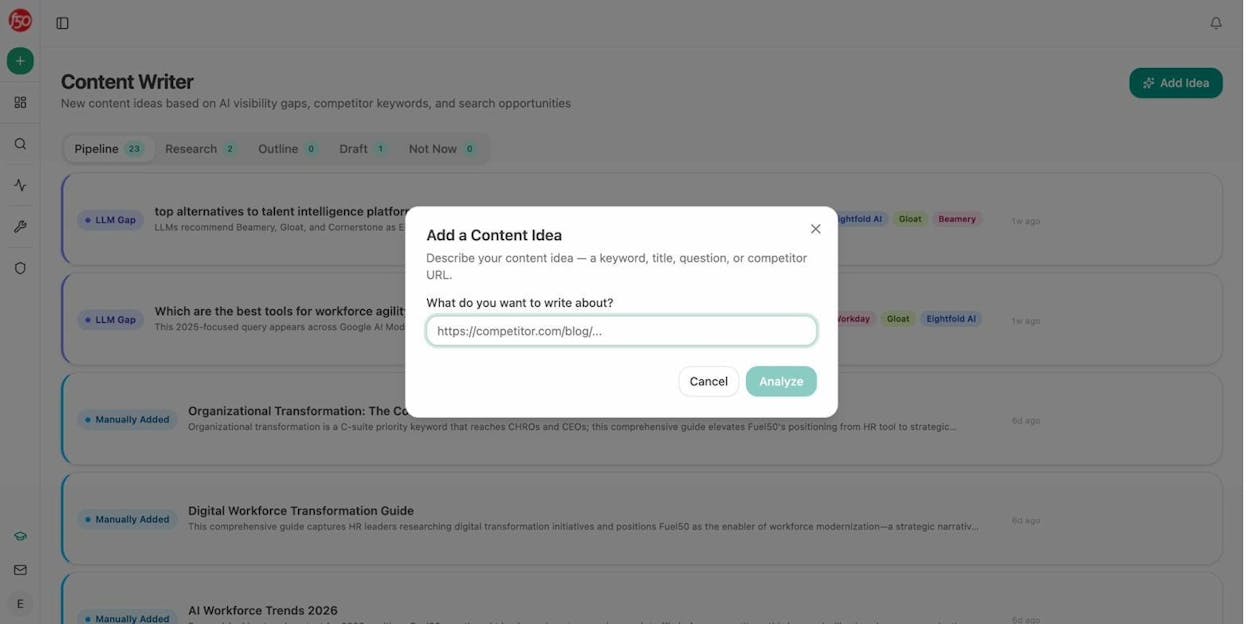
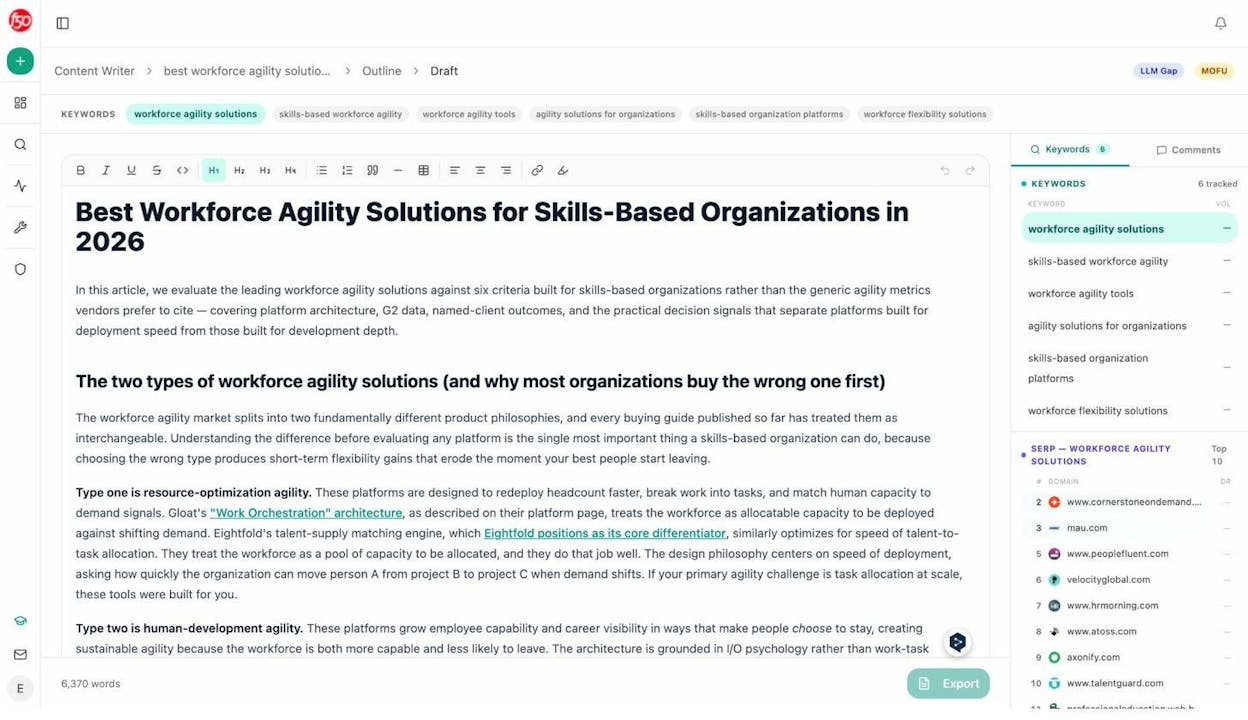
You start by adding a content idea. This can be a keyword, a title, a competitor URL, or a question. Analyze AI’s Content Writer analyzes it, runs SERP research, generates an outline, and produces a draft with inline comments and suggestions.
2. Content refresh at scale
Trigger: Scheduled (weekly)
Flow: Start > stale-content recipe + declining-pages recipe > Loop (for each page) > Web Page Scrape > Prompt LLM (rewrite for freshness, brand voice, AEO) > Conditional (substantive changes?) > WordPress Update Post
What it replaces: The “content audit” that happens once a quarter if it happens at all. This agent runs every week. It finds pages losing traffic or citations, scrapes the current content, rewrites for freshness and AI search optimization, and pushes updates automatically.
The declining-pages recipe pulls data directly from GA4 to find pages losing sessions. The stale-content recipe identifies pages that haven’t been updated in a defined number of days. Combined, they form an early warning system for content decay.
3. Keyword research at scale
Trigger: Manual or scheduled
Flow: Start (seed keyword input) > DataForSEO Keyword Ideas > Get Search Volumes > Keyword Difficulty > Prompt LLM (cluster by intent, score by opportunity) > Export to CSV or Notion
What it replaces: The tedious loop of entering seed keywords into keyword research tools, exporting results, cross-referencing difficulty scores, and manually clustering by intent.
But here is where it gets more useful. Your agent can pull AI visibility data alongside traditional keyword metrics. By adding a competitor-gaps or unmentioned-prompts recipe, the agent surfaces keywords where you rank in Google but are invisible in AI answers, or keywords where competitors show up in ChatGPT and Perplexity but you don’t. This is a layer most keyword research tools don’t offer.
4. Internal linking at scale
Trigger: Scheduled (weekly)
Flow: Start > Get Sitemap > Loop (for each page) > On-Page SEO Analysis + GSC Top Keywords for Page > Prompt LLM (suggest 3 internal links per page based on topical relevance) > Notion task list or auto-PR via Call API
What it replaces: Manually reviewing pages for internal linking opportunities. On a site with 500+ pages, this is impractical to do by hand. The agent loops through your sitemap, analyzes each page’s current keyword focus, and suggests links to related pages with proper anchor text.
5. Social media image and infographic creation at scale
Trigger: Webhook (when a new post is published in WordPress)
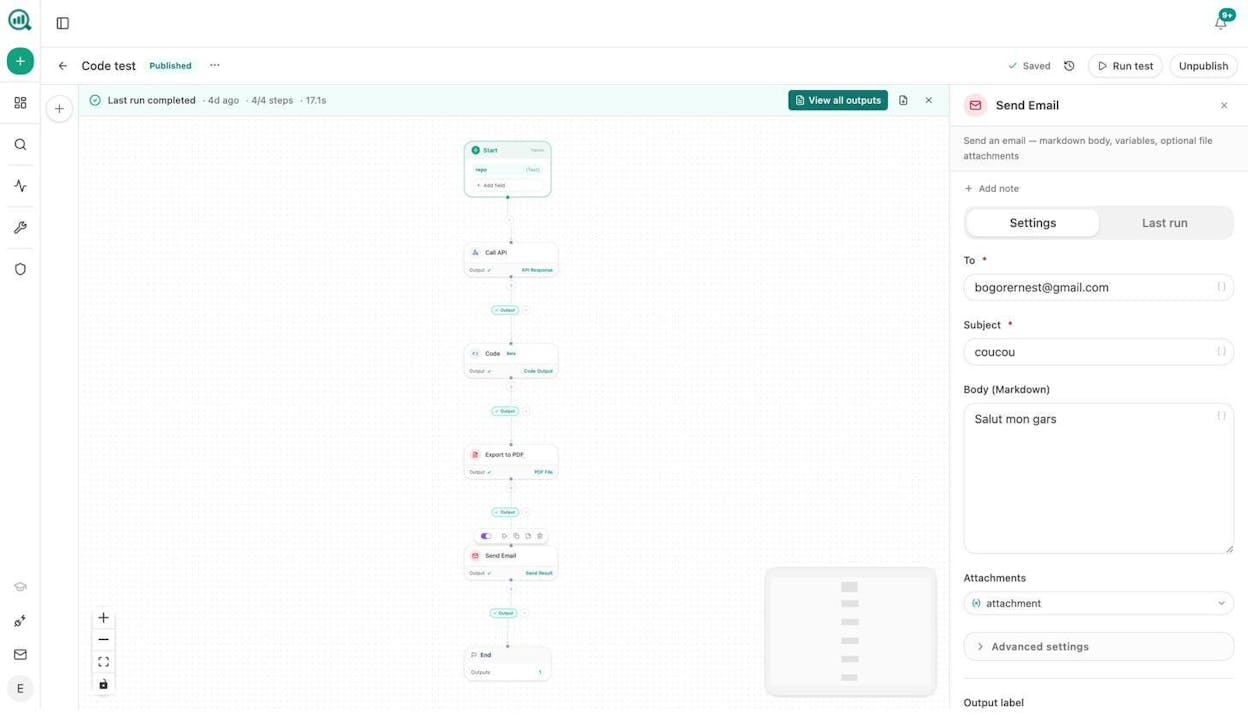
Flow: Start (receives article URL from webhook) > Web Page Scrape > Prompt LLM (extract 3 key takeaways) > Social Media Image (per-platform) + Infographic Generator > Slack notification with assets attached
What it replaces: The design request loop. Every published post needs social images, often in multiple sizes for different platforms. This agent auto-generates them the moment a post goes live, using your brand kit for consistent design.
The image generation nodes (Blog Featured Image, Illustrate Any Text, Infographic Generator, Social Media Image) are all brand-kit-aware. They pull your colors, fonts, and style from the Brand Vault so you don’t have to specify design rules every time.
Blend AI search data into every workflow
Here is what most content marketing agent platforms miss. They optimize for Google and ignore the fact that AI search engines are a growing organic channel.
At Analyze AI, the position is simple. SEO is not dead. AI search is an additional channel, not a replacement. The brands winning right now are the ones that optimize for both. And the data to do this is already inside the platform.
Every agent you build in Analyze AI can tap into AI visibility data through data recipes. That means your content writing agent doesn’t just target keywords. It also checks whether those keywords are ones where AI engines cite competitors but not you. Your content refresh agent doesn’t just look for traffic drops in Google. It also catches citation decay where AI models stopped referencing your pages.
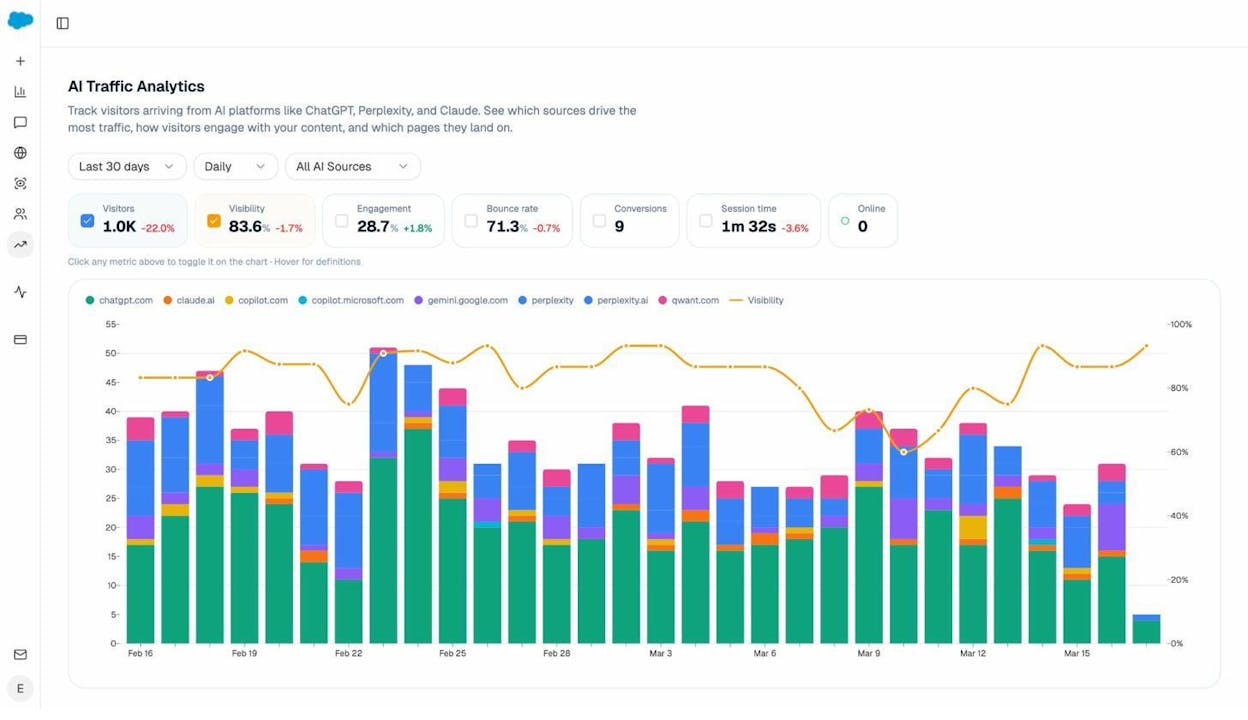
The AI Traffic Analytics feature shows which of your pages receive traffic from ChatGPT, Perplexity, Gemini, and other AI engines. You can see landing pages, sessions, and source breakdowns. Use this data inside your agents to prioritize pages that are already working in AI search and double down on them.
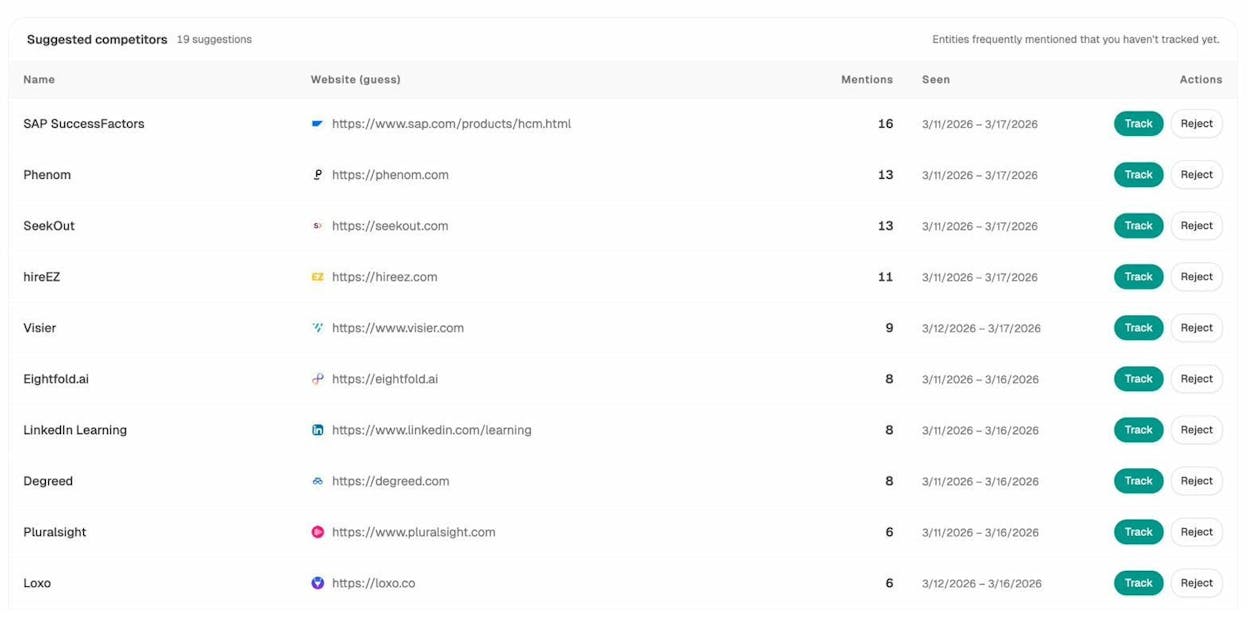
The Competitors dashboard shows how your visibility compares against competitors across AI engines. The competitor-gaps data recipe turns this into actionable input for any agent. Feed it into a content writing agent and every new piece targets a gap where competitors appear in AI answers but you don’t.
This is the compound effect. Your agents don’t just produce content faster. They produce content that is systematically designed to close visibility gaps in both Google and AI search.
How this compares to other tools
Most no-code automation tools (Zapier, Make, n8n) let you chain steps together. But they lack native SEO and content data integrations. You can connect them to an LLM, but you have to build every data pipeline yourself.
Dedicated content AI tools (Jasper, Writer, Copy.ai) generate text. But they don’t give you a programmable agent builder with conditionals, loops, webhook triggers, and direct access to GA4, GSC, Semrush, and DataForSEO.
Analyze AI sits at the intersection. It is an agentic platform for SEO, AEO, content, and GTM ops with a programmable agent builder that has billions of possible workflow configurations. It ships with a Content Writer and Content Optimizer that produce strong outputs because the underlying methods go beyond prompt-and-publish. The Writer runs multi-step research, competitive analysis, and brand-voice injection before generating a single word. The Optimizer audits against real SERP data and AI engine citation patterns, not just keyword density.
There’s a free trial available. You can build and run agents, use the Content Writer and Optimizer, and access AI visibility tracking without a credit card.
Start building
The value of a content marketing AI agent is not novelty. It is leverage. You map a workflow, wire the nodes, set a trigger, and the agent runs the production side of content marketing while your team focuses on strategy, differentiation, and quality control.
The five workflows above are starting points. With 180+ nodes and 34 data recipes, the Analyze AI Agent Builder supports whatever your team needs to build. Content at scale. Keyword research. Internal linking. Image generation. Competitor monitoring. Link outreach. SEO audits. All of it runs on the same substrate, and all of it can be enriched with AI search visibility data.
Start your free trial and build your first content marketing agent today.

Ernest

Ibrahim


