

![The Only SEO Checklist You Need in 2026 [With Template]](/_next/image?url=https%3A%2F%2Fwww.datocms-assets.com%2F164164%2F1774288228-image7.png&w=3840&q=75)

Summarize this blog post with:


Most SEO checklists either drown you in 100+ tasks with zero prioritization, or they oversimplify things into a handful of vague tips. Both are useless. The first leads to paralysis. The second leads to wasted effort on tasks that don’t move the needle.
This checklist solves both problems. It’s organized into three buckets based on when you need to do each task: once, periodically, or every time you publish a new page. This way, you’re never staring at a wall of to-dos wondering where to start.
And there’s one more thing most SEO checklists miss entirely: AI search. Engines like ChatGPT, Perplexity, Claude, and Google’s AI Mode now generate answers that cite sources, drive referral traffic, and shape how people discover brands. This checklist treats AI search as the additional organic channel it is.
In this article, you’ll get a complete SEO checklist that covers everything from one-time setup tasks to recurring optimizations and per-page best practices. You’ll also learn how to extend each step to AI search engines like ChatGPT, Perplexity, and Claude — because in 2026, showing up on Google is only half the picture. Every task includes step-by-step instructions, tool recommendations, and screenshot markers so you can take action the moment you finish reading.
Table of Contents
Do It Once
These are the foundational tasks you need to complete one time. Get these right and everything else becomes easier.
Choose an SEO-Friendly Theme or Template
Your theme controls the foundation of your site’s performance. Every major platform (WordPress, Shopify, Wix, Webflow) ships with themes that are reasonably SEO-friendly. But if you’re using a third-party theme, run a few checks before committing:
Is it mobile-friendly? Load the theme demo on your phone. Tap around. If buttons are too small to hit or text runs off-screen, move on.
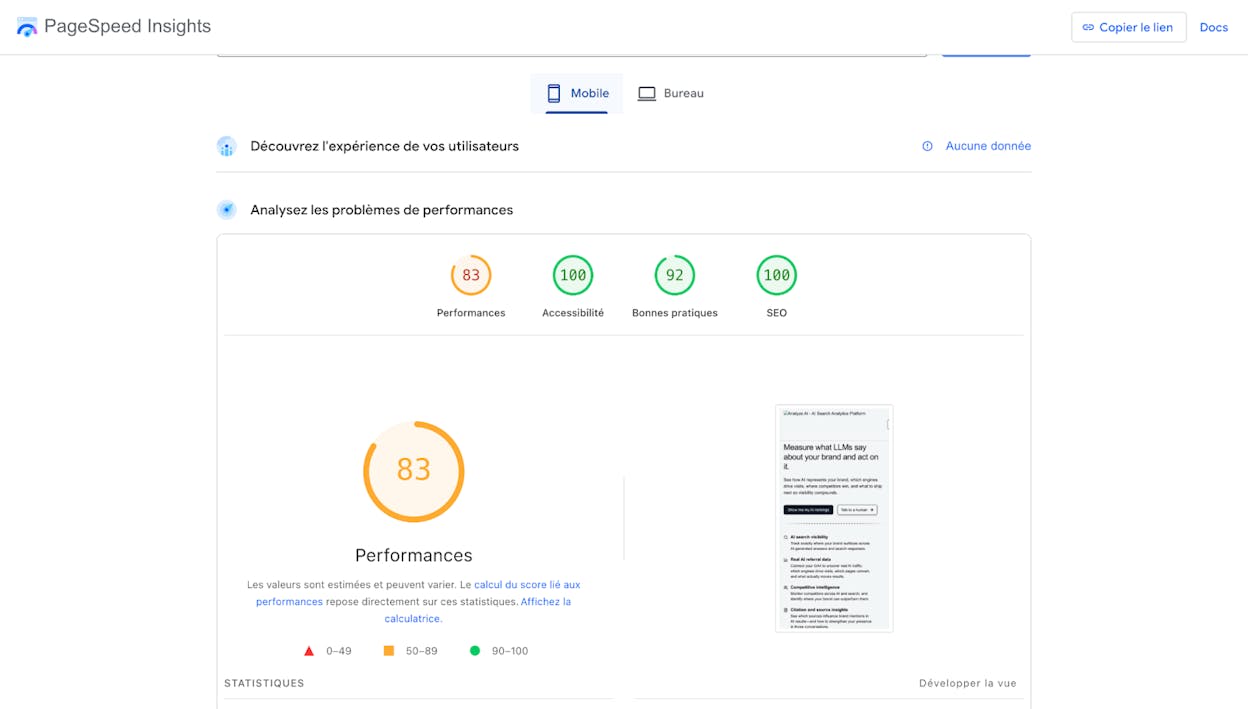
Is it fast? Plug the demo URL into Google’s PageSpeed Insights. Aim for a score above 80 on mobile. Below 60 is a red flag.
Does it work across browsers? Check the demo in Chrome, Firefox, and Safari. Layout issues that only appear in one browser are painful to debug later.
Is it maintained? Look at the last update date and review history. A theme that hasn’t been updated in 12+ months may have security holes and compatibility issues.
Plan Your Site Structure
A logical site structure helps both visitors and search engines find your content. Google can’t rank pages it hasn’t discovered, and visitors can’t buy from pages they can’t navigate to.
Sketch your structure as a simple mind map. Start with your homepage, branch into main categories, then drill into subcategories and individual pages.
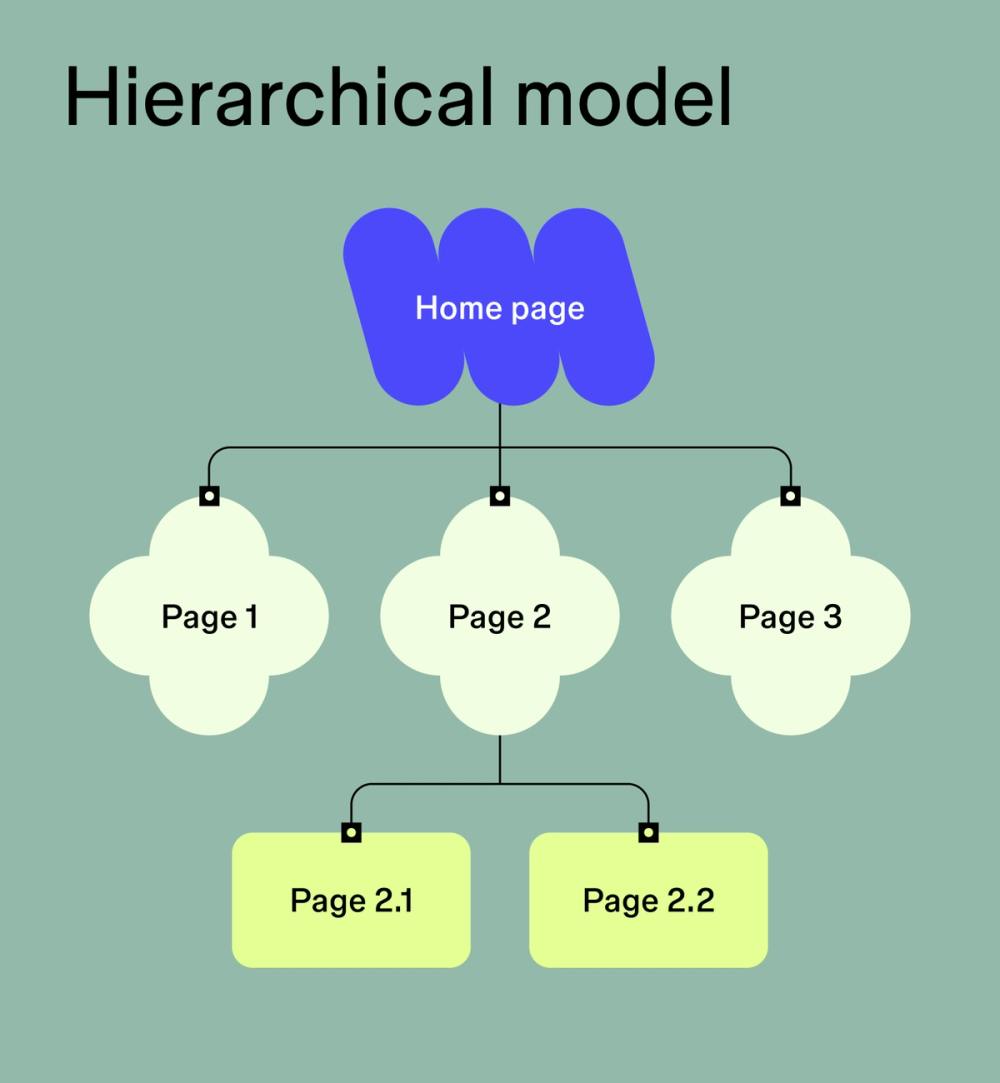
Each branch should be an internal link. The rule of thumb: every important page should be reachable within three clicks from the homepage.
If your site is already live, this exercise is still worth doing. Most sites accumulate orphan pages (pages with no internal links pointing to them) over time, and mapping your structure helps you find them.
Further reading: 10 Internal Linking Tips for SEO Explained
Use a Descriptive URL Structure
URLs help both search engines and humans understand what a page is about before they click.
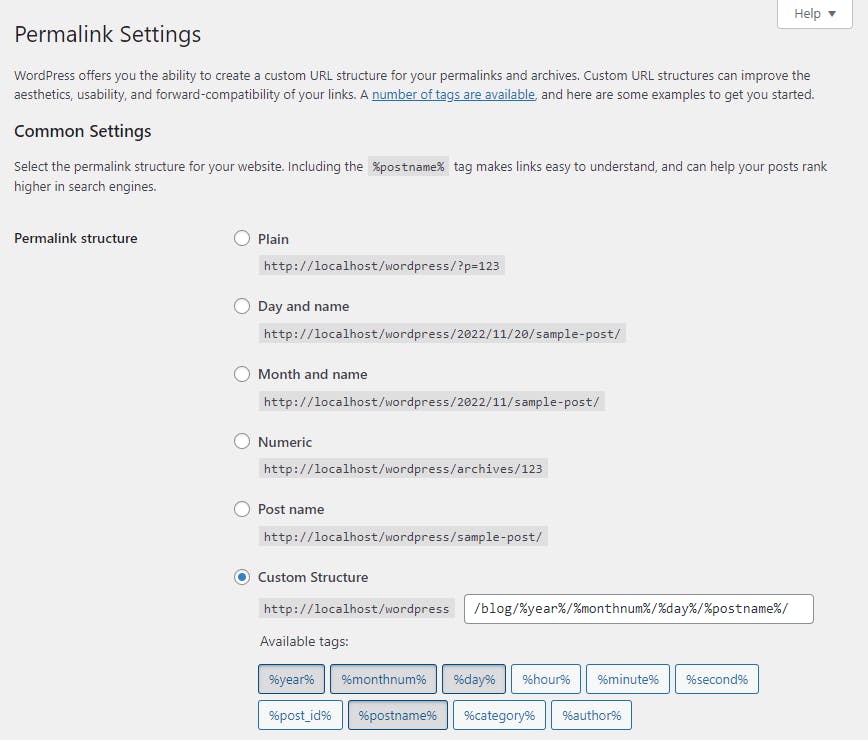
Most platforms handle this well by default, except WordPress. For reasons no one can explain, WordPress defaults to using IDs like website.com/?p=123.
Fix this immediately: go to Settings → Permalinks → Post name.
If your site is already live and using a different structure, leave it alone. Changing URL structures on an established site can cause redirect chains, broken links, and ranking drops that take months to recover from.
Install an SEO Plugin (WordPress Only)
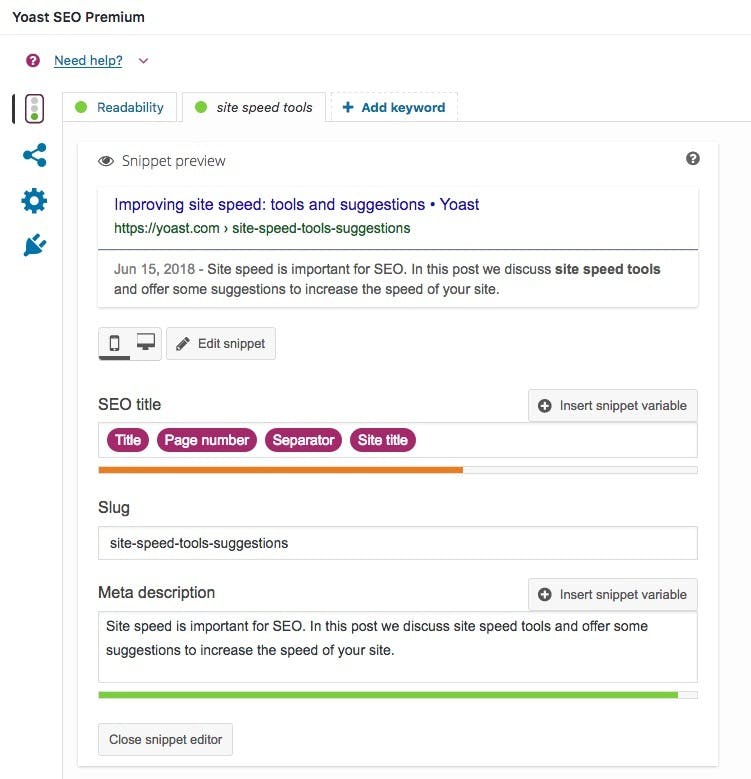
If you’re on WordPress, you need an SEO plugin to manage sitemaps, meta tags, schema markup, and other technical elements. Pick one:
|
Plugin |
Best For |
Price |
|---|---|---|
|
Beginners who want guided setup |
Free / Premium |
|
|
Advanced users who want granular control |
Free / Pro |
|
|
Minimalists who prefer lightweight code |
Free / Premium |
Shopify, Webflow, and Wix users can skip this. Those platforms build SEO controls directly into their CMS.
Set Up Google Search Console
Google Search Console is a free tool that shows you how your site performs in Google search. You can see which keywords you rank for, which pages get the most impressions, and whether Google has found any crawling or indexing errors.
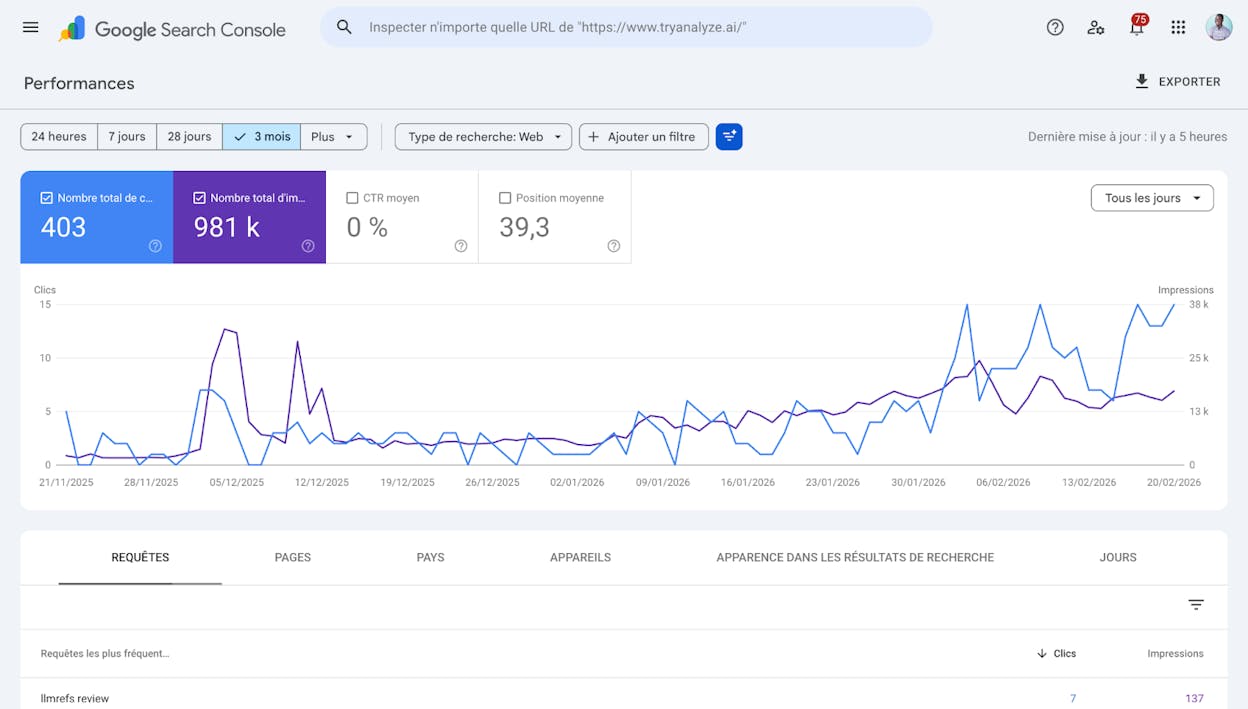
Set it up by following Google’s verification guide. The DNS verification method is the most reliable if you have access to your domain registrar.
Once verified, submit your sitemap (covered in the next section) and check back weekly to catch issues early.
Further reading: 6 Free Google SEO Tools to Boost Search Visibility
Set Up Bing Webmaster Tools
Bing Webmaster Tools is Bing’s equivalent of Search Console. You may not optimize for Bing daily, but Bing data feeds into Microsoft Copilot’s AI-generated answers. So setting this up now gives you a data source you’ll need later.
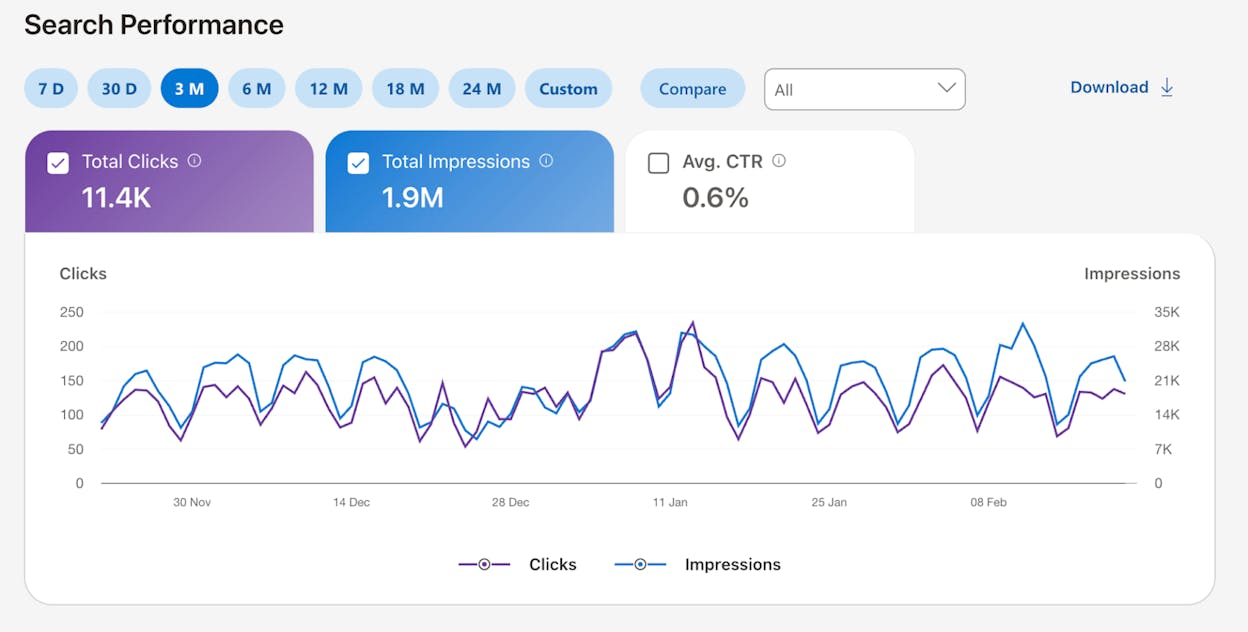
The fastest setup method: import your site directly from Google Search Console. Bing offers this as a one-click option during onboarding.
Create and Submit a Sitemap
A sitemap is an XML file that lists every important page on your site. It tells search engines what exists and when each page was last updated.
Most CMS platforms generate sitemaps automatically. You can usually find yours at one of these URLs:
yourdomain.com/sitemap.xml
yourdomain.com/sitemap_index.xml
yourdomain.com/sitemap
If you can’t find it, check your robots.txt file (yourdomain.com/robots.txt). The sitemap location is often listed there.
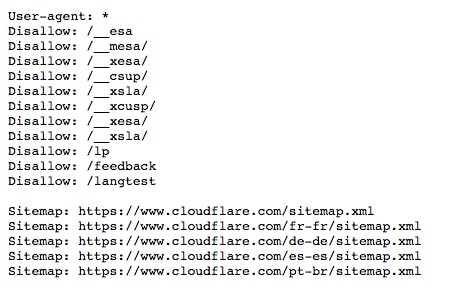
Once you’ve located it, submit it in both Google Search Console (Sitemaps → Add a new sitemap) and Bing Webmaster Tools.
If you don’t have a sitemap, your SEO plugin (Yoast, Rank Math) can generate one automatically.
Make Sure Your Site Is Indexable
If a page isn’t indexable, it can’t appear in search results. Period. And accidentally blocking your entire site from indexing is more common than you’d think — especially after site migrations or staging-to-production deployments.
Here’s how to check:
-
In Google Search Console, go to Pages and look for pages with “Excluded” status
-
Filter for pages marked “Noindex” or “Blocked by robots.txt”
-
If important pages show up here, remove the noindex tag or update your robots.txt
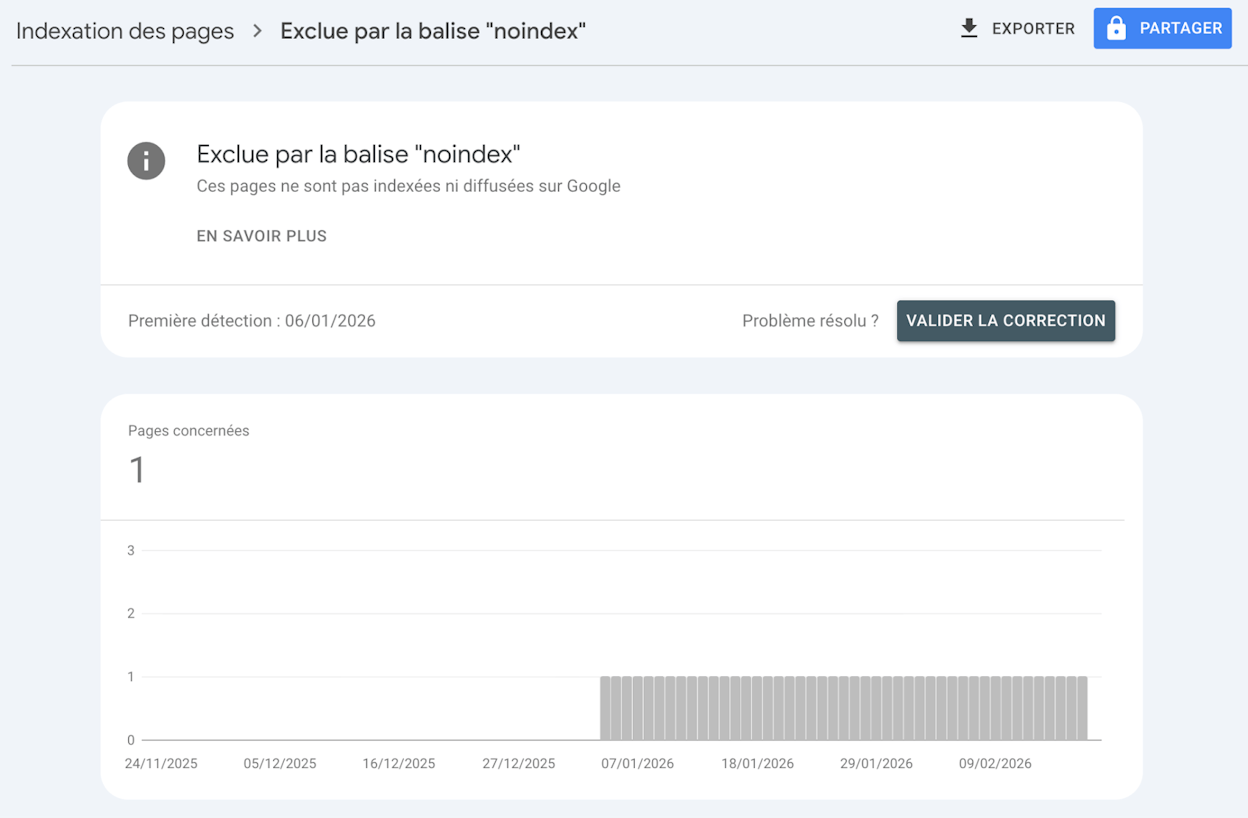
You can also use Ahrefs Webmaster Tools (free) to crawl your site and flag noindexed pages that appear in your sitemap — a clear conflict that needs fixing.
Pro tip: After any site migration, run this check immediately. A single misplaced noindex tag in a template file can take down hundreds of pages.
Add Schema Markup to Your Homepage
Schema markup is structured data that helps search engines understand what your website represents. At minimum, add Organization or Person schema to your homepage.
If you’re using Yoast or Rank Math, this is built in. Go to the plugin’s settings and fill in your organization name, logo URL, and social media profiles. The plugin generates the JSON-LD code for you.
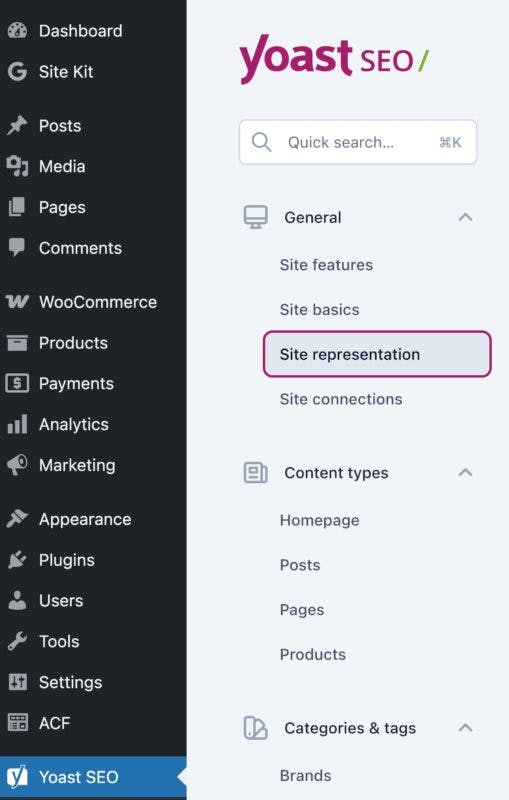
To verify it’s working, paste your homepage URL into Google’s Rich Results Test or the Schema Markup Validator.
Schema markup also matters for AI search. Our analysis of 83,670 AI citations found that pages with structured data tend to be cited more often by LLMs. Structured markup makes your content easier for AI models to parse and reference, so it pays off in both traditional and AI search.
Confirm Mobile-Friendliness
More than 60% of searches happen on mobile. Google uses mobile-first indexing, meaning it primarily crawls and evaluates the mobile version of your site.
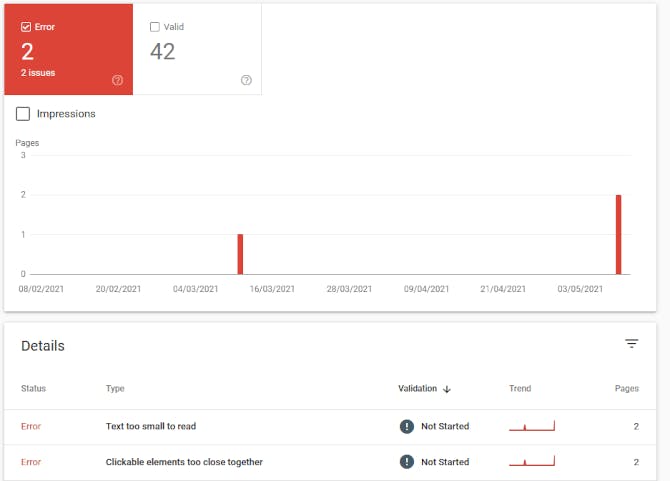
Check your site’s mobile usability in Google Search Console under Experience → Mobile Usability. Fix any errors like text that’s too small, clickable elements that are too close together, or content that’s wider than the screen.
Verify HTTPS
HTTPS is a confirmed Google ranking signal and a trust signal for visitors. If your site doesn’t show the lock icon in the browser bar, you need to install a TLS/SSL certificate.
Most modern hosts (Cloudflare, Netlify, Vercel, Shopify) provide free certificates. If yours doesn’t, Let’s Encrypt offers them for free.
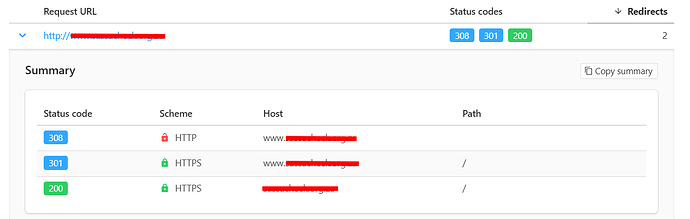
After installing, check that all four versions of your domain redirect properly to one HTTPS version:
http://yourdomain.com → 301 to https://yourdomain.com
http://www.yourdomain.com → 301 to https://yourdomain.com
https://www.yourdomain.com → 301 to https://yourdomain.com
https://yourdomain.com → 200 OK (final destination)
Use httpstatus.io to test all four at once.
Make Sure Your Site Loads Fast
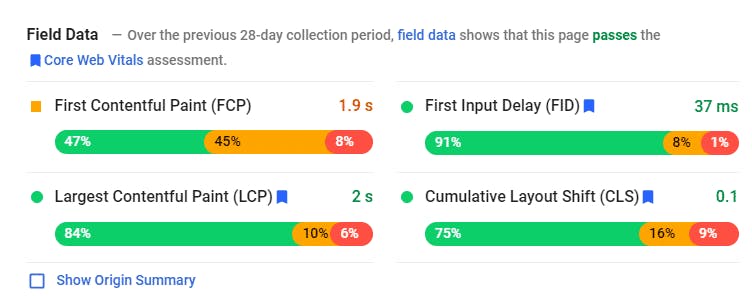
Page speed is a ranking factor on both desktop and mobile. Google measures it using Core Web Vitals — three metrics that evaluate loading performance, interactivity, and visual stability.
|
Metric |
What It Measures |
Good Threshold |
|---|---|---|
|
LCP (Largest Contentful Paint) |
Loading speed |
Under 2.5 seconds |
|
INP (Interaction to Next Paint) |
Responsiveness |
Under 200 milliseconds |
|
CLS (Cumulative Layout Shift) |
Visual stability |
Under 0.1 |
Check your Core Web Vitals in Google Search Console under Experience → Core Web Vitals, or use PageSpeed Insights for per-page diagnostics.
The most common speed killers for content sites: uncompressed images, render-blocking JavaScript, and too many third-party scripts (chat widgets, analytics tags, ad trackers). Address these first if your scores are poor.
Install an Image Compression Plugin
Large images are the most common cause of slow page loads. If you’re on WordPress, install an image compression plugin like ShortPixel or Imagify. Both compress images on upload without noticeable quality loss.
Shopify, Wix, and Webflow compress images automatically, so you can skip this step on those platforms.
Set Up a Google Business Profile (Local Businesses Only)
If your business serves a local area or has a physical location, Google Business Profile is essential. It powers your appearance in Google Maps and the local pack — the map results that appear above organic listings for local queries.
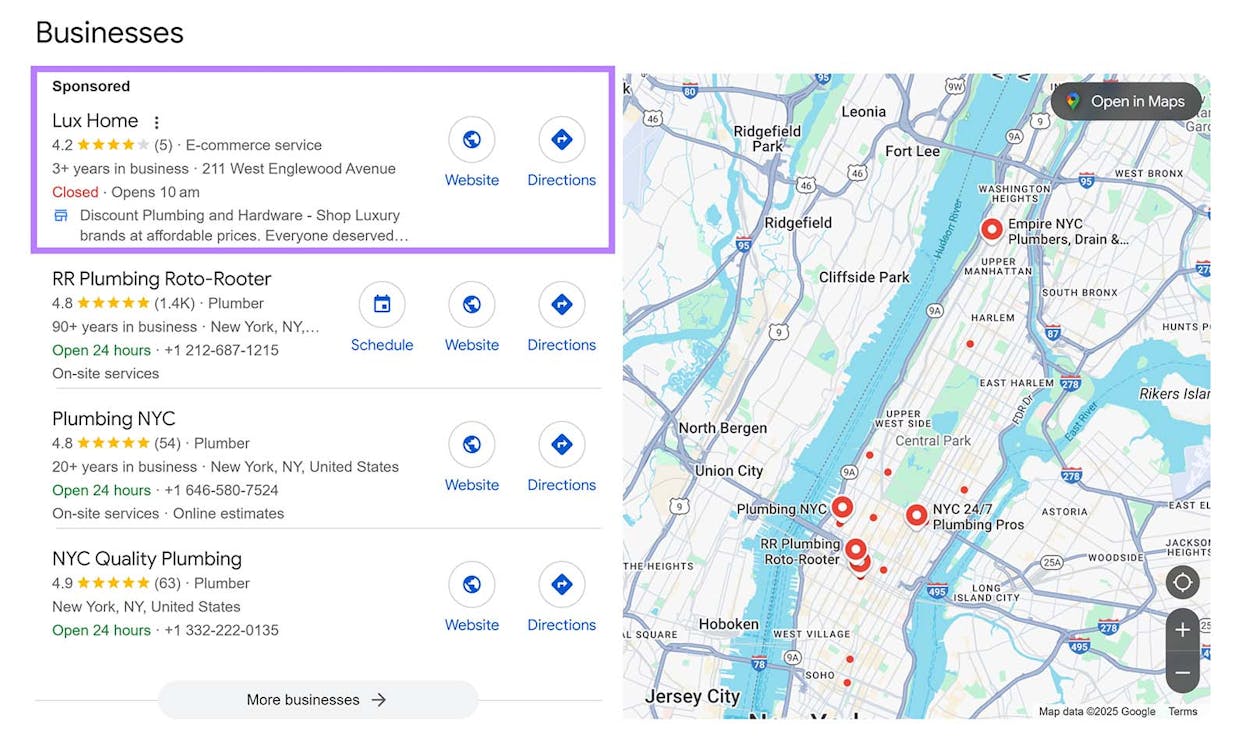
Fill in every available field: business hours, categories, services, photos, and a description. The more complete your profile, the better your chances of appearing in local results.
Prepare Your Site for AI Search Engines
Here’s where most SEO checklists stop. But in 2026, AI search engines like ChatGPT, Perplexity, Claude, and Google’s AI Mode are generating answers that cite external sources and drive real traffic.
To make your site citable by AI models, you need to do a few things that go beyond traditional SEO:
Create or verify your llms.txt file. This is an emerging standard (similar to robots.txt) that tells AI crawlers what content on your site is available for AI training and citation. You can generate one with Analyze AI’s free LLM.txt Generator.
Ensure your content is well-structured. AI models extract information from clear headings, concise paragraphs, and structured data (schema markup, tables, FAQ sections). The same things that help Google understand your content help LLMs cite it.
Set up AI search tracking. You can’t improve what you don’t measure. Connect Analyze AI to your Google Analytics to see which AI engines are sending traffic, which pages they’re linking to, and how that traffic converts.
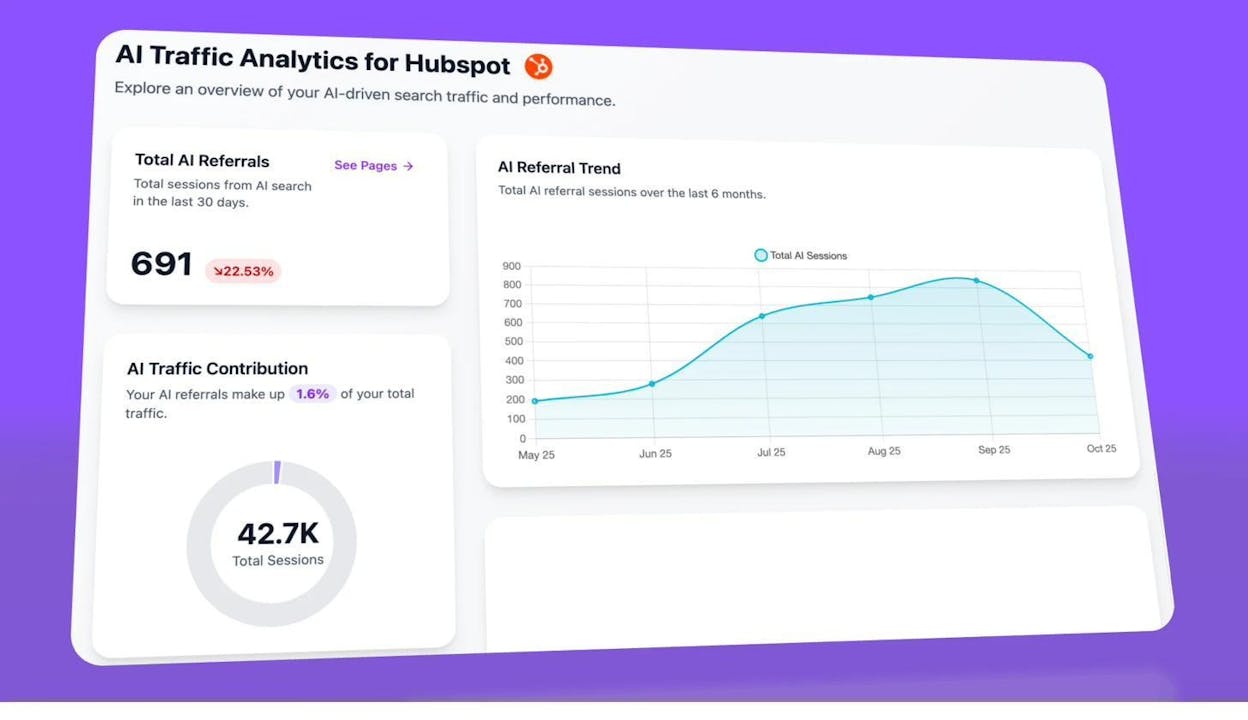
This dashboard shows you exactly how much traffic AI search engines are driving to your site, broken down by engine and trended over time. Without this baseline, you’re optimizing blind.
Further reading: What Is Generative Engine Optimization (GEO)?
Replicate Your Competitors’ Backlinks
Backlinks remain one of Google’s strongest ranking signals. The easiest way to start building them is to find where your competitors are listed and get listed there too.
Here’s how:
-
Go to Ahrefs’ Site Explorer (or Semrush’s Backlink Analytics)
-
Enter your homepage URL
-
Go to the Link Intersect report
-
Add 3–5 competitor homepages
-
Hit “Show link opportunities”
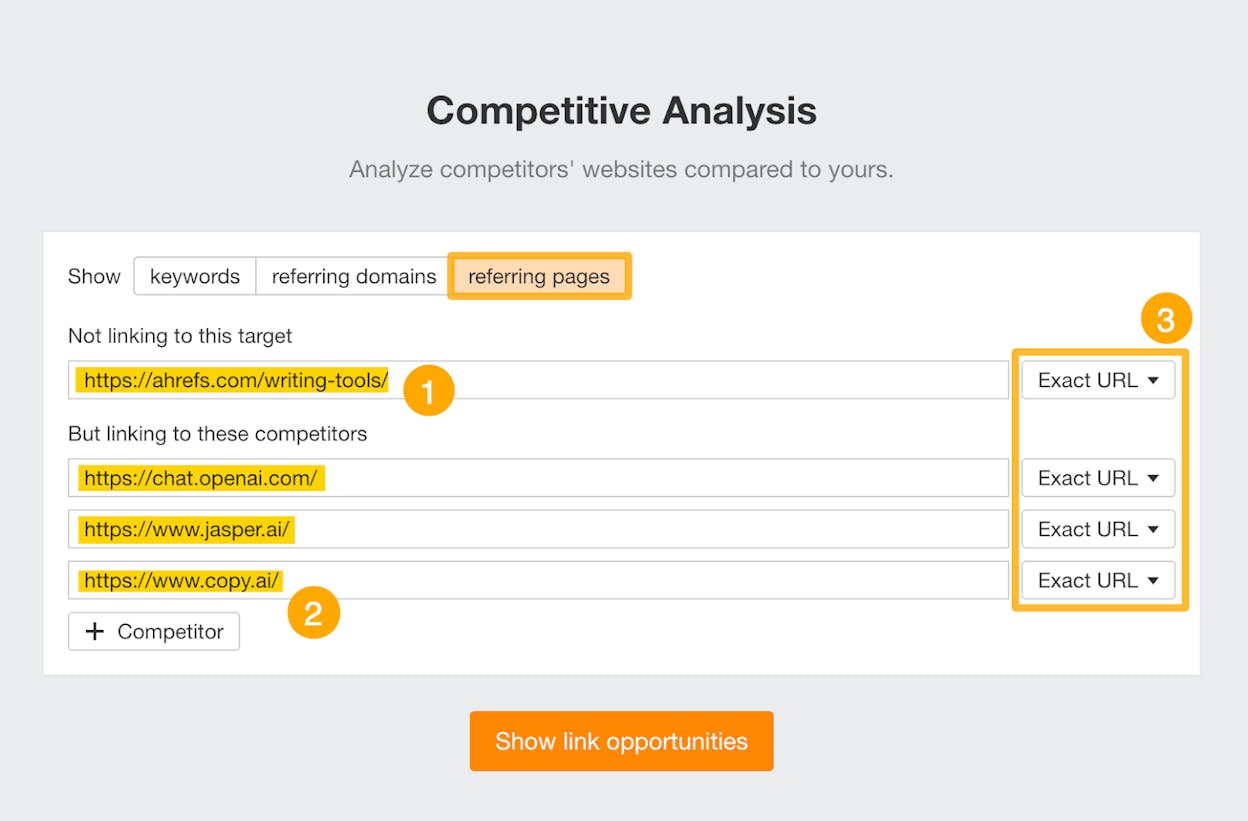
Look for directories, industry listings, and resource pages. These are usually the easiest links to replicate because they accept submissions.
You can also use Analyze AI’s free Website Authority Checker to quickly assess the strength of any linking domain before deciding whether it’s worth pursuing.
Further reading: Off-Page SEO: 11 Strategies That Work + AI Tracking
Do It Periodically
These tasks need to happen on a regular cycle — monthly or quarterly — to maintain and grow your rankings over time.
Fix Broken Pages and Links
Broken links hurt user experience and waste the “authority” that flows through your internal and external links. Pages that return 404 errors are dead ends for both visitors and search engine crawlers.
To find broken links on your site:
-
Use Ahrefs Webmaster Tools (free) or Screaming Frog to crawl your site
-
Filter for pages returning 404 or 5xx status codes
-
Check if any of those pages have backlinks pointing to them
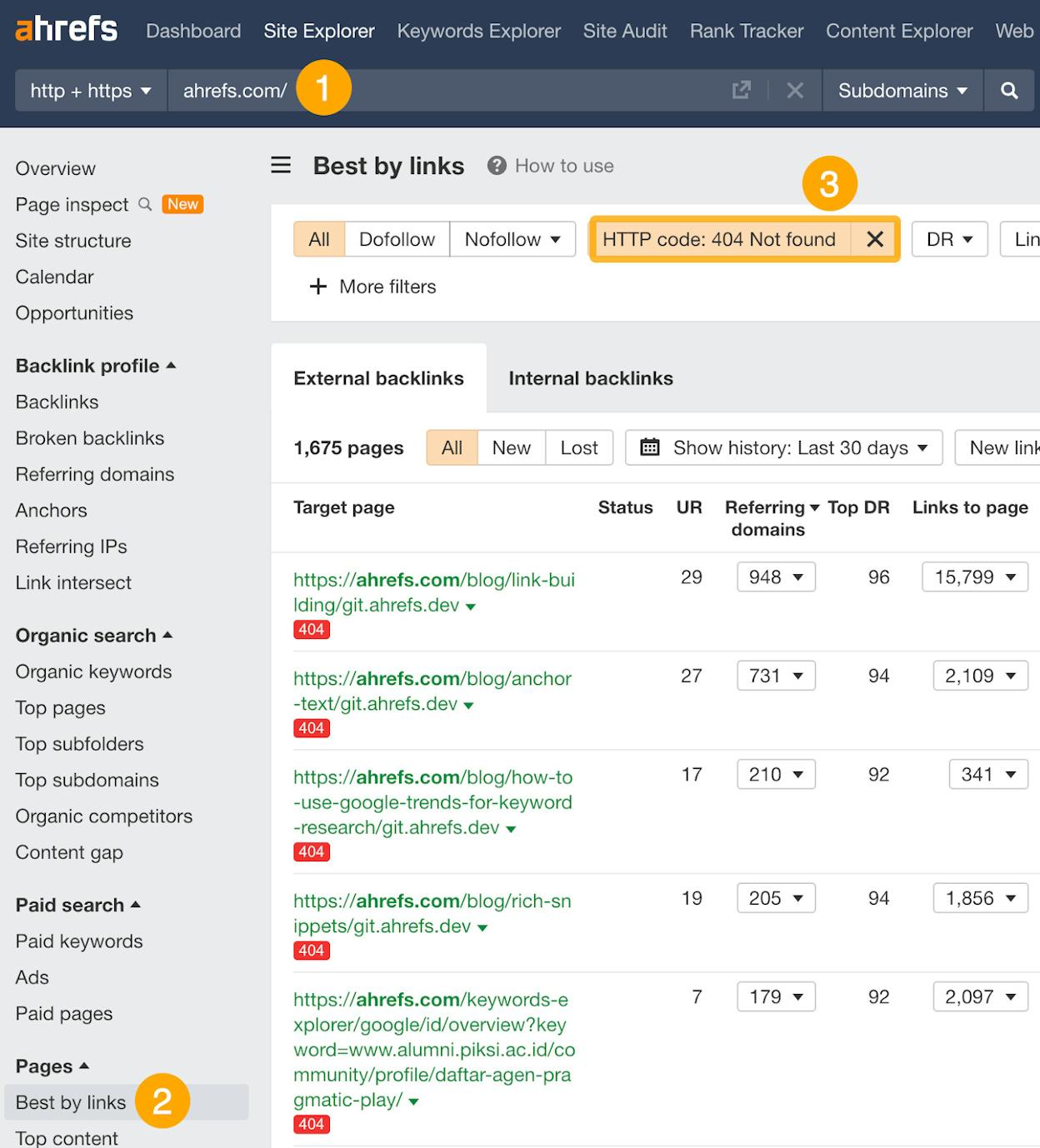
For each broken page, decide:
-
Does it have backlinks or traffic? → Redirect it (301) to the closest relevant page
-
Was it removed intentionally and has no backlinks? → Let it 404 and remove internal links pointing to it
-
Is it a page that should exist? → Fix it
You can also use Analyze AI’s free Broken Link Checker for a quick scan without setting up a full crawl.
Refresh Declining Content
Search rankings decay over time, especially for topics where freshness matters. A “best tools” list from 2024 is already outdated in 2026. Google knows this and rewards pages that stay current.
Here’s how to find pages that need a refresh:
-
Go to Google Search Console → Performance → Search results
-
Click Date filter → Compare → Last 6 months vs. previous period
-
Go to the Pages tab
-
Sort by Clicks Difference (lowest first)
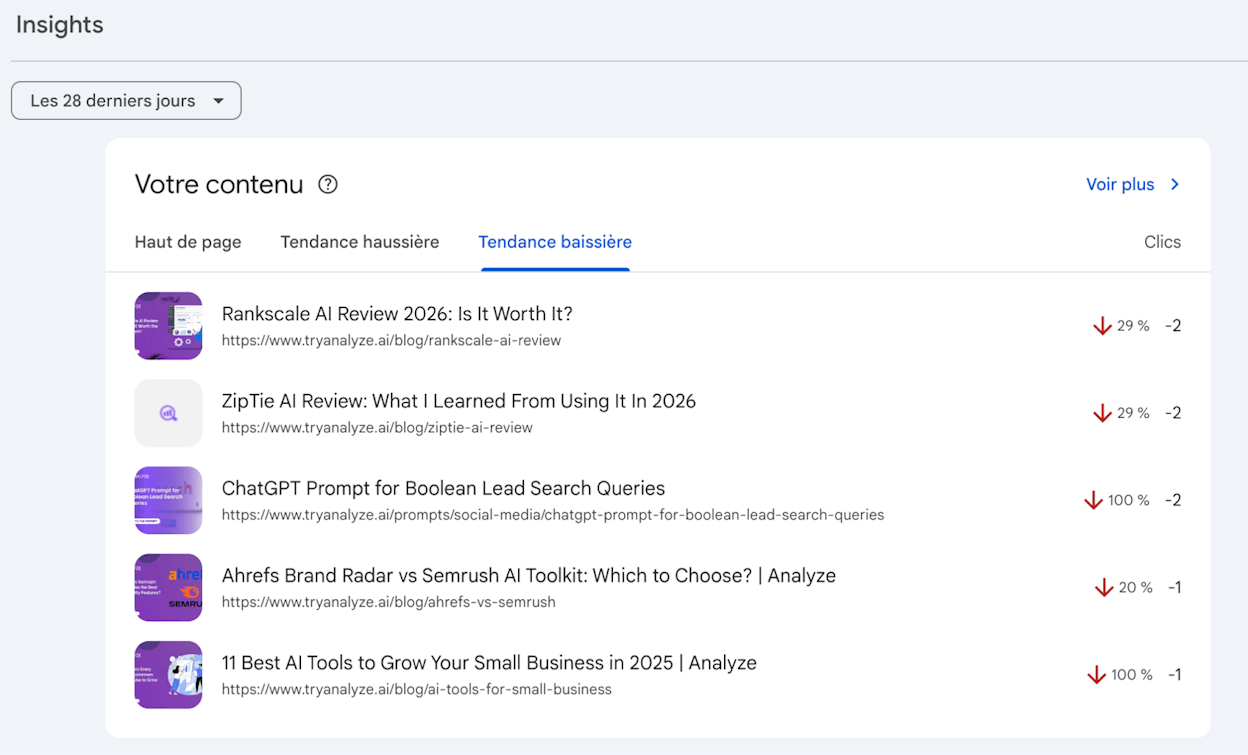
Pages at the top of this list are losing traffic. Review each one and ask:
-
Is the information outdated (old dates, discontinued tools, changed statistics)?
-
Are competitors publishing fresher, more detailed content on the same topic?
-
Has search intent shifted (e.g., from informational to transactional)?
Update accordingly: refresh statistics, add new sections, remove outdated advice, and update the published date.
Pro tip: Don’t just change the date and call it a refresh. Google’s systems can detect thin updates. Actually improve the content with new information, updated screenshots, and additional depth.
Further reading: 2026 SEO Content Strategy: 10-Step Breakdown
Do a Content Gap Analysis
A content gap analysis finds keywords your competitors rank for that you don’t. These are topics your audience is already searching for — you just haven’t created content to capture them yet.
Here’s how to do one:
-
Go to Ahrefs’ Competitive Analysis tool (or Semrush’s Keyword Gap tool)
-
Enter your domain as the target
-
Add 3–5 competitor domains
-
Click Compare
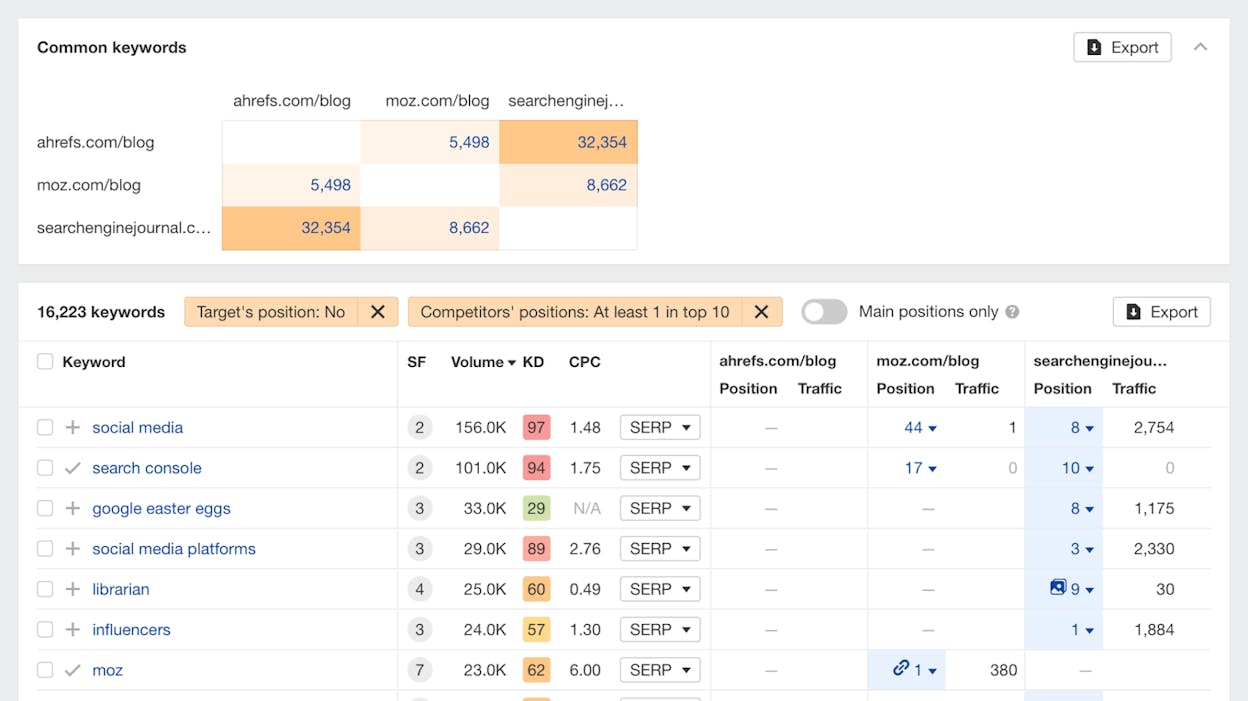
You’ll see a list of keywords where at least one competitor ranks in the top 10, but you don’t rank at all. Sort by traffic potential and prioritize topics that align with your product or service.
Extend this to AI search. Traditional content gap analysis only covers Google. But your competitors may also be getting cited in ChatGPT, Perplexity, and Claude for prompts you’re invisible on.
In Analyze AI, the Opportunities report shows exactly this: prompts where competitors are mentioned but your brand isn’t.
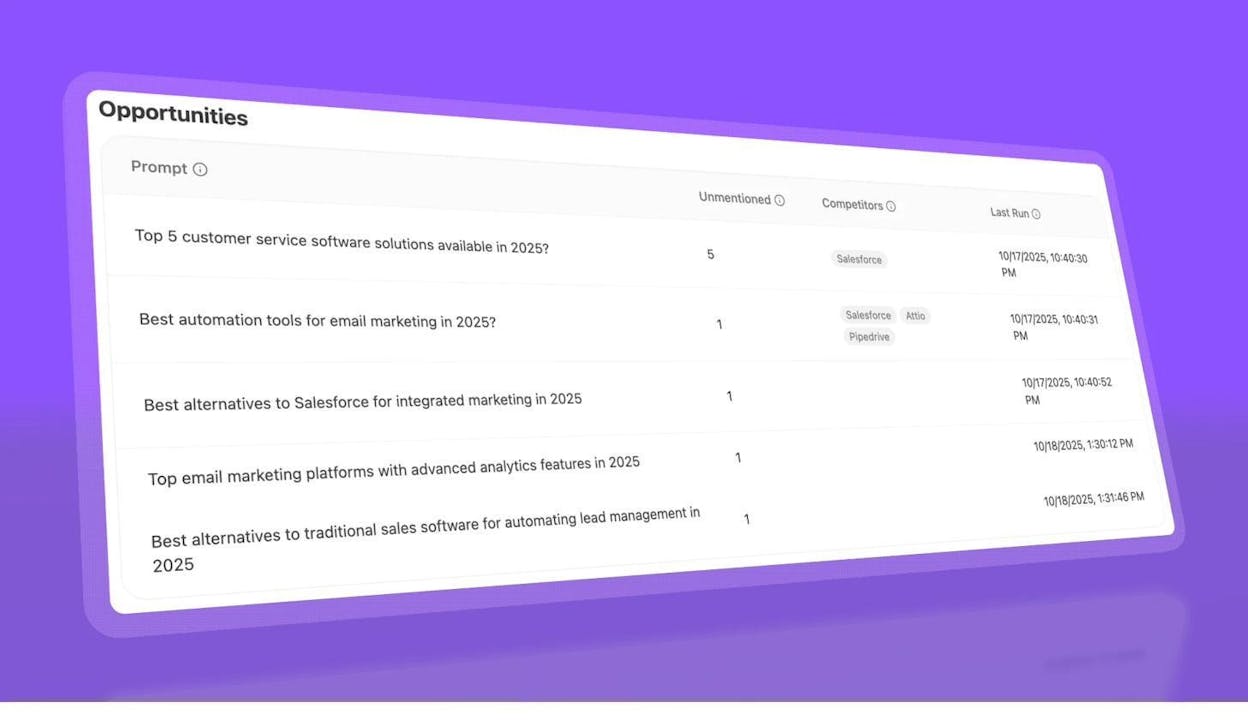
Each row shows the prompt, how many AI engines your brand was absent from, and which competitors appeared instead. This is the AI search equivalent of a keyword gap analysis — and it tells you where to focus your content and optimization efforts for AI visibility.
Further reading: 6-Step SEO Competitor Analysis (+ Track AI Search Rivals)
Monitor Your AI Search Visibility
Just as you check Google Search Console for ranking changes, you should check your AI search visibility on a regular cycle.
AI search engines update their models and sources continuously. A page that was cited by ChatGPT last month might not be cited today — and a competitor might have taken your spot.
In Analyze AI, you can track your visibility across ChatGPT, Perplexity, Claude, Copilot, Gemini, and more. The platform runs your tracked prompts daily and shows you changes in mentions, sentiment, and citations over time.
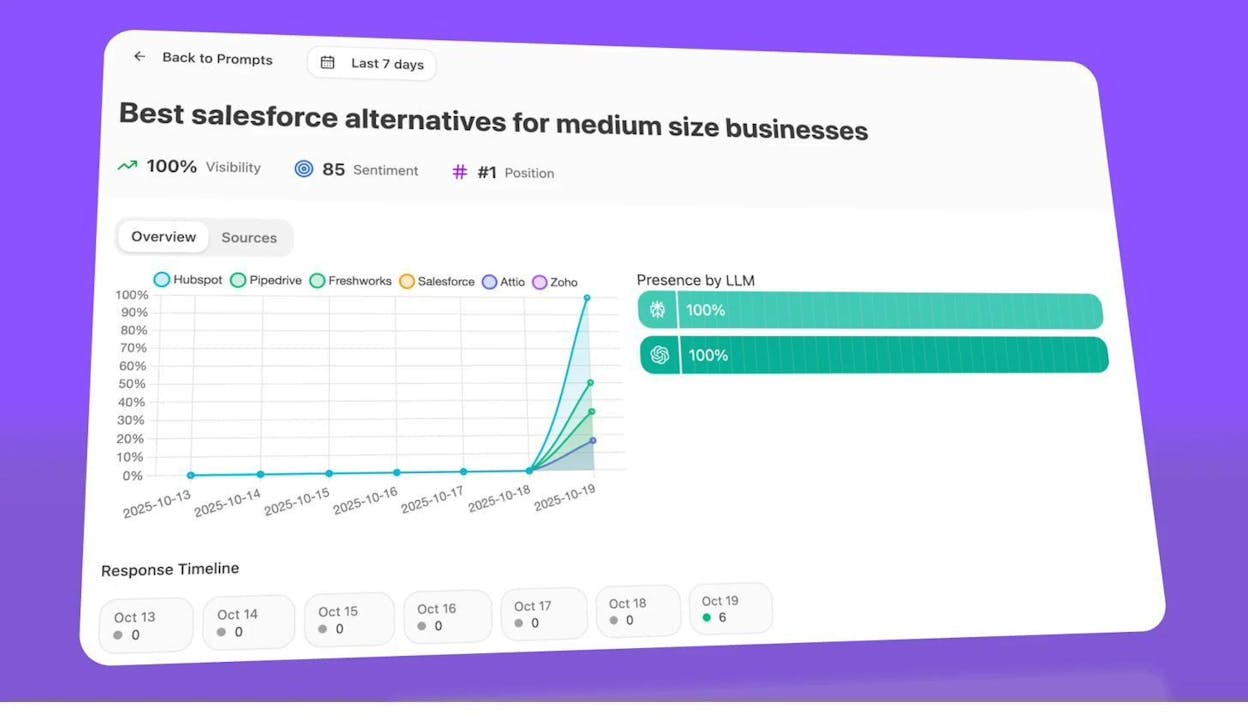
This gives you a rolling scoreboard of your AI search presence. When you see a drop, you can investigate immediately — check if a competitor published new content, if the AI model changed its citation source, or if your content needs updating.
Further reading: 9 Best LLM Monitoring Tools for Brand Visibility
Review Which AI Engines Drive Traffic
Not all AI search engines are equal. ChatGPT, Perplexity, Copilot, Claude, and Gemini all have different user bases and citation behaviors. Knowing which ones actually send traffic to your site helps you prioritize where to optimize.
In Analyze AI, the Top LLM Referrers report ranks AI engines by session volume and shows the month-over-month trend.
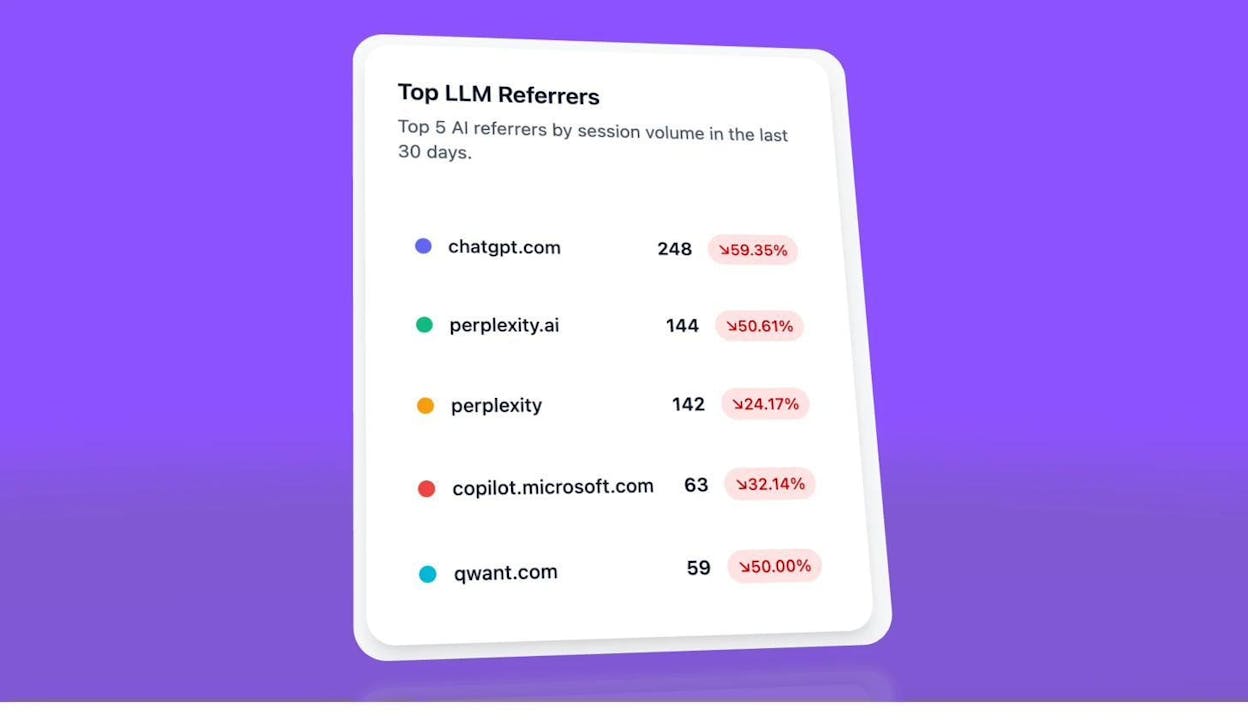
If you see that Perplexity drives 3x the traffic of ChatGPT for your niche, that’s actionable. You can study how Perplexity selects sources, optimize accordingly, and track the results.
Update Your Google Business Profile (Local Businesses)
If you have a Google Business Profile, check it every quarter. Update hours, holiday schedules, phone numbers, services, and photos. Use the posts feature to share updates, events, or promotions.
Stale profiles erode trust. A customer who shows up at a closed store because Google showed the wrong hours will leave a one-star review. It takes two minutes to prevent.
Check for Technical SEO Issues
Hundreds of technical issues can hurt your site, and they pop up constantly — broken links from content updates, slow pages from new plugins, crawl errors from server changes.
Set up automated monitoring:
-
Ahrefs Site Audit or Screaming Frog: Schedule weekly or monthly crawls to catch errors automatically
-
Google Search Console: Check the Pages report for indexing issues and the Experience report for Core Web Vitals problems
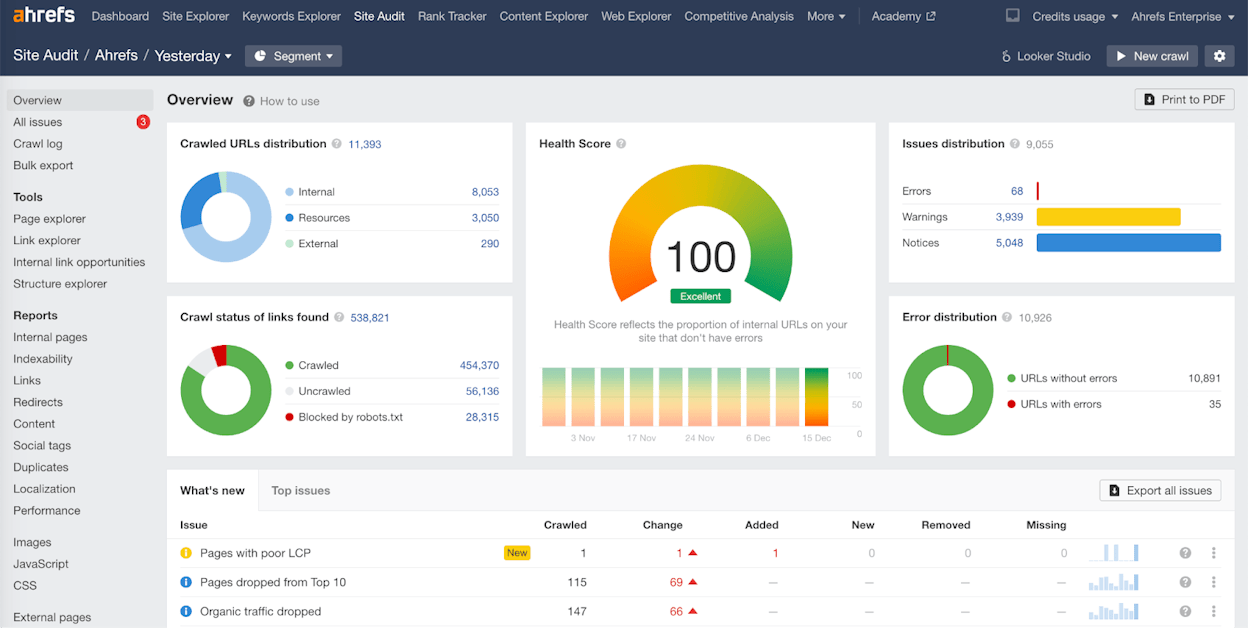
Focus on errors first (5xx server errors, 404s on pages with backlinks, noindex on important pages), then move to warnings (missing alt text, duplicate meta descriptions, slow pages).
Further reading: 18 Types of SEO: 40+ Techniques to Rank Higher
Do It for Every New Page
These are the tasks you should complete every time you publish a new page that you want to rank in search results.
Find a Primary Keyword to Target
Every page should target one primary keyword. You should do keyword research periodically to build a pipeline of topics, but each time you sit down to write, confirm that you’re targeting the best keyword for that specific piece.
For example, if you’re writing about the best protein powders, people might search for “best protein powder,” “best protein supplements,” “top protein shakes,” or “best protein powder for beginners.” Each of these has different search volume and competition.
Here’s how to find the right primary keyword:
-
Enter your topic in Ahrefs Keywords Explorer, Semrush, or Analyze AI’s free Keyword Generator
-
Look at the Parent Topic or Top Keyword — this is usually the highest-volume way people search for your topic
-
Check the SERP to confirm the results match the type of content you’re creating
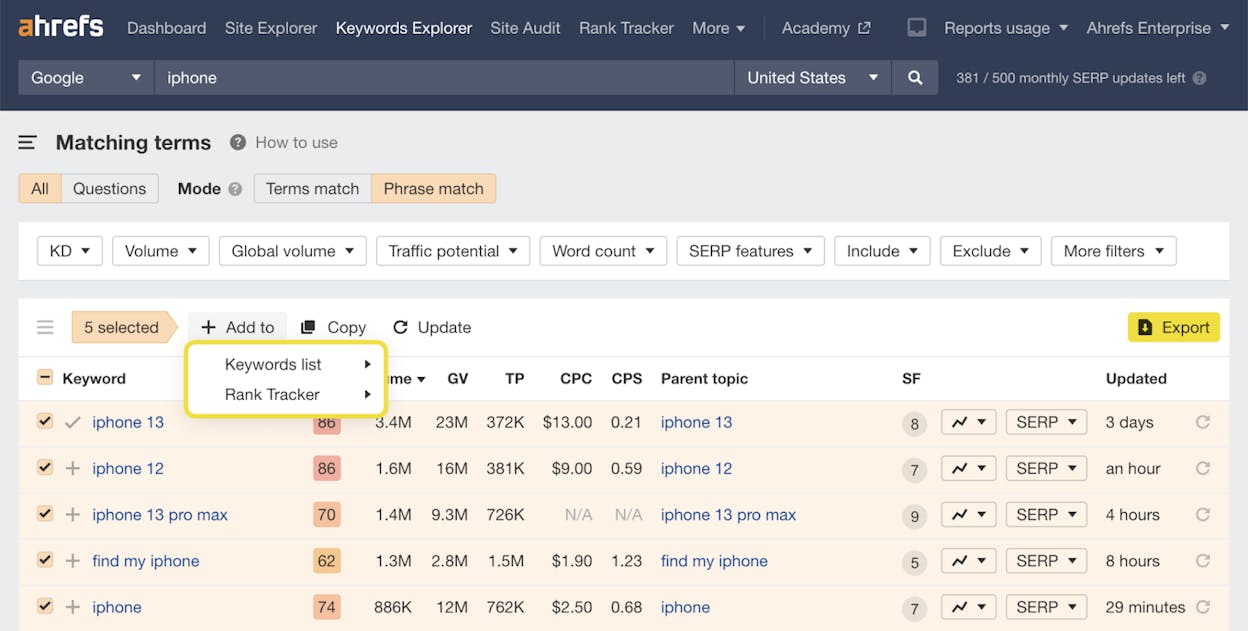
Don’t overthink this. The Parent Topic feature exists specifically to prevent you from targeting a low-volume variation when a much more popular one exists.
Further reading: SEO Keywords: How to Find and Use Them to Rank Higher
Assess Search Intent
Search intent is the “why” behind a query. People searching Google want one of these content types: a blog post, an interactive tool, a video, a category page, or a product page.
If you create the wrong type, you won’t rank. It’s that simple.
Here’s how to check: search your target keyword in Google and look at the top 5–10 results. What type of content dominates?
-
All blog posts? → Write a blog post
-
All product pages? → You need a product page
-
All videos? → Video-first content will rank better
-
Mixed results? → You have more flexibility, but lean toward the dominant format
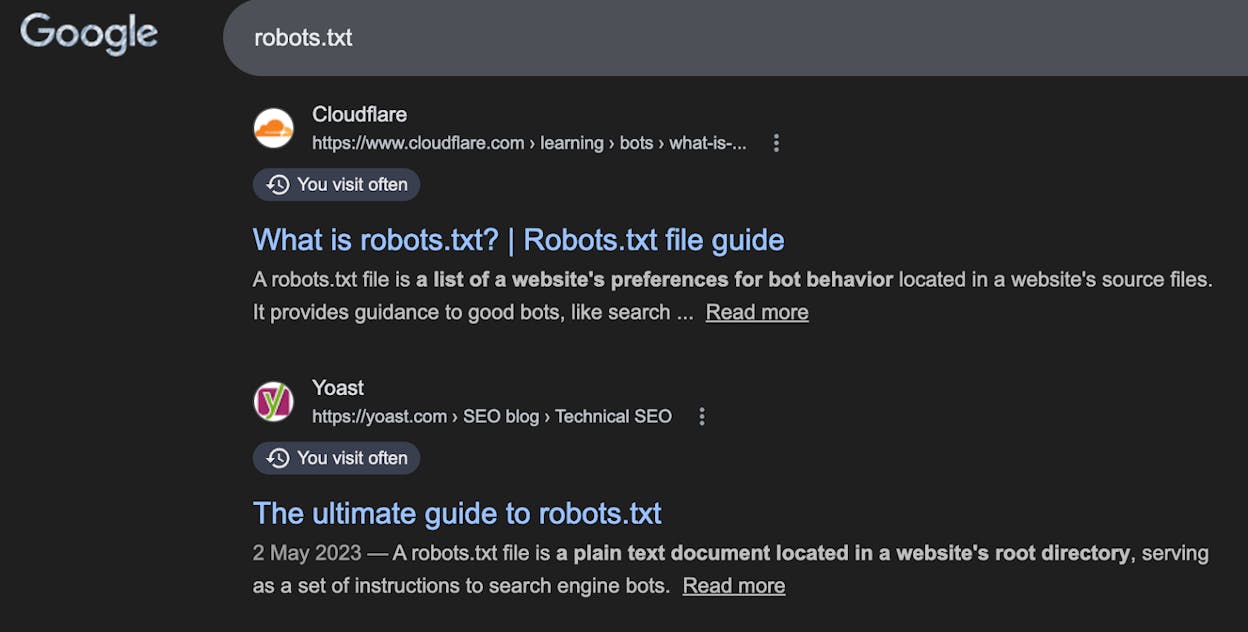
Also look at the angle of the top results. For “email marketing tools,” are they “best” lists, comparison articles, or tutorials? Match both the format and the angle.
Assess Your Chances of Ranking
Not all keywords are equally competitive. Before investing time in content creation, estimate how hard it’ll be to rank.
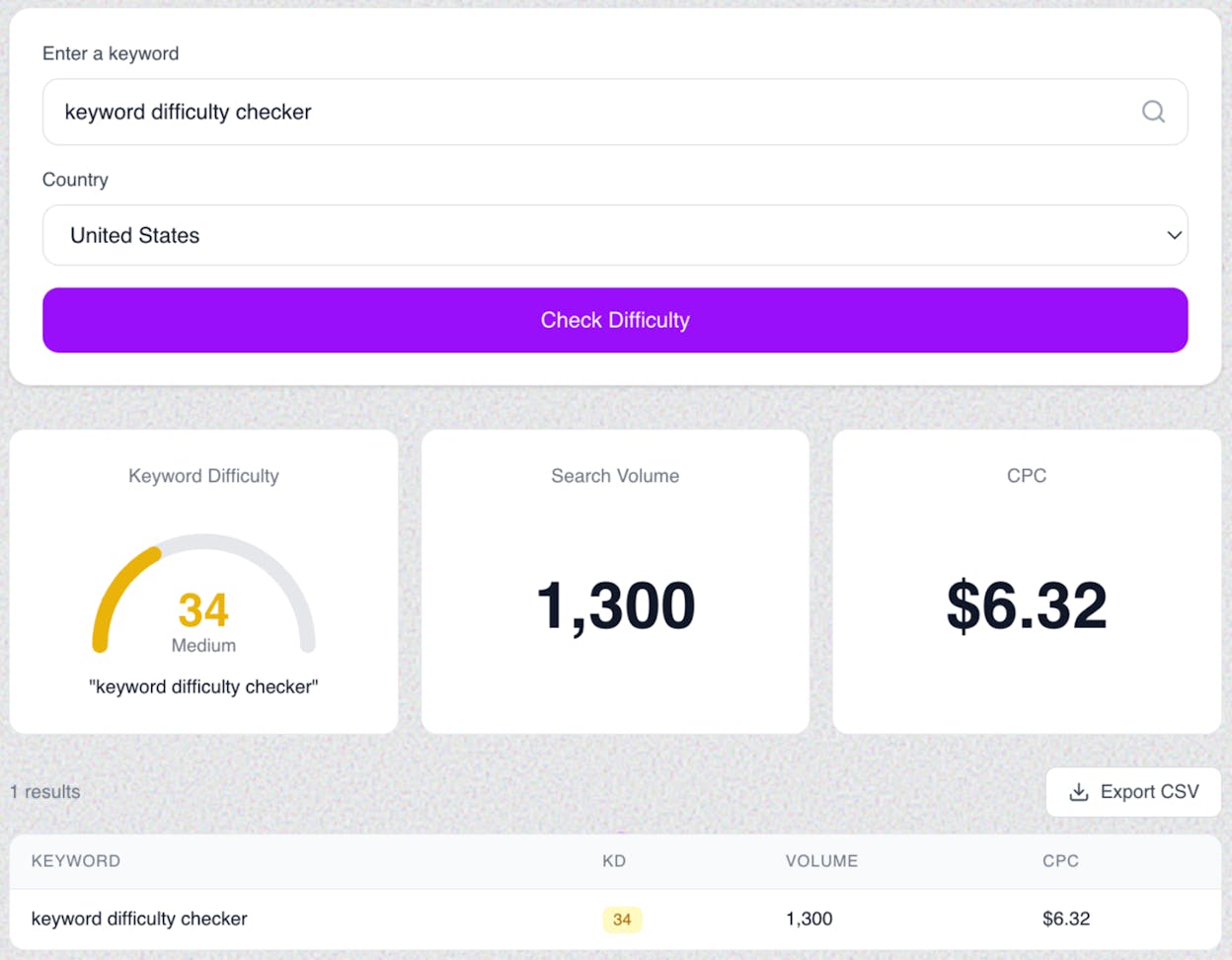
Use the Keyword Difficulty (KD) score in your keyword research tool as a starting point. But don’t rely on it entirely — KD scores are rough estimates based primarily on backlink profiles.
Also check:
-
Who ranks on page 1? If it’s all major brands (Amazon, Forbes, Wikipedia), you’ll need exceptional content and significant authority to compete.
-
How many backlinks do top pages have? If the top 5 results all have 100+ referring domains, a brand-new page with zero backlinks will struggle.
-
Is the content quality beatable? Sometimes top-ranking pages are thin, outdated, or poorly written. That’s your opening.
You can quickly check competitor authority using Analyze AI’s free Website Authority Checker or the free Keyword Difficulty Checker.
Research What People Want to Know
Once you know the right keyword and content type, you need to figure out what to actually cover. What questions do searchers have? What subtopics do top-ranking pages address?
Two approaches work well:
Manual SERP analysis. Open the top 5 ranking pages and look for commonalities. If every top result includes a definition, a “how it works” section, and a list of tools — your page needs to cover those too.
Page-level content gap analysis. This is faster. In Ahrefs:
-
Go to the Competitive Analysis tool
-
Enter your target URL (or the URL you plan to use)
-
Enter 3–5 top-ranking URLs for your keyword
-
Click Compare and check the Content Gap report
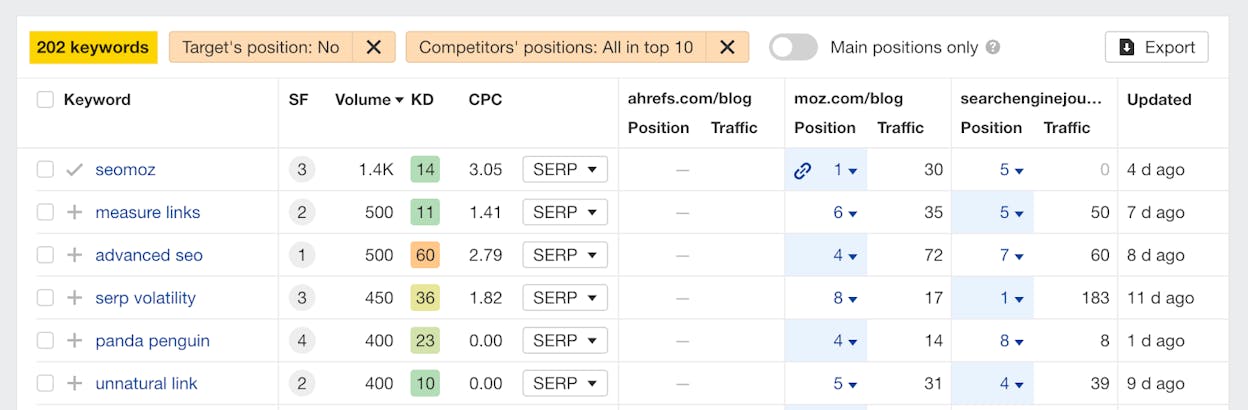
Keywords in this report often represent subtopics you should cover. For example, if you’re writing about “email marketing,” the content gap might reveal that top pages also rank for “email automation,” “email marketing examples,” and “email marketing ROI” — all subtopics you should include.
Also check AI search. Ask ChatGPT and Perplexity your target keyword as a question. See what subtopics they cover in their answers and which sources they cite. This tells you what AI models consider important for that topic — and if you want to be cited, you should cover those subtopics too.
Optimize Your Headings and Subheadings
Headings (H1, H2, H3) serve two purposes: they help search engines understand your content’s structure, and they help readers scan and navigate the page.
Use your primary keyword naturally in the H1 (your page title). Use related keywords and subtopics in H2s and H3s.
Structure your headings like an outline:
H1: Main Topic (Primary Keyword)
H2: Subtopic 1
H3: Specific point
H3: Specific point
H2: Subtopic 2
H3: Specific point
Don’t keyword-stuff your headings. “Best SEO Tools 2026 — Top SEO Software, SEO Platforms, SEO Suites” reads like spam. “The 10 Best SEO Tools in 2026” reads like something a human wrote.
Further reading: How to Use Keywords in SEO: 14 Practical Tips
Write an Intro That Hooks Readers Immediately
If visitors don’t see value in the first few seconds, they’ll hit the back button. And a bounced visitor doesn’t convert, share, or link to your content.
For blog posts, we recommend starting with “In this article, you’ll…” followed by a clear statement of what the reader will learn or be able to do after reading. This immediately signals value and sets expectations.
After that, briefly agitate the problem your content solves. Then present the solution (your article).
Avoid these intro mistakes:
-
Starting with a dictionary definition (“According to Merriam-Webster, SEO is…”)
-
Stating the obvious (“In today’s digital world, having a website is important…”)
-
Writing 200+ words before getting to the point
The best intros are 3–5 sentences. Get in, establish value, get out.
Further reading: How to Write an Article: Step-by-Step Examples
Write for Simplicity
Research shows that roughly half the U.S. adult population reads below an eighth-grade level. Even sophisticated audiences prefer clear, concise writing — no one enjoys decoding dense jargon.
Keep your writing simple:
-
Use short sentences (under 20 words when possible)
-
Use short paragraphs (2–4 sentences max)
-
Choose common words over fancy ones (“use” over “utilize,” “start” over “commence”)
-
Avoid jargon unless your audience expects it — and define it when you use it
Run your drafts through Hemingway Editor. Aim for a Grade 6–8 reading level.
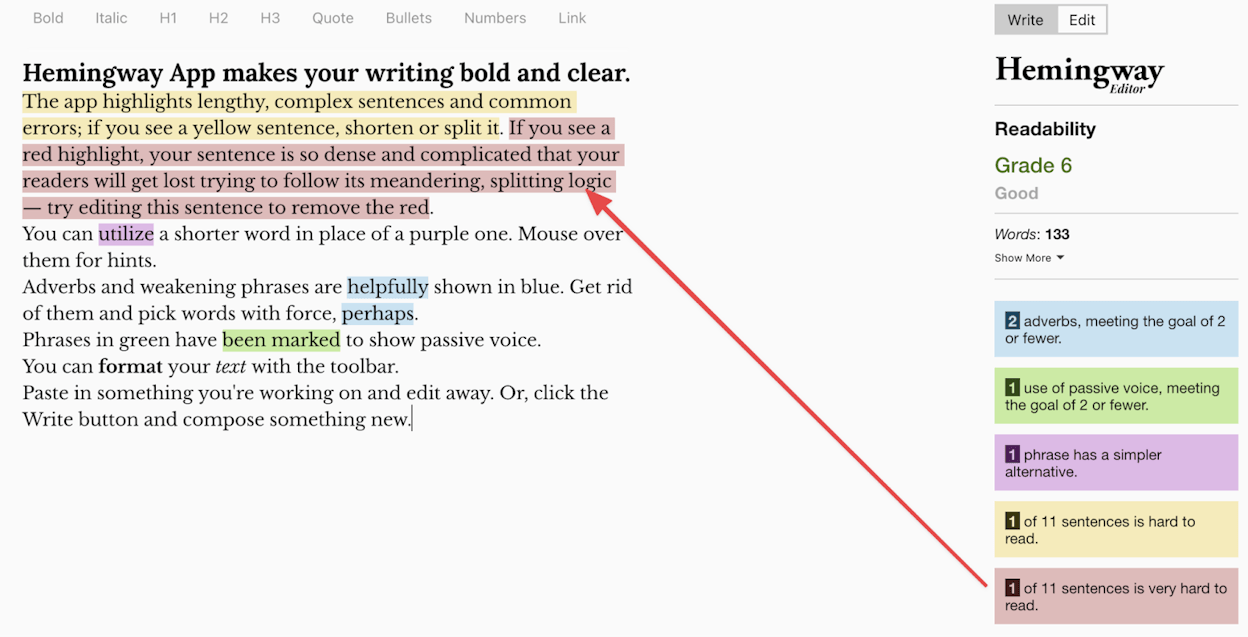
This applies doubly for content you want AI search engines to cite. LLMs extract and summarize information — if your writing is convoluted, the model is less likely to pull a clean, citable answer from it.
Link to Relevant Resources
Linking out to other websites does not hurt your SEO. This is a persistent myth. In reality, linking to authoritative sources helps readers verify your claims and adds credibility to your content.
Don’t force external links in. Add them where they genuinely help the reader: when you reference a study, tool, data source, or concept that deserves more explanation.
Internal links matter even more. Every new page should link to related content on your own site, and existing pages should link back to the new one. This distributes authority and helps search engines understand how your content relates.
Further reading: 10 Internal Linking Tips for SEO Explained
Break Up Content With Useful Images
Nobody wants to read a wall of unbroken text. Images break up your copy, illustrate concepts, and improve engagement.
But don’t add random stock photos. Every image should earn its place by making your content easier to understand: screenshots of tools, diagrams explaining processes, charts showing data, annotated examples.
Images also drive traffic from Google Images. According to most sites’ Search Console data, image search drives a meaningful share of total organic clicks — especially in visual niches like food, design, travel, and e-commerce.
Optimize Your Images
Image optimization covers three things:
-
Compression. Your image compression plugin (ShortPixel, Imagify) handles this on upload. If you’re not on WordPress, compress images before uploading using TinyPNG or Squoosh.
-
Descriptive filenames. Rename IMG_8739.png to keyword-research-tool-results.png before uploading. Search engines read filenames.
-
Alt text. Write alt text that describes what the image shows. This helps screen readers for accessibility and gives search engines more context. Keep it under 125 characters.
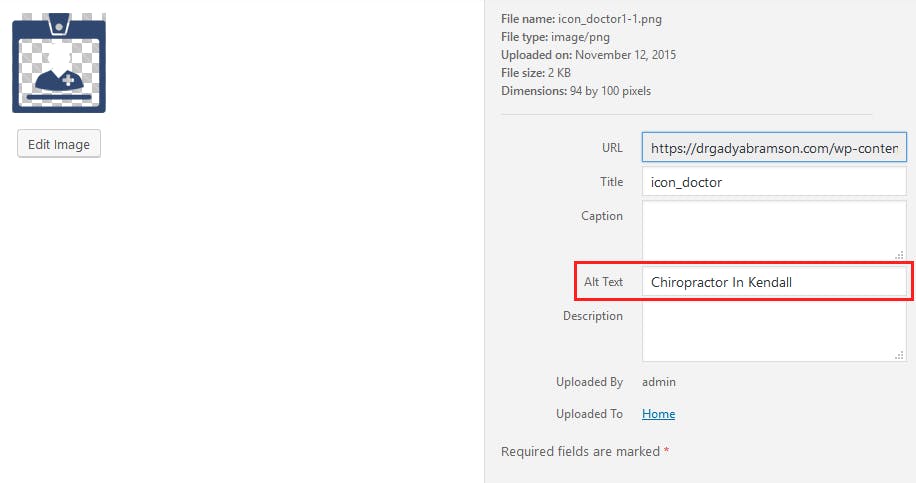
You can also use Analyze AI’s free Image Alt Text Generator to generate descriptive alt text quickly.
Write a Compelling Title Tag and Meta Description
Title tags and meta descriptions appear in search results. They’re your ad copy for organic traffic — compelling ones get more clicks.
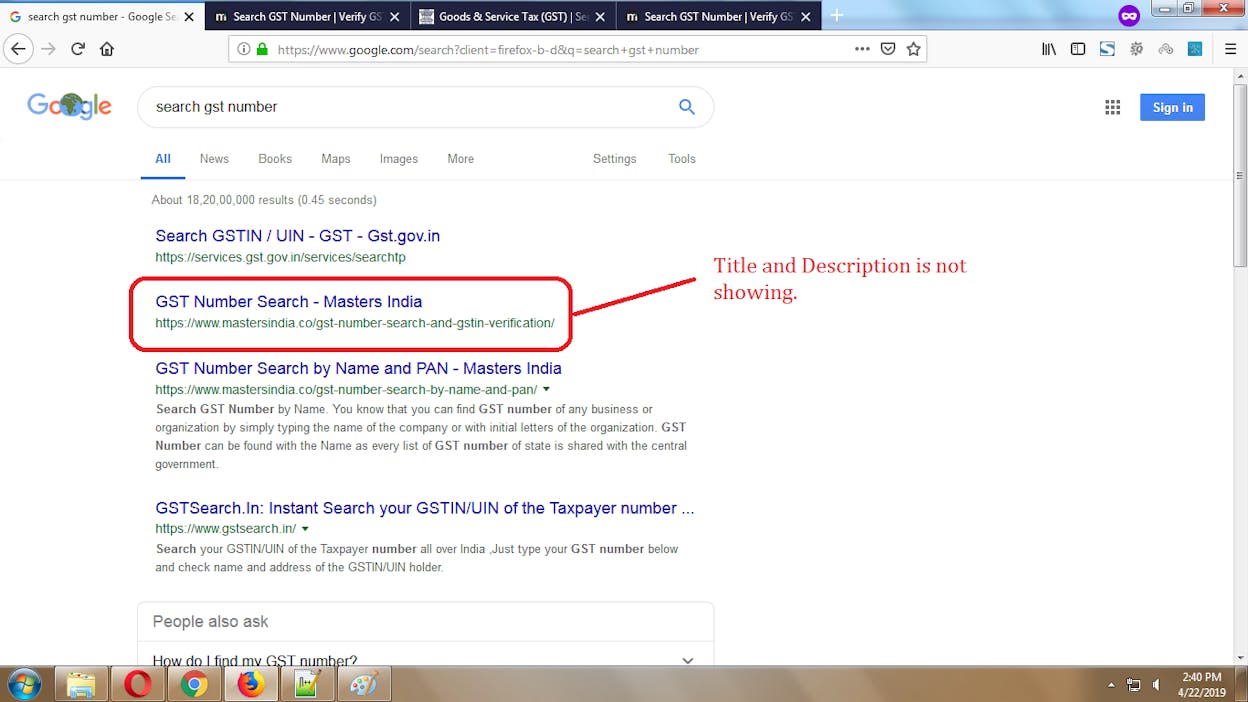
Title tag tips:
-
Include your primary keyword near the beginning
-
Keep it under 60 characters to avoid truncation
-
Add a hook: a number, a year, a benefit, or a bracket (e.g., “[With Template]”)
-
Match search intent — make it clear you have what the searcher wants
Meta description tips:
-
Summarize the page’s value in under 155 characters
-
Include a call to action or benefit
-
Use your primary keyword naturally
Google rewrites meta descriptions about 63% of the time, pulling text from the page instead. So the title tag matters far more. Spend more time on it.
You can use Analyze AI’s free Meta Description Generator or free SEO Title Generator to brainstorm options quickly.
Set a Short, Descriptive URL Slug
The URL slug is the last part of the URL (e.g., /seo-checklist/). Keep it short, descriptive, and based on your target keyword.
Good: yourdomain.com/blog/seo-checklist
Bad: yourdomain.com/blog/2026/01/15/the-only-seo-checklist-you-need-for-better-search-rankings
Shorter slugs are easier to read, share, and remember. They also avoid truncation in search results.
Add Schema Markup for Rich Snippets
Schema markup can earn you enhanced search result appearances (rich snippets) — star ratings, FAQ dropdowns, recipe details, how-to steps, and more.
The type of schema depends on your content:
|
Content Type |
Schema to Use |
|---|---|
|
Product pages |
Product, Review, Offer |
|
Blog posts with FAQs |
FAQPage |
|
How-to guides |
HowTo |
|
Recipes |
Recipe |
|
Events |
Event |
|
Local businesses |
LocalBusiness |
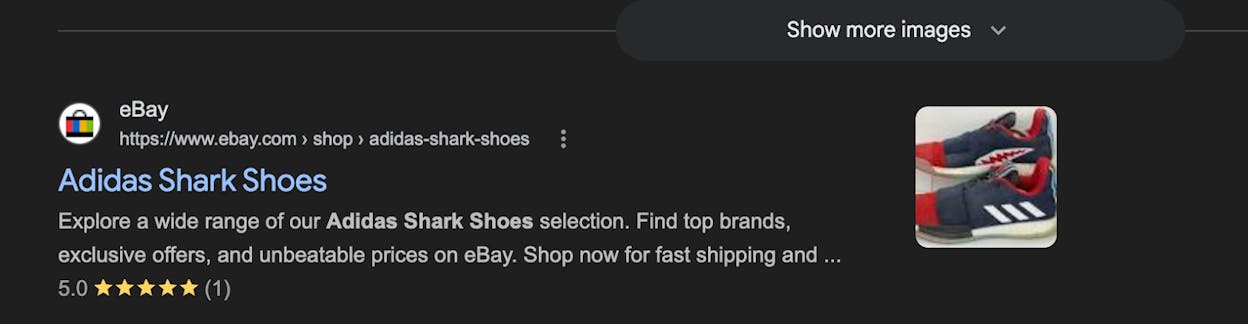
If you’re on WordPress, Yoast and Rank Math can generate FAQ and HowTo schema from the block editor. For other types, use Google’s Structured Data Markup Helper or add JSON-LD code manually.
Check your schema with Google’s Rich Results Test after adding it.
Pro tip: FAQ schema is particularly valuable for AI search. When your page has clear question-and-answer pairs marked up with FAQPage schema, AI models can extract precise answers more easily — increasing your chances of being cited.
Add a Table of Contents (Blog Posts Only)
A table of contents adds jump links to different sections of your post. It helps readers navigate long content and can earn you sitelinks in search results — those indented links that appear below your main listing.
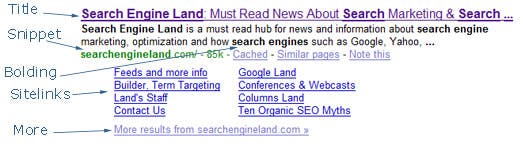
Most CMS platforms have plugins or built-in features for auto-generating a table of contents from your headings. On WordPress, Easy Table of Contents works well.
Add Internal Links to and From the New Page
After publishing a new page, go back to your existing content and add links to it from relevant pages.
Here’s how to find internal link opportunities:
-
In Google, search site:yourdomain.com "target keyword" to find pages that mention your topic
-
Visit each result and add a contextual link to your new page where it makes sense
You can also use Ahrefs’ Site Audit → Page Explorer to search for your target keyword across all crawled pages.
Don’t just link from old pages to the new one. Also add links from the new page to your best-performing related content. Internal linking is a two-way street.
Optimize the Page for AI Search Citability
This is the step most people skip — and it’s becoming one of the most valuable. Beyond ranking on Google, you want AI search engines to cite your page when users ask relevant questions.
Here’s how to make your content more citable by AI models:
Structure content as clear answers. AI models look for concise, well-structured answers to specific questions. If your H2 is a question and the first 1–2 sentences directly answer it, that’s exactly the format LLMs prefer to cite.
Include original data and specific details. AI models favor content with specific statistics, original research, named sources, and concrete examples. Generic advice gets skipped in favor of content that adds something new.
Check your current AI visibility for this topic. Before publishing, see if AI search engines already cite your competitors for related prompts. In Analyze AI, you can check the Citation Analytics to see which URLs AI models are citing for your topic.
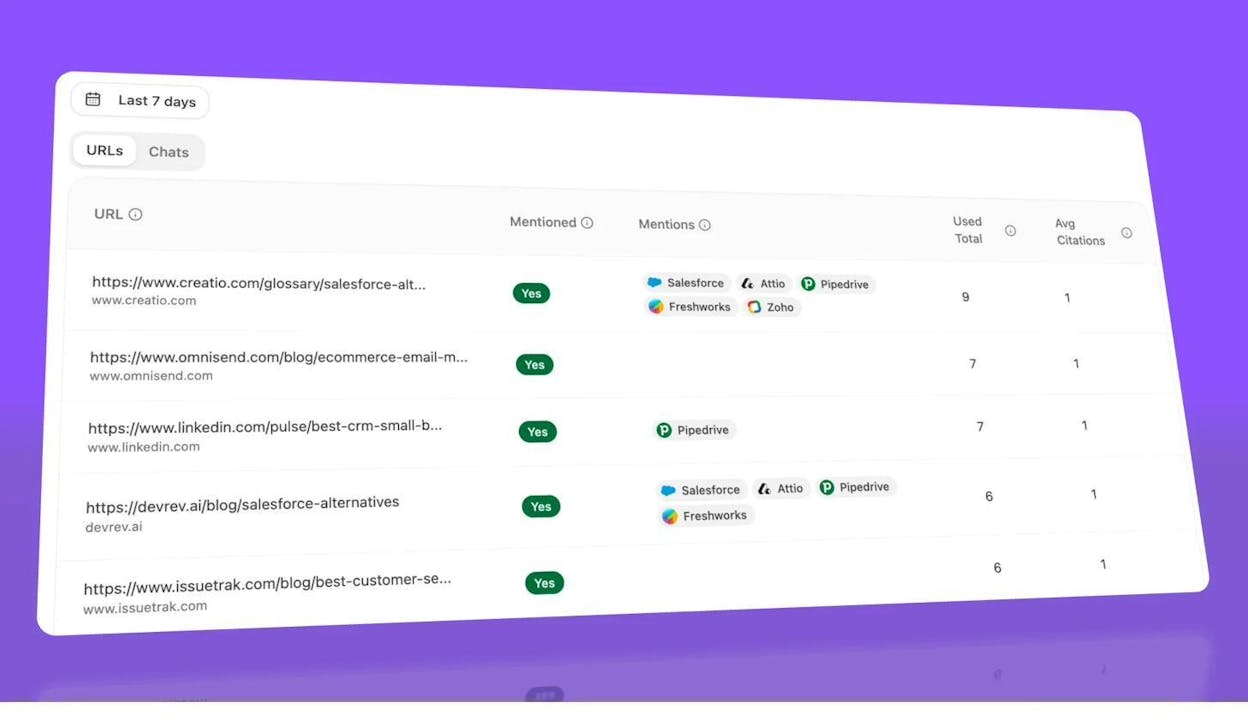
This tells you which content is currently winning in AI search for your topic — and what you need to beat.
Track the page after publishing. Once your content is live, add relevant prompts to Analyze AI to track whether AI models start citing your page. The Prompt Suggestion feature can even recommend prompts based on your existing cluster.
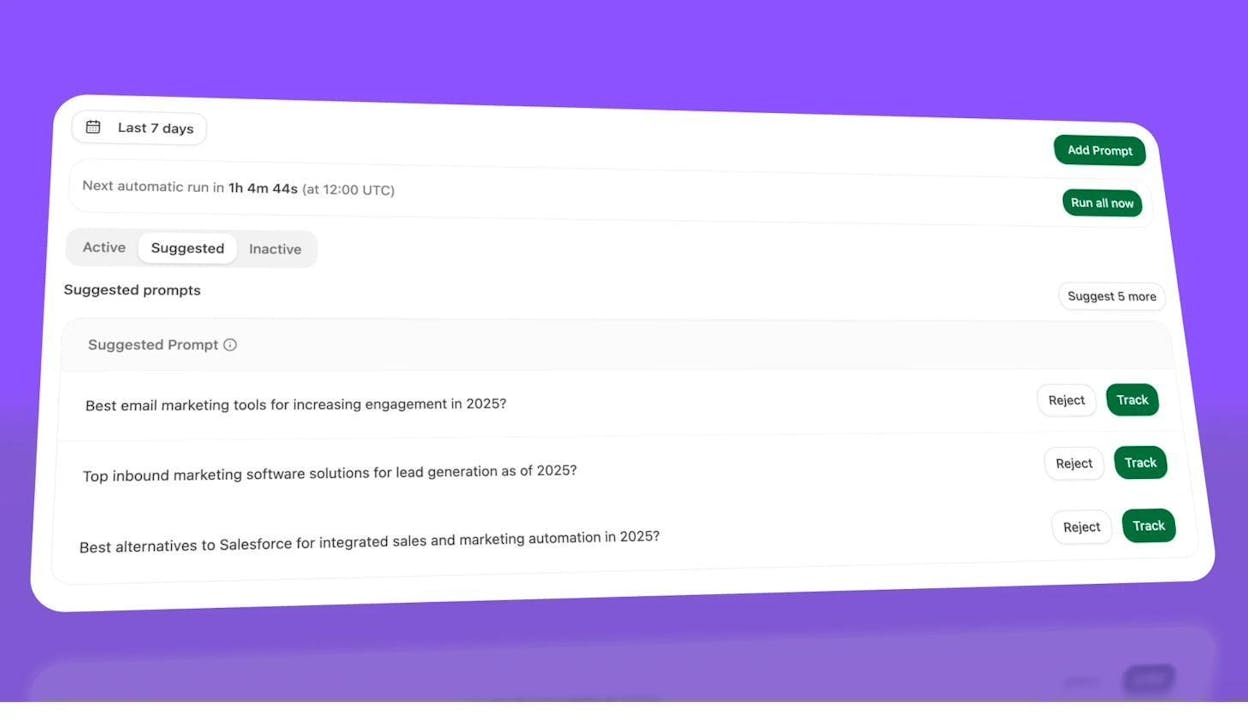
Further reading: How to Rank on ChatGPT (Based on 65,000 Citation Data)
Promote Your Content With Outreach (Optional)
People can’t link to content they don’t know exists. If you’re targeting a competitive keyword, some outreach can help build initial backlinks.
The most efficient approach: find lower-quality competing pages that already have backlinks, then reach out to those linking sites and pitch your superior content as a replacement.
Here’s the process:
-
Search your target keyword in Ahrefs Keywords Explorer
-
Scroll to the SERP Overview and note pages that rank but have thin or outdated content
-
Click into those pages in Site Explorer to see who links to them
-
Reach out to those linking sites with a brief, specific pitch explaining why your content is a better resource
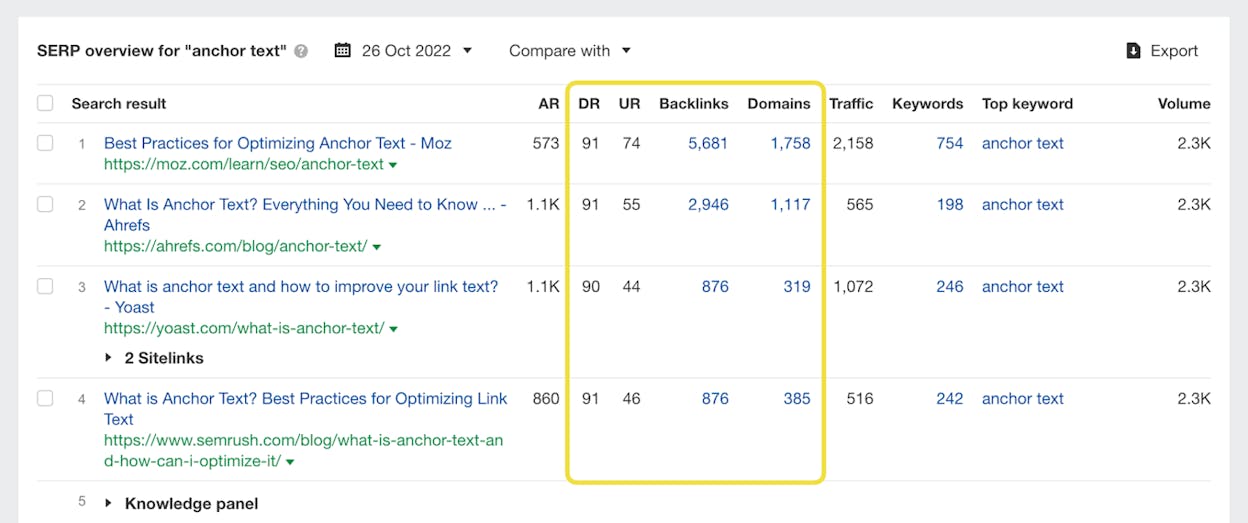
Keep your outreach short and focused on value. Explain specifically what makes your content better: fresher data, more complete coverage, better visuals, original research. Don’t send generic “I noticed you link to X, would you consider linking to Y instead” emails without specifics.
Your AI Search Competitive Edge
Most of the items above are things every serious SEO practitioner does. The competitive edge in 2026 comes from extending these fundamentals to AI search.
Here’s a summary of how each phase connects to AI visibility:
|
SEO Checklist Phase |
AI Search Extension |
|---|---|
|
One-time setup |
Create llms.txt, set up AI traffic tracking, add structured data |
|
Periodic tasks |
Monitor AI visibility changes, find AI content gaps, review engine-by-engine traffic |
|
Per-page tasks |
Optimize for citability, track AI citations, check competitor AI coverage |
The key insight: you don’t need a separate “AI SEO strategy.” The same content that ranks well on Google — well-structured, deeply researched, clearly written, technically sound — is the same content AI models prefer to cite. The difference is measurement. You need tools that tell you where you appear in AI answers, where competitors appear instead, and which AI engines actually send traffic.
That’s exactly what Analyze AI does. It tracks your brand across ChatGPT, Perplexity, Claude, Copilot, Gemini, and Google AI Mode. It connects to your GA4 to attribute real sessions and conversions to AI search. And it shows you the specific prompts, citations, and competitors that matter for your niche.
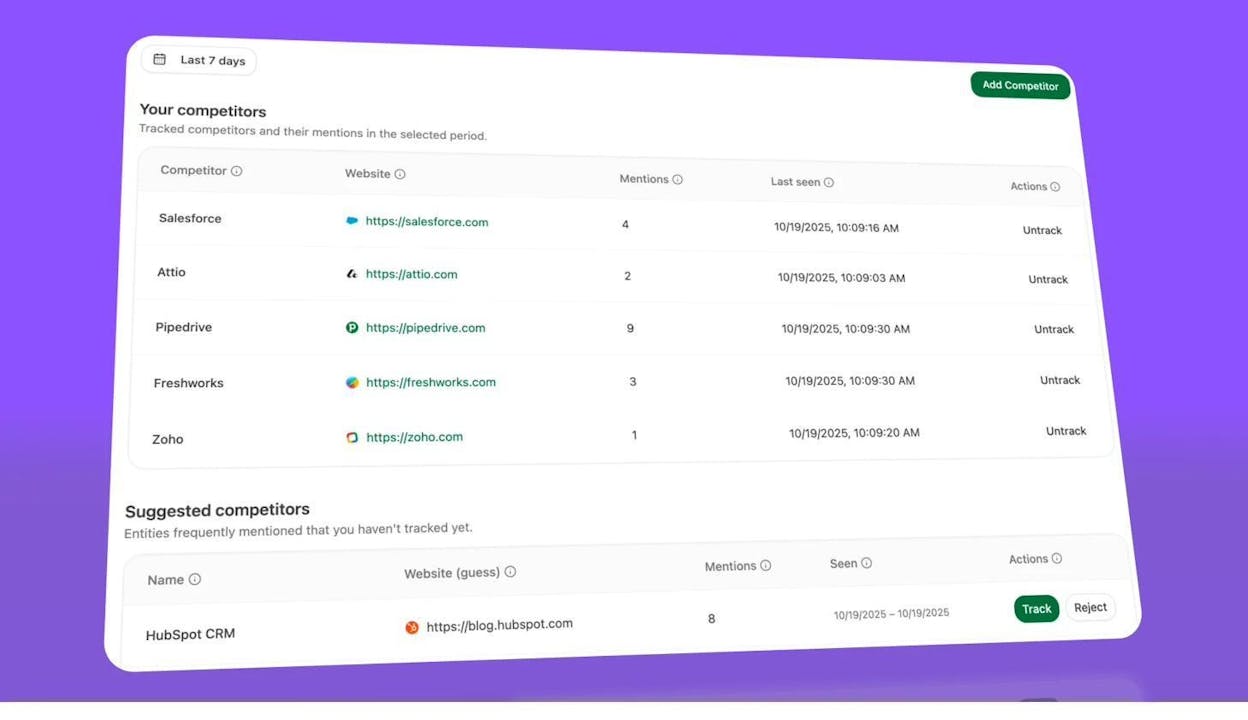
Because at the end of the day, SEO is still SEO. It’s just happening in more places now. And the teams that measure all of those places — not just Google — are the ones who will compound their visibility the fastest.
Further reading: 4 Pillars of an Effective SEO Strategy for AI Search
Quick-Reference SEO Checklist
Use this as a quick-scan reference. Check off each item as you complete it.
Do It Once
-
☐ Choose an SEO-friendly theme
-
☐ Plan your website structure
-
☐ Set a descriptive URL structure
-
☐ Install an SEO plugin (WordPress)
-
☐ Set up Google Search Console
-
☐ Set up Bing Webmaster Tools
-
☐ Create and submit a sitemap
-
☐ Verify your site is indexable
-
☐ Add Organization/Person schema to homepage
-
☐ Confirm mobile-friendliness
-
☐ Verify HTTPS and domain redirects
-
☐ Test and improve site speed (Core Web Vitals)
-
☐ Install an image compression plugin
-
☐ Set up Google Business Profile (local)
-
☐ Create or verify llms.txt file
-
☐ Set up AI search traffic tracking (Analyze AI)
-
☐ Replicate competitors’ backlinks
Do It Periodically
-
☐ Fix broken pages and links
-
☐ Refresh declining content
-
☐ Run a content gap analysis (Google + AI search)
-
☐ Monitor AI search visibility and sentiment
-
☐ Review AI engine traffic breakdown
-
☐ Update Google Business Profile (local)
-
☐ Audit for technical SEO issues
Do It for Every New Page
-
☐ Find and confirm primary keyword
-
☐ Assess search intent
-
☐ Estimate ranking difficulty
-
☐ Research subtopics people want to know about
-
☐ Optimize headings and subheadings
-
☐ Write a hook-driven intro
-
☐ Write clearly at an 8th-grade reading level
-
☐ Link to relevant external and internal resources
-
☐ Add useful, descriptive images
-
☐ Optimize images (compression, filenames, alt text)
-
☐ Write a compelling title tag
-
☐ Write a descriptive meta description
-
☐ Set a short, keyword-based URL slug
-
☐ Add schema markup for rich snippets
-
☐ Add a table of contents (blog posts)
-
☐ Add internal links to and from the new page
-
☐ Optimize for AI search citability
-
☐ Track AI visibility for the page’s target prompts
-
☐ Do outreach for backlinks (optional)
What to Do Next
SEO is never “done.” But if you work through this checklist, you’ll have a stronger foundation than most sites — and you’ll be ahead of nearly everyone when it comes to AI search visibility.
If you want to go deeper on any section, we’ve linked to detailed guides throughout the article. And if you want to start tracking your AI search performance, Analyze AI gives you the visibility data, competitive intelligence, and attribution you need to make AI search a real growth channel — not just a buzzword.
Start with the “Do it once” items today. Then set a calendar reminder to tackle the periodic tasks each month. The compound effect of consistent optimization — across both Google and AI search — is what separates sites that grow from sites that plateau.

Ernest

Ibrahim


