Analyze AI - AI Search Analytics Platform

10 AI Applications for Small Businesses to Try

Written by

Ernest Bogore

Ernest Bogore

CEO

Reviewed by

Ibrahim Litinine

Ibrahim Litinine

Content Marketing Expert

10 AI Applications for Small Businesses to Try

This breakdown shows where AI delivers real leverage for small businesses across support, automation, finances, planning, content, and more — and which tools fit different stages of growth. At the end, there’s also a small bonus if you want to see how LLMs talk about your brand across AI search engines and track that visibility with precision.

Table of Contents

TL;DR

Tool

AI application type

What it mainly helps you do

Biggest strengths

Key watch-outs for small businesses

Tidio

AI chatbot & live chat

Answer common customer questions 24/7 and capture leads on your site

Easy widget setup; Lyro AI trained on your own FAQs; smooth handoff between bot and human; good for repeat “where is my order?”–type tickets

Needs good, up-to-date help content; complex or emotional issues still need a human; free plan and conversation limits can push you to upgrade; over-automation can feel like a “bot wall”

ChatGPT

General AI assistant for support & internal ops

Draft replies, summarize tickets, translate content, and power custom bots via API

Very flexible; multilingual; great for summaries, drafts, and knowledge-base content; strong fit as an “agent assistant” behind the scenes

Not aware of your CRM by default; can generate wrong or off-brand answers without guardrails; requires API setup, prompts, and monitoring before using it as a front-line bot

Zapier

No-code automation & integrations

Connect apps and automate manual tasks across your stack

Huge app ecosystem; easy triggers and actions; multi-step workflows with filters and conditions; AI suggestions for new automations

Can get messy if you build too many Zaps without documentation; free tier is limited; heavy usage can get expensive and produce tangled workflows if not reviewed

QuickBooks AI

AI bookkeeping & finance assistant

Automate categorization, invoicing, reconciliation, and cash-flow forecasting

Learns how you classify transactions; automates repetitive finance work; gives clearer cash-flow projections; reduces errors from manual entry

Automation is only as good as your data; bad historical data leads to wrong suggestions; more advanced features sit in higher tiers; some AI modules are still evolving

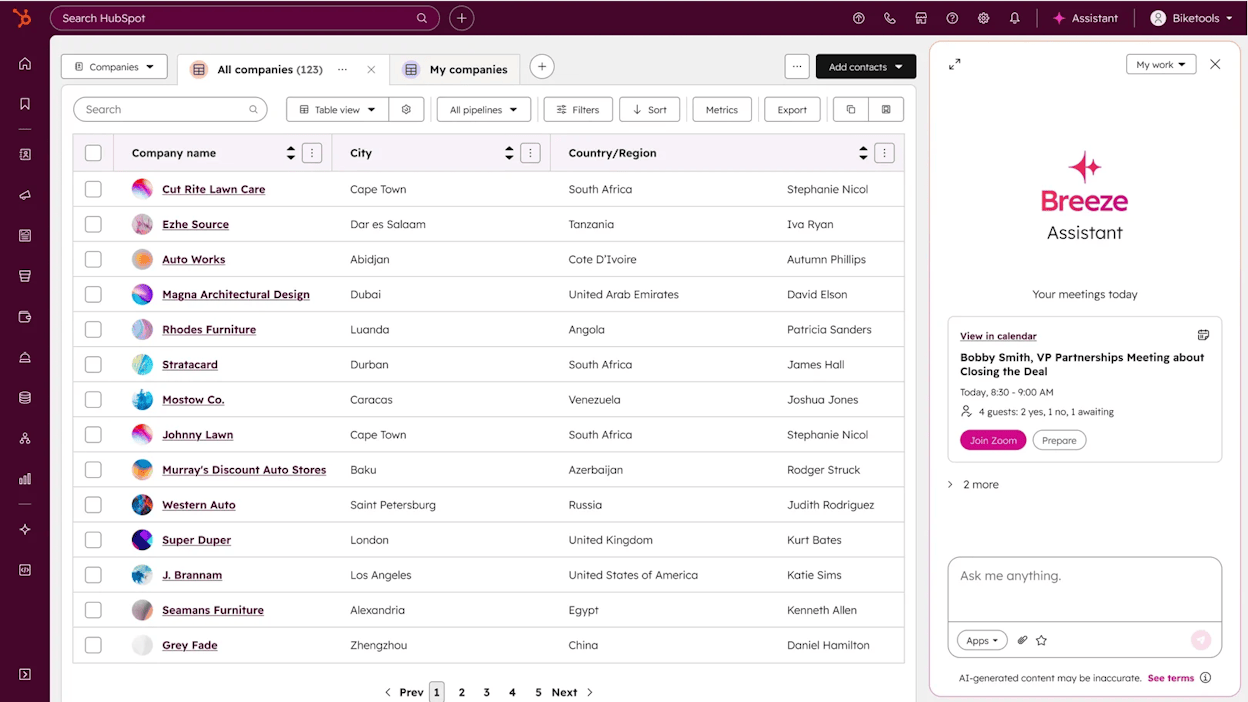
HubSpot Breeze AI

AI CRM & sales/service automation

Score leads, draft outreach, and automate CRM-based workflows

Context-aware agents use live CRM data; works inside inboxes, dashboards, and records; reduces task switching; strong for structured sales and service processes

Needs clean CRM data to be accurate; advanced agents and customization often tied to higher plans; features are still rolling out so behavior may change and needs oversight

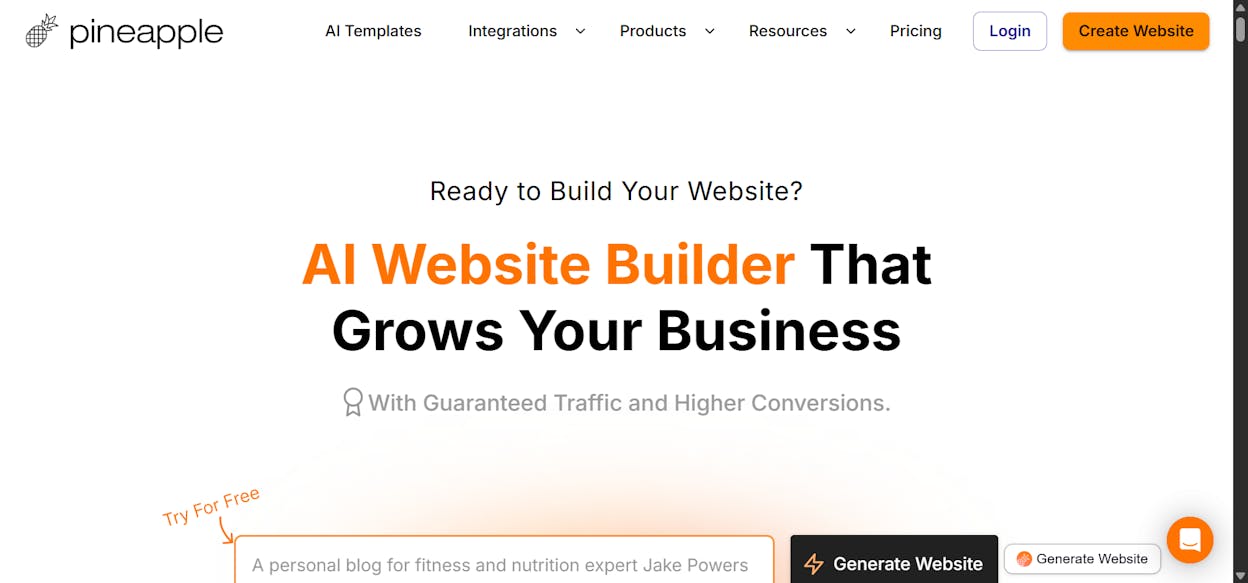
Pineapple Builder

AI website & simple store builder

Generate a full website (and basic e-commerce) from a short description

Very fast site creation; built-in SEO and mobile layouts; hosting, forms, and payments included; simple editor for non-technical users

Limited design control versus classic builders; better for small stores and service sites than complex e-commerce; many sites can look similar if you don’t customize

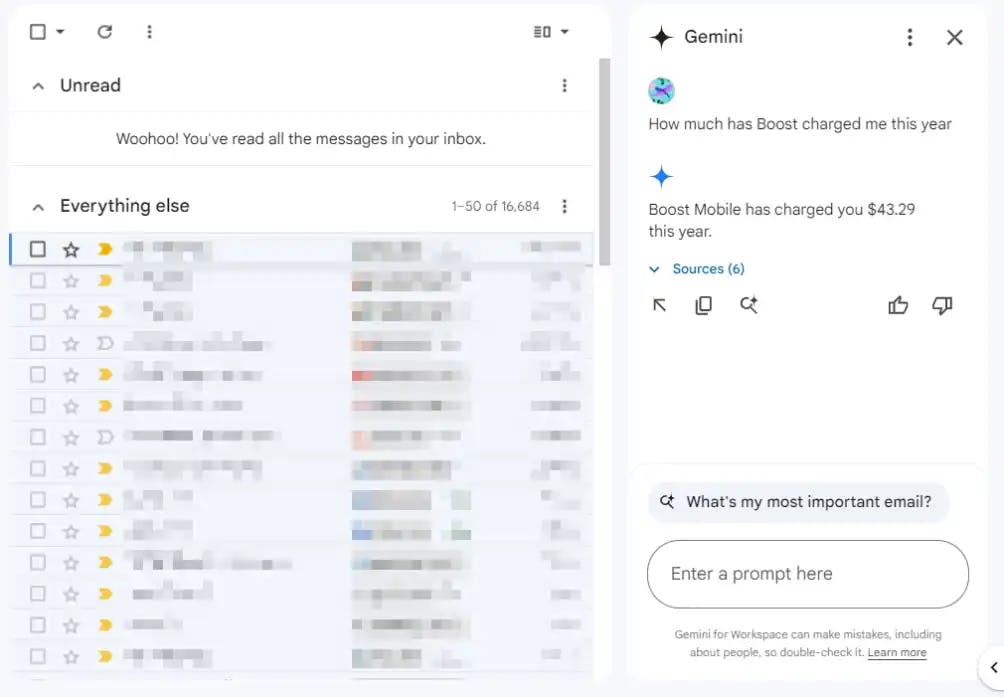
Google Workspace AI

Writing, planning & collaboration

Draft emails/docs, summarize threads, and support team planning

Built into Gmail, Docs, Sheets, etc.; strong for summarization and drafting; supports real-time collaboration; Workspace Studio lets you build light internal agents

Advanced setups can overwhelm small teams; can overlap with other tools (Jira, Slack, Trello); needs good file organization and clear team habits to stay useful

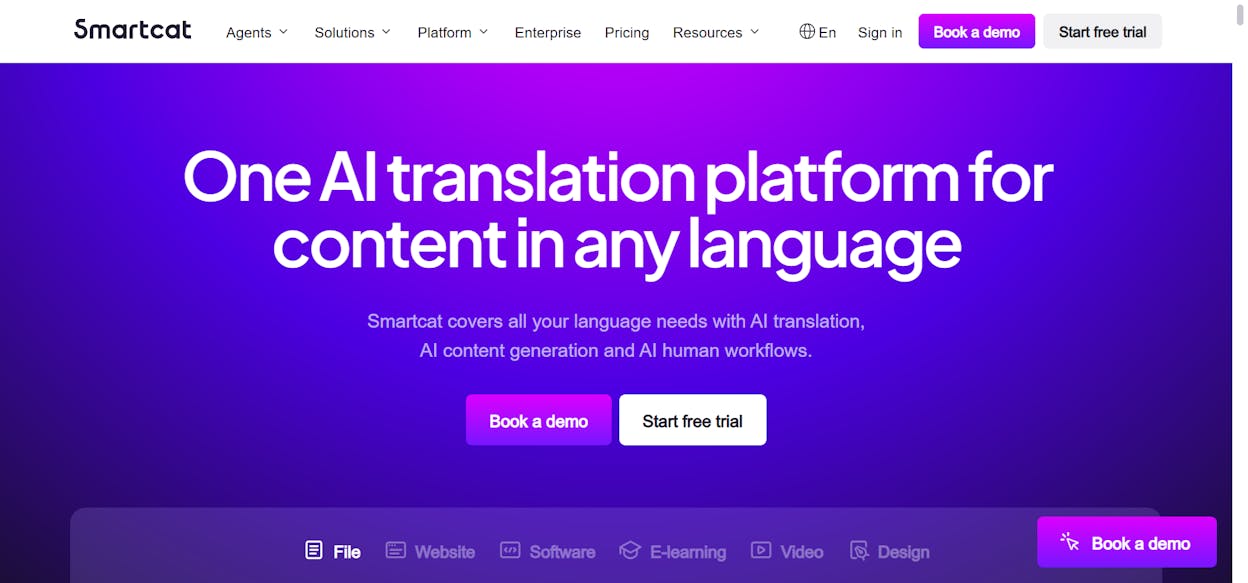
Smartcat

Translation & localization TMS

Translate and manage multilingual content at scale

AI translation in 280+ languages; shared workspace for translators and editors; translation memory and glossaries improve quality; supports many formats and integrations

Still needs human review, especially for technical content; can feel complex for very small teams; best value when you commit to workflow setup and glossary management

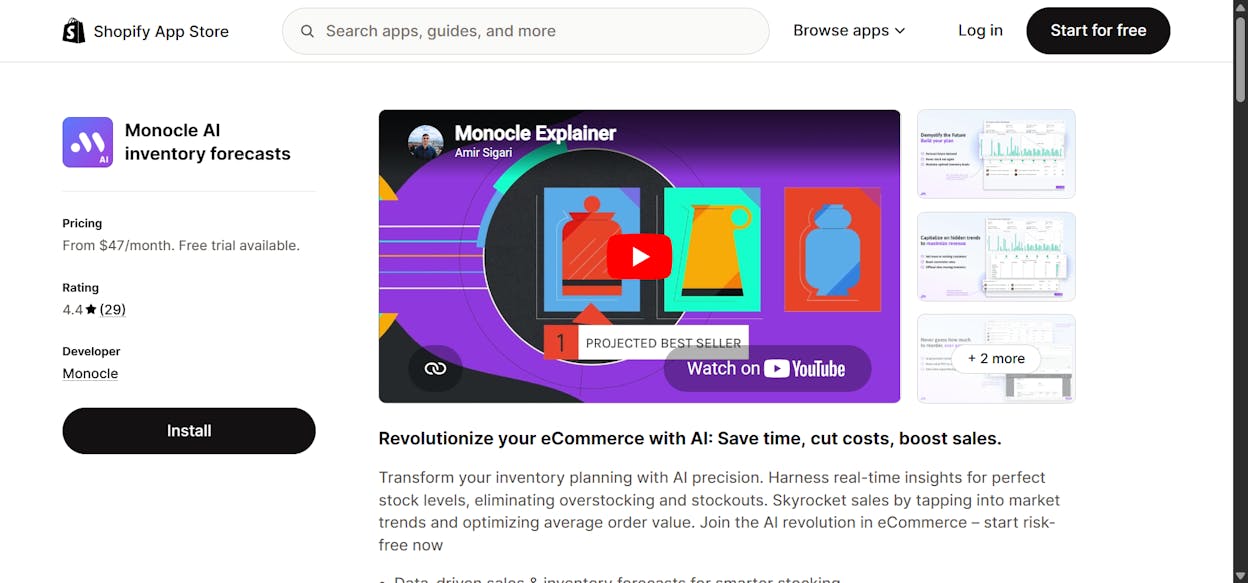
Monocle AI

Demand forecasting & inventory planning

Predict SKU-level demand and plan reorders for e-commerce

Shopify-native; forecasts demand and suggests reorder quantities; real-time low-stock alerts; shows bundles and cross-sell opportunities

Focused mainly on Shopify; not a full supply-chain/ERP; larger catalogs and volumes may require higher-tier plans; works best with clean, stable sales data

AdCreative.ai

Ad creative generation

Create and test ad visuals and copy across platforms

Generates lots of creatives quickly; multi-platform resizing; predictive creative scoring; built-in copywriting; keeps branding consistent once set

Templates can feel generic without manual tweaks; less control for complex or highly custom visual styles; pricing may stretch small budgets; quality depends on good brand inputs

Analyze AI

AI search visibility & revenue tracking

Track how AI engines mention and send traffic to your brand, and prove which AI visibility drives revenue

Connects AI mentions to real traffic, conversions, and revenue; shows which engines (ChatGPT, Perplexity, Claude, Copilot, Gemini) actually send sessions; tracks prompt-level visibility, sentiment, and competitor positions; audits citations to reveal which sources LLMs trust and where to build authority

Requires enough AI-driven traffic and events tracked to unlock full value; works best for teams willing to maintain clear prompts, goals, and conversion tracking; more strategic than “set and forget,” so it needs someone to own the insights and act on them

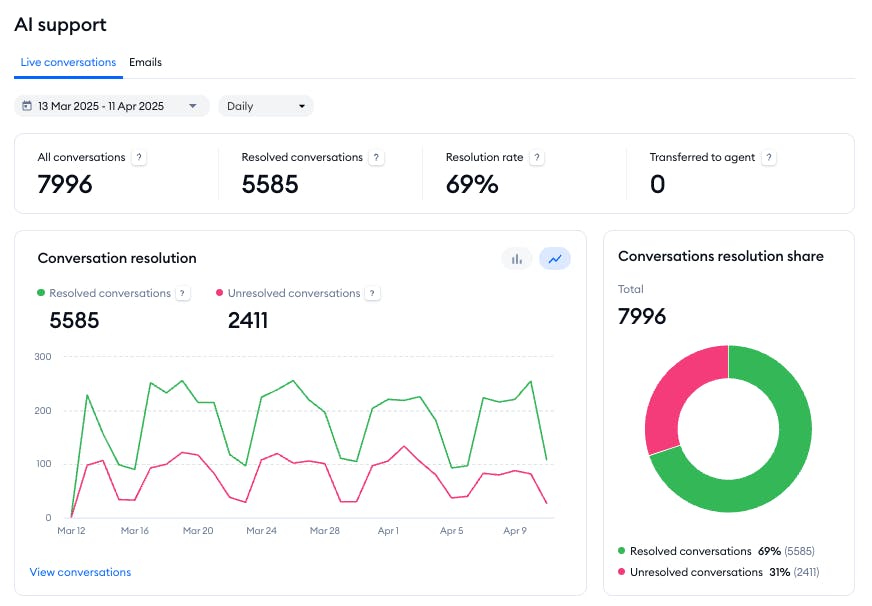
Tidio : best AI application for always-on customer replies

AI tools for small business

Key Tidio standout features

  • Visual drag-and-drop flow builder for chat workflows

  • Lyro AI chatbot trained on your own content and FAQs

  • Live chat and AI chatbot working in the same widget

  • Ready-made templates for lead capture, support, and sales

  • Integrations with email, Messenger, CRM, and help desk tools

Tidio is built for small businesses that need fast support without hiring a full call center. The platform lets you add a chat widget to your site in minutes, then build flows that answer common questions, route visitors, and collect contact details. Lyro can learn from your FAQ pages, policy pages, or help articles, so answers match what you already tell customers instead of using vague generic text. This mix of live chat and AI gives small teams a way to stay responsive even when only one person watches the inbox.

Once the basics run, the tool starts acting like an extra junior teammate who never sleeps. Automated flows greet new visitors, ask simple qualifying questions, and pass warm leads or tricky cases to a human agent with the full chat history. For ecommerce stores, it can show order status, shipping details, or return rules without asking a support rep to look things up each time. Service businesses can use it to handle appointment questions, send links to booking pages, and collect phone numbers for follow-up. Over time, this reduces the number of repeated tickets and keeps your small team focused on issues that truly need judgment.

small business AI software

However, no chatbot completely replaces a skilled human support person. Lyro and other AI bots still work best with clear, well-structured content and simple question patterns. If your site has thin or outdated help pages, the bot may give answers that feel generic or slightly off, which can frustrate customers who already feel stressed. Complex or emotional issues, such as billing disputes or sensitive complaints, also need a human voice, so you must design clear rules for when the conversation should move to a real person.

For very small teams, limits also appear around pricing and setup time. Free or lower-tier plans often cap the number of conversations or advanced features, which can force upgrades once chat volume grows. If you try to automate everything at once, customers may feel pushed into a bot wall that blocks real contact, which hurts trust with higher-value clients. Careful setup, regular review of conversations, and a clear “talk to a human” option help keep the balance between smart automation and real service.

Aspect

How Tidio works

Why it matters for small businesses

Setup and onboarding

Simple widget install, guided setup, and visual builders

You can launch support automation without hiring developers

Automation depth

Lyro AI handles FAQs, flows manage routing and simple tasks

Reduces repeated questions and frees time for important issues

Live chat + AI combo

Human agents can jump in or take over from the bot

Customers never feel fully stuck with a bot when things get complex

Lead capture and sales

Forms, prompts, and triggers collect emails and phone numbers

Support conversations can also feed the sales pipeline

Multichannel coverage

Works on website and connects with other channels and tools

Keeps replies consistent even when customers reach you from many places

Pricing and scalability

Free tier to start, paid tiers add volume and features

Lets you test the value before committing larger budget

Best fit profile

Small ecommerce, SaaS, and service firms with repeat questions

You get the most impact when many tickets follow similar patterns

Best use cases for small businesses

  • Online store that receives many questions about order status, shipping, and returns

  • Local service business that wants to answer basic questions and send people to a booking page

  • Small SaaS team that needs a first line of support during nights and weekends

  • Agency that manages simple support or lead capture widgets for multiple client sites

Takeaway

Tidio gives small businesses a practical way to deliver fast, always-on replies without building a full support team. Used with clear hand-offs and good content, it turns support from a constant drain into a more controlled and scalable channel.

ChatGPT: best AI application for flexible support and internal agent assistance

AI solutions for SMBs

Key ChatGPT standout features

  • Large language model that understands and generates natural text

  • API for building custom support bots and internal automations

  • Multilingual support for global teams and customers

  • Fast drafting for replies, summaries, and help center content

  • Works alongside CRMs and ticketing systems to improve workflows

ChatGPT gives small businesses a flexible AI engine that can plug into many parts of their support workflow. The model understands everyday language and can draft answers, summarize tickets, or prepare emails based on short prompts. Unlike fixed-rule chatbots, it adapts to broad question patterns, which helps when customers ask things in unexpected ways. Developers can connect it to a site or app through the API so the tool can serve as the brain behind a custom support assistant. This helps businesses build support flows that match their needs without buying a full customer service platform.

Once connected to a CRM or help desk, ChatGPT becomes useful for tasks behind the scenes. It can turn long customer messages into short summaries for agents, improve canned messages, prepare new help center articles, or translate FAQ entries for international customers. These tasks normally take time and require a human to rewrite or polish content. With the model in place, teams can move faster with less manual work and keep their support tone consistent across many channels. This support role helps small teams respond more clearly and keep workloads steady during busy hours.

business automation tools

Its strengths, however, do not remove the need for guardrails. The model is powerful, but it is not aware of internal customer data unless you structure the integration carefully. Without that context, it can give answers that sound right but miss brand rules or policy details. This is a risk in support work, where accuracy is critical. The best deployments include clear prompts, restricted contexts, and human review for sensitive cases. Small teams must check early outputs to make sure everything fits their tone and avoids confusing customers.

The other challenge relates to cost and setup. Using ChatGPT as a public-facing chatbot requires API work, data preparation, and safety checks. Businesses must build flows that prevent the model from overstepping or giving personal or outdated information. Dedicated chatbot platforms handle these workflows out of the box, so teams must decide whether full customization is worth the extra work. Emotional tasks also remain an issue, since the model can struggle with tone-sensitive or frustrated customers unless heavily guided.

Aspect

What ChatGPT offers

Why it matters for small businesses

Nature and purpose

General AI model for many text tasks

Gives flexibility for support, content, translation, and internal workflows

Integration options

API to connect with apps, sites, CRMs, or help desks

Lets teams build custom tools without switching platforms

Strength in operations

Summaries, reply drafts, knowledge-base content

Cuts writing time and supports agents during busy hours

Language support

Works across many languages

Helps global customers without hiring translators

Customization depth

Tailored prompts and workflows

Can match unique support needs not handled by fixed-rule chatbots

Key limitations

Lacks built-in CRM awareness, may generate errors

Needs guardrails to ensure safety and accuracy

Cost and setup

API billing, integration time, monitoring

Important to plan before using it for public-facing support

Best-fit profile

Teams needing internal automation and flexible support helpers

Ideal for improving agent productivity and handling multilingual tasks

Best use cases for small businesses

  • Support teams that need fast summaries, drafts, and translations to save time

  • Teams building a custom chatbot that fits their unique workflows

  • Small SaaS or service companies with a global customer base needing multilingual support

  • Help desk teams improving their knowledge base or reply templates

Takeaway

ChatGPT works best as a flexible support assistant that boosts agent productivity and powers custom workflows. With careful setup, it fills gaps that fixed-rule chatbots cannot cover while still requiring oversight for accuracy and tone.

Zapier: best AI application for automating routine work without coding

AI marketing tools for small business

Key Zapier standout features

  • No-code builder for workflows built from triggers and actions

  • Integrations with more than eight thousand business apps

  • Multi-step automation with filters, conditions, and logic paths

  • AI suggestions that help users create workflows with simple text prompts

  • Templates for common tasks like lead capture, CRM syncing, and notifications

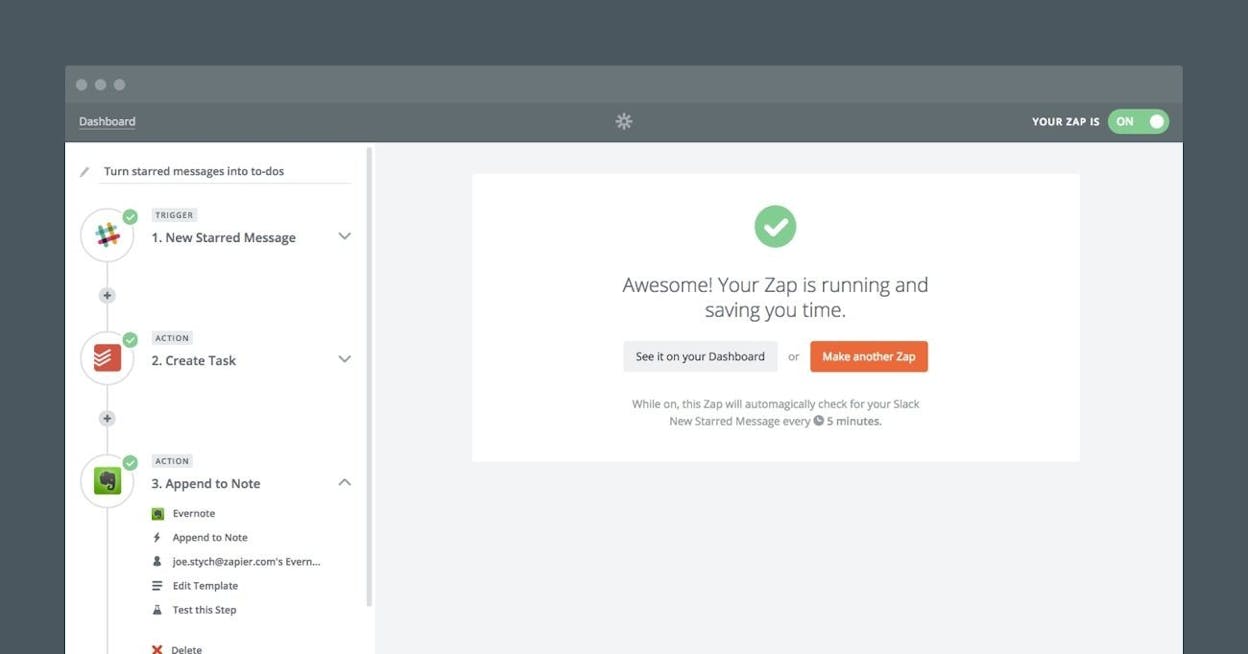
Zapier gives small businesses a clear way to remove repetitive work that slows teams down. It connects apps that normally do not speak to each other and moves data between them based on simple rules. A new lead in a form can become a contact in a CRM, a task in a project board, and a welcome email in under a second. This system works because the trigger and action model is easy to understand, even for non-technical teams. The interface uses plain language, so anyone can build flows that match how their business runs.

Once workflows grow, the platform starts acting like an unseen operations assistant. Multi-step paths help teams combine several systems into one steady process. A file uploaded to cloud storage can alert a manager in chat, create a task for the design team, and update a tracking sheet. AI suggestions also help users discover new ways to save time by pointing out steps they might not think to automate. These features make Zapier useful for companies that want to scale without adding staff for admin tasks.

AI sales tools

The system, however, performs best when teams know what they want to automate. Early setups can feel confusing if users build many workflows without clear rules or documentation. Missing steps or poorly planned flows can cause errors that are hard to trace, so it is important to start with small, simple automations before moving to complex ones. The free plan also limits the number of tasks and multi-step Zaps, which often pushes growing teams to upgrade once they see the value of automation.

More advanced logic may require platforms built for enterprise automation, since Zapier works within the bounds of its triggers and supported actions. Heavy use can also lead to over-automation, where tasks fire too often or create duplicate data across systems. Regular audits keep workflows clean and ensure that each Zap still serves a purpose. When built with clear intent, Zapier becomes a stable layer of automation that supports operations without adding complexity.

Aspect

What Zapier offers

Why it matters for small businesses

Purpose

No-code tool for linking apps and automating tasks

Reduces time spent on manual admin work

Ease of use

Drag-and-drop builder with templates and AI suggestions

Lets non-technical teams launch automation quickly

Integration size

Works with more than eight thousand CRMs, email tools, and project apps

Makes it easy to connect the tools teams already use

Workflow depth

Multi-step flows, filters, and conditional logic

Supports more advanced automation as needs grow

Time and cost savings

Automates lead capture, follow-ups, data sync, and notifications

Frees time for sales, service, and delivery work

Key limitations

Learning curve, cost at scale, and risk of tangled workflows

Helps teams plan automation with intention

Best-fit profile

Teams wanting simple, wide-reaching automation without developers

Ideal for small operations growing fast

Best use cases for small businesses

  • Syncing new leads from forms into CRMs with follow-up emails

  • Automating project management tasks when new assets or files arrive

  • Sending notifications to teams when key events happen in other apps

  • Cleaning and organizing data across tools like spreadsheets, CRMs, and email systems

Takeaway

Zapier makes automation simple for small teams by turning manual tasks into steady workflows. With clear rules and regular reviews, it becomes a reliable way to run operations with less effort and more focus on growth.

QuickBooks AI: best AI application for automating bookkeeping and financial tasks

AI customer support tools

Key QuickBooks AI standout features

  • AI agents that learn how you categorize income, expenses, and invoices

  • Automated bookkeeping, reconciliation, and expense tracking

  • Cash-flow forecasting and financial insights built into the dashboard

  • Smart invoice tracking with automatic or suggested reminders

  • A “virtual team” of AI helpers that reduce manual financial work

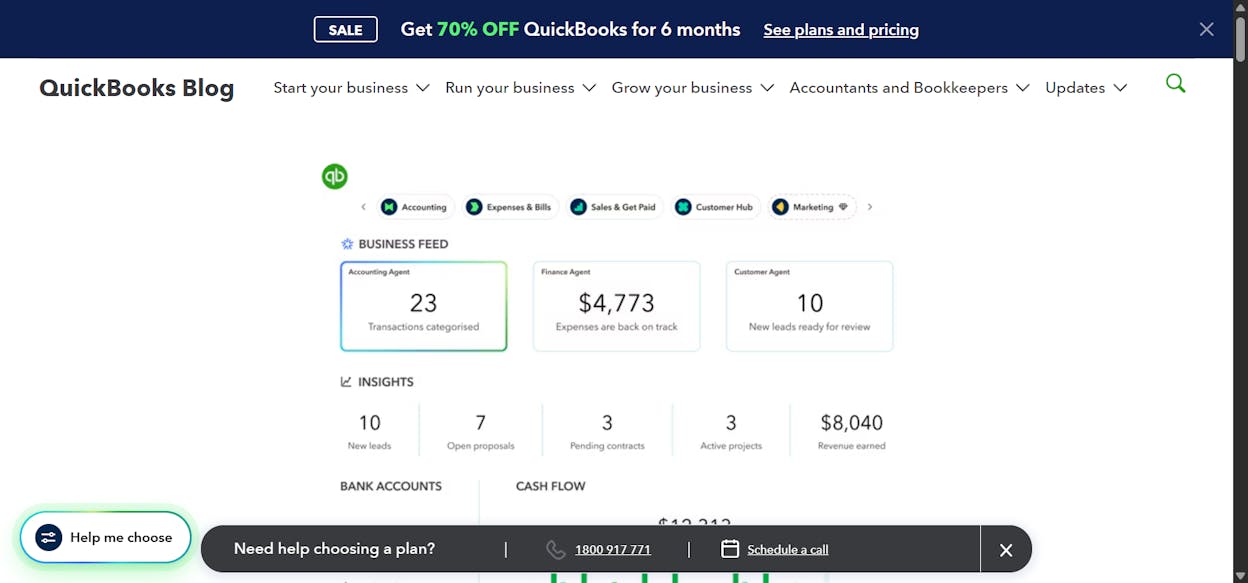
QuickBooks AI builds on the original accounting tool by adding machine learning that handles tasks small teams rarely enjoy doing. The system studies how you classify transactions and begins applying those rules across new entries, which turns bookkeeping into a simpler review process rather than daily data entry. It tracks invoices, flags late payments, and prepares reminders that help businesses improve their cash flow without chasing clients one by one. These changes make finance work lighter and more predictable for owners who already juggle many roles.

As the platform learns from past behavior, it becomes a more reliable partner for planning. Forecasting tools study revenue patterns, expenses, and payment timing to estimate future cash flow. These insights help teams prepare for slow periods, spot unusual spending, or plan hiring and purchasing decisions. The AI also saves time by handling reconciliation and expense matching on its own, which cuts down on errors that often come from manual updates. This gives small teams clearer financial visibility without needing a full accounting department.

AI productivity tools

Some limits appear when data is messy or incomplete. If past transactions are missing categories or contain errors, QuickBooks AI will reflect those mistakes in new suggestions, which can create confusion. Human oversight remains essential for unique or complex transactions that fall outside routine patterns. Costs can also rise once businesses grow past basic plans, especially when using advanced modules or managing large transaction volumes. These tools create value, but teams must evaluate whether higher tiers fit their stage and needs.

The newest AI features are still expanding, so behavior may shift as QuickBooks refines its models. Some modules are in beta and may change as more users adopt them. This makes the platform powerful but requires teams to check updates and review new automations before relying on them fully. With careful setup and clean data, QuickBooks AI becomes a stable financial helper; without those pieces, it can produce results that need more correction than expected.

Aspect

What QuickBooks AI offers

Why it matters for small businesses

Core purpose

Automated bookkeeping, categorization, and financial insights

Reduces manual accounting work and lowers the chance of errors

Invoice and payment management

Tracks payments, spots late invoices, and sends reminders

Helps improve cash flow and shortens payment cycles

Forecasting and insights

AI-driven cash-flow projections and trend alerts

Gives owners a clearer view of future financial health

Time and cost savings

Automates repetitive admin tasks

Frees owners to work on operations and client delivery

Learning and accuracy

Improves suggestions as it studies past behavior

Increases consistency and reduces repeated review work

Key limitations

Depends on clean data; higher tiers cost more; some features still evolving

Encourages teams to prepare data and plan upgrades intentionally

Best-fit profile

Firms with steady transaction volume needing structured financial automation

Ideal for growing teams without dedicated finance staff

Best use cases for small businesses

  • Automating bookkeeping for companies with many invoices and expenses

  • Tracking payments and sending reminders when cash flow is tight

  • Reducing time spent on reconciliation and categorization

  • Forecasting financial health and planning for growth or slower seasons

  • Scaling operations without hiring extra accounting help early

Takeaway

QuickBooks AI turns financial admin from a weekly burden into an automated system that supports accuracy, clarity, and better planning. With clean data and the right setup, it gives small teams the financial backbone they need to grow with confidence.

HubSpot Breeze AI: best AI application for smarter outreach and CRM automation

AI business use cases

Key HubSpot Breeze AI standout features

  • Context-aware AI agents that read CRM data to guide outreach and scoring

  • Built-in automation for sales, marketing, and service workflows

  • Drafting tools that prepare emails, insights, summaries, and follow-up tasks

  • Knowledge and support agents that help reduce ticket volume

  • Custom agents and workflows built through Breeze Studio

HubSpot Breeze AI brings automation directly into the CRM instead of treating AI as an add-on. The system understands contact records, past conversations, and deal stages, so its suggestions match the situation rather than feeling generic. Agents can score leads, draft follow-up messages, summarize interactions, and help teams move deals through the pipeline with less manual effort. This makes the CRM feel active rather than passive, since guidance appears where the team already works.

The deeper value shows up once Breeze reduces task switching. Agents operate inside the email editor, dashboard, service inbox, and contact timeline, so reps no longer jump between tools or create tasks by hand. Customer support teams benefit from knowledge agents that turn past tickets into help-center drafts, which keeps documentation up to date. Sales teams can deploy agents that research prospects or detect intent signals, helping them reach out at the right moment. This creates a smoother workflow for small teams that want structure without building a custom stack.

affordable AI tools

Some limits appear when CRM data is messy. If contacts have missing fields or inconsistent history, lead scoring and outreach suggestions may drift or feel less accurate. Specialized agents handle narrow tasks, but nuanced sales decisions still require a human to guide tone and timing. Costs also increase as teams adopt more advanced agents or need customization through higher tiers. Breeze is powerful, but it benefits teams that commit to proper setup, clean pipelines, and ongoing review.

Because many features are still rolling out, teams should expect updates as Breeze matures. New agents may appear, workflows may shift, and behavior can improve as HubSpot collects more usage data. This evolution offers more power over time, yet requires steady oversight to ensure automations stay aligned with company goals. When adopted with care, Breeze becomes a reliable system that multiplies effort instead of replacing judgment.

Aspect

How Breeze Helps

Why it matters for small businesses

Core purpose

Automates sales, marketing, and service tasks using CRM-aware agents

Reduces manual work and increases consistency across teams

Lead support

Provides scoring, intent detection, and personalized outreach suggestions

Helps reps focus on the most promising leads

Workflow integration

Works inside dashboards, emails, contact screens, and service inboxes

Cuts tool switching and improves daily productivity

Team benefit

Handles routine admin so teams can focus on conversations that matter

Supports growth without needing extra hires

Customization

Agents can be added or tailored through Breeze Studio

Lets teams build workflows that match specific processes

Key limitations

Requires clean CRM data; advanced features may sit behind paid tiers

Encourages teams to plan structure and budget before scaling

Best-fit profile

Teams already using HubSpot who want AI inside their daily workflow

Ideal for small teams that need smarter prioritization and outreach

Best use cases for small businesses

  • Prioritizing leads and drafting outreach messages using CRM context

  • Automating follow-ups, task creation, and pipeline movement

  • Turning past tickets into new help articles for faster support

  • Helping sales reps research prospects and prepare personalized messages

Takeaway

HubSpot Breeze AI strengthens daily operations by turning CRM data into helpful guidance and automation. For teams ready to maintain clean records and steady oversight, it delivers a practical way to scale outreach and support without extra hiring.

Pineapple Builder: best AI application for fast website creation and simple online stores

AI apps for startups

Key Pineapple Builder standout features

  • AI workflows that generate full websites from a short business description

  • Built-in SEO tools, analytics, mobile optimization, and e-commerce support

  • AI blogging and content tools for pages, posts, and landing-page copy

  • Hosting, security, forms, CRM connections, and payment systems included

Drag-and-drop editor that keeps customization simple for non-technical users

Pineapple Builder gives small teams a way to get online fast without extra learning curves. The platform uses an AI-native process that turns a short business description into a ready-made website, complete with structure, layouts, and marketing copy. This helps entrepreneurs and freelancers who need to launch quickly and want their site to look polished from day one. SEO basics, page organization, and mobile layouts are already handled, so the site starts from a strong foundation without extra setup.

As the business grows, the tool helps keep content fresh through AI-generated blog posts and page updates. Built-in hosting, forms, payments, and CRM options make it possible to run a small store or booking workflow without needing plugins or developer help. The interface stays simple, which makes changes easy and keeps teams from falling into long cycles of design adjustments. This combination is valuable for lean teams that want a stable, business-ready website without spending time on systems or complexity.

AI-powered business tools

The trade-off for this speed is limited design control. Pineapple Builder focuses on fast generation and straightforward edits, which means brands needing precise design choices or advanced animations may feel constrained. The platform also supports only basic e-commerce, so larger online stores or businesses with complex catalog needs will outgrow it. Sites generated quickly can look similar without added customization, so branding work remains important for teams that want a unique look.

Scalability is another factor. Pineapple is ideal for simple stores and service sites but is not built for deep integrations or high-volume operational workflows. Businesses expecting aggressive growth or needing niche features may find the platform less flexible over time. Treating Pineapple as a launchpad gives teams the speed they want now while leaving room to move to a more advanced ecosystem later.

Aspect

What Pineapple Builder offers

Why it matters for small businesses

Core purpose

AI-powered website creation that launches a full site in minutes

Lets teams get online quickly without hiring designers or developers

Speed and simplicity

Generates layouts, copy, SEO structure, and mobile design automatically

Reduces setup time and makes the website usable on day one

Business-ready features

Built-in hosting, forms, payments, CRM connections, and blog tools

Gives small teams a complete online presence without extra tools

E-commerce level

Supports simple stores, bookings, and basic payments

Suitable for service businesses and small online shops

Customization depth

Basic to moderate; limited compared to advanced builders

Keeps things simple for users who want ease, not heavy design work

Key limitations

Limited control, not ideal for large or complex stores

Helps teams decide if Pineapple fits their stage before scaling

Best-fit profile

Founders, freelancers, and early-stage businesses needing fast launches

Provides a cost-effective, low-effort solution for going online fast

Best use cases for small businesses

  • Launching a simple website or landing page in minutes

  • Running basic e-commerce, bookings, or payment workflows

  • Publishing AI-generated blog posts and content updates

  • Creating quick prototypes for new services or offers

Takeaway

Pineapple Builder gives small teams a fast, low-effort path to a clean website with the essentials built in. It works best for straightforward businesses that value speed and simplicity over advanced customization or enterprise-level scalability.

Google Workspace AI: best AI application for writing, planning, and team collaboration

AI workflow automation

Key Google Workspace AI standout features

  • AI drafting for emails, documents, proposals, and presentations

  • Smart summaries for long messages, meetings, and shared docs

  • Real-time collaboration across Gmail, Docs, Sheets, Drive, and Chat

  • Workspace Studio for building custom AI agents without coding

  • Integrated task and workflow automation inside everyday tools

Google Workspace AI brings intelligence into the tools small teams already use each day. The system helps write emails, summarize long threads, extract tasks from conversations, and organize information across Docs and Sheets. Because AI is built into familiar interfaces, teams can adopt it without learning a new platform. This makes Google Workspace AI a strong fit for businesses that depend on clear communication and need help reducing the time spent on repetitive writing.

Collaboration becomes easier when AI supports planning. Workspace tools let teams brainstorm, outline projects, organize meeting notes, and work on shared documents in real time. AI summaries help teams stay aligned even when they join late or miss conversations. Workspace Studio adds deeper automation by letting businesses build custom agents that handle internal processes like sending reminders, updating sheets, or preparing routine documents. These features make planning more structured and reduce task switching.

AI tools for operations

Some teams, however, may find the depth of features overwhelming. Advanced templates, databases, or automations require clear setup and consistent adoption. If teams already use tools like Jira, Slack, or Trello, integration overlap can appear, which adds complexity instead of reducing it. Success with Workspace AI depends on having organized file structures and shared habits; without them, AI recommendations become less useful. Small teams benefit most when they introduce features slowly and keep workflows simple.

Consistency is also important. Workspace AI works best when documents, notes, and tasks stay updated and centralized. If information spreads across many platforms, AI has limited context and produces weaker summaries or action items. Teams should align on where work lives and how information is stored before layering automation on top. With those basics in place, Workspace AI becomes a reliable assistant that strengthens clarity, reduces writing workload, and supports everyday planning.

Aspect

What the Tools Offer

Why it matters for small businesses

Core purpose

Centralize notes, tasks, documents, and automate workflows

Reduces time lost switching between apps and consolidates team knowledge

Writing & summarization

AI drafts emails, summaries, tone adjustments, and translations

Saves hours writing emails, reports, and planning documents

Collaboration & planning

Shared editing, task tracking, meeting notes, cross-platform work

Improves team alignment and project transparency

Integration & automation

Workflows, templates, calendars, custom AI agents

Helps small teams reduce busywork and stay organized

Limitations

Learning curve and complexity for advanced workflows

Start with simple automations to avoid overwhelm and technical debt

Best use cases for small businesses

  • Drafting emails, documents, and proposals faster with AI support

  • Summarizing long meetings, threads, or shared docs

  • Planning projects and collaborating in real time across teams

  • Automating internal workflows with Workspace Studio

Takeaway

Google Workspace AI strengthens everyday communication and coordination by putting smart assistance inside the tools teams already use. With organized workflows and steady adoption, it becomes a powerful way to work with more clarity and less manual effort.

Smartcat: best AI application for translation and global communication

AI for small business growth

Key Smartcat standout features

  • AI translation engine supporting 280+ languages and multiple content formats

  • Centralized TMS that unifies translators, editors, and project managers

  • Translation memory that improves accuracy and consistency over time

  • Integrations for websites, apps, software strings, and multimedia localization

  • Marketplace access to linguists for scaling projects

Smartcat gives small teams a single place to create, translate, and manage multilingual content. The platform combines AI translation with collaboration tools, letting writers, editors, and translators work together in real time. Its AI engine handles documents, websites, and app strings, offering strong starting accuracy that improves as teams review and refine content. This helps businesses communicate across markets without juggling multiple tools or managing scattered files.

The system becomes more helpful as it learns. Translation memory captures past phrases so new projects stay consistent with brand language. Glossaries support domain-specific terminology, and each revision signals the AI to improve its next output. Teams can localize entire websites, prepare product documentation, or update global content in a single workflow. Integrations with CMS platforms and version-control tools give small businesses a scalable way to maintain multilingual content without manual copy-pasting.

AI tools for marketing automation

Some limits appear when content depends on technical or industry-specific vocabulary. AI alone may handle everyday phrasing well but struggle with nuance, which makes human review essential for accuracy. Larger workflows may also feel complex for very small teams because Smartcat is designed for end-to-end localization, not simple text translation. New users may need time to understand translation memory, glossaries, and collaborative workflows before the system reaches its full potential.

Complexity also increases when teams manage many markets or file formats. While Smartcat supports dozens of formats, using its full capabilities requires clear project organization and consistent review practices. Small teams benefit most when they define a simple workflow, keep glossaries current, and gradually expand their use of the platform. With steady adoption, Smartcat becomes a core part of multilingual communication rather than a one-off translation tool.

Aspect

What Smartcat Offers

Why it matters for small businesses

Core purpose

Cloud-based translation & localization TMS that unifies workflows

Enables teams to manage multilingual content in one place

Multilingual output

AI translation in 280+ languages and multiple content types

Supports global outreach without adding more tools

Collaboration & workflows

Shared workspace for translators, editors, and project managers

Keeps translation projects organized and consistent

Continuous learning

Translation memory that improves output quality over time

Reduces errors and protects brand language across translations

Review & accuracy

Built-in support for glossaries and human review

Ensures content stays accurate for specialized industries

Best use cases for small businesses

  • Translating websites, product pages, and marketing materials

  • Localizing software strings or documentation for new markets

  • Managing multilingual content with consistent terminology

  • Scaling translation workflows without hiring a dedicated internal team

Takeaway

Smartcat strengthens global communication by combining AI speed with structured workflows. When small teams add human review and organized processes, it offers a reliable way to expand into multiple languages with consistent quality.

Monocle AI: best AI application for predicting demand and optimizing inventory

AI tools for lead generation

Key Monocle AI standout features

  • AI-powered demand forecasting across all SKUs

  • Reorder suggestions, safety stock planning, and automated purchase orders

  • Sales-pattern detection to simplify planning and reduce manual forecasting

  • Product association insights for smarter bundles and cross-sell opportunities

  • Real-time alerts for low stock and upcoming stockouts

Monocle AI focuses on helping e-commerce teams forecast inventory needs with more accuracy and less manual work. The platform connects directly to Shopify and pulls historical sales, seasonality trends, and product velocity into its predictive engine. This lets small teams see when products will run out, how much to reorder, and when to place the next purchase order. The result is a clearer understanding of what to buy, when to buy it, and how to prevent stockouts without over-investing in inventory.

The tool goes deeper than simple forecasting by identifying buying patterns and product relationships. Market basket insights reveal which products sell well together, opening the door for better bundles and cross-sell strategies. Automated purchase order suggestions help teams act on these insights quickly, while real-time alerts make sure nothing slips through the cracks. For growing stores managing dozens or hundreds of SKUs, Monocle becomes a reliable system for planning and cash-flow control.

AI tools for customer service

Some constraints appear when businesses move beyond Shopify or need a broader operational system. Monocle is designed for e-commerce, not full supply-chain management, and teams using complex ERPs may outgrow its feature set. Larger stores with heavy order volume may also need higher-tier plans to support scale. These limits matter for businesses planning multi-warehouse expansion or advanced replenishment workflows, but they do not impact teams looking for a simple, accurate forecasting tool.

As stores expand their catalogs, Monocle remains most effective when data stays clean and sales patterns remain stable. Forecasts improve over time as the platform learns from new transactions and user adjustments. For teams without dedicated analysts, this creates a straightforward path to better planning without technical overhead. With consistent use, Monocle becomes a foundation for smarter purchasing decisions and more predictable cash flow.

Aspect

What Monocle AI Offers

Why it matters for small businesses

Core purpose

AI-powered demand forecasting for e-commerce inventory

Helps small stores order the right stock and reduce waste

Demand prediction

Predicts reorder dates, stock-out timing, and safety stock needs

Reduces stockouts, improves revenue, frees working capital

Automation

Automatic sales-pattern detection and purchase-order suggestions

Saves time and operational workload for founders and small teams

Product insights

Market basket and bundling recommendations

Drives smarter promotions and cross-sell strategies

Ease of setup

Quick Shopify integration and onboarding support

Lets teams launch forecasts rapidly with minimal setup

Best use cases for small e-commerce businesses

  • Shopify stores facing recurring stockouts or excess inventory

  • Teams needing accurate reorder suggestions without analysts

  • Stores wanting smarter bundles or cross-sells to boost AOV

  • Merchants scaling SKUs and needing SKU-level forecasting

Takeaway

Monocle AI helps growing e-commerce stores replace guesswork with data-driven forecasting. Its Shopify-native setup, automated insights, and accurate reorder planning make it a practical way for small teams to protect cash flow, reduce waste, and stay stocked without overbuying.

AdCreative.ai: best AI application for fast, conversion-focused ad creation

AI chatbots for small business

Key AdCreative.ai standout features

  • Rapid generation of ad visuals and copy across platforms

  • Multi-platform resizing for Facebook, Instagram, Google, and LinkedIn

  • Predictive creative scoring to identify likely top performers

  • Built-in copy generation for headlines, CTAs, and ad text

  • Brand-consistent creative automation for ongoing campaigns

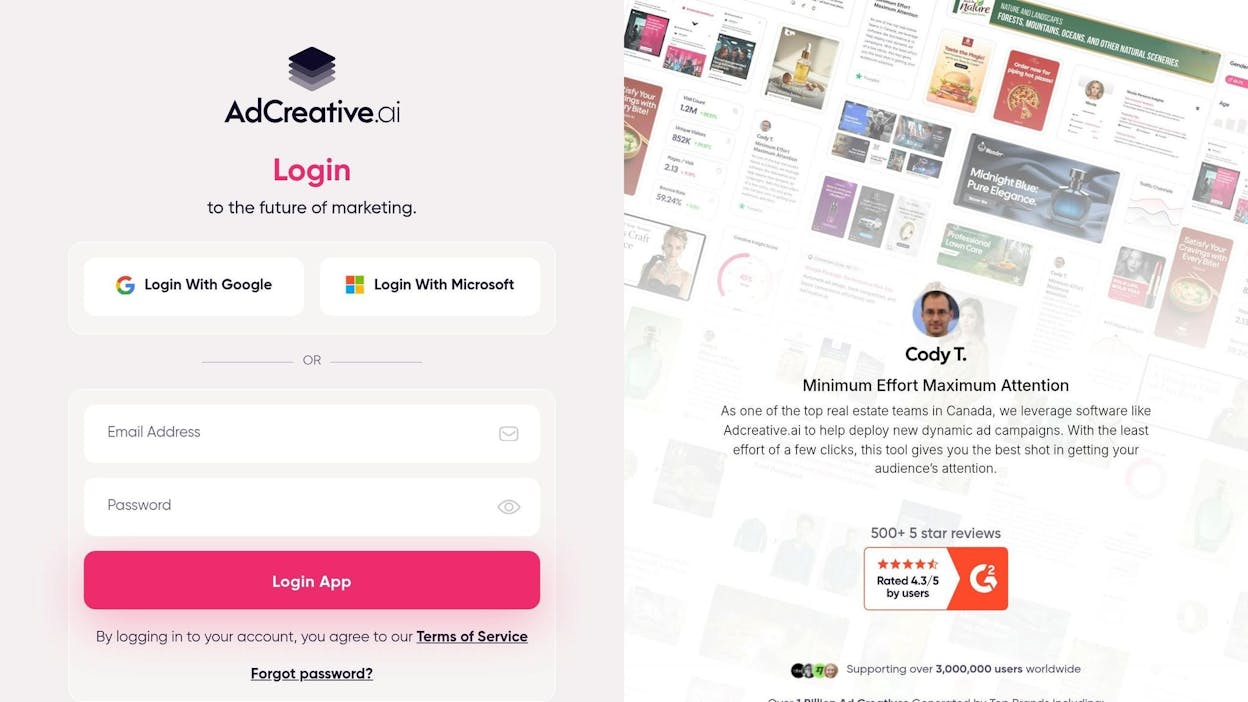
AdCreative.ai helps teams produce large volumes of ad creatives without needing in-house designers. The platform takes a few basic brand inputs and turns them into a full set of tailored ads, complete with visuals, headlines, and calls to action. This process removes the long back-and-forth cycles common in creative production and gives small teams a way to move faster. Instead of starting from scratch, users pick from AI-generated options and refine as needed. This workflow is especially useful for businesses that rely on constant testing or run campaigns across several channels.

The tool adds an extra layer of value with predictive scoring. Each creative receives a performance score based on machine-learning models trained on millions of past ads. These insights guide marketers toward combinations more likely to convert before spending budget on testing. Multi-platform resizing makes the workflow smoother by allowing a single idea to be adapted into the many shapes required across Meta, Google, and LinkedIn placements. Automation keeps creatives consistent with brand guidelines, which helps small teams maintain quality even without formal design processes.

AI analytics tools

Some constraints are worth noting when choosing AdCreative.ai. The platform favors speed and volume, which means customization is more limited than what designers can achieve in traditional tools. Templates may feel generic if not edited, especially for brands with a strong visual identity. Costs also climb as usage scales, which can be challenging for small budgets. Results depend heavily on the quality of brand information supplied, so teams need to prepare clear inputs for the AI to perform well. Businesses looking for highly bespoke or artistic creative will still need manual design support.

Creative depth is another consideration. While the platform excels at conversion-driven layouts, it is less suited to complex illustrations, advanced animations, or fully custom concepts. Teams should treat the tool as a high-speed baseline generator, not a replacement for advanced creative work. These limits matter most for brands with strict visual standards or those running major brand-awareness campaigns. For performance-driven teams that focus on iteration over artistry, these constraints tend to be less significant.

Aspect

What AdCreative AI Offers

Why it matters for small businesses

Core purpose

AI ad creative generation for visuals and copy

Saves time and money on design and copywriting

Multi-platform output

Ads for Facebook, Instagram, Google, LinkedIn, and more

Simplifies multi-channel campaigns

Performance prediction

Creative Scoring AI ranks best-performing creatives

Helps pick ads more likely to convert before spending budget

Brand personalization

Brand setup ensures on-brand creative generation

Keeps campaigns visually consistent

Ease of use

Fast, simple workflow for creative production

Reduces friction for small teams without designers

Best use cases for small businesses

  • Teams that need many ad variations for A/B testing

  • Businesses without in-house design resources

  • Agencies handling multiple clients’ campaigns at scale

  • Brands running frequent social or search ad iterations

Takeaway

AdCreative.ai turns ad production into a fast, data-supported workflow that helps small teams launch more campaigns with less manual work. While customization has limits, the platform excels at delivering ready-to-use creatives that support quick testing, performance improvements, and cross-channel consistency.

AI tools for decision making

Key Analyze AI features

  • See actual AI referral traffic by engine and track trends that reveal where visibility grows and where it stalls.

  • See the pages that receive that traffic with the originating model, the landing path, and the conversions those visits drive.

  • Track prompt-level visibility and sentiment across major LLMs to understand how models talk about your brand and competitors.

  • Audit model citations and sources to identify which domains shape answers and where your own coverage must improve.

  • Surface opportunities and competitive gaps that prioritize actions by potential impact, not vanity metrics.

Here are in more details how Analyze AI works:

See actual traffic from AI engines, not just mentions

AI tools for content creation

Analyze AI attributes every session from answer engines to its specific source—Perplexity, Claude, ChatGPT, Copilot, or Gemini. You see session volume by engine, trends over six months, and what percentage of your total traffic comes from AI referrers. When ChatGPT sends 248 sessions but Perplexity sends 142, you know exactly where to focus optimization work.

AI tools for email marketing

Know which pages convert AI traffic and optimize where revenue moves

AI tools for social media management

Most tools stop at "your brand was mentioned." Analyze AI shows you the complete journey from AI answer to landing page to conversion, so you optimize pages that drive revenue instead of chasing visibility that goes nowhere.

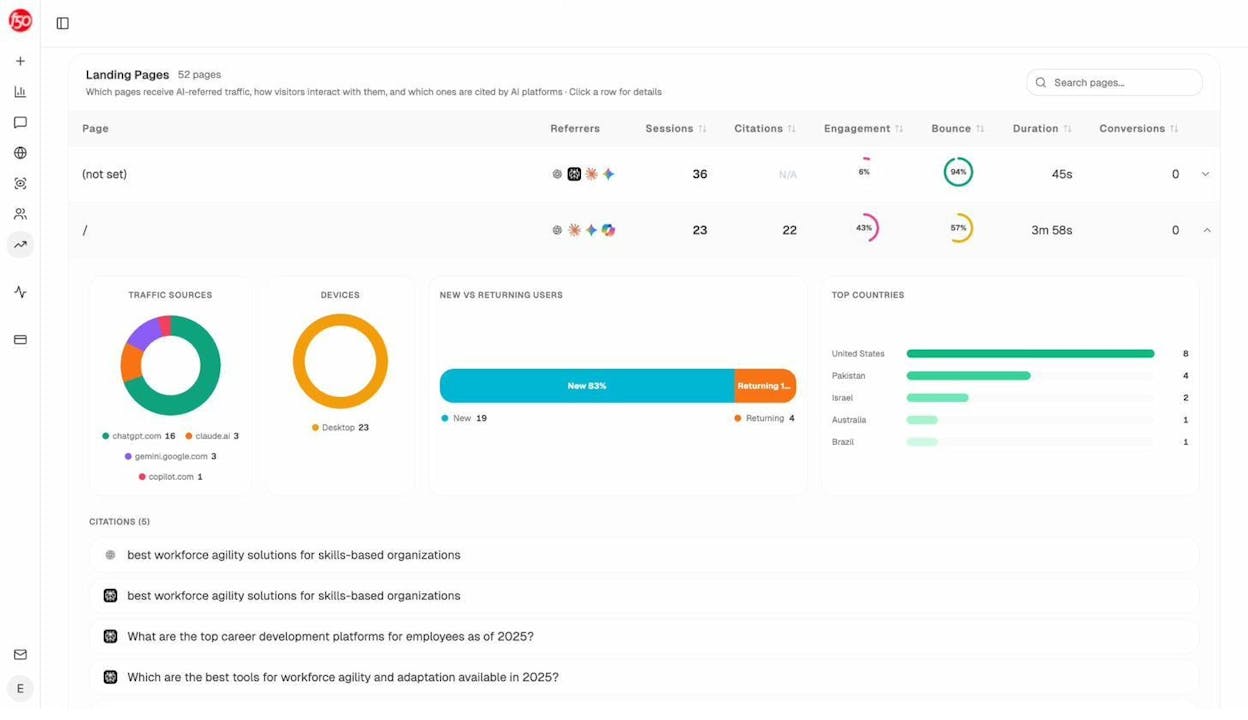
The platform shows which landing pages receive AI referrals, which engine sent each session, and what conversion events those visits trigger. 

For instance, when your product comparison page gets 50 sessions from Perplexity and converts 12% to trials, while an old blog post gets 40 sessions from ChatGPT with zero conversions, you know exactly what to strengthen and what to deprioritize.

Track the exact prompts buyers use and see where you're winning or losing

AI tools for sales automation

Analyze AI monitors specific prompts across all major LLMs—"best Salesforce alternatives for medium businesses," "top customer service software for mid-sized companies in 2026," "marketing automation tools for e-commerce sites." 

AI tools for business efficiency

For each prompt, you see your brand's visibility percentage, position relative to competitors, and sentiment score.

You can also see which competitors appear alongside you, how your position changes daily, and whether sentiment is improving or declining.

AI tools for local businesses

Don’t know which prompts to track? No worries. Analyze AI has a prompt suggestion feature that suggests the actual bottom of the funnel prompts you should keep your eyes on.

Audit which sources models trust and build authority where it matters

AI tools for ecommerce businesses

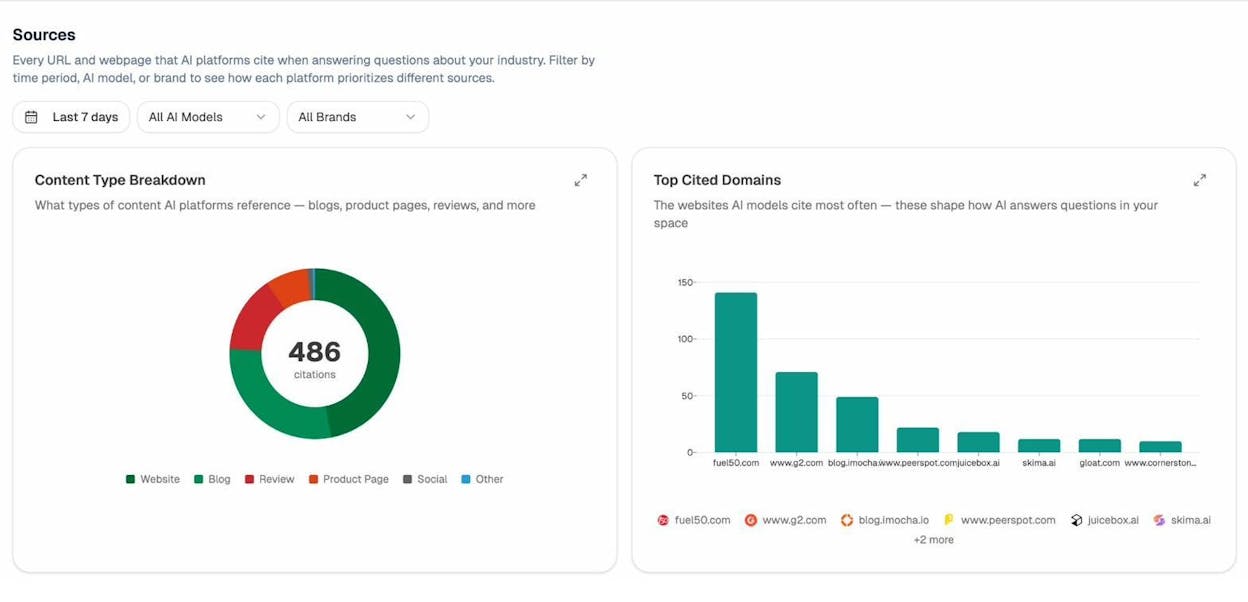
Analyze AI reveals exactly which domains and URLs models cite when answering questions in your category. 

You can see, for instance, that Creatio gets mentioned because Salesforce.com's comparison pages rank consistently, or that IssueTrack appears because three specific review sites cite them repeatedly. 

AI tools for service businesses

Analyze AI shows usage count per source, which models reference each domain, and when those citations first appeared.

AI tools for small teams

Citation visibility matters because it shows you where to invest. Instead of generic link building, you target the specific sources that shape AI answers in your category. You strengthen relationships with domains that models already trust, create content that fills gaps in their coverage, and track whether your citation frequency increases after each initiative.

Prioritize opportunities and close competitive gaps

AI adoption for small businesses

Analyze AI surfaces opportunities based on omissions, weak coverage, rising prompts, and unfavorable sentiment, then pairs each with recommended actions that reflect likely impact and required effort. 

For instance, you can run a weekly triage that selects a small set of moves—reinforce a page that nearly wins an important prompt, publish a focused explainer to address a negative narrative, or execute a targeted citation plan for a stubborn head term. 

Tie AI visibility toqualified demand.

Measure the prompts and engines that drive real traffic, conversions, and revenue.

Covers ChatGPT, Perplexity, Claude, Copilot, Gemini

Similar Content You Might Want To Read

Discover more insights and perspectives on related topics

© 2026 Analyze AI. All rights reserved.