
11 Best Keyword Tracking Tools for 2025 (Tried & Reviewed)
Written by

Ernest Bogore
CEO
Reviewed by

Ibrahim Litinine
Content Marketing Expert

You can track hundreds of keywords and still feel blind if the data doesn’t explain what changed or why it changed. Rankings move, but most tools only show the number, not the context, which leaves teams reacting instead of learning.
-
A keyword climbs, yet you don’t know whether it was the content update, the internal link you added, or a competitor that dropped.
-
A drop appears overnight, and the tool gives you no clue whether it’s device-specific, region-specific, or tied to a SERP feature you just lost.
-
A report shows “average visibility,” but no one can tell which pages drive that score or which groups are slipping under the surface.
We reviewed and tested the leading keyword-tracking tools with one goal: find the ones that give decision-ready visibility — clear trend lines, SERP-level context, device and location clarity, competitor insight, and reporting that speeds up your workflow instead of slowing it down. And if your team is starting to shift from classic SEO to AI-search visibility, we added a small bonus at the end to help you track how LLMs talk about — and send traffic to — your brand.
Table of Contents
TL;DR
|
Tool |
What it’s best for |
Engine / coverage focus |
Biggest strengths |
Key trade-offs |
Ideal for |
|
Ahrefs Rank Tracker |
Connecting rankings with content, backlinks & technical SEO |
Primarily Google; strong country/city + device coverage |
Deep context: rankings sit next to backlink, content & audit data; strong competitor tracking; long-term history & SERP-feature tracking |
Full-suite pricing even if you “just” need tracking; interface can feel heavy with very large keyword sets; local data in tiny markets not always perfect |
In-house SEO and agencies that want one hub for rankings, links, content and audits |
|
Semrush Position Tracking |
Daily rank visibility & competitive insight inside a full SEO/marketing suite |
Google + other major engines; strong device & location filters |
Daily tracking with visibility & traffic estimates; powerful segmentation; strong competitor & share-of-voice views; tight link with audits, content & PPC modules |
Higher cost as you add keywords/projects; many modules = steeper learning curve; can be overkill for basic needs |
Agencies and teams managing multiple sites, regions, and campaigns who want tracking tied to a full growth stack |
|
SE Ranking Rank Tracker |
Ease of use, multi-engine tracking & budget-friendly all-in-one SEO |
Google, Bing, Yahoo, YouTube; local & global |
Multi-engine support; daily updates & history; white-label reporting; full suite (audits, backlinks, on-page) at lower price point; simple UI |
Occasional data quirks vs enterprise tools; as features grow, UI gets busier; less depth than top-end enterprise platforms |
Small/mid-size agencies, freelancers, and teams wanting solid tracking + core SEO tools without big-suite pricing |
|
Nightwatch |
Local SEO precision & multi-engine visibility |
Google, Bing, YouTube; fine-grain location (down to ZIP / data center) |
Hyper-local tracking; multi-device & multi-engine; strong reporting & white-label; includes audits & backlink monitoring |
Pricing leans premium for small projects; richer config = more setup/learning time; can be “too much” for simple single-site tracking |
Agencies and brands with serious local SEO needs or many locations/regions to monitor |
|
AccuRanker |
High-speed, high-precision rank tracking & SERP-feature insight |
Google, Bing, YouTube & more; strong regional options |
On-demand refresh + daily updates; rich SERP-feature & share-of-voice data; scales to very large keyword sets; strong integrations (Looker, BigQuery, etc.) |
Focused only on tracking/reporting (no audits, links, content); cost grows quickly with keyword volume; overkill for small sites |
Agencies & enterprises that need real-time rank data and advanced reporting hooked into BI tools |
|
ProRankTracker |
High-volume tracking & flexible, white-label reporting on a lean tool |
Google, Bing, Yahoo, YouTube; global + local |
Tracks full top-100 SERPs; strong white-label & scheduled reports; good API & export options; lean, tracking-first design |
No backlinks, content or technical SEO modules; lower tiers limit keywords/refreshes; needs companion tools for full SEO |
Freelancers and small agencies managing many clients/keywords who want affordable, scalable tracking + easy reporting |
|
Wincher |
Simple, CMS-friendly tracking for blogs & content sites |
Mainly Google; local + global |
Very simple UI; clear trend charts; keyword suggestions & “already rank for” ideas; strong WordPress/Yoast integration; affordable for small sites |
No deep audits, backlink or advanced SERP analysis; basic keyword research; plan limits can pinch as sites grow |
Bloggers, content-heavy WordPress sites and small businesses needing straightforward, low-friction rank tracking |
|
SERPWatcher (Mangools) |
Simple, daily rank tracking with quick “SEO health” insights |
Google-only |
Daily desktop/mobile tracking; Performance Index & traffic estimates; easy trend charts & distribution views; tight integration with KWFinder, SERPChecker & LinkMiner; beginner-friendly |
Lightweight vs enterprise tools (no deep audits, limited SERP-feature tracking); Google-only; keyword caps by plan; simpler reporting |
Solo SEOs, bloggers, and small teams using Mangools for keyword research who want an easy tracking add-on |
|
Advanced Web Ranking (AWR) |
Enterprise-scale visibility, pixel-level SERP insight & advanced reporting |
Google + hundreds of engines in ~190 countries |
Huge engine & geo coverage; granular device/location/language tracking; SERP-feature + pixel-position metrics; forecasting & cannibalization insights; very flexible, white-label reporting & BI integrations |
Complex to learn and configure; geared (and priced) toward agencies/enterprises; needs separate tools for audits/backlinks/content |
Agencies and large in-house SEO teams running multi-country/multi-language programs with heavy reporting needs |
|
Rank Ranger (now in Similarweb) |
Enterprise SEO visibility with integrated traffic & market intelligence |
Google + other engines via Similarweb stack |
Multi-engine & geo tracking; SERP-feature & SERP-landscape monitoring; strong competitor & gap analysis; white-label dashboards; combined with Similarweb traffic, audience & market data |
Feature-rich platform with a learning curve; pricing aimed at larger orgs; overkill for simple or small sites |
Agencies and enterprises wanting rank tracking plus traffic, audience and competitive-intel in one connected platform |
|
Google Search Console (GSC) |
Ground-truth performance & indexing data from Google (free) |
Google-only, first-party data |
Free and first-party; shows clicks, impressions, CTR & average position; strong query/page/country/device filters; indexing & coverage reports; export/API for dashboards |
Only averages “position” (no exact rank snapshots); no competitor data, volumes or difficulty; limited long-term history without exports; Google-only |
Every site doing SEO; core baseline for performance & indexing, best when paired with external rank trackers |
|
Analyze (AI visibility) |
Connecting AI search visibility (ChatGPT, Perplexity, Claude, etc.) to sessions, conversions & revenue |
AI answer engines (ChatGPT, Perplexity, Claude, Copilot, Gemini, etc.) |
Tracks actual AI referral traffic and sessions by engine; ties prompts → sessions → conversions & revenue; shows prompt-level visibility & sentiment vs competitors; audits LLM citations/sources; surfaces prioritized opportunities by impact |
Not a traditional keyword rank tracker for classic SERPs; focused on AI engines, so you still need SEO tools for Google/Bing rankings |
Growth, SEO, and marketing teams who want to prove and optimize business impact from AI search/answer engines, not just track mentions |
Ahrefs: best keyword tracking tool for combining rankings, content and backlinks
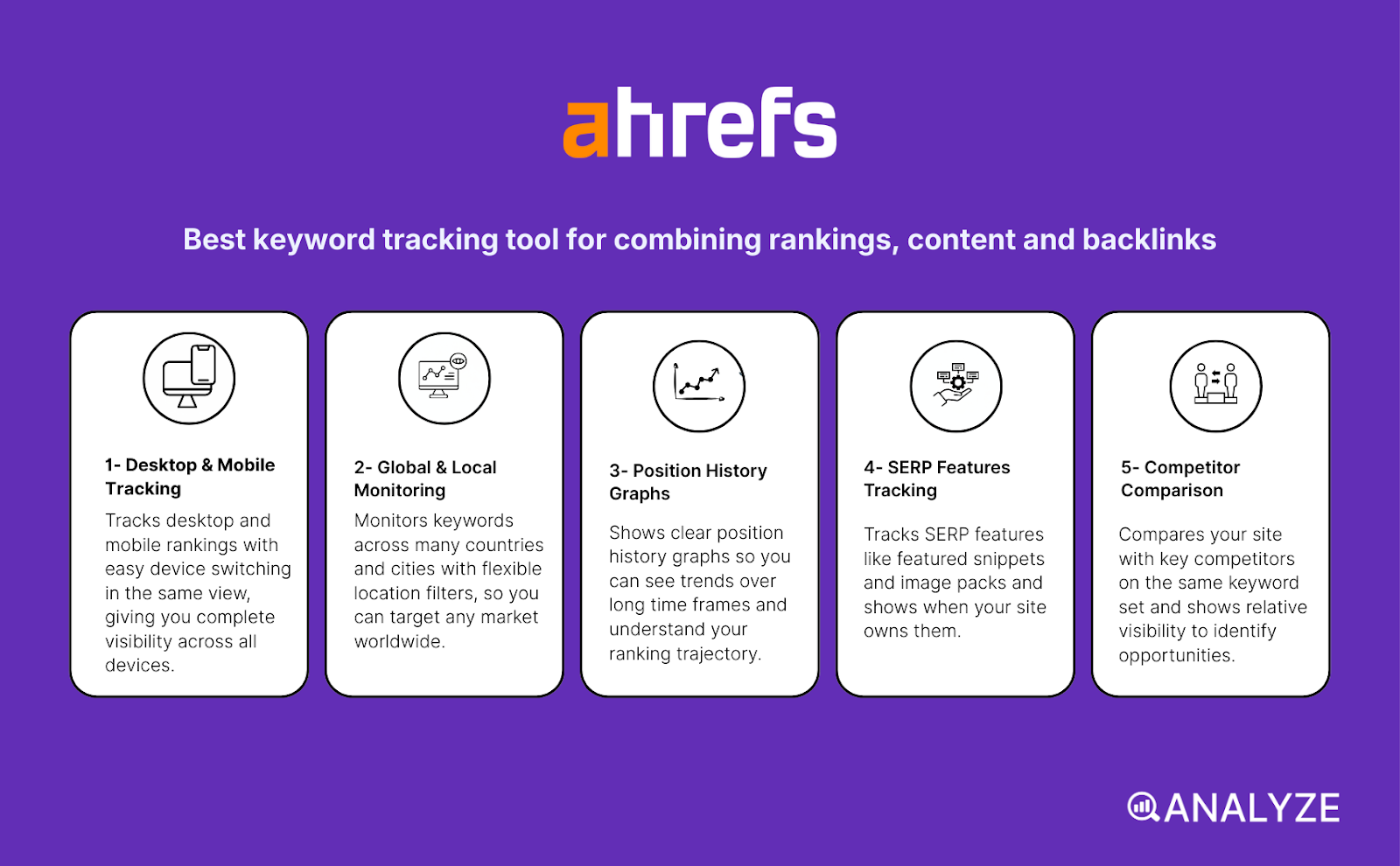
Key Ahrefs standout features
-
Tracks desktop and mobile rankings with easy device switching in the same view
-
Monitors keywords across many countries and cities with flexible location filters
-
Shows clear position history graphs so you can see trends over long time frames
-
Tracks SERP features like featured snippets and image packs and shows when your site owns them
-
Compares your site with key competitors on the same keyword set and shows relative visibility
Ahrefs Rank Tracker works best when you want rank data that never sits alone in a vacuum and always connects back to real SEO work. The tool pulls in your keyword positions, links, pages and site health so you see why a change happened and not only where the change shows up. You can group keywords by topic, page, funnel stage or region which helps you watch the parts of your site that matter most for revenue, not just vanity phrases.
The graphs make trends easy to understand because you can line up dates with campaigns, content pushes or link wins and see how rankings reacted in a simple way. You can also see which keywords trigger rich results and how often your pages win those spots which matters a lot in crowded SERPs where plain blue links lose clicks. This mix of rank, SERP features and wider context turns Ahrefs from a simple tracker into a decision tool that supports planning and post-mortem work after every big change.
That power comes with trade-offs that you should know before you build your whole tracking setup inside Ahrefs. Coverage for locations is broad but not perfect and very small cities or niche regions can show less stable data which matters if you run local SEO in small markets. The rank data focuses mainly on Google which means teams that care a lot about Bing or other engines will still need a second tool to get a full picture.
Managing very large keyword sets also needs care because the interface gives many filters and views that can overwhelm new users. You need clear naming and tagging rules for projects and keyword groups or you will spend too much time digging for the right view during reporting cycles. Pricing can hurt small sites or solo creators because you pay for a full suite with backlinks, content and audits even when you mainly want tracking and light research.
|
Aspect |
What Ahrefs offers |
Why it matters for keyword tracking |
|
Device and location tracking |
Desktop and mobile ranks across many countries and cities with flexible filters |
Lets you see real gaps between markets and devices instead of guessing patterns |
|
Historical trends |
Long term position history for each keyword with clear charts |
Helps you link ranking swings to content changes, links or technical fixes |
|
SERP feature visibility |
Flags rich results and shows when your site owns them |
Shows true visibility beyond plain rank so you understand click potential better |
|
Competitor comparison |
Side by side tracking for key rivals on the same keyword sets |
Turns raw rank data into share of voice insight that supports strategy decisions |
|
Suite integrations |
Tight link with backlink, site audit and content tools inside Ahrefs |
Lets you move from “what changed” to “why it changed” without jumping between apps |
|
Tags, groups and filters for campaigns, pages and regions |
Makes reports cleaner and lets each team see only the slices that matter to them |
|
|
Pricing and scale fit |
Full suite plans aimed at serious SEO teams and agencies |
Best value when you use rankings plus links plus content, not tracking alone |
Best-fit use cases for Ahrefs Rank Tracker
-
In-house SEO teams that want one place for rankings, links, content and site audits
-
Agencies that manage many clients and need strong competitor tracking and clear reports
-
Content teams that want to see how new articles move over time and which pages win SERP features
-
Brands working in multiple countries that need stable tracking by region and device
Bottom line: Ahrefs Rank Tracker works best when you treat keyword tracking as one part of a full SEO system and not as a stand-alone number feed. If you will use its link data, content tools and audits alongside rankings, it becomes one of the strongest choices on this list.
Semrush: best keyword tracking tool for daily rank visibility and competitive insight
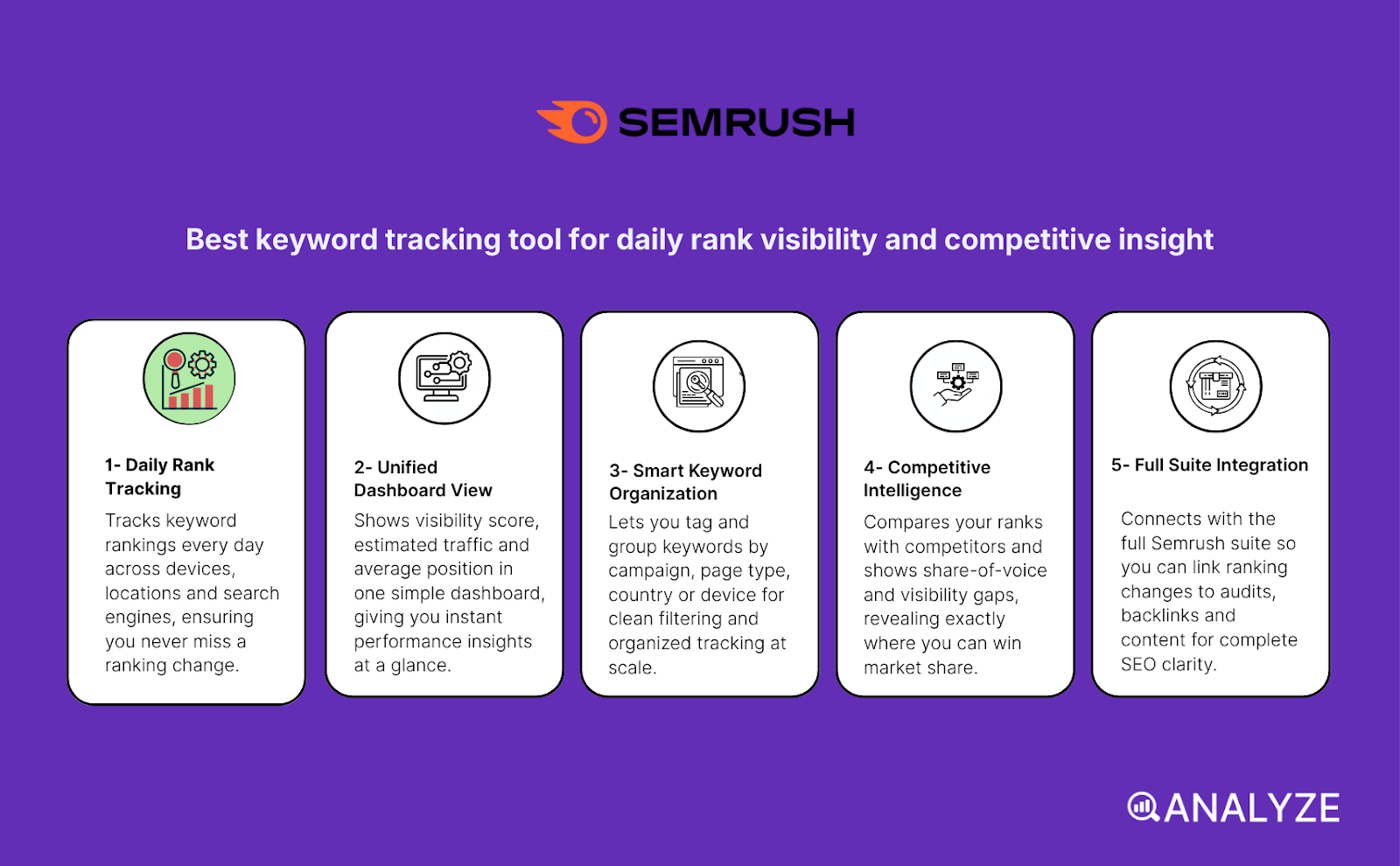
Key Semrush standout features
-
Tracks keyword rankings every day across devices, locations and search engines
-
Shows visibility score, estimated traffic and average position in one simple dashboard
-
Lets you tag and group keywords by campaign, page type, country or device for clean filtering
-
Compares your ranks with competitors and shows share-of-voice and visibility gaps
-
Connects with the full Semrush suite so you can link ranking changes to audits, backlinks and content
Semrush’s Position Tracking works well when you want fast updates that help you understand changes before they turn into bigger problems. The tool checks your keywords every day and shows the impact of ranking shifts through visibility scores and estimated traffic numbers, which often tell a clearer story than raw positions alone. These daily updates help you catch wins or losses early, especially after content changes, technical fixes or Google updates.
Its tagging and segmentation system brings order to large keyword sets because it lets you group terms by page type, region, language or campaign. This helps you see which parts of your site gain or lose visibility and whether the problems sit in one group or across the whole domain. The competitor view adds even more context because you can see who ranks for the same terms, how fast they move, and how your share of voice changes across time.
Semrush becomes more powerful when you use it with the rest of the suite because rankings rarely tell the full story without links, audits and content signals. You can jump from a ranking drop to a technical issue, a backlink loss or a content gap in seconds, which is helpful when you need to explain changes to a team or a client. This tight connection between tracking and diagnosis makes the tool useful for teams that need more than rank data.
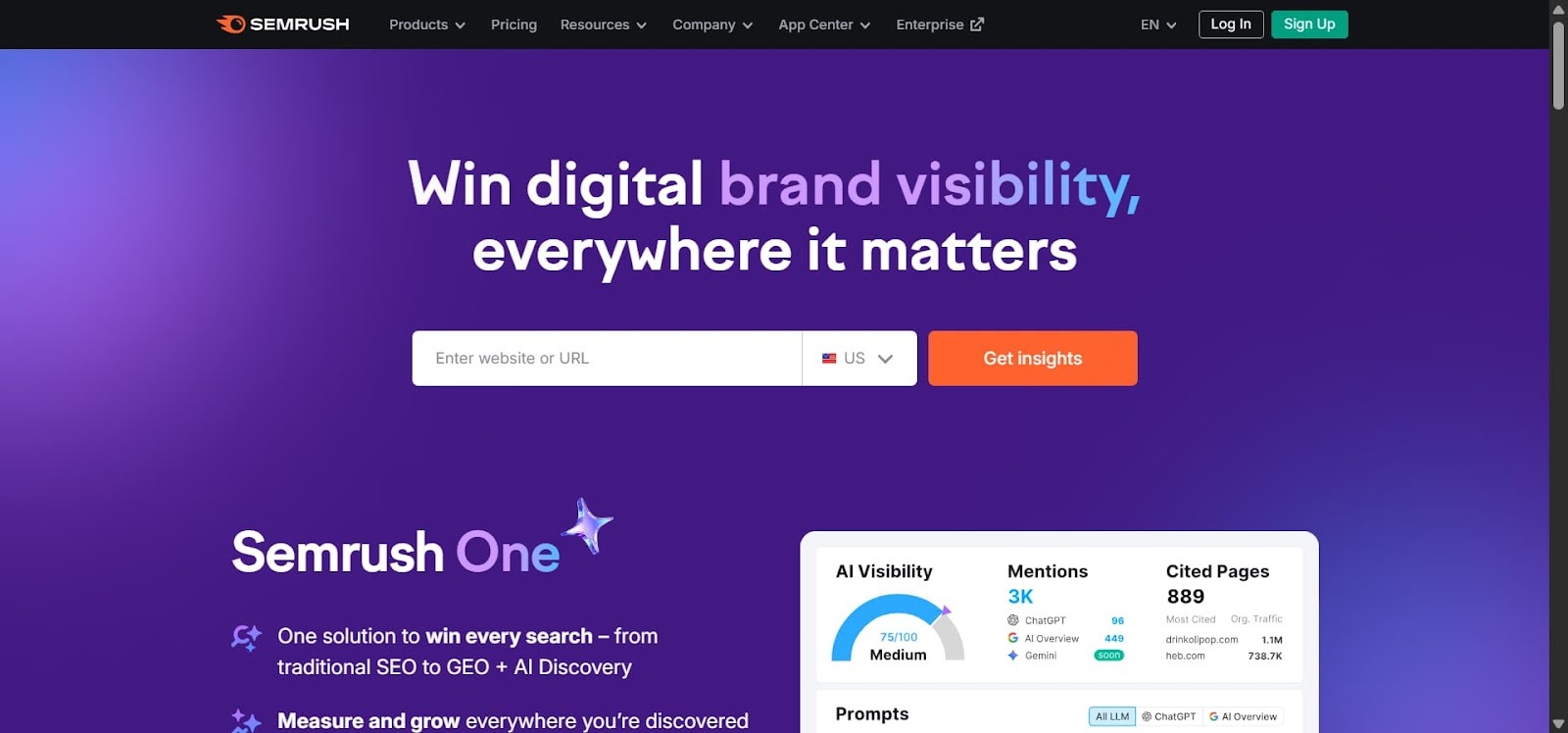
Still, Semrush has limits you should keep in mind. The tool becomes more expensive when you add more keywords and projects, and many of the features that make Position Tracking shine sit behind higher-tier plans. Small sites or early-stage teams may hit these limits fast, especially if they target many countries or run broad content programs.
The platform can also feel heavy for teams that only want simple tracking because the interface includes many modules, reports and tools. You may need time to learn which views matter most and how to avoid data overload. This complexity helps big teams but can slow down small ones that want faster decisions with fewer screens.
|
Aspect |
What Semrush offers |
Why it matters for keyword tracking and SEO strategy |
|
Daily and multi-dimension tracking |
Tracks keywords daily by device, location and engine |
Helps catch ranking shifts fast after content updates or algorithm changes |
|
Visibility, traffic and rank data |
Combines visibility %, estimated traffic and average position |
Shows real impact of ranking swings, not only position changes |
|
Keyword segmentation and tagging |
Groups keywords by campaigns, pages, regions or devices |
Makes large or multi-region keyword sets easier to manage |
|
Competitor comparison & SOV |
Benchmarks your site against rivals for the same keyword set |
Helps see missed opportunities and competitive gaps |
|
Full SEO suite integration |
Connects tracking with content tools, audits, backlinks and research |
Enables root-cause analysis of ranking gains and losses |
|
Plan-based limits |
Keyword and project caps depend on plan level |
Influences which teams can scale without paying more |
|
Complex interface |
Many modules and features for one platform |
Can overwhelm small teams that only need simple rank tracking |
Best-fit use cases for Semrush Position Tracking
-
Agencies and in-house teams that manage many sites and want fast ranking updates
-
Content-heavy sites with multi-region or multi-language pages that need strong segmentation
-
Teams that combine SEO, content and link building and want to see why rankings move
-
Competitive niches where share-of-voice matters as much as raw position
-
Local or regional SEO campaigns that need tracking by device and location
Bottom line: Semrush Position Tracking works best when ranking data needs to sit inside a full SEO workflow that covers content, audits and links. It gives fast updates and strong competitive insight, but small teams may find the price and interface heavy unless they plan to scale.
SE Ranking: best keyword tracking tool for ease, flexibility, and multi-engine coverage
Key SE Ranking standout features
-
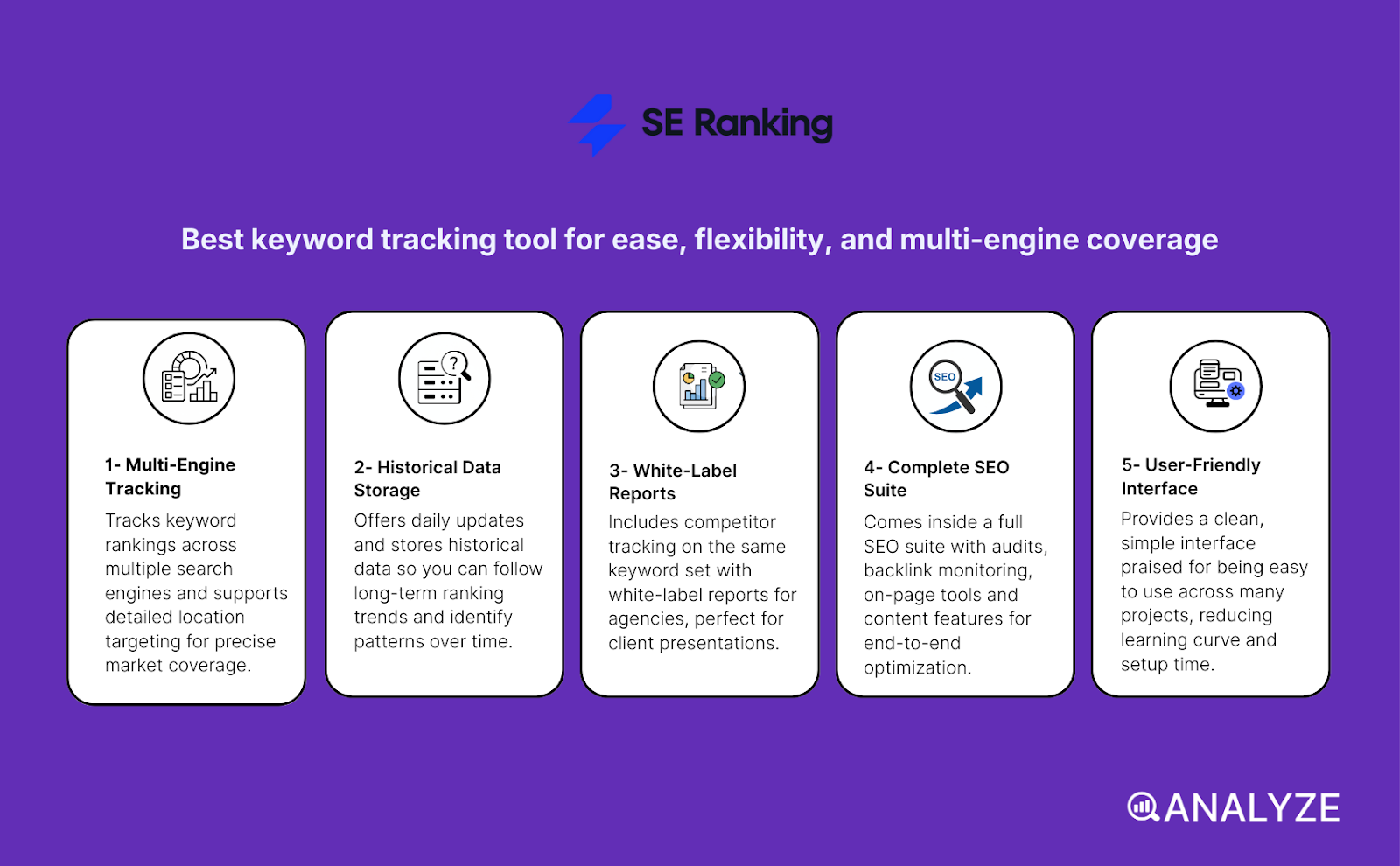
Tracks keyword rankings across Google, Bing, Yahoo, YouTube and supports detailed location targeting
-
Offers daily updates and stores historical data so you can follow long-term ranking trends
-
Includes competitor tracking on the same keyword set with white-label reports for agencies
-
Comes inside a full SEO suite with audits, backlink monitoring, on-page tools and content features
-
Provides a clean, simple interface praised for being easy to use across many projects
SE Ranking’s Rank Tracker works well when you want broad coverage without the high price tag of the biggest SEO platforms. The tool checks ranks for several search engines, which helps when your audience does not rely only on Google or when you target regions where other engines still matter. Daily updates and long-term history help you understand how rankings move after content changes or link campaigns and show if those moves stay stable or swing back.
The tool helps small agencies and freelancers because it supports clear competitor tracking and gives clean white-label reports that clients can understand fast. You can compare several domains on the same keyword list and get simple share-of-visibility views that guide decisions. Because SE Ranking includes audits, backlink data and on-page tools, you do not need a stack of separate tools; this saves time and lets small teams work in one place.
SE Ranking does come with limits that matter when you push the tool harder or scale teams. Some users have flagged small ranking inconsistencies when they compare data with other trackers or with Google Search Console, especially for fine-grain local or long-tail terms. These issues do not stop general use but can matter if you need exact data for large and fast-moving SEO programs.
As SE Ranking grows into a full suite, the tool adds new features that make the platform feel bigger. Beginners can feel a bit lost when they try to explore everything at once, and teams that want only rank tracking may find the extra modules distracting. Learning which parts matter for your workflow makes the experience easier, but the first days require some focus.
|
Aspect |
What SE Ranking offers |
Why it matters for keyword tracking and SEO strategy |
|
Multi-engine & location tracking |
Tracks Google, Bing, Yahoo, YouTube with country/region/device filters |
Gives visibility beyond Google alone and helps global or niche projects |
|
Daily updates + historical data |
Updates rankings daily with long-term charts |
Shows the impact of changes and helps track stability through time |
|
Competitor tracking & white-labeling |
Compare domains and deliver branded client reports |
Great for agencies and multi-site managers without extra reporting tools |
|
Full SEO suite integration |
Includes audits, backlinks, on-page and content tools |
Helps diagnose why rankings move and reduces tool overload |
|
Affordable, flexible pricing |
Lower entry price and scalable plans |
Makes strong tracking available to small and mid-size teams |
|
Ease of use |
Simple dashboard and clean project layout |
Supports fast onboarding for beginners or non-technical users |
|
Limits at scale / data depth |
Occasional inconsistencies; not as deep as enterprise tools |
Large or complex teams may need more precision and broader analytics |
Best-fit use cases for SE Ranking Rank Tracker
-
Small and mid-size agencies or freelancers who manage many sites on tight budgets
-
Projects that target more than one search engine or serve regions where Google is not dominant
-
Content-heavy or multi-language sites that need organized keyword groups by region or page type
-
Teams that want a simple but complete SEO setup with rankings, audits and link tools in one place
-
Users who prefer clear dashboards and fast onboarding over deep enterprise complexity
Bottom line:
SE Ranking gives strong tracking across engines and regions without the cost or weight of bigger suites. It is a great fit for small teams and agencies that need clean data, simple workflows and flexible plans, though very large or advanced programs may see limits in precision and depth.
Nightwatch: best keyword tracking tool for local precision and multi-engine coverage
Key Nightwatch standout features
-
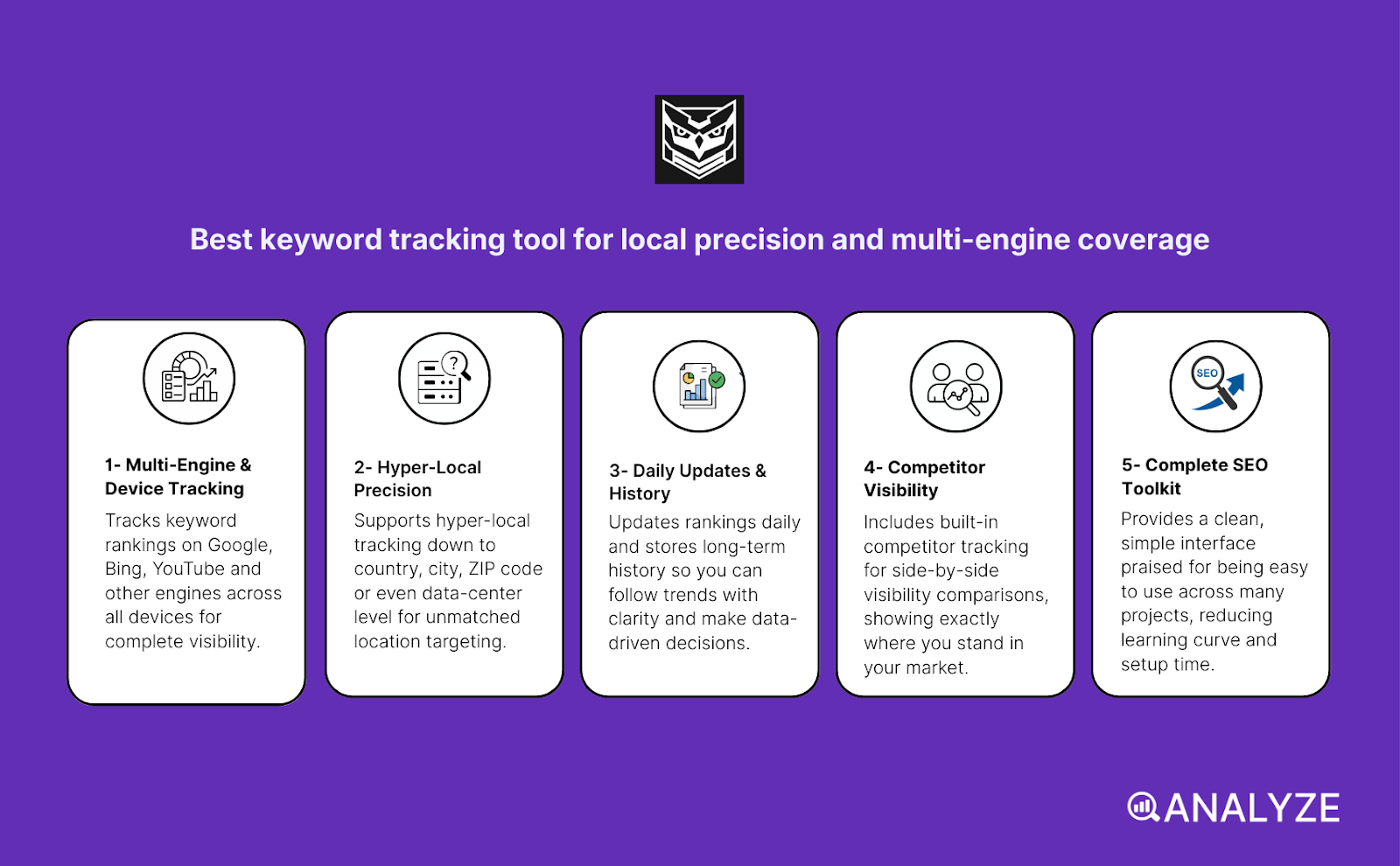
Tracks keyword rankings on Google, Bing, YouTube and other engines across desktop, mobile and tablet
-
Supports hyper-local tracking down to country, city, ZIP code or even data-center level
-
Updates rankings daily and stores long-term history so you can follow trends with clarity
-
Includes built-in competitor tracking for side-by-side visibility comparisons
-
Bundles rank tracking with site audits, backlink monitoring, custom dashboards and white-label reports
Nightwatch works best when you need very precise data that reflects what real users see in specific places. The tool supports many search engines and devices, which gives you a broad view of your visibility across different platforms. Its hyper-local tracking makes a big difference for local SEO because it shows how rankings change from one neighborhood to another rather than giving one global view that hides important gaps. This level of detail helps you shape local landing pages, service-area content and store-level SEO plans with confidence.
The tool updates daily and keeps full ranking history so you can trace the impact of content updates, new backlinks or technical fixes across time. The built-in competitor tracking also makes it easy to see how your visibility compares with other sites, which matters when you want to understand why a keyword becomes more competitive. Nightwatch supports clean white-label reports and custom dashboards, which helps agencies deliver clear and simple reports to clients without switching between tools. Because Nightwatch also includes audits and backlink checks, you can handle more of your SEO workflow inside one platform.
Nightwatch does have limits that teams should consider before making it their main tracker. The pricing is higher than some basic tracking tools, which can make it tough for small sites or early projects with limited budgets. You may need to justify the cost if you only track a few keywords or do not need the precision of hyper-local tracking.
The tool also packs many configuration options, which can feel heavy during setup. New users may need time to learn how to set up dashboards, filters and location groups in a way that avoids confusion. If you only want simple tracking for one site, the depth of features may feel like more than you need until your SEO program grows.
|
Aspect |
What Nightwatch offers |
Why it matters for keyword tracking & SEO strategy |
|
Multi-engine + multi-device tracking |
Tracks rankings on Google, Bing, YouTube across desktop, mobile and tablet |
Gives full visibility across the platforms and devices your audience uses |
|
Hyper-local tracking |
Tracks keywords by country, city, ZIP code or data-center |
Vital for local SEO and geo-targeted campaigns where small differences impact results |
|
Daily updates + history |
Daily refresh of ranking positions with long-term storage |
Helps spot ranking swings and connect them to content or technical changes |
|
Competitor tracking & comparison |
Side-by-side visibility comparison across keyword sets |
Helps identify where competitors gain or lose ground |
|
Suite integration + audits |
Backlink monitoring, audits, custom dashboards and white-label reports |
Lets you diagnose ranking changes and report insights from one tool |
|
Reporting & client readiness |
Automated dashboards and white-label formats |
Supports agencies that need clean and simple reports for clients |
|
Feature richness & scaling ability |
Handles many keywords and large multi-site setups |
Suitable for freelancers, agencies and brands with complex SEO programs |
Best-fit use cases for Nightwatch Rank Tracker
-
Agencies or freelancers managing local businesses across many cities or regions
-
Local SEO campaigns needing accurate ZIP-level or city-level ranking data
-
Multi-site or multi-country brands that want to track visibility across engines and regions
-
Teams that want tracking, audits and backlink checks in one place
-
Users who need strong reporting tools and rely on dashboards or client reports
Bottom line:
Nightwatch gives deep, local and multi-engine accuracy that helps teams track what users see on the ground instead of broad averages. It is ideal for agencies and brands with complex local SEO needs, but its price and setup may feel heavy for very small or simple projects.
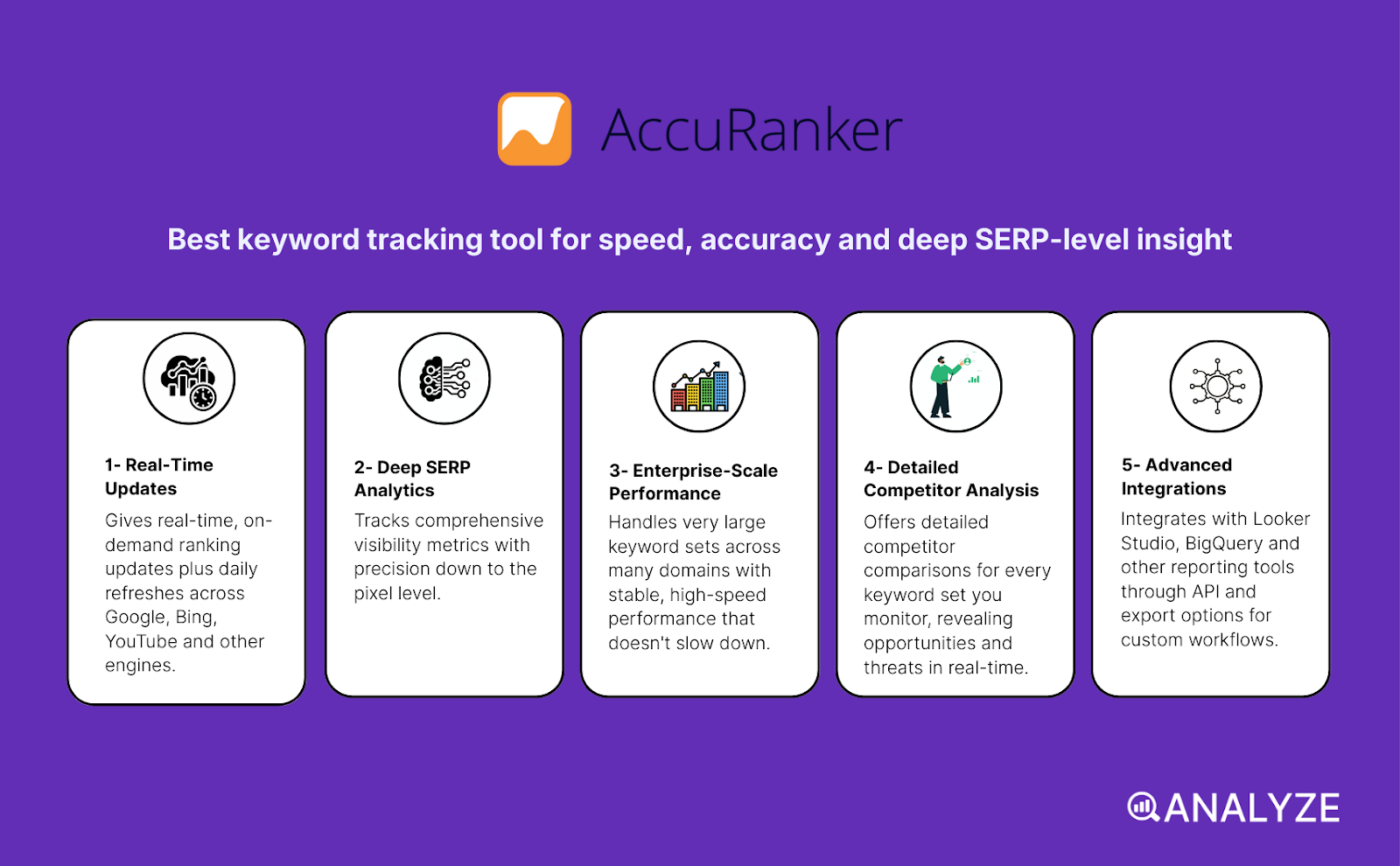
AccuRanker: best keyword tracking tool for speed, accuracy and deep SERP-level insight
Key AccuRanker standout features
-
Gives real-time, on-demand ranking updates plus daily refreshes across Google, Bing, YouTube and other engines
-
Tracks SERP features, pixel position, CTR estimates and share-of-voice visibility metrics
-
Handles very large keyword sets across many domains with stable, high-speed performance
-
Offers detailed competitor comparisons for every keyword set you monitor
-
Integrates with Looker Studio, BigQuery and other reporting tools through API and export options
AccuRanker works best when you need fast, precise rank data without waiting for slow daily cycles. The tool lets you refresh rankings on demand, which helps when you push content updates, fix technical issues or track fast-moving SERP changes. This real-time tracking matters in competitive niches where small ranking changes can impact clicks and revenue in the same day. The SERP-feature data adds extra depth because you can see when you win a snippet, when a carousel appears or when a competitor takes over a feature that changes visibility for your page.
The platform handles very large keyword lists without slowing down, which makes it useful for agencies or big companies with many domains or huge content libraries. It gives you clear dashboards that help you organize keywords, track performance by region or device and compare your visibility with any competitor in the same space. The integrations open the door to automated reporting and custom dashboards, which supports teams that rely on BI tools or client-facing reports every week or month.
AccuRanker does have trade-offs that matter when you plan your SEO stack. The tool focuses tightly on ranking data and reporting, which means it does not include backlinks, audits or content tools. If you need those features, you must pair AccuRanker with a second tool. This narrow scope is fine for agencies with a defined workflow but less ideal for small teams that want everything in one platform.
Price is another factor because AccuRanker charges based on keyword volume. Costs climb fast when you track thousands of terms across many domains. Smaller sites or solo operators may find the price hard to justify unless they work in a niche where real-time updates or deep SERP analysis drives clear business value.
|
Aspect |
What AccuRanker offers |
Why it matters for keyword tracking & SEO strategy |
|
Real-time + frequent updates |
On-demand refresh plus daily ranking updates |
Helps track fast effects after content updates, link work or technical fixes |
|
SERP-feature & visibility data |
Tracks snippets, CTR, pixel depth, share-of-voice |
Shows true visibility impact beyond raw ranking numbers |
|
High-volume + multi-domain/global tracking |
Handles thousands of keywords across regions and domains |
Supports enterprise and agency teams with complex, large-scale SEO needs |
|
Competitor analysis & benchmarking |
Side-by-side comparisons for every keyword |
Helps you understand SERP shifts, new threats and open opportunities |
|
Integration & reporting tools |
API, exports, Looker Studio, BigQuery and dashboard options |
Enables advanced reporting and custom data workflows |
|
Trade-off: narrow scope |
No audits, backlink analysis or content optimization |
Works best as part of a stacked SEO toolkit, not as an all-in-one |
|
Trade-off: cost |
Pricing increases with keyword volume |
Better for high-scale teams; may be heavy for small sites or low-volume projects |
Best-fit use cases for AccuRanker
-
Agencies or consultants managing many clients who need fast and accurate rank data
-
Enterprise teams tracking thousands of keywords across multiple markets or devices
-
Competitive niches where SERP features heavily influence traffic and conversions
-
SEO programs that benefit from real-time rank checks after changes or experiments
-
Teams building custom dashboards or data pipelines for advanced SEO reporting
Bottom line:
AccuRanker delivers high-speed, high-precision rank tracking with deep SERP insight and scalable performance. It shines for agencies and enterprises that need instant updates and powerful reporting, but smaller teams may find the cost and narrow focus heavy unless they depend on real-time data.
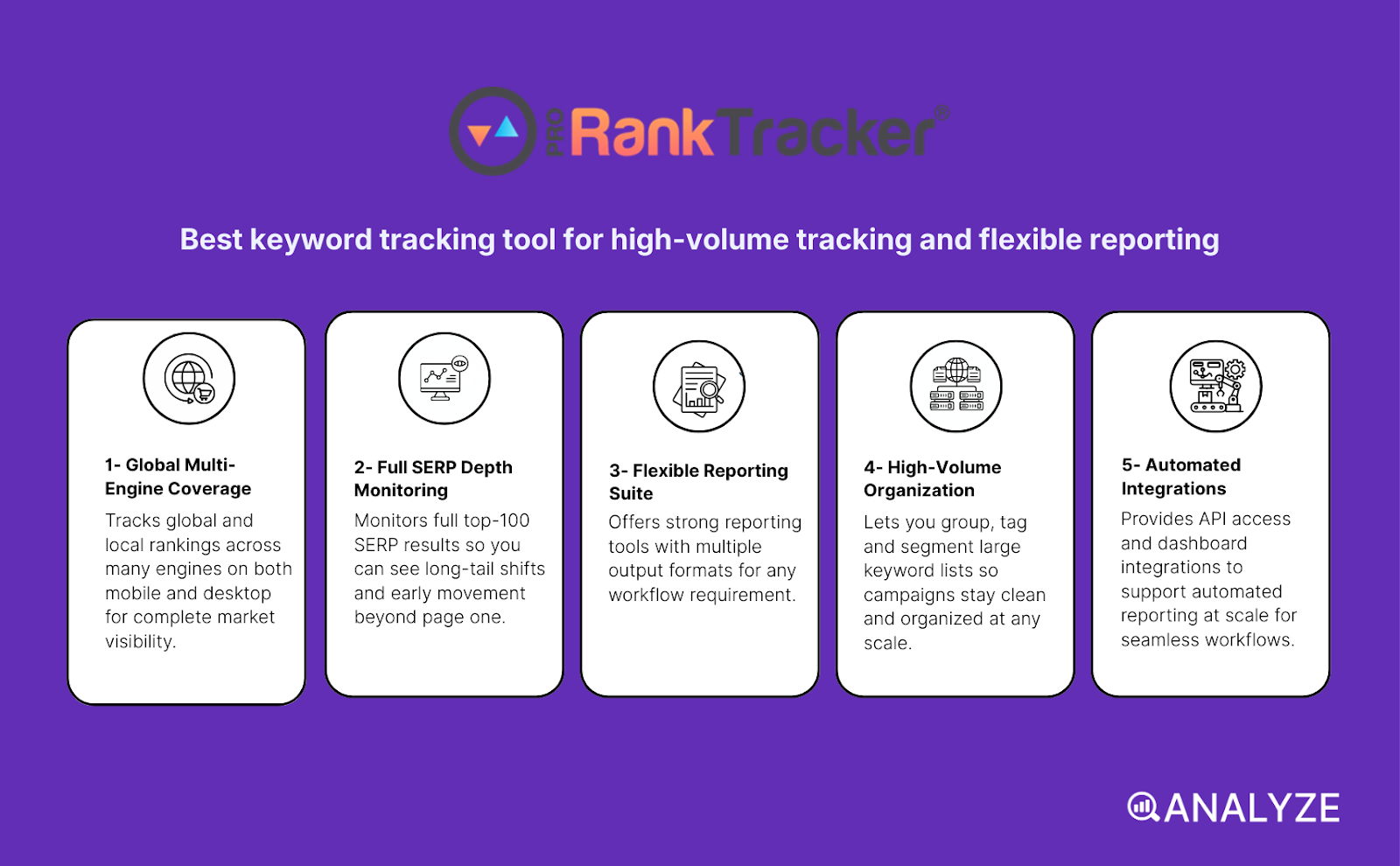
ProRankTracker: best keyword tracking tool for high-volume tracking and flexible reporting
Key ProRankTracker standout features
-
Tracks global and local rankings across many engines like Google, Bing, Yahoo and YouTube on both mobile and desktop
-
Monitors full top-100 SERP results so you can see long-tail shifts and early movement beyond page one
-
Offers strong reporting tools including white-label reports, scheduled email updates and exports in PDF, XLSX and CSV
-
Lets you group, tag and segment large keyword lists so campaigns stay clean and organized
-
Provides API access and dashboard integrations to support automated reporting at scale
ProRankTracker works well when you want simple, accurate tracking across engines without the extra weight of a full SEO suite. The tool covers global and local SERPs and supports multiple devices, which helps when your audience comes from different regions or uses different search engines. The ability to monitor top-100 results gives you deeper insight into long-tail keywords, early ranking climbs or sudden drops that often get missed by tools focused only on top positions. This visibility helps you spot new pages gaining traction or older ones starting to slip.
The reporting system is where ProRankTracker gains more value for agencies or freelancers. White-label reports, scheduled emails and custom dashboards make it easy to share results with clients or managers without manual exporting every week. Keyword groups, tags and filters are simple to set up and let you manage hundreds or thousands of words without losing track of where everything belongs. Because the platform focuses on tracking and reporting alone, the interface stays clean and light, which helps teams move fast and avoid paying for features they never use.
ProRankTracker does come with limits tied to its focused design. It does not include backlink analysis, content audits or technical SEO tools, so you will still need other tools for a complete SEO workflow. This is fine for teams that already use other platforms for audits or links but can feel like a gap for small teams who want everything in one place.
Plan restrictions can also affect larger projects. Lower-tier plans limit keyword counts, frequency and some reporting features, which may push growing teams to higher-priced tiers. For sites with big content libraries or many target regions, these caps can create friction unless you upgrade or pair the tool with others.
|
Aspect |
What ProRankTracker offers |
Why it matters for keyword tracking & SEO strategy |
|
Global + local + multi-engine tracking |
Tracks rankings across major engines and regions |
Helps cover global markets and alternative search platforms beyond Google |
|
Full top-100 SERP tracking |
Shows ranking movements across the full top 100 |
Reveals long-tail growth, early keyword shifts and new opportunities |
|
Flexible & white-label reporting |
Scheduled reports, exports, API, dashboards |
Supports client reporting, team updates and automated workflows |
|
Keyword management & segmentation |
Tagging, grouping and filtering for large keyword sets |
Keeps big SEO projects organized across campaigns and regions |
|
Lean tracking-focused platform |
No backlink, audit or content modules |
Reduces complexity and cost if you only need strong rank tracking |
|
Trade-off: lacks full-suite tools |
No built-in audits or backlink intelligence |
Requires extra tools for complete SEO coverage |
|
Trade-off: plan limitations |
Lower tiers cap keyword count and refresh frequency |
May require upgrades for high-volume or multi-site tracking |
Best-fit use cases for ProRankTracker
-
Freelancers or small agencies managing many clients and needing accurate, affordable tracking
-
Large websites with heavy long-tail keyword sets that need full top-100 visibility
-
International or multi-region businesses tracking keywords across countries and engines
-
Teams that rely on automated or white-label reporting for clients or stakeholders
-
Users who want a lean, cost-efficient tracker without the extras of a full SEO suite
Bottom line:
ProRankTracker delivers strong, scalable tracking with flexible reporting and simple management, which makes it great for teams handling many sites or large keyword sets. It stays light and affordable by skipping full-suite features, so it works best when you pair it with other tools for audits, links or content.
Wincher: best keyword tracking tool for simplicity, clarity, and CMS-friendly workflows
Key Wincher standout features
-
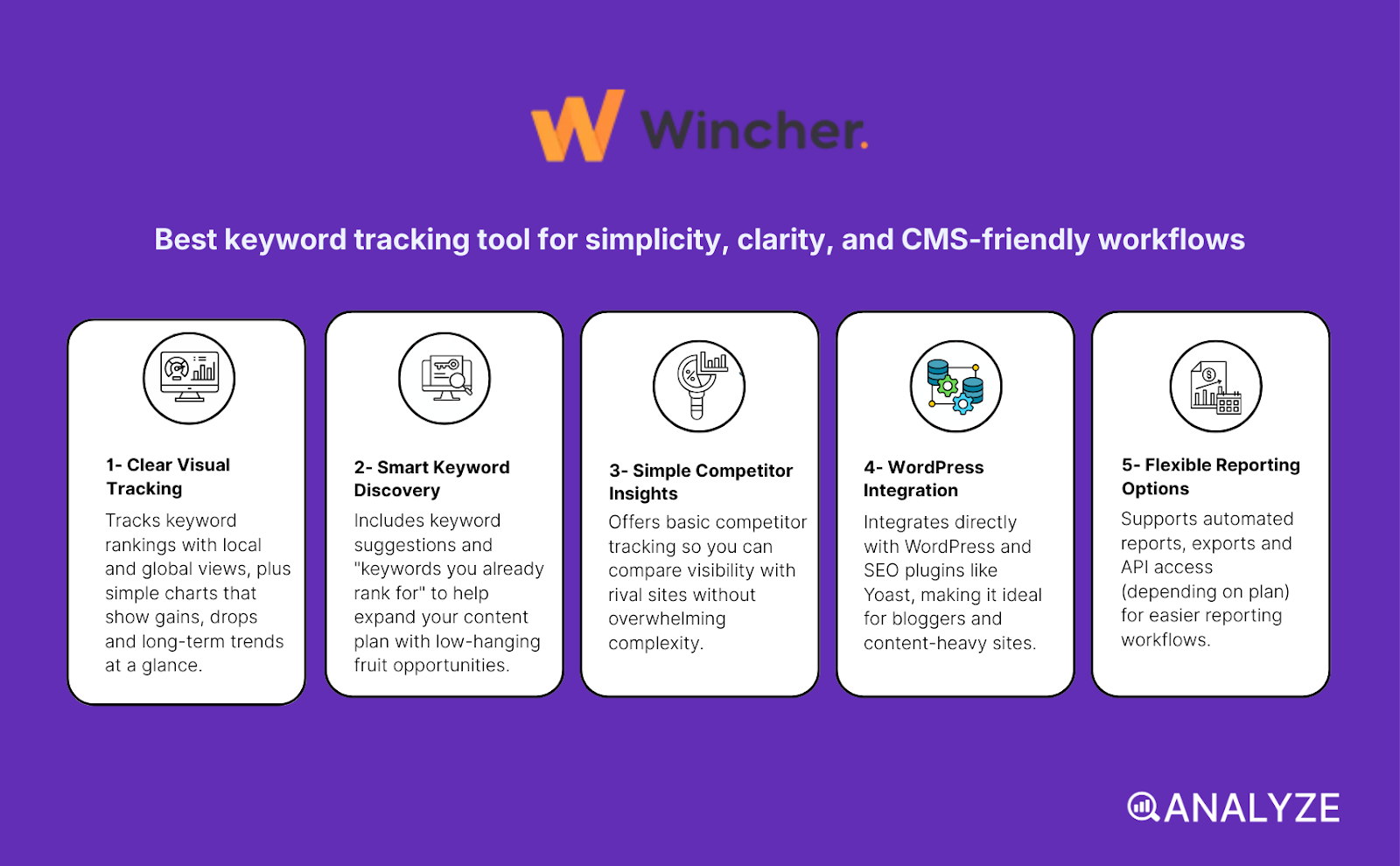
Tracks keyword rankings with local and global views, plus simple charts that show gains, drops and long-term trends
-
Includes keyword suggestions and “keywords you already rank for” to help expand your content plan
-
Offers basic competitor tracking so you can compare visibility with rival sites
-
Integrates directly with WordPress and SEO plugins like Yoast, making it ideal for bloggers and content-heavy sites
-
Supports automated reports, exports and API access (depending on plan) for easier reporting
Wincher works best when you want simple keyword tracking without the overload of large SEO platforms. The tool focuses on local and global rank tracking and gives you clear charts that show how rankings move day by day or week by week. These trend views help you connect ranking changes to content updates, new posts or SEO fixes. The keyword suggestion features make planning easier because you can see which terms you already have visibility for and which related keywords might be worth targeting next.
Its competitor tracking adds more context by showing where your site stands for shared keywords. This helps guide content priorities because you can quickly see which keywords competitors own and where you may have realistic opportunities. Many content-heavy websites benefit from Wincher’s WordPress and Yoast integrations because they allow you to track keywords directly from the CMS without jumping between tools. This is especially helpful for teams that publish lots of articles or manage many pages every month.
Wincher also supports scheduled reports and data exports for clients or team updates. The tagging and grouping options help keep keyword lists organized, which is useful if you manage many pages or multiple regions. Because Wincher stays focused on tracking and simple research, the interface stays clean, fast and easy to understand — making onboarding smoother for teams that don’t want a steep learning curve.
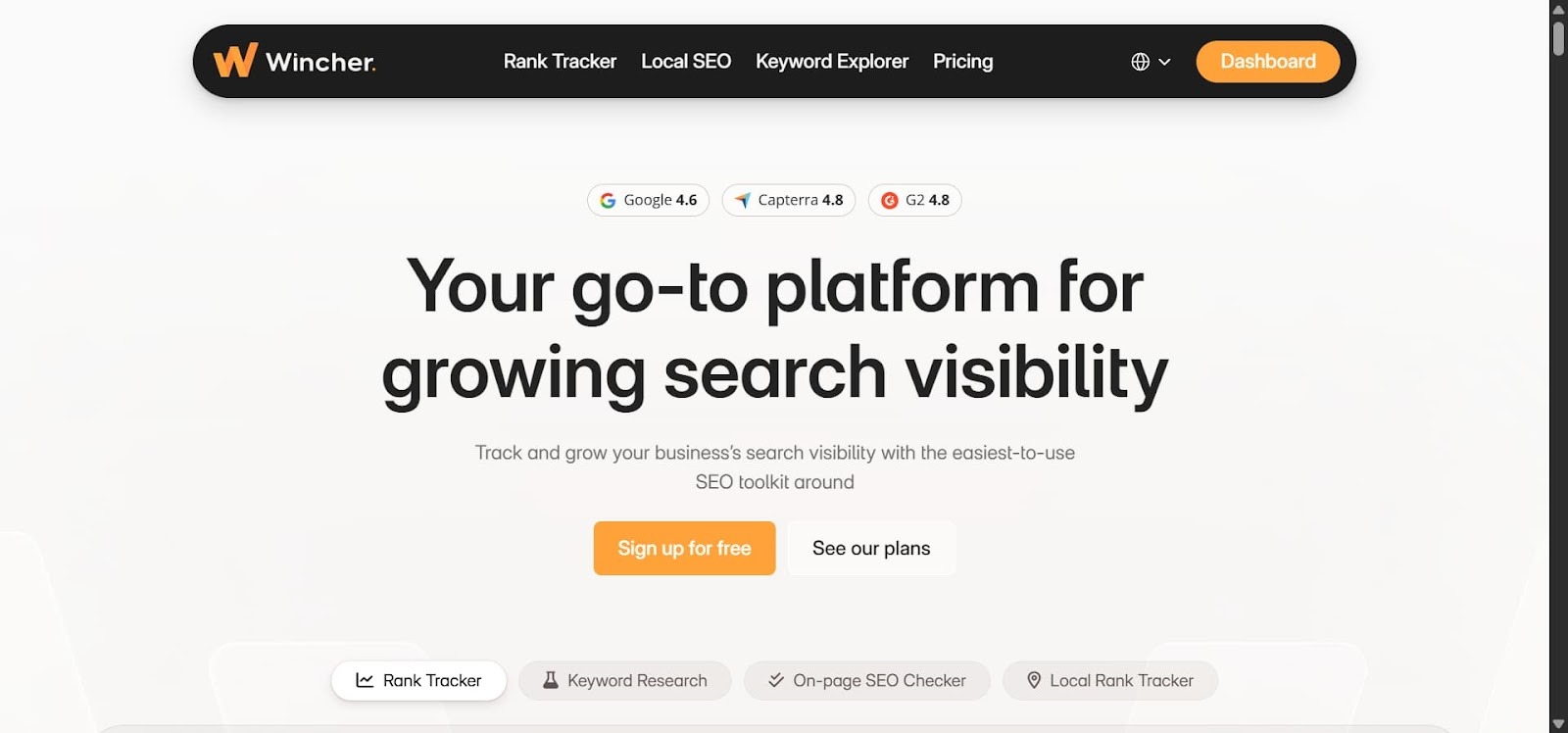
Still, Wincher has limits that matter when your SEO needs grow. It is not a full SEO suite — you do not get backlink analysis, technical audits, site-health crawls or advanced SERP-feature tracking. If those areas matter for your workflow, you must pair Wincher with other tools. This narrower scope is fine for blogs and mid-size sites but can feel restrictive for larger SEO programs.
The keyword research tool is also simpler than dedicated research platforms. It helps with suggestions but does not offer deep competition analysis or advanced metrics, which can limit its usefulness for detailed keyword strategy work. Reporting is solid but basic compared to enterprise or agency tools that support full white-label dashboards or automation. Free and entry plans also limit keyword counts, which can push growing sites toward higher tiers.
|
Aspect |
What Wincher offers |
Why it matters for keyword tracking & SEO strategy |
|
Local + global keyword tracking |
Tracks rankings in different countries and regions |
Helps content teams monitor visibility across all target markets |
|
Simple trend charts & change tracking |
Clear visual graphs for ranking movement |
Shows whether SEO changes improved or harmed performance |
|
Keyword suggestions & “already rank for” |
Helps expand keyword lists and find content opportunities |
Useful for blogs, content hubs and editorial teams |
|
Competitor tracking |
Compare rankings with competitors |
Helps find gaps and prioritize content ideas |
|
CMS integration (WordPress, Yoast) |
Track keywords directly inside your CMS |
Perfect for content-heavy workflows and teams that publish often |
|
Reporting & exports |
Automated reports, PDF/CSV exports, some API options |
Supports client updates and simple reporting routines |
|
Trade-off: limited SEO suite capabilities |
No deep audits, backlinks or advanced SERP analysis |
Requires other tools for technical SEO or link building |
|
Trade-off: simple keyword research |
Basic suggestions; fewer advanced research metrics |
Works for content discovery but not full keyword strategy |
|
Trade-off: scaling limits |
Lower-tier plans limit keyword volume |
May require upgrades as site size or keyword list grows |
Best-fit use cases for Wincher
-
Content-heavy sites and blogs that publish often and want simple ranking oversight
-
WordPress websites using Yoast or other SEO plugins and wanting CMS-friendly tracking
-
Small businesses or solo site owners needing affordable, easy-to-use rank tracking
-
Teams that want clean trend charts, basic competitor insights and lightweight reporting
-
Projects where keyword tracking, not technical SEO or backlink analysis, is the main need
Bottom line:
Wincher keeps keyword tracking simple, clear and budget-friendly. It’s ideal for content-led teams, CMS-based sites and small businesses that want reliable ranking data without the complexity of full SEO suites. Larger teams with advanced technical needs may need complementary tools, but for clean day-to-day tracking, Wincher does the job well.
SERPWatcher: best keyword tracking tool for simplicity, clarity, and fast SEO insights
Key SERPWatcher standout features
-
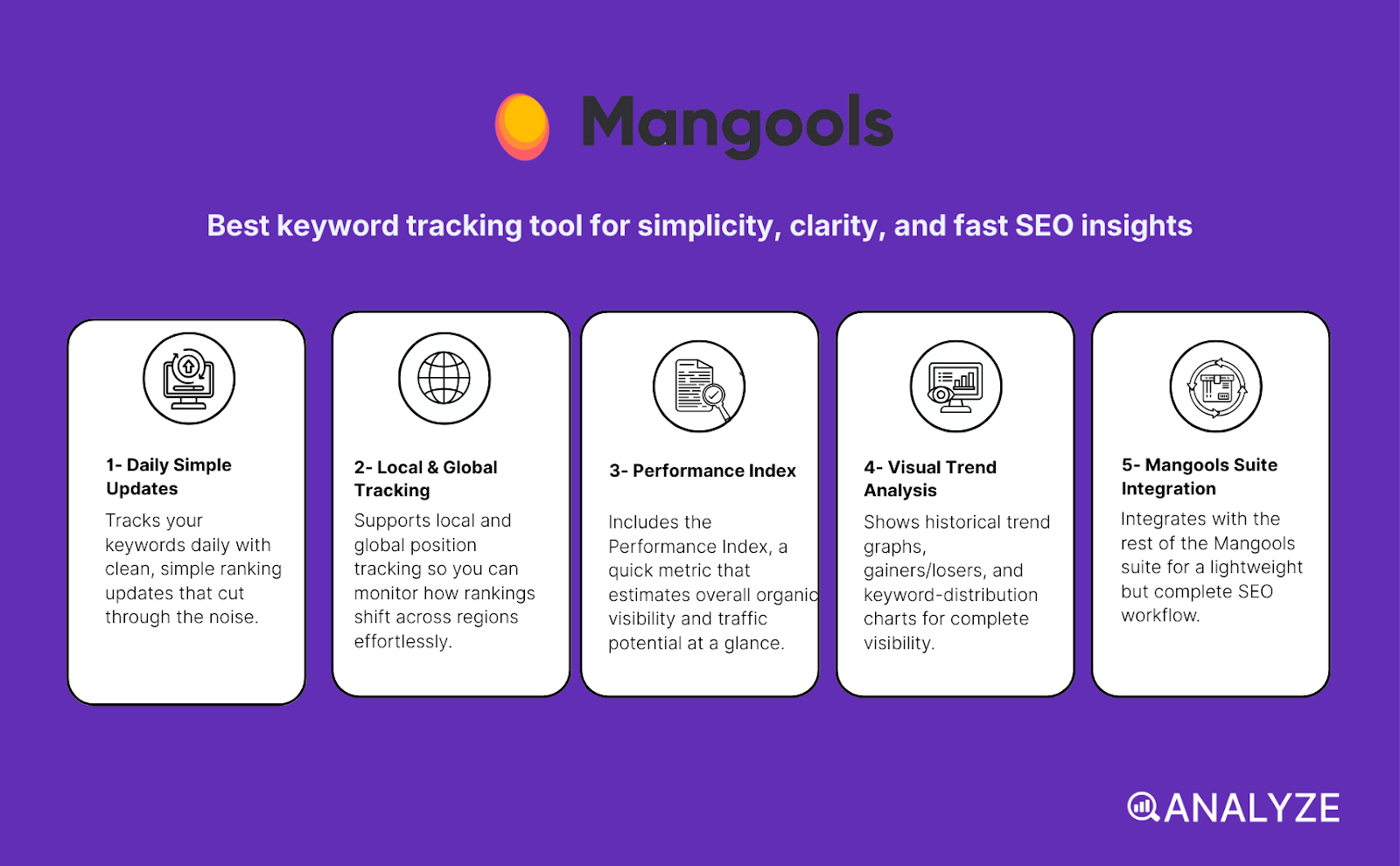
Tracks your keywords daily (desktop + mobile) with clean, simple ranking updates
-
Supports local and global position tracking so you can monitor how rankings shift across regions
-
Includes the Performance Index — a quick metric that estimates overall organic visibility and traffic potential
-
Shows historical trend graphs, gainers/losers, and keyword-distribution charts (top 3, top 10, top 50)
-
Integrates with the rest of the Mangools suite (KWFinder, SERPChecker, LinkMiner, SiteProfiler) for a lightweight but complete SEO workflow
SERPWatcher works well when the goal is to track rankings without the heavy dashboards or complex setup found in enterprise suites. The tool updates your keyword positions every day and presents simple graphs that show how rankings shift across time. This makes it easier to understand how content updates, internal linking changes or new pages affect overall visibility. Its Performance Index adds a useful layer by estimating organic traffic potential so you can see whether ranking changes will meaningfully impact your results.
Because SERPWatcher is part of the wider Mangools ecosystem, you can move smoothly from keyword research (KWFinder) → SERP analysis (SERPChecker) → rank tracking → backlink review (LinkMiner). This gives solo SEOs or small teams a compact workflow without the need for big, expensive tools. Trend charts, keyword groups, and shareable reports help keep your SEO organized even when you manage many keywords.
The tool is also praised for being easy to set up, clean to read and beginner-friendly. Freelancers, bloggers and smaller teams often choose SERPWatcher because it keeps the workflow simple and the pricing accessible. The local and mobile tracking features add practical value for content-led teams that target different regions or want to monitor mobile SERPs separately.
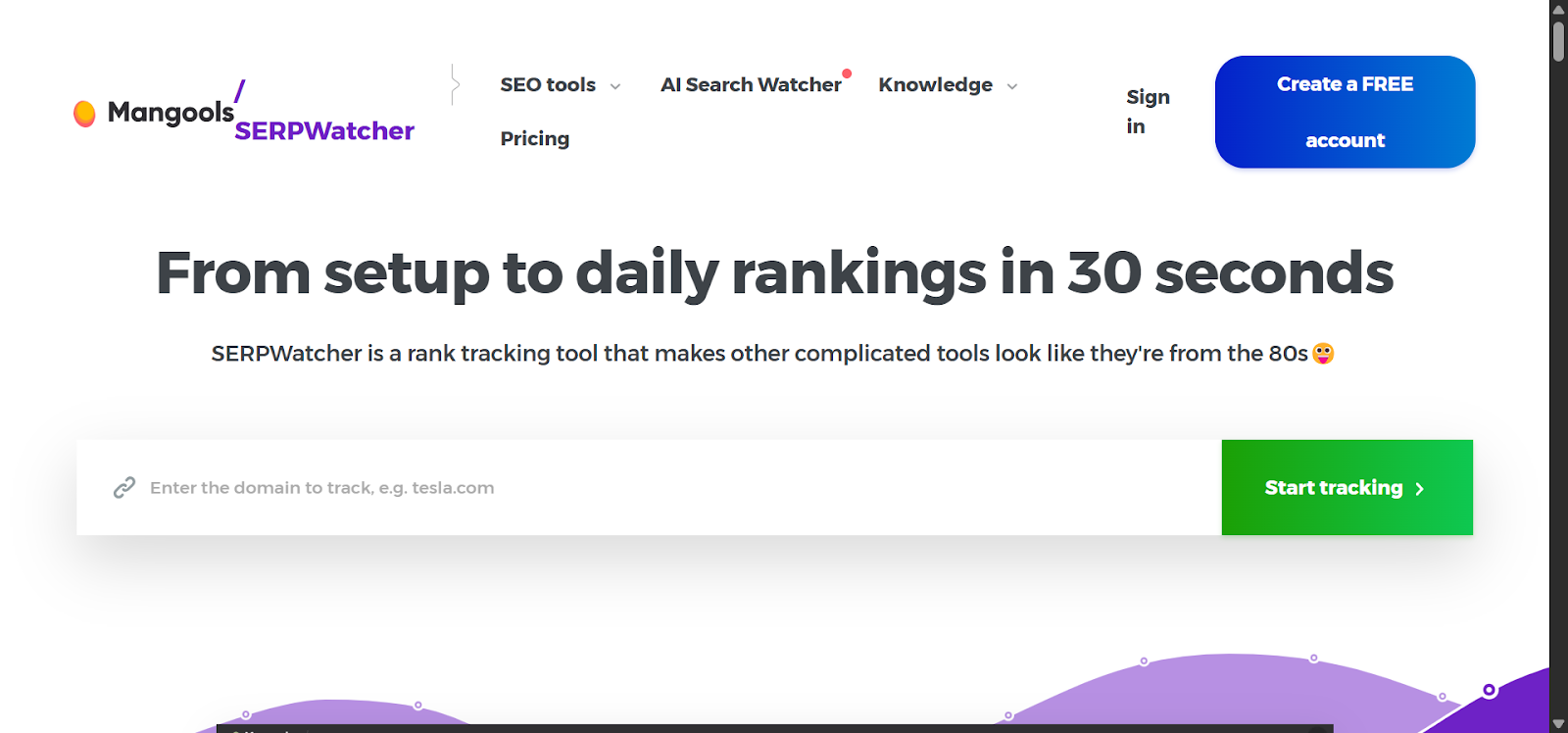
Still, SERPWatcher has limits when your SEO needs grow beyond the basics. It does not offer deep technical SEO audits, wide SERP-feature tracking or advanced site-health analysis — areas where enterprise tools outperform it. It also focuses mainly on Google, so if you care about Bing, Yandex or other engines, this can be a constraint. Reporting is helpful but simpler than high-end trackers that support white-label dashboards or automated multi-client setups.
Plan limits also matter: depending on your Mangools plan, you get a fixed number of keywords per day. For large websites or multilingual sites with many keyword sets, these limits can become tight and may require an upgrade.
|
Aspect |
What SERPWatcher offers |
Why it matters for keyword tracking & SEO strategy |
|
Daily rank tracking (desktop + mobile) |
Updates positions daily across device types |
Helps you catch shifts quickly and monitor mobile/desktop differences |
|
Local + global tracking |
Track rankings across countries and regions |
Useful for local SEO or international content strategies |
|
Performance Index & traffic estimates |
A single score highlighting visibility + traffic potential |
Gives quick “SEO health” insights without deep manual analysis |
|
Historical trends & ranking distribution |
Trends, gainers/losers, top 3/10/50 placement charts |
Shows how rankings evolve and where your keyword groups stand |
|
Keyword groups, tags & reporting |
Tagging, organization, exports, interactive shareable reports |
Helps manage large keyword lists and share progress with clients or teammates |
|
Mangools suite integration |
Ties into KWFinder, SERPChecker, LinkMiner and SiteProfiler |
Supports a simple all-in-one workflow for small to mid-size SEO programs |
|
Trade-off: basic vs enterprise depth |
No deep technical audits, limited SERP-feature tracking |
Less suitable for enterprise websites or advanced SEO research |
|
Trade-off: Google-only tracking |
Tracks only Google SERPs |
Limits visibility into other search engines |
|
Trade-off: simplified reporting |
Fewer white-label, automation or customization features |
Might feel limiting for agencies needing advanced reporting |
|
Trade-off: keyword volume limits |
Daily keyword caps vary by pricing tier |
May restrict scaling for large, multilingual or high-volume SEO projects |
Best-fit use cases for SERPWatcher
-
Solo SEOs, bloggers and small businesses wanting simple, reliable keyword tracking
-
Content teams that use KWFinder or other Mangools tools and want everything in one ecosystem
-
Websites that need daily visibility updates without complex dashboards
-
Local or regional SEO projects that want fast, clean insights for mobile and location-based SERPs
-
Teams needing a budget-friendly way to monitor SEO health at a glance
Bottom line:
SERPWatcher is a clean, beginner-friendly rank tracker that gives fast, simple SEO insights without the weight of enterprise tools. It fits best for small teams, content-led websites and budget-conscious SEOs who want daily tracking and clear trends — but large or advanced SEO programs may need deeper technical and reporting capabilities than Mangools provides.
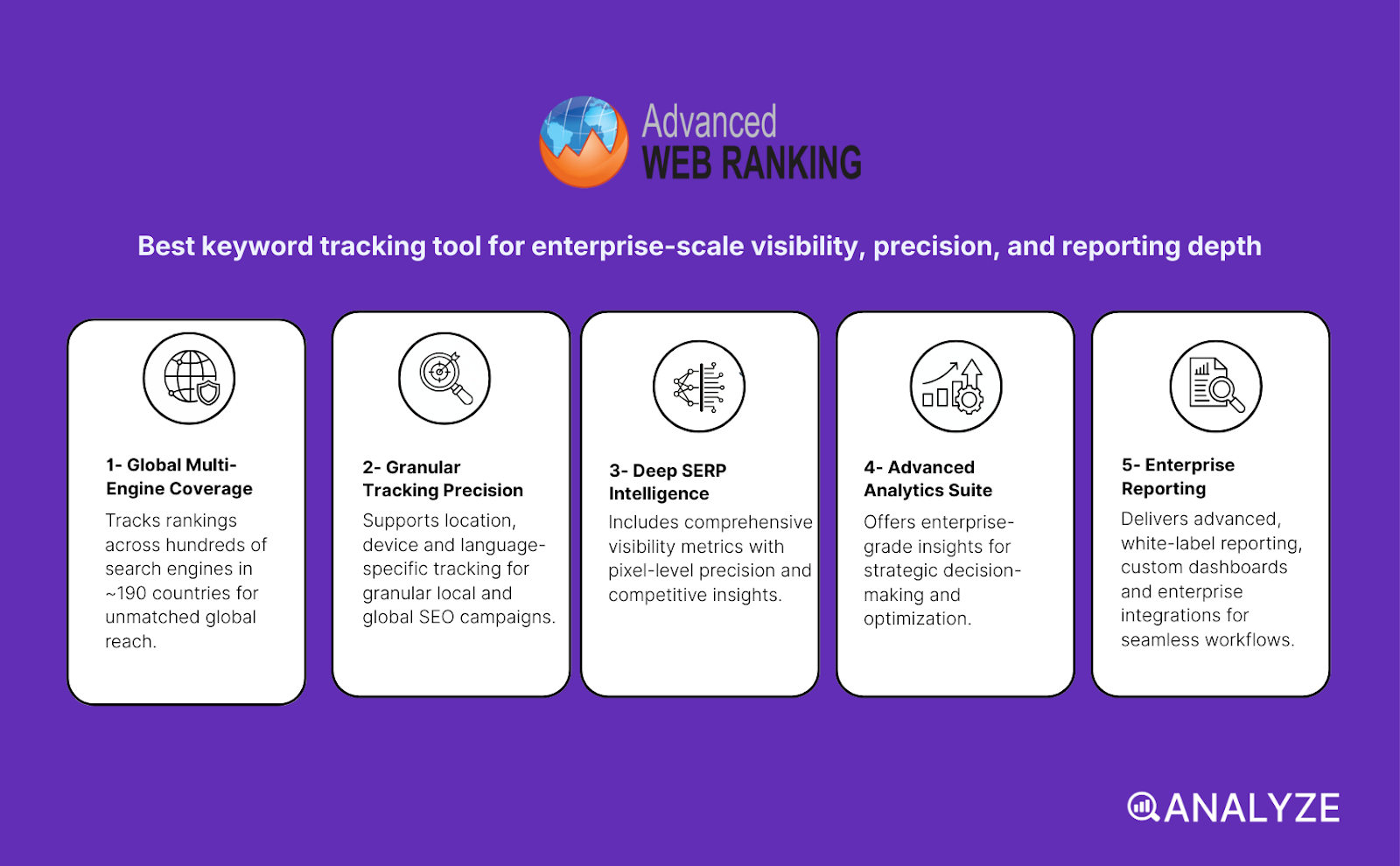
Advanced Web Ranking (AWR): best keyword tracking tool for enterprise-scale visibility, precision, and reporting depth
Key AWR standout features
-
Tracks rankings across hundreds of search engines (Google, YouTube, Amazon, Baidu, Yandex, and more) in ~190 countries
-
Supports location, device and language-specific tracking for granular local and global SEO campaigns
-
Includes deep SERP-feature tracking, pixel-position insights, visibility scores, and share-of-voice metrics
-
Offers on-demand updates, forecasting models, landing-page insights and cannibalization detection
-
Delivers advanced, white-label reporting, custom dashboards and integrations (BigQuery, Looker Studio, APIs)
AWR is built for SEOs who need more than daily rankings — they need precision, scale, and true visibility analysis. The platform tracks keywords across a much wider range of search engines and geographic markets than most tools, making it ideal for teams running global SEO programs or multi-language websites. Its SERP-feature tracking and pixel-position metrics help you understand where your result actually appears on the page, not just your numerical rank — a crucial distinction in 2025 when SERPs are dominated by snippets, AI answers, carousels and local packs.
Because AWR supports on-demand updates, you don’t have to wait for a daily refresh. You can check rankings right after publishing a new page, updating content, or fixing technical issues. Its visibility metrics — including estimated visits, share-of-voice and ranking-distribution charts — make it easier to communicate value to stakeholders and prioritize where SEO efforts will have the biggest impact.
AWR also integrates deeply into enterprise workflows. Its white-label dashboards, automated reports, BigQuery and Looker Studio connectors, and API access make it a strong fit for agencies that handle multiple clients or in-house teams with robust reporting requirements. You can build customizable views, filter by location or engine, and structure reports that align exactly with your SEO KPIs.
Still, AWR is intentionally not a lightweight tool. Its strength is depth, not simplicity. This means there is a learning curve, especially when managing many projects or customizing dashboards for multiple stakeholders. Smaller websites or solo SEOs may find the platform more than they need — and its pricing reflects its enterprise focus. Since AWR is dedicated to ranking and visibility, you’ll still need additional tools for technical audits, link analysis or content optimization if you want a full SEO suite.
Finally, AWR’s scaling model (keyword count × update frequency × engines × locations) means that large, complex setups can increase cost. For enterprise SEO teams this is expected, but for smaller teams the scope may feel heavy.
|
Aspect |
What AWR offers |
Why it matters for keyword tracking & SEO strategy |
|
Multi-engine, multi-country tracking |
Google + hundreds of engines across ~190 countries |
Ideal for global, multilingual SEO and non-Google markets |
|
Location/device/language segmentation |
Track by country, city, language, desktop/mobile |
Crucial for local SEO, region-specific campaigns and device-based SERP differences |
|
SERP-feature + pixel-position tracking |
Snippets, PAA, local packs, pixel depth, CTR context |
Gives real visibility insight beyond simple “rank #” |
|
Performance metrics & visibility scoring |
Share-of-voice, estimated traffic, ranking distribution |
Tracks organic health and SEO impact more meaningfully |
|
On-demand updates + forecasting |
Real-time refresh and predictive modeling |
Lets teams evaluate SEO changes instantly and plan long-term growth |
|
Competitor & landing-page analysis |
Domain comparisons, cannibalization detection |
Helps identify weaknesses, page conflicts, and market opportunities |
|
White-label reporting & dashboards |
Full customization, export formats, Looker/BigQuery connectors |
Essential for agencies, enterprise SEOs and reporting automation |
|
Trade-off: complexity |
Many features → larger learning curve |
Not ideal for beginners or teams wanting simple rank tracking |
|
Trade-off: SEO-suite gaps |
No deep technical audits or backlink crawlers |
Requires complementary tools for full SEO workflows |
|
Trade-off: enterprise pricing model |
Cost scales with keyword volume and frequency |
Not the most budget-friendly for small sites or casual users |
Best-fit use cases for AWR
-
Agencies managing many clients who need custom dashboards and white-label reporting
-
Enterprises running large-scale, multi-region or multi-language SEO programs
-
Brands wanting pixel-level SERP insights, AI-SERP visibility, and SERP-feature tracking
-
Teams requiring on-demand refreshes, forecasting, competitor insights and advanced reporting
-
SEOs needing to integrate ranking data into BI tools like Looker Studio or BigQuery
Bottom line:
Advanced Web Ranking is an enterprise-grade rank tracker built for scale, precision, and deep visibility analysis. It’s ideal when you manage large keyword sets, complex regions, and demanding reporting workflows — but its depth, price and learning curve make it more suitable for professional SEOs than casual users or small sites.
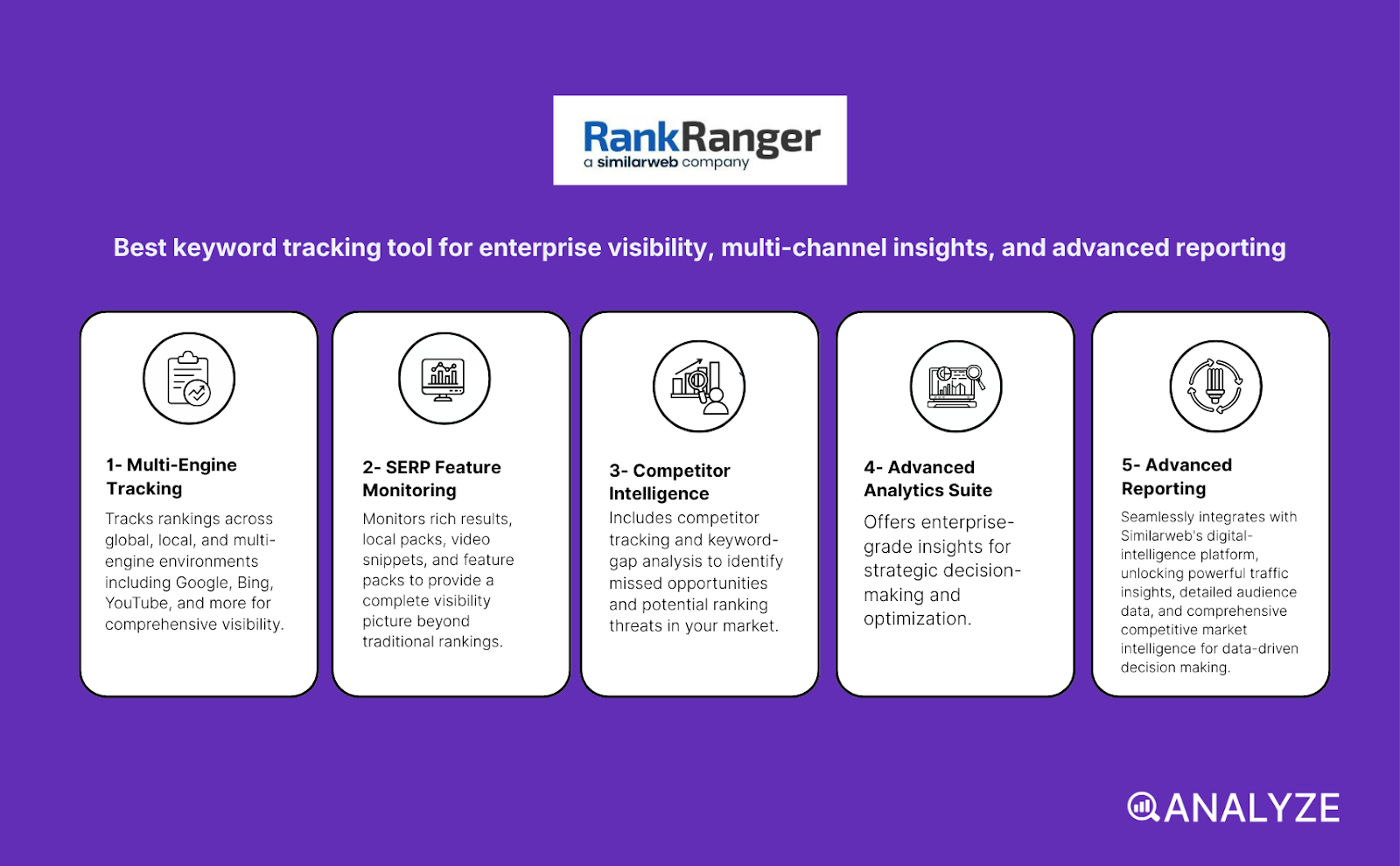
Rank Ranger: best keyword tracking tool for enterprise visibility, multi-channel insights, and advanced reporting
Key Rank Ranger standout features
-
Tracks rankings across global, local, and multi-engine environments (Google, Bing, YouTube, and more)
-
Monitors SERP features (rich results, local packs, video snippets, feature packs, etc.) for a deeper visibility picture
-
Includes competitor tracking and keyword-gap analysis to identify missed opportunities and ranking threats
-
Offers white-label dashboards, custom reports, and automated reporting for agencies and in-house teams
-
Integrates with Similarweb’s digital-intelligence platform, unlocking traffic insights, audience data, and competitive market intelligence
Rank Ranger is built for teams that need more than daily ranking updates — they need multi-channel visibility and competitive intelligence. Since becoming part of Similarweb, the platform now sits inside a larger SEO + digital-analytics ecosystem. This means you can connect rank-tracking data with traffic estimates, audience behavior, backlink insights, and broader market trends. For agencies or brands operating in competitive spaces, this integrated view gives a stronger foundation for decision-making than a standalone rank tracker.
Because Rank Ranger supports global and local tracking, device segmentation, and multi-engine coverage, it works well for enterprise or multi-site setups. Its SERP-feature tracking helps you understand whether your content appears in rich snippets, local packs, or other SERP elements that influence clicks. Combined with keyword-gap analysis and competitor comparisons, teams get a sharper view into where they lead, where they lag, and where the best growth opportunities are.
Rank Ranger is also known for its reporting flexibility. You can build custom dashboards, export fully white-labeled reports, automate scheduled updates, and shape the data however your team or clients need. This makes it a strong fit for agencies that want branded, client-facing reporting without manual work. When paired with Similarweb’s digital-intelligence data, those reports can include SEO, traffic, visibility, and competitor insights in a single place.
With all that power comes complexity. Rank Ranger includes many modules and integrations, which means new users may need time to learn the system and configure dashboards effectively. Its pricing also aligns more with enterprise needs — which may feel expensive if you only need simple keyword tracking. Small sites or solo operators may find the full suite overwhelming or underutilized.
For users who want light, simple rank tracking, Rank Ranger might be too heavy. But for agencies, marketing teams, and multi-site setups that want deep visibility, accurate SERP tracking, and integrated intelligence, it delivers a rich, data-driven workflow.
|
Aspect |
What Rank Ranger offers |
Why it matters for keyword tracking & SEO strategy |
|
Global + local + multi-engine tracking |
Track rankings across countries, regions, devices, and engines |
Supports enterprise, multi-region, and multi-language SEO programs |
|
SERP-feature & SERP-landscape monitoring |
Detects feature packs, snippets, local packs, video, and blended results |
Gives a realistic view of true visibility in modern, feature-heavy SERPs |
|
Competitor & keyword-gap analysis |
Compare domains/URLs and identify ranking gaps |
Helps uncover opportunities and threats in competitive markets |
|
White-label reporting & dashboards |
Custom reports, branding, automation, stakeholder-friendly dashboards |
Ideal for agencies and teams reporting to clients or executives |
|
Similarweb integration |
Combines SEO with traffic, audience, and market intelligence |
Enables holistic digital strategy, not just rank monitoring |
|
Scalability for large keyword sets |
Handles thousands of keywords, many campaigns, multi-site setups |
Fits enterprise SEO operations and large content hubs |
|
Trade-off: complexity |
Many features → learning curve |
Not ideal for beginners or teams wanting simple, lightweight tracking |
|
Trade-off: pricing |
Higher cost for advanced capabilities |
Better suited for agencies and organizations with larger budgets |
|
Trade-off: overkill for small sites |
Full stack may be more than a small blog needs |
Best for teams that fully use the platform’s breadth |
Best-fit use cases for Rank Ranger
-
Agencies managing multiple clients who need white-label reporting and deep SERP visibility
-
Enterprises with multi-region or multi-language SEO operations
-
Brands that want integrated SEO + traffic + competitive-intelligence data in one platform
-
Teams that need competitor insights, keyword-gap analysis, and SERP-feature visibility
-
SEO programs that rely on automated reporting and advanced dashboard customization
Bottom line:
Rank Ranger is a powerful, enterprise-ready rank tracker — especially now that it integrates with Similarweb’s digital-intelligence stack. It excels when you need deep SERP visibility, strong reporting, and competitive insight across many regions or sites. For smaller setups or simple rank tracking, it may feel heavy, but for agencies and larger teams, it delivers a comprehensive and scalable SEO visibility solution.
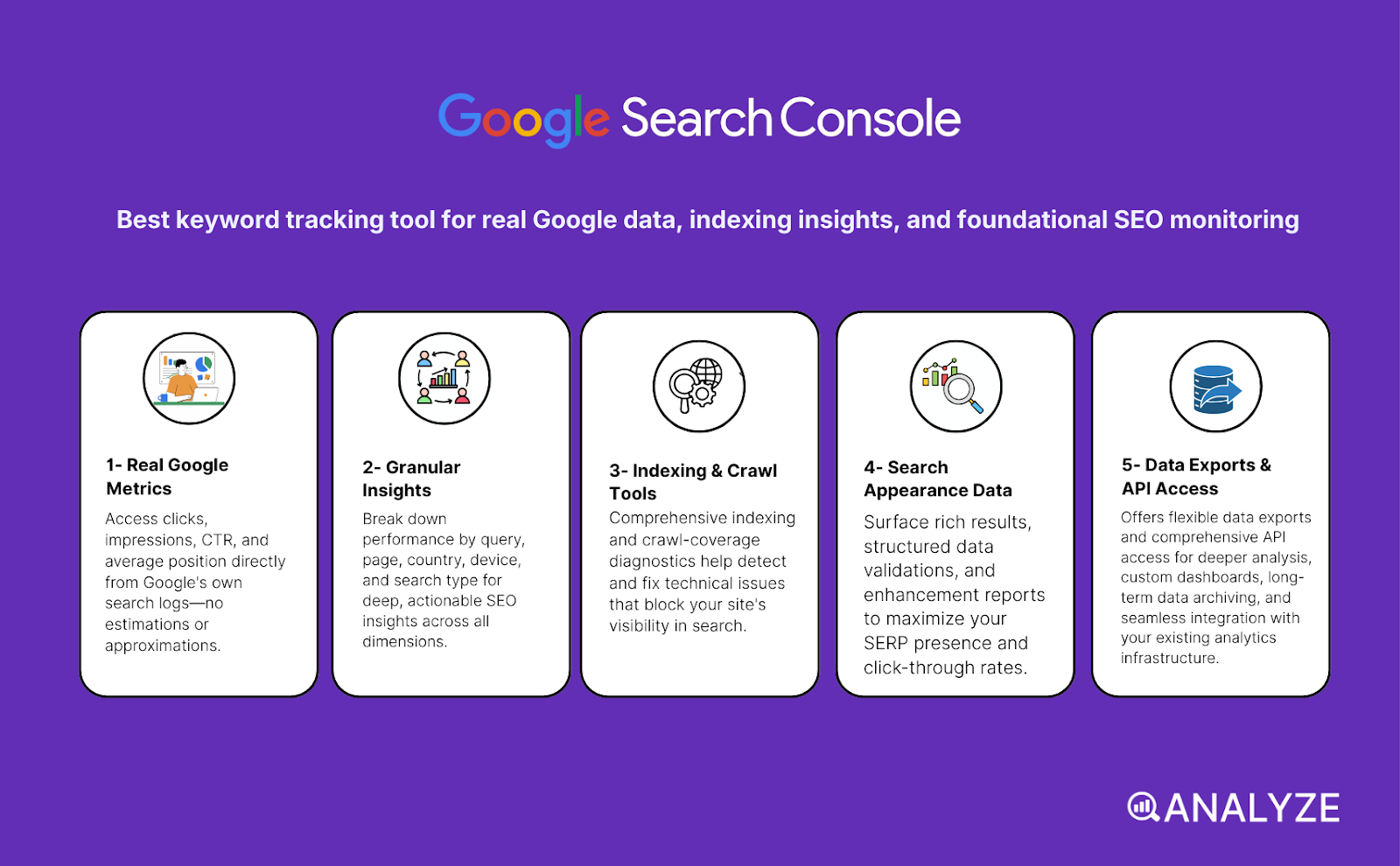
Google Search Console: best keyword tracking tool for real Google data, indexing insights, and foundational SEO monitoring
Key GSC standout features
-
Shows clicks, impressions, CTR, and average position directly from Google’s own search logs
-
Breaks down performance by query, page, country, device, and search type for granular SEO insights
-
Includes indexing and crawl-coverage tools, helping you detect and fix technical issues that block visibility
-
Surfaces search appearance data (rich results, structured data, enhancements) where applicable
-
Offers data exports and API access for deeper analysis, dashboards, and long-term archiving
Google Search Console is the foundation of search visibility monitoring because it delivers first-party data straight from Google. Instead of scraped rankings or approximations, you see exactly how often Google shows your pages, who clicks, and how your average position changes across queries, pages, devices and countries. This makes GSC the closest thing to “ground truth” in SEO — especially for content-heavy websites that need to understand what users really see.
Because GSC blends performance metrics with indexing and technical reports, it does more than track rankings. It helps you confirm whether Google has actually crawled and indexed your pages, detect errors, inspect URLs, monitor sitemaps, and check how your site appears in SERPs. For content teams publishing often, this is essential: you can see which pages gain impressions, which lose visibility, and where Google struggles to index new or updated content.
GSC also provides segmentation that rank trackers cannot match. You can review performance by country, device, query, and page with a few clicks — ideal if you publish content for different regions or want to understand mobile-vs-desktop differences. Exporting data to Looker Studio, spreadsheets or your custom dashboards makes it possible to analyze trends long-term, even beyond Google’s default retention windows.
However, GSC has clear limits. Its “average position” metric is an aggregated number — not a precise, per-SERP rank snapshot. That means it smooths over fluctuations, personalization, and local variations. GSC also does not provide competitor data, search volume, keyword difficulty, or SERP-feature ownership. For competitive research or market visibility, you still need external tools. GSC’s sampling and data thresholds can also hide low-volume long-tail queries, which makes the dataset incomplete for deep keyword discovery.
For large content programs, GSC’s historical limits and export row caps may also constrain long-term analysis unless you regularly export or use the API. And while GSC is strong on performance and indexing, it does not offer backlink crawlers, technical audits, or rich SEO diagnostics outside the search visibility and coverage reports.
|
Aspect |
What Google Search Console offers |
Why it matters for keyword tracking & SEO strategy |
|
First-party Google performance data |
Clicks, impressions, CTR, average position |
Shows real search behavior directly from Google — not estimates |
|
Query/page/country/device segmentation |
Granular filtering across many dimensions |
Essential for regional SEO, mobile analysis, and per-page optimization |
|
Indexing & crawl-coverage insights |
Index status, coverage issues, sitemap tools |
Ensures Google can access, crawl, and rank your content effectively |
|
Search appearance reporting |
Enhancements, rich results, structured data insights |
Helps track how your pages appear in SERPs beyond simple text links |
|
Historical trends & data export/API |
Exportable search data, custom dashboards, API access |
Supports long-term analysis and integration with BI tools |
|
Trade-off: averaged ranking data |
“Average position” only, no precise rank snapshots |
Not ideal for granular tracking, SERP volatility, or competitive monitoring |
|
Trade-off: incomplete low-volume coverage |
Some long-tail queries are hidden due to sampling |
Limits visibility for discovery-focused SEO or long-tail analysis |
|
Trade-off: no competitor visibility |
Shows only your site’s data |
Requires external tools for market comparisons or share-of-voice analysis |
|
Trade-off: no keyword research metrics |
No search volume, difficulty, or competitive data |
Must be combined with external keyword-research tools |
Best-fit use cases for GSC
-
Content-driven sites needing reliable insight into which pages and queries earn real impressions and clicks
-
Teams monitoring indexing, crawling, and technical visibility for new or updated content
-
SEOs who need first-party Google data to validate external ranking tools
-
Websites targeting multiple regions or devices and needing segmented visibility insights
-
Dashboards or reporting systems that rely on exported or API-fed Google Search data
Bottom line:
Google Search Console is the foundational visibility and indexing tool for any SEO program — delivering free, first-party data that shows how Google actually displays and crawls your site. It’s essential for performance and technical monitoring, but it needs to be paired with external tools for competitive insight, keyword research, and precise rank tracking.
Analyze: Best prompt tracking tool for AI search visibility
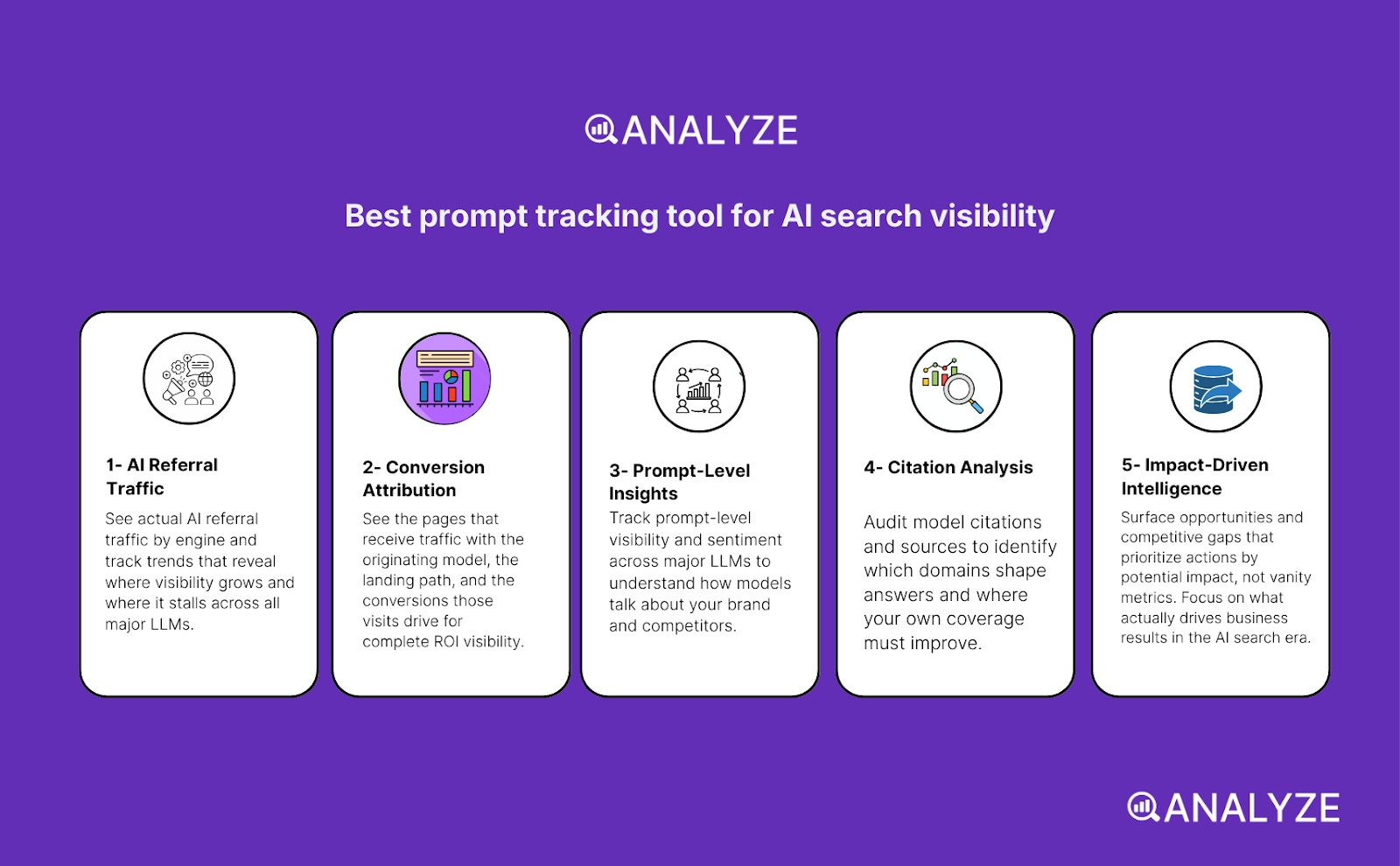
Keyword rank trackers tell you how your pages perform in Google and Bing. Analyze covers the next layer: prompt-level tracking across AI answer engines, so you can see where you appear, what gets cited, and whether those prompts actually drive sessions, conversions, and revenue.
Key Analyze features
-
See actual AI referral traffic by engine and track trends that reveal where visibility grows and where it stalls.
-
See the pages that receive that traffic with the originating model, the landing path, and the conversions those visits drive.
-
Track prompt-level visibility and sentiment across major LLMs to understand how models talk about your brand and competitors.
-
Audit model citations and sources to identify which domains shape answers and where your own coverage must improve.
-
Surface opportunities and competitive gaps that prioritize actions by potential impact, not vanity metrics.
Here are in more details how Analyze works:
See actual traffic from AI engines, not just mentions
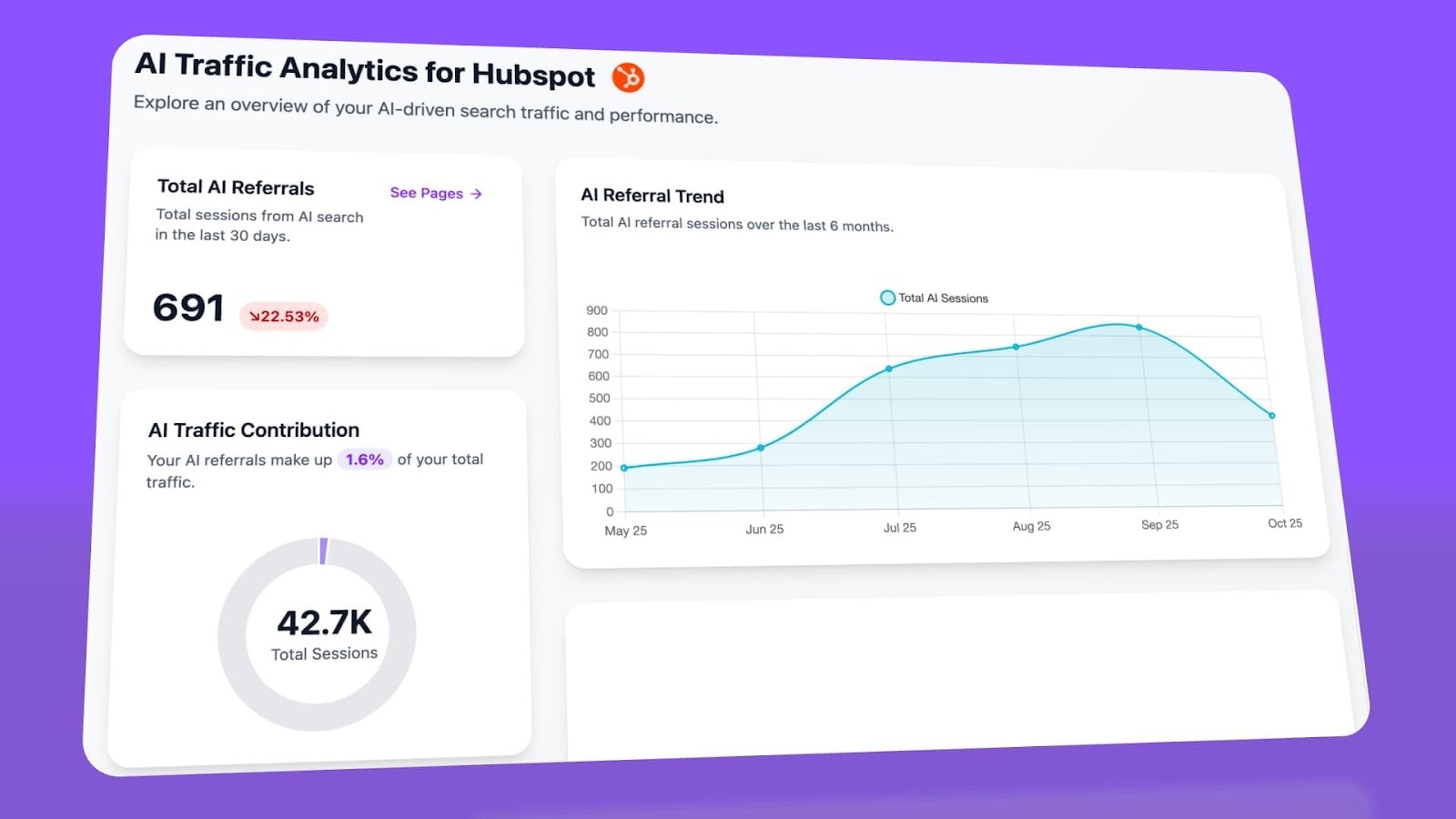
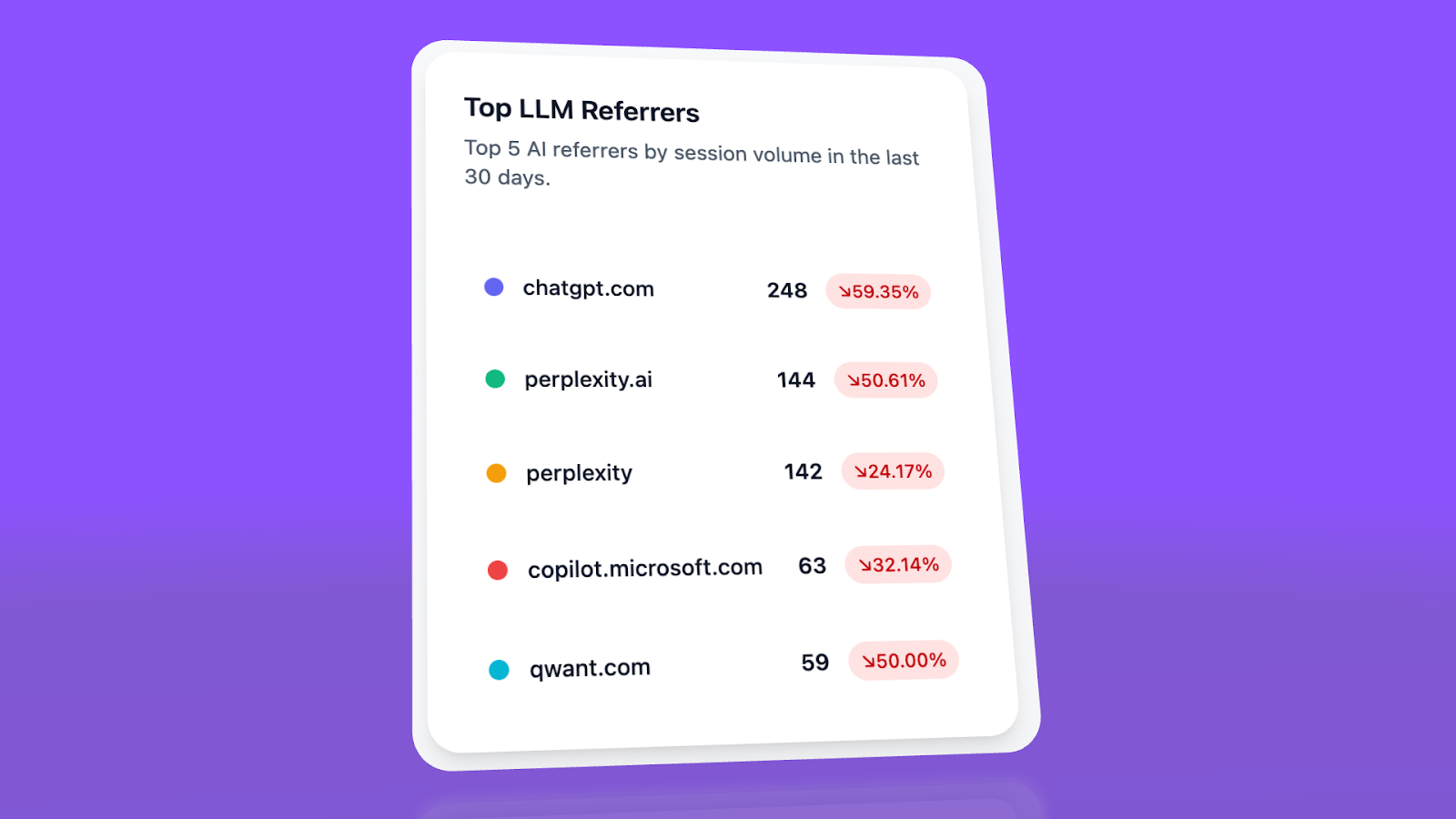
Analyze attributes every session from answer engines to its specific source—Perplexity, Claude, ChatGPT, Copilot, or Gemini. You see session volume by engine, trends over six months, and what percentage of your total traffic comes from AI referrers. When ChatGPT sends 248 sessions but Perplexity sends 142, you know exactly where to focus optimization work.
Know which pages convert AI traffic and optimize where revenue moves
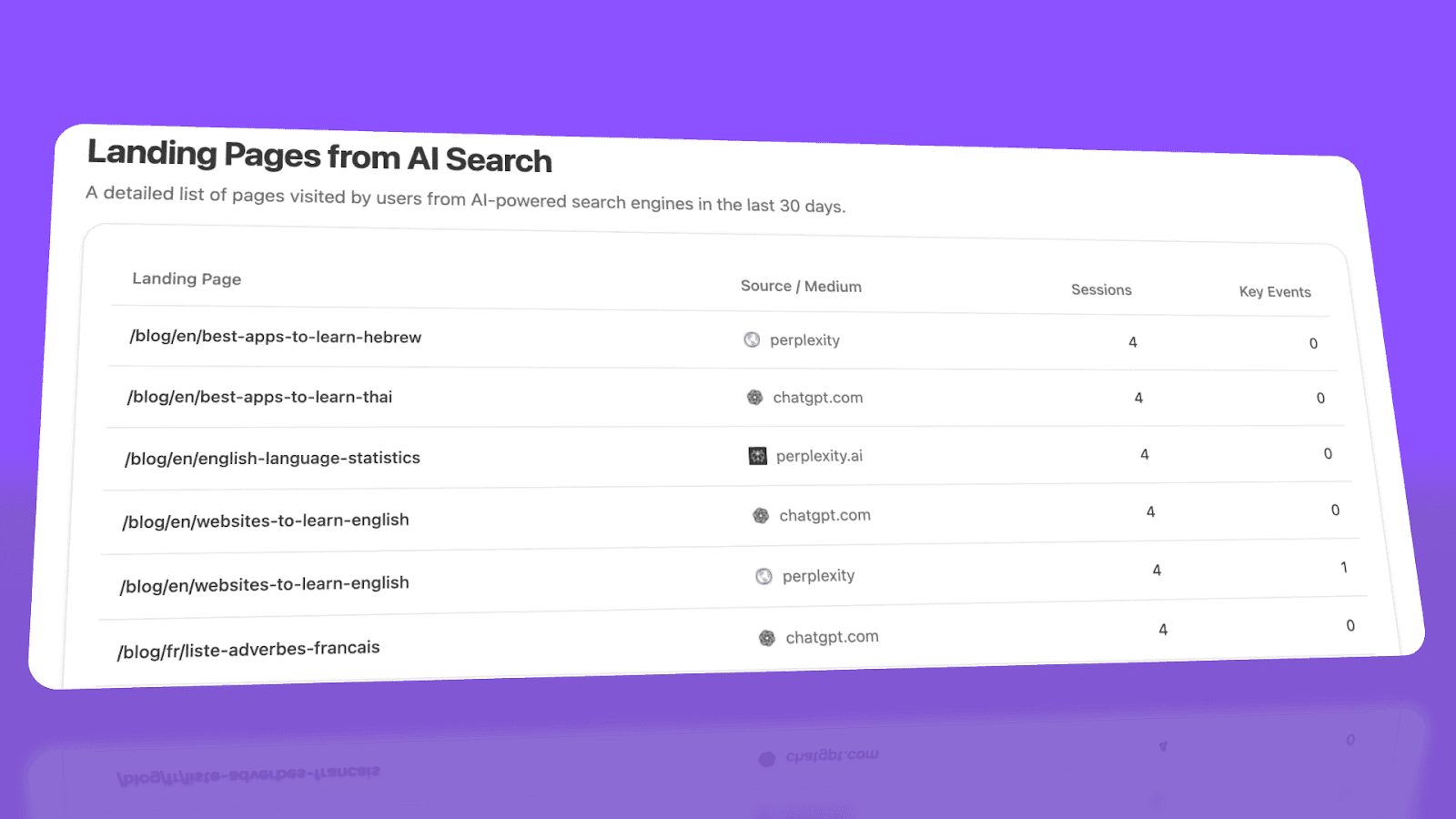
Most tools stop at "your brand was mentioned." Analyze shows you the complete journey from AI answer to landing page to conversion, so you optimize pages that drive revenue instead of chasing visibility that goes nowhere.
The platform shows which landing pages receive AI referrals, which engine sent each session, and what conversion events those visits trigger.
For instance, when your product comparison page gets 50 sessions from Perplexity and converts 12% to trials, while an old blog post gets 40 sessions from ChatGPT with zero conversions, you know exactly what to strengthen and what to deprioritize.
Track the exact prompts buyers use and see where you're winning or losing
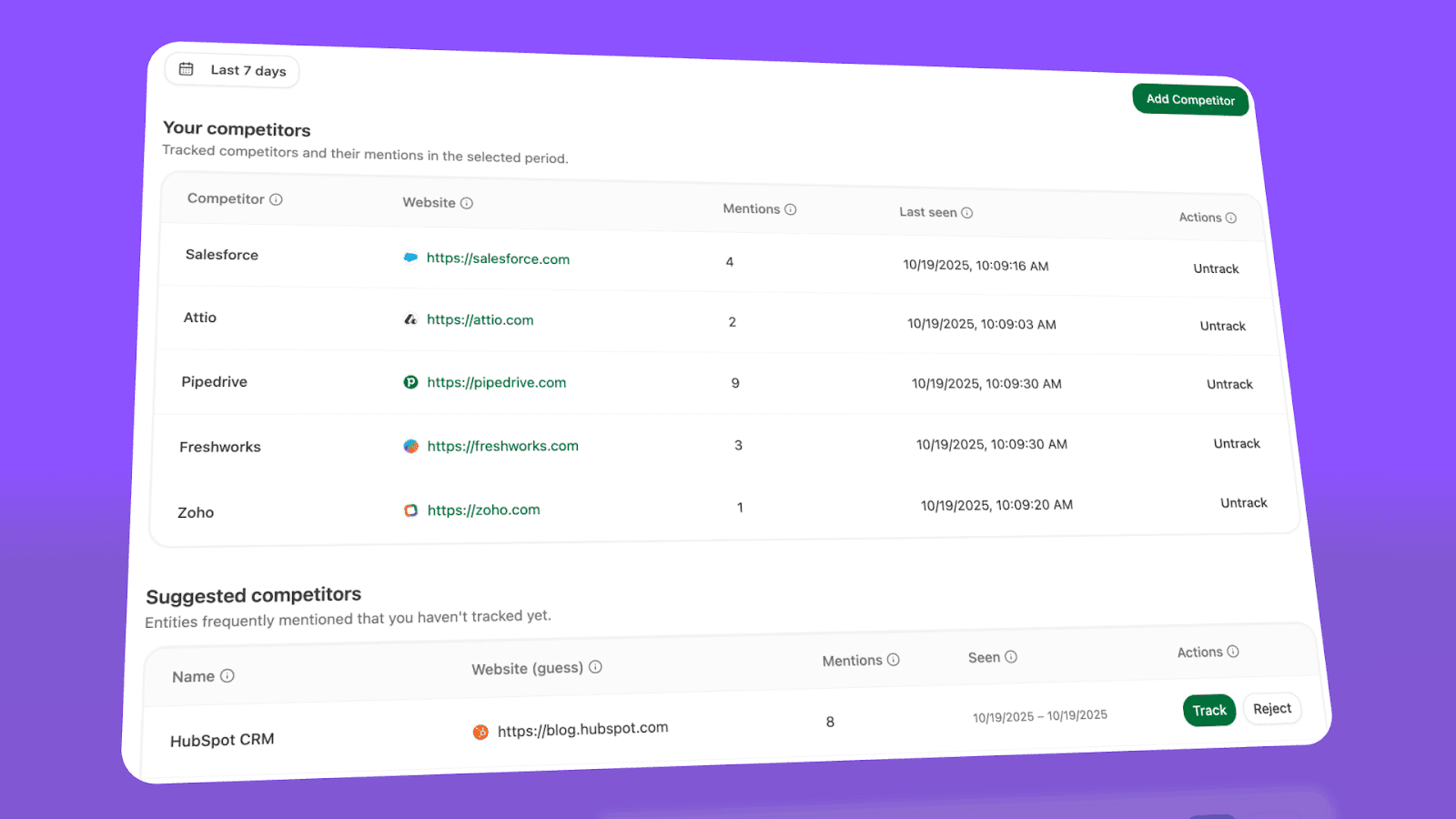
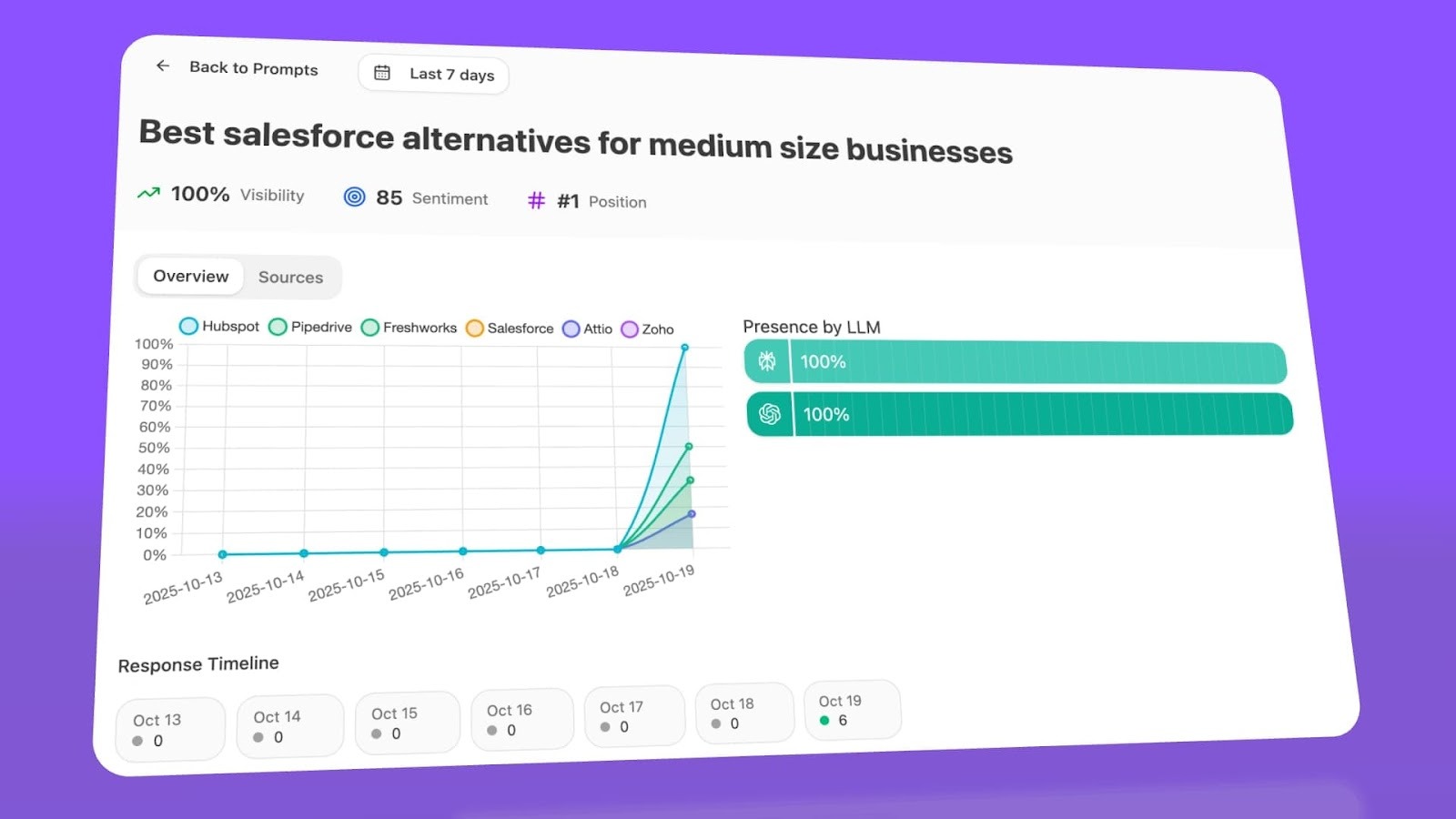
Analyze monitors specific prompts across all major LLMs—"best Salesforce alternatives for medium businesses," "top customer service software for mid-sized companies in 2025," "marketing automation tools for e-commerce sites."
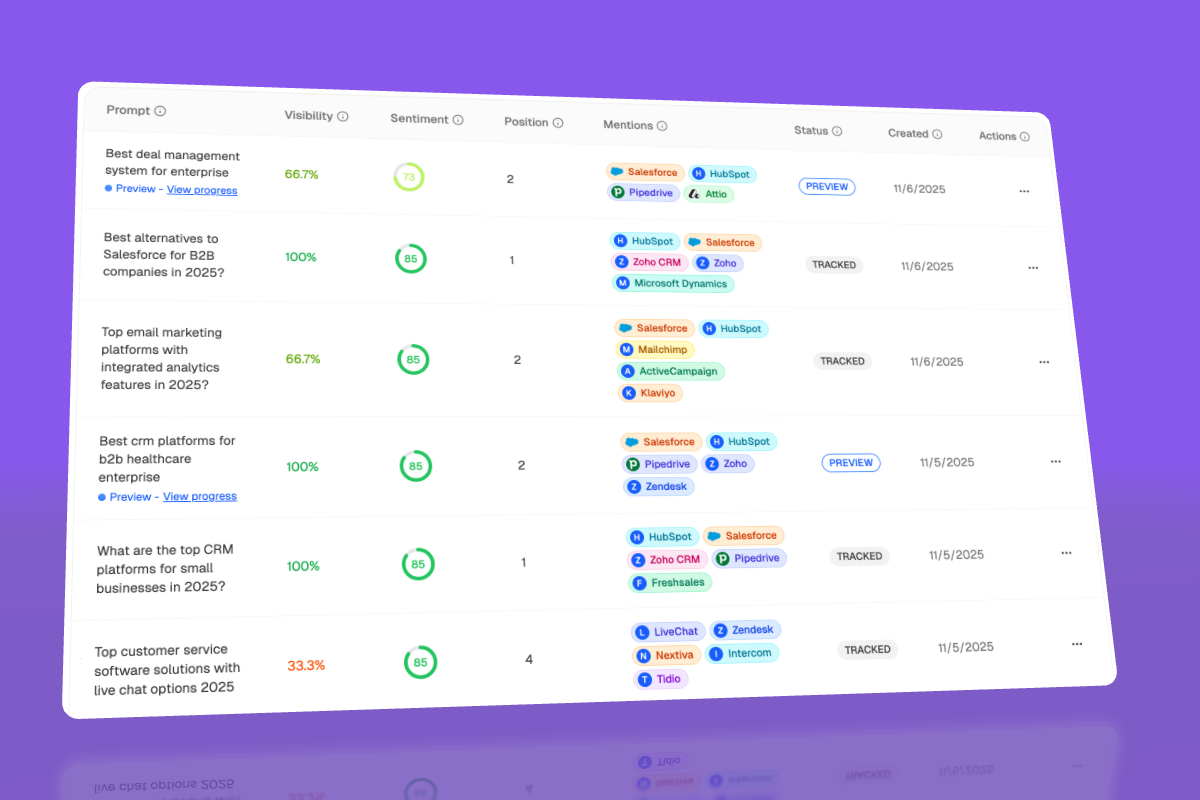
For each prompt, you see your brand's visibility percentage, position relative to competitors, and sentiment score.
You can also see which competitors appear alongside you, how your position changes daily, and whether sentiment is improving or declining.
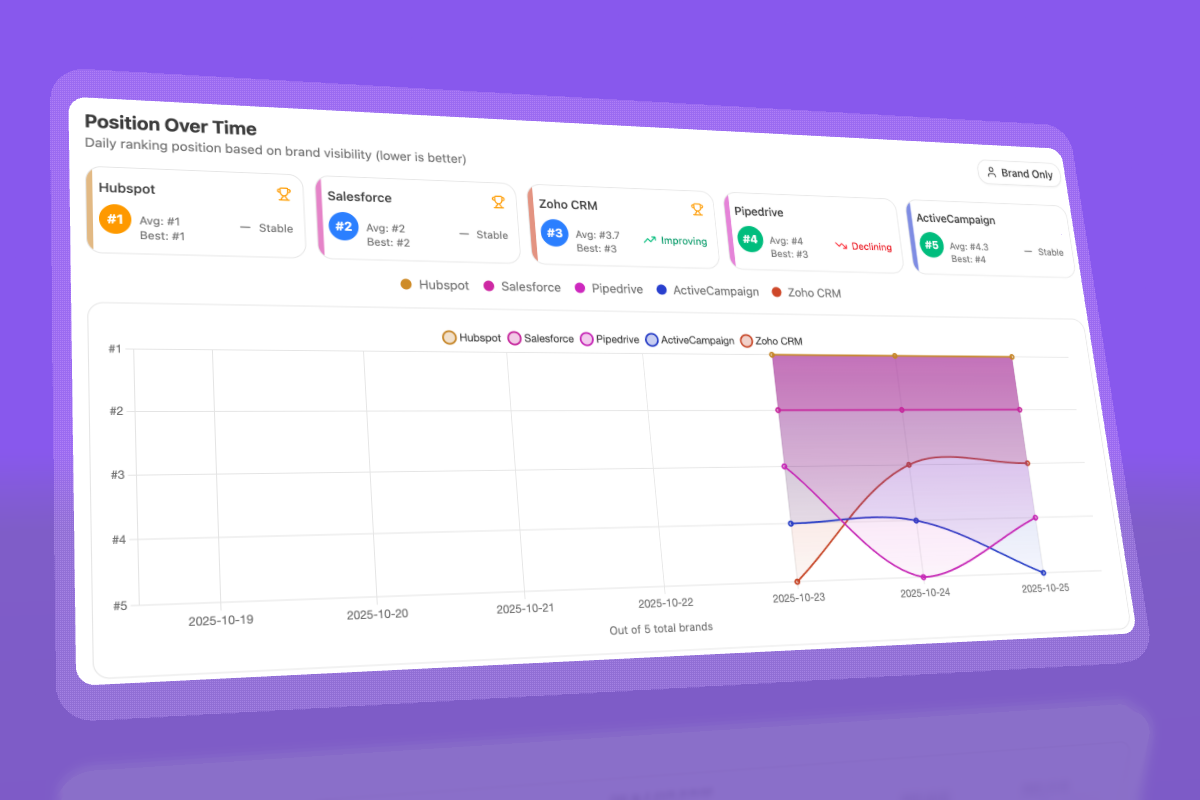
Don’t know which prompts to track? No worries. Analyze has a prompt suggestion feature that suggests the actual bottom of the funnel prompts you should keep your eyes on.
Audit which sources models trust and build authority where it matters
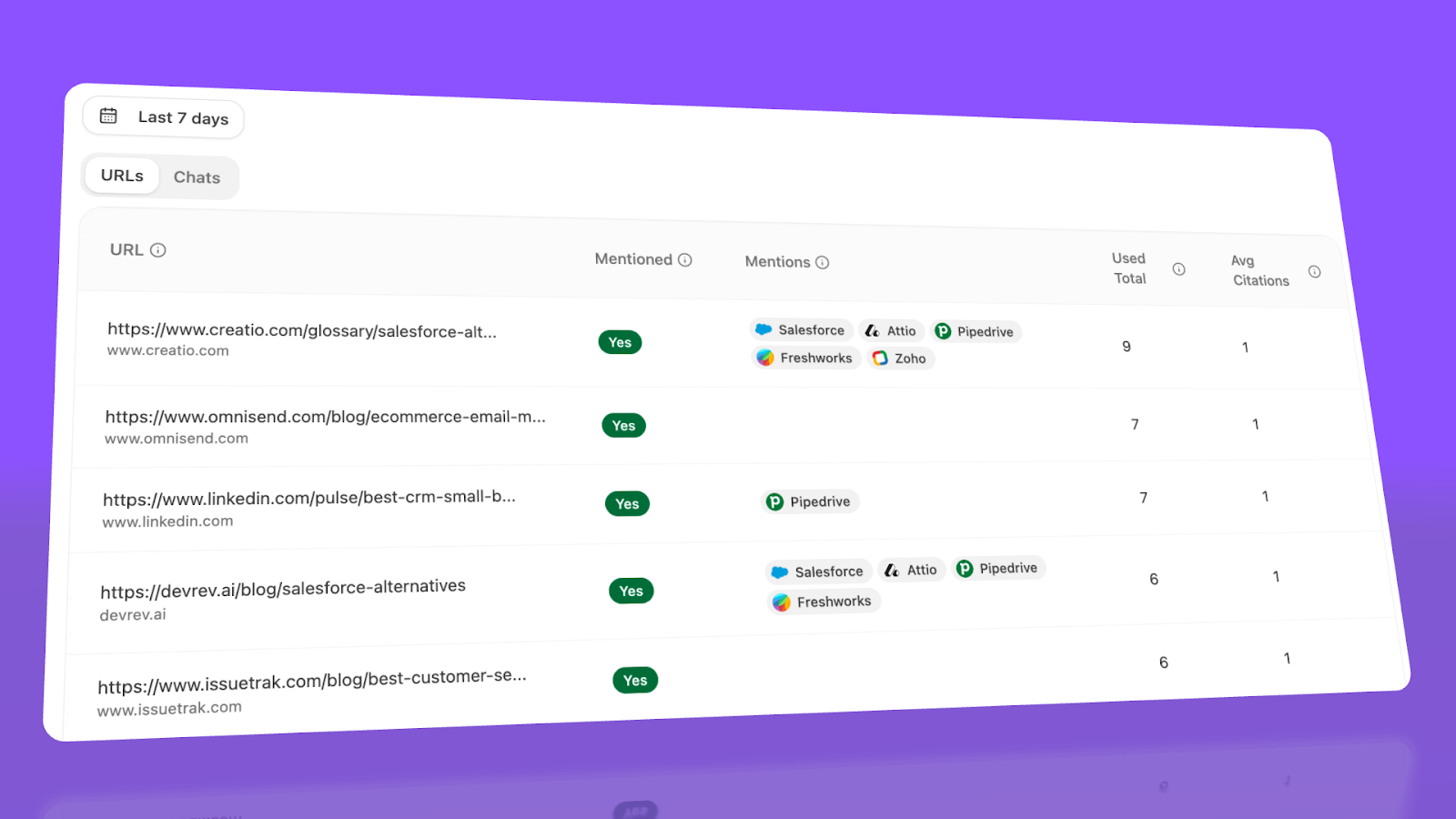
Analyze reveals exactly which domains and URLs models cite when answering questions in your category.
You can see, for instance, that Creatio gets mentioned because Salesforce.com's comparison pages rank consistently, or that IssueTrack appears because three specific review sites cite them repeatedly.
Analyze shows usage count per source, which models reference each domain, and when those citations first appeared.
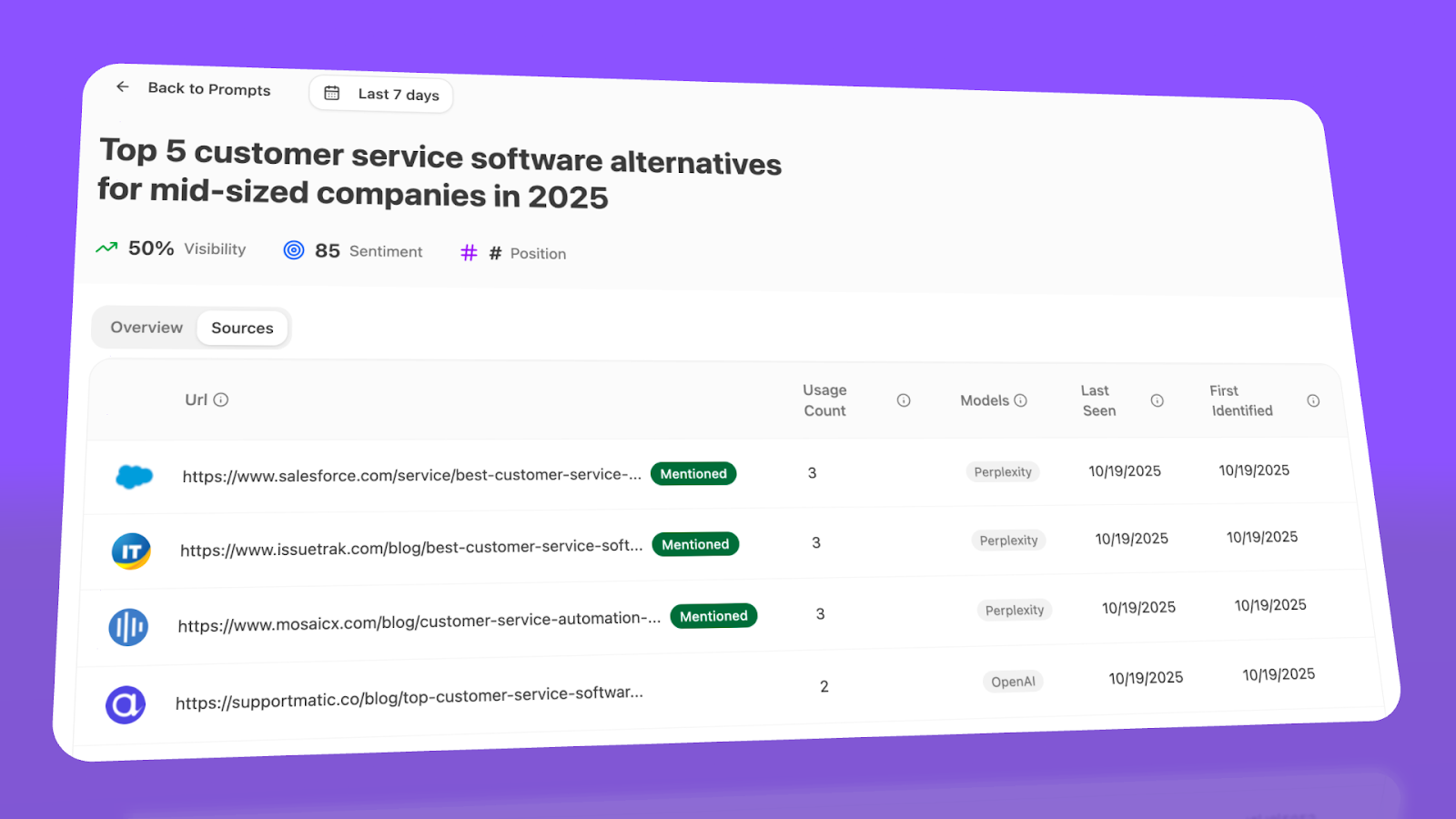
Citation visibility matters because it shows you where to invest. Instead of generic link building, you target the specific sources that shape AI answers in your category. You strengthen relationships with domains that models already trust, create content that fills gaps in their coverage, and track whether your citation frequency increases after each initiative.
Prioritize opportunities and close competitive gaps
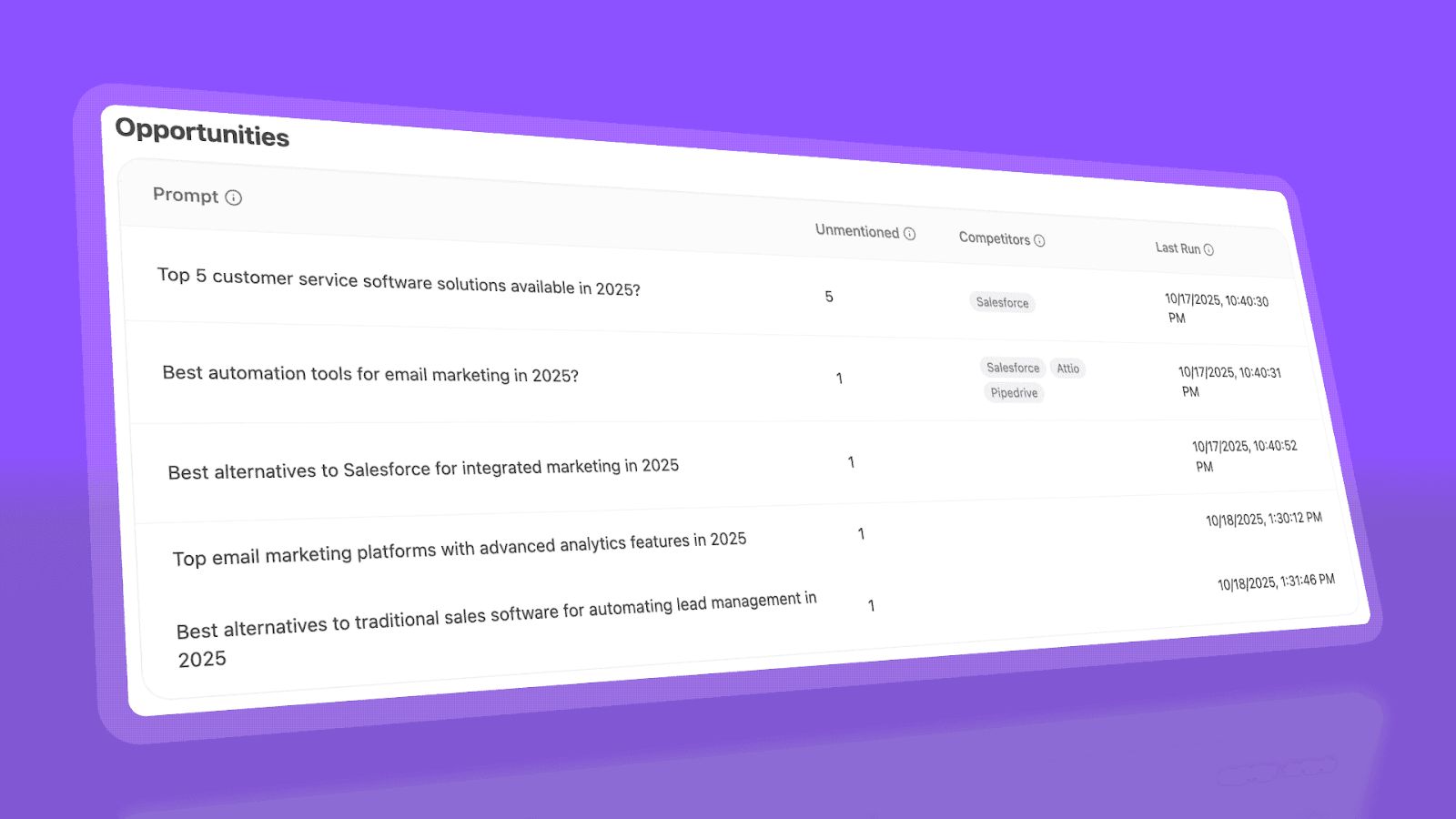
Analyze surfaces opportunities based on omissions, weak coverage, rising prompts, and unfavorable sentiment, then pairs each with recommended actions that reflect likely impact and required effort.
For instance, you can run a weekly triage that selects a small set of moves—reinforce a page that nearly wins an important prompt, publish a focused explainer to address a negative narrative, or execute a targeted citation plan for a stubborn head term.
Tie AI visibility toqualified demand.
Measure the prompts and engines that drive real traffic, conversions, and revenue.
Similar Content You Might Want To Read
Discover more insights and perspectives on related topics

The 9 Best AI Optimization Tools (Our Top Picks)
 Ernest Bogore
Best SEO Software for 2026: Overview & How to Choose
Ernest Bogore
The 9 Best Backlink Building Tools in 2026
Ernest Bogore
Profound vs Otterly: Which AI Search Visibility Tool Gives You the Edge in 2026?
Ernest Bogore
Conductor AI Review: Is This Enterprise SEO Platform Worth the Investment in 2026
Ernest Bogore
The 8 Best AirOps alternatives for AI search visibility in 2026
Ernest Bogore