
Content Optimizer
Optimizing a page
Open a declining page and the Optimizer fetches it, scores it, critiques it line by line, and rebuilds it — with a QA report that verifies every link and every claim.
Step one: the audit
Open a page from the queue and the Optimizer fetches the live content and reads it the way an editor would. You get a content score with two subscores — Argument & Flow and Clarity & Polish — plus the raw shape of the piece (words, headings, paragraphs) and a what-to-focus-on summary that says what's structurally sound and what isn't.
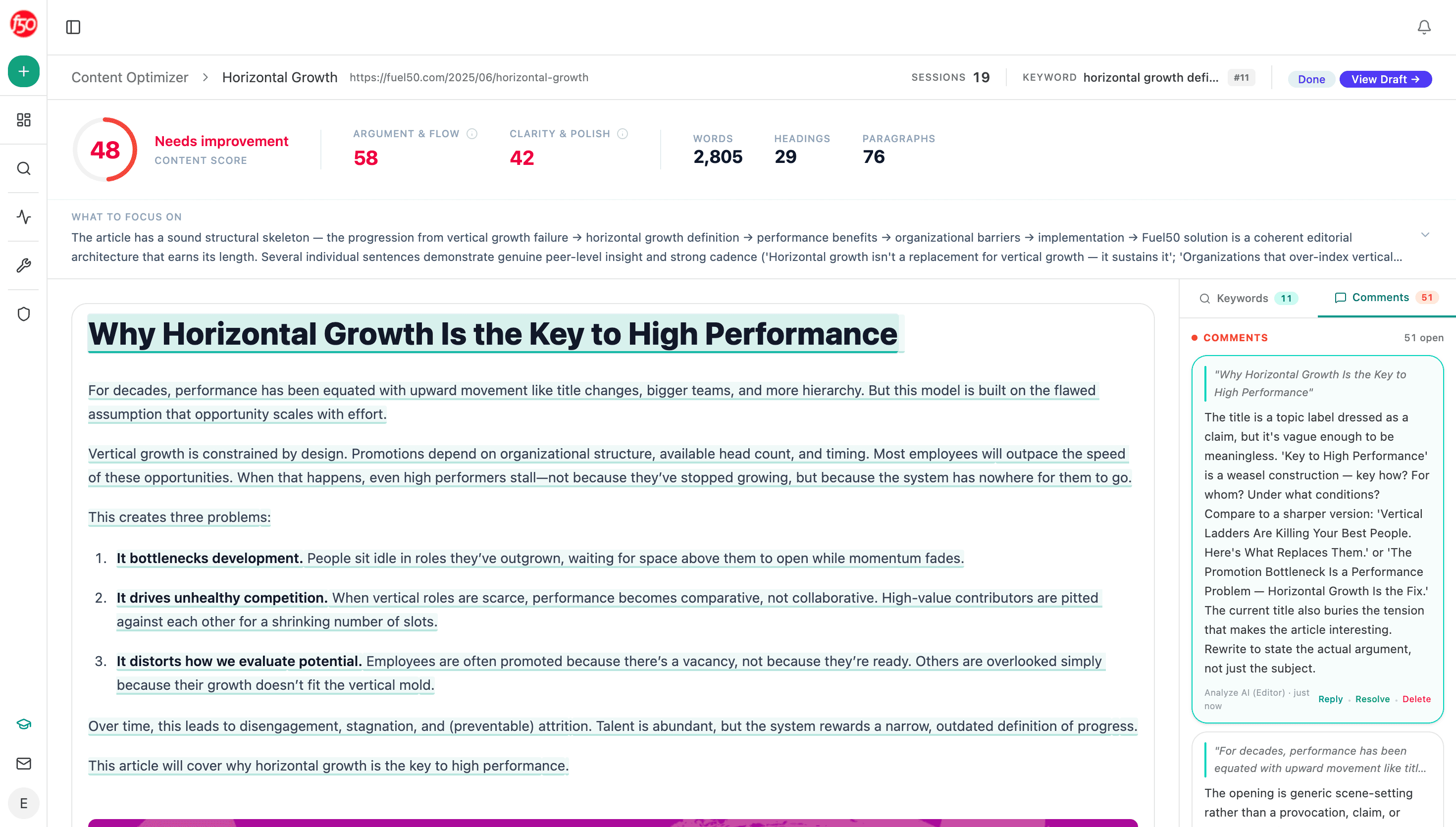
Most of the value sits in the comment rail: dozens of notes from Analyze AI (Editor), each anchored to a specific passage. These are real critiques with sharper alternatives proposed — "The title is a topic label dressed as a claim… rewrite to state the actual argument" — rather than checklist output. Reply, resolve, or delete each one, exactly like the Writer's editorial process.
Step two: the optimized draft
The rework addresses the comments and rebuilds the piece — and shows its work:
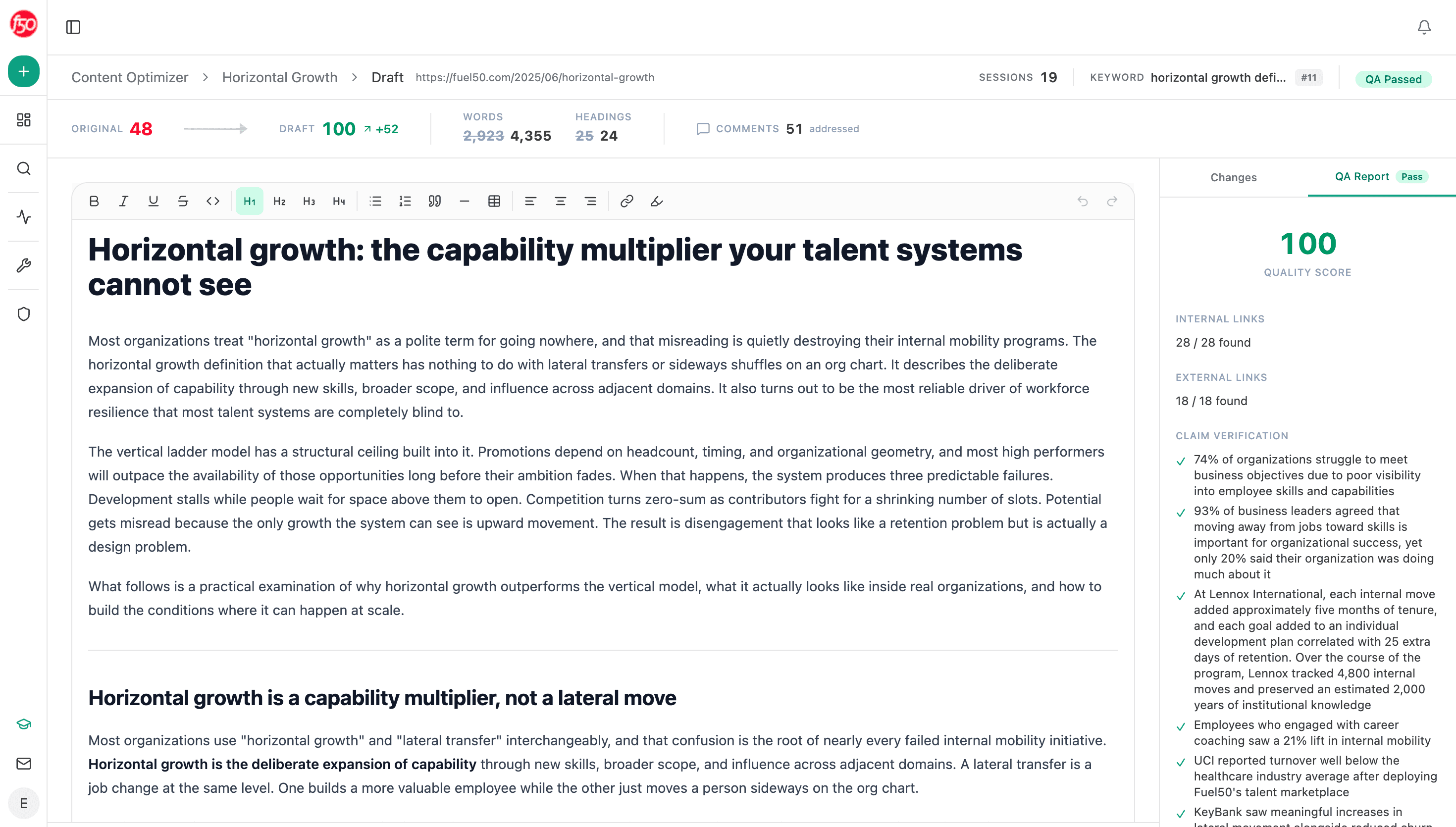
The header shows the before-and-after: original score → draft score, word and heading counts on both sides, and how many editor comments were addressed. The Changes tab shows what moved; the QA Report is the gate:
- Internal links — every internal link checked and found.
- External links — every external reference checked and found.
- Claim verification — each factual claim in the draft listed and verified individually. A draft doesn't get its QA Passed badge with unverifiable claims in it.
Why the QA gate matters
Optimization tools that only chase scores produce confident nonsense: inflated claims, broken references, keyword soup. The Optimizer's gate inverts the incentive — the rework must survive link checks and claim-by-claim verification before it's presented as done. What you export can survive scrutiny, from AI engines and from readers.
Work the queue weekly
Pick from the pipeline by leverage: sessions × drop, plus strategic weight (product pages and comparison pages first).
Read the audit before the rewrite
The focus summary and the top comments tell you whether this is a structural rebuild or a polish pass — and whether the page's problem is even fixable with content (sometimes it's positioning).
Review the draft like an editor, then export
Check the Changes tab, spot-check the claim verifications, and ship it back to your CMS. The before/after score goes in your weekly report.
Optimized pages tend to win AI citations on top of search recovery. Cross-reference citation entities to see whether the pages you're fixing are ones AI engines already cite for competitors — those repairs pay twice.