
Getting started
Quickstart
From signup to your first real AI-visibility data in about fifteen minutes — the short path, with links to go deeper when you're ready.
The fifteen-minute path
Create your workspace
Sign up, enter your brand name and website. Analyze AI reads your site and builds your Brand Vault in the background — the structured brand profile that grounds everything else. You don't need to wait for it.
Confirm your competitors
Onboarding asks for your top competitors. Three is enough to start; the platform will suggest more later, based on who actually shows up in your AI answers.
Track your first prompts
You'll get five suggested prompts, grounded in real search demand for your category. Accept the ones that sound like your buyers and run them — this kicks off your first analysis across the AI engines. Wording tips and portfolio strategy live in setting up your prompts.
Read your first results
Within a few minutes each prompt shows its results: visibility (were you mentioned, at what rank), sentiment, and the full AI answers with your brand highlighted — plus every source the engines cited.
Open the Overview
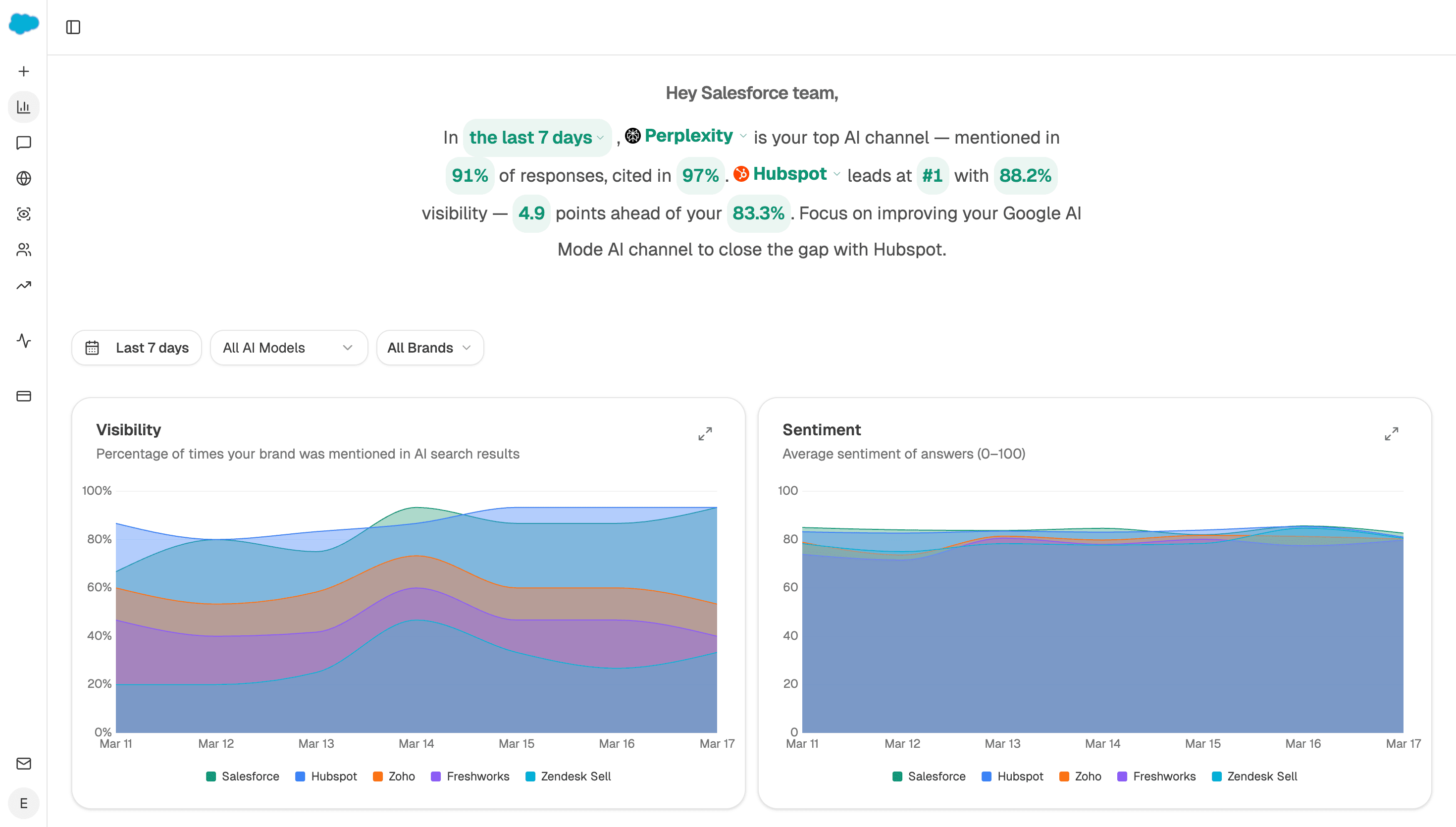
The dashboard assembles the picture: your visibility, sentiment, and position against competitors, the sources AI trusts in your space, and the prompts where competitors get cited and you don't. The Overview guide explains every panel.
What to do in week one
- Let the schedule run. Trends need a few days of data. Single runs are anecdotes; the charts get meaningful fast.
- Review your Brand Vault once. Ten minutes reading the generated blocks — especially tone and proof points — improves every suggestion and every generated word downstream.
- Check the perception quadrant once results accumulate: it's the fastest read on how AI frames you against the field.
- Pick your first gap. The Overview's Opportunities table names the prompts where competitors get cited and you don't — natural input for the Content Writer.
Where everything lives
| I want to… | Go to |
|---|---|
| Understand a metric's exact definition | Metrics reference |
| Test a question without tracking it | Ad-hoc searches |
| See which pages AI cites in my space | Citation intelligence |
| Measure visitors AI sends me | AI traffic analytics |
| Query my data from Claude or ChatGPT | MCP server |