
Content Optimizer
What the Content Optimizer is
A pipeline of your existing pages that are losing ground — detected automatically from declining traffic, scored, and queued for a full editorial rework.
Your existing content is an asset under management
New content gets all the attention, but the faster wins usually hide in pages you already have: the guide that used to rank, the product page AI engines skip, the post whose traffic has quietly bled for two months. The Content Optimizer watches for exactly that — pages with declining organic traffic over the past 60 days — and queues them for repair.
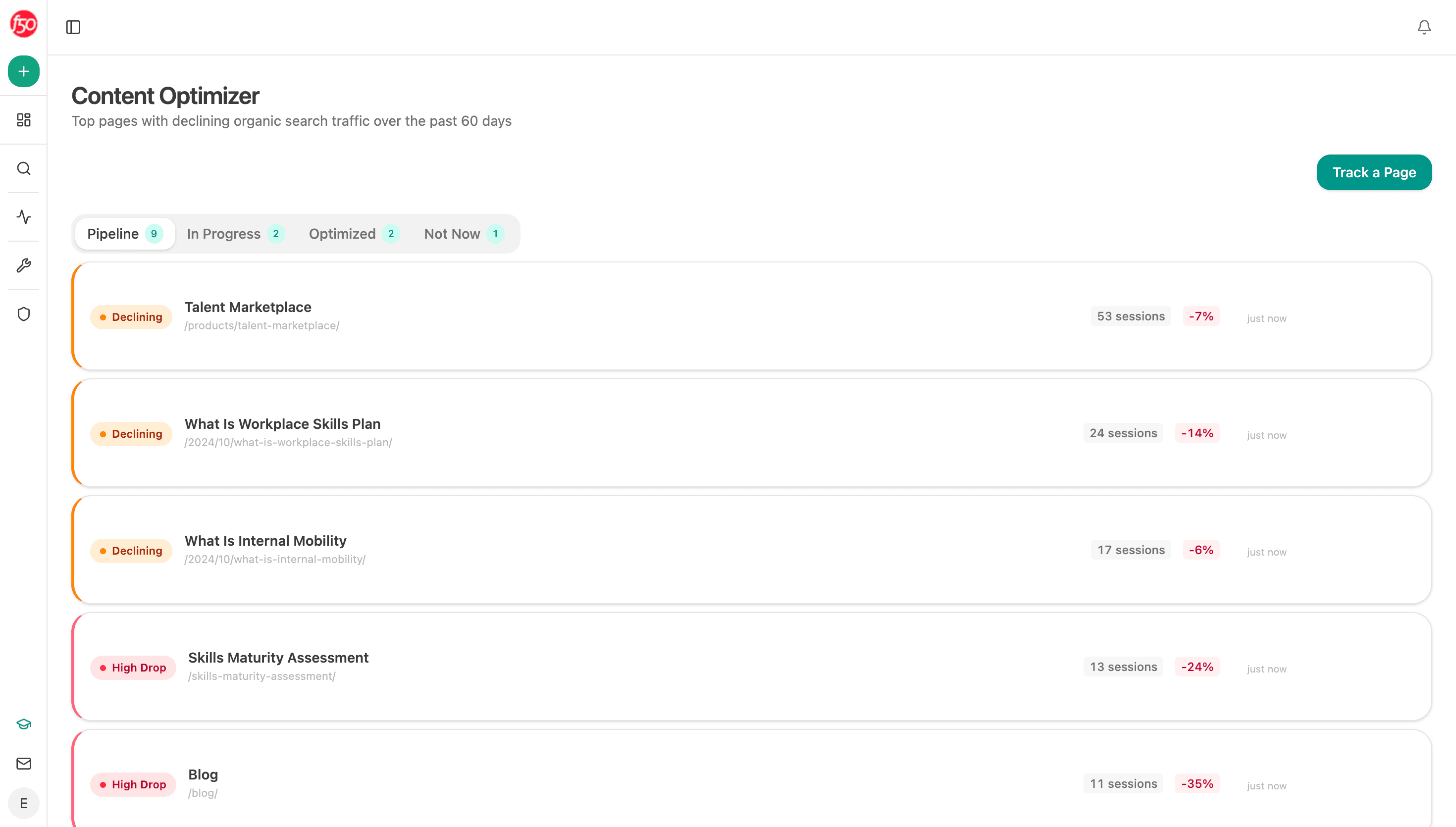
Each page arrives flagged by severity — Declining or High Drop — with its current sessions and the size of the fall. The stages work like the Writer's: Pipeline (detected, waiting), In Progress, Optimized, and Not Now for pages you've decided to leave alone.
Add pages by hand too
Detection catches the decliners, but you can queue any page — a launch page before a campaign, a comparison page a competitor just overtook, anything worth a pass:
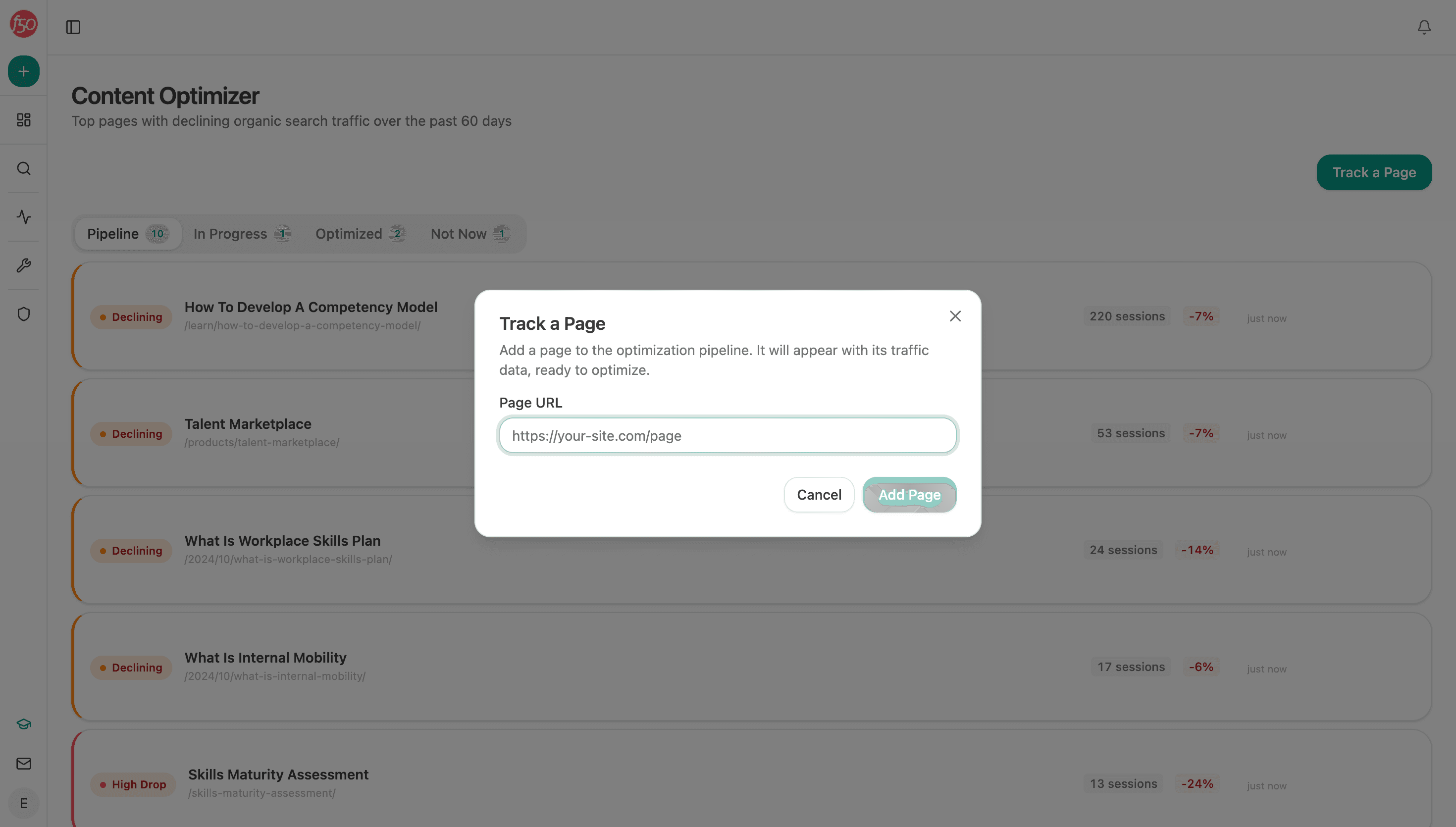
What happens to a queued page
Opening a page starts the full treatment — the original content is fetched, scored, and annotated by an editor, then rebuilt into an optimized draft that has to pass QA (link checks and claim verification) before it's done. That workflow has its own walkthrough.
Prioritize by leverage, not by drop size alone. A −7% on your highest-traffic product page usually matters more than a −35% on a low-traffic post — the pipeline shows sessions next to the drop for exactly this judgment call.