
MCP server
What the MCP server is
Analyze AI ships a remote MCP server that plugs your AI-visibility data into Claude, ChatGPT, and any MCP-compatible assistant — with evidence-backed, chart-ready answers.
Your data, inside your assistant
Analyze AI ships a remote MCP server. MCP — the Model Context Protocol — is the open standard AI assistants use to talk to external tools. Once your workspace is connected, your assistant can query your real visibility data and answer questions like:
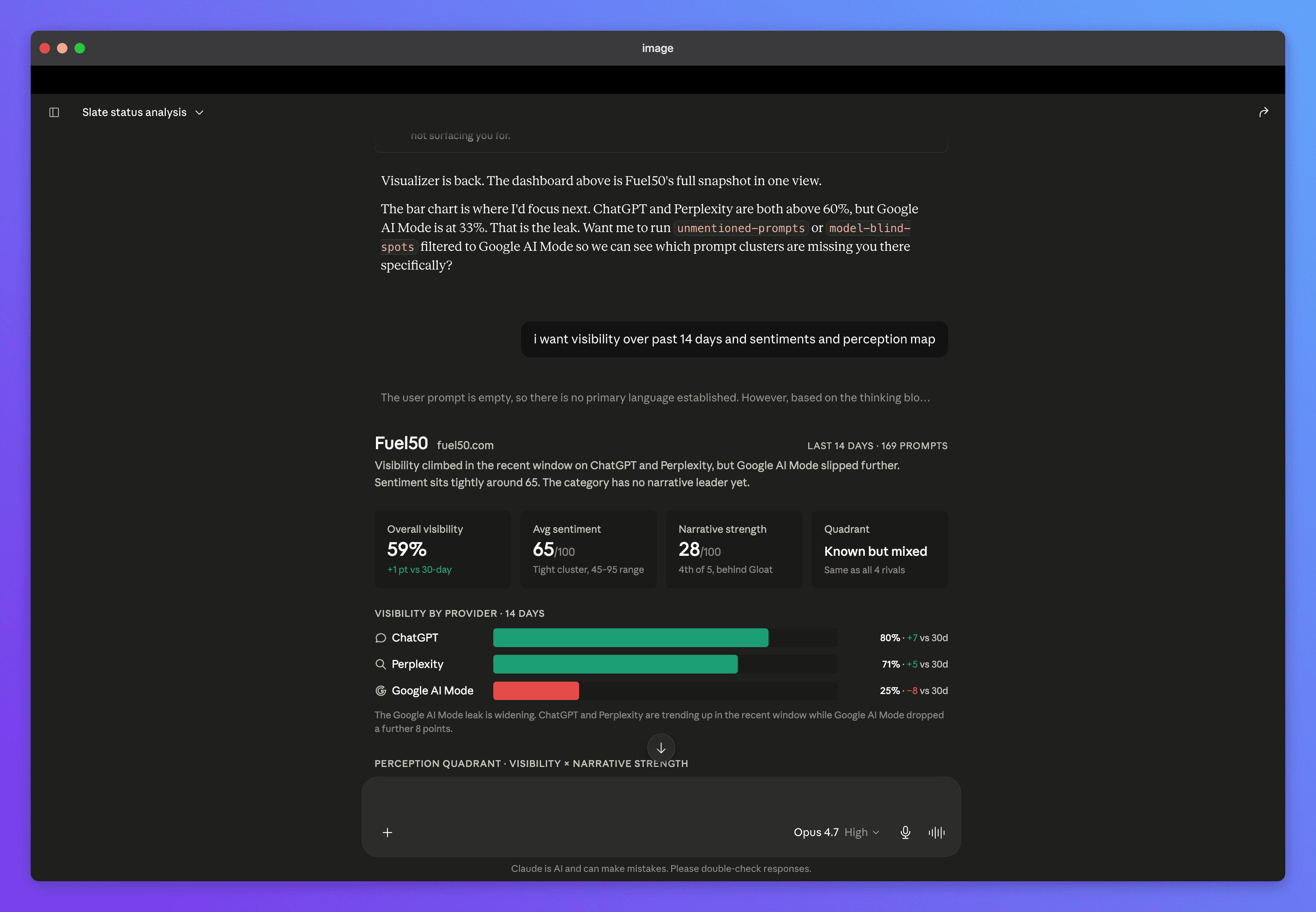
"I want visibility over the past 14 days, and sentiments, and a perception map."
What it lets you do
- Run any analysis, on demand — more than 25 ready-made analyses covering share of voice, visibility movers, competitor gaps, sentiment alerts, citation quality, source authority, and daily trend series.
- Get finished deliverables — built-in playbooks produce complete outputs in one request: a weekly visibility brief, a competitor radar, a sentiment deep dive, a citation outreach plan, or a before/after campaign analysis. See example prompts.
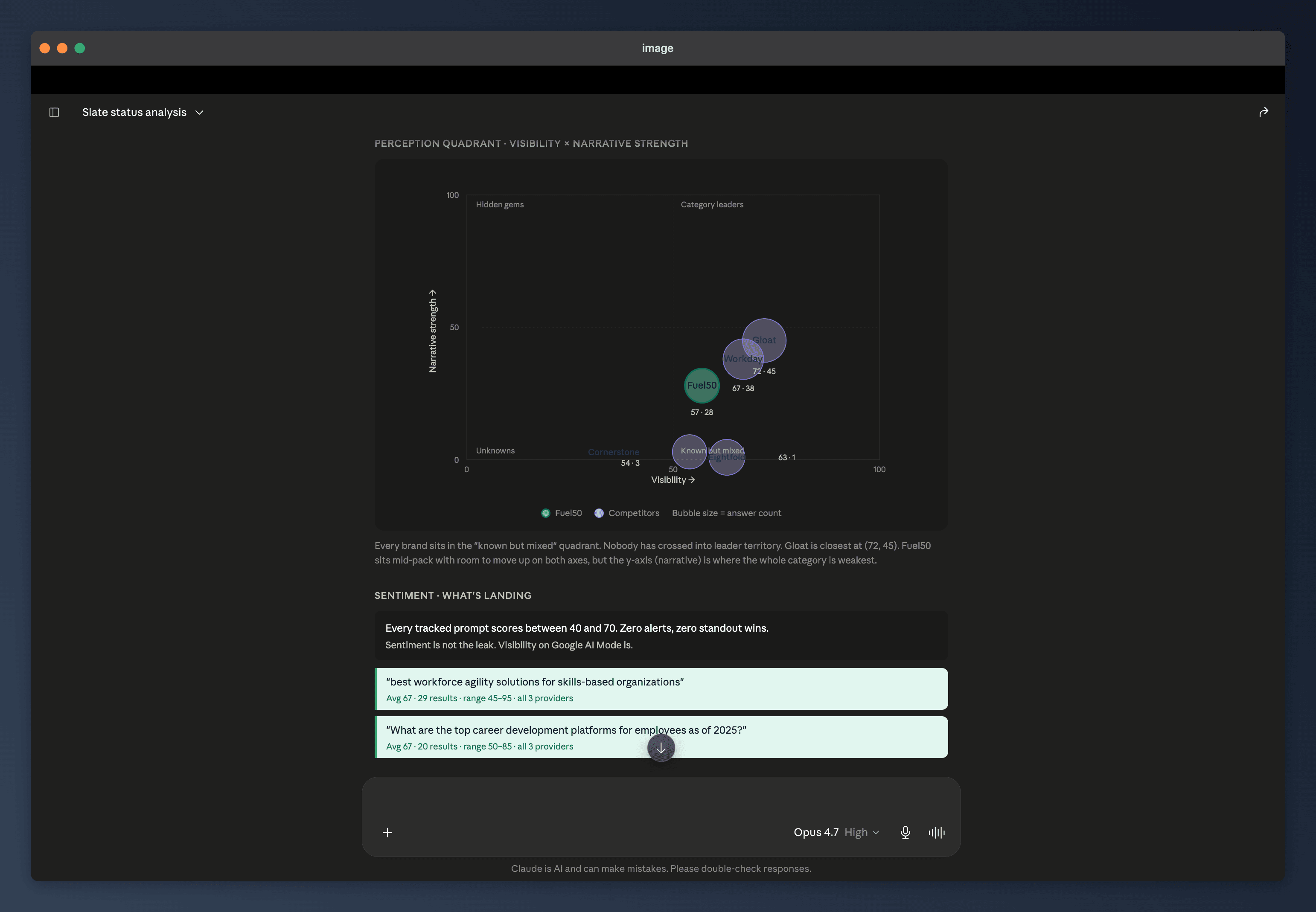
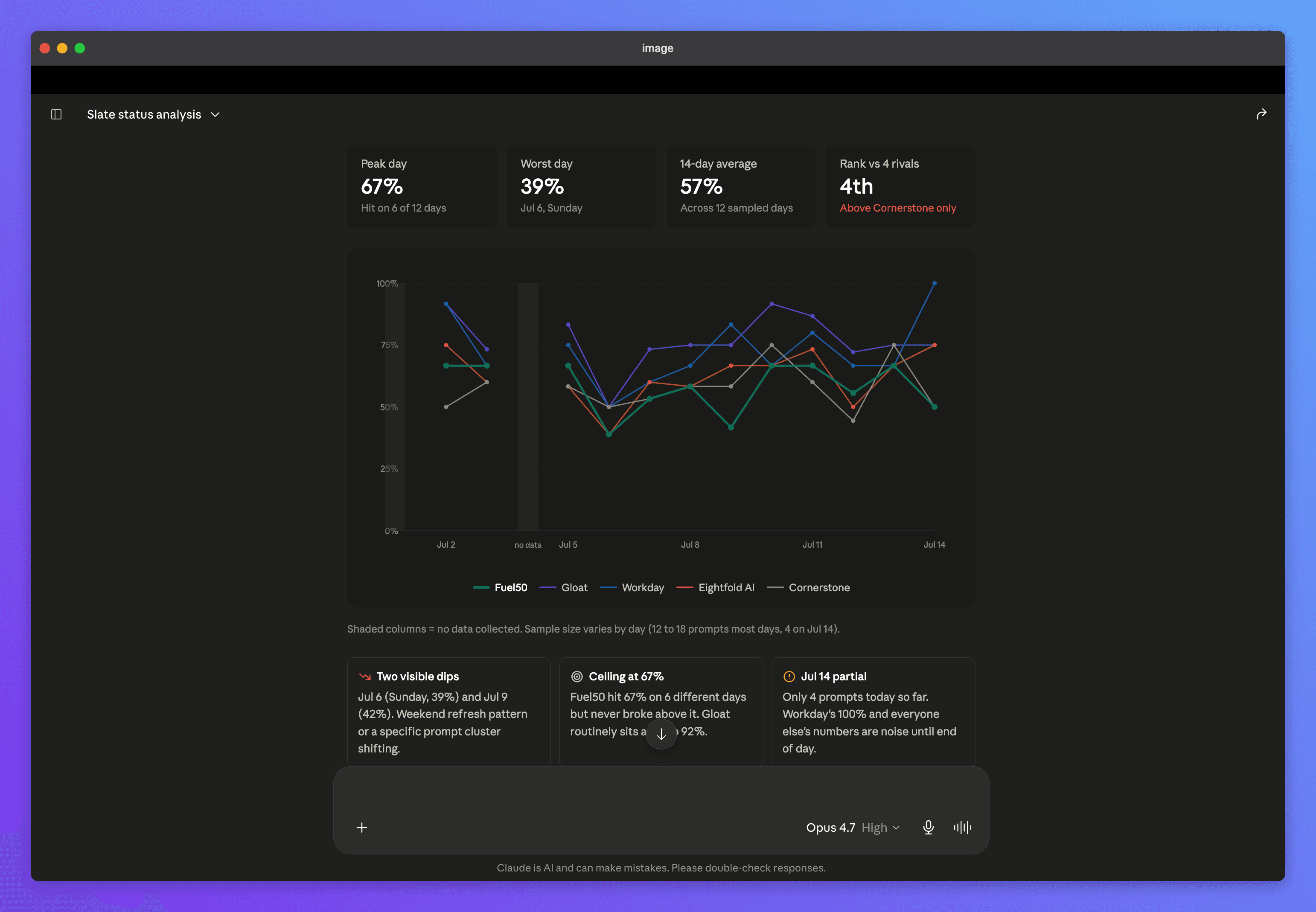
- See charts, not walls of numbers — analyses declare how they should be visualized, so assistants that render charts turn your data into line, bar, pie, and scatter visuals automatically.
- Manage prompts conversationally (optional write access) — add or retire tracked prompts and trigger fresh runs from the chat, with plan limits enforced automatically.
What makes it different
Most analytics integrations expose raw API endpoints and hope the assistant stitches them together. The Analyze AI MCP server is designed the other way around:
- Every claim carries receipts. Analyses return evidence references, and a dedicated tool dereferences them into the exact quotes, sentiment spans, and source snippets behind every number — with the engine name and run date. If a claim has no evidence, the assistant is told to say so rather than present it as fact.
- One question, one finished analysis. Instead of low-level endpoints, the server exposes curated analyses that each answer a real marketing question in a single call — "which high-authority pages cite competitors but not us?" is one tool call, not an afternoon of query planning.
- Playbooks built in. The weekly brief, competitor radar, and citation gap plan ship as ready-made workflows your assistant can run by name — your first session can produce a board-ready deliverable.
- Chart-ready by design. Time series carry their sample sizes, breakdowns carry their percentages, and every chartable result says what kind of chart it wants.
- Writes with guardrails. Prompt management is opt-in, owner-controlled, quota-checked before anything is written, and rate-limited — an over-eager agent can't burn your plan.
- Workspace-true access. Connections are scoped to one workspace, honor your team roles on every request, and can be revoked instantly.
Where to go next
- Set up Claude & ChatGPT — connected in a couple of minutes.
- Example prompts — copy-paste questions that get great answers.
- Supported assistants & agents — what works with it, and how each connects.
- Limits & what it can't do — the honest list.
The MCP server is included in the Growth plan.