
Reporting & account
Weekly email reports
A Monday-morning brief that reads like an analyst wrote it — what moved, why it happened, and the two actions that matter this week.
The week, already analyzed
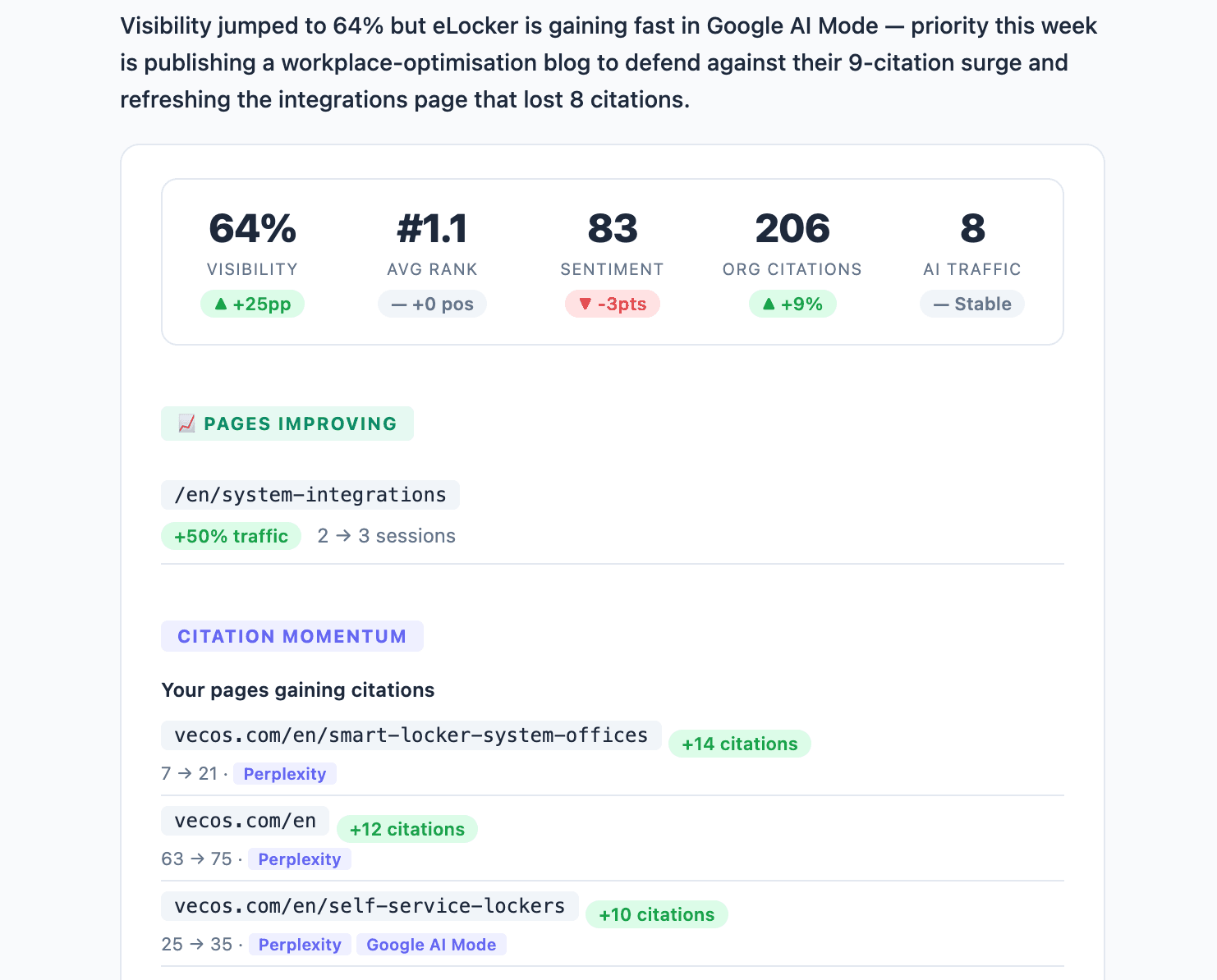
The weekly email opens with a plain-language summary of what happened and what to prioritize; the metrics come second, as evidence. The headline stats carry week-over-week deltas: visibility, average rank, sentiment, citations to your own pages, and AI-referred traffic.
It watches competitors too — and explains itself
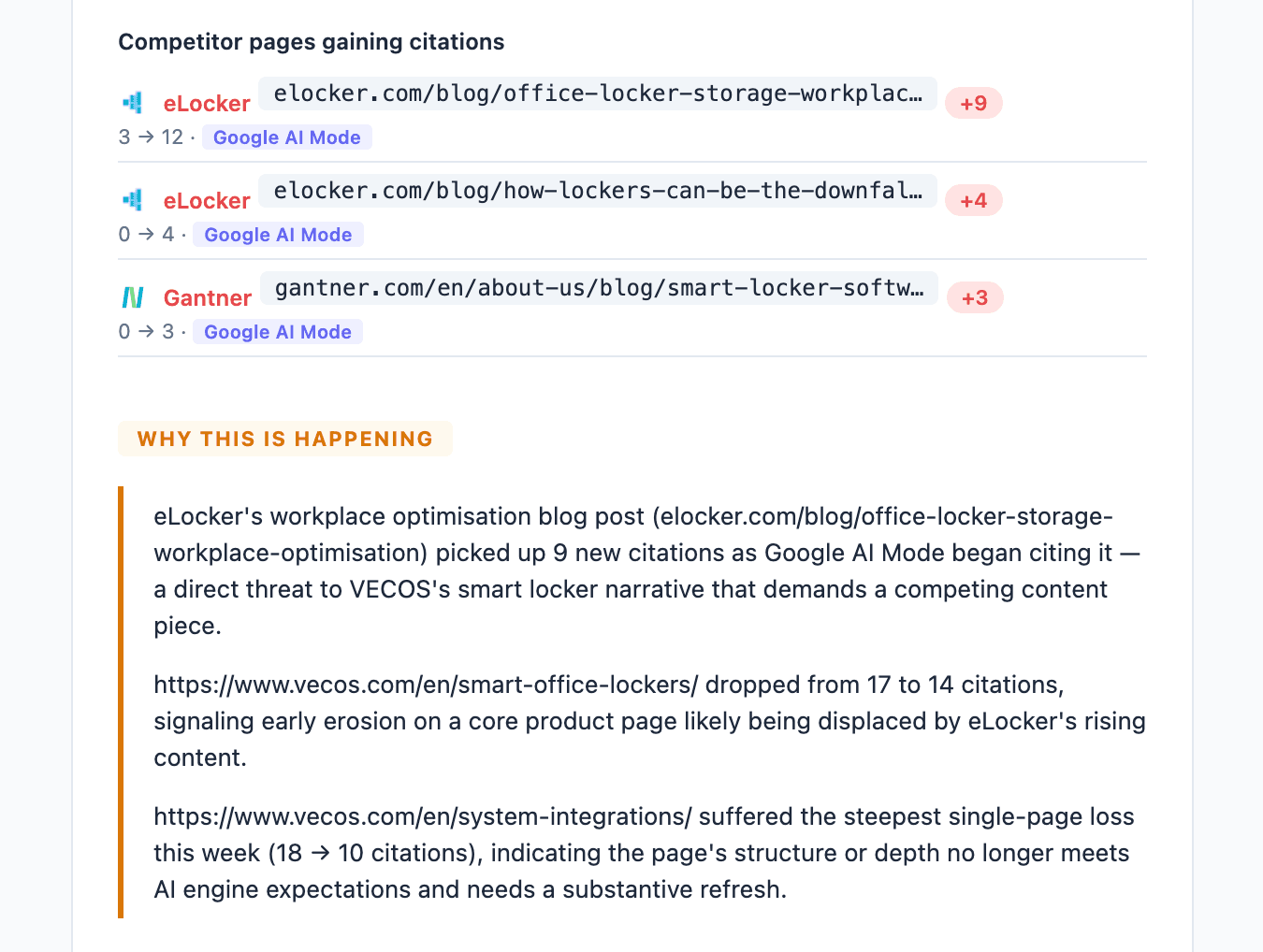
The brief tracks citation momentum on both sides: your pages gaining ground, and competitor pages that started earning citations. Then the section most reports never attempt — why this is happening: which competitor page picked up citations on which engine, what that threatens, and which of your pages are eroding.
Actions, not homework
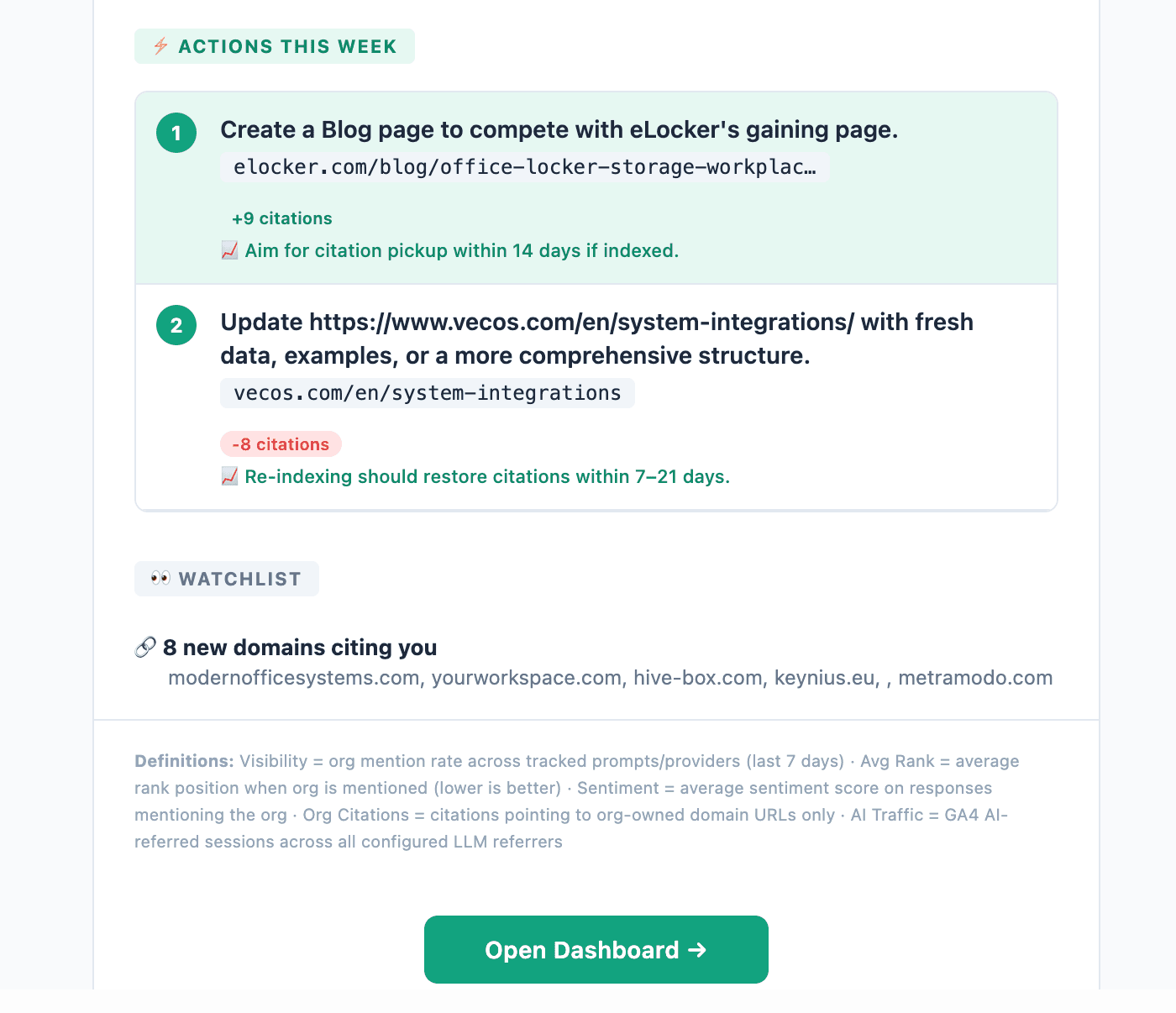
The brief ends with numbered actions for the week — each tied to the evidence above it, with an expected result and time window ("aim for citation pickup within 14 days"). A watchlist of new domains citing you closes it out, and every metric in the email carries its definition in the footer.
Making it useful
- Treat the two actions as the week's default plan. They're derived from the same data the dashboard shows — the email just did the prioritization for you.
- Forward it. The narrative format is written to be read by people who never open the dashboard; it's your AI-visibility update for leadership as-is.
- Follow the trail when surprised. Every claim maps to a dashboard view — the Overview for the stats, citation intelligence for the momentum sections.
Want a different cadence or a custom angle — a daily pulse, or a competitor-only digest? The same data is available to a scheduled task in Claude via the MCP server.